ECO mode BMW M3 CONVERTIBLE 2012 User Guide
[x] Cancel search | Manufacturer: BMW, Model Year: 2012, Model line: M3 CONVERTIBLE, Model: BMW M3 CONVERTIBLE 2012Pages: 255, PDF Size: 6.32 MB
Page 134 of 255
133
Things to remember when driving
Driving tips
Check tire inflation pressure regularly
Check the tire inflation pr
essure at least twice a
month and before embarking on a long journey,
and correct it if necessary.
Low tire inflation pressure causes higher rolling
resistance and thus increases fuel consumption
and tire wear.
Set off immediately
Do not let the engine wa rm up while the car is
still standing, but set off immediately at moder-
ate engine speed. This is the fastest way for the
cold engine to reach its operating temperature.
Drive defensively
Avoid unnecessary acceleration and braking
maneuvers. To do so, keep an adequate dis-
tance between you and th e vehicle in front of
you. A defensive and smooth driving style
keeps fuel consumption down.
Avoid high engine speeds
Only use first gear when setting off. In second
and higher gears, accele rate without hesitation
or pauses. When accelera ting, shift up before
reaching high engine speeds.
When you reach the desi red speed, shift into
the highest applicable ge ar and drive with the
engine speed as low as possible and at a con-
stant speed.
As a rule: driving at low engine speeds lowers
fuel consumption and reduces wear.
Coasting
When approaching a red lig ht, take your foot off
the accelerator and coast to a stop in the high-
est applicable gear.
On a downhill slope, take your foot off the accel-
erator and coast in a suitable gear.
The fuel supply is interrupted when coasting.
Switch off the engine during lengthy
stops
Switch off the engine when stopping for lengthy
periods, e.g. at traffic lights, railroad crossings
or in traffic congestions. You achieve fuel sav-
ings even if standing time is as short as approx.
4seconds.
Switch off functions you do not need at
the moment
Functions such as the air conditioner, seat
heating or rear window defroster draw large
amounts of power and consume additional fuel.
Especially in city traffic and in stop-and-go driv-
ing they have a considerable impact. Therefore,
switch these functions off when they are not
really needed.
Have the vehicle serviced
Have the vehicle serviced regularly to achieve
good economy and a long vehicle life. BMW
recommends having the vehicle serviced at
your BMW center. Also note the BMW service
system, refer to page 202.
General driving notes
Close the trunk lid
Only drive with the trunk closed. Failure to
do so may endanger passengers or other
road users or may damage the vehicle in the
event of an accident or a braking and evasive
maneuver. In addition, exhaust gas may flow
into the passenger compartment. <
If special circumstances make it absolutely nec-
essary to drive with the trunk open:
1. Close all windows and the glass roof.
2. Greatly increase the air volume of the air
conditioner or automatic climate control
system, refer to page 110 or113.
3. Drive cautiously.
Online Edition for Part no. 01 40 2 609 312 - \251 08/11 BMW AG
Page 158 of 255
157
Te l e p h o n e
Communications
3
Highlighting/selecting a menu item.
>Turn: highlighting the menu item in the
display or setting a value.
> Press: selecting a highlighted menu item
or storing a setting.
4 Open the main menu
5 Redialing, answering a call, starting to dial,
ending a call, and switching to the phone
menu.
6 Function buttons for selecting the menu
items situated directly above them on the
display.
Presentation in the Owner's Manual
"…" identifies radio displa y texts used to select
individual functions.
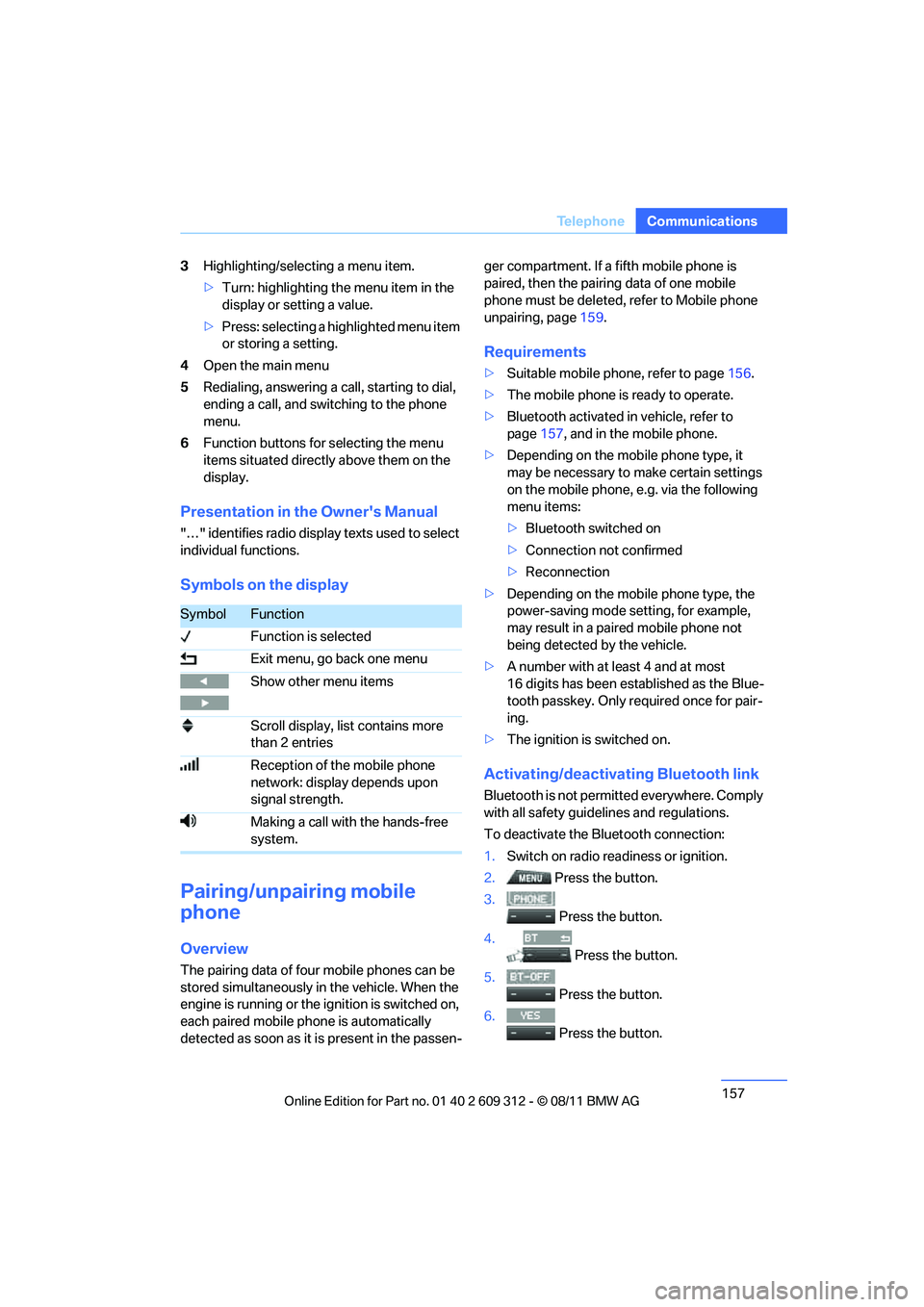
Symbols on the display
Pairing/unpairing mobile
phone
Overview
The pairing data of four mobile phones can be
stored simultaneously in the vehicle. When the
engine is running or the ignition is switched on,
each paired mobile ph one is automatically
detected as soon as it is present in the passen- ger compartment. If a fifth mobile phone is
paired, then the pairing data of one mobile
phone must be deleted, refer to Mobile phone
unpairing, page
159.
Requirements
>Suitable mobile phone, refer to page 156.
> The mobile phone is ready to operate.
> Bluetooth activated in vehicle, refer to
page 157, and in the mobile phone.
> Depending on the mobile phone type, it
may be necessary to make certain settings
on the mobile phone, e.g. via the following
menu items:
>Bluetooth switched on
> Connection not confirmed
> Reconnection
> Depending on the mobile phone type, the
power-saving mode setting, for example,
may result in a paired mobile phone not
being detected by the vehicle.
> A number with at least 4 and at most
16 digits has been established as the Blue-
tooth passkey. Only re quired once for pair-
ing.
> The ignition is switched on.
Activating/deactivating Bluetooth link
Bluetooth is not permi tted everywhere. Comply
with all safety guide lines and regulations.
To deactivate the Bluetooth connection:
1. Switch on radio readiness or ignition.
2. Press the button.
3.
Press the button.
4. Press the button.
5.
Press the button.
6.
Press the button.
SymbolFunction
Function is selected
Exit menu, go back one menu
Show other menu items
Scroll display, list contains more
than 2 entries
Reception of the mobile phone
network: display depends upon
signal strength.
Making a call with the hands-free
system.
Online Edition for Part no. 01 40 2 609 312 - \251 08/11 BMW AG
Page 160 of 255
159
Te l e p h o n e
Communications
Connecting a particular mobile phone
If more than one mobile
phone is detected by
the vehicle, the mobile phone at the top of the
list is connected. It is possible that another
detected mobile phone is linked to the vehicle.
A different mobile phone can be connected by
selecting it.
The connected mobile phone is denoted with
the following symbol in the radio display:
To change the sequence of mobile phones in
the list:
1. Switch on radio readiness or ignition.
2. Press the button.
3. Press the button.
4. Press the button.
5. Turn the knob on the right until the display
shows the mobile phone whose position in
the list is to be changed.
6. Press the button repeatedly until
the desired position is reached.
Mobile phon e unpairing
1.Switch on radio readiness or ignition.
2. Press the button.
3.
Press the button.
4. Press the button.
5. Turn the right knob to show the desired
mobile phone on the radio display.
6. Press the button.
7.
Press the button to acknowledge
the message displayed.
What to do if…
For information on suitable mobile phones,
refer to page 156.
The mobile phone could not be paired or con-
nected.
> Is Bluetooth activated in the vehicle and in
the mobile phone? Activate Bluetooth in the
vehicle and in the mobile phone.
> Do the Bluetooth passkeys on the mobile
phone and the vehicle match? Enter the
same passkey on the mobile phone and via
the radio.
> Is the passkey input taking longer than
30 seconds? Repeat the pairing procedure.
> Are too many Bluetooth devices connected
to the mobile phone? If so, delete the con-
nections with other de vices on the mobile
phone.
> Is the mobile phone in power economy
mode or does it only have a small amount of
battery charge remaining? Charge the
mobile phone in the snap-in adapter or via a
charging cable.
> Depending on the mobile phone, it may only
be possible to connect one device to the
vehicle. Unpair the connected device from
the vehicle and only pair and connect one
device.
> Delete connection to the mobile phone and,
if necessary, to the radio and try again.
Is the mobile phone no longer responding?
> Switch the mobile ph one off and back on
again. Repeat the pairing procedure.
> Is the ambient temperature too high or too
low? Do not subject yo ur mobile phone to
extreme ambient temperatures.
Online Edition for Part no. 01 40 2 609 312 - \251 08/11 BMW AG
Page 164 of 255
163
Te l e p h o n e
Communications
3.
If needed, press and hold the but-
ton on the right or left side to enter special
characters.
Displaying call duration
To display the duration during a call:
Press the button.
Hands-free system
General information
Calls being conducted using the hands-free
system can be continued using the mobile
phone and vice versa.
From the mobile phone to the
hands-free system
Calls that have been in itiated from outside the
Bluetooth range of the vehicle can be continued
using the hands-free system if the ignition is
switched on.
Depending on the mobile phone, the call is
automatically switched to hands-free mode.
If the switch does not occur automatically, then
follow the instructions th at appear on the dis-
play of the mobile phon e, also refer to the
owner's manual for the mobile phone.
From hands-free system to mobile
phone
Calls being conducted using the hands-free
system can also be continued using the mobile
phone if so desired, depending on the mobile
phone.
At this point, follow the instructions that appear
on the display of the mobile phone, also refer to
the owner's manual for the mobile phone.
Operation by voice
The concept
The mobile phone can be operated without
removing your hand from the steering wheel. In
many cases, the entry process is supported by
means of announcements or questions.
Symbols in the Owner's Manual
Voice commands
Activating voice activation system
1. Press the button on the steering wheel.
2. Say the command.
Deactivating voice activation system
Press the button on the steering wheel
or
Possible commands
Having possible commands read aloud
The system understands default commands
that must be spoken word for word.
Possible commands are read aloud.
Digits from zero to nine are recognized.
Each digit can be spoken individually or com-
bined into a sequence to accelerate the entry
process.
Using alternative commands
There are often a number of commands to run a
function, e.g.:
{ ...} Say the specified commands word for
word.
{{ ...}} Indicates responses of the voice acti-
vation system.
{ Cancel }.
{ Help }.
{ Dial name } or {Name }.
Online Edition for Part no. 01 40 2 609 312 - \251 08/11 BMW AG
Page 168 of 255
167
ConnectedDrive
Communications
ConnectedDrive
Vehicle equipment
In this chapter, all production, country, and
optional equipment that is offered in the model
range is described. Equipment is also described
that is not available because of, for example,
selected options or coun
try version. This also
applies to safety related functions and systems.
BMW Assist
General information
BMW Assist provides a number of different ser-
vices. For example, the position data of the
vehicle can be transmi tted to the BMW Assist
Response Center when an Emergency Request
is sent.
Many BMW Assist services depend on the con-
tract individually agreed upon.
After the contract has expired, the BMW Assist
system will be deactiva ted by the BMW Assist
Response Center without you having to visit a
BMW center. After the BMW Assist system has
been deactivated, no BM W Assist services will
be available. The BMW Assist system can be
reactivated by a BMW center after a new con-
tract has been signed.
Requirements
> The installed BMW Assist system is logged
into a mobile phone network. This network
must be capable of transmitting the ser-
vices.
> To transmit position data, the vehicle must
be able to determine its current position.
> The BMW Assist was ordered at your BMW
center or the BMW Assist Response Center
and the service contract was signed. The
service must have been fully enabled.
> BMW Assist is activated.
Services offered
The following services are available through
BMW Assist:
>Emergency Request:
When you press the SOS button, a connec-
tion to the BMW Assist Response Center is
established. The BMW Assist Response
Center then speaks with you and takes fur-
ther steps to help you.
> Automatic Emergency Request:
Under certain conditions, a connection to
the BMW Assist Response Center is estab-
lished immediately after a serious accident.
If possible, the BMW Assist Response Cen-
ter then speaks with you and takes further
steps to help you.
> Enhanced Roadside Assistance:
BMW Roadside Assistance can be con-
tacted if assistance is needed in the event of
a breakdown. If possible, the vehicle data
and position data are transmitted during
this call.
> Customer Relations:
connection to Customer Relations for infor-
mation on all aspects of your vehicle.
> TeleServices:
data on your vehicle' s service status or
required inspections ar e transmitted to your
BMW center, either automatically before a
service due date or when you request a
BMW service appointment.
> Remote Door Unlock:
the BMW Assist Response Center provides
assistance if, for example, the remote con-
trol is not available and the vehicle needs to
be opened.
> Stolen Vehicle Recovery:
after you report to the police that your vehi-
cle was stolen, the BMW Assist Response
Center can determine its position.
Online Edition for Part no. 01 40 2 609 312 - \251 08/11 BMW AG
Page 178 of 255
177
Wheels and tires
Mobility
Wheels and tires
Vehicle equipment
In this chapter, all production, country, and
optional equipment that is offered in the model
range is described. For this reason, descrip-
tions will be given of some equipment that may
not be available in a vehi
cle, for example due to
the special options or national-market version
selected. This also app lies to safety related
functions and systems.
Tire inflation pressures
Information for your safety
It is not merely the tire s' service life, but also
driving comfort and, to a great extent, driving
safety that depend on th e condition of the tires
and the maintenance of th e specified tire pres-
sure.
Check the tire inflation pressure regularly
and correct it, if nece ssary: at least twice a
month and before starting long trips. If you fail
to observe this precaution you may be driving
on tires with incorrect tire pressures, a condi-
tion that can not only compromise your vehi-
cle's driving stability, but also lead to tire dam-
age and the risk of an accident. Do not drive
with deflated, i.e. flat tires, except when using
run-flat tires. A flat tire will seriously impair your
vehicle's handling and braking response.
Attempts to drive on a flat tire can lead to loss of
control over the vehicle. <
Checking pressure
Only check tire inflation pressure when the
tires are cold. This means after a maximum of
1.25 miles/2 km driving or when the vehicle has
been parked for at least 2 hours. When tires are
warm, the tire inflation pressure is higher.
After correcting the ti re inflation pressure,
reset the Tire Pressure Monitor, refer to page
95, or reinitialize the Flat Tire Monitor,
refer to page 93.<
Inflation pressure specifications
The tables below provide all the correct inflation
pressures for the specified tire sizes at ambient
temperature.
The inflation pressure s apply to the tire
sizes approved and tire brands recom-
mended by BMW; a list of these is available
from your BMW center. <
For correct identification of the right tire infla-
tion pressures, observe the following:
> Tire sizes for your vehicle
> Maximum allowable driving speed
Tire inflation pressures for driving up to
100 mph or 160 km/h
For normal driving up to 100 mph or 160 km/h
and to achieve optimum driving comfort, adjust
pressures to the respecti ve tire inflation pres-
sures listed on the following pages in the col-
umns for traveling speeds up to a maximum of
100 mph or 160 km/h.
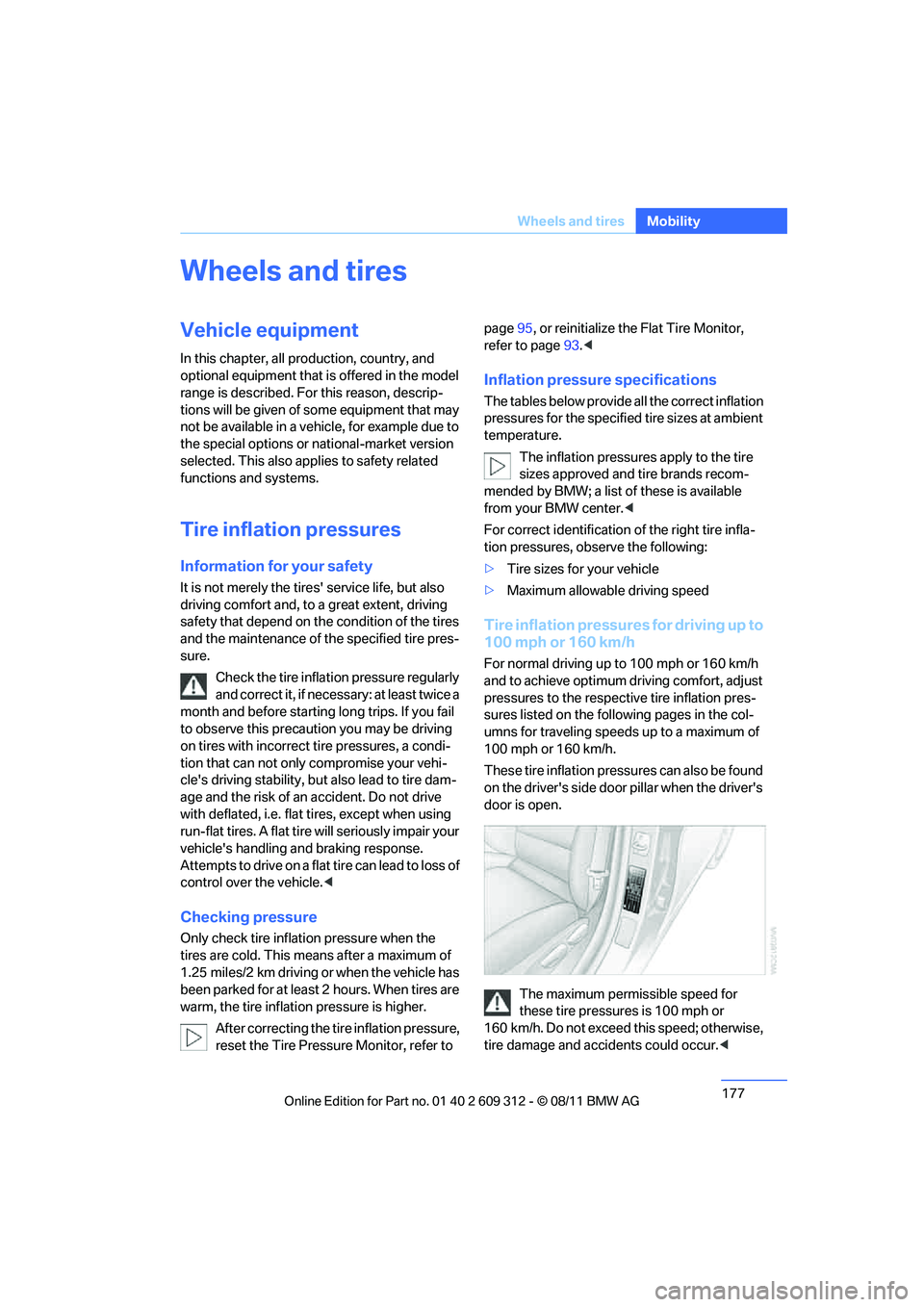
These tire inflation pressures can also be found
on the driver's side door pillar when the driver's
door is open.
The maximum permissible speed for
these tire pressures is 100 mph or
160 km/h. Do not exceed this speed; otherwise,
tire damage and accidents could occur. <
Online Edition for Part no. 01 40 2 609 312 - \251 08/11 BMW AG
Page 203 of 255
202
MobilityMaintenance
Maintenance
Vehicle equipment
In this chapter, all pr oduction, country, and
optional equipment that is offered in the model
range is described. For this reason, descrip-
tions will be given of some equipment that may
not be available in a vehi cle, for example due to
the special options or national-market version
selected. This also app lies to safety related
functions and systems.
BMW Maintenance System
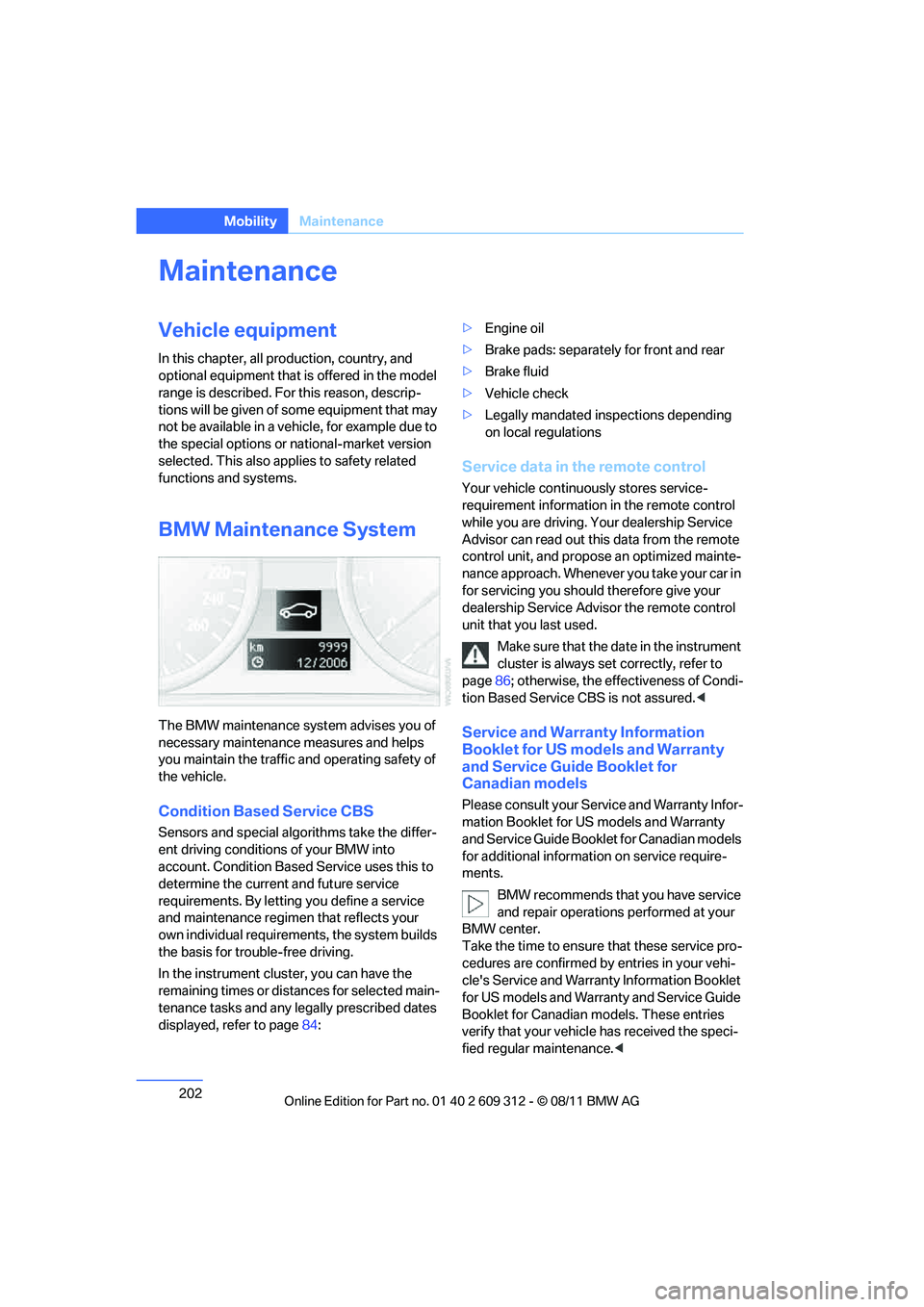
The BMW maintenance system advises you of
necessary maintenance measures and helps
you maintain the traffic and operating safety of
the vehicle.
Condition Based Service CBS
Sensors and special algo rithms take the differ-
ent driving conditions of your BMW into
account. Condition Based Service uses this to
determine the current and future service
requirements. By letting you define a service
and maintenance regimen that reflects your
own individual requirem ents, the system builds
the basis for trouble-free driving.
In the instrument cluster, you can have the
remaining times or distances for selected main-
tenance tasks and any le gally prescribed dates
displayed, refer to page 84: >
Engine oil
> Brake pads: separately for front and rear
> Brake fluid
> Vehicle check
> Legally mandated in spections depending
on local regulations
Service data in the remote control
Your vehicle continuously stores service-
requirement information in the remote control
while you are driving. Your dealership Service
Advisor can read out this data from the remote
control unit, and propose an optimized mainte-
nance approach. Whenever you take your car in
for servicing you should therefore give your
dealership Service Advisor the remote control
unit that you last used.
Make sure that the date in the instrument
cluster is always se t correctly, refer to
page 86; otherwise, the effectiveness of Condi-
tion Based Service CBS is not assured. <
Service and Warranty Information
Booklet for US models and Warranty
and Service Guide Booklet for
Canadian models
Please consult your Service and Warranty Infor-
mation Booklet for US models and Warranty
and Service Guide Booklet for Canadian models
for additional information on service require-
ments.
BMW recommends that you have service
and repair operations performed at your
BMW center.
Take the time to ensure that these service pro-
cedures are confirmed by entries in your vehi-
cle's Service and Warranty Information Booklet
for US models and Warranty and Service Guide
Booklet for Canadian models. These entries
verify that your vehicle has received the speci-
fied regular maintenance. <
Online Edition for Part no. 01 40 2 609 312 - \251 08/11 BMW AG
Page 204 of 255
203
Maintenance
Mobility
Socket for Onboard
Diagnosis OBD
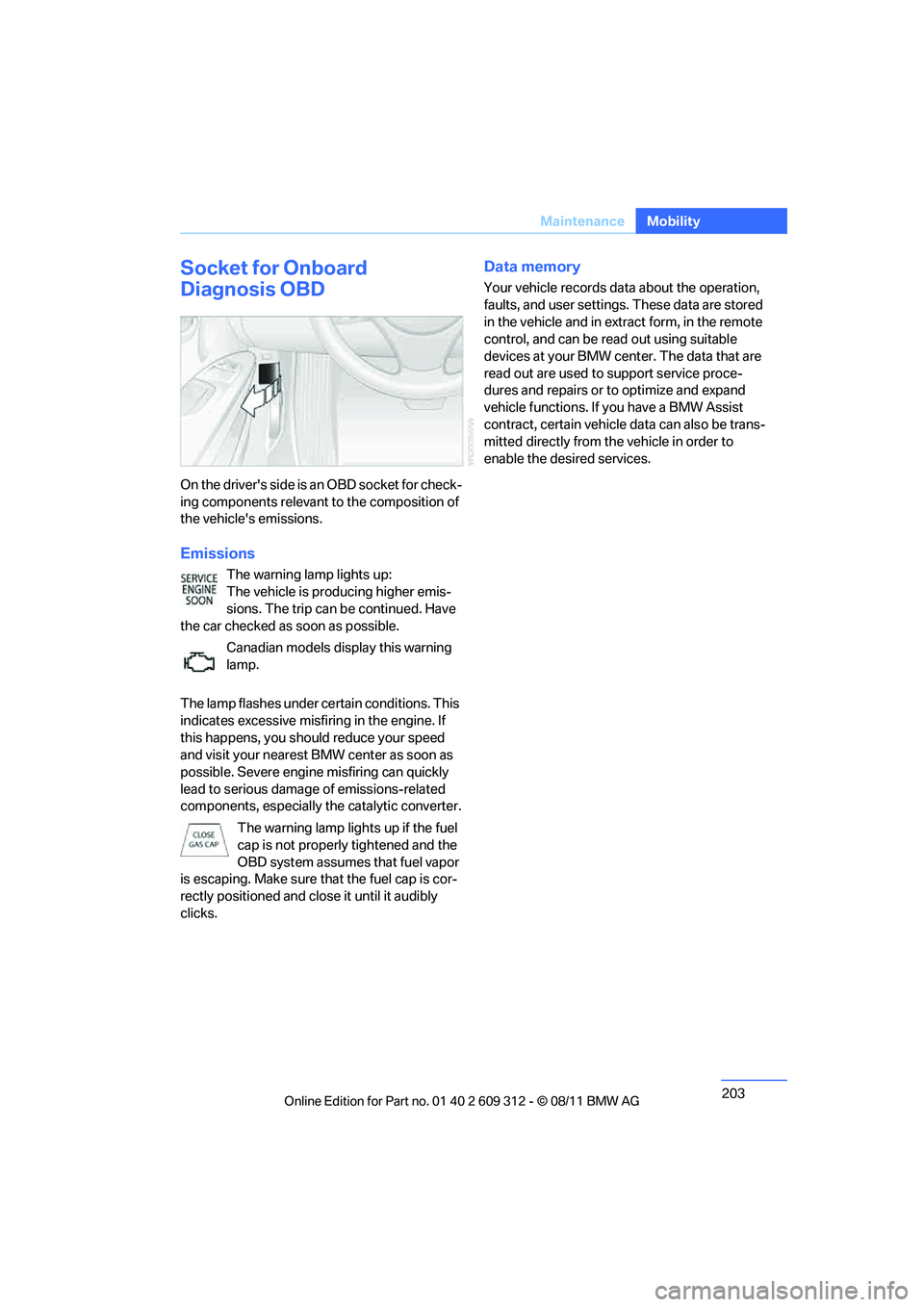
On the drive r's side is a n OBD so cket f or check-
ing components relevant to the composition of
the vehicle's emissions.
Emissions
The warning lamp lights up:
The vehicle is producing higher emis-
sions. The trip can be continued. Have
the car checked as soon as possible.
Canadian models display this warning
lamp.
The lamp flashes under ce rtain conditions. This
indicates excessive misfiring in the engine. If
this happens, you should reduce your speed
and visit your nearest BMW center as soon as
possible. Severe engine misfiring can quickly
lead to serious damage of emissions-related
components, especially the catalytic converter.
The warning lamp lights up if the fuel
cap is not properly tightened and the
OBD system assumes that fuel vapor
is escaping. Make sure that the fuel cap is cor-
rectly positioned and close it until it audibly
clicks.
Data memory
Your vehicle records data about the operation,
faults, and user settings. These data are stored
in the vehicle and in extr act form, in the remote
control, and can be read out using suitable
devices at your BMW center. The data that are
read out are used to support service proce-
dures and repairs or to optimize and expand
vehicle functions. If you have a BMW Assist
contract, certain vehicle data can also be trans-
mitted directly from the vehicle in order to
enable the desired services.
Online Edition for Part no. 01 40 2 609 312 - \251 08/11 BMW AG
Page 205 of 255
204
MobilityCare
Care
Vehicle equipment
In this chapter, all pr oduction, country, and
optional equipment that is offered in the model
range is described. For this reason, descrip-
tions will be given of some equipment that may
not be available in a vehi cle, for example due to
the special options or national-market version
selected. This also app lies to safety related
functions and systems.
Care products
Regular cleaning and care contributes signifi-
cantly to the value re tention of your BMW.
BMW recommends cleaning and caring for your
vehicle with products that are approved by
BMW for this purpose.
Your BMW center will be happy to advise you on
the products and services available for cleaning
and caring for your BMW.
Original BMW CareProducts have been
material-tested, laboratory-checked and
proven in the field, and offer optimal care and
protection for your vehicle. <
Do not use cleaners that contain alcohol
or solvents as these may result in dam-
age.<
Cleaning agents can contain substances
that are dangerous or hazardous to your
health. Therefore, follow the warning and safety
instructions on the packaging. When cleaning
inside the vehicle, always open the doors or
windows of the vehicle. In enclosed areas, pro-
vide for sufficient ventilation. Only use products
designed for cleaning vehicles. <
Exterior care
Washing the vehicle
Especially during the winter months,
ensure that the vehicle is washed more
frequently. Heavy soiling an d road salt can lead
to vehicle damage. <
After washing the vehicle, apply the
brakes briefly to dry them; otherwise,
water can reduce braking efficiency over the
short term and the brake discs can corrode. <
Automatic car washes
Give preference to car washes that use cloth or
soft brushes in order to avoid paint damage.
Do not use high-pressure car washes;
otherwise, water may drip into the vehicle
around the windows. <
Before driving into a car wash, ensure that it is
suitable for your BMW. Check the following:
> Dimensions of your vehicle, refer to
page 235.
> If necessary: fold in the exterior mirrors,
refer to page 50.
> Maximum permissible tire width.
Avoid car washes with guide rail heights
over 4 in/10 cm; otherwise, there is the
danger of damaging chassis parts. <
Preparations before driv ing into an automatic
car wash:
> Unscrew the rod antenna.
> Deactivate the rain sensor to prevent
undesired wiper operation.
> Remove additional add-on parts, e.g. spoil-
ers or phone antennas, if they could be
damaged.
> Leave the remote control in the ignition
lock.
Online Edition for Part no. 01 40 2 609 312 - \251 08/11 BMW AG
Page 209 of 255
208
MobilityReplacing components
Replacing components
Vehicle equipment
In this chapter, all pr oduction, country, and
optional equipment that is offered in the model
range is described. For this reason, descrip-
tions will be given of some equipment that may
not be available in a vehi cle, for example due to
the special options or national-market version
selected. This also app lies to safety related
functions and systems.
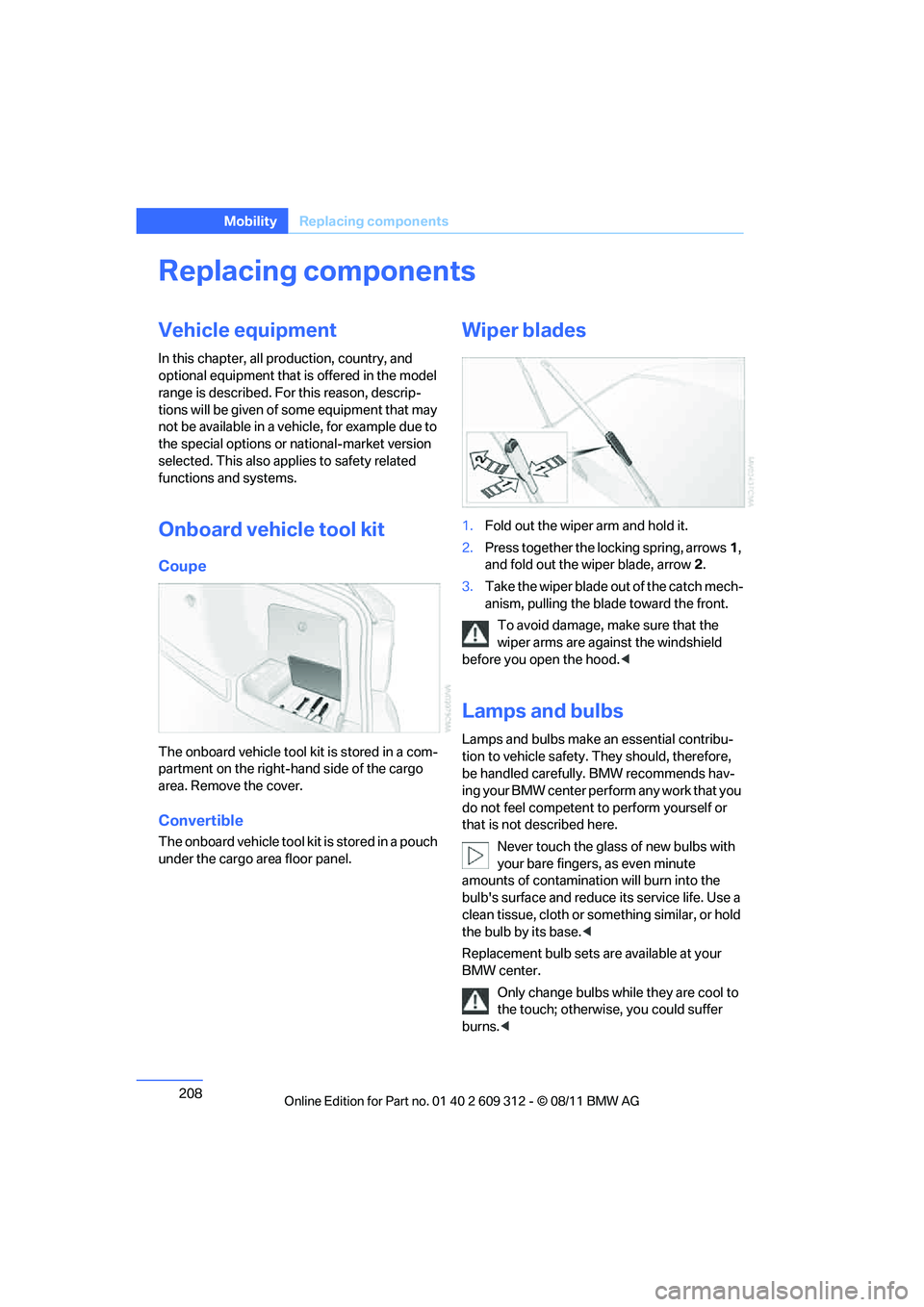
Onboard vehicle tool kit
Coupe
The onboard vehicle tool kit is stored in a com-
partment on the right-hand side of the cargo
area. Remove the cover.
Convertible
The onboard vehicle tool kit is stored in a pouch
under the cargo area floor panel.
Wiper blades
1. Fold out the wiper arm and hold it.
2. Press together the locking spring, arrows 1,
and fold out the wiper blade, arrow 2.
3. Take the wiper blade ou t of the catch mech-
anism, pulling the blade toward the front.
To avoid damage, make sure that the
wiper arms are against the windshield
before you open the hood. <
Lamps and bulbs
Lamps and bulbs make an essential contribu-
tion to vehicle safety. They should, therefore,
be handled carefully. BMW recommends hav-
ing your BMW center perform any work that you
do not feel competent to perform yourself or
that is not described here.
Never touch the glass of new bulbs with
your bare fingers, as even minute
amounts of contamination will burn into the
bulb's surface and reduce its service life. Use a
clean tissue, cloth or something similar, or hold
the bulb by its base. <
Replacement bulb sets are available at your
BMW center. Only change bulbs while they are cool to
the touch; otherwise, you could suffer
burns. <
Online Edition for Part no. 01 40 2 609 312 - \251 08/11 BMW AG