buttons BMW M3 CONVERTIBLE 2012 User Guide
[x] Cancel search | Manufacturer: BMW, Model Year: 2012, Model line: M3 CONVERTIBLE, Model: BMW M3 CONVERTIBLE 2012Pages: 255, PDF Size: 6.32 MB
Page 148 of 255
147
BMW Professional radio
Entertainment
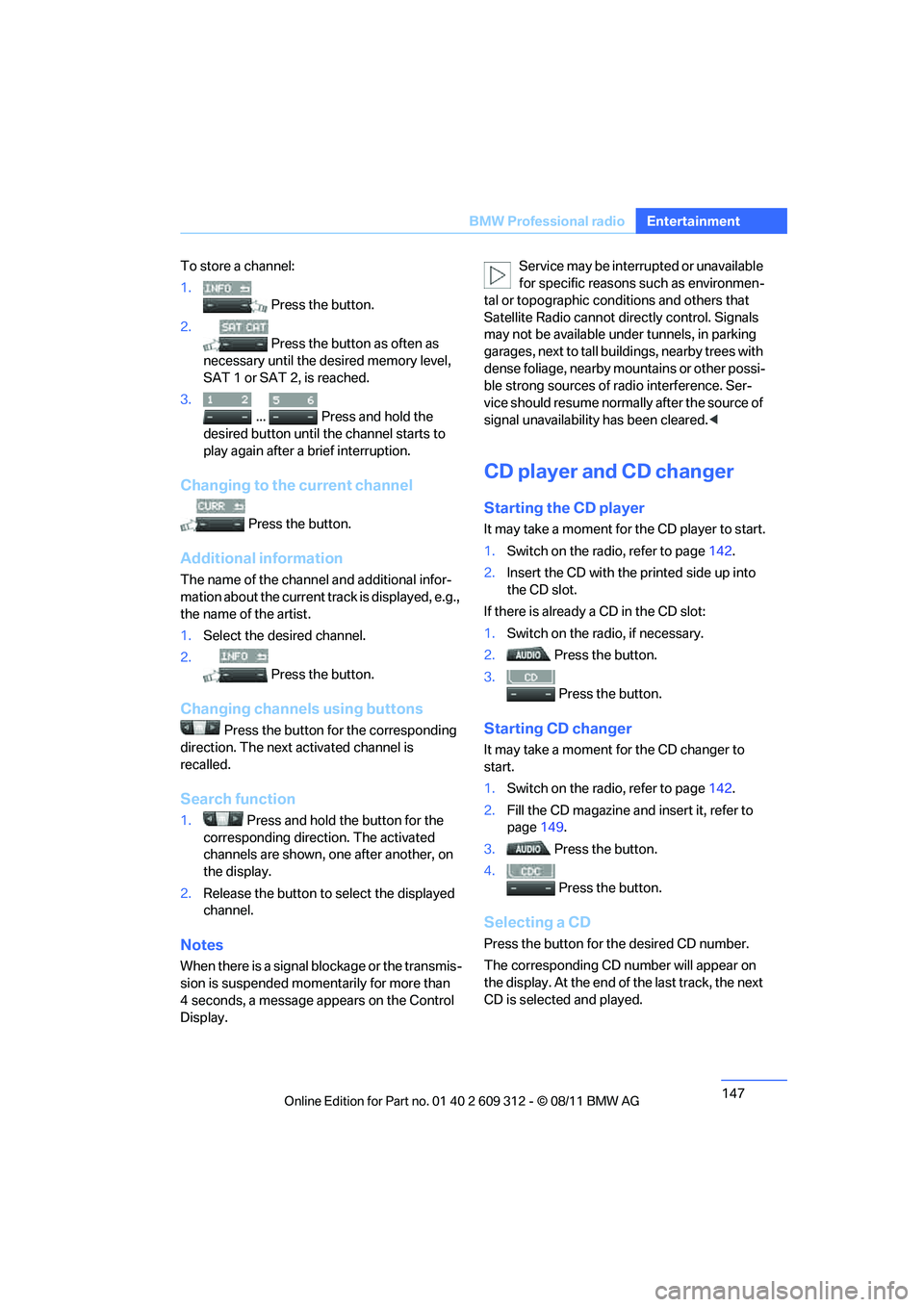
To store a channel:
1.
Press the button.
2. Press the button as often as
necessary until the de sired memory level,
SAT 1 or SAT 2, is reached.
3.
... Press and hold the
desired button until the channel starts to
play again after a brief interruption.
Changing to the current channel
Press the button.
Additional information
The name of the channel and additional infor-
mation about the current track is displayed, e.g.,
the name of the artist.
1. Select the desired channel.
2. Press the button.
Changing channels using buttons
Press the button for the corresponding
direction. The next activated channel is
recalled.
Search function
1. Press and hold the button for the
corresponding direction. The activated
channels are shown, one after another, on
the display.
2. Release the button to select the displayed
channel.
Notes
When there is a signal blockage or the transmis-
sion is suspended mome ntarily for more than
4 seconds, a message appears on the Control
Display. Service may be interrupted or unavailable
for specific reasons such as environmen-
tal or topographic conditions and others that
Satellite Radio cannot directly control. Signals
may not be available under tunnels, in parking
garages, next to tall build ings, nearby trees with
dense foliage, nearby mo untains or other possi-
ble strong sources of radio interference. Ser-
vice should resume normally after the source of
signal unavailability has been cleared. <
CD player and CD changer
Starting the CD player
It may take a moment for the CD player to start.
1. Switch on the radio, refer to page 142.
2. Insert the CD with the printed side up into
the CD slot.
If there is already a CD in the CD slot:
1. Switch on the radio, if necessary.
2. Press the button.
3. Press the button.
Starting CD changer
It may take a moment for the CD changer to
start.
1. Switch on the radio, refer to page 142.
2. Fill the CD magazine and insert it, refer to
page 149.
3. Press the button.
4. Press the button.
Selecting a CD
Press the button for the desired CD number.
The corresponding CD nu mber will appear on
the display. At the end of the last track, the next
CD is selected and played.
Online Edition for Part no. 01 40 2 609 312 - \251 08/11 BMW AG
Page 157 of 255
156
CommunicationsTe l e p h o n e
Telephone
Vehicle equipment
In this chapter, all production, country, and
optional equipment that is offered in the model
range is described. Equipment is also described
that is not available because of, for example,
selected options or country version. This also
applies to safety related functions and systems.
Overview
Note
Your BMW is equipped with a full preparation
package mobile phone or hands-free system.
The concept
Mobile phones can be connected to the vehicle
through Bluetooth.
After a suitable mobile phone is paired with the
vehicle once, the mobile phone can be con-
trolled via the radio, the buttons on the steering
wheel, and by voice.
Bluetooth® is a registered trademark of Blue-
tooth® SIG, Inc.
Only make entries when traffic conditions
permit. Do not hold the mobile phone in
your hand while you are driving; use the hands-
free system instead. If you do not observe this
precaution, your being di stracted can endanger
vehicle occupants and other road users. <
Snap-in adapter
The snap-in adapter, refer to page165, makes
it possible to:
> Accommodate the mobile phone.
> Recharge its battery.
> Connect it to an exte rnal antenna of the
vehicle. This assures a better
network connection
and constant sound quality.
A mobile phone that is connected to the vehicle
should not be operated via the mobile phone
keypad; otherwise, ma lfunctions may occur.
Suitable mobile phones
For precise information about which mobile
phones with a Bluetooth interface are sup-
ported by the complete mobile phone prepara-
tion package, go to www.bmwusa.com/
bluetooth.
Notes
At high temperatures, the charging function of
the mobile phone may be limited and some
functions may no longer be carried out.
When using the mobile phone via the vehicle,
follow the instructions given in the owner's
manual for the mobile phone.
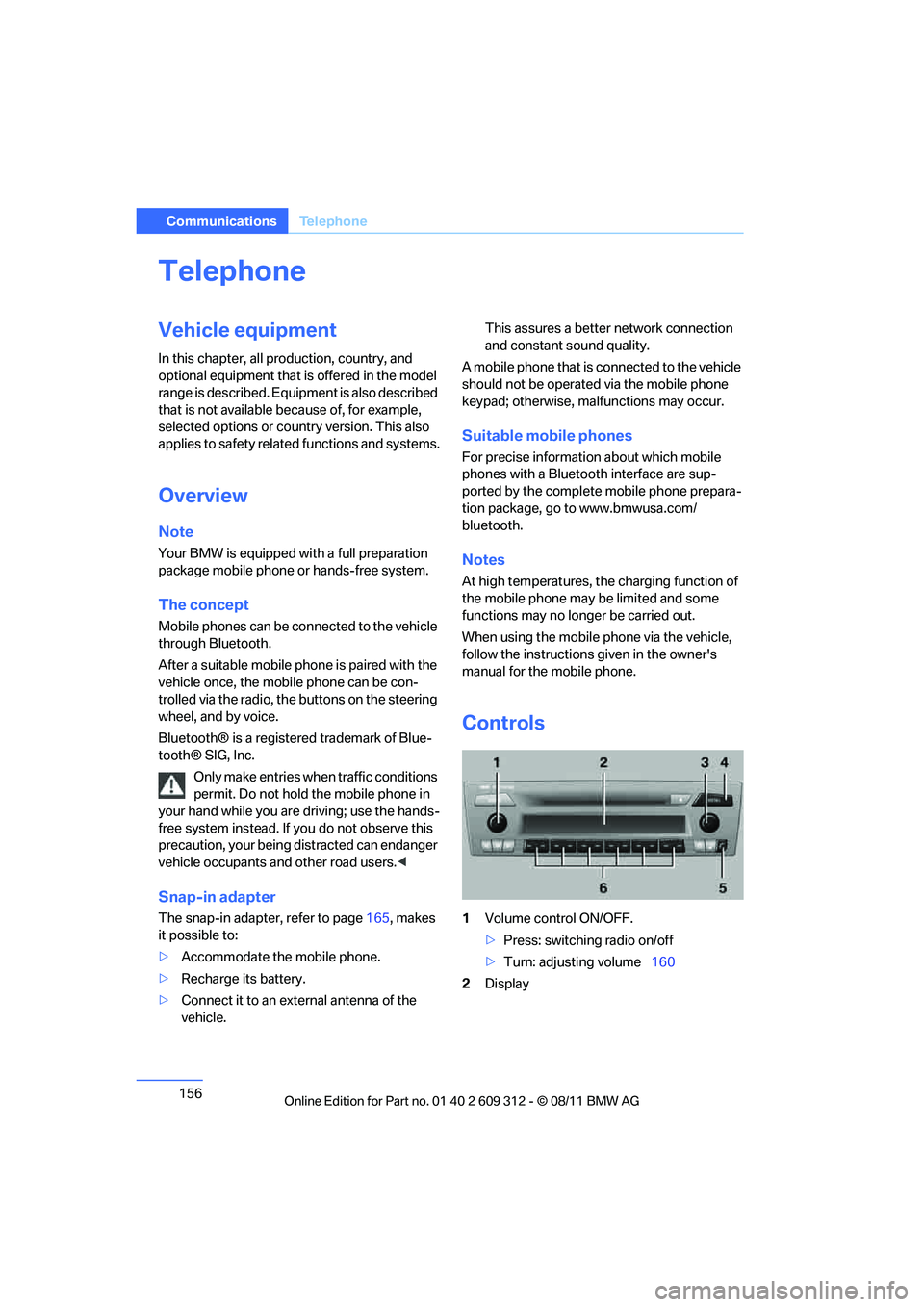
Controls
1 Volume control ON/OFF.
>Press: switching radio on/off
> Turn: adjusting volume 160
2 Display
Online Edition for Part no. 01 40 2 609 312 - \251 08/11 BMW AG
Page 158 of 255
157
Te l e p h o n e
Communications
3
Highlighting/selecting a menu item.
>Turn: highlighting the menu item in the
display or setting a value.
> Press: selecting a highlighted menu item
or storing a setting.
4 Open the main menu
5 Redialing, answering a call, starting to dial,
ending a call, and switching to the phone
menu.
6 Function buttons for selecting the menu
items situated directly above them on the
display.
Presentation in the Owner's Manual
"…" identifies radio displa y texts used to select
individual functions.
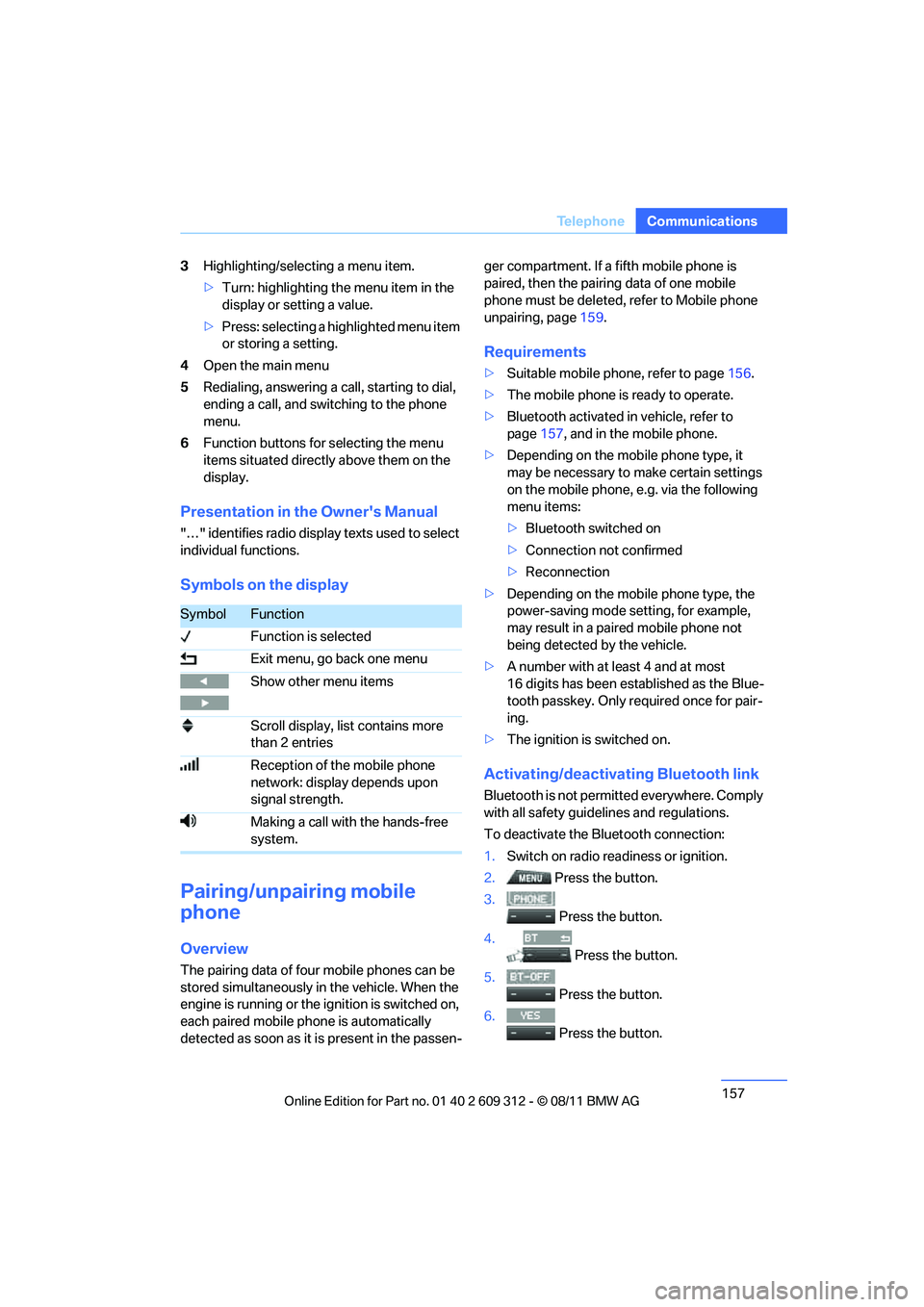
Symbols on the display
Pairing/unpairing mobile
phone
Overview
The pairing data of four mobile phones can be
stored simultaneously in the vehicle. When the
engine is running or the ignition is switched on,
each paired mobile ph one is automatically
detected as soon as it is present in the passen- ger compartment. If a fifth mobile phone is
paired, then the pairing data of one mobile
phone must be deleted, refer to Mobile phone
unpairing, page
159.
Requirements
>Suitable mobile phone, refer to page 156.
> The mobile phone is ready to operate.
> Bluetooth activated in vehicle, refer to
page 157, and in the mobile phone.
> Depending on the mobile phone type, it
may be necessary to make certain settings
on the mobile phone, e.g. via the following
menu items:
>Bluetooth switched on
> Connection not confirmed
> Reconnection
> Depending on the mobile phone type, the
power-saving mode setting, for example,
may result in a paired mobile phone not
being detected by the vehicle.
> A number with at least 4 and at most
16 digits has been established as the Blue-
tooth passkey. Only re quired once for pair-
ing.
> The ignition is switched on.
Activating/deactivating Bluetooth link
Bluetooth is not permi tted everywhere. Comply
with all safety guide lines and regulations.
To deactivate the Bluetooth connection:
1. Switch on radio readiness or ignition.
2. Press the button.
3.
Press the button.
4. Press the button.
5.
Press the button.
6.
Press the button.
SymbolFunction
Function is selected
Exit menu, go back one menu
Show other menu items
Scroll display, list contains more
than 2 entries
Reception of the mobile phone
network: display depends upon
signal strength.
Making a call with the hands-free
system.
Online Edition for Part no. 01 40 2 609 312 - \251 08/11 BMW AG
Page 159 of 255
158
CommunicationsTe l e p h o n e
To reactivate the Bluetooth connection:
1.
Press the button.
2. Press the button.
Pairing and connecting
Only pair the mob ile phone when the
vehicle is stopped; otherwise, inattention
may lead to endangerment of passengers or
other road users. <
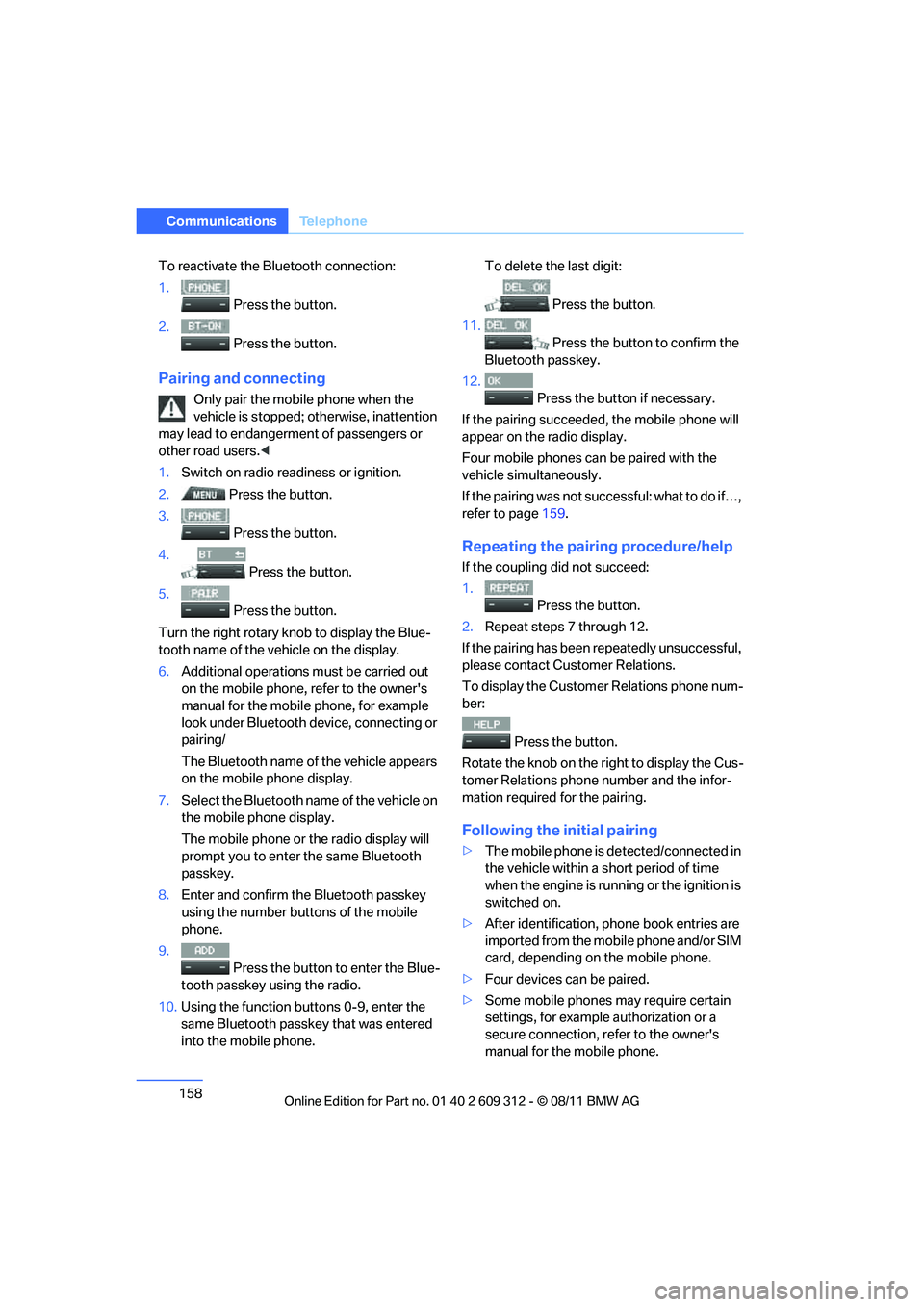
1. Switch on radio read iness or ignition.
2. Press the button.
3. Press the button.
4. Press the button.
5. Press the button.
Turn the right rotary kn ob to display the Blue-
tooth name of the vehicle on the display.
6. Additional operations must be carried out
on the mobile phone, refer to the owner's
manual for the mobile phone, for example
look under Bluetooth device, connecting or
pairing/
The Bluetooth name of the vehicle appears
on the mobile phone display.
7. Select the Bluetooth name of the vehicle on
the mobile phone display.
The mobile phone or the radio display will
prompt you to enter the same Bluetooth
passkey.
8. Enter and confirm the Bluetooth passkey
using the number buttons of the mobile
phone.
9. Press the button to enter the Blue-
tooth passkey using the radio.
10. Using the function buttons 0-9, enter the
same Bluetooth passkey that was entered
into the mobile phone. To delete the last digit:
Press the button.
11.
Press the button to confirm the
Bluetooth passkey.
12. Press the button if necessary.
If the pairing succeeded, the mobile phone will
appear on the radio display.
Four mobile phones ca n be paired with the
vehicle simultaneously.
If the pairing was not succ essful: what to do if…,
refer to page 159.
Repeating the pairing procedure/help
If the coupling did not succeed:
1.
Press the button.
2. Repeat steps 7 through 12.
If the pairing has been repeatedly unsuccessful,
please contact Customer Relations.
To display the Customer Relations phone num-
ber:
Press the button.
Rotate the knob on the right to display the Cus-
tomer Relations phone number and the infor-
mation required for the pairing.
Following the initial pairing
> The mobile phone is de tected/connected in
the vehicle within a short period of time
when the engine is running or the ignition is
switched on.
> After identification, phone book entries are
imported from the mobile phone and/or SIM
card, depending on the mobile phone.
> Four devices can be paired.
> Some mobile phones may require certain
settings, for example authorization or a
secure connection, refer to the owner's
manual for the mobile phone.
Online Edition for Part no. 01 40 2 609 312 - \251 08/11 BMW AG
Page 162 of 255
161
Te l e p h o n e
Communications
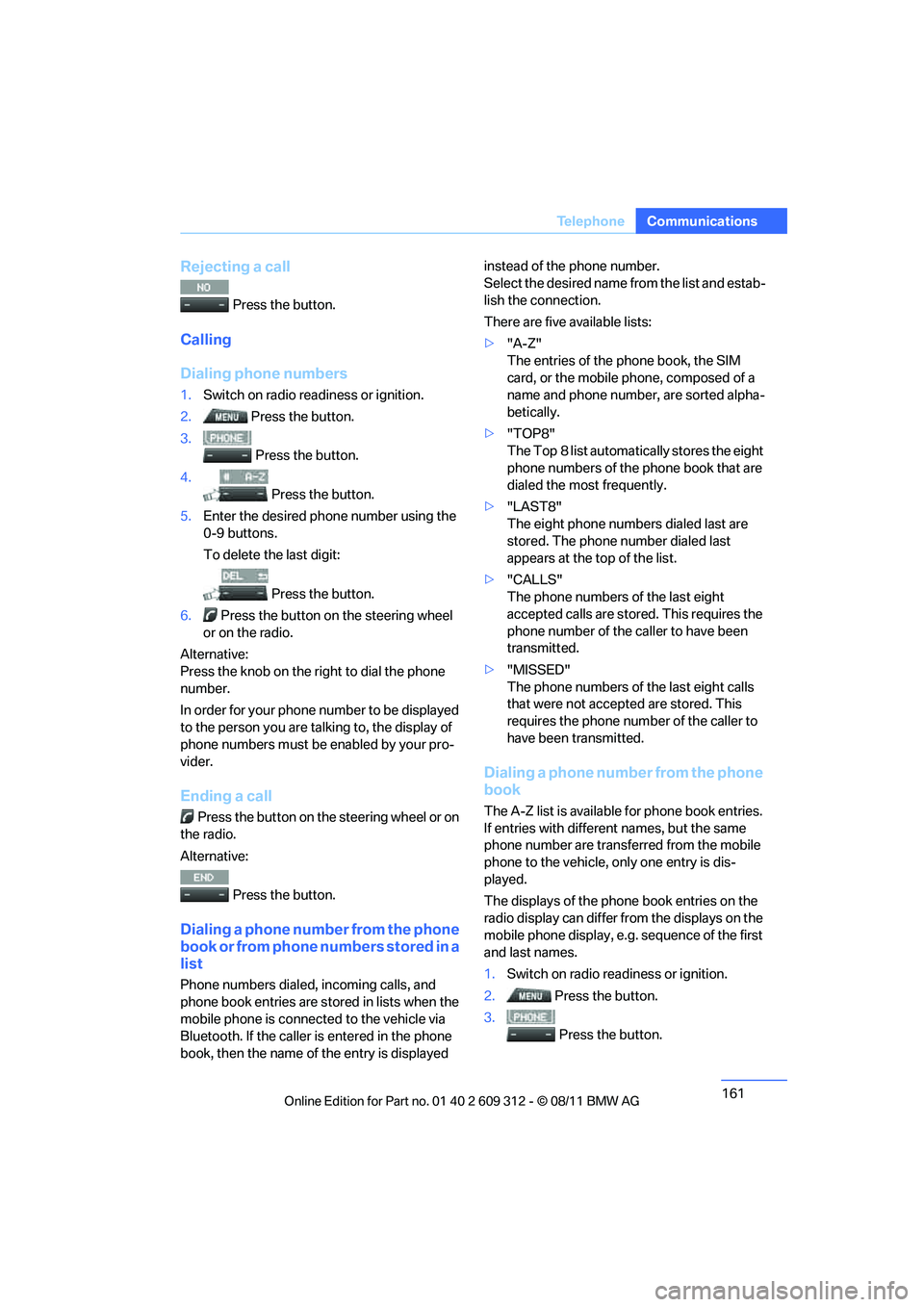
Rejecting a call
Press the button.
Calling
Dialing phone numbers
1.
Switch on radio readiness or ignition.
2. Press the button.
3.
Press the button.
4. Press the button.
5. Enter the desired phone number using the
0-9 buttons.
To delete the last digit:
Press the button.
6. Press the button on the steering wheel
or on the radio.
Alternative:
Press the knob on the ri ght to dial the phone
number.
In order for your phone number to be displayed
to the person yo u are talking to, the display of
phone numbers must be enabled by your pro-
vider.
Ending a call
Press the button on the steering wheel or on
the radio.
Alternative:
Press the button.
Dialing a phone number from the phone
book or from phone numbers stored in a
list
Phone numbers dialed, incoming calls, and
phone book entries are stored in lists when the
mobile phone is connected to the vehicle via
Bluetooth. If the caller is entered in the phone
book, then the name of the entry is displayed instead of the phone number.
Select the desired name
from the list and estab-
lish the connection.
There are five available lists:
> "A-Z"
The entries of the phone book, the SIM
card, or the mobile phone, composed of a
name and phone number, are sorted alpha-
betically.
> "TOP8"
The Top 8 list automatically stores the eight
phone numbers of the phone book that are
dialed the most frequently.
> "LAST8"
The eight phone numbers dialed last are
stored. The phone number dialed last
appears at the top of the list.
> "CALLS"
The phone numbers of the last eight
accepted calls are stored. This requires the
phone number of the caller to have been
transmitted.
> "MISSED"
The phone numbers of the last eight calls
that were not accept ed are stored. This
requires the phone number of the caller to
have been transmitted.
Dialing a phone number from the phone
book
The A-Z list is available for phone book entries.
If entries with different names, but the same
phone number are transferred from the mobile
phone to the vehicle, only one entry is dis-
played.
The displays of the phone book entries on the
radio display can differ from the displays on the
mobile phone display, e.g. sequence of the first
and last names.
1. Switch on radio readiness or ignition.
2. Press the button.
3. Press the button.
Online Edition for Part no. 01 40 2 609 312 - \251 08/11 BMW AG
Page 163 of 255
162
CommunicationsTe l e p h o n e
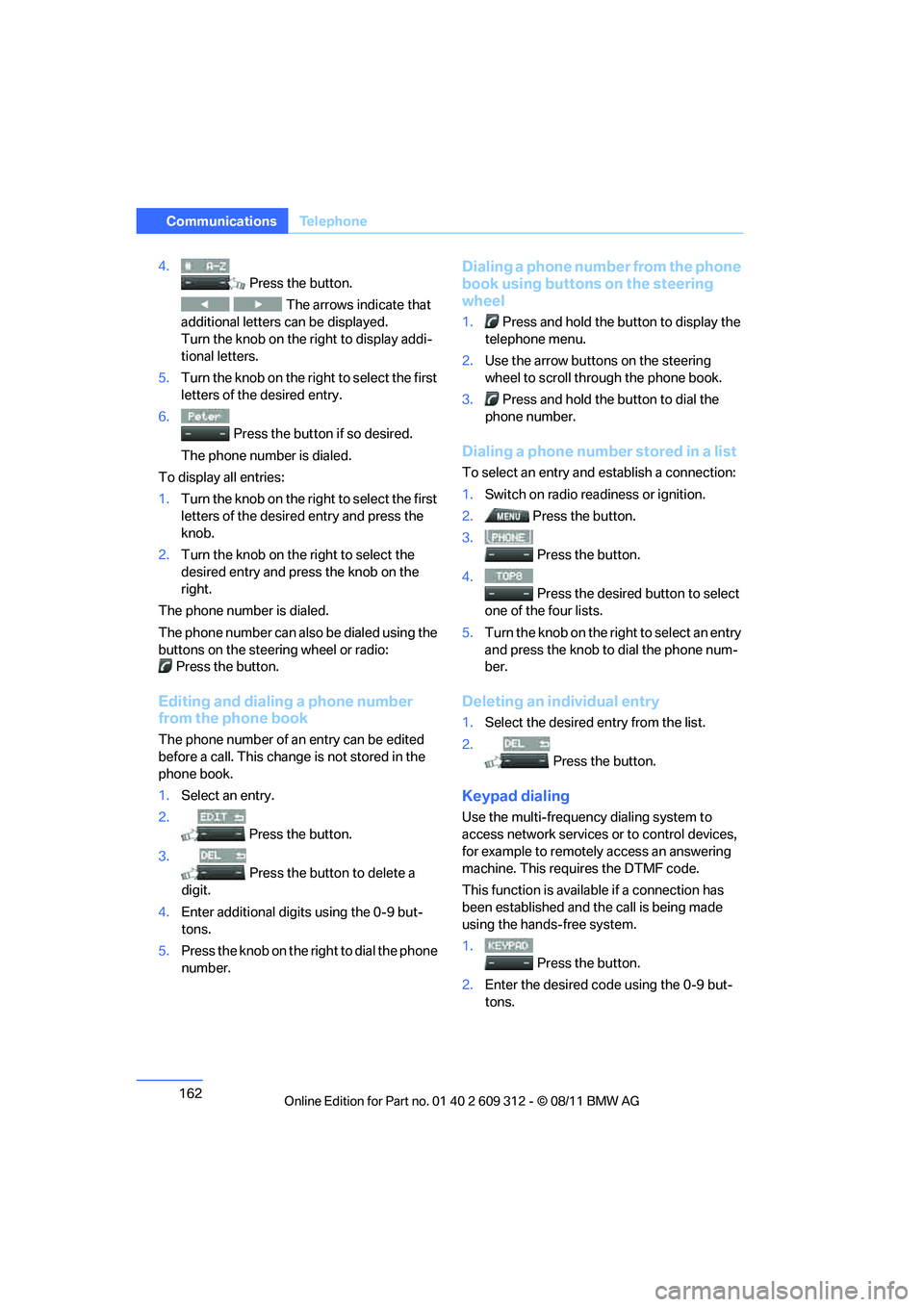
4.
Press the button.
The arrows indicate that
additional letters can be displayed.
Turn the knob on the right to display addi-
tional letters.
5. Turn the knob on the right to select the first
letters of the desired entry.
6. Press the button if so desired.
The phone number is dialed.
To display all entries:
1. Turn the knob on the right to select the first
letters of the desire d entry and press the
knob.
2. Turn the knob on the right to select the
desired entry and press the knob on the
right.
The phone number is dialed.
The phone number can also be dialed using the
buttons on the steering wheel or radio: Press the button.
Editing and dialing a phone number
from the phone book
The phone number of an entry can be edited
before a call. This change is not stored in the
phone book.
1. Select an entry.
2. Press the button.
3. Press the button to delete a
digit.
4. Enter additional digits using the 0-9 but-
tons.
5. Press the knob on the right to dial the phone
number.
Dialing a phone number from the phone
book using buttons on the steering
wheel
1. Press and hold the button to display the
telephone menu.
2. Use the arrow buttons on the steering
wheel to scroll through the phone book.
3. Press and hold the button to dial the
phone number.
Dialing a phone number stored in a list
To select an entry and establish a connection:
1. Switch on radio readiness or ignition.
2. Press the button.
3. Press the button.
4. Press the desired button to select
one of the four lists.
5. Turn the knob on the ri ght to select an entry
and press the knob to dial the phone num-
ber.
Deleting an individual entry
1. Select the desired entry from the list.
2. Press the button.
Keypad dialing
Use the multi-frequency dialing system to
access network services or to control devices,
for example to remotely access an answering
machine. This requ ires the DTMF code.
This function is availa ble if a connection has
been established and th e call is being made
using the hands-free system.
1.
Press the button.
2. Enter the desired code using the 0-9 but-
tons.
Online Edition for Part no. 01 40 2 609 312 - \251 08/11 BMW AG
Page 167 of 255
166
CommunicationsTe l e p h o n e
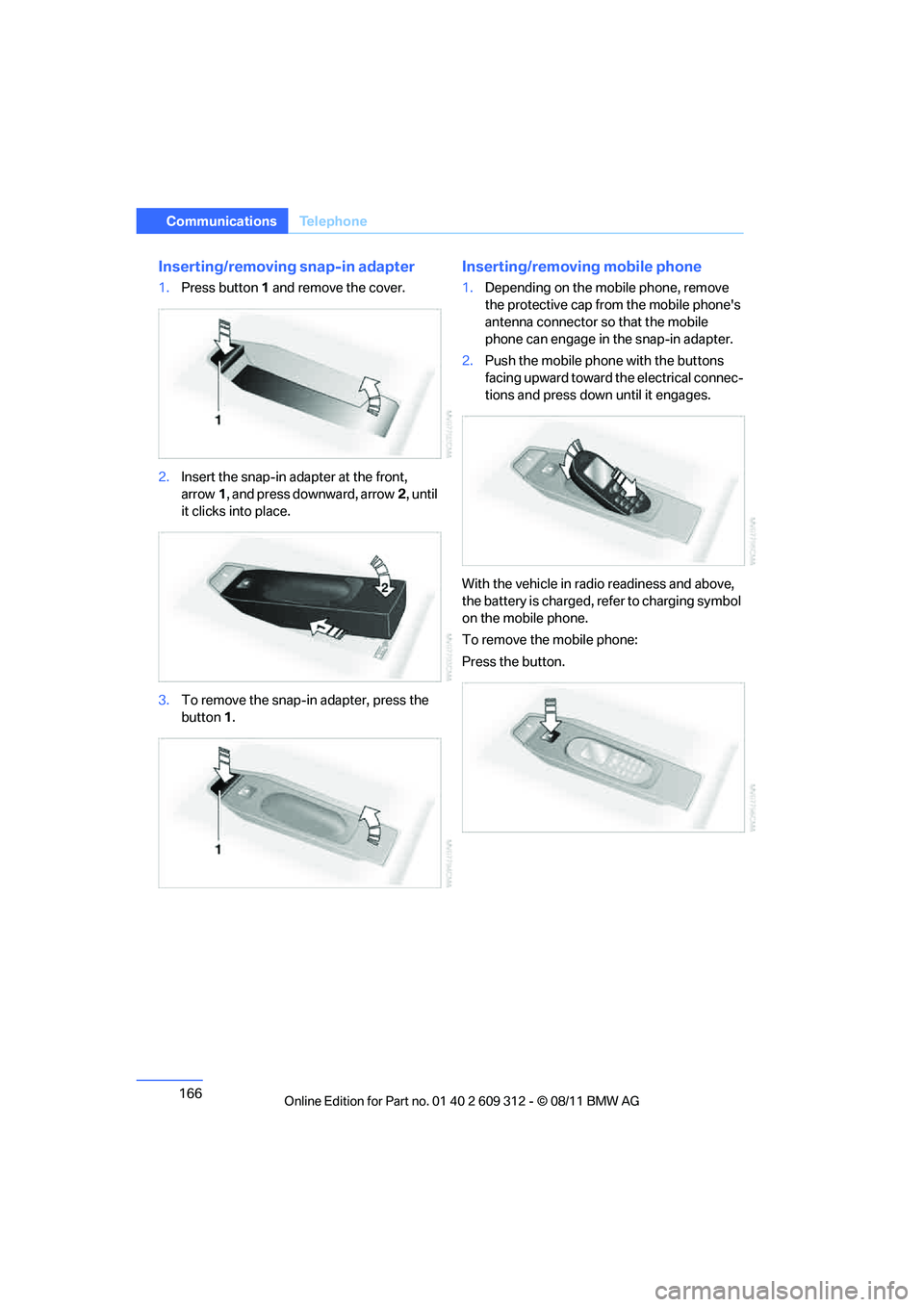
Inserting/removing snap-in adapter
1.Press button 1 and remove the cover.
2. Insert the snap-in adapter at the front,
arrow 1, and press downward, arrow 2, until
it clicks into place.
3. To remove the snap-in adapter, press the
button 1.
Inserting/removing mobile phone
1. Depending on the mobile phone, remove
the protective cap from the mobile phone's
antenna connector so that the mobile
phone can engage in the snap-in adapter.
2. Push the mobile phone with the buttons
facing upward toward the electrical connec-
tions and press down until it engages.
With the vehicle in radio readiness and above,
the battery is charged, refer to charging symbol
on the mobile phone.
To remove the mobile phone:
Press the button.
Online Edition for Part no. 01 40 2 609 312 - \251 08/11 BMW AG
Page 242 of 255
241
Everything from A to Z
Reference
Automatic transmission with
Steptronic 60
– interlock 60
– overriding selector lever lock 62
– shiftlock, refer to Changing selector lever position 60
– sport program 61
– towing 217
– tow-starting 217
AUTO program for automatic
climate control 113
AUTOSTORE 144
AUX-IN
– port 121
AUX-In connection 151
AUX-IN port 143
Average fuel consumption 80
– setting the units 83
Average speed 80,81
Avoiding unintentional alarms 33
Axle loads, refer to Weights 237
B
Backrest contour, refer to
Lumbar support 44
Backrests, refer to Seat adjustment 43
Backrest width adjustment 44
Back seats
– refer to Rear seats 46
Bag holder 124
Band-aids, refer to First aid pouch 215
Bar, refer to Towing methods 218
Base plate for telephone or
mobile phone
– refer to Snap-in adapter 165
– refer to Snap-in adapter in
the center armrest storage
compartment 120 Battery
212
– charging 212
– disposal 35,213
– jump-starting 216
– remote control 24
– replacing 212
– temporary power failure 212
Battery renewal
– remote control 35
– remote control for vehicle 35
Being towed 217
Belt hand-over 49
– pinch protection system 50
Belts, refer to Safety belts 49
Belt tensioner, refer to Safety
belts 49
Beverage holders, refer to Cupholders 121
Black ice, refer to Outside
temperature warning 78
Blinds, refer to Roller sunblinds 120
Blower, refer to Air volume 110,113
Bluetooth, activating/
deactivating 157
BMW
– car shampoo 207
BMW Assist 167
– activating 168
BMW Homepage 4
BMW Maintenance System 202
BMW Professional radio
– recalling stations 144
– sampling stations 144
– satellite radio 146
– selecting waveband 144
– station search 144
– storing stations 144
– switching on/off 142
– t
one control 143
– volume 142
BMW Teleservices 168
– activating 168
BMW webpage 4 Bottle holders, refer to
Cupholders 121
Brake Assist, refer to Dynamic Brake Control DBC 90
Brake fluid, refer to Service
requirements 84
Brake Force Display 98
Brake lamps
– Brake Force Display 98
Brake pads 132
– breaking in 132
Brake pedal, refer to Braking safely 134
Brake rotors 135
– brakes 132
– breaking in 132
Brakes
– ABS 90
– BMW Maintenance
System 202
– Brake Force Display 98
– breaking in 132
– parking brake 59
– service requirements 84
Brakes, refer to Braking
safely 134
Brake system 132
– BMW Maintenance
System 202
– breaking in 132
– disc brakes 135
Breakdown services, refer to Roadside Assistance 215
Breaking in the clutch 132
Breaking in the differential, refer to Engine and
differential 132
Break-in period 132
Bulb changing, refer to Lamps and bulbs 208
Button for starting the engine, refer to Start/Stop button 57
Buttons on the steering
wheel 11
Online Edition for Part no. 01 40 2 609 312 - \251 08/11 BMW AG
Page 248 of 255
247
Everything from A to Z
Reference
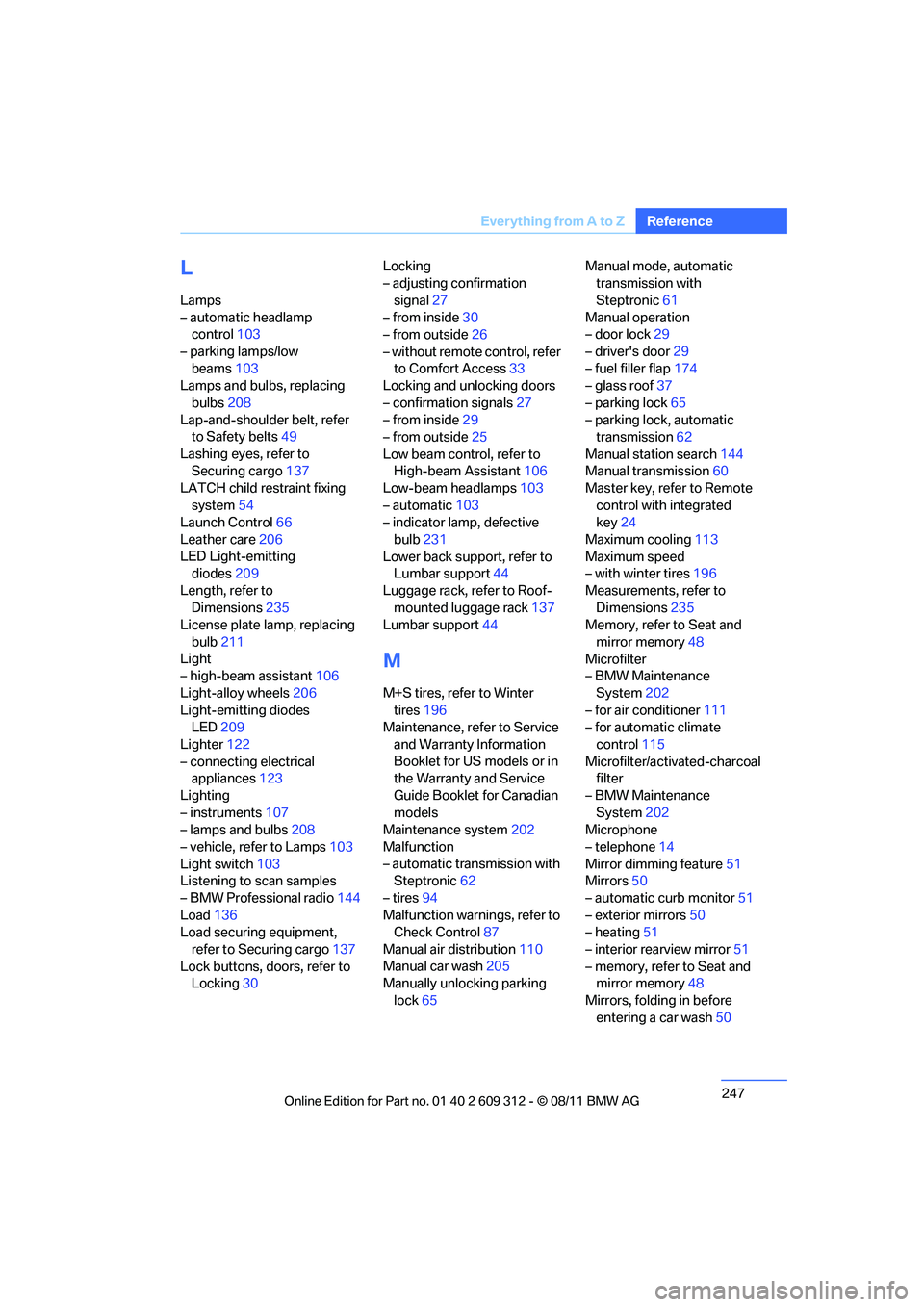
L
Lamps
– automatic headlamp
control 103
– parking lamps/low beams 103
Lamps and bulbs, replacing
bulbs 208
Lap-and-shoulder belt, refer to Safety belts 49
Lashing eyes, refer to Securing cargo 137
LATCH child restraint fixing
system 54
Launch Control 66
Leather care 206
LED Light-emitting diodes 209
Length, refer to Dimensions 235
License plate lamp, replacing
bulb 211
Light
– high-beam assistant 106
Light-alloy wheels 206
Light-emitting diodes LED 209
Lighter 122
– connecting electrical appliances 123
Lighting
– instruments 107
– lamps and bulbs 208
– vehicle, refer to Lamps 103
Light switch 103
Listening to scan samples
– BMW Professional radio 144
Load 136
Load securing equipment,
refer to Securing cargo 137
Lock buttons, doors, refer to Locking 30 Locking
– adjusting confirmation
signal 27
– from inside 30
– from outside 26
– without remote control, refer to Comfort Access 33
Locking and unlocking doors
– confirmation signals 27
– from inside 29
– from outside 25
Low beam control, refer to High-beam Assistant 106
Low-beam headlamps 103
– automatic 103
– indicator lamp, defective
bulb 231
Lower back support, refer to Lumbar support 44
Luggage rack, refer to Roof- mounted luggage rack 137
Lumbar support 44
M
M+S tires, refer to Winter
tires 196
Maintenance, re fer to Service
and Warranty Information
Booklet for US models or in
the Warranty and Service
Guide Booklet for Canadian
models
Maintenance system 202
Malfunction
– automatic transmission with Steptronic 62
– tires 94
Malfunction warnings, refer to Check Control 87
Manual air distribution 110
Manual car wash 205
Manually unlocking parking
lock 65 Manual mode, automatic
transmission with
Steptronic 61
Manual operation
– door lock 29
– driver's door 29
– fuel filler flap 174
– glass roof 37
– parking lock 65
– parking lock, automatic transmission 62
Manual station search 144
Manual transmission 60
Master key, refer to Remote
control with integrated
key 24
Maximum cooling 113
Maximum speed
– with winter tires 196
Measurements, refer to Dimensions 235
Memory, refer to Seat and
mirror memory 48
Microfilter
– BMW Maintenance
System 202
– for air conditioner 111
– for automatic climate
control 115
Microfilter/activated-charcoal filter
– BMW Maintenance System 202
Microphone
– telephone 14
Mirror dimming feature 51
Mirrors 50
– automatic curb monitor 51
– exterior mirrors 50
– heating 51
– interior rearview mirror 51
– memory, refer to Seat and mirror memory 48
Mirrors, folding in before entering a car wash 50
Online Edition for Part no. 01 40 2 609 312 - \251 08/11 BMW AG
Page 249 of 255
248
ReferenceEverything from A to Z
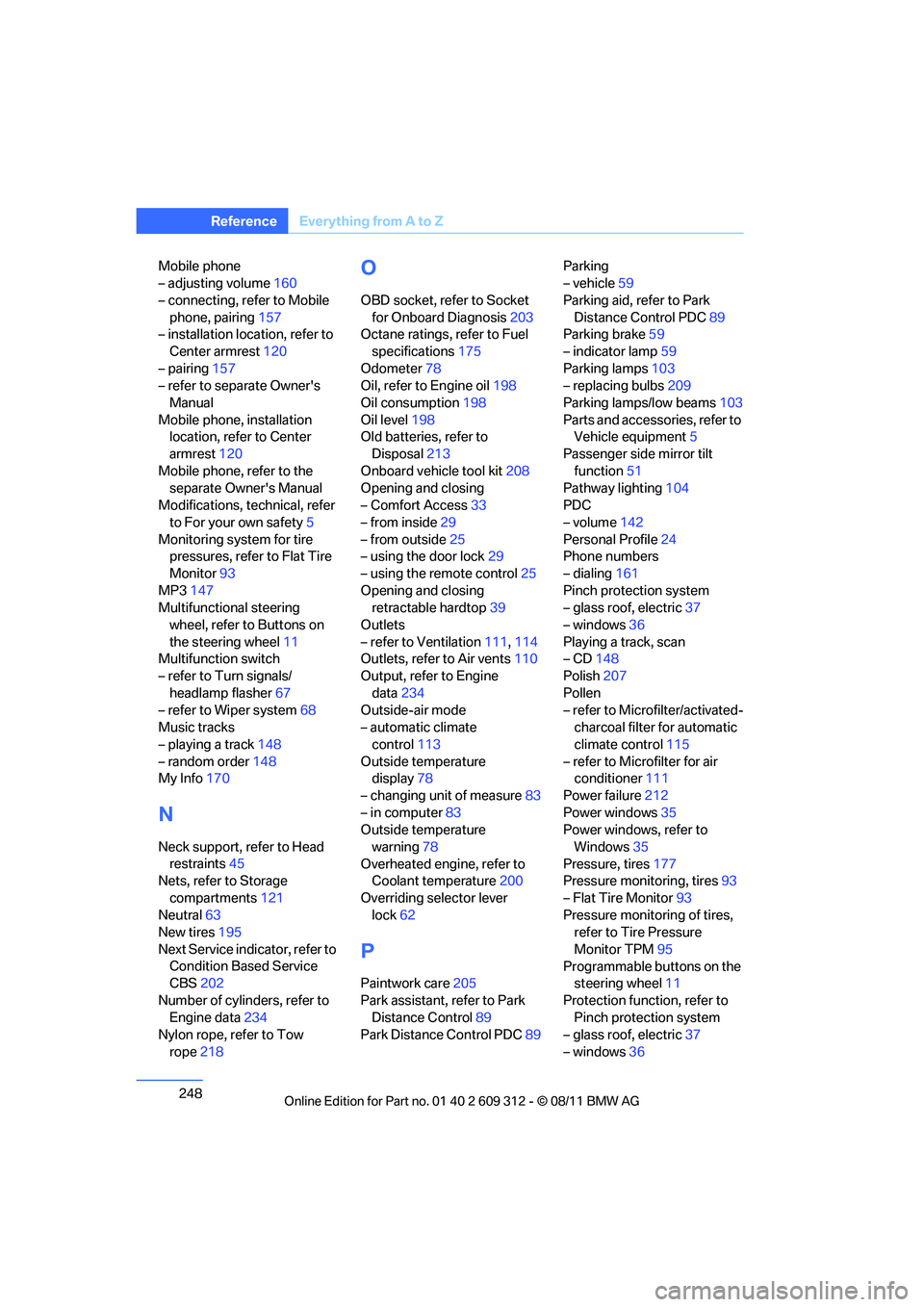
Mobile phone
– adjusting volume 160
– connecting, refer to Mobile phone, pairing 157
– installation location, refer to
Center armrest 120
– pairing 157
– refer to separate Owner's
Manual
Mobile phone, installation location, refer to Center
armrest 120
Mobile phone, refer to the separate Owner's Manual
Modifications, te chnical, refer
to For your own safety 5
Monitoring system for tire pressures, refer to Flat Tire
Monitor 93
MP3 147
Multifunctional steering wheel, refer to Buttons on
the steering wheel 11
Multifunction switch
– refer to Turn signals/
headlamp flasher 67
– refer to Wiper system 68
Music tracks
– playing a track 148
– random order 148
My Info 170
N
Neck support, refer to Head
restraints 45
Nets, refer to Storage
compartments 121
Neutral 63
New tires 195
Next Service indicator, refer to Condition Based Service
CBS 202
Number of cylinders, refer to Engine data 234
Nylon rope, refer to Tow
rope 218
O
OBD socket, refer to Socket
for Onboard Diagnosis 203
Octane ratings, refer to Fuel
specifications 175
Odometer 78
Oil, refer to Engine oil 198
Oil consumption 198
Oil level 198
Old batteries, refer to
Disposal 213
Onboard vehicle tool kit 208
Opening and closing
– Comfort Access 33
– from inside 29
– from outside 25
– using the door lock 29
– using the remote control 25
Opening and closing retractable hardtop 39
Outlets
– refer to Ventilation 111,114
Outlets, refer to Air vents 110
Output, refer to Engine
data 234
Outside-air mode
– automatic climate
control 113
Outside temperature display 78
– changing unit of measure 83
– in computer 83
Outside temperature
warning 78
Overheated engine, refer to Coolant temperature 200
Overriding selector lever lock 62
P
Paintwork care 205
Park assistant, refer to Park Distance Control 89
Park Distance Control PDC 89Parking
– vehicle
59
Parking aid, refer to Park Distance Control PDC 89
Parking brake 59
– indicator lamp 59
Parking lamps 103
– replacing bulbs 209
Parking lamps/low beams 103
Parts and accessories, refer to Vehicle equipment 5
Passenger side mirror tilt function 51
Pathway lighting 104
PDC
– volume 142
Personal Profile 24
Phone numbers
– dialing 161
Pinch protection system
– glass roof, electric 37
– windows 36
Playing a track, scan
– CD 148
Polish 207
Pollen
– refer to Microfilter/activated- charcoal filter for automatic
climate control 115
– refer to Microfilter for air conditioner 111
Power failure 212
Power windows 35
Power windows, refer to
Windows 35
Pressure, tires 177
Pressure monitoring, tires 93
– Flat Tire Monitor 93
Pressure monitoring of tires, refer to Tire Pressure
Monitor TPM 95
Programmable buttons on the steering wheel 11
Protection function, refer to Pinch protection system
– glass roof, electric 37
– windows 36
Online Edition for Part no. 01 40 2 609 312 - \251 08/11 BMW AG