high beam BMW M3 CONVERTIBLE 2012 User Guide
[x] Cancel search | Manufacturer: BMW, Model Year: 2012, Model line: M3 CONVERTIBLE, Model: BMW M3 CONVERTIBLE 2012Pages: 255, PDF Size: 6.32 MB
Page 84 of 255
83
Controls overview
Controls
Formats and units of measure
In the instrument cluster
Setting the units of measure
You can set formats and units of measure.
1.
Switch on the ignition, refer to page 57.
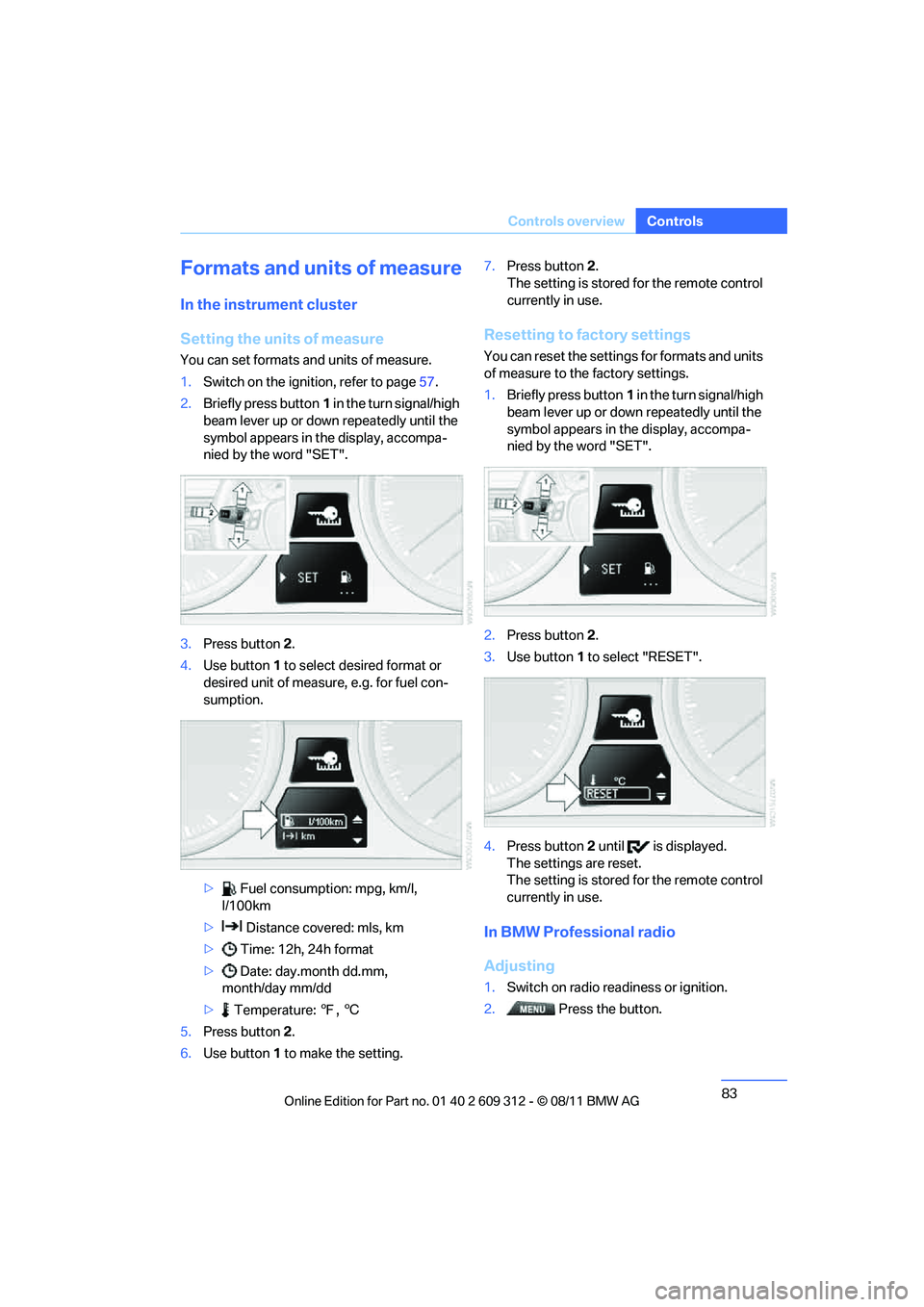
2. Briefly press button 1 in the turn signal/high
beam lever up or down repeatedly until the
symbol appears in the display, accompa-
nied by the word "SET".
3. Press button 2.
4. Use button 1 to select desired format or
desired unit of measure, e.g. for fuel con-
sumption.
> Fuel consumption: mpg, km/l,
l/100km
> Distance covered: mls, km
> Time: 12h, 24h format
> Date: day.month dd.mm,
month/day mm/dd
> Temperature: 7, 6
5. Press button 2.
6. Use button 1 to make the setting. 7.
Press button 2.
The setting is stored for the remote control
currently in use.
Resetting to factory settings
You can reset the settings for formats and units
of measure to the factory settings.
1. Briefly press button 1 in the turn signal/high
beam lever up or down repeatedly until the
symbol appears in the display, accompa-
nied by the word "SET".
2. Press button 2.
3. Use button 1 to select "RESET".
4. Press button 2 until is displayed.
The settings are reset.
The setting is stored for the remote control
currently in use.
In BMW Professional radio
Adjusting
1. Switch on radio readiness or ignition.
2. Press the button.
Online Edition for Part no. 01 40 2 609 312 - \251 08/11 BMW AG
Page 85 of 255
84
ControlsControls overview
3.
Press the button.
> "DIST": change the unit of measure-
ment for the range.
> "LANG": select the language of the dis-
play text.
> "CONSMP": change the unit of mea-
surement for the average fuel consump-
tion.
> "TEMP": change the unit of measure-
ment for the external temperature.
4. Highlight the desired menu item and press
the button.
5. Make the desired setting.
The settings of the units of measurement are
adopted for the displays in the radio and in the
instrument cluster and ar e stored in the remote
control currently in use.
Service requirements
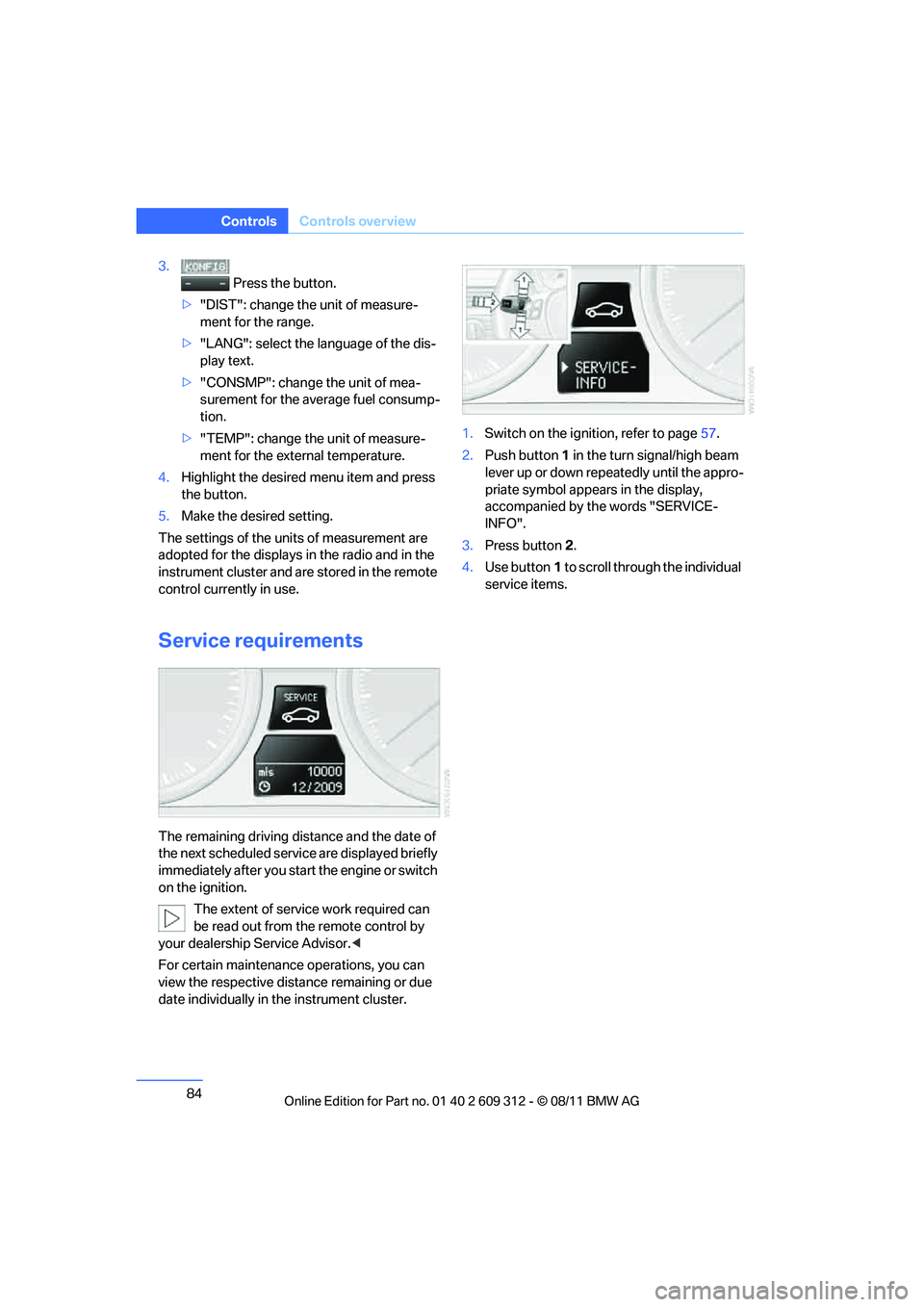
The remaining driving distance and the date of
the next scheduled servic e are displayed briefly
immediately after you start the engine or switch
on the ignition.
The extent of service work required can
be read out from the remote control by
your dealership Service Advisor. <
For certain maintenance operations, you can
view the respective distance remaining or due
date individually in the instrument cluster. 1.
Switch on the ignition, refer to page 57.
2. Push button 1 in the turn signal/high beam
lever up or down repe atedly until the appro-
priate symbol appear s in the display,
accompanied by the words "SERVICE-
INFO".
3. Press button 2.
4. Use button 1 to scroll through the individual
service items.
Online Edition for Part no. 01 40 2 609 312 - \251 08/11 BMW AG
Page 87 of 255
86
ControlsControls overview
Clock
Setting the time
To set the 12h/24h mode , refer to Formats and
units of measure on page 83.
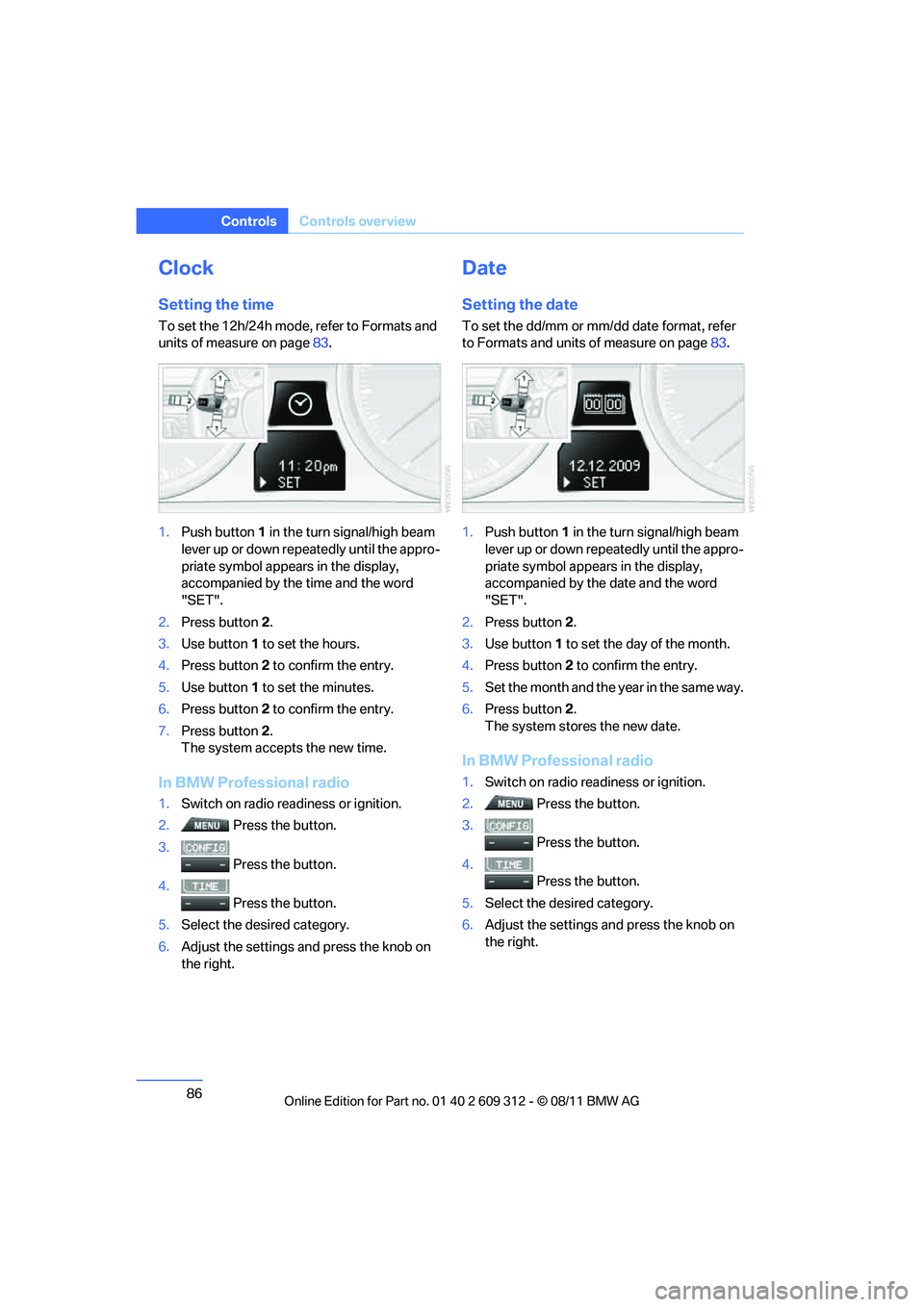
1. Push button 1 in the turn signal/high beam
lever up or down repe atedly until the appro-
priate symbol appear s in the display,
accompanied by the time and the word
"SET".
2. Press button 2.
3. Use button 1 to set the hours.
4. Press button 2 to confirm the entry.
5. Use button 1 to set the minutes.
6. Press button 2 to confirm the entry.
7. Press button 2.
The system accepts the new time.
In BMW Professional radio
1. Switch on radio read iness or ignition.
2. Press the button.
3. Press the button.
4. Press the button.
5. Select the desired category.
6. Adjust the settings and press the knob on
the right.
Date
Setting the date
To set the dd/mm or mm/dd date format, refer
to Formats and units of measure on page 83.
1. Push button 1 in the turn signal/high beam
lever up or down repe atedly until the appro-
priate symbol appear s in the display,
accompanied by the date and the word
"SET".
2. Press button 2.
3. Use button 1 to set the day of the month.
4. Press button 2 to confirm the entry.
5. Set the month and the ye a r i n t he s a m e w a y .
6. Press button 2.
The system stores the new date.
In BMW Professional radio
1. Switch on radio readiness or ignition.
2. Press the button.
3. Press the button.
4. Press the button.
5. Select the desired category.
6. Adjust the settings and press the knob on
the right.
Online Edition for Part no. 01 40 2 609 312 - \251 08/11 BMW AG
Page 88 of 255
87
Controls overview
Controls
Check Control
The concept
The Check Control monitors vehicle functions
and alerts you to any malfunctions in the sys-
tems monitored. This type of Check Control
message includes indicator and warning lamps
in the instrument cluster and, in some cases, an
acoustic signal.
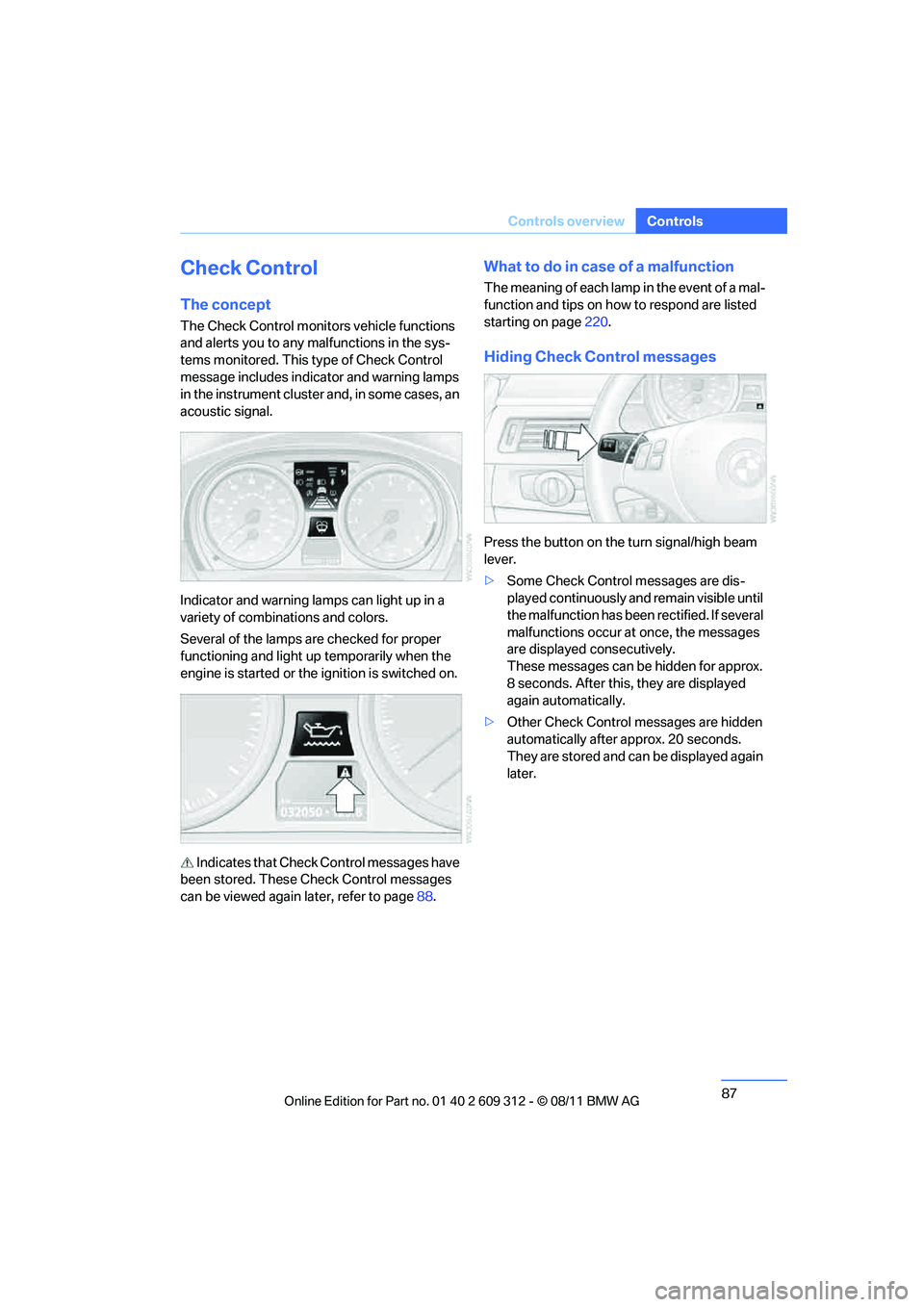
Indicator and warning lamps can light up in a
variety of combinations and colors.
Several of the lamps are checked for proper
functioning and light up temporarily when the
engine is started or the ignition is switched on.
Indicates that Check Control messages have
been stored. These Check Control messages
can be viewed again later, refer to page88.
What to do in case of a malfunction
The meaning of each lamp in the event of a mal-
function and tips on how to respond are listed
starting on page220.
Hiding Check Control messages
Press the button on the turn signal/high beam
lever.
>Some Check Control messages are dis-
played continuously an d remain visible until
the malfunction has been rectified. If several
malfunctions occur at once, the messages
are displayed consecutively.
These messages can be hidden for approx.
8 seconds. After this, they are displayed
again automatically.
> Other Check Control messages are hidden
automatically after approx. 20 seconds.
They are stored and can be displayed again
later.
Online Edition for Part no. 01 40 2 609 312 - \251 08/11 BMW AG
Page 89 of 255
88
ControlsControls overview
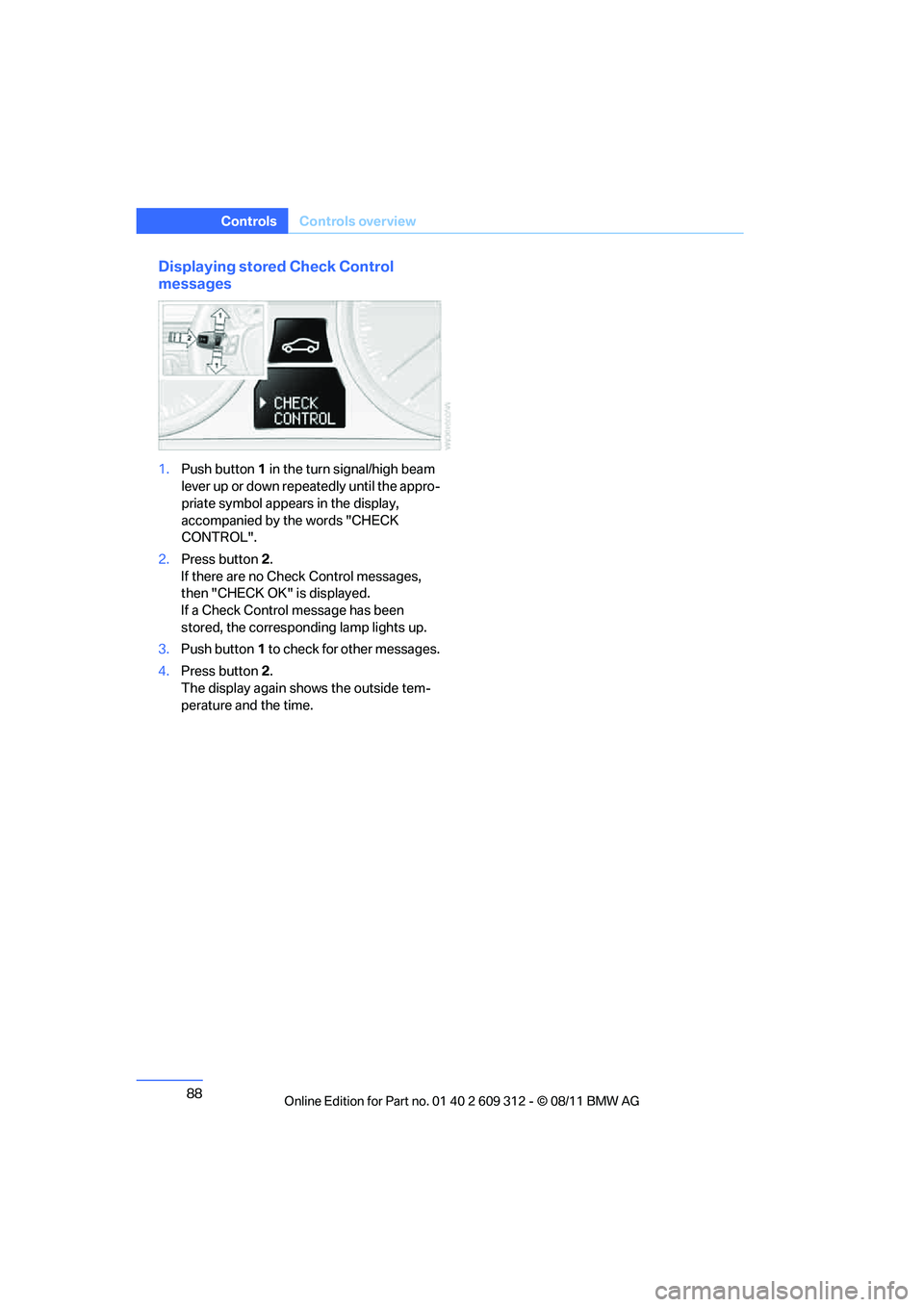
Displaying stored Check Control
messages
1.Push button 1 in the turn signal/high beam
lever up or down repe atedly until the appro-
priate symbol appear s in the display,
accompanied by the words "CHECK
CONTROL".
2. Press button 2.
If there are no Check Control messages,
then "CHECK OK" is displayed.
If a Check Control message has been
stored, the corresponding lamp lights up.
3. Push button 1 to check for other messages.
4. Press button 2.
The display again shows the outside tem-
perature and the time.
Online Edition for Part no. 01 40 2 609 312 - \251 08/11 BMW AG
Page 94 of 255
93
Technology for driving comfort and safety
Controls
Drive-off assistant
The drive-off assistant enables you to drive off
smoothly on uphill gradients. It is not necessary
to use the parking brake for this.
1.
Hold the car in place by depressing the
brake.
2. Release the brake and drive off without
delay.
The drive-off assistant holds the car in
place for approx. 2 seconds after the
brake is released. Drive off without delay after
releasing the brake. Ot herwise, the drive-off
assistant will no longer hold the car in place
after approx. 2 seconds an d the car will start to
roll backwards. <
Flat Tire Monitor FTM
The concept
The system does not measure the actual infla-
tion pressure in the tires.
The system detects a pressure loss in a tire by
comparing the rotational speeds of the individ-
ual wheels while moving.
In the event of a pressure loss, the diameter and
therefore the rotational speed of the corre-
sponding wheel change. This is detected and
reported as a flat tire.
Functional requirement
The system must have be en initialized while the
tire inflation pressure was correct; otherwise,
reliable signaling of a flat tire is not ensured.
Each time a tire inflation pressure has been cor-
rected or a wheel or tire has been changed,
reinitialize the system.
System limitations
Sudden serious tire damage caused by
external influences ca nnot be indicated in
advance.<
A natural, steady pressure loss in all four tires is
not detected. Therefore, check the tire inflation
pressure regularly.
In the following situations, the system could be
delayed or malfunction:
> System has not been initialized
> Driving on snowy or slippery road surface
> Performance-oriented style of driving: slip
in the drive wheels, hi gh lateral acceleration
> Snow chains are attached
Initialization
The initialization process adopts the set infla-
tion tire pressures as reference values for the
detection of a flat tire. Initialization is started by
confirming the inflation pressures.
Do not initialize the system when driving with
snow chains.
For operating principle refer to page 82.
1. Start the engine imme diately before pulling
away, but do not drive off yet.
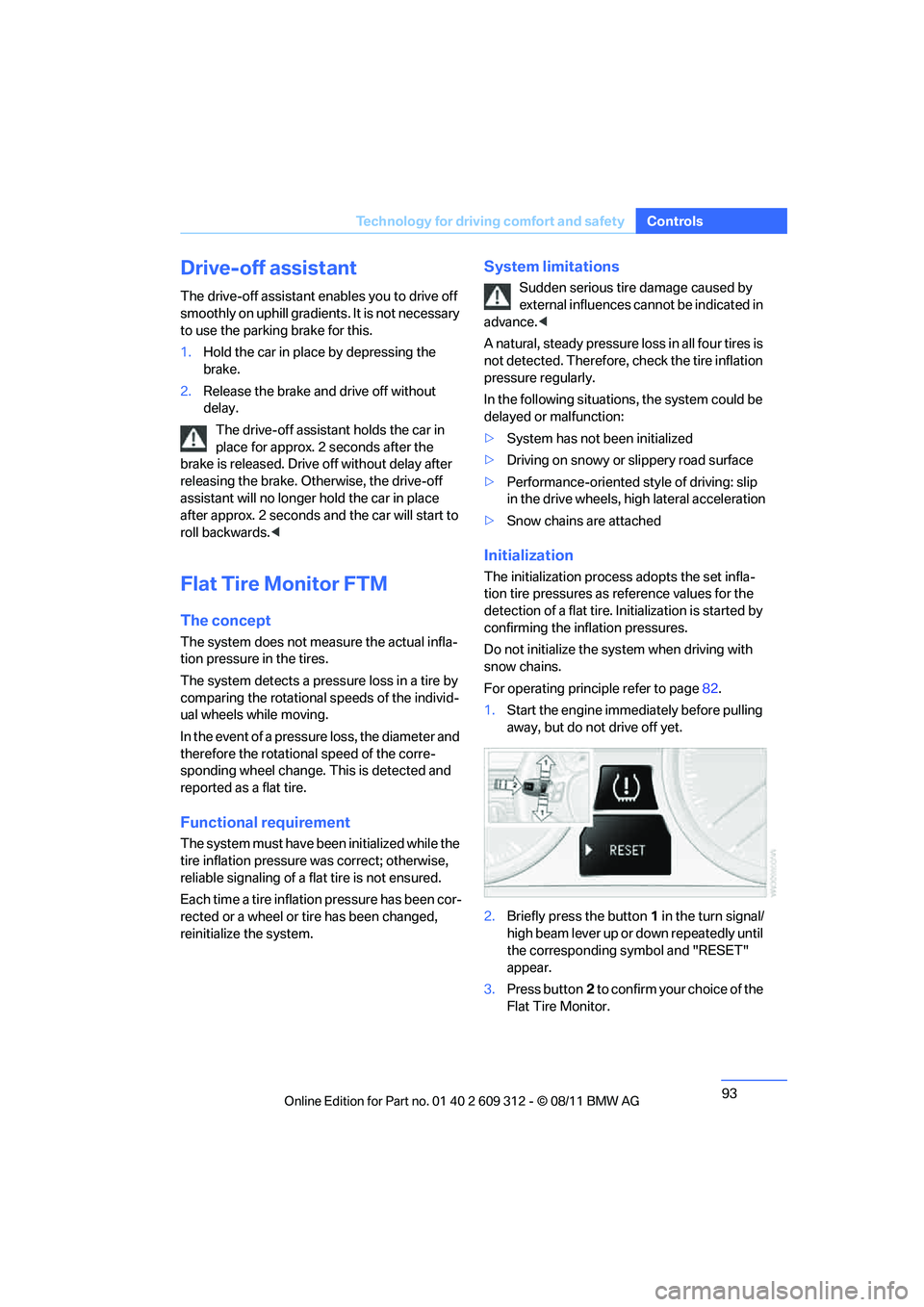
2. Briefly press the button 1 in the turn signal/
high beam lever up or down repeatedly until
the corresponding symbol and "RESET"
appear.
3. Press button 2 to confirm your choice of the
Flat Tire Monitor.
Online Edition for Part no. 01 40 2 609 312 - \251 08/11 BMW AG
Page 96 of 255
95
Technology for driving comfort and safety
Controls
Tire Pressure Monitor TPM
The concept
Check the inflation pressure
in the four installed
tires. The system notifies you if there is a signif-
icant loss of pressure in one or more tires.
Functional requirement
The system must have been reset while the
inflation pressure was co rrect; otherwise, reli-
able signaling of a flat tire is not ensured.
Always use wheels with TPM electronics to
ensure that the system will operate properly.
Each time a tire inflation pressure has been cor-
rected or a wheel or tire has been changed,
reset the system.
System limitations
Sudden serious tire damage caused by
external influences ca nnot be indicated in
advance.<
The system does not function correctly if it has
not been reset. For example, a flat tire may be
indicated even though the tire inflation pres-
sures are correct.
The system is inactive and cannot indicate a flat
tire:
> When a wheel without TPM electronics is
installed.
> Interference with TPM by other systems or
devices with the same transmission fre-
quency.
Resetting the system
Each time a tire inflation pressure has been cor-
rected or a wheel or tire has been changed,
reset the system.
For operating principle refer to page 82.
1. Start the engine, but do not start driving.
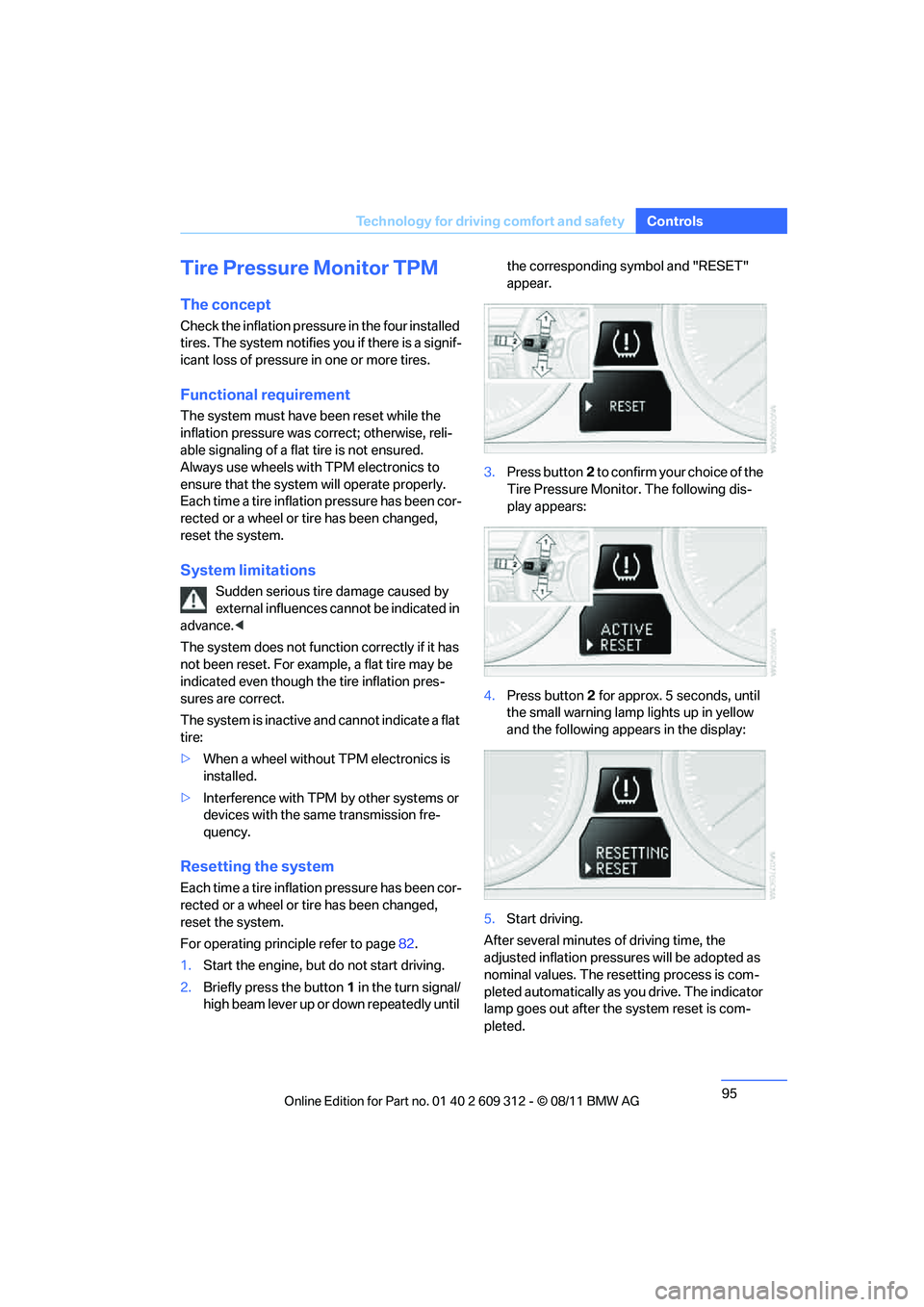
2. Briefly press the button 1 in the turn signal/
high beam lever up or down repeatedly until the corresponding symbol and "RESET"
appear.
3. Press button 2 to confirm your choice of the
Tire Pressure Monitor. The following dis-
play appears:
4. Press button 2 for approx. 5 seconds, until
the small warning lamp lights up in yellow
and the following appears in the display:
5. Start driving.
After several minutes of driving time, the
adjusted inflation pressures will be adopted as
nominal values. The resetting process is com-
pleted automatically as you drive. The indicator
lamp goes out after the system reset is com-
pleted.
Online Edition for Part no. 01 40 2 609 312 - \251 08/11 BMW AG
Page 104 of 255
103
Lamps
Controls
Lamps
Vehicle equipment
In this chapter, all production, country, and
optional equipment that is offered in the model
range is described. For this reason, descrip-
tions will be given of some equipment that may
not be available in a vehi
cle, for example due to
the special options or national-market version
selected. This also app lies to safety related
functions and systems.
At a glance
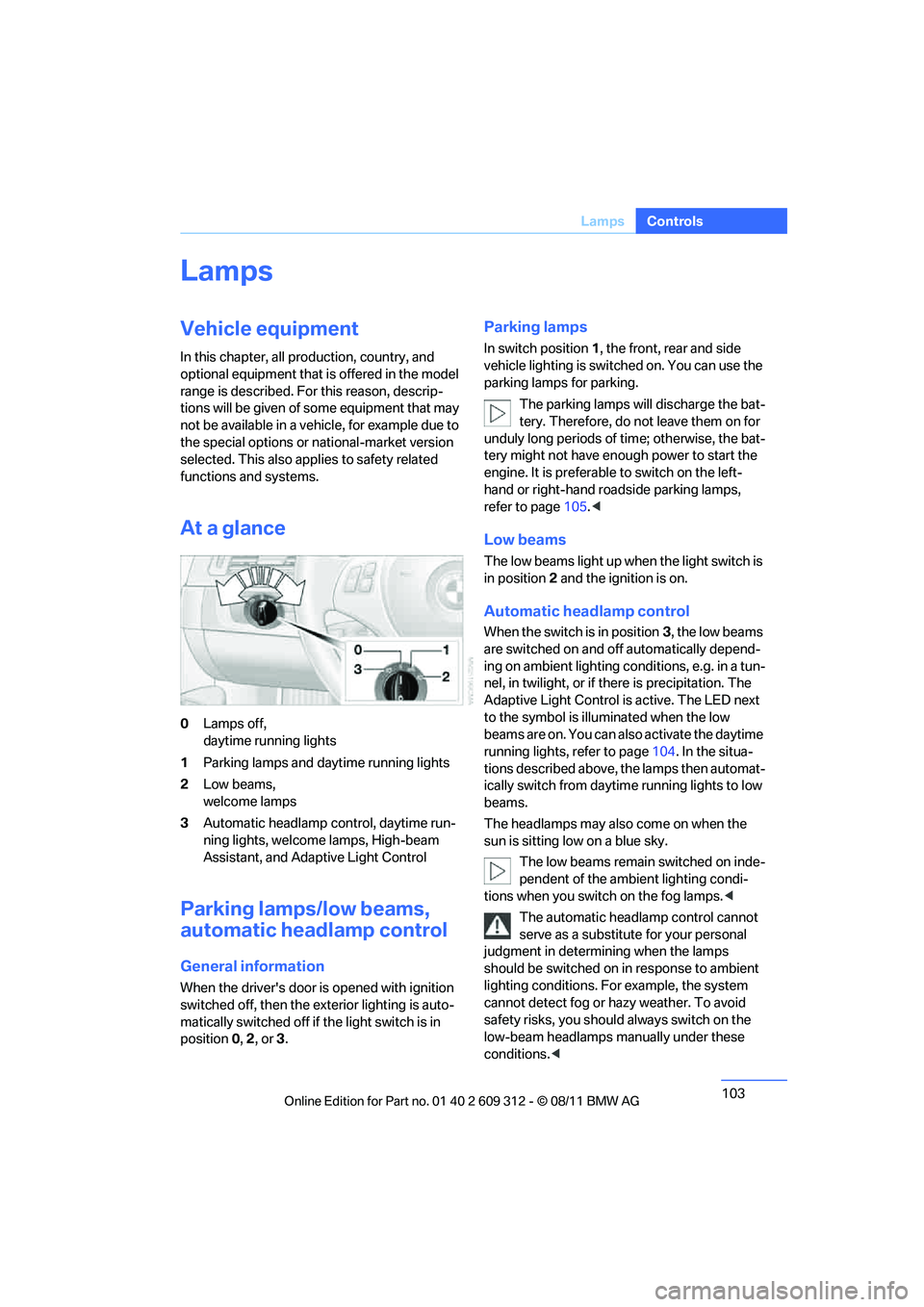
0 Lamps off,
daytime running lights
1 Parking lamps and daytime running lights
2 Low beams,
welcome lamps
3 Automatic headlamp co ntrol, daytime run-
ning lights, welcome lamps, High-beam
Assistant, and Adaptive Light Control
Parking lamps/low beams,
automatic headlamp control
General information
When the driver's door is opened with ignition
switched off, then the ex terior lighting is auto-
matically switched off if the light switch is in
position 0, 2 , or 3.
Parking lamps
In switch position 1, the front, rear and side
vehicle lighting is switch ed on. You can use the
parking lamps for parking.
The parking lamps will discharge the bat-
tery. Therefore, do not leave them on for
unduly long periods of time; otherwise, the bat-
tery might not have enou gh power to start the
engine. It is preferable to switch on the left-
hand or right-hand roadside parking lamps,
refer to page 105.<
Low beams
The low beams light up when the light switch is
in position 2 and the ignition is on.
Automatic headlamp control
When the switch is in position 3, the low beams
are switched on and o ff automatically depend-
ing on ambient lighting conditions, e.g. in a tun-
nel, in twilight, or if there is precipitation. The
Adaptive Light Control is active. The LED next
to the symbol is illuminated when the low
beams are on. You can also activate the daytime
running lights, refer to page 104. In the situa-
tions described above, the lamps then automat-
ically switch fr om daytime running lights to low
beams.
The headlamps may also come on when the
sun is sitting low on a blue sky.
The low beams remain switched on inde-
pendent of the ambient lighting condi-
tions when you switch on the fog lamps. <
The automatic headlamp control cannot
serve as a substitute for your personal
judgment in determin ing when the lamps
should be switched on in response to ambient
lighting conditions. For example, the system
cannot detect fog or ha zy weather. To avoid
safety risks, you should always switch on the
low-beam headlamps ma nually under these
conditions. <
Online Edition for Part no. 01 40 2 609 312 - \251 08/11 BMW AG
Page 105 of 255
104
ControlsLamps
Welcome lamps
If you leave the light switch in position 2 or 3
when you park the car, the parking lamps and
the interior lamps light up briefly when you
unlock the vehicle.
Pathway lighting
If the headlamp flasher is activated after switch-
ing off the ignition with the lamps switched off,
the low beams come on and remain on for a cer-
tain time.
Setting duration
For operating principle, refer to page 82.
1. Switch on the igni tion, refer to page 57.
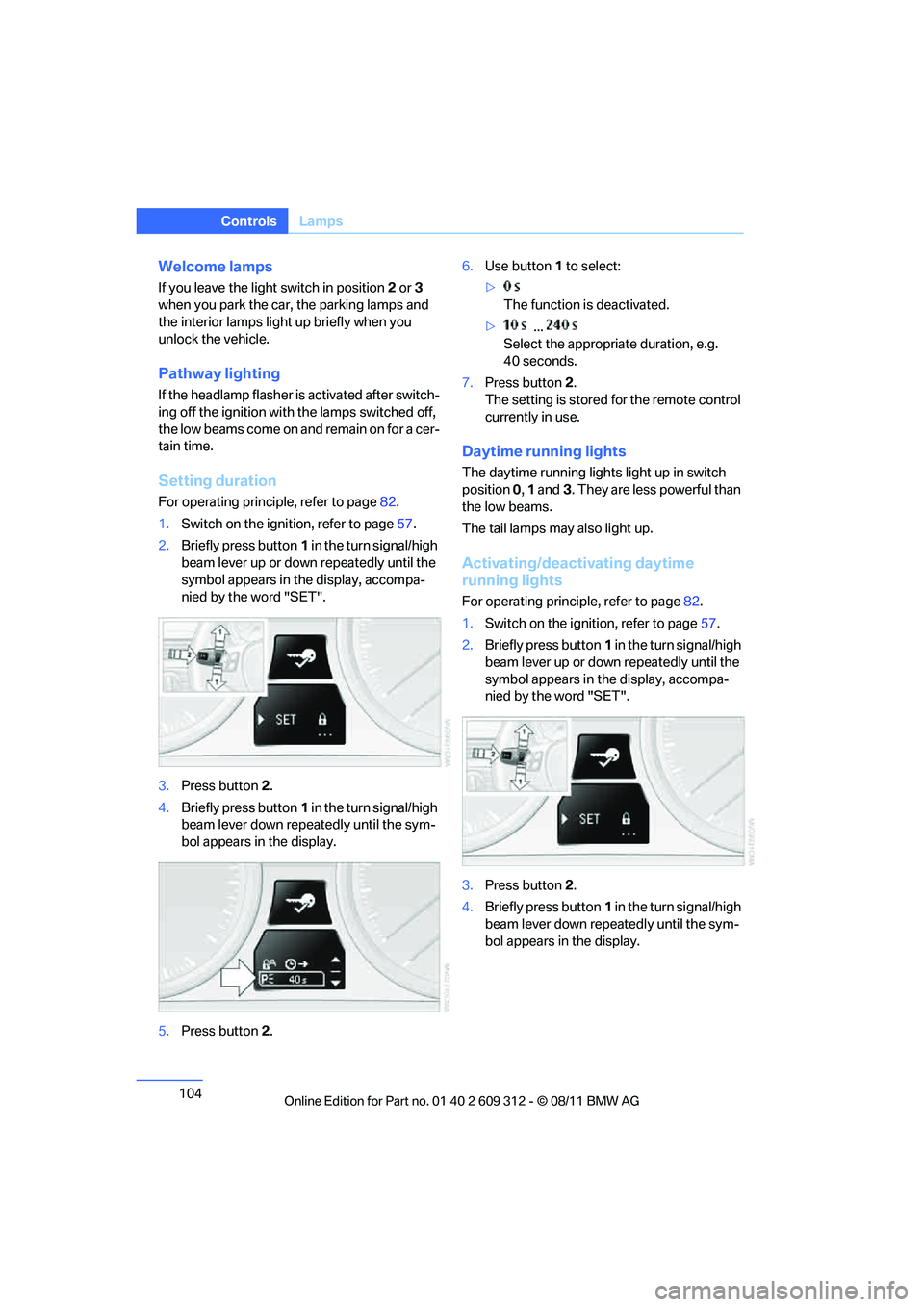
2. Briefly press button 1 in the turn signal/high
beam lever up or down repeatedly until the
symbol appears in the display, accompa-
nied by the word "SET".
3. Press button 2.
4. Briefly press button 1 in the turn signal/high
beam lever down repeatedly until the sym-
bol appears in the display.
5. Press button 2. 6.
Use button 1 to select:
> The function is deactivated.
> ...
Select the appropriate duration, e.g.
40 seconds.
7. Press button 2.
The setting is stored for the remote control
currently in use.
Daytime running lights
The daytime running lights light up in switch
position 0, 1 and 3. They are less powerful than
the low beams.
The tail lamps may also light up.
Activating/deactivating daytime
running lights
For operating principle, refer to page 82.
1. Switch on the ignition, refer to page 57.
2. Briefly press button 1 in the turn signal/high
beam lever up or down repeatedly until the
symbol appears in the display, accompa-
nied by the word "SET".
3. Press button 2.
4. Briefly press button 1 in the turn signal/high
beam lever down repeatedly until the sym-
bol appears in the display.
Online Edition for Part no. 01 40 2 609 312 - \251 08/11 BMW AG
Page 106 of 255
105
Lamps
Controls
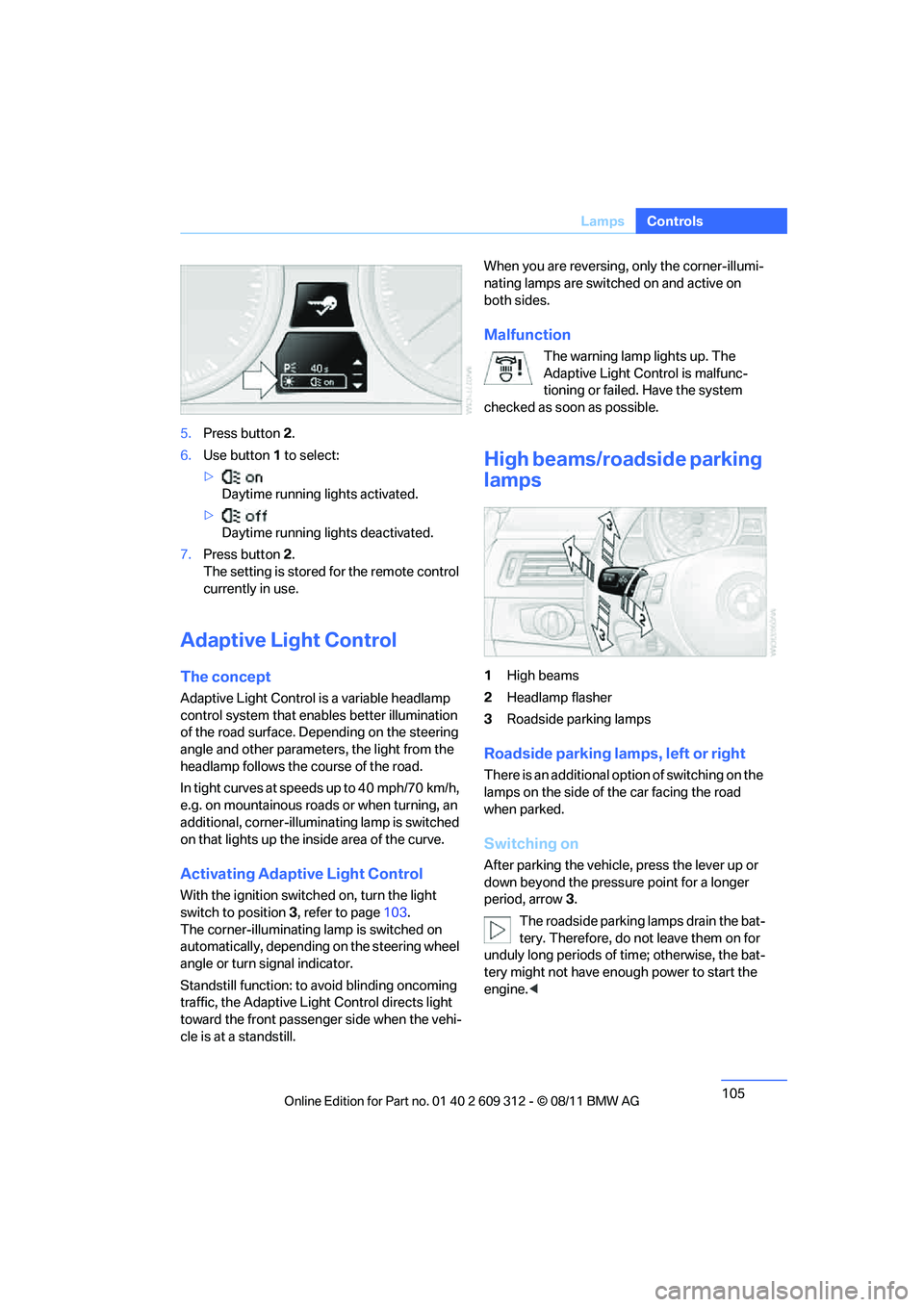
5.
Press button 2.
6. Use button 1 to select:
> Daytime running lights activated.
> Daytime running lights deactivated.
7. Press button 2.
The setting is stored for the remote control
currently in use.
Adaptive Light Control
The concept
Adaptive Light Control is a variable headlamp
control system that enables better illumination
of the road surface. Depending on the steering
angle and other parameters, the light from the
headlamp follows the course of the road.
In tight curves at speeds up to 40 mph/70 km/h,
e.g. on mountainous roads or when turning, an
additional, corner-illuminating lamp is switched
on that lights up the inside area of the curve.
Activating Adaptive Light Control
With the ignition switch ed on, turn the light
switch to position 3, refer to page 103.
The corner-illuminating lamp is switched on
automatically, depending on the steering wheel
angle or turn signal indicator.
Standstill function: to avoid blinding oncoming
traffic, the Adaptive Light Control directs light
toward the front passenger side when the vehi-
cle is at a standstill. When you are reversing, only the corner-illumi-
nating lamps are switched on and active on
both sides.
Malfunction
The warning lamp lights up. The
Adaptive Light Control is malfunc-
tioning or failed. Have the system
checked as soon as possible.
High beams/roadside parking
lamps
1 High beams
2 Headlamp flasher
3 Roadside parking lamps
Roadside parking lamps, left or right
There is an additional option of switching on the
lamps on the side of the car facing the road
when parked.
Switching on
After parking the vehicle, press the lever up or
down beyond the pressu re point for a longer
period, arrow 3.
The roadside parking lamps drain the bat-
tery. Therefore, do not leave them on for
unduly long periods of time; otherwise, the bat-
tery might not have enou gh power to start the
engine. <
Online Edition for Part no. 01 40 2 609 312 - \251 08/11 BMW AG