key BMW M3 CONVERTIBLE 2012 User Guide
[x] Cancel search | Manufacturer: BMW, Model Year: 2012, Model line: M3 CONVERTIBLE, Model: BMW M3 CONVERTIBLE 2012Pages: 255, PDF Size: 6.32 MB
Page 158 of 255
157
Te l e p h o n e
Communications
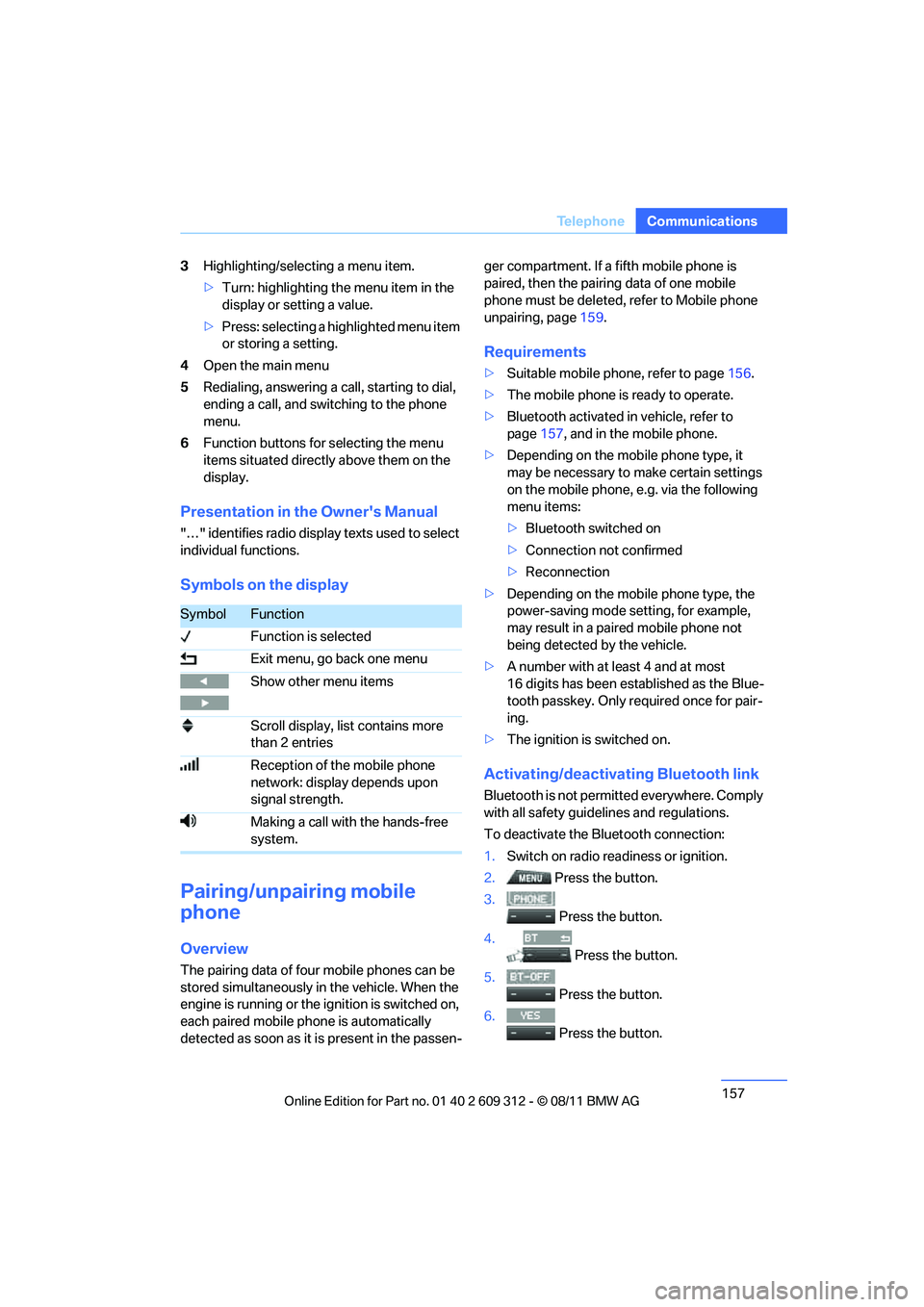
3
Highlighting/selecting a menu item.
>Turn: highlighting the menu item in the
display or setting a value.
> Press: selecting a highlighted menu item
or storing a setting.
4 Open the main menu
5 Redialing, answering a call, starting to dial,
ending a call, and switching to the phone
menu.
6 Function buttons for selecting the menu
items situated directly above them on the
display.
Presentation in the Owner's Manual
"…" identifies radio displa y texts used to select
individual functions.
Symbols on the display
Pairing/unpairing mobile
phone
Overview
The pairing data of four mobile phones can be
stored simultaneously in the vehicle. When the
engine is running or the ignition is switched on,
each paired mobile ph one is automatically
detected as soon as it is present in the passen- ger compartment. If a fifth mobile phone is
paired, then the pairing data of one mobile
phone must be deleted, refer to Mobile phone
unpairing, page
159.
Requirements
>Suitable mobile phone, refer to page 156.
> The mobile phone is ready to operate.
> Bluetooth activated in vehicle, refer to
page 157, and in the mobile phone.
> Depending on the mobile phone type, it
may be necessary to make certain settings
on the mobile phone, e.g. via the following
menu items:
>Bluetooth switched on
> Connection not confirmed
> Reconnection
> Depending on the mobile phone type, the
power-saving mode setting, for example,
may result in a paired mobile phone not
being detected by the vehicle.
> A number with at least 4 and at most
16 digits has been established as the Blue-
tooth passkey. Only re quired once for pair-
ing.
> The ignition is switched on.
Activating/deactivating Bluetooth link
Bluetooth is not permi tted everywhere. Comply
with all safety guide lines and regulations.
To deactivate the Bluetooth connection:
1. Switch on radio readiness or ignition.
2. Press the button.
3.
Press the button.
4. Press the button.
5.
Press the button.
6.
Press the button.
SymbolFunction
Function is selected
Exit menu, go back one menu
Show other menu items
Scroll display, list contains more
than 2 entries
Reception of the mobile phone
network: display depends upon
signal strength.
Making a call with the hands-free
system.
Online Edition for Part no. 01 40 2 609 312 - \251 08/11 BMW AG
Page 159 of 255
158
CommunicationsTe l e p h o n e
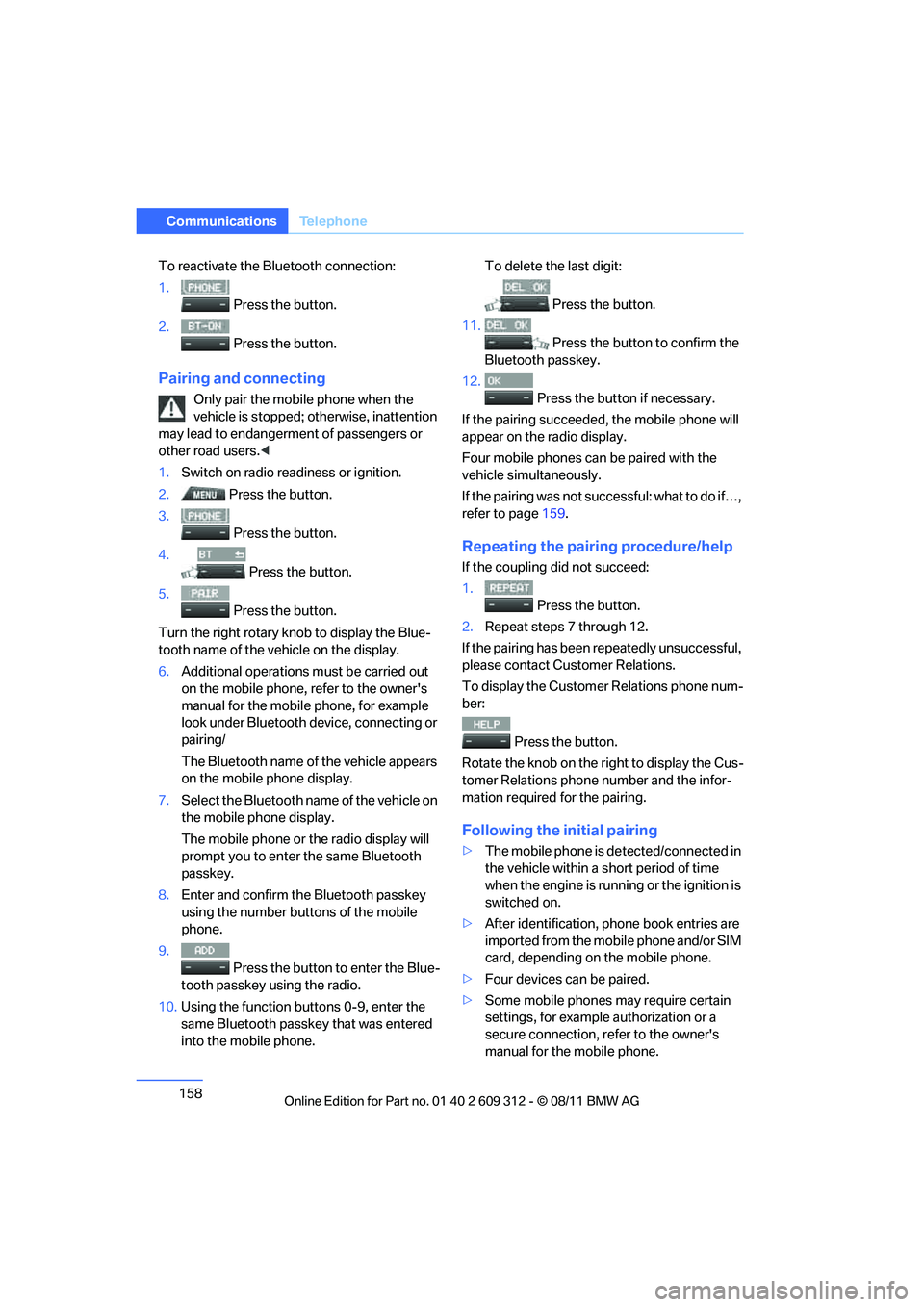
To reactivate the Bluetooth connection:
1.
Press the button.
2. Press the button.
Pairing and connecting
Only pair the mob ile phone when the
vehicle is stopped; otherwise, inattention
may lead to endangerment of passengers or
other road users. <
1. Switch on radio read iness or ignition.
2. Press the button.
3. Press the button.
4. Press the button.
5. Press the button.
Turn the right rotary kn ob to display the Blue-
tooth name of the vehicle on the display.
6. Additional operations must be carried out
on the mobile phone, refer to the owner's
manual for the mobile phone, for example
look under Bluetooth device, connecting or
pairing/
The Bluetooth name of the vehicle appears
on the mobile phone display.
7. Select the Bluetooth name of the vehicle on
the mobile phone display.
The mobile phone or the radio display will
prompt you to enter the same Bluetooth
passkey.
8. Enter and confirm the Bluetooth passkey
using the number buttons of the mobile
phone.
9. Press the button to enter the Blue-
tooth passkey using the radio.
10. Using the function buttons 0-9, enter the
same Bluetooth passkey that was entered
into the mobile phone. To delete the last digit:
Press the button.
11.
Press the button to confirm the
Bluetooth passkey.
12. Press the button if necessary.
If the pairing succeeded, the mobile phone will
appear on the radio display.
Four mobile phones ca n be paired with the
vehicle simultaneously.
If the pairing was not succ essful: what to do if…,
refer to page 159.
Repeating the pairing procedure/help
If the coupling did not succeed:
1.
Press the button.
2. Repeat steps 7 through 12.
If the pairing has been repeatedly unsuccessful,
please contact Customer Relations.
To display the Customer Relations phone num-
ber:
Press the button.
Rotate the knob on the right to display the Cus-
tomer Relations phone number and the infor-
mation required for the pairing.
Following the initial pairing
> The mobile phone is de tected/connected in
the vehicle within a short period of time
when the engine is running or the ignition is
switched on.
> After identification, phone book entries are
imported from the mobile phone and/or SIM
card, depending on the mobile phone.
> Four devices can be paired.
> Some mobile phones may require certain
settings, for example authorization or a
secure connection, refer to the owner's
manual for the mobile phone.
Online Edition for Part no. 01 40 2 609 312 - \251 08/11 BMW AG
Page 160 of 255
159
Te l e p h o n e
Communications
Connecting a particular mobile phone
If more than one mobile
phone is detected by
the vehicle, the mobile phone at the top of the
list is connected. It is possible that another
detected mobile phone is linked to the vehicle.
A different mobile phone can be connected by
selecting it.
The connected mobile phone is denoted with
the following symbol in the radio display:
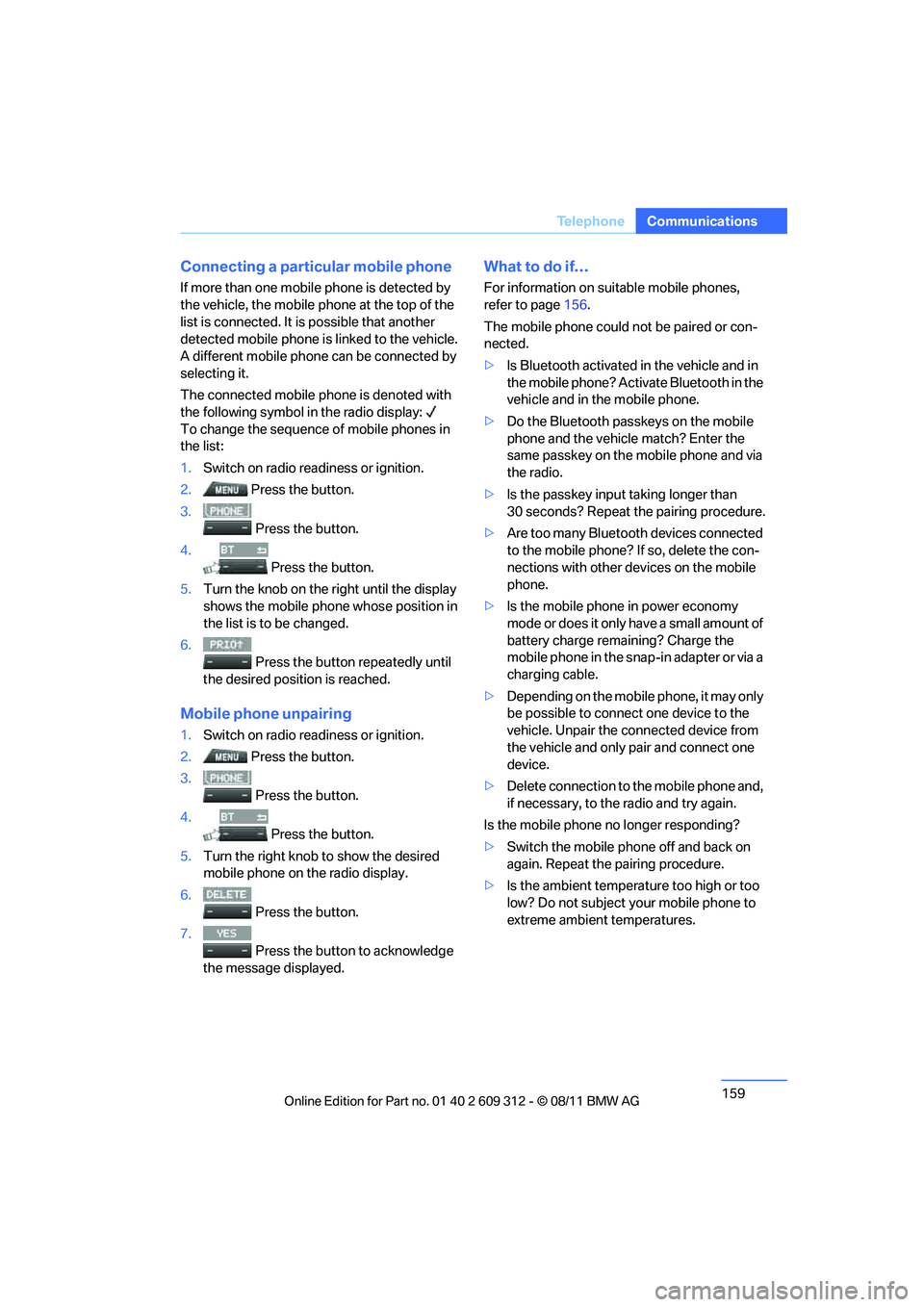
To change the sequence of mobile phones in
the list:
1. Switch on radio readiness or ignition.
2. Press the button.
3. Press the button.
4. Press the button.
5. Turn the knob on the right until the display
shows the mobile phone whose position in
the list is to be changed.
6. Press the button repeatedly until
the desired position is reached.
Mobile phon e unpairing
1.Switch on radio readiness or ignition.
2. Press the button.
3.
Press the button.
4. Press the button.
5. Turn the right knob to show the desired
mobile phone on the radio display.
6. Press the button.
7.
Press the button to acknowledge
the message displayed.
What to do if…
For information on suitable mobile phones,
refer to page 156.
The mobile phone could not be paired or con-
nected.
> Is Bluetooth activated in the vehicle and in
the mobile phone? Activate Bluetooth in the
vehicle and in the mobile phone.
> Do the Bluetooth passkeys on the mobile
phone and the vehicle match? Enter the
same passkey on the mobile phone and via
the radio.
> Is the passkey input taking longer than
30 seconds? Repeat the pairing procedure.
> Are too many Bluetooth devices connected
to the mobile phone? If so, delete the con-
nections with other de vices on the mobile
phone.
> Is the mobile phone in power economy
mode or does it only have a small amount of
battery charge remaining? Charge the
mobile phone in the snap-in adapter or via a
charging cable.
> Depending on the mobile phone, it may only
be possible to connect one device to the
vehicle. Unpair the connected device from
the vehicle and only pair and connect one
device.
> Delete connection to the mobile phone and,
if necessary, to the radio and try again.
Is the mobile phone no longer responding?
> Switch the mobile ph one off and back on
again. Repeat the pairing procedure.
> Is the ambient temperature too high or too
low? Do not subject yo ur mobile phone to
extreme ambient temperatures.
Online Edition for Part no. 01 40 2 609 312 - \251 08/11 BMW AG
Page 163 of 255
162
CommunicationsTe l e p h o n e
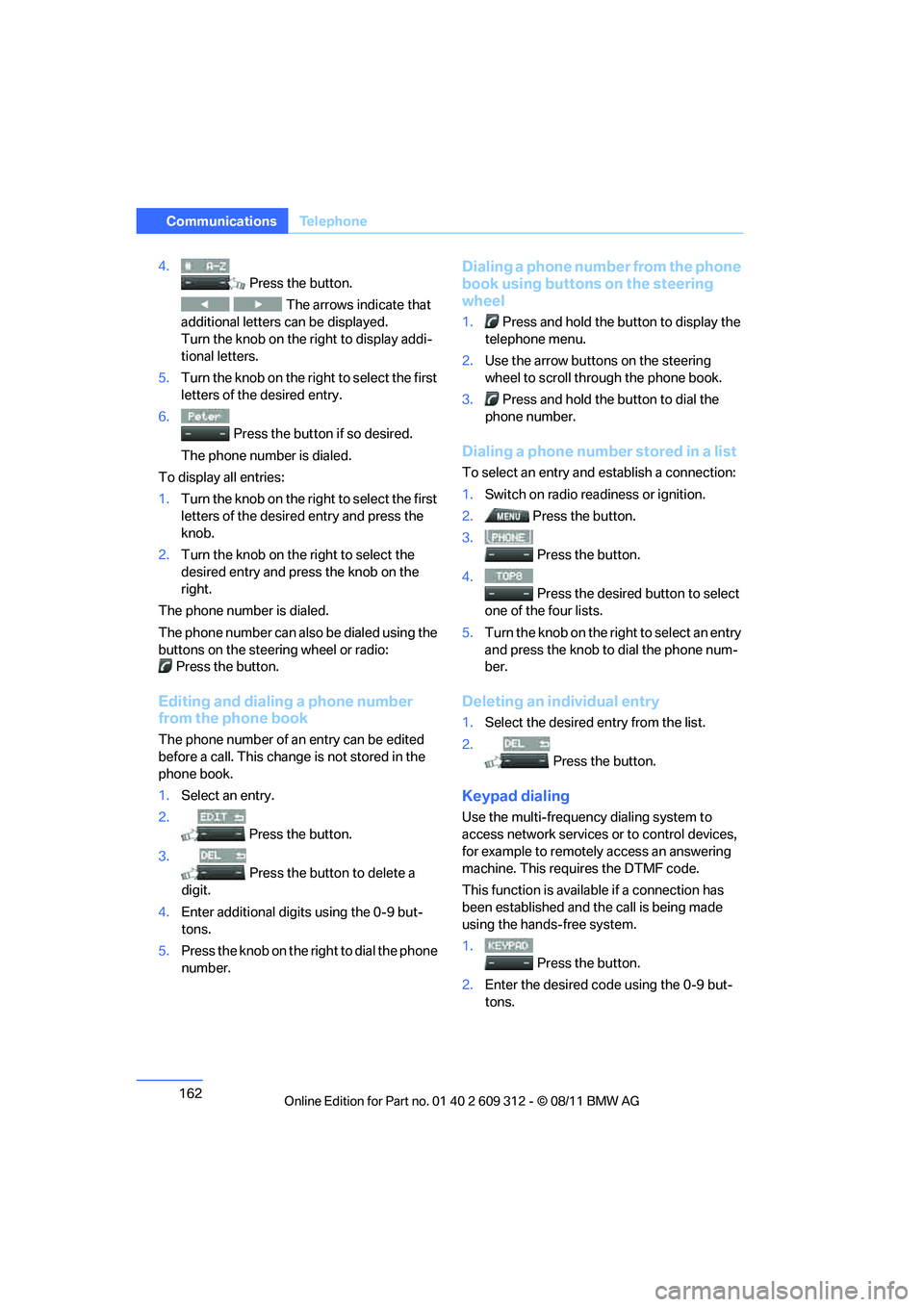
4.
Press the button.
The arrows indicate that
additional letters can be displayed.
Turn the knob on the right to display addi-
tional letters.
5. Turn the knob on the right to select the first
letters of the desired entry.
6. Press the button if so desired.
The phone number is dialed.
To display all entries:
1. Turn the knob on the right to select the first
letters of the desire d entry and press the
knob.
2. Turn the knob on the right to select the
desired entry and press the knob on the
right.
The phone number is dialed.
The phone number can also be dialed using the
buttons on the steering wheel or radio: Press the button.
Editing and dialing a phone number
from the phone book
The phone number of an entry can be edited
before a call. This change is not stored in the
phone book.
1. Select an entry.
2. Press the button.
3. Press the button to delete a
digit.
4. Enter additional digits using the 0-9 but-
tons.
5. Press the knob on the right to dial the phone
number.
Dialing a phone number from the phone
book using buttons on the steering
wheel
1. Press and hold the button to display the
telephone menu.
2. Use the arrow buttons on the steering
wheel to scroll through the phone book.
3. Press and hold the button to dial the
phone number.
Dialing a phone number stored in a list
To select an entry and establish a connection:
1. Switch on radio readiness or ignition.
2. Press the button.
3. Press the button.
4. Press the desired button to select
one of the four lists.
5. Turn the knob on the ri ght to select an entry
and press the knob to dial the phone num-
ber.
Deleting an individual entry
1. Select the desired entry from the list.
2. Press the button.
Keypad dialing
Use the multi-frequency dialing system to
access network services or to control devices,
for example to remotely access an answering
machine. This requ ires the DTMF code.
This function is availa ble if a connection has
been established and th e call is being made
using the hands-free system.
1.
Press the button.
2. Enter the desired code using the 0-9 but-
tons.
Online Edition for Part no. 01 40 2 609 312 - \251 08/11 BMW AG
Page 243 of 255
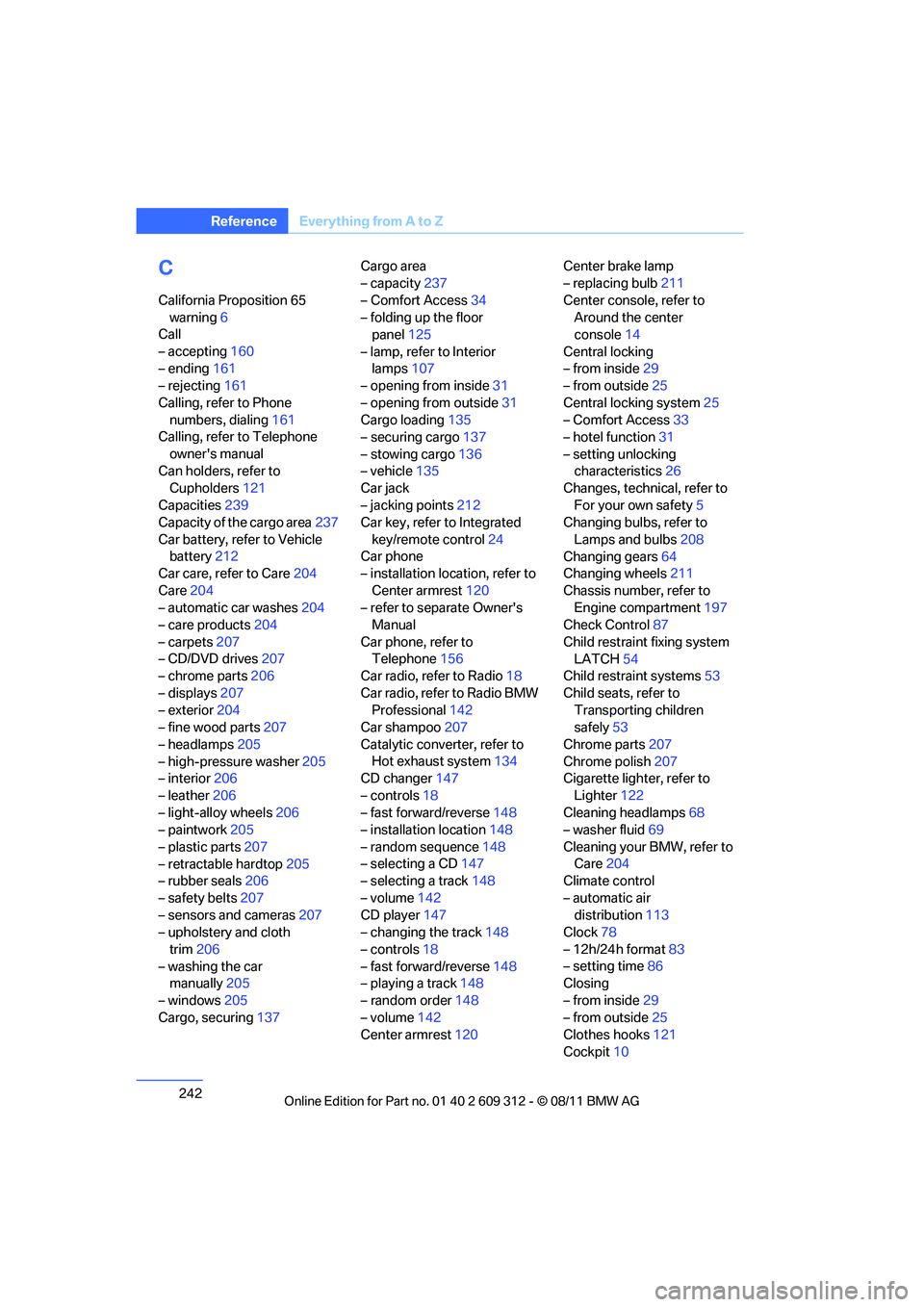
242
ReferenceEverything from A to Z
C
California Proposition 65
warning 6
Call
– accepting 160
– ending 161
– rejecting 161
Calling, refer to Phone numbers, dialing 161
Calling, refer to Telephone
owner's manual
Can holders, refer to Cupholders 121
Capacities 239
Capacity of the cargo area 237
Car battery, refer to Vehicle battery 212
Car care, refer to Care 204
Care 204
– automatic car washes 204
– care products 204
– carpets 207
– CD/DVD drives 207
– chrome parts 206
– displays 207
– exterior 204
– fine wood parts 207
– headlamps 205
– high-pressure washer 205
– interior 206
– leather 206
– light-alloy wheels 206
– paintwork 205
– plastic parts 207
– retractable hardtop 205
– rubber seals 206
– safety belts 207
– sensors and cameras 207
– upholstery and cloth
trim 206
– washing the car manually 205
– windows 205
Cargo, securing 137 Cargo area
– capacity
237
– Comfort Access 34
– folding up the floor panel 125
– lamp, refer to Interior lamps 107
– opening from inside 31
– opening from outside 31
Cargo loading 135
– securing cargo 137
– stowing cargo 136
– vehicle 135
Car jack
– jacking points 212
Ca
r key, refer to Integrated
key/remote control 24
Car phone
– installation location, refer to
Center armrest 120
– refer to separate Owner's Manual
Car phone, refer to Telephone 156
Car radio, refer to Radio 18
Car radio, refer to Radio BMW Professional 142
Car shampoo 207
Catalytic converter, refer to Hot exhaust system 134
CD changer 147
– controls 18
– fast forward/reverse 148
– installation location 148
– random sequence 148
– selecting a CD 147
– selecting a track 148
– volume 142
CD player 147
– changing the track 148
– controls 18
– fast forward/reverse 148
– playing a track 148
– random order 148
– volume 142
Center armrest 120 Center brake lamp
– replacing bulb
211
Center console, refer to Around the center
console 14
Central locking
– from inside 29
– from outside 25
Central locking system 25
– Comfort Access 33
– hotel function 31
– setting unlocking characteristics 26
Changes, technical, refer to
For your own safety 5
Changing bulbs, refer to
Lamps and bulbs 208
Changing gears 64
Changing wheels 211
Chassis number, refer to Engine compartment 197
Check Control 87
Child restraint fixing system LATCH 54
Child restraint systems 53
Child seats, refer to Transporting children
safely 53
Chrome parts 207
Chrome polish 207
Cigarette lighter, refer
to
Lighter 122
Cleaning headlamps 68
– washer fluid 69
Cleaning your BMW, refer to Care 204
Climate control
– automatic air distribution 113
Clock 78
– 12h/24h format 83
– setting time 86
Closing
– from inside 29
– from outside 25
Clothes hooks 121
Cockpit 10
Online Edition for Part no. 01 40 2 609 312 - \251 08/11 BMW AG
Page 245 of 255
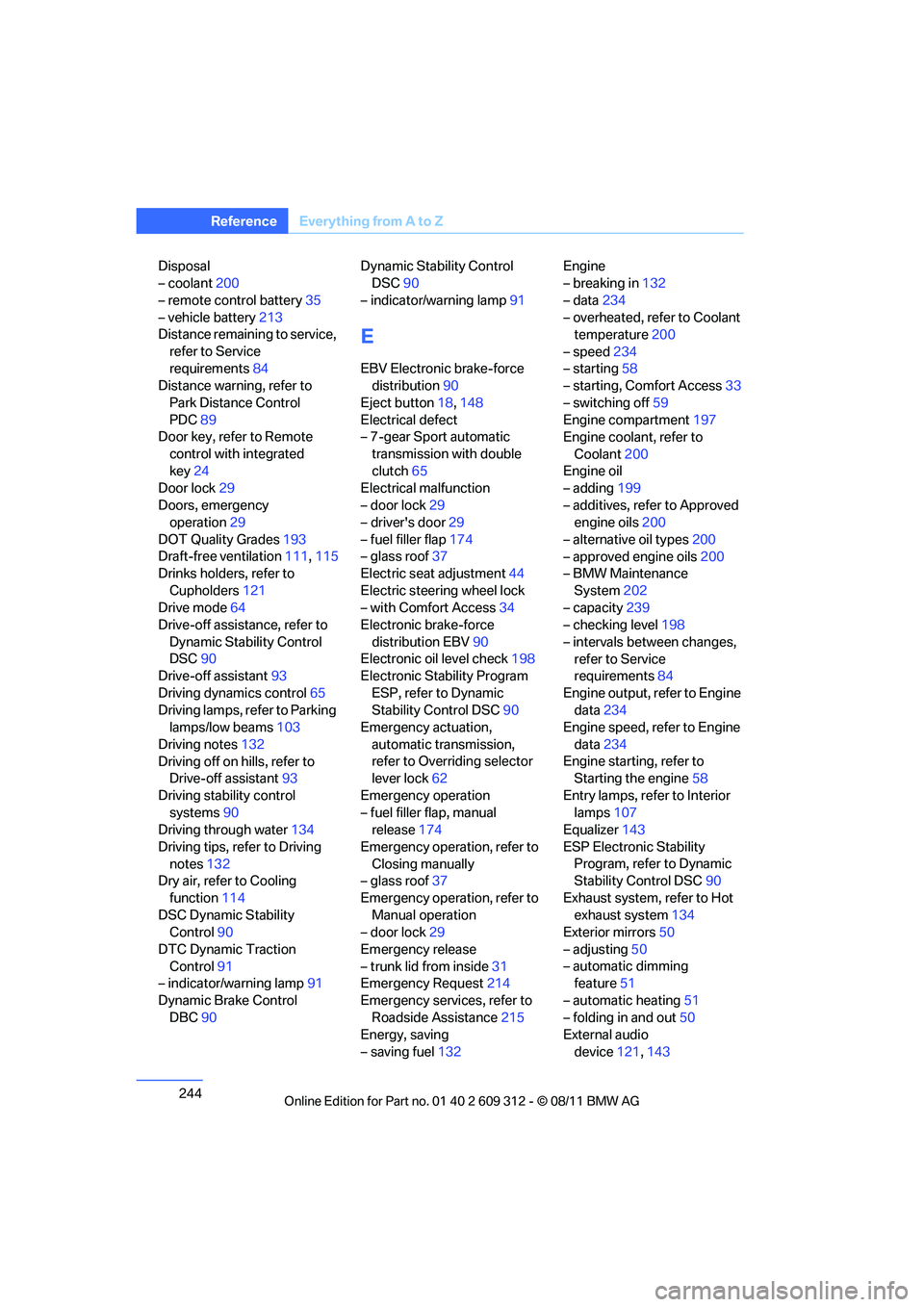
244
ReferenceEverything from A to Z
Disposal
– coolant200
– remote control battery 35
– vehicle battery 213
Distance remaining to service,
refer to Service
requirements 84
Distance warning, refer to
Park Distance Control
PDC 89
Door key, refer to Remote
control with integrated
key 24
Door lock 29
Doors, emergency operation 29
DOT Quality Grades 193
Draft-free ventilation 111,115
Drinks holders, refer to
Cupholders 121
Drive mode 64
Drive-off assistance, refer to
Dynamic Stability Control
DSC 90
Drive-off assistant 93
Driving dynamics control 65
Driving lamps, refer to Parking lamps/low beams 103
Driving notes 132
Driving off on hills, refer to Drive-off assistant 93
Driving stability control systems 90
Driving through water 134
Driving tips, refer to Driving notes 132
Dry air, refer to Cooling
function 114
DSC Dynamic Stability Control 90
DTC Dynamic Traction Control 91
– indicator/warning lamp 91
Dynamic Brake Control DBC 90 Dynamic Stability Control
DSC 90
– indicator/warning lamp 91
E
EBV Electronic brake-force
distribution 90
Eject button 18,148
Electrical defect
– 7-gear Sport automatic
transmission with double
clutch 65
Electrical malfunction
– door lock 29
– driver's door 29
– fuel filler flap 174
– glass roof 37
Electric seat adjustment 44
Electric steering wheel lock
– with Comfort Access 34
Electronic brake-force
distribution EBV 90
Electronic oil level check 198
Electronic Stability Program
ESP, refer to Dynamic
Stability Control DSC 90
Emergency actuation,
automatic transmission,
refer to Overriding selector
lever lock 62
Emergency operation
– fuel filler flap, manual release 174
Emergency operation, refer to Closing manually
– glass roof 37
Emergency operation, refer to Manual operation
– door lock 29
Emergency release
– trunk lid from inside 31
Emergency Request 214
Emergency services, refer to Roadside Assistance 215
Energy, saving
– saving fuel 132 Engine
– breaking in
132
– data 234
– overheated, refer to Coolant temperature 200
– speed 234
– starting 58
– starting, Comfort Access 33
– switching off 59
Engine compartment 197
Engine coolant, refer to
Coolant 200
Engine oil
– adding 199
– additives, refer to Approved engine oils 200
– alternative oil types 200
– approved engine oils 200
– BMW Maintenance
System 202
– capacity 239
– checking level 198
– intervals between changes, refer to Service
requirements 84
Engine output, refer to Engine data 234
Engine speed, ref
er to Engine
data 234
Engine starting, refer to Starting the engine 58
Entry lamps, refer to Interior lamps 107
Equalizer 143
ESP Electronic Stability Program, refer to Dynamic
Stability Control DSC 90
Exhaust system, refer to Hot exhaust system 134
Exterior mirrors 50
– adjusting 50
– automatic dimming feature 51
– automatic heating 51
– folding in and out 50
External audio
device 121,143
Online Edition for Part no. 01 40 2 609 312 - \251 08/11 BMW AG
Page 247 of 255
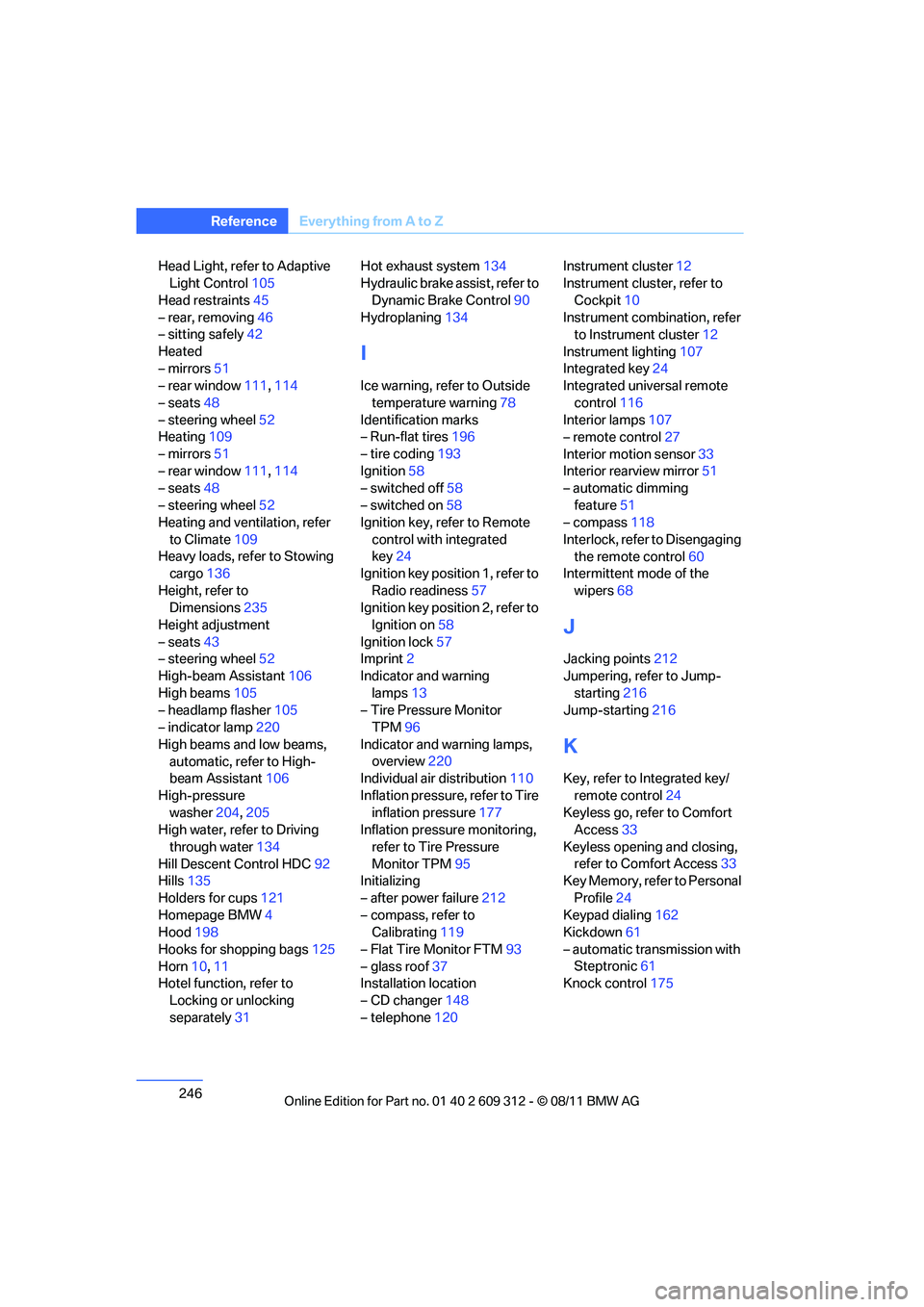
246
ReferenceEverything from A to Z
Head Light, refer to Adaptive
Light Control 105
Head restraints 45
– rear, removing 46
– sitting safely 42
Heated
– mirrors 51
– rear window 111,114
– seats 48
– steering wheel 52
Heating 109
– mirrors 51
– rear window 111,114
– seats 48
– steering wheel 52
Heating and ventilation, refer
to Climate 109
Heavy loads, refer to Stowing cargo 136
Height, refer to Dimensions 235
Height adjustment
– seats 43
– steering wheel 52
High-beam Assistant 106
High beams 105
– headlamp flasher 105
– indicator lamp 220
High beams and low beams, automatic, refer to High-
beam Assistant 106
High-pressure washer 204,205
High water, refer to Driving
through water 134
Hill Descent Control HDC 92
Hills 135
Holders for cups 121
Homepage BMW 4
Hood 198
Hooks for shopping bags 125
Horn 10,11
Hotel function, refer to
Locking or unlocking
separately 31 Hot exhaust system
134
Hydraulic brake assist, refer to
Dynamic Brake Control 90
Hydroplaning 134
I
Ice warning, refer to Outside
temperature warning 78
Identification marks
– Run-flat tires 196
– tire coding 193
Ignition 58
– switched off 58
– switched on 58
Ignition key, refer to Remote
control with integrated
key 24
Ignition key position 1, refer to
Radio readiness 57
Ignition key position 2, refer to Ignition on 58
Ignition lock 57
Imprint 2
Indicator and warning
lamps 13
– Tire Pressure Monitor TPM 96
Indicator and warning lamps, overview 220
Individual air distribution 110
Inflation pressure, refer to Tire inflation pressure 177
Inflation pressure monitoring,
refer to Tire Pressure
Monitor TPM 95
Initializing
– after power failure 212
– compass, refer to Calibrating 119
– Flat Tire Monitor FTM 93
– glass roof 37
Installation location
– CD changer 148
– telephone 120 Instrument cluster
12
Instrument cluster, refer to
Cockpit 10
Instrument combination, refer to Instrument cluster 12
Instrument lighting 107
Integrated key 24
Integrated universal remote
control 116
Interior lamps 107
– remote control 27
Interior motion sensor 33
Interior rearview mirror 51
– automatic dimming
feature 51
– compass 118
Interlock, refer to Disengaging the remote control 60
Intermittent mode of the
wipers 68
J
Jacking points 212
Jumpering, refer to Jump-
starting 216
Jump-starting 216
K
Key, refer to Integrated key/
remote control 24
Keyless go, refer to Comfort Access 33
Keyless opening and closing, refer to Comfort Access 33
Key Memory, refer to Personal
Profile 24
Keypad dialing 162
Kickdown 61
– automatic transmission with Steptronic 61
Knock control 175
Online Edition for Part no. 01 40 2 609 312 - \251 08/11 BMW AG
Page 248 of 255
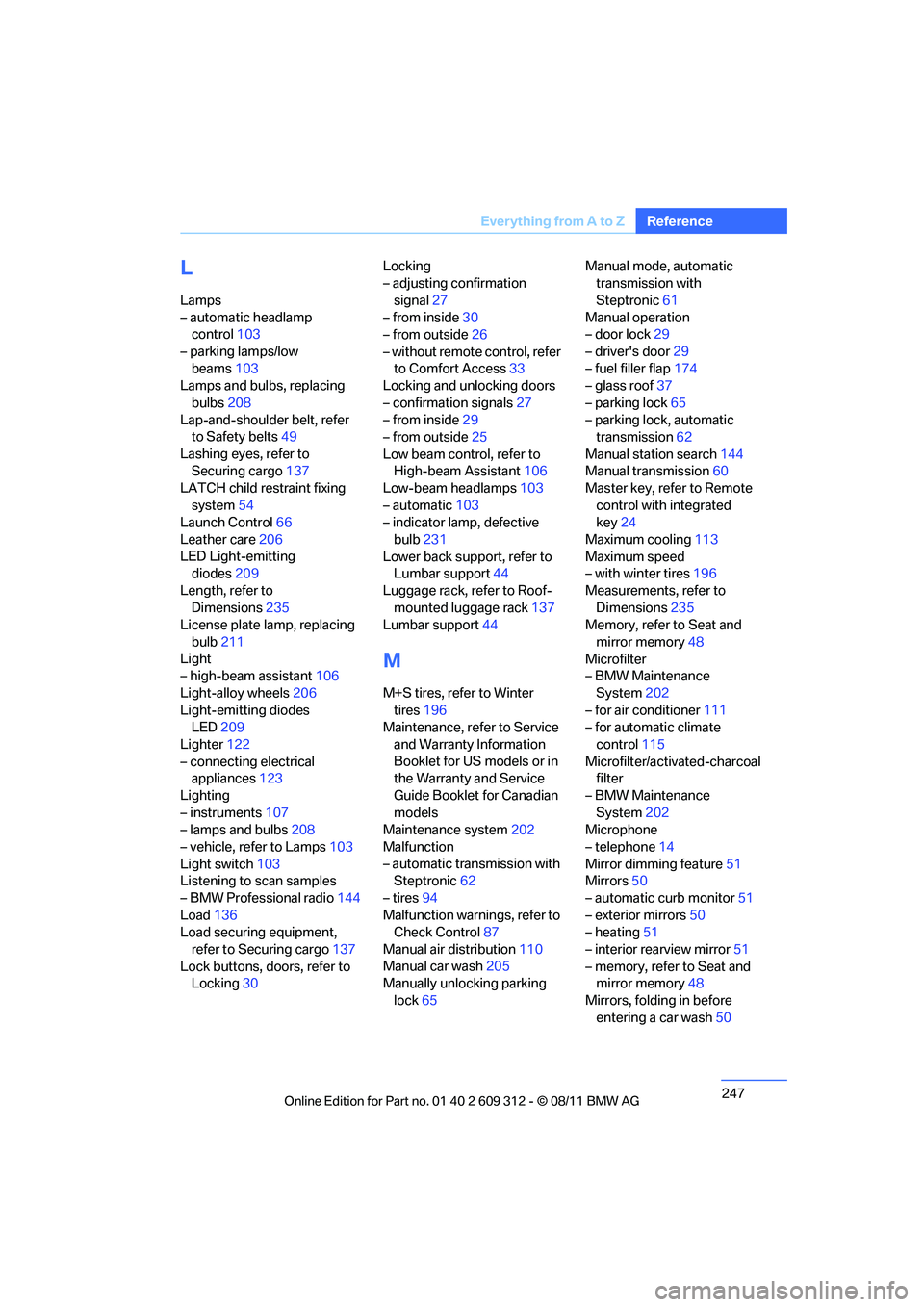
247
Everything from A to Z
Reference
L
Lamps
– automatic headlamp
control 103
– parking lamps/low beams 103
Lamps and bulbs, replacing
bulbs 208
Lap-and-shoulder belt, refer to Safety belts 49
Lashing eyes, refer to Securing cargo 137
LATCH child restraint fixing
system 54
Launch Control 66
Leather care 206
LED Light-emitting diodes 209
Length, refer to Dimensions 235
License plate lamp, replacing
bulb 211
Light
– high-beam assistant 106
Light-alloy wheels 206
Light-emitting diodes LED 209
Lighter 122
– connecting electrical appliances 123
Lighting
– instruments 107
– lamps and bulbs 208
– vehicle, refer to Lamps 103
Light switch 103
Listening to scan samples
– BMW Professional radio 144
Load 136
Load securing equipment,
refer to Securing cargo 137
Lock buttons, doors, refer to Locking 30 Locking
– adjusting confirmation
signal 27
– from inside 30
– from outside 26
– without remote control, refer to Comfort Access 33
Locking and unlocking doors
– confirmation signals 27
– from inside 29
– from outside 25
Low beam control, refer to High-beam Assistant 106
Low-beam headlamps 103
– automatic 103
– indicator lamp, defective
bulb 231
Lower back support, refer to Lumbar support 44
Luggage rack, refer to Roof- mounted luggage rack 137
Lumbar support 44
M
M+S tires, refer to Winter
tires 196
Maintenance, re fer to Service
and Warranty Information
Booklet for US models or in
the Warranty and Service
Guide Booklet for Canadian
models
Maintenance system 202
Malfunction
– automatic transmission with Steptronic 62
– tires 94
Malfunction warnings, refer to Check Control 87
Manual air distribution 110
Manual car wash 205
Manually unlocking parking
lock 65 Manual mode, automatic
transmission with
Steptronic 61
Manual operation
– door lock 29
– driver's door 29
– fuel filler flap 174
– glass roof 37
– parking lock 65
– parking lock, automatic transmission 62
Manual station search 144
Manual transmission 60
Master key, refer to Remote
control with integrated
key 24
Maximum cooling 113
Maximum speed
– with winter tires 196
Measurements, refer to Dimensions 235
Memory, refer to Seat and
mirror memory 48
Microfilter
– BMW Maintenance
System 202
– for air conditioner 111
– for automatic climate
control 115
Microfilter/activated-charcoal filter
– BMW Maintenance System 202
Microphone
– telephone 14
Mirror dimming feature 51
Mirrors 50
– automatic curb monitor 51
– exterior mirrors 50
– heating 51
– interior rearview mirror 51
– memory, refer to Seat and mirror memory 48
Mirrors, folding in before entering a car wash 50
Online Edition for Part no. 01 40 2 609 312 - \251 08/11 BMW AG
Page 250 of 255
249
Everything from A to Z
Reference
Providing medical assistance,
refer to First aid pouch 215
PTY 145
Puncture
– Flat Tire Monitor 93
R
Radio18
– autostore 144
– controls 18
– refer to separate Owner's Manual
– switching on/off 18
– volume 18
Radio, refer to BMW
Professional radio 144
Radio position, refer to Radio readiness 57
Radio readiness 57
– switched off 58
– switched on 57
Radio-remote key, refer to Remote control with
integrated key 24
Rain sensor 68
RDS 145
Reading lamps 108
Rear lamps, refer to Tail lamps 210
Rear seats
– adjusting head restraints 46
– folding down backrests 123
Rear ventilation 115
Rearview mirror, refer to Mirrors 50
Rear window
defroster 111,114
Rear window rolle r blind, refer
to Roller sunblinds 120
Reception
– radio station 144
Recirculated air
mode 110,113
Recirculation of air, refer to Recirculated air
mode 110,113 Reclining seat, refer to
Backrest 43
Refueling 174
Releasing
– hood 198
Remaining distance, refer to Cruising range 80
Remote control 24
– battery renewal 35
– Comfort Access 33
– garage door opener 116
– malfunction 28,35
– removing from the ignition lock 57
– service data 202
– trunk lid 27
Replacement fuses, refer to Fuses 213
Replacement remote
co
ntrol 24
Replacing bulbs, refer to Lamps and bulbs 208
Replacing tires 195
Replacing tires, refer to New wheels and tires 195
Reporting safety defects 7
Reserve warning, refer to Fuel gauge 79
Reset, resetting tone settings 144
Restraint systems
– for children 53
– refer to Safety belts 49
Retractable hardtop 38
– care, refer to Caring for your vehicle brochure
– convenient opening and
closing 26
– remote control 26
Reverse
– CD 148
Reverse gear 63
– automatic transmission with
Steptronic 61
– manual transmission 60
Roadside
Assistance 169,215 Roadside parking lamps
105
– replacing bulbs 209
Roadworthiness test, refer to Service requirements 84
Roller sunblinds 120
Rollover protection system, Convertible 101
– resetting 101
Roof load capacity 237
Roof-mounted luggage rack 137
Rope, refer to Tow-starting, towing away 218
RSC Runflat System
Component, refer to Run-
flat tires 196
Runflat System Component RSC, refer to Run-flat
tires 196
Run-flat tires 196
– continuing driving with a damaged tire 94
– flat tire 94
– Flat Tire Monitor 94
– inflation pressure 177
– new tires 195
– tire replacement 195
– winter tires 196
Runflat tyres, refer to Run-flat tires 196
S
Safety-belt height
adjustment 49
Safety belts 49
– belt hand-over 49
– damage 49
– indicator/warning lamp 49
– reminder 49
– sitting safely 42
Online Edition for Part no. 01 40 2 609 312 - \251 08/11 BMW AG