service BMW M3 CONVERTIBLE 2012 User Guide
[x] Cancel search | Manufacturer: BMW, Model Year: 2012, Model line: M3 CONVERTIBLE, Model: BMW M3 CONVERTIBLE 2012Pages: 255, PDF Size: 6.32 MB
Page 134 of 255
133
Things to remember when driving
Driving tips
Check tire inflation pressure regularly
Check the tire inflation pr
essure at least twice a
month and before embarking on a long journey,
and correct it if necessary.
Low tire inflation pressure causes higher rolling
resistance and thus increases fuel consumption
and tire wear.
Set off immediately
Do not let the engine wa rm up while the car is
still standing, but set off immediately at moder-
ate engine speed. This is the fastest way for the
cold engine to reach its operating temperature.
Drive defensively
Avoid unnecessary acceleration and braking
maneuvers. To do so, keep an adequate dis-
tance between you and th e vehicle in front of
you. A defensive and smooth driving style
keeps fuel consumption down.
Avoid high engine speeds
Only use first gear when setting off. In second
and higher gears, accele rate without hesitation
or pauses. When accelera ting, shift up before
reaching high engine speeds.
When you reach the desi red speed, shift into
the highest applicable ge ar and drive with the
engine speed as low as possible and at a con-
stant speed.
As a rule: driving at low engine speeds lowers
fuel consumption and reduces wear.
Coasting
When approaching a red lig ht, take your foot off
the accelerator and coast to a stop in the high-
est applicable gear.
On a downhill slope, take your foot off the accel-
erator and coast in a suitable gear.
The fuel supply is interrupted when coasting.
Switch off the engine during lengthy
stops
Switch off the engine when stopping for lengthy
periods, e.g. at traffic lights, railroad crossings
or in traffic congestions. You achieve fuel sav-
ings even if standing time is as short as approx.
4seconds.
Switch off functions you do not need at
the moment
Functions such as the air conditioner, seat
heating or rear window defroster draw large
amounts of power and consume additional fuel.
Especially in city traffic and in stop-and-go driv-
ing they have a considerable impact. Therefore,
switch these functions off when they are not
really needed.
Have the vehicle serviced
Have the vehicle serviced regularly to achieve
good economy and a long vehicle life. BMW
recommends having the vehicle serviced at
your BMW center. Also note the BMW service
system, refer to page 202.
General driving notes
Close the trunk lid
Only drive with the trunk closed. Failure to
do so may endanger passengers or other
road users or may damage the vehicle in the
event of an accident or a braking and evasive
maneuver. In addition, exhaust gas may flow
into the passenger compartment. <
If special circumstances make it absolutely nec-
essary to drive with the trunk open:
1. Close all windows and the glass roof.
2. Greatly increase the air volume of the air
conditioner or automatic climate control
system, refer to page 110 or113.
3. Drive cautiously.
Online Edition for Part no. 01 40 2 609 312 - \251 08/11 BMW AG
Page 148 of 255
147
BMW Professional radio
Entertainment
To store a channel:
1.
Press the button.
2. Press the button as often as
necessary until the de sired memory level,
SAT 1 or SAT 2, is reached.
3.
... Press and hold the
desired button until the channel starts to
play again after a brief interruption.
Changing to the current channel
Press the button.
Additional information
The name of the channel and additional infor-
mation about the current track is displayed, e.g.,
the name of the artist.
1. Select the desired channel.
2. Press the button.
Changing channels using buttons
Press the button for the corresponding
direction. The next activated channel is
recalled.
Search function
1. Press and hold the button for the
corresponding direction. The activated
channels are shown, one after another, on
the display.
2. Release the button to select the displayed
channel.
Notes
When there is a signal blockage or the transmis-
sion is suspended mome ntarily for more than
4 seconds, a message appears on the Control
Display. Service may be interrupted or unavailable
for specific reasons such as environmen-
tal or topographic conditions and others that
Satellite Radio cannot directly control. Signals
may not be available under tunnels, in parking
garages, next to tall build ings, nearby trees with
dense foliage, nearby mo untains or other possi-
ble strong sources of radio interference. Ser-
vice should resume normally after the source of
signal unavailability has been cleared. <
CD player and CD changer
Starting the CD player
It may take a moment for the CD player to start.
1. Switch on the radio, refer to page 142.
2. Insert the CD with the printed side up into
the CD slot.
If there is already a CD in the CD slot:
1. Switch on the radio, if necessary.
2. Press the button.
3. Press the button.
Starting CD changer
It may take a moment for the CD changer to
start.
1. Switch on the radio, refer to page 142.
2. Fill the CD magazine and insert it, refer to
page 149.
3. Press the button.
4. Press the button.
Selecting a CD
Press the button for the desired CD number.
The corresponding CD nu mber will appear on
the display. At the end of the last track, the next
CD is selected and played.
Online Edition for Part no. 01 40 2 609 312 - \251 08/11 BMW AG
Page 156 of 255
This chapter describes how to usethe telephone, BMW Assist and BMW TeleServices.
Communications
Online Edition for Part no. 01 40 2 609 312 - \251 08/11 BMW AG
Page 163 of 255
162
CommunicationsTe l e p h o n e
4.
Press the button.
The arrows indicate that
additional letters can be displayed.
Turn the knob on the right to display addi-
tional letters.
5. Turn the knob on the right to select the first
letters of the desired entry.
6. Press the button if so desired.
The phone number is dialed.
To display all entries:
1. Turn the knob on the right to select the first
letters of the desire d entry and press the
knob.
2. Turn the knob on the right to select the
desired entry and press the knob on the
right.
The phone number is dialed.
The phone number can also be dialed using the
buttons on the steering wheel or radio: Press the button.
Editing and dialing a phone number
from the phone book
The phone number of an entry can be edited
before a call. This change is not stored in the
phone book.
1. Select an entry.
2. Press the button.
3. Press the button to delete a
digit.
4. Enter additional digits using the 0-9 but-
tons.
5. Press the knob on the right to dial the phone
number.
Dialing a phone number from the phone
book using buttons on the steering
wheel
1. Press and hold the button to display the
telephone menu.
2. Use the arrow buttons on the steering
wheel to scroll through the phone book.
3. Press and hold the button to dial the
phone number.
Dialing a phone number stored in a list
To select an entry and establish a connection:
1. Switch on radio readiness or ignition.
2. Press the button.
3. Press the button.
4. Press the desired button to select
one of the four lists.
5. Turn the knob on the ri ght to select an entry
and press the knob to dial the phone num-
ber.
Deleting an individual entry
1. Select the desired entry from the list.
2. Press the button.
Keypad dialing
Use the multi-frequency dialing system to
access network services or to control devices,
for example to remotely access an answering
machine. This requ ires the DTMF code.
This function is availa ble if a connection has
been established and th e call is being made
using the hands-free system.
1.
Press the button.
2. Enter the desired code using the 0-9 but-
tons.
Online Edition for Part no. 01 40 2 609 312 - \251 08/11 BMW AG
Page 166 of 255
165
Te l e p h o n e
Communications
Deleting an entry from the voice phone
book
You can delete any entry from the voice phone
book.
Deleting all entries from the voice
phone book
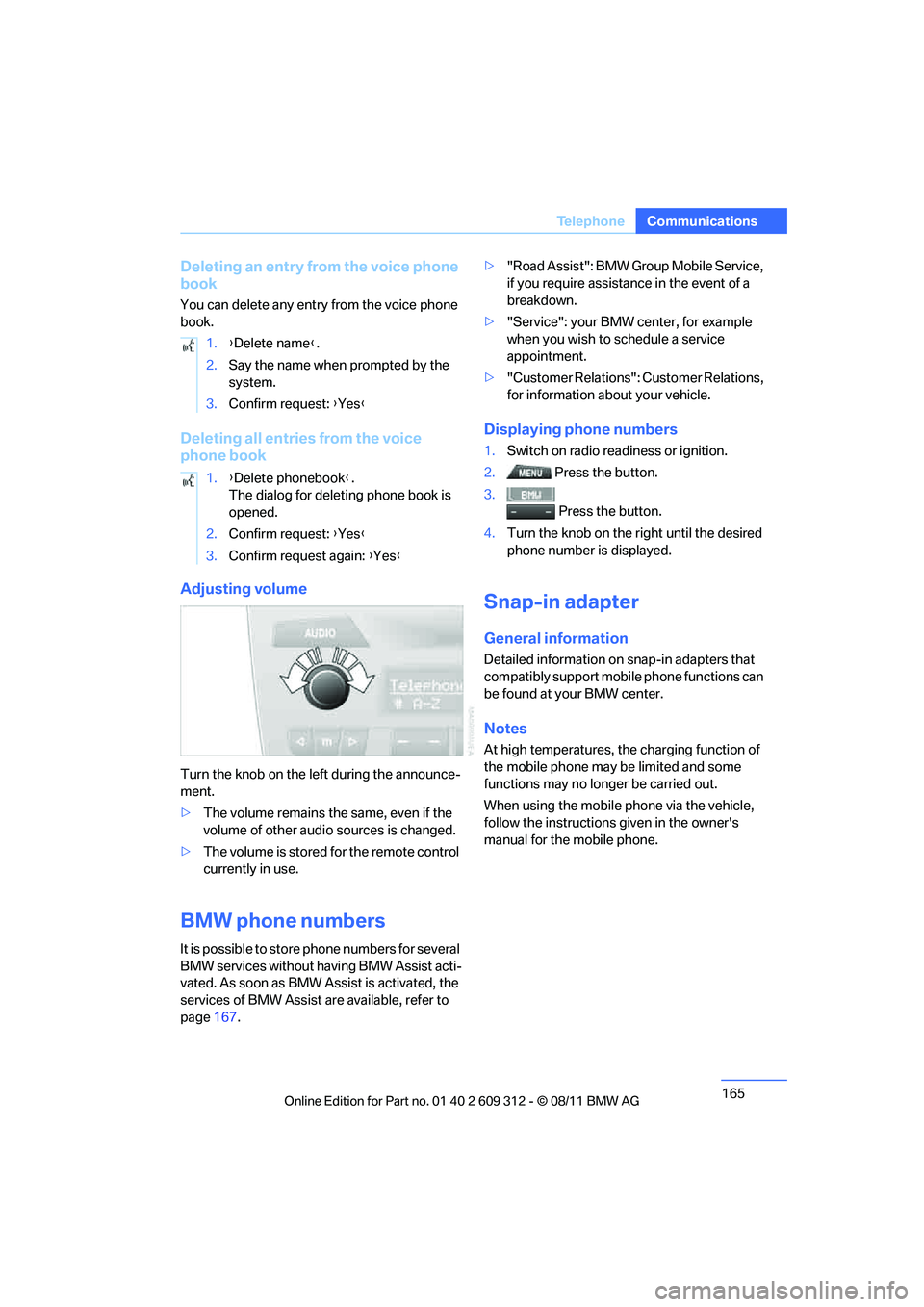
Adjusting volume
Turn the knob on the le
ft during the announce-
ment.
> The volume remains the same, even if the
volume of other audio sources is changed.
> The volume is stored for the remote control
currently in use.
BMW phone numbers
It is possible to store phone numbers for several
BMW services without having BMW Assist acti-
vated. As soon as BMW Assist is activated, the
services of BMW Assist are available, refer to
page 167. >
"Road Assist": BMW Group Mobile Service,
if you require assistance in the event of a
breakdown.
> "Service": your BMW center, for example
when you wish to schedule a service
appointment.
> "Customer Relations": Customer Relations,
for information about your vehicle.
Displaying phone numbers
1.Switch on radio readiness or ignition.
2. Press the button.
3. Press the button.
4. Turn the knob on the right until the desired
phone number is displayed.
Snap-in adapter
General information
Detailed information on snap-in adapters that
compatibly support mobile phone functions can
be found at your BMW center.
Notes
At high temperatures, the charging function of
the mobile phone may be limited and some
functions may no longer be carried out.
When using the mobile phone via the vehicle,
follow the instructions given in the owner's
manual for the mobile phone.
1.
{Delete name }.
2. Say the name when prompted by the
system.
3. Confirm request: {Yes }
1. {Delete phonebook }.
The dialog for deleting phone book is
opened.
2. Confirm request: {Yes }
3. Confirm request again: {Yes }
Online Edition for Part no. 01 40 2 609 312 - \251 08/11 BMW AG
Page 168 of 255
167
ConnectedDrive
Communications
ConnectedDrive
Vehicle equipment
In this chapter, all production, country, and
optional equipment that is offered in the model
range is described. Equipment is also described
that is not available because of, for example,
selected options or coun
try version. This also
applies to safety related functions and systems.
BMW Assist
General information
BMW Assist provides a number of different ser-
vices. For example, the position data of the
vehicle can be transmi tted to the BMW Assist
Response Center when an Emergency Request
is sent.
Many BMW Assist services depend on the con-
tract individually agreed upon.
After the contract has expired, the BMW Assist
system will be deactiva ted by the BMW Assist
Response Center without you having to visit a
BMW center. After the BMW Assist system has
been deactivated, no BM W Assist services will
be available. The BMW Assist system can be
reactivated by a BMW center after a new con-
tract has been signed.
Requirements
> The installed BMW Assist system is logged
into a mobile phone network. This network
must be capable of transmitting the ser-
vices.
> To transmit position data, the vehicle must
be able to determine its current position.
> The BMW Assist was ordered at your BMW
center or the BMW Assist Response Center
and the service contract was signed. The
service must have been fully enabled.
> BMW Assist is activated.
Services offered
The following services are available through
BMW Assist:
>Emergency Request:
When you press the SOS button, a connec-
tion to the BMW Assist Response Center is
established. The BMW Assist Response
Center then speaks with you and takes fur-
ther steps to help you.
> Automatic Emergency Request:
Under certain conditions, a connection to
the BMW Assist Response Center is estab-
lished immediately after a serious accident.
If possible, the BMW Assist Response Cen-
ter then speaks with you and takes further
steps to help you.
> Enhanced Roadside Assistance:
BMW Roadside Assistance can be con-
tacted if assistance is needed in the event of
a breakdown. If possible, the vehicle data
and position data are transmitted during
this call.
> Customer Relations:
connection to Customer Relations for infor-
mation on all aspects of your vehicle.
> TeleServices:
data on your vehicle' s service status or
required inspections ar e transmitted to your
BMW center, either automatically before a
service due date or when you request a
BMW service appointment.
> Remote Door Unlock:
the BMW Assist Response Center provides
assistance if, for example, the remote con-
trol is not available and the vehicle needs to
be opened.
> Stolen Vehicle Recovery:
after you report to the police that your vehi-
cle was stolen, the BMW Assist Response
Center can determine its position.
Online Edition for Part no. 01 40 2 609 312 - \251 08/11 BMW AG
Page 169 of 255
168
CommunicationsConnectedDrive
>In addition, the optional Convenience Plan
offers Concierge service and information on
route planning, the traffic situation and
weather. Using Critical Calling, a limited
number of calls can be made via the BMW
Assist Response Center, for example if the
mobile phone is not available or discharged.
Press the SOS butto n to contact the
BMW Assist Response Center.
BMW TeleServices
General information
TeleServices supports communication with
your BMW center.
> Data on the vehicle's service requirements
can be sent directly to the BMW center. In
this way, the BMW center can plan its work
in advance. This shortens the duration of
the service appointment.
> In the event of a breakdown, data on the
vehicle's condition can be sent directly to
Roadside Assistance. It may be possible to
correct some malfunctions immediately.
> The service varies by country.
> Connection may incur charges.
> Services may be restricted abroad.
Requirements
>Vehicle is equipped with the preparation for
mobile phone Business.
> BMW Assist is activated.
If BMW Assist is not activated, then a
mobile phone that is recommended by
BMW for TeleServices an d is configured for
mobile data communication must be con-
nected to the vehicle.
> SIM card is enabled for toll-free service
phone numbers.
> Wireless receptio n is available.
> Ignition switched on.
Using BMW TeleServices
BMW TeleService is gene rally activated in the
vehicle.
If TeleService is not activated, it is still possible
to establish a voice contact to the BMW Group
Mobile Service.
For additional uses or to deactivate the ser-
vices, consult your BMW center or contact Cus-
tomer Relations.
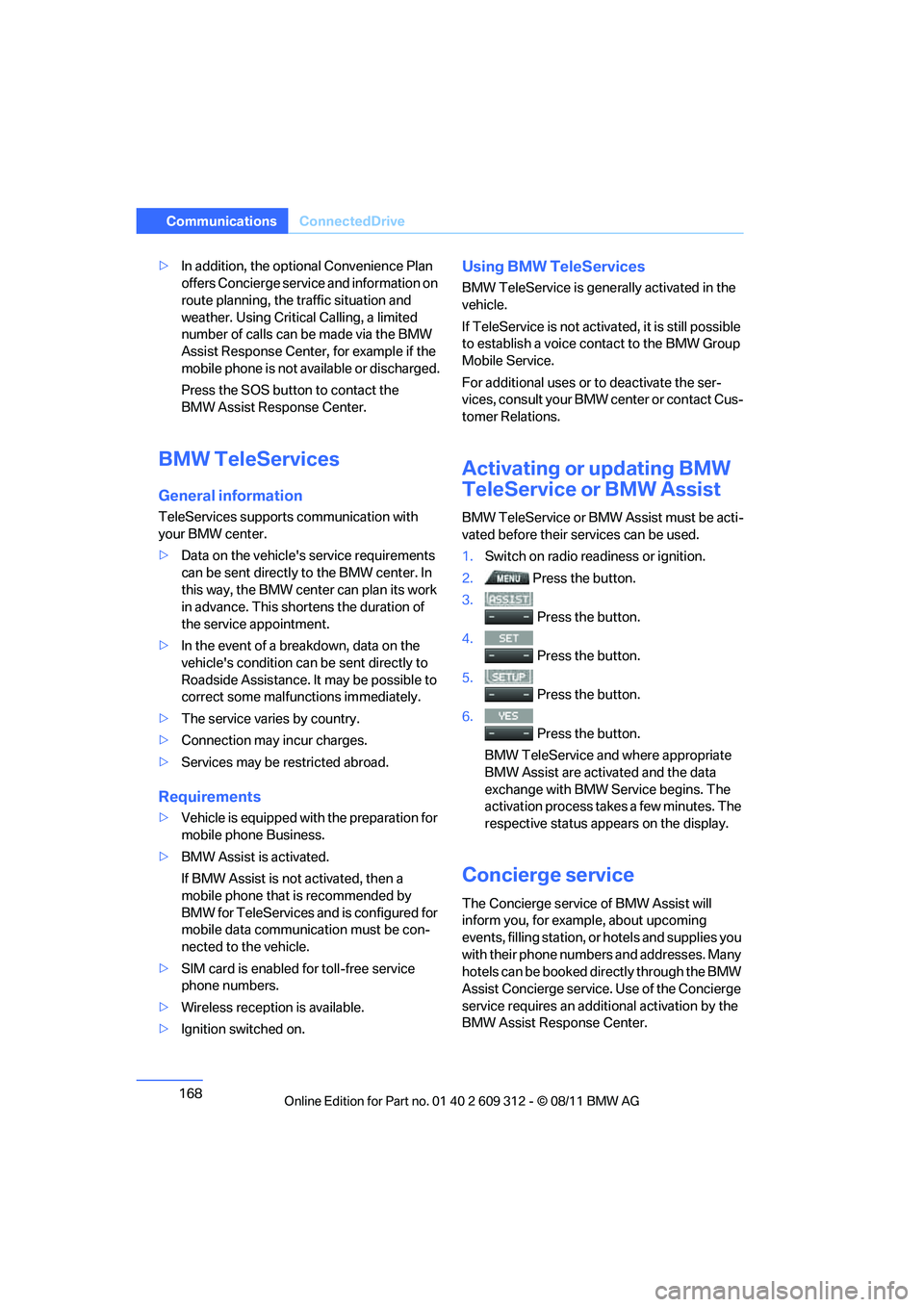
Activating or updating BMW
TeleService or BMW Assist
BMW TeleService or BMW Assist must be acti-
vated before their se rvices can be used.
1. Switch on radio readiness or ignition.
2. Press the button.
3.
Press the button.
4.
Press the button.
5.
Press the button.
6.
Press the button.
BMW TeleService and where appropriate
BMW Assist are activated and the data
exchange with BMW Service begins. The
activation process take s a few minutes. The
respective status appears on the display.
Concierge service
The Concierge service of BMW Assist will
inform you, for example, about upcoming
events, filling station, or hotels and supplies you
with their phone numbers and addresses. Many
hotels can be booked di rectly through the BMW
Assist Concierge service. Use of the Concierge
service requires an additi onal activation by the
BMW Assist Response Center.
Online Edition for Part no. 01 40 2 609 312 - \251 08/11 BMW AG
Page 170 of 255
169
ConnectedDrive
Communications
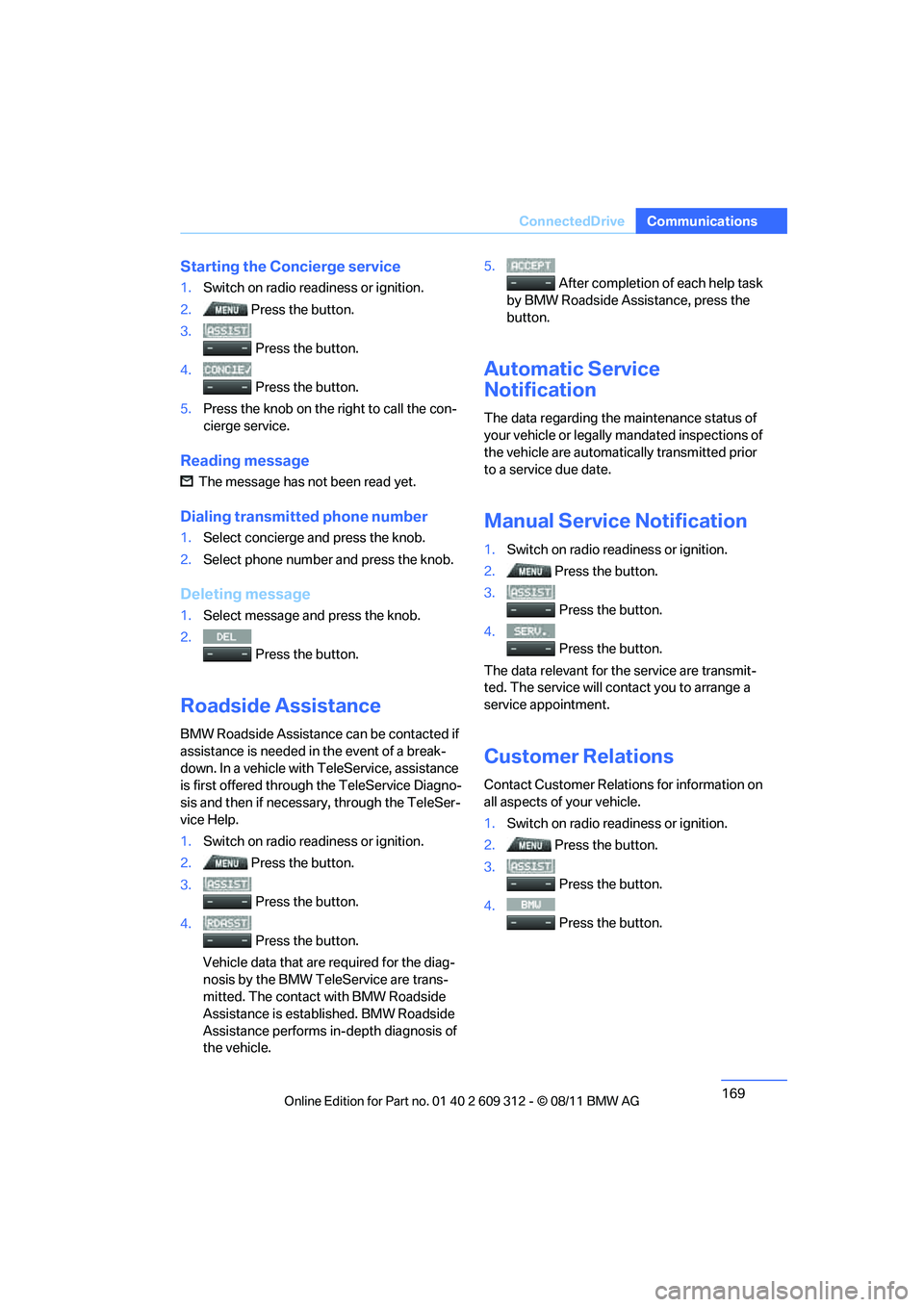
Starting the Concierge service
1.
Switch on radio readiness or ignition.
2. Press the button.
3.
Press the button.
4.
Press the button.
5. Press the knob on the right to call the con-
cierge service.
Reading message
The message has not been read yet.
Dialing transmitted phone number
1.Select concierge and press the knob.
2. Select phone number and press the knob.
Deleting message
1.Select message and press the knob.
2.
Press the button.
Roadside Assistance
BMW Roadside Assistance can be contacted if
assistance is needed in the event of a break-
down. In a vehicle with TeleService, assistance
is first offered through the TeleService Diagno-
sis and then if necessary, through the TeleSer-
vice Help.
1.Switch on radio readiness or ignition.
2. Press the button.
3.
Press the button.
4.
Press the button.
Vehicle data that are required for the diag-
nosis by the BMW TeleService are trans-
mitted. The contact with BMW Roadside
Assistance is established. BMW Roadside
Assistance performs in-depth diagnosis of
the vehicle. 5.
After completion of each help task
by BMW Roadside Assistance, press the
button.
Automatic Service
Notification
The data regarding the maintenance status of
your vehicle or legally mandated inspections of
the vehicle are automati cally transmitted prior
to a service due date.
Manual Service Notification
1. Switch on radio readiness or ignition.
2. Press the button.
3.
Press the button.
4.
Press the button.
The data relevant for th e service are transmit-
ted. The service will co ntact you to arrange a
service appointment.
Customer Relations
Contact Customer Relations for information on
all aspects of your vehicle.
1. Switch on radio readiness or ignition.
2. Press the button.
3.
Press the button.
4. Press the button.
Online Edition for Part no. 01 40 2 609 312 - \251 08/11 BMW AG
Page 171 of 255
170
CommunicationsConnectedDrive
My Info
With this service, text messages associated
with phone numbers can be sent via the BMW
Assist Internet portal and displayed in the vehi-
cle.
1. Switch on radio read iness or ignition.
2. Press the button.
3.
Press the button.
4. Press the button.
The messages sent are automatically dis-
played.
5. To display an existing message:
Select message and press the knob.
It is possible to display a maximum of ten mes-
sages. If additional messages are received,
existing messages are automatically deleted.
Reading message
The message has not been read yet.
Dialing transmi tted phone number
If you have received a message with a phone
number, you can forward it to your phone and
dial the phone number.
1.Select message and press the knob.
2. Press the button.
Deleting message
1.Select message and press the knob.
2.
Press the button.
Service status
Displaying services
1.Switch on radio readiness or ignition.
2. Press the button.
3.
Press the button.
4.
Press the button.
5.
Press the button.
6. Turn the knob on the right to display the
activated services.
Displaying vehicle data
With BMW TeleService or BMW Assist acti-
vated, you can have the vehicle identification
number of your vehicle displayed.
1. Switch on radio readiness or ignition.
2. Press the button.
3.
Press the button.
4.
Press the button.
5.
Press the button.
The BMW Assist profile of the vehicle is dis-
played.
Online Edition for Part no. 01 40 2 609 312 - \251 08/11 BMW AG
Page 178 of 255
177
Wheels and tires
Mobility
Wheels and tires
Vehicle equipment
In this chapter, all production, country, and
optional equipment that is offered in the model
range is described. For this reason, descrip-
tions will be given of some equipment that may
not be available in a vehi
cle, for example due to
the special options or national-market version
selected. This also app lies to safety related
functions and systems.
Tire inflation pressures
Information for your safety
It is not merely the tire s' service life, but also
driving comfort and, to a great extent, driving
safety that depend on th e condition of the tires
and the maintenance of th e specified tire pres-
sure.
Check the tire inflation pressure regularly
and correct it, if nece ssary: at least twice a
month and before starting long trips. If you fail
to observe this precaution you may be driving
on tires with incorrect tire pressures, a condi-
tion that can not only compromise your vehi-
cle's driving stability, but also lead to tire dam-
age and the risk of an accident. Do not drive
with deflated, i.e. flat tires, except when using
run-flat tires. A flat tire will seriously impair your
vehicle's handling and braking response.
Attempts to drive on a flat tire can lead to loss of
control over the vehicle. <
Checking pressure
Only check tire inflation pressure when the
tires are cold. This means after a maximum of
1.25 miles/2 km driving or when the vehicle has
been parked for at least 2 hours. When tires are
warm, the tire inflation pressure is higher.
After correcting the ti re inflation pressure,
reset the Tire Pressure Monitor, refer to page
95, or reinitialize the Flat Tire Monitor,
refer to page 93.<
Inflation pressure specifications
The tables below provide all the correct inflation
pressures for the specified tire sizes at ambient
temperature.
The inflation pressure s apply to the tire
sizes approved and tire brands recom-
mended by BMW; a list of these is available
from your BMW center. <
For correct identification of the right tire infla-
tion pressures, observe the following:
> Tire sizes for your vehicle
> Maximum allowable driving speed
Tire inflation pressures for driving up to
100 mph or 160 km/h
For normal driving up to 100 mph or 160 km/h
and to achieve optimum driving comfort, adjust
pressures to the respecti ve tire inflation pres-
sures listed on the following pages in the col-
umns for traveling speeds up to a maximum of
100 mph or 160 km/h.
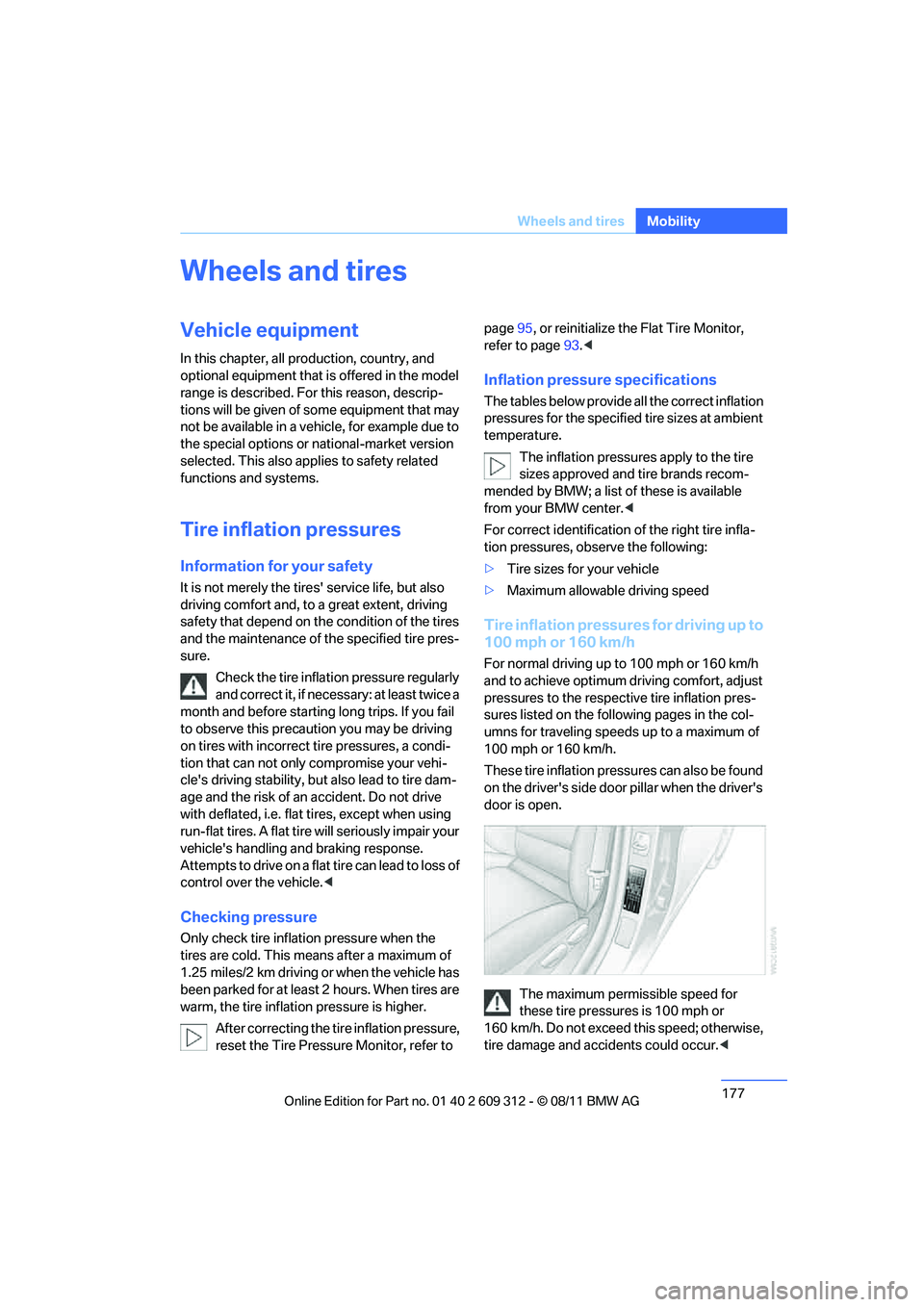
These tire inflation pressures can also be found
on the driver's side door pillar when the driver's
door is open.
The maximum permissible speed for
these tire pressures is 100 mph or
160 km/h. Do not exceed this speed; otherwise,
tire damage and accidents could occur. <
Online Edition for Part no. 01 40 2 609 312 - \251 08/11 BMW AG