steering wheel BMW M3 CONVERTIBLE 2012 User Guide
[x] Cancel search | Manufacturer: BMW, Model Year: 2012, Model line: M3 CONVERTIBLE, Model: BMW M3 CONVERTIBLE 2012Pages: 255, PDF Size: 6.32 MB
Page 99 of 255
98
ControlsTechnology for driving comfort and safety
Malfunction
The warning lamps light up. Active
steering is malfunctioning or is tem-
porarily deactivate d. At low speeds,
greater steering wheel movements
are required, whereas at higher speeds the
vehicle reacts more sensitively to steering
wheel movements. Th e stability-enhancing
feature may also be deactivated. Drive cau-
tiously and think well ahead.
Deactivation
Active steering is deacti vated to perform an ini-
tialization. A message indicates that the feature
is deactivated. Initializ ation may take several
minutes.
If the message does not disappear during the
current trip, have the system checked.
Defect
If there is a defect, a corresponding message
appears. Have the system checked.
Servotronic
The concept
The Servotronic varies the steering force
required to turn the whee ls relative to the vehi-
cle speed.
At low speeds, the steering force is strongly
assisted, i.e. less force is needed for steering.
As the vehicle speed increases, the steering
assisting power is reduced.
Malfunction
The warning lamp lights up. Ser-
votronic is malfunctioning or has
failed. Steering response will be dif-
ferent. You can continue your journey, but mod-
erate your speed and exercise due caution.
Have the system checked as soon as possible.
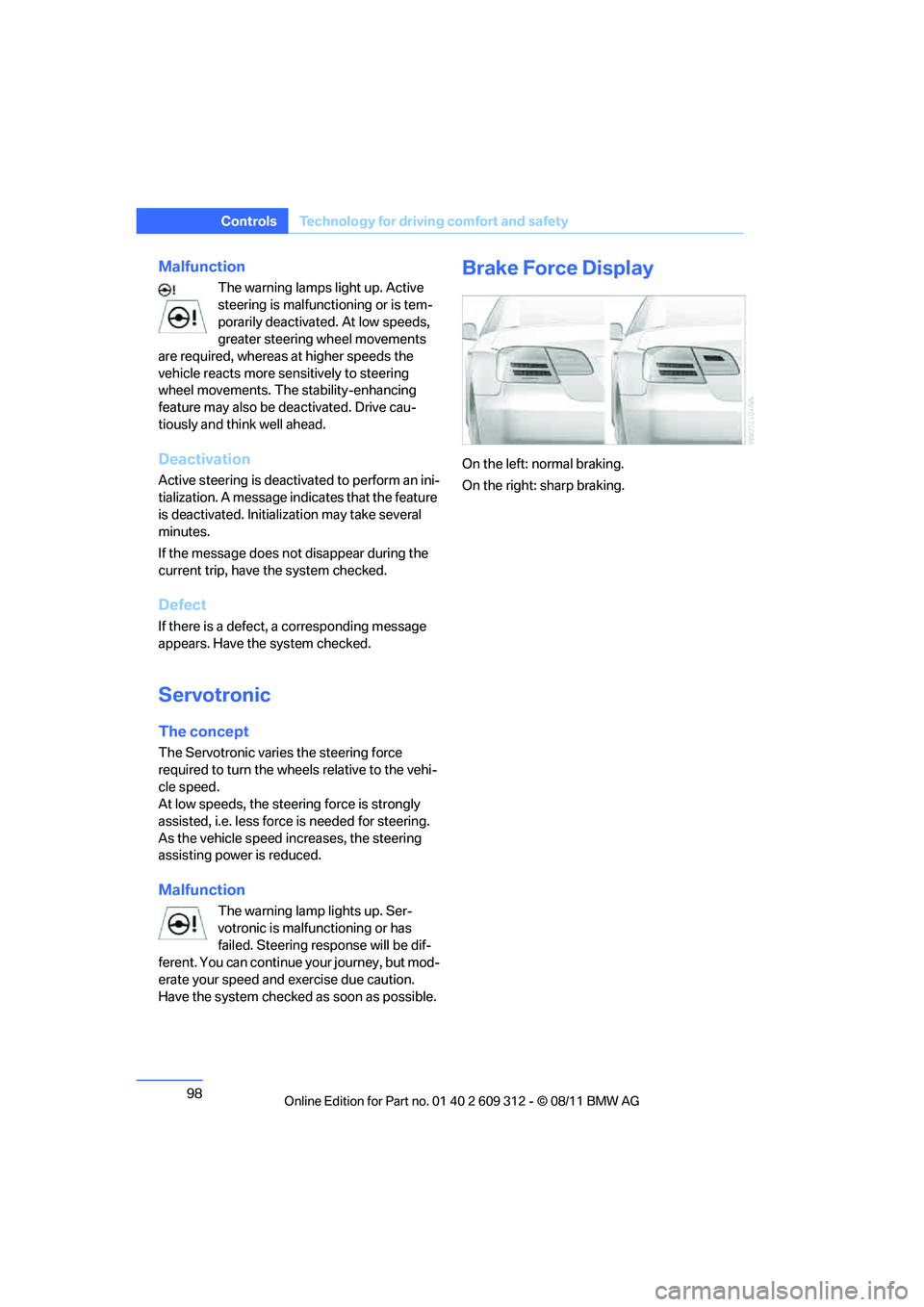
Brake Force Display
On the left: normal braking.
On the right: sharp braking.
Online Edition for Part no. 01 40 2 609 312 - \251 08/11 BMW AG
Page 100 of 255
99
Technology for driving comfort and safety
Controls
Airbags
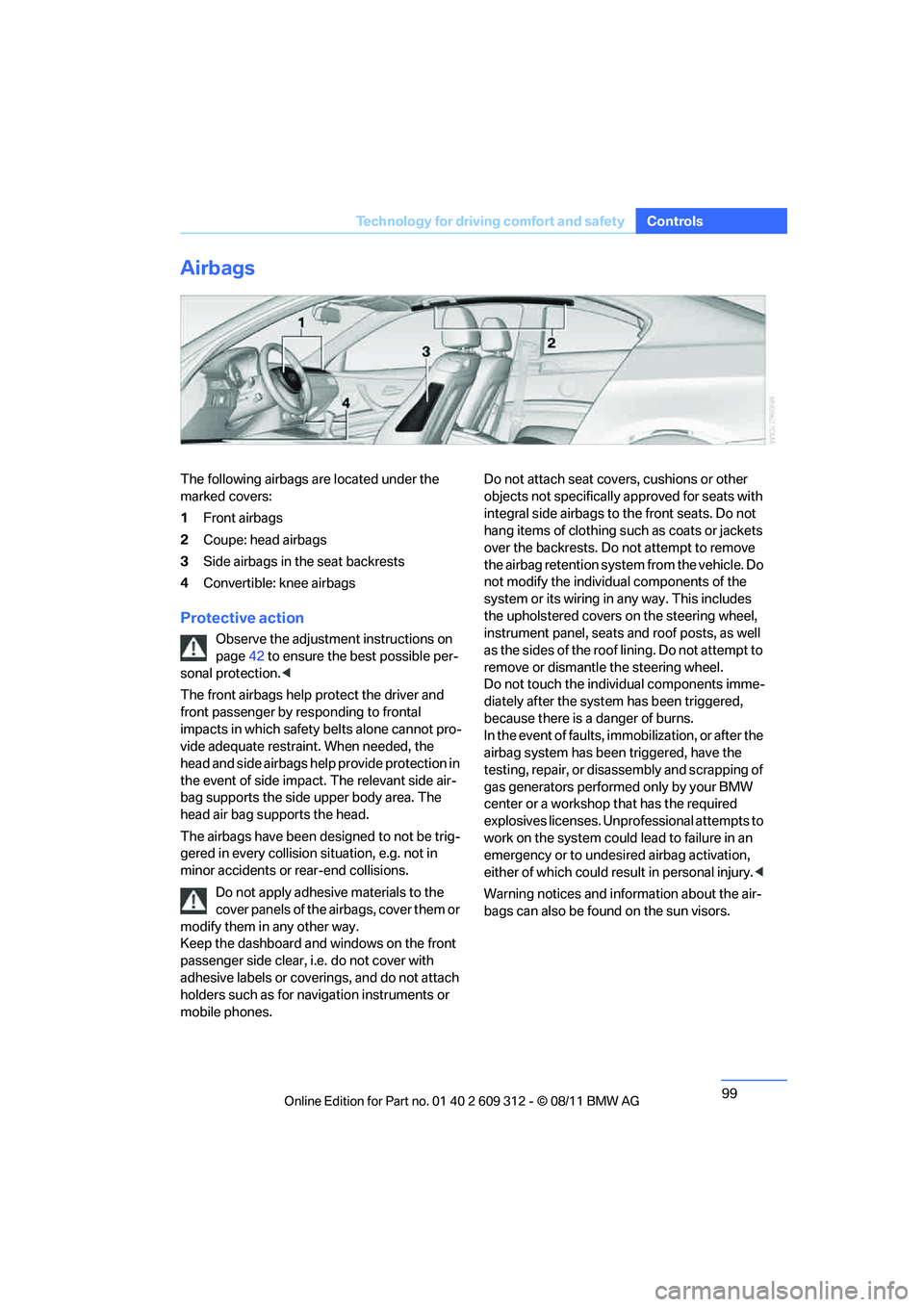
The following airbags are located under the
marked covers:
1
Front airbags
2 Coupe: head airbags
3 Side airbags in the seat backrests
4 Convertible: knee airbags
Protective action
Observe the adjustment instructions on
page 42 to ensure the best possible per-
sonal protection. <
The front airbags help protect the driver and
front passenger by responding to frontal
impacts in which safety belts alone cannot pro-
vide adequate restrain t. When needed, the
head and side airbags help provide protection in
the event of side impact. The relevant side air-
bag supports the side upper body area. The
head air bag supports the head.
The airbags have been designed to not be trig-
gered in every collision si tuation, e.g. not in
minor accidents or rear-end collisions.
Do not apply adhesive materials to the
cover panels of the airbags, cover them or
modify them in any other way.
Keep the dashboard and windows on the front
passenger side clear, i. e. do not cover with
adhesive labels or coveri ngs, and do not attach
holders such as for navi gation instruments or
mobile phones. Do not attach seat cove
rs, cushions or other
objects not specifically approved for seats with
integral side airbags to the front seats. Do not
hang items of clothing such as coats or jackets
over the backrests. Do not attempt to remove
the airbag retention system from the vehicle. Do
not modify the individu al components of the
system or its wiring in any way. This includes
the upholstered covers on the steering wheel,
instrument panel, seats and roof posts, as well
as the sides of the roof lining. Do not attempt to
remove or dismantle the steering wheel.
Do not touch the individual components imme-
diately after the system has been triggered,
because there is a danger of burns.
In the event of faults, immobilization, or after the
airbag system has been triggered, have the
testing, repair, or disassembly and scrapping of
gas generators performe d only by your BMW
center or a workshop that has the required
explosives licenses. Unprofessional attempts to
work on the system could lead to failure in an
emergency or to undesired airbag activation,
either of which could resu lt in personal injury.<
Warning notices and information about the air-
bags can also be found on the sun visors.
Online Edition for Part no. 01 40 2 609 312 - \251 08/11 BMW AG
Page 106 of 255
105
Lamps
Controls
5.
Press button 2.
6. Use button 1 to select:
> Daytime running lights activated.
> Daytime running lights deactivated.
7. Press button 2.
The setting is stored for the remote control
currently in use.
Adaptive Light Control
The concept
Adaptive Light Control is a variable headlamp
control system that enables better illumination
of the road surface. Depending on the steering
angle and other parameters, the light from the
headlamp follows the course of the road.
In tight curves at speeds up to 40 mph/70 km/h,
e.g. on mountainous roads or when turning, an
additional, corner-illuminating lamp is switched
on that lights up the inside area of the curve.
Activating Adaptive Light Control
With the ignition switch ed on, turn the light
switch to position 3, refer to page 103.
The corner-illuminating lamp is switched on
automatically, depending on the steering wheel
angle or turn signal indicator.
Standstill function: to avoid blinding oncoming
traffic, the Adaptive Light Control directs light
toward the front passenger side when the vehi-
cle is at a standstill. When you are reversing, only the corner-illumi-
nating lamps are switched on and active on
both sides.
Malfunction
The warning lamp lights up. The
Adaptive Light Control is malfunc-
tioning or failed. Have the system
checked as soon as possible.
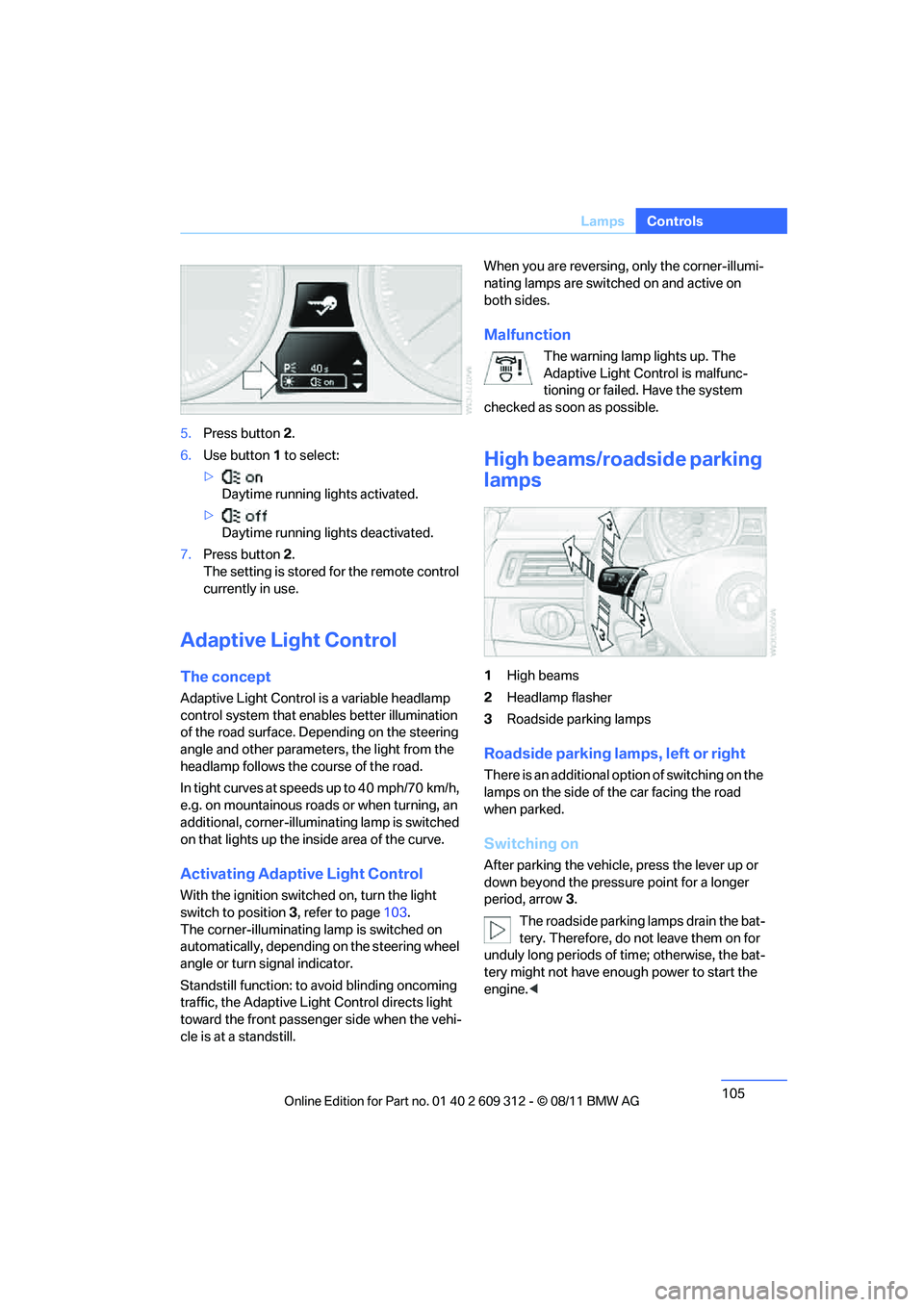
High beams/roadside parking
lamps
1 High beams
2 Headlamp flasher
3 Roadside parking lamps
Roadside parking lamps, left or right
There is an additional option of switching on the
lamps on the side of the car facing the road
when parked.
Switching on
After parking the vehicle, press the lever up or
down beyond the pressu re point for a longer
period, arrow 3.
The roadside parking lamps drain the bat-
tery. Therefore, do not leave them on for
unduly long periods of time; otherwise, the bat-
tery might not have enou gh power to start the
engine. <
Online Edition for Part no. 01 40 2 609 312 - \251 08/11 BMW AG
Page 111 of 255

110
ControlsClimate
Air vents
3Airflow directed toward the windshield and
side windows
4 Air to the upper body area.
The thumbwheels smoothly open and close the air supply. The levers alter the direction
of the airflow. For fu
rther details on draft-
free ventilation, refer to page 115.
5 Air to the footwell
Air conditioner
1Air distribution
2 Recirculated air mode
3 Air volume 4
Cooling function
5 Temperature
6 Rear window defroster
Air distribution
Direct the flow of air to the
windows , to the upper body
area or to the footwell . Inter-
mediate settings are possible. In
the center position between and , the air
is also deflected at toward the windows.
Recirculated air mode
If the air outside the car has an
unpleasant odor or contains pollut-
ants, shut off th e supply to the
interior of the car temporarily. The
system then recirculates the air currently within
the vehicle.
You can also activate/d eactivate the recircu-
lated air mode by means of a button on the
steering wheel, refer to page 11.
If the windows fog in recirculated air
mode, switch off the recirculated air
mode and increase the ai r volume if necessary.
The recirculated air mode should not be used over an extended period of time; otherwise, the
air quality in the passenger compartment will
deteriorate continuously.
<
Air volume
Turn to adjust the air volume. The
higher the volume, the more effec-
tive the heating or cooling will be.
The air flow rate is lowered or
switched off entirely to reduce the drain on the
battery.
Switching the system on/off
Set any desired air volume to switch on the air
conditioner.
Turn the air volume rotary switch to 0. The
blower and air conditioner are completely
switched off and the air supply is cut off.
The outside air supply is blocked when
the air conditioner is switched off. If the air
quality deteriorates or the window fogs over,
Online Edition for Part no. 01 40 2 609 312 - \251 08/11 BMW AG
Page 115 of 255
114
ControlsClimate
The recirculated air mode should not be
used over an extended period of time;
otherwise, the air quality inside the car will dete-
riorate continuously. <
Via the button on the steering wheel
You can switch quickly between the recircu-
lated air mode and the previous mode using a
button on the steering wheel, refer to page 11.
ALL program
Press the button.
The current temperature setting
on the driver's side is transferred to
the front passenger side.
If the temperature setting on the driver's side is
changed, the temperature on the front passen-
ger side is changed as well.
The program is switched off when the setting is
adjusted on the front passenger side or the but-
ton is pressed again.
Defrosting windows and removing
condensation
Press the button.
Quickly removes ice and conden-
sation from the windshield and
front side windows.
For this purpose, also switch on the cooling
function.
Switching cooling function on/off
The passenger compartment can only be
cooled while the engine is running.
Press the button.
The air is cooled and dehumidified
and – depending on the tempera-
ture setting – warmed again.
Depending on the weather, the windshield may
fog up briefly when the engine is started.
Pressing the AUTO button automatically
switches on the cooling function.
Rear window defroster
Press the button.
The defroster is switched off auto-
matically after a certain time.
Depending on your vehicle's equipment, the
upper wires serve as an antenna and are not
part of the rear window defroster.
Switching the system on/off
Switching off
With the blower at its lowest set-
ting, press the left side of the but-
ton to switch off the automatic cli-
mate control.
All displays are cleared except for the rear win-
dow defroster if it is switched on.
The outside air supply is blocked when
the automatic climate control is switched
off. If the air quality deteriorates or the window
fogs over, switch the system back on and
increase the air volume. <
Switching on
Press any button except the ALL or the rear
window defroster button to reactivate the auto-
matic climate control.
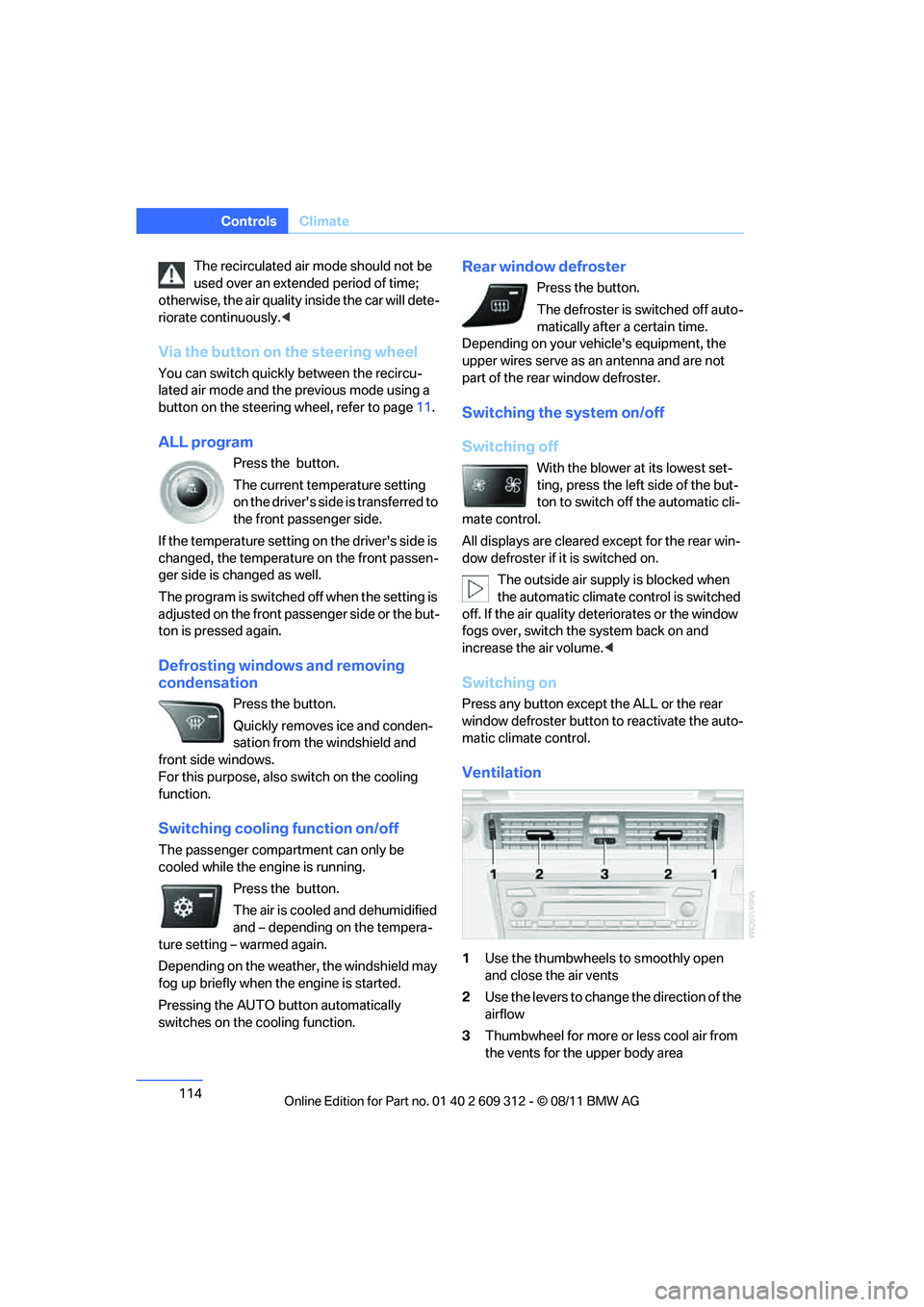
Ventilation
1 Use the thumbwheels to smoothly open
and close the air vents
2 Use the levers to change the direction of the
airflow
3 Thumbwheel for more or less cool air from
the vents for the upper body area
Online Edition for Part no. 01 40 2 609 312 - \251 08/11 BMW AG
Page 157 of 255
156
CommunicationsTe l e p h o n e
Telephone
Vehicle equipment
In this chapter, all production, country, and
optional equipment that is offered in the model
range is described. Equipment is also described
that is not available because of, for example,
selected options or country version. This also
applies to safety related functions and systems.
Overview
Note
Your BMW is equipped with a full preparation
package mobile phone or hands-free system.
The concept
Mobile phones can be connected to the vehicle
through Bluetooth.
After a suitable mobile phone is paired with the
vehicle once, the mobile phone can be con-
trolled via the radio, the buttons on the steering
wheel, and by voice.
Bluetooth® is a registered trademark of Blue-
tooth® SIG, Inc.
Only make entries when traffic conditions
permit. Do not hold the mobile phone in
your hand while you are driving; use the hands-
free system instead. If you do not observe this
precaution, your being di stracted can endanger
vehicle occupants and other road users. <
Snap-in adapter
The snap-in adapter, refer to page165, makes
it possible to:
> Accommodate the mobile phone.
> Recharge its battery.
> Connect it to an exte rnal antenna of the
vehicle. This assures a better
network connection
and constant sound quality.
A mobile phone that is connected to the vehicle
should not be operated via the mobile phone
keypad; otherwise, ma lfunctions may occur.
Suitable mobile phones
For precise information about which mobile
phones with a Bluetooth interface are sup-
ported by the complete mobile phone prepara-
tion package, go to www.bmwusa.com/
bluetooth.
Notes
At high temperatures, the charging function of
the mobile phone may be limited and some
functions may no longer be carried out.
When using the mobile phone via the vehicle,
follow the instructions given in the owner's
manual for the mobile phone.
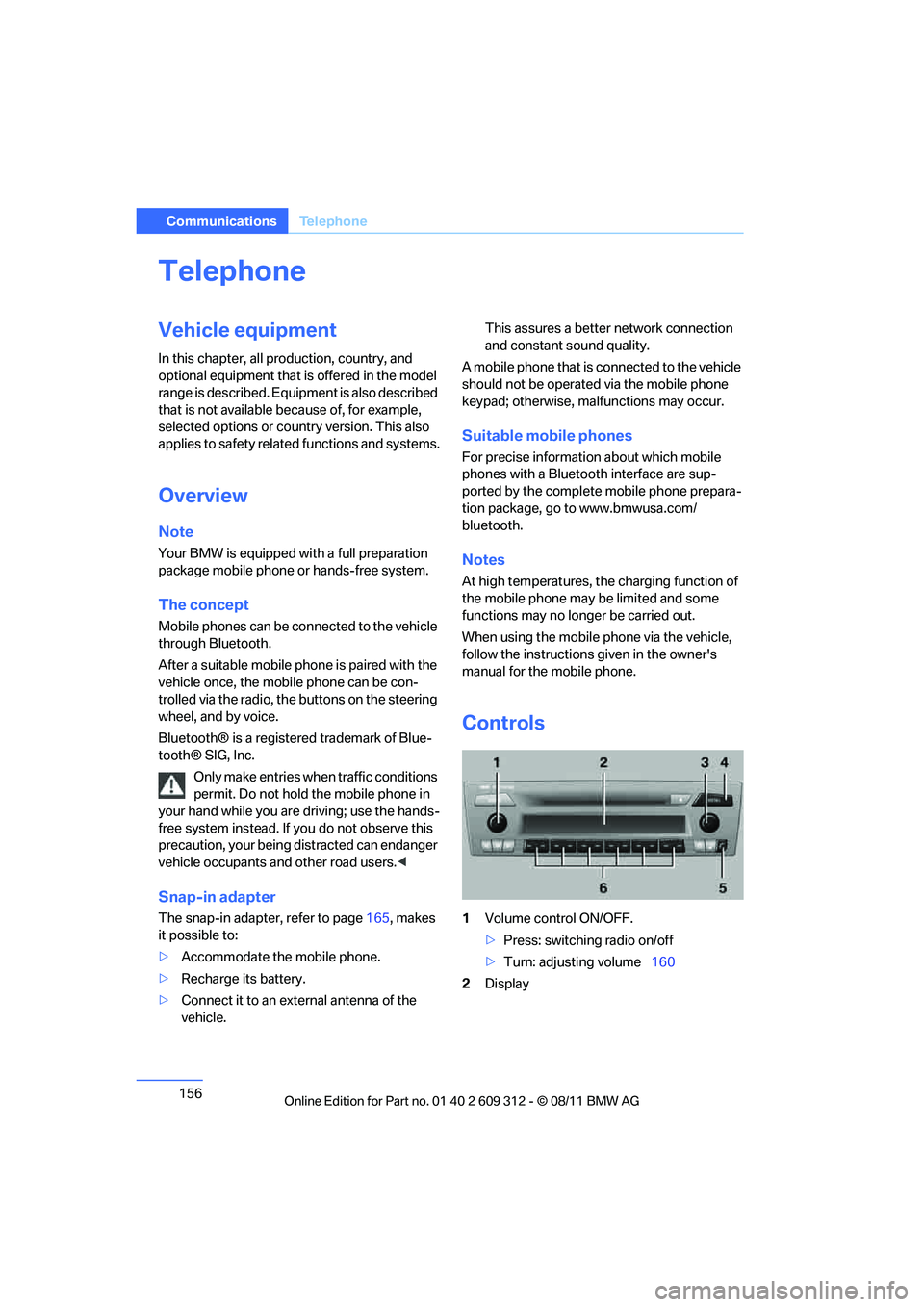
Controls
1 Volume control ON/OFF.
>Press: switching radio on/off
> Turn: adjusting volume 160
2 Display
Online Edition for Part no. 01 40 2 609 312 - \251 08/11 BMW AG
Page 161 of 255
160
CommunicationsTe l e p h o n e
Phone book entries are not displayed, not all of
them are displayed, or they are displayed
incompletely.
>The transfer of phone book entries has not
yet completed.
> In some cases, only the phone book entries
of the mobile phone or the SIM card will be
transferred.
> It may not be possible to display phone
book entries with special characters.
> The number of phone book entries to be
stored is too high.
> The data volume of the phone book entry is
too great, e.g. due to additionally stored
information such as no tes? Reduce the data
volume.
The telephone connection quality is low.
> Depending on the mobile phone, it is possi-
ble to adjust the strength of the Bluetooth
signal.
> Insert the mobile phone into the snap-in
adapter or place it in the vicinity of the cen-
ter console.
> Adjust the volume of the microphone and
speaker separately.
If you have gone through all items in the list and
still cannot activate the de sired function, please
contact Customer Relations or your BMW cen-
ter.
Operation
The following functions can be operated using
the radio:
> Accepting/refusing a call
> Dialing phone numbers
> Dialing a phone number from the phone
book
> Dialing a stored number, e.g., from a list of
accepted calls >
In connection with the preparation for
mobile phone Business: BMW Assist, refer
to page 167
When the ignition is switched off and radio
readiness switched on, e. g. after removal of the
infrared remote control, an ongoing conversa-
tion can be continued for a maximum of
25 minutes using the hands-free system.
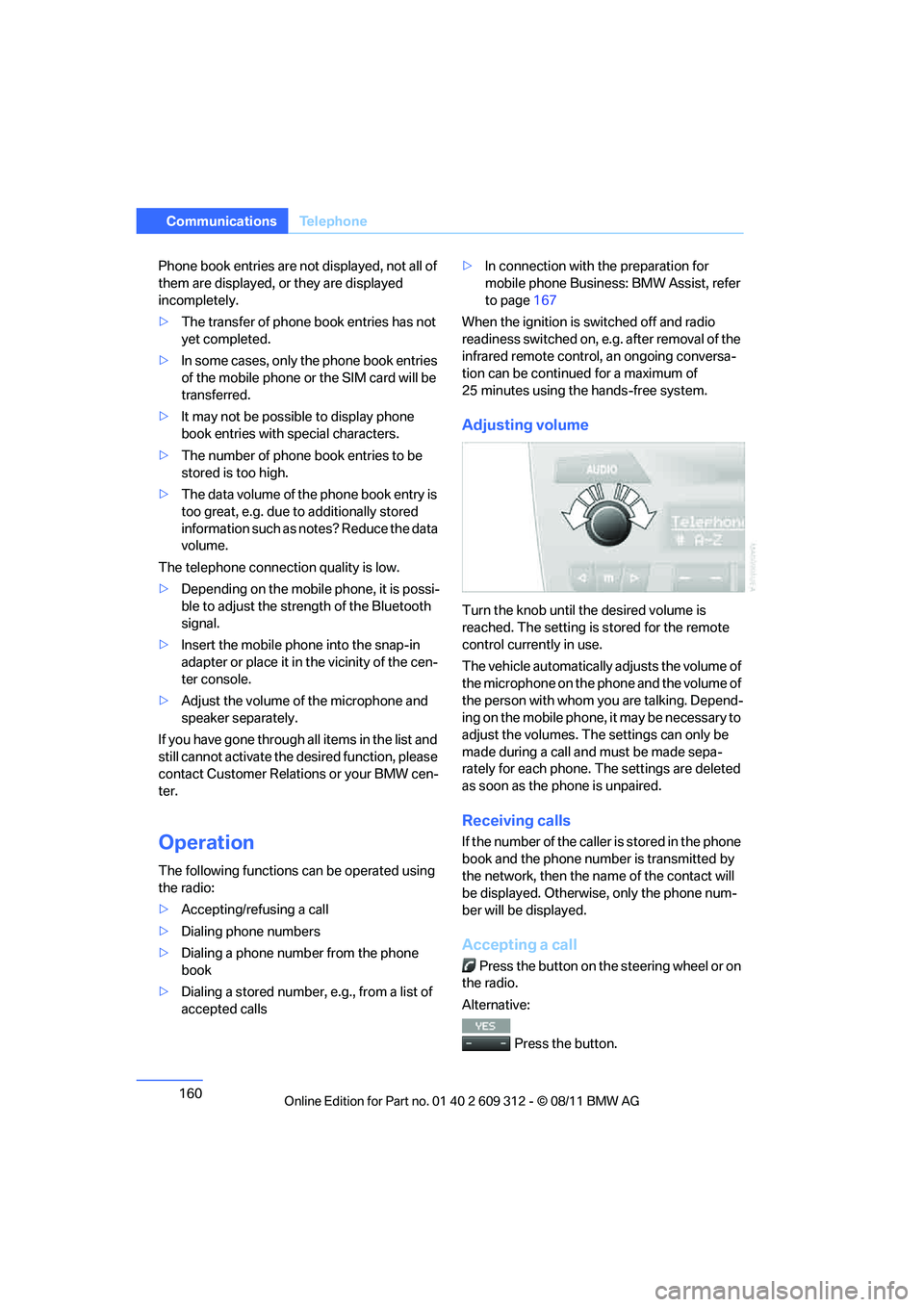
Adjusting volume
Turn the knob until the desired volume is
reached. The setting is stored for the remote
control currently in use.
The vehicle automatically adjusts the volume of
the microphone on the phone and the volume of
the person with whom yo u are talking. Depend-
ing on the mobile phone, it may be necessary to
adjust the volumes. The settings can only be
made during a call and must be made sepa-
rately for each phone. The settings are deleted
as soon as the phone is unpaired.
Receiving calls
If the number of the caller is stored in the phone
book and the phone number is transmitted by
the network, then the na me of the contact will
be displayed. Otherwise, only the phone num-
ber will be displayed.
Accepting a call
Press the button on the steering wheel or on
the radio.
Alternative:
Press the button.
Online Edition for Part no. 01 40 2 609 312 - \251 08/11 BMW AG
Page 162 of 255
161
Te l e p h o n e
Communications
Rejecting a call
Press the button.
Calling
Dialing phone numbers
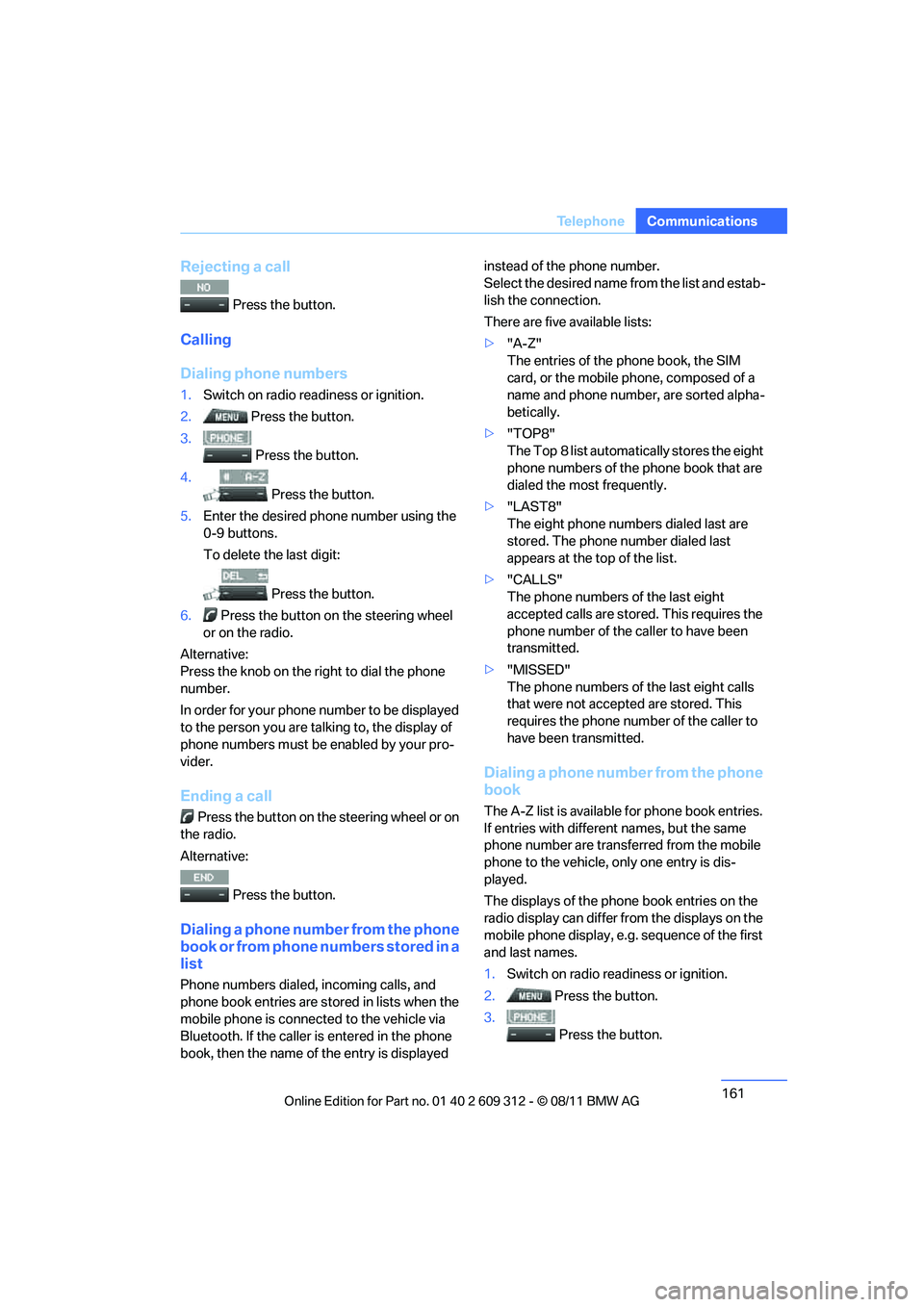
1.
Switch on radio readiness or ignition.
2. Press the button.
3.
Press the button.
4. Press the button.
5. Enter the desired phone number using the
0-9 buttons.
To delete the last digit:
Press the button.
6. Press the button on the steering wheel
or on the radio.
Alternative:
Press the knob on the ri ght to dial the phone
number.
In order for your phone number to be displayed
to the person yo u are talking to, the display of
phone numbers must be enabled by your pro-
vider.
Ending a call
Press the button on the steering wheel or on
the radio.
Alternative:
Press the button.
Dialing a phone number from the phone
book or from phone numbers stored in a
list
Phone numbers dialed, incoming calls, and
phone book entries are stored in lists when the
mobile phone is connected to the vehicle via
Bluetooth. If the caller is entered in the phone
book, then the name of the entry is displayed instead of the phone number.
Select the desired name
from the list and estab-
lish the connection.
There are five available lists:
> "A-Z"
The entries of the phone book, the SIM
card, or the mobile phone, composed of a
name and phone number, are sorted alpha-
betically.
> "TOP8"
The Top 8 list automatically stores the eight
phone numbers of the phone book that are
dialed the most frequently.
> "LAST8"
The eight phone numbers dialed last are
stored. The phone number dialed last
appears at the top of the list.
> "CALLS"
The phone numbers of the last eight
accepted calls are stored. This requires the
phone number of the caller to have been
transmitted.
> "MISSED"
The phone numbers of the last eight calls
that were not accept ed are stored. This
requires the phone number of the caller to
have been transmitted.
Dialing a phone number from the phone
book
The A-Z list is available for phone book entries.
If entries with different names, but the same
phone number are transferred from the mobile
phone to the vehicle, only one entry is dis-
played.
The displays of the phone book entries on the
radio display can differ from the displays on the
mobile phone display, e.g. sequence of the first
and last names.
1. Switch on radio readiness or ignition.
2. Press the button.
3. Press the button.
Online Edition for Part no. 01 40 2 609 312 - \251 08/11 BMW AG
Page 163 of 255
162
CommunicationsTe l e p h o n e
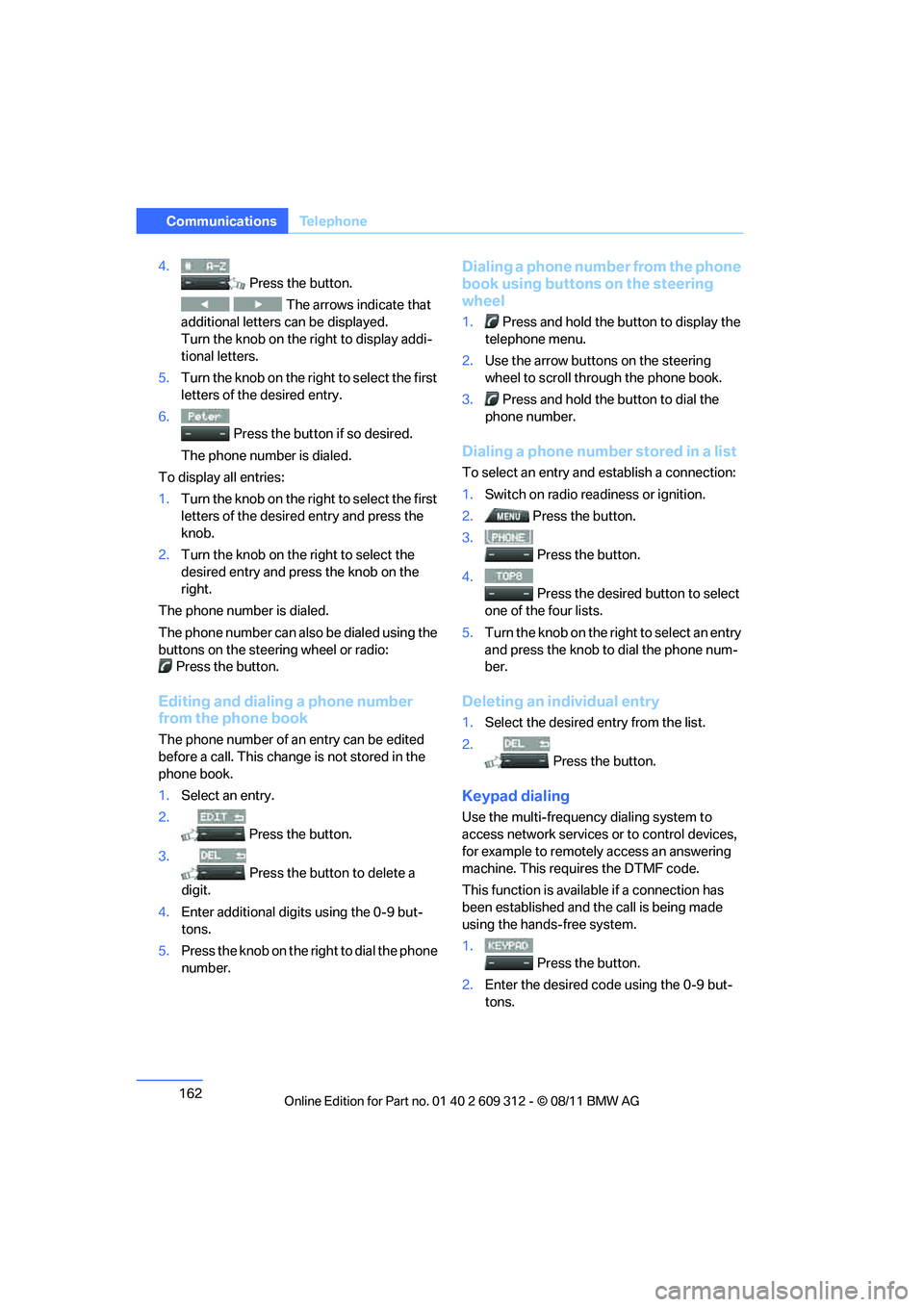
4.
Press the button.
The arrows indicate that
additional letters can be displayed.
Turn the knob on the right to display addi-
tional letters.
5. Turn the knob on the right to select the first
letters of the desired entry.
6. Press the button if so desired.
The phone number is dialed.
To display all entries:
1. Turn the knob on the right to select the first
letters of the desire d entry and press the
knob.
2. Turn the knob on the right to select the
desired entry and press the knob on the
right.
The phone number is dialed.
The phone number can also be dialed using the
buttons on the steering wheel or radio: Press the button.
Editing and dialing a phone number
from the phone book
The phone number of an entry can be edited
before a call. This change is not stored in the
phone book.
1. Select an entry.
2. Press the button.
3. Press the button to delete a
digit.
4. Enter additional digits using the 0-9 but-
tons.
5. Press the knob on the right to dial the phone
number.
Dialing a phone number from the phone
book using buttons on the steering
wheel
1. Press and hold the button to display the
telephone menu.
2. Use the arrow buttons on the steering
wheel to scroll through the phone book.
3. Press and hold the button to dial the
phone number.
Dialing a phone number stored in a list
To select an entry and establish a connection:
1. Switch on radio readiness or ignition.
2. Press the button.
3. Press the button.
4. Press the desired button to select
one of the four lists.
5. Turn the knob on the ri ght to select an entry
and press the knob to dial the phone num-
ber.
Deleting an individual entry
1. Select the desired entry from the list.
2. Press the button.
Keypad dialing
Use the multi-frequency dialing system to
access network services or to control devices,
for example to remotely access an answering
machine. This requ ires the DTMF code.
This function is availa ble if a connection has
been established and th e call is being made
using the hands-free system.
1.
Press the button.
2. Enter the desired code using the 0-9 but-
tons.
Online Edition for Part no. 01 40 2 609 312 - \251 08/11 BMW AG
Page 164 of 255
163
Te l e p h o n e
Communications
3.
If needed, press and hold the but-
ton on the right or left side to enter special
characters.
Displaying call duration
To display the duration during a call:
Press the button.
Hands-free system
General information
Calls being conducted using the hands-free
system can be continued using the mobile
phone and vice versa.
From the mobile phone to the
hands-free system
Calls that have been in itiated from outside the
Bluetooth range of the vehicle can be continued
using the hands-free system if the ignition is
switched on.
Depending on the mobile phone, the call is
automatically switched to hands-free mode.
If the switch does not occur automatically, then
follow the instructions th at appear on the dis-
play of the mobile phon e, also refer to the
owner's manual for the mobile phone.
From hands-free system to mobile
phone
Calls being conducted using the hands-free
system can also be continued using the mobile
phone if so desired, depending on the mobile
phone.
At this point, follow the instructions that appear
on the display of the mobile phone, also refer to
the owner's manual for the mobile phone.
Operation by voice
The concept
The mobile phone can be operated without
removing your hand from the steering wheel. In
many cases, the entry process is supported by
means of announcements or questions.
Symbols in the Owner's Manual
Voice commands
Activating voice activation system
1. Press the button on the steering wheel.
2. Say the command.
Deactivating voice activation system
Press the button on the steering wheel
or
Possible commands
Having possible commands read aloud
The system understands default commands
that must be spoken word for word.
Possible commands are read aloud.
Digits from zero to nine are recognized.
Each digit can be spoken individually or com-
bined into a sequence to accelerate the entry
process.
Using alternative commands
There are often a number of commands to run a
function, e.g.:
{ ...} Say the specified commands word for
word.
{{ ...}} Indicates responses of the voice acti-
vation system.
{ Cancel }.
{ Help }.
{ Dial name } or {Name }.
Online Edition for Part no. 01 40 2 609 312 - \251 08/11 BMW AG