instrument cluster BMW M3 CONVERTIBLE 2012 Owner's Manual
[x] Cancel search | Manufacturer: BMW, Model Year: 2012, Model line: M3 CONVERTIBLE, Model: BMW M3 CONVERTIBLE 2012Pages: 255, PDF Size: 6.32 MB
Page 88 of 255
87
Controls overview
Controls
Check Control
The concept
The Check Control monitors vehicle functions
and alerts you to any malfunctions in the sys-
tems monitored. This type of Check Control
message includes indicator and warning lamps
in the instrument cluster and, in some cases, an
acoustic signal.
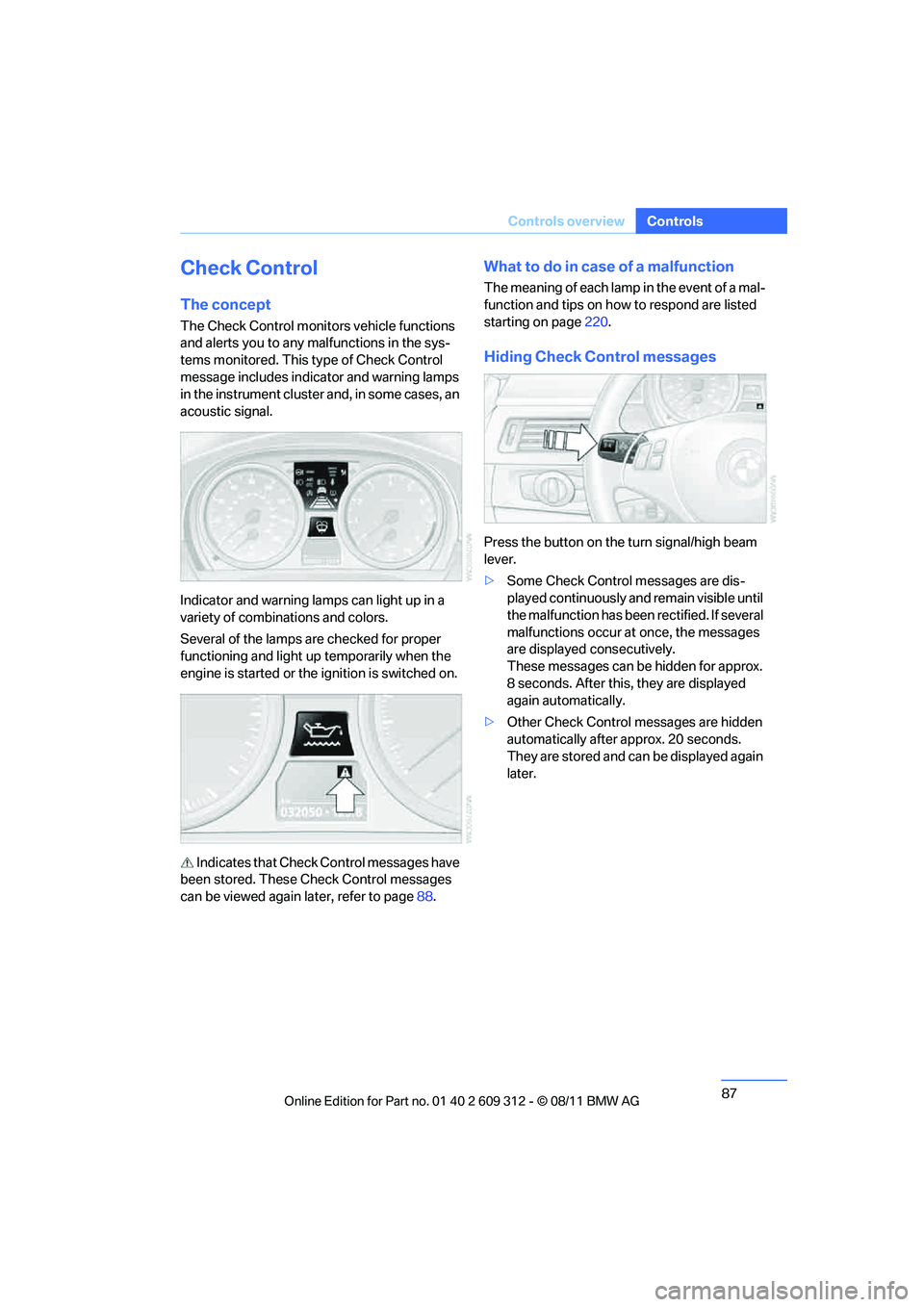
Indicator and warning lamps can light up in a
variety of combinations and colors.
Several of the lamps are checked for proper
functioning and light up temporarily when the
engine is started or the ignition is switched on.
Indicates that Check Control messages have
been stored. These Check Control messages
can be viewed again later, refer to page88.
What to do in case of a malfunction
The meaning of each lamp in the event of a mal-
function and tips on how to respond are listed
starting on page220.
Hiding Check Control messages
Press the button on the turn signal/high beam
lever.
>Some Check Control messages are dis-
played continuously an d remain visible until
the malfunction has been rectified. If several
malfunctions occur at once, the messages
are displayed consecutively.
These messages can be hidden for approx.
8 seconds. After this, they are displayed
again automatically.
> Other Check Control messages are hidden
automatically after approx. 20 seconds.
They are stored and can be displayed again
later.
Online Edition for Part no. 01 40 2 609 312 - \251 08/11 BMW AG
Page 92 of 255
91
Technology for driving comfort and safety
Controls
Deactivating DSC
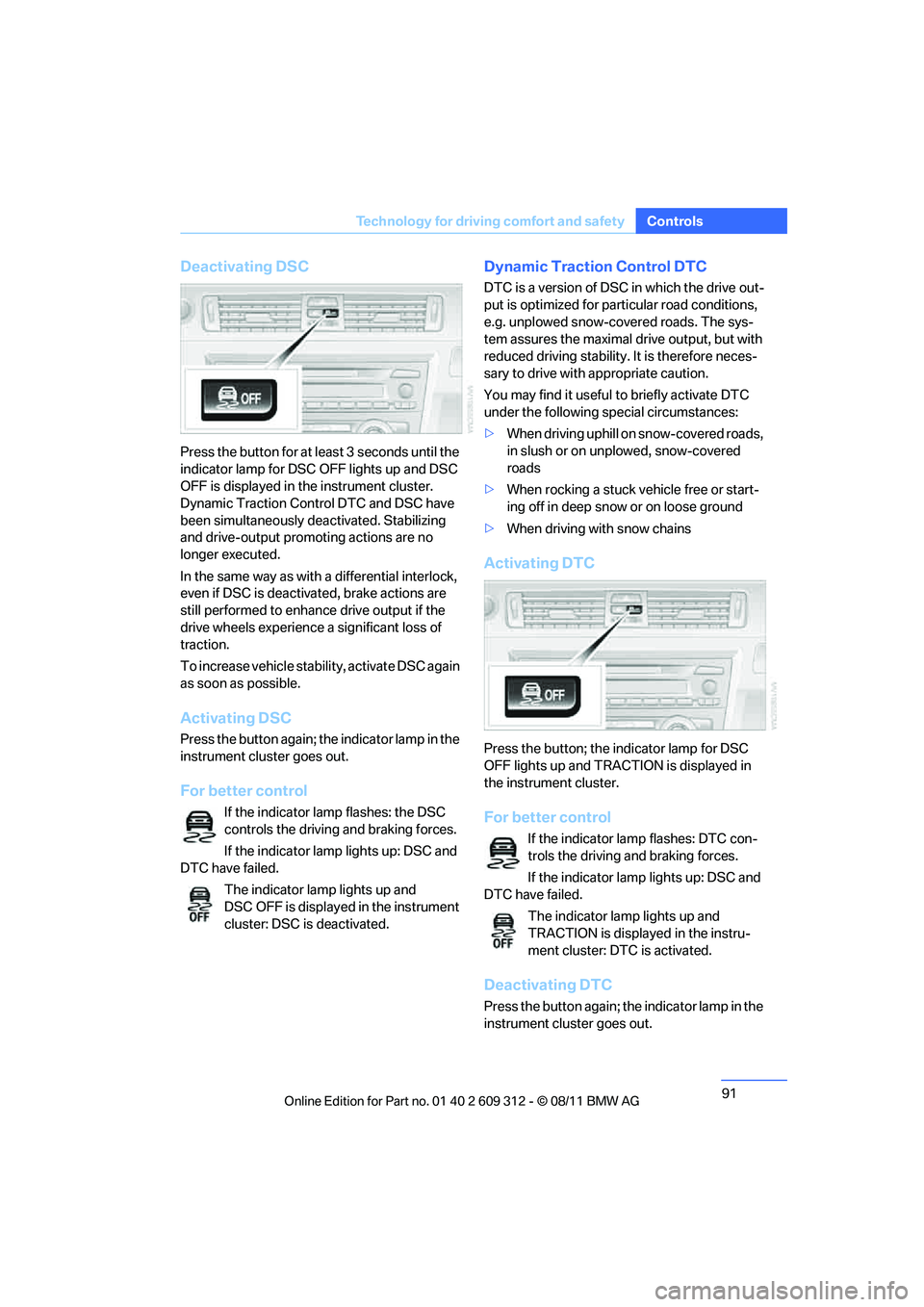
Press the button for at le
ast 3 seconds until the
indicator lamp for DSC OFF lights up and DSC
OFF is displayed in the instrument cluster.
Dynamic Traction Cont rol DTC and DSC have
been simultaneously de activated. Stabilizing
and drive-output promoting actions are no
longer executed.
In the same way as with a differential interlock,
even if DSC is deactivated, brake actions are
still performed to enhance drive output if the
drive wheels experience a significant loss of
traction.
To increase vehicle stability, activate DSC again
as soon as possible.
Activating DSC
Press the button again; th e indicator lamp in the
instrument cluster goes out.
For better control
If the indicator lamp flashes: the DSC
controls the driving and braking forces.
If the indicator lamp lights up: DSC and
DTC have failed.
The indicator lamp lights up and
DSC OFF is displayed in the instrument
cluster: DSC is deactivated.
Dynamic Traction Control DTC
DTC is a version of DSC in which the drive out-
put is optimized for part icular road conditions,
e.g. unplowed snow-covered roads. The sys-
tem assures the maximal drive output, but with
reduced driving stability. It is therefore neces-
sary to drive with appropriate caution.
You may find it useful to briefly activate DTC
under the following special circumstances:
> When driving uphill on snow-covered roads,
in slush or on unplowed, snow-covered
roads
> When rocking a stuck vehicle free or start-
ing off in deep snow or on loose ground
> When driving with snow chains
Activating DTC
Press the button; the indicator lamp for DSC
OFF lights up and TRACTION is displayed in
the instrument cluster.
For better control
If the indicator lamp flashes: DTC con-
trols the driving and braking forces.
If the indicator lamp lights up: DSC and
DTC have failed.
The indicator lamp lights up and
TRACTION is displayed in the instru-
ment cluster: DTC is activated.
Deactivating DTC
Press the button again; th e indicator lamp in the
instrument cluster goes out.
Online Edition for Part no. 01 40 2 609 312 - \251 08/11 BMW AG
Page 93 of 255
92
ControlsTechnology for driving comfort and safety
xDrive
xDrive is your BMW's four-wheel-drive system.
The combined efforts of xDrive and DSC help to
further optimize traction and driving dynamics.
The xDrive four-wheel-drive system distributes
driving power variably to the front and rear axles
depending on the drivin g situation and road
conditions.
Hill Descent Control HDC
HDC is a downhill driving assistant that controls
your speed on steep downhill gradients and
makes it even easier to control your BMW's
handling under these conditions. The vehicle
then moves slightly faster than double walking
speed without the driver needing to intervene.
HDC can be activated as long as you are driving
under approx. 20 mph or 35 km/h. When driving
downhill at a speed of under approx. 20 mph or
35 km/h, the vehicle's speed is automatically
reduced to slightly more than double walking
speed and maintained.
Increasing or de creasing speed
By accelerating or braking you can change this
speed within a range from approx. 3 to 15 mph,
approx. 5 to 25 km/h.
You can specify a target speed within the same
range by using the lever of the cruise control.
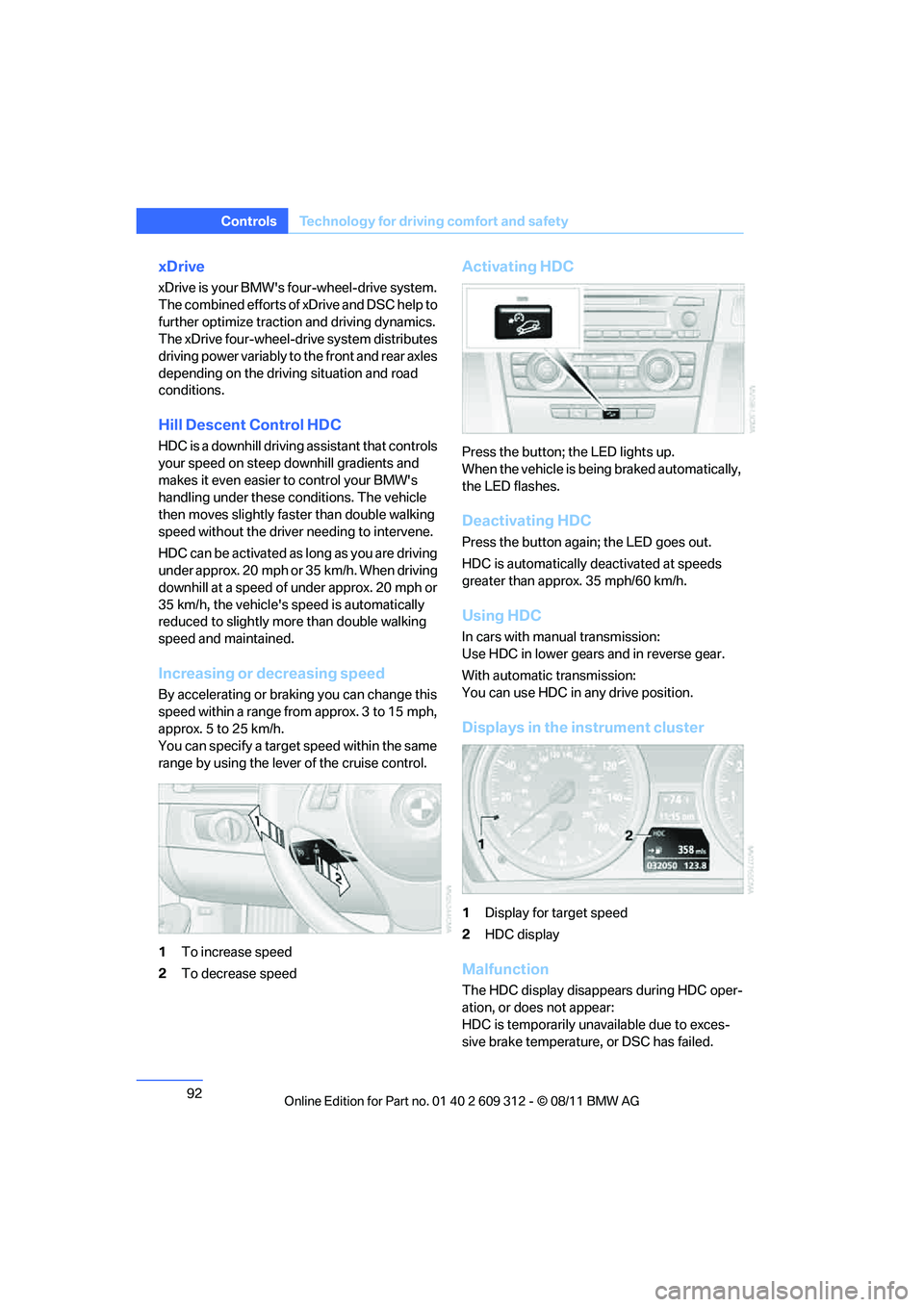
1To increase speed
2 To decrease speed
Activating HDC
Press the button; the LED lights up.
When the vehicle is being braked automatically,
the LED flashes.
Deactivating HDC
Press the button again; the LED goes out.
HDC is automatically deactivated at speeds
greater than approx. 35 mph/60 km/h.
Using HDC
In cars with manual transmission:
Use HDC in lower gears and in reverse gear.
With automatic transmission:
You can use HDC in any drive position.
Displays in the instrument cluster
1Display for target speed
2 HDC display
Malfunction
The HDC display disappe ars during HDC oper-
ation, or does not appear:
HDC is temporarily unavailable due to exces-
sive brake temperature, or DSC has failed.
Online Edition for Part no. 01 40 2 609 312 - \251 08/11 BMW AG
Page 107 of 255
106
ControlsLamps
Switching off
Press the lever in the o pposite direction to the
pressure point, arrow 3.
High-beam Assistant
The concept
This system automatica lly switches the high
beams on and off. The procedure is controlled
by a sensor on the front of the interior rearview
mirror. The assistant ensures that the high
beams are switched on whenever the traffic sit-
uation allows. It handle s this task for you and
gives you the benefit of the best possible view.
You can intervene at any time and switch the
high beams on and off as usual.
Activating the system
1. Turn the light switch to position 3, refer to
page 103.
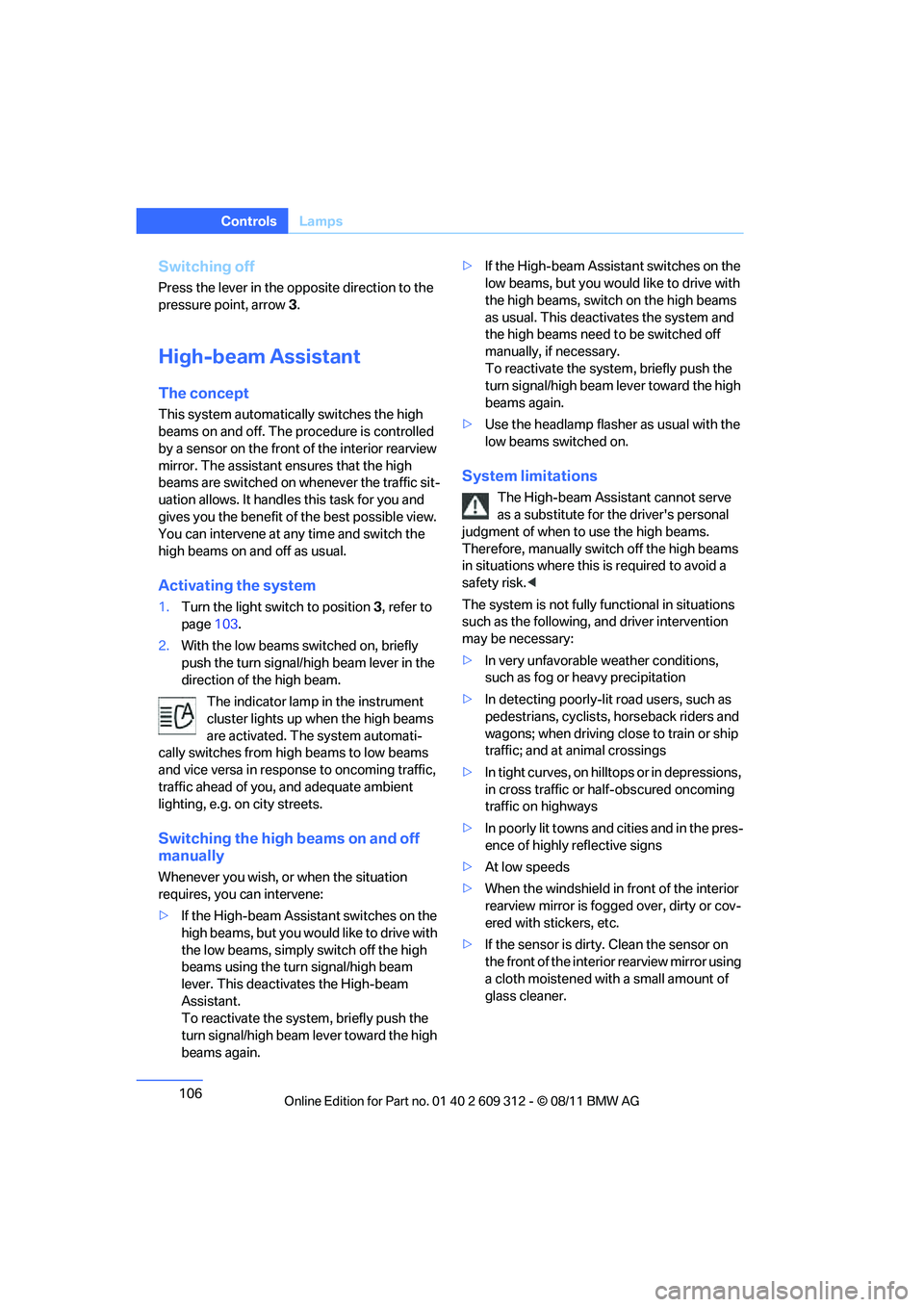
2. With the low beams switched on, briefly
push the turn signal/high beam lever in the
direction of the high beam.
The indicator lamp in the instrument
cluster lights up when the high beams
are activated. The system automati-
cally switches from hi gh beams to low beams
and vice versa in response to oncoming traffic,
traffic ahead of you, and adequate ambient
lighting, e.g. on city streets.
Switching the high beams on and off
manually
Whenever you wish, or when the situation
requires, you can intervene:
> If the High-beam Assistant switches on the
high beams, but you wo uld like to drive with
the low beams, simply switch off the high
beams using the turn signal/high beam
lever. This deactivates the High-beam
Assistant.
To reactivate the system, briefly push the
turn signal/high beam lever toward the high
beams again. >
If the High-beam Assistant switches on the
low beams, but you would like to drive with
the high beams, switch on the high beams
as usual. This deactivates the system and
the high beams need to be switched off
manually, if necessary.
To reactivate the system, briefly push the
turn signal/high beam lever toward the high
beams again.
> Use the headlamp flashe r as usual with the
low beams switched on.
System limitations
The High-beam Assistant cannot serve
as a substitute for the driver's personal
judgment of when to use the high beams.
Therefore, manually switch off the high beams
in situations where this is required to avoid a
safety risk. <
The system is not fully fu nctional in situations
such as the following, and driver intervention
may be necessary:
> In very unfa vorable weather conditions,
such as fog or heavy precipitation
> In detecting poorly-lit road users, such as
pedestrians, cyclists, horseback riders and
wagons; when driving close to train or ship
traffic; and at animal crossings
> In tight curves, on hilltops or in depressions,
in cross traffic or half-obscured oncoming
traffic on highways
> In poorly lit towns and cities and in the pres-
ence of highly reflective signs
> At low speeds
> When the windshield in front of the interior
rearview mirror is fogged over, dirty or cov-
ered with stickers, etc.
> If the sensor is dirty. Clean the sensor on
the front of the interior rearview mirror using
a cloth moistened with a small amount of
glass cleaner.
Online Edition for Part no. 01 40 2 609 312 - \251 08/11 BMW AG
Page 108 of 255
107
Lamps
Controls
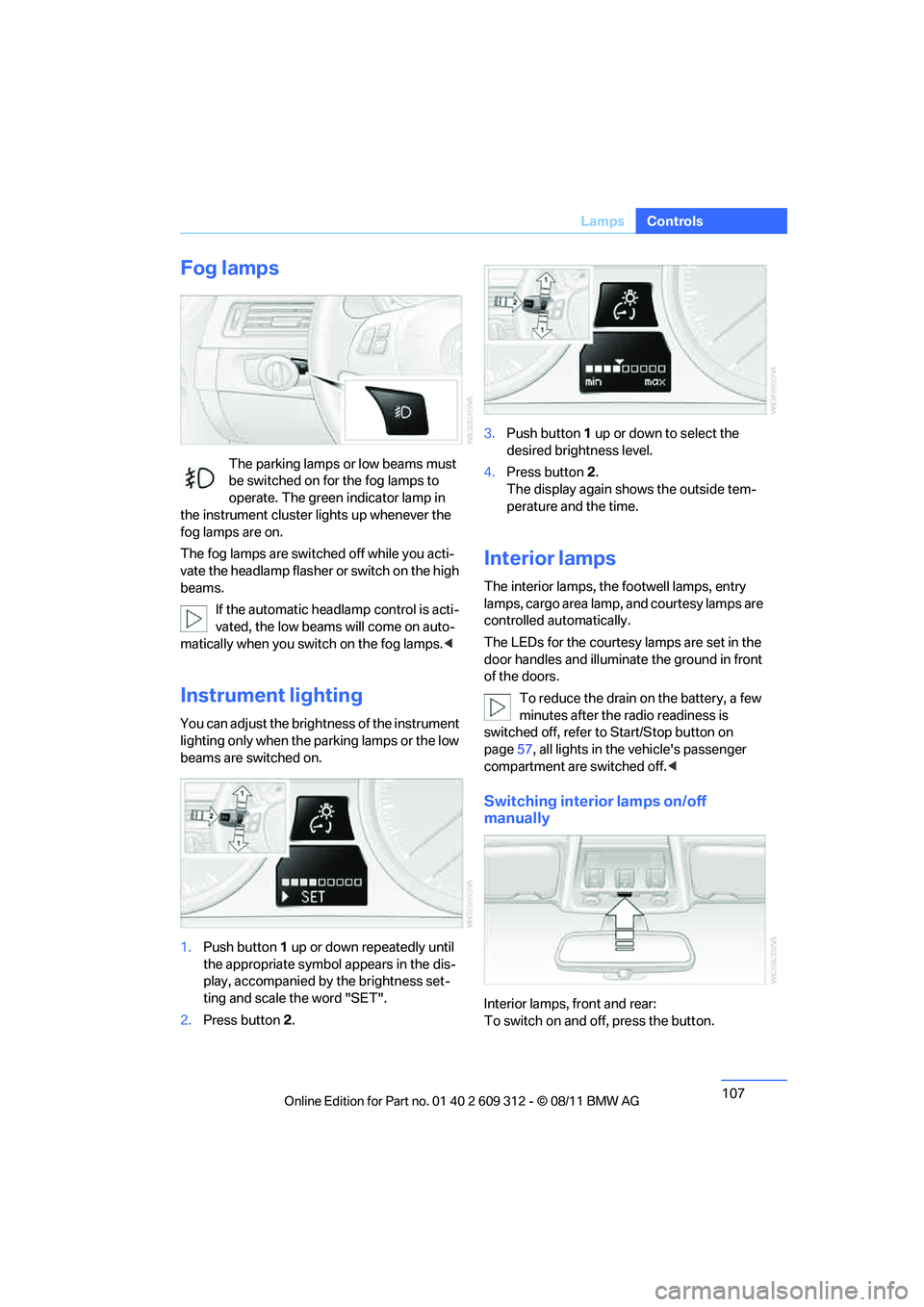
Fog lamps
The parking lamps or low beams must
be switched on for the fog lamps to
operate. The green indicator lamp in
the instrument cluster lights up whenever the
fog lamps are on.
The fog lamps are switched off while you acti-
vate the headlamp flasher or switch on the high
beams.
If the automatic headla mp control is acti-
vated, the low beams will come on auto-
matically when you switch on the fog lamps. <
Instrument lighting
You can adjust the brightness of the instrument
lighting only when the parking lamps or the low
beams are switched on.
1.Push button 1 up or down repeatedly until
the appropriate symbol appears in the dis-
play, accompanied by the brightness set-
ting and scale the word "SET".
2. Press button 2. 3.
Push button 1 up or down to select the
desired brightness level.
4. Press button 2.
The display again shows the outside tem-
perature and the time.
Interior lamps
The interior lamps, the footwell lamps, entry
lamps, cargo area lamp, and courtesy lamps are
controlled automatically.
The LEDs for the courtesy lamps are set in the
door handles and illuminate the ground in front
of the doors.
To reduce the drain on the battery, a few
minutes after the radio readiness is
switched off, refer to Start/Stop button on
page 57, all lights in the vehicle's passenger
compartment are switched off. <
Switching interior lamps on/off
manually
Interior lamps, front and rear:
To switch on and off, press the button.
Online Edition for Part no. 01 40 2 609 312 - \251 08/11 BMW AG
Page 199 of 255
198
MobilityEngine compartment
Hood
Do not work on the car unless you pos-
sess the necessary technical knowledge.
If you are not familiar with the regulations to be
followed, have the necessary work on the vehi-
cle carried out only by your BMW center; if this
work is not carried out properly, there is a dan-
ger of subsequent dama ge and related safety
hazards. <
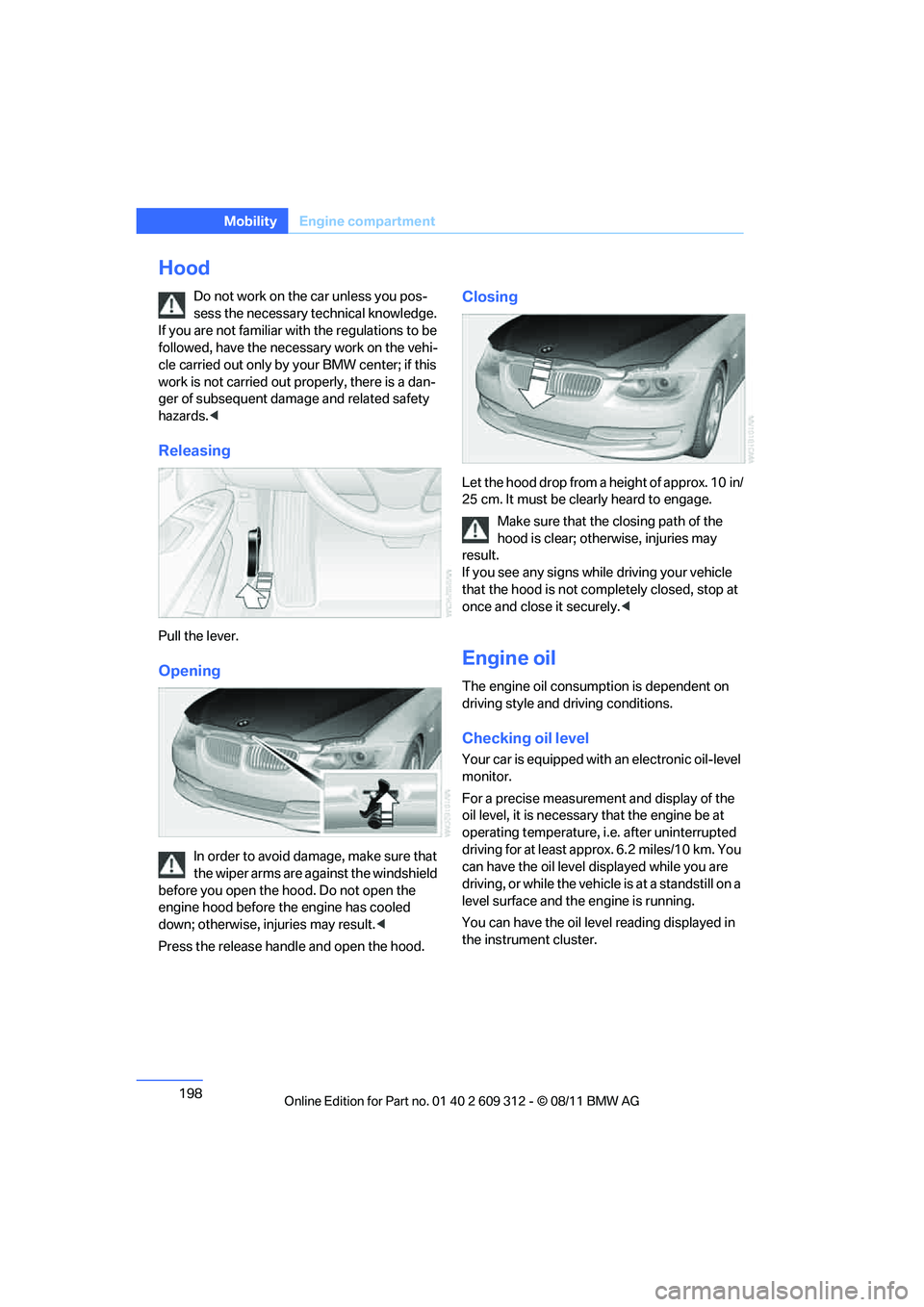
Releasing
Pull the lever.
Opening
In order to avoid damage, make sure that
the wiper arms are against the windshield
before you open the hood. Do not open the
engine hood before the engine has cooled
down; otherwise, injuries may result. <
Press the release handle and open the hood.
Closing
Let the hood drop from a height of approx. 10 in/
25 cm. It must be clearly heard to engage. Make sure that the closing path of the
hood is clear; othe rwise, injuries may
result.
If you see any signs while driving your vehicle
that the hood is not comp letely closed, stop at
once and close it securely. <
Engine oil
The engine oil consumption is dependent on
driving style and driving conditions.
Checking oil level
Your car is equipped with an electronic oil-level
monitor.
For a precise measurement and display of the
oil level, it is necessar y that the engine be at
operating temperature, i.e. after uninterrupted
driving for at least approx. 6.2 miles/10 km. You
can have the oil level displayed while you are
driving, or while the vehicle is at a standstill on a
level surface and the engine is running.
You can have the oil leve l reading displayed in
the instrument cluster.
Online Edition for Part no. 01 40 2 609 312 - \251 08/11 BMW AG
Page 200 of 255
199
Engine compartment
Mobility
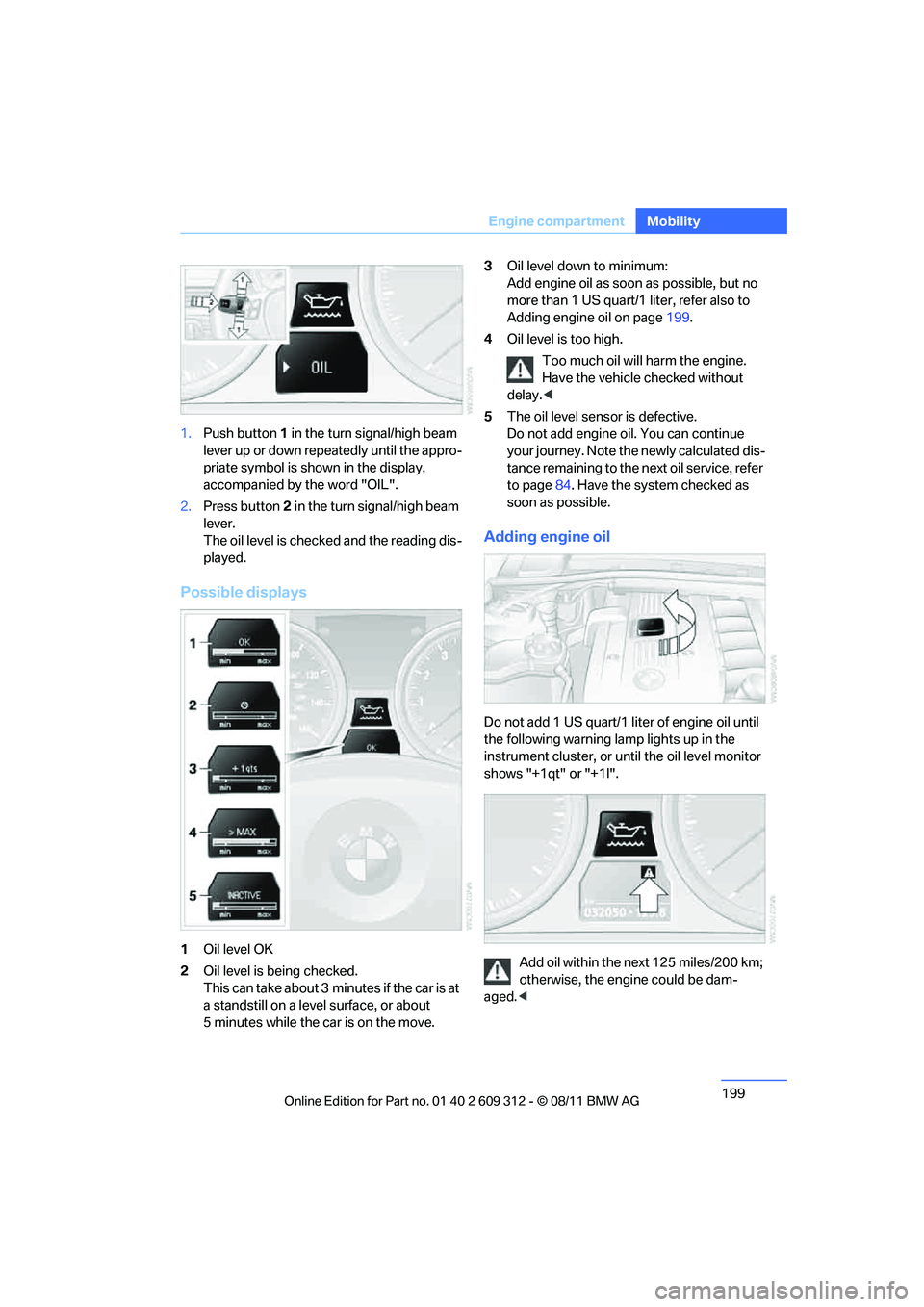
1.
Push button 1 in the turn signal/high beam
lever up or down repe atedly until the appro-
priate symbol is shown in the display,
accompanied by the word "OIL".
2. Press button 2 in the turn signal/high beam
lever.
The oil level is checked and the reading dis-
played.
Possible displays
1 Oil level OK
2 Oil level is being checked.
This can take about 3 min utes if the car is at
a standstill on a level surface, or about
5 minutes while the car is on the move. 3
Oil level down to minimum:
Add engine oil as soon as possible, but no
more than 1 US quart/1 liter, refer also to
Adding engine oil on page 199.
4 Oil level is too high.
Too much oil will harm the engine.
Have the vehicle checked without
delay. <
5 The oil level sens or is defective.
Do not add engine oil. You can continue
your journey. Note the newly calculated dis-
tance remaining to the next oil service, refer
to page 84. Have the system checked as
soon as possible.
Adding engine oil
Do not add 1 US quart/1 liter of engine oil until
the following warning lamp lights up in the
instrument cluster, or un til the oil level monitor
shows "+1qt" or "+1l".
Add oil within the next 125 miles/200 km;
otherwise, the engine could be dam-
aged. <
Online Edition for Part no. 01 40 2 609 312 - \251 08/11 BMW AG
Page 203 of 255
202
MobilityMaintenance
Maintenance
Vehicle equipment
In this chapter, all pr oduction, country, and
optional equipment that is offered in the model
range is described. For this reason, descrip-
tions will be given of some equipment that may
not be available in a vehi cle, for example due to
the special options or national-market version
selected. This also app lies to safety related
functions and systems.
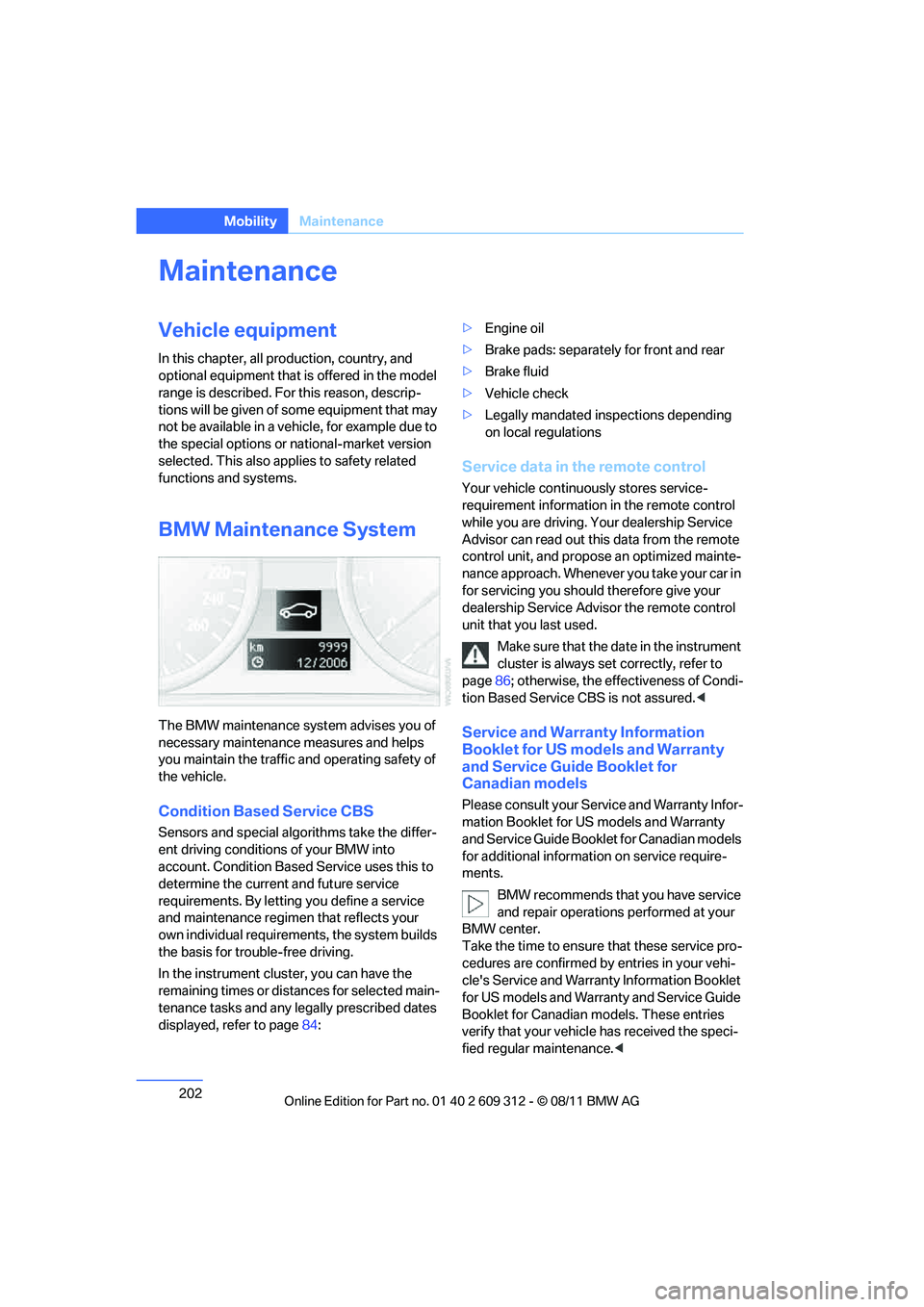
BMW Maintenance System
The BMW maintenance system advises you of
necessary maintenance measures and helps
you maintain the traffic and operating safety of
the vehicle.
Condition Based Service CBS
Sensors and special algo rithms take the differ-
ent driving conditions of your BMW into
account. Condition Based Service uses this to
determine the current and future service
requirements. By letting you define a service
and maintenance regimen that reflects your
own individual requirem ents, the system builds
the basis for trouble-free driving.
In the instrument cluster, you can have the
remaining times or distances for selected main-
tenance tasks and any le gally prescribed dates
displayed, refer to page 84: >
Engine oil
> Brake pads: separately for front and rear
> Brake fluid
> Vehicle check
> Legally mandated in spections depending
on local regulations
Service data in the remote control
Your vehicle continuously stores service-
requirement information in the remote control
while you are driving. Your dealership Service
Advisor can read out this data from the remote
control unit, and propose an optimized mainte-
nance approach. Whenever you take your car in
for servicing you should therefore give your
dealership Service Advisor the remote control
unit that you last used.
Make sure that the date in the instrument
cluster is always se t correctly, refer to
page 86; otherwise, the effectiveness of Condi-
tion Based Service CBS is not assured. <
Service and Warranty Information
Booklet for US models and Warranty
and Service Guide Booklet for
Canadian models
Please consult your Service and Warranty Infor-
mation Booklet for US models and Warranty
and Service Guide Booklet for Canadian models
for additional information on service require-
ments.
BMW recommends that you have service
and repair operations performed at your
BMW center.
Take the time to ensure that these service pro-
cedures are confirmed by entries in your vehi-
cle's Service and Warranty Information Booklet
for US models and Warranty and Service Guide
Booklet for Canadian models. These entries
verify that your vehicle has received the speci-
fied regular maintenance. <
Online Edition for Part no. 01 40 2 609 312 - \251 08/11 BMW AG
Page 208 of 255
207
Care
Mobility
Treat the leather at least once every two
months using a leather lotion as dirt and grease
will gradually attack th
e leather's protective
layer.
Carpet and floor mats
Keep floor mats, carpet, and other objects
out of the movement range of the pedals;
otherwise, they may inhi bit the function of the
pedals during driving.
Do not place additional floor mats onto an exist-
ing one or onto other objects.
Only use floor mats that have been approved for
the vehicle and can be appropriately fastened.
Make sure that the floo r mats are securely fas-
tened again after they ha ve been removed, e.g.
for cleaning. <
Interior plastic parts
>Imitation leather surfaces
> Lamp glasses
> Display pane of instrument cluster
> Matte parts
Clean with water and solvent-free plastic
cleaner if necessary.
Fine wood parts
Clean fine wood trim and fine wood parts with a
damp cloth. Wipe dry with a soft cloth.
Safety belts
Dirty belt straps impede the reeling action and
thus have a negative impact on safety. Do not clean chemically, as this may
destroy the webbing. <
Interior sensors/cameras
To clean interior sens ors and cameras, use a
lint-free cloth moistene d with glass cleaner.
Displays
To clean displays, e.g. of the radio or instrument
cluster, use a cleaning cloth for displays or a
soft, non-abrasive, lint-free cloth.
Avoid applying excessive pressure when
cleaning the displays; otherwise, damage
may occur. <
Do not use chemical or abrasive house-
hold cleaning agents. Keep all types of
fluid away from the device. Otherwise, surfaces
or electrical components may be corroded or
damaged. <
CD/DVD drives
Do not use a cleaning CD, as it may dam-
age parts of the drive. <
Vehicle storage
If you plan to park your vehicle for longer than
three months, your BMW center will be happy
to advise you.
Online Edition for Part no. 01 40 2 609 312 - \251 08/11 BMW AG
Page 244 of 255
243
Everything from A to Z
Reference
Cold start, refer to Starting the
engine 58
Comfort Access 33
– replacing the battery 35
Comfort access, refer to
Comfort Access 33
Comfort area, refer to Around the center console 14
Compartment for remote control, refer to Ignition
lock 57
Compass 118
Compressed audio files 147
Computer 80
Concierge service 168
Condensation, refer to When
the vehicle is parked 135
Condition Based Service CBS 202
Configuring settings, refer to Personal Profile 24
Confirmation signal for vehicle
locking/unlocking 27
ConnectedDrive 167
Connecting vacuum cleaner,
refer to Connecting
electrical appliances 123
Consumption, refer to
Average fuel
consumption 80
Controls and displays 10
Convenient loading in Convertible 27
Convenient opening and
closing
– glass roof 26
– glass roof with Comfort
Access 34
– retractable hardtop 26
– windows 26
– windows with Comfort Access 34
– with Comfort Access 34Convertible
– bag holder
124
– convenient loading 27
– enlarging cargo area 124
– folding down rear
backrest 124
– retractable hardtop 38
– rollover protection
system 101
Coolant 200
– checking level 201
Coolant temperature 200
Cooling, maximum 113
Cooling fluid, refer to
Coolant 200
Cooling system, refer to
Coolant 200
Copyright 2
Corner-illuminating lamps
– replacing bulbs 209
Cornering light, refer to
Adaptive Light C
ontrol105
Correct tires 195
Courtesy lamps, refer to Interior lamps 107
Cruise control 69
– active 71
– malfunction 71
Cruise control, refer to Active Cruise Control 71
Cruising range 80,81
Cupholders 121
Curb weight, refer to Weights 237
D
Dashboard, refer to
Cockpit 10
Dashboard, refer to
Instrument cluster 12
Dashboard lighting, refer to Instrument lighting 107Data, technical
234
– capacities 239
– dimensions 235
– engine 234
– weights 237
Data memory 203
Date
– setting 86
Date setting 144
Daytime running lights 104
– replacing bulbs 209
DBC Dynamic Brake Control 90
Deactivating front passenger
airbags 100
Deadlocking, refer to
Locking 26
Defect
– door lock 29
– fuel filler flap 174
– glass roof 37
Defogging windows 111
Defrost, windows 111
Defrosting windows and removing condensation
– air conditioner 111
Defrosting windshield, refer to Defrosting windows 111
Defrost position, refer to Defrosting windows 111
Digital clock 78
Digital compass 118
Digital radio, refer to HD Radio™ reception 145
Dimensions 235
Directional indicators, refer to Turn signals 67
Displacement, refer to Engine data 234
Display 18
Display lighting, refer to Instrument lighting 107
Displays, refer to Instrument
cluster 12
Displays and controls 10
Online Edition for Part no. 01 40 2 609 312 - \251 08/11 BMW AG