steering BMW M3 CONVERTIBLE 2012 Owner's Manual
[x] Cancel search | Manufacturer: BMW, Model Year: 2012, Model line: M3 CONVERTIBLE, Model: BMW M3 CONVERTIBLE 2012Pages: 255, PDF Size: 6.32 MB
Page 135 of 255
134
Driving tipsThings to remember when driving
Hot exhaust system
In all vehicles, extremely high tempera-
tures are generated in the exhaust sys-
tem. Do not remove the heat shields installed
adjacent to various sect ions of the exhaust sys-
tem, and never apply un dercoating to them.
When driving, standing at idle and while park-
ing, take care to avoid possible contact
between the hot exhaust system and any highly
flammable materials such as hay, leaves, grass,
etc. Such contact could le ad to a fire, with the
risk of serious personal injuries and property
damage. Do not touch hot exhaust tail pipes.
Otherwise, there is a risk of burns. <
Mobile phones in the vehicle
It is not advisable to use wireless devices
such as mobile phones inside the vehicle
without a direct connection to an external aerial.
Otherwise, it is not poss ible to exclude the pos-
sibility of a reciprocal interference occurring
between the vehicle electronics and the wire-
less device. Otherwise, there is no assurance
that the radiation genera ted by the radio trans-
mission will be conveyed out of the passenger
compartment. <
Hydroplaning
When driving on wet or slushy roads,
reduce road speed. If you do not, a wedge
of water can form between tires and road sur-
face. This situation, known as hydroplaning,
means that the tire can completely lose contact
with the road surface, so that neither the car can
be steered nor the brak e be properly applied.<
The risk of hydroplaning increases with declin-
ing tread depth on the tires, refer also to Mini-
mum tread depth on page 194.
Driving through water
Drive through water on the road only if it is
not deeper than 1 ft/30 cm, and then only
at walking speed at the most. Otherwise, the
vehicle's engine, the electrical systems and the
transmission may be damaged. <
Use the parking brake on inclines
On inclines, do not hold the vehicle for a
lengthy period using the clutch; use the
parking brake instead. Otherwise, greater
clutch wear will result. <
For more information about the drive-off assis-
tant, refer to page 93.
Braking safely
Your BMW is equipped with ABS as a standard
feature. Applying the brakes fully is the most
effective way of braking in situations in which
this is necessary. Sinc e the vehicle maintains
steering responsiveness, you can still avoid
possible obstacles with a minimum of steering
effort.
Pulsation of the brake pedal, combined with
sounds from the hydraulic circuits, indicate that
ABS is in its active mode.
Objects in the movement range of the
pedals
Keep floor mats, carpet, and other objects
out of the movement range of the pedals;
otherwise, they may inhi bit the function of the
pedals during driving.
Do not place additional floor mats onto an exist-
ing one or onto other objects.
Only use floor mats that have been approved for
the vehicle and can be appropriately fastened.
Make sure that the floo r mats are securely fas-
tened again after they ha ve been removed, e.g.
for cleaning. <
Driving in wet conditions
When roads are wet or there is heavy rain,
briefly exert gentle pre ssure on the brake pedal
every few miles. Monitor traffic conditions to
ensure that this maneuver does not endanger
other road users. The heat generated in this
process helps dry the pads and rotors to ensure
that full braking efficiency will then be available
when you need it.
Online Edition for Part no. 01 40 2 609 312 - \251 08/11 BMW AG
Page 136 of 255
135
Things to remember when driving
Driving tips
Hills
To prevent overheating and the resulting
reduced efficiency of the brake system,
drive long or steep downhill gradients in the
gear in which the least br aking is required. Even
light but consistent brak e pressure can lead to
high temperatures, brake wear and possibly
even brake failure. <
You can increase the engine's braking effect by
shifting down, all the way to first gear if neces-
sary. This strategy he lps you avoid placing
excessive loads on the brake system. Down-
shifting in manual mode of the automatic trans-
mission, refer to page 61.
Sport automatic transm ission with double
clutch: never drive with the transmission
in neutral or with the en gine switched off; other-
wise, there will be no en gine braking action and
no power assistance to the brakes and steering.
Manual transmission: never drive with the
clutch held down, with the transmission in neu-
tral or with the engine switched off; otherwise,
there will be no engine braking action and no
power assistance to the brakes and steering.
Never allow floor mats, carpets or any other
objects to protrude into the area around the
pedals; otherwise, pedal function could be
impaired. <
Corrosion on brake rotors
When the vehicle is driv en only occasionally,
during extended periods when the vehicle is not
used at all, and in operating conditions where
brake applications are le ss frequent, there is an
increased tendency for corrosion to form on
rotors, while contaminan ts accumulate on the
brake pads. This occurs because the minimum
pressure which must be exerted by the pads
during brake applications to clean the rotors is
not reached.
Should corrosion form on the brake rotors, the
brakes will tend to respond with a pulsating
effect that even extended application will fail to
cure.
When the vehicle is parked
Condensation forms wh ile the automatic cli-
mate control is in operation, and then exits
under the vehicle. Traces of condensed water
under the vehicle are therefore normal.
Cargo loading
To avoid loading the tires beyond their
approved carrying ca pacity, never over-
load the vehicle. Overlo ading can lead to over-
heating and increases the rate at which damage
develops inside the tires. In some situations,
this can result in sudden loss of tire pressure. <
Make sure that no liquids are spilled or
leak from their containers in the cargo
area, as this could result in damage to the vehi-
cle. <
Determining loading limit
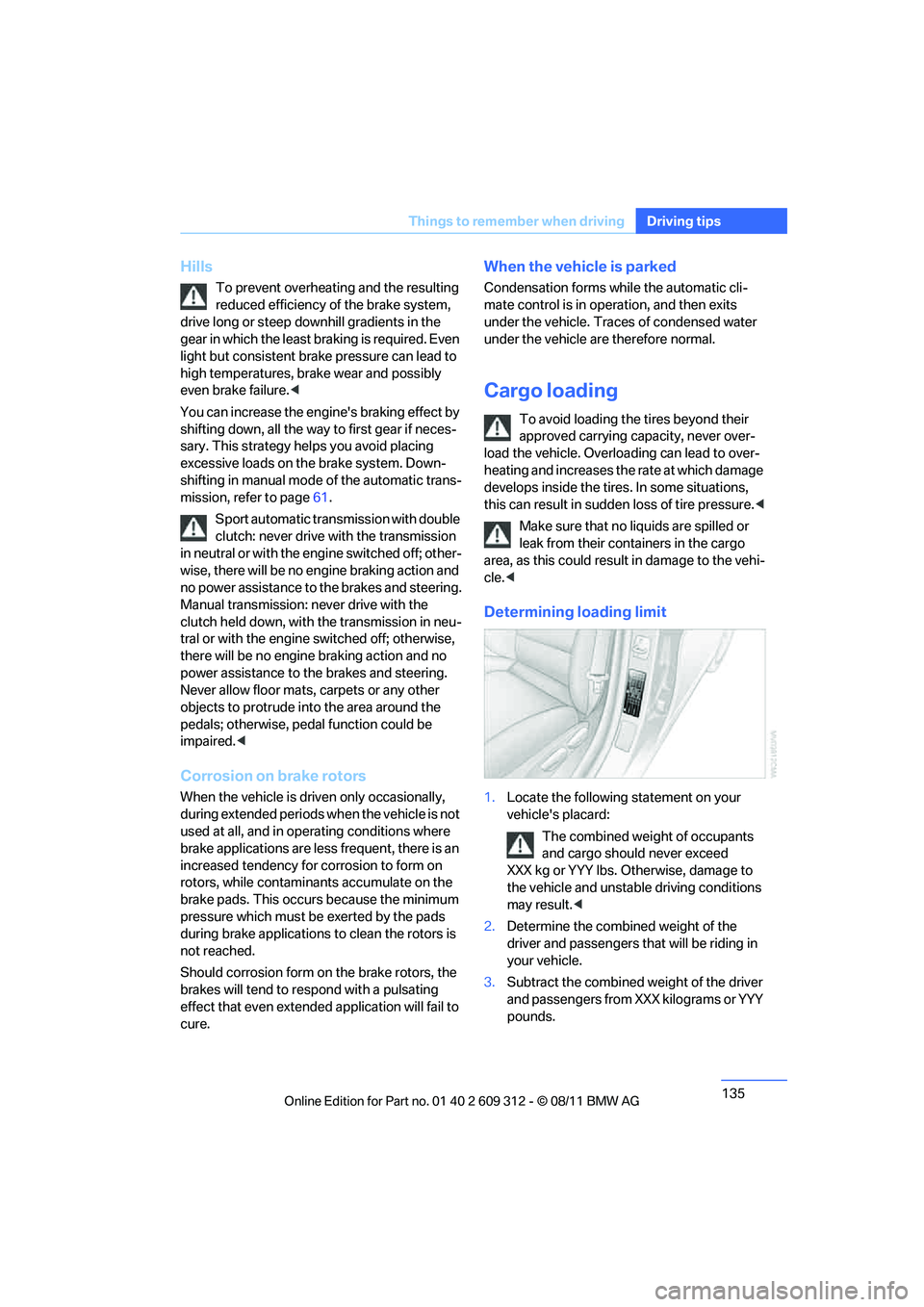
1. Locate the following statement on your
vehicle's placard:
The combined weight of occupants
and cargo should never exceed
XXX kg or YYY lbs. Otherwise, damage to
the vehicle and unstable driving conditions
may result. <
2. Determine the combined weight of the
driver and passengers that will be riding in
your vehicle.
3. Subtract the combined weight of the driver
and passengers from XXX kilograms or YYY
pounds.
Online Edition for Part no. 01 40 2 609 312 - \251 08/11 BMW AG
Page 138 of 255
137
Things to remember when driving
Driving tips
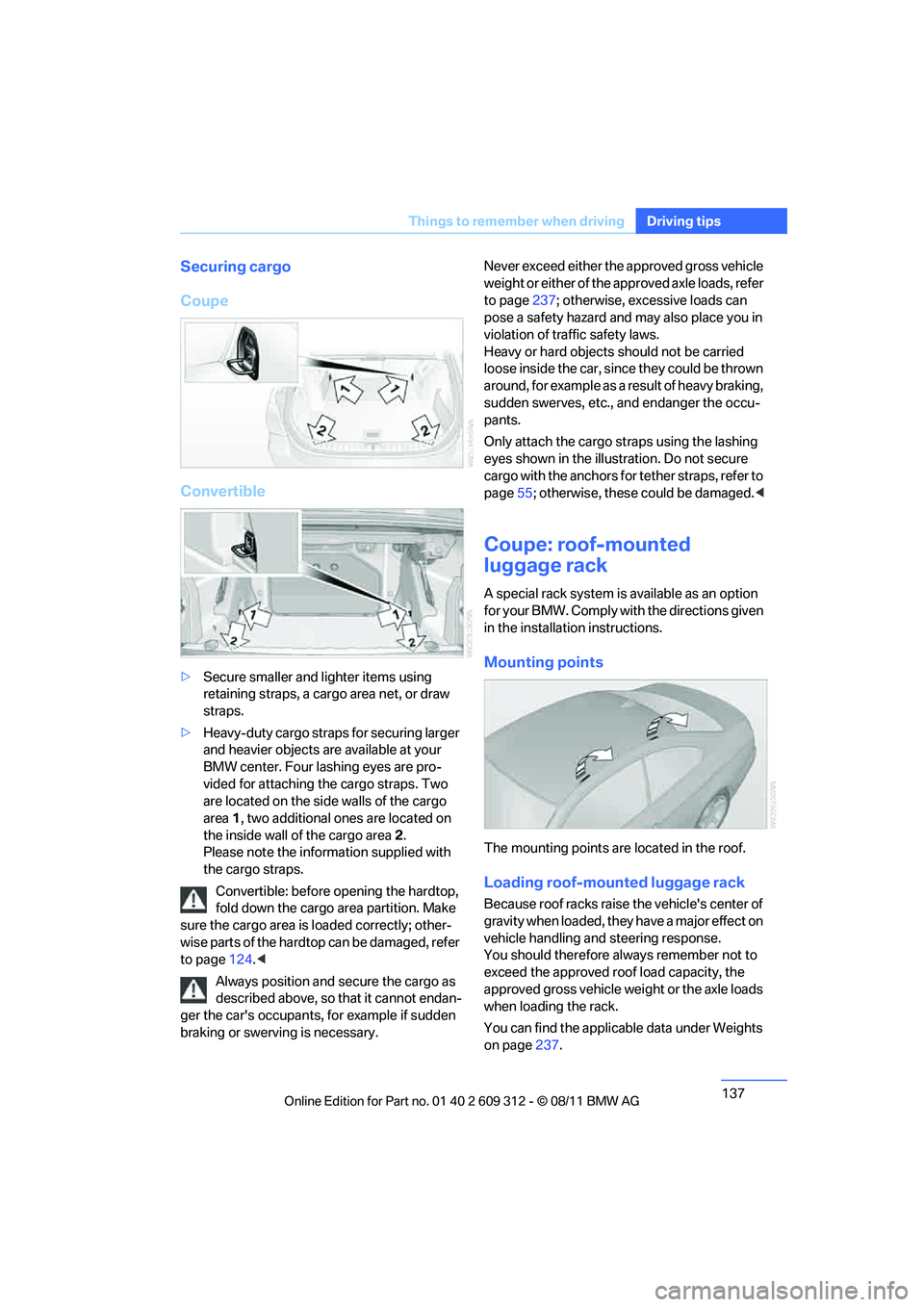
Securing cargo
Coupe
Convertible
>
Secure smaller and lighter items using
retaining straps, a carg o area net, or draw
straps.
> Heavy-duty cargo straps for securing larger
and heavier objects are available at your
BMW center. Four lashing eyes are pro-
vided for attaching the cargo straps. Two
are located on the side walls of the cargo
area 1, two additional ones are located on
the inside wall of the cargo area 2.
Please note the information supplied with
the cargo straps.
Convertible: before opening the hardtop,
fold down the cargo ar ea partition. Make
sure the cargo area is loaded correctly; other-
wise parts of the hardto p can be damaged, refer
to page 124.<
Always position and secure the cargo as
described above, so that it cannot endan-
ger the car's occupants, for example if sudden
braking or swerving is necessary. Never exceed either the approved gross vehicle
weight or either of the approved axle loads, refer
to page
237; otherwise, excessive loads can
pose a safety hazard and may also place you in
violation of traffic safety laws.
Heavy or hard objects should not be carried
loose inside the car, sinc e they could be thrown
around, for example as a result of heavy braking,
sudden swerves, etc., and endanger the occu-
pants.
Only attach the cargo st raps using the lashing
eyes shown in the illust ration. Do not secure
cargo with the anchors for tether straps, refer to
page 55; otherwise, these could be damaged. <
Coupe: roof-mounted
luggage rack
A special rack system is available as an option
f o r y o u r B M W . C o m p l y w i t h t h e d i r e c t i o n s g i v e n
in the installation instructions.
Mounting points
The mounting points are located in the roof.
Loading roof-mounted luggage rack
Because roof racks raise the vehicle's center of
gravity when loaded, they have a major effect on
vehicle handling and steering response.
You should therefore always remember not to
exceed the approved roof load capacity, the
approved gross vehicle weight or the axle loads
when loading the rack.
You can find the applicable data under Weights
on page 237.
Online Edition for Part no. 01 40 2 609 312 - \251 08/11 BMW AG
Page 157 of 255
156
CommunicationsTe l e p h o n e
Telephone
Vehicle equipment
In this chapter, all production, country, and
optional equipment that is offered in the model
range is described. Equipment is also described
that is not available because of, for example,
selected options or country version. This also
applies to safety related functions and systems.
Overview
Note
Your BMW is equipped with a full preparation
package mobile phone or hands-free system.
The concept
Mobile phones can be connected to the vehicle
through Bluetooth.
After a suitable mobile phone is paired with the
vehicle once, the mobile phone can be con-
trolled via the radio, the buttons on the steering
wheel, and by voice.
Bluetooth® is a registered trademark of Blue-
tooth® SIG, Inc.
Only make entries when traffic conditions
permit. Do not hold the mobile phone in
your hand while you are driving; use the hands-
free system instead. If you do not observe this
precaution, your being di stracted can endanger
vehicle occupants and other road users. <
Snap-in adapter
The snap-in adapter, refer to page165, makes
it possible to:
> Accommodate the mobile phone.
> Recharge its battery.
> Connect it to an exte rnal antenna of the
vehicle. This assures a better
network connection
and constant sound quality.
A mobile phone that is connected to the vehicle
should not be operated via the mobile phone
keypad; otherwise, ma lfunctions may occur.
Suitable mobile phones
For precise information about which mobile
phones with a Bluetooth interface are sup-
ported by the complete mobile phone prepara-
tion package, go to www.bmwusa.com/
bluetooth.
Notes
At high temperatures, the charging function of
the mobile phone may be limited and some
functions may no longer be carried out.
When using the mobile phone via the vehicle,
follow the instructions given in the owner's
manual for the mobile phone.
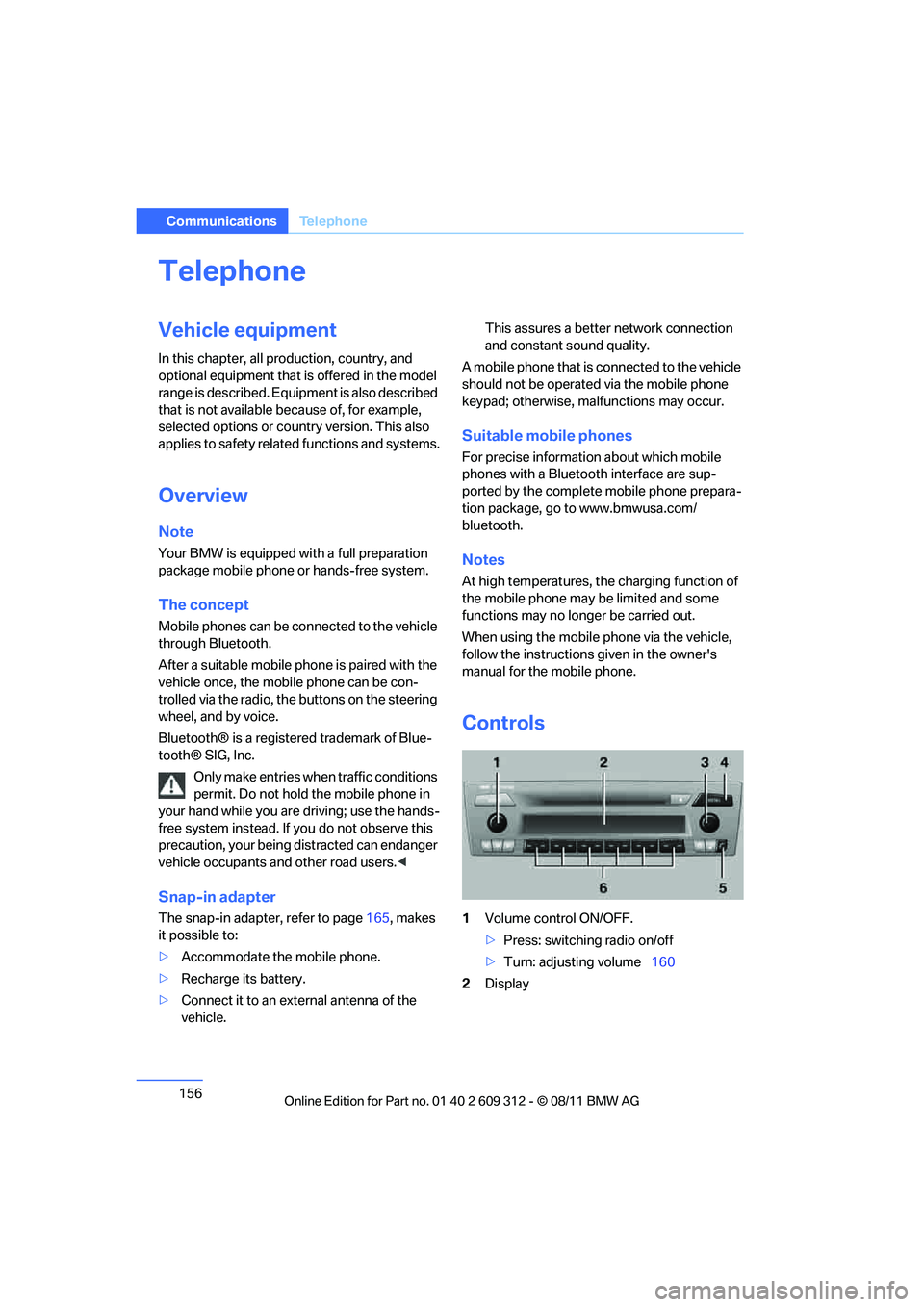
Controls
1 Volume control ON/OFF.
>Press: switching radio on/off
> Turn: adjusting volume 160
2 Display
Online Edition for Part no. 01 40 2 609 312 - \251 08/11 BMW AG
Page 161 of 255
160
CommunicationsTe l e p h o n e
Phone book entries are not displayed, not all of
them are displayed, or they are displayed
incompletely.
>The transfer of phone book entries has not
yet completed.
> In some cases, only the phone book entries
of the mobile phone or the SIM card will be
transferred.
> It may not be possible to display phone
book entries with special characters.
> The number of phone book entries to be
stored is too high.
> The data volume of the phone book entry is
too great, e.g. due to additionally stored
information such as no tes? Reduce the data
volume.
The telephone connection quality is low.
> Depending on the mobile phone, it is possi-
ble to adjust the strength of the Bluetooth
signal.
> Insert the mobile phone into the snap-in
adapter or place it in the vicinity of the cen-
ter console.
> Adjust the volume of the microphone and
speaker separately.
If you have gone through all items in the list and
still cannot activate the de sired function, please
contact Customer Relations or your BMW cen-
ter.
Operation
The following functions can be operated using
the radio:
> Accepting/refusing a call
> Dialing phone numbers
> Dialing a phone number from the phone
book
> Dialing a stored number, e.g., from a list of
accepted calls >
In connection with the preparation for
mobile phone Business: BMW Assist, refer
to page 167
When the ignition is switched off and radio
readiness switched on, e. g. after removal of the
infrared remote control, an ongoing conversa-
tion can be continued for a maximum of
25 minutes using the hands-free system.
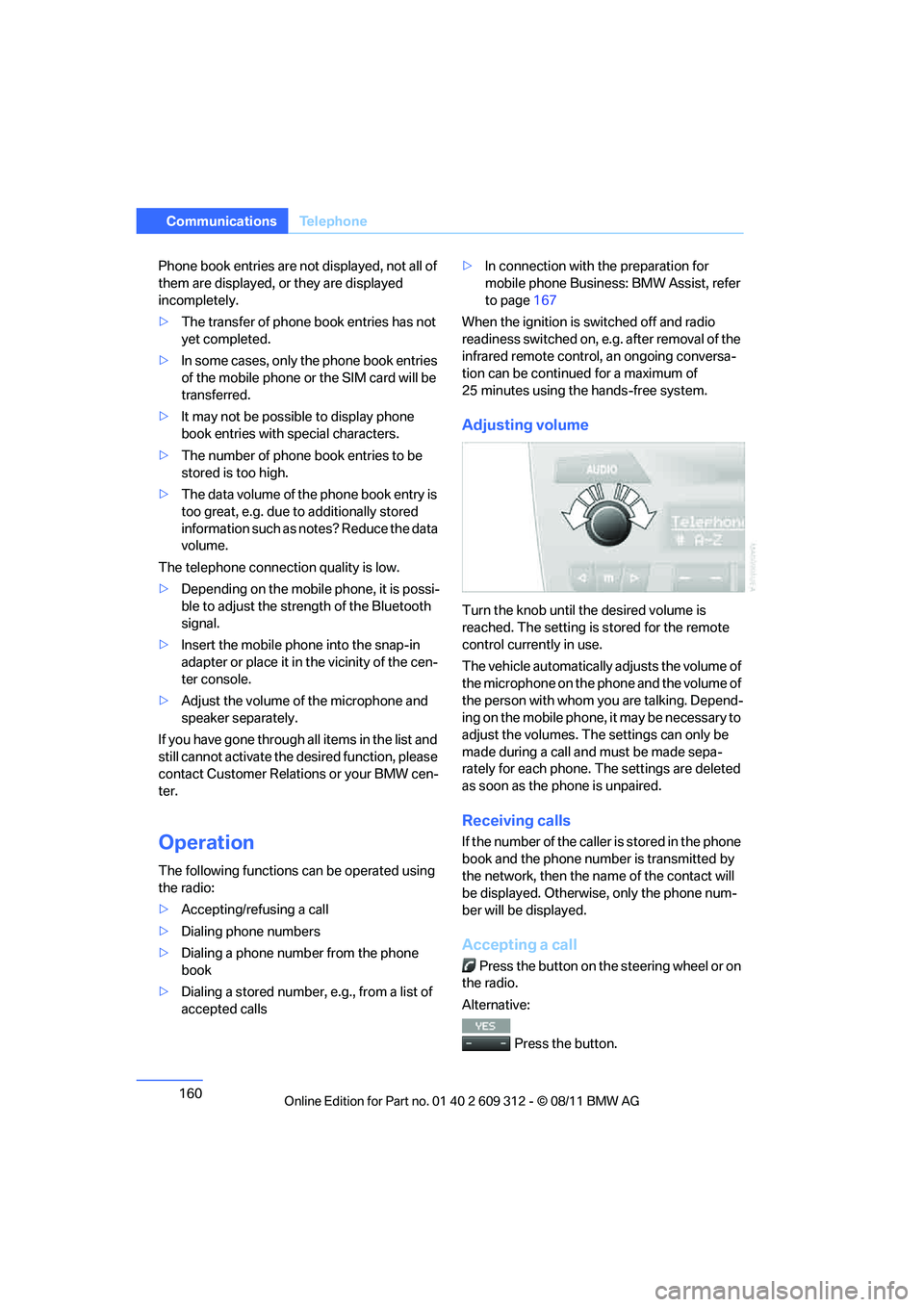
Adjusting volume
Turn the knob until the desired volume is
reached. The setting is stored for the remote
control currently in use.
The vehicle automatically adjusts the volume of
the microphone on the phone and the volume of
the person with whom yo u are talking. Depend-
ing on the mobile phone, it may be necessary to
adjust the volumes. The settings can only be
made during a call and must be made sepa-
rately for each phone. The settings are deleted
as soon as the phone is unpaired.
Receiving calls
If the number of the caller is stored in the phone
book and the phone number is transmitted by
the network, then the na me of the contact will
be displayed. Otherwise, only the phone num-
ber will be displayed.
Accepting a call
Press the button on the steering wheel or on
the radio.
Alternative:
Press the button.
Online Edition for Part no. 01 40 2 609 312 - \251 08/11 BMW AG
Page 162 of 255
161
Te l e p h o n e
Communications
Rejecting a call
Press the button.
Calling
Dialing phone numbers
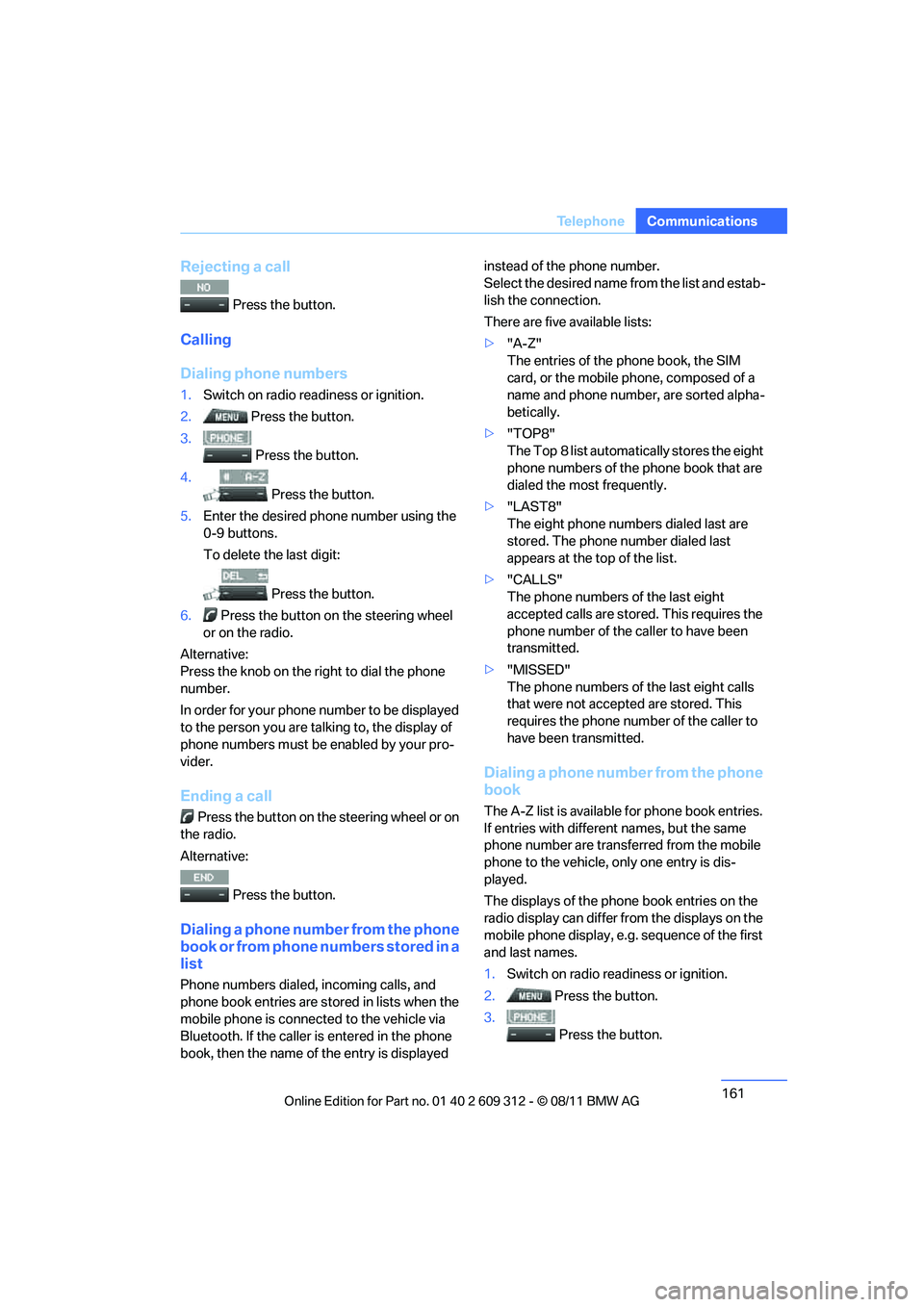
1.
Switch on radio readiness or ignition.
2. Press the button.
3.
Press the button.
4. Press the button.
5. Enter the desired phone number using the
0-9 buttons.
To delete the last digit:
Press the button.
6. Press the button on the steering wheel
or on the radio.
Alternative:
Press the knob on the ri ght to dial the phone
number.
In order for your phone number to be displayed
to the person yo u are talking to, the display of
phone numbers must be enabled by your pro-
vider.
Ending a call
Press the button on the steering wheel or on
the radio.
Alternative:
Press the button.
Dialing a phone number from the phone
book or from phone numbers stored in a
list
Phone numbers dialed, incoming calls, and
phone book entries are stored in lists when the
mobile phone is connected to the vehicle via
Bluetooth. If the caller is entered in the phone
book, then the name of the entry is displayed instead of the phone number.
Select the desired name
from the list and estab-
lish the connection.
There are five available lists:
> "A-Z"
The entries of the phone book, the SIM
card, or the mobile phone, composed of a
name and phone number, are sorted alpha-
betically.
> "TOP8"
The Top 8 list automatically stores the eight
phone numbers of the phone book that are
dialed the most frequently.
> "LAST8"
The eight phone numbers dialed last are
stored. The phone number dialed last
appears at the top of the list.
> "CALLS"
The phone numbers of the last eight
accepted calls are stored. This requires the
phone number of the caller to have been
transmitted.
> "MISSED"
The phone numbers of the last eight calls
that were not accept ed are stored. This
requires the phone number of the caller to
have been transmitted.
Dialing a phone number from the phone
book
The A-Z list is available for phone book entries.
If entries with different names, but the same
phone number are transferred from the mobile
phone to the vehicle, only one entry is dis-
played.
The displays of the phone book entries on the
radio display can differ from the displays on the
mobile phone display, e.g. sequence of the first
and last names.
1. Switch on radio readiness or ignition.
2. Press the button.
3. Press the button.
Online Edition for Part no. 01 40 2 609 312 - \251 08/11 BMW AG
Page 163 of 255
162
CommunicationsTe l e p h o n e
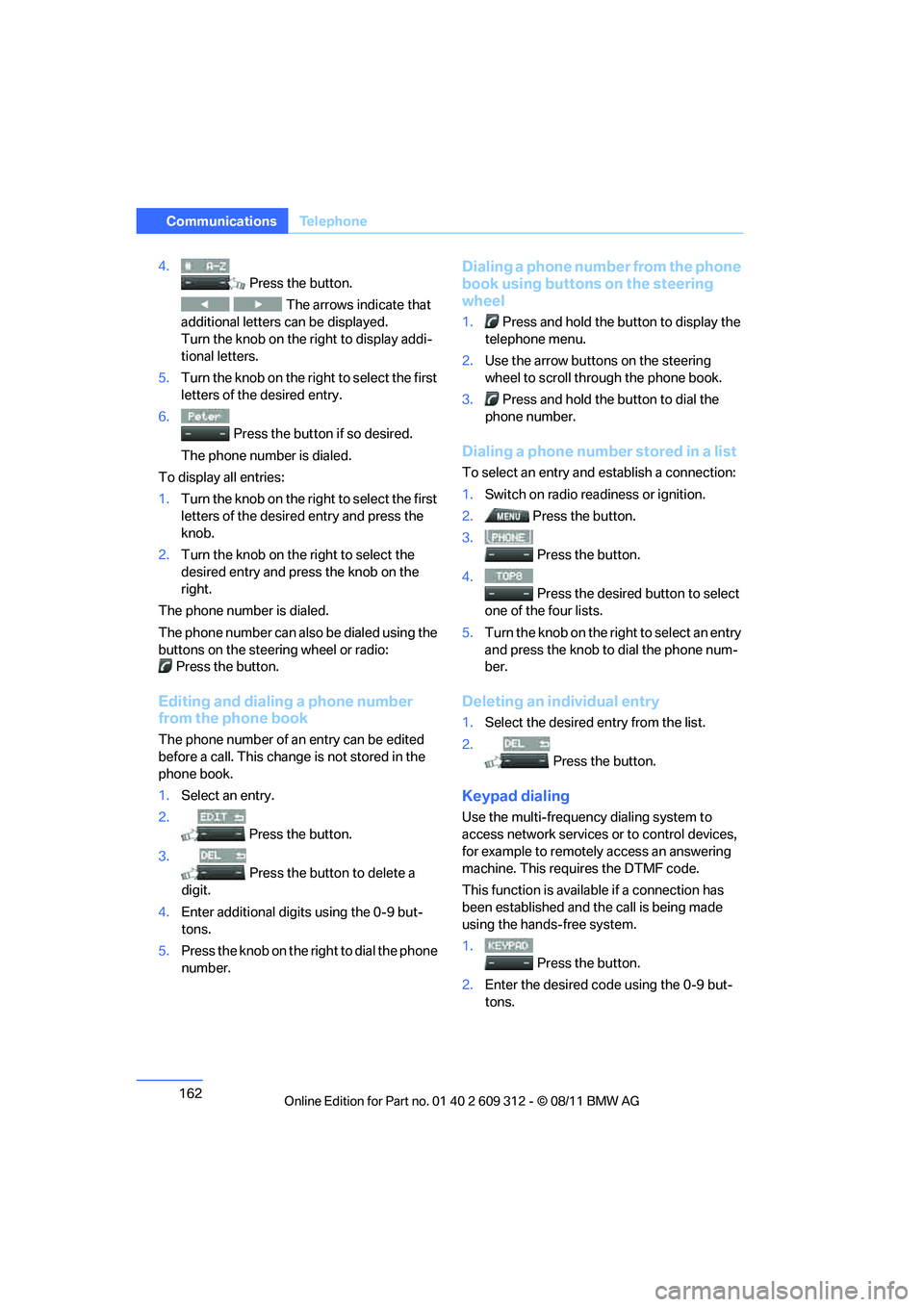
4.
Press the button.
The arrows indicate that
additional letters can be displayed.
Turn the knob on the right to display addi-
tional letters.
5. Turn the knob on the right to select the first
letters of the desired entry.
6. Press the button if so desired.
The phone number is dialed.
To display all entries:
1. Turn the knob on the right to select the first
letters of the desire d entry and press the
knob.
2. Turn the knob on the right to select the
desired entry and press the knob on the
right.
The phone number is dialed.
The phone number can also be dialed using the
buttons on the steering wheel or radio: Press the button.
Editing and dialing a phone number
from the phone book
The phone number of an entry can be edited
before a call. This change is not stored in the
phone book.
1. Select an entry.
2. Press the button.
3. Press the button to delete a
digit.
4. Enter additional digits using the 0-9 but-
tons.
5. Press the knob on the right to dial the phone
number.
Dialing a phone number from the phone
book using buttons on the steering
wheel
1. Press and hold the button to display the
telephone menu.
2. Use the arrow buttons on the steering
wheel to scroll through the phone book.
3. Press and hold the button to dial the
phone number.
Dialing a phone number stored in a list
To select an entry and establish a connection:
1. Switch on radio readiness or ignition.
2. Press the button.
3. Press the button.
4. Press the desired button to select
one of the four lists.
5. Turn the knob on the ri ght to select an entry
and press the knob to dial the phone num-
ber.
Deleting an individual entry
1. Select the desired entry from the list.
2. Press the button.
Keypad dialing
Use the multi-frequency dialing system to
access network services or to control devices,
for example to remotely access an answering
machine. This requ ires the DTMF code.
This function is availa ble if a connection has
been established and th e call is being made
using the hands-free system.
1.
Press the button.
2. Enter the desired code using the 0-9 but-
tons.
Online Edition for Part no. 01 40 2 609 312 - \251 08/11 BMW AG
Page 164 of 255
163
Te l e p h o n e
Communications
3.
If needed, press and hold the but-
ton on the right or left side to enter special
characters.
Displaying call duration
To display the duration during a call:
Press the button.
Hands-free system
General information
Calls being conducted using the hands-free
system can be continued using the mobile
phone and vice versa.
From the mobile phone to the
hands-free system
Calls that have been in itiated from outside the
Bluetooth range of the vehicle can be continued
using the hands-free system if the ignition is
switched on.
Depending on the mobile phone, the call is
automatically switched to hands-free mode.
If the switch does not occur automatically, then
follow the instructions th at appear on the dis-
play of the mobile phon e, also refer to the
owner's manual for the mobile phone.
From hands-free system to mobile
phone
Calls being conducted using the hands-free
system can also be continued using the mobile
phone if so desired, depending on the mobile
phone.
At this point, follow the instructions that appear
on the display of the mobile phone, also refer to
the owner's manual for the mobile phone.
Operation by voice
The concept
The mobile phone can be operated without
removing your hand from the steering wheel. In
many cases, the entry process is supported by
means of announcements or questions.
Symbols in the Owner's Manual
Voice commands
Activating voice activation system
1. Press the button on the steering wheel.
2. Say the command.
Deactivating voice activation system
Press the button on the steering wheel
or
Possible commands
Having possible commands read aloud
The system understands default commands
that must be spoken word for word.
Possible commands are read aloud.
Digits from zero to nine are recognized.
Each digit can be spoken individually or com-
bined into a sequence to accelerate the entry
process.
Using alternative commands
There are often a number of commands to run a
function, e.g.:
{ ...} Say the specified commands word for
word.
{{ ...}} Indicates responses of the voice acti-
vation system.
{ Cancel }.
{ Help }.
{ Dial name } or {Name }.
Online Edition for Part no. 01 40 2 609 312 - \251 08/11 BMW AG
Page 165 of 255
164
CommunicationsTe l e p h o n e
Important for voice commands
When issuing voice commands, make sure to:
>Pronounce the commands smoothly and at
normal volume, avoiding excessive empha-
ses and pauses.
> Keep the doors, windows and glass roof
closed to prevent interference from outside
noise.
> Avoid ambient noise in the vehicle while
speaking.
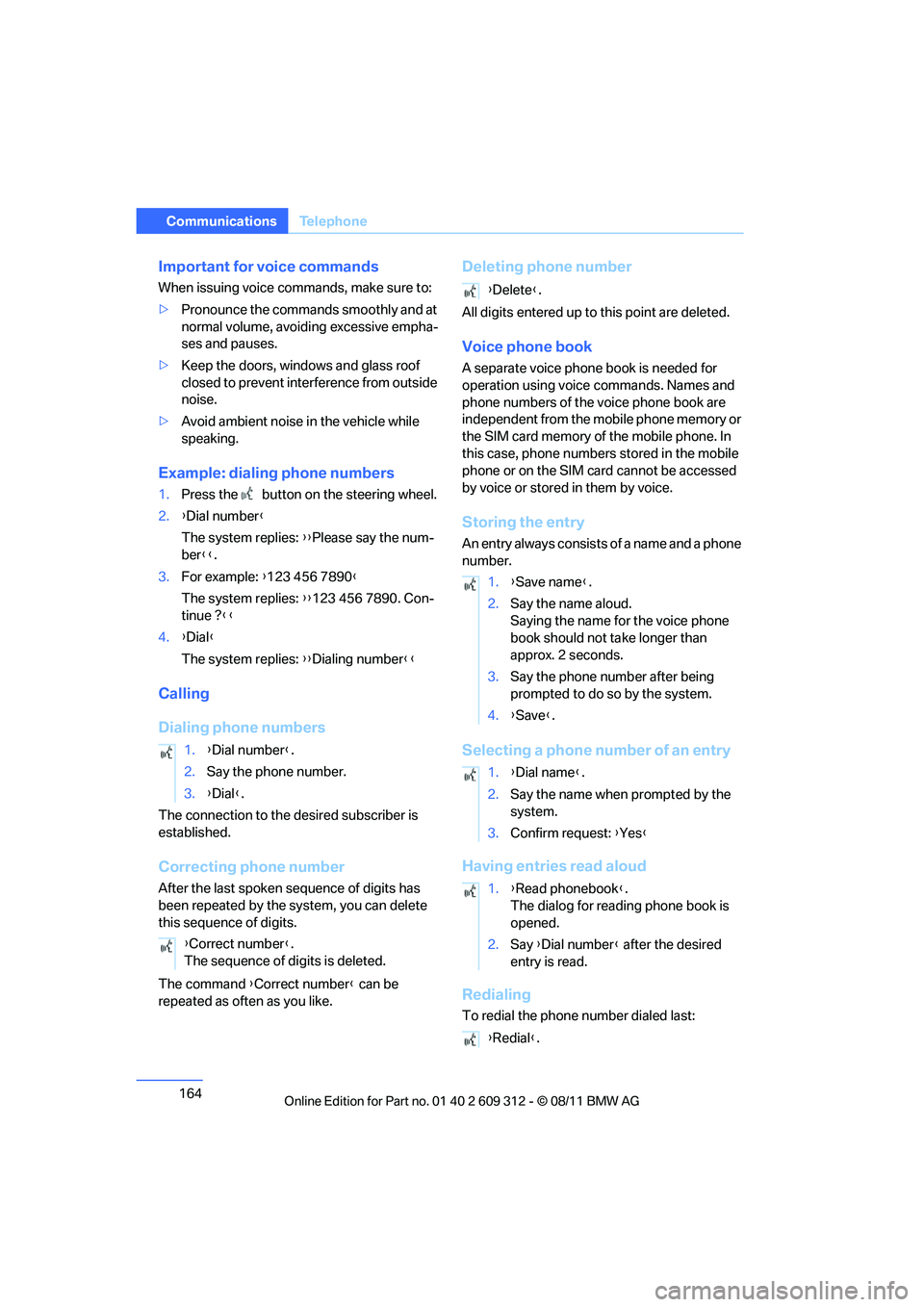
Example: dialing phone numbers
1.Press the button on the steering wheel.
2. {Dial number }
The system replies: {{Please say the num-
ber }}.
3. For example: { 123 456 7890}
The system replies: {{123 456 7890. Con-
tinue ? }}
4. {Dial }
The system replies: {{Dialing number }}
Calling
Dialing phone numbers
The connection to the desired subscriber is
established.
Correcting phone number
After the last spoken sequence of digits has
been repeated by the system, you can delete
this sequence of digits.
The command {Correct number} can be
repeated as often as you like.
Deleting phone number
All digits entered up to this point are deleted.
Voice phone book
A separate voice phone book is needed for
operation using voice commands. Names and
phone numbers of the voice phone book are
independent from the mobile phone memory or
the SIM card memory of the mobile phone. In
this case, phone numbers stored in the mobile
phone or on the SIM card cannot be accessed
by voice or stored in them by voice.
Storing the entry
An entry always consists of a name and a phone
number.
Selecting a phone number of an entry
Having entries read aloud
Redialing
To redial the phone number dialed last:
1.
{Dial number }.
2. Say the phone number.
3. {Dial }.
{ Correct number }.
The sequence of digits is deleted.
{ Delete }.
1. {Save name }.
2. Say the name aloud.
Saying the name for the voice phone
book should not ta ke longer than
approx. 2 seconds.
3. Say the phone number after being
prompted to do so by the system.
4. {Save }.
1. {Dial name }.
2. Say the name when prompted by the
system.
3. Confirm request: {Yes }
1. {Read phonebook }.
The dialog for reading phone book is
opened.
2. Say {Dial number } after the desired
entry is read.
{ Redial }.
Online Edition for Part no. 01 40 2 609 312 - \251 08/11 BMW AG
Page 213 of 255
212
MobilityReplacing components
When mounting new tires or changing over
from summer to winter tires and vice versa,
mount run-flat tires for your own safety. In the
event of a flat, no spare wheel is available. Your
BMW center will be glad to advise you. Refer
also to New wheels and tires, page 195.
The tools for changing wheels are avail-
able as optional accessories from your
BMW center. <
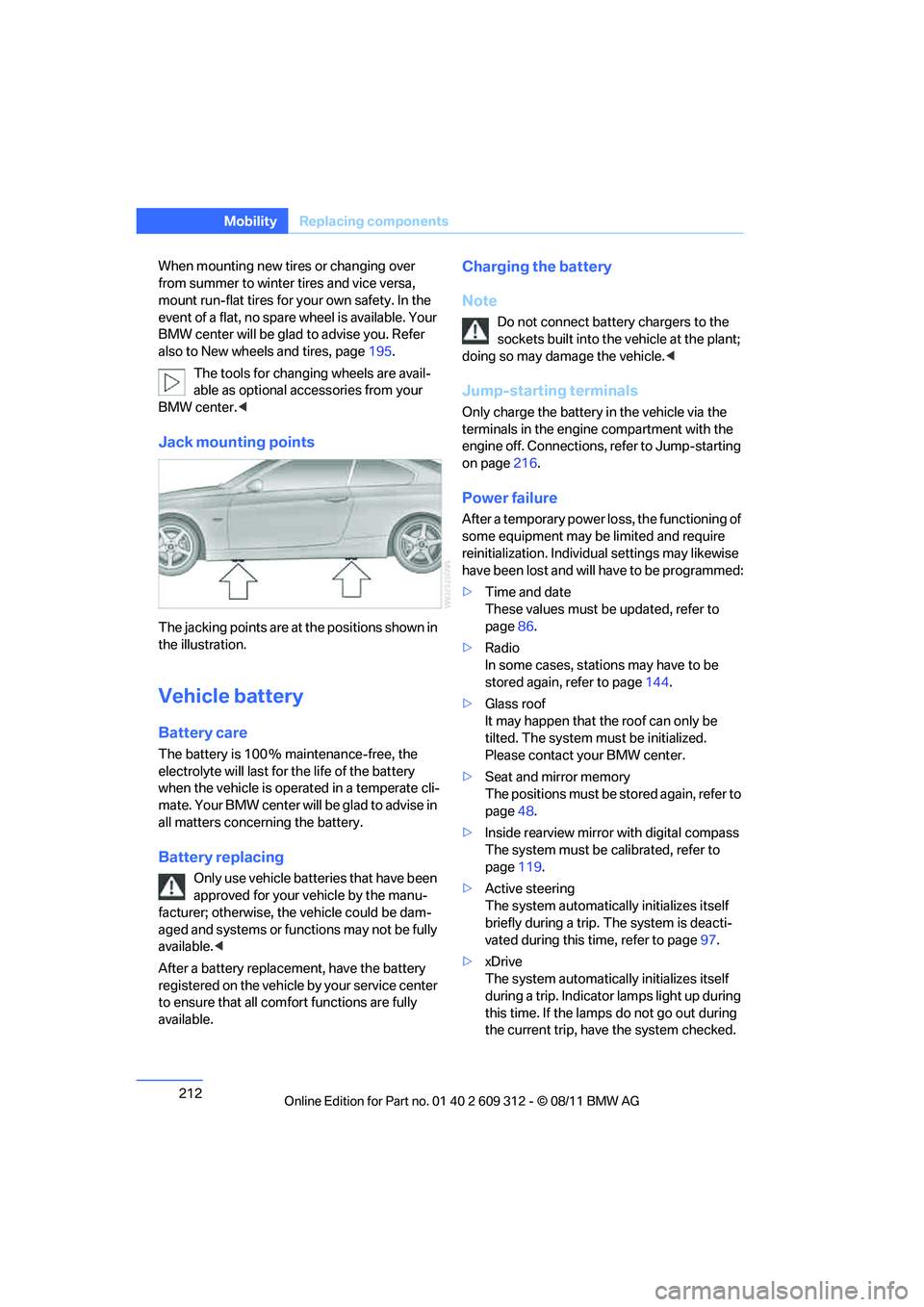
Jack mounting points
The jacking points are at the positions shown in
the illustration.
Vehicle battery
Battery care
The battery is 100 % maintenance-free, the
electrolyte will last for the life of the battery
when the vehicle is operated in a temperate cli-
mate. Your BMW center will be glad to advise in
all matters concerning the battery.
Battery replacing
Only use vehicle batteries that have been
approved for your vehicle by the manu-
facturer; otherwise, the vehicle could be dam-
aged and systems or functions may not be fully
available. <
After a battery replacem ent, have the battery
registered on the vehicle by your service center
to ensure that all comfort functions are fully
available.
Charging the battery
Note
Do not connect battery chargers to the
sockets built into the vehicle at the plant;
doing so may dama ge the vehicle.<
Jump-starting terminals
Only charge the battery in the vehicle via the
terminals in the engine compartment with the
engine off. Connections, refer to Jump-starting
on page216.
Power failure
After a temporary power lo ss, the functioning of
some equipment may be limited and require
reinitialization. Individual settings may likewise
have been lost and will have to be programmed:
> Time and date
These values must be updated, refer to
page 86.
> Radio
In some cases, statio ns may have to be
stored again, refer to page 144.
> Glass roof
It may happen that the roof can only be
tilted. The system must be initialized.
Please contact your BMW center.
> Seat and mirror memory
The positions must be stored again, refer to
page 48.
> Inside rearview mirror with digital compass
The system must be calibrated, refer to
page 119.
> Active steering
The system automatically initializes itself
briefly during a trip. The system is deacti-
vated during this time, refer to page 97.
> xDrive
The system automatically initializes itself
during a trip. Indicator lamps light up during
this time. If the lamps do not go out during
the current trip, have the system checked.
Online Edition for Part no. 01 40 2 609 312 - \251 08/11 BMW AG