remote control BMW M3 CONVERTIBLE 2012 Owner's Guide
[x] Cancel search | Manufacturer: BMW, Model Year: 2012, Model line: M3 CONVERTIBLE, Model: BMW M3 CONVERTIBLE 2012Pages: 255, PDF Size: 6.32 MB
Page 119 of 255
118
ControlsPractical interior accessories
Canada: if the LED does not flash rapidly
after approx. 60 seconds, alter the distance
and repeat this step or, if the programming
by means of the hand-held transmitter was
interrupted, hold down the button on the
inside mirror and then press and release the
button on the hand-hel d transmitter several
times, holding it down for 2 seconds each
time.
Operation
To prevent possible damage or injury,
before programming or using the inte-
grated universal remote control to operate a
device, always inspect the immediate area to
make certain that no people, animals or objects
are within the pivoting or travel range of the
device being operated.
Also follow the safety in structions supplied with
the hand-held transmitter. <
The button on the inside mirror can be used to
operate the device, for example the garage
door, if the engine is running or the ignition is
switched on. To do so, within the reception
range of the device, press the button of the
device until the function is triggered. The LED
on the inside mirror remains lit during transmis-
sion of the radio signal.
Deleting stored functions
Simultaneously hold down the right and left
buttons on the inside mi rror for approx. 20 sec-
onds until the LED on the inside mirror flashes
rapidly. All stored functions are deleted. The
functions cannot be de leted individually.
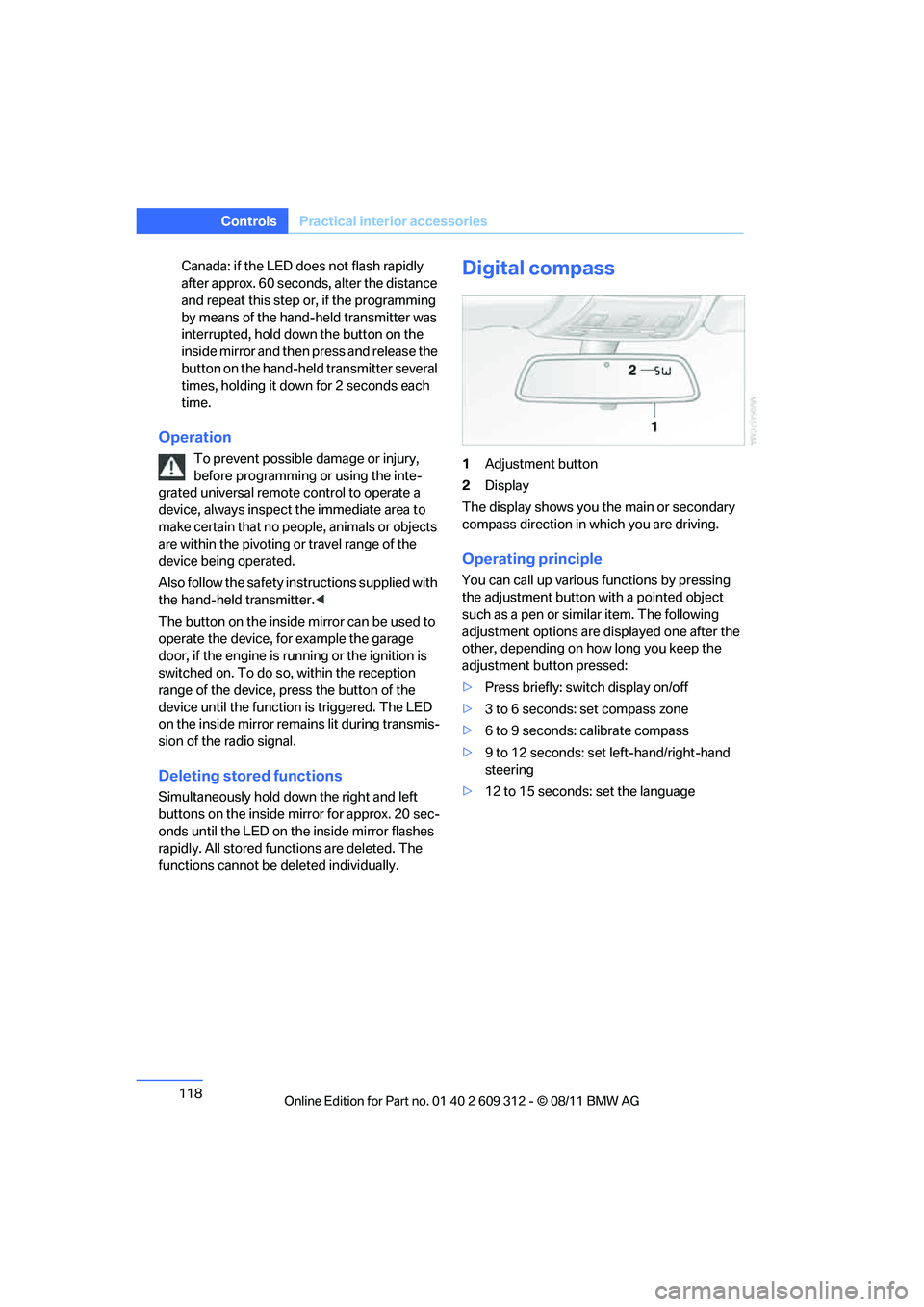
Digital compass
1Adjustment button
2 Display
The display shows you the main or secondary
compass direction in which you are driving.
Operating principle
You can call up various functions by pressing
the adjustment button with a pointed object
such as a pen or similar item. The following
adjustment options are displayed one after the
other, depending on how long you keep the
adjustment button pressed:
> Press briefly: switch display on/off
> 3 to 6 seconds: set compass zone
> 6 to 9 seconds: calibrate compass
> 9 to 12 seconds: set left-hand/right-hand
steering
> 12 to 15 seconds: set the language
Online Edition for Part no. 01 40 2 609 312 - \251 08/11 BMW AG
Page 121 of 255
120
ControlsPractical interior accessories
Set the language
You can set the language of the display:
Press the adjustment button for approx.
12-13 seconds. Press the adjustment button
again briefly to switch between English "E" and
German "O".
The setting is automatica lly saved after approx.
10 seconds.
Coupe:
Roller sunblinds
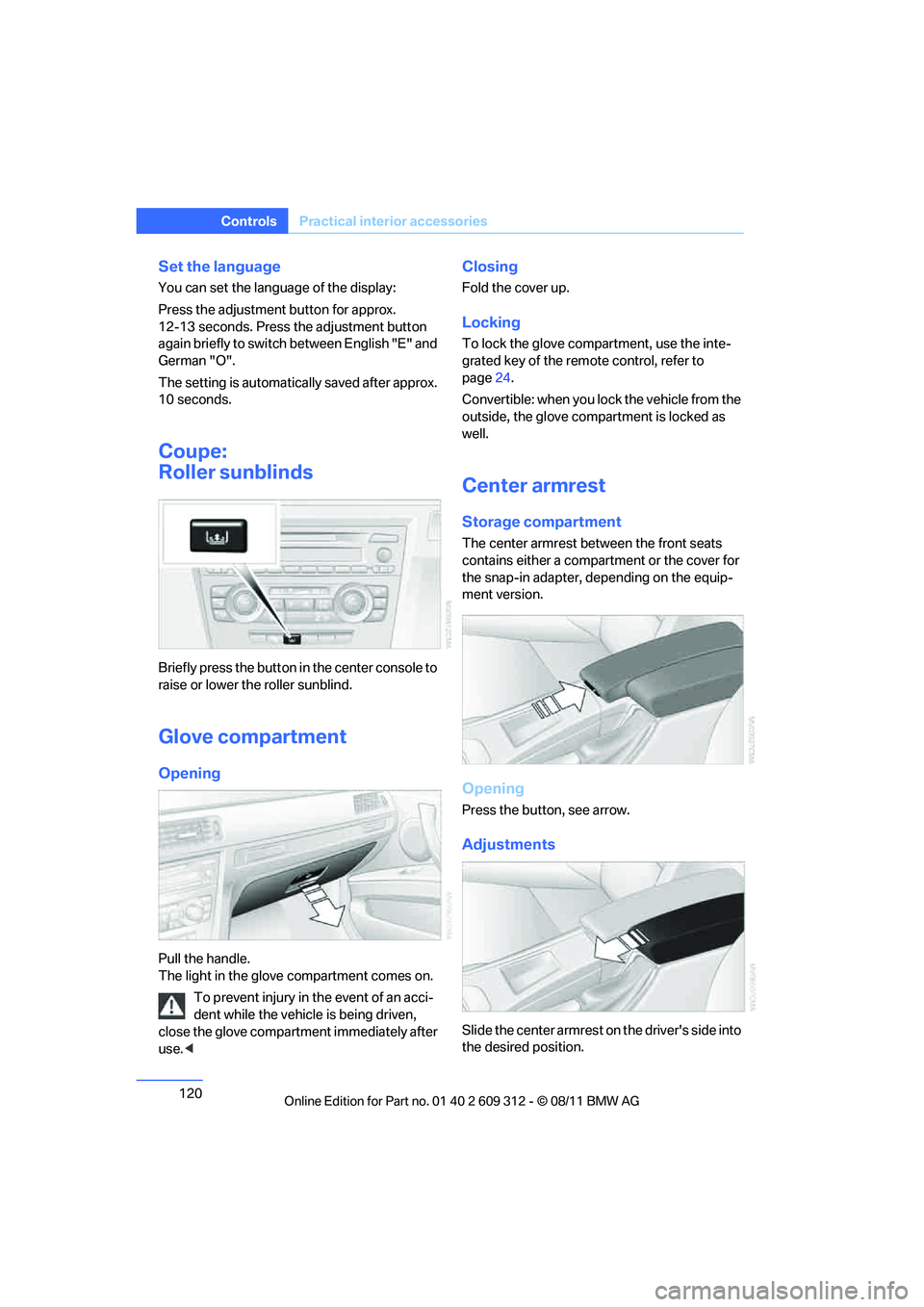
Briefly press the button in the center console to
raise or lower the roller sunblind.
Glove compartment
Opening
Pull the handle.
The light in the glove compartment comes on.
To prevent injury in the event of an acci-
dent while th e vehicle is being driven,
close the glove compartment immediately after
use. <
Closing
Fold the cover up.
Locking
To lock the glove compartment, use the inte-
grated key of the remote control, refer to
page 24.
Convertible: when you lock the vehicle from the
outside, the glove comp artment is locked as
well.
Center armrest
Storage compartment
The center armrest between the front seats
contains either a compar tment or the cover for
the snap-in adapter, depending on the equip-
ment version.
Opening
Press the button, see arrow.
Adjustments
Slide the center armrest on the driver's side into
the desired position.
Online Edition for Part no. 01 40 2 609 312 - \251 08/11 BMW AG
Page 124 of 255
123
Practical interior accessories
Controls
Hold or touch the hot
cigarette lighter by
the knob only. Holding or touching it in
other areas could result in burns.
When leaving the car, always remove the
remote control so that children cannot operate
the cigarette lighter and burn themselves. <
Connecting electrical
appliances
In your BMW, when the engine is running or the
ignition is switched on, you can use electrical
devices such as a hand lamp, car vacuum
cleaner, etc. if at least one of the following sock-
ets is available.
The total load of all sockets should not exceed
140 watts at 12 volts.
Avoid damaging the sockets by attempting to
insert plugs of unsuitable shape or size.
Do not connect battery chargers to the
sockets built into the vehicle at the plant;
doing so may damage the vehicle. <
Cigarette lighter socket
To access the socket: take the cigarette lighter
out of the socket.
Socket in the front passenger footwell
A socket is located under the glove compart-
ment on the left.
Socket in the center armrest
External audio device, refer to page 121.
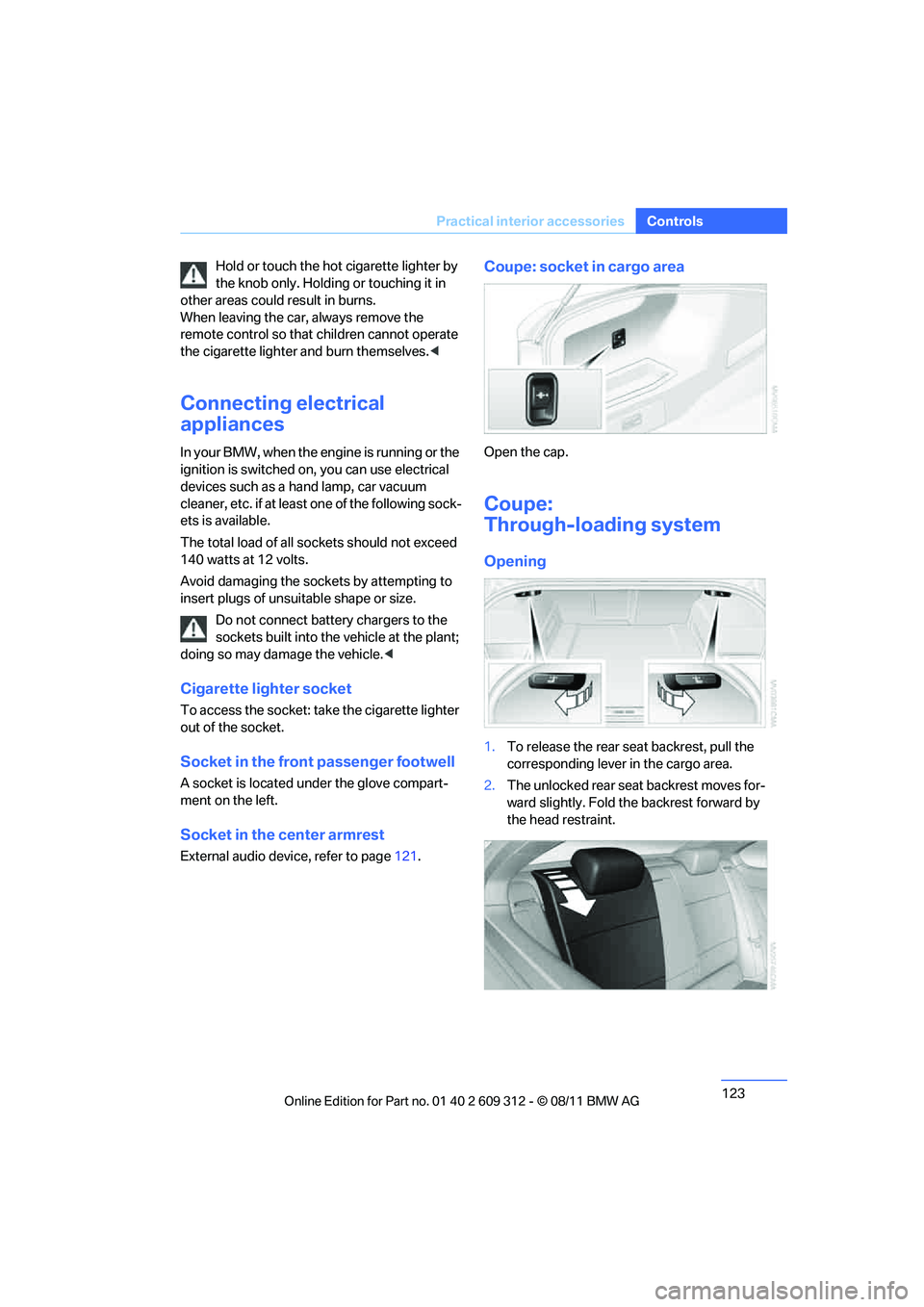
Coupe: socket in cargo area
Open the cap.
Coupe:
Through-loading system
Opening
1.To release the rear se at backrest, pull the
corresponding lever in the cargo area.
2. The unlocked rear seat backrest moves for-
ward slightly. Fold the backrest forward by
the head restraint.
Online Edition for Part no. 01 40 2 609 312 - \251 08/11 BMW AG
Page 143 of 255
142
EntertainmentBMW Professional radio
BMW Professional radio
Vehicle equipment
In this chapter, all pr oduction, country, and
optional equipment that is offered in the model
range is described. Equipment is also described
that is not available because of, for example,
selected options or country version. This also
applies to safety related functions and systems.
Switching radio on/off
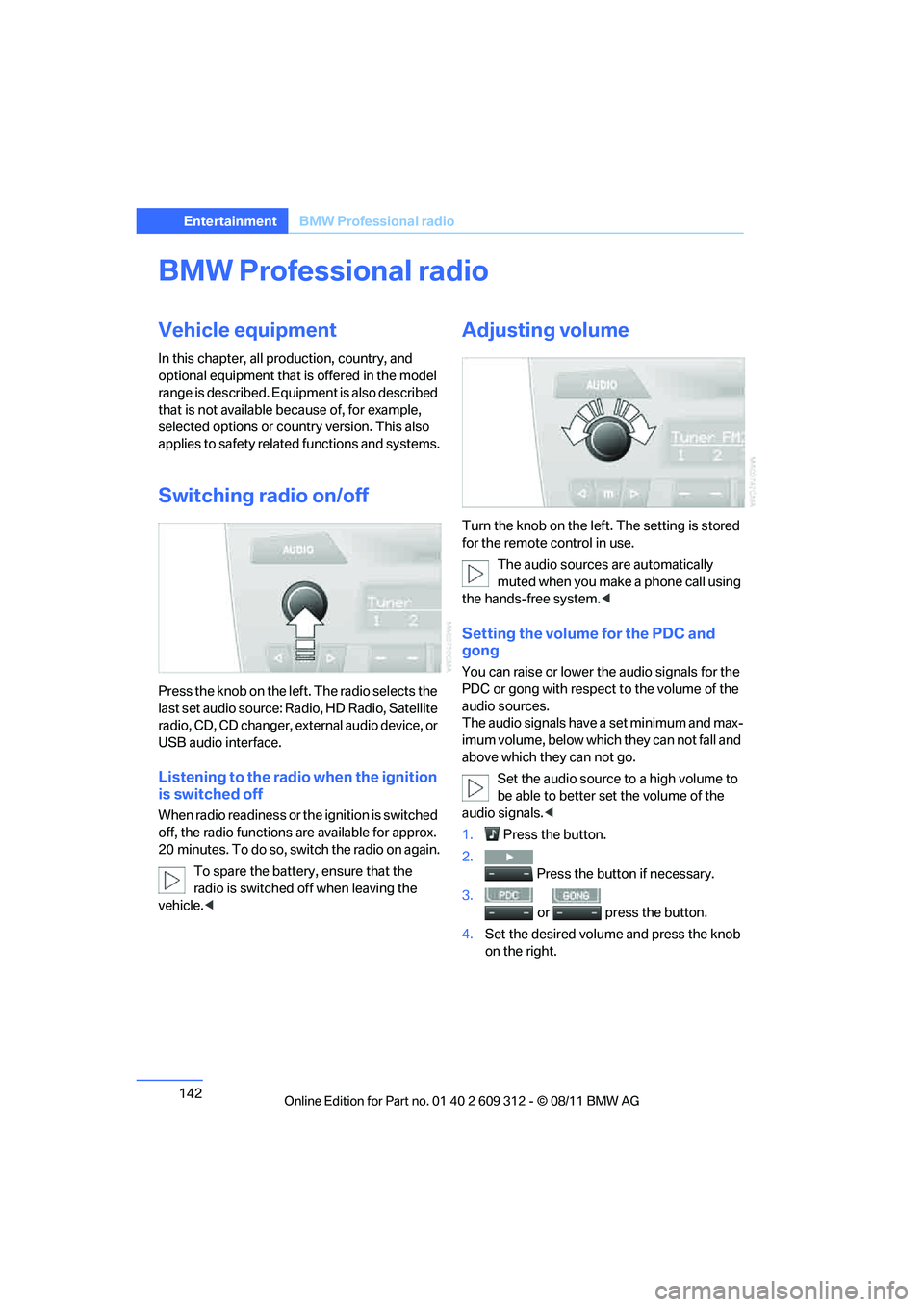
Press the knob on the left. The radio selects the
last set audio source: Ra dio, HD Radio, Satellite
radio, CD, CD changer, ex ternal audio device, or
USB audio interface.
Listening to the radio when the ignition
is switched off
When radio readiness or th e ignition is switched
off, the radio functions are available for approx.
20 minutes. To do so, switch the radio on again.
To spare the battery , ensure that the
radio is switched off when leaving the
vehicle. <
Adjusting volume
Turn the knob on the left. The setting is stored
for the remote control in use.
The audio sources are automatically
muted when you make a phone call using
the hands-free system. <
Setting the volume for the PDC and
gong
You can raise or lower th e audio signals for the
PDC or gong with respect to the volume of the
audio sources.
The audio signals have a set minimum and max-
imum volume, below which they can not fall and
above which they can not go.
Set the audio source to a high volume to
be able to better se t the volume of the
audio signals.<
1. Press the button.
2. Press the button if necessary.
3.
or press the button.
4. Set the desired volume and press the knob
on the right.
Online Edition for Part no. 01 40 2 609 312 - \251 08/11 BMW AG
Page 145 of 255
144
EntertainmentBMW Professional radio
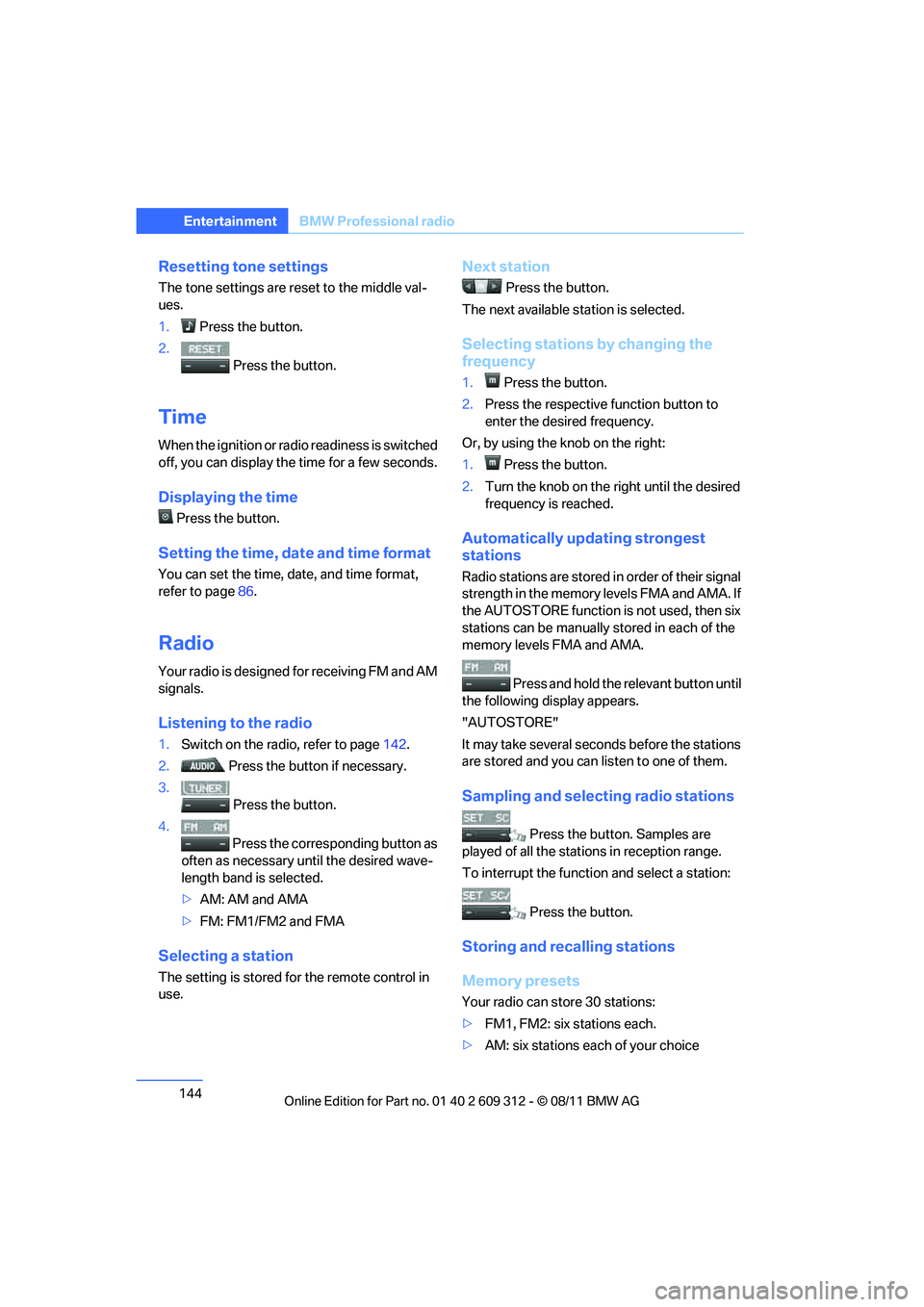
Resetting tone settings
The tone settings are reset to the middle val-
ues.
1. Press the button.
2. Press the button.
Time
When the ignition or radi o readiness is switched
off, you can display the time for a few seconds.
Displaying the time
Press the button.
Setting the time, date and time format
You can set the time, date, and time format,
refer to page 86.
Radio
Your radio is designed for receiving FM and AM
signals.
Listening to the radio
1.Switch on the radio, refer to page 142.
2. Press the button if necessary.
3. Press the button.
4. Press the corresponding button as
often as necessary until the desired wave-
length band is selected.
> AM: AM and AMA
> FM: FM1/FM2 and FMA
Selecting a station
The setting is stored fo r the remote control in
use.
Next station
Press the button.
The next available st ation is selected.
Selecting stations by changing the
frequency
1.Press the button.
2. Press the respective function button to
enter the desired frequency.
Or, by using the knob on the right:
1. Press the button.
2. Turn the knob on the right until the desired
frequency is reached.
Automatically updating strongest
stations
Radio stations are stored in order of their signal
strength in the memory levels FMA and AMA. If
the AUTOSTORE function is not used, then six
stations can be manually stored in each of the
memory levels FMA and AMA.
Press and hold the relevant button until
the following display appears.
"AUTOSTORE"
It may take several seconds before the stations
are stored and you can listen to one of them.
Sampling and selecting radio stations
Press the button. Samples are
played of all the stations in reception range.
To interrupt the function and select a station:
Press the button.
Storing and recalling stations
Memory presets
Your radio can store 30 stations:
> FM1, FM2: six stations each.
> AM: six stations each of your choice
Online Edition for Part no. 01 40 2 609 312 - \251 08/11 BMW AG
Page 161 of 255
160
CommunicationsTe l e p h o n e
Phone book entries are not displayed, not all of
them are displayed, or they are displayed
incompletely.
>The transfer of phone book entries has not
yet completed.
> In some cases, only the phone book entries
of the mobile phone or the SIM card will be
transferred.
> It may not be possible to display phone
book entries with special characters.
> The number of phone book entries to be
stored is too high.
> The data volume of the phone book entry is
too great, e.g. due to additionally stored
information such as no tes? Reduce the data
volume.
The telephone connection quality is low.
> Depending on the mobile phone, it is possi-
ble to adjust the strength of the Bluetooth
signal.
> Insert the mobile phone into the snap-in
adapter or place it in the vicinity of the cen-
ter console.
> Adjust the volume of the microphone and
speaker separately.
If you have gone through all items in the list and
still cannot activate the de sired function, please
contact Customer Relations or your BMW cen-
ter.
Operation
The following functions can be operated using
the radio:
> Accepting/refusing a call
> Dialing phone numbers
> Dialing a phone number from the phone
book
> Dialing a stored number, e.g., from a list of
accepted calls >
In connection with the preparation for
mobile phone Business: BMW Assist, refer
to page 167
When the ignition is switched off and radio
readiness switched on, e. g. after removal of the
infrared remote control, an ongoing conversa-
tion can be continued for a maximum of
25 minutes using the hands-free system.
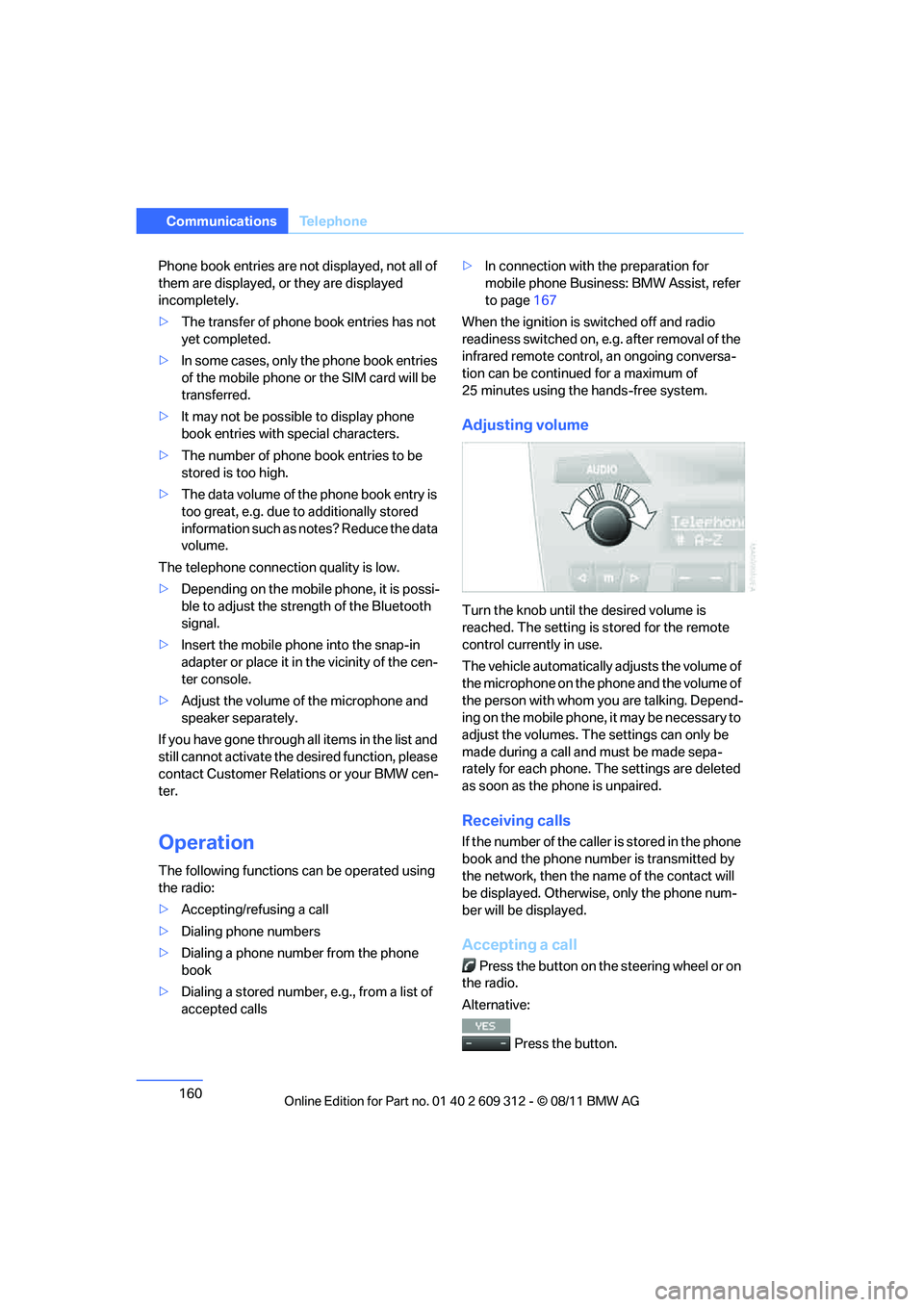
Adjusting volume
Turn the knob until the desired volume is
reached. The setting is stored for the remote
control currently in use.
The vehicle automatically adjusts the volume of
the microphone on the phone and the volume of
the person with whom yo u are talking. Depend-
ing on the mobile phone, it may be necessary to
adjust the volumes. The settings can only be
made during a call and must be made sepa-
rately for each phone. The settings are deleted
as soon as the phone is unpaired.
Receiving calls
If the number of the caller is stored in the phone
book and the phone number is transmitted by
the network, then the na me of the contact will
be displayed. Otherwise, only the phone num-
ber will be displayed.
Accepting a call
Press the button on the steering wheel or on
the radio.
Alternative:
Press the button.
Online Edition for Part no. 01 40 2 609 312 - \251 08/11 BMW AG
Page 163 of 255
162
CommunicationsTe l e p h o n e
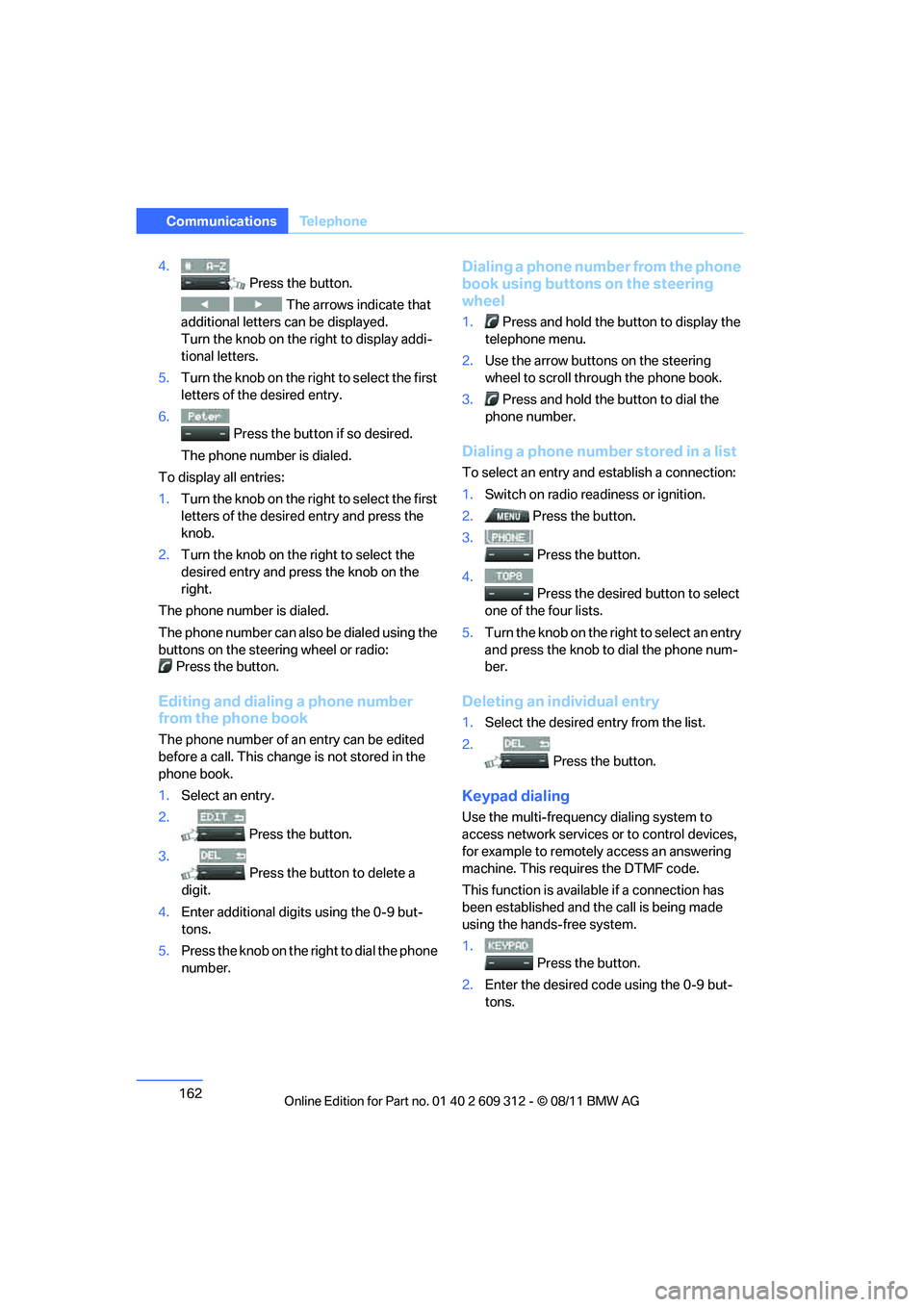
4.
Press the button.
The arrows indicate that
additional letters can be displayed.
Turn the knob on the right to display addi-
tional letters.
5. Turn the knob on the right to select the first
letters of the desired entry.
6. Press the button if so desired.
The phone number is dialed.
To display all entries:
1. Turn the knob on the right to select the first
letters of the desire d entry and press the
knob.
2. Turn the knob on the right to select the
desired entry and press the knob on the
right.
The phone number is dialed.
The phone number can also be dialed using the
buttons on the steering wheel or radio: Press the button.
Editing and dialing a phone number
from the phone book
The phone number of an entry can be edited
before a call. This change is not stored in the
phone book.
1. Select an entry.
2. Press the button.
3. Press the button to delete a
digit.
4. Enter additional digits using the 0-9 but-
tons.
5. Press the knob on the right to dial the phone
number.
Dialing a phone number from the phone
book using buttons on the steering
wheel
1. Press and hold the button to display the
telephone menu.
2. Use the arrow buttons on the steering
wheel to scroll through the phone book.
3. Press and hold the button to dial the
phone number.
Dialing a phone number stored in a list
To select an entry and establish a connection:
1. Switch on radio readiness or ignition.
2. Press the button.
3. Press the button.
4. Press the desired button to select
one of the four lists.
5. Turn the knob on the ri ght to select an entry
and press the knob to dial the phone num-
ber.
Deleting an individual entry
1. Select the desired entry from the list.
2. Press the button.
Keypad dialing
Use the multi-frequency dialing system to
access network services or to control devices,
for example to remotely access an answering
machine. This requ ires the DTMF code.
This function is availa ble if a connection has
been established and th e call is being made
using the hands-free system.
1.
Press the button.
2. Enter the desired code using the 0-9 but-
tons.
Online Edition for Part no. 01 40 2 609 312 - \251 08/11 BMW AG
Page 166 of 255
165
Te l e p h o n e
Communications
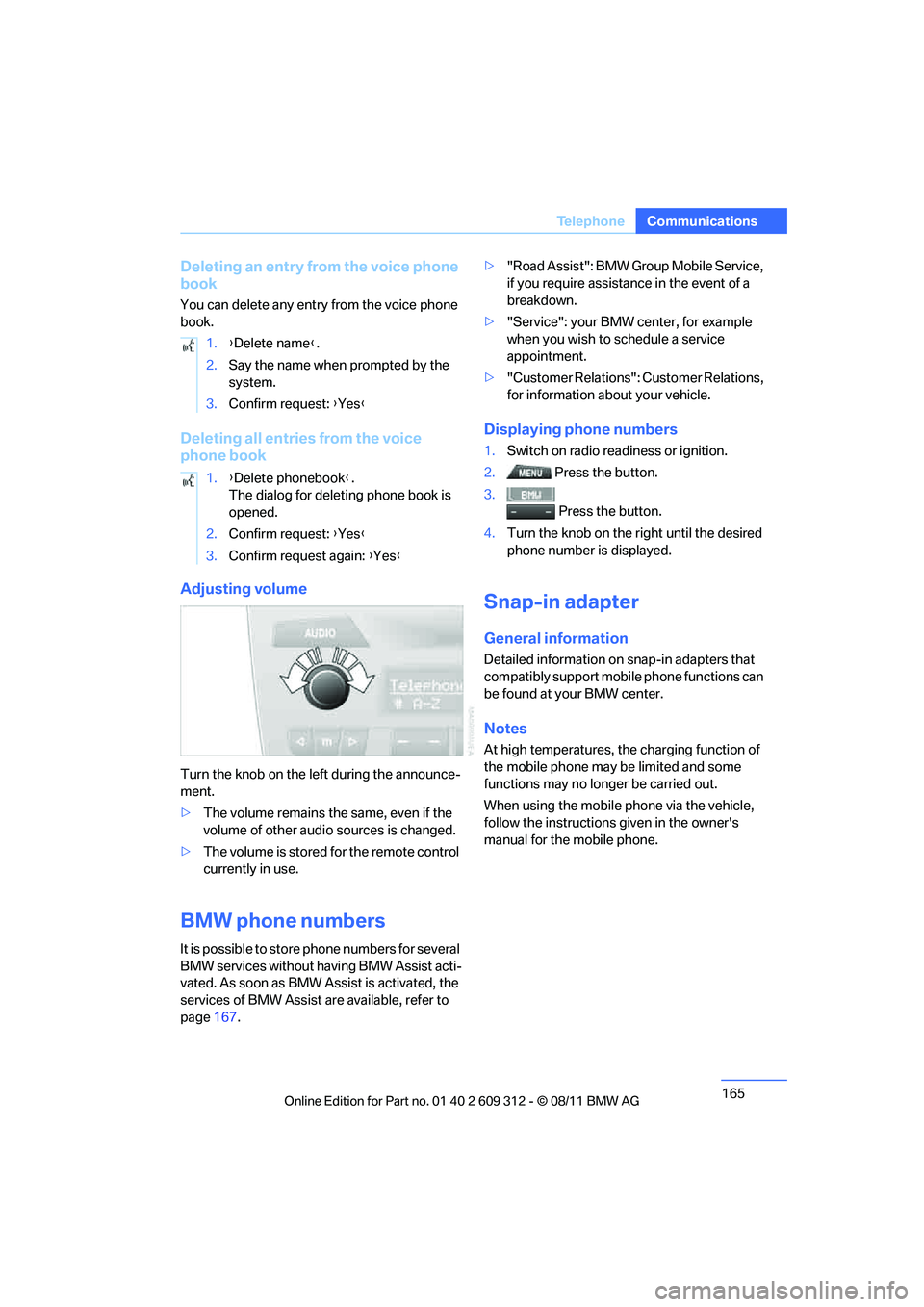
Deleting an entry from the voice phone
book
You can delete any entry from the voice phone
book.
Deleting all entries from the voice
phone book
Adjusting volume
Turn the knob on the le
ft during the announce-
ment.
> The volume remains the same, even if the
volume of other audio sources is changed.
> The volume is stored for the remote control
currently in use.
BMW phone numbers
It is possible to store phone numbers for several
BMW services without having BMW Assist acti-
vated. As soon as BMW Assist is activated, the
services of BMW Assist are available, refer to
page 167. >
"Road Assist": BMW Group Mobile Service,
if you require assistance in the event of a
breakdown.
> "Service": your BMW center, for example
when you wish to schedule a service
appointment.
> "Customer Relations": Customer Relations,
for information about your vehicle.
Displaying phone numbers
1.Switch on radio readiness or ignition.
2. Press the button.
3. Press the button.
4. Turn the knob on the right until the desired
phone number is displayed.
Snap-in adapter
General information
Detailed information on snap-in adapters that
compatibly support mobile phone functions can
be found at your BMW center.
Notes
At high temperatures, the charging function of
the mobile phone may be limited and some
functions may no longer be carried out.
When using the mobile phone via the vehicle,
follow the instructions given in the owner's
manual for the mobile phone.
1.
{Delete name }.
2. Say the name when prompted by the
system.
3. Confirm request: {Yes }
1. {Delete phonebook }.
The dialog for deleting phone book is
opened.
2. Confirm request: {Yes }
3. Confirm request again: {Yes }
Online Edition for Part no. 01 40 2 609 312 - \251 08/11 BMW AG
Page 203 of 255
202
MobilityMaintenance
Maintenance
Vehicle equipment
In this chapter, all pr oduction, country, and
optional equipment that is offered in the model
range is described. For this reason, descrip-
tions will be given of some equipment that may
not be available in a vehi cle, for example due to
the special options or national-market version
selected. This also app lies to safety related
functions and systems.
BMW Maintenance System
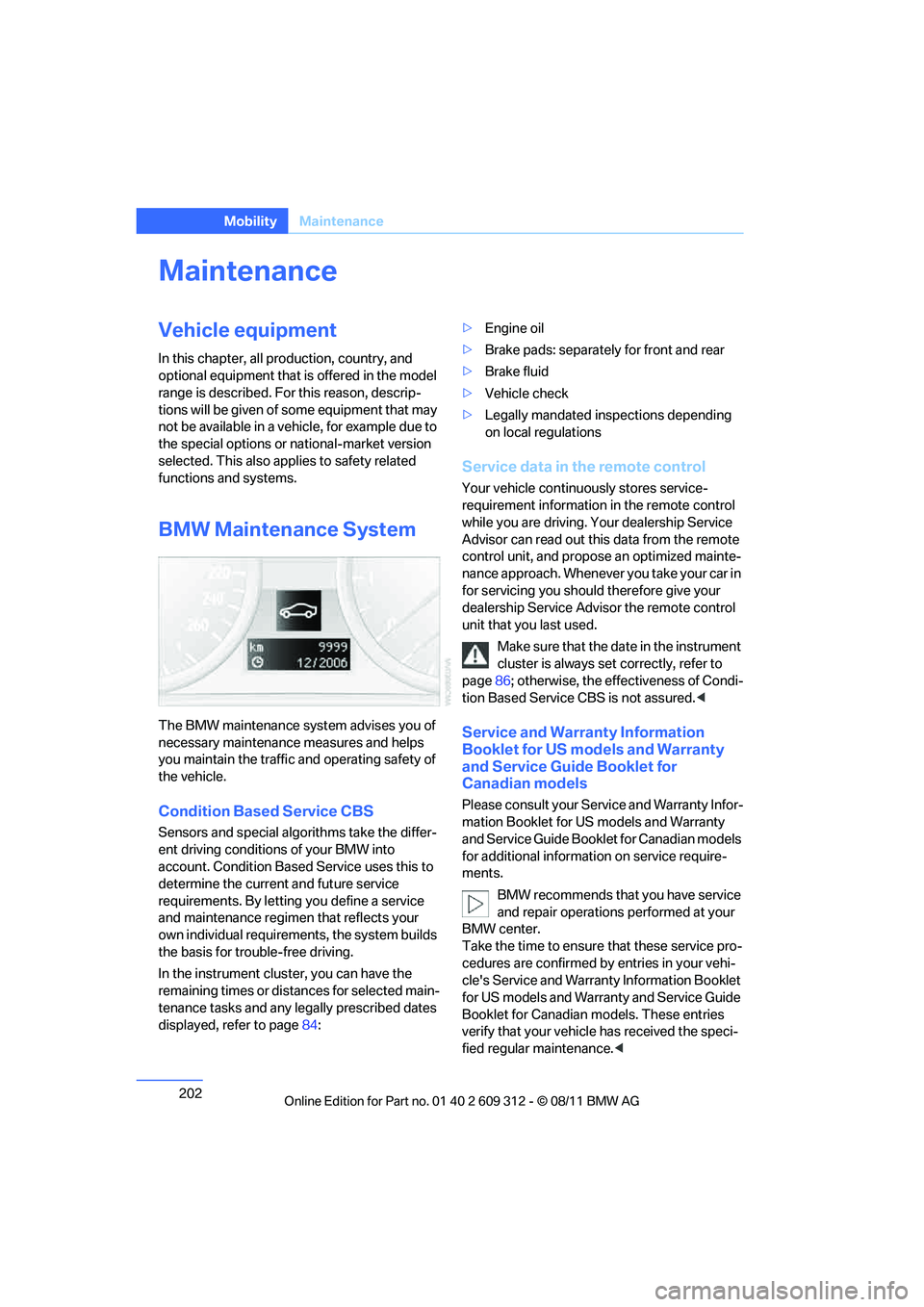
The BMW maintenance system advises you of
necessary maintenance measures and helps
you maintain the traffic and operating safety of
the vehicle.
Condition Based Service CBS
Sensors and special algo rithms take the differ-
ent driving conditions of your BMW into
account. Condition Based Service uses this to
determine the current and future service
requirements. By letting you define a service
and maintenance regimen that reflects your
own individual requirem ents, the system builds
the basis for trouble-free driving.
In the instrument cluster, you can have the
remaining times or distances for selected main-
tenance tasks and any le gally prescribed dates
displayed, refer to page 84: >
Engine oil
> Brake pads: separately for front and rear
> Brake fluid
> Vehicle check
> Legally mandated in spections depending
on local regulations
Service data in the remote control
Your vehicle continuously stores service-
requirement information in the remote control
while you are driving. Your dealership Service
Advisor can read out this data from the remote
control unit, and propose an optimized mainte-
nance approach. Whenever you take your car in
for servicing you should therefore give your
dealership Service Advisor the remote control
unit that you last used.
Make sure that the date in the instrument
cluster is always se t correctly, refer to
page 86; otherwise, the effectiveness of Condi-
tion Based Service CBS is not assured. <
Service and Warranty Information
Booklet for US models and Warranty
and Service Guide Booklet for
Canadian models
Please consult your Service and Warranty Infor-
mation Booklet for US models and Warranty
and Service Guide Booklet for Canadian models
for additional information on service require-
ments.
BMW recommends that you have service
and repair operations performed at your
BMW center.
Take the time to ensure that these service pro-
cedures are confirmed by entries in your vehi-
cle's Service and Warranty Information Booklet
for US models and Warranty and Service Guide
Booklet for Canadian models. These entries
verify that your vehicle has received the speci-
fied regular maintenance. <
Online Edition for Part no. 01 40 2 609 312 - \251 08/11 BMW AG
Page 204 of 255
203
Maintenance
Mobility
Socket for Onboard
Diagnosis OBD
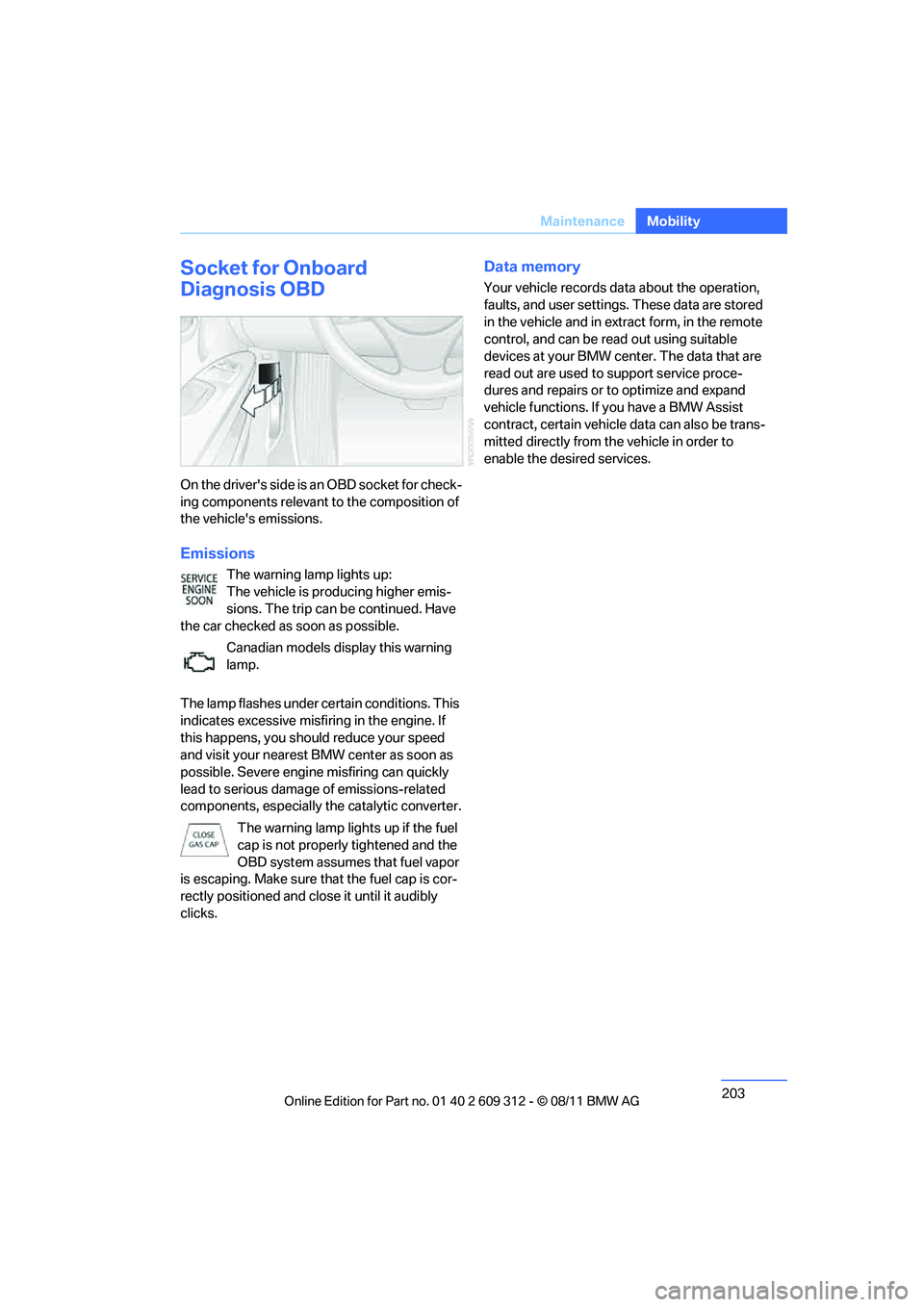
On the drive r's side is a n OBD so cket f or check-
ing components relevant to the composition of
the vehicle's emissions.
Emissions
The warning lamp lights up:
The vehicle is producing higher emis-
sions. The trip can be continued. Have
the car checked as soon as possible.
Canadian models display this warning
lamp.
The lamp flashes under ce rtain conditions. This
indicates excessive misfiring in the engine. If
this happens, you should reduce your speed
and visit your nearest BMW center as soon as
possible. Severe engine misfiring can quickly
lead to serious damage of emissions-related
components, especially the catalytic converter.
The warning lamp lights up if the fuel
cap is not properly tightened and the
OBD system assumes that fuel vapor
is escaping. Make sure that the fuel cap is cor-
rectly positioned and close it until it audibly
clicks.
Data memory
Your vehicle records data about the operation,
faults, and user settings. These data are stored
in the vehicle and in extr act form, in the remote
control, and can be read out using suitable
devices at your BMW center. The data that are
read out are used to support service proce-
dures and repairs or to optimize and expand
vehicle functions. If you have a BMW Assist
contract, certain vehicle data can also be trans-
mitted directly from the vehicle in order to
enable the desired services.
Online Edition for Part no. 01 40 2 609 312 - \251 08/11 BMW AG