remote control BMW M3 COUPE 2001 E46 User Guide
[x] Cancel search | Manufacturer: BMW, Model Year: 2001, Model line: M3 COUPE, Model: BMW M3 COUPE 2001 E46Pages: 183, PDF Size: 1.65 MB
Page 42 of 183
42n
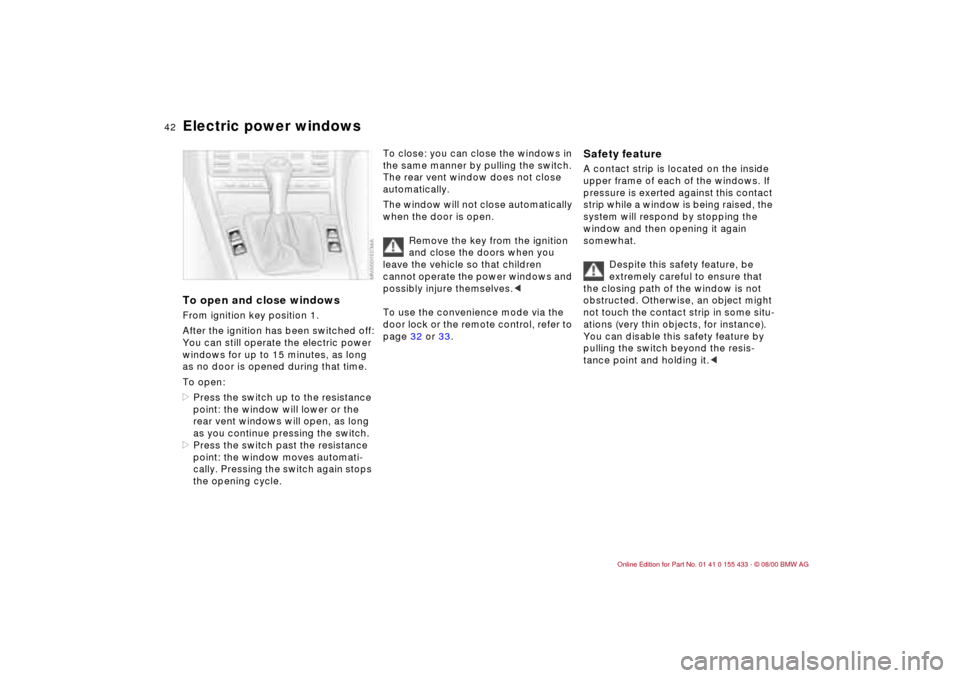
Electric power windowsTo open and close windowsFrom ignition key position 1.
After the ignition has been switched off:
You can still operate the electric power
windows for up to 15 minutes, as long
as no door is opened during that time.
To open:
>Press the switch up to the resistance
point: the window will lower or the
rear vent windows will open, as long
as you continue pressing the switch.
>Press the switch past the resistance
point: the window moves automati-
cally. Pressing the switch again stops
the opening cycle.
To close: you can close the windows in
the same manner by pulling the switch.
The rear vent window does not close
automatically.
The window will not close automatically
when the door is open.
Remove the key from the ignition
and close the doors when you
leave the vehicle so that children
cannot operate the power windows and
possibly injure themselves.<
To use the convenience mode via the
door lock or the remote control, refer to
page 32 or 33.
Safety feature A contact strip is located on the inside
upper frame of each of the windows. If
pressure is exerted against this contact
strip while a window is being raised, the
system will respond by stopping the
window and then opening it again
somewhat.
Despite this safety feature, be
extremely careful to ensure that
the closing path of the window is not
obstructed. Otherwise, an object might
not touch the contact strip in some situ-
ations (very thin objects, for instance).
You can disable this safety feature by
pulling the switch beyond the resis-
tance point and holding it.<
Page 43 of 183
43n
IndexDataTechnologyRepairsCar careControlsOverview
Sliding/tilt sunroof
*
To prevent injuries, exercise care
when closing the sliding/tilt
sunroof and keep it in your field of
vision until it is shut.
Remove the key from the ignition and
close the doors when you leave the
vehicle so that children cannot operate
the sunroof and possibly injure them-
selves.<
A vacuum or a draft in the passenger
compartment can be avoided when the
roof is opened or raised by keeping the
vent outlets on the instrument panel
open and possibly increasing the air
supply. Refer to page 87.
If the sunroof is completely open, air
disturbances may be caused in the
vehicle when you are driving at higher
speeds. Close the roof as far as neces-
sary until this natural phenomenon
ceases.
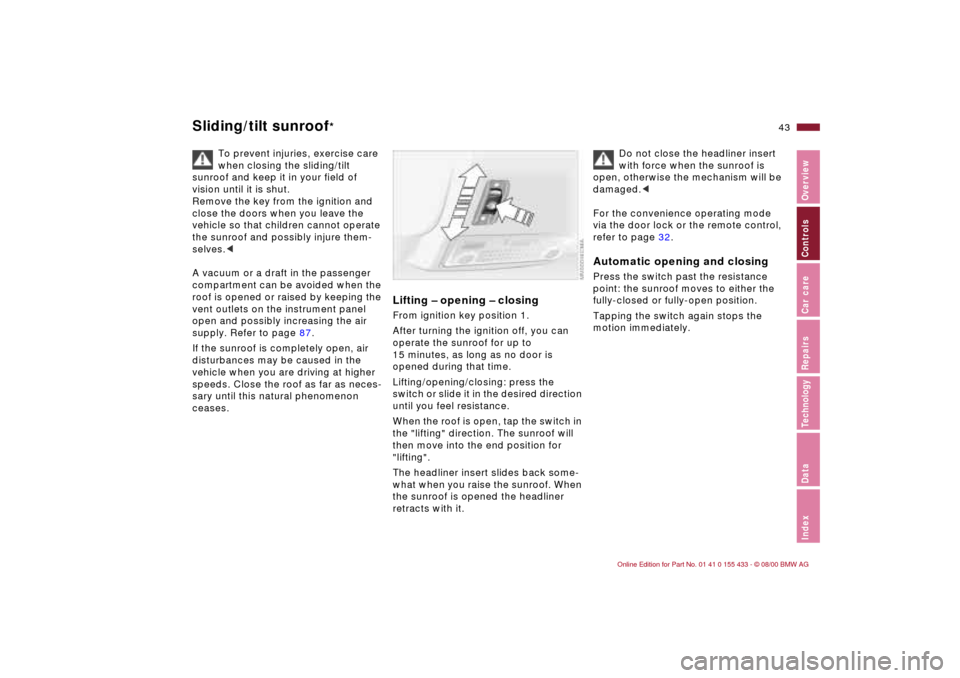
Lifting Ð opening Ð closingFrom ignition key position 1.
After turning the ignition off, you can
operate the sunroof for up to
15 minutes, as long as no door is
opened during that time.
Lifting/opening/closing: press the
switch or slide it in the desired direction
until you feel resistance.
When the roof is open, tap the switch in
the "lifting" direction. The sunroof will
then move into the end position for
"lifting".
The headliner insert slides back some-
what when you raise the sunroof. When
the sunroof is opened the headliner
retracts with it.
Do not close the headliner insert
with force when the sunroof is
open, otherwise the mechanism will be
damaged.<
For the convenience operating mode
via the door lock or the remote control,
refer to page 32.
Automatic opening and closingPress the switch past the resistance
point: the sunroof moves to either the
fully-closed or fully-open position.
Tapping the switch again stops the
motion immediately.
Page 51 of 183
51n
IndexDataTechnologyRepairsCar careControlsOverview
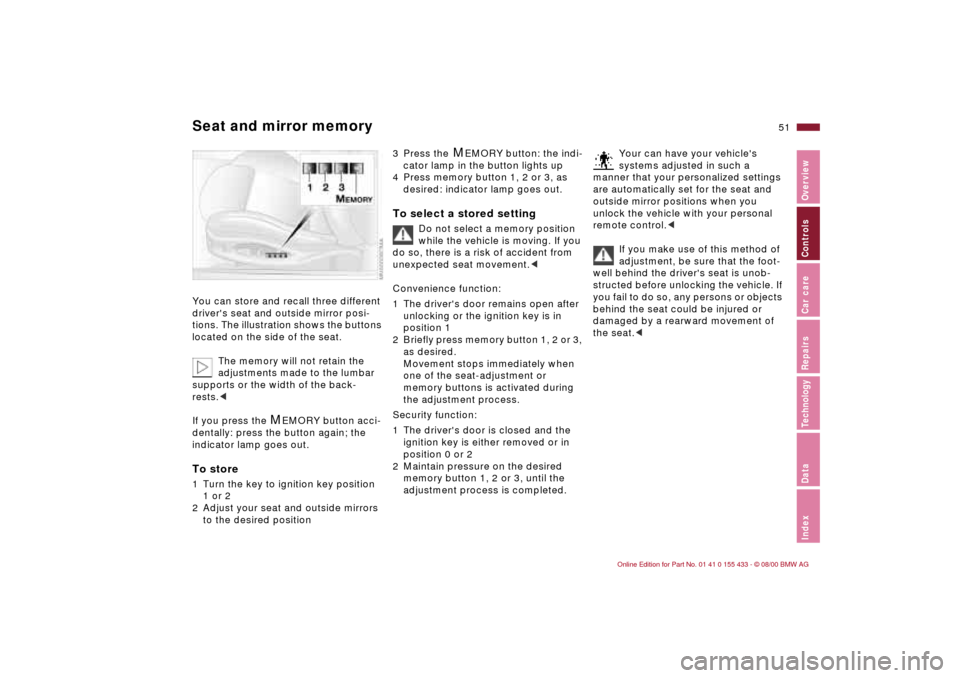
Seat and mirror memoryYou can store and recall three different
driver's seat and outside mirror posi-
tions. The illustration shows the buttons
located on the side of the seat.
The memory will not retain the
adjustments made to the lumbar
supports or the width of the back-
rests.<
If you press the
M
EMORY button acci-
dentally: press the button again; the
indicator lamp goes out.
To store1 Turn the key to ignition key position
1 or 2
2 Adjust your seat and outside mirrors
to the desired position
3 Press the
M
EMORY button: the indi-
cator lamp in the button lights up
4 Press memory button 1, 2 or 3, as
desired: indicator lamp goes out.
To select a stored setting
Do not select a memory position
while the vehicle is moving. If you
do so, there is a risk of accident from
unexpected seat movement.<
Convenience function:
1 The driver's door remains open after
unlocking or the ignition key is in
position 1
2 Briefly press memory button 1, 2 or 3,
as desired.
Movement stops immediately when
one of the seat-adjustment or
memory buttons is activated during
the adjustment process.
Security function:
1 The driver's door is closed and the
ignition key is either removed or in
position 0 or 2
2 Maintain pressure on the desired
memory button 1, 2 or 3, until the
adjustment process is completed.
Your can have your vehicle's
systems adjusted in such a
manner that your personalized settings
are automatically set for the seat and
outside mirror positions when you
unlock the vehicle with your personal
remote control.<
If you make use of this method of
adjustment, be sure that the foot-
well behind the driver's seat is unob-
structed before unlocking the vehicle. If
you fail to do so, any persons or objects
behind the seat could be injured or
damaged by a rearward movement of
the seat.<
Page 52 of 183
52n
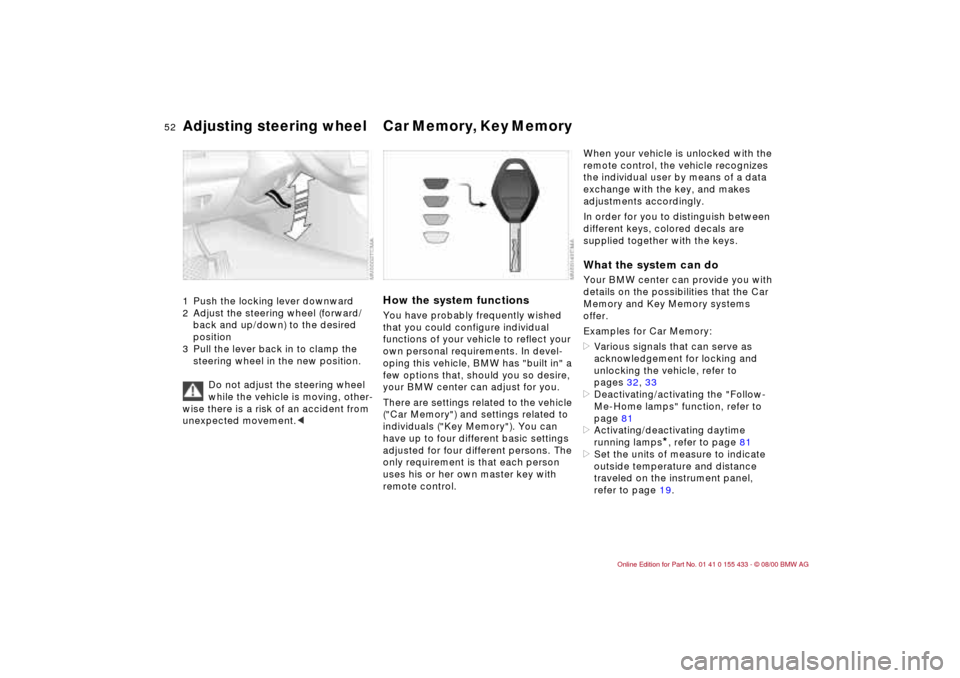
Adjusting steering wheel Car Memory, Key Memory 1 Push the locking lever downward
2 Adjust the steering wheel (forward/
back and up/down) to the desired
position
3 Pull the lever back in to clamp the
steering wheel in the new position.
Do not adjust the steering wheel
while the vehicle is moving, other-
wise there is a risk of an accident from
unexpected movement.<
How the system functionsYou have probably frequently wished
that you could configure individual
functions of your vehicle to reflect your
own personal requirements. In devel-
oping this vehicle, BMW has "built in" a
few options that, should you so desire,
your BMW center can adjust for you.
There are settings related to the vehicle
("Car Memory") and settings related to
individuals ("Key Memory"). You can
have up to four different basic settings
adjusted for four different persons. The
only requirement is that each person
uses his or her own master key with
remote control.
When your vehicle is unlocked with the
remote control, the vehicle recognizes
the individual user by means of a data
exchange with the key, and makes
adjustments accordingly.
In order for you to distinguish between
different keys, colored decals are
supplied together with the keys.What the system can doYour BMW center can provide you with
details on the possibilities that the Car
Memory and Key Memory systems
offer.
Examples for Car Memory:
>Various signals that can serve as
acknowledgement for locking and
unlocking the vehicle, refer to
pages 32, 33
>Deactivating/activating the "Follow-
Me-Home lamps" function, refer to
page 81
>Activating/deactivating daytime
running lamps
*, refer to page 81
>Set the units of measure to indicate
outside temperature and distance
traveled on the instrument panel,
refer to page 19.
Page 53 of 183

53n
IndexDataTechnologyRepairsCar careControlsOverview
Car Memory, Key MemoryExamples for Key Memory:
>Locking your vehicle after starting off,
refer to page 36
>Unlocking and lowering the driver's
window at the same time, refer to
page 34
>Automatically moving the seat and
outside mirror into position for the
respective person when unlocking
the vehicle, refer to page 51
>Calling up customized settings for
the automatic climate control when
unlocking using the remote control,
refer to page 86.
You will see this symbol
throughout the Owner's Manual. It
is to remind you at appropriate places
of the settings that are available to
you.<
Page 86 of 183

86n
Automatic climate controlTips for pleasant drivingUse the automatic system (switch on
AUTO Ð button 7).
>Select an interior temperature that is
comfortable for you, e. g. 72 7
(+22 6)
>Whenever the outside temperature is
above 41 7 (+5 6), you can also
use the air conditioner 12. This will
dry the air as well as preventing
condensation on the window
surfaces Ð if there are passengers
with damp clothing, for example
>Set the outlets 2 so that the air flows
past you and is not directed straight
at you
>Set the rotary dial between the air
outlets 2 for the upper body to a
medium position, since air that is
somewhat cooler promotes driving
without fatigue.
Detailed setting options are described
for you in the following sections.
Your vehicle is set in such a
manner that, when you unlock the
vehicle with your individualized remote
control, your own personalized setting
for the automatic climate control is initi-
ated.<
Automatic air distribution
The automatic program will take
over
>automatically distributing the air
supply to the vents, as well as
>automatically adjusting the amount of
incoming air.
It will adapt to the settings you have
made for the temperature desired in the
passenger compartment Ð taking
outside influences into account
(summer, winter) Ð and will provide you
with a comfortable climate in the
vehicle at any time of the year.
>Select an interior temperature that is
comfortable for you e. g. 72 7
(+22 6). The temperature selected
and AUTO for air supply will
appear in the display 10. Refer to the
overview on page 84
>Open up the vents for the upper body
>Switch on the air conditioner in warm
weather. The maximum cooling
capacity is achieved when you set
rotary dial 3 (refer to page 88) to cold.
Individual air distribution
You can cancel the AUTO
program by selecting specific
distribution patterns to suit your
own individual requirements.
You can direct air to flow onto the
windows , toward the upper body
and into the footwell .
Temperature
The figures in the display
provide a general indication of
interior temperature. We recommend
72 7 (+22 6) as a comfortable setting,
even if the air conditioner is on. When
you start the vehicle, the system
ensures that the selected temperature
is reached as quickly as possible. It
then maintains this temperature,
regardless of the season.
Set rotary dial 3 (refer to "Draft-free
ventilation" on page 88) to a medium
setting, since air that is somewhat
cooler promotes driving without fatigue.
You can use this setting for mixing air to
make minor comfort modifications.
You can set uncontrolled heater
output up to 90 7 (+32 6). The
air conditioner is at full cooling output
at 60 7 (+16 6).<
Page 175 of 183

Everything from A to Z
175n
IndexDataTechnologyRepairsCar careControlsOverview
Caring for the vehicle
finish129
Cassette operation, refer to
the radio Owner's Manual
Catalytic converter103
starting problems103
CBC (Cornering Brake
Control)21, 104
CD operaton, refer to the
radio Owner's Manual
Cellular phone110
refer also to the separate
Owner's Manual
Center armrest91
Center (high-mount) brake
lamp143
Central locking system31
key36
Check Control72t
Checking air pressure26t
Checking engine oil
level123t
Child restraint
system55, 59
Child seat safety55, 60
Cigarette lighter93
Clean the headlamps67
Clean the windshield66
Clock73
Clothes hooks94
Cockpit16Code, refer to the radio
Owner's Manual
Coin box91
Combination switch65
Compression166
Computer72
Configuring the settings52
Consumption74
Consumption display70
Control elements16
Coolant108, 121t, 125
antifreeze108
Coolant temperature
gauge70
Cooling system169
Copyright4
Cornering Brake Control
(CBC)21, 104
Cruise control67
Cruising range74
Cup holder, refer to
beverage holder91
Curb weight168
DDashboard16
Data
dimensions167
engine166
technical166
weights168Daytime-driving lamp
switch81
Deep water103
Defrost position87t
Defrostable rear window88
Defrosting the
windows87t
Difficult steering110t
Digital clock73
Dimensions167
Dipstick123
Disk brakes106
Displacement166
Display lighting81
Displays18
Disposal
used batteries151
used engine oil124
Distance warning75
Diversity Antenna159
Door key30
Door locks, care108
Doors
emergency
actuation32t
operating manually32
remote control33
unlocking and
locking32, 33
DOT Quality Grades112
Draft-free ventilation88
Drive belts170Driving in winter108
Driving lamps81
Driving notes
aquaplaning103
brakes103
disk brakes106
sliding109
slippery roads108
DSC (Dynamic Stability
Control)22, 76, 159
Dynamic Stability Control
(DSC)22, 76, 159
EElectric power windows42
Electrical accessories,
failure151t
Electrical failure
fuel filler door152t
sliding/tilt sunroof153t
Electrical system170
Electronic vehicle
immobilizer31
Emergency actuation
doors32t
fuel filler door152t
sliding/tilt sunroof153t
Engine
compartment120
coolant125, 169
data166
displacement166
Page 176 of 183

Everything from A to Zhigh-speed aspirated
engine160
speed166
starting62t
torque166
Engine concept M3160
Engine oil
add123t
capacity169
consumption123
pressure20
temperature69
Entry to the rear47
Exterior mirrors49
Eyelets, towing155tFFailure messages72t
Fan87
Fault, ABS105
Filler cap cover25
Filling capacities169
Filling the washer
reservoir122t
First-aid kit24t
Flat tire111
repairing145
Fog lamps82
bulb replacement141t
Folding rear backrest95
Follow-Me-Home lamps81
Footbrake106Footwell lamps82
bulb replacement144t
Frost protection,
radiator125
Fuel26
consumption74
consumption display70
gauge70
preparation166
quality26
reserve indicator lamp70
Fuel filler door
manual release after
electrical fault152t
Fuel tank capacity169
Fuel tank gauge70
Functional status, electrical
and electronic
systems162
Fuses151
replacing151t
GGasoline26
Gasoline gauge70
Glove compartment90
Glove compartment lamp,
bulb replacement144t
Gross vehicle weight168
HHandbrake63
Handsfree system92
Hazard warning
flashers24t
Hazard warning triangle24
Head restraint46
Headlamp cleaning
system121, 122, 169
Headlamp cover,
care139t
Headlamp flasher82
Headlamp washer system,
refer to headlamp cleaning
system
Heated seats89
Heavy loads97
Height167
HiFi system Ð harman
kardon90
High beams65, 82
indicator lamp22
High engine speed160
High Performance Synthetic
Oil124
High-mount brake lamp143
Holder for beverages91
Hood release118t
Horn17
IIce warning73
Identification, tires114
Ignition key30
Ignition lock62
Imprint4
Indicator lamps20t
Individual settings52
Inflation
pressure26t, 111t
INSPECTION71
Instrument cluster18
Instrument lighting81
Instrument panel18
Interaxle tire rotation113t
Interface socket
for Onboard
Diagnostics135
Interference
cellular phone110
Interior lamps34, 82
bulb replacement143t
remote control34
Interior motion sensor40
Interior rearview mirror
automatic dimming
feature50, 161
Intermittent mode, wiper
system65
Page 177 of 183

Everything from A to Z
177n
IndexDataTechnologyRepairsCar careControlsOverview
JJump-starting154KKey30
with remote control30
Key Memory52LLamps
fog lamps82
footwell lamps82
interior lamps82
reading lamps83
LAMPS ON warning81
Lashing eyes98
LATCH attachment of the
child seat60
Leather care132
Length167
License plate lamp, bulb
replacement143t
Light switch81
Light-alloy wheels116
Lighter93
Load-securing devices98
Louvers84
Low beam headlamps81
bulb replacement139tLuggage compartment37
capacity168
emergency release37t
floor mat39
floor panel39
lid37
lighting37
locking separately37
remote control34
Luggage compartment
lamps, bulb
replacement144t
Luggage rack98
Lumbar support48
MM Engine dynamics
control80
M Mobility system145
components146
using146
Maintenance71, 127t
Make-up mirror50
Malfunction displays72t
Manual transmission64
Manual-shift gear lever64
Master key30
Mechanical seat45
Memory51
MFL (Multifunction steering
wheel)23Microfilter/Activated-
charcoal filter88
changing152t
Mirror memory51
Mirrors49
automatic curb
monitor49
with automatic dimming
feature161
Mobile phone110
Modifications,
technical6, 134
Motion sensor, interior40
Multifunction steering wheel
(MFL)23
M+S radial tires115
NNavigation system, refer to
the separate Owner's
Manual
Neckrest46OOBD interface socket135
Obstruction protection42
Odometer69
Oil
additives123
capacity169
consumption123Oil change intervals, see the
Service and Warranty
Information Booklet (US
models)/Warranty and
Service Guide Booklet
(Canadian models)
Oil filter change169
Oil level, indicator lamp21
Oil pressure, indicator
lamp20
OILSERVICE71
Onboard computer, refer to
computer72
Onboard monitor, refer to
the separate Owner's
Manual
Onboard tool kit138t
Opening and closing
from inside36
via remote control33
via the door lock32
Outside temperature
display73
PPaint blemishes129
Paintwork
minor repairs130
waxing130
Paint, care129
Panic mode35
Page 178 of 183

Everything from A to ZPark Distance Control
(PDC)75
Parking brake63
Parking help75
Parking lamp82
Parking, winter109
PDC (Park Distance
Control)75
Performance166
Phone hookup92
Phone, mobile110
Pollen88
Power seat47
Power windows42
Pressure specifications for
tires26
Pressure,
tires26, 26t, 111
Protective gloves141QQuality Grades112RRadiator169
Radio
please refer to the
separate Owner's Manual
reception110, 158
Radio Data System
(RDS)159
Rain sensor66, 160RDS (Radio Data
System)159
RDW (Tire Pressure
Warning)78
indicator lamp22
Reading lamps83
Rear backrest, folding95
Rear lamps141t
Rear window
defroster67, 88
Rear-entry assist47
Rearview mirror49
Recirculated air mode87
Reclining seat45
Refueling25
Remote control33
Removing condensation
from the windows87t
Repairing a flat tire145t
Replace windshield wiper
blades138t
Replacement key30t
Replacing bulbs138t
Reporting safety defects7
Restraint system55, 59
Return used
batteries151t
Reverse64
Roller blind, sun
protection89
Roof load capacity168Roof-mounted luggage
rack98
Rubber seals and
components108
SSafety belt tensioner159
Safety belts54
height adjustment55
three-point safety belt95
Safety buttons36
Safety defects, reporting7
Safety feature, electric
power windows42
Safety glasses141
Seat
mechanical45
power47
Seat adjusting45
Seat heating89
Seat memory51
Securing cargo97
Securing loads97
Self-defrosting mirrors49
Self-diagnostics162
Service and Warranty
Information Booklet127
Service Interval
Display71, 127
Service Manual127
Side airbags56Side impact Head Protection
System56
Side lamps81
Side marker lamp, bulb
replacement139t
Side turn signals, bulb
replacement140t
Ski bag96
Sliding/tilt sunroof43
closing after electrical
fault153t
convenience
operation32, 33
remote control33
Snow chains108, 115
Socket93
for flashlights93
for power supplies93
for vacuum cleaner93
Spare key30t
Spark plugs170
Speaker92
Speedometer18
Sport-mode,
identification80
Sports seat46, 47
Starting
problems63t, 103
Starting the engine62
Steel wheels116
Steering110
Steering lock62