door lock BMW M3 COUPE 2002 E46 User Guide
[x] Cancel search | Manufacturer: BMW, Model Year: 2002, Model line: M3 COUPE, Model: BMW M3 COUPE 2002 E46Pages: 151, PDF Size: 2.14 MB
Page 37 of 151
37n
OverviewControlsMaintenanceRepairsDataIndex
Alarm system
*
The conceptThe vehicle alarm system responds:
>When a door, the hood or the
luggage compartment lid are opened
>To movement inside the vehicle (inte-
rior motion sensor)
>To variations in the vehicle tilt, as
would occur while attempting to steal
the wheels or tow the vehicle (tilt
alarm sensor)
>To interruption of battery voltage.
The system responds to unauthorized
vehicle entry and attempted theft by
simultaneously activating the following:
>Sounding an acoustic alarm for
30 seconds
>Activating the hazard warning
flashers for approx. five minutes
>Flashing the high beams on and off in
rhythm with the hazard warning
flashers.
To arm and disarm the alarm
systemWhen the vehicle is locked or unlocked
by using a key or the remote control,
the alarm system is also simultaneously
armed or disarmed.
You can have a signal set as
acknowledgment for both arming
and disarming the alarm.<
You can also open the luggage
compartment lid when the system is
armed by pressing the button of the
remote control, refer to page 31. When
it is closed, the lid is once again
secured.
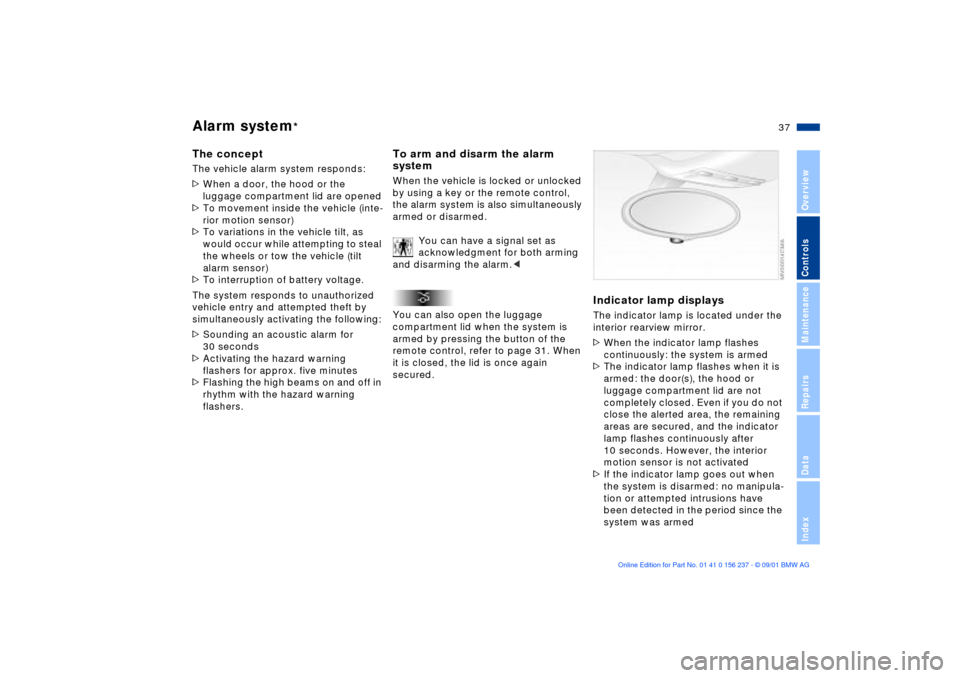
Indicator lamp displaysThe indicator lamp is located under the
interior rearview mirror.
>When the indicator lamp flashes
continuously: the system is armed
>The indicator lamp flashes when it is
armed: the door(s), the hood or
luggage compartment lid are not
completely closed. Even if you do not
close the alerted area, the remaining
areas are secured, and the indicator
lamp flashes continuously after
10 seconds. However, the interior
motion sensor is not activated
>If the indicator lamp goes out when
the system is disarmed: no manipula-
tion or attempted intrusions have
been detected in the period since the
system was armed
Page 39 of 151
39n
OverviewControlsMaintenanceRepairsDataIndex
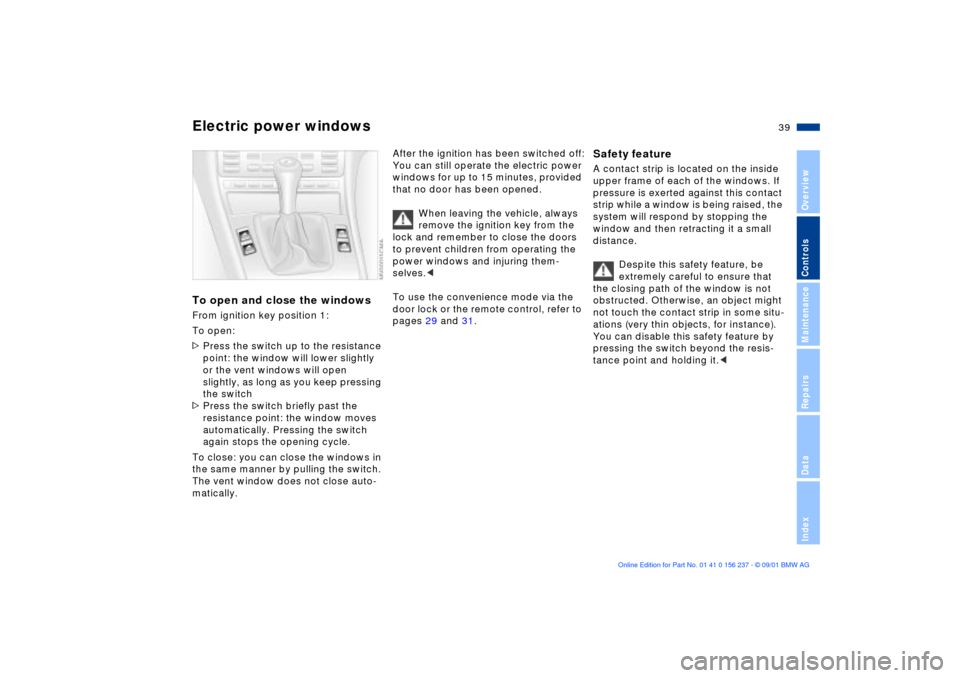
Electric power windowsTo open and close the windowsFrom ignition key position 1:
To open:
>Press the switch up to the resistance
point: the window will lower slightly
or the vent windows will open
slightly, as long as you keep pressing
the switch
>Press the switch briefly past the
resistance point: the window moves
automatically. Pressing the switch
again stops the opening cycle.
To close: you can close the windows in
the same manner by pulling the switch.
The vent window does not close auto-
matically.
After the ignition has been switched off:
You can still operate the electric power
windows for up to 15 minutes, provided
that no door has been opened.
When leaving the vehicle, always
remove the ignition key from the
lock and remember to close the doors
to prevent children from operating the
power windows and injuring them-
selves.<
To use the convenience mode via the
door lock or the remote control, refer to
pages 29 and 31.
Safety feature A contact strip is located on the inside
upper frame of each of the windows. If
pressure is exerted against this contact
strip while a window is being raised, the
system will respond by stopping the
window and then retracting it a small
distance.
Despite this safety feature, be
extremely careful to ensure that
the closing path of the window is not
obstructed. Otherwise, an object might
not touch the contact strip in some situ-
ations (very thin objects, for instance).
You can disable this safety feature by
pressing the switch beyond the resis-
tance point and holding it.<
Page 40 of 151
40n
Sliding/tilt sunroof
*
To prevent injuries, exercise care
when closing the sliding/tilt
sunroof and keep it in your field of
vision until it is shut.
When leaving the vehicle, always
remove the ignition key from the lock
and remember to close the doors to
prevent children from operating the
sliding/tilt sunroof and injuring
themselves.<
Lifting Ð opening Ð closingFrom ignition key position 1:
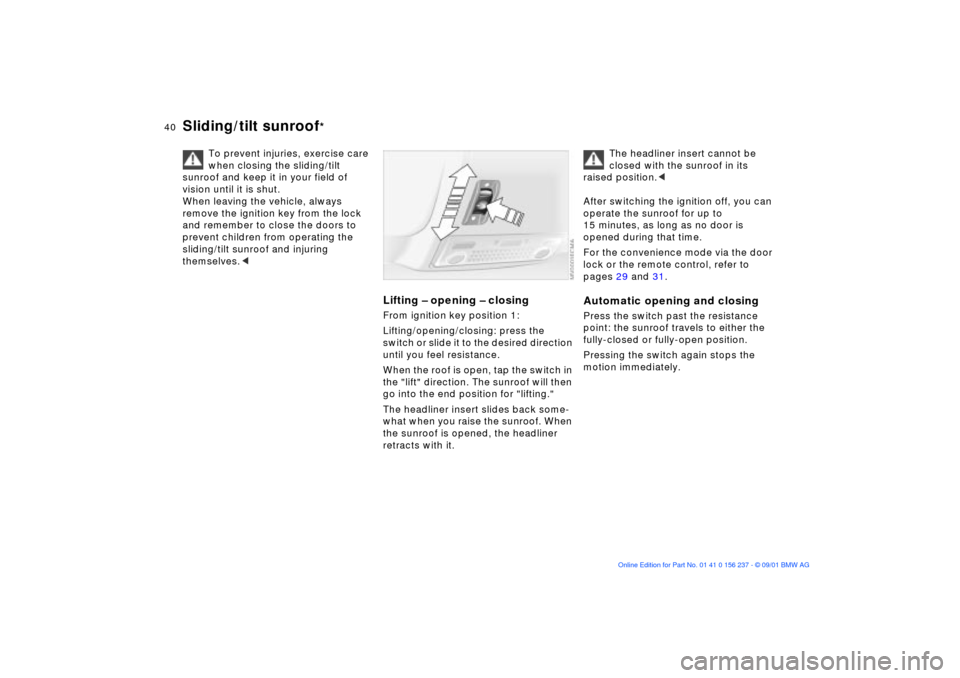
Lifting/opening/closing: press the
switch or slide it to the desired direction
until you feel resistance.
When the roof is open, tap the switch in
the "lift" direction. The sunroof will then
go into the end position for "lifting."
The headliner insert slides back some-
what when you raise the sunroof. When
the sunroof is opened, the headliner
retracts with it.
The headliner insert cannot be
closed with the sunroof in its
raised position.<
After switching the ignition off, you can
operate the sunroof for up to
15 minutes, as long as no door is
opened during that time.
For the convenience mode via the door
lock or the remote control, refer to
pages 29 and 31.
Automatic opening and closingPress the switch past the resistance
point: the sunroof travels to either the
fully-closed or fully-open position.
Pressing the switch again stops the
motion immediately.
Page 46 of 151
46n
Safety belts Seat and mirror memory
If the safety belt system has been
subjected to the stresses involved
in an accident or otherwise damaged:
Have the entire safety belt mechanism
replaced by your BMW center,
including the safety belt tensioner. In
addition, have your BMW center
inspect the safety belt anchors. If a
child-restraint system was in the
vehicle during an accident, consult the
manufacturer's instructions regarding
replacement.<
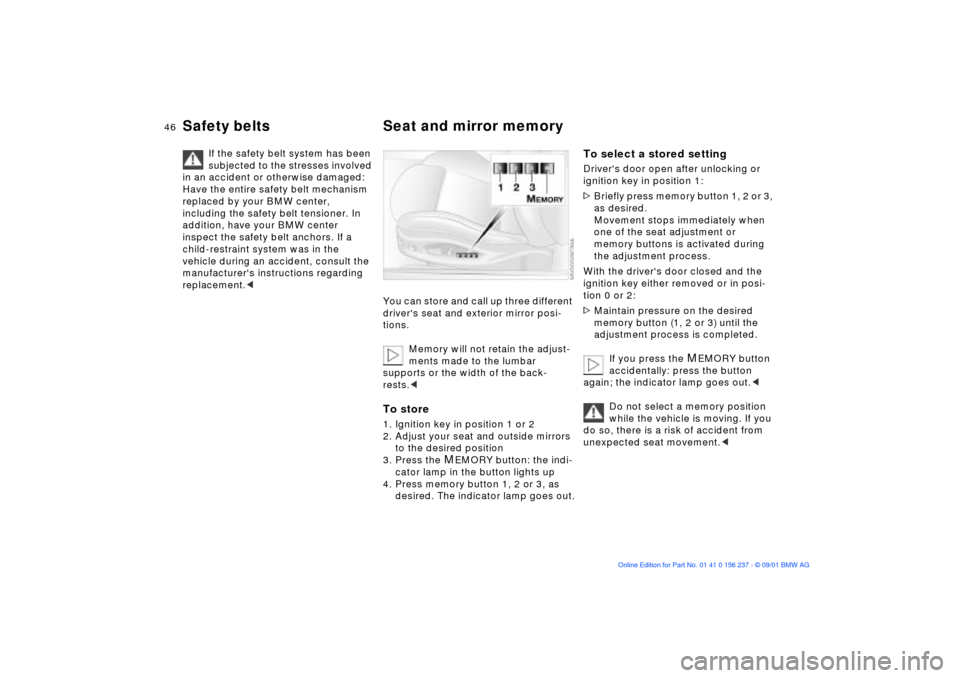
You can store and call up three different
driver's seat and exterior mirror posi-
tions.
Memory will not retain the adjust-
ments made to the lumbar
supports or the width of the back-
rests.
to the desired position
3. Press the
MEMORY button: the indi-
cator lamp in the button lights up
4. Press memory button 1, 2 or 3, as
desired. The indicator lamp goes out.
To select a stored settingDriver's door open after unlocking or
ignition key in position 1:
>Briefly press memory button 1, 2 or 3,
as desired.
Movement stops immediately when
one of the seat adjustment or
memory buttons is activated during
the adjustment process.
With the driver's door closed and the
ignition key either removed or in posi-
tion 0 or 2:
>Maintain pressure on the desired
memory button (1, 2 or 3) until the
adjustment process is completed.
If you press the
MEMORY button
accidentally: press the button
again; the indicator lamp goes out.<
Do not select a memory position
while the vehicle is moving. If you
do so, there is a risk of accident from
unexpected seat movement.<
Page 55 of 151
55n
OverviewControlsMaintenanceRepairsDataIndex
Vehicle Memory, Key Memory How the system functionsNo doubt you have reflected at one
time or another on how great it would
be if you could permanently configure
your vehicle's various features and
adjustments to mirror your own indi-
vidual preferences. In engineering your
vehicle, BMW has incorporated a
number of options for personal adjust-
ment that can be programmed into your
vehicle at your BMW center.
The available configuration data fall into
two categories, according to whether
their primary orientation is the vehicle
("Vehicle Memory") or the individual
("Key Memory"). Provided that each
person has a separate remote-control
key, you can have your BMW center
enter adjustment data for as many as
four different individuals into the
system.
The system then relies on a bilateral
data exchange to identify the individual
user and dial in the selected settings
whenever the remote control unit is
used to disengage the door locks.
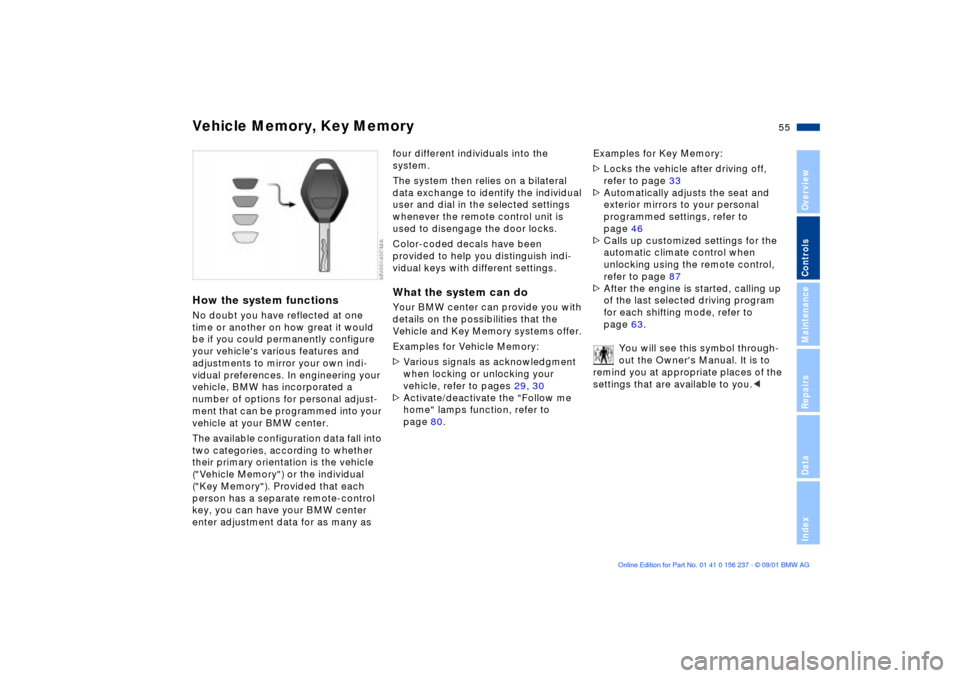
Color-coded decals have been
provided to help you distinguish indi-
vidual keys with different settings.What the system can doYour BMW center can provide you with
details on the possibilities that the
Vehicle and Key Memory systems offer.
Examples for Vehicle Memory:
>Various signals as acknowledgment
when locking or unlocking your
vehicle, refer to pages 29, 30
>Activate/deactivate the "Follow me
home" lamps function, refer to
page 80.Examples for Key Memory:
>Locks the vehicle after driving off,
refer to page 33
>Automatically adjusts the seat and
exterior mirrors to your personal
programmed settings, refer to
page 46
>Calls up customized settings for the
automatic climate control when
unlocking using the remote control,
refer to page 87
>After the engine is started, calling up
of the last selected driving program
for each shifting mode, refer to
page 63.
You will see this symbol through-
out the Owner's Manual. It is to
remind you at appropriate places of the
settings that are available to you.<
Page 56 of 151
56n
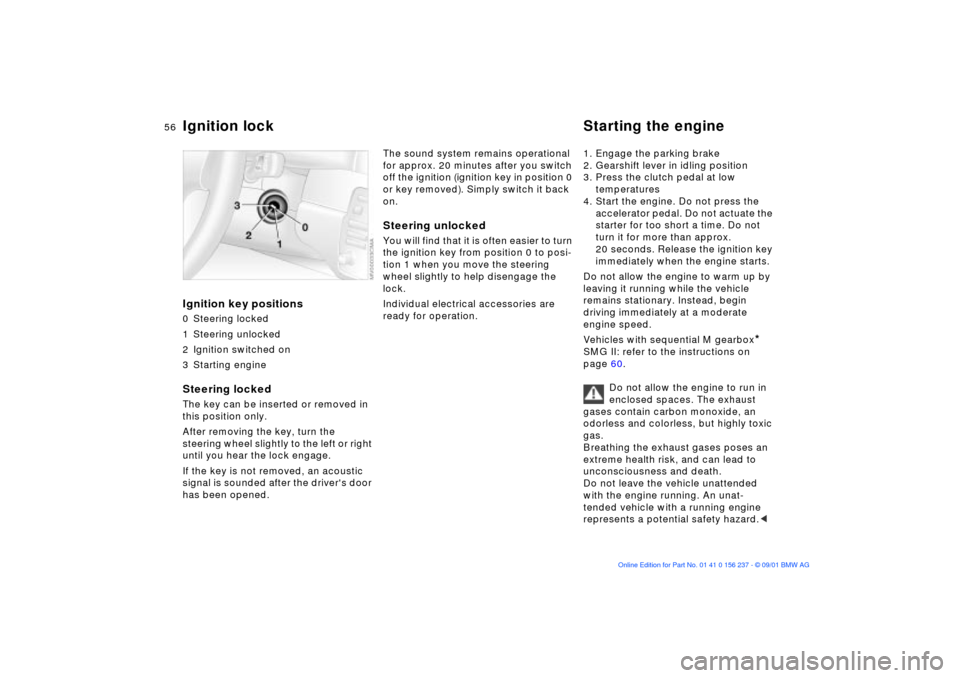
Ignition key positions0 Steering locked
1 Steering unlocked
2 Ignition switched on
3 Starting engineSteering locked The key can be inserted or removed in
this position only.
After removing the key, turn the
steering wheel slightly to the left or right
until you hear the lock engage.
If the key is not removed, an acoustic
signal is sounded after the driver's door
has been opened.
The sound system remains operational
for approx. 20 minutes after you switch
off the ignition (ignition key in position 0
or key removed). Simply switch it back
on.Steering unlocked You will find that it is often easier to turn
the ignition key from position 0 to posi-
tion 1 when you move the steering
wheel slightly to help disengage the
lock.
Individual electrical accessories are
ready for operation. 1. Engage the parking brake
2. Gearshift lever in idling position
3. Press the clutch pedal at low
temperatures
4. Start the engine. Do not press the
accelerator pedal. Do not actuate the
starter for too short a time. Do not
turn it for more than approx.
20 seconds. Release the ignition key
immediately when the engine starts.
Do not allow the engine to warm up by
leaving it running while the vehicle
remains stationary. Instead, begin
driving immediately at a moderate
engine speed.
Vehicles with sequential M gearbox
*
SMG II: refer to the instructions on
page 60.
Do not allow the engine to run in
enclosed spaces. The exhaust
gases contain carbon monoxide, an
odorless and colorless, but highly toxic
gas.
Breathing the exhaust gases poses an
extreme health risk, and can lead to
unconsciousness and death.
Do not leave the vehicle unattended
with the engine running. An unat-
tended vehicle with a running engine
represents a potential safety hazard.<
Ignition lock Starting the engine
Page 60 of 151
60n
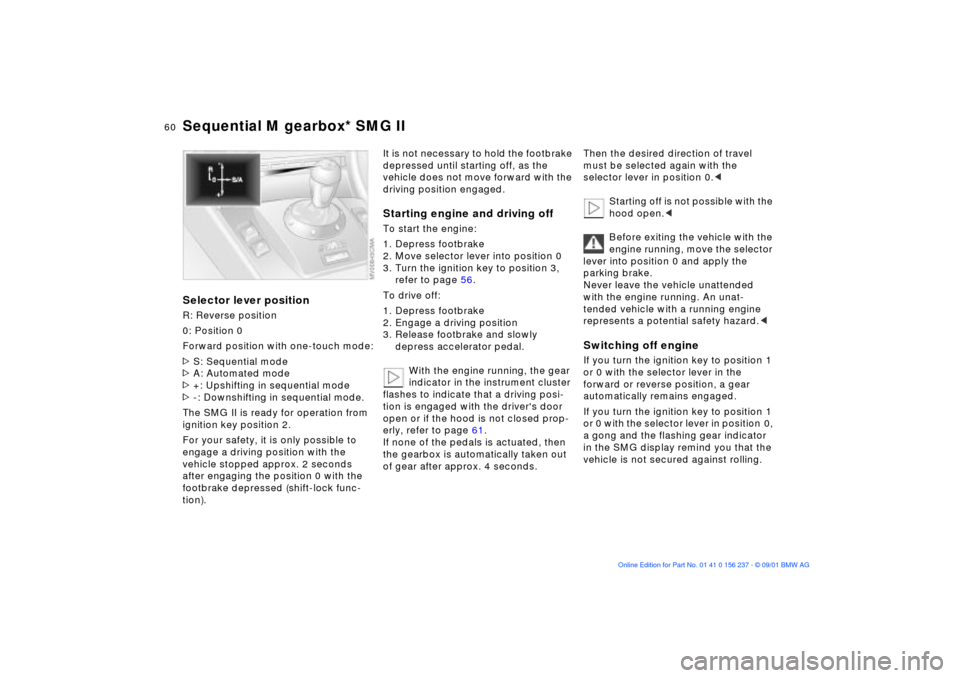
Sequential M gearbox* SMG IISelector lever positionR: Reverse position
0: Position 0
Forward position with one-touch mode:
>S: Sequential mode
>A: Automated mode
>+: Upshifting in sequential mode
>-: Downshifting in sequential mode.
The SMG II is ready for operation from
ignition key position 2.
For your safety, it is only possible to
engage a driving position with the
vehicle stopped approx. 2 seconds
after engaging the position 0 with the
footbrake depressed (shift-lock func-
tion).
It is not necessary to hold the footbrake
depressed until starting off, as the
vehicle does not move forward with the
driving position engaged.Starting engine and driving offTo start the engine:
1. Depress footbrake
2. Move selector lever into position 0
3. Turn the ignition key to position 3,
refer to page 56.
To drive off:
1. Depress footbrake
2. Engage a driving position
3. Release footbrake and slowly
depress accelerator pedal.
With the engine running, the gear
indicator in the instrument cluster
flashes to indicate that a driving posi-
tion is engaged with the driver's door
open or if the hood is not closed prop-
erly, refer to page 61.
If none of the pedals is actuated, then
the gearbox is automatically taken out
of gear after approx. 4 seconds.
Then the desired direction of travel
must be selected again with the
selector lever in position 0.<
Starting off is not possible with the
hood open.<
Before exiting the vehicle with the
engine running, move the selector
lever into position 0 and apply the
parking brake.
Never leave the vehicle unattended
with the engine running. An unat-
tended vehicle with a running engine
represents a potential safety hazard.
forward or reverse position, a gear
automatically remains engaged.
If you turn the ignition key to position 1
or 0 with the selector lever in position 0,
a gong and the flashing gear indicator
in the SMG display remind you that the
vehicle is not secured against rolling.
Page 72 of 151
72n
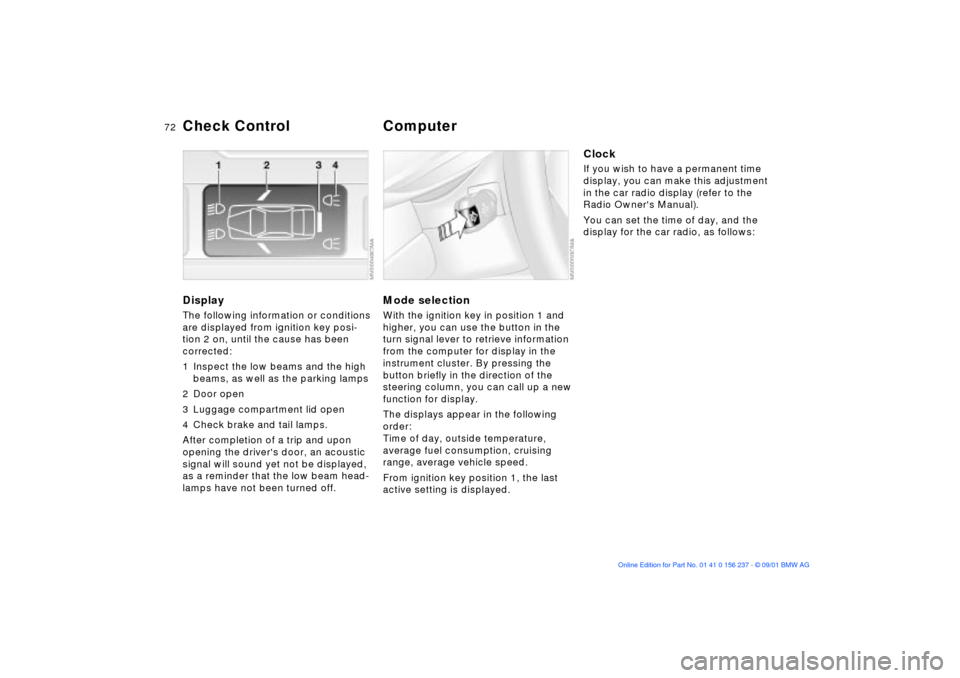
DisplayThe following information or conditions
are displayed from ignition key posi-
tion 2 on, until the cause has been
corrected:
1 Inspect the low beams and the high
beams, as well as the parking lamps
2 Door open
3 Luggage compartment lid open
4 Check brake and tail lamps.
After completion of a trip and upon
opening the driver's door, an acoustic
signal will sound yet not be displayed,
as a reminder that the low beam head-
lamps have not been turned off.
Mode selectionWith the ignition key in position 1 and
higher, you can use the button in the
turn signal lever to retrieve information
from the computer for display in the
instrument cluster. By pressing the
button briefly in the direction of the
steering column, you can call up a new
function for display.
The displays appear in the following
order:
Time of day, outside temperature,
average fuel consumption, cruising
range, average vehicle speed.
From ignition key position 1, the last
active setting is displayed.
ClockIf you wish to have a permanent time
display, you can make this adjustment
in the car radio display (refer to the
Radio Owner's Manual).
You can set the time of day, and the
display for the car radio, as follows:
Check Control
Computer
Page 90 of 151
90n
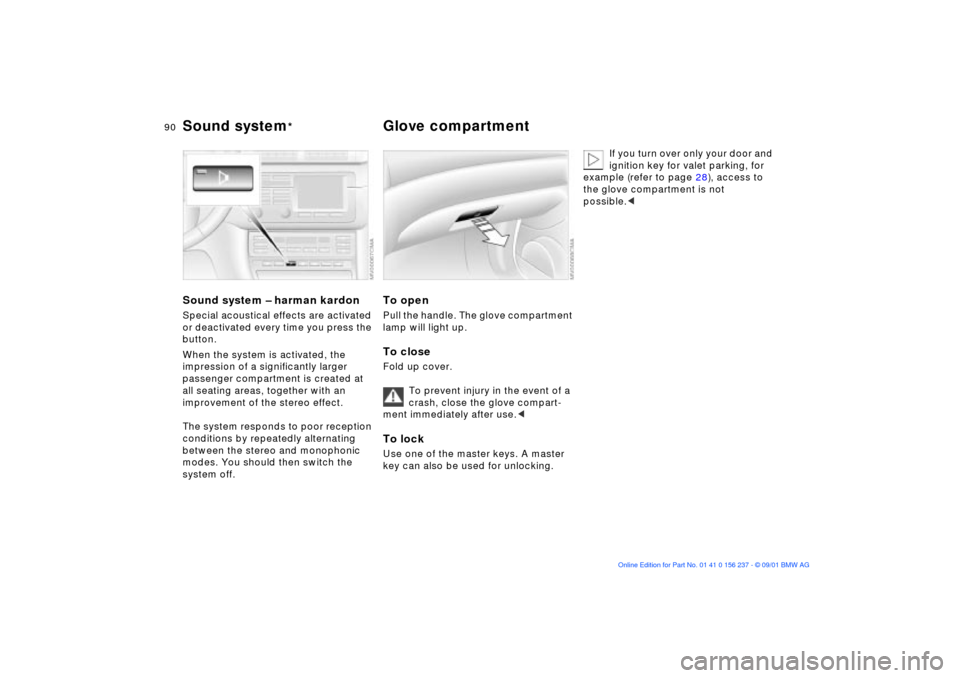
Sound system Ð harman kardonSpecial acoustical effects are activated
or deactivated every time you press the
button.
When the system is activated, the
impression of a significantly larger
passenger compartment is created at
all seating areas, together with an
improvement of the stereo effect.
The system responds to poor reception
conditions by repeatedly alternating
between the stereo and monophonic
modes. You should then switch the
system off.
To openPull the handle. The glove compartment
lamp will light up.To closeFold up cover.
To prevent injury in the event of a
crash, close the glove compart-
ment immediately after use.< To lockUse one of the master keys. A master
key can also be used for unlocking.
If you turn over only your door and
ignition key for valet parking, for
example (refer to page 28), access to
the glove compartment is not
possible.<
Sound system
* Glove compartment
Page 143 of 151

Everything from A to Z
143n
OverviewControlsMaintenanceRepairsDataIndex
Caring for headlamp covers,
refer to the "Caring for your
vehicle" manual
Caring for your vehicle's
paintwork, refer to the
"Caring for your vehicle"
manual
CBC (Cornering Brake
Control)101
warning lamp18
Cellular phone92
refer also to the separate
Owner's Manual
Center (high-mount) brake
lamp125
Center armrest91
Central locking system28
key33
Check Control72
Checking
engine coolant112t
engine oil level110t
tire inflation
pressures24t
Child seat security54
Child-restraint systems52
Cigarette lighter93
Clean the headlamps67 Clean the windshield67
Clock72
also refer to the "Radio
Owner's Manual"
Clothes hooks93
Cockpit14
Coin box91
Combination switch65
Compression136
Computer72
refer also to the "Onboard
Computer Owner's
Manual"
Configuring individual
settings with Vehicle and
Key Memory55
Connecting car vacuum
cleaner93
Consumption74
Consumption display71
Control elements14
Coolant112
Coolant system,
capacity139
Coolant temperature
gauge71
Copyright4 Cornering Brake Control
(CBC)101
warning lamp18
Cover, sun blinds89
Cruise control68
Cruising range74
Curb weight138
D
Data
dimensions137
engine136
technical136
weights138
Daytime driving lamps80
DBC (Dynamic Brake
Control)77
Deep water101
Defrostable rear window88
Defroster, rear window84
Defrosting windows87
Dimensions137
Dipstick, engine oil110
Disc brakes102
Displacement136
Display lighting81
Distance warning75
Divided rear backrest94
Door key28 Doors
electrical
malfunction29t
manual operation29t
operating manually29
remote control30
unlocking and
locking29, 30
Draft-free ventilation85, 88
Driving notes
aquaplaning101
brakes101
DSC (Dynamic Stability
Control)76
indicator lamp19
Dynamic Brake Control
(DBC)77
Dynamic Stability Control
(DSC)76
indicator lamp19
E
Electric power windows39
Electrical malfunction
doors29t
fuel filler door22t
luggage compartment
lid34
sliding/tilt sunroof41t