remote control BMW M3 COUPE 2002 E46 User Guide
[x] Cancel search | Manufacturer: BMW, Model Year: 2002, Model line: M3 COUPE, Model: BMW M3 COUPE 2002 E46Pages: 151, PDF Size: 2.14 MB
Page 47 of 151
47n
OverviewControlsMaintenanceRepairsDataIndex
Seat and mirror memory Seat heating
*
Steering wheel
Your BMW center can adjust your
vehicle's systems in such a
manner that your personalized settings
are automatically set for the seat and
exterior mirror positions when you
unlock the vehicle with your personal
remote control.<
Before activating the programmed
adjustment feature ensure that the
footwell behind the driver's seat is
empty and unobstructed. If you fail to
do so, any persons or objects behind
the seat could be injured or damaged
by a rearward movement of the seat.<
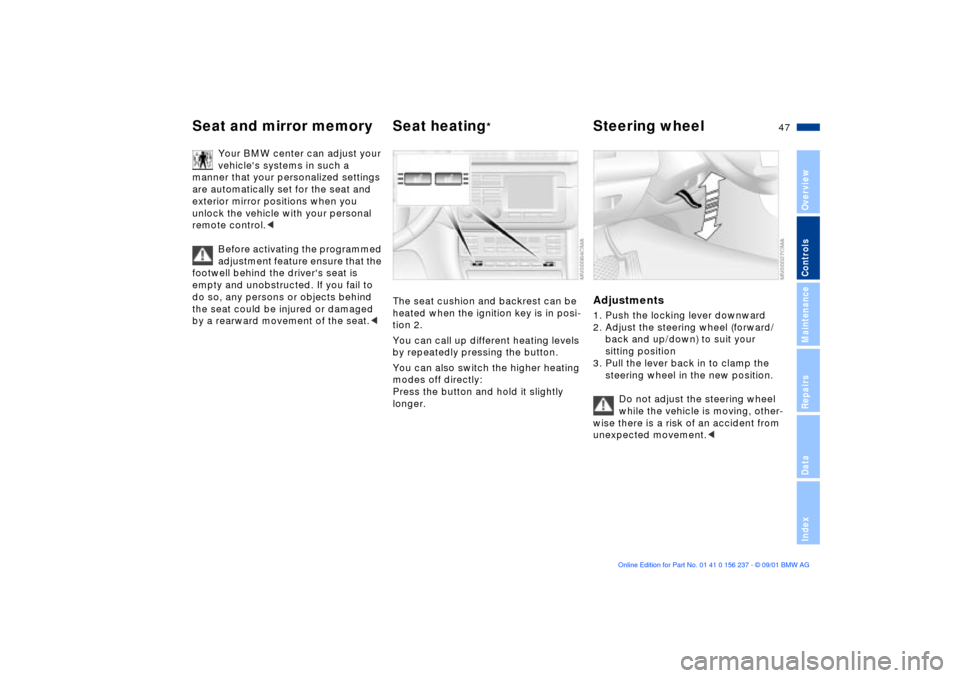
The seat cushion and backrest can be
heated when the ignition key is in posi-
tion 2.
You can call up different heating levels
by repeatedly pressing the button.
You can also switch the higher heating
modes off directly:
Press the button and hold it slightly
longer.
Adjustments1. Push the locking lever downward
2. Adjust the steering wheel (forward/
back and up/down) to suit your
sitting position
3. Pull the lever back in to clamp the
steering wheel in the new position.
Do not adjust the steering wheel
while the vehicle is moving, other-
wise there is a risk of an accident from
unexpected movement.<
Page 55 of 151
55n
OverviewControlsMaintenanceRepairsDataIndex
Vehicle Memory, Key Memory How the system functionsNo doubt you have reflected at one
time or another on how great it would
be if you could permanently configure
your vehicle's various features and
adjustments to mirror your own indi-
vidual preferences. In engineering your
vehicle, BMW has incorporated a
number of options for personal adjust-
ment that can be programmed into your
vehicle at your BMW center.
The available configuration data fall into
two categories, according to whether
their primary orientation is the vehicle
("Vehicle Memory") or the individual
("Key Memory"). Provided that each
person has a separate remote-control
key, you can have your BMW center
enter adjustment data for as many as
four different individuals into the
system.
The system then relies on a bilateral
data exchange to identify the individual
user and dial in the selected settings
whenever the remote control unit is
used to disengage the door locks.
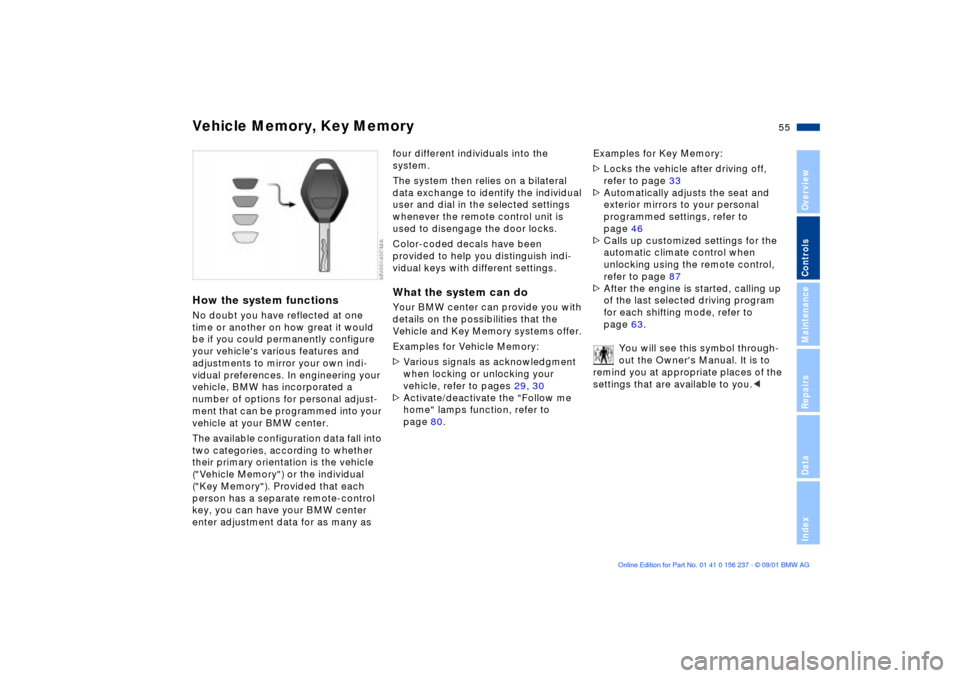
Color-coded decals have been
provided to help you distinguish indi-
vidual keys with different settings.What the system can doYour BMW center can provide you with
details on the possibilities that the
Vehicle and Key Memory systems offer.
Examples for Vehicle Memory:
>Various signals as acknowledgment
when locking or unlocking your
vehicle, refer to pages 29, 30
>Activate/deactivate the "Follow me
home" lamps function, refer to
page 80.Examples for Key Memory:
>Locks the vehicle after driving off,
refer to page 33
>Automatically adjusts the seat and
exterior mirrors to your personal
programmed settings, refer to
page 46
>Calls up customized settings for the
automatic climate control when
unlocking using the remote control,
refer to page 87
>After the engine is started, calling up
of the last selected driving program
for each shifting mode, refer to
page 63.
You will see this symbol through-
out the Owner's Manual. It is to
remind you at appropriate places of the
settings that are available to you.<
Page 87 of 151
87n
OverviewControlsMaintenanceRepairsDataIndex
Automatic climate control
*
Tips for pleasant drivingUse the automatic system (switch on
AUTO button 7). Select the desired
interior temperature.
Detailed setting options are described
for you in the following sections.
You vehicle is set in such a
manner that, when you unlock the
vehicle with the remote control of your
personal key, your own personalized
setting for the automatic climate control
is initiated.
the adjustment of the air distri-
bution and the air supply for you and Ð
in addition to that Ð adapts the temper-
ature to external influences (summer,
winter) to meet preferences you can
specify.
Individual air distribution
You can cancel the AUTO
program by selecting specific
distribution patterns to suit your
own individual requirements.
While the AUTO program is then deacti-
vated, the automatic air supply control
remains in operation. The system
directs air to the windows , the upper
body and into the footwells . You
can reactivate the automatic air supply
by pressing the AUTO button.
Temperature
The displayed temperatures are
reference values for the interior
temperature. We recommend 727
(+226) as a comfortable setting, even
if the air conditioner is on. When you
start the vehicle, the system ensures
that the selected temperature is
reached as quickly as possible. It then
maintains this temperature, regardless
of the season.
Air supply (blower)
By pressing the left or right side
of the button, you can vary the
air supply. This deactivates the auto-
matic air supply Ð the AUTO display
disappears from the panel. Neverthe-
less, the automatic air distribution
remains unchanged. You can reactivate
the automatic air supply by pressing the
AUTO button.
When you set the lowest blower speed
by pressing the left half of the button,
all of the displays are canceled: the
blower, heating and air conditioner are
switched off, and the air supply is
stopped. You can reactivate the system
by pressing any button for the auto-
matic climate control.
To defrost windows and remove
condensation
This program quickly removes
ice and condensation from the
windshield and side windows.
Page 143 of 151
Everything from A to Z
143n
OverviewControlsMaintenanceRepairsDataIndex
Caring for headlamp covers,
refer to the "Caring for your
vehicle" manual
Caring for your vehicle's
paintwork, refer to the
"Caring for your vehicle"
manual
CBC (Cornering Brake
Control)101
warning lamp18
Cellular phone92
refer also to the separate
Owner's Manual
Center (high-mount) brake
lamp125
Center armrest91
Central locking system28
key33
Check Control72
Checking
engine coolant112t
engine oil level110t
tire inflation
pressures24t
Child seat security54
Child-restraint systems52
Cigarette lighter93
Clean the headlamps67 Clean the windshield67
Clock72
also refer to the "Radio
Owner's Manual"
Clothes hooks93
Cockpit14
Coin box91
Combination switch65
Compression136
Computer72
refer also to the "Onboard
Computer Owner's
Manual"
Configuring individual
settings with Vehicle and
Key Memory55
Connecting car vacuum
cleaner93
Consumption74
Consumption display71
Control elements14
Coolant112
Coolant system,
capacity139
Coolant temperature
gauge71
Copyright4 Cornering Brake Control
(CBC)101
warning lamp18
Cover, sun blinds89
Cruise control68
Cruising range74
Curb weight138
D
Data
dimensions137
engine136
technical136
weights138
Daytime driving lamps80
DBC (Dynamic Brake
Control)77
Deep water101
Defrostable rear window88
Defroster, rear window84
Defrosting windows87
Dimensions137
Dipstick, engine oil110
Disc brakes102
Displacement136
Display lighting81
Distance warning75
Divided rear backrest94
Door key28 Doors
electrical
malfunction29t
manual operation29t
operating manually29
remote control30
unlocking and
locking29, 30
Draft-free ventilation85, 88
Driving notes
aquaplaning101
brakes101
DSC (Dynamic Stability
Control)76
indicator lamp19
Dynamic Brake Control
(DBC)77
Dynamic Stability Control
(DSC)76
indicator lamp19
E
Electric power windows39
Electrical malfunction
doors29t
fuel filler door22t
luggage compartment
lid34
sliding/tilt sunroof41t
Page 145 of 151
Everything from A to Z
145n
OverviewControlsMaintenanceRepairsDataIndex
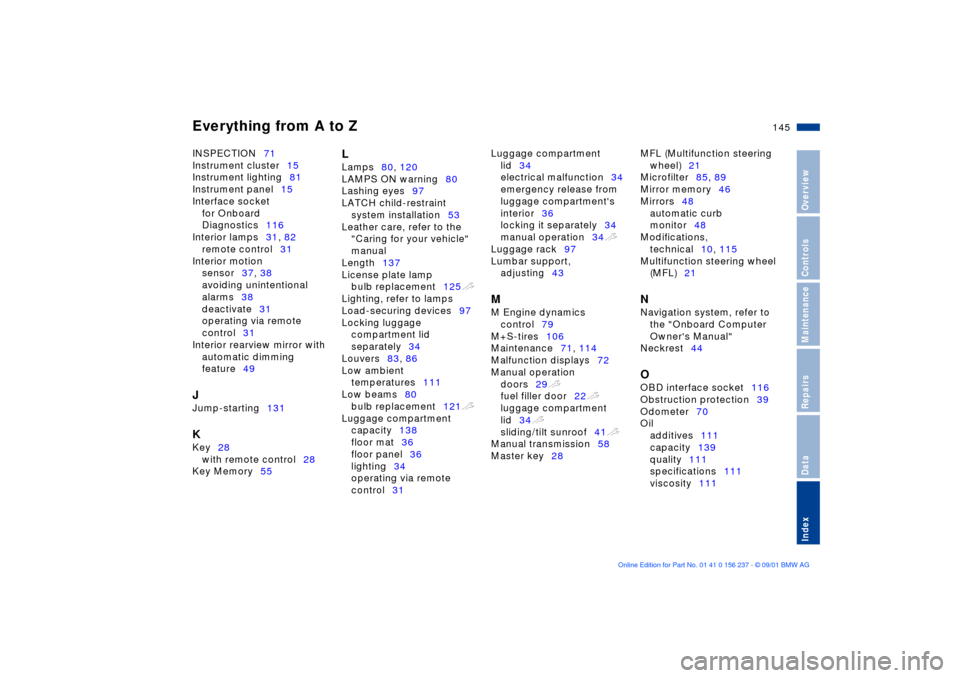
INSPECTION71
Instrument cluster15
Instrument lighting81
Instrument panel15
Interface socket
for Onboard
Diagnostics116
Interior lamps31, 82
remote control31
Interior motion
sensor37, 38
avoiding unintentional
alarms38
deactivate31
operating via remote
control31
Interior rearview mirror with
automatic dimming
feature49 J
Jump-starting131 K
Key28
with remote control28
Key Memory55
L
Lamps80, 120
LAMPS ON warning80
Lashing eyes97
LATCH child-restraint
system installation53
Leather care, refer to the
"Caring for your vehicle"
manual
Length137
License plate lamp
bulb replacement125t
Lighting, refer to lamps
Load-securing devices97
Locking luggage
compartment lid
separately34
Louvers83, 86
Low ambient
temperatures111
Low beams80
bulb replacement121t
Luggage compartment
capacity138
floor mat36
floor panel36
lighting34
operating via remote
control31 Luggage compartment
lid34
electrical malfunction34
emergency release from
luggage compartment's
interior36
locking it separately34
manual operation34t
Luggage rack97
Lumbar support,
adjusting43
M
M Engine dynamics
control79
M+S-tires106
Maintenance71, 114
Malfunction displays72
Manual operation
doors29t
fuel filler door22t
luggage compartment
lid34t
sliding/tilt sunroof41t
Manual transmission58
Master key28 MFL (Multifunction steering
wheel)21
Microfilter85, 89
Mirror memory46
Mirrors48
automatic curb
monitor48
Modifications,
technical10, 115
Multifunction steering wheel
(MFL)21
N
Navigation system, refer to
the "Onboard Computer
Owner's Manual"
Neckrest44 O
OBD interface socket116
Obstruction protection39
Odometer70
Oil
additives111
capacity139
quality111
specifications111
viscosity111
Page 146 of 151

Everything from A to ZOil change intervals, see the
Service and Warranty
Information Booklet (US
models) or the Warranty
and Service Guide Booklet
(Canadian models).
Oil consumption110
Oil filter change139
Oil level, indicator lamp19
OILSERVICE71
Onboard computer72
refer to the "Onboard
Computer Owner's
Manual"
Onboard tool kit120
Opening and closing
from inside33
via remote control30
via the door lock29
Operating vehicle at low
ambient
temperatures111
Outside temperature
display73
P
Park Distance Control
(PDC)75
Parking brake58
Parking help75
Parking lamps80
PDC (Park Distance
Control)75
Performance136
Pollen filter85, 89
Power windows39 R
Radiator139
Radio navigation system,
refer to the "Radio Owner's
Manual"
Radio, refer to the separate
Owner's Manual
Rain sensor66
Reading lamps82
Rear backrest, folding94
Rear lamps, refer to tail
lamps123t
Rear view mirror48
Rear window
defroster84, 88
Rear-entry assist45 Recirculated-air
mode84, 88
Reclining seat42
Refueling22
Releasing
fuel filler door following an
electrical
malfunction22t
Remote control30
Removing condensation
from the windows87
Repairing a flat tire126
Replace windshield wiper
blades120t
Replacement key28t
Replacing bulbs120t
Reporting safety defects11
Roller sun blind89
Roof load capacity138
Roof-mounted luggage
rack97
S
Safety belts45
height adjustment45
three-point safety belt94
Safety buttons33
Safety feature39
Seat heating47
Seat memory46
Seats, adjusting42
Securing cargo96
Securing loads96
Self-defrosting mirrors48
Sequential M gearbox SMG
II59
Service and Warranty
Information Booklet114
Service Interval
Display71, 114
Side airbags49
Side impact Head Protection
System49
Side turn signals
bulb replacement122t
Ski bag95
Page 147 of 151
Everything from A to Z
147n
OverviewControlsMaintenanceRepairsDataIndex
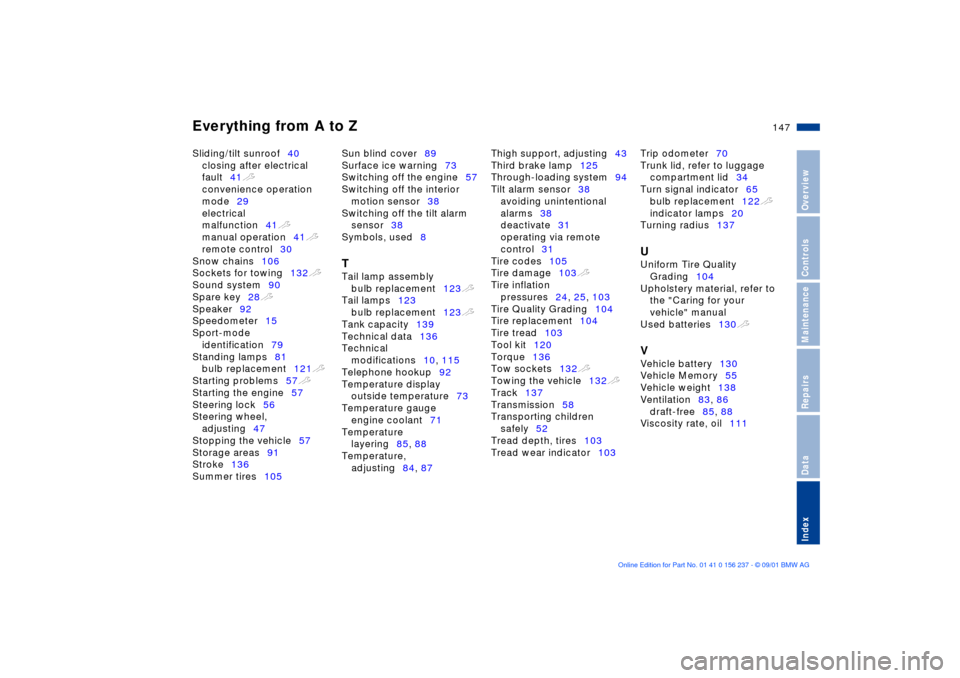
Sliding/tilt sunroof40
closing after electrical
fault41t
convenience operation
mode29
electrical
malfunction41t
manual operation41t
remote control30
Snow chains106
Sockets for towing132t
Sound system90
Spare key28t
Speaker92
Speedometer15
Sport-mode
identification79
Standing lamps81
bulb replacement121t
Starting problems57t
Starting the engine57
Steering lock56
Steering wheel,
adjusting47
Stopping the vehicle57
Storage areas91
Stroke136
Summer tires105 Sun blind cover89
Surface ice warning73
Switching off the engine57
Switching off the interior
motion sensor38
Switching off the tilt alarm
sensor38
Symbols, used8
T
Tail lamp assembly
bulb replacement123t
Tail lamps123
bulb replacement123t
Tank capacity139
Technical data136
Technical
modifications10, 115
Telephone hookup92
Temperature display
outside temperature73
Temperature gauge
engine coolant71
Temperature
layering85, 88
Temperature,
adjusting84, 87 Thigh support, adjusting43
Third brake lamp125
Through-loading system94
Tilt alarm sensor38
avoiding unintentional
alarms38
deactivate31
operating via remote
control31
Tire codes105
Tire damage103t
Tire inflation
pressures24, 25, 103
Tire Quality Grading104
Tire replacement104
Tire tread103
Tool kit120
Torque136
Tow sockets132t
Towing the vehicle132t
Track137
Transmission58
Transporting children
safely52
Tread depth, tires103
Tread wear indicator103 Trip odometer70
Trunk lid, refer to luggage
compartment lid34
Turn signal indicator65
bulb replacement122t
indicator lamps20
Turning radius137
U
Uniform Tire Quality
Grading104
Upholstery material, refer to
the "Caring for your
vehicle" manual
Used batteries130t V
Vehicle battery130
Vehicle Memory55
Vehicle weight138
Ventilation83, 86
draft-free85, 88
Viscosity rate, oil111
Page 148 of 151

Everything from A to ZW
Warning lamps17
Warning messages72
Warning triangle22
Warranty and Service Guide
Booklet114
Washer fluid reservoir,
capacity139
Washing your vehicle, refer
to the "Caring for your
vehicle" manual
Water on roadways101
Wear indicator in the
tires103
Weights138
Wheel rims105
Wheelbase137
Wheels and tires105
Width137
Windows
convenience
operation29, 30
remote control30
Windshield washer reservoir,
capacity139
Windshield wiper66
Winter tires106
Wiper system66
Work in the engine
compartment107t
X
Xenon lamps121