lock BMW M3 COUPE 2002 E46 Owner's Guide
[x] Cancel search | Manufacturer: BMW, Model Year: 2002, Model line: M3 COUPE, Model: BMW M3 COUPE 2002 E46Pages: 151, PDF Size: 2.14 MB
Page 44 of 151
44n
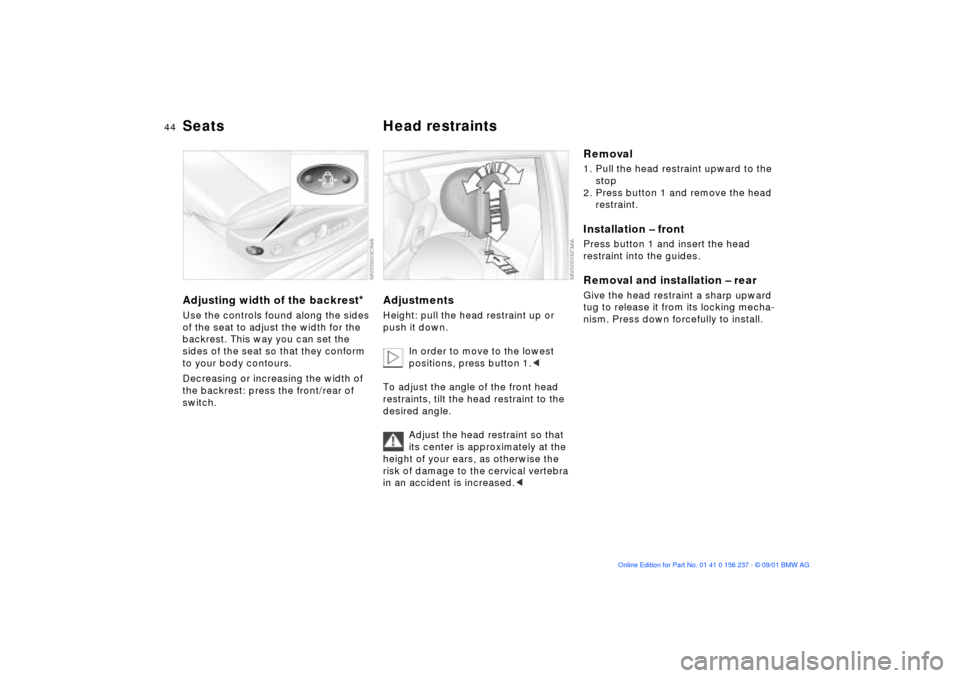
Seats Head restraintsAdjusting width of the backrest
*
Use the controls found along the sides
of the seat to adjust the width for the
backrest. This way you can set the
sides of the seat so that they conform
to your body contours.
Decreasing or increasing the width of
the backrest: press the front/rear of
switch.
Adjustments Height: pull the head restraint up or
push it down.
In order to move to the lowest
positions, press button 1.<
To adjust the angle of the front head
restraints, tilt the head restraint to the
desired angle.
Adjust the head restraint so that
its center is approximately at the
height of your ears, as otherwise the
risk of damage to the cervical vertebra
in an accident is increased.<
Removal1. Pull the head restraint upward to the
stop
2. Press button 1 and remove the head
restraint.Installation Ð frontPress button 1 and insert the head
restraint into the guides. Removal and installation Ð rearGive the head restraint a sharp upward
tug to release it from its locking mecha-
nism. Press down forcefully to install.
Page 45 of 151
45n
OverviewControlsMaintenanceRepairsDataIndex
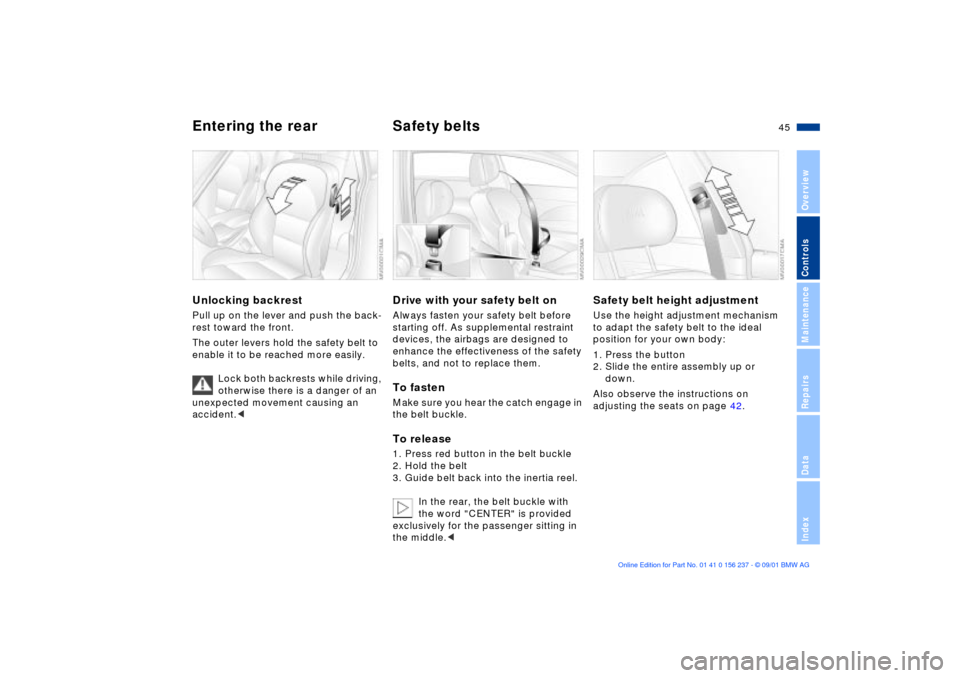
Entering the rear Safety belts Unlocking backrestPull up on the lever and push the back-
rest toward the front.
The outer levers hold the safety belt to
enable it to be reached more easily.
Lock both backrests while driving,
otherwise there is a danger of an
unexpected movement causing an
accident.<
Drive with your safety belt onAlways fasten your safety belt before
starting off. As supplemental restraint
devices, the airbags are designed to
enhance the effectiveness of the safety
belts, and not to replace them.To fastenMake sure you hear the catch engage in
the belt buckle. To release1. Press red button in the belt buckle
2. Hold the belt
3. Guide belt back into the inertia reel.
In the rear, the belt buckle with
the word "CENTER" is provided
exclusively for the passenger sitting in
the middle.<
Safety belt height adjustmentUse the height adjustment mechanism
to adapt the safety belt to the ideal
position for your own body:
1. Press the button
2. Slide the entire assembly up or
down.
Also observe the instructions on
adjusting the seats on page 42.
Page 46 of 151
46n
Safety belts Seat and mirror memory
If the safety belt system has been
subjected to the stresses involved
in an accident or otherwise damaged:
Have the entire safety belt mechanism
replaced by your BMW center,
including the safety belt tensioner. In
addition, have your BMW center
inspect the safety belt anchors. If a
child-restraint system was in the
vehicle during an accident, consult the
manufacturer's instructions regarding
replacement.<
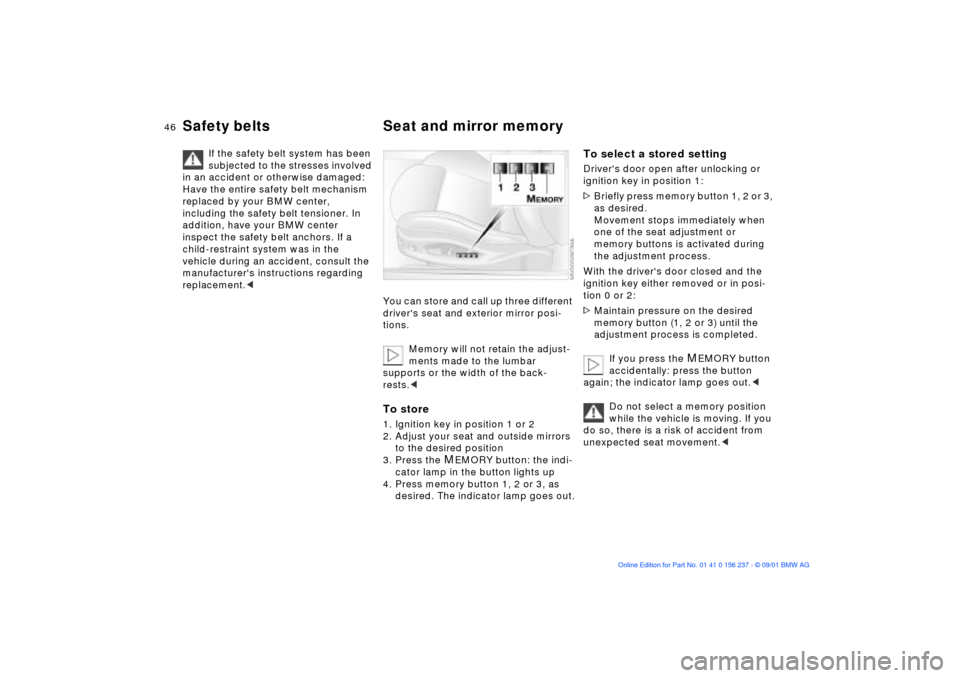
You can store and call up three different
driver's seat and exterior mirror posi-
tions.
Memory will not retain the adjust-
ments made to the lumbar
supports or the width of the back-
rests.
to the desired position
3. Press the
MEMORY button: the indi-
cator lamp in the button lights up
4. Press memory button 1, 2 or 3, as
desired. The indicator lamp goes out.
To select a stored settingDriver's door open after unlocking or
ignition key in position 1:
>Briefly press memory button 1, 2 or 3,
as desired.
Movement stops immediately when
one of the seat adjustment or
memory buttons is activated during
the adjustment process.
With the driver's door closed and the
ignition key either removed or in posi-
tion 0 or 2:
>Maintain pressure on the desired
memory button (1, 2 or 3) until the
adjustment process is completed.
If you press the
MEMORY button
accidentally: press the button
again; the indicator lamp goes out.<
Do not select a memory position
while the vehicle is moving. If you
do so, there is a risk of accident from
unexpected seat movement.<
Page 47 of 151
47n
OverviewControlsMaintenanceRepairsDataIndex
Seat and mirror memory Seat heating
*
Steering wheel
Your BMW center can adjust your
vehicle's systems in such a
manner that your personalized settings
are automatically set for the seat and
exterior mirror positions when you
unlock the vehicle with your personal
remote control.<
Before activating the programmed
adjustment feature ensure that the
footwell behind the driver's seat is
empty and unobstructed. If you fail to
do so, any persons or objects behind
the seat could be injured or damaged
by a rearward movement of the seat.<
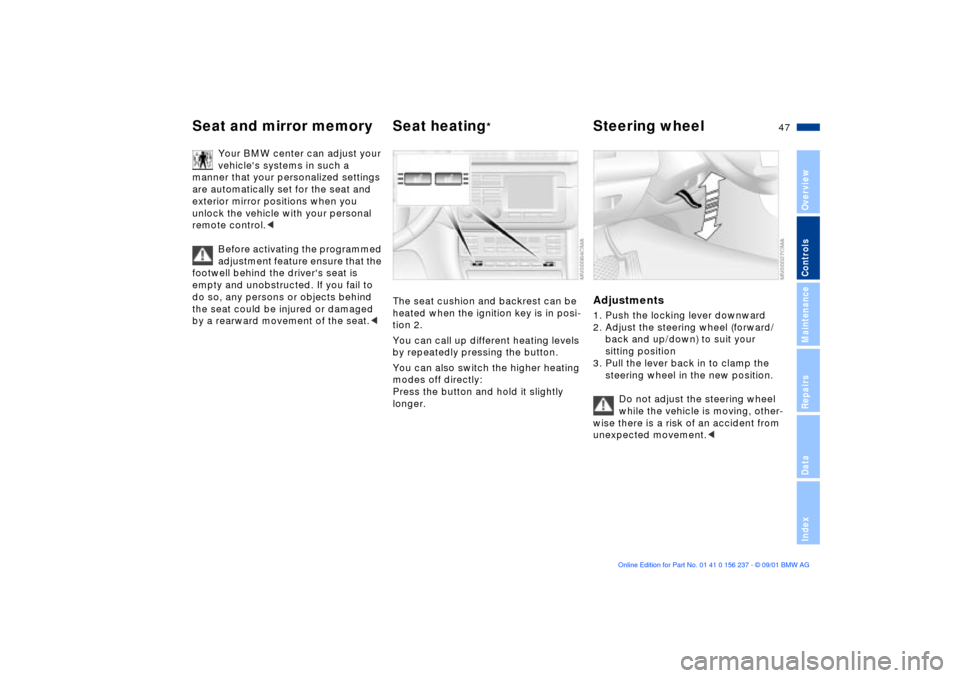
The seat cushion and backrest can be
heated when the ignition key is in posi-
tion 2.
You can call up different heating levels
by repeatedly pressing the button.
You can also switch the higher heating
modes off directly:
Press the button and hold it slightly
longer.
Adjustments1. Push the locking lever downward
2. Adjust the steering wheel (forward/
back and up/down) to suit your
sitting position
3. Pull the lever back in to clamp the
steering wheel in the new position.
Do not adjust the steering wheel
while the vehicle is moving, other-
wise there is a risk of an accident from
unexpected movement.<
Page 54 of 151
54n
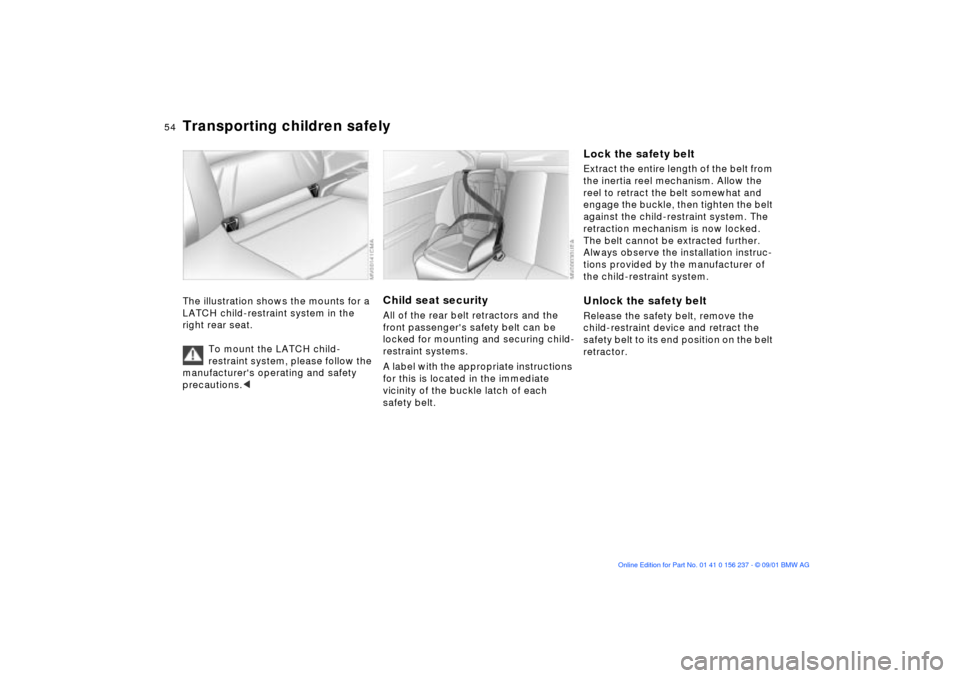
Transporting children safelyThe illustration shows the mounts for a
LATCH child-restraint system in the
right rear seat.
To mount the LATCH child-
restraint system, please follow the
manufacturer's operating and safety
precautions.<< < <
Child seat securityAll of the rear belt retractors and the
front passenger's safety belt can be
locked for mounting and securing child-
restraint systems.
A label with the appropriate instructions
for this is located in the immediate
vicinity of the buckle latch of each
safety belt.
Lock the safety beltExtract the entire length of the belt from
the inertia reel mechanism. Allow the
reel to retract the belt somewhat and
engage the buckle, then tighten the belt
against the child-restraint system. The
retraction mechanism is now locked.
The belt cannot be extracted further.
Always observe the installation instruc-
tions provided by the manufacturer of
the child-restraint system.Unlock the safety beltRelease the safety belt, remove the
child-restraint device and retract the
safety belt to its end position on the belt
retractor.
Page 55 of 151
55n
OverviewControlsMaintenanceRepairsDataIndex
Vehicle Memory, Key Memory How the system functionsNo doubt you have reflected at one
time or another on how great it would
be if you could permanently configure
your vehicle's various features and
adjustments to mirror your own indi-
vidual preferences. In engineering your
vehicle, BMW has incorporated a
number of options for personal adjust-
ment that can be programmed into your
vehicle at your BMW center.
The available configuration data fall into
two categories, according to whether
their primary orientation is the vehicle
("Vehicle Memory") or the individual
("Key Memory"). Provided that each
person has a separate remote-control
key, you can have your BMW center
enter adjustment data for as many as
four different individuals into the
system.
The system then relies on a bilateral
data exchange to identify the individual
user and dial in the selected settings
whenever the remote control unit is
used to disengage the door locks.
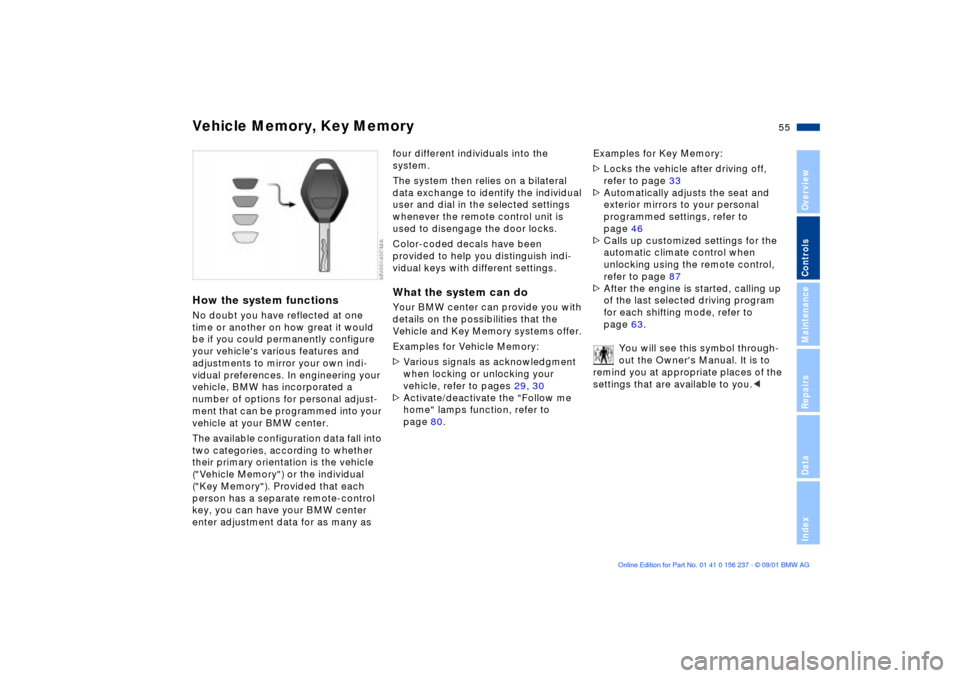
Color-coded decals have been
provided to help you distinguish indi-
vidual keys with different settings.What the system can doYour BMW center can provide you with
details on the possibilities that the
Vehicle and Key Memory systems offer.
Examples for Vehicle Memory:
>Various signals as acknowledgment
when locking or unlocking your
vehicle, refer to pages 29, 30
>Activate/deactivate the "Follow me
home" lamps function, refer to
page 80.Examples for Key Memory:
>Locks the vehicle after driving off,
refer to page 33
>Automatically adjusts the seat and
exterior mirrors to your personal
programmed settings, refer to
page 46
>Calls up customized settings for the
automatic climate control when
unlocking using the remote control,
refer to page 87
>After the engine is started, calling up
of the last selected driving program
for each shifting mode, refer to
page 63.
You will see this symbol through-
out the Owner's Manual. It is to
remind you at appropriate places of the
settings that are available to you.<
Page 56 of 151
56n
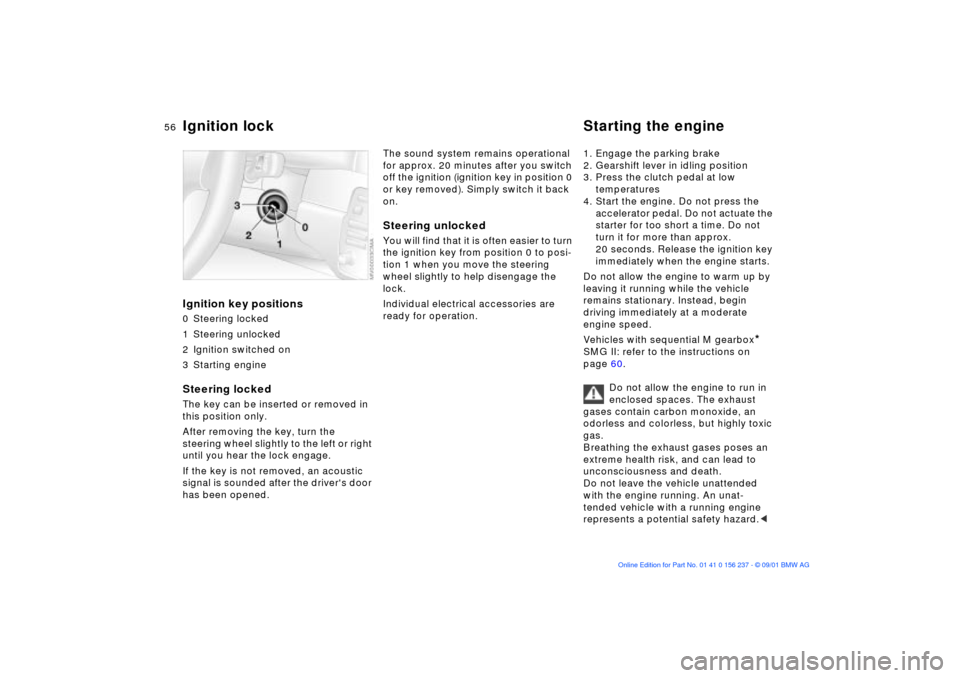
Ignition key positions0 Steering locked
1 Steering unlocked
2 Ignition switched on
3 Starting engineSteering locked The key can be inserted or removed in
this position only.
After removing the key, turn the
steering wheel slightly to the left or right
until you hear the lock engage.
If the key is not removed, an acoustic
signal is sounded after the driver's door
has been opened.
The sound system remains operational
for approx. 20 minutes after you switch
off the ignition (ignition key in position 0
or key removed). Simply switch it back
on.Steering unlocked You will find that it is often easier to turn
the ignition key from position 0 to posi-
tion 1 when you move the steering
wheel slightly to help disengage the
lock.
Individual electrical accessories are
ready for operation. 1. Engage the parking brake
2. Gearshift lever in idling position
3. Press the clutch pedal at low
temperatures
4. Start the engine. Do not press the
accelerator pedal. Do not actuate the
starter for too short a time. Do not
turn it for more than approx.
20 seconds. Release the ignition key
immediately when the engine starts.
Do not allow the engine to warm up by
leaving it running while the vehicle
remains stationary. Instead, begin
driving immediately at a moderate
engine speed.
Vehicles with sequential M gearbox
*
SMG II: refer to the instructions on
page 60.
Do not allow the engine to run in
enclosed spaces. The exhaust
gases contain carbon monoxide, an
odorless and colorless, but highly toxic
gas.
Breathing the exhaust gases poses an
extreme health risk, and can lead to
unconsciousness and death.
Do not leave the vehicle unattended
with the engine running. An unat-
tended vehicle with a running engine
represents a potential safety hazard.<
Ignition lock Starting the engine
Page 57 of 151
57n
OverviewControlsMaintenanceRepairsDataIndex
Starting the engine Switching off the engine If the engine does not start on the first
attempt (the engine is very hot or cold,
for instance):
>Press the accelerator pedal halfway
down while engaging the starter.
Cold starts at very low temperatures,
starting at about +57 (Ð156) and at
high altitudes over 3,300 ft (over
1,000 m):
>On the first start attempt, engage the
starter for a longer period (approx.
10 seconds)
Extended starting attempts, char-
acterized by excessively frequent
or long periods with the starter
engaged, can lead to damage to the
catalytic converter.<
When driving, standing at idle,
and parking the vehicle, take care
to avoid contact between the exhaust
system and flammable materials (grass,
hay, leaves, etc.). Such contact could
lead to a fire, resulting in personal injury
and property damage.<
Engine idle speed is controlled by the
engine computer system. Increased
speeds at start-up are normal and
should decrease as the engine warms
up. If engine speed does not decrease,
service is required.
To prevent the battery from
discharging, always switch off electrical
devices that are not in use. Switch the
ignition off when the vehicle is not
being driven.Turn the ignition key to position 1 or 0.
Do not remove the ignition key
while the vehicle is still moving.
If you did so, the steering lock would
engage when the steering wheel is
turned.
When you leave the vehicle, always
remove the ignition key and engage the
steering lock.
Set the parking brake when parking on
steep hills, because under certain
conditions, putting the vehicle into first
or reverse gear may not be enough to
prevent it from rolling away.<
Vehicles with sequential M transmis-
sion
* SMG II: observe instructions on
page 60.
Page 60 of 151
60n
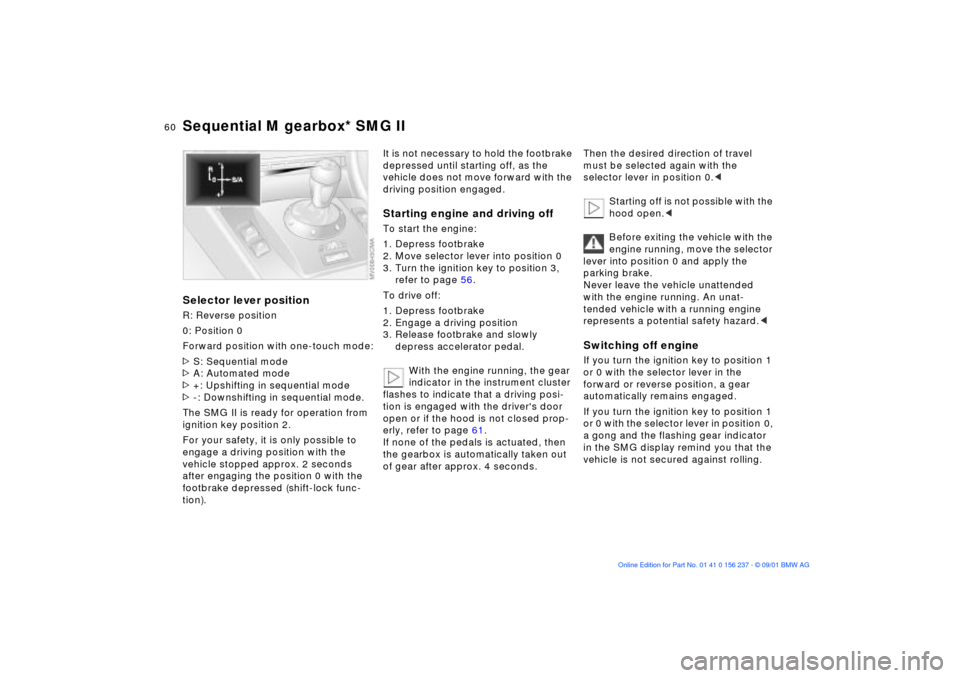
Sequential M gearbox* SMG IISelector lever positionR: Reverse position
0: Position 0
Forward position with one-touch mode:
>S: Sequential mode
>A: Automated mode
>+: Upshifting in sequential mode
>-: Downshifting in sequential mode.
The SMG II is ready for operation from
ignition key position 2.
For your safety, it is only possible to
engage a driving position with the
vehicle stopped approx. 2 seconds
after engaging the position 0 with the
footbrake depressed (shift-lock func-
tion).
It is not necessary to hold the footbrake
depressed until starting off, as the
vehicle does not move forward with the
driving position engaged.Starting engine and driving offTo start the engine:
1. Depress footbrake
2. Move selector lever into position 0
3. Turn the ignition key to position 3,
refer to page 56.
To drive off:
1. Depress footbrake
2. Engage a driving position
3. Release footbrake and slowly
depress accelerator pedal.
With the engine running, the gear
indicator in the instrument cluster
flashes to indicate that a driving posi-
tion is engaged with the driver's door
open or if the hood is not closed prop-
erly, refer to page 61.
If none of the pedals is actuated, then
the gearbox is automatically taken out
of gear after approx. 4 seconds.
Then the desired direction of travel
must be selected again with the
selector lever in position 0.<
Starting off is not possible with the
hood open.<
Before exiting the vehicle with the
engine running, move the selector
lever into position 0 and apply the
parking brake.
Never leave the vehicle unattended
with the engine running. An unat-
tended vehicle with a running engine
represents a potential safety hazard.
forward or reverse position, a gear
automatically remains engaged.
If you turn the ignition key to position 1
or 0 with the selector lever in position 0,
a gong and the flashing gear indicator
in the SMG display remind you that the
vehicle is not secured against rolling.
Page 72 of 151
72n
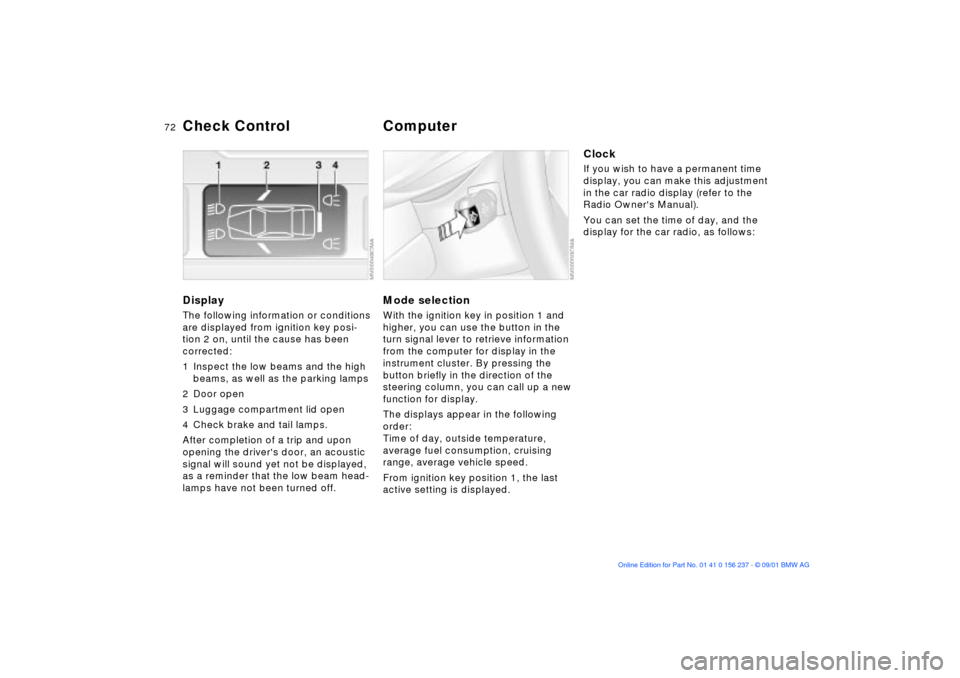
DisplayThe following information or conditions
are displayed from ignition key posi-
tion 2 on, until the cause has been
corrected:
1 Inspect the low beams and the high
beams, as well as the parking lamps
2 Door open
3 Luggage compartment lid open
4 Check brake and tail lamps.
After completion of a trip and upon
opening the driver's door, an acoustic
signal will sound yet not be displayed,
as a reminder that the low beam head-
lamps have not been turned off.
Mode selectionWith the ignition key in position 1 and
higher, you can use the button in the
turn signal lever to retrieve information
from the computer for display in the
instrument cluster. By pressing the
button briefly in the direction of the
steering column, you can call up a new
function for display.
The displays appear in the following
order:
Time of day, outside temperature,
average fuel consumption, cruising
range, average vehicle speed.
From ignition key position 1, the last
active setting is displayed.
ClockIf you wish to have a permanent time
display, you can make this adjustment
in the car radio display (refer to the
Radio Owner's Manual).
You can set the time of day, and the
display for the car radio, as follows:
Check Control
Computer