door lock BMW M3 COUPE 2003 E46 User Guide
[x] Cancel search | Manufacturer: BMW, Model Year: 2003, Model line: M3 COUPE, Model: BMW M3 COUPE 2003 E46Pages: 158, PDF Size: 4.18 MB
Page 39 of 158
39
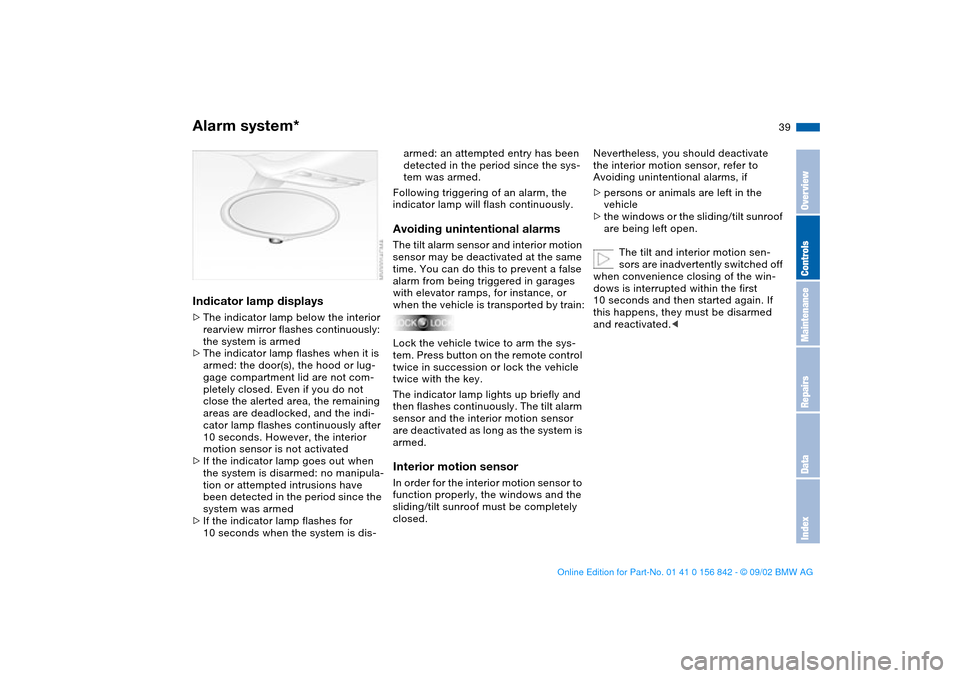
Indicator lamp displays>The indicator lamp below the interior
rearview mirror flashes continuously:
the system is armed
>The indicator lamp flashes when it is
armed: the door(s), the hood or lug-
gage compartment lid are not com-
pletely closed. Even if you do not
close the alerted area, the remaining
areas are deadlocked, and the indi-
cator lamp flashes continuously after
10 seconds. However, the interior
motion sensor is not activated
>If the indicator lamp goes out when
the system is disarmed: no manipula-
tion or attempted intrusions have
been detected in the period since the
system was armed
>If the indicator lamp flashes for
10 seconds when the system is dis-
armed: an attempted entry has been
detected in the period since the sys-
tem was armed.
Following triggering of an alarm, the
indicator lamp will flash continuously.Avoiding unintentional alarmsThe tilt alarm sensor and interior motion
sensor may be deactivated at the same
time. You can do this to prevent a false
alarm from being triggered in garages
with elevator ramps, for instance, or
when the vehicle is transported by train:
Lock the vehicle twice to arm the sys-
tem. Press button on the remote control
twice in succession or lock the vehicle
twice with the key.
The indicator lamp lights up briefly and
then flashes continuously. The tilt alarm
sensor and the interior motion sensor
are deactivated as long as the system is
armed.Interior motion sensorIn order for the interior motion sensor to
function properly, the windows and the
sliding/tilt sunroof must be completely
closed.
Nevertheless, you should deactivate
the interior motion sensor, refer to
Avoiding unintentional alarms, if
>persons or animals are left in the
vehicle
>the windows or the sliding/tilt sunroof
are being left open.
The tilt and interior motion sen-
sors are inadvertently switched off
when convenience closing of the win-
dows is interrupted within the first
10 seconds and then started again. If
this happens, they must be disarmed
and reactivated.<
Alarm system*
OverviewControlsMaintenanceRepairsDataIndex
handbook.book Page 39 Saturday, July 27, 2002 1:12 PM
Page 40 of 158
40
Electric power windowsTo open and close windows
When leaving the vehicle, always
remove the ignition key from the
lock and remember to close the doors
to prevent children from operating the
power windows and injuring them-
selves, etc.<
After the ignition has been switched off,
you can still operate the power win-
dows for up to 15 minutes as long as
no one has opened and again closed
any of the doors.
With the ignition key in position 1 or
higher
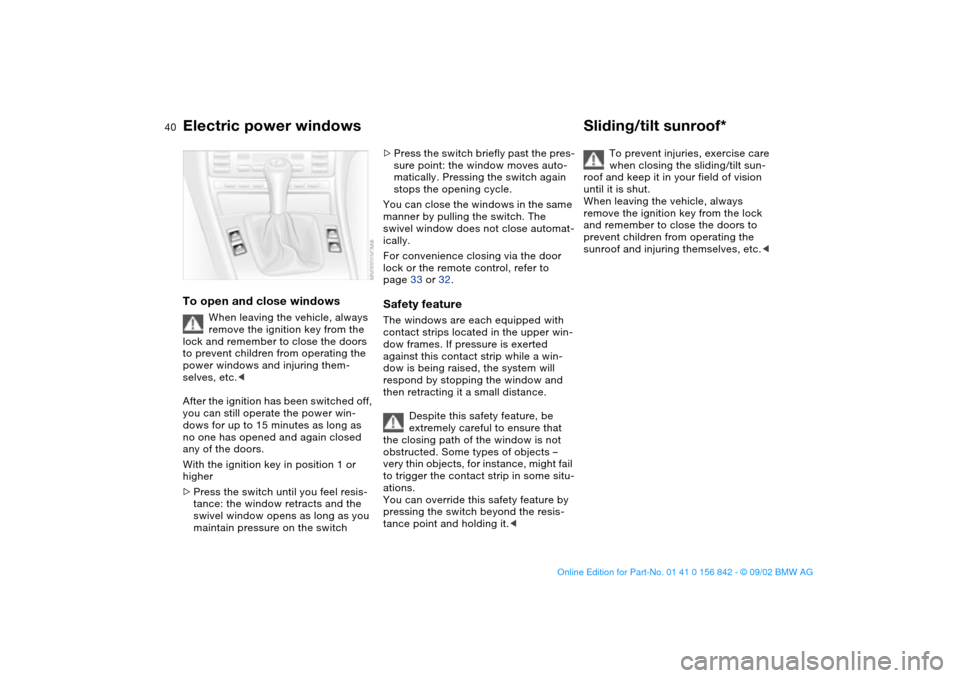
>Press the switch until you feel resis-
tance: the window retracts and the
swivel window opens as long as you
maintain pressure on the switch
>Press the switch briefly past the pres-
sure point: the window moves auto-
matically. Pressing the switch again
stops the opening cycle.
You can close the windows in the same
manner by pulling the switch. The
swivel window does not close automat-
ically.
For convenience closing via the door
lock or the remote control, refer to
page 33 or 32.Safety featureThe windows are each equipped with
contact strips located in the upper win-
dow frames. If pressure is exerted
against this contact strip while a win-
dow is being raised, the system will
respond by stopping the window and
then retracting it a small distance.
Despite this safety feature, be
extremely careful to ensure that
the closing path of the window is not
obstructed. Some types of objects –
very thin objects, for instance, might fail
to trigger the contact strip in some situ-
ations.
You can override this safety feature by
pressing the switch beyond the resis-
tance point and holding it.<
Sliding/tilt sunroof*
To prevent injuries, exercise care
when closing the sliding/tilt sun-
roof and keep it in your field of vision
until it is shut.
When leaving the vehicle, always
remove the ignition key from the lock
and remember to close the doors to
prevent children from operating the
sunroof and injuring themselves, etc.<
handbook.book Page 40 Saturday, July 27, 2002 1:12 PM
Page 41 of 158
41
Opening and closingWith the ignition key in position 1 or
higher
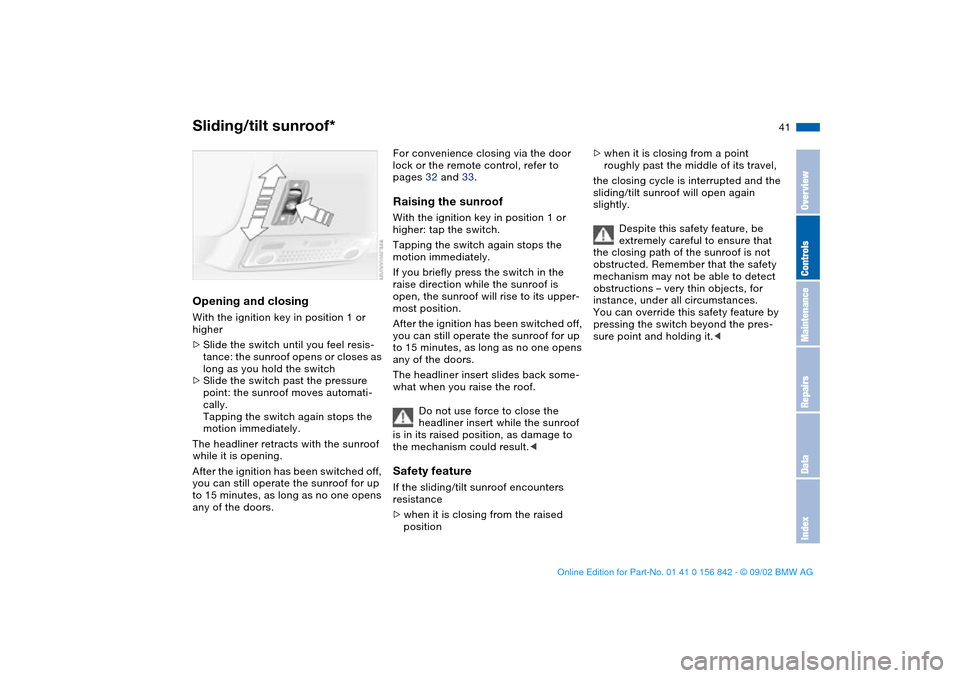
>Slide the switch until you feel resis-
tance: the sunroof opens or closes as
long as you hold the switch
>Slide the switch past the pressure
point: the sunroof moves automati-
cally.
Tapping the switch again stops the
motion immediately.
The headliner retracts with the sunroof
while it is opening.
After the ignition has been switched off,
you can still operate the sunroof for up
to 15 minutes, as long as no one opens
any of the doors.
For convenience closing via the door
lock or the remote control, refer to
pages 32 and 33.Raising the sunroofWith the ignition key in position 1 or
higher: tap the switch.
Tapping the switch again stops the
motion immediately.
If you briefly press the switch in the
raise direction while the sunroof is
open, the sunroof will rise to its upper-
most position.
After the ignition has been switched off,
you can still operate the sunroof for up
to 15 minutes, as long as no one opens
any of the doors.
The headliner insert slides back some-
what when you raise the roof.
Do not use force to close the
headliner insert while the sunroof
is in its raised position, as damage to
the mechanism could result.
>when it is closing from the raised
position
>when it is closing from a point
roughly past the middle of its travel,
the closing cycle is interrupted and the
sliding/tilt sunroof will open again
slightly.
Despite this safety feature, be
extremely careful to ensure that
the closing path of the sunroof is not
obstructed. Remember that the safety
mechanism may not be able to detect
obstructions – very thin objects, for
instance, under all circumstances.
You can override this safety feature by
pressing the switch beyond the pres-
sure point and holding it.<
Sliding/tilt sunroof*
OverviewControlsMaintenanceRepairsDataIndex
handbook.book Page 41 Saturday, July 27, 2002 1:12 PM
Page 49 of 158
49
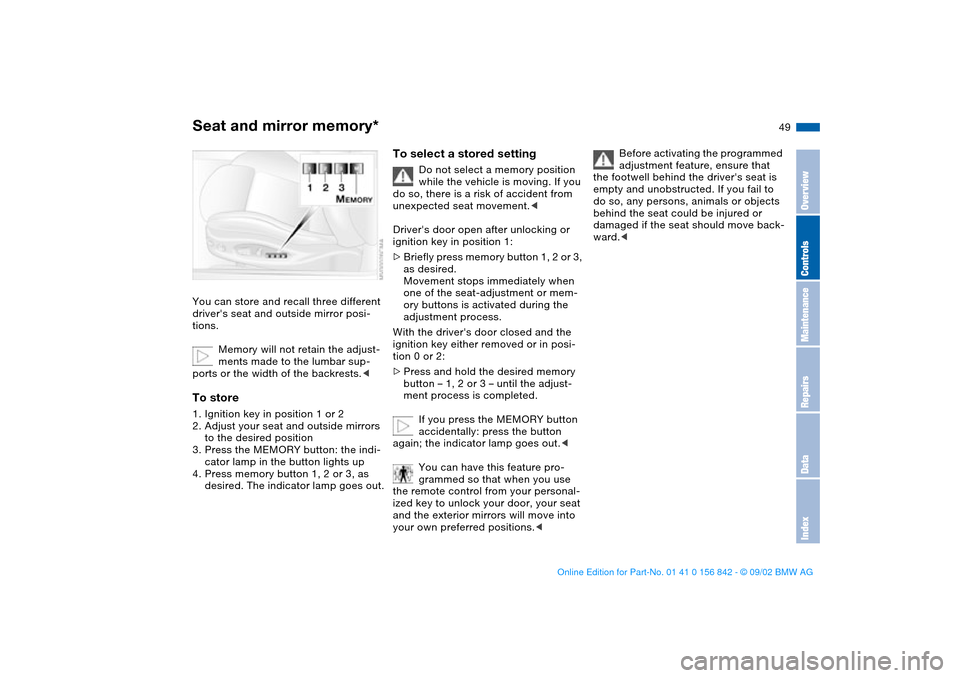
Seat and mirror memory*You can store and recall three different
driver's seat and outside mirror posi-
tions.
Memory will not retain the adjust-
ments made to the lumbar sup-
ports or the width of the backrests.
to the desired position
3. Press the MEMORY button: the indi-
cator lamp in the button lights up
4. Press memory button 1, 2 or 3, as
desired. The indicator lamp goes out.
To select a stored setting
Do not select a memory position
while the vehicle is moving. If you
do so, there is a risk of accident from
unexpected seat movement.<
Driver's door open after unlocking or
ignition key in position 1:
>Briefly press memory button 1, 2 or 3,
as desired.
Movement stops immediately when
one of the seat-adjustment or mem-
ory buttons is activated during the
adjustment process.
With the driver's door closed and the
ignition key either removed or in posi-
tion 0 or 2:
>Press and hold the desired memory
button – 1, 2 or 3 – until the adjust-
ment process is completed.
If you press the MEMORY button
accidentally: press the button
again; the indicator lamp goes out.<
You can have this feature pro-
grammed so that when you use
the remote control from your personal-
ized key to unlock your door, your seat
and the exterior mirrors will move into
your own preferred positions.<
Before activating the programmed
adjustment feature, ensure that
the footwell behind the driver's seat is
empty and unobstructed. If you fail to
do so, any persons, animals or objects
behind the seat could be injured or
damaged if the seat should move back-
ward.<
OverviewControlsMaintenanceRepairsDataIndex
handbook.book Page 49 Saturday, July 27, 2002 1:12 PM
Page 60 of 158
60Driving
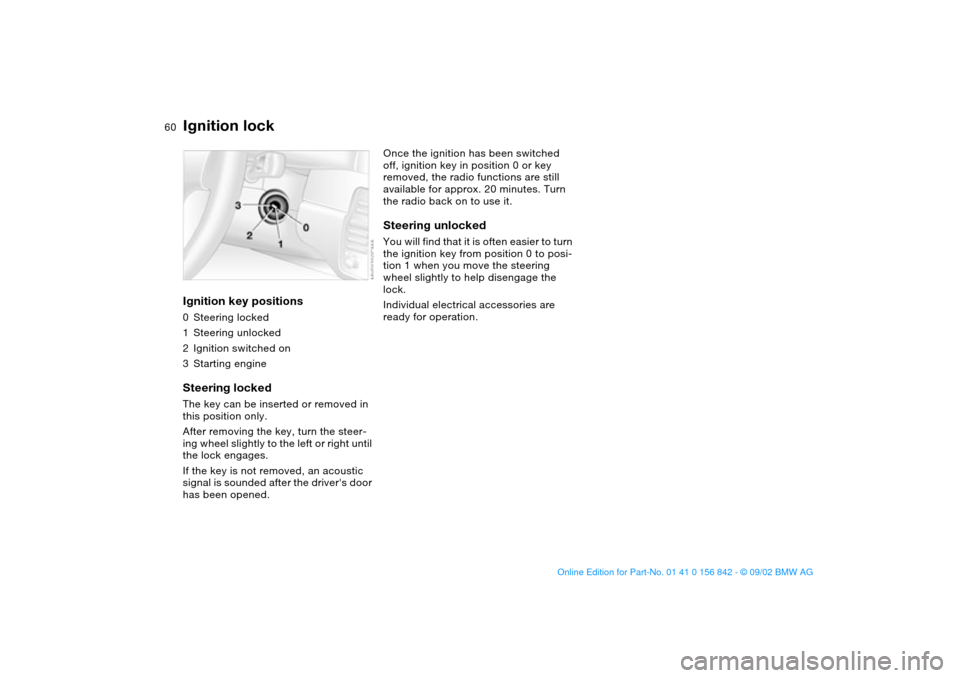
Ignition lockIgnition key positions0Steering locked
1Steering unlocked
2Ignition switched on
3Starting engineSteering lockedThe key can be inserted or removed in
this position only.
After removing the key, turn the steer-
ing wheel slightly to the left or right until
the lock engages.
If the key is not removed, an acoustic
signal is sounded after the driver's door
has been opened.
Once the ignition has been switched
off, ignition key in position 0 or key
removed, the radio functions are still
available for approx. 20 minutes. Turn
the radio back on to use it.Steering unlockedYou will find that it is often easier to turn
the ignition key from position 0 to posi-
tion 1 when you move the steering
wheel slightly to help disengage the
lock.
Individual electrical accessories are
ready for operation.
handbook.book Page 60 Saturday, July 27, 2002 1:12 PM
Page 151 of 158
Everything from A to Z
151
CHECK FILLER CAP
indicator lamp 19
Checking coolant level 120
Checking oil level 116, 118
Child seat 55
Child-restraint systems 55
Cigarette lighter 98
Cleaning windshield 72
Clock 77
refer also to the radio or
onboard computer
Owner's Manual
Clothes hooks 99
Cockpit 14
Code, tires 112
Coin box 96
Compression ratio 144
Computer 78
Condensation, removing
from windows 92
Configure personal settings
Vehicle Memory, Key
Memory 59
Consumption
display 75
fuel 79
Coolant 116, 120, 147
indicator lamp 19
Cooling system 147
Copyright 4Cornering Brake Control
(CBC) 107
indicator lamp 19
Cruise control 72
indicator lamp 20
Cup holder, see Beverage
holder 96
Curb weight 146
Cushion height 145
D
Data
dimensions 145
engine 144
weights 146
Daytime driving lamps 86
DBC Dynamic Brake
Control 82
warning lamp 19
Defrost position 92
Defrosting
rear window 93
windows 92
Digital clock 77
Dimensions 145
Dipstick, engine oil 118
Disc brakes 108
Displacement 144
Display lighting 87
Displays 16
Distance warning 80
Divided rear backrest 100Door key 30
Door lock buttons 34
Doors
emergency operation 33
manual operation 33
remote control 31
unlocking and locking
31, 33
Drivelogic 68
Driving notes
braking 107
disc brakes 108
general 107
hydroplaning 107
DSC Dynamic Stability Con-
trol 81
indicator lamp 19
Dynamic Brake Control
(DBC) 82
warning lamps 19
Dynamic Stability Control
(DSC) 81
indicator lamp 19
E
Electric power windows 40
Electrical accessories, fail-
ure 138
Electrical malfunction
doors 33
fuel filler door 24
sliding/tilt sunroof 42Emergency operation
doors 33
fuel filler door 24
sliding/tilt sunroof 42
Emergency release
luggage compartment
lid 37
Engine
displacement 144
output 144
starting 61
switching off 63
torque 144
Engine compartment 116
Engine coolant 147
refilling 120
temperature gauge 75
Engine data 144
Engine electronics
warning lamp 19
Engine oil
adding 116, 118
capacity 147
consumption 118
quality 119
types 119
viscosity 119
Engine oil level
indicator lamp 19
warning lamp 18
Engine oil pressure
warning lamp 18
OverviewControlsMaintenanceRepairsDataIndex
handbook.book Page 151 Saturday, July 27, 2002 1:12 PM
Page 152 of 158
Everything from A to ZEngine speed 144
Entering the rear 47
Exterior mirrors 51
Eyelet, towing 140
F
False alarm, avoiding 39
Fault displays 76
First-aid kit 23
Flat tire 109
repairing 133
Flat Tire Monitor 82
indicator lamp 18, 19
Fog lamps 88
Folding rear backrest 100
Follow me home lamps 86
Footbrake 108
see Driving notes 107
Footwell lamps 88
Front fog lamps 88
indicator lamp 20
Front seat adjustment 44
Frost protection,
radiator 120
Fuel 25
Fuel consumption 79
display 75
Fuel filler door 24
release following an elec-
trical malfunction 24
Fuel gauge 75
Fuel specifications 25Fuel tank capacity 147
Fuel tank display 75
Fuel tank gauge 75
Fuel-injection system 144
Fuses 138
replacing 138
G
Gasoline 25
gauge 75
Gearbox, sequential 65
Gearshift lever 64
Glove compartment 95
Gradient assistance 68
Grills 90
Gross vehicle weight 146
H
Hands-free system 97
Harman Kardon premium
sound system 95
Hazard warning flashers 14
Hazard warning triangle 23
Head airbags 53
Head restraints 46
Headlamp 86
Headlamp cleaning system
116, 118, 147
Headlamp control 86
Headlamp flasher 70, 87
Heated mirror 51
Heated seats 50Heavy loads 102
High beams 70, 87
indicator lamps 21
Holder for beverages 96
Hood release 114
Horn 14
Hydroplaning 107, 109
I
Ice warning 78
Ignition key 30
positions 60
Ignition lock 60
Imprint 4
Indicator lamps 18
Individual settings
Vehicle Memory, Key
Memory 59
Inflation pressure 25, 109
INSPECTION 76
Instrument cluster 16
Instrument lighting 87
Instrument panel 14, 16
Interface socket for onboard
diagnostics (OBD) 124
Interior lamps 32, 88
remote control 32
Interior motion sensor 38
remote control 32
switching off 32, 39Interior rearview mirror
automatic dimming
feature 52
Interior temperature
adjusting 92
Intermittent mode 71
J
Jump-starting 139
K
Key Memory 59
Keys 30
L
Lamps
daytime driving lamps 86
fog lamps 88
footwell lamps 88
headlamp flasher 70, 87
high beams 87
instrument lighting 87
interior lamps 88
low beams 86
parking lamps 86
reading lamps 88
replacing 129
standing lamps 87
Lashing fittings 103
LATCH child-restraint
mounting system 57
handbook.book Page 152 Saturday, July 27, 2002 1:12 PM
Page 153 of 158
Everything from A to Z
153
Leather care, refer to the
Caring for your vehicle
brochure
Length 145
License plate lamp
replacing bulb 133
Light switch 86
Lighter 98
Lighting, see Lamps
LIGHTS ON warning 86
Load-securing devices 102
Lock, steering wheel 60
Low beams 86
bulb replacement 129
Luggage compartment 35
capacity 146
floor mat 38
floor panel 37
manual operation 35
Luggage compartment lid 35
emergency release 37
manual operation 35
opening from the inside 36
remote control 32
securing separately 35
Luggage compartment light-
ing 35
Luggage rack 103
Lumbar support 45M
M Engine dynamics
control 85
M Mobility system 133
M+S tires 112
Maintenance 76, 122
Malfunction displays 76
Manual transmission 64
Master keys 30
with remote control 30
Memory 49, 59
Microfilter 94
Microphone 97
Mirror defrosting 51
Mirror memory 49
Mirrors 51
automatic curb monitor 50
inside rearview 52
outside 51
Mobility system 133
Modifications, technical 5
Multifunction switch 70
N
Navigation system, refer to
the separate Owner's
Manual
Neckrest 46
O
OBD interface socket 124Obstruction protection
power windows 40
sliding/tilt sunroof 41
Odometer 74
Oil
capacity 147
dipstick 118
quality 119
viscosity 119
Oil additives 119
Oil change interval, refer to
Service and Warranty
Information Booklet for US
models / Warranty and
Service Guide Booklet for
Canadian models
Oil filter change 147
Oil level
checking 118
indicator lamp 19
warning lamp 18
Oil pressure
warning lamp 18
OIL SERVICE 76
Oil types 119
Onboard computer, refer to
Owner's Manual for
Onboard Computer
Onboard tool kit 128Opening and closing
from inside 34
via remote control 31
via the door lock 33
Operating elements 14
Outlets, ventilation 90
Outside temperature dis-
play 78
P
Paintwork care, refer to the
Caring for your vehicle
brochure
Panic mode, trigger
alarm 32
Park Distance Control
(PDC) 80
Parking aid 80
Parking brake 63
Parking lamps 86
PDC Park Distance
Control 80
Pollen 94
Power output 144
Power seat 45
Pressure, tires 25, 109
R
Radiator 147
Radio navigation, refer to
the Owner's Manual for
Radio 79
OverviewControlsMaintenanceRepairsDataIndex
handbook.book Page 153 Saturday, July 27, 2002 1:12 PM