seat adjustment BMW M3 COUPE 2003 E46 Owner's Manual
[x] Cancel search | Manufacturer: BMW, Model Year: 2003, Model line: M3 COUPE, Model: BMW M3 COUPE 2003 E46Pages: 158, PDF Size: 4.18 MB
Page 8 of 158
Contents
Notes
About this Owner's Manual4
Symbols used4
Your individual vehicle4
Status at time of printing5
For your own safety5
Symbol on vehicle parts6
Service and warranty6
Reporting safety defects6
Overview
Cockpit14
Instrument cluster16
Indicator and warning lamps18
Steering wheel with multifunction
buttons22
Hazard warning triangle*23
First-aid kit*23
Refueling24
Fuel specifications25
Tire inflation pressure25
Controls and features
Opening and closing:
Keys30
Central locking system30
Opening and closing – via the
remote control31
Opening and closing – via the
door lock33
Opening and closing – from the
inside34
Luggage compartment lid35
Luggage compartment37
Alarm system*38
Electric power windows40
Sliding/tilt sunroof*40
To adjust:
Safe seating position43
Seats44
Manual seat adjustment44
Power seat adjustment*45
Head restraints46
Entering the rear47
Safety belts47
Seat and mirror memory*49
Seat heating*50
Steering wheel51
Mirrors51
Passenger safety systems:
Airbags53
Transporting children safely55
Vehicle Memory, Key
Memory59
handbook.book Page 8 Saturday, July 27, 2002 1:12 PM
Page 44 of 158
44
SeatsWhen adjusting your seat, always
observe the following precautions
Never try to adjust your seat while
operating the vehicle. The seat
could respond with an unexpected
movement, and the ensuing loss of
vehicle control could lead to an acci-
dent. Never ride with the backrest
reclined to an extreme angle. This is
especially important for the front pas-
senger to remember. If you do so, there
is a risk that you will slide under the
safety belt in an accident, thus reducing
the protection provided by the safety
belt.<
Seat adjustment>Manual seat adjustment, refer to
page 44
>Power seat adjustment, refer to
page 45
>Head restraint, refer to page 46.
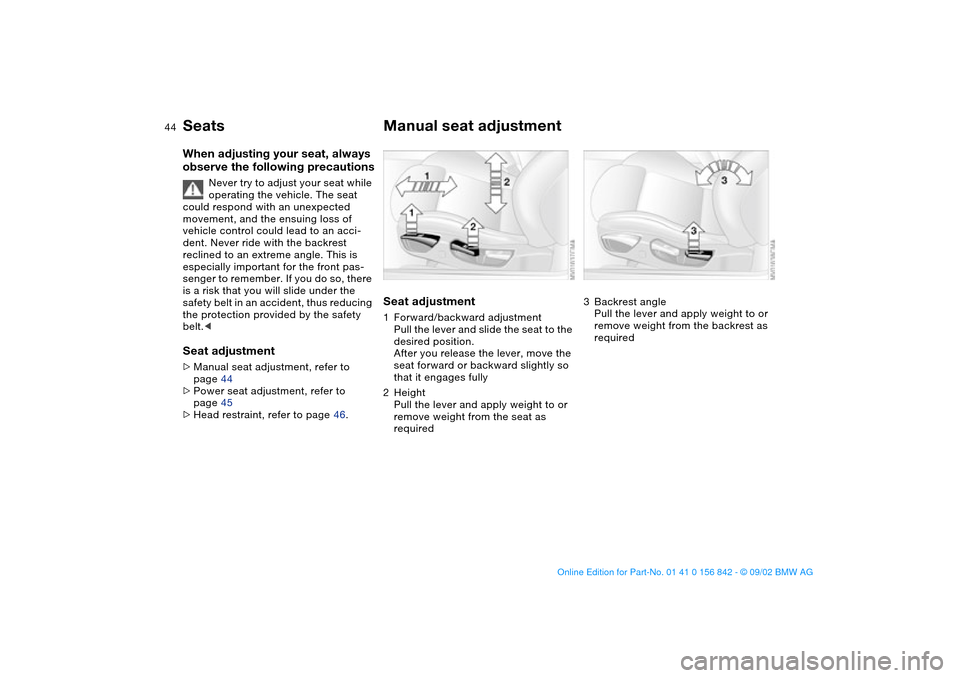
Manual seat adjustmentSeat adjustment1Forward/backward adjustment
Pull the lever and slide the seat to the
desired position.
After you release the lever, move the
seat forward or backward slightly so
that it engages fully
2Height
Pull the lever and apply weight to or
remove weight from the seat as
required
3Backrest angle
Pull the lever and apply weight to or
remove weight from the backrest as
required
handbook.book Page 44 Saturday, July 27, 2002 1:12 PM
Page 45 of 158
45
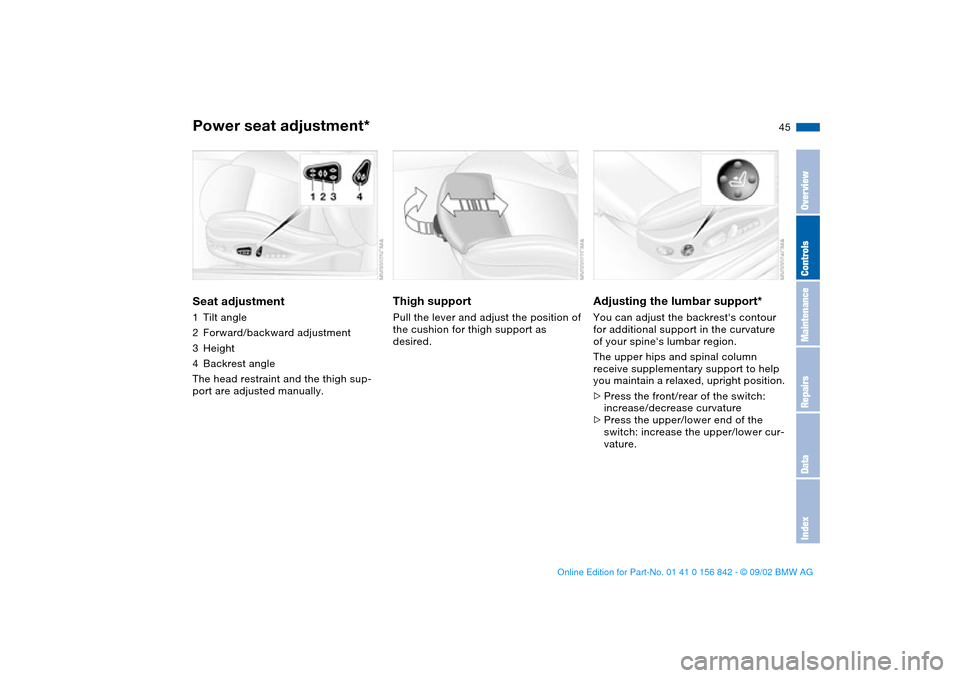
Power seat adjustment*Seat adjustment1Tilt angle
2Forward/backward adjustment
3Height
4Backrest angle
The head restraint and the thigh sup-
port are adjusted manually.
Thigh support Pull the lever and adjust the position of
the cushion for thigh support as
desired.
Adjusting the lumbar support*You can adjust the backrest's contour
for additional support in the curvature
of your spine's lumbar region.
The upper hips and spinal column
receive supplementary support to help
you maintain a relaxed, upright position.
>Press the front/rear of the switch:
increase/decrease curvature
>Press the upper/lower end of the
switch: increase the upper/lower cur-
vature.
OverviewControlsMaintenanceRepairsDataIndex
handbook.book Page 45 Saturday, July 27, 2002 1:12 PM
Page 46 of 158
46
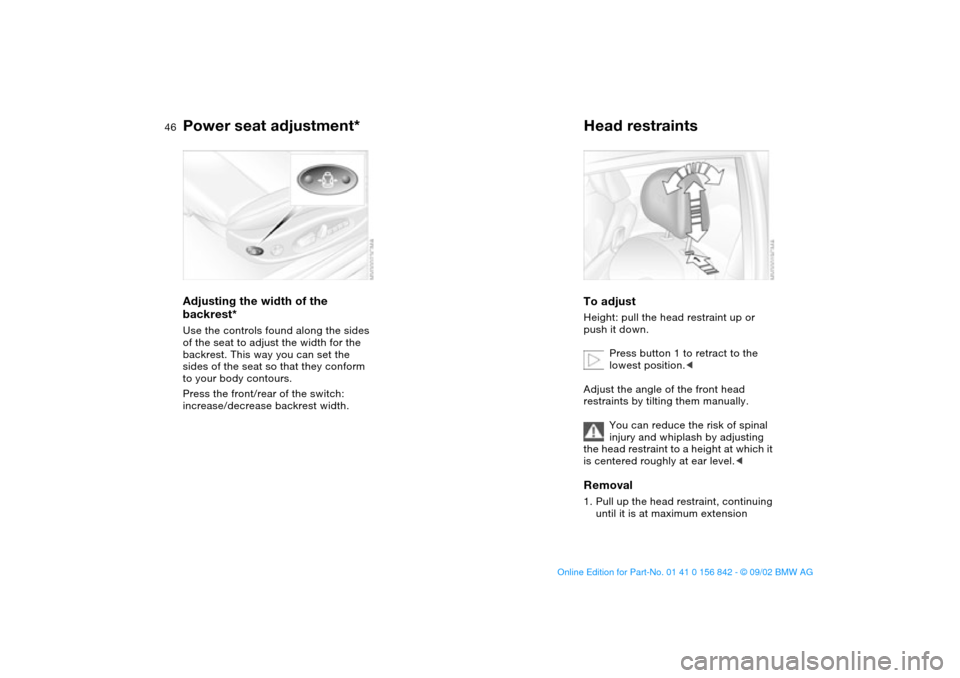
Adjusting the width of the
backrest*Use the controls found along the sides
of the seat to adjust the width for the
backrest. This way you can set the
sides of the seat so that they conform
to your body contours.
Press the front/rear of the switch:
increase/decrease backrest width.
Head restraintsTo adjustHeight: pull the head restraint up or
push it down.
Press button 1 to retract to the
lowest position.<
Adjust the angle of the front head
restraints by tilting them manually.
You can reduce the risk of spinal
injury and whiplash by adjusting
the head restraint to a height at which it
is centered roughly at ear level.
Power seat adjustment*
handbook.book Page 46 Saturday, July 27, 2002 1:12 PM
Page 48 of 158
48
In the rear, the belt buckle with
the word CENTER is provided
exclusively for the passenger sitting in
the middle.<
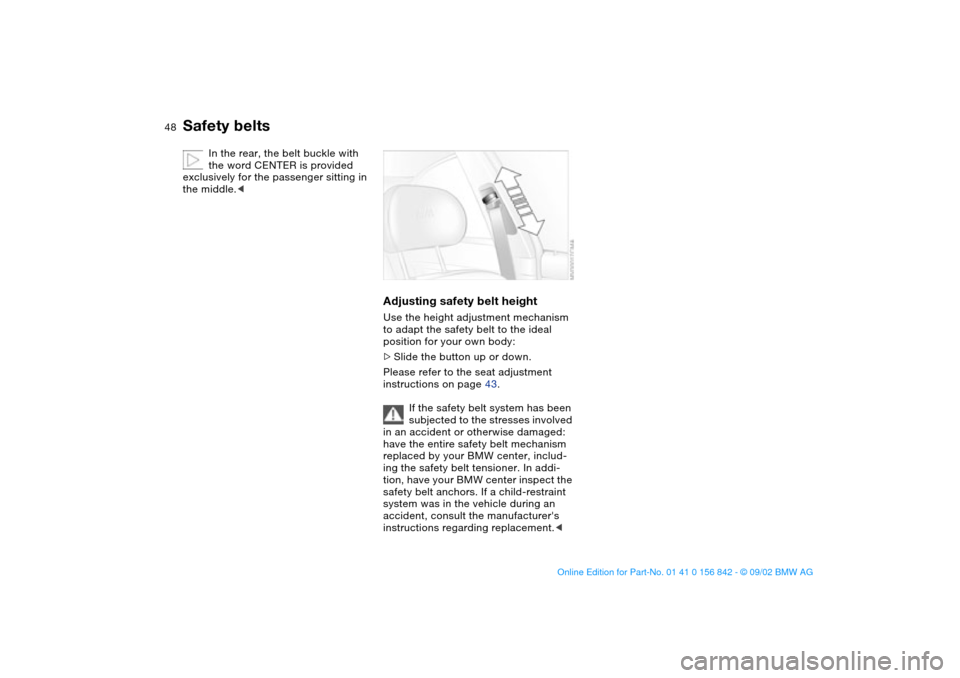
Adjusting safety belt heightUse the height adjustment mechanism
to adapt the safety belt to the ideal
position for your own body:
>Slide the button up or down.
Please refer to the seat adjustment
instructions on page 43.
If the safety belt system has been
subjected to the stresses involved
in an accident or otherwise damaged:
have the entire safety belt mechanism
replaced by your BMW center, includ-
ing the safety belt tensioner. In addi-
tion, have your BMW center inspect the
safety belt anchors. If a child-restraint
system was in the vehicle during an
accident, consult the manufacturer's
instructions regarding replacement.<
Safety belts
handbook.book Page 48 Saturday, July 27, 2002 1:12 PM
Page 49 of 158
49
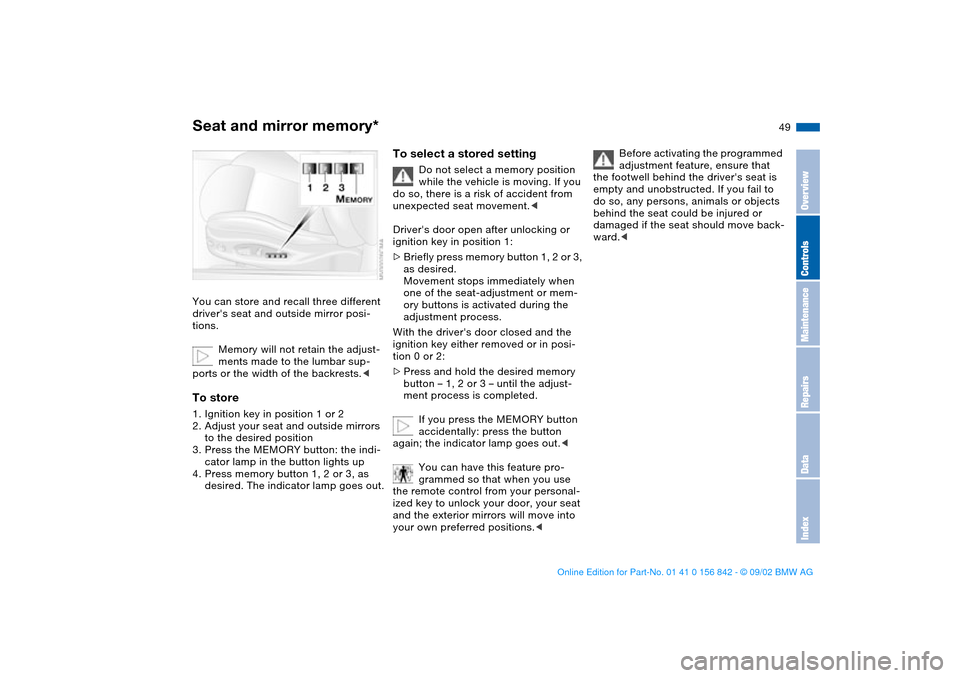
Seat and mirror memory*You can store and recall three different
driver's seat and outside mirror posi-
tions.
Memory will not retain the adjust-
ments made to the lumbar sup-
ports or the width of the backrests.
to the desired position
3. Press the MEMORY button: the indi-
cator lamp in the button lights up
4. Press memory button 1, 2 or 3, as
desired. The indicator lamp goes out.
To select a stored setting
Do not select a memory position
while the vehicle is moving. If you
do so, there is a risk of accident from
unexpected seat movement.<
Driver's door open after unlocking or
ignition key in position 1:
>Briefly press memory button 1, 2 or 3,
as desired.
Movement stops immediately when
one of the seat-adjustment or mem-
ory buttons is activated during the
adjustment process.
With the driver's door closed and the
ignition key either removed or in posi-
tion 0 or 2:
>Press and hold the desired memory
button – 1, 2 or 3 – until the adjust-
ment process is completed.
If you press the MEMORY button
accidentally: press the button
again; the indicator lamp goes out.<
You can have this feature pro-
grammed so that when you use
the remote control from your personal-
ized key to unlock your door, your seat
and the exterior mirrors will move into
your own preferred positions.<
Before activating the programmed
adjustment feature, ensure that
the footwell behind the driver's seat is
empty and unobstructed. If you fail to
do so, any persons, animals or objects
behind the seat could be injured or
damaged if the seat should move back-
ward.<
OverviewControlsMaintenanceRepairsDataIndex
handbook.book Page 49 Saturday, July 27, 2002 1:12 PM
Page 51 of 158
51
Steering wheelTo adjust
Never attempt to adjust the steer-
ing wheel while driving the vehicle
– it could respond with unexpected
movement, posing a potential accident
hazard.<
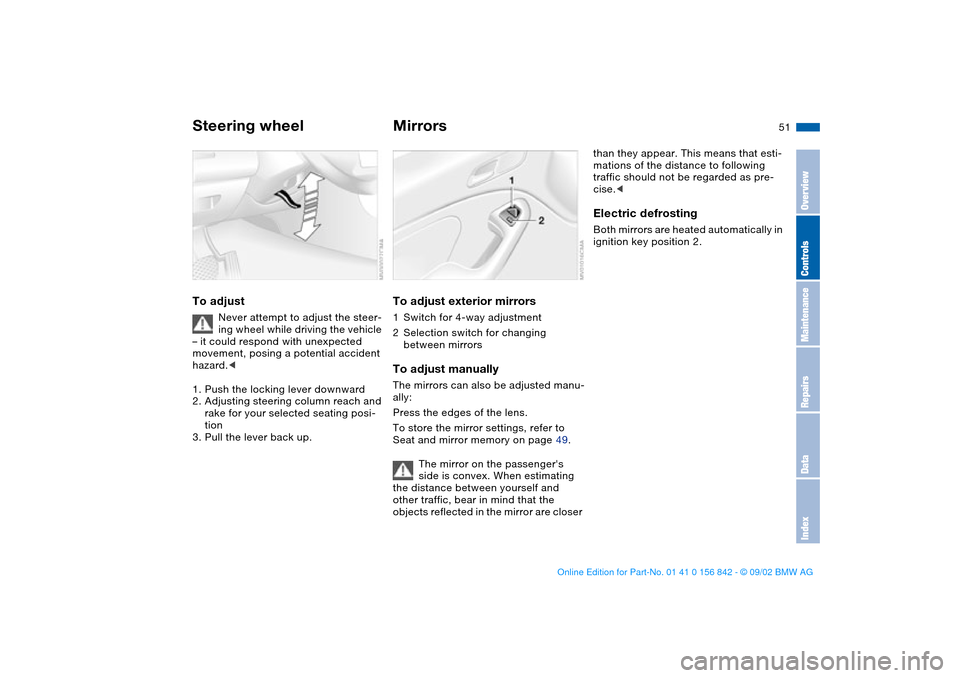
1. Push the locking lever downward
2. Adjusting steering column reach and
rake for your selected seating posi-
tion
3. Pull the lever back up.
MirrorsTo adjust exterior mirrors1Switch for 4-way adjustment
2Selection switch for changing
between mirrorsTo adjust manuallyThe mirrors can also be adjusted manu-
ally:
Press the edges of the lens.
To store the mirror settings, refer to
Seat and mirror memory on page 49.
The mirror on the passenger's
side is convex. When estimating
the distance between yourself and
other traffic, bear in mind that the
objects reflected in the mirror are closer
than they appear. This means that esti-
mations of the distance to following
traffic should not be regarded as pre-
cise.
OverviewControlsMaintenanceRepairsDataIndex
handbook.book Page 51 Saturday, July 27, 2002 1:12 PM
Page 59 of 158
59
Vehicle Memory, Key MemoryHow the system functionsYou have probably frequently wished
that you could configure individual
functions of your vehicles to reflect your
own personal requirements. In engi-
neering your vehicle, BMW has pro-
vided for a number of options for per-
sonal adjustment that can be
programmed into your vehicle at your
BMW center.
The available configuration data fall into
two categories, according to whether
their primary orientation is the vehicle –
Vehicle Memory – or the individual –
Key Memory. You can have up to four
different basic settings adjusted for four
different persons. The only require-
ment is that each person uses his or her
own remote control key.
When your vehicle is unlocked with the
remote control, the vehicle recognizes
the individual user by means of a data
exchange with the key, and makes
adjustments accordingly.
In order for you to distinguish between
different keys, colored decals are sup-
plied together with the keys.What the system can doYour BMW center can provide you with
details on the possibilities that the Vehi-
cle and Key Memory systems offer:
Examples for Vehicle Memory:
>Various signals that can serve as
acknowledgment for locking and
unlocking the vehicle, refer to
page 31
>Activates/deactivates the Follow me
home lamps function, refer to
page 86
>Activates/deactivates daytime driv-
ing lamps, refer to page 86
>Sets the units of measure for display-
ing time, outside temperature, dis-
tance traveled and fuel consumption
in the instrument cluster
>Indicates via an acoustic tone that
PDC has been activated, refer to
page 80>Switches on rear window defroster
automatically, refer to page 93
>After giving an ice warning, the dis-
play returns to the previous setting,
refer to page 78.
Examples for Key Memory:
>Locks the vehicle automatically after
you start off, refer to page 34
>Automatically moves the seat and
outside mirror into position for the
programmed driver when unlocking
the vehicle, refer to page 49
>Automatic tilting of the passenger-
side mirror, refer to page 50
>After the engine is started, calls up
the last selected driving program for
each shifting mode, refer to page 68.
You will see this symbol through-
out the Owner's Manual. It is to
remind you at appropriate places of the
settings that are available to you.<
OverviewControlsMaintenanceRepairsDataIndex
handbook.book Page 59 Saturday, July 27, 2002 1:12 PM
Page 152 of 158
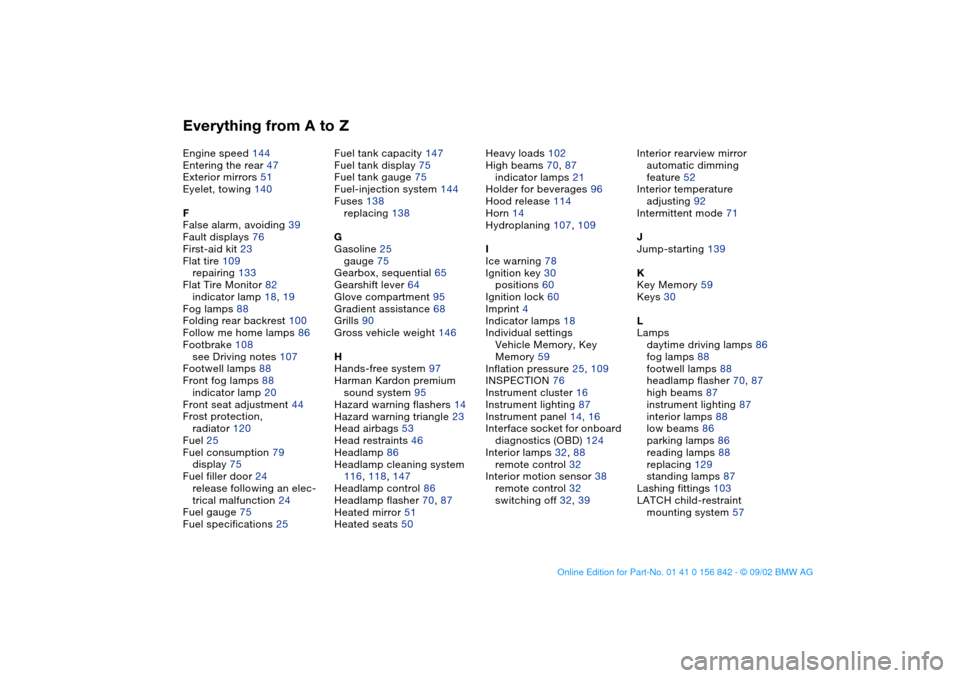
Everything from A to ZEngine speed 144
Entering the rear 47
Exterior mirrors 51
Eyelet, towing 140
F
False alarm, avoiding 39
Fault displays 76
First-aid kit 23
Flat tire 109
repairing 133
Flat Tire Monitor 82
indicator lamp 18, 19
Fog lamps 88
Folding rear backrest 100
Follow me home lamps 86
Footbrake 108
see Driving notes 107
Footwell lamps 88
Front fog lamps 88
indicator lamp 20
Front seat adjustment 44
Frost protection,
radiator 120
Fuel 25
Fuel consumption 79
display 75
Fuel filler door 24
release following an elec-
trical malfunction 24
Fuel gauge 75
Fuel specifications 25Fuel tank capacity 147
Fuel tank display 75
Fuel tank gauge 75
Fuel-injection system 144
Fuses 138
replacing 138
G
Gasoline 25
gauge 75
Gearbox, sequential 65
Gearshift lever 64
Glove compartment 95
Gradient assistance 68
Grills 90
Gross vehicle weight 146
H
Hands-free system 97
Harman Kardon premium
sound system 95
Hazard warning flashers 14
Hazard warning triangle 23
Head airbags 53
Head restraints 46
Headlamp 86
Headlamp cleaning system
116, 118, 147
Headlamp control 86
Headlamp flasher 70, 87
Heated mirror 51
Heated seats 50Heavy loads 102
High beams 70, 87
indicator lamps 21
Holder for beverages 96
Hood release 114
Horn 14
Hydroplaning 107, 109
I
Ice warning 78
Ignition key 30
positions 60
Ignition lock 60
Imprint 4
Indicator lamps 18
Individual settings
Vehicle Memory, Key
Memory 59
Inflation pressure 25, 109
INSPECTION 76
Instrument cluster 16
Instrument lighting 87
Instrument panel 14, 16
Interface socket for onboard
diagnostics (OBD) 124
Interior lamps 32, 88
remote control 32
Interior motion sensor 38
remote control 32
switching off 32, 39Interior rearview mirror
automatic dimming
feature 52
Interior temperature
adjusting 92
Intermittent mode 71
J
Jump-starting 139
K
Key Memory 59
Keys 30
L
Lamps
daytime driving lamps 86
fog lamps 88
footwell lamps 88
headlamp flasher 70, 87
high beams 87
instrument lighting 87
interior lamps 88
low beams 86
parking lamps 86
reading lamps 88
replacing 129
standing lamps 87
Lashing fittings 103
LATCH child-restraint
mounting system 57
handbook.book Page 152 Saturday, July 27, 2002 1:12 PM
Page 154 of 158
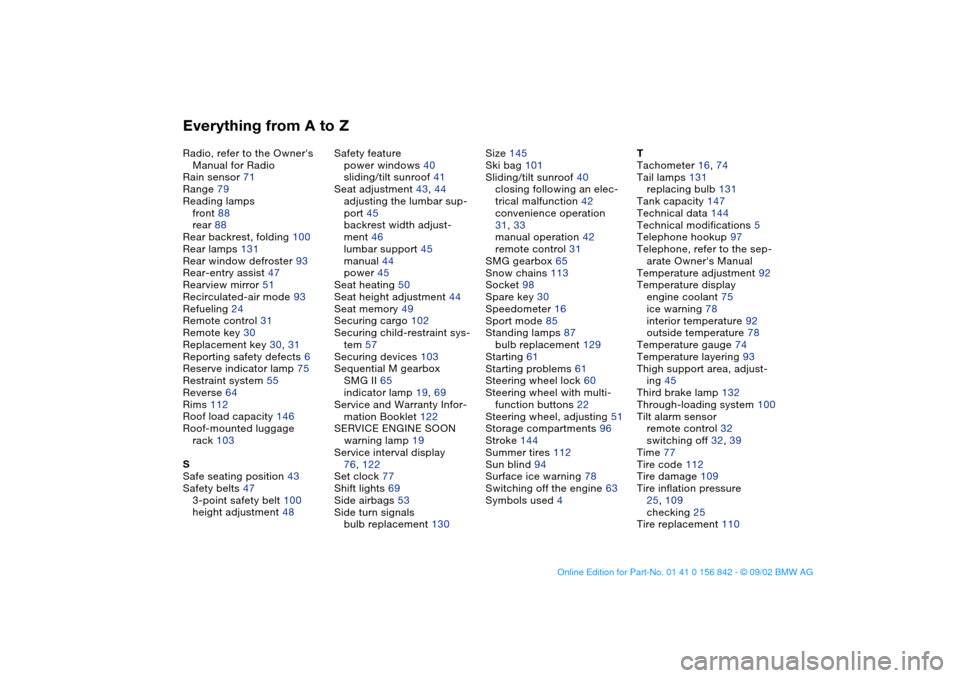
Everything from A to ZRadio, refer to the Owner's
Manual for Radio
Rain sensor 71
Range 79
Reading lamps
front 88
rear 88
Rear backrest, folding 100
Rear lamps 131
Rear window defroster 93
Rear-entry assist 47
Rearview mirror 51
Recirculated-air mode 93
Refueling 24
Remote control 31
Remote key 30
Replacement key 30, 31
Reporting safety defects 6
Reserve indicator lamp 75
Restraint system 55
Reverse 64
Rims 112
Roof load capacity 146
Roof-mounted luggage
rack 103
S
Safe seating position 43
Safety belts 47
3-point safety belt 100
height adjustment 48Safety feature
power windows 40
sliding/tilt sunroof 41
Seat adjustment 43, 44
adjusting the lumbar sup-
port 45
backrest width adjust-
ment 46
lumbar support 45
manual 44
power 45
Seat heating 50
Seat height adjustment 44
Seat memory 49
Securing cargo 102
Securing child-restraint sys-
tem 57
Securing devices 103
Sequential M gearbox
SMG II 65
indicator lamp 19, 69
Service and Warranty Infor-
mation Booklet 122
SERVICE ENGINE SOON
warning lamp 19
Service interval display
76, 122
Set clock 77
Shift lights 69
Side airbags 53
Side turn signals
bulb replacement 130Size 145
Ski bag 101
Sliding/tilt sunroof 40
closing following an elec-
trical malfunction 42
convenience operation
31, 33
manual operation 42
remote control 31
SMG gearbox 65
Snow chains 113
Socket 98
Spare key 30
Speedometer 16
Sport mode 85
Standing lamps 87
bulb replacement 129
Starting 61
Starting problems 61
Steering wheel lock 60
Steering wheel with multi-
function buttons 22
Steering wheel, adjusting 51
Storage compartments 96
Stroke 144
Summer tires 112
Sun blind 94
Surface ice warning 78
Switching off the engine 63
Symbols used 4T
Tachometer 16, 74
Tail lamps 131
replacing bulb 131
Tank capacity 147
Technical data 144
Technical modifications 5
Telephone hookup 97
Telephone, refer to the sep-
arate Owner's Manual
Temperature adjustment 92
Temperature display
engine coolant 75
ice warning 78
interior temperature 92
outside temperature 78
Temperature gauge 74
Temperature layering 93
Thigh support area, adjust-
ing 45
Third brake lamp 132
Through-loading system 100
Tilt alarm sensor
remote control 32
switching off 32, 39
Time 77
Tire code 112
Tire damage 109
Tire inflation pressure
25, 109
checking 25
Tire replacement 110
handbook.book Page 154 Saturday, July 27, 2002 1:12 PM