warning BMW M3 COUPE 2006 E46 User Guide
[x] Cancel search | Manufacturer: BMW, Model Year: 2006, Model line: M3 COUPE, Model: BMW M3 COUPE 2006 E46Pages: 170, PDF Size: 2.63 MB
Page 28 of 170
28Opening and closing
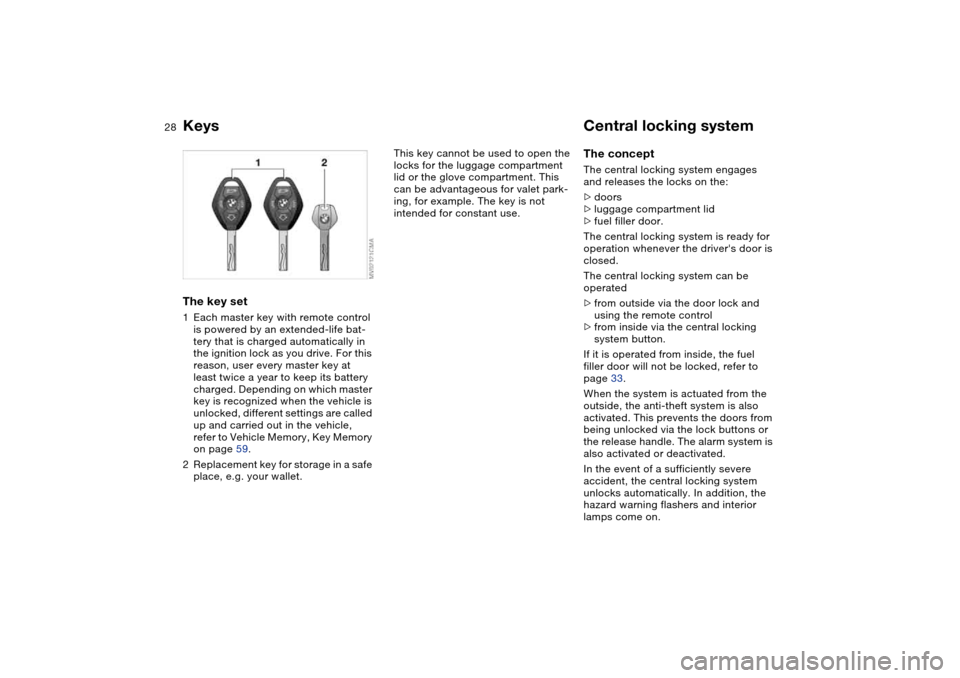
KeysThe key set1Each master key with remote control
is powered by an extended-life bat-
tery that is charged automatically in
the ignition lock as you drive. For this
reason, user every master key at
least twice a year to keep its battery
charged. Depending on which master
key is recognized when the vehicle is
unlocked, different settings are called
up and carried out in the vehicle,
refer to Vehicle Memory, Key Memory
on page 59.
2Replacement key for storage in a safe
place, e.g. your wallet.
This key cannot be used to open the
locks for the luggage compartment
lid or the glove compartment. This
can be advantageous for valet park-
ing, for example. The key is not
intended for constant use.
Central locking systemThe conceptThe central locking system engages
and releases the locks on the:
>doors
>luggage compartment lid
>fuel filler door.
The central locking system is ready for
operation whenever the driver's door is
closed.
The central locking system can be
operated
>from outside via the door lock and
using the remote control
>from inside via the central locking
system button.
If it is operated from inside, the fuel
filler door will not be locked, refer to
page 33.
When the system is actuated from the
outside, the anti-theft system is also
activated. This prevents the doors from
being unlocked via the lock buttons or
the release handle. The alarm system is
also activated or deactivated.
In the event of a sufficiently severe
accident, the central locking system
unlocks automatically. In addition, the
hazard warning flashers and interior
lamps come on.
Page 30 of 170
30
Convenience opening modePress the button briefly and then keep it
pressed. The windows and the glass
sunroof open.To lock and securePress button.
As a confirmation that the vehi-
cle's locks have engaged
securely, the hazard warning flashers
light up once.<
You can have this confirmation
signal deactivated.
With this function, you can also search
for your vehicle when parked in an
underground garage, for instance.
To deactivate the tilt alarm* and
interior motion sensors*Press button a second time immedi-
ately after locking.
For additional information: page 38.To open the luggage
compartment lidPress button briefly.
The lid will open slightly, no matter
whether it was locked or unlocked.
If the vehicle was previously
locked, the luggage compartment
is also locked again after it is closed.
Before and after a trip, be sure that the
luggage compartment lid has not been
opened unintentionally.
triggered in the event of danger, if the
system is armed.
To switch off the alarmPress button.External systemsMalfunctions:
Local radio waves can impede the func-
tioning of the remote control.
If this occurs, open and close the vehi-
cle using a master key in the door lock.For US owners onlyThe transmitter and receiver units com-
ply with part 15 of the FCC Federal
Communications Commission regula-
tions. Operation is governed by the fol-
lowing:
FCC ID:
>X8EWS
>LX8FZVS
>LX8FZVE
Compliance statement:
This device complies with part 15 of the
FCC Rules. Operation is subject to the
following two conditions:
>This device may not cause harmful
interference, and
Opening and closing – via the remote control
Page 32 of 170
32
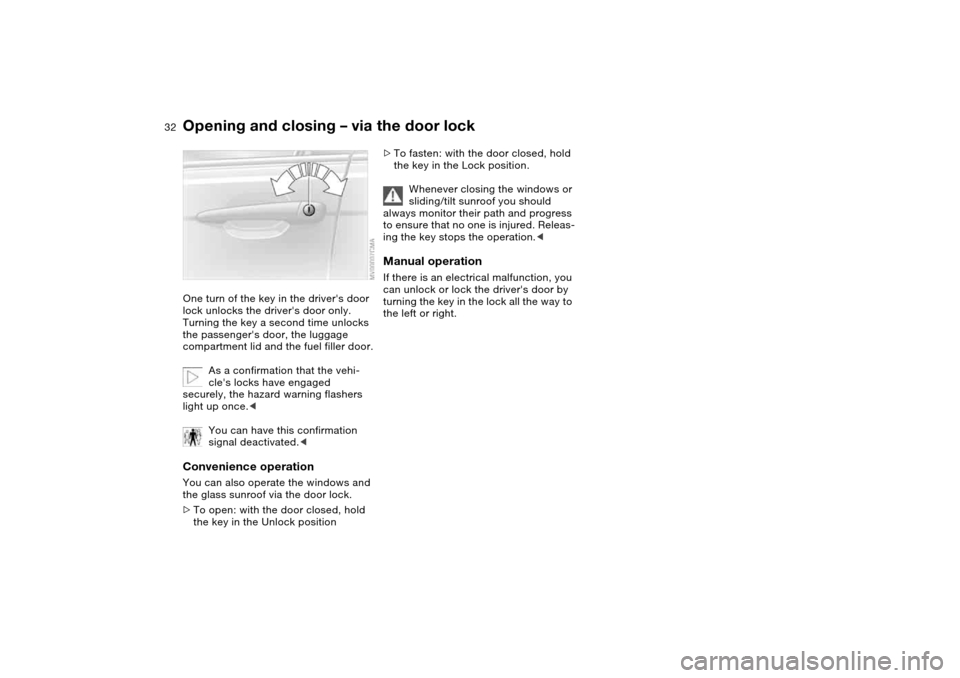
Opening and closing – via the door lockOne turn of the key in the driver's door
lock unlocks the driver's door only.
Turning the key a second time unlocks
the passenger's door, the luggage
compartment lid and the fuel filler door.
As a confirmation that the vehi-
cle's locks have engaged
securely, the hazard warning flashers
light up once.<
You can have this confirmation
signal deactivated.
>To open: with the door closed, hold
the key in the Unlock position
>To fasten: with the door closed, hold
the key in the Lock position.
Whenever closing the windows or
sliding/tilt sunroof you should
always monitor their path and progress
to ensure that no one is injured. Releas-
ing the key stops the operation.
turning the key in the lock all the way to
the left or right.
Page 37 of 170
37
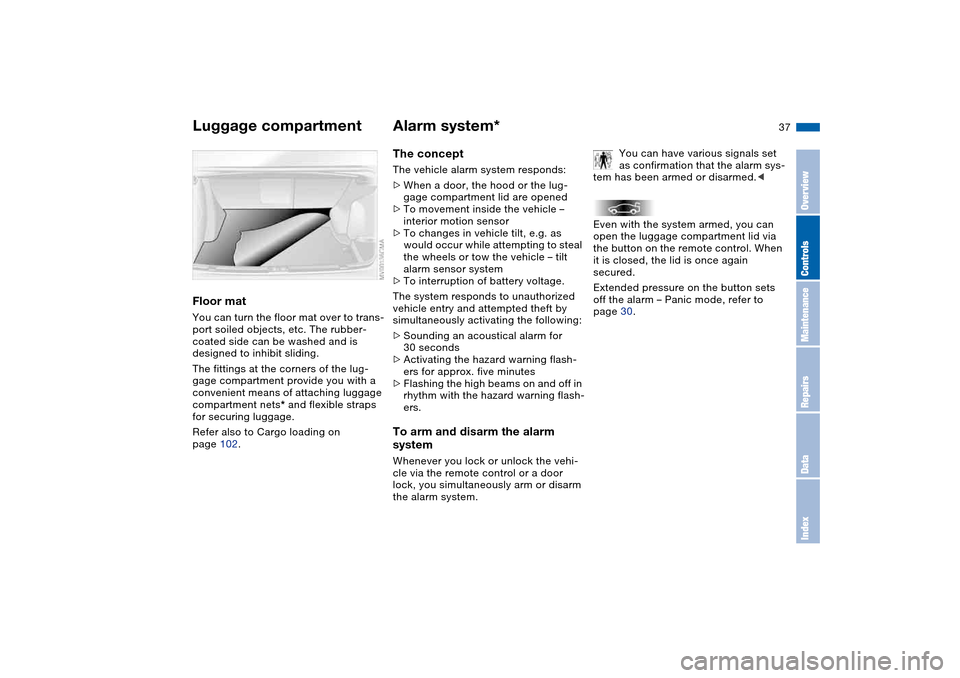
Floor matYou can turn the floor mat over to trans-
port soiled objects, etc. The rubber-
coated side can be washed and is
designed to inhibit sliding.
The fittings at the corners of the lug-
gage compartment provide you with a
convenient means of attaching luggage
compartment nets* and flexible straps
for securing luggage.
Refer also to Cargo loading on
page 102.
Alarm system*The conceptThe vehicle alarm system responds:
>When a door, the hood or the lug-
gage compartment lid are opened
>To movement inside the vehicle –
interior motion sensor
>To changes in vehicle tilt, e.g. as
would occur while attempting to steal
the wheels or tow the vehicle – tilt
alarm sensor system
>To interruption of battery voltage.
The system responds to unauthorized
vehicle entry and attempted theft by
simultaneously activating the following:
>Sounding an acoustical alarm for
30 seconds
>Activating the hazard warning flash-
ers for approx. five minutes
>Flashing the high beams on and off in
rhythm with the hazard warning flash-
ers.To arm and disarm the alarm
systemWhenever you lock or unlock the vehi-
cle via the remote control or a door
lock, you simultaneously arm or disarm
the alarm system.You can have various signals set
as confirmation that the alarm sys-
tem has been armed or disarmed.<
Even with the system armed, you can
open the luggage compartment lid via
the button on the remote control. When
it is closed, the lid is once again
secured.
Extended pressure on the button sets
off the alarm – Panic mode, refer to
page 30.
Luggage compartment
OverviewControlsMaintenanceRepairsDataIndex
Page 53 of 170
53
At all times, occupants should sit
upright and be properly restrained
– infants and small children in appropri-
ate child-restraint systems; larger chil-
dren and adults using the safety belts.
Never let an occupant's head rest near
or on a side airbag because the inflating
airbag could cause a serious or fatal
injury. Please note that the word Airbag
imprinted on the door trim panel indi-
cates the airbag's location.
Accident research shows that the saf-
est place for children in an automobile
is in the rear seat. However, a child sit-
ting in the rear seat and not properly
restrained may place his or her head on
or near the side airbag, if so equipped.
For example, a child – even though
belted in – may fall asleep with his or
her head against the side airbag. It may
be difficult for a driver to ensure that
children in the rear seat will remain
properly positioned at all times and not
place their heads on or near the side
airbag. Therefore, we recommend that
the rear seat side airbags, if provided,
be deactivated if you plan to transport
children in the rear seat.
The rear seat side airbags may already
have been deactivated by a BMW cen-
ter. If you are uncertain of their status,
or wish to have the airbags activated or
deactivated, please contact your BMW
center.<
Even when all these guidelines are
observed, there is still a small residual
risk of injuries to the face, hands and
arms occurring from airbag deployment
in isolated instances.
In sensitive individuals, the ignition and
inflation noise may induce a mild hear-
ing loss that is temporary in most
cases.
Airbag warning information is also pro-
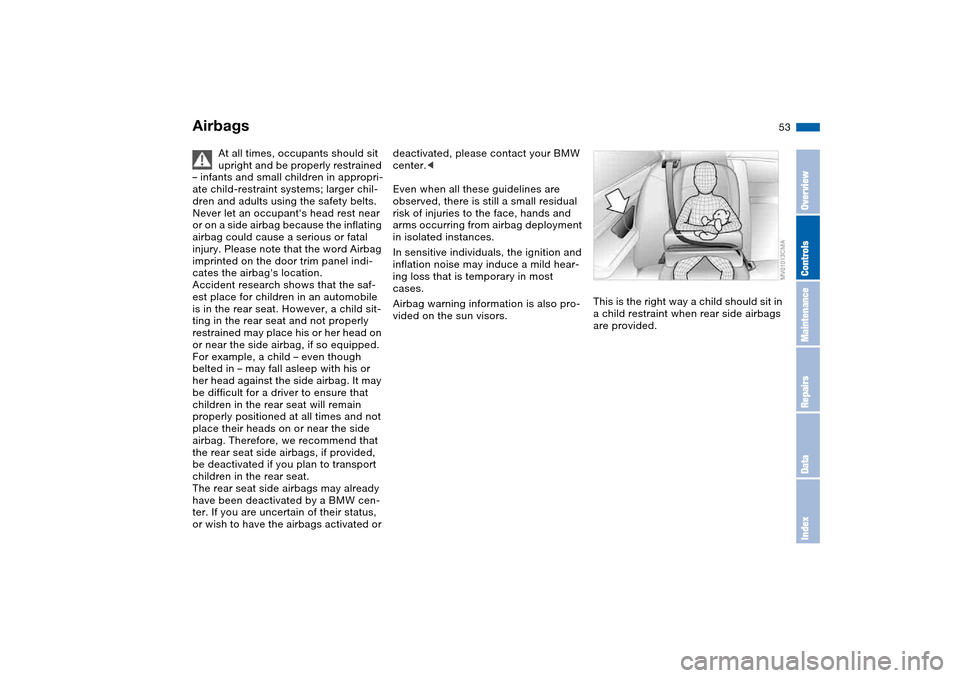
vided on the sun visors.This is the right way a child should sit in
a child restraint when rear side airbags
are provided.
Airbags
OverviewControlsMaintenanceRepairsDataIndex
Page 59 of 170
59
Vehicle Memory, Key MemoryHow the system functionsYou have probably frequently wished
that you could configure individual
functions of your vehicles to reflect your
own personal requirements. In engi-
neering your vehicle, BMW has pro-
vided for a number of options for per-
sonal adjustment that can be
programmed into your vehicle at your
BMW center.
The available configuration data fall into
two categories, according to whether
their primary orientation is the vehicle –
Vehicle Memory – or the individual –
Key Memory. You can have up to four
different basic settings adjusted for four
different persons. The only require-
ment is that each person uses his or her
own remote control key.
When your vehicle is unlocked with the
remote control, the vehicle recognizes
the individual user by means of a data
exchange with the key, and makes
adjustments accordingly.
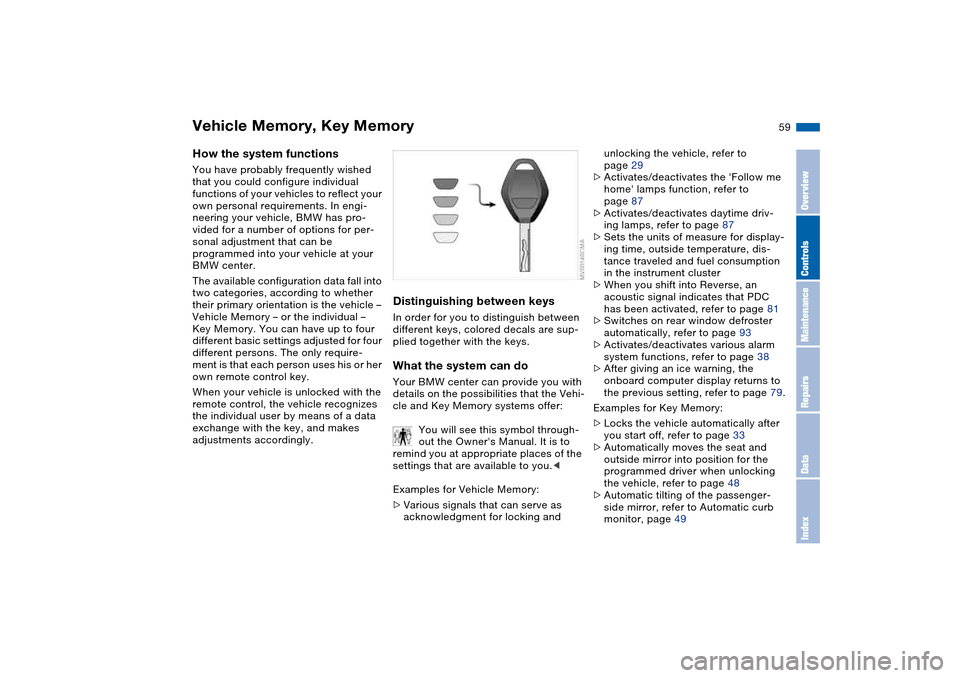
Distinguishing between keysIn order for you to distinguish between
different keys, colored decals are sup-
plied together with the keys.What the system can doYour BMW center can provide you with
details on the possibilities that the Vehi-
cle and Key Memory systems offer:
You will see this symbol through-
out the Owner's Manual. It is to
remind you at appropriate places of the
settings that are available to you.<
Examples for Vehicle Memory:
>Various signals that can serve as
acknowledgment for locking and
unlocking the vehicle, refer to
page 29
>Activates/deactivates the 'Follow me
home' lamps function, refer to
page 87
>Activates/deactivates daytime driv-
ing lamps, refer to page 87
>Sets the units of measure for display-
ing time, outside temperature, dis-
tance traveled and fuel consumption
in the instrument cluster
>When you shift into Reverse, an
acoustic signal indicates that PDC
has been activated, refer to page 81
>Switches on rear window defroster
automatically, refer to page 93
>Activates/deactivates various alarm
system functions, refer to page 38
>After giving an ice warning, the
onboard computer display returns to
the previous setting, refer to page 79.
Examples for Key Memory:
>Locks the vehicle automatically after
you start off, refer to page 33
>Automatically moves the seat and
outside mirror into position for the
programmed driver when unlocking
the vehicle, refer to page 48
>Automatic tilting of the passenger-
side mirror, refer to Automatic curb
monitor, page 49
OverviewControlsMaintenanceRepairsDataIndex
Page 64 of 170
64
Switching off the engine
You should never remove the igni-
tion key when the vehicle is in
motion, as the steering lock could
engage.
When you leave the vehicle, always
remove the ignition key and engage the
steering lock.<
Always engage the parking brake
when parking on downhill roads.
Engaging a gear may not sufficiently
secure the vehicle against rolling.<
Manual transmissionTurn the ignition key to position 1 or 0.Sequential M gearbox with
DrivelogicIf you turn the ignition key to position 1
or 0 with the selector lever in the for-
ward or reverse position, a gear auto-
matically remains engaged.
If you turn the ignition key to position 1
or 0 with the selector lever in position
N, a warning tone and the flashing gear
indicator in the SMG Drivelogic display
remind you that no gear is engaged to
secure the vehicle against rolling.
The warning stops after approx.
10 seconds. If you move the selector
lever into a forward or reverse position
during this time, a gear is automatically
engaged.
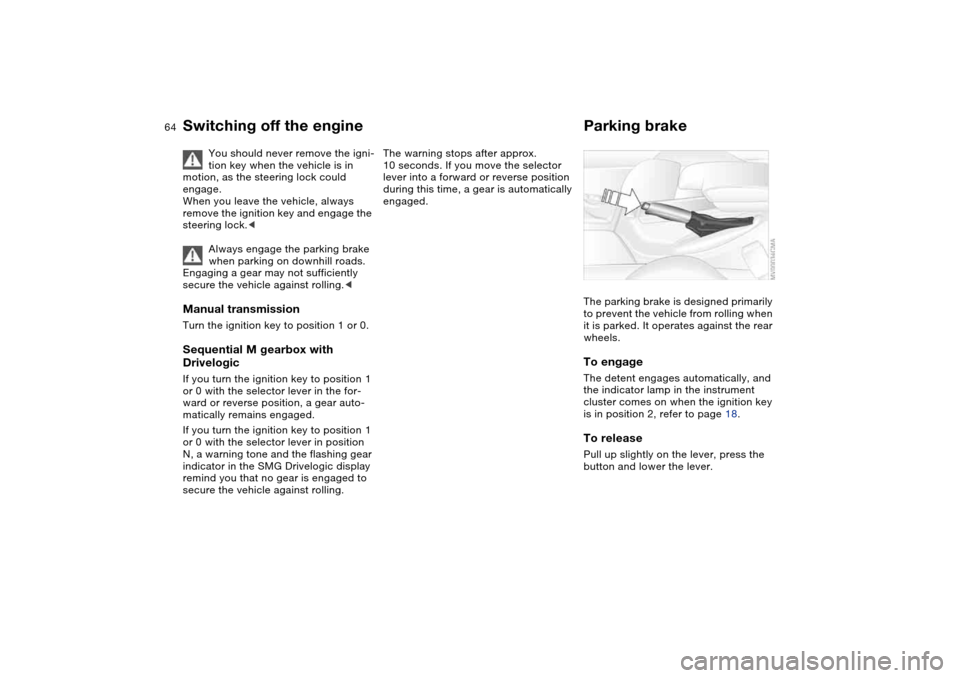
Parking brakeThe parking brake is designed primarily
to prevent the vehicle from rolling when
it is parked. It operates against the rear
wheels.To engageThe detent engages automatically, and
the indicator lamp in the instrument
cluster comes on when the ignition key
is in position 2, refer to page 18.To releasePull up slightly on the lever, press the
button and lower the lever.
Page 75 of 170
75 Everything under control
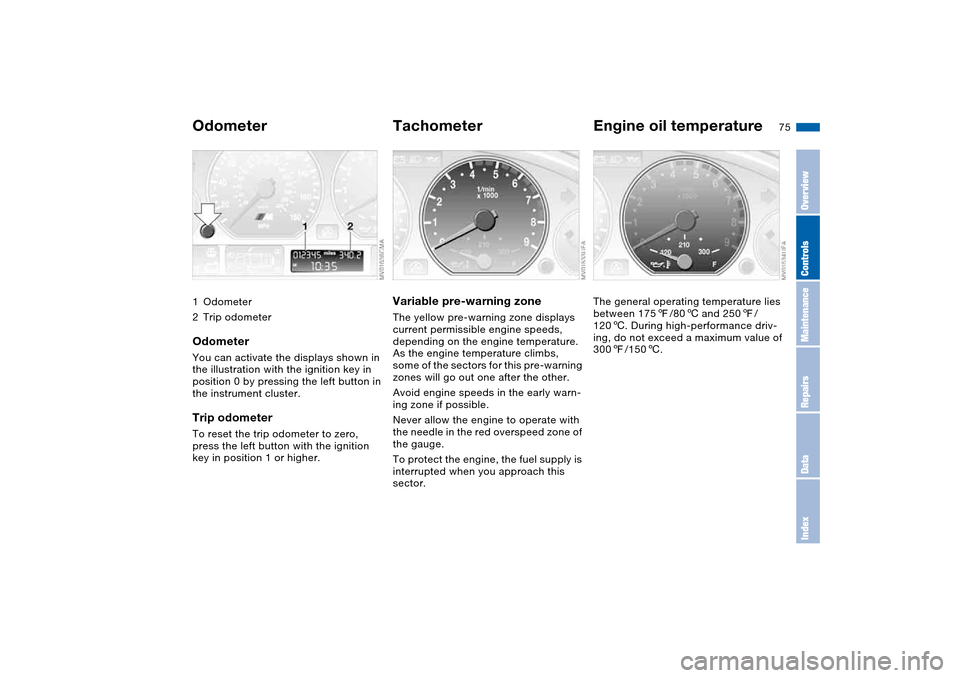
Odometer1Odometer
2Trip odometerOdometerYou can activate the displays shown in
the illustration with the ignition key in
position 0 by pressing the left button in
the instrument cluster.Trip odometerTo reset the trip odometer to zero,
press the left button with the ignition
key in position 1 or higher.
TachometerVariable pre-warning zoneThe yellow pre-warning zone displays
current permissible engine speeds,
depending on the engine temperature.
As the engine temperature climbs,
some of the sectors for this pre-warning
zones will go out one after the other.
Avoid engine speeds in the early warn-
ing zone if possible.
Never allow the engine to operate with
the needle in the red overspeed zone of
the gauge.
To protect the engine, the fuel supply is
interrupted when you approach this
sector.
Engine oil temperatureThe general operating temperature lies
between 1757/806 and 2507/
1206. During high-performance driv-
ing, do not exceed a maximum value of
3007/1506.
OverviewControlsMaintenanceRepairsDataIndex
Page 76 of 170
76
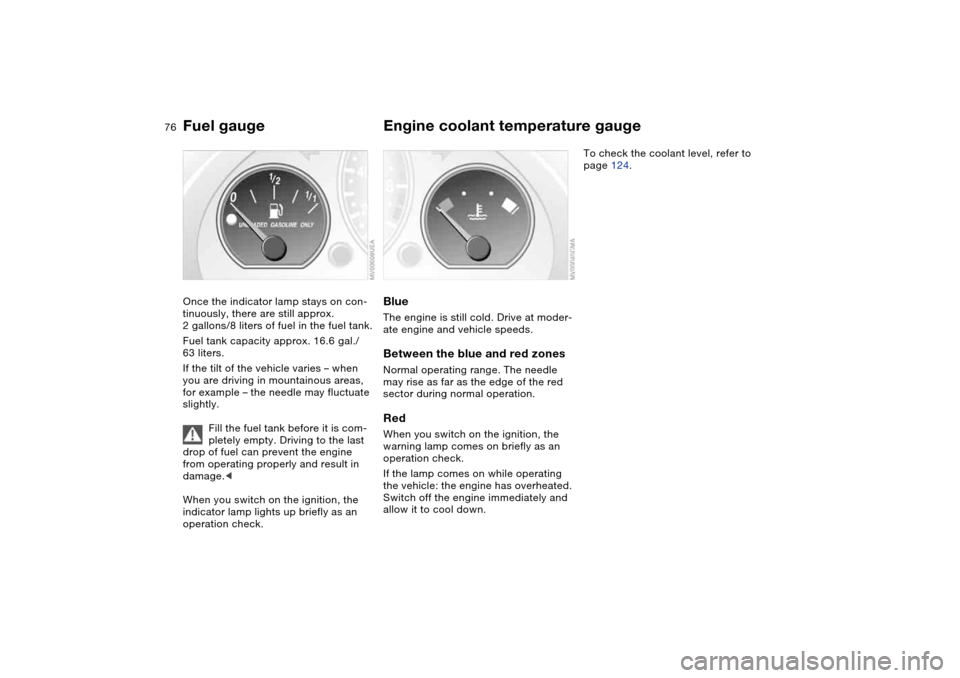
Fuel gaugeOnce the indicator lamp stays on con-
tinuously, there are still approx.
2 gallons/8 liters of fuel in the fuel tank.
Fuel tank capacity approx. 16.6 gal./
63 liters.
If the tilt of the vehicle varies – when
you are driving in mountainous areas,
for example – the needle may fluctuate
slightly.
Fill the fuel tank before it is com-
pletely empty. Driving to the last
drop of fuel can prevent the engine
from operating properly and result in
damage.<
When you switch on the ignition, the
indicator lamp lights up briefly as an
operation check.
Engine coolant temperature gaugeBlueThe engine is still cold. Drive at moder-
ate engine and vehicle speeds.Between the blue and red zonesNormal operating range. The needle
may rise as far as the edge of the red
sector during normal operation.RedWhen you switch on the ignition, the
warning lamp comes on briefly as an
operation check.
If the lamp comes on while operating
the vehicle: the engine has overheated.
Switch off the engine immediately and
allow it to cool down.
To check the coolant level, refer to
page 124.
Page 79 of 170
79
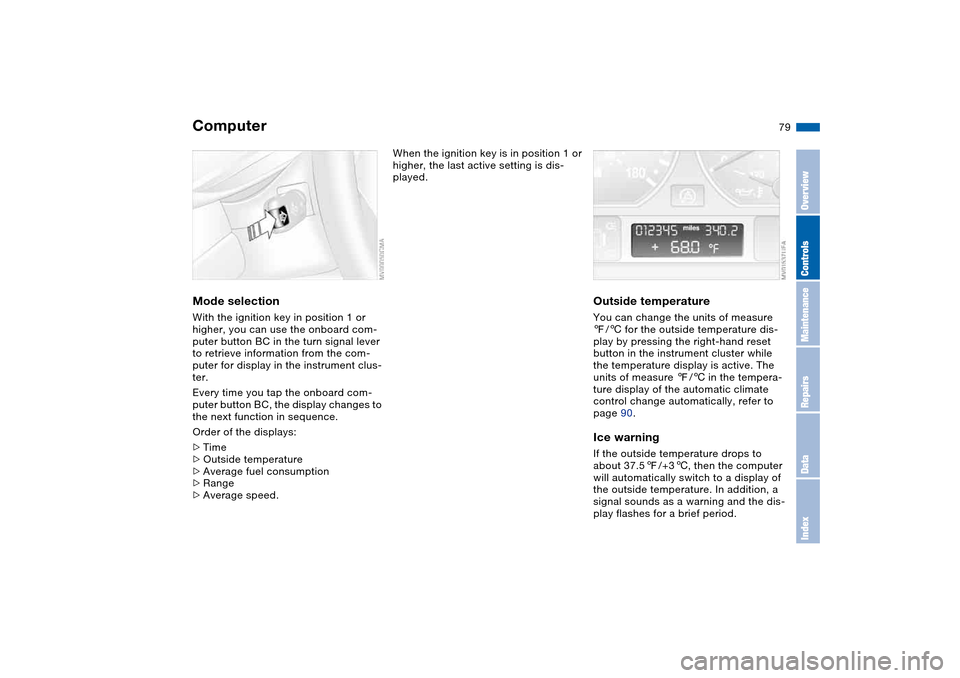
ComputerMode selectionWith the ignition key in position 1 or
higher, you can use the onboard com-
puter button BC in the turn signal lever
to retrieve information from the com-
puter for display in the instrument clus-
ter.
Every time you tap the onboard com-
puter button BC, the display changes to
the next function in sequence.
Order of the displays:
>Time
>Outside temperature
>Average fuel consumption
>Range
>Average speed.
When the ignition key is in position 1 or
higher, the last active setting is dis-
played.
Outside temperatureYou can change the units of measure
7/6 for the outside temperature dis-
play by pressing the right-hand reset
button in the instrument cluster while
the temperature display is active. The
units of measure 7/6 in the tempera-
ture display of the automatic climate
control change automatically, refer to
page 90.Ice warningIf the outside temperature drops to
about 37.57/+36, then the computer
will automatically switch to a display of
the outside temperature. In addition, a
signal sounds as a warning and the dis-
play flashes for a brief period.
OverviewControlsMaintenanceRepairsDataIndex