ECO mode BMW M3 COUPE 2006 E46 Owner's Manual
[x] Cancel search | Manufacturer: BMW, Model Year: 2006, Model line: M3 COUPE, Model: BMW M3 COUPE 2006 E46Pages: 170, PDF Size: 2.63 MB
Page 7 of 170
7
Notes
wheels, suspension components, brake
dust shields, telephones, including
operation of any mobile phone from
within the vehicle without using an
externally mounted antenna, or trans-
ceiver equipment, for instance, CBs,
walkie-talkie, ham radio or similar
accessories, may cause extensive dam-
age to the vehicle, compromise its
safety, interfere with the vehicle’s elec-
trical system or affect the validity of the
BMW Limited Warranty. Contact your
BMW center for additional information.
Do not use key or remote control to
lock doors or luggage compartment
with anyone inside the vehicle. Refer to
the Owner's Manual for more details.
<
Maintenance, replacement, or
repair of the emission control
devices and systems may be performed
by any automotive repair establishment
or individual using any certified auto-
motive part.
<
Service and warranty
This manual is supplemented by a Ser-
vice and Warranty Information Booklet
for US models or a Warranty and Ser-
vice Guide Booklet for Canadian mod-
els.
We recommend that you read this pub-
lication thoroughly.
Your BMW is covered by the following
warranties:
>
New Vehicle Limited Warranty
>
Rust Perforation Limited Warranty
>
Federal Emissions System Defect
Warranty
>
Federal Emissions Performance War-
ranty
>
California Emission Control System
Limited Warranty.
Detailed information about these war-
ranties is listed in the Service and War-
ranty Information Booklet for US mod-
els or in the Warranty and Service
Guide Booklet for Canadian models.
Reporting safety defects
The following only applies to vehicles
owned and operated in the US.
If you believe that your vehicle has a
defect which could cause a crash or
could cause injury or death, you should
immediately inform the National High-
way Traffic Safety Administration
NHTSA in addition to notifying BMW of
North America, LLC, P.O. Box 1227,
Westwood, New Jersey 07675-1227,
telephone toll-free 1-800-831-1117.
If NHTSA receives similar complaints, it
may open an investigation, and if it
finds that a safety defect exists in a
group of vehicles, it may order a recall
and remedy campaign. However,
NHTSA cannot become involved in indi-
vidual problems between you, your
dealer, or BMW of North America, LLC.
To contact NHTSA, you may either call
the Auto Safety Hotline toll-free at
1-800-424-9393 or 366-0123 in the
Washington, D.C. area, or write to:
NHTSA, U.S. Department of Transpor-
tation, Washington, D.C. 20590. You
can also obtain other information about
motor vehicle safety from the Hotline.
Page 29 of 170
29
Opening and closing – via the remote controlThe conceptThe remote control also provides two
additional functions beyond the central
locking feature:
>Switch on the interior lamps, refer to
page 30.
With this function you can also
search for your vehicle – when
parked in an underground garage, for
instance
>Open the luggage compartment lid,
refer to page 30.
The luggage compartment lid will
open slightly, regardless of whether it
was locked or unlocked.
Whenever you unlock or lock the vehi-
cle, you simultaneously deactivate/acti-
vate the anti-theft system, disarm/arm
the alarm system and switch the interior
lamps on/off.Master keys with remote control
Since passengers or animals
remaining in the vehicle might be
able to lock the doors from the inside,
always take the vehicle's keys with you
so that the vehicle can be opened again
from the outside at any time.<
If it is no longer possible to lock
the vehicle via the remote control,
the battery is discharged. Use this key
while driving for an extended period in
order to recharge the battery. To pre-
vent unauthorized use of the remote
control, surrender only the spare key
when leaving the vehicle for valet park-
ing, for example.
In the event of a system malfunction,
please contact your BMW center. You
can also obtain replacement keys
there.<
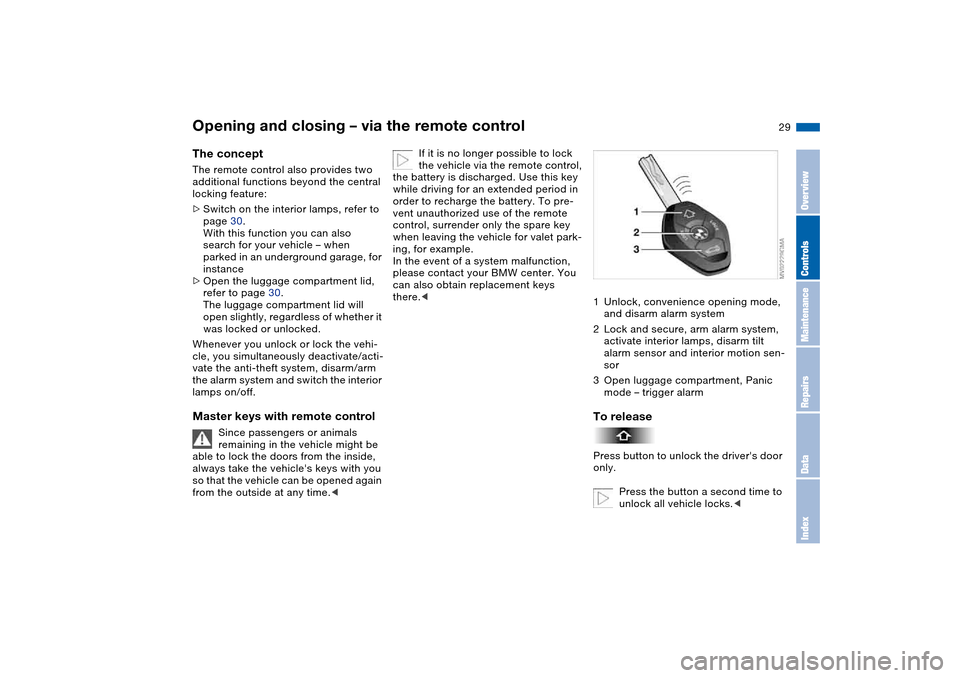
1Unlock, convenience opening mode,
and disarm alarm system
2Lock and secure, arm alarm system,
activate interior lamps, disarm tilt
alarm sensor and interior motion sen-
sor
3Open luggage compartment, Panic
mode – trigger alarmTo releasePress button to unlock the driver's door
only.
Press the button a second time to
unlock all vehicle locks.<
OverviewControlsMaintenanceRepairsDataIndex
Page 30 of 170
30
Convenience opening modePress the button briefly and then keep it
pressed. The windows and the glass
sunroof open.To lock and securePress button.
As a confirmation that the vehi-
cle's locks have engaged
securely, the hazard warning flashers
light up once.<
You can have this confirmation
signal deactivated.
With this function, you can also search
for your vehicle when parked in an
underground garage, for instance.
To deactivate the tilt alarm* and
interior motion sensors*Press button a second time immedi-
ately after locking.
For additional information: page 38.To open the luggage
compartment lidPress button briefly.
The lid will open slightly, no matter
whether it was locked or unlocked.
If the vehicle was previously
locked, the luggage compartment
is also locked again after it is closed.
Before and after a trip, be sure that the
luggage compartment lid has not been
opened unintentionally.
triggered in the event of danger, if the
system is armed.
To switch off the alarmPress button.External systemsMalfunctions:
Local radio waves can impede the func-
tioning of the remote control.
If this occurs, open and close the vehi-
cle using a master key in the door lock.For US owners onlyThe transmitter and receiver units com-
ply with part 15 of the FCC Federal
Communications Commission regula-
tions. Operation is governed by the fol-
lowing:
FCC ID:
>X8EWS
>LX8FZVS
>LX8FZVE
Compliance statement:
This device complies with part 15 of the
FCC Rules. Operation is subject to the
following two conditions:
>This device may not cause harmful
interference, and
Opening and closing – via the remote control
Page 37 of 170
37
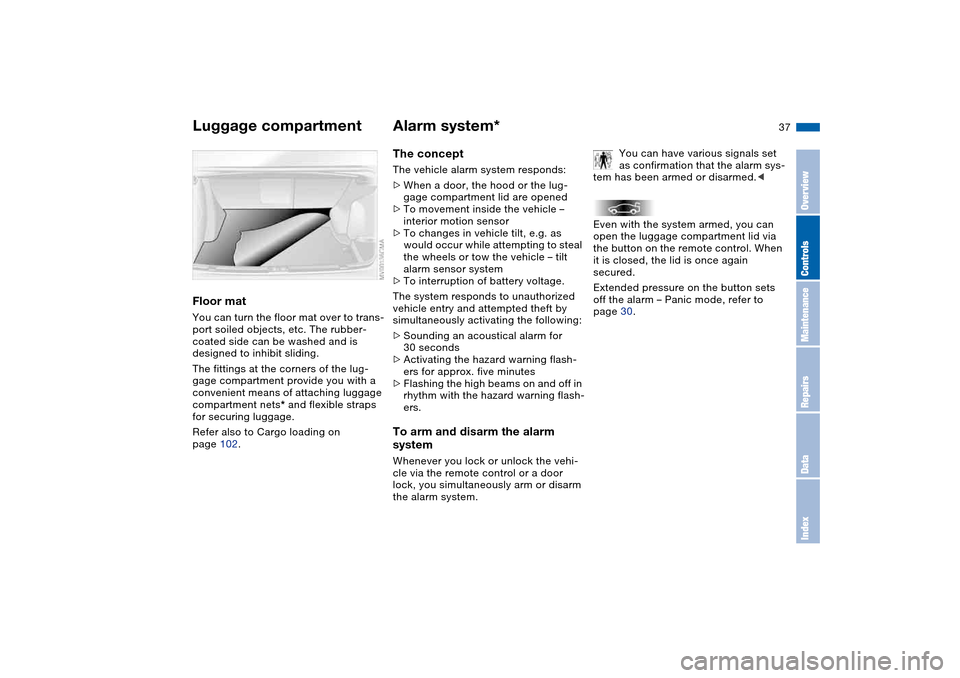
Floor matYou can turn the floor mat over to trans-
port soiled objects, etc. The rubber-
coated side can be washed and is
designed to inhibit sliding.
The fittings at the corners of the lug-
gage compartment provide you with a
convenient means of attaching luggage
compartment nets* and flexible straps
for securing luggage.
Refer also to Cargo loading on
page 102.
Alarm system*The conceptThe vehicle alarm system responds:
>When a door, the hood or the lug-
gage compartment lid are opened
>To movement inside the vehicle –
interior motion sensor
>To changes in vehicle tilt, e.g. as
would occur while attempting to steal
the wheels or tow the vehicle – tilt
alarm sensor system
>To interruption of battery voltage.
The system responds to unauthorized
vehicle entry and attempted theft by
simultaneously activating the following:
>Sounding an acoustical alarm for
30 seconds
>Activating the hazard warning flash-
ers for approx. five minutes
>Flashing the high beams on and off in
rhythm with the hazard warning flash-
ers.To arm and disarm the alarm
systemWhenever you lock or unlock the vehi-
cle via the remote control or a door
lock, you simultaneously arm or disarm
the alarm system.You can have various signals set
as confirmation that the alarm sys-
tem has been armed or disarmed.<
Even with the system armed, you can
open the luggage compartment lid via
the button on the remote control. When
it is closed, the lid is once again
secured.
Extended pressure on the button sets
off the alarm – Panic mode, refer to
page 30.
Luggage compartment
OverviewControlsMaintenanceRepairsDataIndex
Page 62 of 170
62
Starting the engine and driving off
Do not allow the engine to warm
up by leaving it running while the
vehicle remains stationary. Instead,
drive off immediately at a moderate
engine speed.<
Do not allow the engine to run in
enclosed spaces. Otherwise,
breathing the exhaust fumes can lead
to unconsciousness and death. The
exhaust gases contain carbon monox-
ide, an odorless and colorless, but
highly toxic gas. Do not leave the vehi-
cle unattended with the engine running.
An unattended vehicle with a running
engine represents a safety hazard.
If you leave the vehicle with the engine
running, move the gearshift lever into
the idling position or the selector lever
into position N, as applicable, and
apply the parking brake. If you fail to do
this, the vehicle could move.<
>Do not press the accelerator pedal
while starting the engine
>Do not end the starting procedure too
early, but do not continue it for more
than 20 seconds
>Release the ignition key immediately
when the engine starts
>Do not let the engine warm up in
idling position. Instead, begin to drive
at moderate engine speeds.
If the engine does not start on the first
attempt, such as when it is very hot or
cold:
Press the accelerator pedal halfway
down while engaging the starter.
Cold starts at very low temperatures
below about +57/–156 and at high
altitudes above 3,300 ft/1,000 m:
>On the first attempt, engage the
starter for approx. 10 seconds
>Press the accelerator pedal halfway
down while engaging the starter.
Extended starting attempts, char-
acterized by excessively frequent
or long periods with the starter
engaged can damage the catalytic con-
verter.<
When driving, standing at idle or
parking the vehicle, take care to
avoid contact between the hot exhaust
system and flammable materials –
grass, hay, leaves, etc. Such contact
could lead to a fire, resulting in serious
personal injury and property damage.<
Manual transmission1. Engage the parking brake
2. Gearshift lever in idling position
3. Depress the clutch pedal.
If the clutch pedal is not depressed,
the engine cannot be started
4. Start the engine. Do not press the
accelerator pedal. Do not actuate the
starter for too short a time. Do not
turn it for more than approx.
20 seconds. Release the ignition key
immediately when the engine startsSequential M gearbox with
Drivelogic1. Depress footbrake
2. Move selector lever into position N
3. Start the engine. Do not actuate the
starter for too short a time. Do not
turn it for more than approx.
20 seconds. Release the ignition key
immediately when the engine starts
4. Engage a driving position
5. Release footbrake and slowly
depress accelerator pedal.
Page 66 of 170
66
Sequential M gearbox with Drivelogic*The conceptThe sequential M gearbox with
Drivelogic is an automated manual
gearbox with which clutching and shift-
ing is assumed by an electro-hydraulic
system.
The SMG Drivelogic is operated via two
shift paddles on the steering wheel and
the selector lever in the center console.
It offers the following functions:
>Sequential and automated shifting
mode
>Ability to choose between different
driving programs – Drivelogic
>Gradient assistance, refer to page 69
>Upshift display and shift lights, refer
to page 70
>RPM matching on downshifts
>Driving dependent functions:
The respective driving situation, e.g.
cornering, mountain driving or brak-
ing, is detected by sensors and taken
into account for shifting, e.g. to
achieve optimum gear selection dur-
ing deceleration and subsequent
acceleration
>Slip recognition at the rear axle for
increasing driving stability, e.g. dur-
ing downshifting on slippery road
surfaces>Operating safety through protection
against misshifting.
Under normal operating conditions, fuel
consumption is lowest when driving in
the first driving program of the auto-
mated shifting mode.
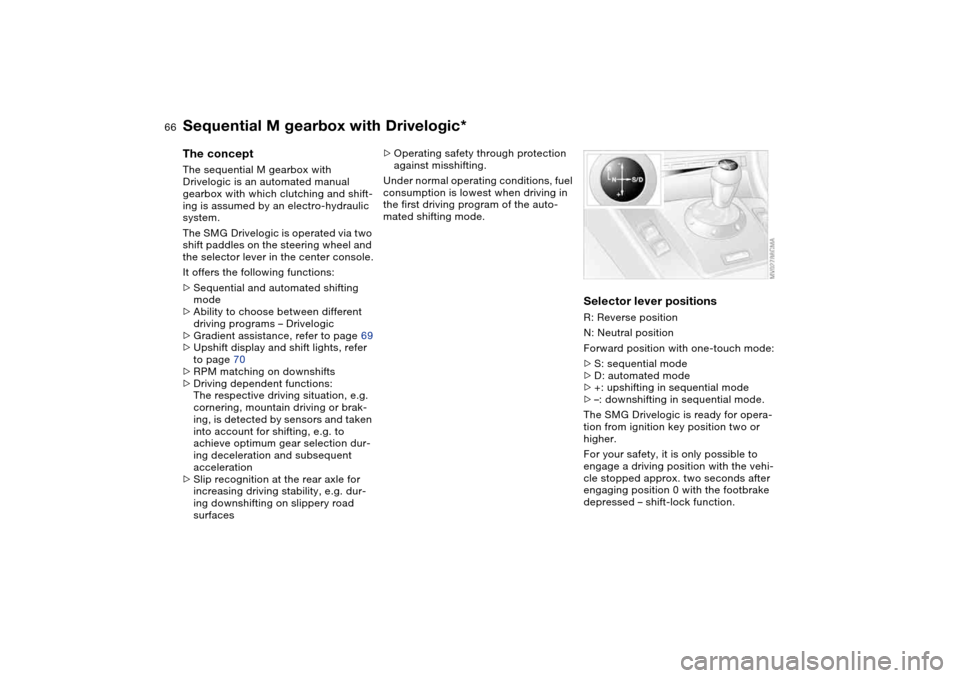
Selector lever positionsR: Reverse position
N: Neutral position
Forward position with one-touch mode:
>S: sequential mode
>D: automated mode
>+: upshifting in sequential mode
>–: downshifting in sequential mode.
The SMG Drivelogic is ready for opera-
tion from ignition key position two or
higher.
For your safety, it is only possible to
engage a driving position with the vehi-
cle stopped approx. two seconds after
engaging position 0 with the footbrake
depressed – shift-lock function.
Page 69 of 170
69
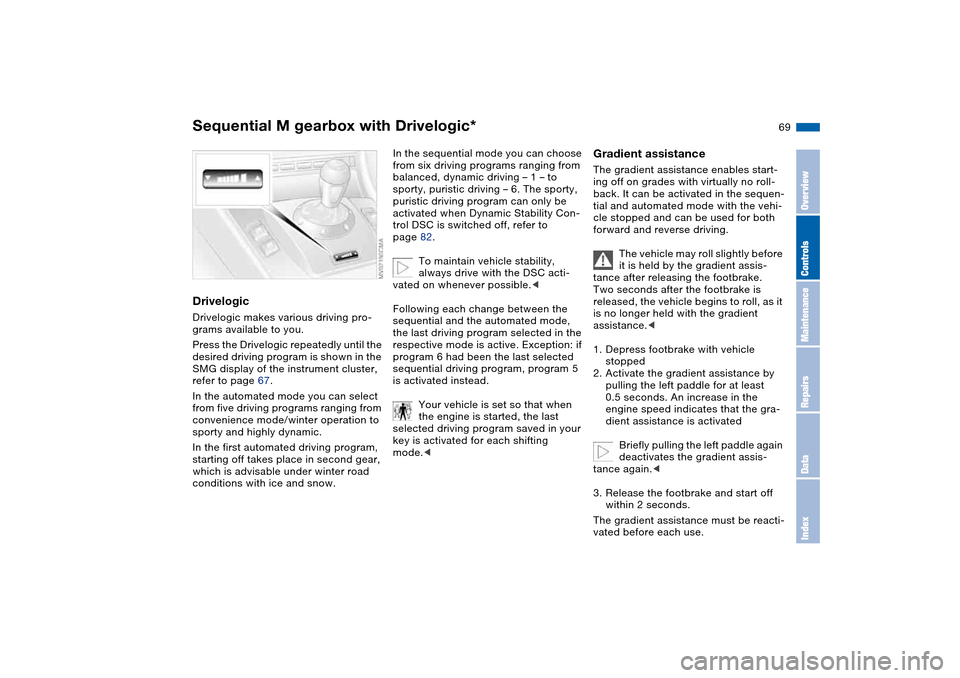
DrivelogicDrivelogic makes various driving pro-
grams available to you.
Press the Drivelogic repeatedly until the
desired driving program is shown in the
SMG display of the instrument cluster,
refer to page 67.
In the automated mode you can select
from five driving programs ranging from
convenience mode/winter operation to
sporty and highly dynamic.
In the first automated driving program,
starting off takes place in second gear,
which is advisable under winter road
conditions with ice and snow.
In the sequential mode you can choose
from six driving programs ranging from
balanced, dynamic driving – 1 – to
sporty, puristic driving – 6. The sporty,
puristic driving program can only be
activated when Dynamic Stability Con-
trol DSC is switched off, refer to
page 82.
To maintain vehicle stability,
always drive with the DSC acti-
vated on whenever possible.<
Following each change between the
sequential and the automated mode,
the last driving program selected in the
respective mode is active. Exception: if
program 6 had been the last selected
sequential driving program, program 5
is activated instead.
Your vehicle is set so that when
the engine is started, the last
selected driving program saved in your
key is activated for each shifting
mode.<
Gradient assistanceThe gradient assistance enables start-
ing off on grades with virtually no roll-
back. It can be activated in the sequen-
tial and automated mode with the vehi-
cle stopped and can be used for both
forward and reverse driving.
The vehicle may roll slightly before
it is held by the gradient assis-
tance after releasing the footbrake.
Two seconds after the footbrake is
released, the vehicle begins to roll, as it
is no longer held with the gradient
assistance.<
1. Depress footbrake with vehicle
stopped
2. Activate the gradient assistance by
pulling the left paddle for at least
0.5 seconds. An increase in the
engine speed indicates that the gra-
dient assistance is activated
Briefly pulling the left paddle again
deactivates the gradient assis-
tance again.<
3. Release the footbrake and start off
within 2 seconds.
The gradient assistance must be reacti-
vated before each use.
Sequential M gearbox with Drivelogic*
OverviewControlsMaintenanceRepairsDataIndex
Page 70 of 170
70
Indicator lamp
The gearbox indicator lamp in
the instrument cluster goes out
after the engine is started.
>If it does not go out, or if it lights up
during driving, a malfunction has
occurred. The available functions
may be limited under certain circum-
stances.
Drive carefully and with the Dynamic
Stability Control (DSC) activated.
Have the system checked by the
nearest BMW center
>If the indicator lamp flashes while
driving, the system is overloaded.
Avoid high loads until the indicator
lamp goes out again permanently.
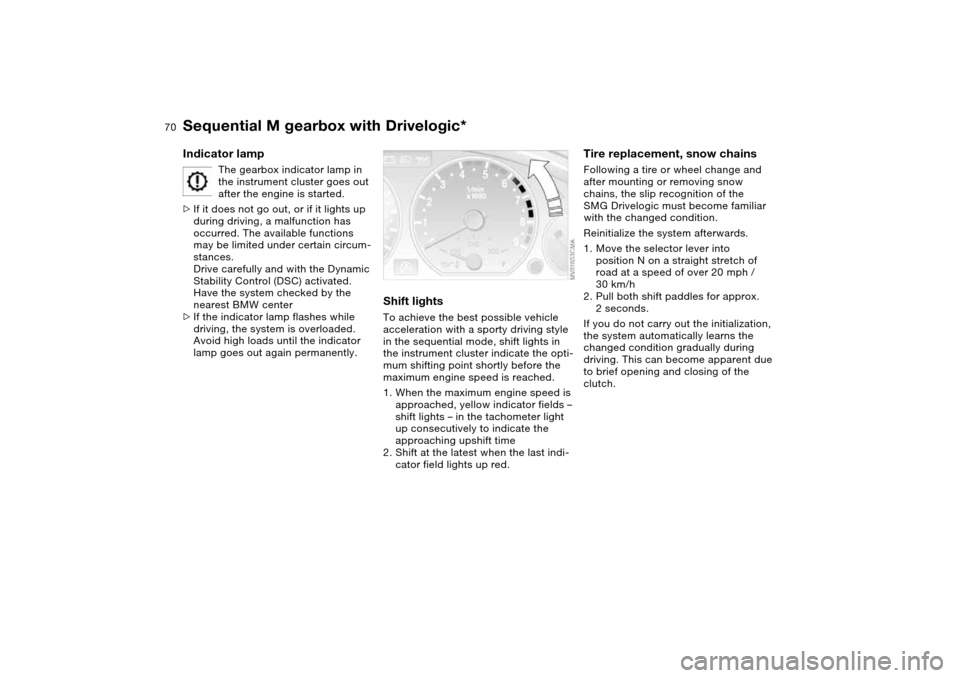
Shift lightsTo achieve the best possible vehicle
acceleration with a sporty driving style
in the sequential mode, shift lights in
the instrument cluster indicate the opti-
mum shifting point shortly before the
maximum engine speed is reached.
1. When the maximum engine speed is
approached, yellow indicator fields –
shift lights – in the tachometer light
up consecutively to indicate the
approaching upshift time
2. Shift at the latest when the last indi-
cator field lights up red.
Tire replacement, snow chainsFollowing a tire or wheel change and
after mounting or removing snow
chains, the slip recognition of the
SMG Drivelogic must become familiar
with the changed condition.
Reinitialize the system afterwards.
1. Move the selector lever into
position N on a straight stretch of
road at a speed of over 20 mph /
30 km/h
2. Pull both shift paddles for approx.
2 seconds.
If you do not carry out the initialization,
the system automatically learns the
changed condition gradually during
driving. This can become apparent due
to brief opening and closing of the
clutch.
Sequential M gearbox with Drivelogic*
Page 78 of 170
78
ClockIf you wish to have a permanent time
display, you can make this adjustment
in the car radio display, refer to the
Owner's Manual for Radio.
You can set the time of day, and the
display for the car radio, as follows.
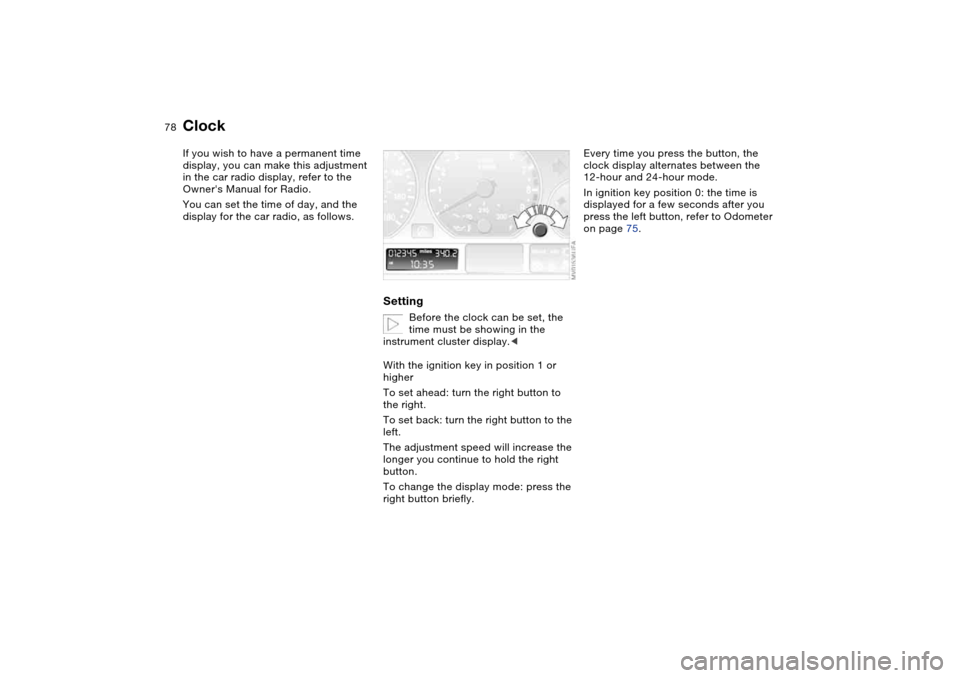
Setting
Before the clock can be set, the
time must be showing in the
instrument cluster display.<
With the ignition key in position 1 or
higher
To set ahead: turn the right button to
the right.
To set back: turn the right button to the
left.
The adjustment speed will increase the
longer you continue to hold the right
button.
To change the display mode: press the
right button briefly.
Every time you press the button, the
clock display alternates between the
12-hour and 24-hour mode.
In ignition key position 0: the time is
displayed for a few seconds after you
press the left button, refer to Odometer
on page 75.
Page 82 of 170
82
Dynamic Stability Control (DSC)The conceptDSC supports vehicle stability, even in
critical driving situations.
DSC optimizes driving stability and
traction during acceleration and when
you are starting from a standstill. In
addition, it also recognizes unstable
vehicle conditions, such as understeer-
ing and oversteering. By reducing
engine power and applying brakes at
the wheels, DSC helps to keep the
vehicle on a steady course within phys-
ically feasible limits.
DSC starts up automatically each time
you start the engine.
The laws of physics cannot be
repealed, even with DSC. The
driver remains responsible for the con-
sequences of any inadequate driving
style. Therefore, do not take any risks
because of the additional safety pro-
vided. Do not make any modifications
to the DSC system. Allow only autho-
rized technicians to perform service
procedures on the DSC.<
Indicator lamp for DSC
The indicator lamp in the instru-
ment cluster will go out shortly
after the ignition has been
switched on, refer to page 20.
>The indicator lamp flashes: DSC is
active and is controlling the drive
torque based on driving conditions
>The indicator lamp does not go out
after the engine is started or lights up
continuously while you are driving:
DSC has been deactivated via the
button or is defective.
You can continue to drive the vehicle
normally without DSC. In the event of a
malfunction, contact a BMW center or a
workshop that works according to
BMW requirements with appropriately
trained personnel.
M Track mode*M track mode is a feature of the
Dynamic Stability Control DSC,
designed for driving on dry roads. It
allows you to drive with higher longitu-
dinal and lateral acceleration, whereas
driving stability is somewhat reduced.
Only in its absolute limit range will the
system try to stabilize the vehicle by
reducing engine power and applying
brakes to the wheels. Under these driv-
ing conditions the driver must be pre-
pared to perform corrective steering
movements if necessary.
By default, M Track mode is off after
each engine start.
While M Track mode is active, sta-
bilising interventions are per-
formed to a reduced extent only.<
To maintain vehicle stability,
always drive with DSC switched
on and M Track mode switched off
whenever possible.
shortly after the ignition is
switched on.
>Indicator lamp stays on: M Track
mode ist on
>Indicator lamp stays on and DSC
indicator lamp flashes:
M Track mode is actively regulating
drive torque and braking forces.