phone BMW M3 COUPE 2006 E46 Owner's Manual
[x] Cancel search | Manufacturer: BMW, Model Year: 2006, Model line: M3 COUPE, Model: BMW M3 COUPE 2006 E46Pages: 170, PDF Size: 2.63 MB
Page 5 of 170
5
Notes
Indicates that you should consult
the relevant section of this
Owner's Manual for information on a
particular part or assembly.
Your individual vehicle
On purchasing your BMW, you have
decided in favor of a model with individ-
ualized equipment and features. This
Owner's Manual will describe all of the
equipment that the BMW M3 has to
offer you.
We hope you will understand that
equipment and features are included
that you might not have chosen for your
vehicle. You can easily identify any dif-
ferences with the aid of the asterisk
used to identify all optional equipment
and accessories.
If your BMW features equipment such
as a car radio or telephone, that is not
described in this Owner's Manual, we
have enclosed Supplementary Owner's
Manuals. We ask you to read these
manuals as well.
Status at time of printing
BMW pursues a policy of continuous,
ongoing development that is conceived
to ensure that our vehicles continue to
embody the highest quality and safety
standards combined with advanced,
state-of-the-art technology. In excep-
tional cases, the features described in
this Owner's Manual could therefore
differ from those on your vehicle.
Page 7 of 170
7
Notes
wheels, suspension components, brake
dust shields, telephones, including
operation of any mobile phone from
within the vehicle without using an
externally mounted antenna, or trans-
ceiver equipment, for instance, CBs,
walkie-talkie, ham radio or similar
accessories, may cause extensive dam-
age to the vehicle, compromise its
safety, interfere with the vehicle’s elec-
trical system or affect the validity of the
BMW Limited Warranty. Contact your
BMW center for additional information.
Do not use key or remote control to
lock doors or luggage compartment
with anyone inside the vehicle. Refer to
the Owner's Manual for more details.
<
Maintenance, replacement, or
repair of the emission control
devices and systems may be performed
by any automotive repair establishment
or individual using any certified auto-
motive part.
<
Service and warranty
This manual is supplemented by a Ser-
vice and Warranty Information Booklet
for US models or a Warranty and Ser-
vice Guide Booklet for Canadian mod-
els.
We recommend that you read this pub-
lication thoroughly.
Your BMW is covered by the following
warranties:
>
New Vehicle Limited Warranty
>
Rust Perforation Limited Warranty
>
Federal Emissions System Defect
Warranty
>
Federal Emissions Performance War-
ranty
>
California Emission Control System
Limited Warranty.
Detailed information about these war-
ranties is listed in the Service and War-
ranty Information Booklet for US mod-
els or in the Warranty and Service
Guide Booklet for Canadian models.
Reporting safety defects
The following only applies to vehicles
owned and operated in the US.
If you believe that your vehicle has a
defect which could cause a crash or
could cause injury or death, you should
immediately inform the National High-
way Traffic Safety Administration
NHTSA in addition to notifying BMW of
North America, LLC, P.O. Box 1227,
Westwood, New Jersey 07675-1227,
telephone toll-free 1-800-831-1117.
If NHTSA receives similar complaints, it
may open an investigation, and if it
finds that a safety defect exists in a
group of vehicles, it may order a recall
and remedy campaign. However,
NHTSA cannot become involved in indi-
vidual problems between you, your
dealer, or BMW of North America, LLC.
To contact NHTSA, you may either call
the Auto Safety Hotline toll-free at
1-800-424-9393 or 366-0123 in the
Washington, D.C. area, or write to:
NHTSA, U.S. Department of Transpor-
tation, Washington, D.C. 20590. You
can also obtain other information about
motor vehicle safety from the Hotline.
Page 9 of 170
Contents
9
Driving:
Ignition lock61
Starting the engine and driving
off62
Switching off the engine64
Parking brake64
Manual transmission65
Sequential M gearbox with
Drivelogic*66
Turn signal indicator/Headlamp
flasher71
Washer/wiper system/Rain
sensor*72
Cruise control*73
Everything under control:
Odometer75
Tachometer75
Engine oil temperature75
Fuel gauge76
Engine coolant temperature
gauge76
Service interval display77
Check Control77
Clock78
Computer79
Technology for safety and
driving convenience:
Park Distance Control (PDC)*81
Dynamic Stability Control
(DSC)82
Flat Tire Monitor83
M Engine dynamics control85
Brake force display86
Lamps:
Parking lamps/Low beams87
Instrument lighting88
High beams/Standing lamps88
Front fog lamps89
Interior lamps89
Controlling the climate for
pleasant driving:
Automatic climate control90
Roller sun blind*94
Interior conveniences:
Premium sound system*95
Glove compartment95
Storage compartments96
Microphone*97
Ashtray, front*98
Ashtray, rear*98
Clothes hooks99
Loading and transporting:
Through-loading system100
Ski bag*101
Cargo loading102
Roof-mounted luggage
rack*105
Controls and features
Page 22 of 170
22
Buttons* in steering wheel
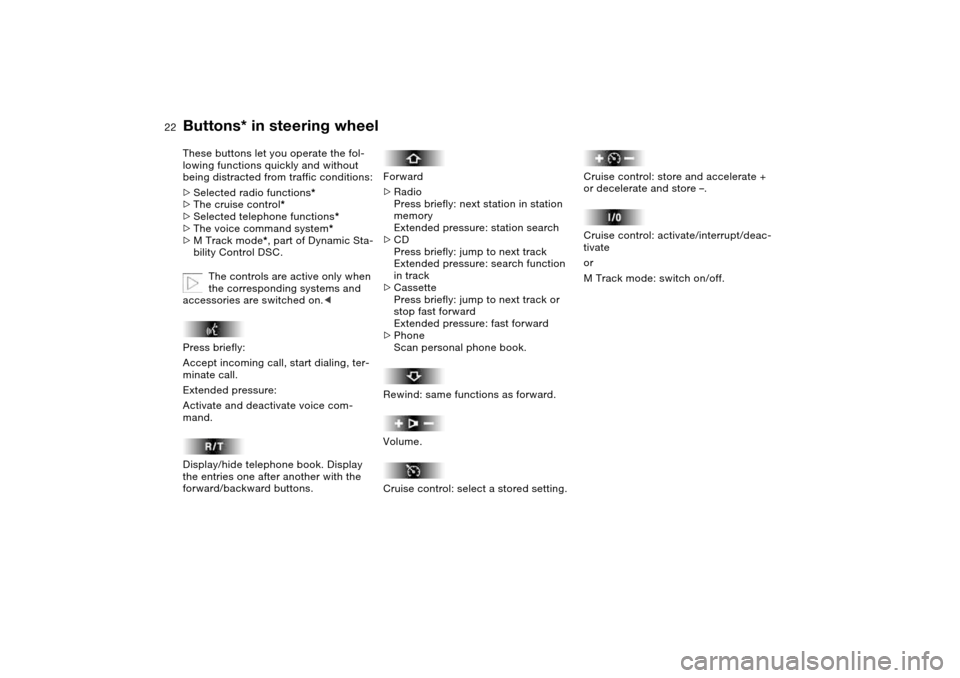
These buttons let you operate the fol-
lowing functions quickly and without
being distracted from traffic conditions:
>
Selected radio functions
*
>
The cruise control
*
>
Selected telephone functions
*
>
The voice command system*
>M Track mode*, part of Dynamic Sta-
bility Control DSC.
The controls are active only when
the corresponding systems and
accessories are switched on.<
Press briefly:
Accept incoming call, start dialing, ter-
minate call.
Extended pressure:
Activate and deactivate voice com-
mand.
Display/hide telephone book. Display
the entries one after another with the
forward/backward buttons.
Forward
>Radio
Press briefly: next station in station
memory
Extended pressure: station search
>CD
Press briefly: jump to next track
Extended pressure: search function
in track
>Cassette
Press briefly: jump to next track or
stop fast forward
Extended pressure: fast forward
>Phone
Scan personal phone book.
Rewind: same functions as forward.
Volume.
Cruise control: select a stored setting.
Cruise control: store and accelerate +
or decelerate and store –.
Cruise control: activate/interrupt/deac-
tivate
or
M Track mode: switch on/off.
Page 97 of 170
97
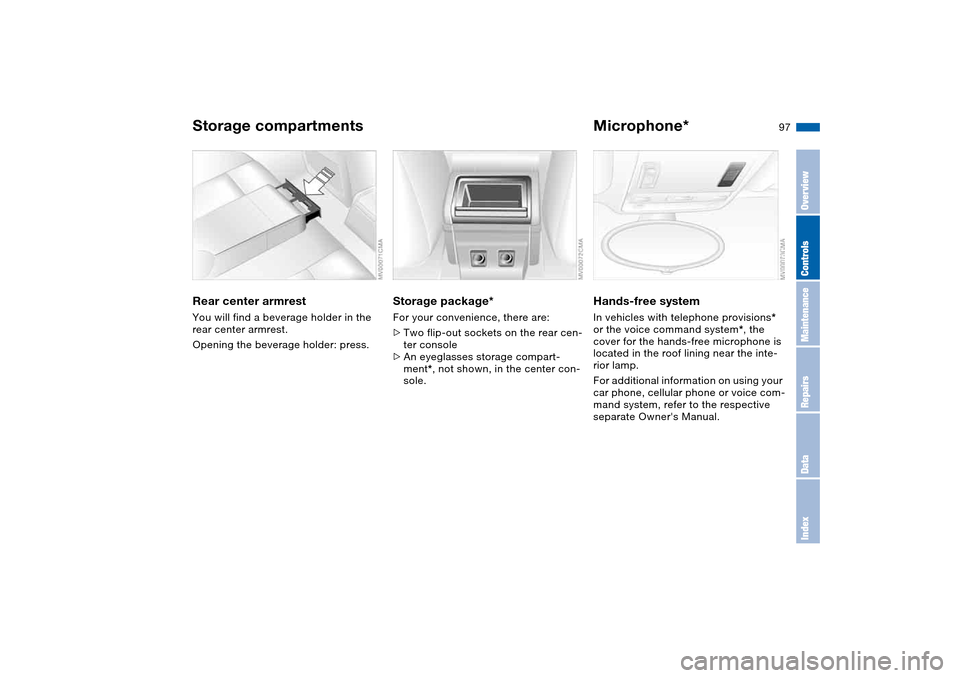
Rear center armrestYou will find a beverage holder in the
rear center armrest.
Opening the beverage holder: press.
Storage package*For your convenience, there are:
>Two flip-out sockets on the rear cen-
ter console
>An eyeglasses storage compart-
ment*, not shown, in the center con-
sole.
Microphone*Hands-free systemIn vehicles with telephone provisions*
or the voice command system*, the
cover for the hands-free microphone is
located in the roof lining near the inte-
rior lamp.
For additional information on using your
car phone, cellular phone or voice com-
mand system, refer to the respective
separate Owner's Manual.
Storage compartments
OverviewControlsMaintenanceRepairsDataIndex
Page 110 of 170
110
Inclines:
To prevent overheating and, as a
result, diminished braking effec-
tiveness, drive down long or steep
downhill grades in a gear which
requires the least braking. Otherwise,
even light but consistent pedal pres-
sure can lead to high temperatures,
brake wear and possibly even brake
failure.<
The braking power of the engine can be
further enhanced by downshifting the
automatic transmission in manual
mode, if necessary, into first gear. This
helps avoid placing excessive loads on
the brake system.
Do not coast with the clutch
depressed or with the transmis-
sion or selector lever in Neutral. Do not
coast with the engine switched off. Oth-
erwise, the engine provides no braking
effect while the transmission is in idling
position, and there is no power-assist
for braking or steering when the engine
is off.
Floor mats, floor carpets or other
objects must not be in the area near the
brake or accelerator pedal, as this
could impair the movement of the ped-
als.<
Corrosion on the brake rotorsLimited vehicle use, extended periods
with the vehicle parked or in storage,
and operating conditions in which brak-
ing is restricted to gentle, low-pressure
applications will all increase the ten-
dency for corrosion to form on the
rotors and contamination to accumulate
on the brake pads. This occurs because
the minimal pressure which must be
exerted by the pads to clean the rotors
by brake applications is not reached.
Corrosion on brake rotors is signaled by
a pulsation during initial braking that
usually does not disappear even after
extended subsequent braking.
Brake pads
For your own safety: use only
brake pads which BMW has
approved for your specific vehicle
model. BMW cannot evaluate non-
approved brake pads to determine if
they are suitable for use, and therefore
cannot ensure the operating safety of
the vehicle if they are installed.<
Portable phone in the vehicle
BMW advises against using
mobile equipment, e.g. cellular
phones, inside the vehicle without con-
necting them directly to an outside
antenna. Otherwise, it cannot be ruled
out that vehicle electronics and the
mobile equipment interfere with one
another. In addition, it is not ensured
that the radio waves emitted during
transmission are directed outside of the
vehicle interior.<
General driving notes
Page 142 of 170
142Giving and receiving assistance
Receiving assistanceThe BMW Group's Mobile Service
offers you 24-hour assistance in the
event of a breakdown, even on week-
ends and holidays.
The telephone numbers of the Mobile
Service control center in your country
are listed in the Contact brochure.
If your vehicle has the necessary equip-
ment, you can contact the Mobile Ser-
vice or issue an emergency call using
buttons in the interior rearview mirror.
When an emergency call is initiated, a
telephone connection is established
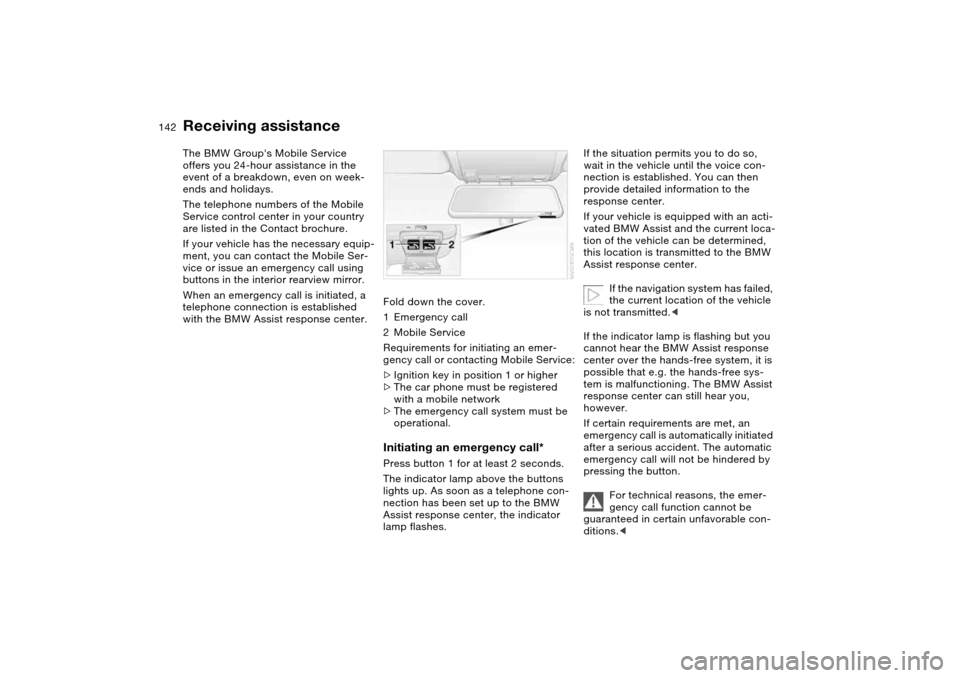
with the BMW Assist response center.Fold down the cover.
1Emergency call
2Mobile Service
Requirements for initiating an emer-
gency call or contacting Mobile Service:
>Ignition key in position 1 or higher
>The car phone must be registered
with a mobile network
>The emergency call system must be
operational.
Initiating an emergency call*Press button 1 for at least 2 seconds.
The indicator lamp above the buttons
lights up. As soon as a telephone con-
nection has been set up to the BMW
Assist response center, the indicator
lamp flashes.
If the situation permits you to do so,
wait in the vehicle until the voice con-
nection is established. You can then
provide detailed information to the
response center.
If your vehicle is equipped with an acti-
vated BMW Assist and the current loca-
tion of the vehicle can be determined,
this location is transmitted to the BMW
Assist response center.
If the navigation system has failed,
the current location of the vehicle
is not transmitted.<
If the indicator lamp is flashing but you
cannot hear the BMW Assist response
center over the hands-free system, it is
possible that e.g. the hands-free sys-
tem is malfunctioning. The BMW Assist
response center can still hear you,
however.
If certain requirements are met, an
emergency call is automatically initiated
after a serious accident. The automatic
emergency call will not be hindered by
pressing the button.
For technical reasons, the emer-
gency call function cannot be
guaranteed in certain unfavorable con-
ditions.<
Page 143 of 170
143
Mobile Service*To establish contact with the BMW
Group's Mobile Service:
Press button 2 for at least 2 seconds.
The indicator lamp above the buttons
lights up. As soon as a telephone con-
nection has been set up with the Mobile
Service, the indicator lamp flashes.
Depending on the country you are in,
your vehicle's current location will also
be transmitted if your vehicle is
equipped with an activated BMW Assist
function.
Jump-startingWhen your battery is discharged, you
can use two jumper cables to start your
vehicle with power from the battery in a
second vehicle. You can also use the
same method to help start another
vehicle. Use only jumper cables with
fully insulated handles on the terminal
clamps.
Do not touch high-voltage wiring
and cables on a running engine.
Contact with components carrying high
voltage can be harmful or fatal.
Carefully observe the following instruc-
tions to avoid personal injury and/or
damage to one or both vehicles.
approximately the same capacity –
measured in Ah. This information is
provided on the battery
2. Stop the engine of the support vehi-
cle
3. Switch off all consumers in both
vehicles.
Make absolutely certain that there
is no contact between the body-
work of the two vehicles, otherwise
there is a short circuit hazard.<
Connecting the jumper cables
Be sure to connect the jumper
cables in the right order; other-
wise there is a risk of injury due to
sparks being created near the battery.<
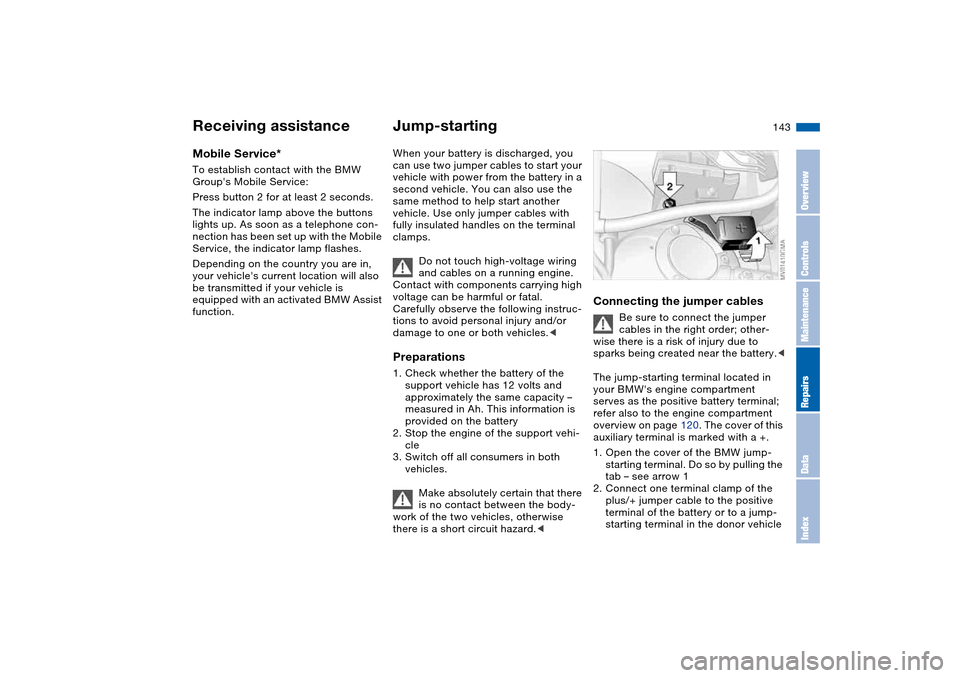
The jump-starting terminal located in
your BMW's engine compartment
serves as the positive battery terminal;
refer also to the engine compartment
overview on page 120. The cover of this
auxiliary terminal is marked with a +.
1. Open the cover of the BMW jump-
starting terminal. Do so by pulling the
tab – see arrow 1
2. Connect one terminal clamp of the
plus/+ jumper cable to the positive
terminal of the battery or to a jump-
starting terminal in the donor vehicle
Receiving assistance
OverviewControlsMaintenanceRepairsDataIndex
Page 157 of 170
Everything from A to Z
157
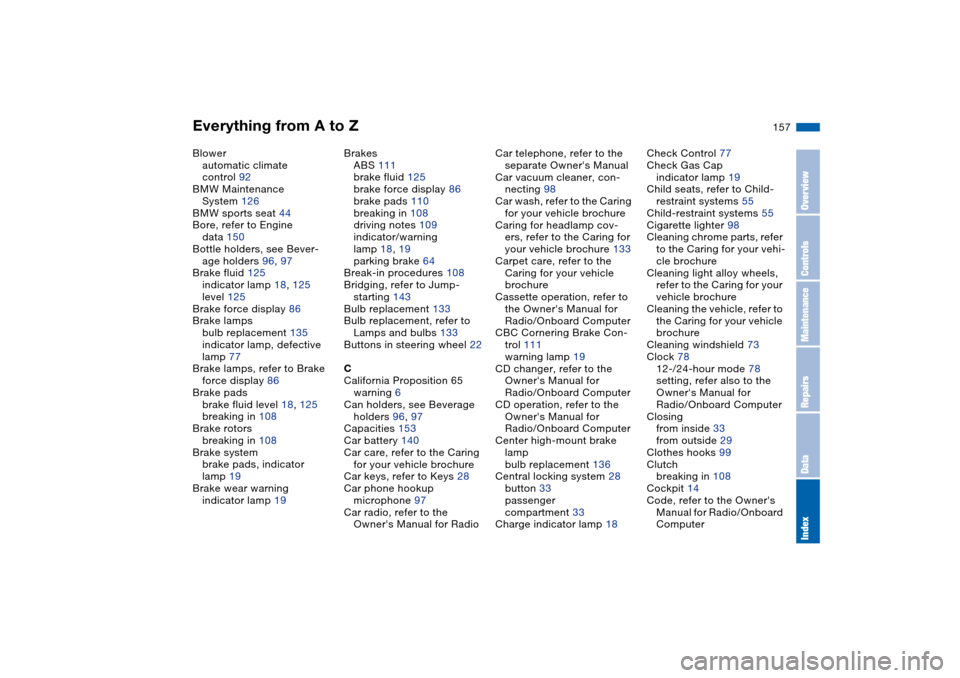
Blower
automatic climate
control 92
BMW Maintenance
System 126
BMW sports seat 44
Bore, refer to Engine
data 150
Bottle holders, see Bever-
age holders 96, 97
Brake fluid 125
indicator lamp 18, 125
level 125
Brake force display 86
Brake lamps
bulb replacement 135
indicator lamp, defective
lamp 77
Brake lamps, refer to Brake
force display 86
Brake pads
brake fluid level 18, 125
breaking in 108
Brake rotors
breaking in 108
Brake system
brake pads, indicator
lamp 19
Brake wear warning
indicator lamp 19Brakes
ABS 111
brake fluid 125
brake force display 86
brake pads 110
breaking in 108
driving notes 109
indicator/warning
lamp 18, 19
parking brake 64
Break-in procedures 108
Bridging, refer to Jump-
starting 143
Bulb replacement 133
Bulb replacement, refer to
Lamps and bulbs 133
Buttons in steering wheel 22
C
California Proposition 65
warning 6
Can holders, see Beverage
holders 96, 97
Capacities 153
Car battery 140
Car care, refer to the Caring
for your vehicle brochure
Car keys, refer to Keys 28
Car phone hookup
microphone 97
Car radio, refer to the
Owner's Manual for RadioCar telephone, refer to the
separate Owner's Manual
Car vacuum cleaner, con-
necting 98
Car wash, refer to the Caring
for your vehicle brochure
Caring for headlamp cov-
ers, refer to the Caring for
your vehicle brochure 133
Carpet care, refer to the
Caring for your vehicle
brochure
Cassette operation, refer to
the Owner's Manual for
Radio/Onboard Computer
CBC Cornering Brake Con-
trol 111
warning lamp 19
CD changer, refer to the
Owner's Manual for
Radio/Onboard Computer
CD operation, refer to the
Owner's Manual for
Radio/Onboard Computer
Center high-mount brake
lamp
bulb replacement 136
Central locking system 28
button 33
passenger
compartment 33
Charge indicator lamp 18Check Control 77
Check Gas Cap
indicator lamp 19
Child seats, refer to Child-
restraint systems 55
Child-restraint systems 55
Cigarette lighter 98
Cleaning chrome parts, refer
to the Caring for your vehi-
cle brochure
Cleaning light alloy wheels,
refer to the Caring for your
vehicle brochure
Cleaning the vehicle, refer to
the Caring for your vehicle
brochure
Cleaning windshield 73
Clock 78
12-/24-hour mode 78
setting, refer also to the
Owner's Manual for
Radio/Onboard Computer
Closing
from inside 33
from outside 29
Clothes hooks 99
Clutch
breaking in 108
Cockpit 14
Code, refer to the Owner's
Manual for Radio/Onboard
Computer
OverviewControlsMaintenanceRepairsDataIndex
Page 161 of 170
Everything from A to Z
161
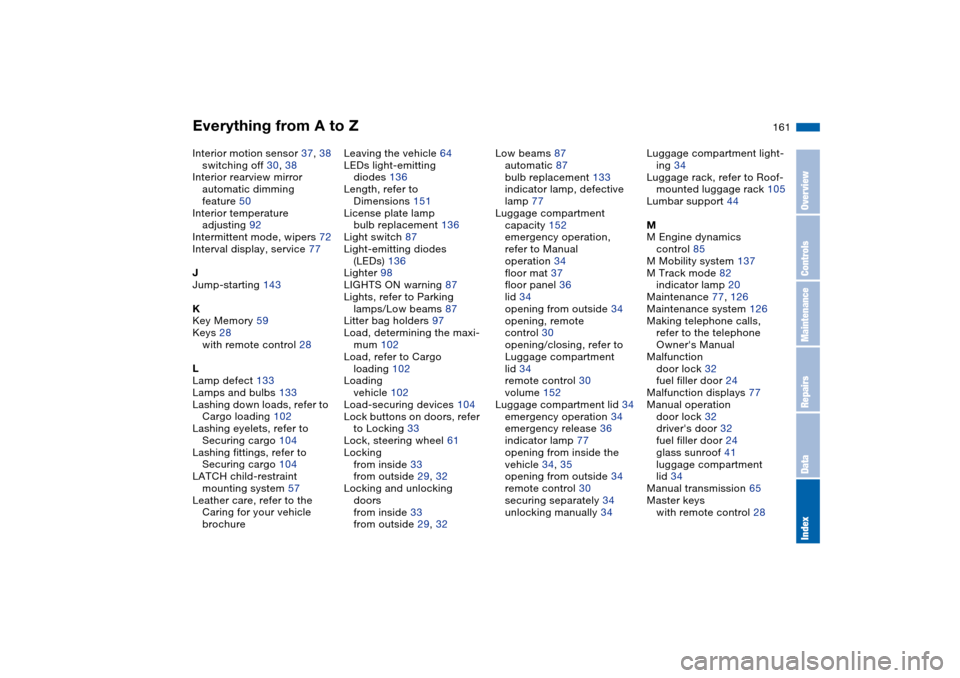
Interior motion sensor 37, 38
switching off 30, 38
Interior rearview mirror
automatic dimming
feature 50
Interior temperature
adjusting 92
Intermittent mode, wipers 72
Interval display, service 77
J
Jump-starting 143
K
Key Memory 59
Keys 28
with remote control 28
L
Lamp defect 133
Lamps and bulbs 133
Lashing down loads, refer to
Cargo loading 102
Lashing eyelets, refer to
Securing cargo 104
Lashing fittings, refer to
Securing cargo 104
LATCH child-restraint
mounting system 57
Leather care, refer to the
Caring for your vehicle
brochureLeaving the vehicle 64
LEDs light-emitting
diodes 136
Length, refer to
Dimensions 151
License plate lamp
bulb replacement 136
Light switch 87
Light-emitting diodes
(LEDs) 136
Lighter 98
LIGHTS ON warning 87
Lights, refer to Parking
lamps/Low beams 87
Litter bag holders 97
Load, determining the maxi-
mum 102
Load, refer to Cargo
loading 102
Loading
vehicle 102
Load-securing devices 104
Lock buttons on doors, refer
to Locking 33
Lock, steering wheel 61
Locking
from inside 33
from outside 29, 32
Locking and unlocking
doors
from inside 33
from outside 29, 32Low beams 87
automatic 87
bulb replacement 133
indicator lamp, defective
lamp 77
Luggage compartment
capacity 152
emergency operation,
refer to Manual
operation 34
floor mat 37
floor panel 36
lid 34
opening from outside 34
opening, remote
control 30
opening/closing, refer to
Luggage compartment
lid 34
remote control 30
volume 152
Luggage compartment lid 34
emergency operation 34
emergency release 36
indicator lamp 77
opening from inside the
vehicle 34, 35
opening from outside 34
remote control 30
securing separately 34
unlocking manually 34Luggage compartment light-
ing 34
Luggage rack, refer to Roof-
mounted luggage rack 105
Lumbar support 44
M
M Engine dynamics
control 85
M Mobility system 137
M Track mode 82
indicator lamp 20
Maintenance 77, 126
Maintenance system 126
Making telephone calls,
refer to the telephone
Owner's Manual
Malfunction
door lock 32
fuel filler door 24
Malfunction displays 77
Manual operation
door lock 32
driver's door 32
fuel filler door 24
glass sunroof 41
luggage compartment
lid 34
Manual transmission 65
Master keys
with remote control 28
OverviewControlsMaintenanceRepairsDataIndex