battery BMW M3 COUPE 2008 E92 User Guide
[x] Cancel search | Manufacturer: BMW, Model Year: 2008, Model line: M3 COUPE, Model: BMW M3 COUPE 2008 E92Pages: 172, PDF Size: 5.29 MB
Page 83 of 172
Reference
At a glance
Controls
Driving tips
Mobility
81
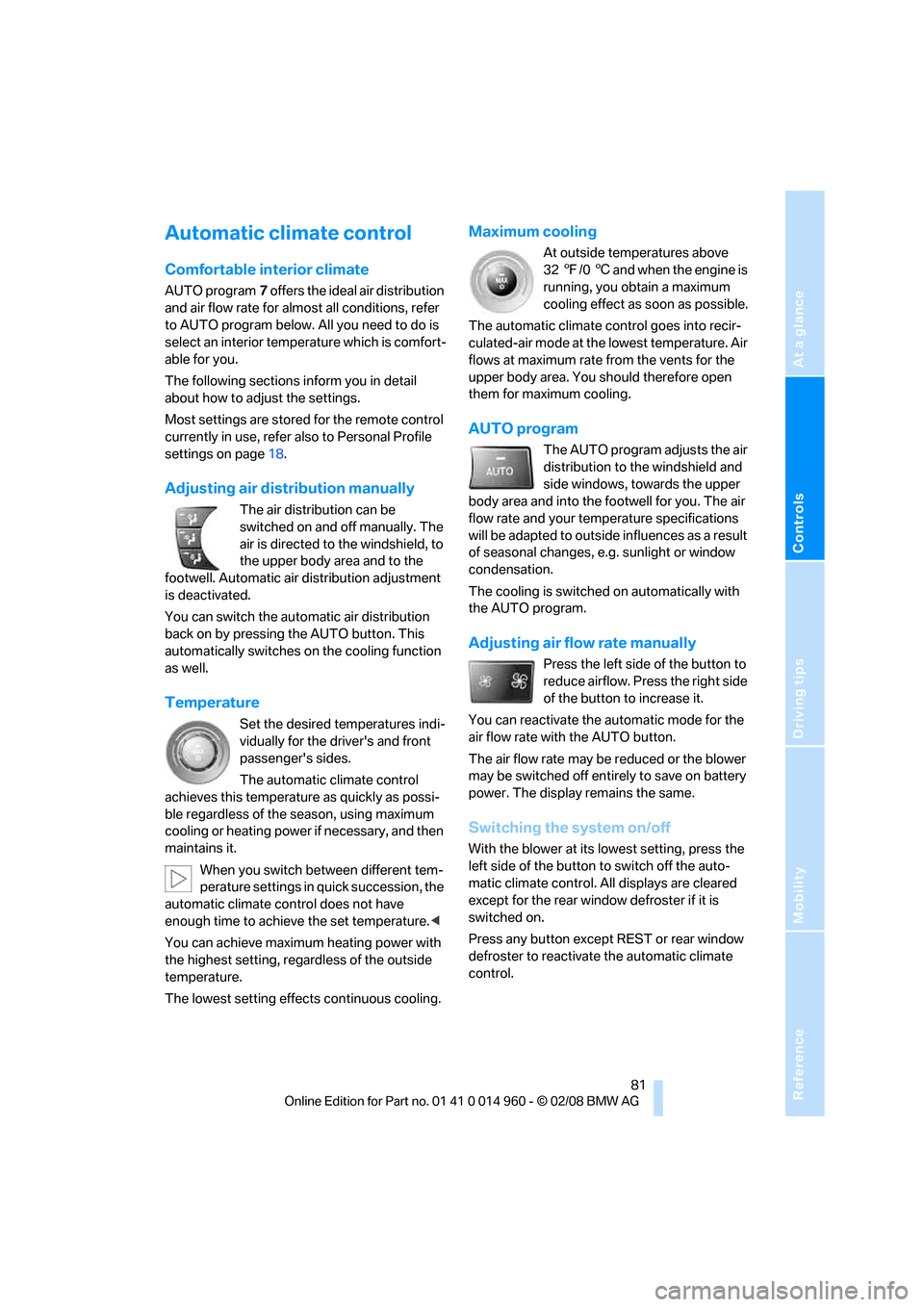
Automatic climate control
Comfortable interior climate
AUTO program7 offers the ideal air distribution
and air flow rate for almost all conditions, refer
to AUTO program below. All you need to do is
select an interior temperature which is comfort-
able for you.
The following sections inform you in detail
about how to adjust the settings.
Most settings are stored for the remote control
currently in use, refer also to Personal Profile
settings on page18.
Adjusting air distribution manually
The air distribution can be
switched on and off manually. The
air is directed to the windshield, to
the upper body area and to the
footwell. Automatic air distribution adjustment
is deactivated.
You can switch the automatic air distribution
back on by pressing the AUTO button. This
automatically switches on the cooling function
as well.
Temperature
Set the desired temperatures indi-
vidually for the driver's and front
passenger's sides.
The automatic climate control
achieves this temperature as quickly as possi-
ble regardless of the season, using maximum
cooling or heating power if necessary, and then
maintains it.
When you switch between different tem-
perature settings in quick succession, the
automatic climate control does not have
enough time to achieve the set temperature.<
You can achieve maximum heating power with
the highest setting, regardless of the outside
temperature.
The lowest setting effects continuous cooling.
Maximum cooling
At outside temperatures above
327/06 and when the engine is
running, you obtain a maximum
cooling effect as soon as possible.
The automatic climate control goes into recir-
culated-air mode at the lowest temperature. Air
flows at maximum rate from the vents for the
upper body area. You should therefore open
them for maximum cooling.
AUTO program
The AUTO program adjusts the air
distribution to the windshield and
side windows, towards the upper
body area and into the footwell for you. The air
flow rate and your temperature specifications
will be adapted to outside influences as a result
of seasonal changes, e.g. sunlight or window
condensation.
The cooling is switched on automatically with
the AUTO program.
Adjusting air flow rate manually
Press the left side of the button to
reduce airflow. Press the right side
of the button to increase it.
You can reactivate the automatic mode for the
air flow rate with the AUTO button.
The air flow rate may be reduced or the blower
may be switched off entirely to save on battery
power. The display remains the same.
Switching the system on/off
With the blower at its lowest setting, press the
left side of the button to switch off the auto-
matic climate control. All displays are cleared
except for the rear window defroster if it is
switched on.
Press any button except REST or rear window
defroster to reactivate the automatic climate
control.
Page 84 of 172
Climate
82
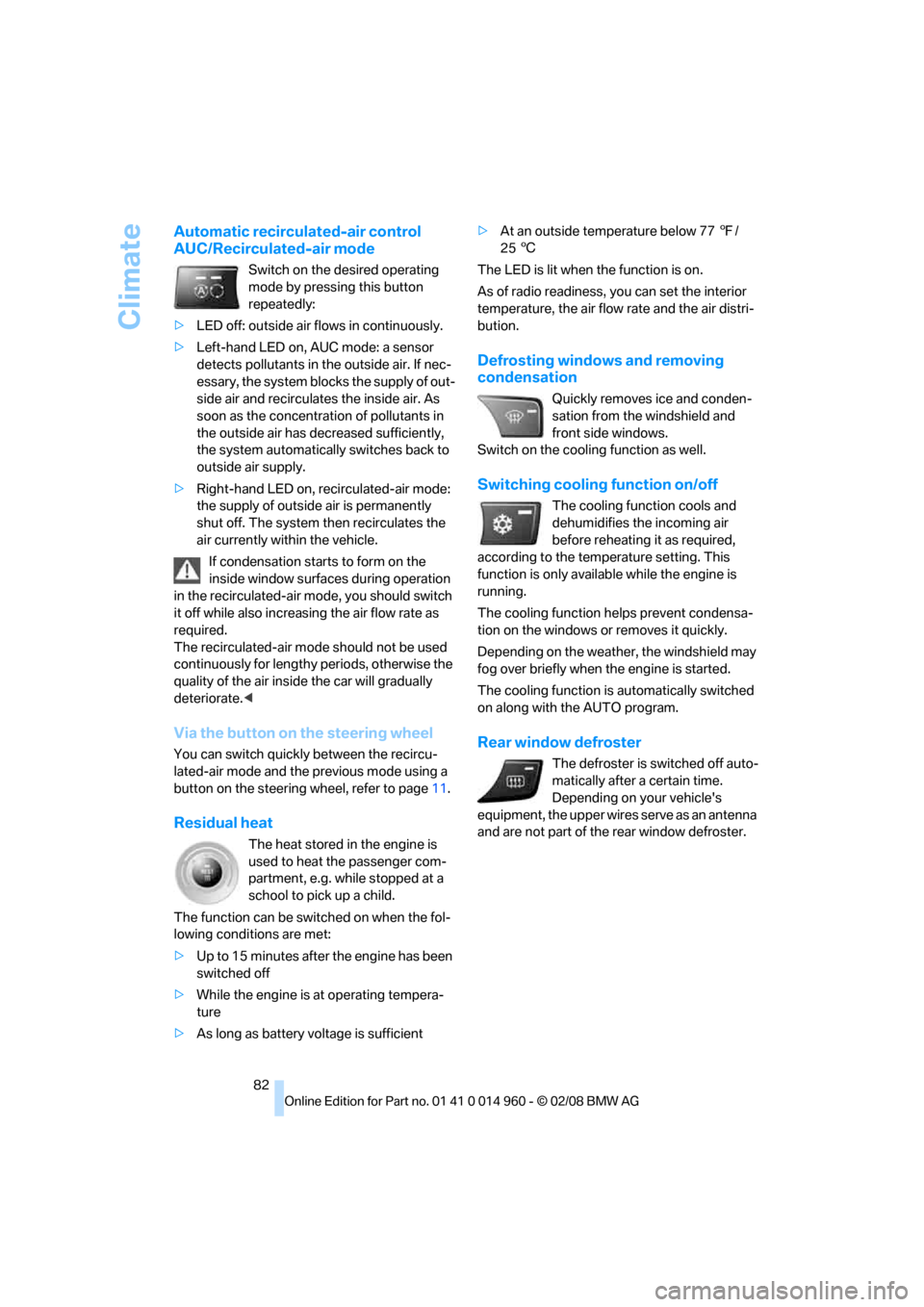
Automatic recirculated-air control
AUC/Recirculated-air mode
Switch on the desired operating
mode by pressing this button
repeatedly:
>LED off: outside air flows in continuously.
>Left-hand LED on, AUC mode: a sensor
detects pollutants in the outside air. If nec-
essary, the system blocks the supply of out-
side air and recirculates the inside air. As
soon as the concentration of pollutants in
the outside air has decreased sufficiently,
the system automatically switches back to
outside air supply.
>Right-hand LED on, recirculated-air mode:
the supply of outside air is permanently
shut off. The system then recirculates the
air currently within the vehicle.
If condensation starts to form on the
inside window surfaces during operation
in the recirculated-air mode, you should switch
it off while also increasing the air flow rate as
required.
The recirculated-air mode should not be used
continuously for lengthy periods, otherwise the
quality of the air inside the car will gradually
deteriorate.<
Via the button on the steering wheel
You can switch quickly between the recircu-
lated-air mode and the previous mode using a
button
on the steering wheel, refer to page11.
Residual heat
The heat stored in the engine is
used to heat the passenger com-
partment, e.g. while stopped at a
school to pick up a child.
The function can be switched on when the fol-
lowing conditions are met:
>Up to 15 minutes after the engine has been
switched off
>While the engine is at operating tempera-
ture
>As long as battery voltage is sufficient>At an outside temperature below 777/
256
The LED is lit when the function is on.
As of radio readiness, you can set the interior
temperature, the air flow rate and the air distri-
bution.
Defrosting windows and removing
condensation
Quickly removes ice and conden-
sation from the windshield and
front side windows.
Switch on the cooling function as well.
Switching cooling function on/off
The cooling function cools and
dehumidifies the incoming air
before reheating it as required,
according to the temperature setting. This
function is only available while the engine is
running.
The cooling function helps prevent condensa-
tion on the windows or removes it quickly.
Depending on the weather, the windshield may
fog over briefly when the engine is started.
The cooling function is automatically switched
on along with the AUTO program.
Rear window defroster
The defroster is switched off auto-
matically after a certain time.
Depending on your vehicle's
equipment, the upper wires serve as an antenna
and are not part of the rear window defroster.
Page 135 of 172
Reference
At a glance
Controls
Driving tips
Mobility
133
Continuing your trip
Do not exceed the maximum allowable
speed of 50 mph/80 km/h to avoid the risk
of an accident.<
Reinitialize the Flat Tire Monitor, refer to
page69 for more information.
Have the faulty tire and the sealant bottle of the
M Mobility System replaced as soon as possi-
ble.<
Changing wheels
The tools for changing wheels are avail-
able as optional accessories from your
BMW center.<
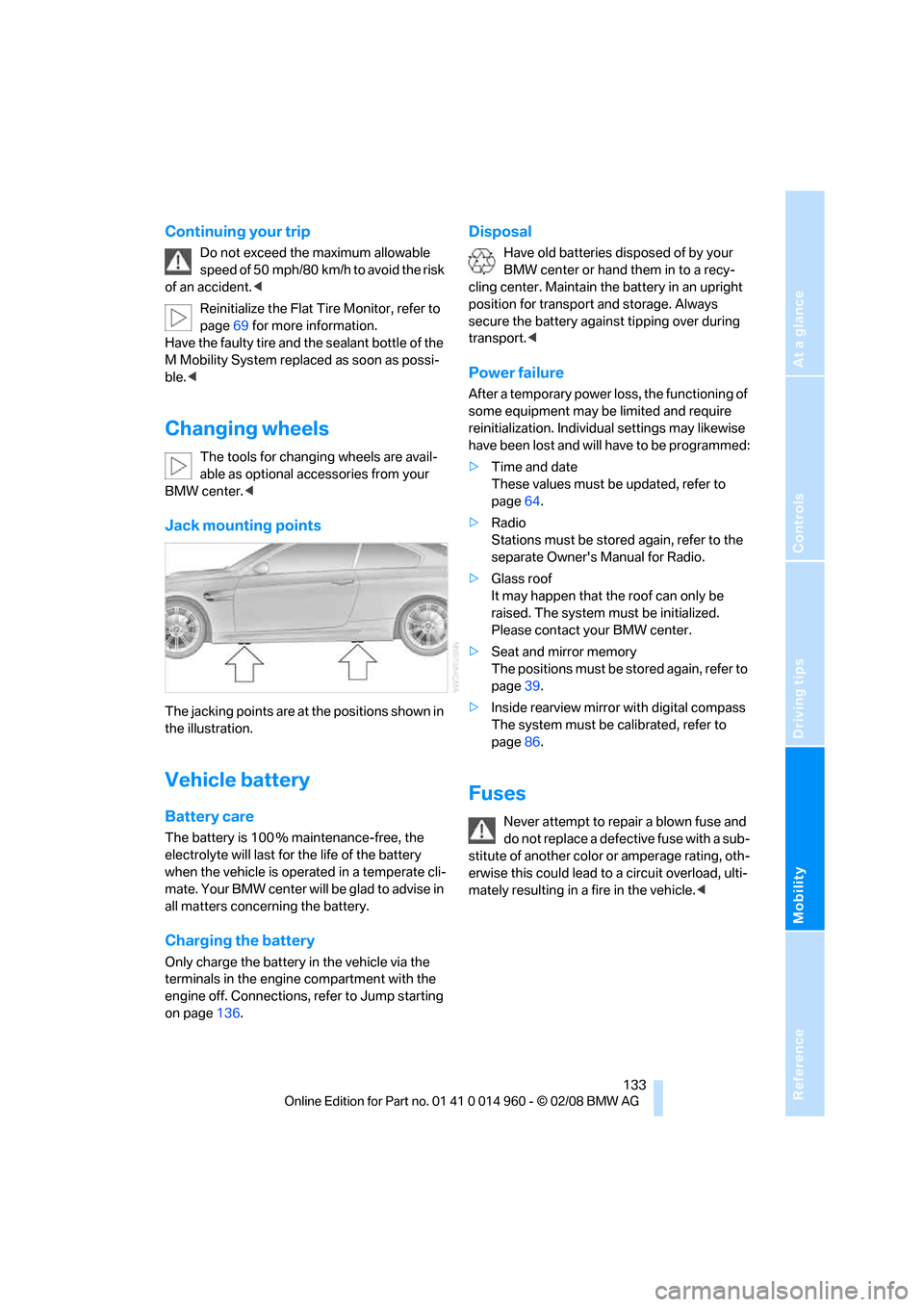
Jack mounting points
The jacking points are at the positions shown in
the illustration.
Vehicle battery
Battery care
The battery is 100 % maintenance-free, the
electrolyte will last for the life of the battery
when the vehicle is operated in a temperate cli-
mate. Your BMW center will be glad to advise in
all matters concerning the battery.
Charging the battery
Only charge the battery in the vehicle via the
terminals in the engine compartment with the
engine off. Connections, refer to Jump starting
on page136.
Disposal
Have old batteries disposed of by your
BMW center or hand them in to a recy-
cling center. Maintain the battery in an upright
position for transport and storage. Always
secure the battery against tipping over during
transport.<
Power failure
After a temporary power loss, the functioning of
some equipment may be limited and require
reinitialization. Individual settings may likewise
have been lost and will have to be programmed:
>Time and date
These values must be updated, refer to
page64.
>Radio
Stations must be stored again, refer to the
separate Owner's Manual for Radio.
>Glass roof
It may happen that the roof can only be
raised. The system must be initialized.
Please contact your BMW center.
>Seat and mirror memory
The positions must be stored again, refer to
page39.
>Inside rearview mirror with digital compass
The system must be calibrated, refer to
page86.
Fuses
Never attempt to repair a blown fuse and
do not replace a defective fuse with a sub-
stitute of another color or amperage rating, oth-
erwise this could lead to a circuit overload, ulti-
mately resulting in a fire in the vehicle.<
Page 138 of 172
Giving and receiving assistance
136
First aid pouch*
Some of the articles contained in the first aid
pouch have a limited service life. Therefore,
check the expiration dates of the contents reg-
ularly and replace any items in good time, if nec-
essary.
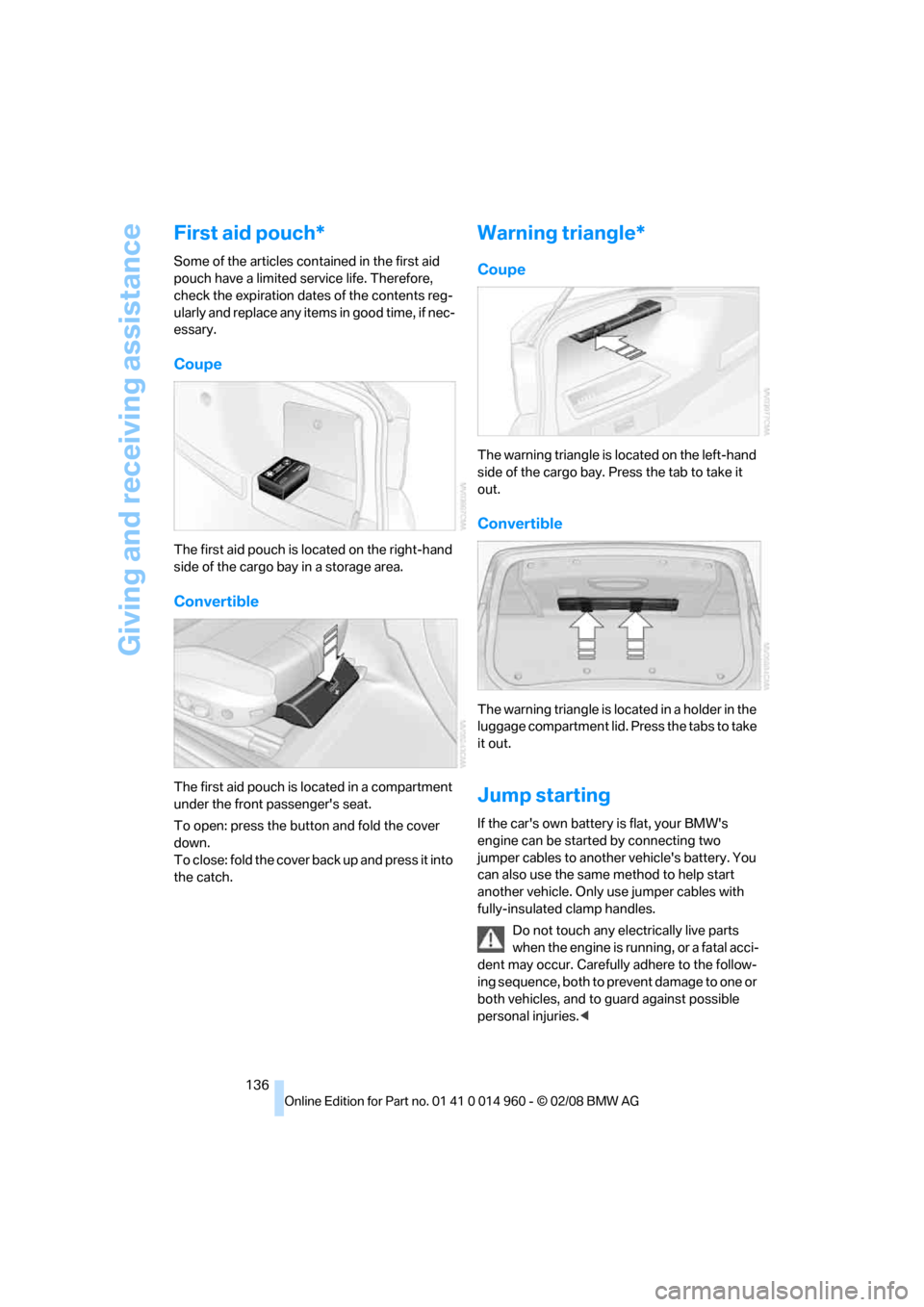
Coupe
The first aid pouch is located on the right-hand
side of the cargo bay in a storage area.
Convertible
The first aid pouch is located in a compartment
under the front passenger's seat.
To open: press the button and fold the cover
down.
To close: fold the cover back up and press it into
the catch.
Warning triangle*
Coupe
The warning triangle is located on the left-hand
side of the cargo bay. Press the tab to take it
out.
Convertible
The warning triangle is located in a holder in the
luggage compartment lid. Press the tabs to take
it out.
Jump starting
If the car's own battery is flat, your BMW's
engine can be started by connecting two
jumper cables to another vehicle's battery. You
can also use the same method to help start
another vehicle. Only use jumper cables with
fully-insulated clamp handles.
Do not touch any electrically live parts
when the engine is running, or a fatal acci-
dent may occur. Carefully adhere to the follow-
ing sequence, both to prevent damage to one or
both vehicles, and to guard against possible
personal injuries.<
Page 139 of 172
Reference
At a glance
Controls
Driving tips
Mobility
137
Preparation
1.Check whether the battery of the other
vehicle has a voltage of 12 volts and
approximately the same capacitance in Ah.
This information can be found on the bat-
tery.
2.Switch off the engine of the assisting vehi-
cle.
3.Switch off any consumers in both vehicles.
There must not be any contact between
the bodies of the two vehicles, otherwise
there is a danger of shorting.<
Connecting jumper cables
Connect the jumper cables in the correct
order, so that no sparks which could
cause injury occur.<
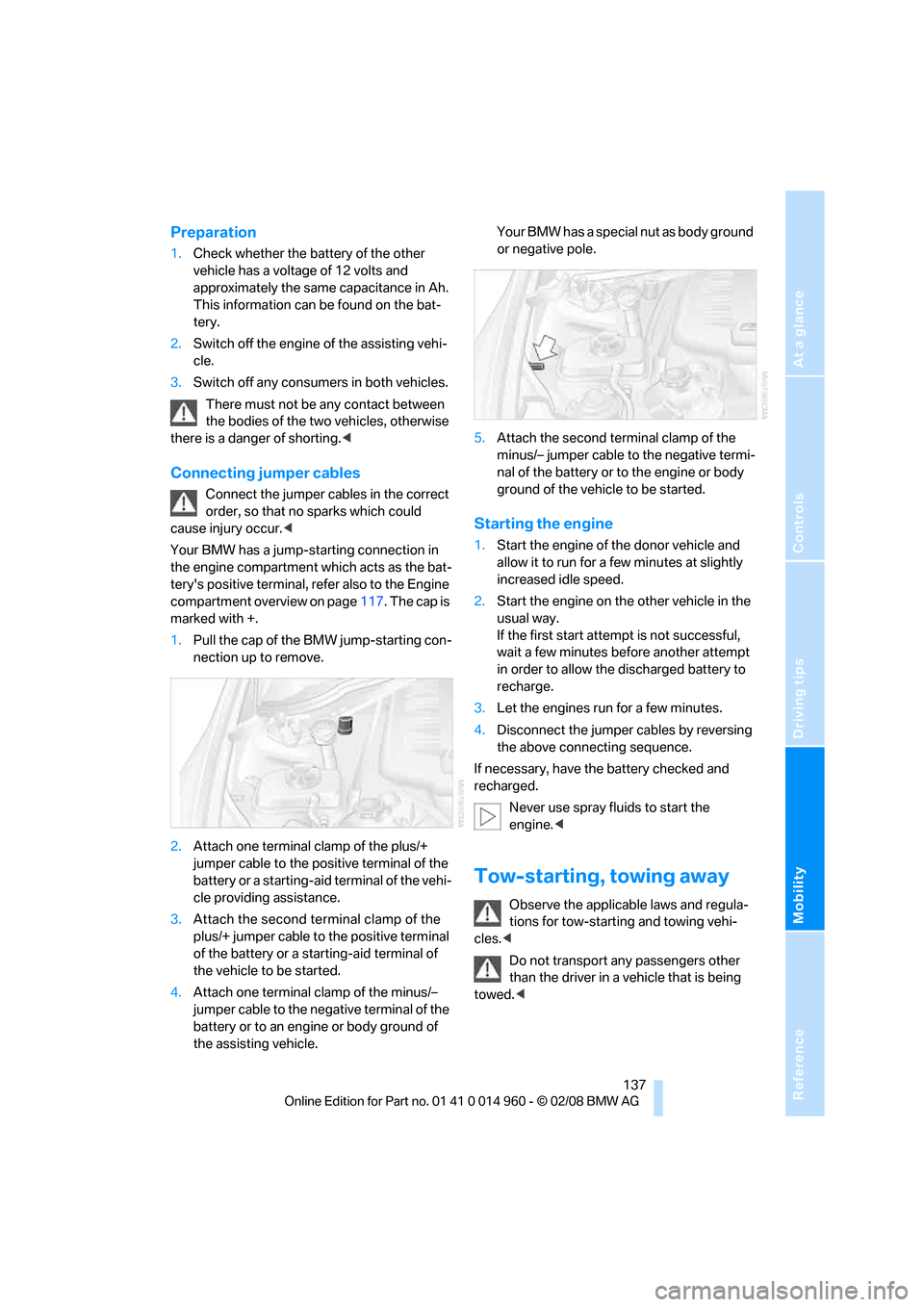
Your BMW has a jump-starting connection in
the engine compartment which acts as the bat-
tery's positive terminal, refer also to the Engine
compartment overview on page117. The cap is
marked with +.
1.Pull the cap of the BMW jump-starting con-
nection up to remove.
2.Attach one terminal clamp of the plus/+
jumper cable to the positive terminal of the
battery or a starting-aid terminal of the vehi-
cle providing assistance.
3.Attach the second terminal clamp of the
plus/+ jumper cable to the positive terminal
of the battery or a starting-aid terminal of
the vehicle to be started.
4.Attach one terminal clamp of the minus/–
jumper cable to the negative terminal of the
battery or to an engine or body ground of
the assisting vehicle. Your BMW has a special nut as body ground
or negative pole.
5.Attach the second terminal clamp of the
minus/– jumper cable to the negative termi-
nal of the battery or to the engine or body
ground of the vehicle to be started.
Starting the engine
1.Start the engine of the donor vehicle and
allow it to run for a few minutes at slightly
increased idle speed.
2.Start the engine on the other vehicle in the
usual way.
If the first start attempt is not successful,
wait a few minutes before another attempt
in order to allow the discharged battery to
recharge.
3.Let the engines run for a few minutes.
4.Disconnect the jumper cables by reversing
the above connecting sequence.
If necessary, have the battery checked and
recharged.
Never use spray fluids to start the
engine.<
Tow-starting, towing away
Observe the applicable laws and regula-
tions for tow-starting and towing vehi-
cles.<
Do not transport any passengers other
than the driver in a vehicle that is being
towed.<
Page 144 of 172
Indicator and warning lamps
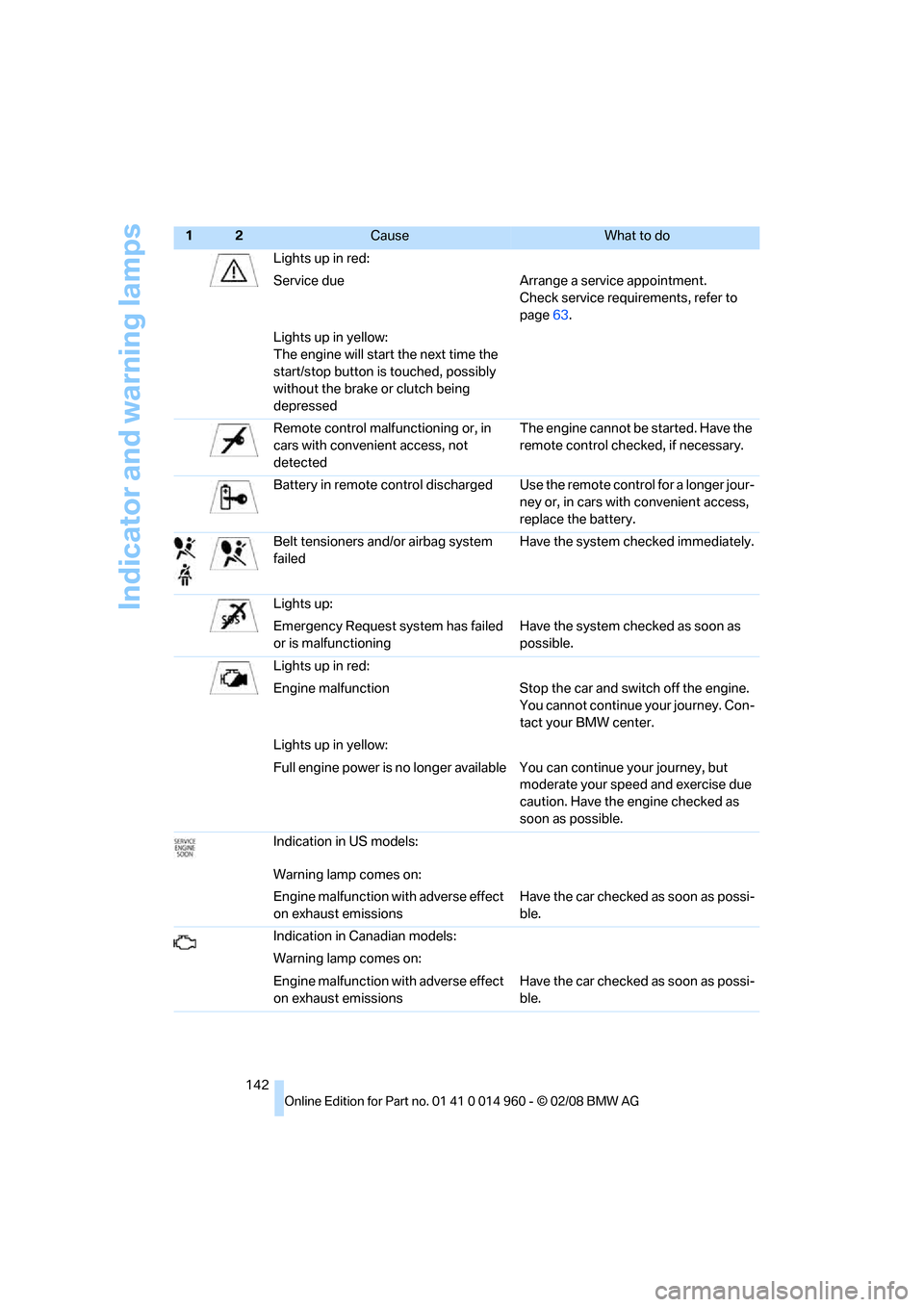
142Lights up in red:
Service due Arrange a service appointment.
Check service requirements, refer to
page63.
Lights up in yellow:
The engine will start the next time the
start/stop button is touched, possibly
without the brake or clutch being
depressed
Remote control malfunctioning or, in
cars with convenient access, not
detectedThe engine cannot be started. Have the
remote control checked, if necessary.
Battery in remote control discharged Use the remote control for a longer jour-
ney or, in cars with convenient access,
replace the battery.
Belt tensioners and/or airbag system
failedHave the system checked immediately.
Lights up:
Emergency Request system has failed
or is malfunctioningHave the system checked as soon as
possible.
Lights up in red:
Engine malfunction Stop the car and switch off the engine.
You cannot continue your journey. Con-
tact your BMW center.
Lights up in yellow:
Full engine power is no longer available You can continue your journey, but
moderate your speed and exercise due
caution. Have the engine checked as
soon as possible.
Indication in US models:
Warning lamp comes on:
Engine malfunction with adverse effect
on exhaust emissionsHave the car checked as soon as possi-
ble.
Indication in Canadian models:
Warning lamp comes on:
Engine malfunction with adverse effect
on exhaust emissionsHave the car checked as soon as possi-
ble.
12Cause What to do
Page 145 of 172
Reference
At a glance
Controls
Driving tips
Mobility
143
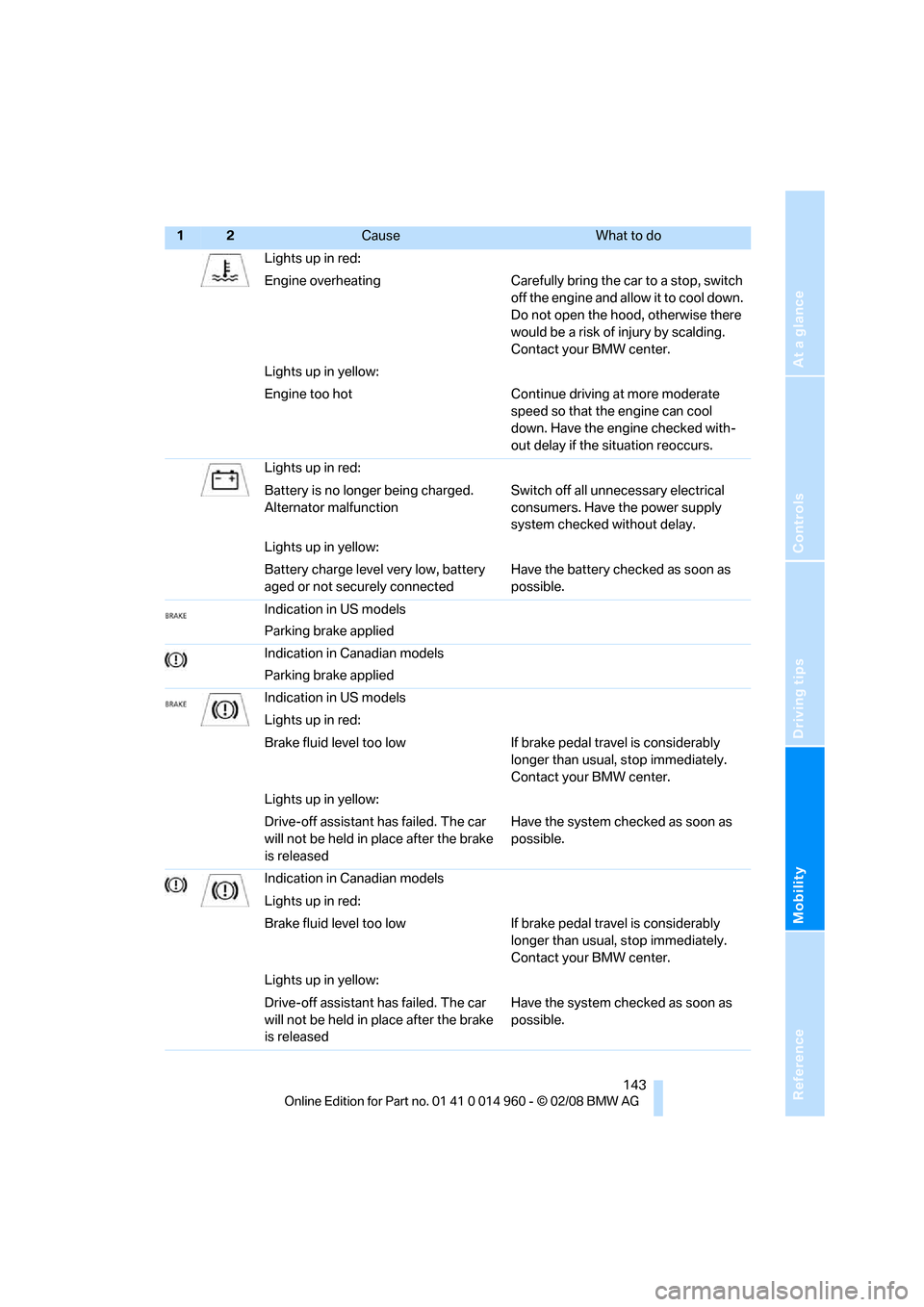
Lights up in red:
Engine overheating Carefully bring the car to a stop, switch
off the engine and allow it to cool down.
Do not open the hood, otherwise there
would be a risk of injury by scalding.
Contact your BMW center.
Lights up in yellow:
Engine too hot Continue driving at more moderate
speed so that the engine can cool
down. Have the engine checked with-
out delay if the situation reoccurs.
Lights up in red:
Battery is no longer being charged.
Alternator malfunctionSwitch off all unnecessary electrical
consumers. Have the power supply
system checked without delay.
Lights up in yellow:
Battery charge level very low, battery
aged or not securely connectedHave the battery checked as soon as
possible.
Indication in US models
Parking brake applied
Indication in Canadian models
Parking brake applied
Indication in US models
Lights up in red:
Brake fluid level too low If brake pedal travel is considerably
longer than usual, stop immediately.
Contact your BMW center.
Lights up in yellow:
Drive-off assistant has failed. The car
will not be held in place after the brake
is releasedHave the system checked as soon as
possible.
Indication in Canadian models
Lights up in red:
Brake fluid level too low If brake pedal travel is considerably
longer than usual, stop immediately.
Contact your BMW center.
Lights up in yellow:
Drive-off assistant has failed. The car
will not be held in place after the brake
is releasedHave the system checked as soon as
possible.
12Cause What to do
Page 158 of 172
Everything from A to Z
156
Everything from A to Z
Index
A
ABS Antilock Brake
System67
Acceleration assistant, refer to
Launch Control53
Accident, refer to Sending an
Emergency Request135
Activated-charcoal filter for
automatic climate control83
Adaptive Head Light77
Additives
– coolant119
Adjusting temperature inside
the car, refer to Automatic
climate control81
Adjusting the thigh support36
Airbags72
– indicator/warning lamp74
– sitting safely35
Air conditioning mode
– automatic climate control81
– ventilation83
Air distribution
– automatic81
Air flow rate81
Airing, refer to Ventilation83
Air pressure, refer to Tire
inflation pressure110
Air recirculation, refer to
Recirculated-air mode82
Air supply
– automatic climate control81
– ventilation83
Air vents80
AKI, refer to Fuel
specifications109
Alarm system25
– avoiding unintentional
alarms26
– interior motion sensor26
– switching off an alarm26
– tilt alarm sensor26All-season tires, refer to
Winter tires114
Ambient air, refer to
Recirculated-air mode82
Antifreeze
– coolant119
– washer fluid57
Antilock Brake System
ABS67
Anti-theft alarm system, refer
to Alarm system25
Anti-theft system19
Approved axle loads, refer to
Weights155
Approved gross vehicle
weight, refer to Weights155
Armrest, refer to Center
armrest88
Ashtray
– front90
– rear90
Assistance systems, refer to
Driving stability control
systems67
AUC Automatic recirculated-
air control82
Audio device, external88
Automatic
– air distribution81
– air flow rate81
– cruise control57
– headlamp control76
Automatic car washes123
Automatic climate control80
– automatic air distribution81
Automatic curb monitor42
Automatic recirculated-air
control AUC82
Automatic transmission with
Steptronic
– towing137
– tow-starting137AUTO program for automatic
climate control81
AUX-In port88
Average fuel consumption61
– setting the units62
Avoiding unintentional
alarms26
Axle loads, refer to
Weights155
B
Backrest contour, refer to
Lumbar support36
Backrests, refer to Seat
adjustment36
Backrest width adjustment37
Back seats
– refer to Rear seats38
Backup lamps
– replacing bulb129
Backup lamps, refer to Tail
lamps129
Bag holder92
Band-aids, refer to First-aid
pouch136
Bar, refer to Towing
methods138
Base plate for telephone or
mobile phone
– refer to Snap-in adapter in
the center armrest storage
compartment88
Battery133
– charging133
– disposal28,133
– jump starting136
– remote control18
– temporary power failure133
Battery renewal
– remote control28
– remote control for vehicle28
Being towed138
Page 159 of 172
Reference
At a glance
Controls
Driving tips
Mobility
157
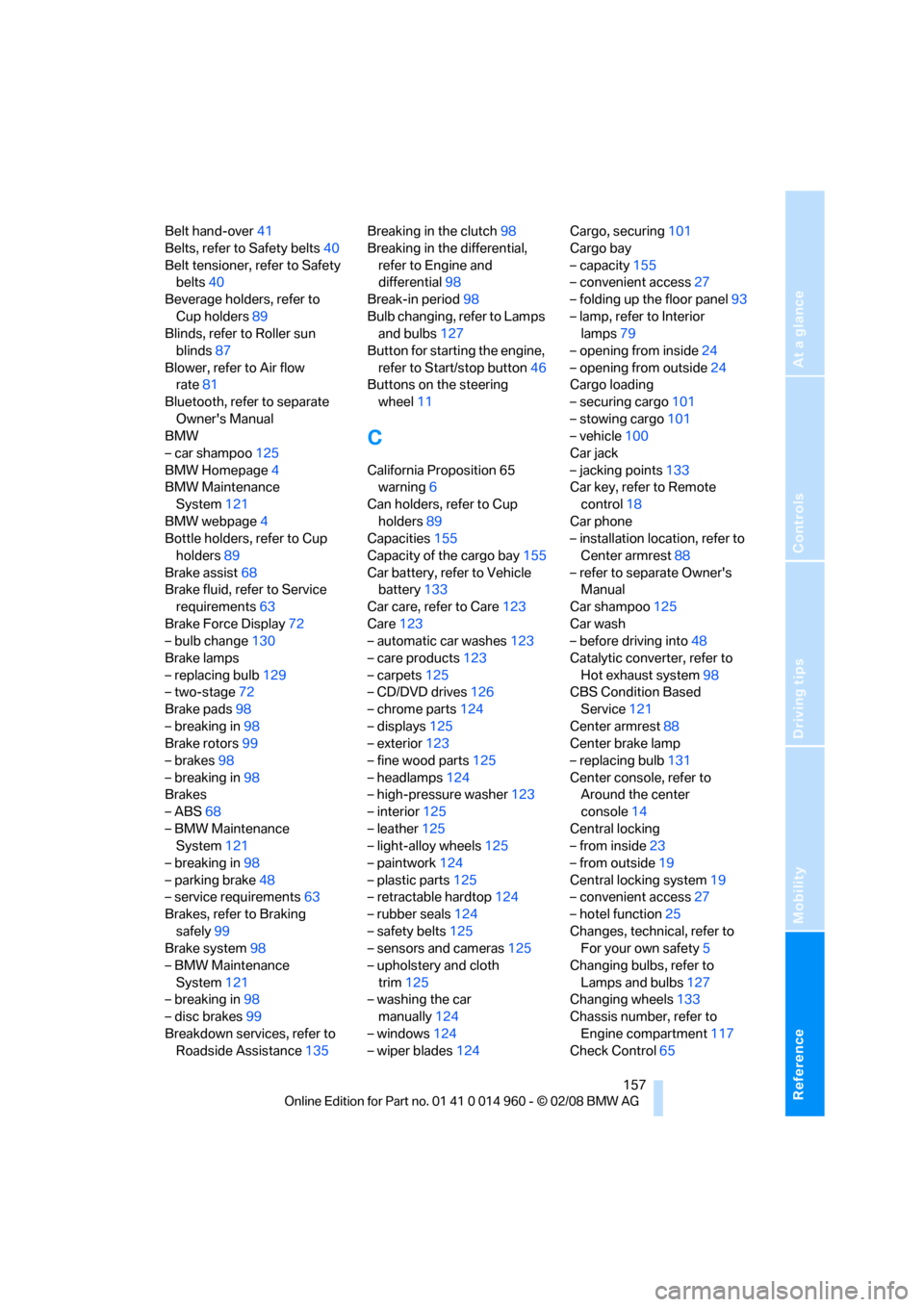
Belt hand-over41
Belts, refer to Safety belts40
Belt tensioner, refer to Safety
belts40
Beverage holders, refer to
Cup holders89
Blinds, refer to Roller sun
blinds87
Blower, refer to Air flow
rate81
Bluetooth, refer to separate
Owner's Manual
BMW
– car shampoo125
BMW Homepage4
BMW Maintenance
System121
BMW webpage4
Bottle holders, refer to Cup
holders89
Brake assist68
Brake fluid, refer to Service
requirements63
Brake Force Display72
– bulb change130
Brake lamps
– replacing bulb129
– two-stage72
Brake pads98
– breaking in98
Brake rotors99
– brakes98
– breaking in98
Brakes
– ABS68
– BMW Maintenance
System121
– breaking in98
– parking brake48
– service requirements63
Brakes, refer to Braking
safely99
Brake system98
– BMW Maintenance
System121
– breaking in98
– disc brakes99
Breakdown services, refer to
Roadside Assistance135Breaking in the clutch98
Breaking in the differential,
refer to Engine and
differential98
Break-in period98
Bulb changing, refer to Lamps
and bulbs127
Button for starting the engine,
refer to Start/stop button46
Buttons on the steering
wheel11
C
California Proposition 65
warning6
Can holders, refer to Cup
holders89
Capacities155
Capacity of the cargo bay155
Car battery, refer to Vehicle
battery133
Car care, refer to Care123
Care123
– automatic car washes123
– care products123
– carpets125
– CD/DVD drives126
– chrome parts124
– displays125
– exterior123
– fine wood parts125
– headlamps124
– high-pressure washer123
– interior125
– leather125
– light-alloy wheels125
– paintwork124
– plastic parts125
– retractable hardtop124
– rubber seals124
– safety belts125
– sensors and cameras125
– upholstery and cloth
trim125
– washing the car
manually124
– windows124
– wiper blades124Cargo, securing101
Cargo bay
– capacity155
– convenient access27
– folding up the floor panel93
– lamp, refer to Interior
lamps79
– opening from inside24
– opening from outside24
Cargo loading
– securing cargo101
– stowing cargo101
– vehicle100
Car jack
– jacking points133
Car key, refer to Remote
control18
Car phone
– installation location, refer to
Center armrest88
– refer to separate Owner's
Manual
Car shampoo125
Car wash
– before driving into48
Catalytic converter, refer to
Hot exhaust system98
CBS Condition Based
Service121
Center armrest88
Center brake lamp
– replacing bulb131
Center console, refer to
Around the center
console14
Central locking
– from inside23
– from outside19
Central locking system19
– convenient access27
– hotel function25
Changes, technical, refer to
For your own safety5
Changing bulbs, refer to
Lamps and bulbs127
Changing wheels133
Chassis number, refer to
Engine compartment117
Check Control65
Page 160 of 172
Everything from A to Z
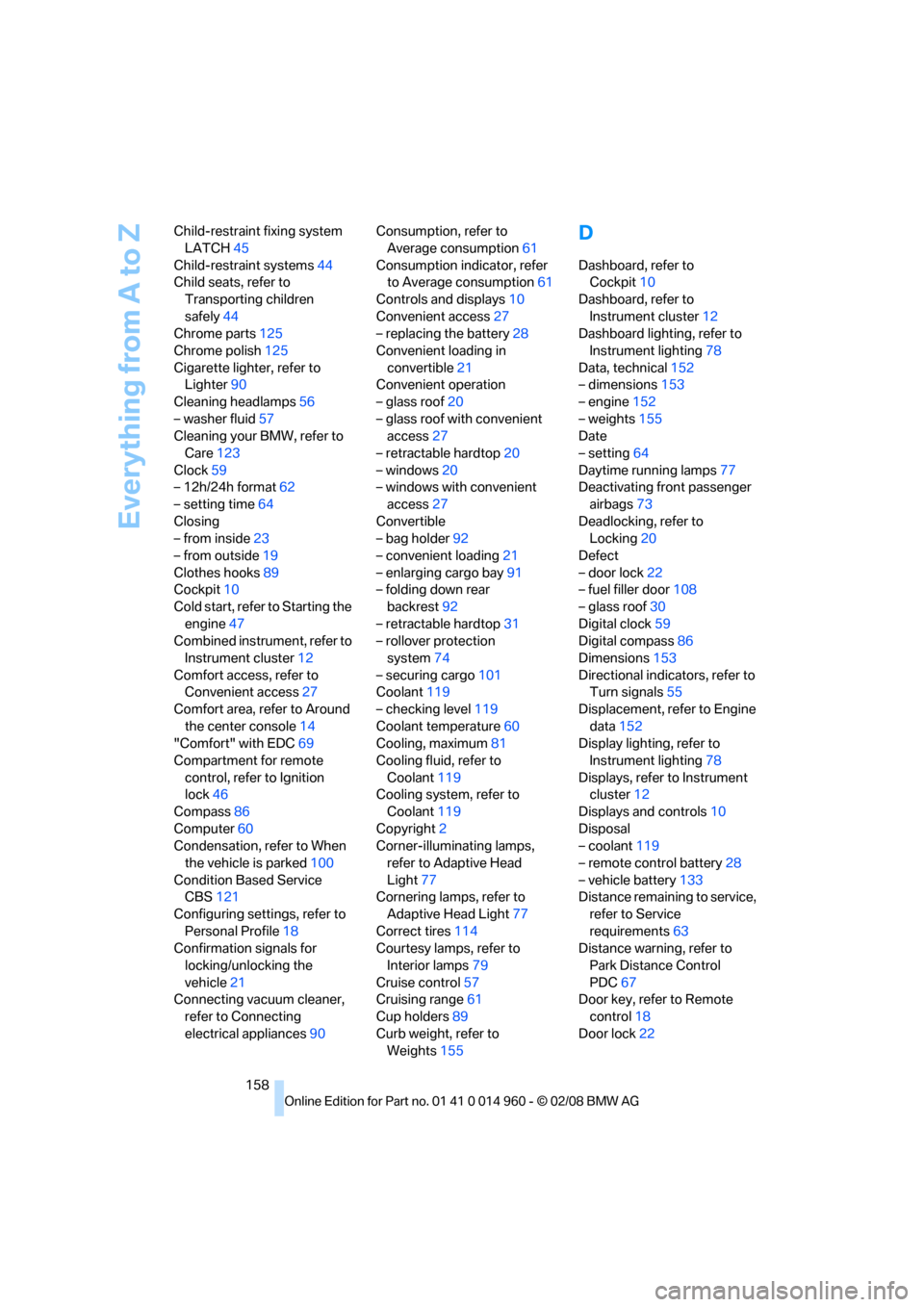
158 Child-restraint fixing system
LATCH45
Child-restraint systems44
Child seats, refer to
Transporting children
safely44
Chrome parts125
Chrome polish125
Cigarette lighter, refer to
Lighter90
Cleaning headlamps56
– washer fluid57
Cleaning your BMW, refer to
Care123
Clock59
– 12h/24h format62
– setting time64
Closing
– from inside23
– from outside19
Clothes hooks89
Cockpit10
Cold start, refer to Starting the
engine47
Combined instrument, refer to
Instrument cluster12
Comfort access, refer to
Convenient access27
Comfort area, refer to Around
the center console14
"Comfort" with EDC69
Compartment for remote
control, refer to Ignition
lock46
Compass86
Computer60
Condensation, refer to When
the vehicle is parked100
Condition Based Service
CBS121
Configuring settings, refer to
Personal Profile18
Confirmation signals for
locking/unlocking the
vehicle21
Connecting vacuum cleaner,
refer to Connecting
electrical appliances90Consumption, refer to
Average consumption61
Consumption indicator, refer
to Average consumption61
Controls and displays10
Convenient access27
– replacing the battery28
Convenient loading in
convertible21
Convenient operation
– glass roof20
– glass roof with convenient
access27
– retractable hardtop20
– windows20
– windows with convenient
access27
Convertible
– bag holder92
– convenient loading21
– enlarging cargo bay91
– folding down rear
backrest92
– retractable hardtop31
– rollover protection
system74
– securing cargo101
Coolant119
– checking level119
Coolant temperature60
Cooling, maximum81
Cooling fluid, refer to
Coolant119
Cooling system, refer to
Coolant119
Copyright2
Corner-illuminating lamps,
refer to Adaptive Head
Light77
Cornering lamps, refer to
Adaptive Head Light77
Correct tires114
Courtesy lamps, refer to
Interior lamps79
Cruise control57
Cruising range61
Cup holders89
Curb weight, refer to
Weights155
D
Dashboard, refer to
Cockpit10
Dashboard, refer to
Instrument cluster12
Dashboard lighting, refer to
Instrument lighting78
Data, technical152
– dimensions153
– engine152
– weights155
Date
– setting64
Daytime running lamps77
Deactivating front passenger
airbags73
Deadlocking, refer to
Locking20
Defect
– door lock22
– fuel filler door108
– glass roof30
Digital clock59
Digital compass86
Dimensions153
Directional indicators, refer to
Turn signals55
Displacement, refer to Engine
data152
Display lighting, refer to
Instrument lighting78
Displays, refer to Instrument
cluster12
Displays and controls10
Disposal
– coolant119
– remote control battery28
– vehicle battery133
Distance remaining to service,
refer to Service
requirements63
Distance warning, refer to
Park Distance Control
PDC67
Door key, refer to Remote
control18
Door lock22