radio controls BMW M3 COUPE 2008 E92 User Guide
[x] Cancel search | Manufacturer: BMW, Model Year: 2008, Model line: M3 COUPE, Model: BMW M3 COUPE 2008 E92Pages: 172, PDF Size: 5.29 MB
Page 135 of 172
Reference
At a glance
Controls
Driving tips
Mobility
133
Continuing your trip
Do not exceed the maximum allowable
speed of 50 mph/80 km/h to avoid the risk
of an accident.<
Reinitialize the Flat Tire Monitor, refer to
page69 for more information.
Have the faulty tire and the sealant bottle of the
M Mobility System replaced as soon as possi-
ble.<
Changing wheels
The tools for changing wheels are avail-
able as optional accessories from your
BMW center.<
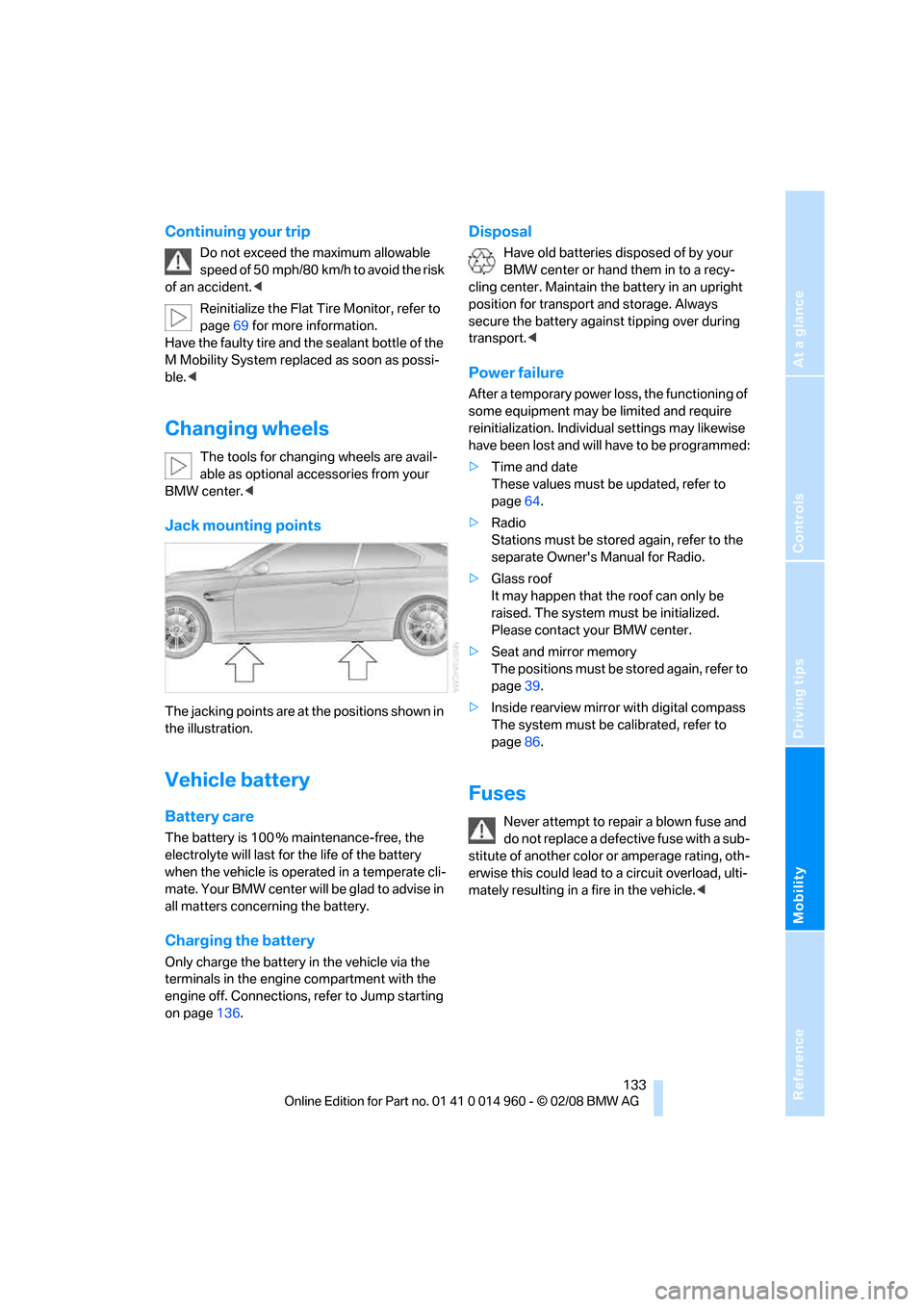
Jack mounting points
The jacking points are at the positions shown in
the illustration.
Vehicle battery
Battery care
The battery is 100 % maintenance-free, the
electrolyte will last for the life of the battery
when the vehicle is operated in a temperate cli-
mate. Your BMW center will be glad to advise in
all matters concerning the battery.
Charging the battery
Only charge the battery in the vehicle via the
terminals in the engine compartment with the
engine off. Connections, refer to Jump starting
on page136.
Disposal
Have old batteries disposed of by your
BMW center or hand them in to a recy-
cling center. Maintain the battery in an upright
position for transport and storage. Always
secure the battery against tipping over during
transport.<
Power failure
After a temporary power loss, the functioning of
some equipment may be limited and require
reinitialization. Individual settings may likewise
have been lost and will have to be programmed:
>Time and date
These values must be updated, refer to
page64.
>Radio
Stations must be stored again, refer to the
separate Owner's Manual for Radio.
>Glass roof
It may happen that the roof can only be
raised. The system must be initialized.
Please contact your BMW center.
>Seat and mirror memory
The positions must be stored again, refer to
page39.
>Inside rearview mirror with digital compass
The system must be calibrated, refer to
page86.
Fuses
Never attempt to repair a blown fuse and
do not replace a defective fuse with a sub-
stitute of another color or amperage rating, oth-
erwise this could lead to a circuit overload, ulti-
mately resulting in a fire in the vehicle.<
Page 137 of 172
Reference
At a glance
Controls
Driving tips
Mobility
135
Giving and receiving assistance
Emergency Request*
Conditions for an Emergency Request:
>Equipment version with full preparation
package mobile phone. This equipment
makes it possible to send an Emergency
Request even if no mobile phone is paired
with the vehicle.
>BMW Assist is activated. Activating
BMW Assist, refer to separate Owner's
Manual.
>Radio readiness is on.
>The BMW Assist system is logged on to a
mobile phone network.
>The Emergency Request system is opera-
ble.
Once your service contract for BMW Assist
expires, the BMW Assist system can be deacti-
vated by a BMW center without you having to
visit a workshop. Once the BMW Assist system
has been deactivated, Emergency Requests
are not possible. The BMW Assist system can
be reactivated by a BMW center after a new
contract has been signed.
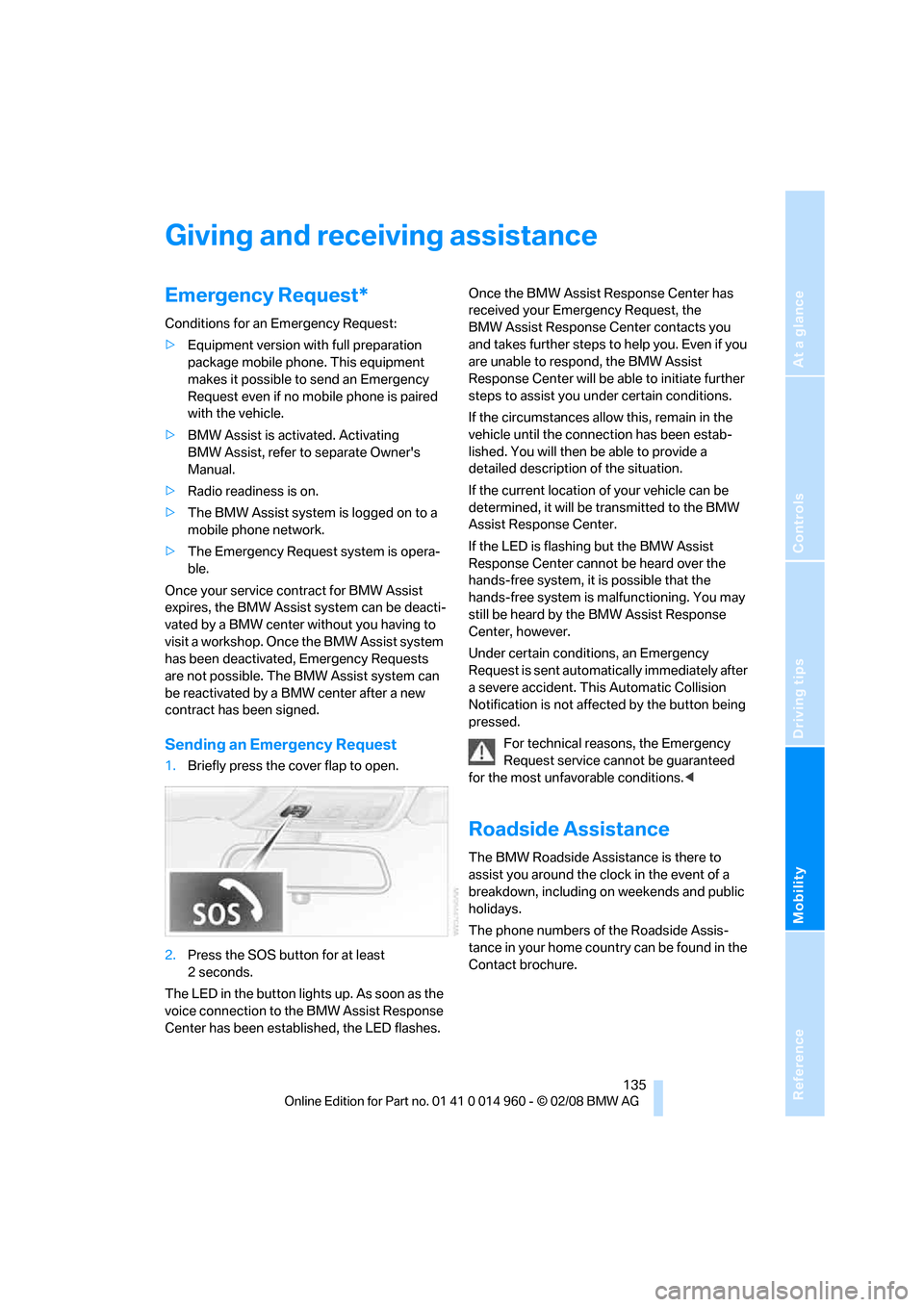
Sending an Emergency Request
1.Briefly press the cover flap to open.
2.Press the SOS button for at least
2seconds.
The LED in the button lights up. As soon as the
voice connection to the BMW Assist Response
Center has been established, the LED flashes.Once the BMW Assist Response Center has
received your Emergency Request, the
BMW Assist Response Center contacts you
and takes further steps to help you. Even if you
are unable to respond, the BMW Assist
Response Center will be able to initiate further
steps to assist you under certain conditions.
If the circumstances allow this, remain in the
vehicle until the connection has been estab-
lished. You will then be able to provide a
detailed description of the situation.
If the current location of your vehicle can be
determined, it will be transmitted to the BMW
Assist Response Center.
If the LED is flashing but the BMW Assist
Response Center cannot be heard over the
hands-free system, it is possible that the
hands-free system is malfunctioning. You may
still be heard by the BMW Assist Response
Center, however.
Under certain conditions, an Emergency
Request is sent automatically immediately after
a severe accident. This Automatic Collision
Notification is not affected by the button being
pressed.
For technical reasons, the Emergency
Request service cannot be guaranteed
for the most unfavorable conditions.<
Roadside Assistance
The BMW Roadside Assistance is there to
assist you around the clock in the event of a
breakdown, including on weekends and public
holidays.
The phone numbers of the Roadside Assis-
tance in your home country can be found in the
Contact brochure.
Page 163 of 172
Reference
At a glance
Controls
Driving tips
Mobility
161
Holders for cups89
Homepage BMW4
Hood116
Hooks for shopping bags92
Horn10,11
Hotel function25
Hot exhaust system98
Hydraulic brake assist, refer to
Brake assist68
Hydroplaning99
I
Ice warning, refer to Outside
temperature warning59
Identification marks, tire
coding112
Ignition46
– switched off47
– switched on46
Ignition key, refer to Remote
control18
Ignition key position 1, refer to
Radio readiness46
Ignition key position 2, refer to
Ignition on46
Ignition lock46
Imprint2
Indicator and warning
lamps13
– Tire Pressure Monitor
TPM71
Indicator and warning lamps,
overview140
Inflation pressure, refer to Tire
inflation pressure110
Inflation pressure monitoring,
refer to Tire Pressure
Monitor TPM70
Initializing
– after power failure133
– compass, refer to Digital
compass, calibrating86
– Flat Tire Monitor FTM69
– glass roof30
Installation location
– telephone88
Instrument cluster12
Instrument lighting78Instrument panel, refer to
Cockpit10
Integrated key18
Integrated universal remote
control84
Interior lamps79
– remote control20
Interior motion sensor26
Interior rearview mirror42
– automatic dimming
feature42
– compass86
Intermittent mode of the
wipers56
J
Jacking points133
Jumpering, refer to Jump
starting136
Jump starting136
K
Key, refer to Remote
control18
Keyless go, refer to
Convenient access27
Keyless opening and closing,
refer to Convenient
access27
Key Memory, refer to Personal
Profile18
Knock control109
L
Lamps
– automatic headlamp
control76
– parking lamps/low beams76
Lamps and bulbs, replacing
bulbs127
Lap-and-shoulder belt, refer
to Safety belts40
Lashing eyes, refer to
Securing cargo101
LATCH child-restraint fixing
system45Launch Control53
Leather care125
LED hand lamp88
LED light-emitting diodes128
Length, refer to
Dimensions153
License plate lamp, replacing
bulb131
Light-alloy wheels125
Light-emitting diodes
LED128
Lighter90
– connecting electrical
appliances90
Lighting
– instruments78
– lamps and bulbs127
– vehicle, refer to Lamps76
Light switch76
Load securing equipment,
refer to Securing cargo101
Lock buttons, doors, refer to
Locking24
Locking
– adjusting confirmation
signal21
– from inside24
– from outside20
– without remote control, refer
to Convenient access27
Locking and unlocking doors
– confirmation signals21
– from inside23
– from outside19
Low-beam headlamps76
– automatic76
– indicator lamp, defective
bulb147
Lower back support, refer to
Lumbar support36
Page 165 of 172
Reference
At a glance
Controls
Driving tips
Mobility
163
Outlets
– refer to Ventilation83
Output, refer to Engine
data152
Outside-air mode
– automatic climate control82
Outside temperature
display59
– changing units of
measure62
– in computer62
Outside temperature
warning59
Overheated engine, refer to
Coolant temperature60
P
Paintwork care124
Park assistant, refer to Park
Distance Control67
Park Distance Control PDC67
Parking
– vehicle47
Parking aid, refer to Park
Distance Control PDC67
Parking brake48
– indicator lamp48
Parking lamps76
Parking lamps/low beams76
Passenger-side mirror tilt
function42
Pathway lighting76
Personal Profile18
Pinch protection system
– glass roof, electric30
– windows29
Placing a call, refer to
telephone owner's manual
Polish125
Pollen
– refer to Microfilter/activated-
charcoal filter for automatic
climate control83
Power failure133
Power windows28
Power windows, refer to
Windows28
Pressure, tires110Pressure monitoring, tires69
– Flat Tire Monitor69
Pressure monitoring of tires,
refer to Tire Pressure
Monitor TPM70
Programmable buttons on the
steering wheel11
Protection function, refer to
Pinch protection system
– glass roof, electric30
– windows29
Providing medical assistance,
refer to First aid pouch136
Puncture
– Flat Tire Monitor69
R
Radio
– refer to separate Owner's
Manual
Radio-operated key, refer to
Remote control18
Radio position, refer to Radio
readiness46
Radio readiness46
– switched off47
– switched on46
Rain sensor56
Reading lamps79
Rear lamps, refer to Tail
lamps129
– replacing bulb129
Rear seats
– adjusting head restraints38
– folding down backrests91
Rear turn signals
– replacing bulb129
Rear ventilation83
Rearview mirror, refer to
Mirrors41
Rear window defroster82
Rear window roller blind, refer
to Roller sun blinds87
Recirculated-air mode82
Recirculation of air, refer to
Recirculated-air mode82
Reclining seat, refer to
Backrest36Refueling108
Releasing
– hood116
Remaining distance, refer to
Cruising range61
Remote control18
– battery renewal28
– convenient access27
– garage door opener84
– luggage compartment lid20
– malfunction22,28
– removing from the ignition
lock46
– service data121
Replacement remote
control18
Replacing bulbs, refer to
Lamps and bulbs127
Replacing tires113
Replacing tires, refer to New
wheels and tires113
Reporting safety defects6
Reserve warning, refer to Fuel
gauge60
Residual heat82
Restraint systems
– for children44
– refer to Safety belts40
Retractable hardtop31
– convenient operation
20
– opening and closing32
– remote control20
Reverse gear50
– manual transmission49
Roadside Assistance135
Roadside parking lamps78
Roadworthiness test, refer to
Service requirements63
Roller sun blinds87
Rollover protection system,
convertible74
– resetting74
Roof load capacity155
Roof-mounted luggage
rack102
Rope, refer to Tow-starting,
towing away139