air condition BMW M3 COUPE 2013 E92 User Guide
[x] Cancel search | Manufacturer: BMW, Model Year: 2013, Model line: M3 COUPE, Model: BMW M3 COUPE 2013 E92Pages: 311, PDF Size: 6.89 MB
Page 205 of 311
200
CommunicationsTe l e p h o n e
Telephone
Vehicle equipment
In this chapter, all production, country, and
optional equipment that is offered in the model
range is described. Equipment is also described
that is not available because of, for example,
selected options or country version. This also
applies to safety related functions and systems.
Overview
The concept
Mobile phones or other external devices, e.g.
audio players, can be connected to the vehicle
via Bluetooth.
Bluetooth® is a registered trademark of
Bluetooth® SIG, Inc.
After being paired once, when the ignition is
switched on, these devices are automatically
detected as soon as they are present in the
vehicle and can be controlled via iDrive, by the
buttons on the steering wheel, and by voice.
Depending on whether they are functioning as a
telephone and/or as an audio source, external
devices can be used via the vehicle. The tele-
phone functions will be described below. Oper-
ation of audio functions, refer to page 192.
Up to four external devices can be paired.
It may be necessary for some functions to be
activated by the mobile phone provider or ser-
vice provider. Only make entries when traffic conditions
permit. Do not hold the mobile phone in
your hand while you are driving; use the hands-
free system instead. Otherwise, you may
endanger vehicle occupants and other road
users. <
Snap-in adapter
The snap-in adapter makes it possible:
>Accommodate the mobile phone.
> Recharge its battery.
> Connect it to an external antenna of the
vehicle.
This assures a better network connection
and constant sound quality.
Suitable mobile phones
For precise information about which mobile
phones and external devices with a Bluetooth
interface are supported by the mobile phone
preparation, go to www.bmwusa.com/
bluetooth.
Displaying vehicl e identification
number and software part number
Checking which mobile phones are supported
by the mobile phone pr eparation requires the
vehicle identification number and software part
number. The software ve rsion of the mobile
phone may also be required.
1. "Telephone"
2. Open "Options".
3. "Bluetooth® info"
4. "Display system information"
With a certain software version, these suitable
mobile phones support the vehicle functions
described below.
With other mobile phones or software versions,
malfunctions may occur.
A mobile phone that is connected to the vehicle
should not be operated via the mobile phone
keypad; otherwise, ma lfunctions may occur.
It is possible to perform a software update, refer
to page 196.
00320051004F004C00510048000300280047004C0057004C005200510003
Page 231 of 311
226
CommunicationsConnectedDrive
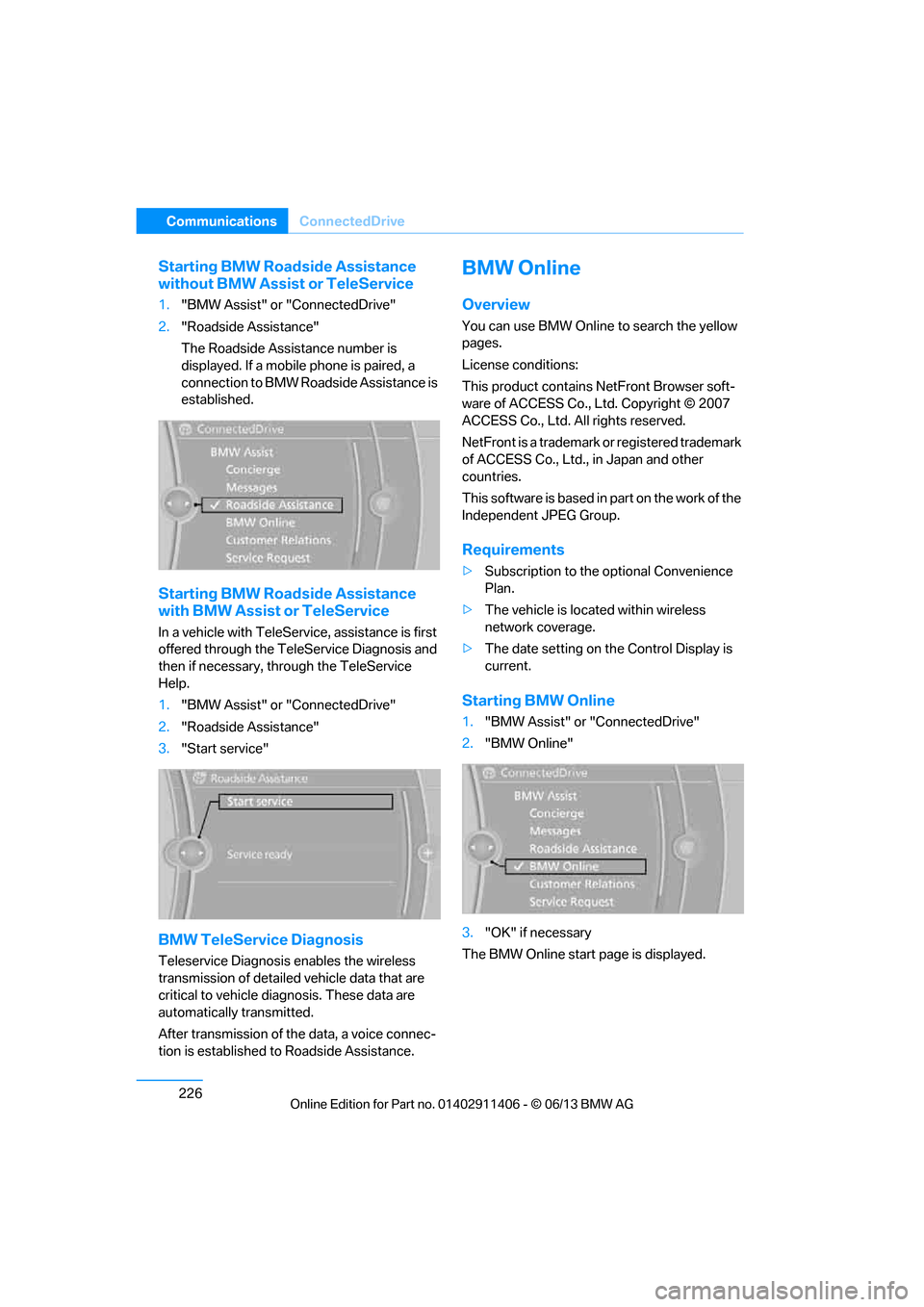
Starting BMW Roadside Assistance
without BMW Assist or TeleService
1."BMW Assist" or "ConnectedDrive"
2. "Roadside Assistance"
The Roadside Assistance number is
displayed. If a mobile phone is paired, a
connection to BMW Roadside Assistance is
established.
Starting BMW Road side Assistance
with BMW Assist or TeleService
In a vehicle with TeleServ ice, assistance is first
offered through the TeleService Diagnosis and
then if necessary, th rough the TeleService
Help.
1. "BMW Assist" or "ConnectedDrive"
2. "Roadside Assistance"
3. "Start service"
BMW TeleService Diagnosis
Teleservice Diagnosis enables the wireless
transmission of detailed vehicle data that are
critical to vehicle diag nosis. These data are
automatically transmitted.
After transmission of the data, a voice connec-
tion is established to Roadside Assistance.
BMW Online
Overview
You can use BMW Online to search the yellow
pages.
License conditions:
This product contains NetFront Browser soft-
ware of ACCESS Co., Ltd. Copyright © 2007
ACCESS Co., Ltd. All rights reserved.
NetFront is a trademark or registered trademark
of ACCESS Co., Ltd., in Japan and other
countries.
T h i s s o f t w a r e i s b a s e d i n p a r t o n t h e w o r k o f t h e
Independent JPEG Group.
Requirements
> Subscription to the optional Convenience
Plan.
> The vehicle is located within wireless
network coverage.
> The date setting on th e Control Display is
current.
Starting BMW Online
1. "BMW Assist" or "ConnectedDrive"
2. "BMW Online"
3. "OK" if necessary
The BMW Online start page is displayed.
00320051004F004C00510048000300280047004C0057004C005200510003
Page 240 of 311
235
Wheels and tires
Mobility
Wheels and tires
Vehicle equipment
In this chapter, all production, country, and
optional equipment that is offered in the model
range is described. For this reason, descrip-
tions will be given of some equipment that may
not be available in a vehi
cle, for example due to
the special options or national-market version
selected. This also app lies to safety related
functions and systems.
Tire inflation pressures
Information for your safety
It is not merely the tire s' service life, but also
driving comfort and, to a great extent, driving
safety that depend on th e condition of the tires
and the maintenance of the specified tire
pressure.
Check the tire inflation pressure regularly
and correct it, if nece ssary: at least twice a
month and before starting long trips. If you fail
to observe this precaution you may be driving
on tires with incorrect tire pressures, a condi-
tion that can not only compromise your vehi-
cle's driving stability, but also lead to tire dam-
age and the risk of an accident. Do not drive
with deflated, i.e. flat tires, except when using
run-flat tires. A flat tire will seriously impair your
vehicle's handling and braking response.
Attempts to drive on a flat tire can lead to loss of
control over the vehicle. <
Checking pressure
Only check tire inflation pressure when the
tires are cold. This means after a maximum of
1.25 miles/2 km driving or when the vehicle has
been parked for at least 2 hours. When tires are
warm, the tire inflation pressure is higher.
After correcting the tire inflation pressure,
reset the Tire Pressure Monitor, refer to
page 103, or reinitialize the Flat Tire Monitor,
refer to page 100.<
Inflation pressure specifications
The tables below provide all the correct inflation
pressures for the specified tire sizes at ambient
temperature.
The inflation pressure s apply to the tire
sizes approved and tire brands recom-
mended by BMW; a list of these is available
from your BMW center. <
For correct identificati on of the right tire
inflation pressures, observe the following:
> Tire sizes for your vehicle
> Maximum allowable driving speed
00320051004F004C00510048000300280047004C0057004C005200510003
Page 258 of 311
253
Wheels and tires
Mobility
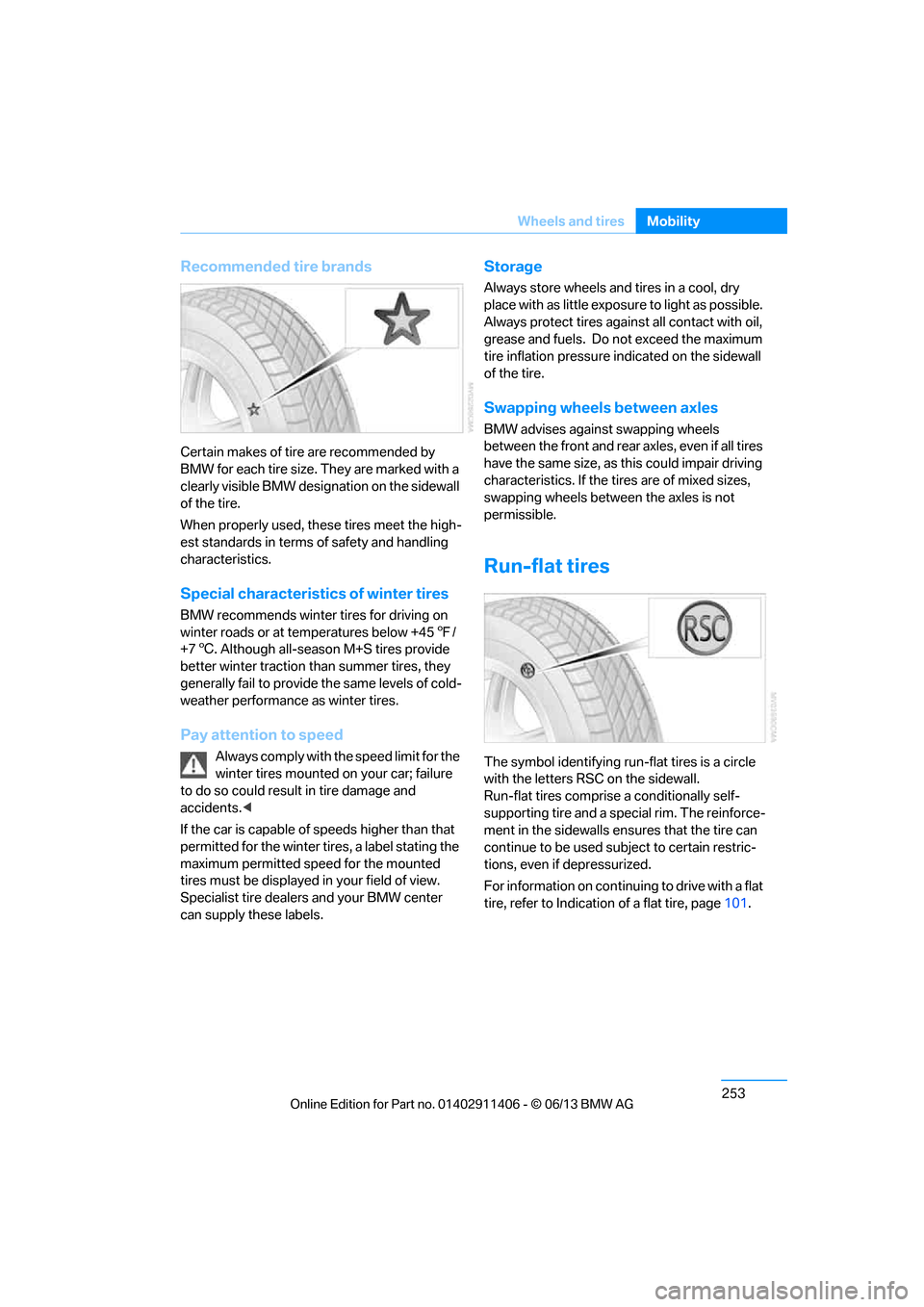
Recommended tire brands
Certain makes of tire are recommended by
BMW for each tire size. They are marked with a
clearly visible BMW designation on the sidewall
of the tire.
When properly used, these tires meet the high-
est standards in terms of safety and handling
characteristics.
Special characteristics of winter tires
BMW recommends winter tires for driving on
winter roads or at temperatures below +45
7/
+7 6. Although all-season M+S tires provide
better winter traction th an summer tires, they
generally fail to provide the same levels of cold-
weather performance as winter tires.
Pay attention to speed
Always comply with the speed limit for the
winter tires mounted on your car; failure
to do so could result in tire damage and
accidents. <
If the car is capable of speeds higher than that
permitted for the winter ti res, a label stating the
maximum permitted speed for the mounted
tires must be displayed in your field of view.
Specialist tire dealers and your BMW center
can supply these labels.
Storage
Always store wheels and tires in a cool, dry
place with as little exposure to light as possible.
Always protect tires agains t all contact with oil,
grease and fuels. Do not exceed the maximum
tire inflation pressure indicated on the sidewall
of the tire.
Swapping wheels between axles
BMW advises against swapping wheels
between the front and rear axles, even if all tires
have the same size, as th is could impair driving
characteristics. If the tires are of mixed sizes,
swapping wheels between the axles is not
permissible.
Run-flat tires
The symbol identifying run- flat tires is a circle
with the letters RSC on the sidewall.
Run-flat tires comprise a conditionally self-
supporting tire and a special rim. The reinforce-
ment in the sidewalls en sures that the tire can
continue to be used su bject to certain restric-
tions, even if depressurized.
For information on continuing to drive with a flat
tire, refer to Indication of a flat tire, page 101.
00320051004F004C00510048000300280047004C0057004C005200510003
Page 265 of 311
260
MobilityMaintenance
Maintenance
Vehicle equipment
In this chapter, all pr oduction, country, and
optional equipment that is offered in the model
range is described. For this reason, descrip-
tions will be given of some equipment that may
not be available in a vehi cle, for example due to
the special options or national-market version
selected. This also app lies to safety related
functions and systems.
BMW Maintenance System
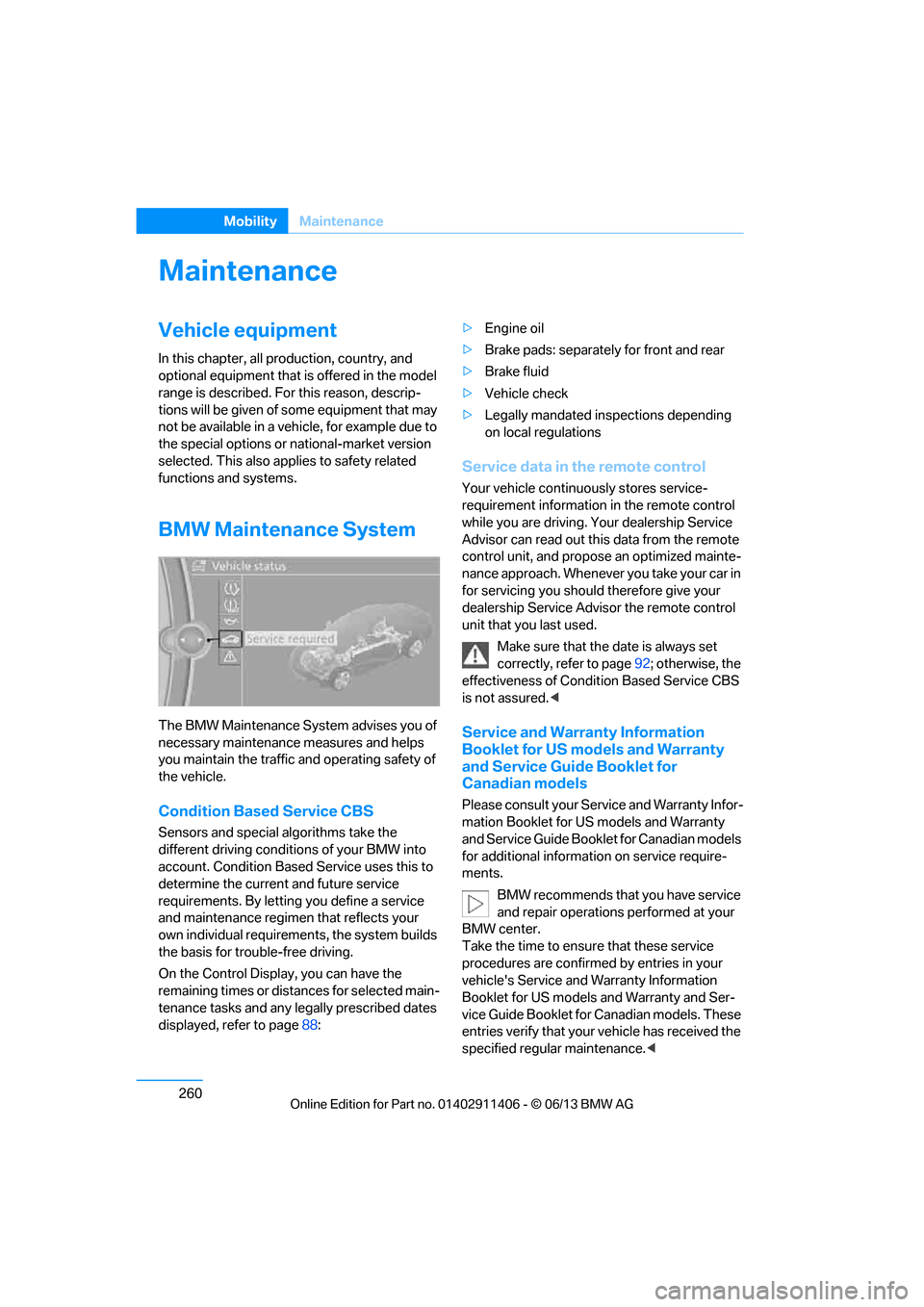
The BMW Maintenance System advises you of
necessary maintenance measures and helps
you maintain the traffic and operating safety of
the vehicle.
Condition Based Service CBS
Sensors and special al gorithms take the
different driving conditions of your BMW into
account. Condition Based Service uses this to
determine the current and future service
requirements. By letting you define a service
and maintenance regimen that reflects your
own individual requirem ents, the system builds
the basis for trouble-free driving.
On the Control Display, you can have the
remaining times or distances for selected main-
tenance tasks and any legally prescribed dates
displayed, refer to page 88: >
Engine oil
> Brake pads: separately for front and rear
> Brake fluid
> Vehicle check
> Legally mandated in spections depending
on local regulations
Service data in the remote control
Your vehicle continuously stores service-
requirement information in the remote control
while you are driving. Your dealership Service
Advisor can read out this data from the remote
control unit, and propose an optimized mainte-
nance approach. Whenever you take your car in
for servicing you should therefore give your
dealership Service Advisor the remote control
unit that you last used.
Make sure that the date is always set
correctly, refer to page 92; otherwise, the
effectiveness of Condit ion Based Service CBS
is not assured. <
Service and Warranty Information
Booklet for US models and Warranty
and Service Guide Booklet for
Canadian models
Please consult your Service and Warranty Infor-
mation Booklet for US models and Warranty
and Service Guide Booklet for Canadian models
for additional information on service require-
ments.
BMW recommends that you have service
and repair operations performed at your
BMW center.
Take the time to ensu re that these service
procedures are confirmed by entries in your
vehicle's Service and Warranty Information
Booklet for US models and Warranty and Ser-
vice Guide Booklet for Canadian models. These
entries verify that your vehicle has received the
specified regula r maintenance.<
00320051004F004C00510048000300280047004C0057004C005200510003
Page 266 of 311
261
Maintenance
Mobility
Socket for Onboard
Diagnosis OBD
The socket for onboard diagnosis should
only be used by your BMW center or at a
workshop that works according to BMW repair
procedures with corres pondingly trained per-
sonnel and by otherwise authorized personnel;
otherwise, use can result in malfunctioning of
the vehicle. <
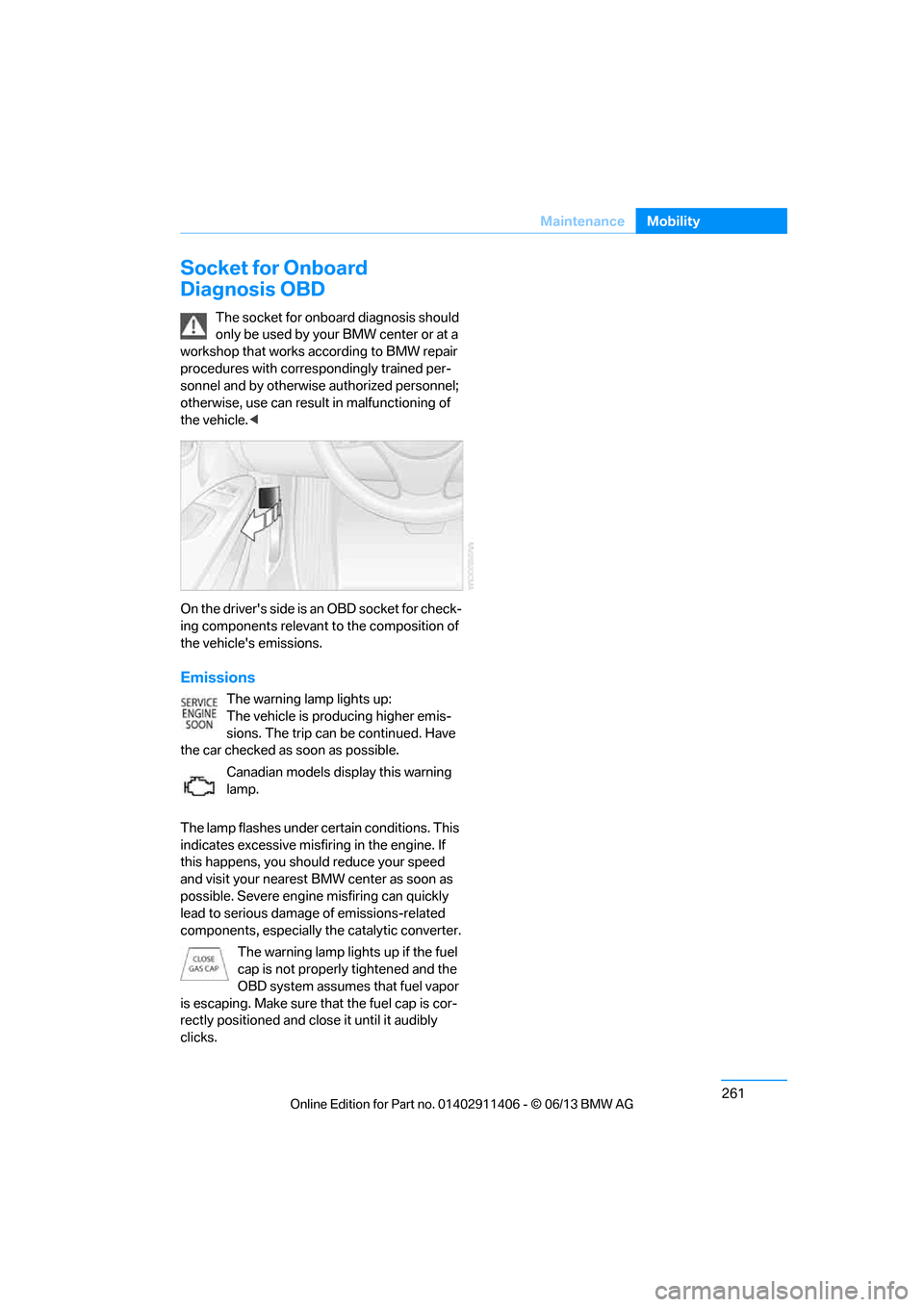
On the drive r's side is a n OBD so cket f or check-
ing components relevant to the composition of
the vehicle's emissions.
Emissions
The warning lamp lights up:
The vehicle is producing higher emis-
sions. The trip can be continued. Have
the car checked as soon as possible.
Canadian models display this warning
lamp.
The lamp flashes under ce rtain conditions. This
indicates excessive misfiring in the engine. If
this happens, you should reduce your speed
and visit your nearest BMW center as soon as
possible. Severe engine misfiring can quickly
lead to serious damage of emissions-related
components, especially the catalytic converter.
The warning lamp lights up if the fuel
cap is not properly tightened and the
OBD system assumes that fuel vapor
is escaping. Make sure that the fuel cap is cor-
rectly positioned and close it until it audibly
clicks.
00320051004F004C00510048000300280047004C0057004C005200510003
Page 277 of 311
272
MobilityGiving and receiving assistance
Giving and receiving assistance
Vehicle equipment
In this chapter, all pr oduction, country, and
optional equipment that is offered in the model
range is described. For this reason, descrip-
tions will be given of some equipment that may
not be available in a vehi cle, for example due to
the special options or national-market version
selected. This also app lies to safety related
functions and systems.
Emergency Request
Requirements
> Full preparation package mobile phone: this
equipment makes it possible to send an
Emergency Request even if no mobile
phone is paired with the vehicle.
> BMW Assist is activated.
> Radio readiness is switched on.
> The BMW Assist system is logged into a
mobile phone network that is supported by
BMW Assist.
> The Emergency Request system is
operable.
Only press the SOS button in an emergency. For technical reasons, the Emergency
Request service canno t be guaranteed
for the most unfavorable conditions. <
Subscriber contract
Upon expiration of the subscriber contract with
BMW Assist, the BMW Assist system can be
deactivated by a BMW center without a work-
shop visit.
After the system is deacti vated, it is no longer
possible to make Emergency Requests.
It may be possible for a BMW center to reacti-
vate the system after a new contract has been
signed.
Sending an Emergency Request
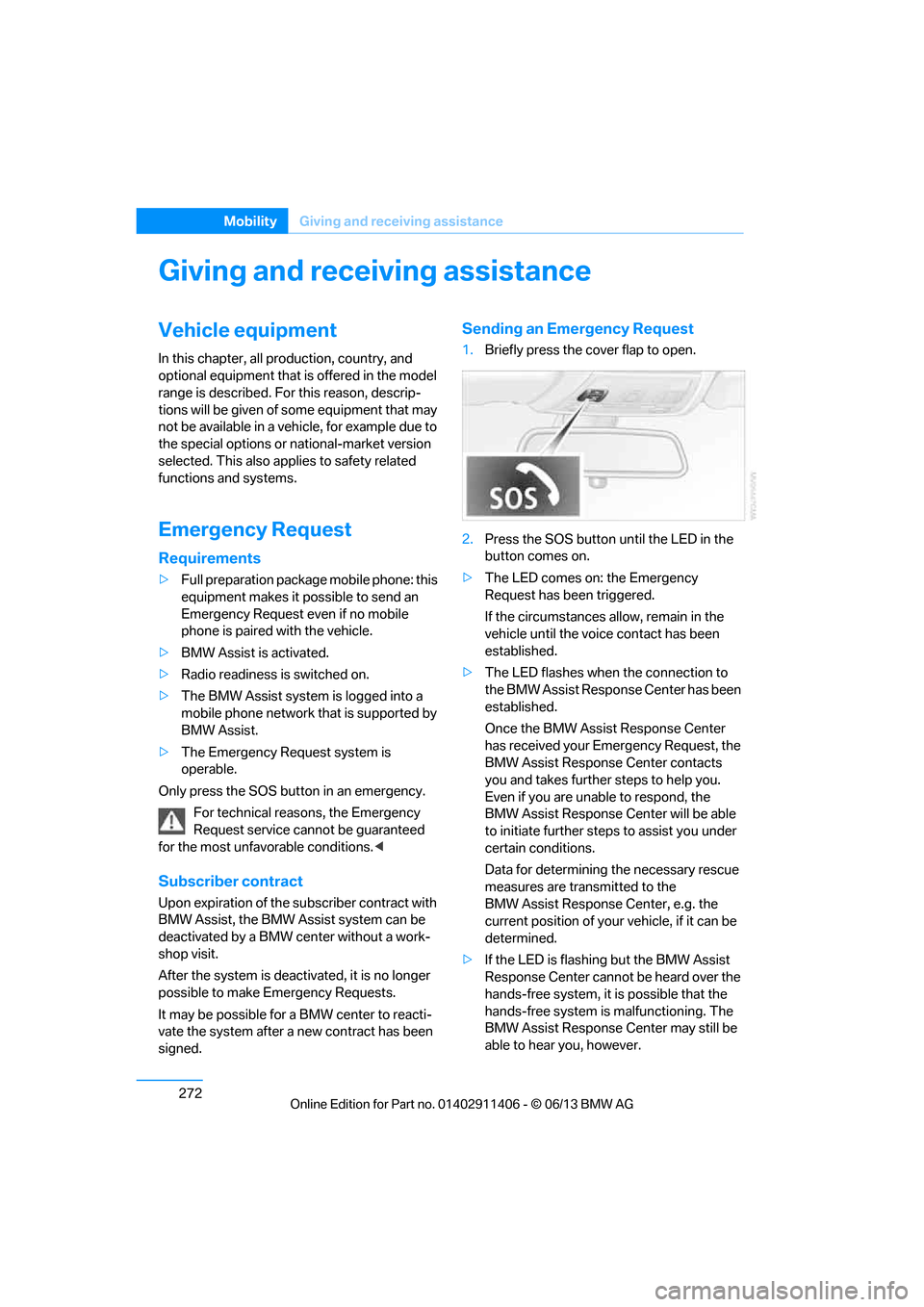
1. Briefly press the cover flap to open.
2. Press the SOS button until the LED in the
button comes on.
> The LED comes on: the Emergency
Request has been triggered.
If the circumstances a llow, remain in the
vehicle until the voice contact has been
established.
> The LED flashes when the connection to
the BMW Assist Response Center has been
established.
Once the BMW Assist Response Center
has received your Emergency Request, the
BMW Assist Response Center contacts
you and takes further steps to help you.
Even if you are unable to respond, the
BMW Assist Response Center will be able
to initiate further steps to assist you under
certain conditions.
Data for determining the necessary rescue
measures are transmitted to the
BMW Assist Response Center, e.g. the
current position of your vehicle, if it can be
determined.
> If the LED is flashing but the BMW Assist
Response Center cannot be heard over the
hands-free system, it is possible that the
hands-free system is malfunctioning. The
BMW Assist Response Center may still be
able to hear you, however.
00320051004F004C00510048000300280047004C0057004C005200510003
Page 294 of 311
289
Short commands for the voice activation system
Reference
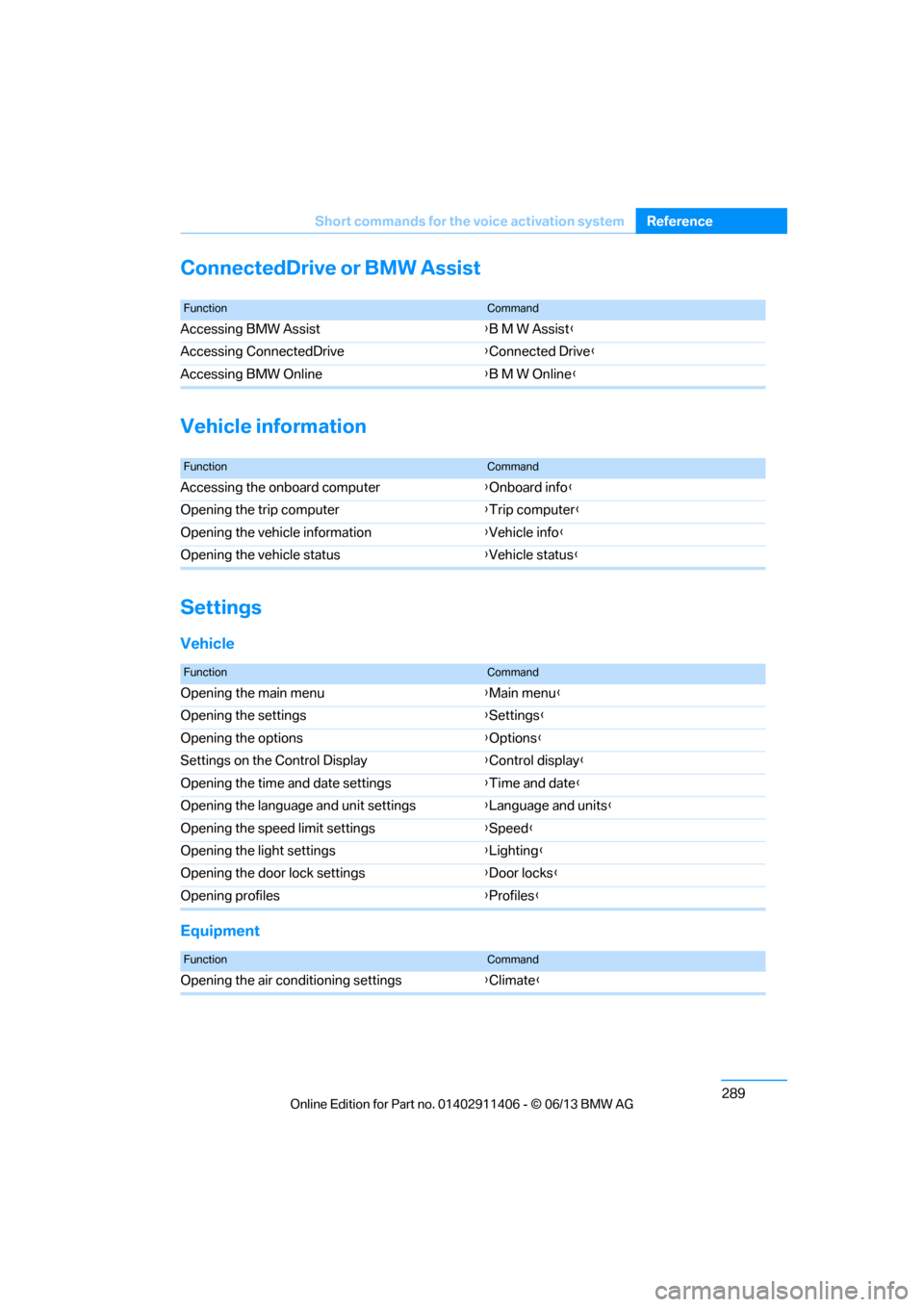
ConnectedDrive or BMW Assist
Vehicle information
Settings
Vehicle
Equipment
FunctionCommand
Accessing BMW Assist
{B M W Assist}
Accessing ConnectedDrive {Connected Drive }
Accessing BMW Online {B M W Online }
FunctionCommand
Accessing the onboard computer {Onboard info }
Opening the trip computer {Trip computer }
Opening the vehicle information {Vehicle info }
Opening the vehicle status {Vehicle status }
FunctionCommand
Opening the main menu {Main menu }
Opening the settings {Settings }
Opening the options {Options }
Settings on the Control Display {Control display }
Opening the time and date settings {Time and date }
Opening the language and unit settings {Language and units}
Opening the speed limit settings {Speed }
Opening the light settings {Lighting }
Opening the door lock settings {Door locks }
Opening profiles {Profiles }
FunctionCommand
Opening the air conditioning settings {Climate }
00320051004F004C00510048000300280047004C0057004C005200510003
Page 295 of 311
290
ReferenceEverything from A to Z
Everything from A to Z
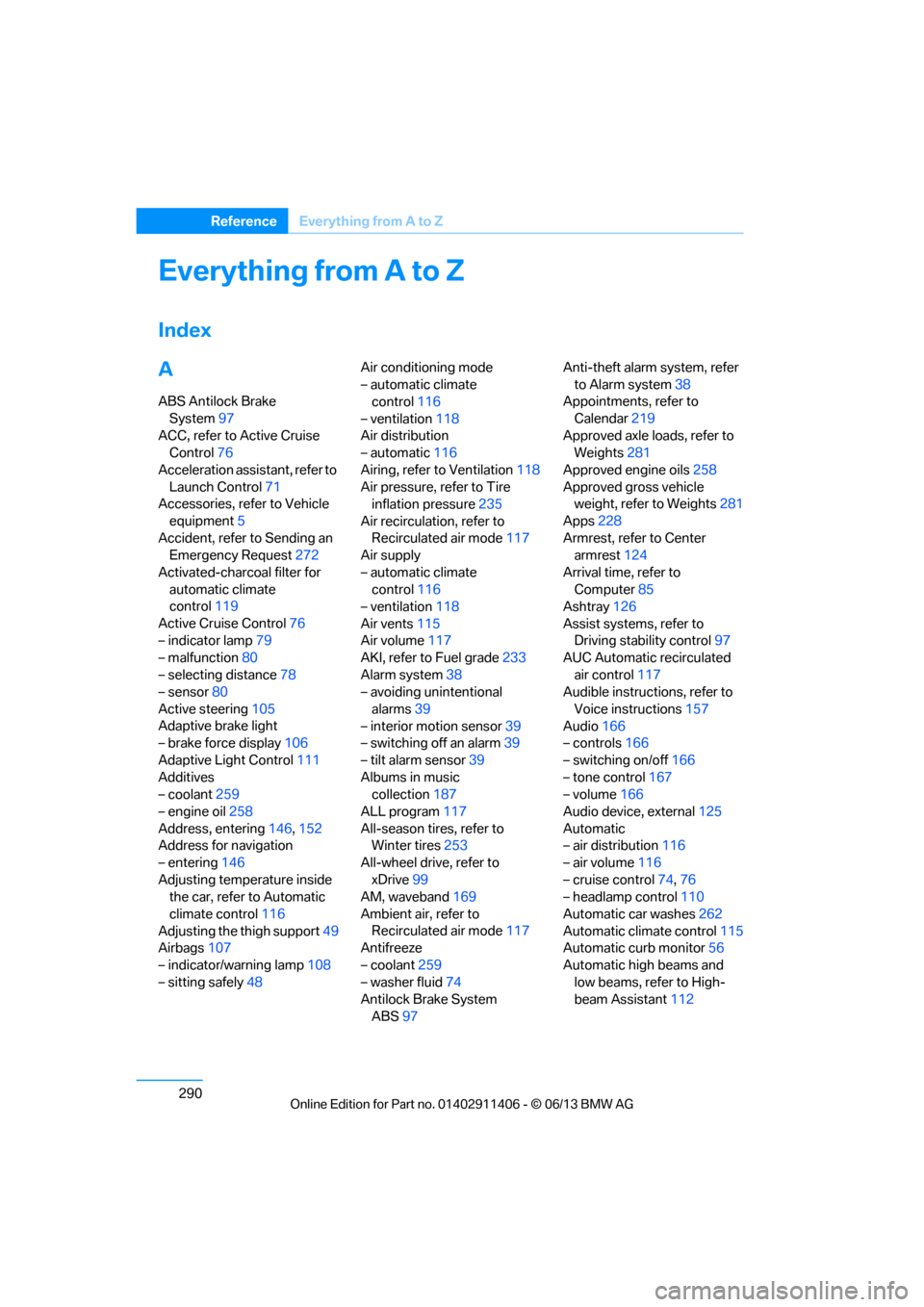
Index
A
ABS Antilock Brake
System 97
ACC, refer to Active Cruise Control 76
Acceleration assistant, refer to Launch Control 71
Accessories, refer to Vehicle
equipment 5
Accident, refer to Sending an Emergency Request 272
Activated-charcoal filter for automatic climate
control 119
Active Cruise Control 76
– indicator lamp 79
– malfunction 80
– selecting distance 78
– sensor 80
Active steering 105
Adaptive brake light
– brake force display 106
Adaptive Light Control 111
Additives
– coolant 259
– engine oil 258
Address, entering 146,152
Address for navigation
– entering 146
Adjusting temperature inside the car, refer to Automatic
climate control 116
Adjusting the thigh support 49
Airbags 107
– indicator/warning lamp 108
– sitting safely 48 Air conditioning mode
– automatic climate
control 116
– ventilation 118
Air distribution
– automatic 116
Airing, refer to Ventilation 118
Air pressure, refer to Tire inflation pressure 235
Air recirculation, refer to Recirculated air mode 117
Air supply
– automatic climate control 116
– ventilation 118
Air vents 115
Air volume 117
AKI, refer to Fuel grade 233
Alarm system 38
– avoiding unintentional
alarms 39
– interior motion sensor 39
– switching off an alarm 39
– tilt alarm sensor 39
Albums in music collection 187
ALL program 117
All-season tires, refer to
Wi nt
er tires 253
All-wheel drive, refer to xDrive 99
AM, waveband 169
Ambient air, refer to Recirculated air mode 117
Antifreeze
– coolant 259
– washer fluid 74
Antilock Brake System
ABS 97 Anti-theft alarm system, refer
to Alarm system 38
Appointments, refer to
Calendar 219
Approved axle loads, refer to Weights 281
Approved engine oils 258
Approved gross vehicle weight, refer to Weights 281
Apps 228
Armrest, refer to Center armrest 124
Arrival time, refer to Computer 85
Ashtray 126
Assist systems, refer to Driving stability control 97
AUC Automatic recirculated
air control 117
Audible instructions, refer to
Voice instructions 157
Audio 166
– controls 166
– switching on/off 166
– tone control 167
– volume 166
Audio device, external 125
Automatic
– air distribution 116
– air volume 116
– cruise control 74,76
– headlamp control 110
Automatic car washes 262
Automatic climate control 115
Automatic curb monitor 56
Automatic high beams and low beams, refer to High-
beam Assistant 112
00320051004F004C00510048000300280047004C0057004C005200510003
Page 298 of 311
293
Everything from A to Z
Reference
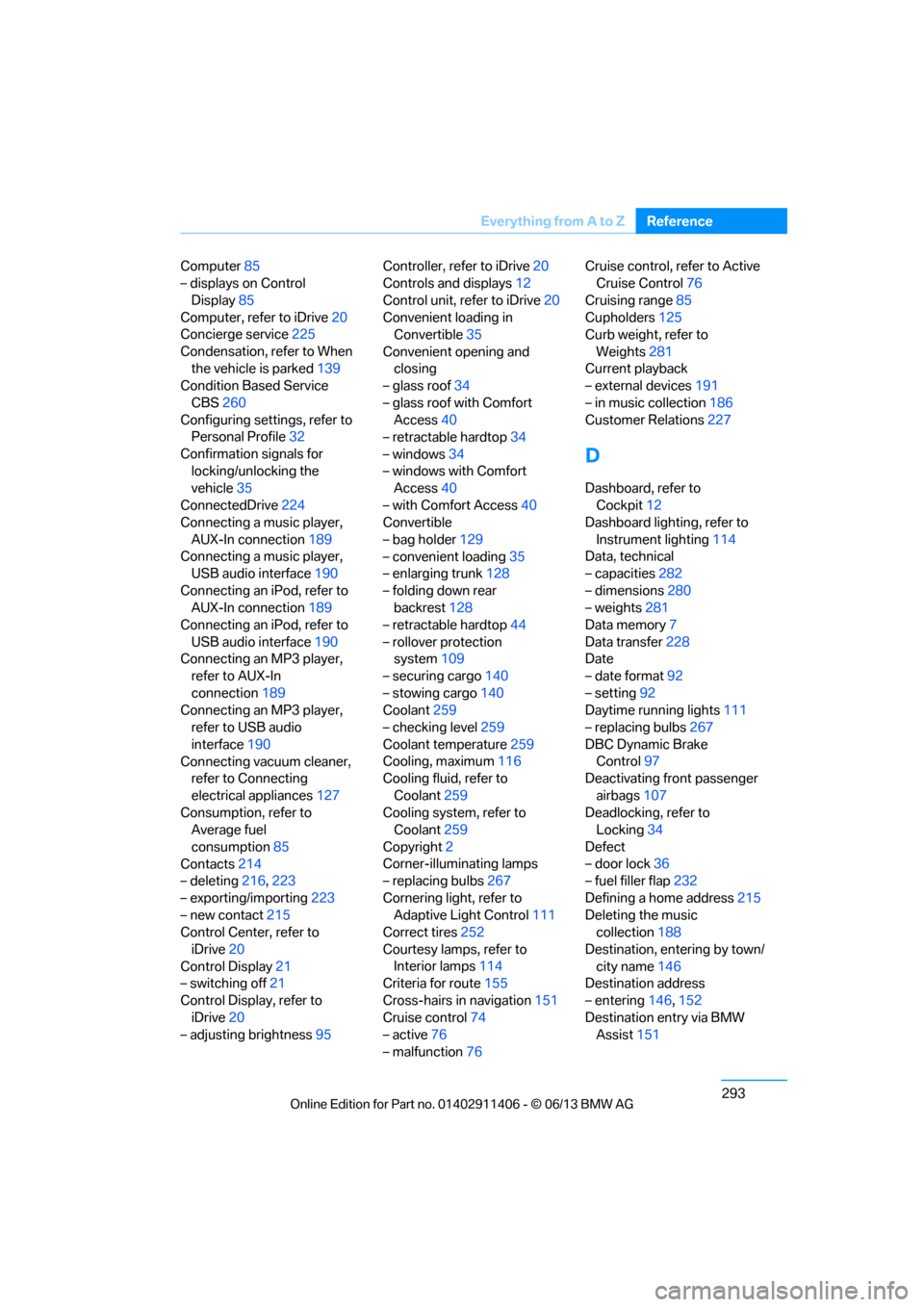
Computer
85
– displays on Control
Display 85
Computer, refer to iDrive 20
Concierge service 225
Condensation, refer to When the vehicle is parked 139
Condition Based Service
CBS 260
Configuring settings, refer to Personal Profile 32
Confirmation signals for locking/unlocking the
vehicle 35
ConnectedDrive 224
Connecting a music player,
AUX-In connection 189
Connecting a music player, USB audio interface 190
Connecting an iPod, refer to AUX-In connection 189
Connecting an iPod, refer to
USB audio interface 190
Connecting an MP3 player, refer to AUX-In
connection 189
Connecting an MP3 player, refer to USB audio
interface 190
Connecting vacuum cleaner, refer to Connecting
electrical appliances 127
Consumption, refer to Average fuel
consumption 85
Contacts 214
– deleting 216,223
– exporting/importing 223
– new contact 215
Control Center, refer to
iDrive 20
Control Display 21
– switching off 21
Control Display, refer to iDrive 20
– adjusting brightness 95Controller, refer to iDrive
20
Controls and displays 12
Control unit, refer to iDrive 20
Convenient loading in Convertible 35
Convenient opening and closing
– glass roof 34
– glass roof with Comfort Access 40
– retractable hardtop 34
– windows 34
– windows with Comfort Access 40
– with Comfort Access 40
Convertible
– bag holder 129
– convenient loading 35
– enlarging trunk 128
– folding down rear
backres
t128
– retractable hardtop 44
– rollover protection system 109
– securing cargo 140
– stowing cargo 140
Coolant 259
– checking level 259
Coolant temperature 259
Cooling, maximum 116
Cooling fluid, refer to
Coolant 259
Cooling system, refer to Coolant 259
Copyright 2
Corner-illuminating lamps
– replacing bulbs 267
Cornering light, refer to Adaptive Light Control 111
Correct tires 252
Courtesy lamps, refer to Interior lamps 114
Criteria for route 155
Cross-hairs in navigation151
Cruise control 74
– active 76
– malfunction 76 Cruise control, refer to Active
Cruise Control 76
Cruising range 85
Cupholders 125
Curb weight, refer to
Weights 281
Current playback
– external devices 191
– in music collection 186
Customer Relations 227
D
Dashboard, refer to
Cockpit 12
Dashboard lighting, refer to
Instrument lighting 114
Data, technical
– capacities 282
– dimensions 280
– weights 281
Data memory 7
Data transfer 228
Date
– date format 92
– setting 92
Daytime running lights 111
– replacing bulbs 267
DBC Dynamic Brake Control 97
Deactivating front passenger
airbags 107
Deadlocking, refer to Locking 34
Defect
– door lock 36
– fuel filler flap 232
Defining a home address 215
Deleting the music collection 188
Destination, entering by town/ city name 146
Destination address
– entering 146,152
Destination entry via BMW Assist 151
00320051004F004C00510048000300280047004C0057004C005200510003