change wheel BMW M3 COUPE 2013 E92 User Guide
[x] Cancel search | Manufacturer: BMW, Model Year: 2013, Model line: M3 COUPE, Model: BMW M3 COUPE 2013 E92Pages: 311, PDF Size: 6.89 MB
Page 123 of 311
118
ControlsClimate
Defrosting windows and removing
condensation
Press the button.
Quickly removes ice and conden-
sation from the windshield and
front side windows.
For this purpose, also switch on the air
conditioning.
Switching air conditioning on/off
The passenger compartment can only be
cooled while the engine is running.
Press the button.
The air is cooled and dehumidified
and – depending on the tempera-
ture setting – warmed again.
Depending on the weather, the windshield may
fog up briefly when the engine is started.
Pressing the AUTO button automatically
switches on the air conditioning.
Rear window defroster
Press the button.
The defroster is switched off auto-
matically after a certain time.
Depending on your vehi cle's equipment, the
upper wires serve as an antenna and are not
part of the rear window defroster.
Switching the system on/off
Switching off
Press and hold the left button or
press the left butto n at the lowest
level.
All displays are cleared except for the rear
window defroster if it is switched on.
The outside air supply is blocked when
the automatic climate control is switched
off. If the air quality deteriorates or the window
fogs over, switch the system back on and
increase the air volume. <
Switching on
Press any button, except the buttons for the
ALL program or the rear window defroster.
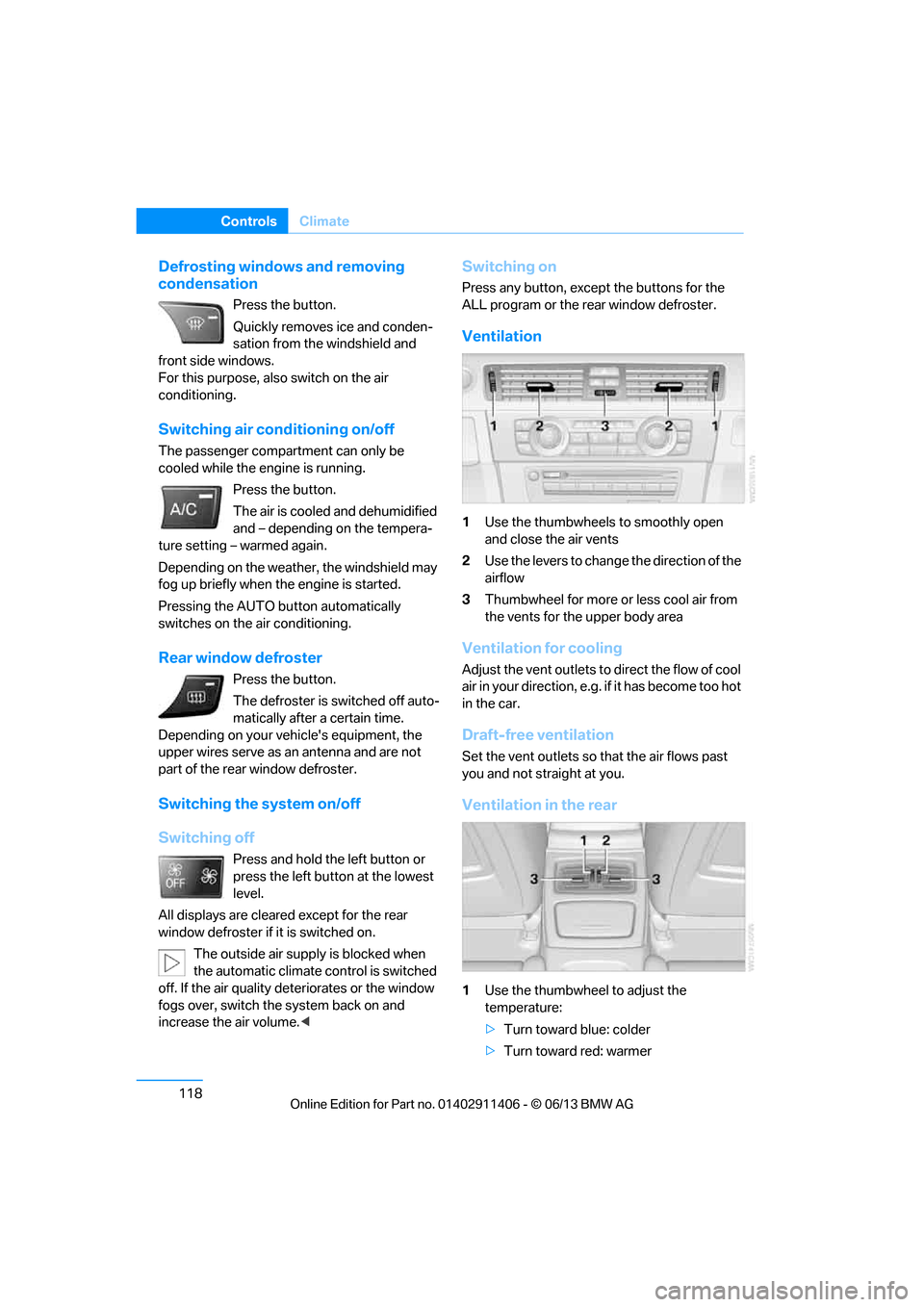
Ventilation
1Use the thumbwheels to smoothly open
and close the air vents
2 Use the levers to change the direction of the
airflow
3 Thumbwheel for more or less cool air from
the vents for the upper body area
Ventilation for cooling
Adjust the vent outlets to direct the flow of cool
air in your direction, e.g. if it has become too hot
in the car.
Draft-free ventilation
Set the vent outlets so that the air flows past
you and not straight at you.
Ventilation in the rear
1 Use the thumbwheel to adjust the
temperature:
>Turn toward blue: colder
> Turn toward red: warmer
00320051004F004C00510048000300280047004C0057004C005200510003
Page 124 of 311
119
Climate
Controls
2
Use the thumbwheel to smoothly open and
close the air vents
3 Use the lever to change the direction of the
airflow
Microfilter/activated-charcoal filter
The microfilter traps dust and pollen in the
incoming air. The activated-charcoal filter pro-
vides additional protecti on by filtering gaseous
pollutants from the outs ide air. Your BMW cen-
ter replaces this combined filter during routine
maintenance.
Parked car ventilation
The concept
The parked car ventilation provides ventilation
to the passenger compartment and lowers its
temperature, if necessary.
For any outside temperatur e, the system can be
switched on or off directly or via a preset
switch-on time. It will remain on for 30 minutes.
Due to its high power consumption, the parked
car ventilation system sh ould not be switched
on twice in a row without driving in between to
allow the battery to recharge.
Open the vents so that air can flow out.
They can be operated via iDrive.
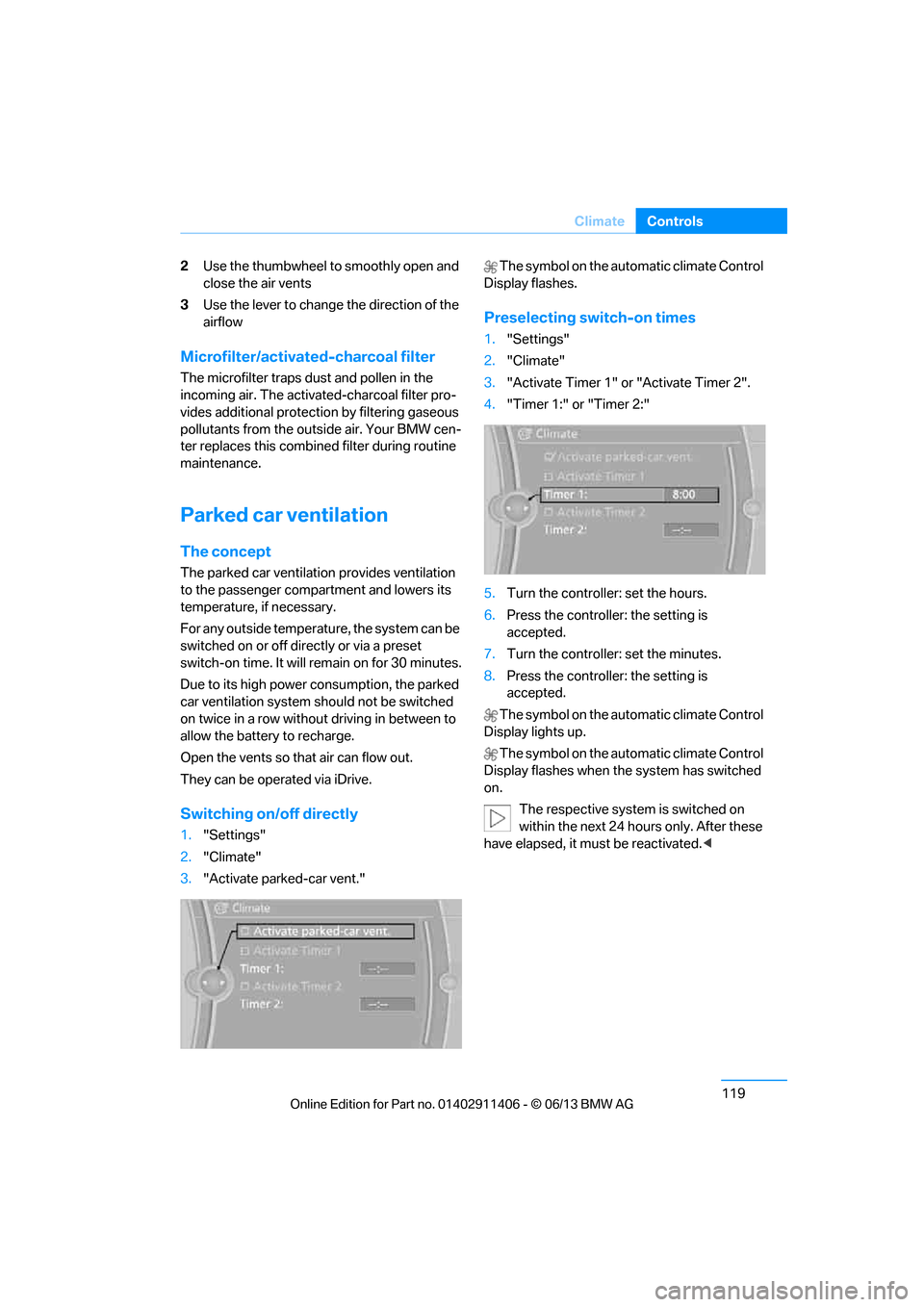
Switching on/off directly
1. "Settings"
2. "Climate"
3. "Activate parked-car vent." The symbol on the automatic climate Control
Display flashes.
Preselecting switch-on times
1. "Settings"
2. "Climate"
3. "Activate Timer 1" or "Activate Timer 2".
4. "Timer 1:" or "Timer 2:"
5. Turn the controller: set the hours.
6. Press the controller: the setting is
accepted.
7. Turn the controller: set the minutes.
8. Press the controller: the setting is
accepted.
The symbol on the automatic climate Control
Display lights up.
The symbol on the automatic climate Control
Display flashes when the system has switched
on.
The respective system is switched on
within the next 24 hours only. After these
have elapsed, it must be reactivated. <
00320051004F004C00510048000300280047004C0057004C005200510003
Page 171 of 311
166
EntertainmentOn/off and tone
On/off and tone
Vehicle equipment
In this chapter, all pr oduction, country, and
optional equipment that is offered in the model
range is described. Equipment is also described
that is not available because of, for example,
selected options or country version. This also
applies to safety related functions and systems.
General information
The following audio and video sources share
the same control elements and adjustments:
> Radio
> CD/DVD player
> Video
> External devices, e.g. MP3 player
Controls
The audio and video sources can be controlled
using the:
>Buttons near th e CD/DVD player
> iDrive
> Buttons on the steering wheel, refer to
page 13
> Programmable memory keys, refer to
page 25
> Voice activation system
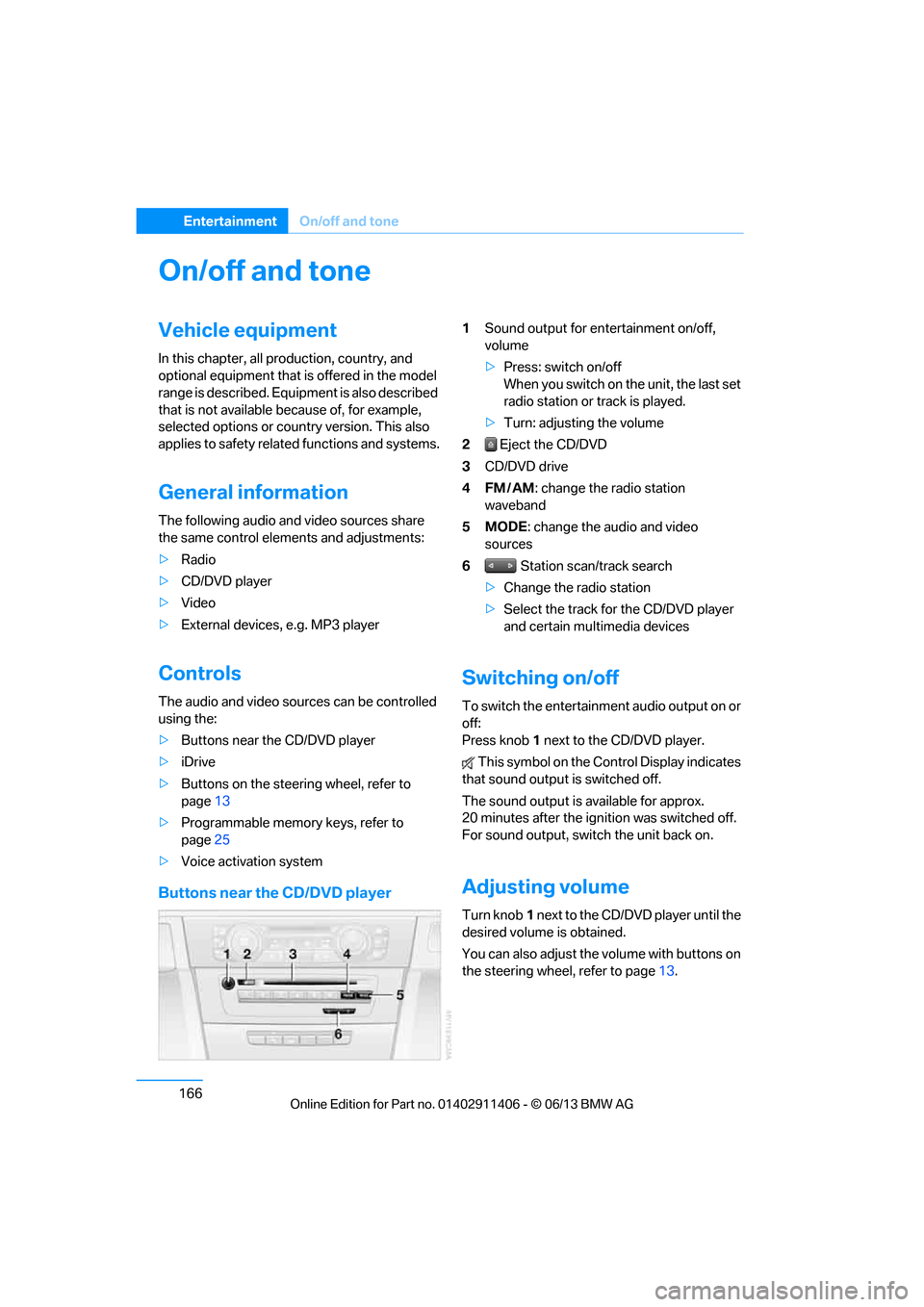
Buttons near the CD/DVD player
1Sound output for entertainment on/off,
volume
>Press: switch on/off
When you switch on the unit, the last set
radio station or track is played.
> Turn: adjusting the volume
2 Eject the CD/DVD
3 CD/DVD drive
4FM/AM : change the radio station
waveband
5MODE : change the audio and video
sources
6 Station scan/track search
> Change the radio station
> Select the track for the CD/DVD player
and certain multimedia devices
Switching on/off
To switch the entertainment audio output on or
off:
Press knob 1 next to the CD/DVD player.
This symbol on the Co ntrol Display indicates
that sound output is switched off.
The sound output is available for approx.
20 minutes after the ignition was switched off.
For sound output, switch the unit back on.
Adjusting volume
Turn knob 1 next to the CD/DVD player until the
desired volume is obtained.
You can also adjust the volume with buttons on
the steering wheel, refer to page 13.
00320051004F004C00510048000300280047004C0057004C005200510003
Page 274 of 311
269
Replacing components
Mobility
Backup lamp
If these lamps malfunctio
n, please contact your
BMW center.
Turn signal, brake, license plate,
parking, and tail lamps
These lamps use LED technology for operation.
If they malfunction, please contact your BMW
center.
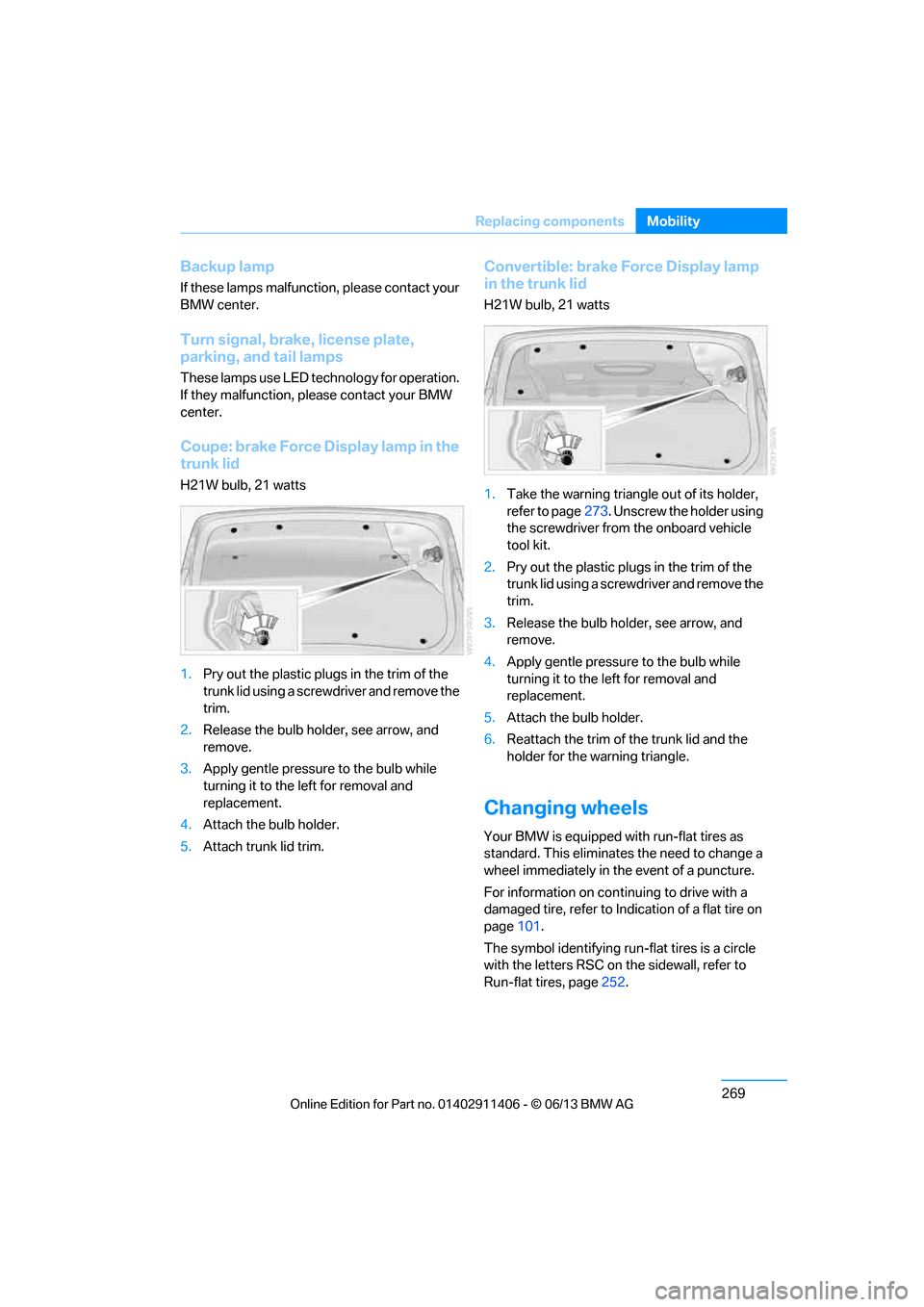
Coupe: brake Force Display lamp in the
trunk lid
H21W bulb, 21 watts
1. Pry out the plastic plugs in the trim of the
trunk lid using a screwdriver and remove the
trim.
2. Release the bulb holder, see arrow, and
remove.
3. Apply gentle pressure to the bulb while
turning it to the left for removal and
replacement.
4. Attach the bulb holder.
5. Attach trunk lid trim.
Convertible: brake Force Display lamp
in the trunk lid
H21W bulb, 21 watts
1. Take the warning triangle out of its holder,
refer to page 273. Unscrew the holder using
the screwdriver from the onboard vehicle
tool kit.
2. Pry out the plastic plugs in the trim of the
trunk lid using a screwd river and remove the
trim.
3. Release the bulb holder, see arrow, and
remove.
4. Apply gentle pressure to the bulb while
turning it to the left for removal and
replacement.
5. Attach the bulb holder.
6. Reattach the trim of the trunk lid and the
holder for the warning triangle.
Changing wheels
Your BMW is equipped with run-flat tires as
standard. This eliminates the need to change a
wheel immediately in the event of a puncture.
For information on continuing to drive with a
damaged tire, refer to Indication of a flat tire on
page 101.
The symbol identifying run- flat tires is a circle
with the letters RSC on the sidewall, refer to
Run-flat tires, page 252.
00320051004F004C00510048000300280047004C0057004C005200510003
Page 297 of 311
292
ReferenceEverything from A to Z
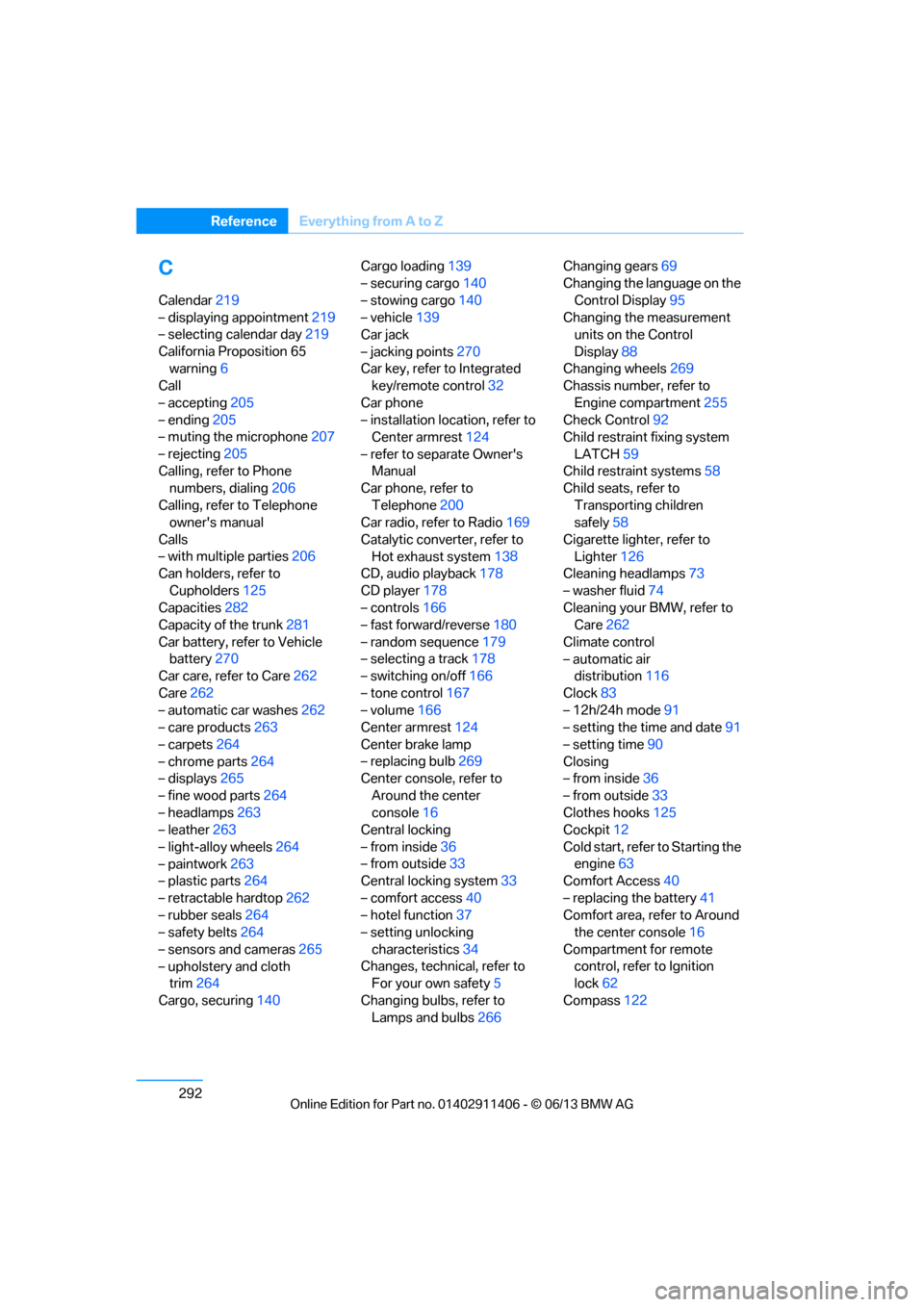
C
Calendar219
– displaying appointment 219
– selecting calendar day 219
California Proposition 65 warning 6
Call
– accepting 205
– ending 205
– muting the microphone 207
– rejecting 205
Calling, refer to Phone numbers, dialing 206
Calling, refer to Telephone owner's manual
Calls
– with multiple parties 206
Can holders, refer to
Cupholders 125
Capacities 282
Capacity of the trunk 281
Car battery, refer to Vehicle battery 270
Car care, refer to Care 262
Care 262
– automatic car washes 262
– care products 263
– carpets 264
– chrome parts 264
– displays 265
– fine wood parts 264
– headlamps 263
– leather 263
– light-alloy wheels 264
– paintwork 263
– plastic parts 264
– retractable hardtop 262
– rubber seals 264
– safety belts 264
– sensors and cameras 265
– upholstery and cloth trim 264
Cargo, securing 140 Cargo loading
139
– securing cargo 140
– stowing cargo 140
– vehicle 139
Car jack
– jacking points 270
Car key, refer to Integrated key/remote control 32
Car phone
– installation location, refer to Center armrest 124
– refer to separate Owner's Manual
Car phone, refer to
Telephone 200
Car radio, refer to Radio 169
Catalytic converter, refer to Hot exhaust system 138
CD
, audio playback 178
CD player 178
– controls 166
– fast forward/reverse 180
– random sequence 179
– selecting a track 178
– switching on/off 166
– tone control 167
– volume 166
Center armrest 124
Center brake lamp
– replacing bulb 269
Center console, refer to
Around the center
console 16
Central locking
– from inside 36
– from outside 33
Central locking system 33
– comfort access 40
– hotel function 37
– setting unlocking
characteristics 34
Changes, technical, refer to For your own safety 5
Changing bulbs, refer to Lamps and bulbs 266Changing gears
69
Changing the language on the
Control Display 95
Changing the measurement units on the Control
Display 88
Changing wheels 269
Chassis number, refer to
Engine compartment 255
Check Control 92
Child restraint fixing system
LATCH 59
Child restraint systems 58
Child seats, refer to
Transporting children
safely 58
Cigarette lighter, refer to Lighter 126
Cleaning headlamps 73
– washer fluid 74
Cleaning your BMW, refer to Care 262
Climate control
– automatic air distribution 116
Clock 83
– 12h/24h mode 91
– setting the time and date 91
– setting time 90
Closing
– from inside 36
– from outside 33
Clothes hooks 125
Cockpit 12
Cold start, refer to Starting t
he
engine 63
Comfort Access 40
– replacing the battery 41
Comfort area, refer to Around the center console 16
Compartment for remote control, refer to Ignition
lock 62
Compass 122
00320051004F004C00510048000300280047004C0057004C005200510003
Page 300 of 311
295
Everything from A to Z
Reference
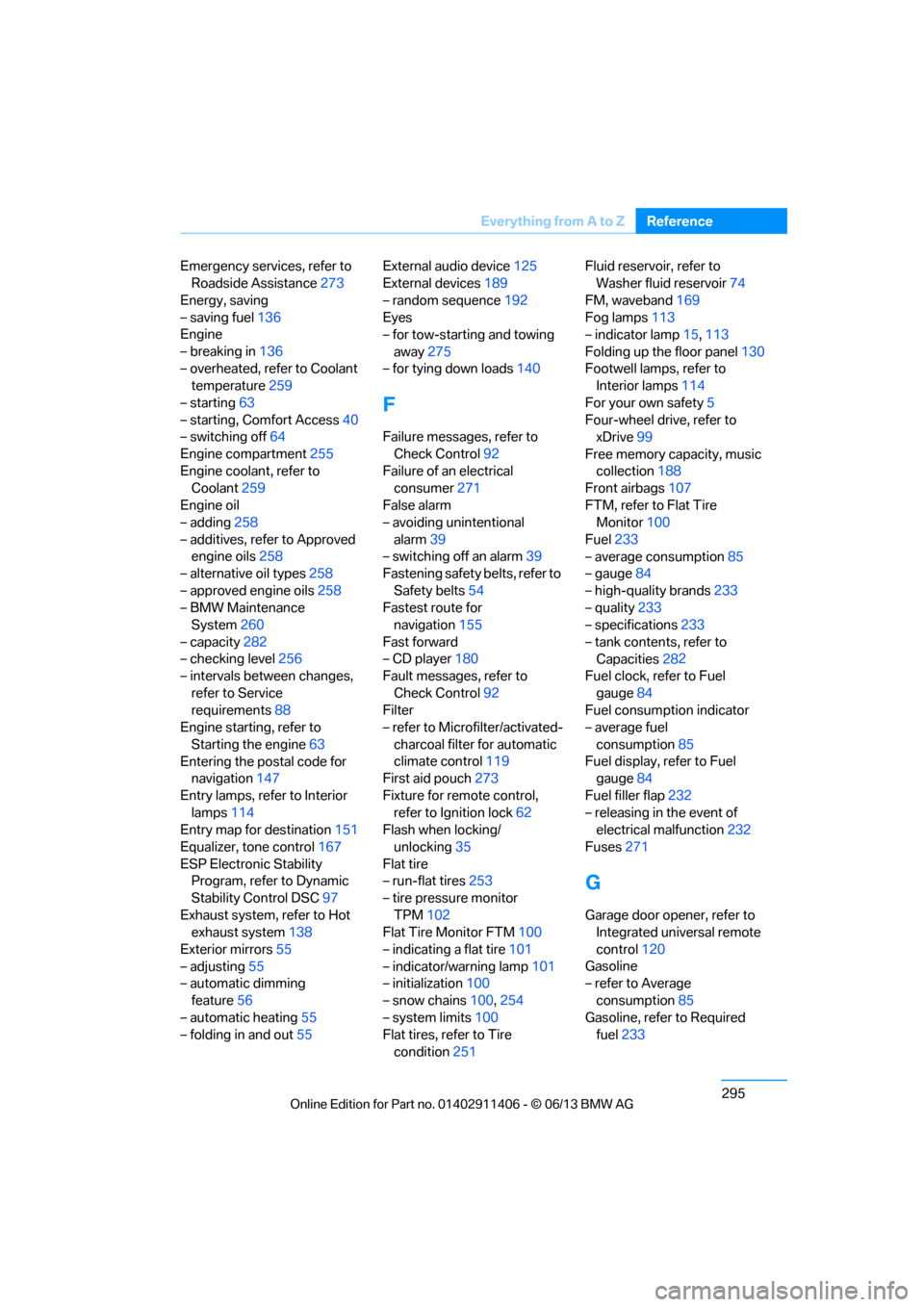
Emergency services, refer to
Roadside Assistance 273
Energy, saving
– saving fuel 136
Engine
– breaking in 136
– overheated, refer to Coolant temperature 259
– starting 63
– starting, Comfort Access 40
– switching off 64
Engine compartment 255
Engine coolant, refer to Coolant 259
Engine oil
– adding 258
– additives, refer to Approved engine oils 258
– alternative oil types 258
– approved engine oils 258
– BMW Maintenance System 260
– capacity 282
– checking level 256
– intervals between changes,
refer to Service
requirements 88
Engine starting, refer to
Starting the engine 63
Entering the postal code for navigation 147
Entry lamps, refer to Interior lamps 114
Entry map for destination 151
Equalizer, tone control 167
ESP Electronic Stability Program, refer to Dynamic
Stability Control DSC 97
Exhaust system, refer to Hot exhaust system 138
Exterior mirrors 55
– adjusting 55
– automatic dimming
feature 56
– automatic heating 55
– folding in and out 55External audio device
125
External devices 189
– random sequence 192
Eyes
– for tow-starting and towing
away 275
– for tying down loads 140
F
Failure messages, refer to
Check Control 92
Failure of an electrical consumer 271
False alarm
– avoiding unintentional alarm 39
– switching off an alarm 39
Fastening safety belts, refer to
Safety belts 54
Fastest route for navigation 155
Fast forward
– CD player 180
Fault messages, refer to
Check Control 92
Filter
– refer to Microfilter/activated-
charcoal filter for automatic
climate control 119
First aid pouch 273
Fixture for remote control, refer to Ignition lock 62
Flash when locking/
unlocking 35
Flat tire
– run-flat tires 253
– tire pressure monitor TPM 102
Flat Tire Monitor FTM 100
– indicating a flat tire 101
– indicator/warning lamp 101
– initialization 100
– snow chains 100,254
– system limits 100
Flat tires, refer to Tire
condition 251 Fluid reservoir, refer to
Washer fluid reservoir 74
FM, waveband 169
Fog lamps 113
– indicator lamp 15,113
Folding up the floor panel 130
Footwell lamps, refer to Interior lamps 114
For your own safety 5
Four-wheel drive, refer to xDrive 99
Free memory ca pacity, music
collection 188
Front airbags 107
FTM, refer to Flat Tire Monitor 100
Fuel 233
– average consumption 85
– gauge 84
– high-quality brands 233
– quality 233
– specifications 233
– tank contents, refer to Capacities 282
Fuel
clock, refer to Fuel
gauge 84
Fuel consumption indicator
– average fuel
consumption 85
Fuel display, refer to Fuel gauge 84
Fuel filler flap 232
– releasing in the event of electrical malfunction 232
Fuses 271
G
Garage door opener, refer to
Integrated universal remote
control 120
Gasoline
– refer to Average
consumption 85
Gasoline, refer to Required fuel 233
00320051004F004C00510048000300280047004C0057004C005200510003