door lock BMW M3 COUPE 2013 E92 User Guide
[x] Cancel search | Manufacturer: BMW, Model Year: 2013, Model line: M3 COUPE, Model: BMW M3 COUPE 2013 E92Pages: 311, PDF Size: 6.89 MB
Page 58 of 311
53
Adjustments
Controls
Easy entry
The easy entry feature includes a memory
function for the longitudinal adjustment and
backrest angle.
1.
Pull lever 1 and swing the backrest forward.
2. Press the front end 2 of the switch until the
seat has moved into the desired position.
Previous position
Press the rear end 3 of the switch until the seat
automatically stops in its previous position, and
fold the backrest back. If you release the switch
before the previous seat position is reached,
the seat will stop at its current position.
When sliding the seat backward, make
sure no one is injure d and no objects are
damaged.
Before driving off, engage both seats and
backrests so that they are locked in place.
Otherwise, there is a risk of an accident due to
unexpected movement. <
Seat heating
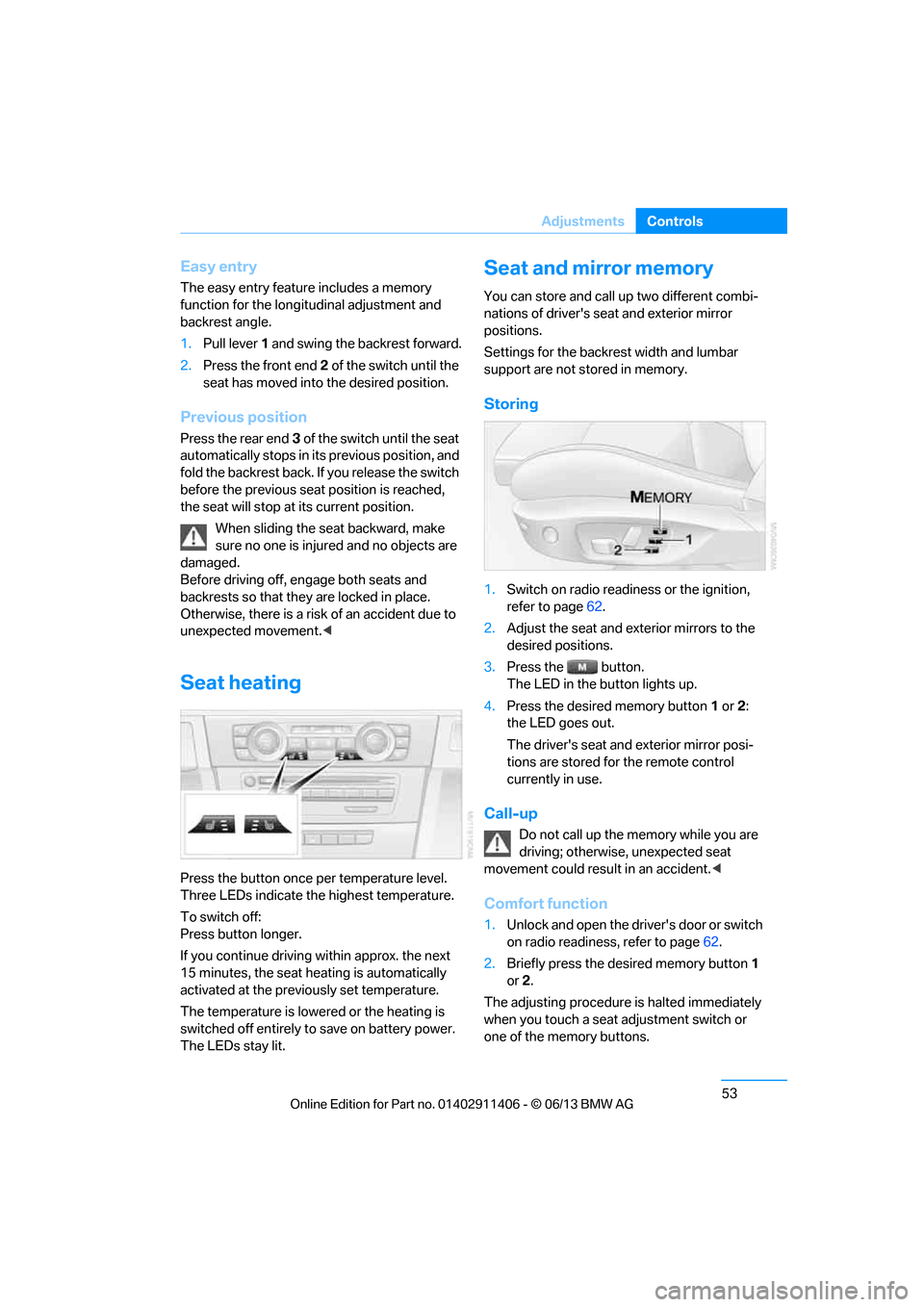
Press the button once per temperature level.
Three LEDs indicate the highest temperature.
To switch off:
Press button longer.
If you continue driving within approx. the next
15 minutes, the seat heating is automatically
activated at the previo usly set temperature.
The temperature is lowered or the heating is
switched off entirely to save on battery power.
The LEDs stay lit.
Seat and mirror memory
You can store and call up two different combi-
nations of driver's seat and exterior mirror
positions.
Settings for the backrest width and lumbar
support are not stored in memory.
Storing
1. Switch on radio readiness or the ignition,
refer to page 62.
2. Adjust the seat and exterior mirrors to the
desired positions.
3. Press the button.
The LED in the button lights up.
4. Press the desired memory button 1 or 2:
the LED goes out.
The driver's seat and exterior mirror posi-
tions are stored for the remote control
currently in use.
Call-up
Do not call up the memory while you are
driving; otherwise, unexpected seat
movement could result in an accident. <
Comfort function
1.Unlock and open the driver's door or switch
on radio readiness, refer to page 62.
2. Briefly press the desired memory button 1
or 2.
The adjusting procedure is halted immediately
when you touch a seat adjustment switch or
one of the memory buttons.
00320051004F004C00510048000300280047004C0057004C005200510003
Page 60 of 311
55
Adjustments
Controls
Even if you have not yet fastened your safety
belt, the belt hand-over will retract if you:
>
Wait for more than approx. one minute
> Open the corresponding door
> Start driving.
Closing the respective do or reactivates the belt
hand-over if the ignition or radio readiness is on.
Front passenger seat
The belt hand-over will exte nd only if the seat is
occupied and after the front passenger door is
closed.
Pinch protection system
If the belt hand-over en counters resistance on
moving in or out, it moves back slightly in the
opposite direction and stops in this position. To
reactivate the belt hand -over: open and close
the door or switch the ignition off and on.
Although there is a pinch protection sys-
tem, always check that the maneuvering
area of the belt hand-ove r is clear. Otherwise it
cannot be ensured that the system will stop
moving in certain extreme situations. <
Mirrors
Exterior mirrors
The front passenger's mirror is more con-
vex than the driver's mirror. The objects
seen in the mirror are closer than they appear.
Do not gauge your distan ce from traffic behind you on the basis of what you see in the mirror;
otherwise, there is an increased risk of an
accident.
<
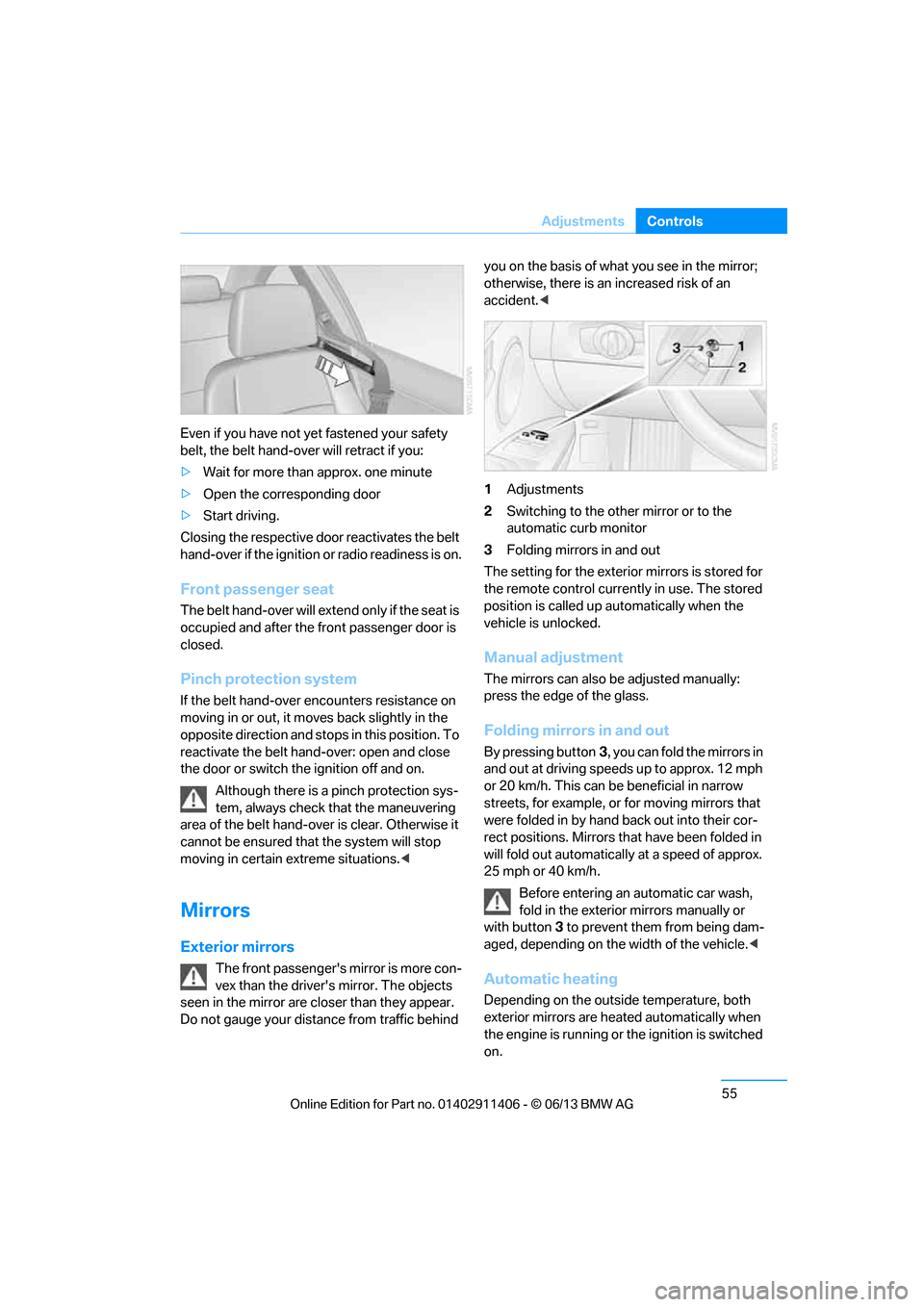
1 Adjustments
2 Switching to the other mirror or to the
automatic curb monitor
3 Folding mirrors in and out
The setting for the exterior mirrors is stored for
the remote control currently in use. The stored
position is called up automatically when the
vehicle is unlocked.
Manual adjustment
The mirrors can also be adjusted manually:
press the edge of the glass.
Folding mirrors in and out
By pressing button 3, you can fold the mirrors in
and out at driving speeds up to approx. 12 mph
or 20 km/h. This can be beneficial in narrow
streets, for example, or for moving mirrors that
were folded in by hand back out into their cor-
rect positions. Mirrors th at have been folded in
will fold out automatically at a speed of approx.
25 mph or 40 km/h.
Before entering an automatic car wash,
fold in the exterior mirrors manually or
with button 3 to prevent them from being dam-
aged, depending on the width of the vehicle. <
Automatic heating
Depending on the outside temperature, both
exterior mirrors are heated automatically when
the engine is running or the ignition is switched
on.
00320051004F004C00510048000300280047004C0057004C005200510003
Page 63 of 311
58
ControlsTransporting children safely
Transporting children safely
Vehicle equipment
In this chapter, all pr oduction, country, and
optional equipment that is offered in the model
range is described. As a result, some equip-
ment described may not be available in a partic-
ular vehicle, for example due to the options or
national-market version selected. This also
applies to safety related functions and systems.
The right place for children
Do not leave children unattended in the
vehicle; otherwise, they could endanger
themselves and/or other persons by opening
the doors, for example. <
Children should always sit in the rear
Accident research has shown that the safest
place for children is on the rear seat.
Children under the age of 13 or smaller
than 5 ft/150 cm may be transported only
in the rear in suitable child restraint systems
appropriate for their age, weight and size. Oth-
erwise, there is an increase d risk of injury in the
event of an accident. <
Children 13 years of age or older must be buck-
led in with a safety belt as soon as there no
longer is any child rest raint system that is
appropriate for their age, size and weight.
Children in the front passenger seat
Should it be necessa ry to use a child
restraint system on the front passenger
seat, the front and side airbags for the front pas-
senger must be deactivated. Otherwise, a child
traveling on that seat will face a significant risk
of injury if the airbags are triggered off, even
with a child restraint system.
of the front passenger airbags refer to
page 107.
Convertible: key switch for
passenger belt
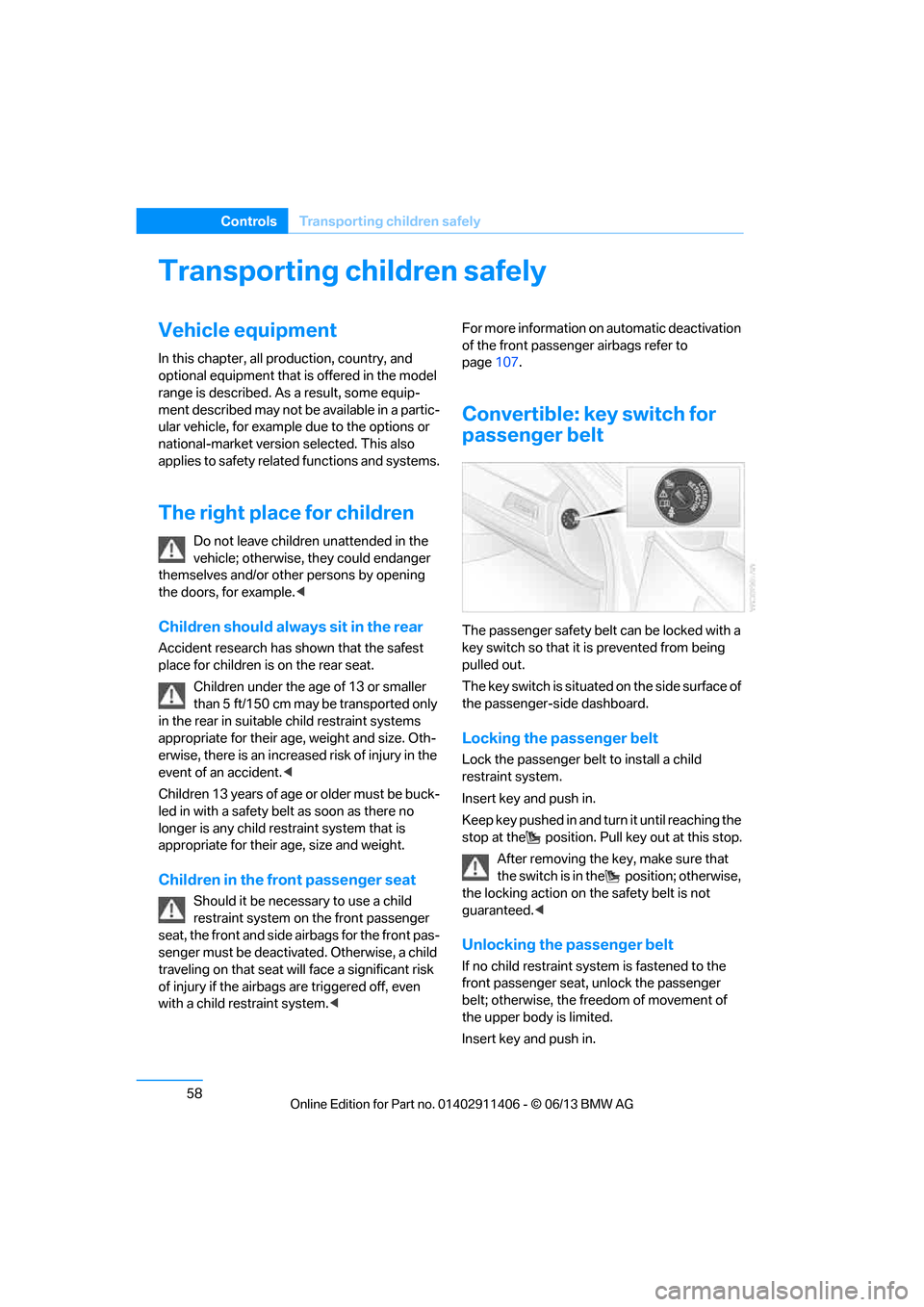
The passenger safety belt can be locked with a
key switch so that it is prevented from being
pulled out.
The key switch is situated on the side surface of
the passenger-side dashboard.
Locking the passenger belt
Lock the passenger belt to install a child
restraint system.
Insert key and push in.
Keep key pushed in and turn it until reaching the
stop at the position. Pull key out at this stop.
After removing the key, make sure that
the switch is in the position; otherwise,
the locking action on th e safety belt is not
guaranteed. <
Unlocking the passenger belt
If no child restraint syst em is fastened to the
front passenger seat, unlock the passenger
belt; otherwise, the freedom of movement of
the upper body is limited.
Insert key and push in.
00320051004F004C00510048000300280047004C0057004C005200510003
Page 67 of 311
62
ControlsDriving
Driving
Vehicle equipment
In this chapter, all pr oduction, country, and
optional equipment that is offered in the model
range is described. For this reason, descrip-
tions will be given of some equipment that may
not be available in a vehi cle, for example due to
the special options or national-market version
selected. This also app lies to safety related
functions and systems.
Ignition lock
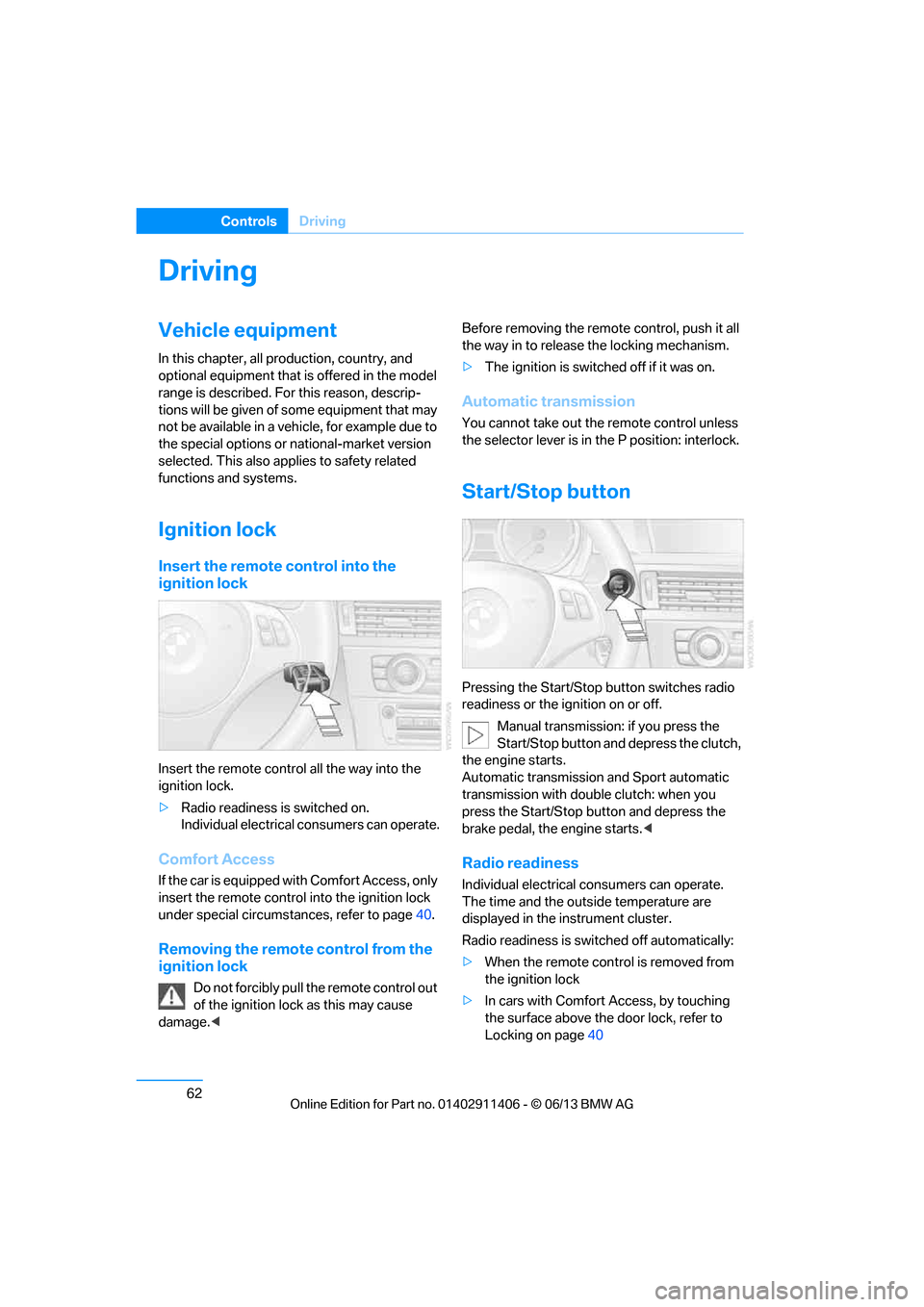
Insert the remote control into the
ignition lock
Insert the remote contro l all the way into the
ignition lock.
> Radio readiness is switched on.
Individual electrical consumers can operate.
Comfort Access
If the car is equipped wi th Comfort Access, only
insert the remote control into the ignition lock
under special circumstances, refer to page 40.
Removing the remote control from the
ignition lock
Do not forcibly pull the remote control out
of the ignition lock as this may cause
damage. < Before removing the remote
control, push it all
the way in to release the locking mechanism.
> The ignition is switched off if it was on.
Automatic transmission
You cannot take out the remote control unless
the selector lever is in the P position: interlock.
Start/Stop button
Pressing the Start/Stop button switches radio
readiness or the ignition on or off.
Manual transmission: if you press the
Start/Stop button and depress the clutch,
the engine starts.
Automatic transmission and Sport automatic
transmission with double clutch: when you
press the Start/Stop button and depress the
brake pedal, the engine starts. <
Radio readiness
Individual electrical consumers can operate.
The time and the outside temperature are
displayed in the instrument cluster.
Radio readiness is switched off automatically:
> When the remote cont rol is removed from
the ignition lock
> In cars with Comfort Access, by touching
the surface above the door lock, refer to
Locking on page 40
00320051004F004C00510048000300280047004C0057004C005200510003
Page 73 of 311
68
ControlsDriving
System limitations
The 7-gear Sport automa tic transmission with
double clutch has an overheating protection
that protects the clutch from extreme loads.
The indicator lamp lights up in yellow if
the transmission becomes too warm.
Avoid high engine loads and frequent
accelerations from zero. If the transmission is
overheated, the indicator lamp lights up in red
and the power flow to the motor is interrupted. It
is only possible to continue driving once the
transmission has cooled down.
Avoid frequent powerful accelerations from
zero and do not hold the vehicle on inclines by
pressing lightly on the accelerator while letting
the clutch slip, as this may cause the transmis-
sion to overheat.
Selector lever positions
P R N D M/S + –
Displays in the instrument cluster
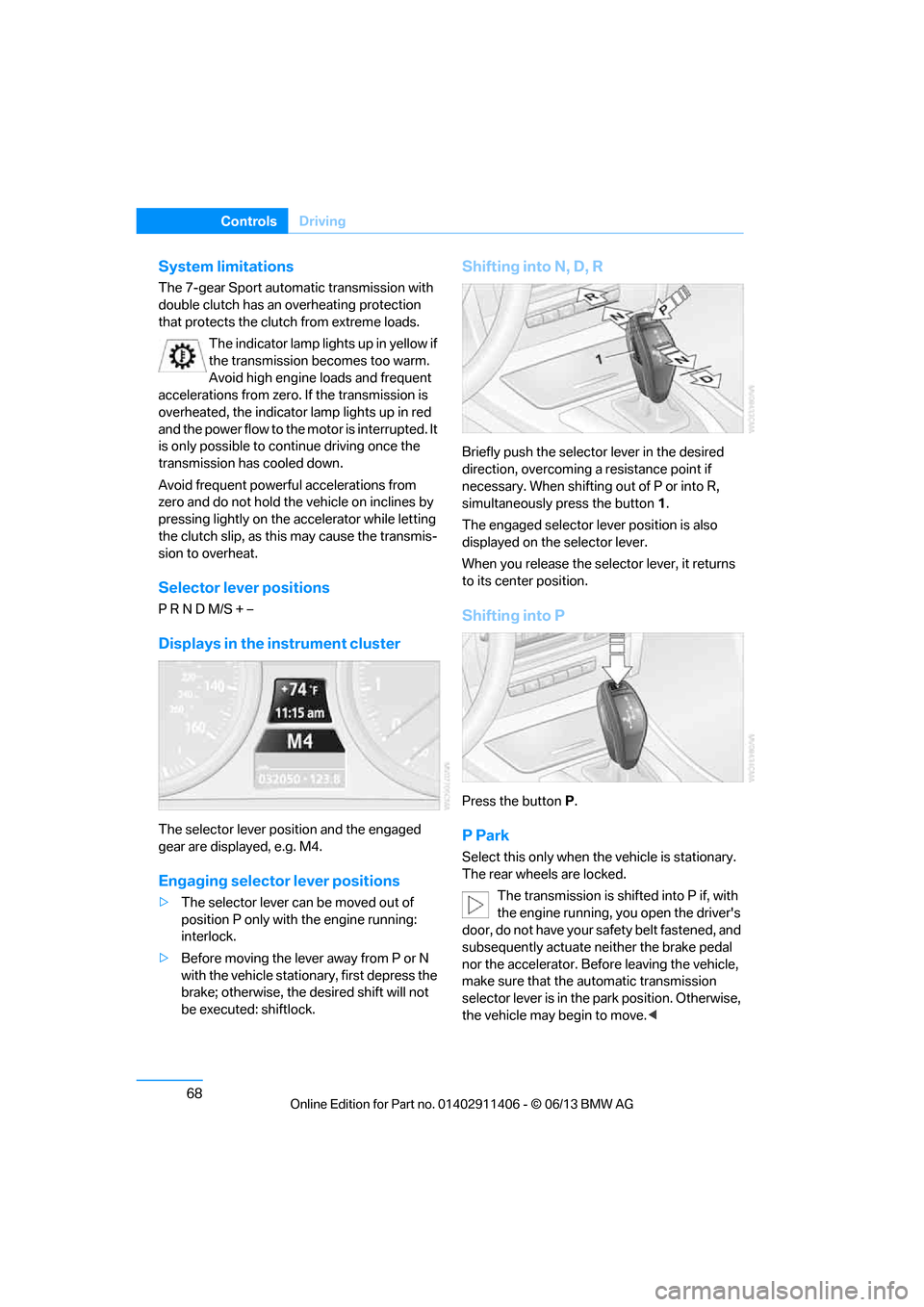
The selector lever posi tion and the engaged
gear are displayed, e.g. M4.
Engaging selector lever positions
> The selector lever can be moved out of
position P only with the engine running:
interlock.
> Before moving the lever away from P or N
with the vehicle stationary, first depress the
brake; otherwise, the desired shift will not
be executed: shiftlock.
Shifting into N, D, R
Briefly push the selector lever in the desired
direction, overcoming a resistance point if
necessary. When shifting out of P or into R,
simultaneously press the button 1.
The engaged selector le ver position is also
displayed on the selector lever.
When you release the sele ctor lever, it returns
to its center position.
Shifting into P
Press the button P.
P Park
Select this only when th e vehicle is stationary.
The rear wheels are locked.
The transmission is shifted into P if, with
the engine running, you open the driver's
door, do not have your safety belt fastened, and
subsequently actuate neither the brake pedal
nor the accelerator. Befo re leaving the vehicle,
make sure that the automatic transmission
selector lever is in the park position. Otherwise,
the vehicle may begin to move. <
00320051004F004C00510048000300280047004C0057004C005200510003
Page 229 of 311
224
CommunicationsConnectedDrive
ConnectedDrive
Vehicle equipment
In this chapter, all production, country, and
optional equipment that is offered in the model
range is described. Equipment is also described
that is not available because of, for example,
selected options or country version. This also
applies to safety related functions and systems.
BMW Assist
General information
BMW Assist provides a number of different ser-
vices. For example, the position data of the
vehicle can be transmitted to the BMW Assist
Response Center when an Emergency Request
is sent.
Many BMW Assist services depend on the
contract individually agreed upon.
After the contract has expired, the BMW Assist
system will be deactivated by the BMW Assist
Response Center without you having to visit a
BMW center. After the BMW Assist system has
been deactivated, no BM W Assist services will
be available. The BMW Assist system can be
reactivated by a BMW center after a new
contract has been signed.
Requirements
> The installed BMW Assist system is logged
into a mobile phone network. This network
must be capable of transmitting the
services.
> To transmit position data, the vehicle must
be able to determine its current position.
> To activate and update BMW Assist, a GPS
signal must be available. >
The BMW Assist service contract was
signed with your BMW center or with the
BMW Assist Response Center. The service
must have been fully enabled.
> BMW Assist is activated.
Services offered
>Emergency Request: when you press the
SOS button, a connection to the BMW
Assist Response Center is established. The
BMW Assist Response Center then speaks
with you and takes further steps to help you.
> Automatic Emergency Request: under cer-
tain conditions, a connection to the BMW
Assist Response Center is established after
a serious accident. If possible, the BMW
Assist Response Center then speaks with
you and takes further steps to help you.
> Enhanced Roadside Assistance: BMW
Roadside Assistance can be contacted if
assistance is needed in the event of a
breakdown. If possible, the vehicle data and
position data are tran smitted during this
call.
> Customer Relations: connection to Cus-
tomer Relations for information on all
aspects of your vehicle.
> BMW TeleService: the data on your vehi-
cle's service status or required inspections
are transmitted to your BMW center, either
automatically before a service due date or
when you request a service appointment.
> Remote Door Unlock: the BMW Assist
Response Center provides assistance if, for
example, the remote control is not available
and the vehicle needs to be opened.
> Stolen Vehicle Recovery: after you report to
the police that your vehicle was stolen, the
BMW Assist Response Center can deter-
mine its position.
00320051004F004C00510048000300280047004C0057004C005200510003
Page 268 of 311
263
Care
Mobility
Driving into an automatic car wash
Perform the following steps to ensure that the
vehicle can roll:
Manual transmission:
1.
Shift into neutral.
2. Release parking brake, refer to page 64.
3. Switch off the engine.
4. Leave the remote cont rol in the ignition
lock.
Automatic transmission:
1. Insert the remote control into the ignition
lock, even with Comfort Access.
2. Shift selector lever into position N.
3. Release parking brake, refer to page 64.
4. Switch off the engine.
5. Leave the remote cont rol in the ignition
lock.
Sport automatic transmission with double
clutch:
Before driving into an automatic car wash,
perform the following steps to ensure that the
vehicle can roll:
1. Insert the remote control into the ignition
lock, even with Comfort Access.
2. Engage transmission position N.
3. Release parking brake, refer to page 64.
4. Switch off the engine.
5. Leave the remote control in the ignition lock
so that the vehicle can roll.
The transmission is switched into position P:
> Automatically after approx. 30 minutes
> If you remove the infrared remote control
from the ignition lock
Headlamps
After washing the vehicle
After washing the ve hicle, apply the
brakes briefly to dry them; otherwise,
water can reduce braking efficiency over the
short term and the brake discs can corrode.
formation and to reduce wiper noise and wiper
blade wear.
Vehicle care
Care products
BMW recommends using BMW cleaning and
care products since they have been tested and
approved for this purpose.
Follow the instructions on the packaging.
When cleaning inside the vehicle, always
open the doors and windows. Only use prod-
ucts designed for cleaning vehicles. Cleaning
agents can contain substances that are danger-
ous or hazardous to your health. <
Vehicle paintwork
Regular care contributes to driving safety and
value retention. Enviro nmental influences in
regions with elevated leve ls of air pollution or
natural contaminants such as tree sap or pollen
can impact vehicle paintwork. The frequency
and scope of car care should be adapted
accordingly.
Immediately remove particularly corrosive sub-
stances such as spilled fuel , oil, grease, or bird
droppings to prevent damage to the paintwork.
Leather care
Frequently remove dust from the leather using
a cloth or vacuum cleaner.
Otherwise, dust and road grit in the pores and
folds of the leather will otherwise have an abra-
sive effect, resulting in increased wear and
causing the leather surface to become brittle
prematurely.
In order to prevent staining, e.g due to clothing,
clean the leather approximately every two
months.
Clean light-colored leather more frequently as it
shows dust and dirt more noticeably.
00320051004F004C00510048000300280047004C0057004C005200510003
Page 294 of 311
289
Short commands for the voice activation system
Reference
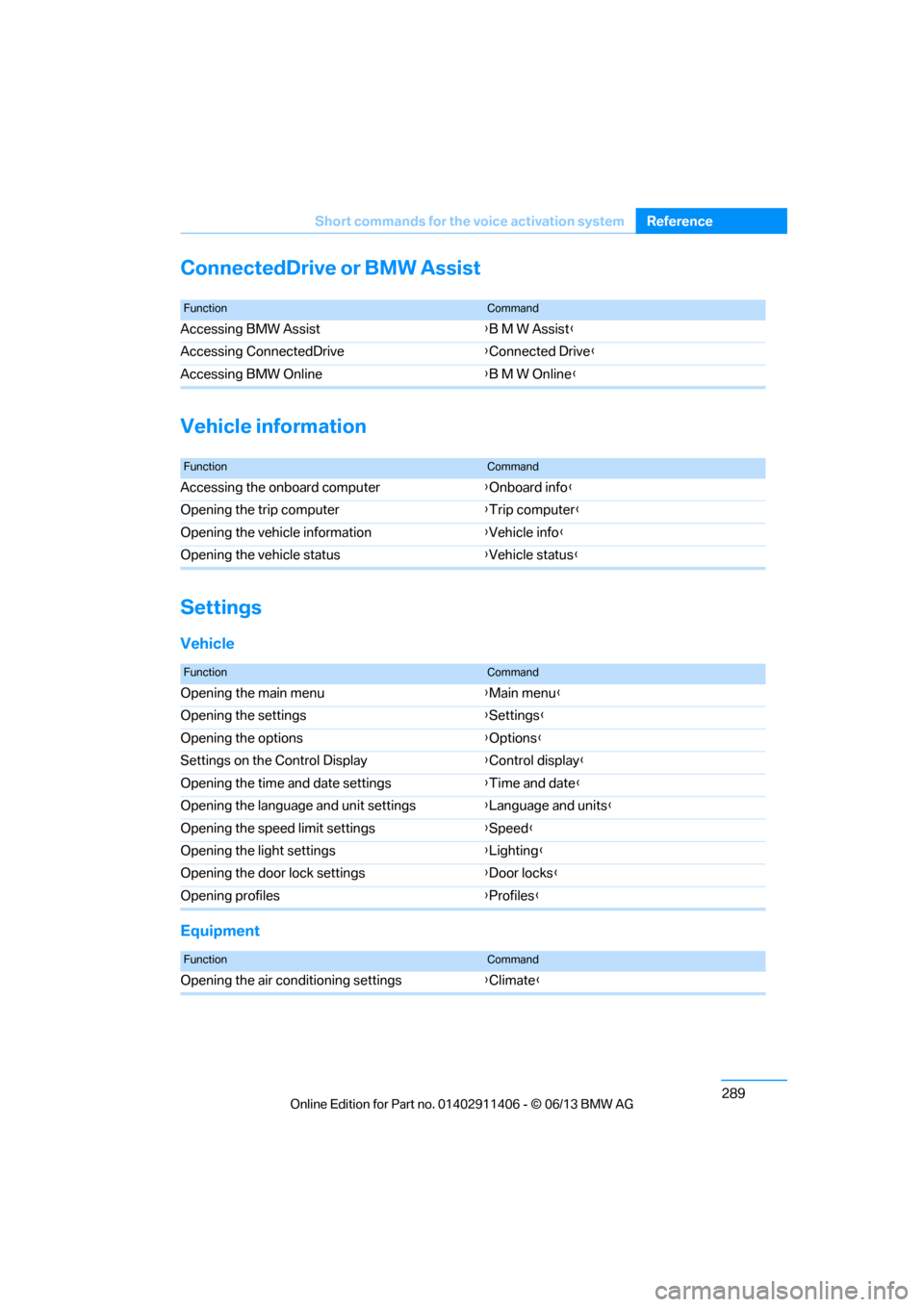
ConnectedDrive or BMW Assist
Vehicle information
Settings
Vehicle
Equipment
FunctionCommand
Accessing BMW Assist
{B M W Assist}
Accessing ConnectedDrive {Connected Drive }
Accessing BMW Online {B M W Online }
FunctionCommand
Accessing the onboard computer {Onboard info }
Opening the trip computer {Trip computer }
Opening the vehicle information {Vehicle info }
Opening the vehicle status {Vehicle status }
FunctionCommand
Opening the main menu {Main menu }
Opening the settings {Settings }
Opening the options {Options }
Settings on the Control Display {Control display }
Opening the time and date settings {Time and date }
Opening the language and unit settings {Language and units}
Opening the speed limit settings {Speed }
Opening the light settings {Lighting }
Opening the door lock settings {Door locks }
Opening profiles {Profiles }
FunctionCommand
Opening the air conditioning settings {Climate }
00320051004F004C00510048000300280047004C0057004C005200510003
Page 298 of 311
293
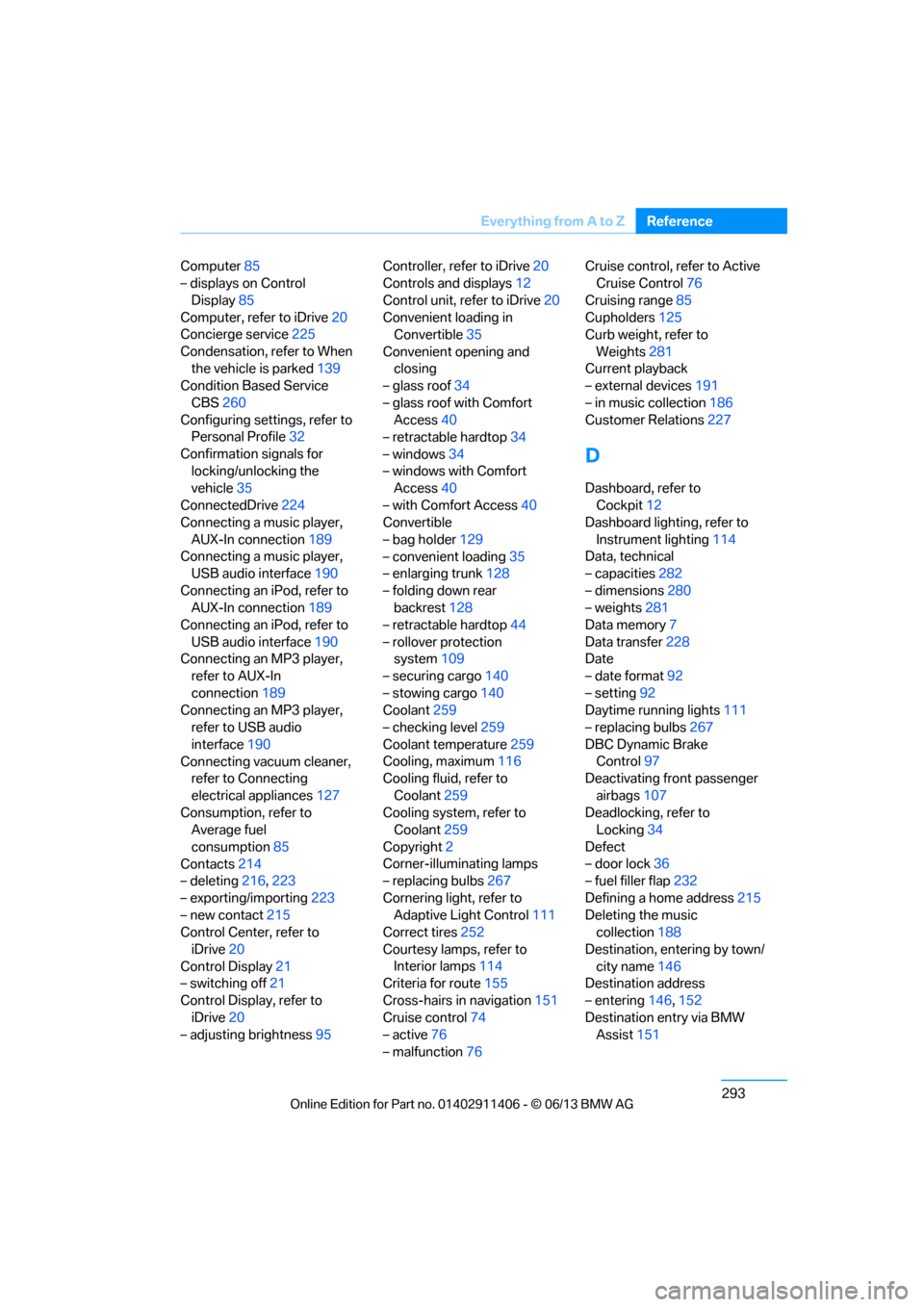
Everything from A to Z
Reference
Computer
85
– displays on Control
Display 85
Computer, refer to iDrive 20
Concierge service 225
Condensation, refer to When the vehicle is parked 139
Condition Based Service
CBS 260
Configuring settings, refer to Personal Profile 32
Confirmation signals for locking/unlocking the
vehicle 35
ConnectedDrive 224
Connecting a music player,
AUX-In connection 189
Connecting a music player, USB audio interface 190
Connecting an iPod, refer to AUX-In connection 189
Connecting an iPod, refer to
USB audio interface 190
Connecting an MP3 player, refer to AUX-In
connection 189
Connecting an MP3 player, refer to USB audio
interface 190
Connecting vacuum cleaner, refer to Connecting
electrical appliances 127
Consumption, refer to Average fuel
consumption 85
Contacts 214
– deleting 216,223
– exporting/importing 223
– new contact 215
Control Center, refer to
iDrive 20
Control Display 21
– switching off 21
Control Display, refer to iDrive 20
– adjusting brightness 95Controller, refer to iDrive
20
Controls and displays 12
Control unit, refer to iDrive 20
Convenient loading in Convertible 35
Convenient opening and closing
– glass roof 34
– glass roof with Comfort Access 40
– retractable hardtop 34
– windows 34
– windows with Comfort Access 40
– with Comfort Access 40
Convertible
– bag holder 129
– convenient loading 35
– enlarging trunk 128
– folding down rear
backres
t128
– retractable hardtop 44
– rollover protection system 109
– securing cargo 140
– stowing cargo 140
Coolant 259
– checking level 259
Coolant temperature 259
Cooling, maximum 116
Cooling fluid, refer to
Coolant 259
Cooling system, refer to Coolant 259
Copyright 2
Corner-illuminating lamps
– replacing bulbs 267
Cornering light, refer to Adaptive Light Control 111
Correct tires 252
Courtesy lamps, refer to Interior lamps 114
Criteria for route 155
Cross-hairs in navigation151
Cruise control 74
– active 76
– malfunction 76 Cruise control, refer to Active
Cruise Control 76
Cruising range 85
Cupholders 125
Curb weight, refer to
Weights 281
Current playback
– external devices 191
– in music collection 186
Customer Relations 227
D
Dashboard, refer to
Cockpit 12
Dashboard lighting, refer to
Instrument lighting 114
Data, technical
– capacities 282
– dimensions 280
– weights 281
Data memory 7
Data transfer 228
Date
– date format 92
– setting 92
Daytime running lights 111
– replacing bulbs 267
DBC Dynamic Brake Control 97
Deactivating front passenger
airbags 107
Deadlocking, refer to Locking 34
Defect
– door lock 36
– fuel filler flap 232
Defining a home address 215
Deleting the music collection 188
Destination, entering by town/ city name 146
Destination address
– entering 146,152
Destination entry via BMW Assist 151
00320051004F004C00510048000300280047004C0057004C005200510003
Page 299 of 311
294
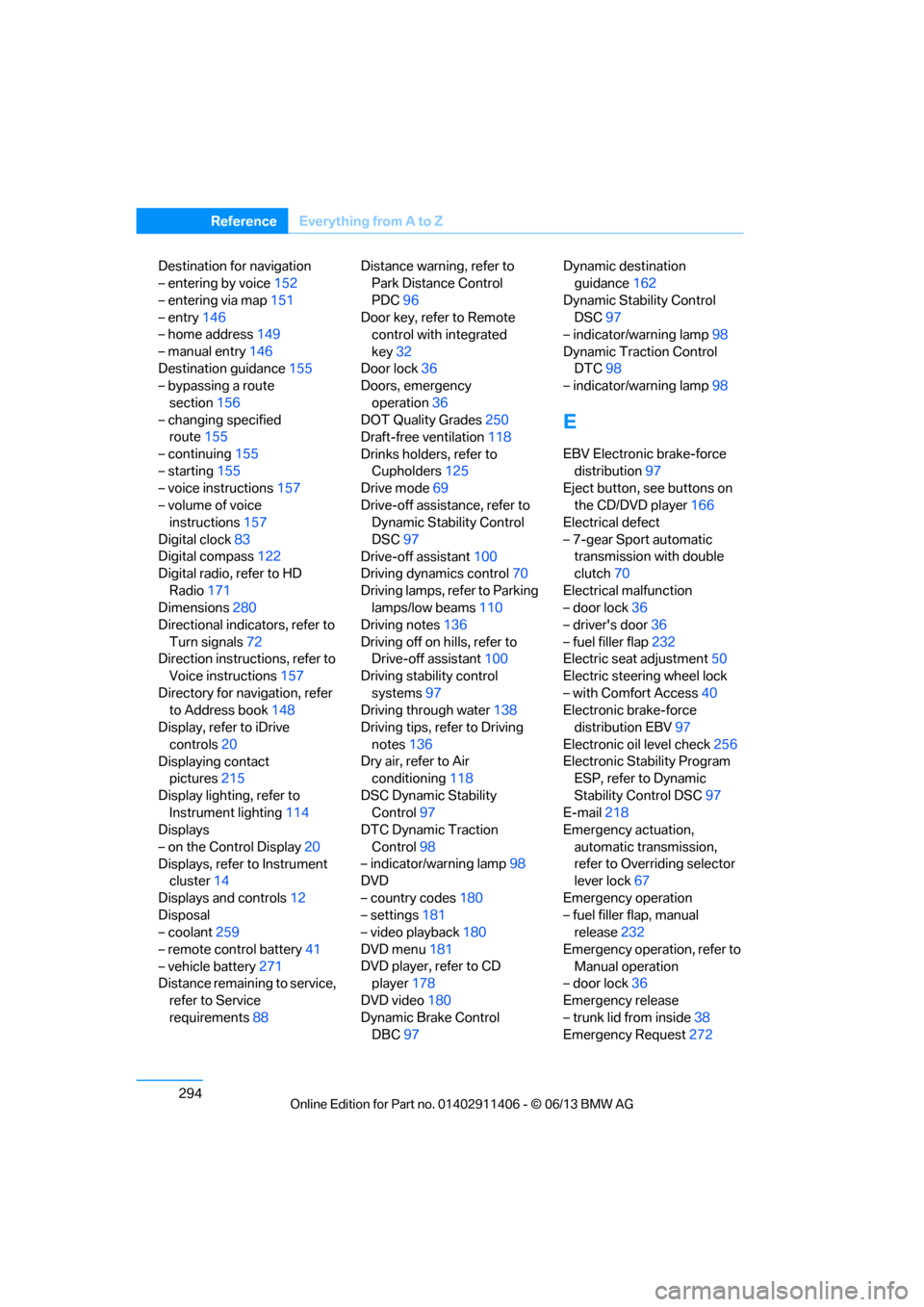
ReferenceEverything from A to Z
Destination for navigation
– entering by voice 152
– entering via map 151
– entry 146
– home address 149
– manual entry 146
Destination guidance 155
– bypassing a route
section 156
– changing specified route 155
– continuing 155
– starting 155
– voice instructions 157
– volume of voice instructions 157
Digital clock 83
Digital compass 122
Digital radio, refer to HD
Radio 171
Dimensions 280
Directional indicators, refer to
Turn signals 72
Direction instructions, refer to Voice instructions 157
Directory for navigation, refer to Address book 148
Display, refer to iDrive
controls 20
Displaying contact pictures 215
Display lighting, refer to Instrument lighting 114
Displays
– on the Control Display 20
Displays, refer to Instrument cluster 14
Displays and controls 12
Disposal
– coolant 259
– remote control battery 41
– vehicle battery 271
Distance remaining to service,
refer to Service
requirements 88 Distance warning, refer to
Park Distance Control
PDC 96
Door key, refer to Remote control with integrated
key 32
Door lock 36
Doors, emergency
operation 36
DOT Quality Grades 250
Draft-free ventilation 118
Drinks holders, refer to Cupholders 125
Drive mode 69
Drive-off assistance, refer to Dynamic Stability Control
DSC 97
Drive-off assistant 100
Driving dynamics control 70
Driving lamps, ref e
r to Parking
lamps/low beams 110
Driving notes 136
Driving off on hills, refer to Drive-off assistant 100
Driving stability control
systems 97
Driving through water 138
Driving tips, refer to Driving
notes 136
Dry air, refer to Air conditioning 118
DSC Dynamic Stability Control 97
DTC Dynamic Traction
Control 98
– indicator/warning lamp 98
DVD
– country codes 180
– settings 181
– video playback 180
DVD menu 181
DVD player, refer to CD player 178
DVD video 180
Dynamic Brake Control DBC 97 Dynamic destination
guidance 162
Dynamic Stability Control DSC 97
– indicator/warning lamp 98
Dynamic Traction Control DTC 98
– indicator/warning lamp 98
E
EBV Electronic brake-force
distribution 97
Eject button, see buttons on
the CD/DVD player 166
Electrical defect
– 7-gear Sport automatic transmission with double
clutch 70
Electrical malfunction
– door lock 36
– driver's door 36
– fuel filler flap 232
Electric seat adjustment 50
Electric steering wheel lock
– with Comfort Access 40
Electronic brake-force distribution EBV 97
Electronic oil level check 256
Electronic Stability Program ESP, refer to Dynamic
Stability Control DSC 97
E-mail 218
Emergency actuation,
automatic transmission,
refer to Overriding selector
lever lock 67
Emergency operation
– fuel filler flap, manual release 232
Emergency operation, refer to Manual operation
– door lock 36
Emergency release
– trunk lid from inside 38
Emergency Request 272
00320051004F004C00510048000300280047004C0057004C005200510003