Power BMW M3 COUPE 2013 E92 Owner's Guide
[x] Cancel search | Manufacturer: BMW, Model Year: 2013, Model line: M3 COUPE, Model: BMW M3 COUPE 2013 E92Pages: 311, PDF Size: 6.89 MB
Page 189 of 311
184
EntertainmentMusic collection
Music collection
Vehicle equipment
In this chapter, all pr oduction, country, and
optional equipment that is offered in the model
range is described. Equipment is also described
that is not available because of, for example,
selected options or country version. This also
applies to safety related functions and systems.
Storing music
The music tracks from CDs, DVDs and USB
devices can be stored in the music collection in
the vehicle and played from there.
> Audio CD: tracks are converted into a com-
pressed audio format when they are stored.
If available, information on the album, such
as the artist, is stored as well.
> CD/DVD or USB device with compressed
audio files: the entire content of the CD/
DVD or the USB device is stored in the vehi-
cle as an album. After storing, the tracks and
directories can be dele ted individually. Files
are only stored in the WMA, MP3, M4A, and
AAC formats.
Tracks with DRM copy protection can be
stored in the vehicle but cannot be played
back.
Regularly back up the music data; other-
wise, it could be lost if there is a fault on
the hard disc.<
Music recognition technology and
related data are provided by
Gracenote®. Gracenote® is the industry
standard in music reco gnition technology and
related content delivery. For more information,
please visit www.gracenote.com.
CD and music-related data from Gracenote,
Inc., copyright © 2000-2009 Gracenote.
Gracenote Software, copyright © 2000-2009
Gracenote. This product and service may prac- tice one or more of the
following U.S. Patents:
5.987.525, 6.061.680, 6.154.773, 6.161.132,
6.230.192, 6.230.207, 6.240.459 and
6.330.593 as well as other granted or pending
patents. Some services supplied under license
from Open Globe, Inc. for U.S. Patent:
6.304.523.
Gracenote and CDDB are registered trade-
marks of Gracenote. The Gracenote logo and
logotype, and the "Powered by Gracenote"
logo are trademarks of Gracenote.Storing files from CDs/DVDs
CDs/DVDs can only be stored from the CD/DVD
player.
1. Insert a CD/DVD into the CD/DVD player.
2. "CD/Multimedia"
3. "CD/DVD"
4. Select the symbol for the CD/DVD
player.
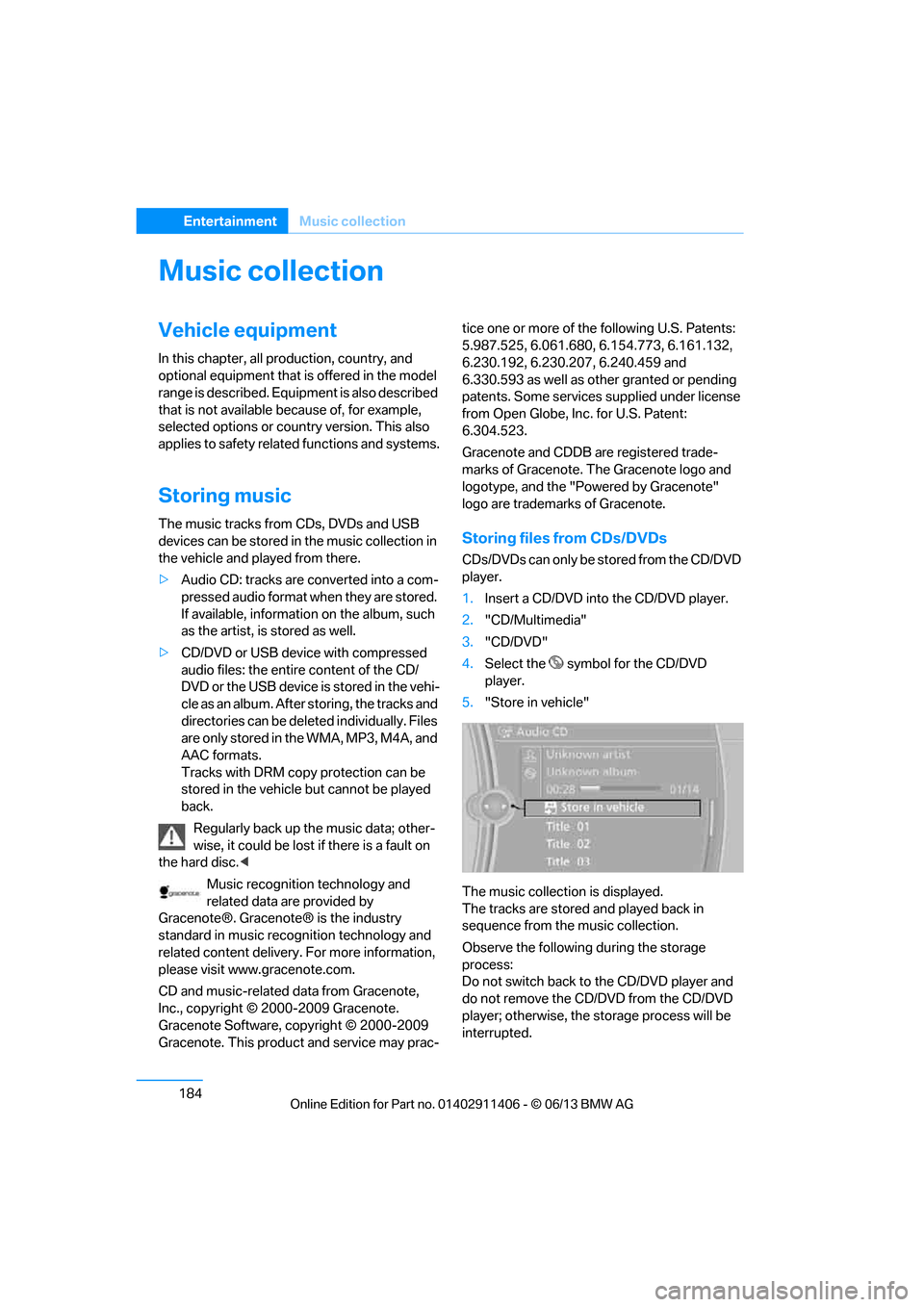
5. "Store in vehicle"
The music collection is displayed.
The tracks are stored and played back in
sequence from the music collection.
Observe the following during the storage
process:
Do not switch back to the CD/DVD player and
do not remove the CD/D VD from the CD/DVD
player; otherwise, the storage process will be
interrupted.
00320051004F004C00510048000300280047004C0057004C005200510003
Page 197 of 311
192
EntertainmentExternal devices
Random play sequence
The current list of tracks is played in random
sequence.
1. "CD/Multimedia"
2. "External devices"
3. Open "Options".
4. "Random"
Fast forward/reverse
Press and hold the button.
Video playback
Overview
Video playback possible via snap-in adapter.
They can be operated via iDrive. Sound is
output over the vehicle speakers.
Playback
For your own safety, the video image is only dis-
played up to approx. 2 mph/3 km/h and in some
market-specific versions, only with the parking
brake engaged or the selector lever of the auto-
matic transmission is in the park position.
1. "CD/Multimedia"
2. "External devices"
3. Select the symbol.
4. "Video"
5. Select the directory, if necessary.
To change to a higher level directory: move
the controller to the left.
6. Select the desired video file to begin
playback.
Video menu Notes
Do not expose the audio device to extreme
environmental conditions, e.g. very high tem-
peratures, refer to the operating instructions of
the audio device.
Depending on the configuration of the audio
files, e.g. bit rates greater than 256 Kbit/s,
proper playback cannot always be ensured.
Information on connection
>
The connected audio device is supplied
with a max. power of 500 mA if supported
by the device. For this reason, do not con-
nect the device to a charging socket in the
vehicle; otherwise, it may not be possible to
ensure proper playback.
> Do not use force when plugging the
connector into th e USB interface.
> Do not connect devices such as fans or
lamps to the USB audio interface.
> Do not connect USB hard drives.
> Do not use the USB audio interface to
recharge external devices.
Bluetooth audio
Overview
>It is possible to use Bluetooth to play music
files from external devices, e.g. audio
devices or mobile phones.
Using a mobile phone as an audio source,
refer to page 190.
> Bluetooth® is a registered trademark of
Bluetooth® SIG, Inc.
> Sound is output over the vehicle speakers.
> The volume of the so und output depends
on the device. If necessary, change the
volume setting on the device.
> Up to four external devices can be paired
with the vehicle.
SymbolFormat
Next video file
Previous video file
It may be necessary to click the
symbol twice in order to play the
previous video file.
00320051004F004C00510048000300280047004C0057004C005200510003
Page 200 of 311
195
External devices
Entertainment
Disconnecting an audio connection
1.
"CD/Multimedia"
2. "Bluetooth® (audio)"
3. Select the desired device from the list of
connected devices.
4. Open "Options".
5. "Configure phone"
6. "Audio"
7. "OK"
With a mobile phone, on ly the audio connection
is disconnected. All ot her connections remain
active.
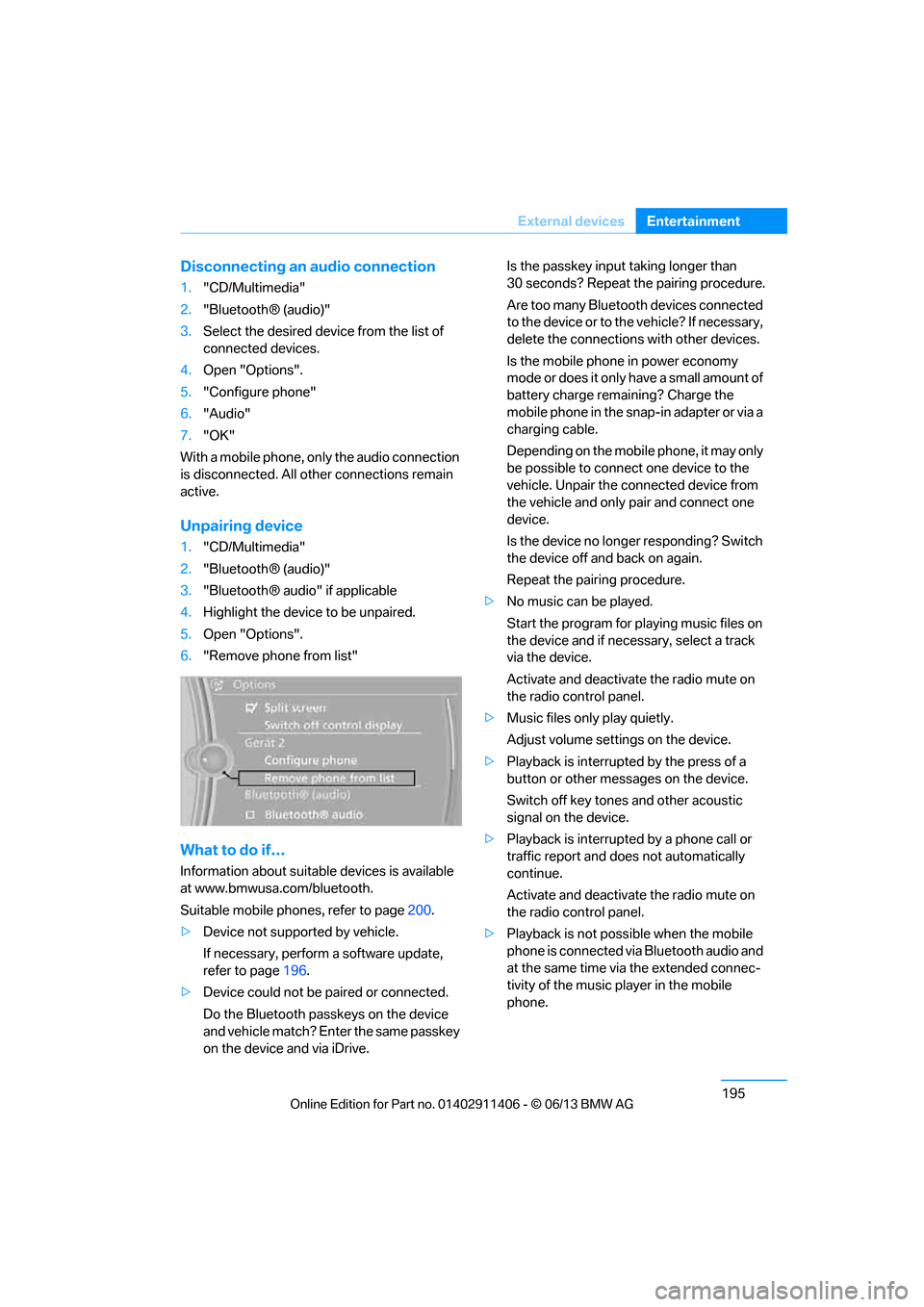
Unpairing device
1. "CD/Multimedia"
2. "Bluetooth® (audio)"
3. "Bluetooth® audio" if applicable
4. Highlight the device to be unpaired.
5. Open "Options".
6. "Remove phone from list"
What to do if…
Information about suitable devices is available
at www.bmwusa.com/bluetooth.
Suitable mobile phones, refer to page 200.
> Device not supported by vehicle.
If necessary, perform a software update,
refer to page 196.
> Device could not be paired or connected.
Do the Bluetooth passk eys on the device
and vehicle match? Enter the same passkey
on the device and via iDrive. Is the passkey input taking longer than
30 seconds? Repeat the pairing procedure.
Are too many Bluetooth devices connected
to the device or to th
e vehicle? If necessary,
delete the connections with other devices.
Is the mobile phone in power economy
mode or does it only have a small amount of
battery charge remaining? Charge the
mobile phone in the snap-in adapter or via a
charging cable.
Depending on the mobile phone, it may only
be possible to connect one device to the
vehicle. Unpair the connected device from
the vehicle and only pair and connect one
device.
Is the device no longer responding? Switch
the device off and back on again.
Repeat the pairing procedure.
> No music can be played.
Start the program for pl aying music files on
the device and if necessary, select a track
via the device.
Activate and deactivate the radio mute on
the radio control panel.
> Music files only play quietly.
Adjust volume settings on the device.
> Playback is interrupted by the press of a
button or other messages on the device.
Switch off key tones and other acoustic
signal on the device.
> Playback is interrupted by a phone call or
traffic report and does not automatically
continue.
Activate and deactivate the radio mute on
the radio control panel.
> Playback is not possible when the mobile
phone is connected via Bluetooth audio and
at the same time via the extended connec-
tivity of the music player in the mobile
phone.
00320051004F004C00510048000300280047004C0057004C005200510003
Page 209 of 311
204
CommunicationsTe l e p h o n e
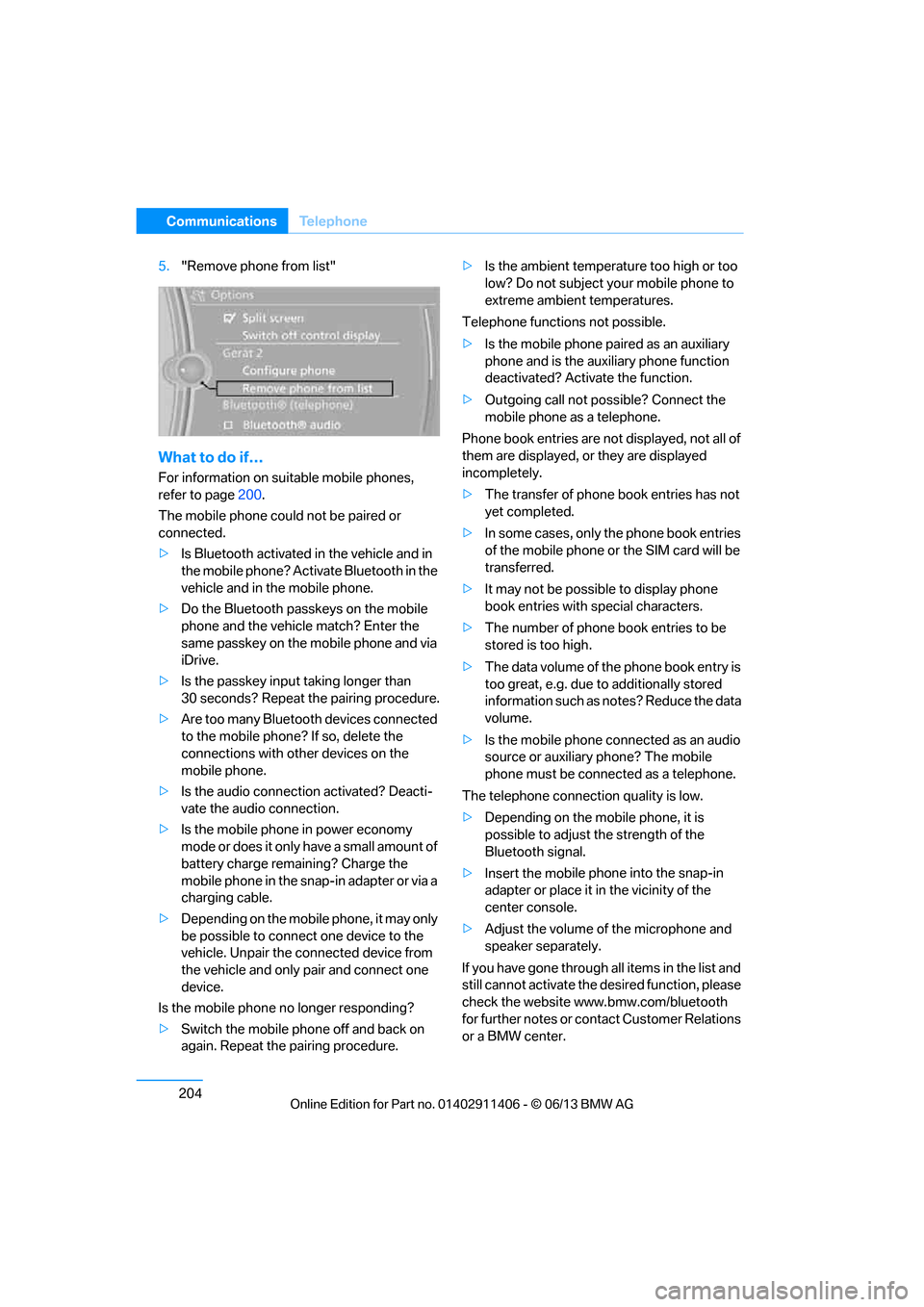
5."Remove phone from list"
What to do if…
For information on suitable mobile phones,
refer to page 200.
The mobile phone coul d not be paired or
connected.
> Is Bluetooth activated in the vehicle and in
the mobile phone? Acti vate Bluetooth in the
vehicle and in the mobile phone.
> Do the Bluetooth passkeys on the mobile
phone and the vehicl e match? Enter the
same passkey on the mobile phone and via
iDrive.
> Is the passkey input taking longer than
30 seconds? Repeat the pairing procedure.
> Are too many Bluetooth devices connected
to the mobile phone? If so, delete the
connections with other devices on the
mobile phone.
> Is the audio connection activated? Deacti-
vate the audio connection.
> Is the mobile phone in power economy
mode or does it only have a small amount of
battery charge remaining? Charge the
mobile phone in the snap-in adapter or via a
charging cable.
> Depending on the mobile phone, it may only
be possible to connect one device to the
vehicle. Unpair the connected device from
the vehicle and only pair and connect one
device.
Is the mobile phone no longer responding?
> Switch the mobile phone off and back on
again. Repeat the pairing procedure. >
Is the ambient temperature too high or too
low? Do not subject yo ur mobile phone to
extreme ambient temperatures.
Telephone functions not possible.
> Is the mobile phone pa ired as an auxiliary
phone and is the aux iliary phone function
deactivated? Activa te the function.
> Outgoing call not po ssible? Connect the
mobile phone as a telephone.
Phone book entries are not displayed, not all of
them are displayed, or they are displayed
incompletely.
> The transfer of phone book entries has not
yet completed.
> In some cases, only the phone book entries
of the mobile phone or the SIM card will be
transferred.
> It may not be possible to display phone
book entries with special characters.
> The number of phone book entries to be
stored is too high.
> The data volume of th e phone book entry is
too great, e.g. due to additionally stored
information such as no tes? Reduce the data
volume.
> Is the mobile phone connected as an audio
source or auxiliary phone? The mobile
phone must be connected as a telephone.
The telephone connecti on quality is low.
> Depending on the mob ile phone, it is
possible to adjust the strength of the
Bluetooth signal.
> Insert the mo bile ph
one into the snap-in
adapter or place it in the vicinity of the
center console.
> Adjust the volume of the microphone and
speaker separately.
If you have gone through all items in the list and
still cannot activate the de sired function, please
check the website www.bmw.com/bluetooth
for further notes or contact Customer Relations
or a BMW center.
00320051004F004C00510048000300280047004C0057004C005200510003
Page 275 of 311
270
MobilityReplacing components
When mounting new tires or changing over
from summer to winter tires and vice versa,
mount run-flat tires for your own safety. In the
event of a flat, no spare wheel is available. Your
BMW center will be glad to advise you. Refer
also to New wheels and tires, page 252.
The tools for changing wheels are avail-
able as optional accessories from your
BMW center. <
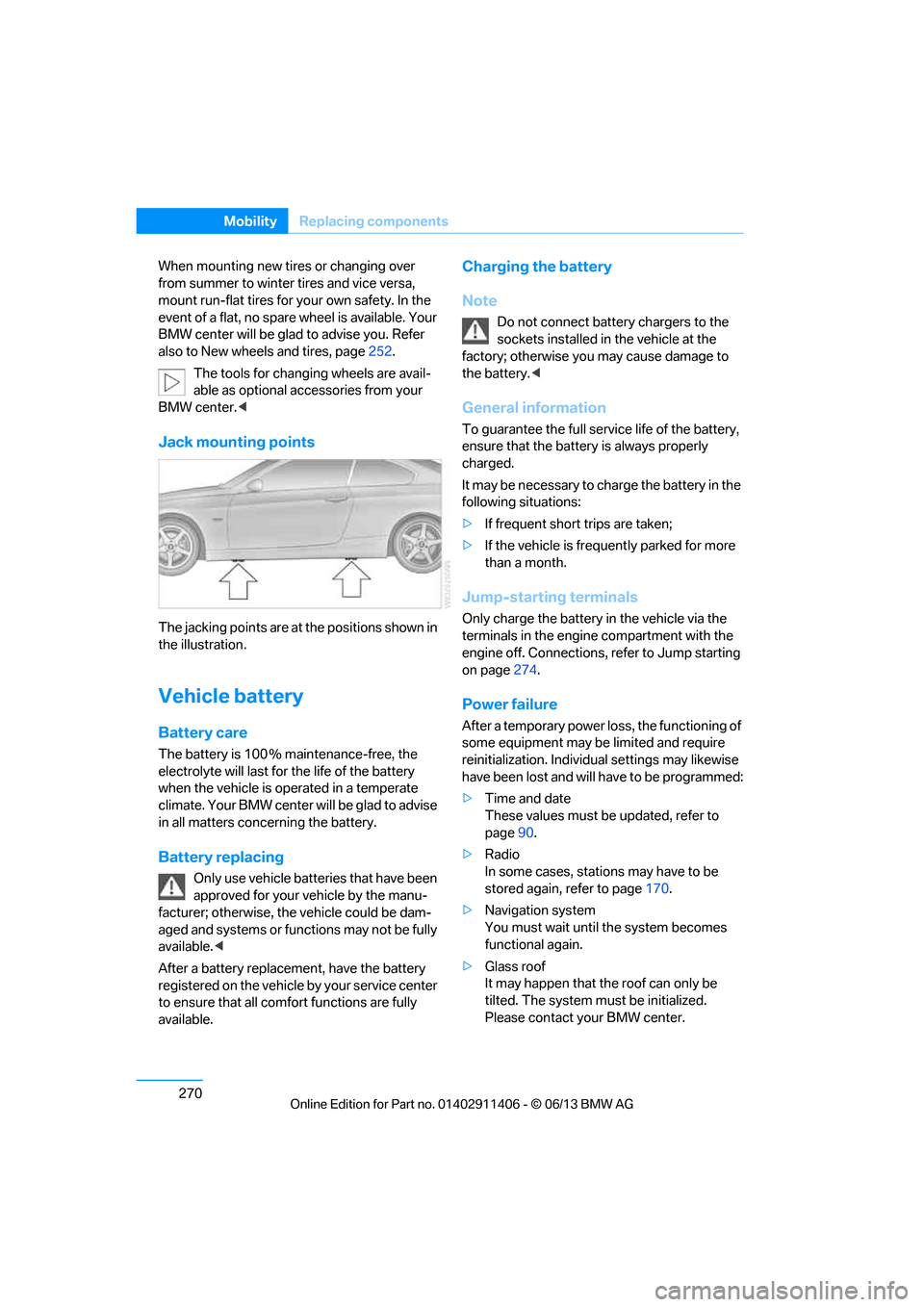
Jack mounting points
The jacking points are at the positions shown in
the illustration.
Vehicle battery
Battery care
The battery is 100 % maintenance-free, the
electrolyte will last for the life of the battery
when the vehicle is operated in a temperate
climate. Your BMW center will be glad to advise
in all matters conc erning the battery.
Battery replacing
Only use vehicle batteries that have been
approved for your vehicle by the manu-
facturer; otherwise, the vehicle could be dam-
aged and systems or functions may not be fully
available. <
After a battery replacem ent, have the battery
registered on the vehicle by your service center
to ensure that all comfort functions are fully
available.
Charging the battery
Note
Do not connect battery chargers to the
sockets installed in the vehicle at the
factory; otherwise you may cause damage to
the battery. <
General information
To guarantee the full serv ice life of the battery,
ensure that the battery is always properly
charged.
It may be necessary to ch arge the battery in the
following situations:
> If frequent short trips are taken;
> If the vehicle is frequently parked for more
than a month.
Jump-starting terminals
Only charge the battery in the vehicle via the
terminals in the engine compartment with the
engine off. Connections, refer to Jump starting
on page 274.
Power failure
After a temporary power lo ss, the functioning of
some equipment may be limited and require
reinitialization. Individual settings may likewise
have been lost and will have to be programmed:
> Time and date
These values must be updated, refer to
page 90.
> Radio
In some cases, statio ns may have to be
stored again, refer to page 170.
> Navigation system
You must wait until the system becomes
functional again.
> Glass roof
It may happen that the roof can only be
tilted. The system must be initialized.
Please contact your BMW center.
00320051004F004C00510048000300280047004C0057004C005200510003
Page 280 of 311
275
Giving and receiving assistance
Mobility
Starting the engine
1.
Start the engine of the donor vehicle and
allow it to run for a fe w minutes at slightly
increased idle speed.
2. Start the engine on the other vehicle in the
usual way.
If the first start attempt is not successful,
wait a few minutes be fore another attempt
in order to allow the discharged battery to
recharge.
3. Let the engines run for a few minutes.
4. Disconnect the jumper cables by reversing
the above connecting sequence.
If necessary, have th e battery checked and
recharged.
Never use spray fluids to start the
engine. <
Tow-starting, towing away
Observe the applicable laws and
regulations for tow-starting and towing
vehicles.<
Do not transport any passengers other
than the driver in a vehicle that is being
towed. <
Using a tow fitting
The screw-in tow fitting must always be carried
in the car. It can be sc rewed in at the front or
rear of the BMW.
Coupe: it is stored in the onboard vehicle tool kit
underneath the cover on the right-hand side of
the trunk, refer to page 266.
Convertible: it is stored in the onboard vehicle
tool kit underneath the trunk floor, refer to
page 266.
Use only the tow fitting provided with the
vehicle and screw it a ll the way in. Use the
tow fitting for towing on paved roads only. Avoid
lateral loading of the tow fitting, e.g. do not lift
the vehicle by the tow fitting. Otherwise, the
tow fitting and the vehicle could be damaged. <
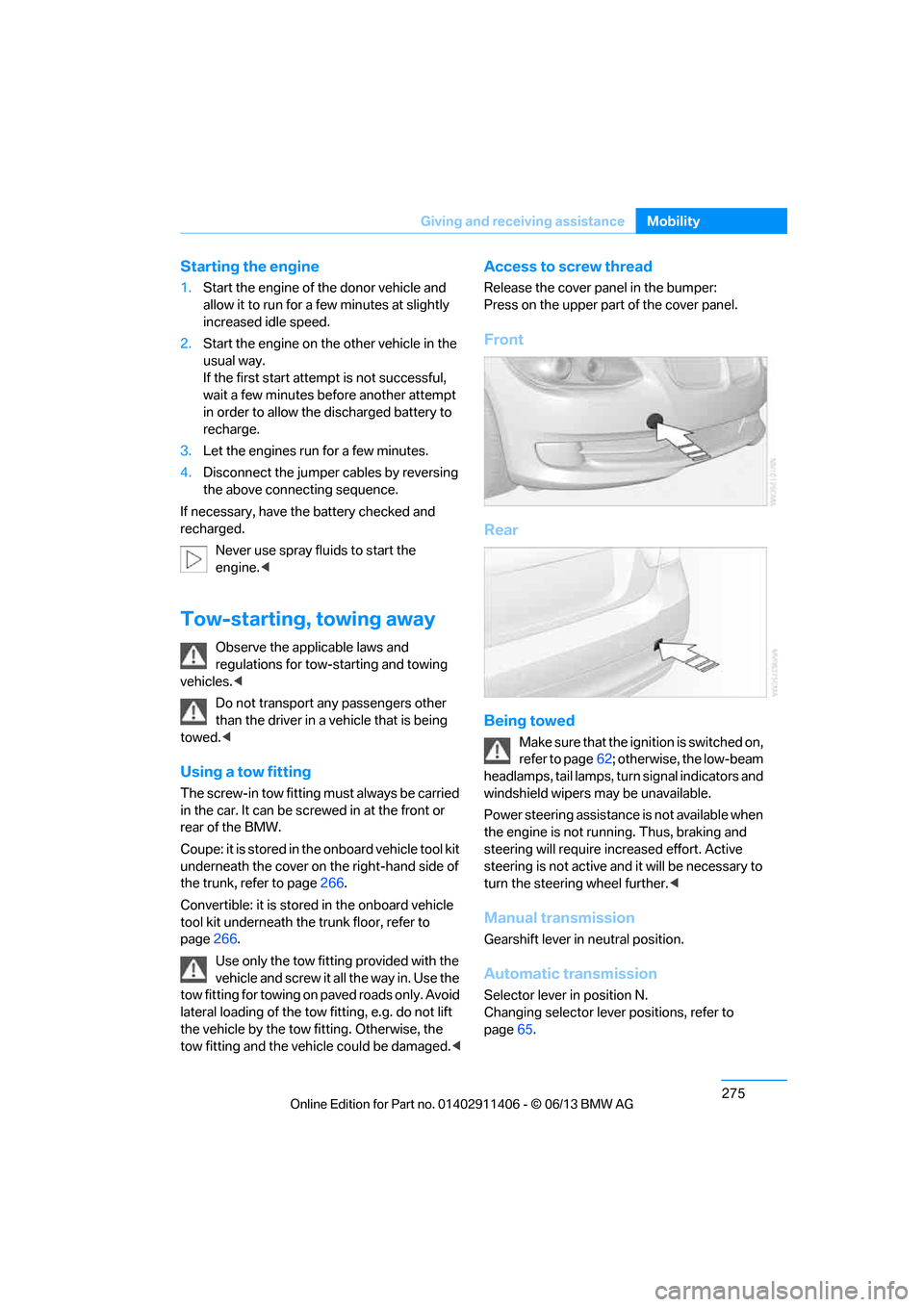
Access to screw thread
Release the cover panel in the bumper:
Press on the upper part of the cover panel.
Front
Rear
Being towed
Make sure that the ignition is switched on,
refer to page62; otherwise, the low-beam
headlamps, tail lamps, turn signal indicators and
windshield wipers may be unavailable.
Power steering assistance is not available when
the engine is not running. Thus, braking and
steering will require in creased effort. Active
steering is not active an d it will be necessary to
turn the steering wheel further. <
Manual transmission
Gearshift lever in neutral position.
Automatic transmission
Selector lever in position N.
Changing selector lever positions, refer to
page65.
00320051004F004C00510048000300280047004C0057004C005200510003
Page 296 of 311
291
Everything from A to Z
Reference
Automatic recirculated air
control AUC 117
Automatic Service Request 227
Automatic transmission with
Steptronic 65
– interlock 65
– overriding selector lever
lock 67
– shiftlock, refer to Changing selector lever position 65
– sport program 66
– towing 275
– tow-starting 275
AUTO program for automatic climate control 116
AUX-In connection 125,189
Available services 228
Average fuel consumption 85
– setting the units 88
Average speed 85
Avoid highways in
navigation 155
Avoiding unintentional alarms 39
Axle loads, refer to Weights 281
B
Backing up the music
collection 188
Backrest contour, refer to Lumbar support 50
Backrests, refer to Seat adjustment 49
Backrest width adjustment 50
Back seats
– refer to Rear seats 52
Bag holder 129
Band-aids, refer to First aid pouch 273
Bar, refer to Towing
methods 276 Base plate for telephone or
mobile phone
– refer to Snap-in adapter 211
– refer to Snap-in adapter in the center armrest storage
compartment 124
Bass, tone control 167
Battery 270
– charging 270
– disposal 41,271
– jump starting 274
– remote control 32
– replacing 270
– temporary power failure 270
Battery renewal
– remote control 41
– remote control for vehicle 41
Being towed 275
Belt hand-over 54
– pinch protection system 55
Belts, refer to Safety belts 54
Belt tensioner, refer to Safety
belts 54
Beverage holders, refer to Cupholders 125
Black ice, refer to Outside temperature warning 83
Blinds, refer to Roller
sunblinds 124
Blower, refer to Air volume 117
Bluetooth, activating/ deactivating 201
Bluetooth audio 192
– disconnecting an audio connection 195
– pairing device 193
– playback 194
– unpairing device 195
– what to do if … 195
BMW Assist 224
– updating 228
BMW Homepage 4
BMW Info 218
BMW Maintenance
System 260
BM
W Online 226 BMW webpage
4
Bottle holders, refer to
Cupholders 125
Brake Assist, refer to Dynamic Brake Control DBC 97
Brake fluid, refer to Service requirements 88
Brake Force Display 106
Brake lights
– brake force display 106
Brake pads 136
– breaking in 136
Brake pedal, refer to Braking safely 138
Brake rotors 139
– brakes 136
– breaking in 136
Brakes
– ABS 97
– BMW Maintenance System 260
– brake force display 106
– breaking in 136
– parking brake 64
– service requirements 88
Brakes, refer to Braking safely 138
Brake system 136
– BMW Maintenance System 260
– breaking in 136
– disc brakes 139
Breakdown services, refer to Roadside Assistance 273
Breaking in the clutch 136
Breaking in the differential, refer to Engine and
differential 136
Break-in period 136
Brightness of the Control
Display 95
Bulb changing, refer to Lamps and bulbs 266
Button for starting the engine, refer to Start/Stop button 62
Buttons on the steering
wheel 13
00320051004F004C00510048000300280047004C0057004C005200510003
Page 301 of 311
296
ReferenceEverything from A to Z
Gasoline display, refer to Fuel
gauge 84
Gas station recommendations 157
Gear indicator, automatic
transmission with
Steptronic 65
Gear indicator, refer to
Displays in the instrument
cluster 68
Gearshift lever 68
– automatic transmission with Steptronic 65
– manual transmission 65
Gearshifts
– automatic transmission with Steptronic 65
– manual transmission 65
General driving notes 137
Glass roof, electric 43
– convenient opening and closing 34
– convenient opening and closing with Comfort
Access 40
– initializing 44
– opening, closing 43
– pinch protection system 43
– power failure 44
– remote control 34
– tilting 43
Glove compartment 124
GPS navigation, refer to Navigation system 144
Grills 115
Gross vehicle weight, refer to Weights 281
H
Handbrake, refer to Parking
brake 64
Hands-free system 16,209
Hardtop label 128
Hardtop sticker 128
Hazard warning flashers 16HDC Hill Descent Control
99
HD Radio 171
Head airbags 107
Headlamp control, automatic 110
Headlamp flasher 72
– indicator lamp 13,15
Head Light, refer to Adaptive
Light Control 111
Head restraints 51
– rear, removing 52
– sitting safely 48
Heated
– mirrors 55
– rear window 118
– seats 53
– steering wheel 57
Heating
– mirrors 55
– rear window 118
– seats 53
– steering wheel 57
Heating and ventilation, refer to Climate 115
Heavy loads, refer to Stowing
cargo 140
Height, refer to Dimensions 280
Height adjustment
– seats 49
– steering wheel 56
High-beam Assistant 112
High beams 112
– headlamp flasher 112
– indicator lamp 15
High beams and low beams, automatic, refer to High-
beam Assistant 112
High-pressure washer 262
High water, refer to Driving
through water 138
Highways, refer to Route criteria 155
Hill Descent Control HDC 99
Hills 139
Holders for cups 125Homepage BMW
4
Hood 255
Hooks for shopping bags 129
Horn 12,
13
Hotel function, refer to
Locking o
r unlocking
separately 37
Hot exhaust system 138
Hydraulic brake assist, refer to Dynamic Brake Control 97
Hydroplaning 138
I
IBOC, refer to HD radio 171
Ice warning, refer to Outside
temperature warning 83
Identification marks
– run-flat tires 253
– tire coding 250
iDrive 20
– adjusting brightness 95
– changing date and time 91
– changing language 95
– changing settings 95
– changing units of measure and display format 88
– controls 20
– menu guidance 21
– operating principle 20
– overview 20
– start menu 21
– status information 23
iDrive operating principle 20
Ignition 63
– switched off 63
– switched on 63
Ignition key, refer to Remote control with integrated
key 32
Ignition key position 1, refer to Radio readiness 62
Ignition key position 2, refer to
Ignition on 63
Ignition lock 62
Imprint 2
00320051004F004C00510048000300280047004C0057004C005200510003
Page 302 of 311
297
Everything from A to Z
Reference
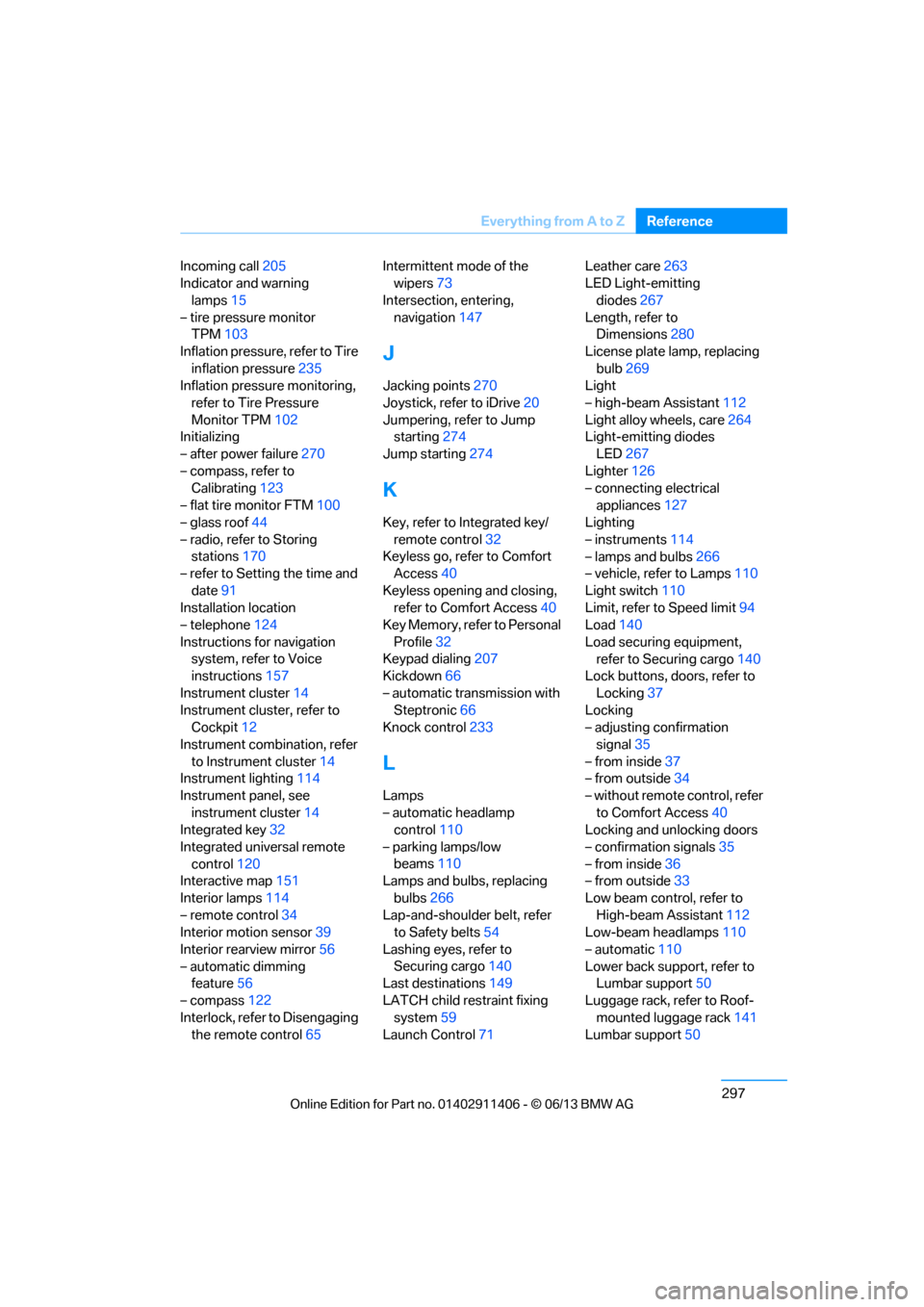
Incoming call
205
Indicator and warning
lamps 15
– tire pressure monitor TPM 103
Inflation pressure, refer to Tire inflation pressure 235
Inflation pressure monitoring,
refer to Tire Pressure
Monitor TPM 102
Initializing
– after power failure 270
– compass, refer to Calibrating 123
– flat tire monitor FTM 100
– glass roof 44
– radio, refer to Storing stations 170
– refer to Setting the time and
date 91
Installation location
– telephone 124
Instructions for navigation system, refer to Voice
instructions 157
Instrument cluster 14
Instrument cluster, refer to Cockpit 12
Instrument combination, refer to Instrument cluster 14
Instrument lighting 114
Instrument panel, see instrument cluster 14
Integrated key 32
Integrated universal remote control 120
Interactive map 151
Interior lamps 114
– remote control 34
Interior motion sensor 39
Interior rearview mirror 56
– automatic dimming feature 56
– compass 122
Interlock, refer to Disengaging the remote control 65Intermittent mode of the
wipers 73
Intersection, entering, navigation 147
J
Jacking points 270
Joystick, refer to iDrive 20
Jumpering, refer to Jump starting 274
Jump starting 274
K
Key, refer to Integrated key/
remote control 32
Keyless go, refer to Comfort Access 40
Keyless opening and closing, refer to Comfort Access 40
Key Memory, refer to Personal
Profile 32
Keypad dialing 207
Kickdown 66
– automatic transmission with Steptronic 66
Knock control 233
L
Lamps
– automatic headlamp
control 110
– parking lamps/low beams 110
Lamps and bulbs, replacing
bulbs 266
Lap-and-shoulder belt, refer
to Safety belts 54
Lashing eyes, refer to Securing cargo 140
Last destinations 149
LATCH child restraint fixing system 59
Launch Control 71 Leather care
263
LED Light-emitting
diodes 267
Length, refer to Dimensions 280
License plate lamp, replacing bulb 269
Light
– high-beam Assistant 112
Light alloy wheels, care 264
Light-emitting diodes
LED 267
Lighter 126
– connecting electrical
appliances 127
Lighting
– instruments 114
– lamps and bulbs 266
– vehicle, refer to Lamps 110
Light switch 110
Limit, refer to Speed limit 94
Load 140
Load securing equipment, refer to Securing cargo 140
Lock buttons, doors, refer to
Locking 37
Locking
– adjusting confirmation
signal 35
– from inside 37
– from outside 34
– without remote control, refer to Comfort Access 40
Locking and unlocking doors
– confirmation signals 35
– from inside 36
– from outside 33
Low beam control, refer to High-beam Assistant 112
Low-beam headlamps 110
– automatic 110
Lower back support, refer to Lumbar support 50
Luggage rack, refer to Roof- mounted luggage rack 141
Lumbar support 50
00320051004F004C00510048000300280047004C0057004C005200510003
Page 304 of 311
299
Everything from A to Z
Reference
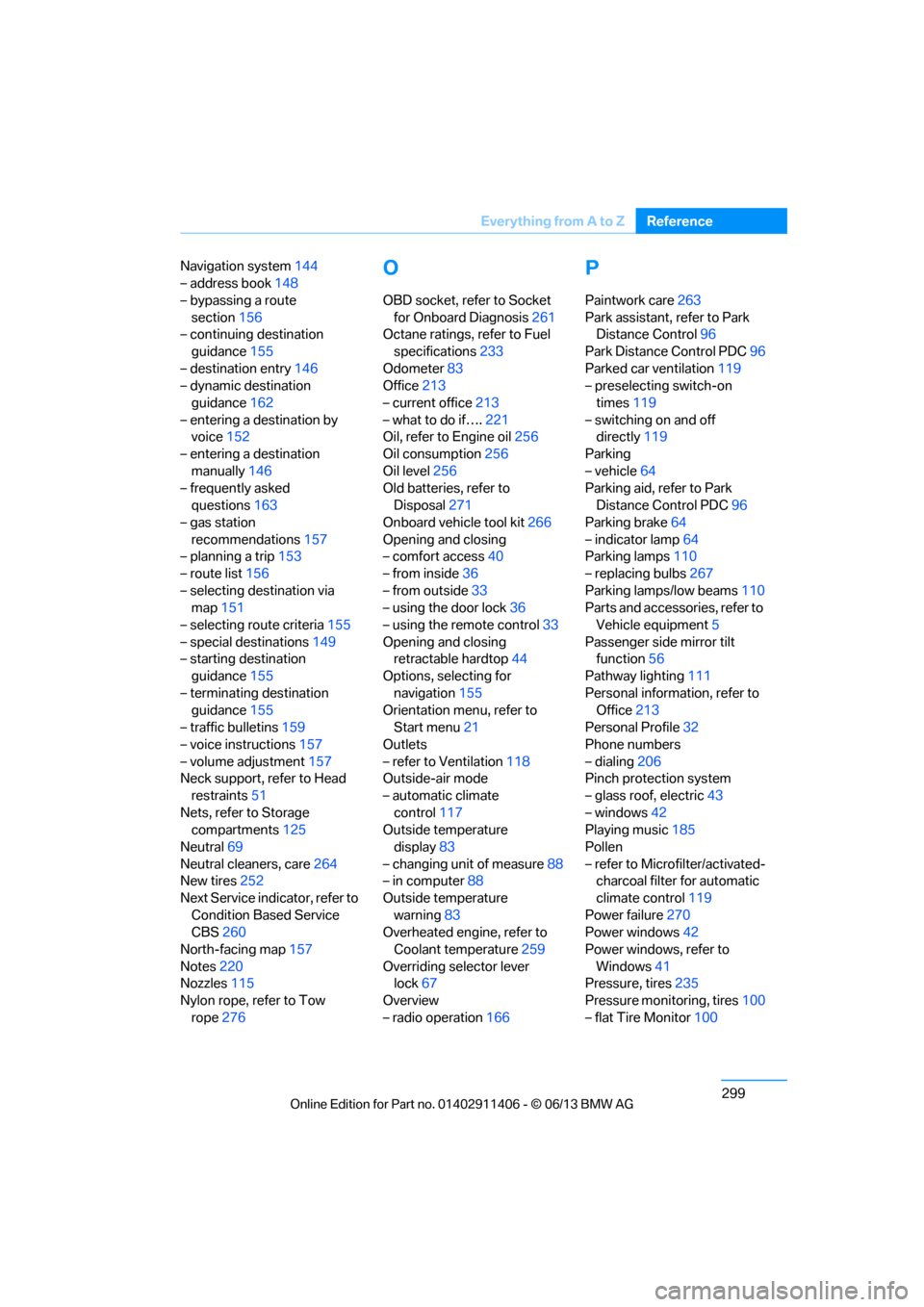
Navigation system
144
– address book 148
– bypassing a route section 156
– continuing destination
guidance 155
– destination entry 146
– dynamic destination
guidance 162
– entering a destination by voice 152
– entering a destination manually 146
– frequently asked
questions 163
– gas station
recommendations 157
– planning a trip 153
– route list 156
– selecting destination via map 151
– selecting route criteria 155
– special destinations 149
– starting destination guidance 155
– terminating destination guidance 155
– traffic bulletins 159
– voice instructions 157
– volume adjustment 157
Neck support, refer to Head
restraints 51
Nets, refer to Storage compartments 125
Neutral 69
Neutral cleaners, care 264
New tires 252
Next Service indicator, refer to Condition Based Service
CBS 260
North-facing map 157
Notes 220
Nozzles 115
Nylon rope, refer to Tow rope 276O
OBD socket, refer to Socket
for Onboard Diagnosis 261
Octane ratings, refer to Fuel
specifications 233
Odometer 83
Office 213
– current office 213
– what to do if…. 221
Oil, refer to Engine oil 256
Oil consumption 256
Oil level 256
Old batteries, refer to
Disposal 271
Onboard vehicle tool kit 266
Opening and closing
– comfort access 40
– from inside 36
– from outside 33
– using the door lock 36
– using the remote control 33
Opening and closing retractable hardtop 44
Options, selecting for
navigation 155
Orientation menu, refer to Start menu 21
Outlets
– refer to Ventilation 118
Outside-air mode
– automatic climate control 117
Outside temperature
display 83
– changing unit of measure 88
– in computer 88
Outside temperature warning 83
Overheated engine, refer to
Coolant temperature 259
Overriding selector lever lock 67
Overview
– radio operation 166
P
Paintwork care263
Park assistant, refer to Park Distance Control 96
Park Distance Control PDC 96
Parked car ventilation 119
– preselecting switch-on
times 119
– switching on and off directly 119
Parking
– vehicle 64
Parking aid, refer to Park
Distance Control PDC 96
Parking brake 64
– indicator lamp 64
Parking lamps 110
– replacing bulbs 267
Parking lamps/low beams 110
Parts and accessories, refer to Vehicle equipment 5
Passenger side mirror tilt function 56
Pathway lighting 111
Personal information, refer to Office 213
Personal Profile 32
Phone numbers
– dialing 206
Pinch protection system
– glass roof, electric 43
– windows 42
Playing music 185
Pollen
– refer to Microfilter/activated- charcoal filter for automatic
climate control 119
Power failure 270
Power windows 42
Power windows, refer to Windows 41
Pressure, tires 235
Pressure monitoring, tires 100
– flat Tire Monitor 100
00320051004F004C00510048000300280047004C0057004C005200510003