cluster BMW M3 COUPE 2013 E92 Owner's Guide
[x] Cancel search | Manufacturer: BMW, Model Year: 2013, Model line: M3 COUPE, Model: BMW M3 COUPE 2013 E92Pages: 311, PDF Size: 6.89 MB
Page 95 of 311
90
ControlsControls overview
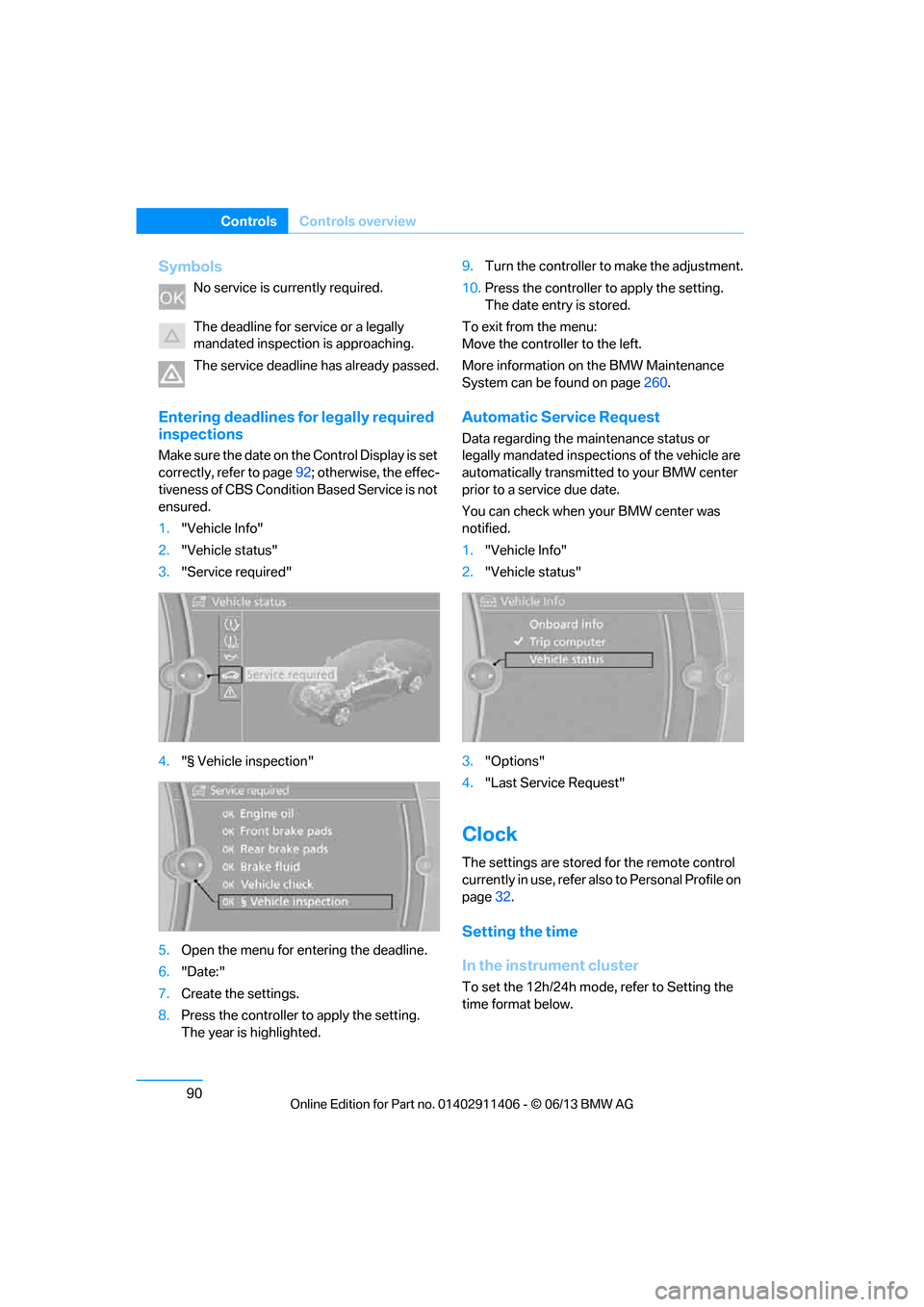
Symbols
No service is cu rrently required.
The deadline for serv ice or a legally
mandated inspection is approaching.
The service deadline has already passed.
Entering deadlines for legally required
inspections
Make sure the date on the Control Display is set
correctly, refer to page 92; otherwise, the effec-
tiveness of CBS Condition Based Service is not
ensured.
1. "Vehicle Info"
2. "Vehicle status"
3. "Service required"
4. "§ Vehicle inspection"
5. Open the menu for entering the deadline.
6. "Date:"
7. Create the settings.
8. Press the controller to apply the setting.
The year is highlighted. 9.
Turn the controller to make the adjustment.
10. Press the controller to apply the setting.
The date entry is stored.
To exit from the menu:
Move the controller to the left.
More information on the BMW Maintenance
System can be found on page 260.
Automatic Service Request
Data regarding the ma intenance status or
legally mandated inspecti ons of the vehicle are
automatically transmitted to your BMW center
prior to a service due date.
You can check when your BMW center was
notified.
1. "Vehicle Info"
2. "Vehicle status"
3. "Options"
4. "Last Service Request"
Clock
The settings are stored for the remote control
currently in use, refer also to Personal Profile on
page 32.
Setting the time
In the instrument cluster
To set the 12h/24h mode , refer to Setting the
time format below.
00320051004F004C00510048000300280047004C0057004C005200510003
Page 97 of 311
92
ControlsControls overview
Date
The settings are stored for the remote control
currently in use, refer also to Personal Profile on
page32.
Setting the date
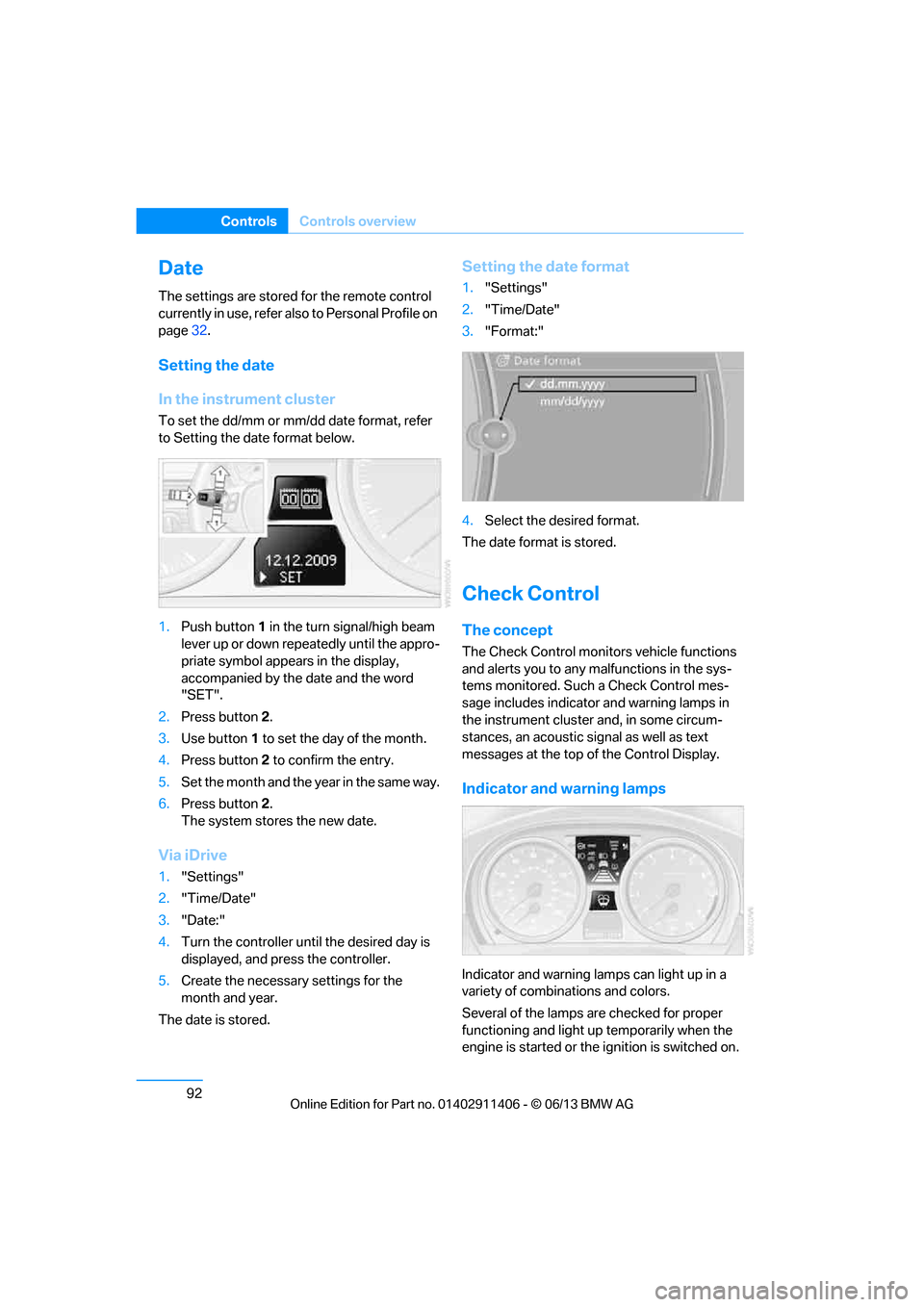
In the instrument cluster
To set the dd/mm or mm/dd date format, refer
to Setting the date format below.
1. Push button 1 in the turn signal/high beam
lever up or down repe atedly until the appro-
priate symbol appear s in the display,
accompanied by the date and the word
"SET".
2. Press button 2.
3. Use button 1 to set the day of the month.
4. Press button 2 to confirm the entry.
5. Set the month and the ye a r i n t he s a m e w a y .
6. Press button 2.
The system stores the new date.
Via iDrive
1. "Settings"
2. "Time/Date"
3. "Date:"
4. Turn the controller until the desired day is
displayed, and press the controller.
5. Create the necessary settings for the
month and year.
The date is stored.
Setting the date format
1. "Settings"
2. "Time/Date"
3. "Format:"
4. Select the desired format.
The date format is stored.
Check Control
The concept
The Check Control monitors vehicle functions
and alerts you to any malfunctions in the sys-
tems monitored. Such a Check Control mes-
sage includes indicato r and warning lamps in
the instrument cluster and, in some circum-
stances, an acoustic signal as well as text
messages at the top of the Control Display.
Indicator and warning lamps
Indicator and warning lamps can light up in a
variety of combinations and colors.
Several of the lamps are checked for proper
functioning and light up temporarily when the
engine is started or the ignition is switched on.
00320051004F004C00510048000300280047004C0057004C005200510003
Page 103 of 311
98
ControlsTechnology for driving comfort and safety
The laws of physics cannot be repealed,
even with DSC. An appropriate driving
style always remains th e responsibility of the
driver. Therefore, do not reduce the additional
safety margin again by taking risks, as this could
result in an accident. <
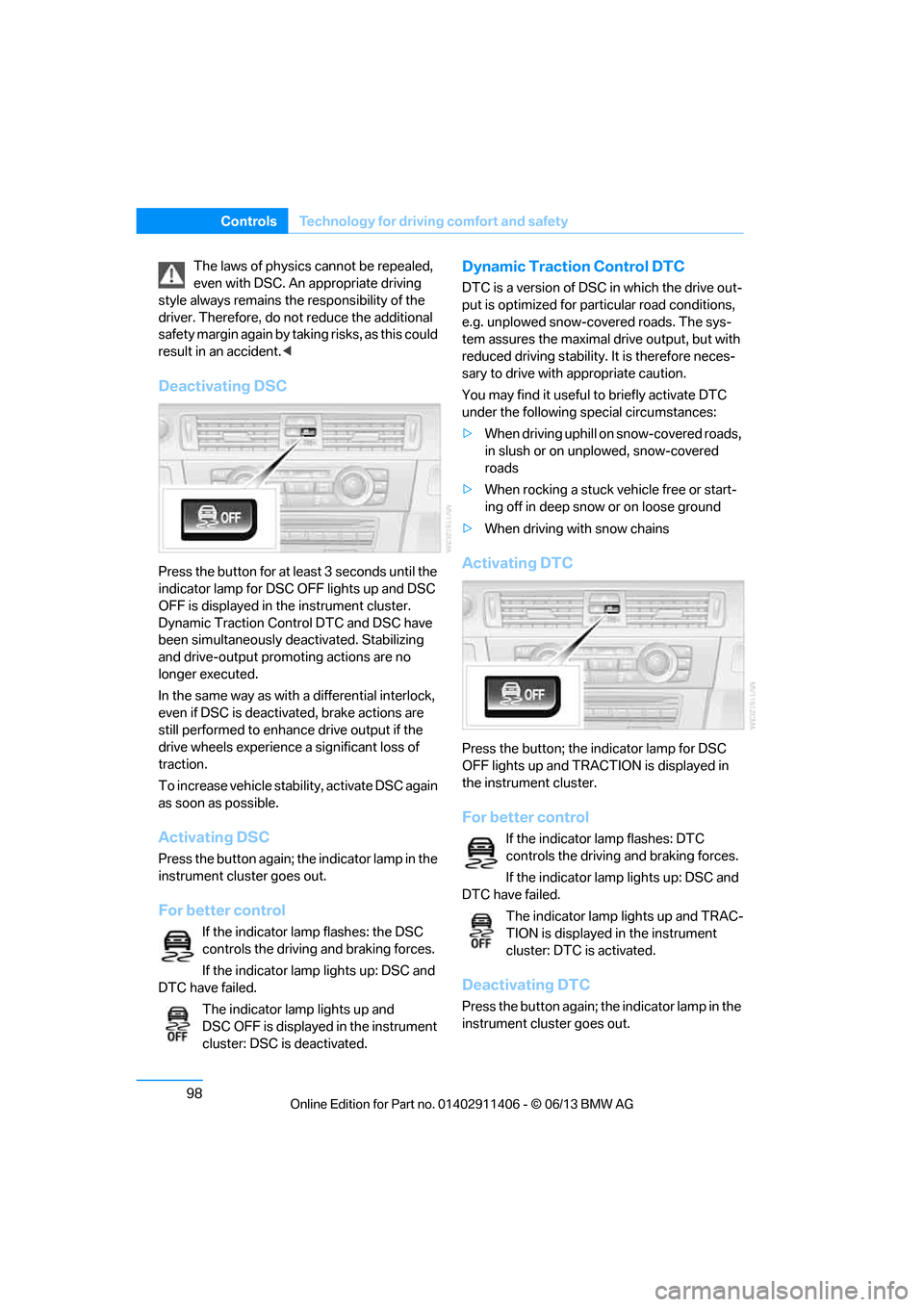
Deactivating DSC
Press the button for at le ast 3 seconds until the
indicator lamp for DSC OFF lights up and DSC
OFF is displayed in the instrument cluster.
Dynamic Traction Control DTC and DSC have
been simultaneously de activated. Stabilizing
and drive-output promoting actions are no
longer executed.
In the same way as with a differential interlock,
even if DSC is deactivated, brake actions are
still performed to enhance drive output if the
drive wheels experience a significant loss of
traction.
To increase vehicle stability, activate DSC again
as soon as possible.
Activating DSC
Press the button again; th e indicator lamp in the
instrument cluster goes out.
For better control
If the indicator lamp flashes: the DSC
controls the driving and braking forces.
If the indicator lamp lights up: DSC and
DTC have failed.
The indicator lamp lights up and
DSC OFF is displayed in the instrument
cluster: DSC is deactivated.
Dynamic Traction Control DTC
DTC is a version of DSC in which the drive out-
put is optimized for part icular road conditions,
e.g. unplowed snow-covered roads. The sys-
tem assures the maximal drive output, but with
reduced driving stability. It is therefore neces-
sary to drive with appropriate caution.
You may find it useful to briefly activate DTC
under the following sp ecial circumstances:
> When driving uphill on snow-covered roads,
in slush or on unplowed, snow-covered
roads
> When rocking a stuck vehicle free or start-
ing off in deep snow or on loose ground
> When driving with snow chains
Activating DTC
Press the button; the indicator lamp for DSC
OFF lights up and TRACTION is displayed in
the instrument cluster.
For better control
If the indicator lamp flashes: DTC
controls the driving and braking forces.
If the indicator lamp lights up: DSC and
DTC have failed.
The indicator lamp lights up and TRAC-
TION is displayed in the instrument
cluster: DTC is activated.
Deactivating DTC
Press the button again; th e indicator lamp in the
instrument cluster goes out.
00320051004F004C00510048000300280047004C0057004C005200510003
Page 104 of 311
99
Technology for driving comfort and safety
Controls
xDrive
xDrive is your BMW's fo
ur-wheel-drive system.
The combined efforts of xDrive and DSC help to
further optimize traction and driving dynamics.
The xDrive four-wheel-drive system distributes
driving power variably to the front and rear axles
depending on the driving situation and road
conditions.
Hill Descent Control HDC
HDC is a downhill driving assistant that controls
your speed on steep downhill gradients and
makes it even easier to control your BMW's
handling under these conditions. The vehicle
then moves slightly fast er than double walking
speed without the driver needing to intervene.
HDC is available for activation at vehicle speeds
below approx. 20 mph or 35 km/h. When driving
downhill at a speed of under approx. 20 mph or
35 km/h, the vehicle's speed is automatically
reduced to slightly more than double walking
speed and maintained.
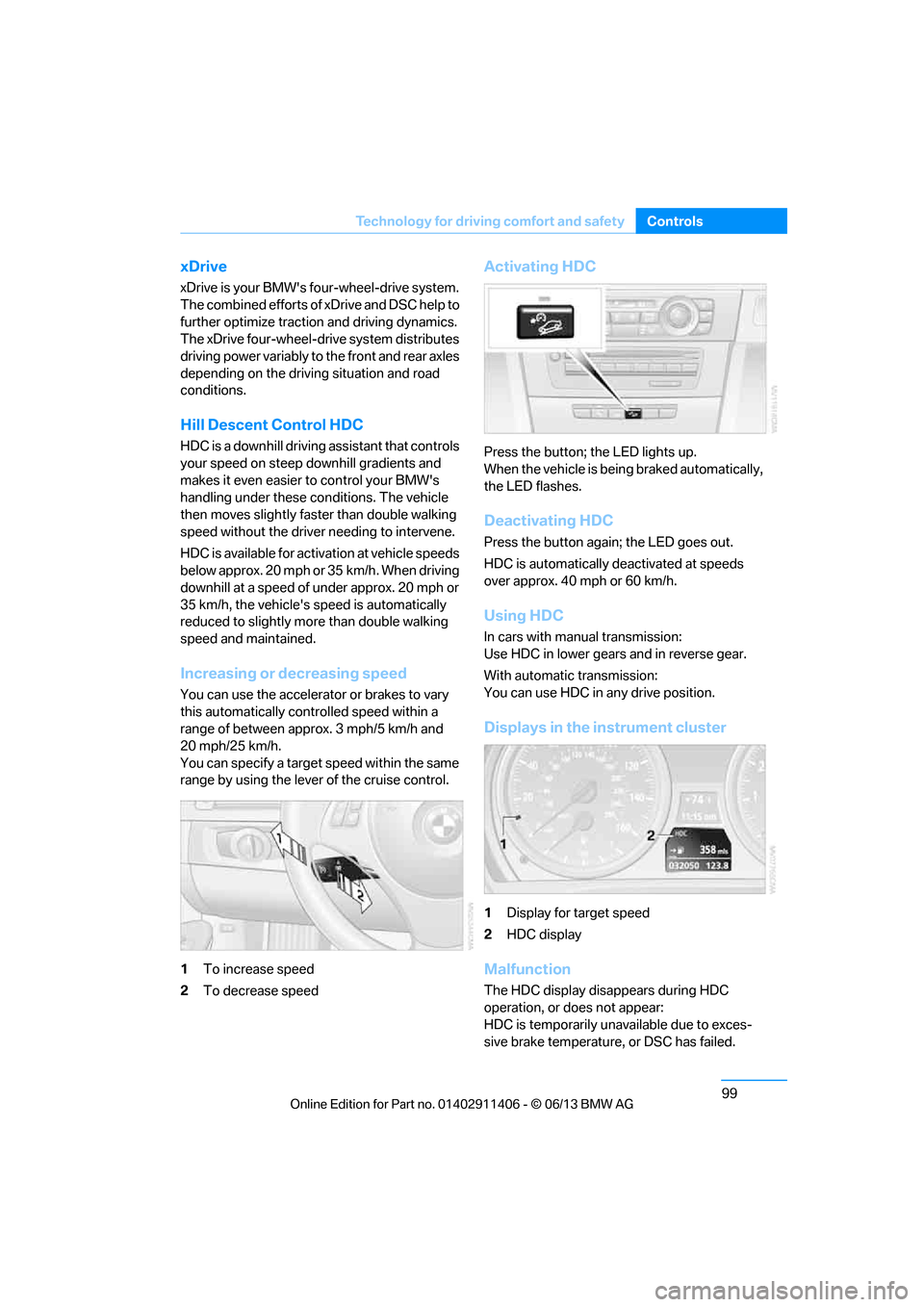
Increasing or de creasing speed
You can use the accelerato r or brakes to vary
this automatically cont rolled speed within a
range of between approx. 3 mph/5 km/h and
20 mph/25 km/h.
You can specify a target speed within the same
range by using the lever of the cruise control.
1 To increase speed
2 To decrease speed
Activating HDC
Press the button; the LED lights up.
When the vehicle is being braked automatically,
the LED flashes.
Deactivating HDC
Press the button again; the LED goes out.
HDC is automatically de activated at speeds
over approx. 40 mph or 60 km/h.
Using HDC
In cars with manual transmission:
Use HDC in lower gears and in reverse gear.
With automatic transmission:
You can use HDC in any drive position.
Displays in the instrument cluster
1 Display for target speed
2 HDC display
Malfunction
The HDC display disappears during HDC
operation, or does not appear:
HDC is temporarily unav ailable due to exces-
sive brake temperature, or DSC has failed.
00320051004F004C00510048000300280047004C0057004C005200510003
Page 117 of 311
112
ControlsLamps
The corner-illuminating lamp is switched on
automatically, depending on the steering wheel
angle or turn signal indicator.
Standstill function: to avoid blinding oncoming
traffic, the Adaptive Light Control does not
direct light toward the driver's side when the
vehicle is at a standstill.
When you are reversing, only the corner-illumi-
nating lamps are switched on and active on
both sides.
Malfunction
The warning lamp lights up. A mes-
sage appears on the Control Dis-
play.The Adaptive Light Control is
malfunctioning or failed. Have the system
checked as soon as possible.
High beams/roadside parking
lamps
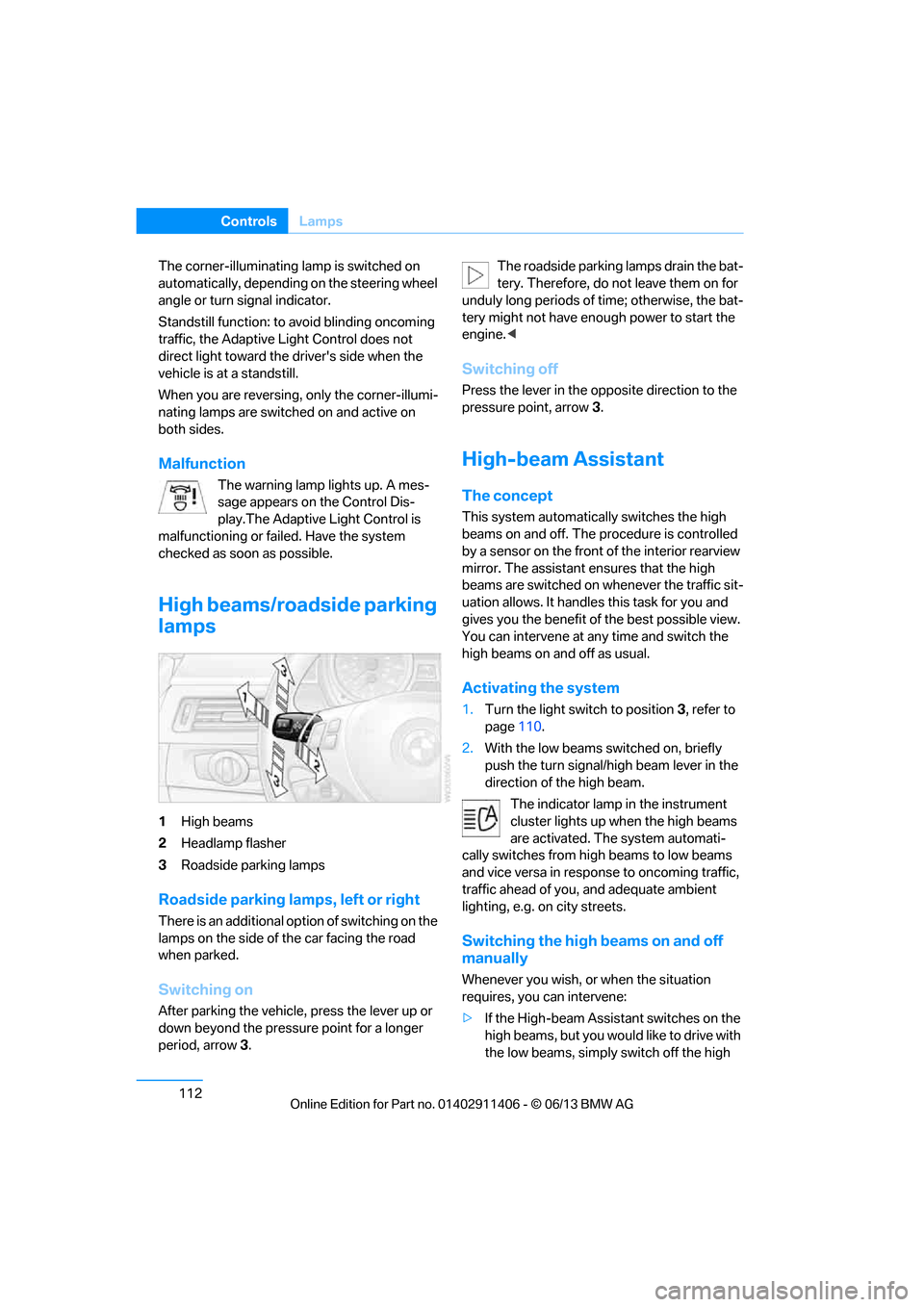
1 High beams
2 Headlamp flasher
3 Roadside parking lamps
Roadside parking lamps, left or right
There is an additional option of switching on the
lamps on the side of the car facing the road
when parked.
Switching on
After parking the vehicle, press the lever up or
down beyond the pressu re point for a longer
period, arrow 3. The roadside parking lamps drain the bat-
tery. Therefore, do not leave them on for
unduly long periods of time; otherwise, the bat-
tery might not have enou gh power to start the
engine. <
Switching off
Press the lever in the o pposite direction to the
pressure point, arrow 3.
High-beam Assistant
The concept
This system automatically switches the high
beams on and off. The procedure is controlled
by a sensor on the front of the interior rearview
mirror. The assistant ensures that the high
beams are switched on whenever the traffic sit-
uation allows. It handle s this task for you and
gives you the benefit of the best possible view.
You can intervene at any time and switch the
high beams on and off as usual.
Activating the system
1. Turn the light switch to position 3, refer to
page 110.
2. With the low beams switched on, briefly
push the turn signal/high beam lever in the
direction of the high beam.
The indicator lamp in the instrument
cluster lights up when the high beams
are activated. The system automati-
cally switches from hi gh beams to low beams
and vice versa in response to oncoming traffic,
traffic ahead of you, and adequate ambient
lighting, e.g. on city streets.
Switching the high beams on and off
manually
Whenever you wish, or when the situation
requires, you can intervene:
> If the High-beam Assistant switches on the
high beams, but you would like to drive with
the low beams, simply switch off the high
00320051004F004C00510048000300280047004C0057004C005200510003
Page 118 of 311
113
Lamps
Controls
beams using the turn signal/high beam
lever. This deacti
vates the High-beam
Assistant.
To reactivate the syst em, briefly push the
turn signal/high beam lever toward the high
beams again.
> If the High-beam Assistant switches on the
low beams, but you would like to drive with
the high beams, switch on the high beams
as usual. This deacti vates the system and
the high beams need to be switched off
manually, if necessary.
To reactivate the syst em, briefly push the
turn signal/high beam lever toward the high
beams again.
> Use the headlamp flasher as usual with the
low beams switched on.
System limitations
The High-beam Assistant cannot serve
as a substitute for the driver's personal
judgment of when to use the high beams.
Therefore, manually switch off the high beams
in situations where this is required to avoid a
safety risk.<
The system is not fully fu nctional in situations
such as the following, and driver intervention
may be necessary:
> In very unfavorable weather conditions,
such as fog or heavy precipitation
> In detecting poorly-lit road users, such as
pedestrians, cyclists, horseback riders and
wagons; when driving close to train or ship
traffic; and at animal crossings
> In tight curves, on hilltops or in depressions,
in cross traffic or half-obscured oncoming
traffic on highways
> In poorly lit towns and cities and in the
presence of highly reflective signs
> At low speeds
> When the windshield in front of the interior
rearview mirror is fogged over, dirty or
covered with stickers, etc. >
If the sensor is dirty. Clean the sensor on
the front of the interior r e a r v i e w m i r r o r u s i n g
a cloth moistened with a small amount of
glass cleaner.
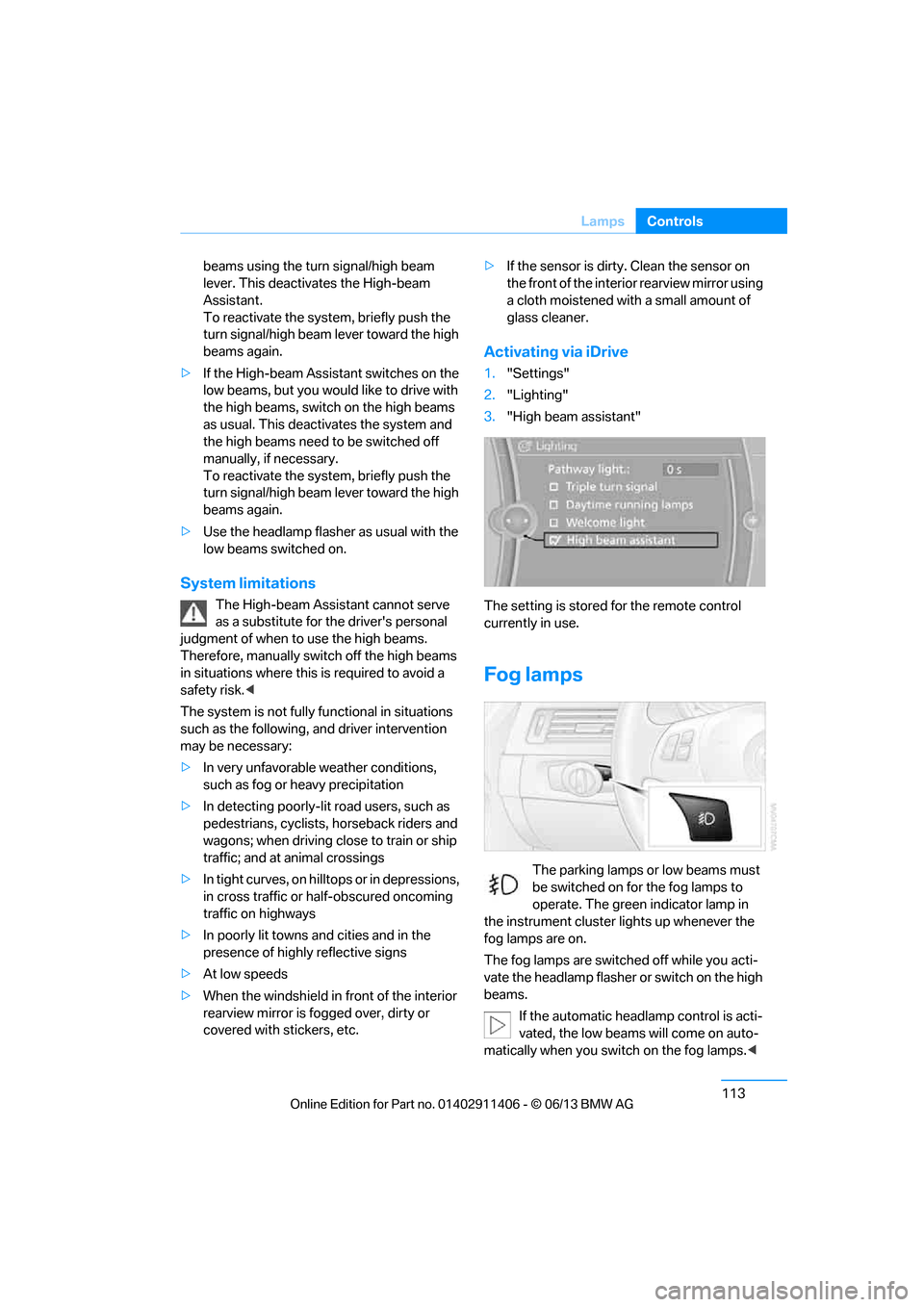
Activating via iDrive
1. "Settings"
2. "Lighting"
3. "High beam assistant"
The setting is stored for the remote control
currently in use.
Fog lamps
The parking lamps or low beams must
be switched on for the fog lamps to
operate. The green indicator lamp in
the instrument cluster lights up whenever the
fog lamps are on.
The fog lamps are switched off while you acti-
vate the headlamp flasher or switch on the high
beams.
If the automatic headla mp control is acti-
vated, the low beams will come on auto-
matically when you switch on the fog lamps. <
00320051004F004C00510048000300280047004C0057004C005200510003
Page 261 of 311
256
MobilityEngine compartment
Releasing
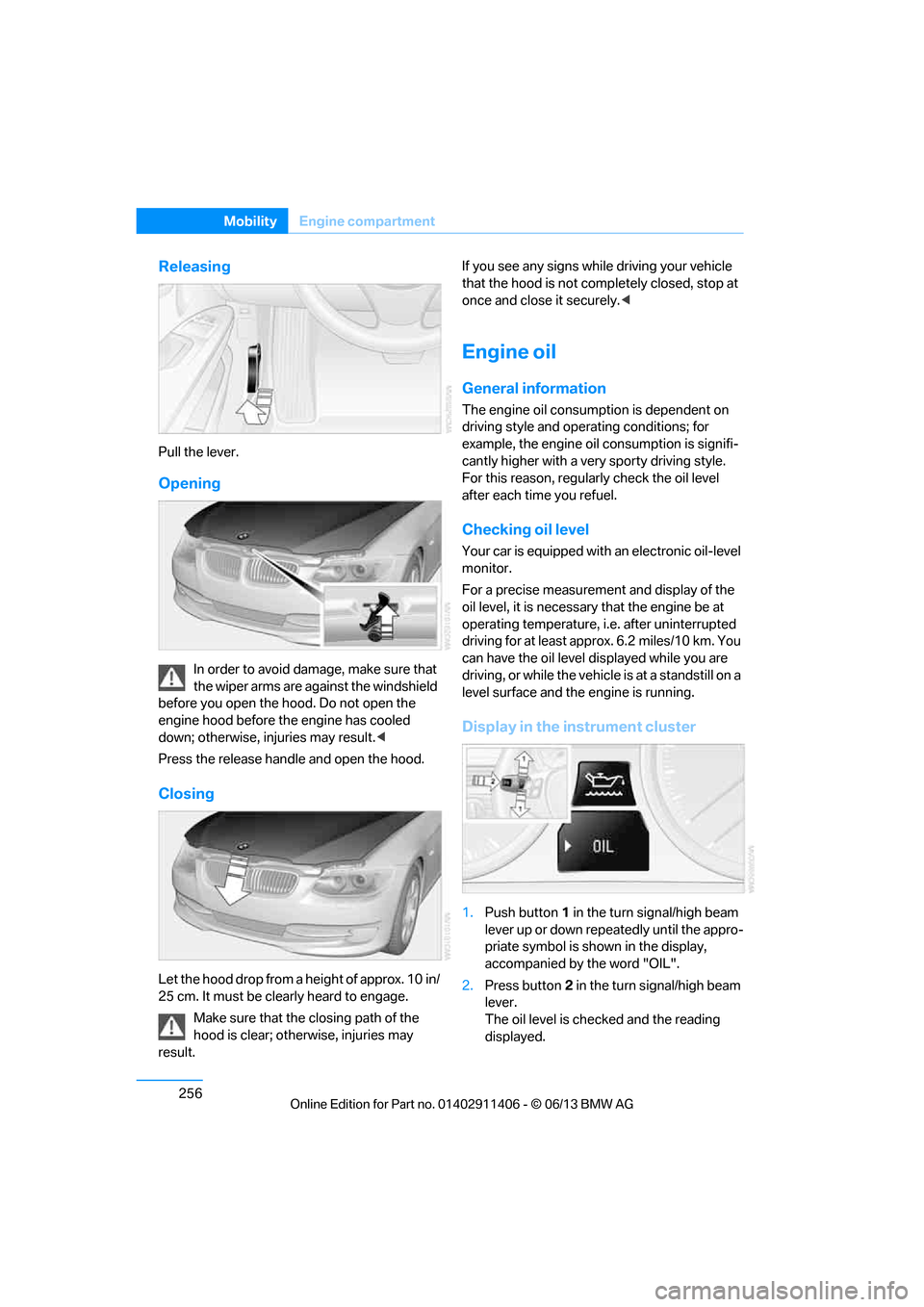
Pull the lever.
Opening
In order to avoid damage, make sure that
the wiper arms are against the windshield
before you open the hood. Do not open the
engine hood before the engine has cooled
down; otherwise, injuries may result. <
Press the release handle and open the hood.
Closing
Let the hood drop from a height of approx. 10 in/
25 cm. It must be clearly heard to engage. Make sure that the closing path of the
hood is clear; otherwise, injuries may
result. If you see any signs while driving your vehicle
that the hood is not comp
letely closed, stop at
once and close it securely. <
Engine oil
General information
The engine oil consumption is dependent on
driving style and operating conditions; for
example, the engine oil consumption is signifi-
cantly higher with a very sporty driving style.
For this reason, regularly check the oil level
after each time you refuel.
Checking oil level
Your car is equipped with an electronic oil-level
monitor.
For a precise measurement and display of the
oil level, it is necessar y that the engine be at
operating temperature, i.e. after uninterrupted
driving for at least approx. 6.2 miles/10 km. You
can have the oil level displayed while you are
driving, or while the vehicle is at a standstill on a
level surface and the engine is running.
Display in the instrument cluster
1.Push button 1 in the turn signal/high beam
lever up or down repe atedly until the appro-
priate symbol is shown in the display,
accompanied by the word "OIL".
2. Press button 2 in the turn signal/high beam
lever.
The oil level is chec ked and the reading
displayed.
00320051004F004C00510048000300280047004C0057004C005200510003
Page 269 of 311
264
MobilityCare
Use BMW Premium Leather Care since dirt and
grease will otherwise slowly affect the protec-
tive layer of the leather.
Suitable care products are available at your
BMW center.
Upholstery care
Regularly vacuum with a vacuum cleaner.
To remove severe spots such as beverage
stains, use a soft sponge or lint-free microfiber
cloth and suitable interior cleaners.
Clean the upholstery down to the seams using a
sweeping motion. Avoid strong rubbing.
Opened Velcro fasteners on pants or
other articles of clothing can damage the
seat covers. Ensure that Velcro fasteners are
closed. <
Care of special parts
Light-alloy wheels
When cleaning on the vehicle, use only neutral
rim cleaner with a pH value of 5 to 9. Do not use
coarse cleansers and do not use steam clean-
ers at temperatures greater than 140 7/60 6.
Follow manufacturer's instructions.
Aggressive, acid-containin g, or strongly alka-
line cleaning agents can destroy the protective
coating of nearby components such as the
brake discs.
Chrome look surfaces
Carefully clean vehicle parts such as the radia-
tor grill or door handles with copious quantities
of water and possibly a shampoo additive, par-
ticularly when roads are treated with deicing
salt.
Rubber parts
Treat only with water or rubber care products.
Do not use silicon-contain ing care products on
rubber seals; otherwise, noise and damage
could occur.
Fine wood parts
Clean fine wood trim and fine wood parts only
with a damp cloth. Wipe dry with a soft cloth.
Plastic parts
These include:
> Imitation leather surfaces
> Roofliner
> Lamp glasses
> Display pane of instrument cluster
> Parts spray painted matte black
> Painted parts in the passenger
compartment
Use a microfibre cloth for cleaning.
Moisten the cloth slightly with water.
Do not soak the roofliner.
Do not use any cleaners that contain alco-
hol or solvents such as lacquer thinner,
cold cleaning agents, fuel, and the like; other-
wise, you may damage the surfaces. <
Safety belts
Dirty belt straps impede the reeling action and
thus have a negative impact on safety.
Do not clean chemically, as this may
destroy the webbing. <
Only clean with a mild soap solution in the
installed state.
Only reel in seat be lts when they are dry.
Carpet and floor mats
Keep floor mats, carpet, and other objects
out of the movement range of the pedals;
otherwise, they may inhi bit the function of the
pedals during driving.
Do not place additional floor mats onto an
existing one or onto other objects.
Only use floor mats that have been approved for
the vehicle and can be appropriately fastened.
Make sure that the floo r mats are securely fas-
tened again after they ha ve been removed, e.g.
for cleaning. <
00320051004F004C00510048000300280047004C0057004C005200510003
Page 299 of 311
294
ReferenceEverything from A to Z
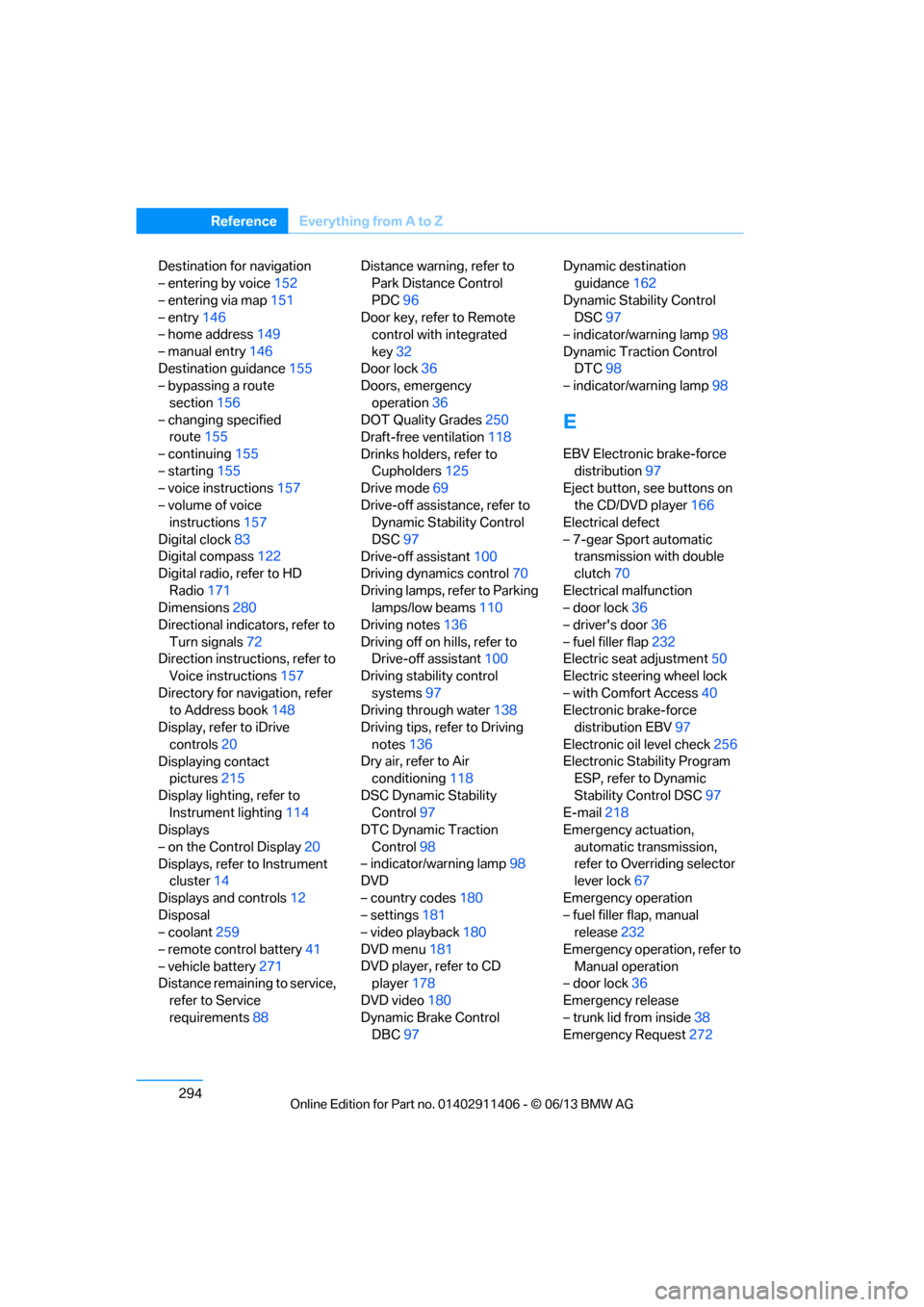
Destination for navigation
– entering by voice 152
– entering via map 151
– entry 146
– home address 149
– manual entry 146
Destination guidance 155
– bypassing a route
section 156
– changing specified route 155
– continuing 155
– starting 155
– voice instructions 157
– volume of voice instructions 157
Digital clock 83
Digital compass 122
Digital radio, refer to HD
Radio 171
Dimensions 280
Directional indicators, refer to
Turn signals 72
Direction instructions, refer to Voice instructions 157
Directory for navigation, refer to Address book 148
Display, refer to iDrive
controls 20
Displaying contact pictures 215
Display lighting, refer to Instrument lighting 114
Displays
– on the Control Display 20
Displays, refer to Instrument cluster 14
Displays and controls 12
Disposal
– coolant 259
– remote control battery 41
– vehicle battery 271
Distance remaining to service,
refer to Service
requirements 88 Distance warning, refer to
Park Distance Control
PDC 96
Door key, refer to Remote control with integrated
key 32
Door lock 36
Doors, emergency
operation 36
DOT Quality Grades 250
Draft-free ventilation 118
Drinks holders, refer to Cupholders 125
Drive mode 69
Drive-off assistance, refer to Dynamic Stability Control
DSC 97
Drive-off assistant 100
Driving dynamics control 70
Driving lamps, ref e
r to Parking
lamps/low beams 110
Driving notes 136
Driving off on hills, refer to Drive-off assistant 100
Driving stability control
systems 97
Driving through water 138
Driving tips, refer to Driving
notes 136
Dry air, refer to Air conditioning 118
DSC Dynamic Stability Control 97
DTC Dynamic Traction
Control 98
– indicator/warning lamp 98
DVD
– country codes 180
– settings 181
– video playback 180
DVD menu 181
DVD player, refer to CD player 178
DVD video 180
Dynamic Brake Control DBC 97 Dynamic destination
guidance 162
Dynamic Stability Control DSC 97
– indicator/warning lamp 98
Dynamic Traction Control DTC 98
– indicator/warning lamp 98
E
EBV Electronic brake-force
distribution 97
Eject button, see buttons on
the CD/DVD player 166
Electrical defect
– 7-gear Sport automatic transmission with double
clutch 70
Electrical malfunction
– door lock 36
– driver's door 36
– fuel filler flap 232
Electric seat adjustment 50
Electric steering wheel lock
– with Comfort Access 40
Electronic brake-force distribution EBV 97
Electronic oil level check 256
Electronic Stability Program ESP, refer to Dynamic
Stability Control DSC 97
E-mail 218
Emergency actuation,
automatic transmission,
refer to Overriding selector
lever lock 67
Emergency operation
– fuel filler flap, manual release 232
Emergency operation, refer to Manual operation
– door lock 36
Emergency release
– trunk lid from inside 38
Emergency Request 272
00320051004F004C00510048000300280047004C0057004C005200510003
Page 301 of 311
296
ReferenceEverything from A to Z
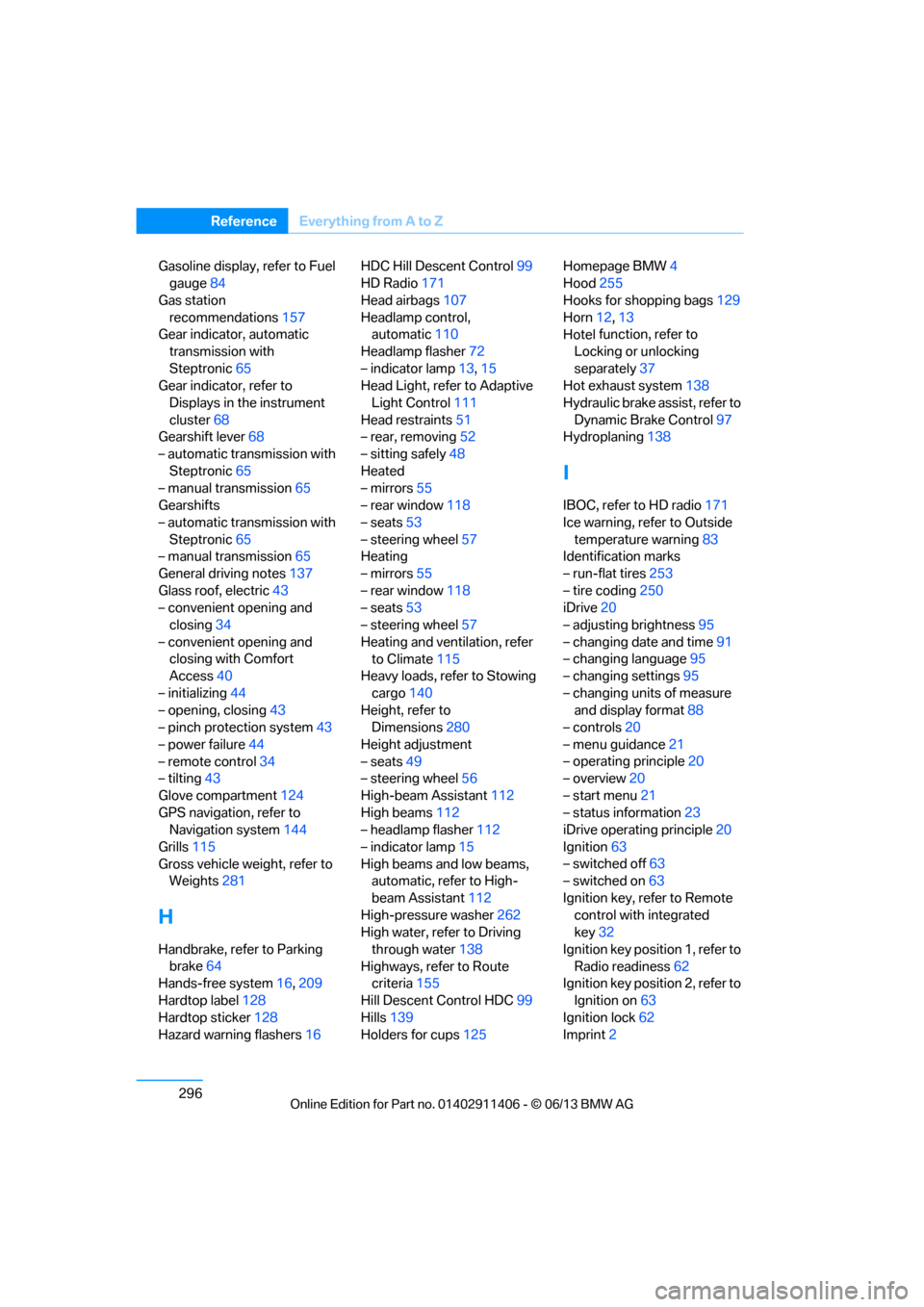
Gasoline display, refer to Fuel
gauge 84
Gas station recommendations 157
Gear indicator, automatic
transmission with
Steptronic 65
Gear indicator, refer to
Displays in the instrument
cluster 68
Gearshift lever 68
– automatic transmission with Steptronic 65
– manual transmission 65
Gearshifts
– automatic transmission with Steptronic 65
– manual transmission 65
General driving notes 137
Glass roof, electric 43
– convenient opening and closing 34
– convenient opening and closing with Comfort
Access 40
– initializing 44
– opening, closing 43
– pinch protection system 43
– power failure 44
– remote control 34
– tilting 43
Glove compartment 124
GPS navigation, refer to Navigation system 144
Grills 115
Gross vehicle weight, refer to Weights 281
H
Handbrake, refer to Parking
brake 64
Hands-free system 16,209
Hardtop label 128
Hardtop sticker 128
Hazard warning flashers 16HDC Hill Descent Control
99
HD Radio 171
Head airbags 107
Headlamp control, automatic 110
Headlamp flasher 72
– indicator lamp 13,15
Head Light, refer to Adaptive
Light Control 111
Head restraints 51
– rear, removing 52
– sitting safely 48
Heated
– mirrors 55
– rear window 118
– seats 53
– steering wheel 57
Heating
– mirrors 55
– rear window 118
– seats 53
– steering wheel 57
Heating and ventilation, refer to Climate 115
Heavy loads, refer to Stowing
cargo 140
Height, refer to Dimensions 280
Height adjustment
– seats 49
– steering wheel 56
High-beam Assistant 112
High beams 112
– headlamp flasher 112
– indicator lamp 15
High beams and low beams, automatic, refer to High-
beam Assistant 112
High-pressure washer 262
High water, refer to Driving
through water 138
Highways, refer to Route criteria 155
Hill Descent Control HDC 99
Hills 139
Holders for cups 125Homepage BMW
4
Hood 255
Hooks for shopping bags 129
Horn 12,
13
Hotel function, refer to
Locking o
r unlocking
separately 37
Hot exhaust system 138
Hydraulic brake assist, refer to Dynamic Brake Control 97
Hydroplaning 138
I
IBOC, refer to HD radio 171
Ice warning, refer to Outside
temperature warning 83
Identification marks
– run-flat tires 253
– tire coding 250
iDrive 20
– adjusting brightness 95
– changing date and time 91
– changing language 95
– changing settings 95
– changing units of measure and display format 88
– controls 20
– menu guidance 21
– operating principle 20
– overview 20
– start menu 21
– status information 23
iDrive operating principle 20
Ignition 63
– switched off 63
– switched on 63
Ignition key, refer to Remote control with integrated
key 32
Ignition key position 1, refer to Radio readiness 62
Ignition key position 2, refer to
Ignition on 63
Ignition lock 62
Imprint 2
00320051004F004C00510048000300280047004C0057004C005200510003