engine BMW M3 SEDAN 2015 Owner's Manual
[x] Cancel search | Manufacturer: BMW, Model Year: 2015, Model line: M3 SEDAN, Model: BMW M3 SEDAN 2015Pages: 226, PDF Size: 4.86 MB
Page 78 of 226
Do not use Launch Control during the break-in,
refer to page 156, period.
Requirements Launch Control is available when the engine is
warmed up, that is, after uninterrupted driving
of at least 6 miles/10 km.
To start with Launch Control do not steer the
steering wheel.
Activate Launch Control1.Deactivate Dynamic Stability Control, refer
to page 115.2.Select Sequential mode with gear 1 and
driving program 3.3.With the engine running, apply the brake
with the left foot.4.Fully depress the accelerator pedal.
The starting engine speed adjusts.
A flag symbol appears in the instrument
cluster.5.If necessary, change the starting engine
speed by 500 rpm via cruise control.6.Release the brake, the vehicle accelerates.
Continue to depress the accelerator pedal.
Upshifting occurs automatically as long as
the accelerator pedal is fully depressed.
Launch Control is available again only after a
certain distance has been driven.
System limits
This transmission has an overheating protec‐
tion mechanism, which protects the clutch
from extreme stress.
▷Indicator lamp lights up yellow:
transmission too hot.
Avoid high engine stress and fre‐
quent starts.▷Indicator lamp lights up red: transmission
is overheating.
Further driving at a moderate pace is pos‐
sible. At the next opportunity, stop the car,shut off the engine and allow the transmis‐
sion to cool down.
Avoid fast starts, and on inclines did not accel‐
erate lightly while letting the clutch slip; other‐
wise, the transmission may overheat.
During traffic jams or at very low speeds, use
the Low Speed Assistant, refer to page 71.
M Driving Dynamics Control
The concept The M Driving Dynamics Control affects the
response of the vehicle to accelerator pedal
movements.
ProgramsResponse behavior options:
▷"Efficient": efficient, comfortable. Minimal
fuel consumption.
Ideal e. g. in city traffic or on snow.▷"Sport": sporty, dynamic.▷"Sport Plus": spontaneous, direct. Maxi‐
mum dynamics.
Selecting a channel
Via M Drive On the Control Display:
1."Settings"2."M Drive 1" or "M Drive 2"3. Select the symbol.4.Select the desired channel.
When M Drive is active, setting is immedi‐
ately applied.
To activate M Drive with the selected settings,
press the corresponding button on the steer‐
ing wheel:
▷Seite 74ControlsDriving74
Online Edition for Part no. 01 40 2 960 759 - II/15
Page 79 of 226
▷
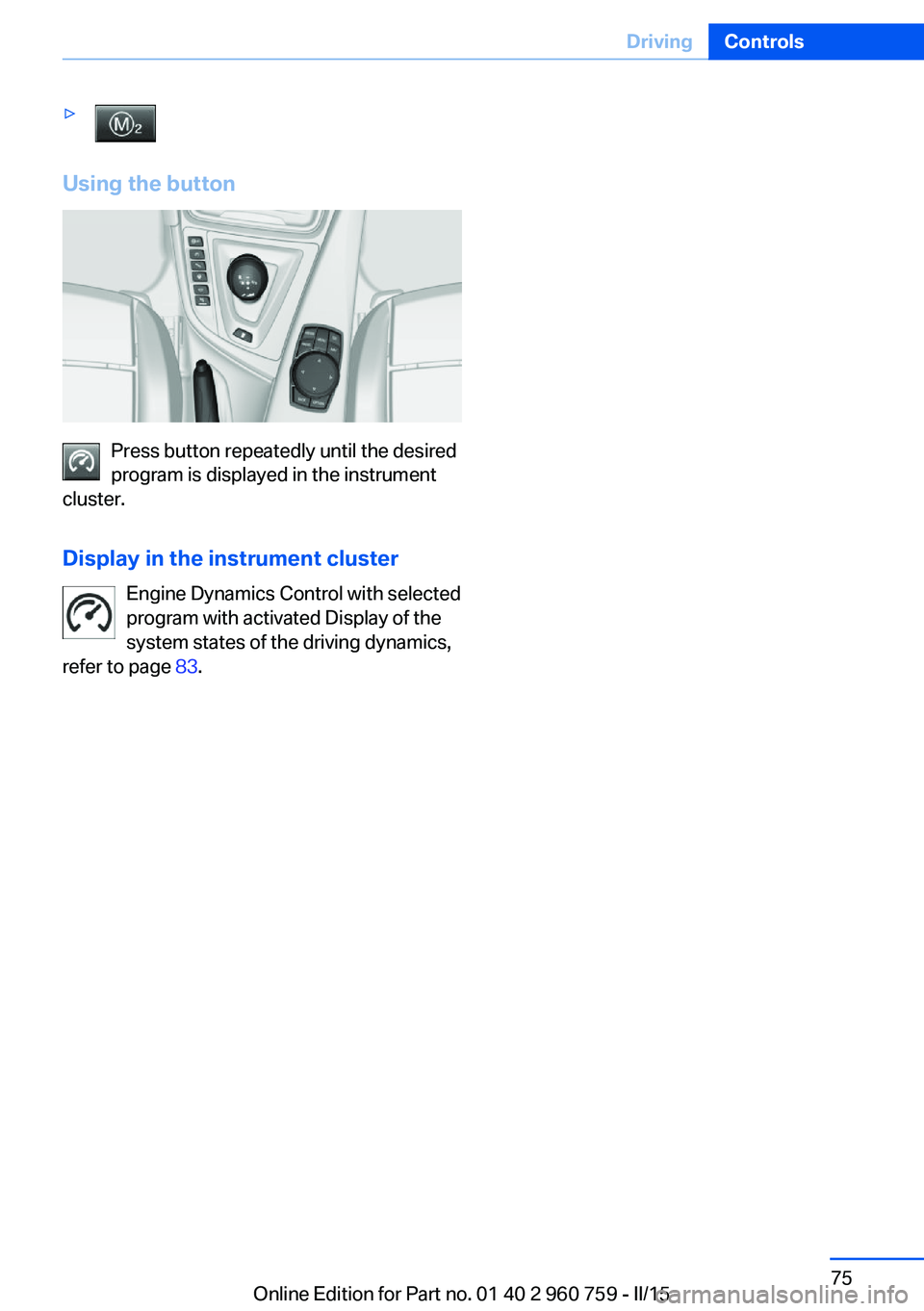
Using the button
Press button repeatedly until the desired
program is displayed in the instrument
cluster.
Display in the instrument cluster Engine Dynamics Control with selected
program with activated Display of the
system states of the driving dynamics,
refer to page 83.
Seite 75DrivingControls75
Online Edition for Part no. 01 40 2 960 759 - II/15
Page 80 of 226
DisplaysVehicle features and optionsThis chapter describes all standard, country-
specific and optional features offered with the
series. It also describes features that are not
necessarily available in your car, e. g., due tothe selected options or country versions. This
also applies to safety-related functions and
systems. The respectively applicable country
provisions must be observed when using the
respective features and systems.
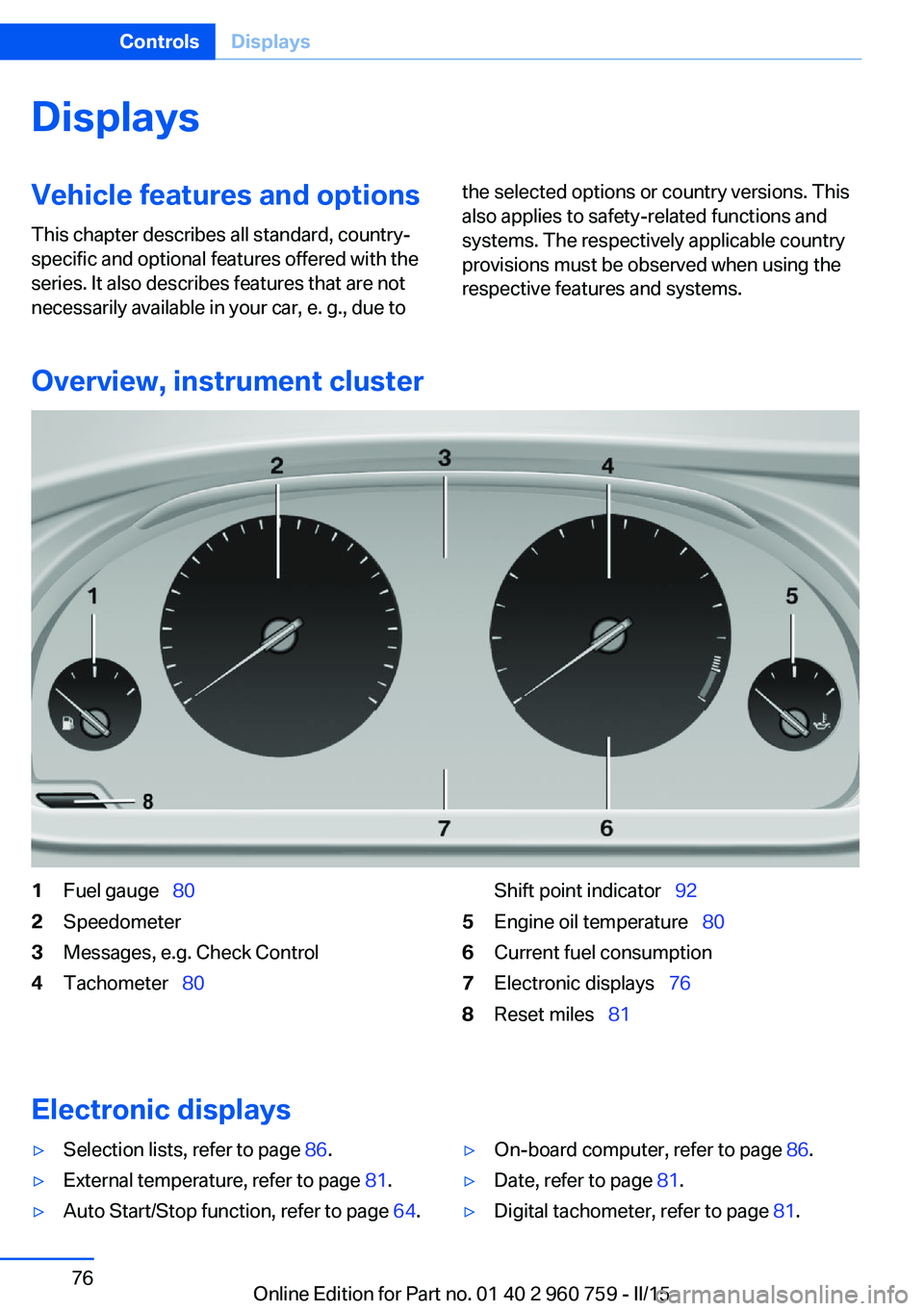
Overview, instrument cluster
1Fuel gauge 802Speedometer3Messages, e.g. Check Control4Tachometer 80Shift point indicator 925Engine oil temperature 806Current fuel consumption7Electronic displays 768Reset miles 81
Electronic displays
▷Selection lists, refer to page 86.▷External temperature, refer to page 81.▷Auto Start/Stop function, refer to page 64.▷On-board computer, refer to page 86.▷Date, refer to page 81.▷Digital tachometer, refer to page 81.Seite 76ControlsDisplays76
Online Edition for Part no. 01 40 2 960 759 - II/15
Page 81 of 226
▷Energy recovery, refer to page 82.▷Gear display with Drivelogic, refer to
page 82.▷Miles/trip miles, refer to page 81.▷Messages, e.g. Check Control, refer to
page 77.▷Current fuel consumption, refer to
page 82.▷Navigation display, see User's manual for
Navigation, Entertainment and Communi‐
cation.▷Range, refer to page 82.▷Service requirements, refer to page 83.▷Speed limit detection, refer to page 85.▷System states of driving dynamics, refer to
page 83.▷Time, refer to page 81.
Check Control
The concept The Check Control system monitors functions
in the vehicle and notifies you of malfunctions
in the monitored systems.
A Check Control message is displayed as a
combination of indicator or warning lights and
text messages in the instrument cluster and in
the Head-up Display.
In addition, an acoustic signal may sound and a text message may appear on the Control Dis‐
play.
Indicator/warning lights
General information
The indicator and warning lights in the instru‐
ment cluster can light up in a variety of combi‐
nations and colors.
Several of the lights are checked for proper
functioning and light up temporarily when the
engine is started or the ignition is switched on.
Red lights
Safety belt reminder Flashing or illuminated: safety belt on
the driver or passenger side is not
buckled. The safety belt reminder can
also be activated if objects are placed on the
front passenger seat.
Make sure that the safety belts are positioned
correctly.
Airbag system Airbag system and belt tensioner are
defective.
Have the vehicle checked by the serv‐
ice center immediately.
Parking brake, brake system For additional information, refer to Re‐
lease parking brake, refer to page 66.
Front-end collision warning Illuminated: advance warning is issued,
e.g., when there is the impending dan‐
ger of a collision or the distance to the
vehicle ahead is too small.
Increase distance.
Flashing: acute warning of the imminent dan‐
ger of a collision when the vehicle approaches
another vehicle at a relatively high differential
speed.
Intervention by braking or make an evasive ma‐
neuver.
Pedestrian warning Symbol in the instrument cluster.Seite 77DisplaysControls77
Online Edition for Part no. 01 40 2 960 759 - II/15
Page 82 of 226
If a collision with a person detected in this way
is imminent, the symbol lights up and a signal
sounds.
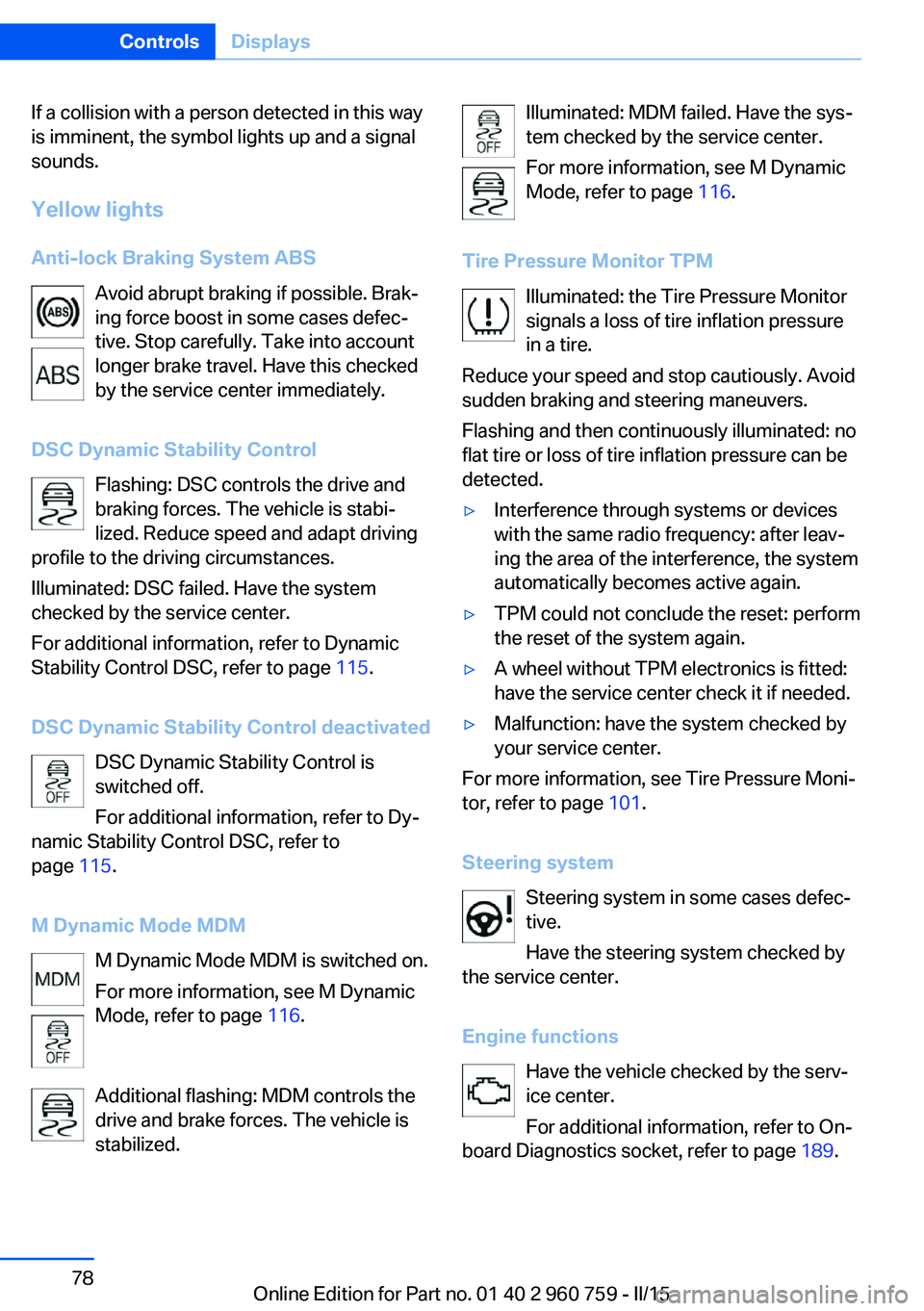
Yellow lights
Anti-lock Braking System ABS Avoid abrupt braking if possible. Brak‐
ing force boost in some cases defec‐
tive. Stop carefully. Take into account
longer brake travel. Have this checked
by the service center immediately.
DSC Dynamic Stability Control Flashing: DSC controls the drive and
braking forces. The vehicle is stabi‐
lized. Reduce speed and adapt driving
profile to the driving circumstances.
Illuminated: DSC failed. Have the system
checked by the service center.
For additional information, refer to Dynamic
Stability Control DSC, refer to page 115.
DSC Dynamic Stability Control deactivated DSC Dynamic Stability Control is
switched off.
For additional information, refer to Dy‐
namic Stability Control DSC, refer to
page 115.
M Dynamic Mode MDM M Dynamic Mode MDM is switched on.
For more information, see M Dynamic
Mode, refer to page 116.
Additional flashing: MDM controls the
drive and brake forces. The vehicle is
stabilized.Illuminated: MDM failed. Have the sys‐
tem checked by the service center.
For more information, see M Dynamic
Mode, refer to page 116.
Tire Pressure Monitor TPM Illuminated: the Tire Pressure Monitorsignals a loss of tire inflation pressure
in a tire.
Reduce your speed and stop cautiously. Avoid
sudden braking and steering maneuvers.
Flashing and then continuously illuminated: no
flat tire or loss of tire inflation pressure can be
detected.▷Interference through systems or devices
with the same radio frequency: after leav‐
ing the area of the interference, the system
automatically becomes active again.▷TPM could not conclude the reset: perform
the reset of the system again.▷A wheel without TPM electronics is fitted:
have the service center check it if needed.▷Malfunction: have the system checked by
your service center.
For more information, see Tire Pressure Moni‐
tor, refer to page 101.
Steering system Steering system in some cases defec‐
tive.
Have the steering system checked by
the service center.
Engine functions Have the vehicle checked by the serv‐ice center.
For additional information, refer to On-
board Diagnostics socket, refer to page 189.
Seite 78ControlsDisplays78
Online Edition for Part no. 01 40 2 960 759 - II/15
Page 84 of 226
Display additional information about the
Check Control message in the Integrated
Owner's Manual.▷ "Service request"
Contact your service center.▷ "Roadside Assistance"
Contact Roadside Assistance.
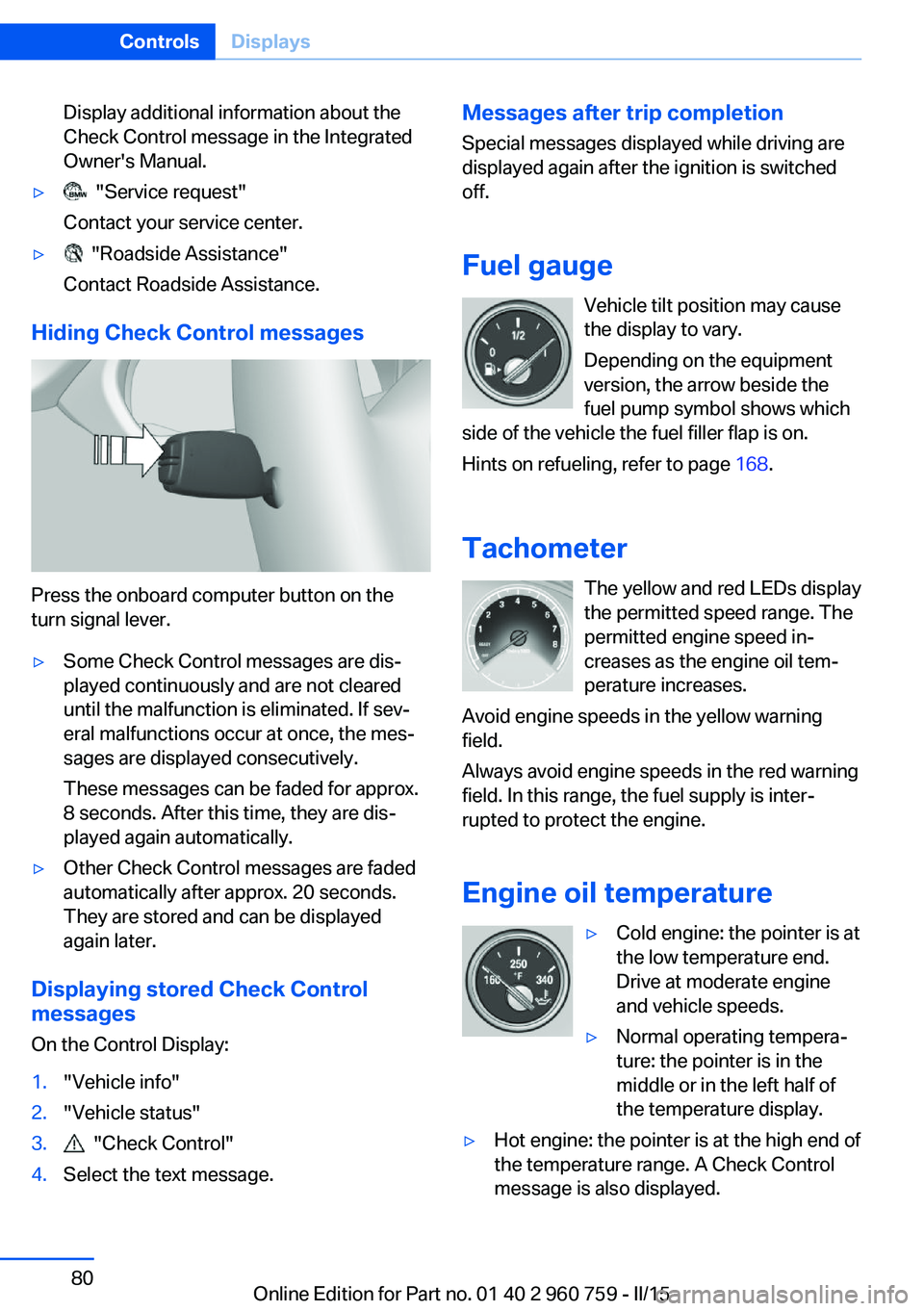
Hiding Check Control messages
Press the onboard computer button on the
turn signal lever.
▷Some Check Control messages are dis‐
played continuously and are not cleared
until the malfunction is eliminated. If sev‐
eral malfunctions occur at once, the mes‐
sages are displayed consecutively.
These messages can be faded for approx.
8 seconds. After this time, they are dis‐
played again automatically.▷Other Check Control messages are faded
automatically after approx. 20 seconds.
They are stored and can be displayed
again later.
Displaying stored Check Control
messages
On the Control Display:
1."Vehicle info"2."Vehicle status"3. "Check Control"4.Select the text message.Messages after trip completion Special messages displayed while driving are
displayed again after the ignition is switched
off.
Fuel gauge Vehicle tilt position may cause
the display to vary.
Depending on the equipment
version, the arrow beside the
fuel pump symbol shows which
side of the vehicle the fuel filler flap is on.
Hints on refueling, refer to page 168.
Tachometer The yellow and red LEDs displaythe permitted speed range. The
permitted engine speed in‐
creases as the engine oil tem‐
perature increases.
Avoid engine speeds in the yellow warning field.
Always avoid engine speeds in the red warning
field. In this range, the fuel supply is inter‐
rupted to protect the engine.
Engine oil temperature▷Cold engine: the pointer is at
the low temperature end.
Drive at moderate engine
and vehicle speeds.▷Normal operating tempera‐
ture: the pointer is in the
middle or in the left half of
the temperature display.▷Hot engine: the pointer is at the high end of
the temperature range. A Check Control
message is also displayed.Seite 80ControlsDisplays80
Online Edition for Part no. 01 40 2 960 759 - II/15
Page 85 of 226
Coolant temperatureIf the coolant along with the engine becomes
too hot, a Check Control message is displayed.
Check the coolant level, refer to page 186.
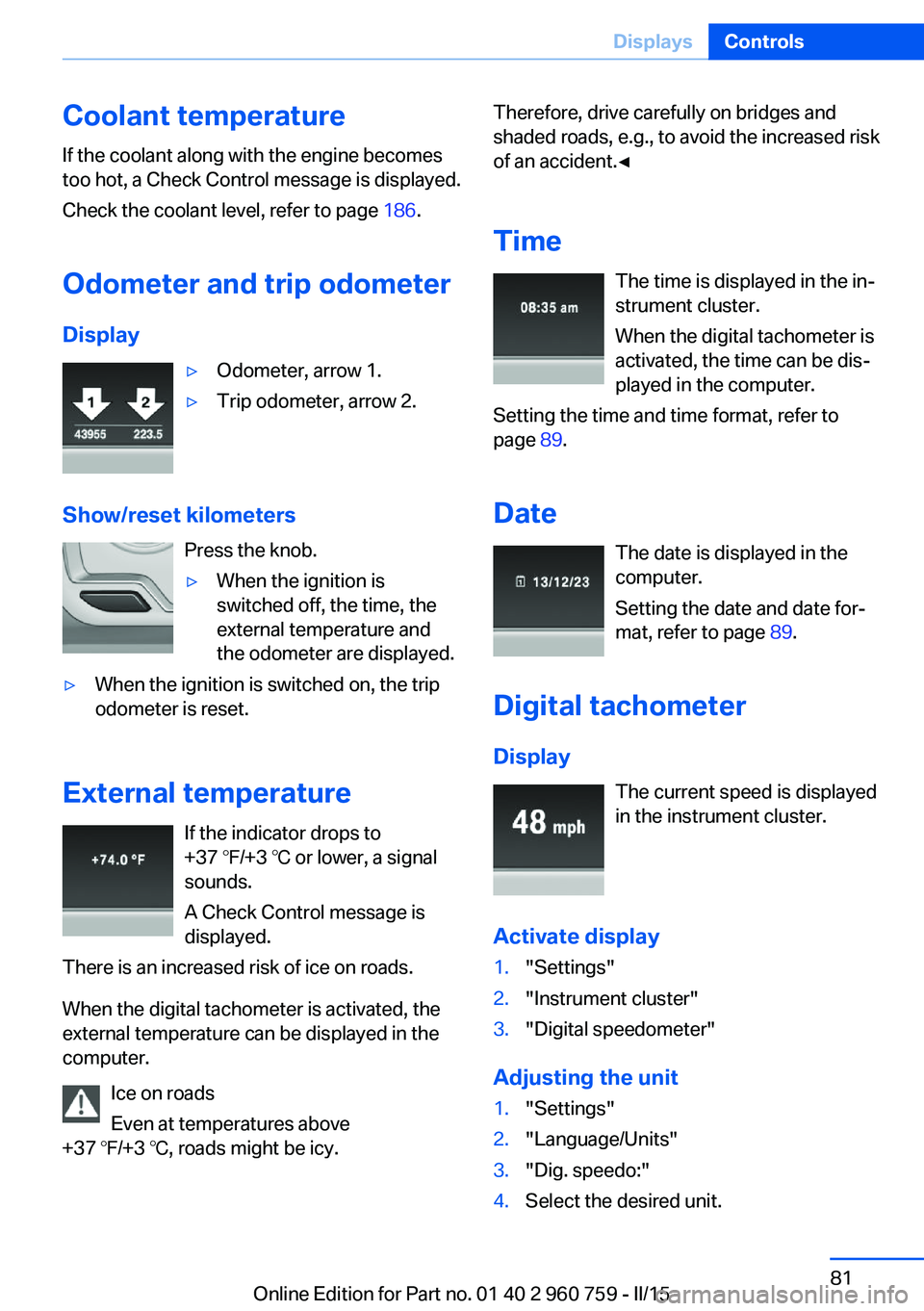
Odometer and trip odometer Display▷Odometer, arrow 1.▷Trip odometer, arrow 2.
Show/reset kilometers Press the knob.
▷When the ignition is
switched off, the time, the
external temperature and
the odometer are displayed.▷When the ignition is switched on, the trip
odometer is reset.
External temperature
If the indicator drops to
+37 ℉/+3 ℃ or lower, a signal
sounds.
A Check Control message is displayed.
There is an increased risk of ice on roads.
When the digital tachometer is activated, the
external temperature can be displayed in the
computer.
Ice on roads
Even at temperatures above
+37 ℉/+3 ℃, roads might be icy.
Therefore, drive carefully on bridges and
shaded roads, e.g., to avoid the increased risk
of an accident.◀
Time The time is displayed in the in‐
strument cluster.
When the digital tachometer is
activated, the time can be dis‐
played in the computer.
Setting the time and time format, refer to
page 89.
Date The date is displayed in the
computer.
Setting the date and date for‐
mat, refer to page 89.
Digital tachometer
Display The current speed is displayed
in the instrument cluster.
Activate display1."Settings"2."Instrument cluster"3."Digital speedometer"
Adjusting the unit
1."Settings"2."Language/Units"3."Dig. speedo:"4.Select the desired unit.Seite 81DisplaysControls81
Online Edition for Part no. 01 40 2 960 759 - II/15
Page 86 of 226
Settings are stored for the profile currently in
use.
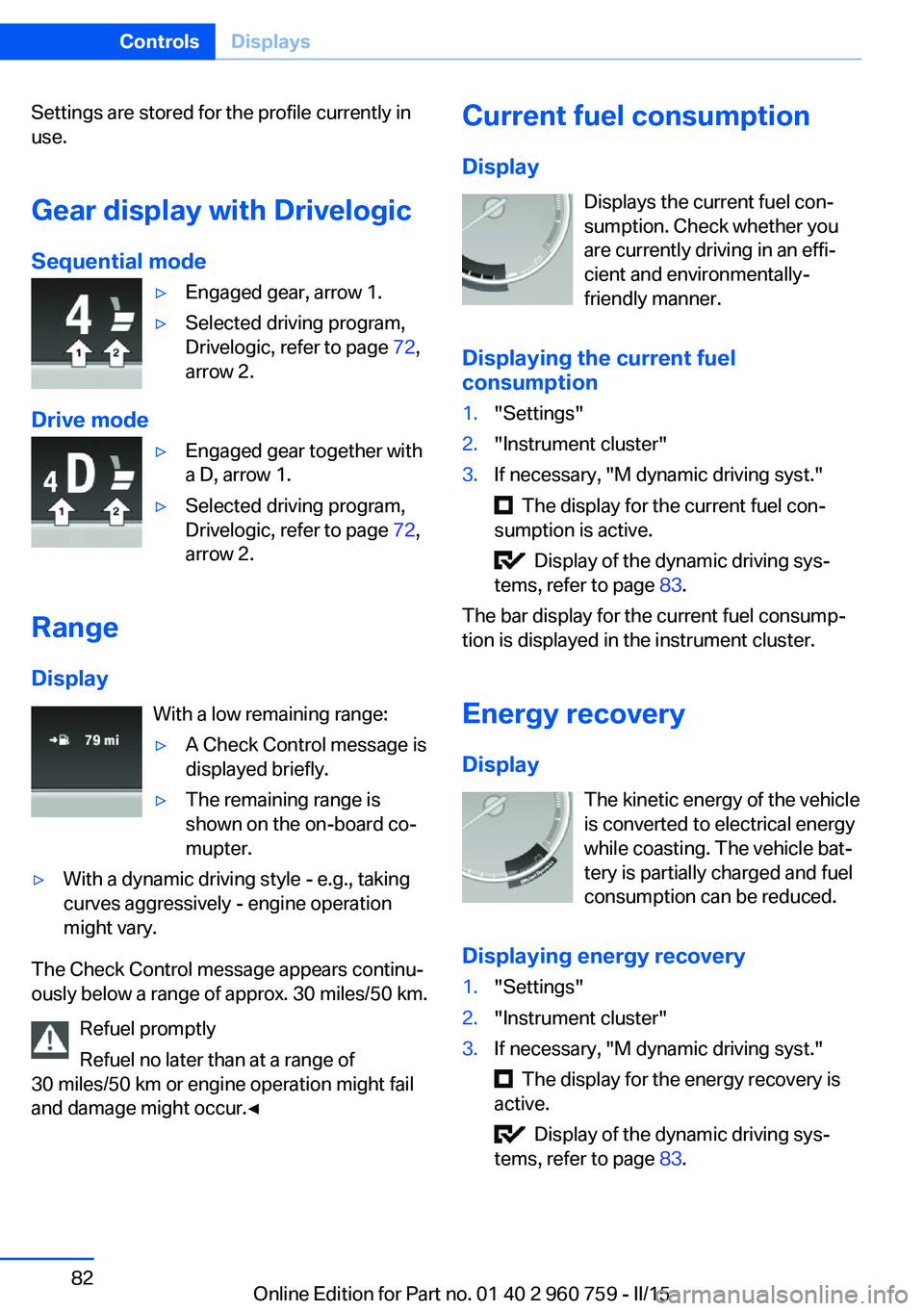
Gear display with Drivelogic
Sequential mode▷Engaged gear, arrow 1.▷Selected driving program,
Drivelogic, refer to page 72,
arrow 2.
Drive mode
▷Engaged gear together with
a D, arrow 1.▷Selected driving program,
Drivelogic, refer to page 72,
arrow 2.
Range
Display With a low remaining range:
▷A Check Control message is
displayed briefly.▷The remaining range is
shown on the on-board co‐
mupter.▷With a dynamic driving style - e.g., taking
curves aggressively - engine operation
might vary.
The Check Control message appears continu‐
ously below a range of approx. 30 miles/50 km.
Refuel promptly
Refuel no later than at a range of
30 miles/50 km or engine operation might fail
and damage might occur.◀
Current fuel consumption
Display Displays the current fuel con‐
sumption. Check whether you
are currently driving in an effi‐
cient and environmentally-
friendly manner.
Displaying the current fuel
consumption1."Settings"2."Instrument cluster"3.If necessary, "M dynamic driving syst."
The display for the current fuel con‐
sumption is active.
Display of the dynamic driving sys‐
tems, refer to page 83.
The bar display for the current fuel consump‐
tion is displayed in the instrument cluster.
Energy recovery
Display The kinetic energy of the vehicle
is converted to electrical energy
while coasting. The vehicle bat‐
tery is partially charged and fuel
consumption can be reduced.
Displaying energy recovery
1."Settings"2."Instrument cluster"3.If necessary, "M dynamic driving syst."
The display for the energy recovery is
active.
Display of the dynamic driving sys‐
tems, refer to page 83.
Seite 82ControlsDisplays82
Online Edition for Part no. 01 40 2 960 759 - II/15
Page 87 of 226
EfficientDynamics display
Displaying Efficient Dynamics
Information on fuel consumption and technol‐ ogy can be displayed while driving.1."Vehicle info"2."EfficientDynamics"
Displaying fuel consumption history
The average fuel consumption can be dis‐
played within an adjustable time frame.
"Consumption history"
Adjusting fuel consumption history time frame
Select the symbol.
Resetting fuel consumption history
1.Open "Options".2."Reset consumption history"
Displaying EfficientDynamics info
The current efficiency can be displayed.
"EfficientDynamics info"
The following systems are displayed:
▷Auto Start/Stop function.▷Energy recovery.▷Climate control output.
Dynamic driving systems
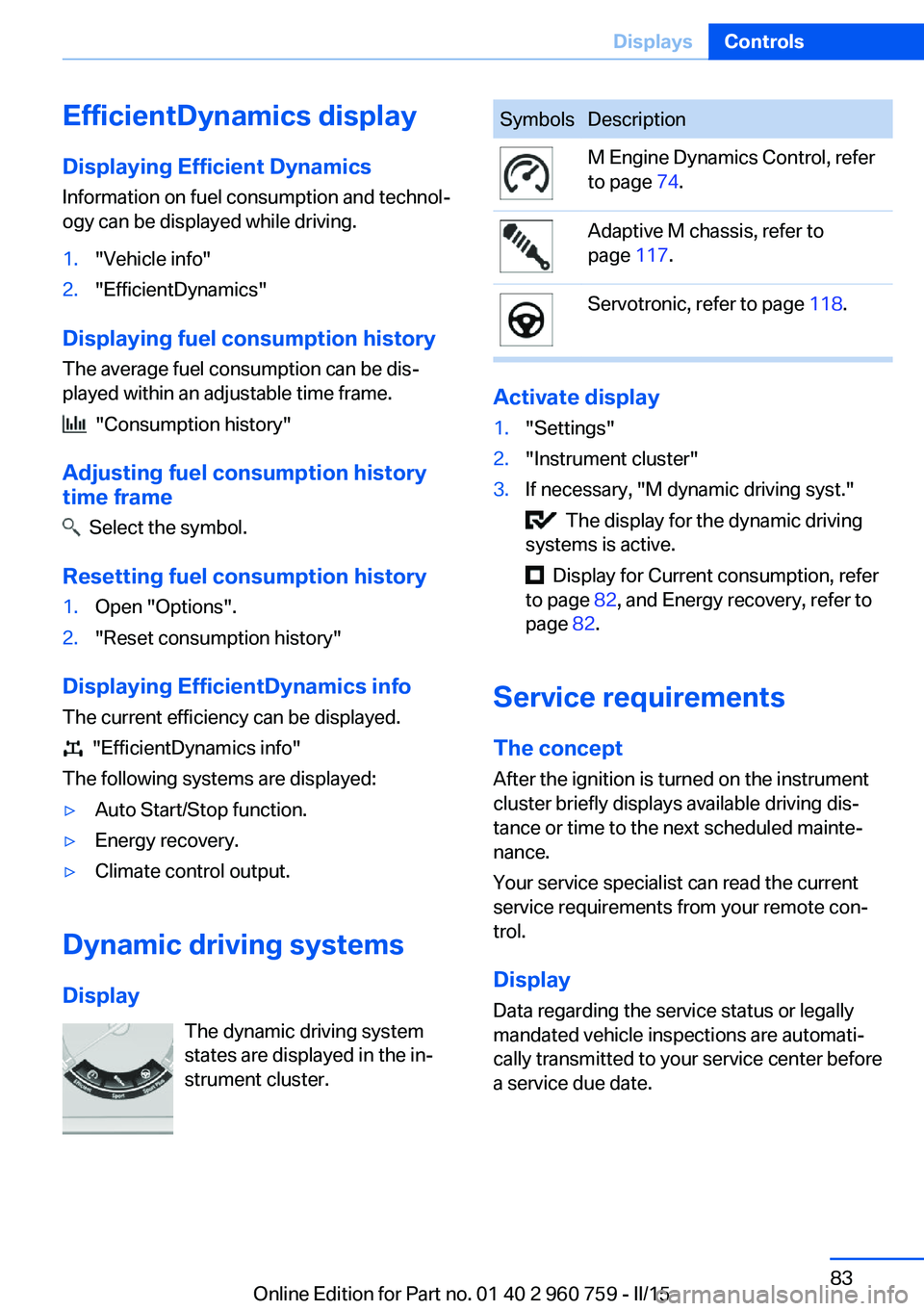
Display The dynamic driving system
states are displayed in the in‐
strument cluster.
SymbolsDescriptionM Engine Dynamics Control, refer
to page 74.Adaptive M chassis, refer to
page 117.Servotronic, refer to page 118.
Activate display
1."Settings"2."Instrument cluster"3.If necessary, "M dynamic driving syst."
The display for the dynamic driving
systems is active.
Display for Current consumption, refer
to page 82, and Energy recovery, refer to
page 82.
Service requirements
The concept After the ignition is turned on the instrument
cluster briefly displays available driving dis‐
tance or time to the next scheduled mainte‐
nance.
Your service specialist can read the current
service requirements from your remote con‐
trol.
Display
Data regarding the service status or legally mandated vehicle inspections are automati‐
cally transmitted to your service center before
a service due date.
Seite 83DisplaysControls83
Online Edition for Part no. 01 40 2 960 759 - II/15
Page 91 of 226
Calling up information on the info
display
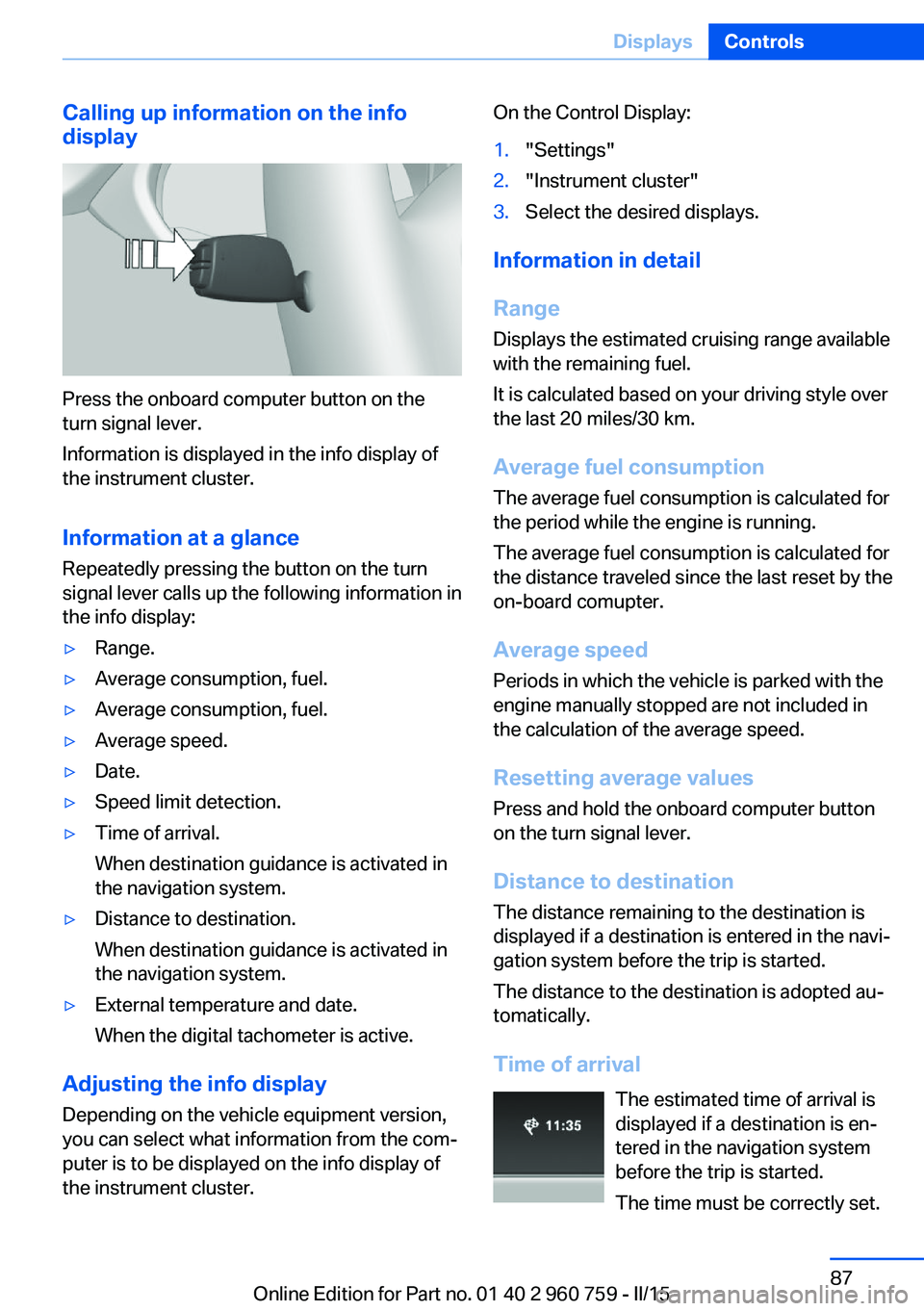
Press the onboard computer button on the
turn signal lever.
Information is displayed in the info display of
the instrument cluster.
Information at a glance
Repeatedly pressing the button on the turn
signal lever calls up the following information in
the info display:
▷Range.▷Average consumption, fuel.▷Average consumption, fuel.▷Average speed.▷Date.▷Speed limit detection.▷Time of arrival.
When destination guidance is activated in
the navigation system.▷Distance to destination.
When destination guidance is activated in
the navigation system.▷External temperature and date.
When the digital tachometer is active.
Adjusting the info display
Depending on the vehicle equipment version,
you can select what information from the com‐
puter is to be displayed on the info display of
the instrument cluster.
On the Control Display:1."Settings"2."Instrument cluster"3.Select the desired displays.
Information in detail
Range
Displays the estimated cruising range available
with the remaining fuel.
It is calculated based on your driving style over
the last 20 miles/30 km.
Average fuel consumption
The average fuel consumption is calculated for
the period while the engine is running.
The average fuel consumption is calculated for
the distance traveled since the last reset by the
on-board comupter.
Average speed
Periods in which the vehicle is parked with the
engine manually stopped are not included in
the calculation of the average speed.
Resetting average values Press and hold the onboard computer button
on the turn signal lever.
Distance to destination
The distance remaining to the destination is
displayed if a destination is entered in the navi‐
gation system before the trip is started.
The distance to the destination is adopted au‐
tomatically.
Time of arrival The estimated time of arrival is
displayed if a destination is en‐
tered in the navigation system
before the trip is started.
The time must be correctly set.
Seite 87DisplaysControls87
Online Edition for Part no. 01 40 2 960 759 - II/15