interior lights BMW M4 2015 User Guide
[x] Cancel search | Manufacturer: BMW, Model Year: 2015, Model line: M4, Model: BMW M4 2015Pages: 228, PDF Size: 4.87 MB
Page 97 of 228
LightsVehicle features and optionsThis chapter describes all standard, country-
specific and optional features offered with the
series. It also describes features that are not
necessarily available in your car, e. g., due to
the selected options or country versions. This
also applies to safety-related functions and
systems. The respectively applicable country
provisions must be observed when using the
respective features and systems.
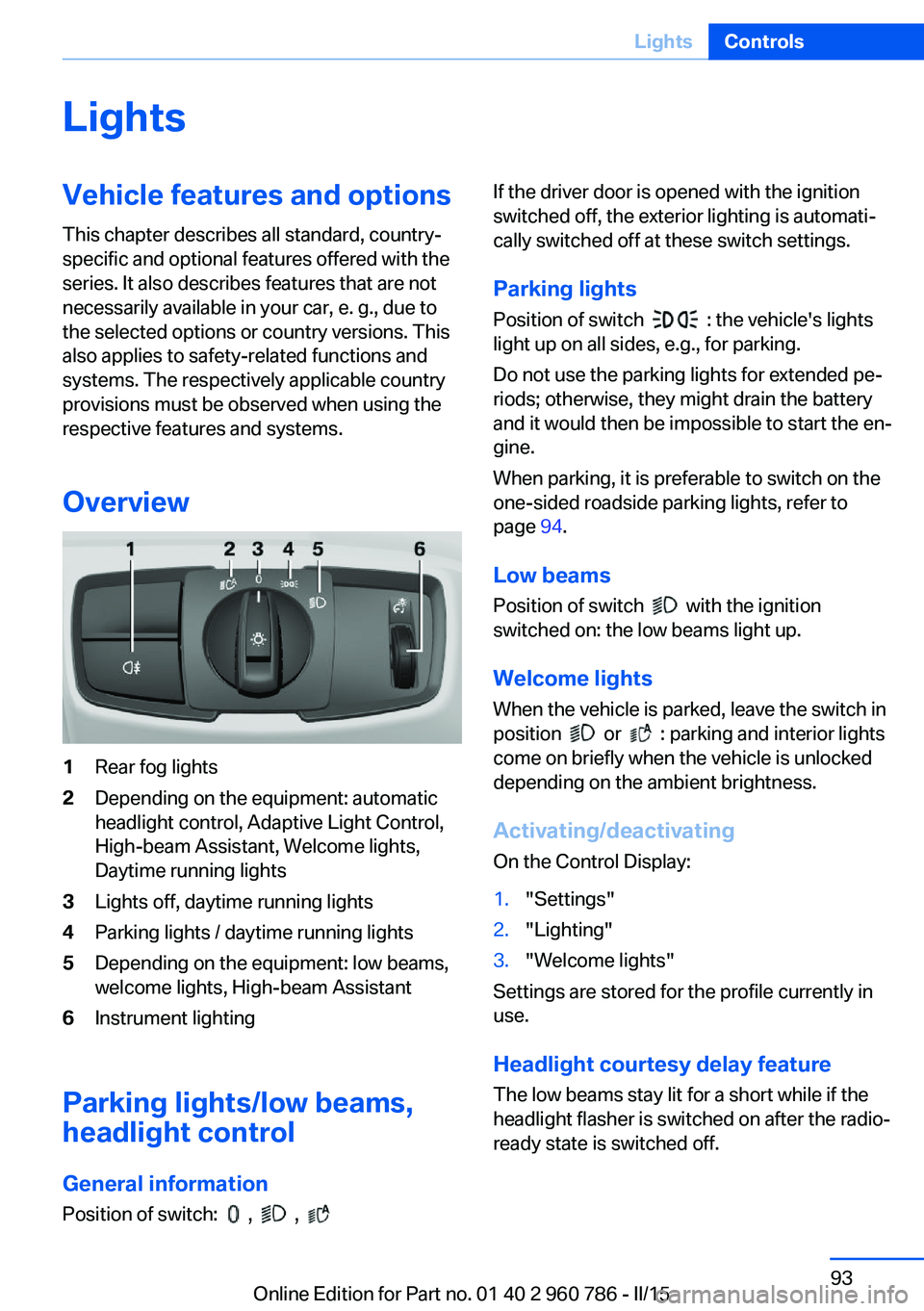
Overview1Rear fog lights2Depending on the equipment: automatic
headlight control, Adaptive Light Control,
High-beam Assistant, Welcome lights,
Daytime running lights3Lights off, daytime running lights4Parking lights / daytime running lights5Depending on the equipment: low beams,
welcome lights, High-beam Assistant6Instrument lighting
Parking lights/low beams,
headlight control
General information
Position of switch:
, ,
If the driver door is opened with the ignition
switched off, the exterior lighting is automati‐
cally switched off at these switch settings.
Parking lights
Position of switch
: the vehicle's lights
light up on all sides, e.g., for parking.
Do not use the parking lights for extended pe‐
riods; otherwise, they might drain the battery
and it would then be impossible to start the en‐
gine.
When parking, it is preferable to switch on the
one-sided roadside parking lights, refer to
page 94.
Low beams Position of switch
with the ignition
switched on: the low beams light up.
Welcome lights
When the vehicle is parked, leave the switch in
position
or : parking and interior lights
come on briefly when the vehicle is unlocked
depending on the ambient brightness.
Activating/deactivating
On the Control Display:
1."Settings"2."Lighting"3."Welcome lights"
Settings are stored for the profile currently in
use.
Headlight courtesy delay featureThe low beams stay lit for a short while if the
headlight flasher is switched on after the radio-
ready state is switched off.
Seite 93LightsControls93
Online Edition for Part no. 01 40 2 960 786 - II/15
Page 99 of 228
The turning lights are automatically switched
on depending on the steering angle or the use
of turn signals.
When driving in reverse, the turning lights may
be automatically switched on regardless of the
steering angle.
Malfunction A Check Control message is displayed.
Adaptive Light Control is malfunctioning or has
failed. Have the system checked as soon as
possible.
High-beam Assistant
The concept When the low beams are activated, this system
automatically switches the high beams on and
off or suppresses the light in the areas that
blind oncoming traffic. The procedure is con‐
trolled by a camera on the front of the interior
rearview mirror. The assistant ensures that the
high beams are activated whenever the traffic
situation allows. The driver can intervene at
any time and switch the high beams non and
off as usual.
Note Personal responsibility
The High-beam Assistant cannot serve
as a substitute for the driver's personal judg‐
ment of when to use the high beams. There‐
fore, manually reel off the high beams in situa‐
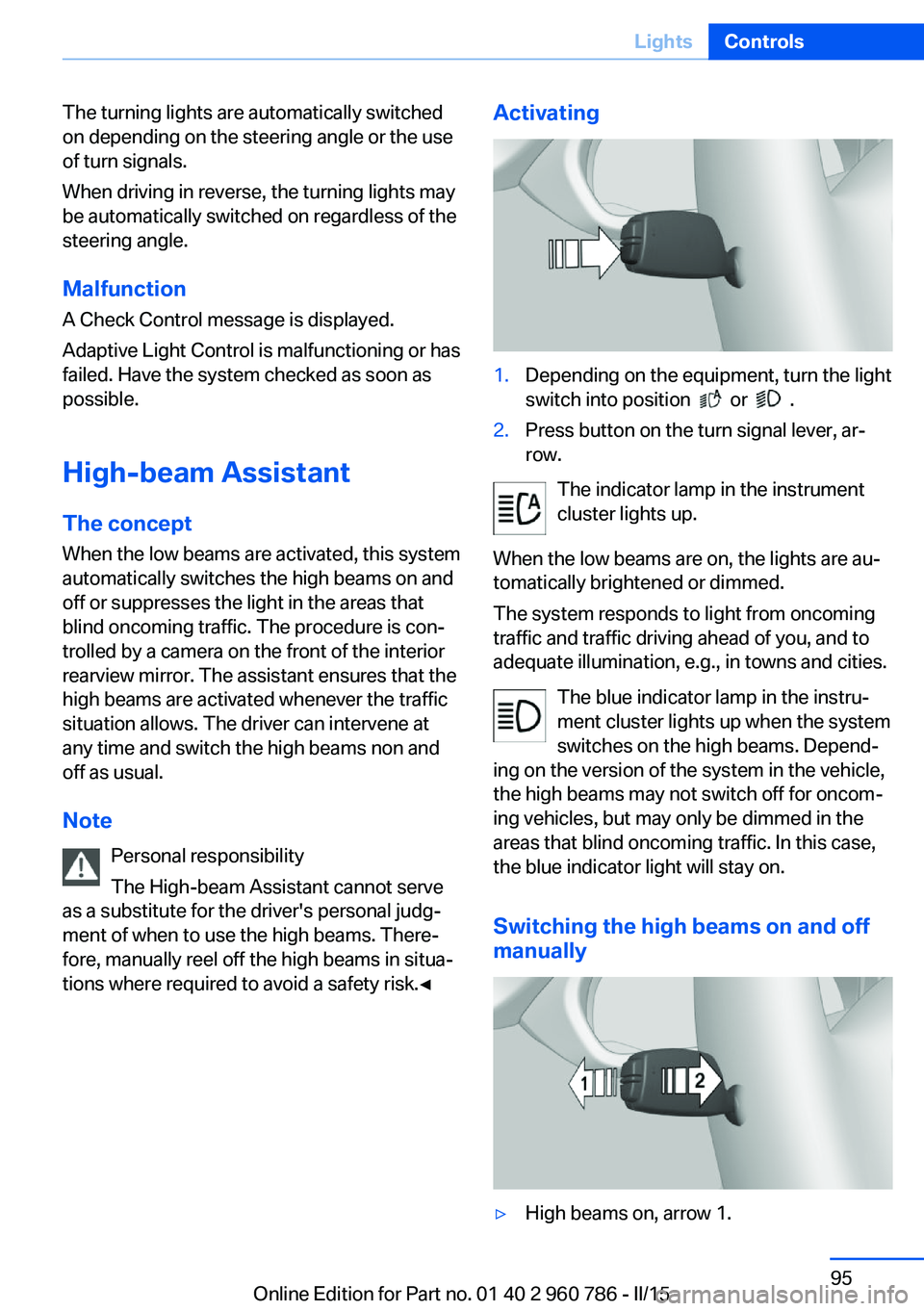
tions where required to avoid a safety risk.◀Activating1.Depending on the equipment, turn the light
switch into position
or .
2.Press button on the turn signal lever, ar‐
row.
The indicator lamp in the instrument
cluster lights up.
When the low beams are on, the lights are au‐
tomatically brightened or dimmed.
The system responds to light from oncoming
traffic and traffic driving ahead of you, and to
adequate illumination, e.g., in towns and cities.
The blue indicator lamp in the instru‐
ment cluster lights up when the system
switches on the high beams. Depend‐
ing on the version of the system in the vehicle, the high beams may not switch off for oncom‐
ing vehicles, but may only be dimmed in the
areas that blind oncoming traffic. In this case,
the blue indicator light will stay on.
Switching the high beams on and off
manually
▷High beams on, arrow 1.Seite 95LightsControls95
Online Edition for Part no. 01 40 2 960 786 - II/15
Page 100 of 228
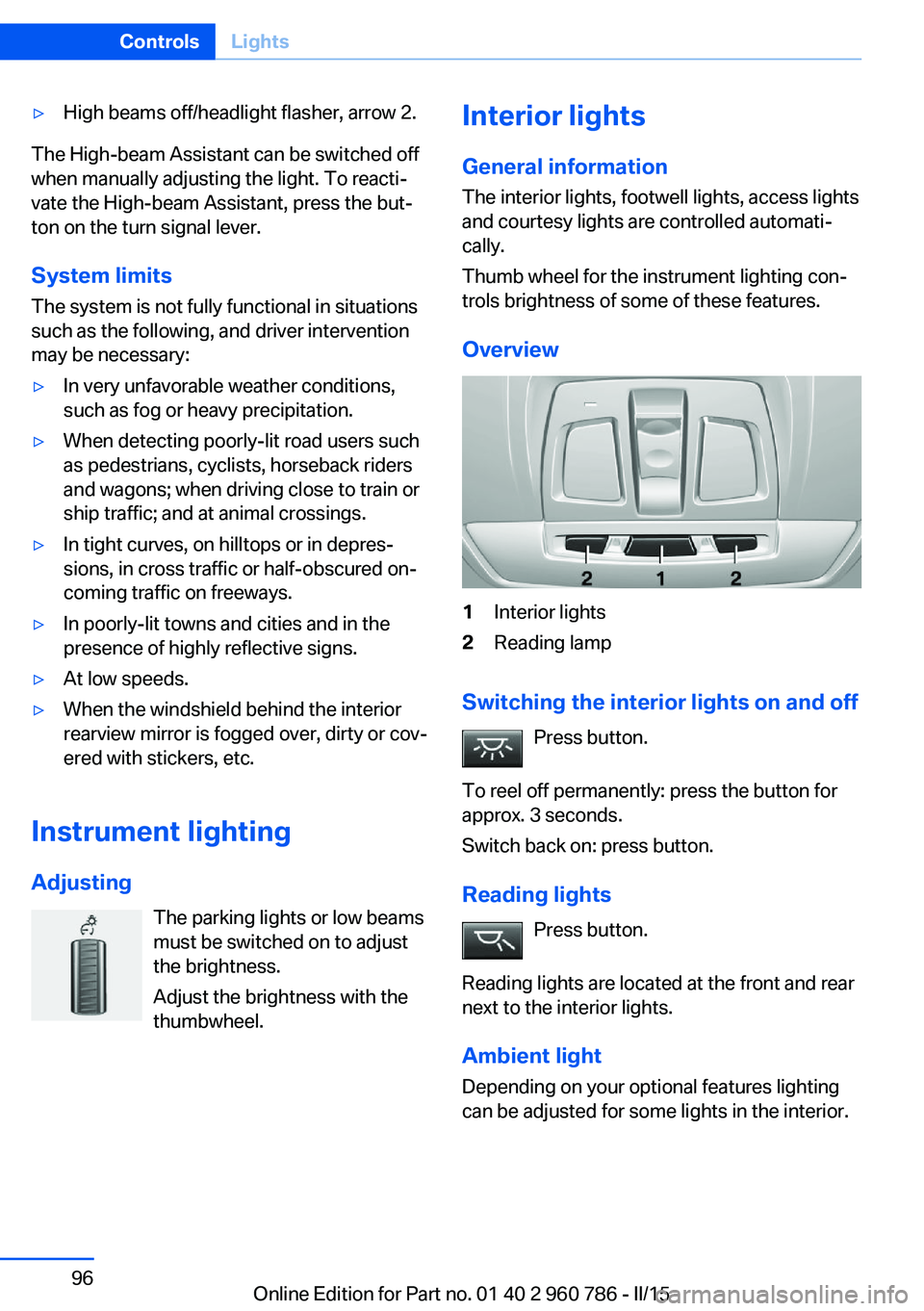
▷High beams off/headlight flasher, arrow 2.
The High-beam Assistant can be switched off
when manually adjusting the light. To reacti‐
vate the High-beam Assistant, press the but‐
ton on the turn signal lever.
System limits
The system is not fully functional in situations such as the following, and driver intervention
may be necessary:
▷In very unfavorable weather conditions,
such as fog or heavy precipitation.▷When detecting poorly-lit road users such
as pedestrians, cyclists, horseback riders
and wagons; when driving close to train or
ship traffic; and at animal crossings.▷In tight curves, on hilltops or in depres‐
sions, in cross traffic or half-obscured on‐
coming traffic on freeways.▷In poorly-lit towns and cities and in the
presence of highly reflective signs.▷At low speeds.▷When the windshield behind the interior
rearview mirror is fogged over, dirty or cov‐
ered with stickers, etc.
Instrument lighting
Adjusting The parking lights or low beams
must be switched on to adjust
the brightness.
Adjust the brightness with the
thumbwheel.
Interior lights
General information
The interior lights, footwell lights, access lights
and courtesy lights are controlled automati‐
cally.
Thumb wheel for the instrument lighting con‐ trols brightness of some of these features.
Overview1Interior lights2Reading lamp
Switching the interior lights on and off Press button.
To reel off permanently: press the button for
approx. 3 seconds.
Switch back on: press button.
Reading lights Press button.
Reading lights are located at the front and rear
next to the interior lights.
Ambient light Depending on your optional features lighting
can be adjusted for some lights in the interior.
Seite 96ControlsLights96
Online Edition for Part no. 01 40 2 960 786 - II/15
Page 110 of 228
At a glance
Button in the vehicle
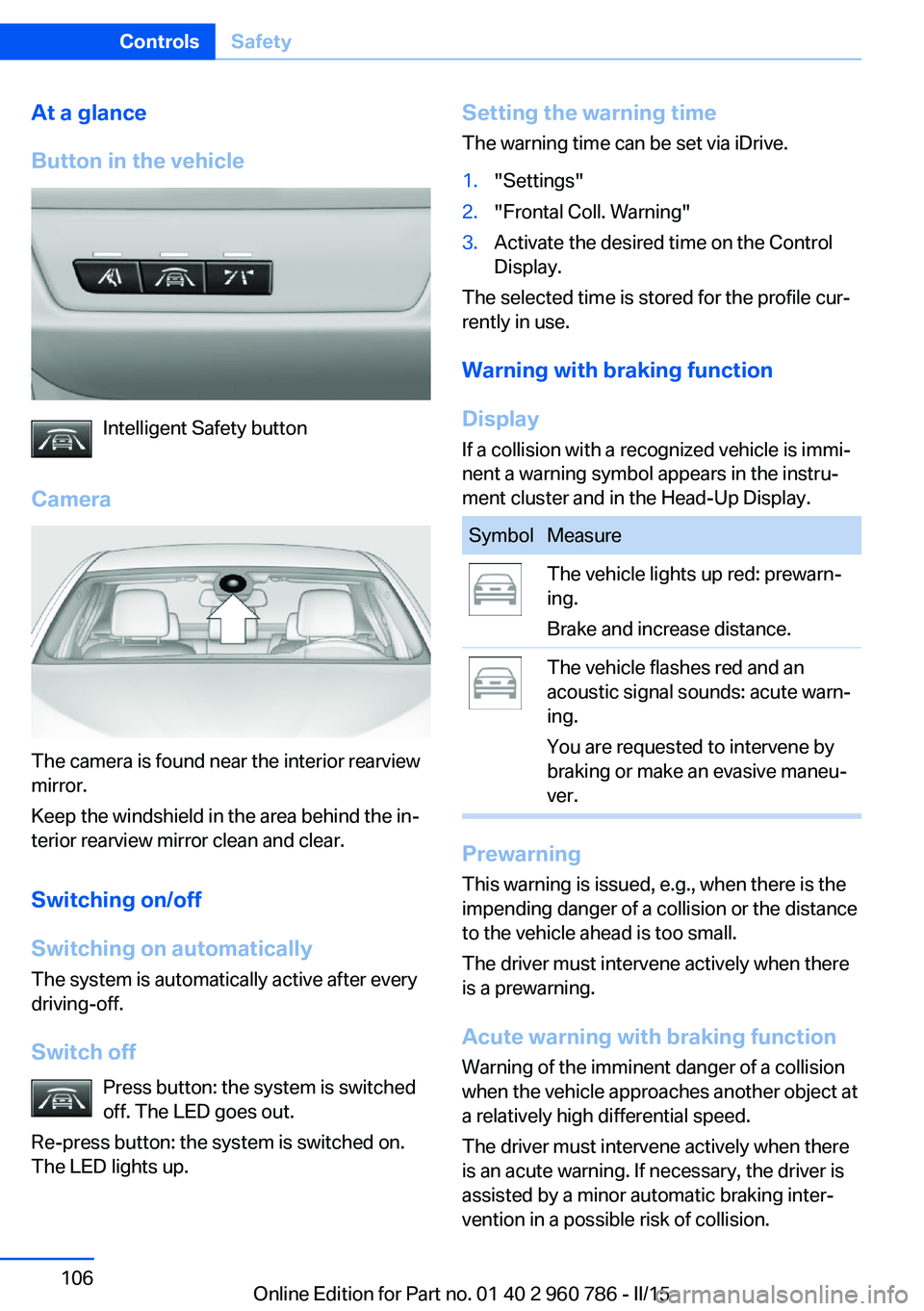
Intelligent Safety button
Camera
The camera is found near the interior rearview
mirror.
Keep the windshield in the area behind the in‐
terior rearview mirror clean and clear.
Switching on/off
Switching on automatically The system is automatically active after every
driving-off.
Switch off Press button: the system is switched
off. The LED goes out.
Re-press button: the system is switched on.
The LED lights up.
Setting the warning time
The warning time can be set via iDrive.1."Settings"2."Frontal Coll. Warning"3.Activate the desired time on the Control
Display.
The selected time is stored for the profile cur‐
rently in use.
Warning with braking function
Display If a collision with a recognized vehicle is immi‐
nent a warning symbol appears in the instru‐
ment cluster and in the Head-Up Display.
SymbolMeasureThe vehicle lights up red: prewarn‐
ing.
Brake and increase distance.The vehicle flashes red and an
acoustic signal sounds: acute warn‐
ing.
You are requested to intervene by
braking or make an evasive maneu‐
ver.
Prewarning
This warning is issued, e.g., when there is the
impending danger of a collision or the distance
to the vehicle ahead is too small.
The driver must intervene actively when there
is a prewarning.
Acute warning with braking function
Warning of the imminent danger of a collision
when the vehicle approaches another object at
a relatively high differential speed.
The driver must intervene actively when there
is an acute warning. If necessary, the driver is
assisted by a minor automatic braking inter‐
vention in a possible risk of collision.
Seite 106ControlsSafety106
Online Edition for Part no. 01 40 2 960 786 - II/15
Page 114 of 228
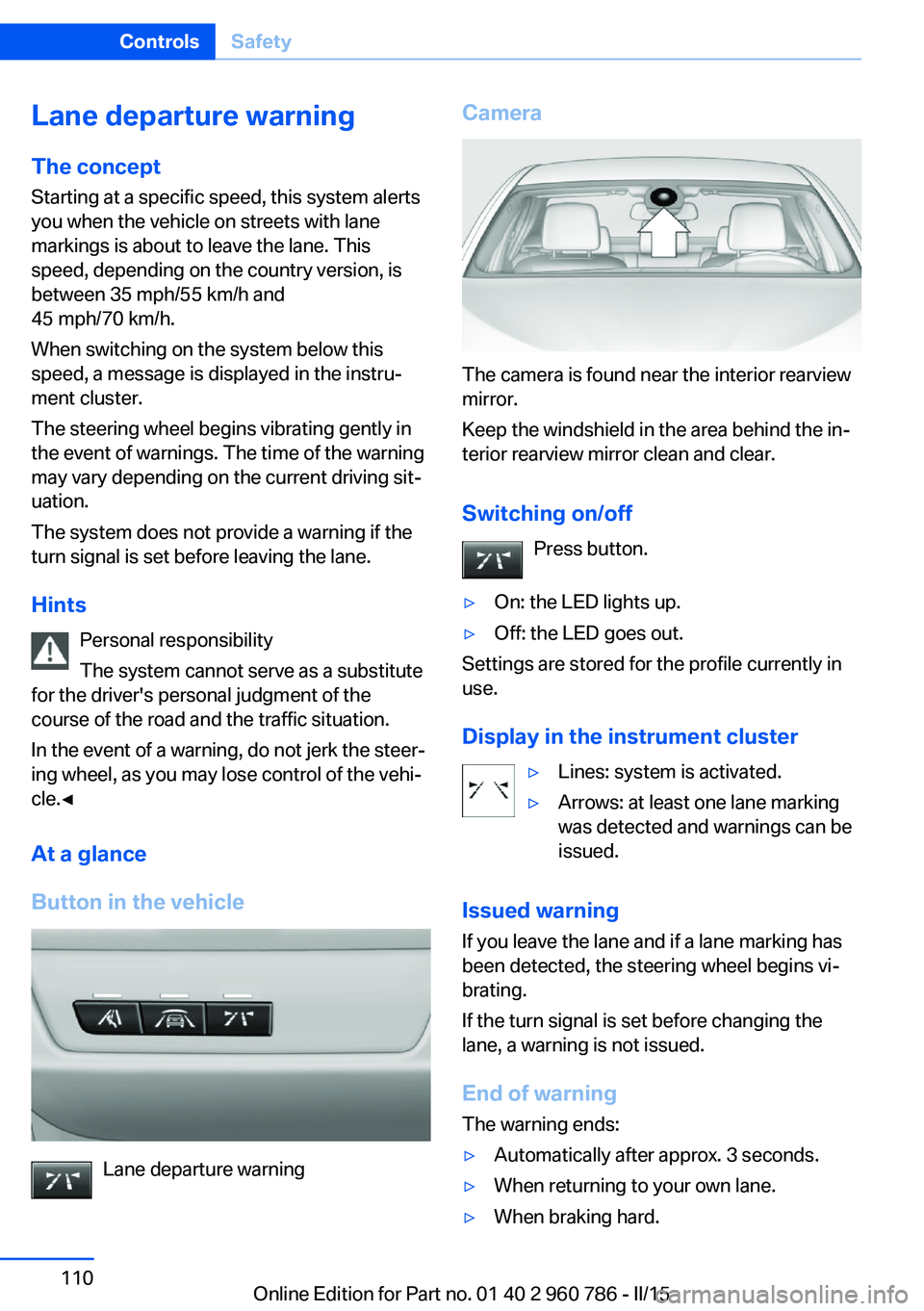
Lane departure warningThe concept Starting at a specific speed, this system alerts
you when the vehicle on streets with lane
markings is about to leave the lane. This
speed, depending on the country version, is
between 35 mph/55 km/h and
45 mph/70 km/h.
When switching on the system below this
speed, a message is displayed in the instru‐
ment cluster.
The steering wheel begins vibrating gently in
the event of warnings. The time of the warning
may vary depending on the current driving sit‐
uation.
The system does not provide a warning if the
turn signal is set before leaving the lane.
Hints Personal responsibility
The system cannot serve as a substitute
for the driver's personal judgment of the
course of the road and the traffic situation.
In the event of a warning, do not jerk the steer‐
ing wheel, as you may lose control of the vehi‐
cle.◀
At a glance
Button in the vehicle
Lane departure warning
Camera
The camera is found near the interior rearview
mirror.
Keep the windshield in the area behind the in‐
terior rearview mirror clean and clear.
Switching on/off Press button.
▷On: the LED lights up.▷Off: the LED goes out.
Settings are stored for the profile currently in
use.
Display in the instrument cluster
▷Lines: system is activated.▷Arrows: at least one lane marking
was detected and warnings can be
issued.
Issued warning
If you leave the lane and if a lane marking has
been detected, the steering wheel begins vi‐
brating.
If the turn signal is set before changing the
lane, a warning is not issued.
End of warning
The warning ends:
▷Automatically after approx. 3 seconds.▷When returning to your own lane.▷When braking hard.Seite 110ControlsSafety110
Online Edition for Part no. 01 40 2 960 786 - II/15
Page 115 of 228
▷When using the turn signal.
System limits
The system may not be fully functional in the
following situations:
▷In heavy fog, rain or snowfall.▷In the event of missing, worn, poorly visi‐
ble, merging, diverging, or multiple lane
markings such as in construction areas.▷When lane markings are covered in snow,
ice, dirt or water.▷In tight curves or on narrow lanes.▷When the lane markings are covered by
objects.▷When driving very close to the vehicle in
front of you.▷When driving toward bright lights.▷When the windshield in front of the interior
rearview mirror is fogged over, dirty or cov‐
ered with stickers, etc.▷During calibration of the camera immedi‐
ately after vehicle shipment.
Active Blind Spot Detection
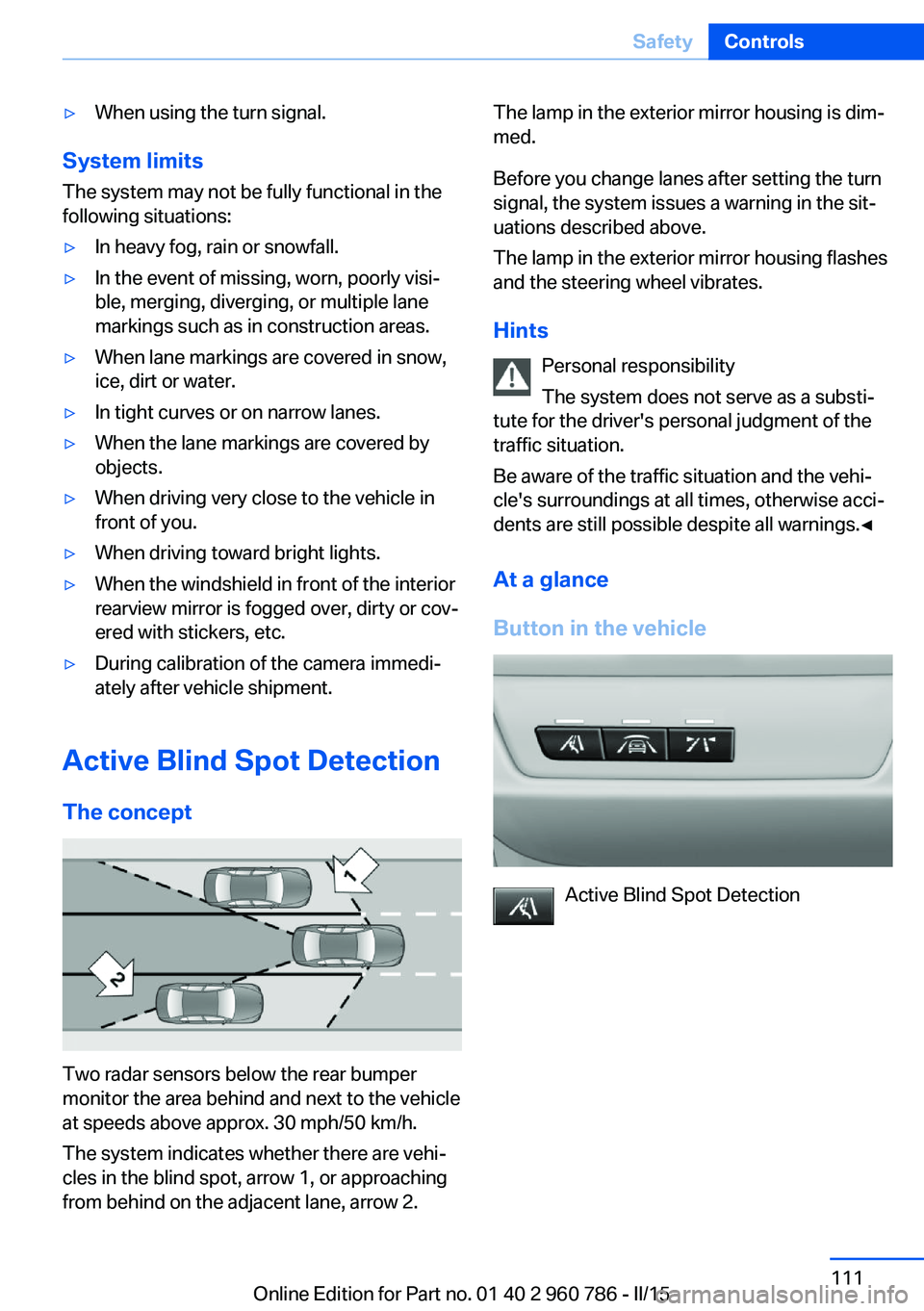
The concept
Two radar sensors below the rear bumper
monitor the area behind and next to the vehicle
at speeds above approx. 30 mph/50 km/h.
The system indicates whether there are vehi‐
cles in the blind spot, arrow 1, or approaching
from behind on the adjacent lane, arrow 2.
The lamp in the exterior mirror housing is dim‐
med.
Before you change lanes after setting the turn
signal, the system issues a warning in the sit‐
uations described above.
The lamp in the exterior mirror housing flashes
and the steering wheel vibrates.
Hints Personal responsibility
The system does not serve as a substi‐
tute for the driver's personal judgment of the
traffic situation.
Be aware of the traffic situation and the vehi‐
cle's surroundings at all times, otherwise acci‐
dents are still possible despite all warnings.◀
At a glance
Button in the vehicle
Active Blind Spot Detection
Seite 111SafetyControls111
Online Edition for Part no. 01 40 2 960 786 - II/15
Page 148 of 228
NoteThe total load of all sockets must not exceed
140 watts at 12 volts.
Do not damage the socket by using unsuitable
connectors.
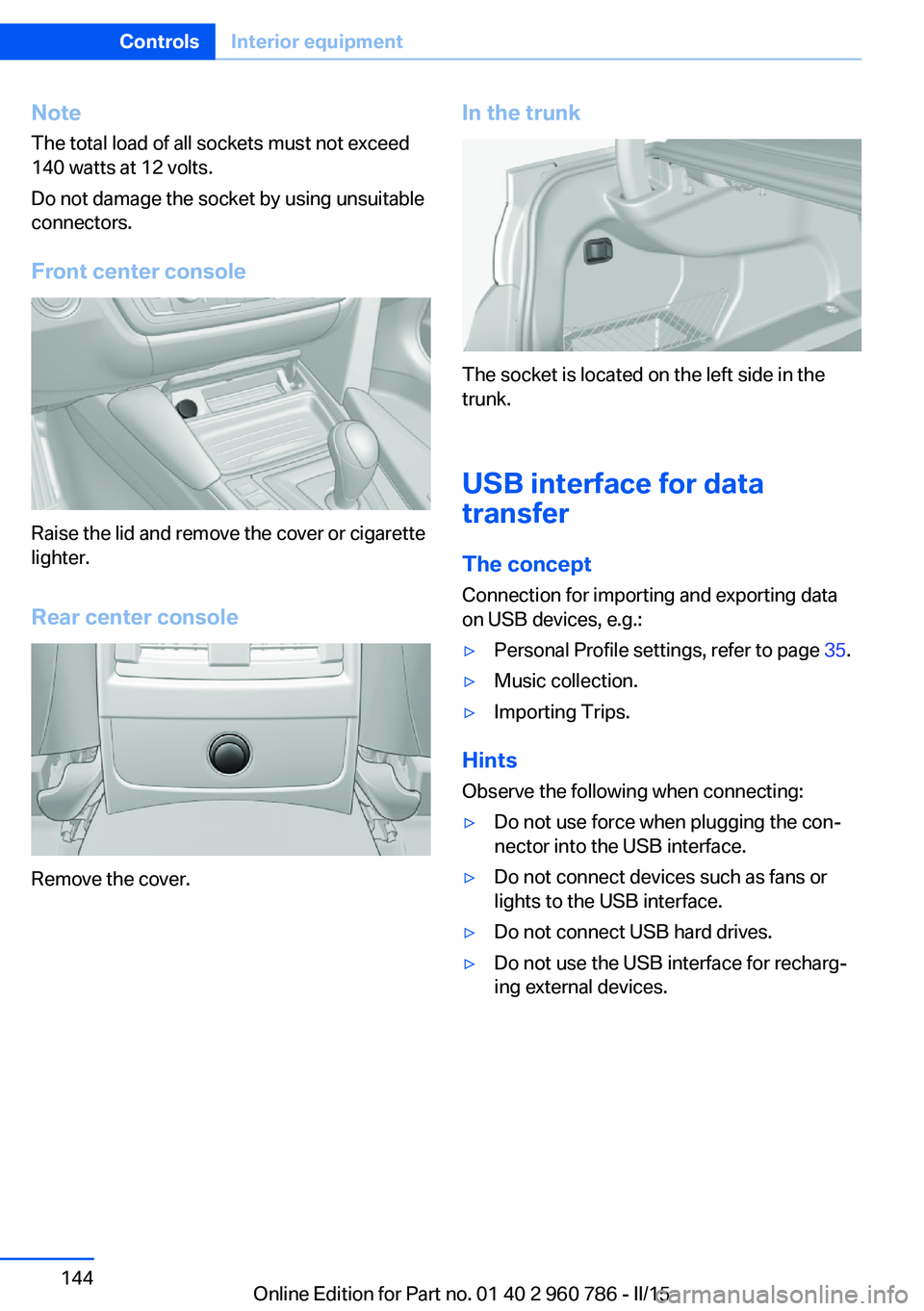
Front center console
Raise the lid and remove the cover or cigarette
lighter.
Rear center console
Remove the cover.
In the trunk
The socket is located on the left side in the
trunk.
USB interface for data
transfer
The concept
Connection for importing and exporting data
on USB devices, e.g.:
▷Personal Profile settings, refer to page 35.▷Music collection.▷Importing Trips.
Hints
Observe the following when connecting:
▷Do not use force when plugging the con‐
nector into the USB interface.▷Do not connect devices such as fans or
lights to the USB interface.▷Do not connect USB hard drives.▷Do not use the USB interface for recharg‐
ing external devices.Seite 144ControlsInterior equipment144
Online Edition for Part no. 01 40 2 960 786 - II/15
Page 210 of 228
Manual transmission:1.Drive into the car wash.2.Shift to neutral.3.Switch the engine off.4.Switch on the ignition.
M double-clutch transmission:
1.Drive into the car wash.2.Engage selector lever position N.3.Switch the engine off.
In this way, the ignition remains switched
on, and a Check-Control message is dis‐
played.
The vehicle cannot be locked from the outside
when in selector lever position N. A signal
sounds when an attempt is made to lock the
vehicle.
To start the engine with manual transmission:
1.Press on the clutch pedal.2.Press the Start/Stop button.
To start the engine with a M double clutch
transmission:
1.Depress the brake pedal.2.Press the Start/Stop button.
Pressing the Start/Stop button without step‐
ping on the brake turns the ignition off.
Transmission position
Transmission position P is engaged automati‐
cally:
▷When the ignition is switched off.▷After approx. 15 minutes.
Headlights
▷Do not rub dry and do not use abrasive or
acidic cleansers.▷Soak areas that have been dirtied e. g.,
from insects, with shampoo and wash off
with water.▷Thaw ice with de-icing spray; do not use an
ice scraper.
After washing the vehicle
After washing the vehicle, apply the brakes
briefly to dry them; otherwise, braking action
can be reduced and corrosion of the brake
discs can occur.
Completely remove all residues on the win‐
dows, to minimize loss of visibility due to
smearing and to reduce wiper noises and
wiper blade wear.
Vehicle care
Car care products BMW recommends using care and cleaning
products from BMW, since these have been
tested and approved.
Car care and cleaning products
Follow the instructions on the container.
When cleaning the interior, open the doors or
windows.
Only use products intended for cleaning vehi‐
cles.
Cleansers can contain substances that are
dangerous and harmful to your health.◀
Vehicle paint
Regular care contributes to driving safety and
value retention. Environmental influences in
areas with elevated air pollution or natural con‐
taminants, such as tree resin or pollen can af‐
fect the vehicle's paintwork. Tailor the fre‐
quency and extent of your car care to these
influences.
Aggressive substances such as spilled fuel, oil,
grease or bird droppings, must be removed im‐
mediately to prevent the finish from being al‐
tered or discolored.
Only use respectively approved cleaning and
care products for vehicles with matte finish.
Seite 206MobilityCare206
Online Edition for Part no. 01 40 2 960 786 - II/15
Page 220 of 228
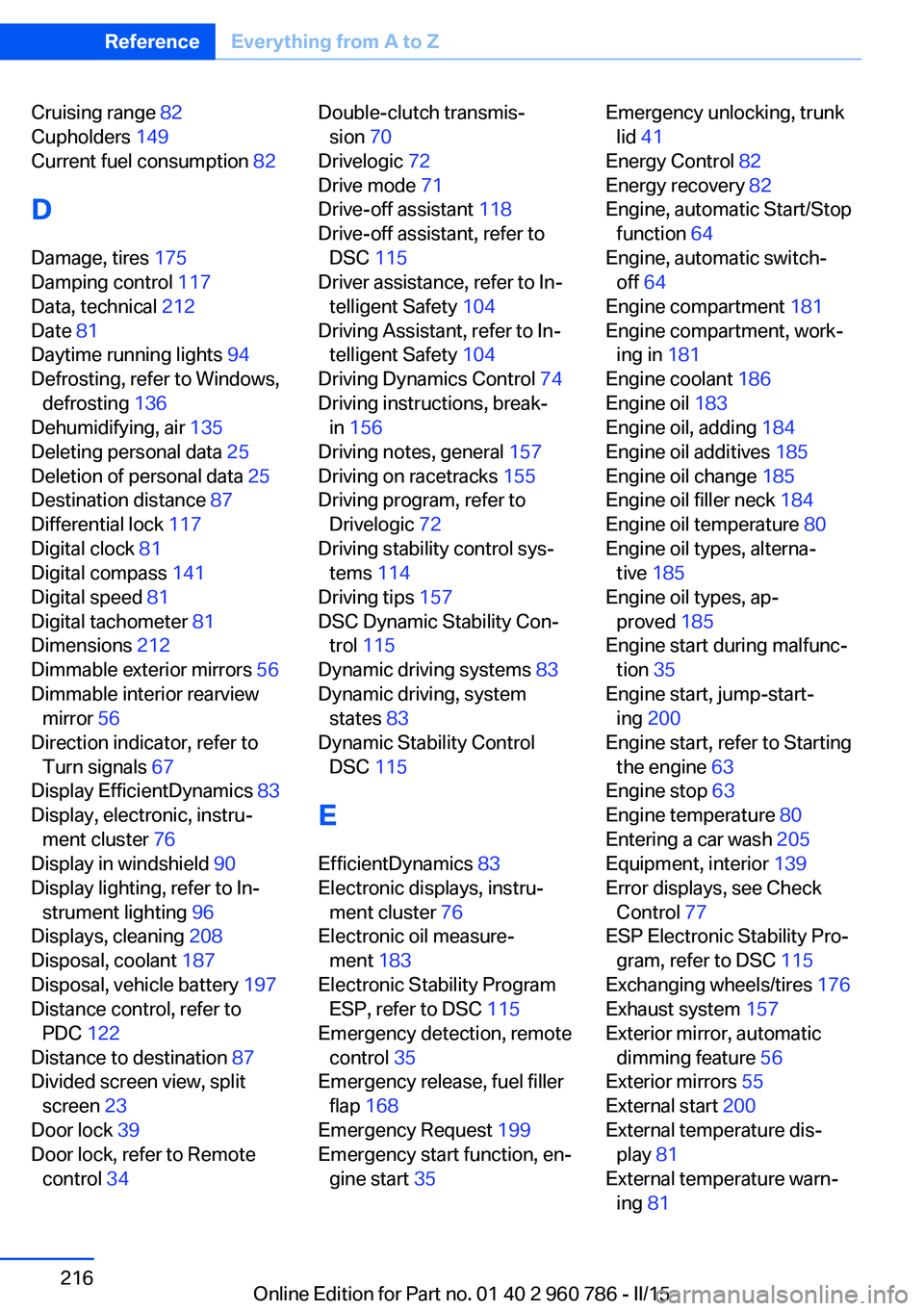
Cruising range 82
Cupholders 149
Current fuel consumption 82
D
Damage, tires 175
Damping control 117
Data, technical 212
Date 81
Daytime running lights 94
Defrosting, refer to Windows, defrosting 136
Dehumidifying, air 135
Deleting personal data 25
Deletion of personal data 25
Destination distance 87
Differential lock 117
Digital clock 81
Digital compass 141
Digital speed 81
Digital tachometer 81
Dimensions 212
Dimmable exterior mirrors 56
Dimmable interior rearview mirror 56
Direction indicator, refer to Turn signals 67
Display EfficientDynamics 83
Display, electronic, instru‐ ment cluster 76
Display in windshield 90
Display lighting, refer to In‐ strument lighting 96
Displays, cleaning 208
Disposal, coolant 187
Disposal, vehicle battery 197
Distance control, refer to PDC 122
Distance to destination 87
Divided screen view, split screen 23
Door lock 39
Door lock, refer to Remote control 34 Double-clutch transmis‐
sion 70
Drivelogic 72
Drive mode 71
Drive-off assistant 118
Drive-off assistant, refer to DSC 115
Driver assistance, refer to In‐ telligent Safety 104
Driving Assistant, refer to In‐ telligent Safety 104
Driving Dynamics Control 74
Driving instructions, break- in 156
Driving notes, general 157
Driving on racetracks 155
Driving program, refer to Drivelogic 72
Driving stability control sys‐ tems 114
Driving tips 157
DSC Dynamic Stability Con‐ trol 115
Dynamic driving systems 83
Dynamic driving, system states 83
Dynamic Stability Control DSC 115
E EfficientDynamics 83
Electronic displays, instru‐ ment cluster 76
Electronic oil measure‐ ment 183
Electronic Stability Program ESP, refer to DSC 115
Emergency detection, remote control 35
Emergency release, fuel filler flap 168
Emergency Request 199
Emergency start function, en‐ gine start 35 Emergency unlocking, trunk
lid 41
Energy Control 82
Energy recovery 82
Engine, automatic Start/Stop function 64
Engine, automatic switch- off 64
Engine compartment 181
Engine compartment, work‐ ing in 181
Engine coolant 186
Engine oil 183
Engine oil, adding 184
Engine oil additives 185
Engine oil change 185
Engine oil filler neck 184
Engine oil temperature 80
Engine oil types, alterna‐ tive 185
Engine oil types, ap‐ proved 185
Engine start during malfunc‐ tion 35
Engine start, jump-start‐ ing 200
Engine start, refer to Starting the engine 63
Engine stop 63
Engine temperature 80
Entering a car wash 205
Equipment, interior 139
Error displays, see Check Control 77
ESP Electronic Stability Pro‐ gram, refer to DSC 115
Exchanging wheels/tires 176
Exhaust system 157
Exterior mirror, automatic dimming feature 56
Exterior mirrors 55
External start 200
External temperature dis‐ play 81
External temperature warn‐ ing 81 Seite 216ReferenceEverything from A to Z216
Online Edition for Part no. 01 40 2 960 786 - II/15
Page 222 of 228
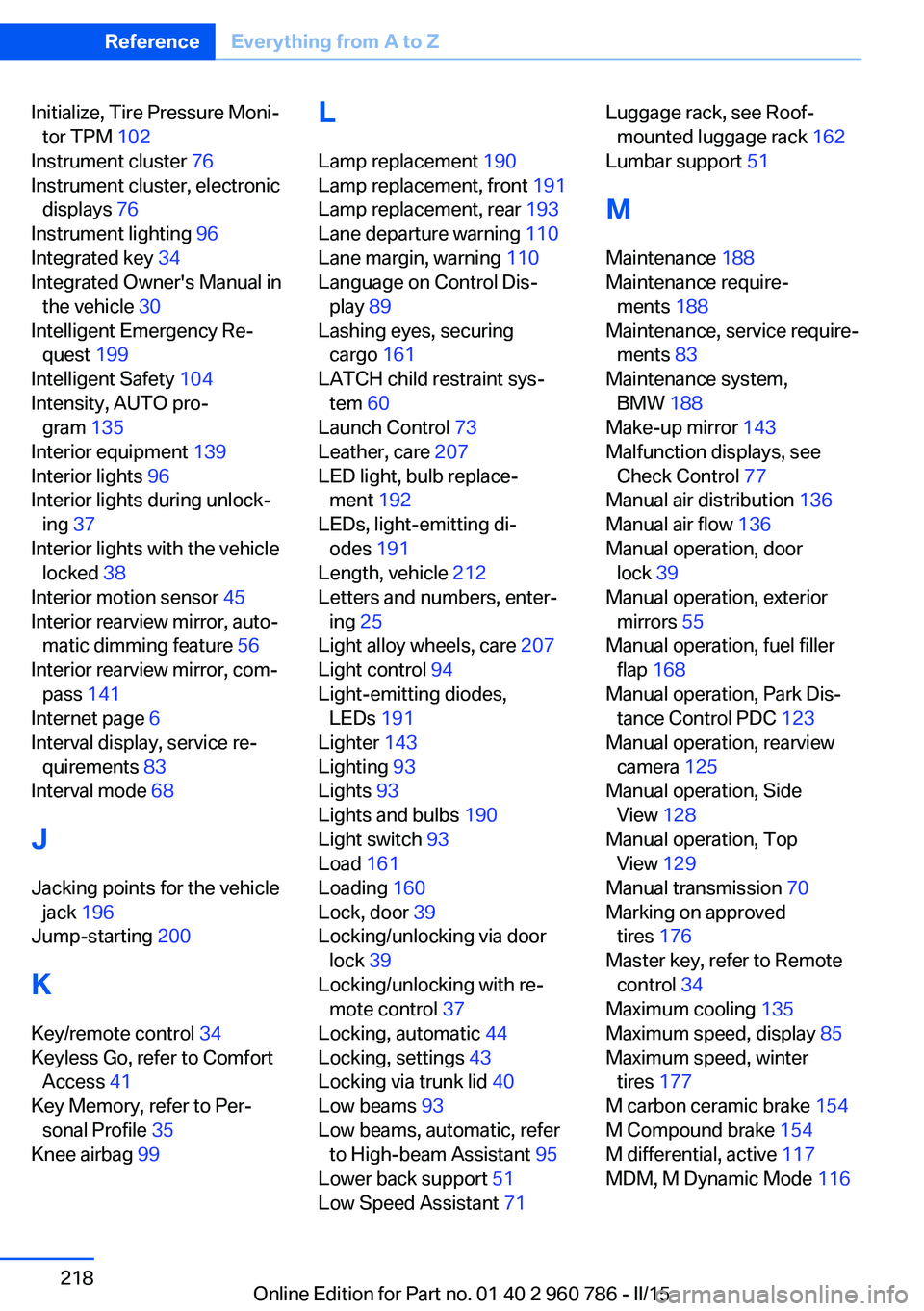
Initialize, Tire Pressure Moni‐tor TPM 102
Instrument cluster 76
Instrument cluster, electronic displays 76
Instrument lighting 96
Integrated key 34
Integrated Owner's Manual in the vehicle 30
Intelligent Emergency Re‐ quest 199
Intelligent Safety 104
Intensity, AUTO pro‐ gram 135
Interior equipment 139
Interior lights 96
Interior lights during unlock‐ ing 37
Interior lights with the vehicle locked 38
Interior motion sensor 45
Interior rearview mirror, auto‐ matic dimming feature 56
Interior rearview mirror, com‐ pass 141
Internet page 6
Interval display, service re‐ quirements 83
Interval mode 68
J Jacking points for the vehicle jack 196
Jump-starting 200
K
Key/remote control 34
Keyless Go, refer to Comfort Access 41
Key Memory, refer to Per‐ sonal Profile 35
Knee airbag 99 L
Lamp replacement 190
Lamp replacement, front 191
Lamp replacement, rear 193
Lane departure warning 110
Lane margin, warning 110
Language on Control Dis‐ play 89
Lashing eyes, securing cargo 161
LATCH child restraint sys‐ tem 60
Launch Control 73
Leather, care 207
LED light, bulb replace‐ ment 192
LEDs, light-emitting di‐ odes 191
Length, vehicle 212
Letters and numbers, enter‐ ing 25
Light alloy wheels, care 207
Light control 94
Light-emitting diodes, LEDs 191
Lighter 143
Lighting 93
Lights 93
Lights and bulbs 190
Light switch 93
Load 161
Loading 160
Lock, door 39
Locking/unlocking via door lock 39
Locking/unlocking with re‐ mote control 37
Locking, automatic 44
Locking, settings 43
Locking via trunk lid 40
Low beams 93
Low beams, automatic, refer to High-beam Assistant 95
Lower back support 51
Low Speed Assistant 71 Luggage rack, see Roof-
mounted luggage rack 162
Lumbar support 51
M
Maintenance 188
Maintenance require‐ ments 188
Maintenance, service require‐ ments 83
Maintenance system, BMW 188
Make-up mirror 143
Malfunction displays, see Check Control 77
Manual air distribution 136
Manual air flow 136
Manual operation, door lock 39
Manual operation, exterior mirrors 55
Manual operation, fuel filler flap 168
Manual operation, Park Dis‐ tance Control PDC 123
Manual operation, rearview camera 125
Manual operation, Side View 128
Manual operation, Top View 129
Manual transmission 70
Marking on approved tires 176
Master key, refer to Remote control 34
Maximum cooling 135
Maximum speed, display 85
Maximum speed, winter tires 177
M carbon ceramic brake 154
M Compound brake 154
M differential, active 117
MDM, M Dynamic Mode 116 Seite 218ReferenceEverything from A to Z218
Online Edition for Part no. 01 40 2 960 786 - II/15