battery BMW M4 2016 User Guide
[x] Cancel search | Manufacturer: BMW, Model Year: 2016, Model line: M4, Model: BMW M4 2016Pages: 228, PDF Size: 4.88 MB
Page 68 of 228
▷Driver's seat belt buckled or driver's door
closed.
The air flow rate of the air conditioning system
is reduced when the engine is not running.
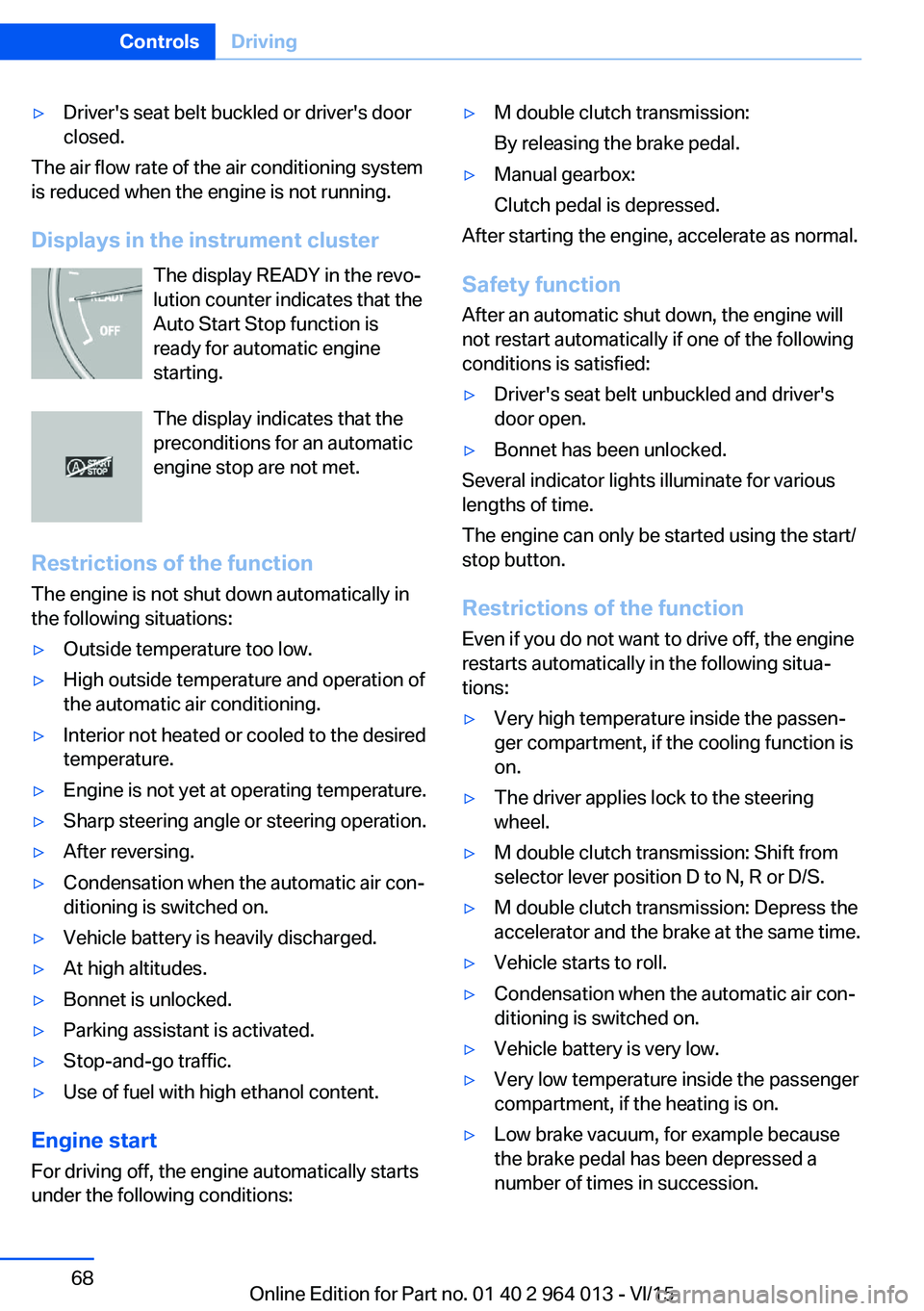
Displays in the instrument cluster The display READY in the revo‐
lution counter indicates that the
Auto Start Stop function is
ready for automatic engine
starting.
The display indicates that the preconditions for an automatic
engine stop are not met.
Restrictions of the function The engine is not shut down automatically in
the following situations:
▷Outside temperature too low.▷High outside temperature and operation of
the automatic air conditioning.▷Interior not heated or cooled to the desired
temperature.▷Engine is not yet at operating temperature.▷Sharp steering angle or steering operation.▷After reversing.▷Condensation when the automatic air con‐
ditioning is switched on.▷Vehicle battery is heavily discharged.▷At high altitudes.▷Bonnet is unlocked.▷Parking assistant is activated.▷Stop-and-go traffic.▷Use of fuel with high ethanol content.
Engine start
For driving off, the engine automatically starts
under the following conditions:
▷M double clutch transmission:
By releasing the brake pedal.▷Manual gearbox:
Clutch pedal is depressed.
After starting the engine, accelerate as normal.
Safety function After an automatic shut down, the engine will
not restart automatically if one of the following
conditions is satisfied:
▷Driver's seat belt unbuckled and driver's
door open.▷Bonnet has been unlocked.
Several indicator lights illuminate for various
lengths of time.
The engine can only be started using the start/
stop button.
Restrictions of the function
Even if you do not want to drive off, the engine
restarts automatically in the following situa‐
tions:
▷Very high temperature inside the passen‐
ger compartment, if the cooling function is
on.▷The driver applies lock to the steering
wheel.▷M double clutch transmission: Shift from
selector lever position D to N, R or D/S.▷M double clutch transmission: Depress the
accelerator and the brake at the same time.▷Vehicle starts to roll.▷Condensation when the automatic air con‐
ditioning is switched on.▷Vehicle battery is very low.▷Very low temperature inside the passenger
compartment, if the heating is on.▷Low brake vacuum, for example because
the brake pedal has been depressed a
number of times in succession.Seite 68ControlsDriving68
Online Edition for Part no. 01 40 2 964 013 - VI/15
Page 86 of 228
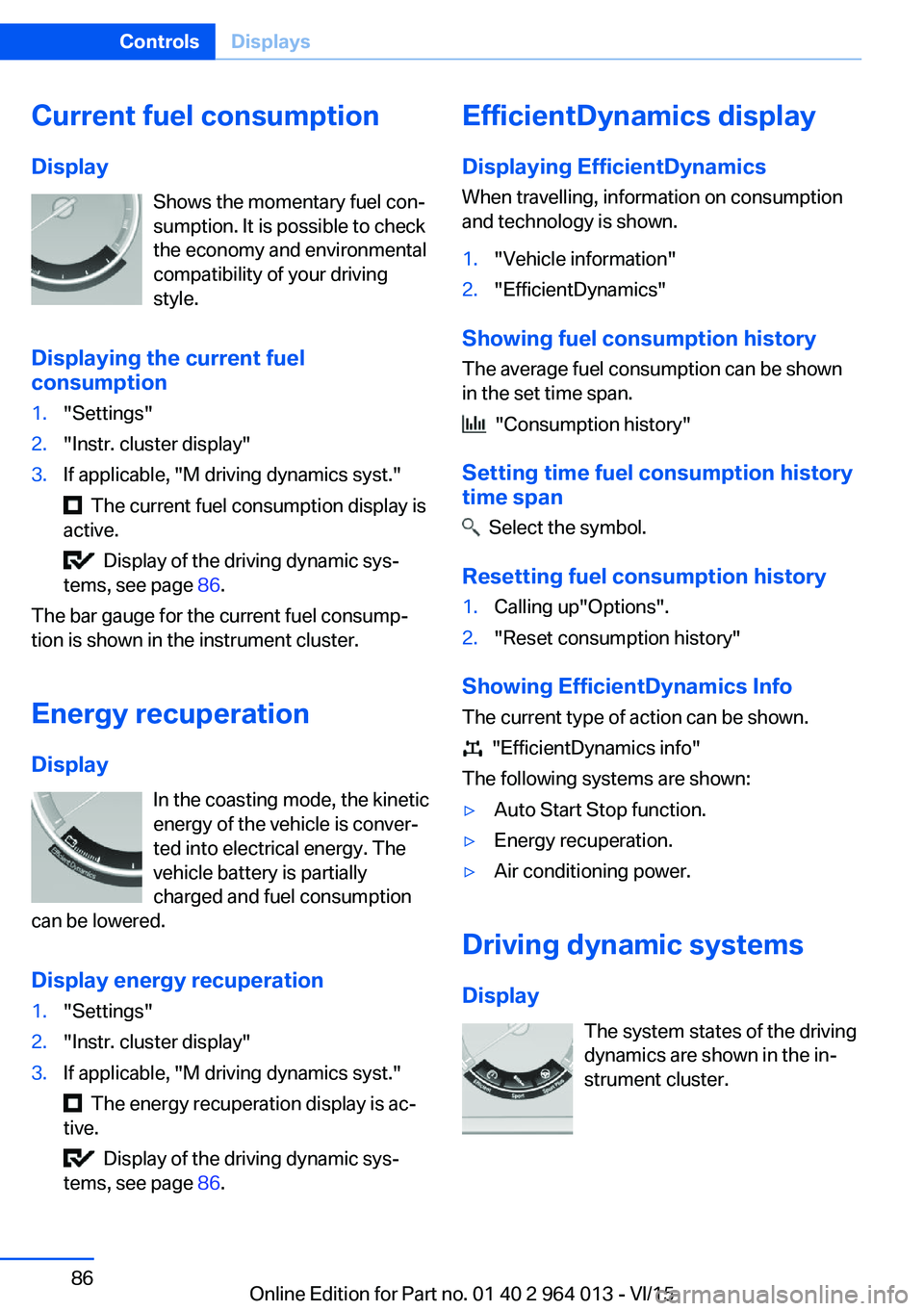
Current fuel consumption
Display Shows the momentary fuel con‐
sumption. It is possible to check
the economy and environmental
compatibility of your driving
style.
Displaying the current fuel
consumption1."Settings"2."Instr. cluster display"3.If applicable, "M driving dynamics syst."
The current fuel consumption display is
active.
Display of the driving dynamic sys‐
tems, see page 86.
The bar gauge for the current fuel consump‐
tion is shown in the instrument cluster.
Energy recuperation
Display In the coasting mode, the kinetic
energy of the vehicle is conver‐
ted into electrical energy. The
vehicle battery is partially
charged and fuel consumption
can be lowered.
Display energy recuperation
1."Settings"2."Instr. cluster display"3.If applicable, "M driving dynamics syst."
The energy recuperation display is ac‐
tive.
Display of the driving dynamic sys‐
tems, see page 86.
EfficientDynamics display
Displaying EfficientDynamics When travelling, information on consumption
and technology is shown.1."Vehicle information"2."EfficientDynamics"
Showing fuel consumption history
The average fuel consumption can be shown
in the set time span.
"Consumption history"
Setting time fuel consumption history
time span
Select the symbol.
Resetting fuel consumption history
1.Calling up"Options".2."Reset consumption history"
Showing EfficientDynamics Info
The current type of action can be shown.
"EfficientDynamics info"
The following systems are shown:
▷Auto Start Stop function.▷Energy recuperation.▷Air conditioning power.
Driving dynamic systems
Display The system states of the driving
dynamics are shown in the in‐
strument cluster.
Seite 86ControlsDisplays86
Online Edition for Part no. 01 40 2 964 013 - VI/15
Page 98 of 228
LightsVehicle equipmentThis chapter describes all standard, national
and special equipment provided in the model
series. Equipment not available in the vehicle is
therefore also described, for example the se‐
lected special equipment or national version.
This also applies to safety-relevant functions
and systems. Comply with the relevant na‐
tional regulations when using the correspond‐
ing functions and systems.
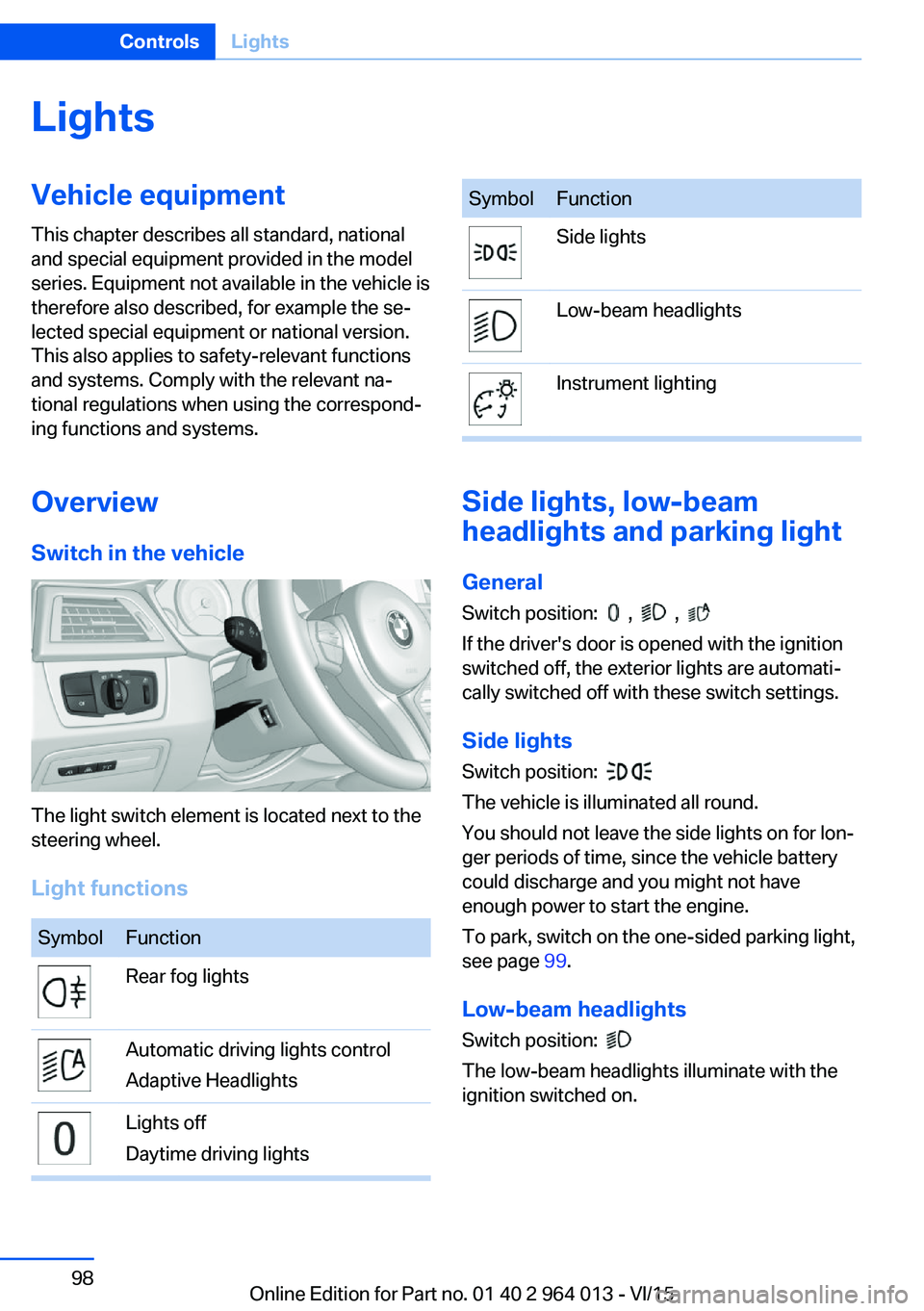
Overview Switch in the vehicle
The light switch element is located next to the
steering wheel.
Light functions
SymbolFunctionRear fog lightsAutomatic driving lights control
Adaptive HeadlightsLights off
Daytime driving lightsSymbolFunctionSide lightsLow-beam headlightsInstrument lighting
Side lights, low-beam
headlights and parking light
General
Switch position:
, ,
If the driver's door is opened with the ignition
switched off, the exterior lights are automati‐
cally switched off with these switch settings.
Side lights
Switch position:
The vehicle is illuminated all round.
You should not leave the side lights on for lon‐
ger periods of time, since the vehicle battery
could discharge and you might not have
enough power to start the engine.
To park, switch on the one-sided parking light,
see page 99.
Low-beam headlights Switch position:
The low-beam headlights illuminate with the
ignition switched on.
Seite 98ControlsLights98
Online Edition for Part no. 01 40 2 964 013 - VI/15
Page 146 of 228
Automatic air recirculation control,
AUC/recirculated-air mode
If the air outside the vehicle has an unpleasant
odour or contains pollutants, the supply to the
interior of the vehicle can be shut off. The air
inside the vehicle is then recirculated.
Press button repeatedly to call up an
operating mode:▷LEDs off: ambient air is constantly entering
the car.▷Left-hand LED on, AUC mode: a sensor
detects pollutants in the outside air and
shuts it out automatically.▷Right-hand LED on, recirculated-air mode:
the ambient air supply is permanently shut
off.
The recirculated-air mode automatically
switches off at low outside temperatures after
a given time, to avoid condensation.
Continuous recirculated-air mode deteriorates
the air quality in the interior and condensation
on the windows increases.
If there is condensation on the window, switch
off recirculated-air mode and press the AUTO
button to use the condensation sensor. Ensure
that air can flow towards the windscreen.
Adjusting the air flow manually To be able to adjust the air flow manually, first
switch off the AUTO program.
Pressing the button on the left or right
reduces or increases the air flow.
The selected air flow is shown on the display
for automatic air conditioning.
In order to protect the battery the air flow rate
of the automatic air conditioning is reduced, if
necessary.
Adjusting the air distribution manually Press button repeatedly to select a
program:
▷Upper body area.▷Upper body area and footwell.▷Footwell.▷Windows and footwell: only on the driver's
side.▷Windows, upper body area and footwell:
only on the driver's side.
If there is condensation on the window, press
the AUTO button in order to use the conden‐
sation sensor.
Defrosting windows and removing
condensation
Press the button.
This removes ice and condensation
quickly from the windscreen and the front side
windows.
To do this, point the side nozzles at the side
windows if necessary.
The air flow can be adapted when the program
is active.
If there is condensation on the window, switch
on the cooling function as well or press the AUTO button to use the condensation sensor.
Heated rear window Press the button.
The heated rear window is switched
off automatically after a certain period of time.
Microfilter/activated charcoal filter
In outside and recirculated-air mode, the mi‐
crofilter/activated carbon filter filters dust, pol‐ len and harmful gases from the air.
This filter should be changed during mainte‐
nance on your vehicle, see page 191.
Seite 146ControlsClimate146
Online Edition for Part no. 01 40 2 964 013 - VI/15
Page 150 of 228
Connecting electrical
appliances
Information ATTENTION
Battery chargers for the vehicle battery
can operate with high voltages and high cur‐
rents, which can overload or damage the
12 volt on-board network. Danger of damage
to property. Only connect battery chargers for
the vehicle battery to the jump-starting con‐
nections in the engine compartment.◀
ATTENTION
If metallic objects fall into the socket,
they can cause a short circuit. Danger of dam‐
age to property. After using the socket, put the
lighter or socket cover back on.◀
Power sockets
General
Cigarette lighter socket can be used as a
socket for electrical devices when the engine
is running or the ignition is switched on.
Note The total load of all sockets must not exceed
140 Watt at 12 Volt.
To avoid damage to the socket, do not insert
an incompatible plug.
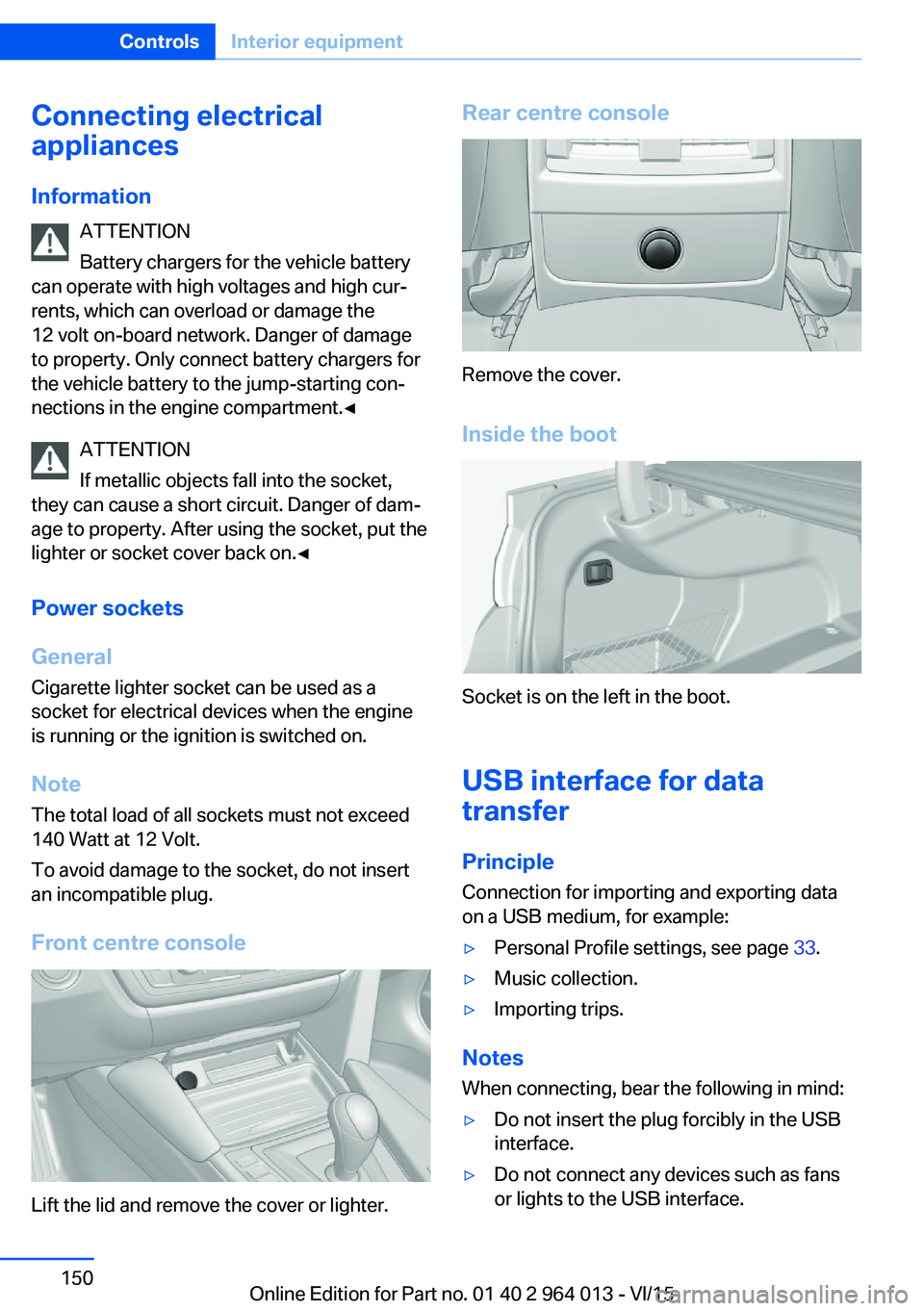
Front centre console
Lift the lid and remove the cover or lighter.
Rear centre console
Remove the cover.
Inside the boot
Socket is on the left in the boot.
USB interface for data
transfer
Principle Connection for importing and exporting data
on a USB medium, for example:
▷Personal Profile settings, see page 33.▷Music collection.▷Importing trips.
Notes
When connecting, bear the following in mind:
▷Do not insert the plug forcibly in the USB
interface.▷Do not connect any devices such as fans
or lights to the USB interface.Seite 150ControlsInterior equipment150
Online Edition for Part no. 01 40 2 964 013 - VI/15
Page 182 of 228
Engine compartmentVehicle equipmentThis chapter describes all standard, national
and special equipment provided in the model
series. Equipment not available in the vehicle is
therefore also described, for example the se‐lected special equipment or national version.
This also applies to safety-relevant functions
and systems. Comply with the relevant na‐
tional regulations when using the correspond‐
ing functions and systems.
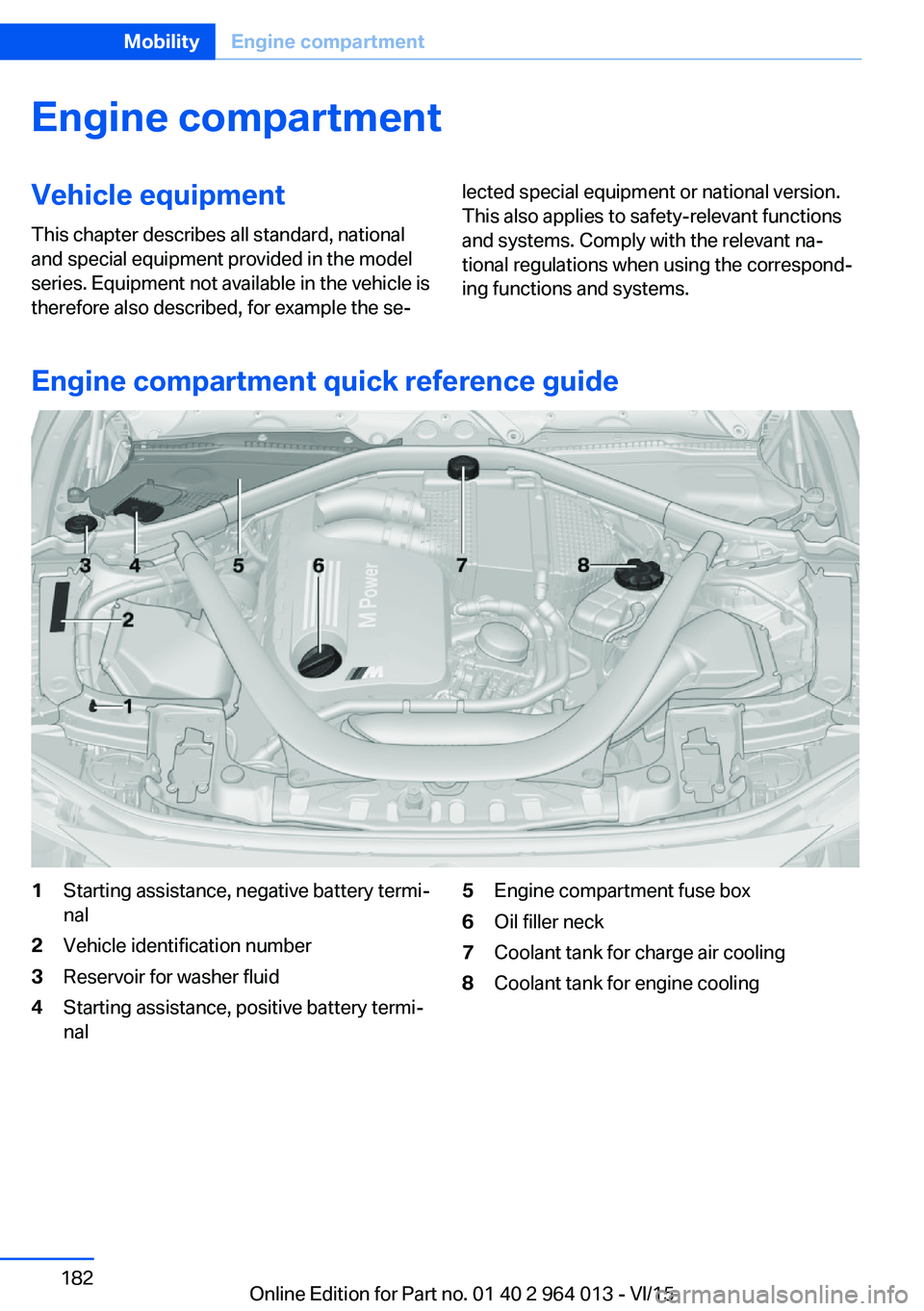
Engine compartment quick reference guide
1Starting assistance, negative battery termi‐
nal2Vehicle identification number3Reservoir for washer fluid4Starting assistance, positive battery termi‐
nal5Engine compartment fuse box6Oil filler neck7Coolant tank for charge air cooling8Coolant tank for engine coolingSeite 182MobilityEngine compartment182
Online Edition for Part no. 01 40 2 964 013 - VI/15
Page 191 of 228
MaintenanceVehicle equipment
This chapter describes all standard, national
and special equipment provided in the model
series. Equipment not available in the vehicle is
therefore also described, for example the se‐
lected special equipment or national version.
This also applies to safety-relevant functions
and systems. Comply with the relevant na‐
tional regulations when using the correspond‐
ing functions and systems.
BMW Maintenance System
The maintenance system points out the nec‐
essary maintenance measures and so sup‐
ports in maintaining the road and operational
safety of the vehicle.
Scopes and intervals may vary depending on
national version. Replacement work, spare
parts, operating materials and wear material
are calculated separately. Further information
is available from a Service Partner or a qualified
specialist workshop.
Condition Based Service,
CBS
Sensors and advanced algorithms monitor the
conditions in which your vehicle is used. Con‐
dition Based Service uses this information to
calculate the maintenance requirements.
The system thus enables adaptation of the
scope of maintenance to the individual usage
profile.
Detailed information on service requirements,
see page 87, can be displayed at the Control
Display.Service data in the remote control
Information on maintenance requirements is
continually saved in the remote control. The Service Partner or a qualified specialist work‐
shop can read out this data and suggest an op‐
timised maintenance scope for your vehicle.
This is why you should hand over the remote
control that was last used for driving to your
service advisor with the vehicle.
Periods out of use
Immobilisation periods with the vehicle battery
disconnected are not taken into account.
Updating the time-dependent maintenance
scope such as brake fluid and any engine oil
and microfilter or activated carbon filter can be
done by a Service Partner or a qualified spe‐
cialist workshop.
Service history Have maintenance and repair carried out by a
Service Partner or a qualified specialist work‐
shop.
The maintenance work carried out is entered in
the proof of maintenance and the vehicle data.
The entries are, just like a service booklet, evi‐
dence of regular maintenance.
If an entry is made in the electronic service his‐
tory of the vehicle, service-relevant data is not
only saved in the vehicle but also on the central
IT systems of BMW AG, Munich.
The data entered in the electronic service his‐
tory can also be viewed by the new vehicle
owner after a change of vehicle owner. In addi‐
tion, all Service Partners and other authorised
and qualified specialist workshops can view
the data entered in the electronic service his‐
tory.Seite 191MaintenanceMobility191
Online Edition for Part no. 01 40 2 964 013 - VI/15
Page 199 of 228
5.Install the cable on the handle of the emer‐
gency release and engage the handle into
the fastening.6.Fit the bracket for the warning triangle.7.Attach the warning triangle.
Tail lights, number plate lights and
centre brake light
These lights use LED technology. Contact a
Service Partner or a qualified specialist work‐
shop in the case of a defect.
Changing a wheel
Notes
When using sealants, immediate wheel change
in the event of loss of tyre pressure in case of
puncture is not required.
As a result, no spare wheel is available.
The tools for changing wheels are available as
optional accessories from a Service Partner or
a qualified specialist workshop.
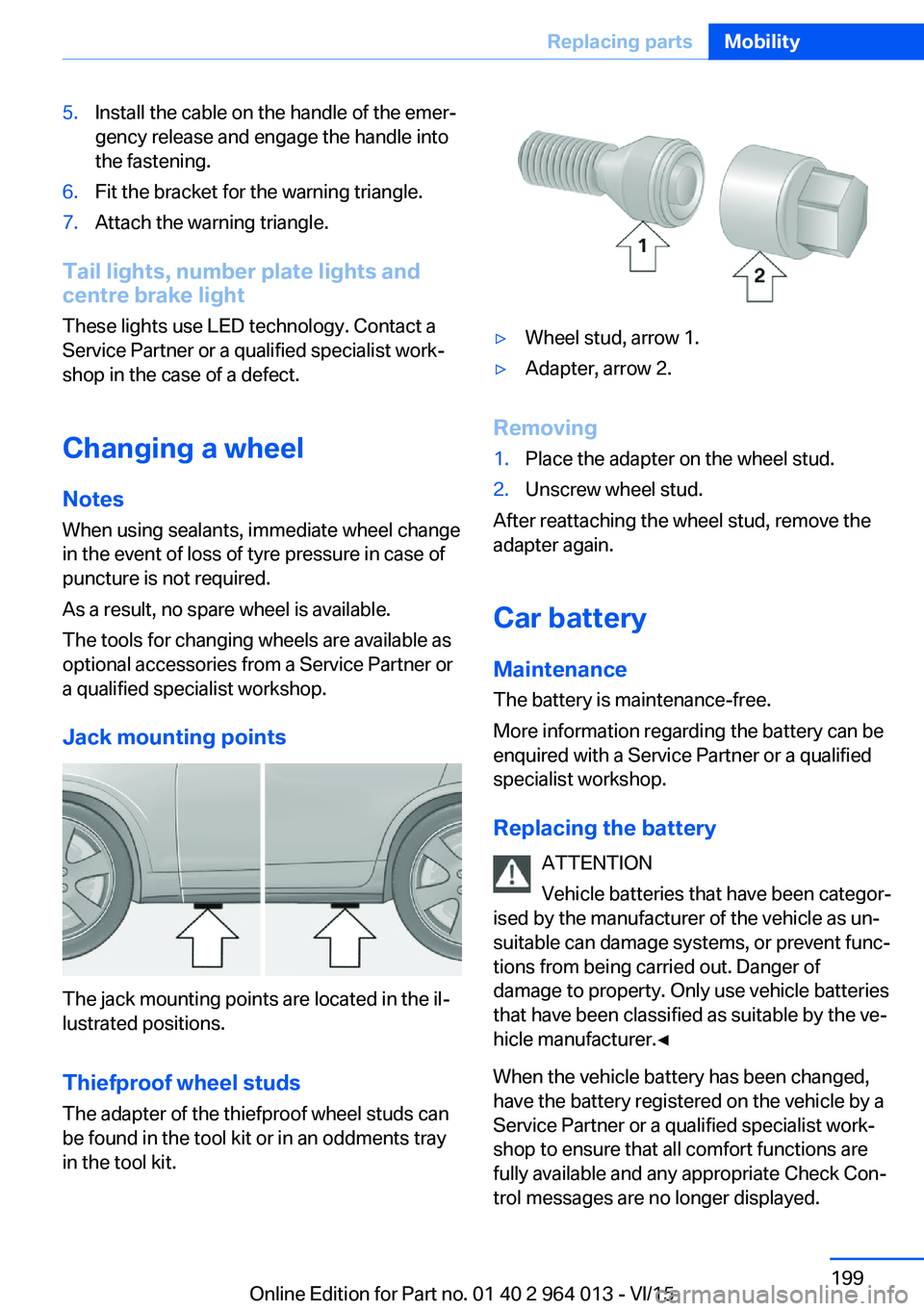
Jack mounting points
The jack mounting points are located in the il‐
lustrated positions.
Thiefproof wheel studs
The adapter of the thiefproof wheel studs can
be found in the tool kit or in an oddments tray
in the tool kit.
▷Wheel stud, arrow 1.▷Adapter, arrow 2.
Removing
1.Place the adapter on the wheel stud.2.Unscrew wheel stud.
After reattaching the wheel stud, remove the
adapter again.
Car battery Maintenance
The battery is maintenance-free.
More information regarding the battery can be
enquired with a Service Partner or a qualified
specialist workshop.
Replacing the battery ATTENTION
Vehicle batteries that have been categor‐
ised by the manufacturer of the vehicle as un‐
suitable can damage systems, or prevent func‐
tions from being carried out. Danger of
damage to property. Only use vehicle batteries
that have been classified as suitable by the ve‐
hicle manufacturer.◀
When the vehicle battery has been changed,
have the battery registered on the vehicle by a
Service Partner or a qualified specialist work‐
shop to ensure that all comfort functions are
fully available and any appropriate Check Con‐
trol messages are no longer displayed.
Seite 199Replacing partsMobility199
Online Edition for Part no. 01 40 2 964 013 - VI/15
Page 200 of 228
Recharging the battery
General Ensure the battery is sufficiently charged to
guarantee the entire lifetime of the battery.
In the following cases, charging the battery is
necessary:▷When making frequent short trips.▷When leaving for periods of longer than
one month.
Notes
ATTENTION
Unsuitable external chargers can dam‐
age the vehicle. Danger of damage to property.
Use chargers that have been categorised as
suitable for the respective vehicle type by the
vehicle manufacturer. Observe the maximum
charge voltage.◀
Maximum charge voltage: 14.4 Volt. ATTENTION
Battery chargers for the vehicle battery
can operate with high voltages and high cur‐
rents, which can overload or damage the
12 volt on-board network. Danger of damage
to property. Only connect battery chargers for
the vehicle battery to the jump-starting con‐
nections in the engine compartment.◀
Jump-starting connections
Recharge the battery only with the engine
stopped, via the jump-starting connections,
see page 204, in the engine compartment.
Charger
Chargers developed especially for the vehicle
and attuned to the on-board network can be
obtained from Service Partner or a qualified
specialist workshop.
Power failure
Following a temporary electrical power outage,
some equipment will have to be reinitialised or
individual settings will need to be updated, for
example:▷Seat and mirror memory: re-save positions.▷Time: update.▷Date: update.▷Glass Roof and sun blind: initialise system,
see page 47.
Disposing of the old battery
Dispose of old batteries at a Service
Partner or a qualified specialist work‐
shop or hand them into an authorised
collecting point.
Fuses
Notes WARNING
Incorrect or repaired fuses can overload
electrical cables and components. Fire risk. Do
not repair blown fuses or renew them by fuses
with a different colour or amp rating.◀
Plastic tweezers and details of the fuse assign‐
ment can be found with the fuses in the boot.
Seite 200MobilityReplacing parts200
Online Edition for Part no. 01 40 2 964 013 - VI/15
Page 203 of 228
required. For example, the current position
of the vehicle, if this can be determined. If
questions posed by the emergency call
centre remain unanswered, rescue meas‐
ures are automatically initiated.▷If the LED is flashing green but the emer‐
gency call centre can no longer be heard
over the loudspeaker, you may still be able
to be heard by the emergency call centre.
Automatically activating emergency
calls
In certain circumstances, an emergency call
may be placed automatically immediately after
a serious accident. An automatic emergency
call is not influenced by pressing the SOS but‐
ton.
Warning triangle
The warning triangle is located inside the boot
lid.
To remove, release the mounts.
First-aid kit
Note The longevity of some items is limited.
Check the use-by dates of the contents regu‐
larly and replace any items that have expired in
good time.
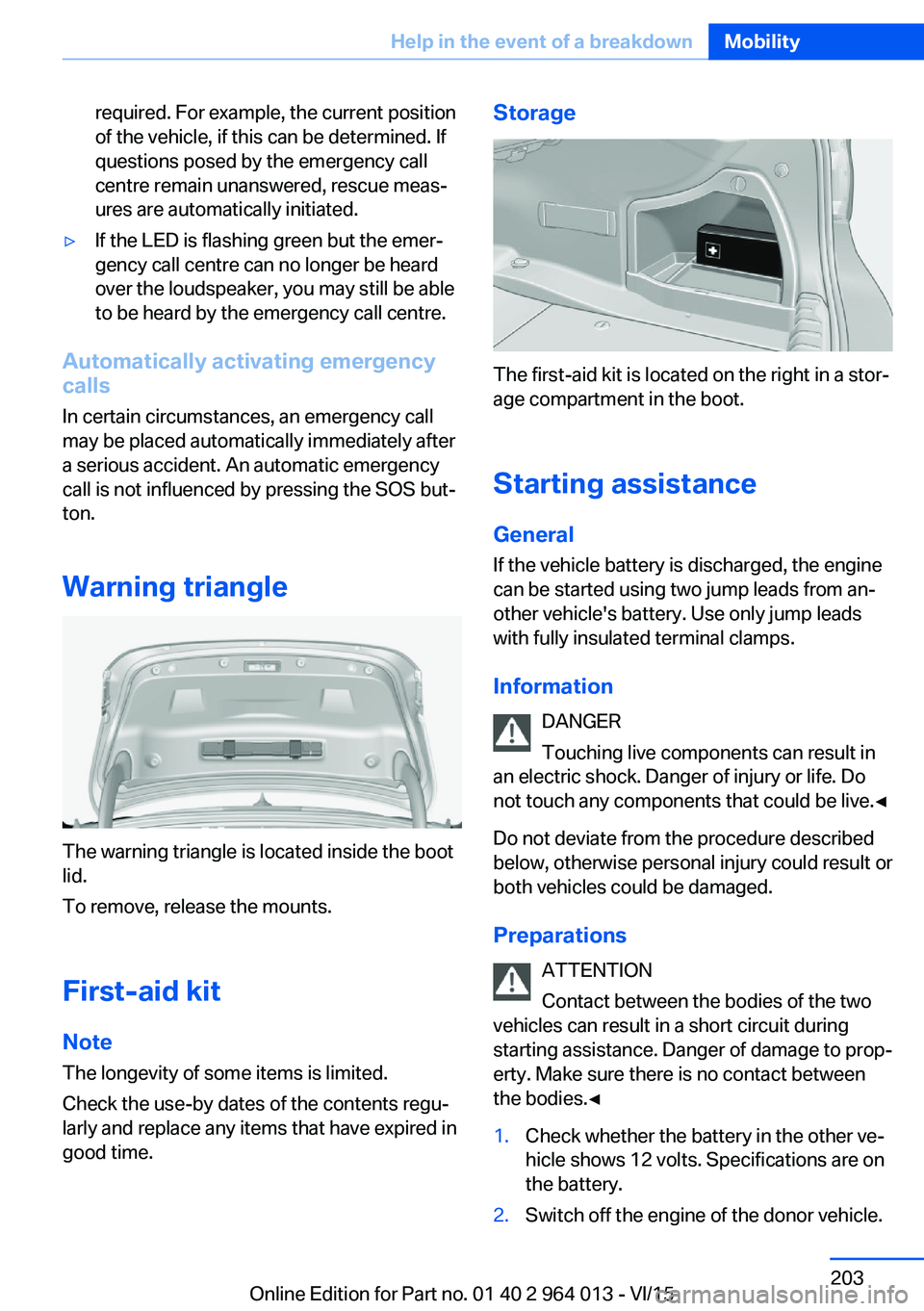
Storage
The first-aid kit is located on the right in a stor‐
age compartment in the boot.
Starting assistance General
If the vehicle battery is discharged, the engine
can be started using two jump leads from an‐
other vehicle's battery. Use only jump leads
with fully insulated terminal clamps.
Information DANGER
Touching live components can result in
an electric shock. Danger of injury or life. Do
not touch any components that could be live.◀
Do not deviate from the procedure described
below, otherwise personal injury could result or
both vehicles could be damaged.
Preparations ATTENTION
Contact between the bodies of the two
vehicles can result in a short circuit during
starting assistance. Danger of damage to prop‐
erty. Make sure there is no contact between
the bodies.◀
1.Check whether the battery in the other ve‐
hicle shows 12 volts. Specifications are on
the battery.2.Switch off the engine of the donor vehicle.Seite 203Help in the event of a breakdownMobility203
Online Edition for Part no. 01 40 2 964 013 - VI/15