stop start BMW M4 2016 User Guide
[x] Cancel search | Manufacturer: BMW, Model Year: 2016, Model line: M4, Model: BMW M4 2016Pages: 228, PDF Size: 4.88 MB
Page 68 of 228
▷Driver's seat belt buckled or driver's door
closed.
The air flow rate of the air conditioning system
is reduced when the engine is not running.
Displays in the instrument cluster The display READY in the revo‐
lution counter indicates that the
Auto Start Stop function is
ready for automatic engine
starting.
The display indicates that the preconditions for an automatic
engine stop are not met.
Restrictions of the function The engine is not shut down automatically in
the following situations:
▷Outside temperature too low.▷High outside temperature and operation of
the automatic air conditioning.▷Interior not heated or cooled to the desired
temperature.▷Engine is not yet at operating temperature.▷Sharp steering angle or steering operation.▷After reversing.▷Condensation when the automatic air con‐
ditioning is switched on.▷Vehicle battery is heavily discharged.▷At high altitudes.▷Bonnet is unlocked.▷Parking assistant is activated.▷Stop-and-go traffic.▷Use of fuel with high ethanol content.
Engine start
For driving off, the engine automatically starts
under the following conditions:
▷M double clutch transmission:
By releasing the brake pedal.▷Manual gearbox:
Clutch pedal is depressed.
After starting the engine, accelerate as normal.
Safety function After an automatic shut down, the engine will
not restart automatically if one of the following
conditions is satisfied:
▷Driver's seat belt unbuckled and driver's
door open.▷Bonnet has been unlocked.
Several indicator lights illuminate for various
lengths of time.
The engine can only be started using the start/
stop button.
Restrictions of the function
Even if you do not want to drive off, the engine
restarts automatically in the following situa‐
tions:
▷Very high temperature inside the passen‐
ger compartment, if the cooling function is
on.▷The driver applies lock to the steering
wheel.▷M double clutch transmission: Shift from
selector lever position D to N, R or D/S.▷M double clutch transmission: Depress the
accelerator and the brake at the same time.▷Vehicle starts to roll.▷Condensation when the automatic air con‐
ditioning is switched on.▷Vehicle battery is very low.▷Very low temperature inside the passenger
compartment, if the heating is on.▷Low brake vacuum, for example because
the brake pedal has been depressed a
number of times in succession.Seite 68ControlsDriving68
Online Edition for Part no. 01 40 2 964 013 - VI/15
Page 69 of 228
Preventing automatic engine stop
with M double clutch transmission
Principle To enable the vehicle to move off particularly
swiftly, for example at a junction, the automatic
engine stop can be actively prevented.
Preventing automatic engine stop
using the brake pedal
The engine stop can be actively prevented
within a second of the vehicle coming to a
standstill:▷Press the brake pedal down firmly as soon
as the vehicle has come to a standstill.▷Then immediately brake again with normal
braking force.
Manually deactivating/activating the
system
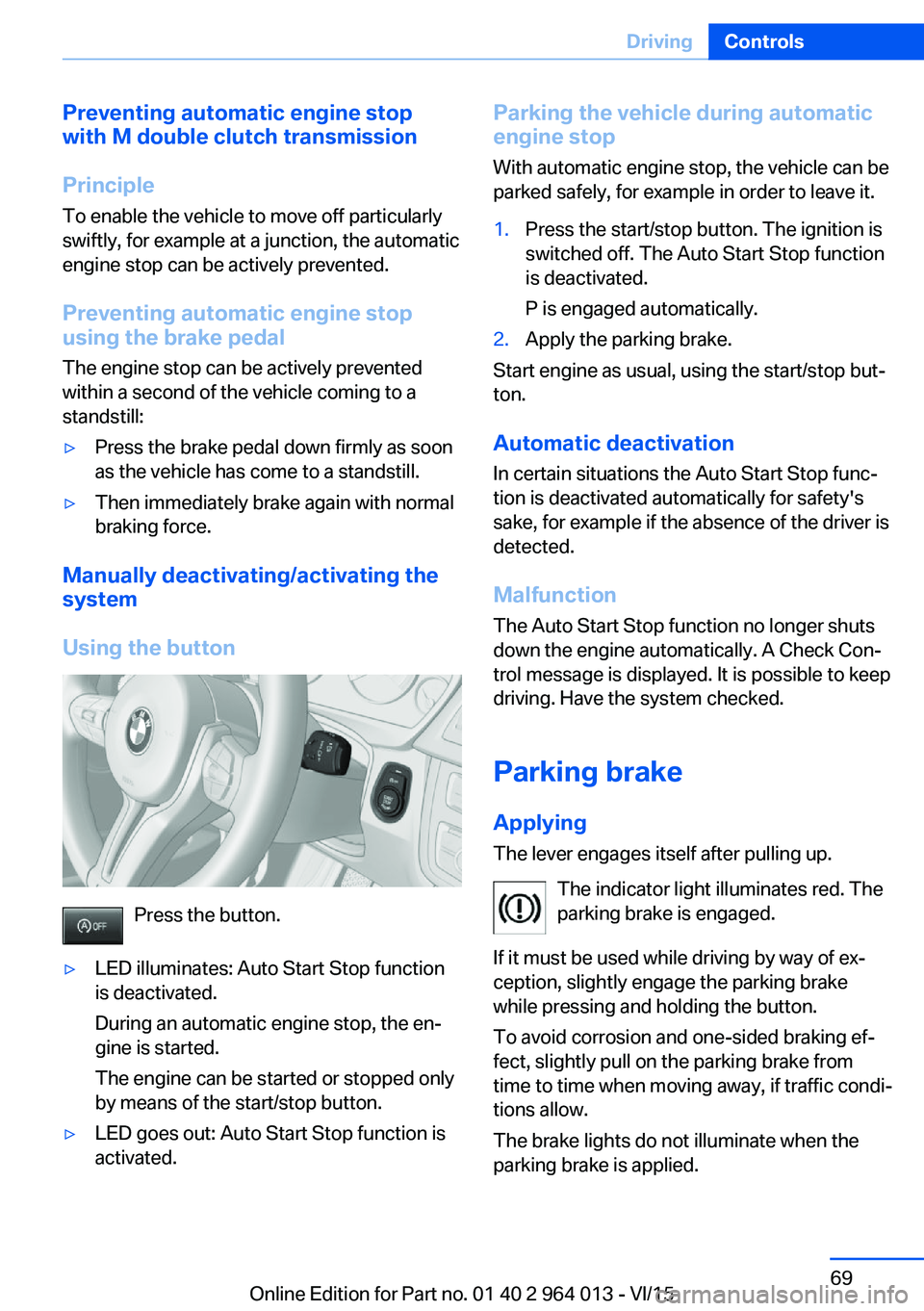
Using the button
Press the button.
▷LED illuminates: Auto Start Stop function
is deactivated.
During an automatic engine stop, the en‐
gine is started.
The engine can be started or stopped only
by means of the start/stop button.▷LED goes out: Auto Start Stop function is
activated.Parking the vehicle during automatic
engine stop
With automatic engine stop, the vehicle can be
parked safely, for example in order to leave it.1.Press the start/stop button. The ignition is
switched off. The Auto Start Stop function
is deactivated.
P is engaged automatically.2.Apply the parking brake.
Start engine as usual, using the start/stop but‐
ton.
Automatic deactivation
In certain situations the Auto Start Stop func‐
tion is deactivated automatically for safety's
sake, for example if the absence of the driver is
detected.
Malfunction
The Auto Start Stop function no longer shuts
down the engine automatically. A Check Con‐
trol message is displayed. It is possible to keep
driving. Have the system checked.
Parking brake
Applying The lever engages itself after pulling up.
The indicator light illuminates red. The
parking brake is engaged.
If it must be used while driving by way of ex‐
ception, slightly engage the parking brake
while pressing and holding the button.
To avoid corrosion and one-sided braking ef‐
fect, slightly pull on the parking brake from
time to time when moving away, if traffic condi‐
tions allow.
The brake lights do not illuminate when the
parking brake is applied.
Seite 69DrivingControls69
Online Edition for Part no. 01 40 2 964 013 - VI/15
Page 79 of 228
DisplaysVehicle equipmentThis chapter describes all standard, national
and special equipment provided in the model
series. Equipment not available in the vehicle is
therefore also described, for example the se‐lected special equipment or national version.
This also applies to safety-relevant functions
and systems. Comply with the relevant na‐
tional regulations when using the correspond‐
ing functions and systems.
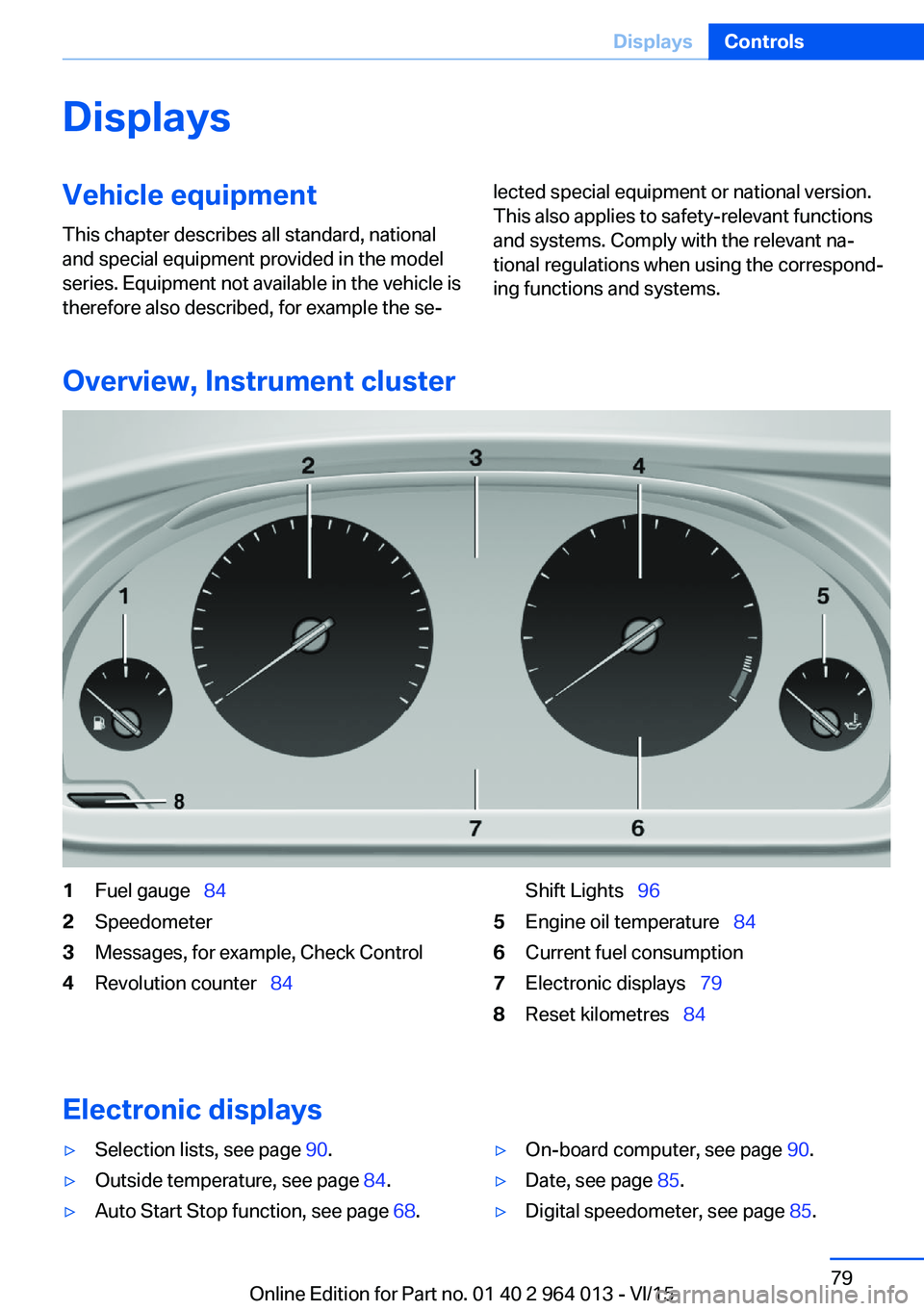
Overview, Instrument cluster
1Fuel gauge 842Speedometer3Messages, for example, Check Control4Revolution counter 84Shift Lights 965Engine oil temperature 846Current fuel consumption7Electronic displays 798Reset kilometres 84
Electronic displays
▷Selection lists, see page 90.▷Outside temperature, see page 84.▷Auto Start Stop function, see page 68.▷On-board computer, see page 90.▷Date, see page 85.▷Digital speedometer, see page 85.Seite 79DisplaysControls79
Online Edition for Part no. 01 40 2 964 013 - VI/15
Page 86 of 228
Current fuel consumption
Display Shows the momentary fuel con‐
sumption. It is possible to check
the economy and environmental
compatibility of your driving
style.
Displaying the current fuel
consumption1."Settings"2."Instr. cluster display"3.If applicable, "M driving dynamics syst."
The current fuel consumption display is
active.
Display of the driving dynamic sys‐
tems, see page 86.
The bar gauge for the current fuel consump‐
tion is shown in the instrument cluster.
Energy recuperation
Display In the coasting mode, the kinetic
energy of the vehicle is conver‐
ted into electrical energy. The
vehicle battery is partially
charged and fuel consumption
can be lowered.
Display energy recuperation
1."Settings"2."Instr. cluster display"3.If applicable, "M driving dynamics syst."
The energy recuperation display is ac‐
tive.
Display of the driving dynamic sys‐
tems, see page 86.
EfficientDynamics display
Displaying EfficientDynamics When travelling, information on consumption
and technology is shown.1."Vehicle information"2."EfficientDynamics"
Showing fuel consumption history
The average fuel consumption can be shown
in the set time span.
"Consumption history"
Setting time fuel consumption history
time span
Select the symbol.
Resetting fuel consumption history
1.Calling up"Options".2."Reset consumption history"
Showing EfficientDynamics Info
The current type of action can be shown.
"EfficientDynamics info"
The following systems are shown:
▷Auto Start Stop function.▷Energy recuperation.▷Air conditioning power.
Driving dynamic systems
Display The system states of the driving
dynamics are shown in the in‐
strument cluster.
Seite 86ControlsDisplays86
Online Edition for Part no. 01 40 2 964 013 - VI/15
Page 109 of 228
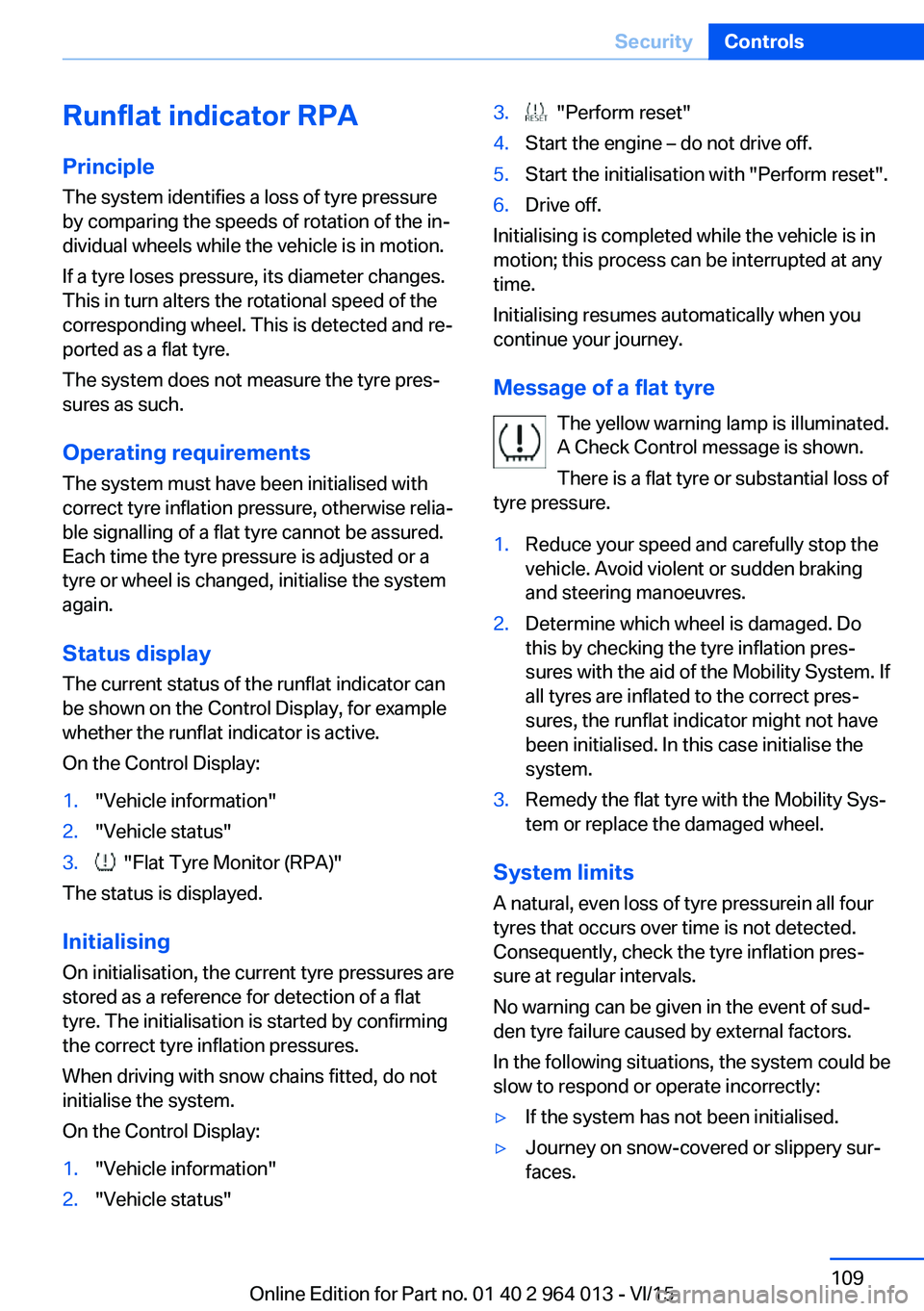
Runflat indicator RPA
Principle The system identifies a loss of tyre pressure
by comparing the speeds of rotation of the in‐
dividual wheels while the vehicle is in motion.
If a tyre loses pressure, its diameter changes.
This in turn alters the rotational speed of the
corresponding wheel. This is detected and re‐
ported as a flat tyre.
The system does not measure the tyre pres‐
sures as such.
Operating requirements
The system must have been initialised with
correct tyre inflation pressure, otherwise relia‐
ble signalling of a flat tyre cannot be assured.
Each time the tyre pressure is adjusted or a
tyre or wheel is changed, initialise the system
again.
Status display The current status of the runflat indicator can
be shown on the Control Display, for example
whether the runflat indicator is active.
On the Control Display:1."Vehicle information"2."Vehicle status"3. "Flat Tyre Monitor (RPA)"
The status is displayed.
Initialising
On initialisation, the current tyre pressures are
stored as a reference for detection of a flat tyre. The initialisation is started by confirming
the correct tyre inflation pressures.
When driving with snow chains fitted, do not
initialise the system.
On the Control Display:
1."Vehicle information"2."Vehicle status"3. "Perform reset"4.Start the engine – do not drive off.5.Start the initialisation with "Perform reset".6.Drive off.
Initialising is completed while the vehicle is in
motion; this process can be interrupted at any
time.
Initialising resumes automatically when you
continue your journey.
Message of a flat tyre The yellow warning lamp is illuminated.
A Check Control message is shown.
There is a flat tyre or substantial loss of
tyre pressure.
1.Reduce your speed and carefully stop the
vehicle. Avoid violent or sudden braking
and steering manoeuvres.2.Determine which wheel is damaged. Do
this by checking the tyre inflation pres‐
sures with the aid of the Mobility System. If
all tyres are inflated to the correct pres‐
sures, the runflat indicator might not have
been initialised. In this case initialise the
system.3.Remedy the flat tyre with the Mobility Sys‐
tem or replace the damaged wheel.
System limits
A natural, even loss of tyre pressurein all four
tyres that occurs over time is not detected.
Consequently, check the tyre inflation pres‐
sure at regular intervals.
No warning can be given in the event of sud‐
den tyre failure caused by external factors.
In the following situations, the system could be
slow to respond or operate incorrectly:
▷If the system has not been initialised.▷Journey on snow-covered or slippery sur‐
faces.Seite 109SecurityControls109
Online Edition for Part no. 01 40 2 964 013 - VI/15
Page 110 of 228
▷Dynamic driving style, causing the drive
gears to spin, high lateral acceleration.▷Driving with snow chains.
Intelligent Safety
Principle
Intelligent Safety permits central operation of
driver assistance systems.
Depending on equipment, Intelligent Safety
consists of one or more systems which can
help to avoid the risk of a collision. These sys‐
tems are automatically active each time you
start the engine with the start/stop button:
▷Front-end collision warning with city brak‐
ing function, see page 111.▷Person warning, see page 113.
Notes
WARNING
Displays and warnings do not take your
personal responsibility from you. System limi‐
tations can mean that warnings or system re‐
sponses are not issued, are issued too late, or are issued incorrectly. Danger of accidents.
Adapt driving style to the driving conditions.
Observe the traffic situation and intervene ac‐
tively if the situation warrants it.◀
WARNING
Due to system limitations, there may be
malfunctions of individual functions when tow-
starting/towing with activated Intelligent Safety Systems, for example approach control warn‐
ing with light braking function. Danger of acci‐
dents. Switch off all Intelligent Safety Systems
before tow-starting/towing.◀
Overview
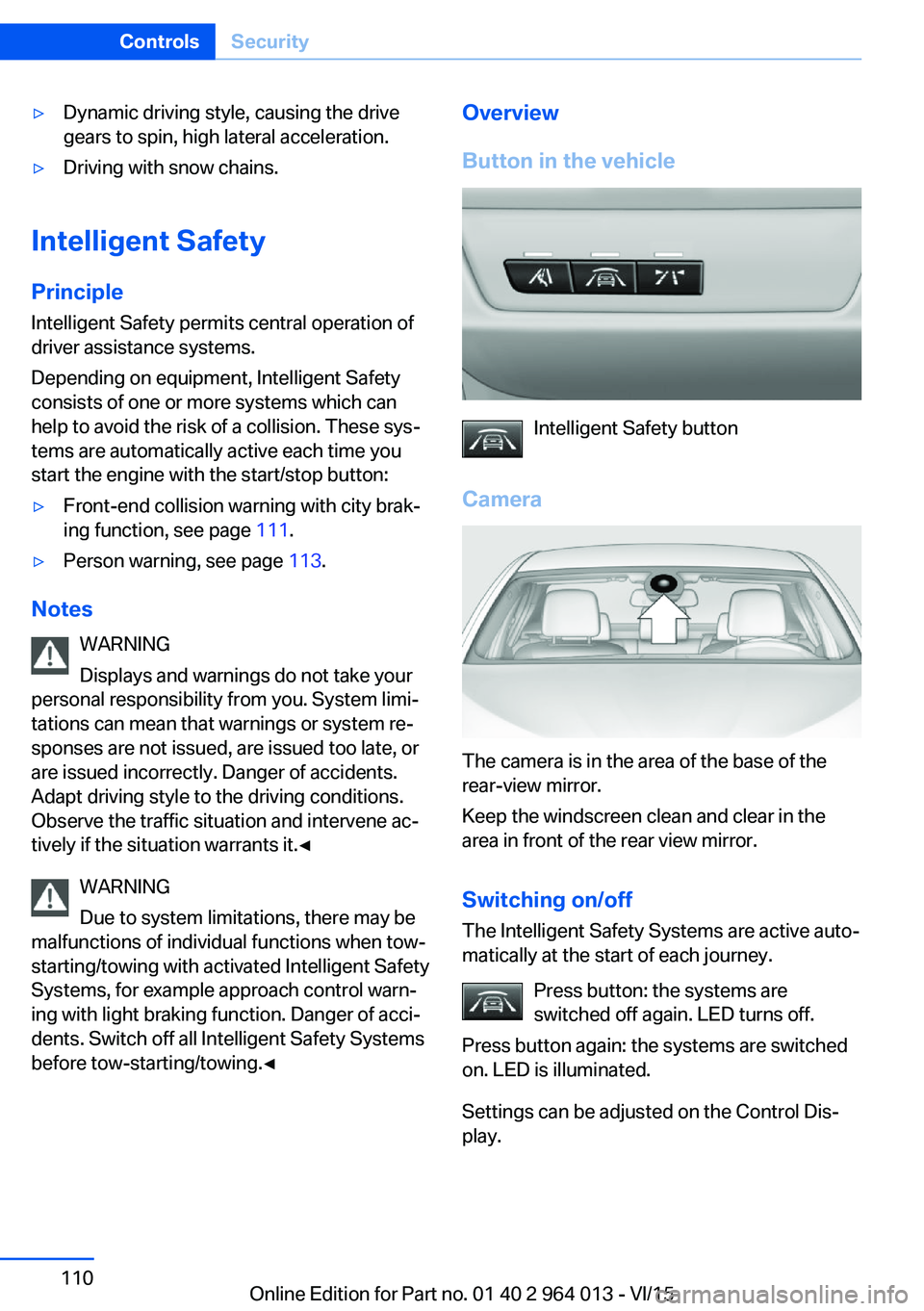
Button in the vehicle
Intelligent Safety button
Camera
The camera is in the area of the base of the
rear-view mirror.
Keep the windscreen clean and clear in the
area in front of the rear view mirror.
Switching on/offThe Intelligent Safety Systems are active auto‐
matically at the start of each journey.
Press button: the systems are
switched off again. LED turns off.
Press button again: the systems are switched
on. LED is illuminated.
Settings can be adjusted on the Control Dis‐
play.
Seite 110ControlsSecurity110
Online Edition for Part no. 01 40 2 964 013 - VI/15
Page 113 of 228
collision. The vehicle can be braked at low
speed until it comes to a stop.
Manual gearbox: When brakes are engaged
until it comes to a stop, the engine may shut
off.
There will only be brake intervention if Dy‐
namic Stability Control, DSC is activated and
M Dynamic Mode MDM is not activated.
Braking can be discontinued either by pressing
the accelerator pedal or by actively moving the
steering wheel.
Detection of objects can be restricted. Limita‐
tions of the detection range and functional re‐
strictions are to be considered.
System limits
Detection range
The detection ability of the system is limited.
For this reason, system responses may be
missing or delayed.
It is possible that the following are not detec‐
ted:▷Slow-moving vehicle when approaching at
high speed.▷Vehicles suddenly cutting in or decelerat‐
ing heavily.▷Vehicles with unusual rear view.▷Two-wheeled vehicles ahead.
Restrictions of the function
The function can be restricted, for example in
the following situations:
▷In thick fog, rain, spray or snowfall.▷On sharp bends.▷When restricting or deactivating vehicle
stability control systems, for example DSC
OFF.▷If the field of view of the camera in the mir‐
ror is soiled or covered.▷Up to 10 seconds after starting the engine
using the start/stop button.▷During the calibration process of the cam‐
era immediately after the vehicle is sup‐
plied.▷When there is sustained glare effect due to
light opposite, for example the sun low in
the sky.
Sensitivity of the warnings
The greater the sensitivity of the warning set‐
tings, for example warning time, the more
warnings will be displayed. As a result, there
may be an increased number of incorrect
warnings.
Person warning with city
braking function
Principle The system can help to avoid accidents with
pedestrians.
The system warns of the possible risk of colli‐
sion with pedestrians in the urban speed area
and also contains a braking function.
The system is controlled by the camera in the
area of the rear-view mirror.
General
The system warns with sufficient brightness
from approx. 10 km/h, approx. 6 mph up to ap‐
prox. 60 km/h, approx. 35 mph of any risk of
collision with pedestrians and supports this by
briefly applying the brakes before a collision.
Here, persons are taken into account if they
are located within the detection range of the
system.
Seite 113SecurityControls113
Online Edition for Part no. 01 40 2 964 013 - VI/15
Page 115 of 228
Warning with braking function
Display
If there is a risk of collision with a detected per‐
son, a warning symbol is shown in the instru‐
ment cluster and in the head-up display.
Red symbol is displayed and an acous‐
tic warning sounds.
Take action yourself immediately, by braking
or swerving.
Brake intervention
The warning requires to take action yourself.
Maximum braking force is used during a warn‐
ing. In order for braking force support to be
used, it is necessary for the brake to be
pressed sufficiently quickly and powerfully. In
addition, the system may also support with a
small amount of braking if there is the risk of a
collision. The vehicle can be braked at low
speed until it comes to a stop.
Manual gearbox: When brakes are engaged
until it comes to a stop, the engine may shut
off.
There will only be brake intervention if Dy‐
namic Stability Control, DSC is activated and
M Dynamic Mode MDM is not activated.
Braking can be discontinued either by pressing
the accelerator pedal or by actively moving the
steering wheel.
Detection of objects can be restricted. Limita‐
tions of the detection range and functional re‐
strictions are to be considered.
System limits
Detection range
The detection capacity of the camera is limi‐
ted.
This is why it can occur that no warnings are
issued or they are issued late.
It is possible that the following are not detec‐
ted:▷Partially concealed pedestrians.▷Pedestrians who are not detected as such
because of the viewing angle or contour.▷Pedestrians outside the detection range.▷Pedestrians under a height of approxi‐
mately 80 cm, 32 in.
Restrictions of the function
The function may be restricted or not available
in the following situations, for example:
The function may be available on a limited ba‐
sis in the following situations, for example:
▷In thick fog, rain, spray or snowfall.▷On sharp bends.▷When deactivating vehicle stability control
systems, for example DSC OFF.▷If the field of view of the camera and/or the
windscreen is dirty or covered.▷Up to 10 seconds after starting the engine
using the start/stop button.▷During the calibration process of the cam‐
era immediately after the vehicle is sup‐
plied.▷When there is sustained glare effect due to
light opposite, for example the sun low in
the sky.▷In the dark.
Lane departure warning
Principle This system warns if the vehicle leaves the
lane, when the vehicle is on roads with lane
markings and travelling above a given speed.
Depending on country version, this speed is
between 55 km/h, approximately 35 mph and
70 km/h, approximately 45 mph.
When switching on the system below this
speed, a message is displayed in the instru‐
ment cluster.
Seite 115SecurityControls115
Online Edition for Part no. 01 40 2 964 013 - VI/15
Page 139 of 228
2.Turn the controller until the desired setting
is reached and press the controller.
Displaying the turning circle and
driving lane line
▷The static red turning circle line indicates
the space requirement to the side with full
steering angle.▷The variable green driving lane line helps to
estimate the actual space requirement to
the side.
The lane line depends on the engaged
gear and the current steering angle. The
lane line is continuously adjusted by the
steering wheel movement.
"Parking guidance lines"
The turning circle and driving lane lines are
displayed.
System limits
Top View cannot be used in the following sit‐
uations:
▷With a door open.▷With the boot lid open.▷With an exterior mirror folded in.▷In poor light conditions.
In some of these situations a Check Control
message is displayed.
Park Assistant
Principle
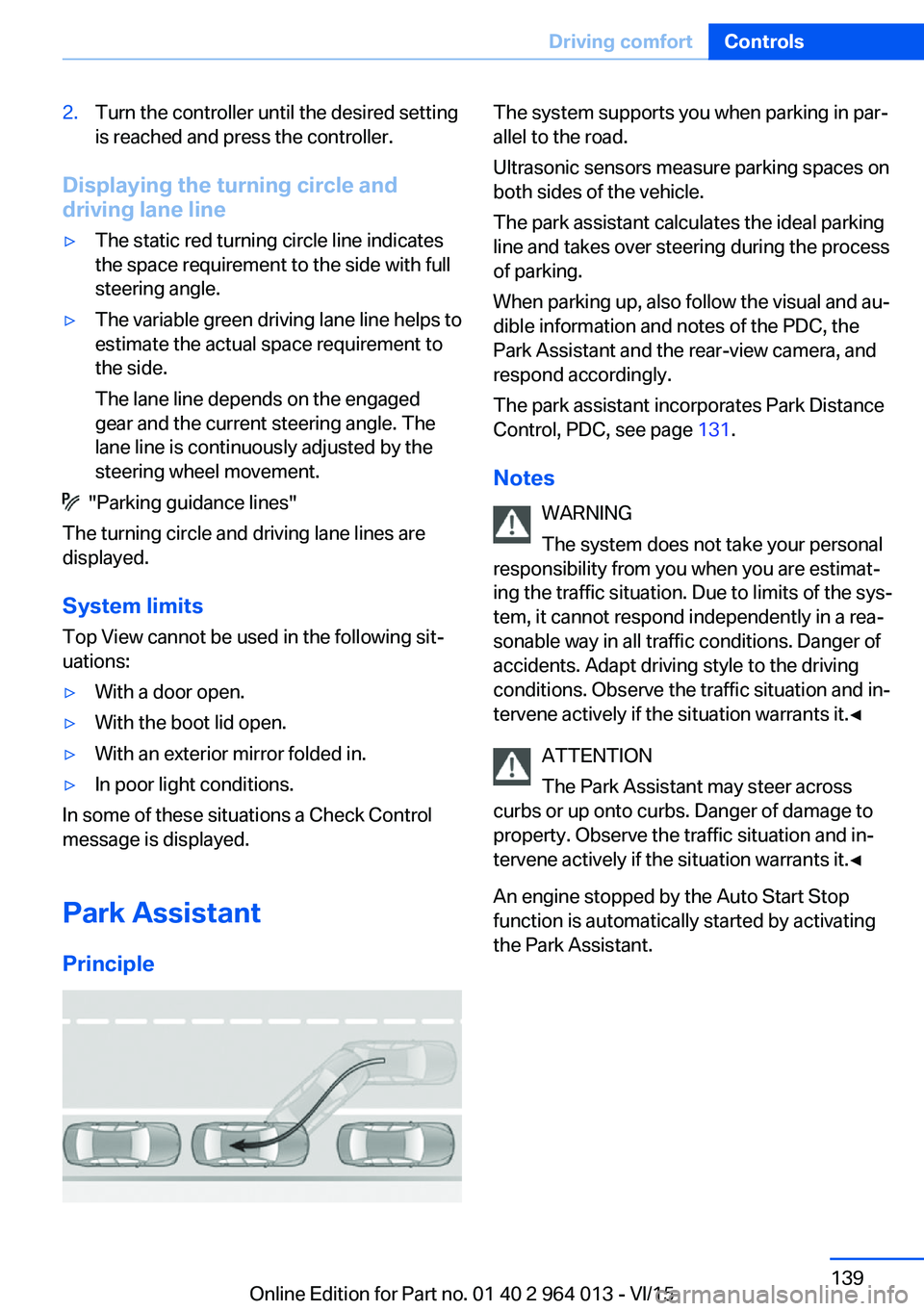
The system supports you when parking in par‐
allel to the road.
Ultrasonic sensors measure parking spaces on
both sides of the vehicle.
The park assistant calculates the ideal parking
line and takes over steering during the process
of parking.
When parking up, also follow the visual and au‐
dible information and notes of the PDC, the
Park Assistant and the rear-view camera, and
respond accordingly.
The park assistant incorporates Park Distance
Control, PDC, see page 131.
Notes WARNING
The system does not take your personal
responsibility from you when you are estimat‐
ing the traffic situation. Due to limits of the sys‐
tem, it cannot respond independently in a rea‐
sonable way in all traffic conditions. Danger of
accidents. Adapt driving style to the driving
conditions. Observe the traffic situation and in‐
tervene actively if the situation warrants it.◀
ATTENTION
The Park Assistant may steer across
curbs or up onto curbs. Danger of damage to
property. Observe the traffic situation and in‐
tervene actively if the situation warrants it.◀
An engine stopped by the Auto Start Stop
function is automatically started by activating
the Park Assistant.Seite 139Driving comfortControls139
Online Edition for Part no. 01 40 2 964 013 - VI/15
Page 169 of 228
Avoid high engine speeds
Basic principle: driving at low engine speeds
reduces fuel consumption and wear.
Use 1st gear to drive off. As from 2nd gear, ac‐
celerate quickly. Avoid high engine speeds and
shift up quickly.
Shift into the highest possible gear when you
have reached the desired speed and drive at a
constant speed with the lowest possible en‐
gine speed.
Pay attention to the shift point indicator in the
vehicle, if fitted, see page 88.
Using overrun mode When approaching a red traffic light, take your
foot off the accelerator and allow the vehicle to
roll.
On downward stretches, take your foot off the
accelerator and allow the vehicle to roll.
The fuel supply is interrupted when coasting.
Switching off engine if
stopping for a relatively long
time
When you stop the vehicle for longer periods,
for example at traffic lights, railway crossings
or in traffic jams, switch off the engine.
Auto Start Stop function
The Auto Start Stop function of your vehicle
shuts off the engine automatically during a
stop.
If the engine is switched off and then started
again, the fuel consumption and emissions are
reduced compared with a permanently running
engine. Savings can be made just by stopping
the engine for a few seconds.
Fuel consumption also depends on other fac‐
tors, such as driving style, road condition,maintenance or environmental factors, for ex‐
ample.
Switching off functions that
are not necessary at the moment
Functions such as seat heating or heated rear
window require a great deal of energy and re‐
duce the range, especially in city traffic and
stop-and-go traffic.
Switch these functions off if they are not re‐
quired.
Having the maintenance
done
Have the vehicle serviced regularly to achieve
optimal economy and lifetime. Have mainte‐
nance carried out by a Service Partner or a
qualified specialist workshop.
Please also see the BMW Maintenance Sys‐
tem, see page 191.Seite 169Saving fuelDriving hints169
Online Edition for Part no. 01 40 2 964 013 - VI/15