ignition BMW M4 2016 Owner's Manual
[x] Cancel search | Manufacturer: BMW, Model Year: 2016, Model line: M4, Model: BMW M4 2016Pages: 228, PDF Size: 4.88 MB
Page 87 of 228
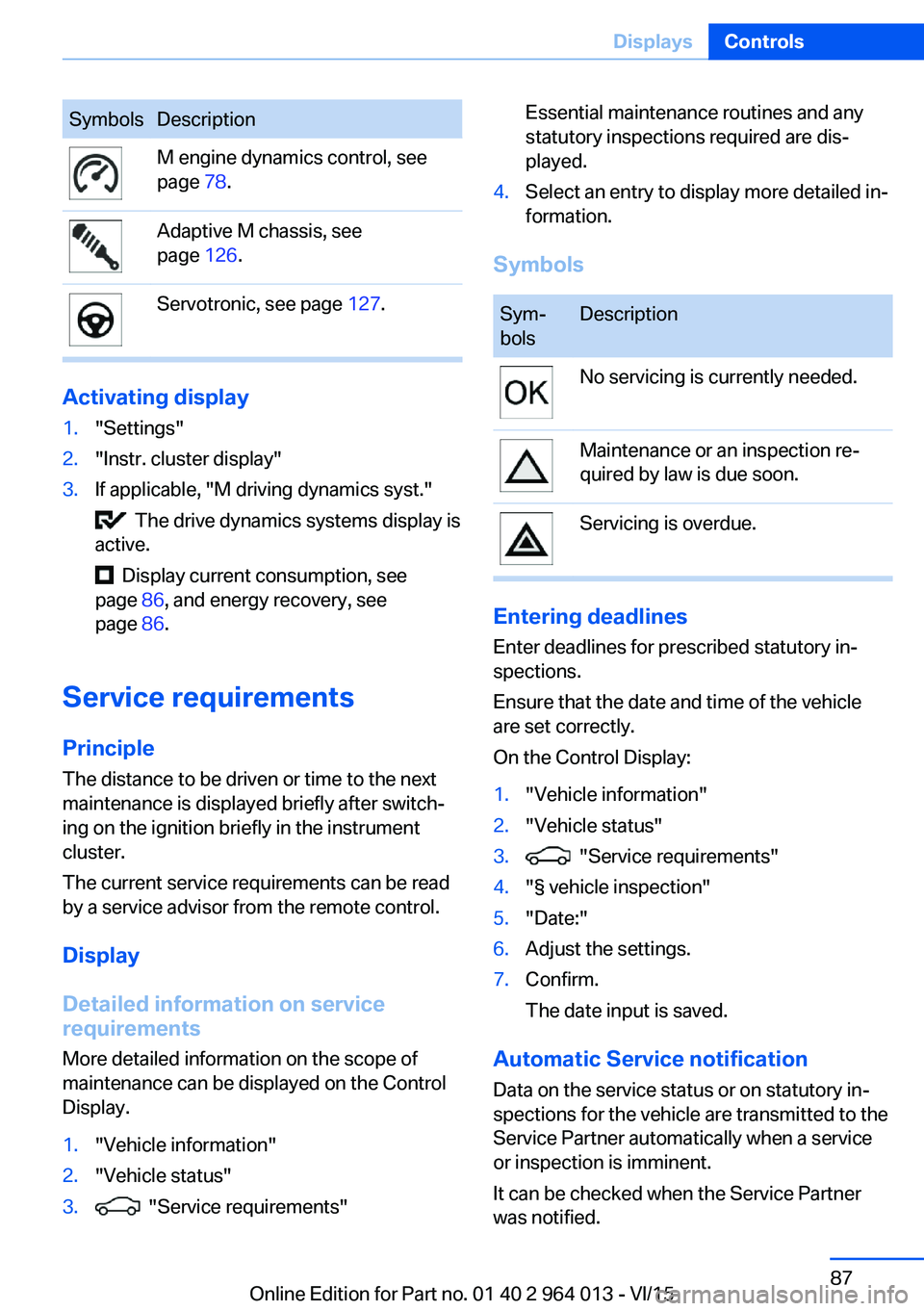
SymbolsDescriptionM engine dynamics control, see
page 78.Adaptive M chassis, see
page 126.Servotronic, see page 127.
Activating display
1."Settings"2."Instr. cluster display"3.If applicable, "M driving dynamics syst."
The drive dynamics systems display is
active.
Display current consumption, see
page 86, and energy recovery, see
page 86.
Service requirements
Principle The distance to be driven or time to the next
maintenance is displayed briefly after switch‐ ing on the ignition briefly in the instrument
cluster.
The current service requirements can be read
by a service advisor from the remote control.
Display
Detailed information on service
requirements
More detailed information on the scope of
maintenance can be displayed on the Control
Display.
1."Vehicle information"2."Vehicle status"3. "Service requirements"Essential maintenance routines and any
statutory inspections required are dis‐
played.4.Select an entry to display more detailed in‐
formation.
Symbols
Sym‐
bolsDescriptionNo servicing is currently needed.Maintenance or an inspection re‐
quired by law is due soon.Servicing is overdue.
Entering deadlines
Enter deadlines for prescribed statutory in‐
spections.
Ensure that the date and time of the vehicle
are set correctly.
On the Control Display:
1."Vehicle information"2."Vehicle status"3. "Service requirements"4."§ vehicle inspection"5."Date:"6.Adjust the settings.7.Confirm.
The date input is saved.
Automatic Service notification Data on the service status or on statutory in‐
spections for the vehicle are transmitted to the
Service Partner automatically when a service
or inspection is imminent.
It can be checked when the Service Partner
was notified.
Seite 87DisplaysControls87
Online Edition for Part no. 01 40 2 964 013 - VI/15
Page 98 of 228
LightsVehicle equipmentThis chapter describes all standard, national
and special equipment provided in the model
series. Equipment not available in the vehicle is
therefore also described, for example the se‐
lected special equipment or national version.
This also applies to safety-relevant functions
and systems. Comply with the relevant na‐
tional regulations when using the correspond‐
ing functions and systems.
Overview Switch in the vehicle
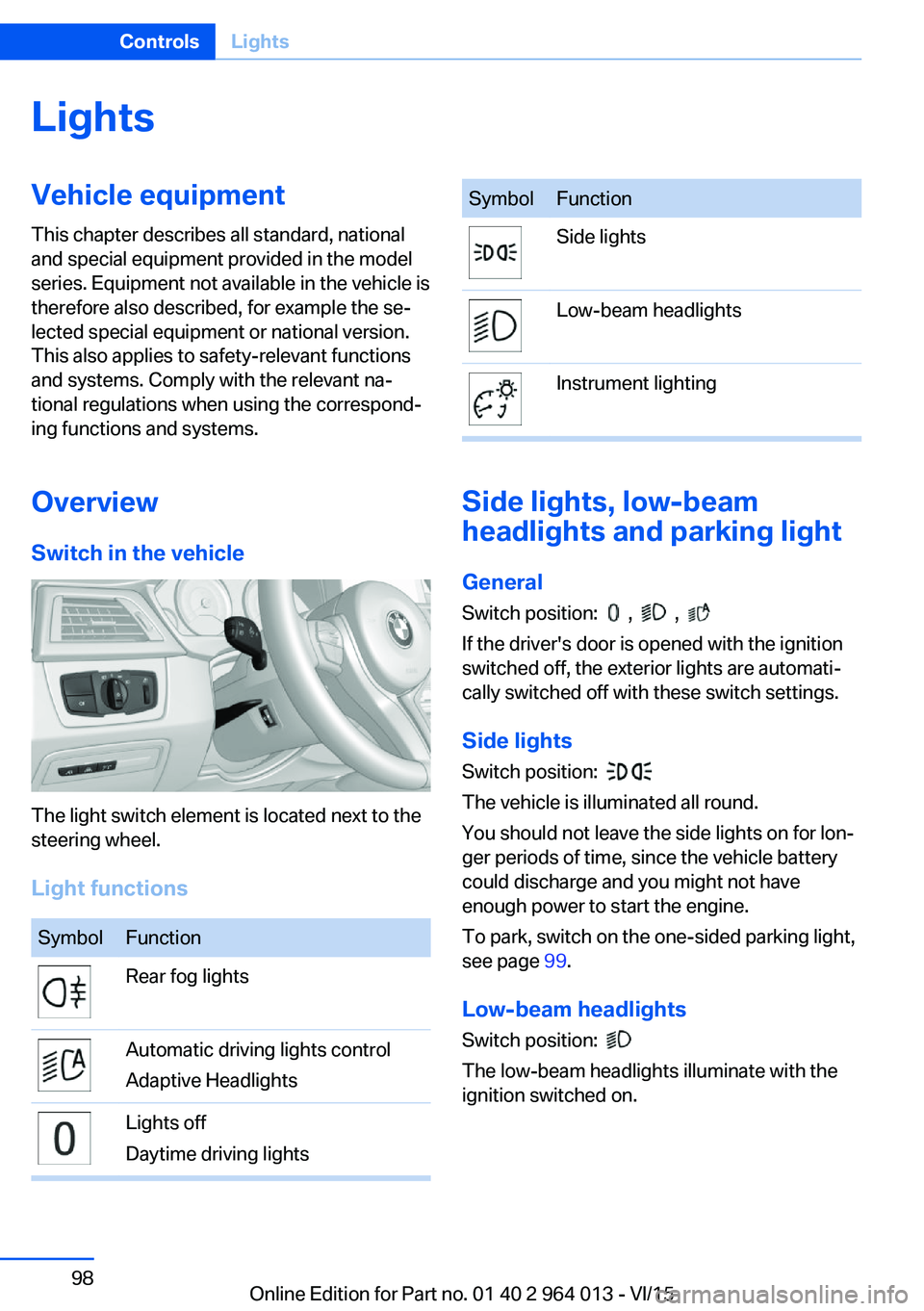
The light switch element is located next to the
steering wheel.
Light functions
SymbolFunctionRear fog lightsAutomatic driving lights control
Adaptive HeadlightsLights off
Daytime driving lightsSymbolFunctionSide lightsLow-beam headlightsInstrument lighting
Side lights, low-beam
headlights and parking light
General
Switch position:
, ,
If the driver's door is opened with the ignition
switched off, the exterior lights are automati‐
cally switched off with these switch settings.
Side lights
Switch position:
The vehicle is illuminated all round.
You should not leave the side lights on for lon‐
ger periods of time, since the vehicle battery
could discharge and you might not have
enough power to start the engine.
To park, switch on the one-sided parking light,
see page 99.
Low-beam headlights Switch position:
The low-beam headlights illuminate with the
ignition switched on.
Seite 98ControlsLights98
Online Edition for Part no. 01 40 2 964 013 - VI/15
Page 99 of 228
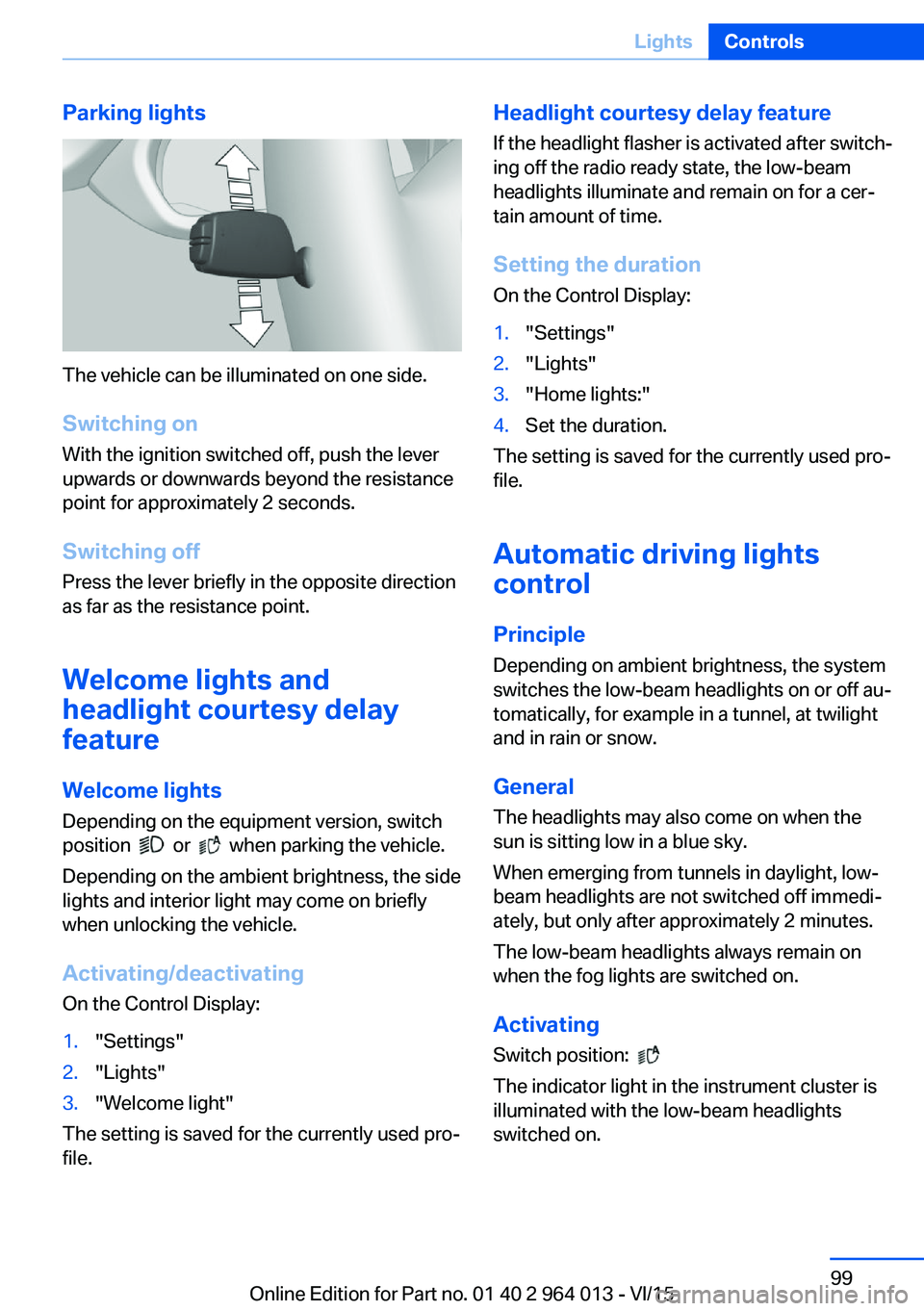
Parking lights
The vehicle can be illuminated on one side.
Switching on With the ignition switched off, push the lever
upwards or downwards beyond the resistance
point for approximately 2 seconds.
Switching off Press the lever briefly in the opposite direction
as far as the resistance point.
Welcome lights and
headlight courtesy delay
feature
Welcome lights Depending on the equipment version, switch
position
or when parking the vehicle.
Depending on the ambient brightness, the side
lights and interior light may come on briefly
when unlocking the vehicle.
Activating/deactivating
On the Control Display:
1."Settings"2."Lights"3."Welcome light"
The setting is saved for the currently used pro‐
file.
Headlight courtesy delay feature
If the headlight flasher is activated after switch‐
ing off the radio ready state, the low-beam
headlights illuminate and remain on for a cer‐
tain amount of time.
Setting the duration
On the Control Display:1."Settings"2."Lights"3."Home lights:"4.Set the duration.
The setting is saved for the currently used pro‐
file.
Automatic driving lightscontrol
Principle Depending on ambient brightness, the system
switches the low-beam headlights on or off au‐
tomatically, for example in a tunnel, at twilight
and in rain or snow.
General The headlights may also come on when the
sun is sitting low in a blue sky.
When emerging from tunnels in daylight, low-
beam headlights are not switched off immedi‐
ately, but only after approximately 2 minutes.
The low-beam headlights always remain on
when the fog lights are switched on.
Activating Switch position:
The indicator light in the instrument cluster is
illuminated with the low-beam headlights
switched on.
Seite 99LightsControls99
Online Edition for Part no. 01 40 2 964 013 - VI/15
Page 100 of 228
System limits
The automatic driving lights control is no sub‐
stitute for your individual judgement of when it
is necessary to switch on the lights.
The sensors are unable, for instance, to recog‐
nise fog or hazy weather. In such situations,
switch on the lights manually to avoid any
safety risk.
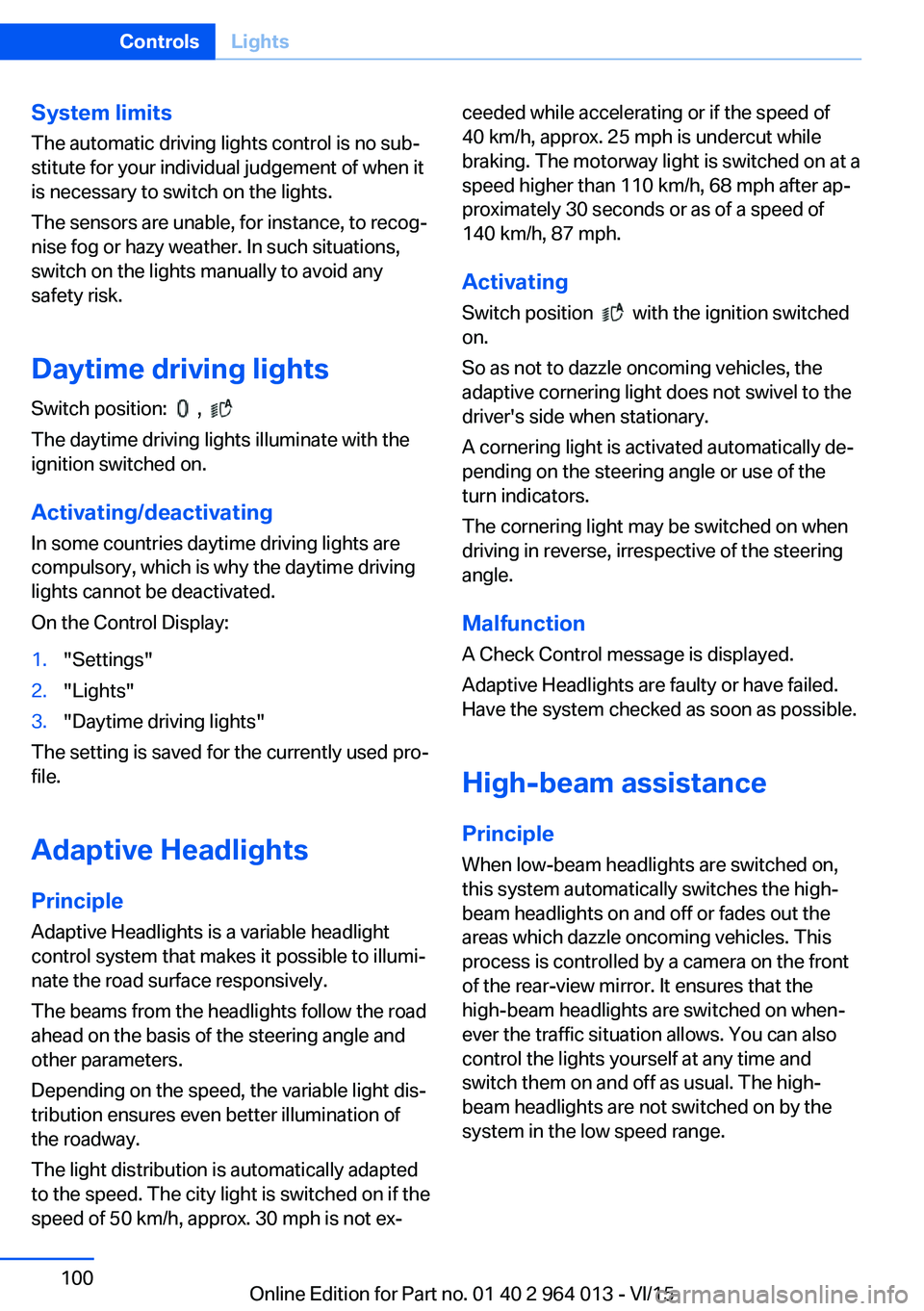
Daytime driving lights Switch position:
,
The daytime driving lights illuminate with the
ignition switched on.
Activating/deactivating
In some countries daytime driving lights are
compulsory, which is why the daytime driving
lights cannot be deactivated.
On the Control Display:
1."Settings"2."Lights"3."Daytime driving lights"
The setting is saved for the currently used pro‐
file.
Adaptive HeadlightsPrinciple
Adaptive Headlights is a variable headlight
control system that makes it possible to illumi‐
nate the road surface responsively.
The beams from the headlights follow the road
ahead on the basis of the steering angle and
other parameters.
Depending on the speed, the variable light dis‐
tribution ensures even better illumination of
the roadway.
The light distribution is automatically adapted
to the speed. The city light is switched on if the
speed of 50 km/h, approx. 30 mph is not ex‐
ceeded while accelerating or if the speed of
40 km/h, approx. 25 mph is undercut while
braking. The motorway light is switched on at a speed higher than 110 km/h, 68 mph after ap‐
proximately 30 seconds or as of a speed of
140 km/h, 87 mph.
Activating Switch position
with the ignition switched
on.
So as not to dazzle oncoming vehicles, the
adaptive cornering light does not swivel to the
driver's side when stationary.
A cornering light is activated automatically de‐
pending on the steering angle or use of the
turn indicators.
The cornering light may be switched on when
driving in reverse, irrespective of the steering
angle.
Malfunction
A Check Control message is displayed.
Adaptive Headlights are faulty or have failed.
Have the system checked as soon as possible.
High-beam assistance
Principle When low-beam headlights are switched on,this system automatically switches the high-
beam headlights on and off or fades out the
areas which dazzle oncoming vehicles. This
process is controlled by a camera on the front
of the rear-view mirror. It ensures that the
high-beam headlights are switched on when‐
ever the traffic situation allows. You can also
control the lights yourself at any time and
switch them on and off as usual. The high-
beam headlights are not switched on by the
system in the low speed range.
Seite 100ControlsLights100
Online Edition for Part no. 01 40 2 964 013 - VI/15
Page 105 of 228
Notes on optimum protective effect of
the airbag
WARNING
If the seat position is wrong or the de‐
ployment area of the airbag is impaired, the air‐
bag system cannot provide the intended pro‐
tection, or may cause additional injuries when
it deploys. Danger of injury or life. Comply with
these notes for optimum protective effect.◀▷Keep your distance from the airbags.▷Make sure that vehicle occupants keep
their head away from the side airbag.▷Always grip the steering wheel on the
steering wheel rim. Keep you hands in the
3 o'clock and 9 o'clock positions to reduce
the risk of injury to hands or arms when the
airbag deploys.▷Make sure that the front-seat passenger is
sitting correctly, in other words with feet or
legs in the footwell, not resting on the
dashboard.▷Do not position any other persons, pets or
objects between the airbags and persons.▷Never attach any material to the airbag
covers with adhesive; never place material
over them or modify them in any way.▷Keep the dashboard and windscreen in the
area of the passenger's side free, for exam‐
ple do not attach adhesive foil or covers
and do not fit brackets for navigation devi‐
ces or mobile telephones.▷Do not use the front airbag cover on the
front passenger's side as a tray.▷Do not fit seat covers, cushions or other
objects not specifically suitable for seats
with integral side airbags to the front seats.▷Do not hang items of clothing such as
coats or jackets over the backrests.▷Do not modify individual components of
the system or its wiring in any way. This
also applies to the covers of the steering
wheel, the dashboard and seats.▷Do not dismantle the airbag system.
Even if all these notes are complied with, de‐
pending on the circumstances in which an ac‐
cident occurs, certain injuries as a result of
contact with the airbag cannot be entirely ruled
out.
The noise caused by the deployment of an air‐
bag may lead to temporary hearing loss for ve‐
hicle occupants sensitive to noise.
Operational readiness of the airbag
system
Notes WARNING
Individual components of the airbag sys‐
tem can be hot after triggering. Danger of in‐ jury. Do not touch individual components.◀
WARNING
Work carried out incorrectly can lead to a
failure, a malfunction or accidental triggering of
the airbag system. If there is a malfunction, the
airbag system might not trigger as intended in
an accident, in spite of the accident being of
the appropriate severity. Danger of injury or
life. Have the airbag system tested, repaired or
removed and scrapped by a Service Partner or a qualified specialist workshop.◀
Correct function When the ignition is switched on, the
warning light in the instrument cluster
briefly illuminates in order to show the
functional readiness of the entire airbag sys‐
tem and the belt tensioner.
Airbag system disrupted
▷Warning light does not illuminate after the
ignition is switched on.▷Warning lamp is permanently illuminated.Seite 105SecurityControls105
Online Edition for Part no. 01 40 2 964 013 - VI/15
Page 106 of 228
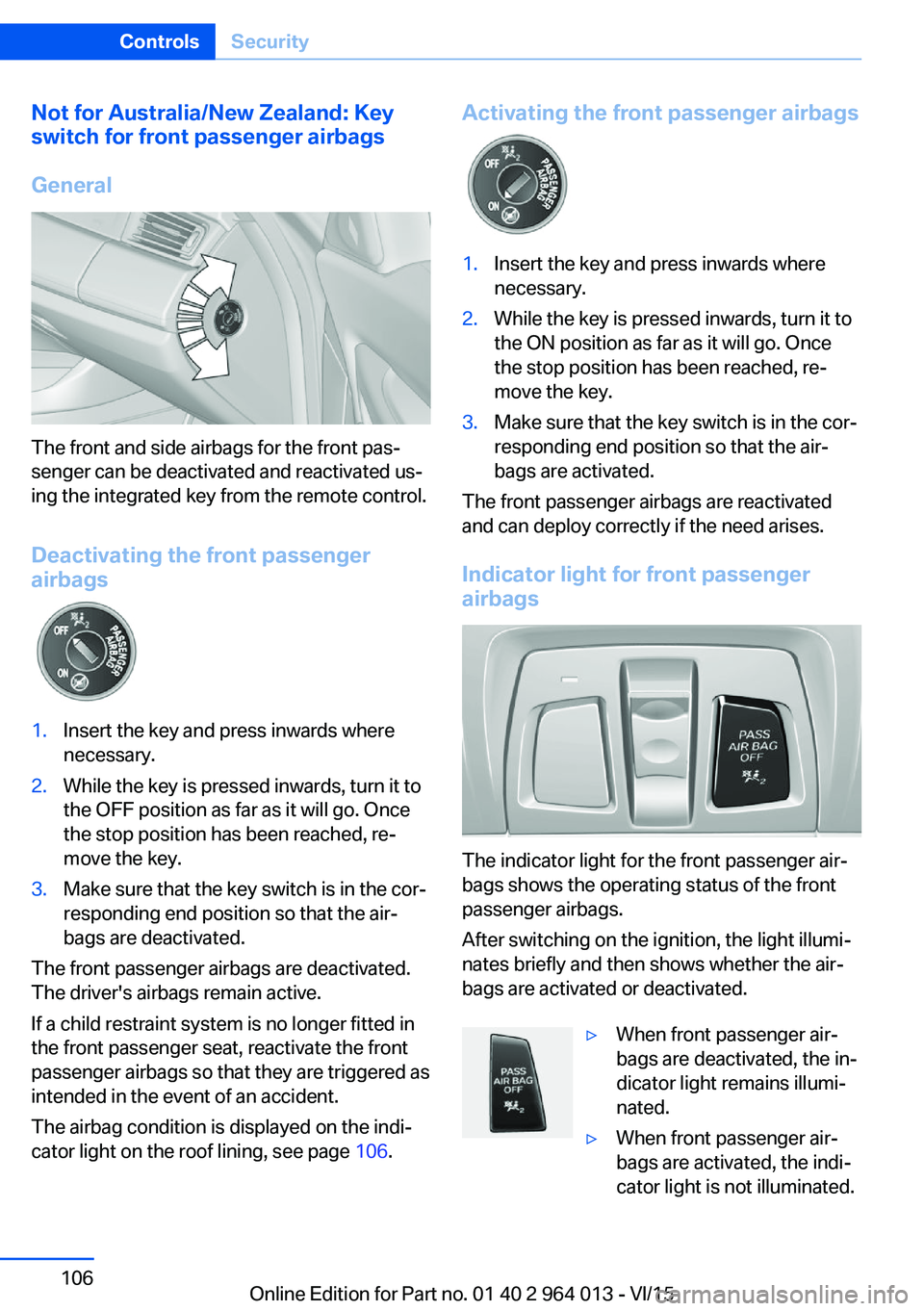
Not for Australia/New Zealand: Key
switch for front passenger airbags
General
The front and side airbags for the front pas‐
senger can be deactivated and reactivated us‐
ing the integrated key from the remote control.
Deactivating the front passenger
airbags
1.Insert the key and press inwards where
necessary.2.While the key is pressed inwards, turn it to
the OFF position as far as it will go. Once
the stop position has been reached, re‐
move the key.3.Make sure that the key switch is in the cor‐
responding end position so that the air‐
bags are deactivated.
The front passenger airbags are deactivated.
The driver's airbags remain active.
If a child restraint system is no longer fitted in
the front passenger seat, reactivate the front
passenger airbags so that they are triggered as
intended in the event of an accident.
The airbag condition is displayed on the indi‐
cator light on the roof lining, see page 106.
Activating the front passenger airbags1.Insert the key and press inwards where
necessary.2.While the key is pressed inwards, turn it to
the ON position as far as it will go. Once
the stop position has been reached, re‐
move the key.3.Make sure that the key switch is in the cor‐
responding end position so that the air‐
bags are activated.
The front passenger airbags are reactivated
and can deploy correctly if the need arises.
Indicator light for front passenger airbags
The indicator light for the front passenger air‐
bags shows the operating status of the front
passenger airbags.
After switching on the ignition, the light illumi‐
nates briefly and then shows whether the air‐
bags are activated or deactivated.
▷When front passenger air‐
bags are deactivated, the in‐
dicator light remains illumi‐
nated.▷When front passenger air‐
bags are activated, the indi‐
cator light is not illuminated.Seite 106ControlsSecurity106
Online Edition for Part no. 01 40 2 964 013 - VI/15
Page 140 of 228
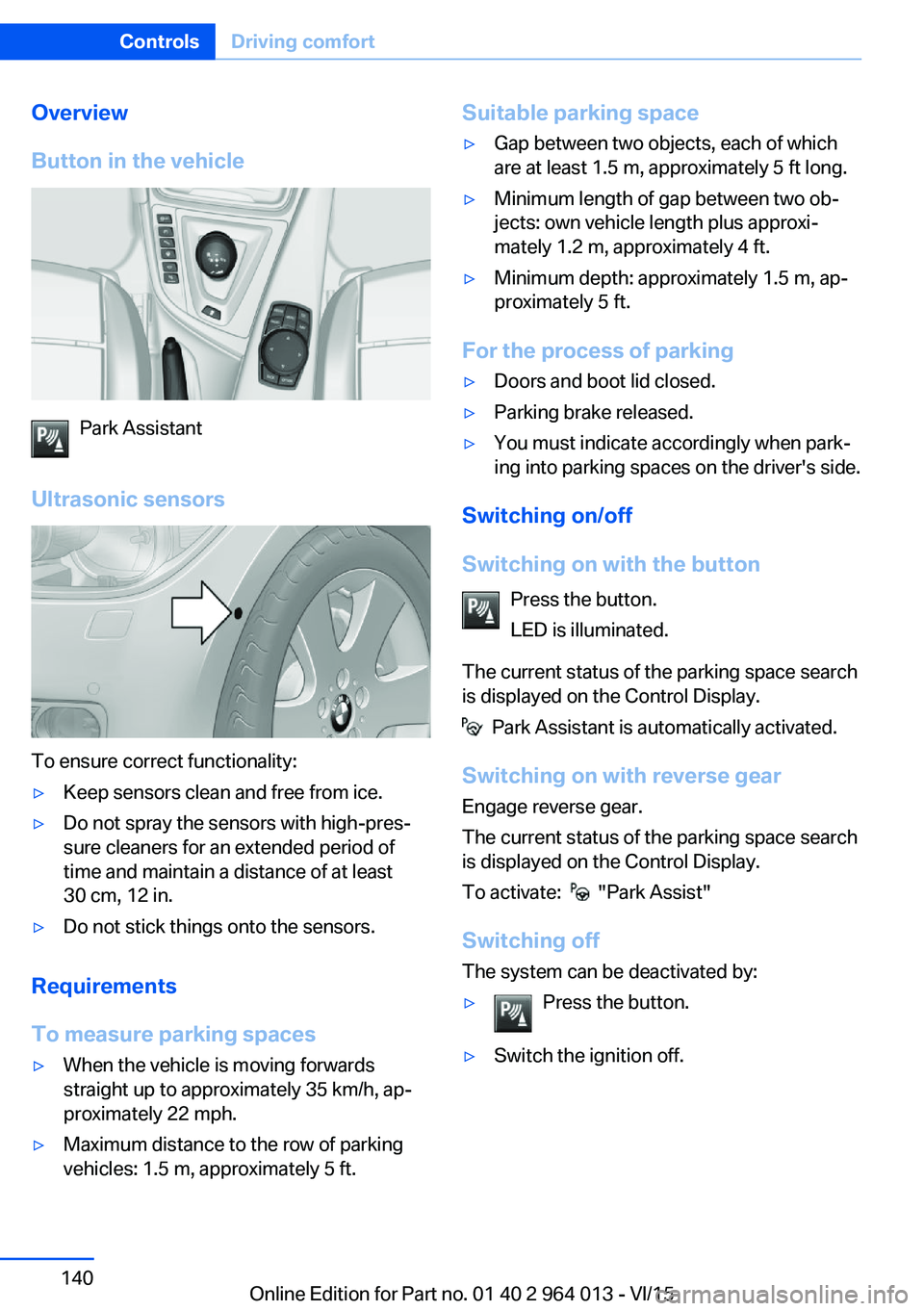
Overview
Button in the vehicle
Park Assistant
Ultrasonic sensors
To ensure correct functionality:
▷Keep sensors clean and free from ice.▷Do not spray the sensors with high-pres‐
sure cleaners for an extended period of
time and maintain a distance of at least
30 cm, 12 in.▷Do not stick things onto the sensors.
Requirements
To measure parking spaces
▷When the vehicle is moving forwards
straight up to approximately 35 km/h, ap‐
proximately 22 mph.▷Maximum distance to the row of parking
vehicles: 1.5 m, approximately 5 ft.Suitable parking space▷Gap between two objects, each of which
are at least 1.5 m, approximately 5 ft long.▷Minimum length of gap between two ob‐
jects: own vehicle length plus approxi‐
mately 1.2 m, approximately 4 ft.▷Minimum depth: approximately 1.5 m, ap‐
proximately 5 ft.
For the process of parking
▷Doors and boot lid closed.▷Parking brake released.▷You must indicate accordingly when park‐
ing into parking spaces on the driver's side.
Switching on/off
Switching on with the button Press the button.
LED is illuminated.
The current status of the parking space search
is displayed on the Control Display.
Park Assistant is automatically activated.
Switching on with reverse gear
Engage reverse gear.
The current status of the parking space search
is displayed on the Control Display.
To activate:
"Park Assist"
Switching off The system can be deactivated by:
▷Press the button.▷Switch the ignition off.Seite 140ControlsDriving comfort140
Online Edition for Part no. 01 40 2 964 013 - VI/15
Page 150 of 228
Connecting electrical
appliances
Information ATTENTION
Battery chargers for the vehicle battery
can operate with high voltages and high cur‐
rents, which can overload or damage the
12 volt on-board network. Danger of damage
to property. Only connect battery chargers for
the vehicle battery to the jump-starting con‐
nections in the engine compartment.◀
ATTENTION
If metallic objects fall into the socket,
they can cause a short circuit. Danger of dam‐
age to property. After using the socket, put the
lighter or socket cover back on.◀
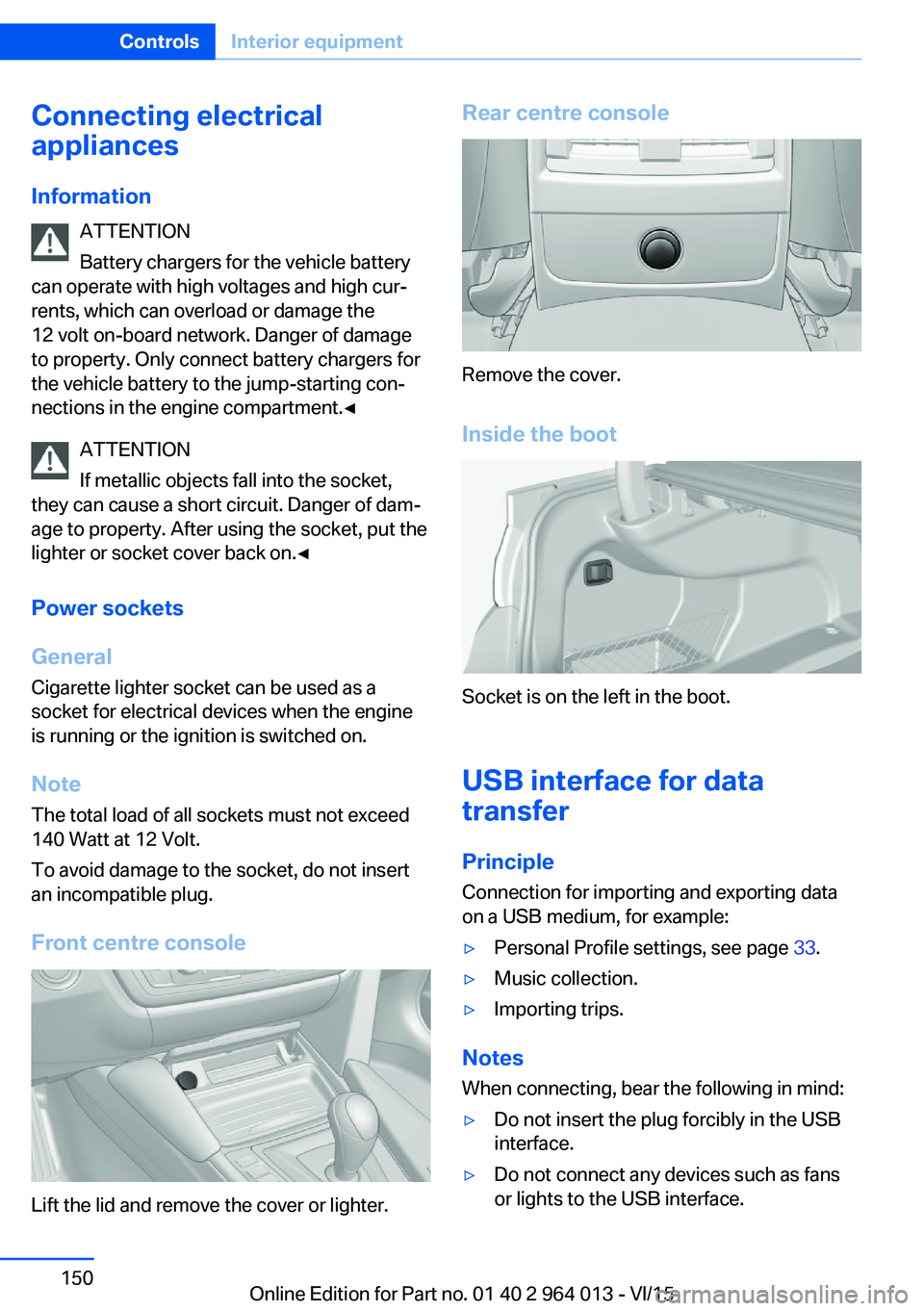
Power sockets
General
Cigarette lighter socket can be used as a
socket for electrical devices when the engine
is running or the ignition is switched on.
Note The total load of all sockets must not exceed
140 Watt at 12 Volt.
To avoid damage to the socket, do not insert
an incompatible plug.
Front centre console
Lift the lid and remove the cover or lighter.
Rear centre console
Remove the cover.
Inside the boot
Socket is on the left in the boot.
USB interface for data
transfer
Principle Connection for importing and exporting data
on a USB medium, for example:
▷Personal Profile settings, see page 33.▷Music collection.▷Importing trips.
Notes
When connecting, bear the following in mind:
▷Do not insert the plug forcibly in the USB
interface.▷Do not connect any devices such as fans
or lights to the USB interface.Seite 150ControlsInterior equipment150
Online Edition for Part no. 01 40 2 964 013 - VI/15
Page 180 of 228
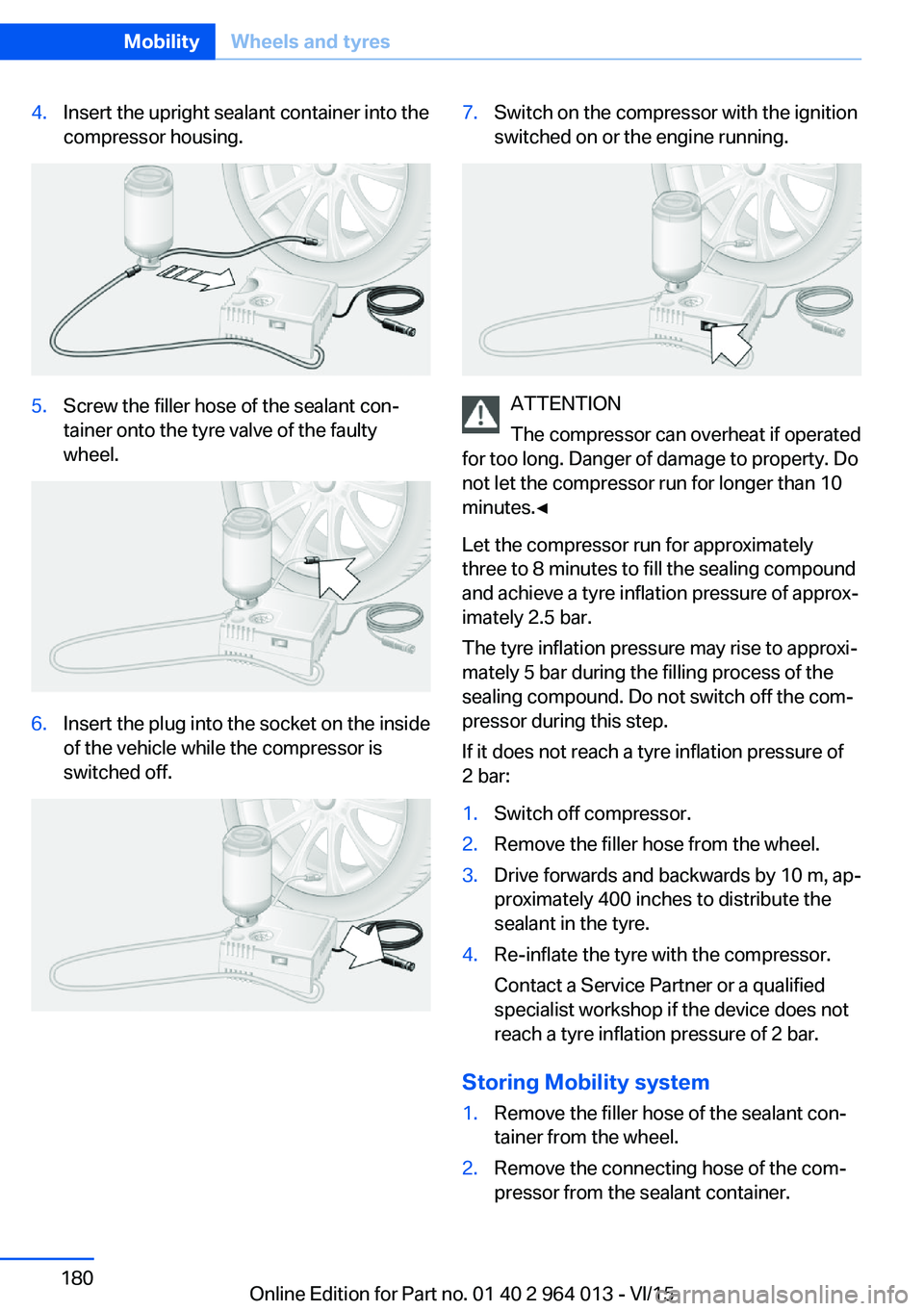
4.Insert the upright sealant container into the
compressor housing.5.Screw the filler hose of the sealant con‐
tainer onto the tyre valve of the faulty
wheel.6.Insert the plug into the socket on the inside
of the vehicle while the compressor is
switched off.7.Switch on the compressor with the ignition
switched on or the engine running.
ATTENTION
The compressor can overheat if operated
for too long. Danger of damage to property. Do
not let the compressor run for longer than 10
minutes.◀
Let the compressor run for approximately
three to 8 minutes to fill the sealing compound
and achieve a tyre inflation pressure of approx‐
imately 2.5 bar.
The tyre inflation pressure may rise to approxi‐
mately 5 bar during the filling process of the
sealing compound. Do not switch off the com‐
pressor during this step.
If it does not reach a tyre inflation pressure of
2 bar:
1.Switch off compressor.2.Remove the filler hose from the wheel.3.Drive forwards and backwards by 10 m, ap‐
proximately 400 inches to distribute the
sealant in the tyre.4.Re-inflate the tyre with the compressor.
Contact a Service Partner or a qualified
specialist workshop if the device does not
reach a tyre inflation pressure of 2 bar.
Storing Mobility system
1.Remove the filler hose of the sealant con‐
tainer from the wheel.2.Remove the connecting hose of the com‐
pressor from the sealant container.Seite 180MobilityWheels and tyres180
Online Edition for Part no. 01 40 2 964 013 - VI/15
Page 181 of 228
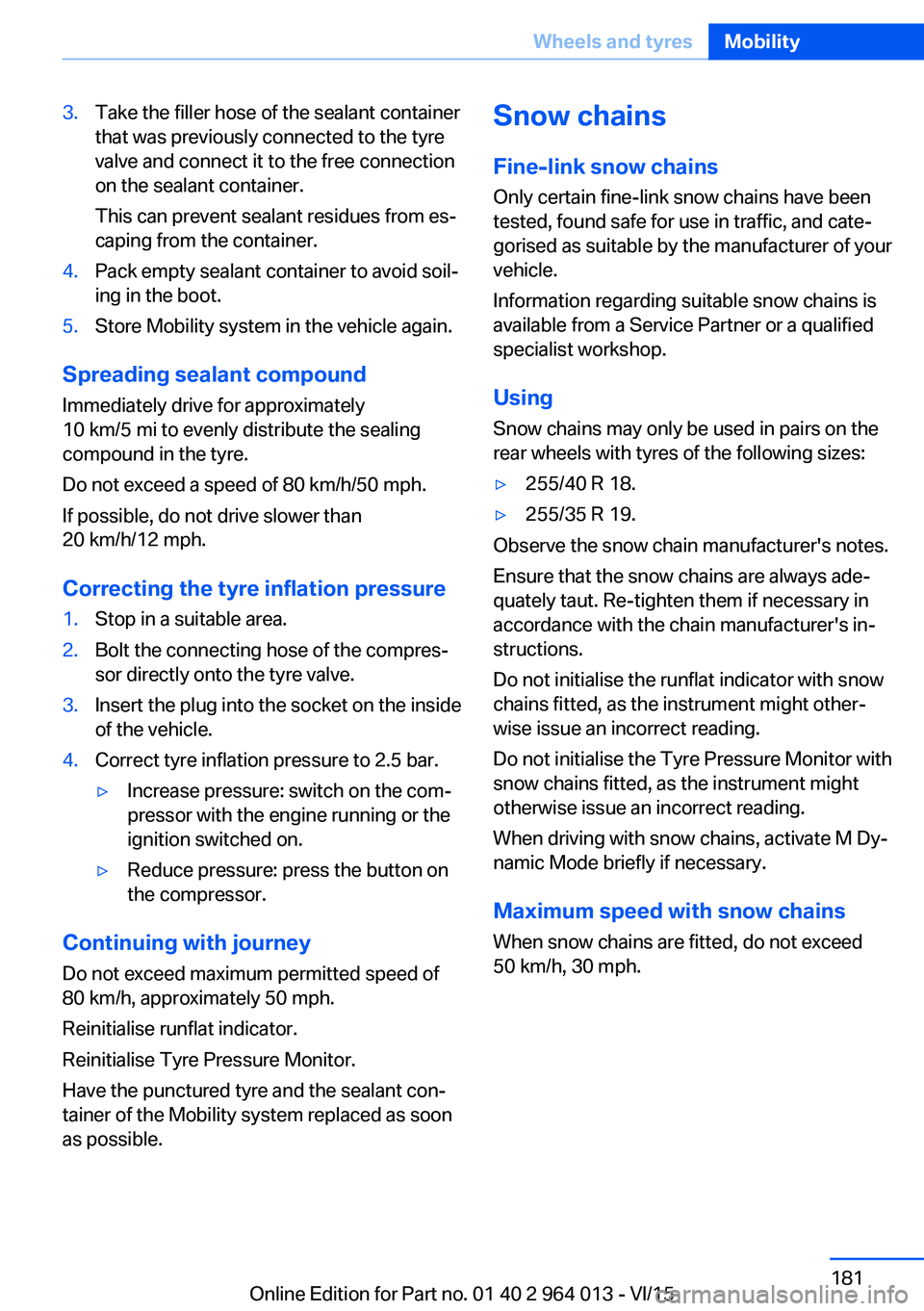
3.Take the filler hose of the sealant container
that was previously connected to the tyre
valve and connect it to the free connection
on the sealant container.
This can prevent sealant residues from es‐
caping from the container.4.Pack empty sealant container to avoid soil‐
ing in the boot.5.Store Mobility system in the vehicle again.
Spreading sealant compound
Immediately drive for approximately
10 km/5 mi to evenly distribute the sealing
compound in the tyre.
Do not exceed a speed of 80 km/h/50 mph.
If possible, do not drive slower than
20 km/h/12 mph.
Correcting the tyre inflation pressure
1.Stop in a suitable area.2.Bolt the connecting hose of the compres‐
sor directly onto the tyre valve.3.Insert the plug into the socket on the inside
of the vehicle.4.Correct tyre inflation pressure to 2.5 bar.▷Increase pressure: switch on the com‐
pressor with the engine running or the
ignition switched on.▷Reduce pressure: press the button on
the compressor.
Continuing with journey
Do not exceed maximum permitted speed of
80 km/h, approximately 50 mph.
Reinitialise runflat indicator.
Reinitialise Tyre Pressure Monitor.
Have the punctured tyre and the sealant con‐
tainer of the Mobility system replaced as soon
as possible.
Snow chains
Fine-link snow chains Only certain fine-link snow chains have been
tested, found safe for use in traffic, and cate‐
gorised as suitable by the manufacturer of your
vehicle.
Information regarding suitable snow chains is
available from a Service Partner or a qualified
specialist workshop.
Using Snow chains may only be used in pairs on the
rear wheels with tyres of the following sizes:▷255/40 R 18.▷255/35 R 19.
Observe the snow chain manufacturer's notes.
Ensure that the snow chains are always ade‐
quately taut. Re-tighten them if necessary in
accordance with the chain manufacturer's in‐
structions.
Do not initialise the runflat indicator with snow
chains fitted, as the instrument might other‐
wise issue an incorrect reading.
Do not initialise the Tyre Pressure Monitor with
snow chains fitted, as the instrument might
otherwise issue an incorrect reading.
When driving with snow chains, activate M Dy‐
namic Mode briefly if necessary.
Maximum speed with snow chains
When snow chains are fitted, do not exceed
50 km/h, 30 mph.
Seite 181Wheels and tyresMobility181
Online Edition for Part no. 01 40 2 964 013 - VI/15