light BMW M4 2016 Workshop Manual
[x] Cancel search | Manufacturer: BMW, Model Year: 2016, Model line: M4, Model: BMW M4 2016Pages: 228, PDF Size: 4.88 MB
Page 105 of 228
Notes on optimum protective effect of
the airbag
WARNING
If the seat position is wrong or the de‐
ployment area of the airbag is impaired, the air‐
bag system cannot provide the intended pro‐
tection, or may cause additional injuries when
it deploys. Danger of injury or life. Comply with
these notes for optimum protective effect.◀▷Keep your distance from the airbags.▷Make sure that vehicle occupants keep
their head away from the side airbag.▷Always grip the steering wheel on the
steering wheel rim. Keep you hands in the
3 o'clock and 9 o'clock positions to reduce
the risk of injury to hands or arms when the
airbag deploys.▷Make sure that the front-seat passenger is
sitting correctly, in other words with feet or
legs in the footwell, not resting on the
dashboard.▷Do not position any other persons, pets or
objects between the airbags and persons.▷Never attach any material to the airbag
covers with adhesive; never place material
over them or modify them in any way.▷Keep the dashboard and windscreen in the
area of the passenger's side free, for exam‐
ple do not attach adhesive foil or covers
and do not fit brackets for navigation devi‐
ces or mobile telephones.▷Do not use the front airbag cover on the
front passenger's side as a tray.▷Do not fit seat covers, cushions or other
objects not specifically suitable for seats
with integral side airbags to the front seats.▷Do not hang items of clothing such as
coats or jackets over the backrests.▷Do not modify individual components of
the system or its wiring in any way. This
also applies to the covers of the steering
wheel, the dashboard and seats.▷Do not dismantle the airbag system.
Even if all these notes are complied with, de‐
pending on the circumstances in which an ac‐
cident occurs, certain injuries as a result of
contact with the airbag cannot be entirely ruled
out.
The noise caused by the deployment of an air‐
bag may lead to temporary hearing loss for ve‐
hicle occupants sensitive to noise.
Operational readiness of the airbag
system
Notes WARNING
Individual components of the airbag sys‐
tem can be hot after triggering. Danger of in‐ jury. Do not touch individual components.◀
WARNING
Work carried out incorrectly can lead to a
failure, a malfunction or accidental triggering of
the airbag system. If there is a malfunction, the
airbag system might not trigger as intended in
an accident, in spite of the accident being of
the appropriate severity. Danger of injury or
life. Have the airbag system tested, repaired or
removed and scrapped by a Service Partner or a qualified specialist workshop.◀
Correct function When the ignition is switched on, the
warning light in the instrument cluster
briefly illuminates in order to show the
functional readiness of the entire airbag sys‐
tem and the belt tensioner.
Airbag system disrupted
▷Warning light does not illuminate after the
ignition is switched on.▷Warning lamp is permanently illuminated.Seite 105SecurityControls105
Online Edition for Part no. 01 40 2 964 013 - VI/15
Page 106 of 228
Not for Australia/New Zealand: Key
switch for front passenger airbags
General
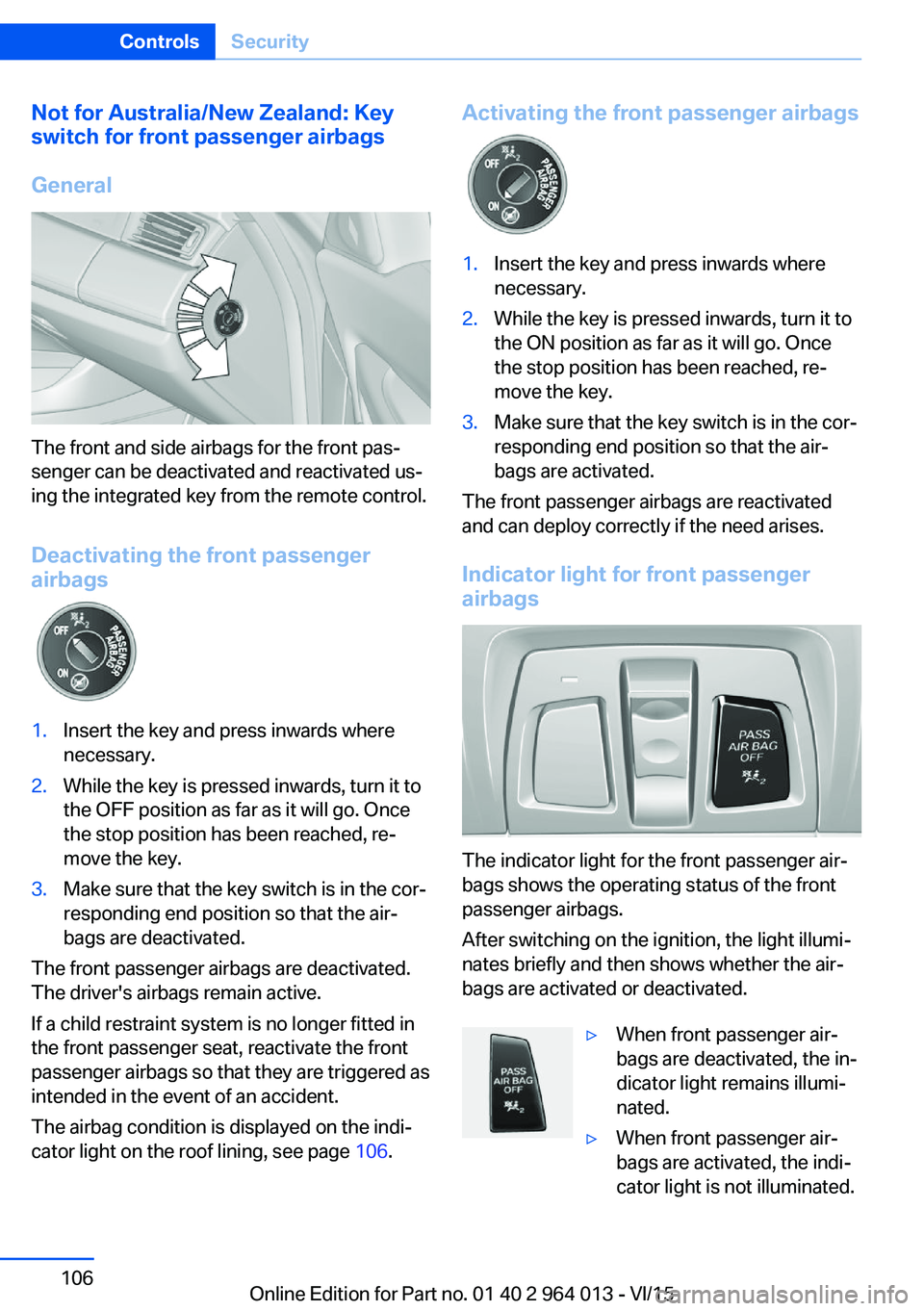
The front and side airbags for the front pas‐
senger can be deactivated and reactivated us‐
ing the integrated key from the remote control.
Deactivating the front passenger
airbags
1.Insert the key and press inwards where
necessary.2.While the key is pressed inwards, turn it to
the OFF position as far as it will go. Once
the stop position has been reached, re‐
move the key.3.Make sure that the key switch is in the cor‐
responding end position so that the air‐
bags are deactivated.
The front passenger airbags are deactivated.
The driver's airbags remain active.
If a child restraint system is no longer fitted in
the front passenger seat, reactivate the front
passenger airbags so that they are triggered as
intended in the event of an accident.
The airbag condition is displayed on the indi‐
cator light on the roof lining, see page 106.
Activating the front passenger airbags1.Insert the key and press inwards where
necessary.2.While the key is pressed inwards, turn it to
the ON position as far as it will go. Once
the stop position has been reached, re‐
move the key.3.Make sure that the key switch is in the cor‐
responding end position so that the air‐
bags are activated.
The front passenger airbags are reactivated
and can deploy correctly if the need arises.
Indicator light for front passenger airbags
The indicator light for the front passenger air‐
bags shows the operating status of the front
passenger airbags.
After switching on the ignition, the light illumi‐
nates briefly and then shows whether the air‐
bags are activated or deactivated.
▷When front passenger air‐
bags are deactivated, the in‐
dicator light remains illumi‐
nated.▷When front passenger air‐
bags are activated, the indi‐
cator light is not illuminated.Seite 106ControlsSecurity106
Online Edition for Part no. 01 40 2 964 013 - VI/15
Page 110 of 228
▷Dynamic driving style, causing the drive
gears to spin, high lateral acceleration.▷Driving with snow chains.
Intelligent Safety
Principle
Intelligent Safety permits central operation of
driver assistance systems.
Depending on equipment, Intelligent Safety
consists of one or more systems which can
help to avoid the risk of a collision. These sys‐
tems are automatically active each time you
start the engine with the start/stop button:
▷Front-end collision warning with city brak‐
ing function, see page 111.▷Person warning, see page 113.
Notes
WARNING
Displays and warnings do not take your
personal responsibility from you. System limi‐
tations can mean that warnings or system re‐
sponses are not issued, are issued too late, or are issued incorrectly. Danger of accidents.
Adapt driving style to the driving conditions.
Observe the traffic situation and intervene ac‐
tively if the situation warrants it.◀
WARNING
Due to system limitations, there may be
malfunctions of individual functions when tow-
starting/towing with activated Intelligent Safety Systems, for example approach control warn‐
ing with light braking function. Danger of acci‐
dents. Switch off all Intelligent Safety Systems
before tow-starting/towing.◀
Overview
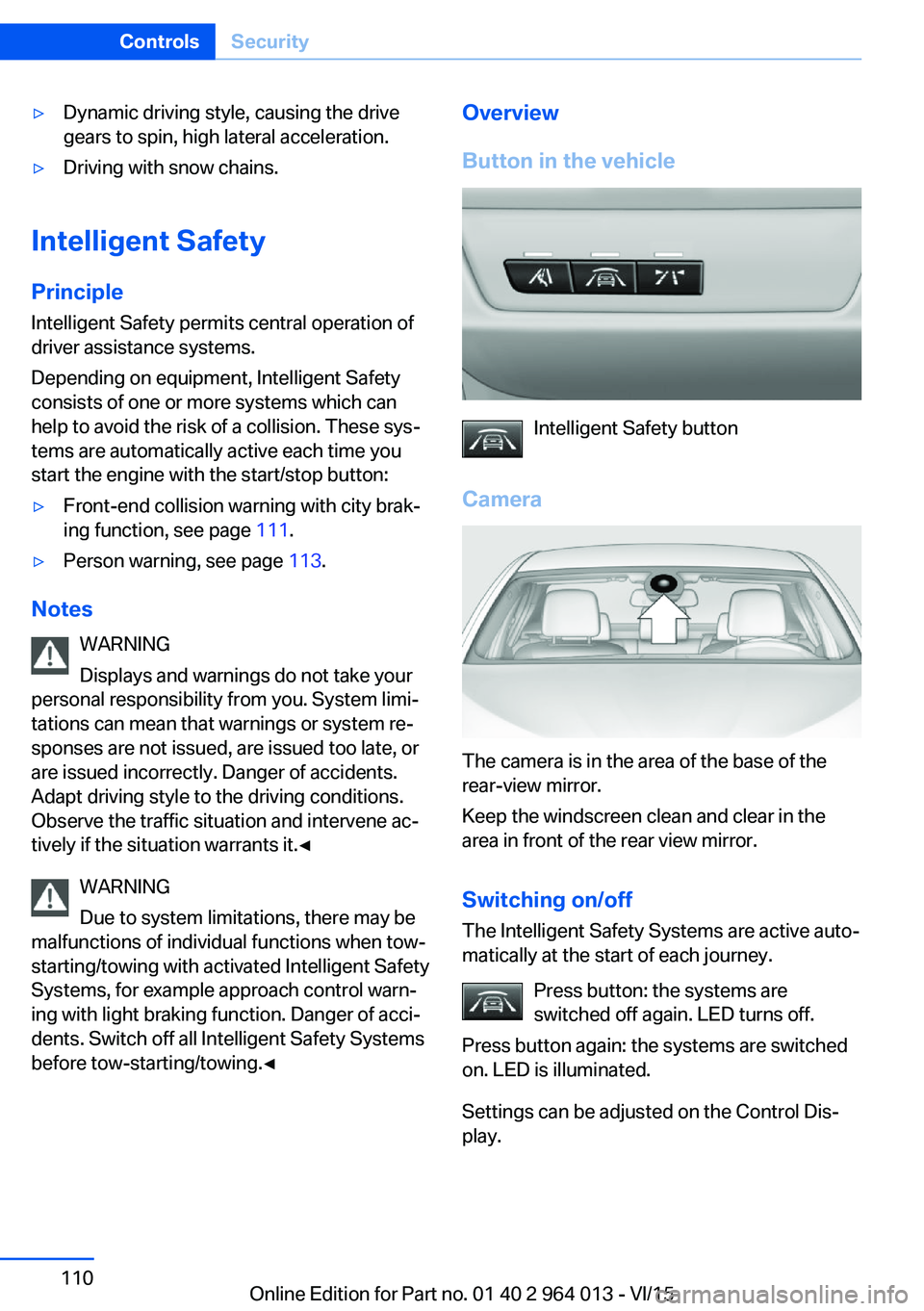
Button in the vehicle
Intelligent Safety button
Camera
The camera is in the area of the base of the
rear-view mirror.
Keep the windscreen clean and clear in the
area in front of the rear view mirror.
Switching on/offThe Intelligent Safety Systems are active auto‐
matically at the start of each journey.
Press button: the systems are
switched off again. LED turns off.
Press button again: the systems are switched
on. LED is illuminated.
Settings can be adjusted on the Control Dis‐
play.
Seite 110ControlsSecurity110
Online Edition for Part no. 01 40 2 964 013 - VI/15
Page 111 of 228
Front-end collision warning
with city braking function
Principle The system can help avoid accidents. If an ac‐
cident cannot be avoided, the system helps to
reduce the collision speed.
The system warns of the possible risk of colli‐
sion and brakes automatically, as necessary.
The automatic braking intervention is done
with limited force and duration.
The system is controlled by a camera in the
area of the rear-view mirror.
The front-end collision warning is also avail‐
able if the Cruise Control is disabled.
When deliberately approaching a vehicle, the
approach control warning and braking inter‐
vention are activated later to avoid unjustified
system responses.
General
The system warns from approximately 5 km/h,
approximately 3 mph in two stages of any risk
of collision with vehicles. The timing of these
warnings may vary depending on the current
driving situation.
Up to approximately 60km/h, 35 mph.
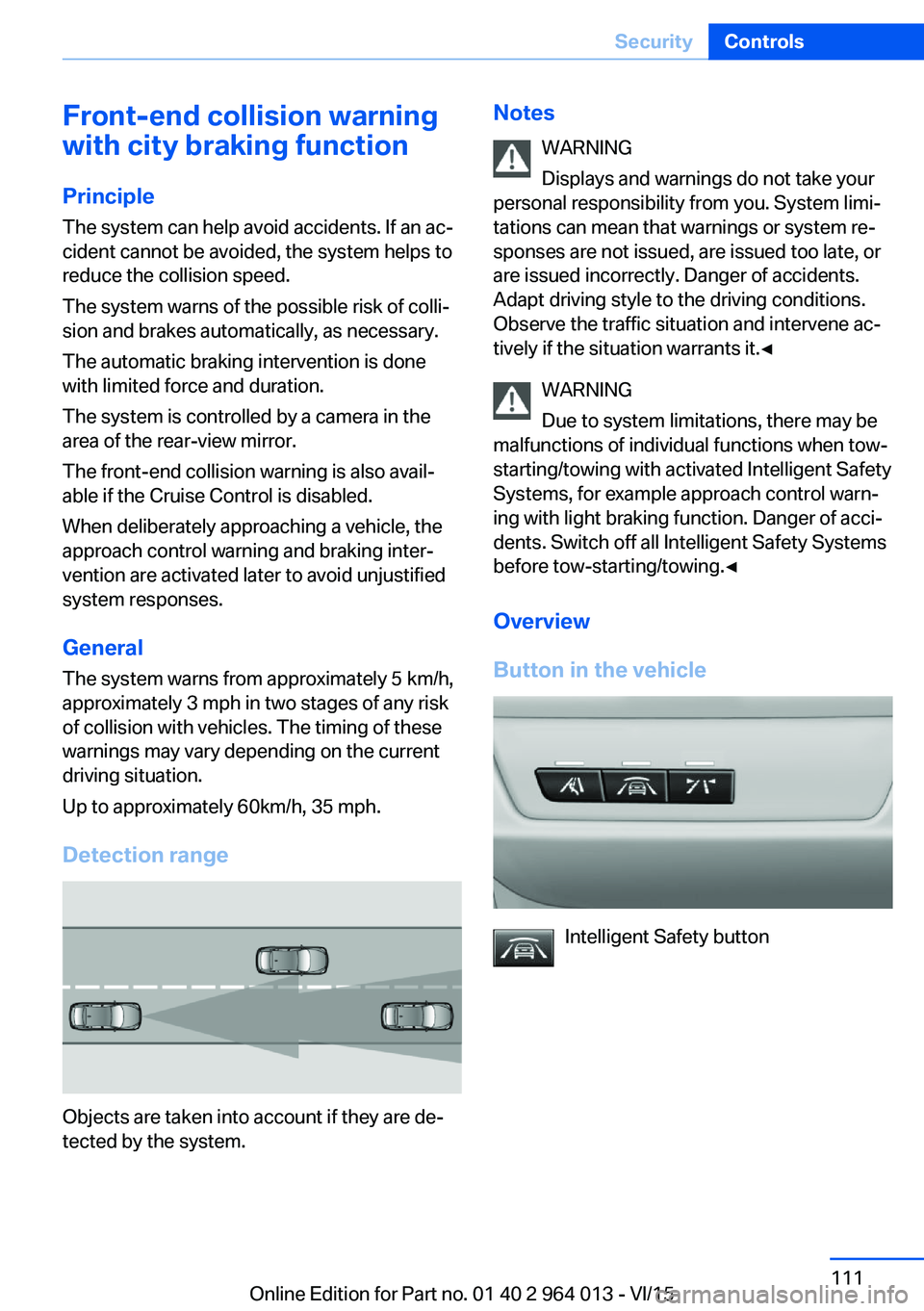
Detection range
Objects are taken into account if they are de‐
tected by the system.
Notes
WARNING
Displays and warnings do not take your
personal responsibility from you. System limi‐
tations can mean that warnings or system re‐
sponses are not issued, are issued too late, or are issued incorrectly. Danger of accidents.
Adapt driving style to the driving conditions.
Observe the traffic situation and intervene ac‐
tively if the situation warrants it.◀
WARNING
Due to system limitations, there may be
malfunctions of individual functions when tow-
starting/towing with activated Intelligent Safety Systems, for example approach control warn‐
ing with light braking function. Danger of acci‐
dents. Switch off all Intelligent Safety Systems
before tow-starting/towing.◀
Overview
Button in the vehicle
Intelligent Safety button
Seite 111SecurityControls111
Online Edition for Part no. 01 40 2 964 013 - VI/15
Page 112 of 228
Camera
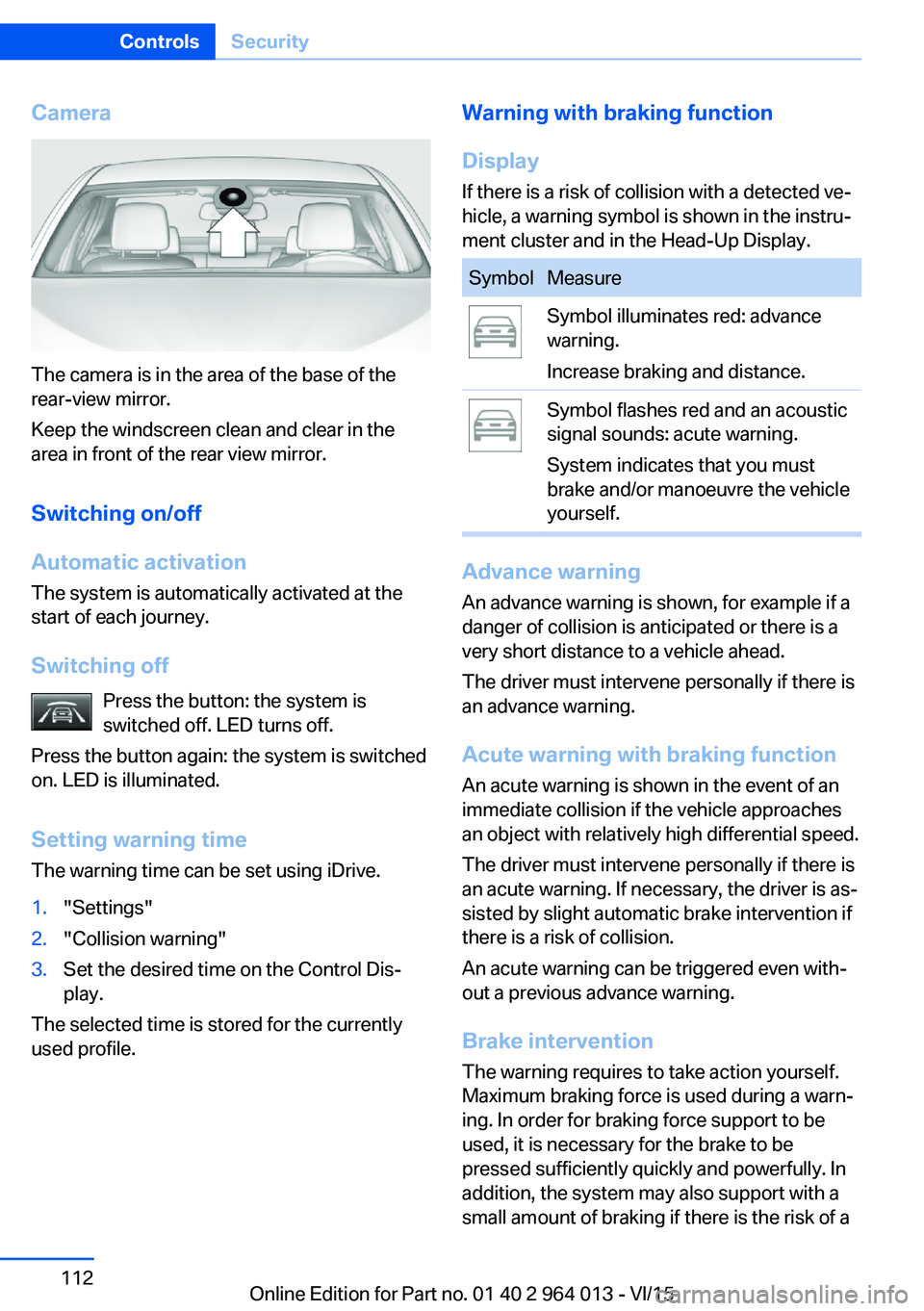
The camera is in the area of the base of the
rear-view mirror.
Keep the windscreen clean and clear in the
area in front of the rear view mirror.
Switching on/off
Automatic activation The system is automatically activated at the
start of each journey.
Switching off Press the button: the system is
switched off. LED turns off.
Press the button again: the system is switched
on. LED is illuminated.
Setting warning time
The warning time can be set using iDrive.
1."Settings"2."Collision warning"3.Set the desired time on the Control Dis‐
play.
The selected time is stored for the currently
used profile.
Warning with braking function
Display
If there is a risk of collision with a detected ve‐
hicle, a warning symbol is shown in the instru‐
ment cluster and in the Head-Up Display.SymbolMeasureSymbol illuminates red: advance
warning.
Increase braking and distance.Symbol flashes red and an acoustic
signal sounds: acute warning.
System indicates that you must
brake and/or manoeuvre the vehicle
yourself.
Advance warning
An advance warning is shown, for example if a
danger of collision is anticipated or there is a very short distance to a vehicle ahead.
The driver must intervene personally if there is
an advance warning.
Acute warning with braking function
An acute warning is shown in the event of an
immediate collision if the vehicle approaches
an object with relatively high differential speed.
The driver must intervene personally if there is
an acute warning. If necessary, the driver is as‐
sisted by slight automatic brake intervention if
there is a risk of collision.
An acute warning can be triggered even with‐
out a previous advance warning.
Brake interventionThe warning requires to take action yourself.
Maximum braking force is used during a warn‐
ing. In order for braking force support to be
used, it is necessary for the brake to be
pressed sufficiently quickly and powerfully. In
addition, the system may also support with a
small amount of braking if there is the risk of a
Seite 112ControlsSecurity112
Online Edition for Part no. 01 40 2 964 013 - VI/15
Page 113 of 228
collision. The vehicle can be braked at low
speed until it comes to a stop.
Manual gearbox: When brakes are engaged
until it comes to a stop, the engine may shut
off.
There will only be brake intervention if Dy‐
namic Stability Control, DSC is activated and
M Dynamic Mode MDM is not activated.
Braking can be discontinued either by pressing
the accelerator pedal or by actively moving the
steering wheel.
Detection of objects can be restricted. Limita‐
tions of the detection range and functional re‐
strictions are to be considered.
System limits
Detection range
The detection ability of the system is limited.
For this reason, system responses may be
missing or delayed.
It is possible that the following are not detec‐
ted:▷Slow-moving vehicle when approaching at
high speed.▷Vehicles suddenly cutting in or decelerat‐
ing heavily.▷Vehicles with unusual rear view.▷Two-wheeled vehicles ahead.
Restrictions of the function
The function can be restricted, for example in
the following situations:
▷In thick fog, rain, spray or snowfall.▷On sharp bends.▷When restricting or deactivating vehicle
stability control systems, for example DSC
OFF.▷If the field of view of the camera in the mir‐
ror is soiled or covered.▷Up to 10 seconds after starting the engine
using the start/stop button.▷During the calibration process of the cam‐
era immediately after the vehicle is sup‐
plied.▷When there is sustained glare effect due to
light opposite, for example the sun low in
the sky.
Sensitivity of the warnings
The greater the sensitivity of the warning set‐
tings, for example warning time, the more
warnings will be displayed. As a result, there
may be an increased number of incorrect
warnings.
Person warning with city
braking function
Principle The system can help to avoid accidents with
pedestrians.
The system warns of the possible risk of colli‐
sion with pedestrians in the urban speed area
and also contains a braking function.
The system is controlled by the camera in the
area of the rear-view mirror.
General
The system warns with sufficient brightness
from approx. 10 km/h, approx. 6 mph up to ap‐
prox. 60 km/h, approx. 35 mph of any risk of
collision with pedestrians and supports this by
briefly applying the brakes before a collision.
Here, persons are taken into account if they
are located within the detection range of the
system.
Seite 113SecurityControls113
Online Edition for Part no. 01 40 2 964 013 - VI/15
Page 114 of 228
Detection range
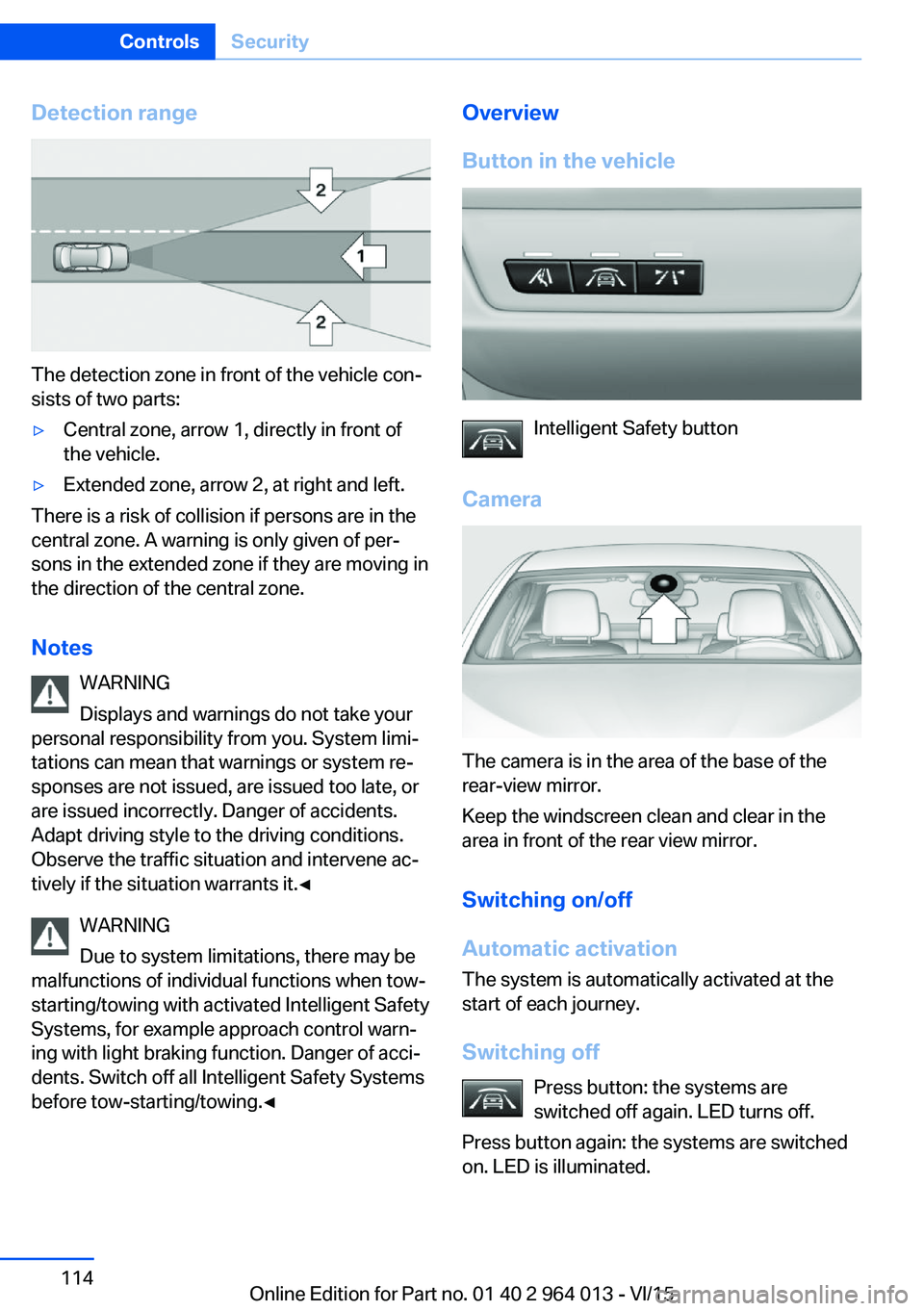
The detection zone in front of the vehicle con‐
sists of two parts:
▷Central zone, arrow 1, directly in front of
the vehicle.▷Extended zone, arrow 2, at right and left.
There is a risk of collision if persons are in the
central zone. A warning is only given of per‐
sons in the extended zone if they are moving in
the direction of the central zone.
Notes WARNING
Displays and warnings do not take your
personal responsibility from you. System limi‐
tations can mean that warnings or system re‐
sponses are not issued, are issued too late, or
are issued incorrectly. Danger of accidents.
Adapt driving style to the driving conditions.
Observe the traffic situation and intervene ac‐
tively if the situation warrants it.◀
WARNING
Due to system limitations, there may be
malfunctions of individual functions when tow-
starting/towing with activated Intelligent Safety
Systems, for example approach control warn‐
ing with light braking function. Danger of acci‐
dents. Switch off all Intelligent Safety Systems
before tow-starting/towing.◀
Overview
Button in the vehicle
Intelligent Safety button
Camera
The camera is in the area of the base of the
rear-view mirror.
Keep the windscreen clean and clear in the
area in front of the rear view mirror.
Switching on/off
Automatic activation The system is automatically activated at the
start of each journey.
Switching off Press button: the systems are
switched off again. LED turns off.
Press button again: the systems are switched
on. LED is illuminated.
Seite 114ControlsSecurity114
Online Edition for Part no. 01 40 2 964 013 - VI/15
Page 115 of 228
Warning with braking function
Display
If there is a risk of collision with a detected per‐
son, a warning symbol is shown in the instru‐
ment cluster and in the head-up display.
Red symbol is displayed and an acous‐
tic warning sounds.
Take action yourself immediately, by braking
or swerving.
Brake intervention
The warning requires to take action yourself.
Maximum braking force is used during a warn‐
ing. In order for braking force support to be
used, it is necessary for the brake to be
pressed sufficiently quickly and powerfully. In
addition, the system may also support with a
small amount of braking if there is the risk of a
collision. The vehicle can be braked at low
speed until it comes to a stop.
Manual gearbox: When brakes are engaged
until it comes to a stop, the engine may shut
off.
There will only be brake intervention if Dy‐
namic Stability Control, DSC is activated and
M Dynamic Mode MDM is not activated.
Braking can be discontinued either by pressing
the accelerator pedal or by actively moving the
steering wheel.
Detection of objects can be restricted. Limita‐
tions of the detection range and functional re‐
strictions are to be considered.
System limits
Detection range
The detection capacity of the camera is limi‐
ted.
This is why it can occur that no warnings are
issued or they are issued late.
It is possible that the following are not detec‐
ted:▷Partially concealed pedestrians.▷Pedestrians who are not detected as such
because of the viewing angle or contour.▷Pedestrians outside the detection range.▷Pedestrians under a height of approxi‐
mately 80 cm, 32 in.
Restrictions of the function
The function may be restricted or not available
in the following situations, for example:
The function may be available on a limited ba‐
sis in the following situations, for example:
▷In thick fog, rain, spray or snowfall.▷On sharp bends.▷When deactivating vehicle stability control
systems, for example DSC OFF.▷If the field of view of the camera and/or the
windscreen is dirty or covered.▷Up to 10 seconds after starting the engine
using the start/stop button.▷During the calibration process of the cam‐
era immediately after the vehicle is sup‐
plied.▷When there is sustained glare effect due to
light opposite, for example the sun low in
the sky.▷In the dark.
Lane departure warning
Principle This system warns if the vehicle leaves the
lane, when the vehicle is on roads with lane
markings and travelling above a given speed.
Depending on country version, this speed is
between 55 km/h, approximately 35 mph and
70 km/h, approximately 45 mph.
When switching on the system below this
speed, a message is displayed in the instru‐
ment cluster.
Seite 115SecurityControls115
Online Edition for Part no. 01 40 2 964 013 - VI/15
Page 116 of 228
When there are warnings, the steering wheel
starts to vibrate slightly. The timing of this
warning may vary depending on the current
driving situation.
The system does not issue a warning if the
driver indicates before leaving the driving lane.
Information WARNING
The system does not take your personal
responsibility from you when you are estimat‐
ing the course of the road and traffic situation.
Danger of accidents. Adapt driving style to the
driving conditions. Observe the traffic situation
and intervene actively if the situation warrants
it. Do not move the steering wheel with unnec‐
essary force in case of warnings.◀
Overview
Button in the vehicle
Lane departure warning
Camera
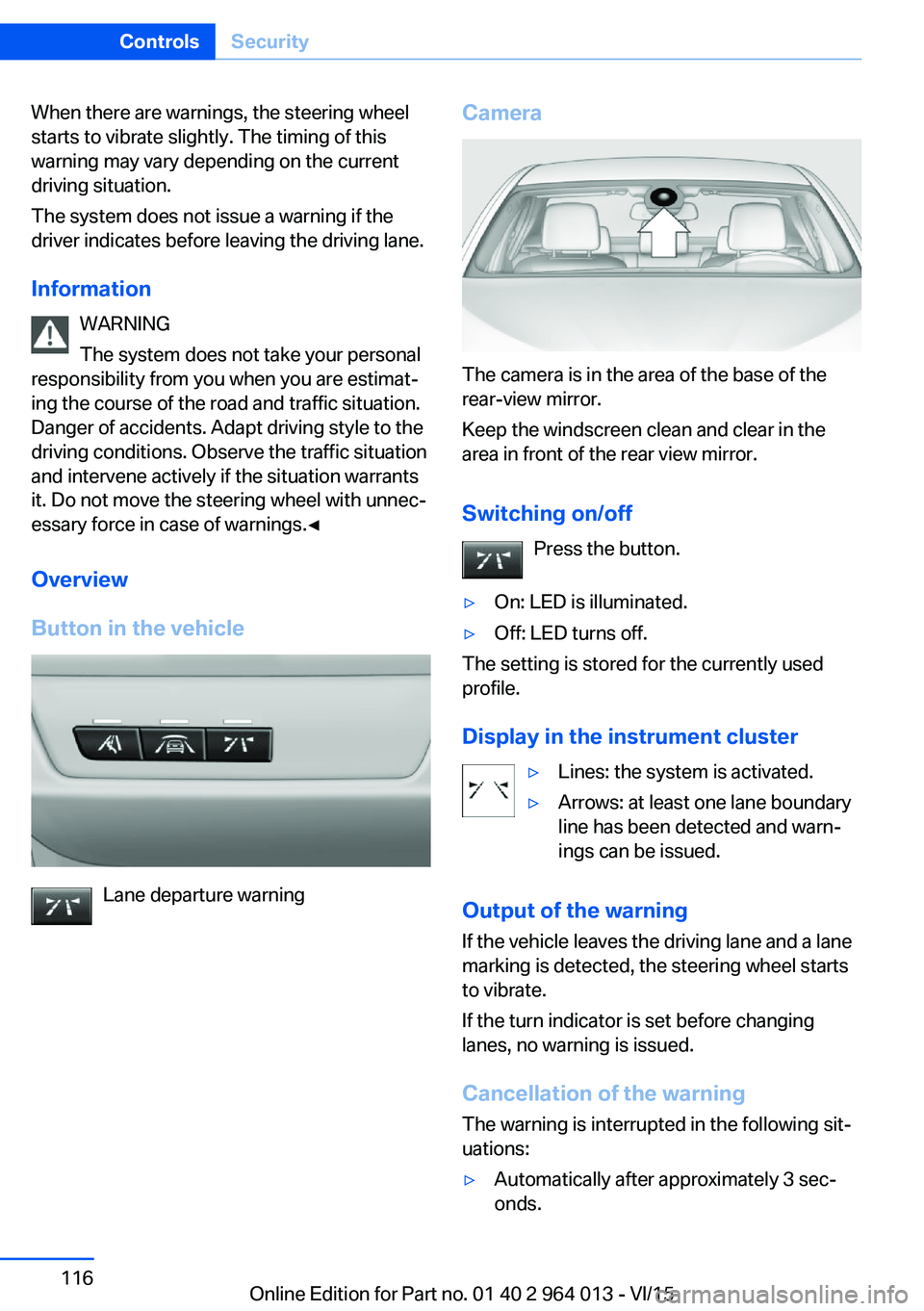
The camera is in the area of the base of the
rear-view mirror.
Keep the windscreen clean and clear in the
area in front of the rear view mirror.
Switching on/off Press the button.
▷On: LED is illuminated.▷Off: LED turns off.
The setting is stored for the currently used
profile.
Display in the instrument cluster
▷Lines: the system is activated.▷Arrows: at least one lane boundary
line has been detected and warn‐
ings can be issued.
Output of the warning
If the vehicle leaves the driving lane and a lane
marking is detected, the steering wheel starts
to vibrate.
If the turn indicator is set before changing
lanes, no warning is issued.
Cancellation of the warning
The warning is interrupted in the following sit‐
uations:
▷Automatically after approximately 3 sec‐
onds.Seite 116ControlsSecurity116
Online Edition for Part no. 01 40 2 964 013 - VI/15
Page 117 of 228
▷On returning to the correct lane.▷With strong braking.▷On indicating.
System limits
The function can be restricted, for example in
the following situations:
▷In thick fog and heavy rain or snow.▷With missing, worn, poorly visible, merg‐
ing/separating or ambiguous boundary
lines, for example in areas where there are
road works.▷If boundary lines are covered by snow, ice,
dirt or water.▷On sharp bends or narrow roads.▷If the boundary lines are not white.▷If boundary lines are obscured.▷If the vehicle is moving too close to the ve‐
hicle ahead.▷With bright oncoming light.▷When the windscreen in front of the rear-
view mirror is covered with condensation,
dirt, stickers, labels, etc.▷During the calibration process of the cam‐
era immediately after the vehicle is sup‐
plied.Lane change warning
Principle
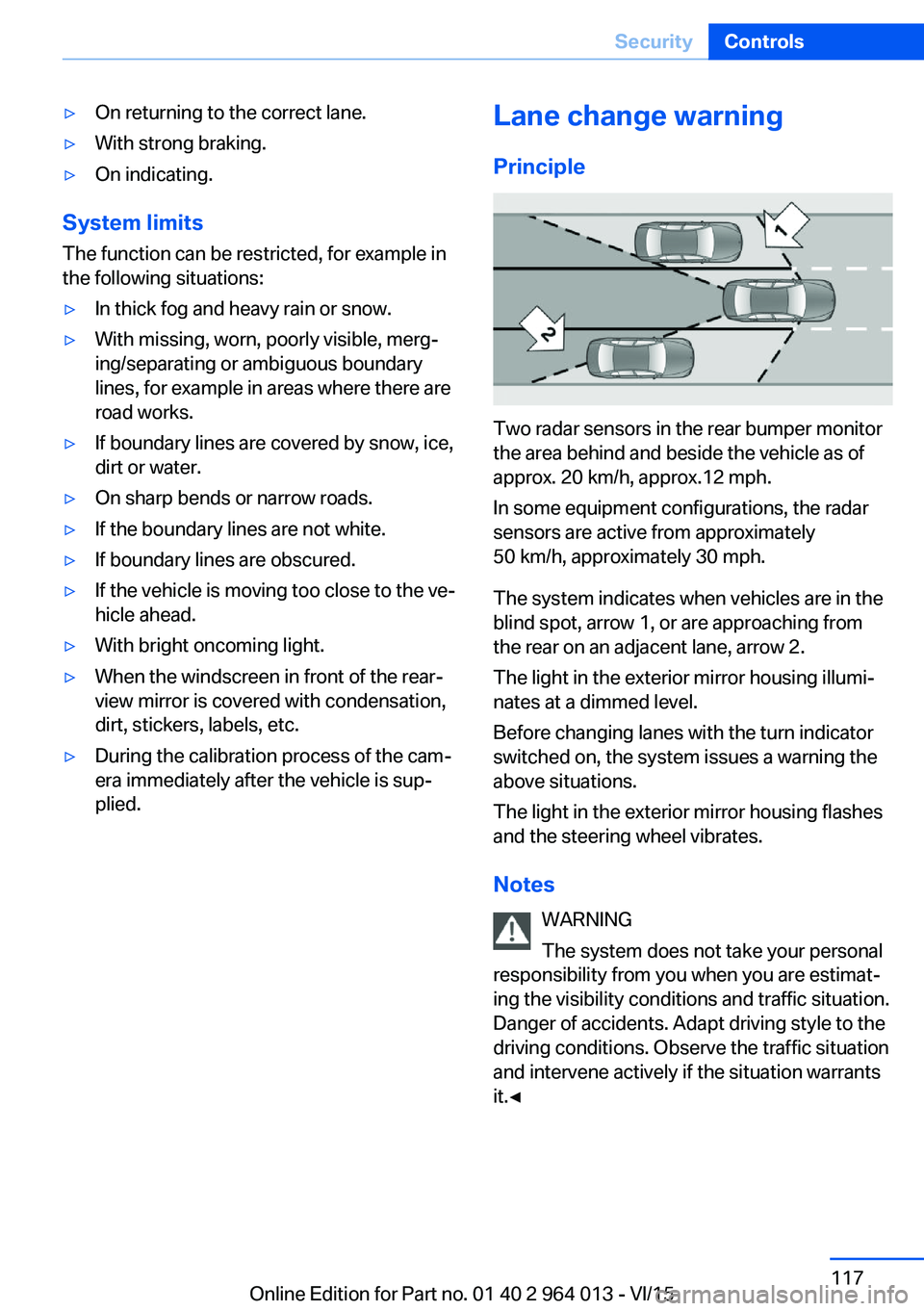
Two radar sensors in the rear bumper monitor
the area behind and beside the vehicle as of
approx. 20 km/h, approx.12 mph.
In some equipment configurations, the radar
sensors are active from approximately
50 km/h, approximately 30 mph.
The system indicates when vehicles are in the
blind spot, arrow 1, or are approaching from
the rear on an adjacent lane, arrow 2.
The light in the exterior mirror housing illumi‐
nates at a dimmed level.
Before changing lanes with the turn indicator
switched on, the system issues a warning the
above situations.
The light in the exterior mirror housing flashes
and the steering wheel vibrates.
Notes WARNING
The system does not take your personal
responsibility from you when you are estimat‐
ing the visibility conditions and traffic situation.
Danger of accidents. Adapt driving style to the
driving conditions. Observe the traffic situation
and intervene actively if the situation warrants
it.◀
Seite 117SecurityControls117
Online Edition for Part no. 01 40 2 964 013 - VI/15