remote start BMW M4 2016 Owners Manual
[x] Cancel search | Manufacturer: BMW, Model Year: 2016, Model line: M4, Model: BMW M4 2016Pages: 228, PDF Size: 4.88 MB
Page 33 of 228
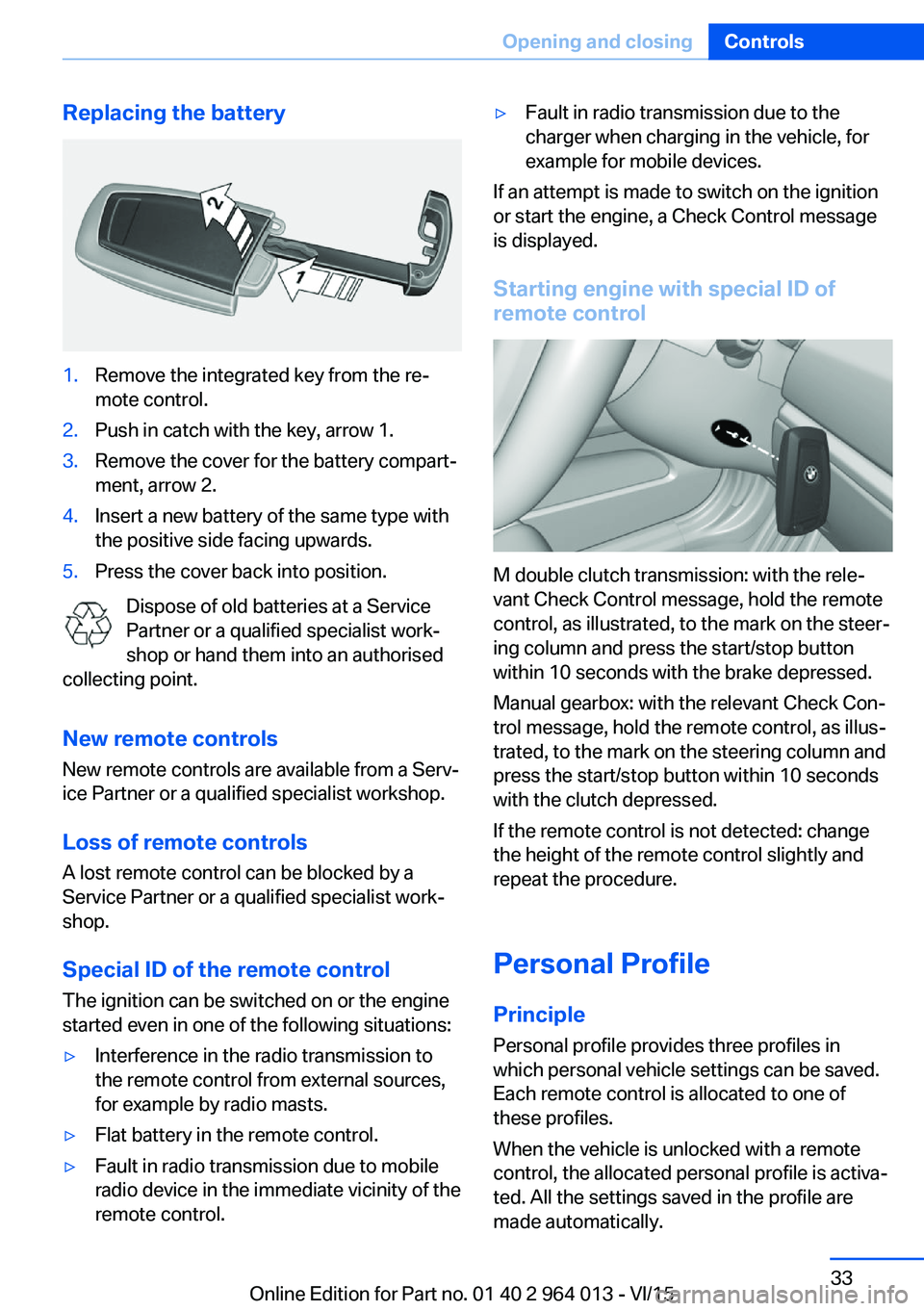
Replacing the battery1.Remove the integrated key from the re‐
mote control.2.Push in catch with the key, arrow 1.3.Remove the cover for the battery compart‐
ment, arrow 2.4.Insert a new battery of the same type with
the positive side facing upwards.5.Press the cover back into position.
Dispose of old batteries at a Service
Partner or a qualified specialist work‐
shop or hand them into an authorised
collecting point.
New remote controlsNew remote controls are available from a Serv‐
ice Partner or a qualified specialist workshop.
Loss of remote controls
A lost remote control can be blocked by a
Service Partner or a qualified specialist work‐
shop.
Special ID of the remote control The ignition can be switched on or the engine
started even in one of the following situations:
▷Interference in the radio transmission to
the remote control from external sources,
for example by radio masts.▷Flat battery in the remote control.▷Fault in radio transmission due to mobile
radio device in the immediate vicinity of the
remote control.▷Fault in radio transmission due to the
charger when charging in the vehicle, for
example for mobile devices.
If an attempt is made to switch on the ignition
or start the engine, a Check Control message
is displayed.
Starting engine with special ID ofremote control
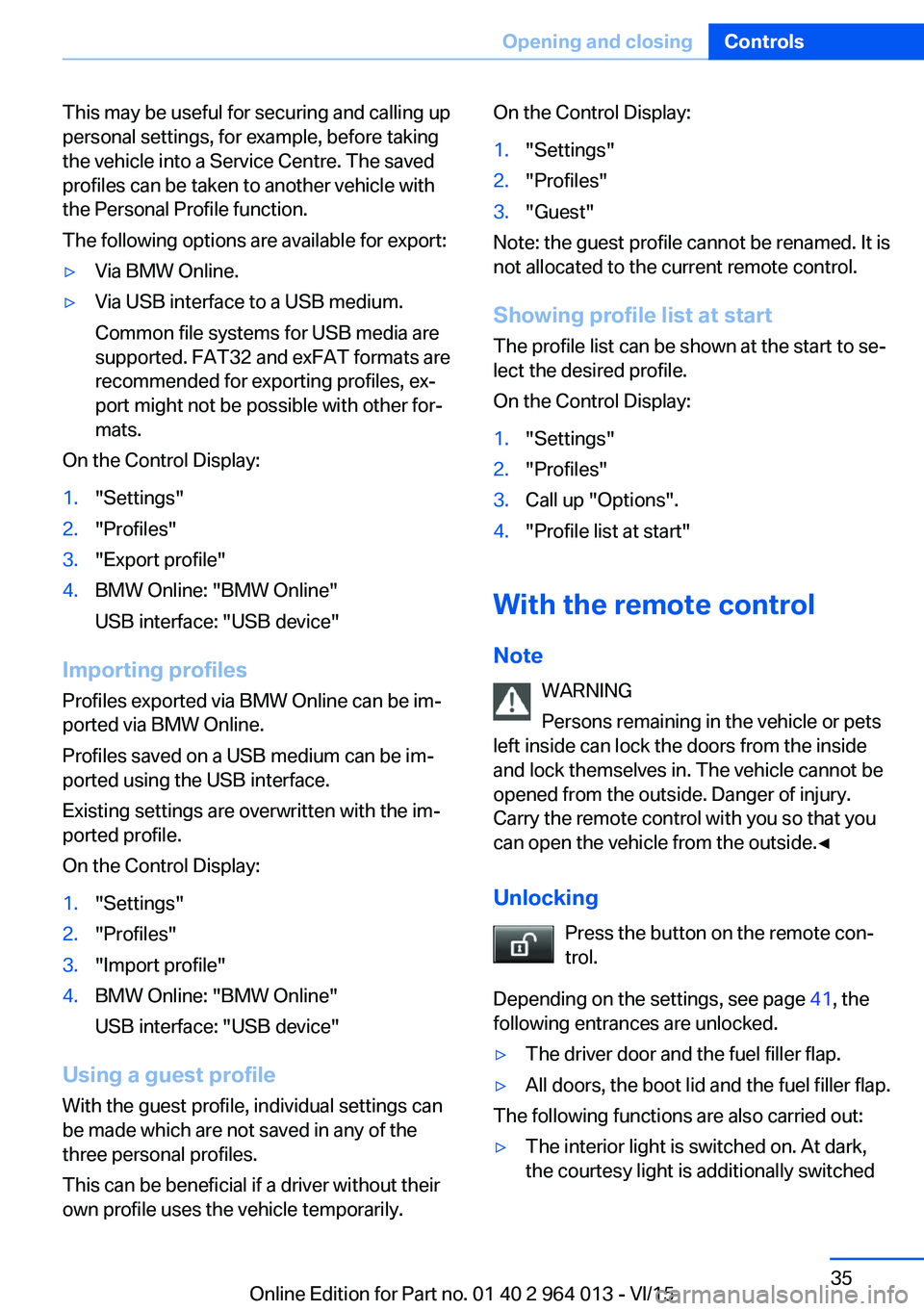
M double clutch transmission: with the rele‐
vant Check Control message, hold the remote
control, as illustrated, to the mark on the steer‐
ing column and press the start/stop button
within 10 seconds with the brake depressed.
Manual gearbox: with the relevant Check Con‐
trol message, hold the remote control, as illus‐
trated, to the mark on the steering column and
press the start/stop button within 10 seconds
with the clutch depressed.
If the remote control is not detected: change
the height of the remote control slightly and
repeat the procedure.
Personal Profile
Principle Personal profile provides three profiles in
which personal vehicle settings can be saved.
Each remote control is allocated to one of
these profiles.
When the vehicle is unlocked with a remote
control, the allocated personal profile is activa‐
ted. All the settings saved in the profile are
made automatically.
Seite 33Opening and closingControls33
Online Edition for Part no. 01 40 2 964 013 - VI/15
Page 35 of 228
This may be useful for securing and calling up
personal settings, for example, before taking
the vehicle into a Service Centre. The saved
profiles can be taken to another vehicle with
the Personal Profile function.
The following options are available for export:▷Via BMW Online.▷Via USB interface to a USB medium.
Common file systems for USB media are
supported. FAT32 and exFAT formats are
recommended for exporting profiles, ex‐
port might not be possible with other for‐
mats.
On the Control Display:
1."Settings"2."Profiles"3."Export profile"4.BMW Online: "BMW Online"
USB interface: "USB device"
Importing profiles
Profiles exported via BMW Online can be im‐
ported via BMW Online.
Profiles saved on a USB medium can be im‐
ported using the USB interface.
Existing settings are overwritten with the im‐
ported profile.
On the Control Display:
1."Settings"2."Profiles"3."Import profile"4.BMW Online: "BMW Online"
USB interface: "USB device"
Using a guest profile With the guest profile, individual settings can
be made which are not saved in any of the
three personal profiles.
This can be beneficial if a driver without their
own profile uses the vehicle temporarily.
On the Control Display:1."Settings"2."Profiles"3."Guest"
Note: the guest profile cannot be renamed. It is
not allocated to the current remote control.
Showing profile list at start The profile list can be shown at the start to se‐
lect the desired profile.
On the Control Display:
1."Settings"2."Profiles"3.Call up "Options".4."Profile list at start"
With the remote control
Note WARNING
Persons remaining in the vehicle or pets
left inside can lock the doors from the inside
and lock themselves in. The vehicle cannot be
opened from the outside. Danger of injury.
Carry the remote control with you so that you
can open the vehicle from the outside.◀
Unlocking Press the button on the remote con‐
trol.
Depending on the settings, see page 41, the
following entrances are unlocked.
▷The driver door and the fuel filler flap.▷All doors, the boot lid and the fuel filler flap.
The following functions are also carried out:
▷The interior light is switched on. At dark,
the courtesy light is additionally switchedSeite 35Opening and closingControls35
Online Edition for Part no. 01 40 2 964 013 - VI/15
Page 39 of 228
Closing
The recessed handles in the boot lid lining
make it easier to pull the boot lid down.
Emergency release
Pull the handle in the boot.
This will unlock the boot lid.
Comfort Access
Principle Access to the vehicle is possible without acti‐
vating the remote control.
It is sufficient to have the remote control with
you, for example in a trouser pocket.
The vehicle automatically recognises the re‐
mote control when it is in the immediate vicin‐
ity or the interior of the vehicle.
Comfort Access supports the following func‐
tions:
▷Unlocking/locking the vehicle.▷Comfort closing.▷Opening the boot lid separately.▷Open boot lid contactlessly.▷Start the engine.
Notes
To prevent the remote control from being locked in, do not place the remote control in
the boot.
Functional requirements
▷No external sources of interference in the
vicinity.▷To lock, the remote control must be loca‐
ted outside the vehicle in the area of the
doors.▷Approximately 2 seconds need to elapse
before the vehicle can be unlocked and
locked again.▷An engine start is only possible if the re‐
mote control is in the vehicle.
Unlocking
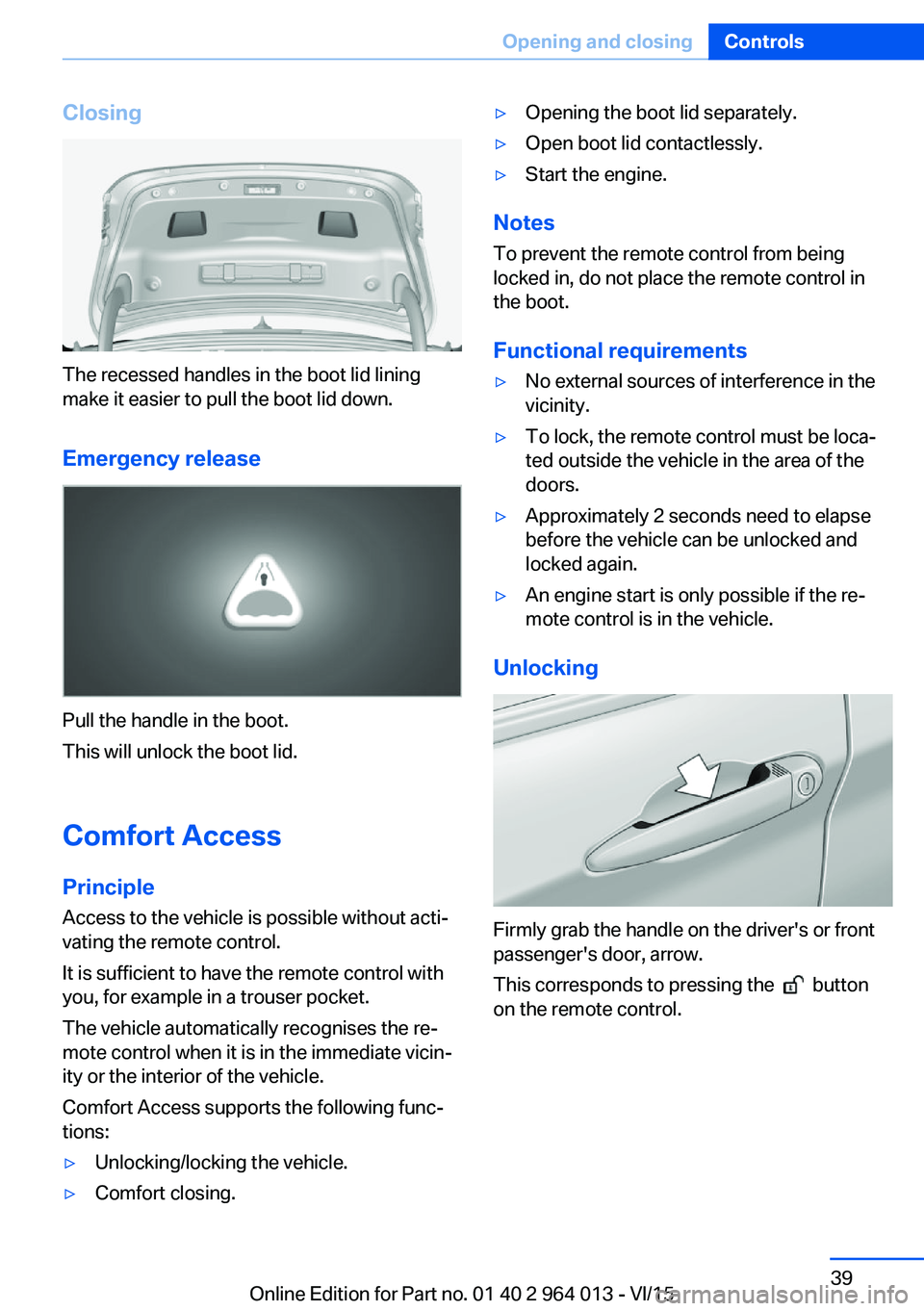
Firmly grab the handle on the driver's or front
passenger's door, arrow.
This corresponds to pressing the
button
on the remote control.
Seite 39Opening and closingControls39
Online Edition for Part no. 01 40 2 964 013 - VI/15
Page 44 of 228
▷Pressing the start/stop button.▷Releasing the parking brake.▷Opening and closing doors or windows.▷Setting the selector lever to neutral.▷Operating vehicle equipment.
Risk of accident or injury. Do not leave children
or animals unsupervised in the vehicle. When
leaving the vehicle, take the remote control
with you and lock it.◀
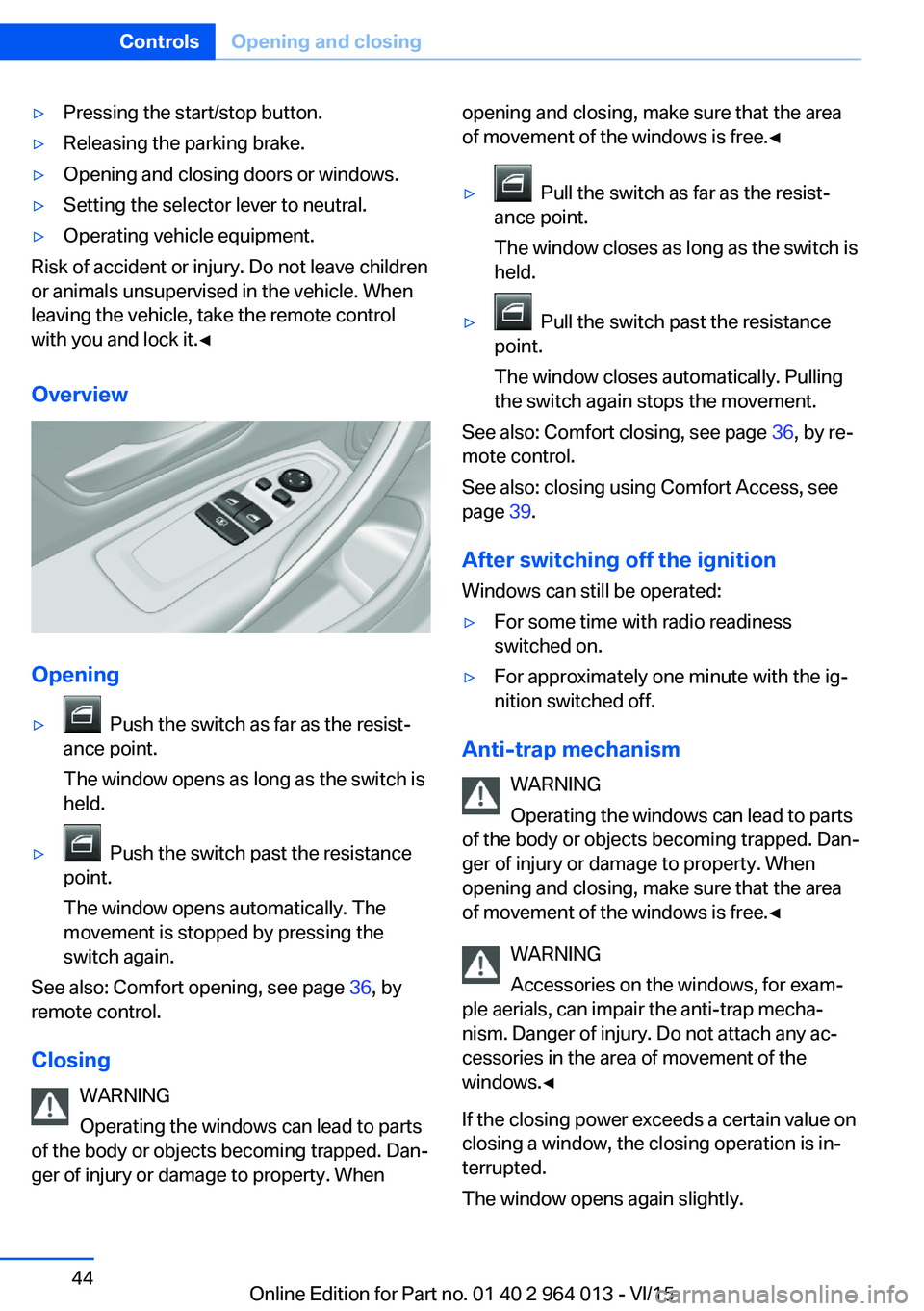
Overview
Opening
▷ Push the switch as far as the resist‐
ance point.
The window opens as long as the switch is
held.▷ Push the switch past the resistance
point.
The window opens automatically. The
movement is stopped by pressing the
switch again.
See also: Comfort opening, see page 36, by
remote control.
Closing WARNING
Operating the windows can lead to parts
of the body or objects becoming trapped. Dan‐
ger of injury or damage to property. When
opening and closing, make sure that the area
of movement of the windows is free.◀▷ Pull the switch as far as the resist‐
ance point.
The window closes as long as the switch is
held.▷ Pull the switch past the resistance
point.
The window closes automatically. Pulling
the switch again stops the movement.
See also: Comfort closing, see page 36, by re‐
mote control.
See also: closing using Comfort Access, see
page 39.
After switching off the ignition Windows can still be operated:
▷For some time with radio readiness
switched on.▷For approximately one minute with the ig‐
nition switched off.
Anti-trap mechanism
WARNING
Operating the windows can lead to parts
of the body or objects becoming trapped. Dan‐
ger of injury or damage to property. When
opening and closing, make sure that the area
of movement of the windows is free.◀
WARNING
Accessories on the windows, for exam‐
ple aerials, can impair the anti-trap mecha‐
nism. Danger of injury. Do not attach any ac‐
cessories in the area of movement of the
windows.◀
If the closing power exceeds a certain value on
closing a window, the closing operation is in‐
terrupted.
The window opens again slightly.
Seite 44ControlsOpening and closing44
Online Edition for Part no. 01 40 2 964 013 - VI/15
Page 45 of 228
Closing without the anti-trap
mechanism
WARNING
Operating the windows can lead to parts
of the body or objects becoming trapped. Dan‐
ger of injury or damage to property. When
opening and closing, make sure that the area
of movement of the windows is free.◀
If an external danger or ice does not allow you to close the windows normally, proceed as fol‐
lows:1.Pull the switch past the resistance point
and hold it there.
The anti-trap mechanism is restricted and
the window opens slightly when the clos‐
ing force exceeds a certain value.2.Pull the switch past the resistance point
again within approximately four seconds
and hold it there.
The window closes without the anti-trap
mechanism.
Roller sunblinds
Roller sunblind for rear window
General If the roller sunblinds for the rear window can
no longer be moved after a number of opera‐
tions in immediate succession, the system is
blocked for a limited time to prevent overheat‐
ing. Allow the system to cool down.
The roller sunblind for the rear window cannot
be operated in low interior temperatures.
Retracting or extending the roller sunblind for rear window
Press the button.
Glass Roof, electrical
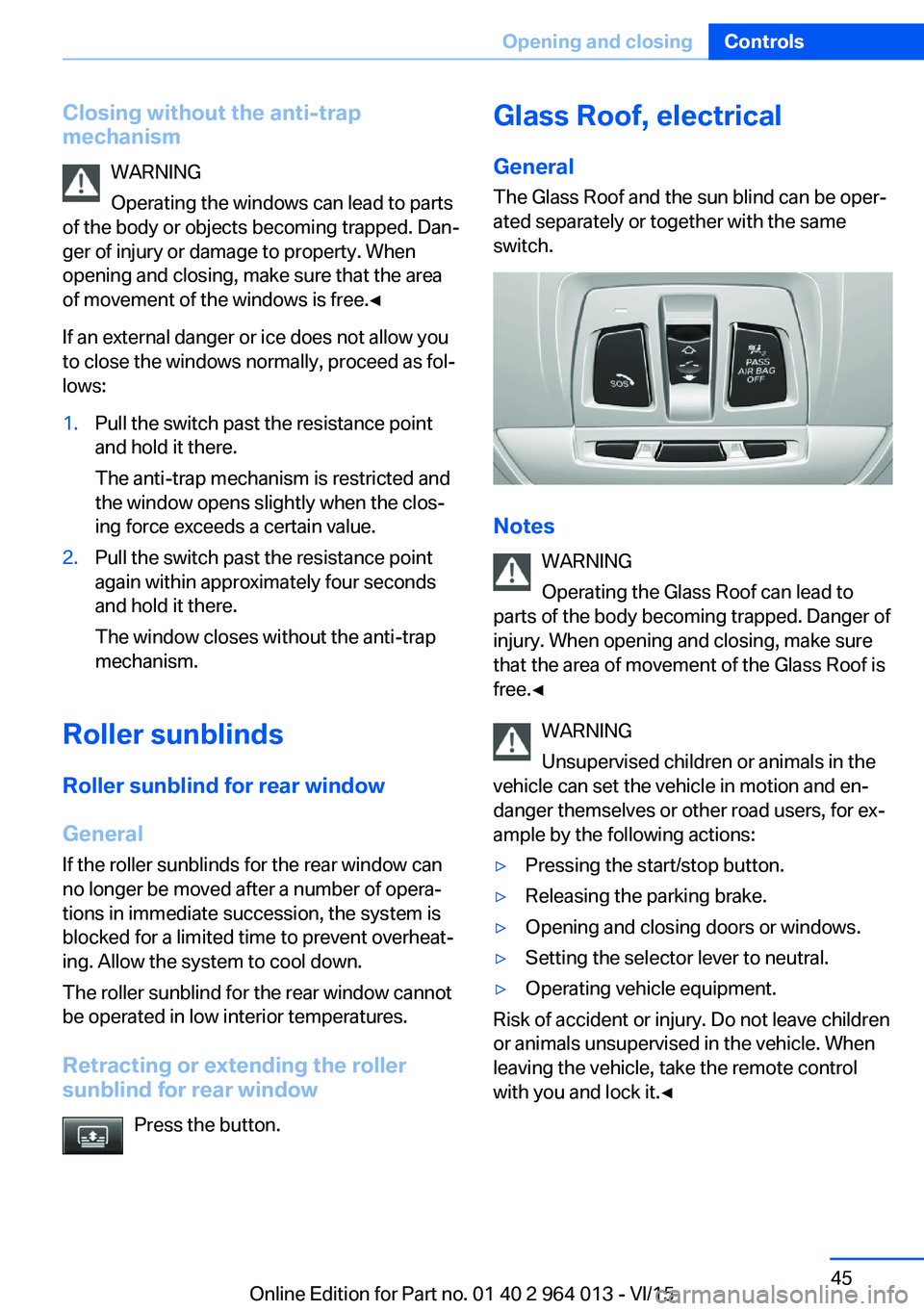
General The Glass Roof and the sun blind can be oper‐
ated separately or together with the same
switch.
Notes
WARNING
Operating the Glass Roof can lead to
parts of the body becoming trapped. Danger of
injury. When opening and closing, make sure
that the area of movement of the Glass Roof is
free.◀
WARNING
Unsupervised children or animals in the
vehicle can set the vehicle in motion and en‐
danger themselves or other road users, for ex‐
ample by the following actions:
▷Pressing the start/stop button.▷Releasing the parking brake.▷Opening and closing doors or windows.▷Setting the selector lever to neutral.▷Operating vehicle equipment.
Risk of accident or injury. Do not leave children
or animals unsupervised in the vehicle. When
leaving the vehicle, take the remote control
with you and lock it.◀
Seite 45Opening and closingControls45
Online Edition for Part no. 01 40 2 964 013 - VI/15
Page 55 of 228
Saving1.Switch on ignition.2.Set desired position.3.Press button briefly. LED in button
is illuminated.4.Press the desired button 1 or 2 while the
LED is lit. LED turns off.
If SET button was pressed inadvertently:
Press the button again.
LED turns off.
Recalling
General
There are two possibilities of calling up the
memory function:
▷Comfort function, see page 55.▷Safety function, see page 55.
Convenience function
1.Open the driver's door.2.Switch ignition off if necessary.3.Briefly press button 1 or 2 as desired.
The relevant seat adjustment is done automat‐
ically.
The process is cancelled if a seat adjustment
switch or one of the buttons is pressed.
Safety function
1.Close the driver’s door or switch the igni‐
tion on.2.Keep button 1 or 2 pressed as desired until
the adjustment procedure has been con‐
cluded.
Calling up has been disabled
After a short time, calling up saved seat posi‐
tions is disabled to prevent the battery from
being discharged.
To reactivate calling up:
▷Open and close a door or the boot lid.▷Press a button on the remote control.▷Press the start/stop button.
Mirrors
Exterior mirrors
General Depending on the equipment, the mirror set‐
ting is saved for the profile currently in use.
When the vehicle is unlocked using the remote
control, this position is called up automatically
if the setting for this has been enabled.
Note WARNING
Objects reflected in the mirrors are
closer than they appear. The distance to road
users behind the vehicle could be incorrectly
estimated, for example when changing lane.
Danger of accidents. Look over your shoulder
to estimate the distance from following traf‐
fic.◀
Overview
1Adjusting 562Left/right, automatic parking function3Folding in and out 56Seite 55AdjustingControls55
Online Edition for Part no. 01 40 2 964 013 - VI/15
Page 58 of 228
Carrying children in safetyVehicle equipmentThis chapter describes all standard, national
and special equipment provided in the model
series. Equipment not available in the vehicle is
therefore also described, for example the se‐lected special equipment or national version.
This also applies to safety-relevant functions
and systems. Comply with the relevant na‐
tional regulations when using the correspond‐
ing functions and systems.
Important considerations
Note
WARNING
Unsupervised children or animals in the
vehicle can set the vehicle in motion and en‐
danger themselves or other road users, for ex‐
ample by the following actions:▷Pressing the start/stop button.▷Releasing the parking brake.▷Opening and closing doors or windows.▷Setting the selector lever to neutral.▷Operating vehicle equipment.
Risk of accident or injury. Do not leave children
or animals unsupervised in the vehicle. When
leaving the vehicle, take the remote control
with you and lock it.◀
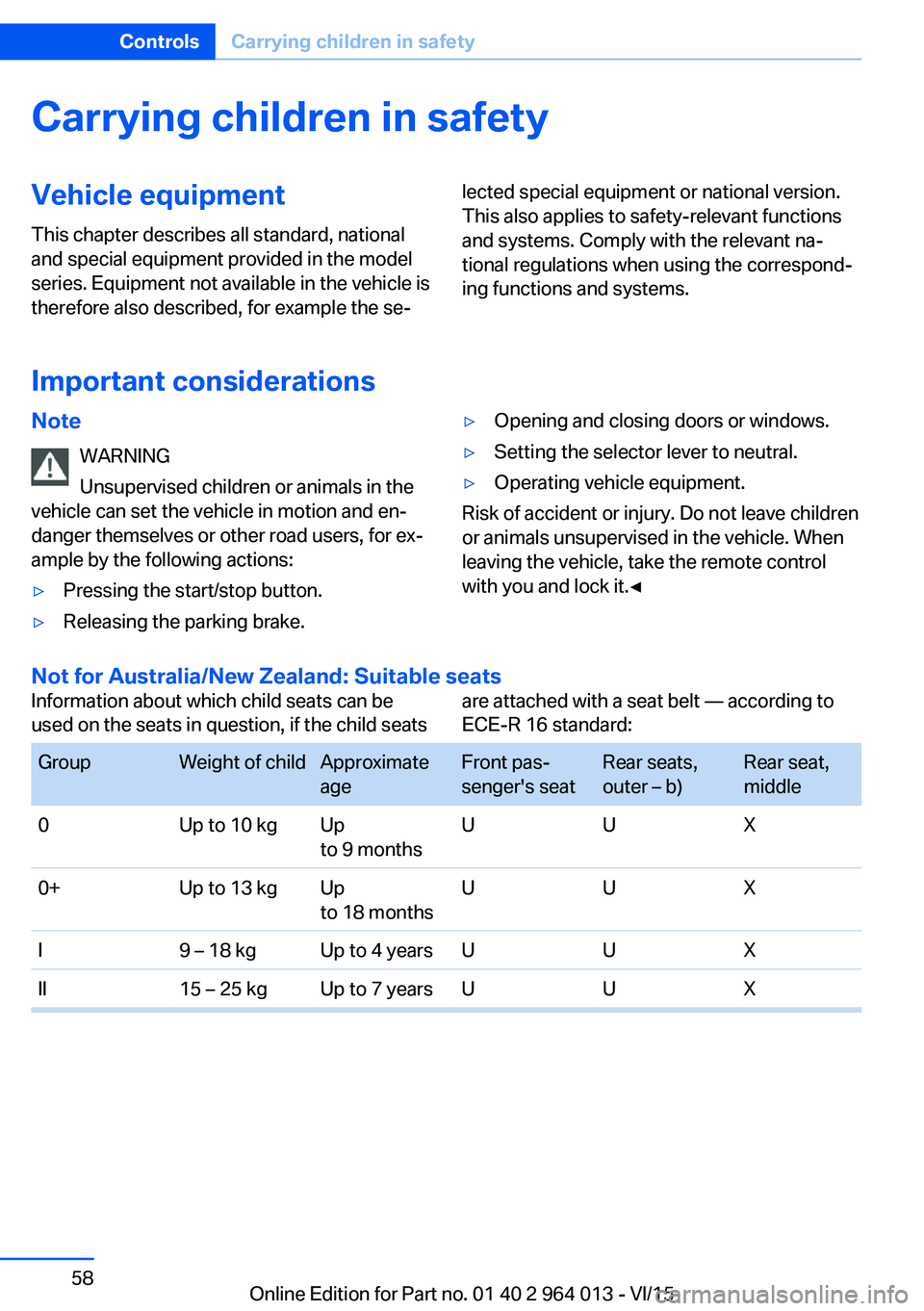
Not for Australia/New Zealand: Suitable seats
Information about which child seats can be
used on the seats in question, if the child seatsare attached with a seat belt — according to
ECE-R 16 standard: GroupWeight of childApproximate
ageFront pas‐
senger's seatRear seats,
outer – b)Rear seat,
middle0Up to 10 kgUp
to 9 monthsUUX0+Up to 13 kgUp
to 18 monthsUUXI9 – 18 kgUp to 4 yearsUUXII15 – 25 kgUp to 7 yearsUUXSeite 58ControlsCarrying children in safety58
Online Edition for Part no. 01 40 2 964 013 - VI/15
Page 67 of 228
Stopping the engine
Notes WARNING
Unsupervised children or animals in the
vehicle can set the vehicle in motion and en‐
danger themselves or other road users, for ex‐
ample by the following actions:▷Pressing the start/stop button.▷Releasing the parking brake.▷Opening and closing doors or windows.▷Setting the selector lever to neutral.▷Operating vehicle equipment.
Risk of accident or injury. Do not leave children
or animals unsupervised in the vehicle. When
leaving the vehicle, take the remote control
with you and lock it.◀
WARNING
An unsecured vehicle can start moving
and rolling away. Danger of accidents. Before
leaving the vehicle, secure it to prevent rolling
away.
Observe the following to ensure that the vehi‐
cle is secured against rolling away:
▷Engage the parking brake.▷Turn the front wheels into the direction of
the kerb on upward or downward gradi‐
ents.▷Additionally secure the vehicle on upward
or downward gradients, e.g. using a
wedge.◀
Before entering the car wash
So that the vehicle can roll into the vehicle
wash, follow the information on washing in au‐
tomatic vehicle washes, see page 208.
M double clutch transmission
Stopping the engine
1.Brake the vehicle until it comes to a stop.2.Press the start/stop button.
The engine is switched off.
The radio ready state is switched on.3.Apply the parking brake.
Manual gearbox
Stopping the engine
1.Press the Start/Stop button when the vehi‐
cle is at standstill.2.Engage first gear or reverse.3.Apply the parking brake.
Auto Start Stop function
Principle The Auto Start Stop function helps you to save
fuel. by stopping the engine when stationary,
for example, in a traffic jam or at traffic lights.
The ignition remains switched on. For driving
off, the engine starts automatically.
Automatic operation
After each time the engine is started using the
start/stop button, the Auto Start Stop function
is ready to operate.
The function is activated from 5 km/h,
3 mph3 mph, km/h.
Stopping the engine The engine is automatically shut down whenstationary under the following conditions:
M double clutch transmission:
▷Selector lever in selector lever position D.▷Brake pedal remains depressed while the
vehicle is at a standstill.▷Driver's seat belt buckled or driver's door
closed.
Manual gearbox:
▷Transmission in neutral and clutch pedal
not pressed.Seite 67DrivingControls67
Online Edition for Part no. 01 40 2 964 013 - VI/15
Page 218 of 228
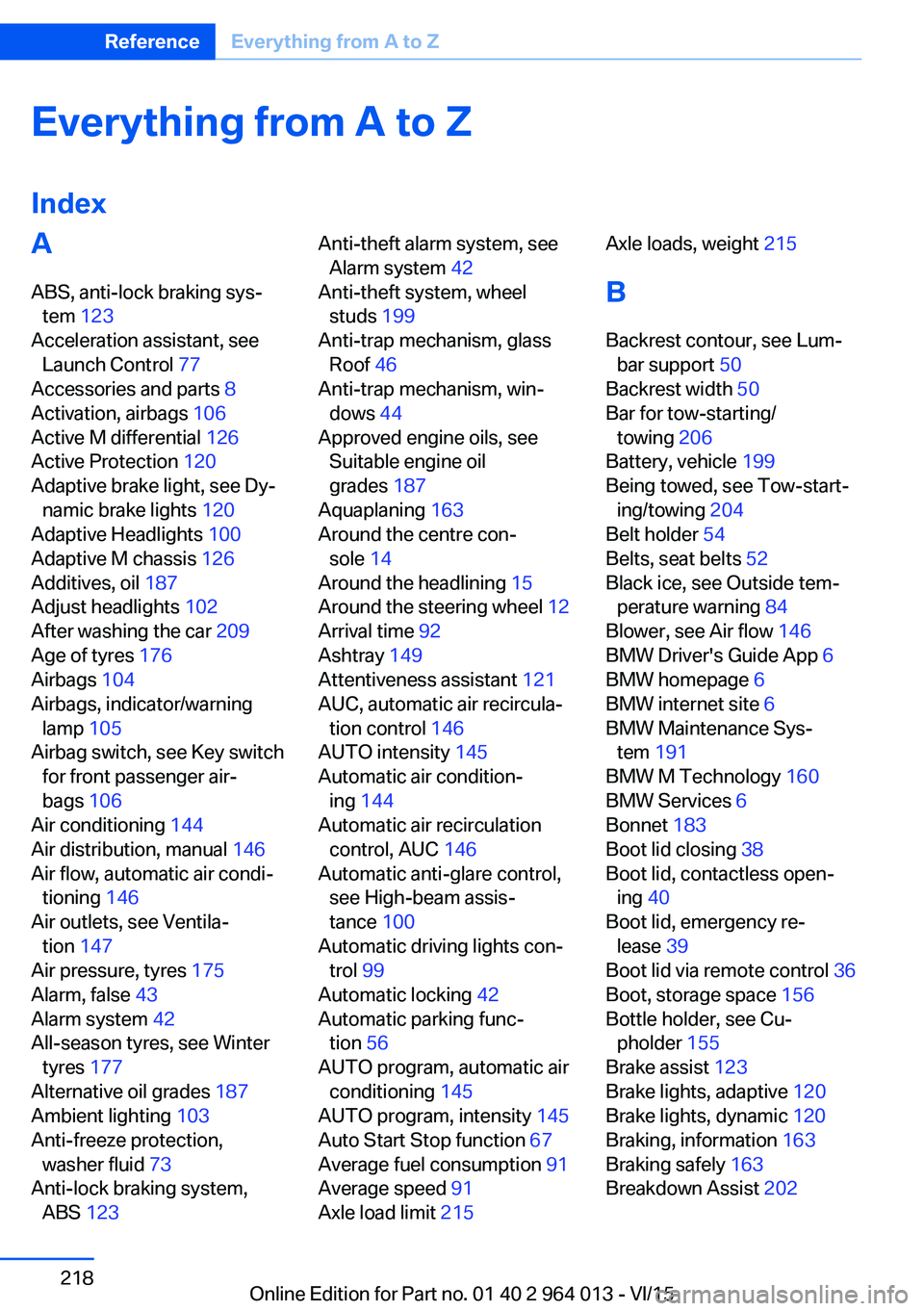
Everything from A to Z
IndexA ABS, anti-lock braking sys‐ tem 123
Acceleration assistant, see Launch Control 77
Accessories and parts 8
Activation, airbags 106
Active M differential 126
Active Protection 120
Adaptive brake light, see Dy‐ namic brake lights 120
Adaptive Headlights 100
Adaptive M chassis 126
Additives, oil 187
Adjust headlights 102
After washing the car 209
Age of tyres 176
Airbags 104
Airbags, indicator/warning lamp 105
Airbag switch, see Key switch for front passenger air‐
bags 106
Air conditioning 144
Air distribution, manual 146
Air flow, automatic air condi‐ tioning 146
Air outlets, see Ventila‐ tion 147
Air pressure, tyres 175
Alarm, false 43
Alarm system 42
All-season tyres, see Winter tyres 177
Alternative oil grades 187
Ambient lighting 103
Anti-freeze protection, washer fluid 73
Anti-lock braking system, ABS 123 Anti-theft alarm system, see
Alarm system 42
Anti-theft system, wheel studs 199
Anti-trap mechanism, glass Roof 46
Anti-trap mechanism, win‐ dows 44
Approved engine oils, see Suitable engine oil
grades 187
Aquaplaning 163
Around the centre con‐ sole 14
Around the headlining 15
Around the steering wheel 12
Arrival time 92
Ashtray 149
Attentiveness assistant 121
AUC, automatic air recircula‐ tion control 146
AUTO intensity 145
Automatic air condition‐ ing 144
Automatic air recirculation control, AUC 146
Automatic anti-glare control, see High-beam assis‐
tance 100
Automatic driving lights con‐ trol 99
Automatic locking 42
Automatic parking func‐ tion 56
AUTO program, automatic air conditioning 145
AUTO program, intensity 145
Auto Start Stop function 67
Average fuel consumption 91
Average speed 91
Axle load limit 215 Axle loads, weight 215
B Backrest contour, see Lum‐ bar support 50
Backrest width 50
Bar for tow-starting/ towing 206
Battery, vehicle 199
Being towed, see Tow-start‐ ing/towing 204
Belt holder 54
Belts, seat belts 52
Black ice, see Outside tem‐ perature warning 84
Blower, see Air flow 146
BMW Driver's Guide App 6
BMW homepage 6
BMW internet site 6
BMW Maintenance Sys‐ tem 191
BMW M Technology 160
BMW Services 6
Bonnet 183
Boot lid closing 38
Boot lid, contactless open‐ ing 40
Boot lid, emergency re‐ lease 39
Boot lid via remote control 36
Boot, storage space 156
Bottle holder, see Cu‐ pholder 155
Brake assist 123
Brake lights, adaptive 120
Brake lights, dynamic 120
Braking, information 163
Braking safely 163
Breakdown Assist 202 Seite 218ReferenceEverything from A to Z218
Online Edition for Part no. 01 40 2 964 013 - VI/15
Page 219 of 228
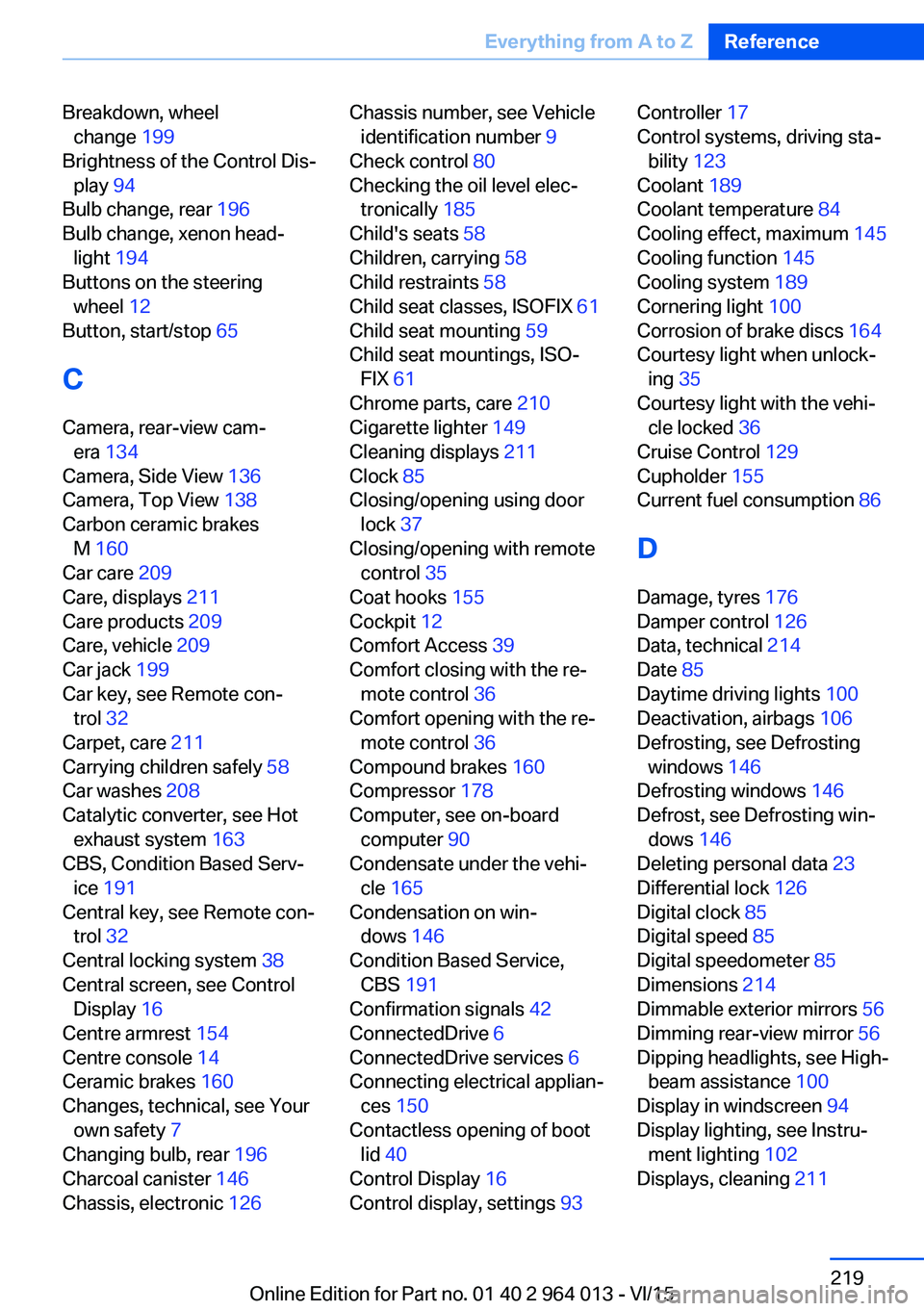
Breakdown, wheelchange 199
Brightness of the Control Dis‐ play 94
Bulb change, rear 196
Bulb change, xenon head‐ light 194
Buttons on the steering wheel 12
Button, start/stop 65
C
Camera, rear-view cam‐ era 134
Camera, Side View 136
Camera, Top View 138
Carbon ceramic brakes M 160
Car care 209
Care, displays 211
Care products 209
Care, vehicle 209
Car jack 199
Car key, see Remote con‐ trol 32
Carpet, care 211
Carrying children safely 58
Car washes 208
Catalytic converter, see Hot exhaust system 163
CBS, Condition Based Serv‐ ice 191
Central key, see Remote con‐ trol 32
Central locking system 38
Central screen, see Control Display 16
Centre armrest 154
Centre console 14
Ceramic brakes 160
Changes, technical, see Your own safety 7
Changing bulb, rear 196
Charcoal canister 146
Chassis, electronic 126 Chassis number, see Vehicle
identification number 9
Check control 80
Checking the oil level elec‐ tronically 185
Child's seats 58
Children, carrying 58
Child restraints 58
Child seat classes, ISOFIX 61
Child seat mounting 59
Child seat mountings, ISO‐ FIX 61
Chrome parts, care 210
Cigarette lighter 149
Cleaning displays 211
Clock 85
Closing/opening using door lock 37
Closing/opening with remote control 35
Coat hooks 155
Cockpit 12
Comfort Access 39
Comfort closing with the re‐ mote control 36
Comfort opening with the re‐ mote control 36
Compound brakes 160
Compressor 178
Computer, see on-board computer 90
Condensate under the vehi‐ cle 165
Condensation on win‐ dows 146
Condition Based Service, CBS 191
Confirmation signals 42
ConnectedDrive 6
ConnectedDrive services 6
Connecting electrical applian‐ ces 150
Contactless opening of boot lid 40
Control Display 16
Control display, settings 93 Controller 17
Control systems, driving sta‐ bility 123
Coolant 189
Coolant temperature 84
Cooling effect, maximum 145
Cooling function 145
Cooling system 189
Cornering light 100
Corrosion of brake discs 164
Courtesy light when unlock‐ ing 35
Courtesy light with the vehi‐ cle locked 36
Cruise Control 129
Cupholder 155
Current fuel consumption 86
D
Damage, tyres 176
Damper control 126
Data, technical 214
Date 85
Daytime driving lights 100
Deactivation, airbags 106
Defrosting, see Defrosting windows 146
Defrosting windows 146
Defrost, see Defrosting win‐ dows 146
Deleting personal data 23
Differential lock 126
Digital clock 85
Digital speed 85
Digital speedometer 85
Dimensions 214
Dimmable exterior mirrors 56
Dimming rear-view mirror 56
Dipping headlights, see High- beam assistance 100
Display in windscreen 94
Display lighting, see Instru‐ ment lighting 102
Displays, cleaning 211 Seite 219Everything from A to ZReference219
Online Edition for Part no. 01 40 2 964 013 - VI/15