profile BMW M4 COUPE 2016 F82 Owner's Guide
[x] Cancel search | Manufacturer: BMW, Model Year: 2016, Model line: M4 COUPE, Model: BMW M4 COUPE 2016 F82Pages: 228, PDF Size: 4.87 MB
Page 110 of 228
At a glance
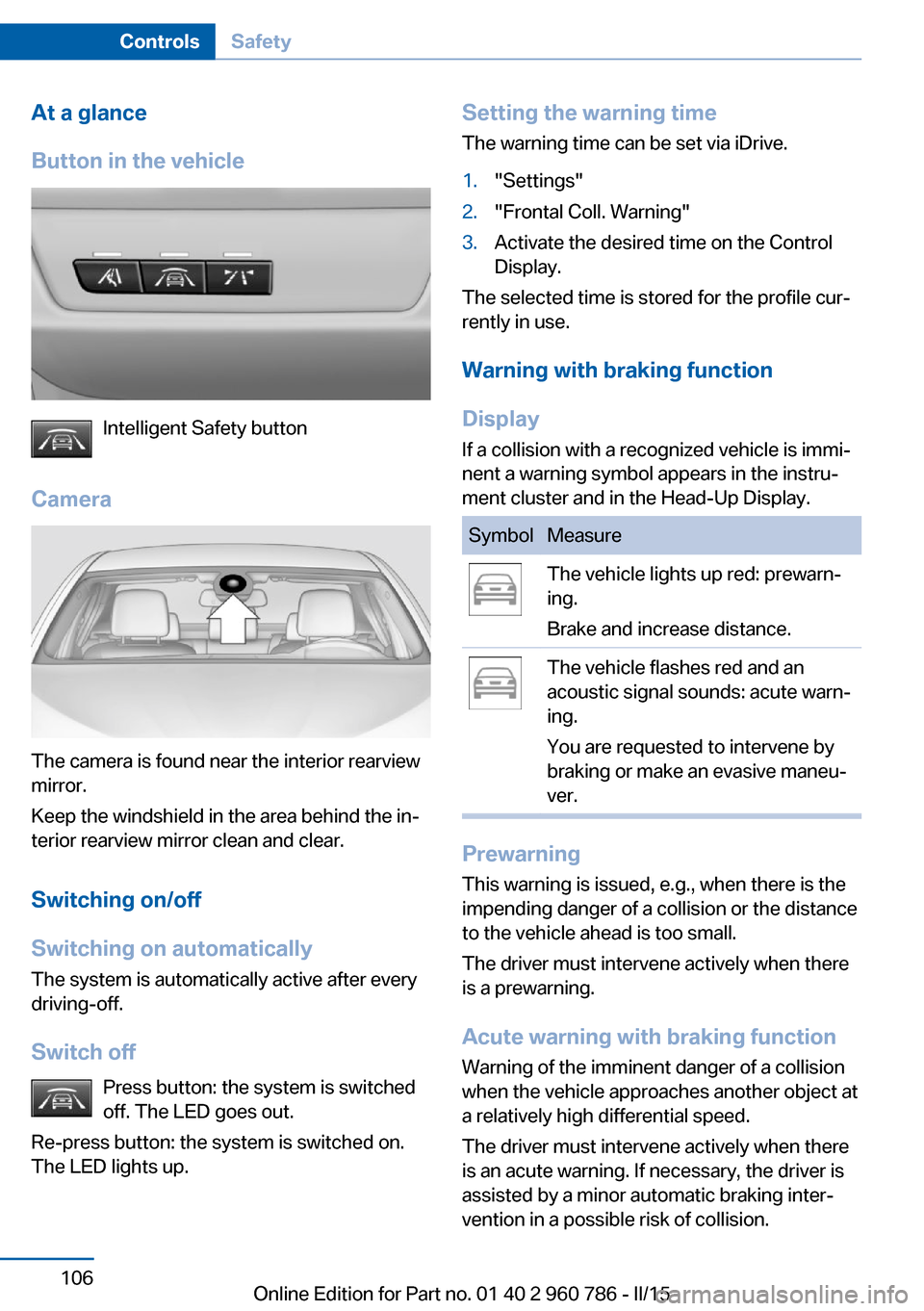
Button in the vehicle
Intelligent Safety button
Camera
The camera is found near the interior rearview
mirror.
Keep the windshield in the area behind the in‐
terior rearview mirror clean and clear.
Switching on/off
Switching on automatically The system is automatically active after every
driving-off.
Switch off Press button: the system is switched
off. The LED goes out.
Re-press button: the system is switched on.
The LED lights up.
Setting the warning time
The warning time can be set via iDrive.1."Settings"2."Frontal Coll. Warning"3.Activate the desired time on the Control
Display.
The selected time is stored for the profile cur‐
rently in use.
Warning with braking function
Display If a collision with a recognized vehicle is immi‐
nent a warning symbol appears in the instru‐
ment cluster and in the Head-Up Display.
SymbolMeasureThe vehicle lights up red: prewarn‐
ing.
Brake and increase distance.The vehicle flashes red and an
acoustic signal sounds: acute warn‐
ing.
You are requested to intervene by
braking or make an evasive maneu‐
ver.
Prewarning
This warning is issued, e.g., when there is the
impending danger of a collision or the distance
to the vehicle ahead is too small.
The driver must intervene actively when there
is a prewarning.
Acute warning with braking function
Warning of the imminent danger of a collision
when the vehicle approaches another object at
a relatively high differential speed.
The driver must intervene actively when there
is an acute warning. If necessary, the driver is
assisted by a minor automatic braking inter‐
vention in a possible risk of collision.
Seite 106ControlsSafety106
Online Edition for Part no. 01 40 2 960 786 - II/15
Page 114 of 228
Lane departure warningThe concept Starting at a specific speed, this system alerts
you when the vehicle on streets with lane
markings is about to leave the lane. This
speed, depending on the country version, is
between 35 mph/55 km/h and
45 mph/70 km/h.
When switching on the system below this
speed, a message is displayed in the instru‐
ment cluster.
The steering wheel begins vibrating gently in
the event of warnings. The time of the warning
may vary depending on the current driving sit‐
uation.
The system does not provide a warning if the
turn signal is set before leaving the lane.
Hints Personal responsibility
The system cannot serve as a substitute
for the driver's personal judgment of the
course of the road and the traffic situation.
In the event of a warning, do not jerk the steer‐
ing wheel, as you may lose control of the vehi‐
cle.◀
At a glance
Button in the vehicle
Lane departure warning
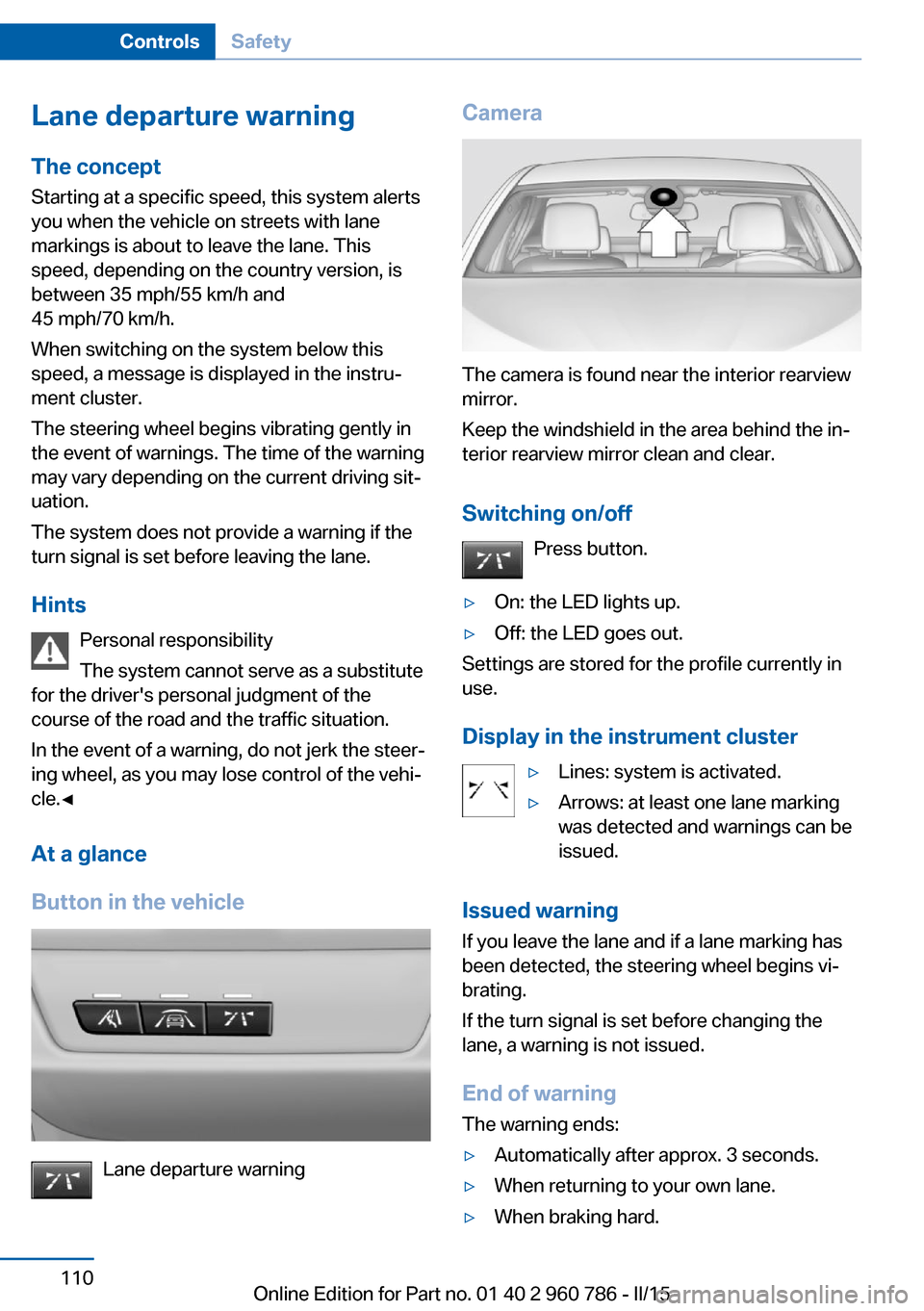
Camera
The camera is found near the interior rearview
mirror.
Keep the windshield in the area behind the in‐
terior rearview mirror clean and clear.
Switching on/off Press button.
▷On: the LED lights up.▷Off: the LED goes out.
Settings are stored for the profile currently in
use.
Display in the instrument cluster
▷Lines: system is activated.▷Arrows: at least one lane marking
was detected and warnings can be
issued.
Issued warning
If you leave the lane and if a lane marking has
been detected, the steering wheel begins vi‐
brating.
If the turn signal is set before changing the
lane, a warning is not issued.
End of warning
The warning ends:
▷Automatically after approx. 3 seconds.▷When returning to your own lane.▷When braking hard.Seite 110ControlsSafety110
Online Edition for Part no. 01 40 2 960 786 - II/15
Page 116 of 228
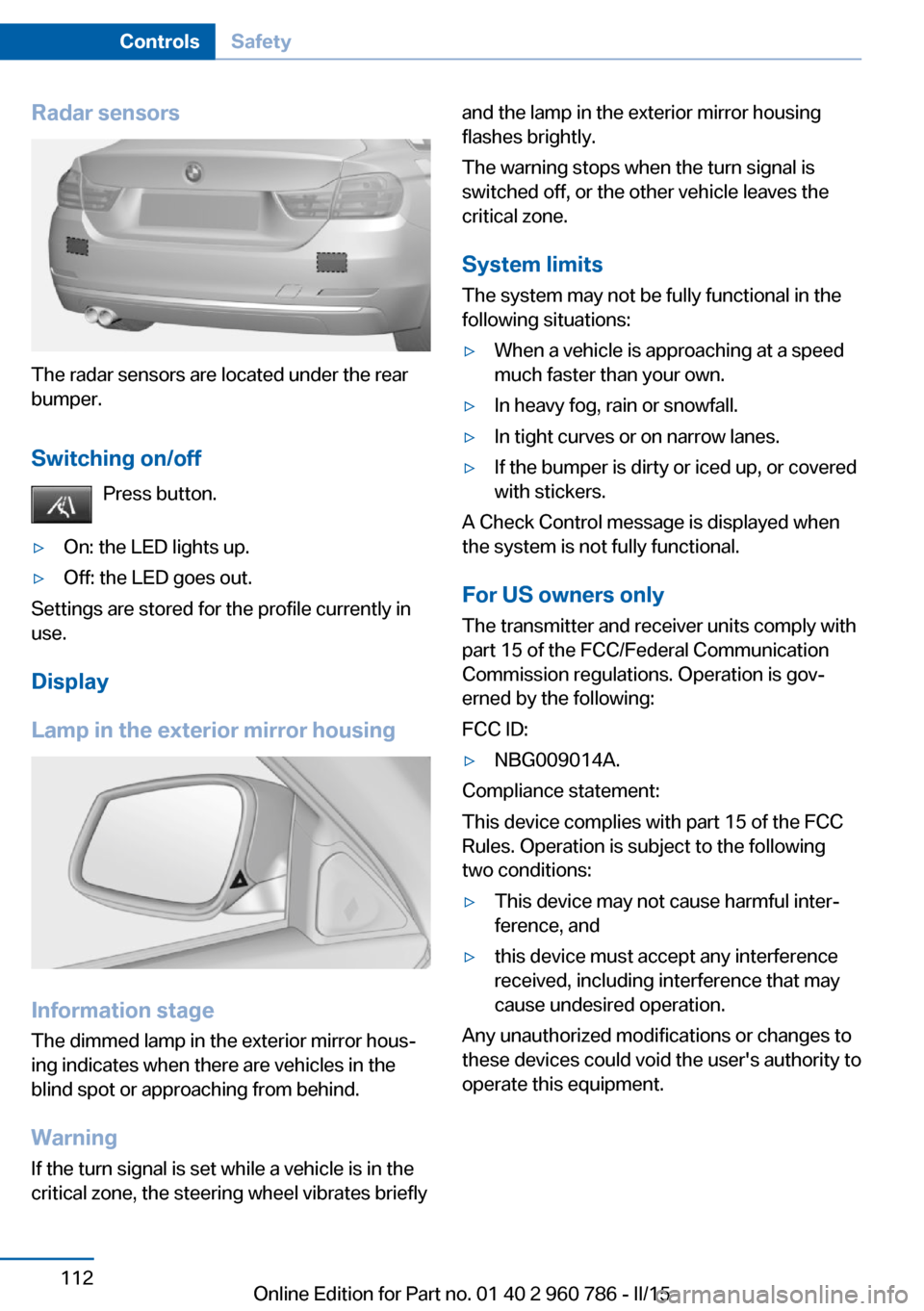
Radar sensors
The radar sensors are located under the rear
bumper.
Switching on/off Press button.
▷On: the LED lights up.▷Off: the LED goes out.
Settings are stored for the profile currently in
use.
Display
Lamp in the exterior mirror housing
Information stage
The dimmed lamp in the exterior mirror hous‐
ing indicates when there are vehicles in the
blind spot or approaching from behind.
Warning If the turn signal is set while a vehicle is in the
critical zone, the steering wheel vibrates briefly
and the lamp in the exterior mirror housing
flashes brightly.
The warning stops when the turn signal is
switched off, or the other vehicle leaves the
critical zone.
System limits
The system may not be fully functional in the
following situations:▷When a vehicle is approaching at a speed
much faster than your own.▷In heavy fog, rain or snowfall.▷In tight curves or on narrow lanes.▷If the bumper is dirty or iced up, or covered
with stickers.
A Check Control message is displayed when
the system is not fully functional.
For US owners only The transmitter and receiver units comply with
part 15 of the FCC/Federal Communication
Commission regulations. Operation is gov‐
erned by the following:
FCC ID:
▷NBG009014A.
Compliance statement:
This device complies with part 15 of the FCC
Rules. Operation is subject to the following
two conditions:
▷This device may not cause harmful inter‐
ference, and▷this device must accept any interference
received, including interference that may
cause undesired operation.
Any unauthorized modifications or changes to
these devices could void the user's authority to
operate this equipment.
Seite 112ControlsSafety112
Online Edition for Part no. 01 40 2 960 786 - II/15
Page 119 of 228
3.Select the desired setting option.4.Select the desired channel.
Individual settings are stored for the profile
currently in use.
If M Drive is activated, a change in the setting
on the Control Display is immediately adopted.
Activating/deactivating M Drive
Activating Press the corresponding button on the steer‐
ing wheel:
▷Activate M Drive 1.▷Activate M Drive 2.
If DSC OFF or MDM is set in M Drive, a mes‐
sage appears in the instrument cluster. This
message is confirmed by pressing the button
again.
Deactivating Press the corresponding button on the steer‐
ing wheel.
Indicator lights
▷Indicator lamp comes on: corre‐
sponding M Drive is activated.▷Indicator lamp flashes: M Drive
could not be activated. Antilock
braking system ABS or Dynamic
Stability Control DSC directly regu‐
late the driving stability.
Reactivate M Drive if indicator lamp
is no longer flashing.
Hints
If M Drive is activated, individual settings can
also be modified outside of M Drive, e. g. using
the buttons in the center console. This deacti‐
vates M Drive.
To reactivate all settings made for M Drive on
the Control Display, briefly press one of the fol‐
lowing buttons:▷▷
To adopt the changed settings in M Drive,
press and hold the corresponding button.
Resetting M Drive
Individual settings can be reset to default val‐
ues.
1."Settings"2."M Drive 1" or "M Drive 2"3."Reset M Drive 1" or "Reset M Drive 2"4."Yes"
To cancel resetting: "No"
DSC Dynamic Stability
Control
The concept
DSC prevents traction loss in the power
wheels when driving off and accelerating.
DSC also recognizes unstable vehicle condi‐
tions such as fishtailing or nose-diving. Within
the physical limits DSC helps to keep the vehi‐
cle on a steady course by reducing engine
speed and by applying brakes to the individual
wheels.
Note Adjust your driving style to the situation
An appropriate driving style is always the
responsibility of the driver.
The laws of physics cannot be repealed, not
even with DSC.
Therefore, do not reduce the additional safety
margin by driving in a risky manner.◀
Seite 115Driving stability control systemsControls115
Online Edition for Part no. 01 40 2 960 786 - II/15
Page 127 of 228
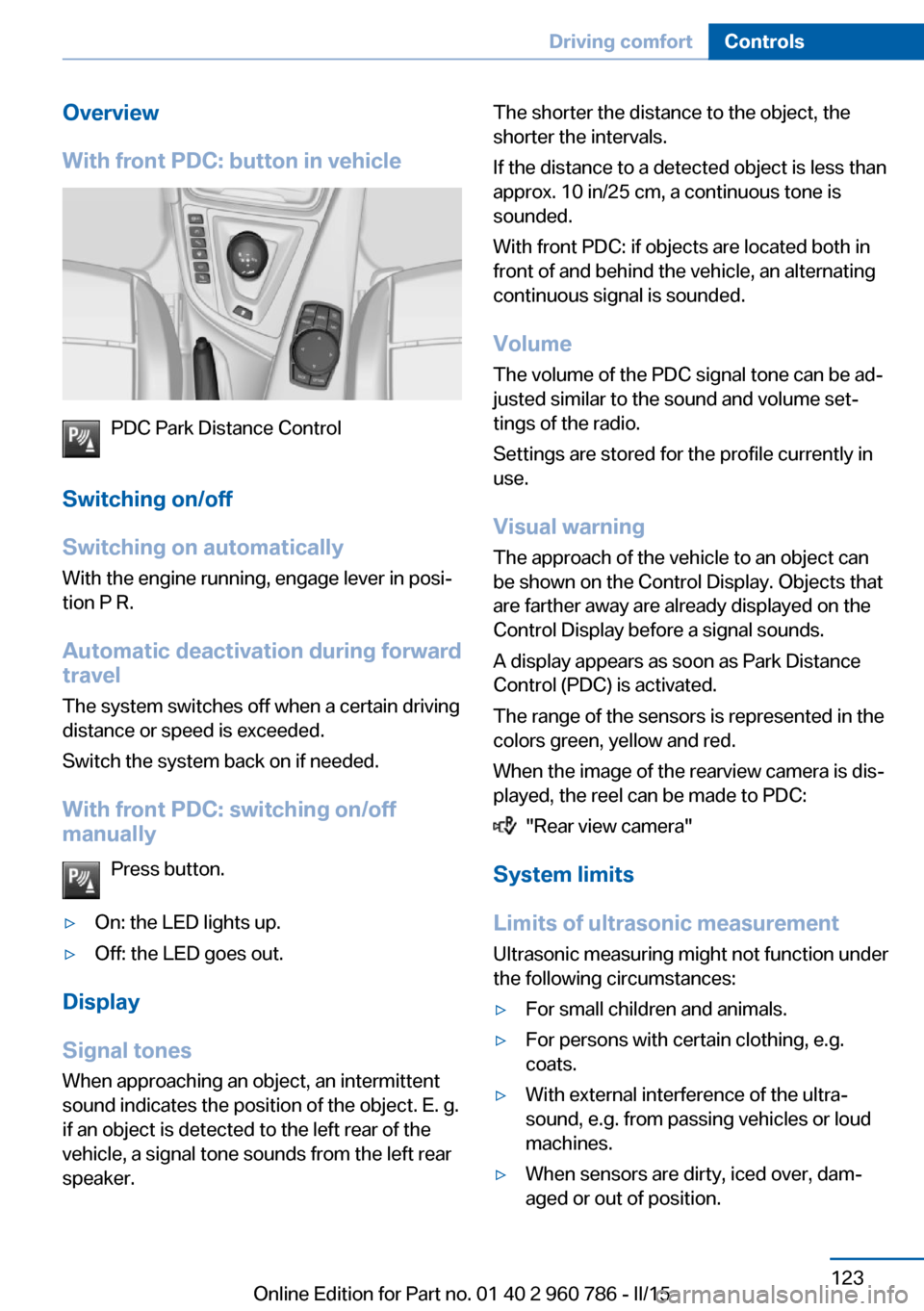
Overview
With front PDC: button in vehicle
PDC Park Distance Control
Switching on/off
Switching on automatically With the engine running, engage lever in posi‐
tion P R.
Automatic deactivation during forward
travel
The system switches off when a certain driving
distance or speed is exceeded.
Switch the system back on if needed.
With front PDC: switching on/off
manually
Press button.
▷On: the LED lights up.▷Off: the LED goes out.
Display
Signal tones When approaching an object, an intermittent
sound indicates the position of the object. E. g.
if an object is detected to the left rear of the
vehicle, a signal tone sounds from the left rear
speaker.
The shorter the distance to the object, the
shorter the intervals.
If the distance to a detected object is less than
approx. 10 in/25 cm, a continuous tone is
sounded.
With front PDC: if objects are located both in
front of and behind the vehicle, an alternating
continuous signal is sounded.
Volume
The volume of the PDC signal tone can be ad‐
justed similar to the sound and volume set‐
tings of the radio.
Settings are stored for the profile currently in
use.
Visual warning
The approach of the vehicle to an object can
be shown on the Control Display. Objects that
are farther away are already displayed on the
Control Display before a signal sounds.
A display appears as soon as Park Distance
Control (PDC) is activated.
The range of the sensors is represented in the
colors green, yellow and red.
When the image of the rearview camera is dis‐
played, the reel can be made to PDC:
"Rear view camera"
System limits
Limits of ultrasonic measurement
Ultrasonic measuring might not function under
the following circumstances:
▷For small children and animals.▷For persons with certain clothing, e.g.
coats.▷With external interference of the ultra‐
sound, e.g. from passing vehicles or loud
machines.▷When sensors are dirty, iced over, dam‐
aged or out of position.Seite 123Driving comfortControls123
Online Edition for Part no. 01 40 2 960 786 - II/15
Page 148 of 228
NoteThe total load of all sockets must not exceed
140 watts at 12 volts.
Do not damage the socket by using unsuitable
connectors.
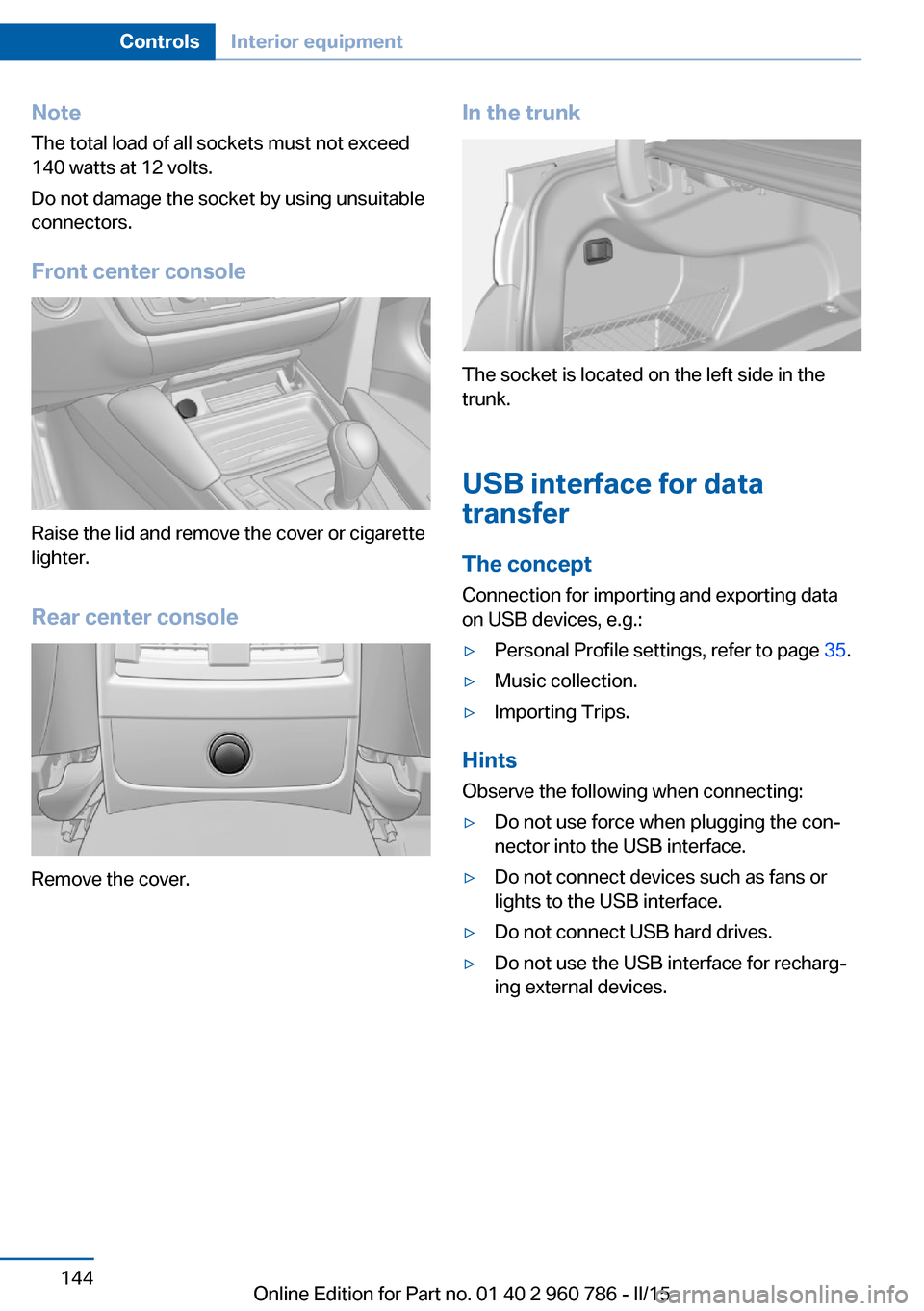
Front center console
Raise the lid and remove the cover or cigarette
lighter.
Rear center console
Remove the cover.
In the trunk
The socket is located on the left side in the
trunk.
USB interface for data
transfer
The concept
Connection for importing and exporting data
on USB devices, e.g.:
▷Personal Profile settings, refer to page 35.▷Music collection.▷Importing Trips.
Hints
Observe the following when connecting:
▷Do not use force when plugging the con‐
nector into the USB interface.▷Do not connect devices such as fans or
lights to the USB interface.▷Do not connect USB hard drives.▷Do not use the USB interface for recharg‐
ing external devices.Seite 144ControlsInterior equipment144
Online Edition for Part no. 01 40 2 960 786 - II/15
Page 179 of 228
sudden tire failure. The grade C corresponds
to a level of performance which all passenger
car tires must meet under the Federal Motor
Vehicle Safety Standard No. 109. Grades Band
A represent higher levels of performance on
the laboratory test wheel than the minimum re‐
quired by law.
Temperature grade for this tire
The temperature grade for this tire is es‐
tablished for a tire that is properly inflated and
not overloaded. Excessive speed, underinfla‐
tion, or excessive loading, either separately or
in combination, can cause heat buildup and
possible tire failure.
If necessary, have the vehicle towed.◀
M+S
Winter and all-season tires with better cold
weather performance than summer tires.
Tire tread Summer tires Do not drive with a tire tread depth of less than
0.12 in/3 mm.
There is an increased danger of hydroplaning if
the tire tread depth is less than 0.12 in/3 mm.
Winter tires
Do not drive with a tire tread depth of less than
0.16 in/4 mm.
Below a tread depth of 0.16 in/4 mm, tires are
less suitable for winter operation.Minimum tread depth
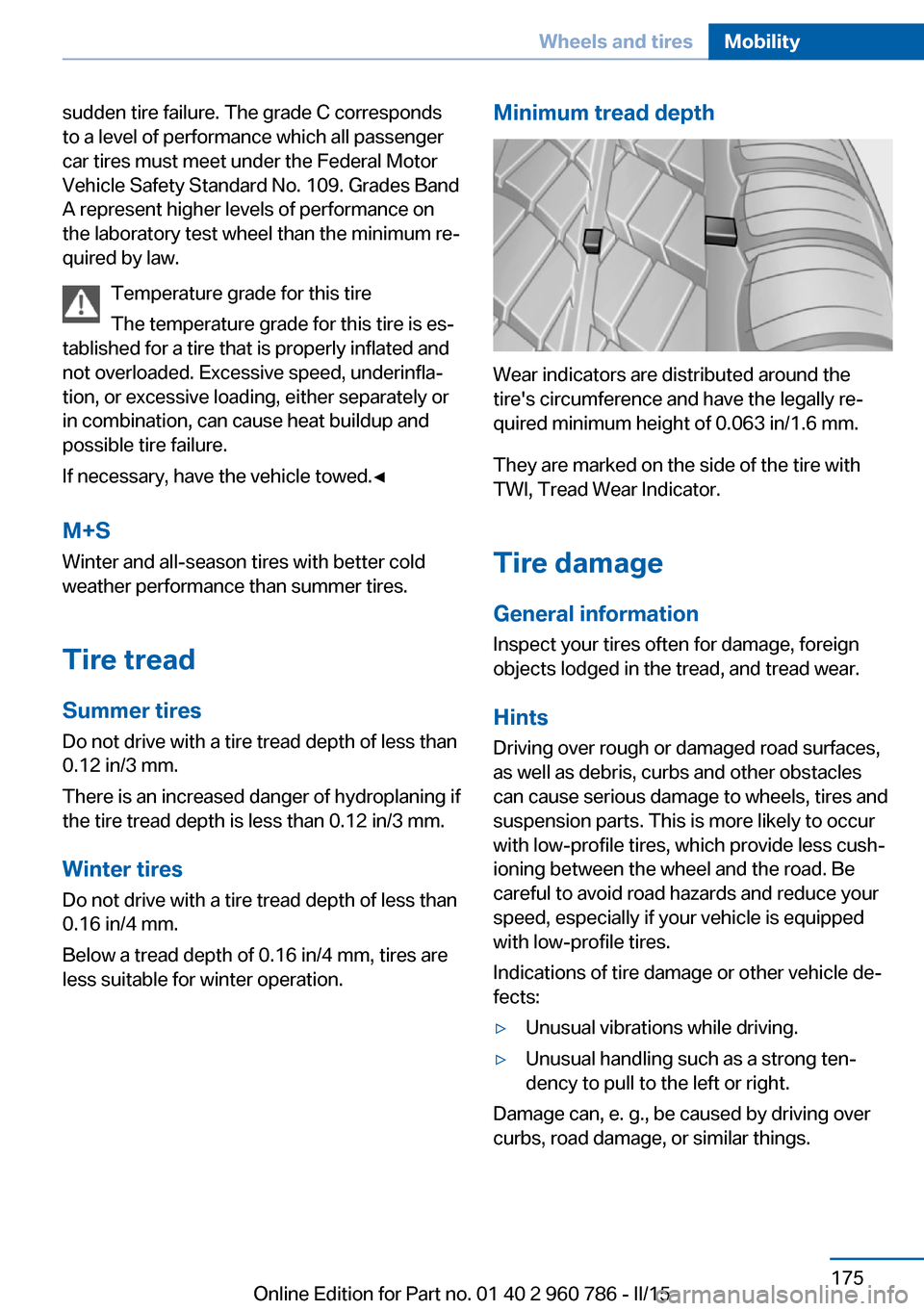
Wear indicators are distributed around the
tire's circumference and have the legally re‐
quired minimum height of 0.063 in/1.6 mm.
They are marked on the side of the tire with
TWI, Tread Wear Indicator.
Tire damage
General information
Inspect your tires often for damage, foreign
objects lodged in the tread, and tread wear.
Hints
Driving over rough or damaged road surfaces,
as well as debris, curbs and other obstacles
can cause serious damage to wheels, tires and
suspension parts. This is more likely to occur
with low-profile tires, which provide less cush‐
ioning between the wheel and the road. Be
careful to avoid road hazards and reduce your
speed, especially if your vehicle is equipped
with low-profile tires.
Indications of tire damage or other vehicle de‐
fects:
▷Unusual vibrations while driving.▷Unusual handling such as a strong ten‐
dency to pull to the left or right.
Damage can, e. g., be caused by driving over
curbs, road damage, or similar things.
Seite 175Wheels and tiresMobility175
Online Edition for Part no. 01 40 2 960 786 - II/15
Page 192 of 228
MaintenanceVehicle features and options
This chapter describes all standard, country-
specific and optional features offered with the
series. It also describes features that are not
necessarily available in your car, e. g., due to
the selected options or country versions. This
also applies to safety-related functions and
systems. The respectively applicable country
provisions must be observed when using the
respective features and systems.
BMW maintenance system The maintenance system indicates required
maintenance measures, and thereby provides
support in maintaining road safety and the op‐
erational reliability of the vehicle.
In some cases scopes and intervals may vary
according to the country-specific version. Re‐
placement work, spare parts, fuels and lubri‐
cants and wear materials are calculated sepa‐
rately. Additional information is available from
the service center.
Condition Based Service
CBS
Sensors and special algorithms take into ac‐
count the driving conditions of your vehicle.
Based on this, Condition Based Service recog‐
nizes the maintenance requirements.
The system makes it possible to adapt the
amount of maintenance corresponding to your
user profile.
Detailed information on service requirements,
refer to page 83, can be displayed on the Con‐
trol Display.Service data in the remote control
Information on the required maintenance is
continuously stored in the remote control. Your service center will read out this data and
suggest the right array of service procedures for your vehicle.
Therefore, hand your service specialist the re‐
mote control with which the vehicle was driven
most recently.
Storage periods Storage periods during which the vehicle bat‐
tery was disconnected are not taken into ac‐
count.
If this occurs, have a service center update the
time-dependent maintenance procedures,
such as checking brake fluid and, if needed,
changing the engine oil and the microfilter/
activated-charcoal filter.
Service and Warranty
Information Booklet for US
models and Warranty and
Service Guide Booklet for
Canadian models
Please consult your Service and Warranty In‐
formation Booklet for US models and Warranty
and Service Guide Booklet for Canadian mod‐
els for additional information on service re‐
quirements.
Maintenance and repair should be performed
by your service center. Make sure to have reg‐
ular maintenance procedures recorded in the
vehicle's Service and Warranty Information
Booklet for US models, and in the Warranty
and Service Guide Booklet for Canadian mod‐
els. These entries are proof of regular mainte‐
nance.Seite 188MobilityMaintenance188
Online Edition for Part no. 01 40 2 960 786 - II/15
Page 221 of 228
Eyes for securing cargo 161
F
Failure message, see Check Control 77
False alarm, refer to Uninten‐ tional alarm 45
Fan, refer to Air flow 136
Filler neck for engine oil 184
Fine wood, care 207
First aid kit 200
Fitting for towing, see Tow fit‐ ting 203
Flat tire, changing wheels 195
Flat tire, Tire Pressure Moni‐ tor TPM 101
Flat tire, warning lamp 102
Flooding 157
Floor carpet, care 208
Floor mats, care 208
Fold down the rear seat back‐ rest, see Though-loading
system 145
Fold-out position, wiper 69
Foot brake 157
Front airbags 98
Front-end collision warning with City Braking func‐
tion 105
Front lights 191
front-seat passenger airbags, automatic deactivation 100
Front-seat passenger airbags, indicator lamp 100
Fuel 170
Fuel consumption, current 82
Fuel consumption, refer to Average fuel consump‐
tion 87
Fuel filler flap 168
Fuel gauge 80
Fuel lid 168
Fuel quality 170
Fuel recommendation 170 Fuel, tank capacity 213
Fuse 197
G
Garage door opener, refer to Universal Integrated Remote
Control 139
Gasoline 170
Gear change 72
Gear shift indicator 84
General driving notes 157
Glare shield 143
Glass sunroof, powered 47
Glove compartment 147
Gross vehicle weight, ap‐ proved 212
Ground clearance 158
H
Handbrake, refer to parking brake 66
Hand-held transmitter, alter‐ nating code 140
Hazard warning flashers 199
Head airbags 98
Headlight control, auto‐ matic 94
Headlight courtesy delay fea‐ ture 93
Headlight flasher 67
Headlight glass 191
Headlights 191
Headlights, care 206
Headlight washer system 67
Head restraints 49
Head restraints, front 54
Head-up Display 90
Head-up Display, care 208
Head-up display, M view 91
Head-up display, standard view 90
Heavy cargo, stowing 161
Height, vehicle 212
High-beam Assistant 95 High beams 67
High beams/low beams, refer to High-beam Assistant 95
High-performance en‐ gine 154
Hills 158
Hill start assistant, refer to Drive-off assistant 118
Hints 6
Holder for beverages 149
Homepage 6
Hood 181
Horn 14
Hotel function, trunk lid 41
Hot exhaust system 157
HUD Head-up Display 90
Hydroplaning 157
I Ice warning, see External temperature warning 81
Icy roads, see External tem‐ perature warning 81
Identification marks, tires 173
Identification number, see ve‐ hicle identification num‐
ber 9
iDrive 18
Ignition key, refer to Remote control 34
Ignition off 62
Ignition on 62
Indication of a flat tire 102
Indicator and alarm lamps, see Check Control 77
Indicator lamp, see Check Control 77
Individual air distribution 136
Individual settings, refer to M Drive 114
Individual settings, refer to Personal Profile 35
Inflation pressure, tires 172
Info display, refer to On- Board computer 86 Seite 217Everything from A to ZReference217
Online Edition for Part no. 01 40 2 960 786 - II/15
Page 222 of 228
Initialize, Tire Pressure Moni‐tor TPM 102
Instrument cluster 76
Instrument cluster, electronic displays 76
Instrument lighting 96
Integrated key 34
Integrated Owner's Manual in the vehicle 30
Intelligent Emergency Re‐ quest 199
Intelligent Safety 104
Intensity, AUTO pro‐ gram 135
Interior equipment 139
Interior lights 96
Interior lights during unlock‐ ing 37
Interior lights with the vehicle locked 38
Interior motion sensor 45
Interior rearview mirror, auto‐ matic dimming feature 56
Interior rearview mirror, com‐ pass 141
Internet page 6
Interval display, service re‐ quirements 83
Interval mode 68
J Jacking points for the vehicle jack 196
Jump-starting 200
K
Key/remote control 34
Keyless Go, refer to Comfort Access 41
Key Memory, refer to Per‐ sonal Profile 35
Knee airbag 99 L
Lamp replacement 190
Lamp replacement, front 191
Lamp replacement, rear 193
Lane departure warning 110
Lane margin, warning 110
Language on Control Dis‐ play 89
Lashing eyes, securing cargo 161
LATCH child restraint sys‐ tem 60
Launch Control 73
Leather, care 207
LED light, bulb replace‐ ment 192
LEDs, light-emitting di‐ odes 191
Length, vehicle 212
Letters and numbers, enter‐ ing 25
Light alloy wheels, care 207
Light control 94
Light-emitting diodes, LEDs 191
Lighter 143
Lighting 93
Lights 93
Lights and bulbs 190
Light switch 93
Load 161
Loading 160
Lock, door 39
Locking/unlocking via door lock 39
Locking/unlocking with re‐ mote control 37
Locking, automatic 44
Locking, settings 43
Locking via trunk lid 40
Low beams 93
Low beams, automatic, refer to High-beam Assistant 95
Lower back support 51
Low Speed Assistant 71 Luggage rack, see Roof-
mounted luggage rack 162
Lumbar support 51
M
Maintenance 188
Maintenance require‐ ments 188
Maintenance, service require‐ ments 83
Maintenance system, BMW 188
Make-up mirror 143
Malfunction displays, see Check Control 77
Manual air distribution 136
Manual air flow 136
Manual operation, door lock 39
Manual operation, exterior mirrors 55
Manual operation, fuel filler flap 168
Manual operation, Park Dis‐ tance Control PDC 123
Manual operation, rearview camera 125
Manual operation, Side View 128
Manual operation, Top View 129
Manual transmission 70
Marking on approved tires 176
Master key, refer to Remote control 34
Maximum cooling 135
Maximum speed, display 85
Maximum speed, winter tires 177
M carbon ceramic brake 154
M Compound brake 154
M differential, active 117
MDM, M Dynamic Mode 116 Seite 218ReferenceEverything from A to Z218
Online Edition for Part no. 01 40 2 960 786 - II/15