change time BMW M5 2006 Owner's Manual
[x] Cancel search | Manufacturer: BMW, Model Year: 2006, Model line: M5, Model: BMW M5 2006Pages: 231, PDF Size: 8.44 MB
Page 128 of 231
Destination guidance
126 To exit the menu:
Select the arrow and press the controller.
Displaying map display
You can have your current position displayed on
a map. After starting the destination guidance,
the planned route is shown on the map.
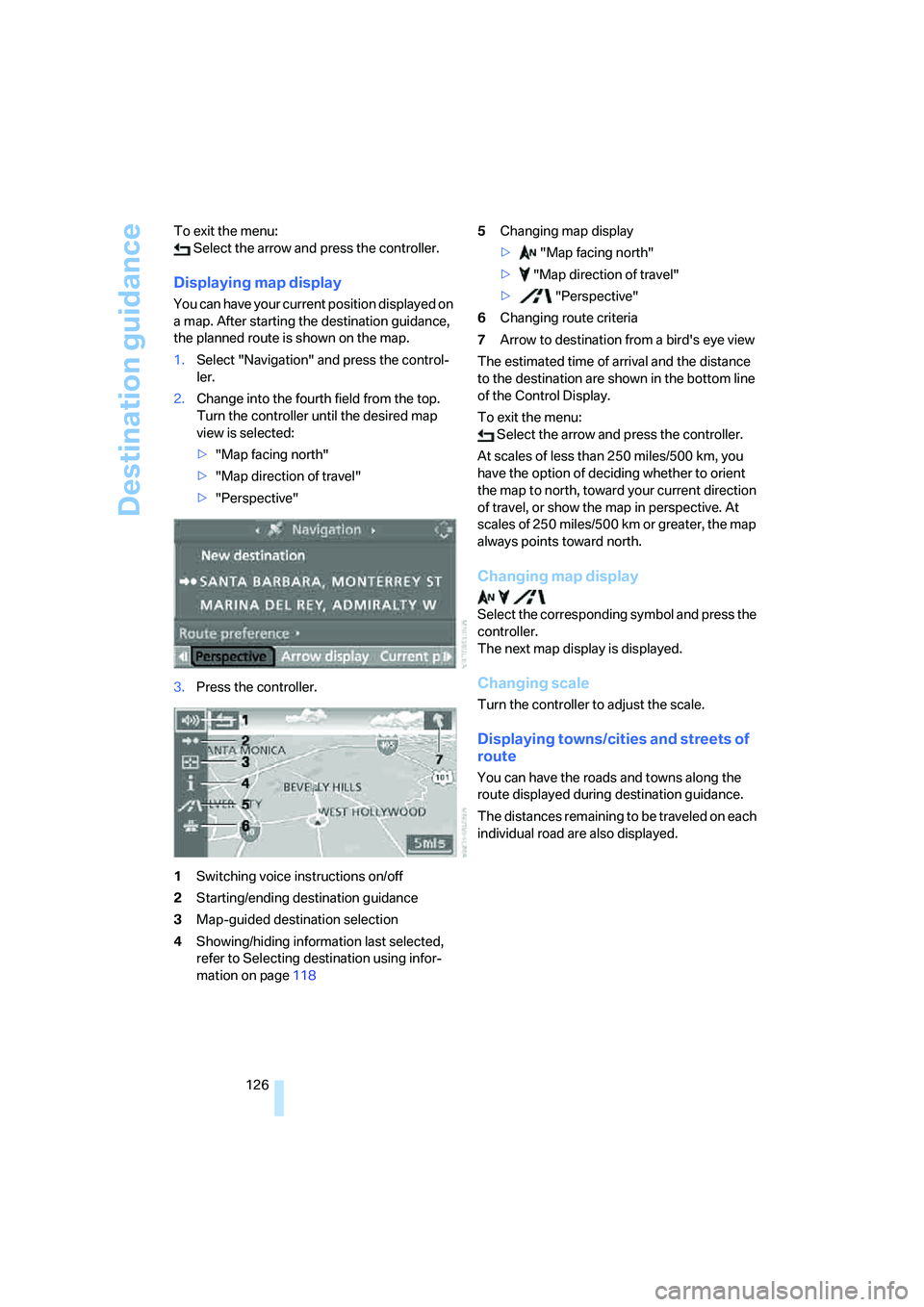
1.Select "Navigation" and press the control-
ler.
2.Change into the fourth field from the top.
Turn the controller until the desired map
view is selected:
>"Map facing north"
>"Map direction of travel"
>"Perspective"
3.Press the controller.
1Switching voice instructions on/off
2Starting/ending destination guidance
3Map-guided destination selection
4Showing/hiding information last selected,
refer to Selecting destination using infor-
mation on page1185Changing map display
> "Map facing north"
> "Map direction of travel"
> "Perspective"
6Changing route criteria
7Arrow to destination from a bird's eye view
The estimated time of arrival and the distance
to the destination are shown in the bottom line
of the Control Display.
To exit the menu:
Select the arrow and press the controller.
At scales of less than 250 miles/500 km, you
have the option of deciding whether to orient
the map to north, toward your current direction
of travel, or show the map in perspective. At
scales of 250 miles/500 km or greater, the map
always points toward north.
Changing map display
Select the corresponding symbol and press the
controller.
The next map display is displayed.
Changing scale
Turn the controller to adjust the scale.
Displaying towns/cities and streets of
route
You can have the roads and towns along the
route displayed during destination guidance.
The distances remaining to be traveled on each
individual road are also displayed.
Page 129 of 231
Navigation
Driving tips
127Reference
At a glance
Controls
Communications
Entertainment
Mobility
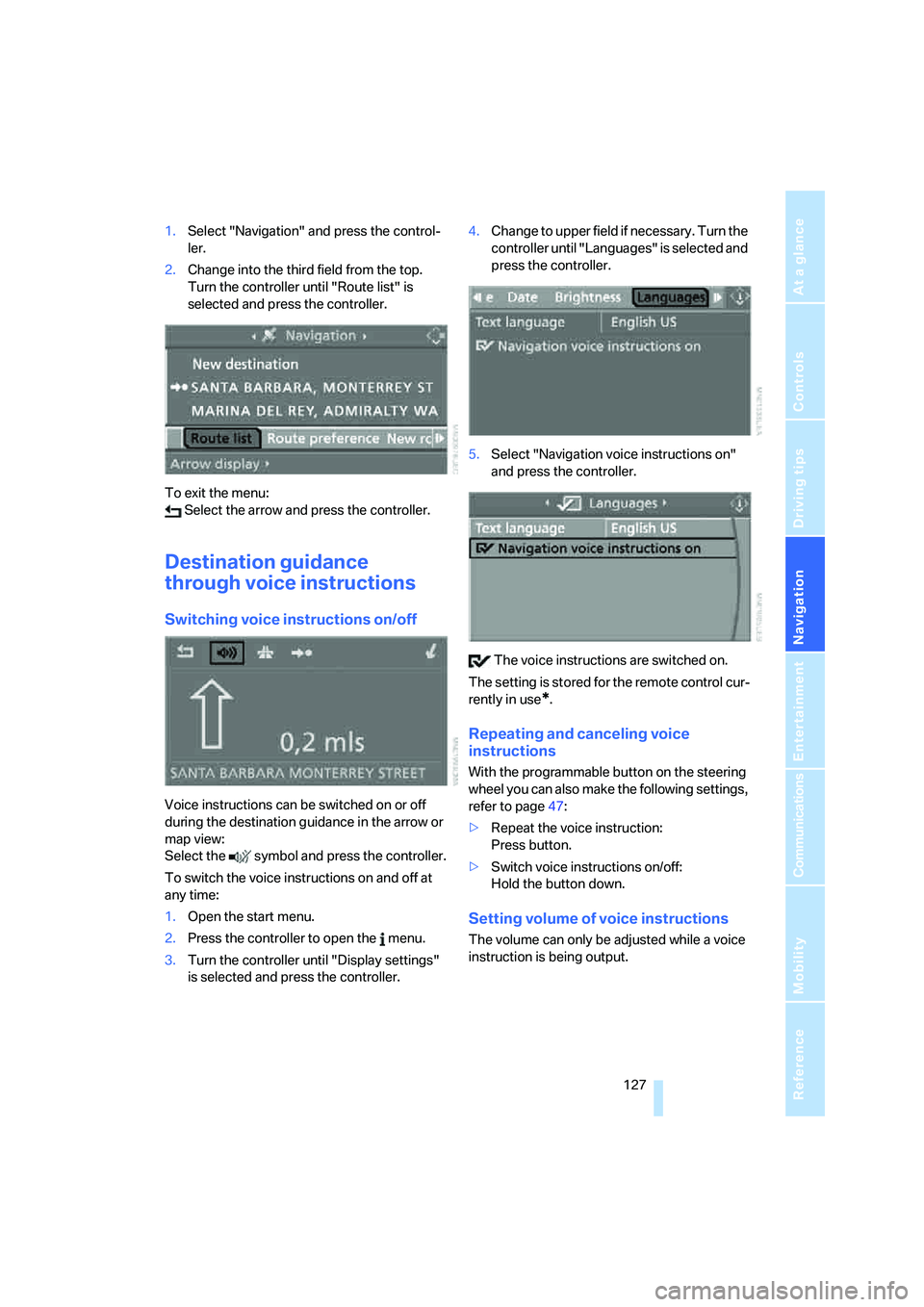
1.Select "Navigation" and press the control-
ler.
2.Change into the third field from the top.
Turn the controller until "Route list" is
selected and press the controller.
To exit the menu:
Select the arrow and press the controller.
Destination guidance
through voice instructions
Switching voice instructions on/off
Voice instructions can be switched on or off
during the destination guidance in the arrow or
map view:
Select the symbol and press the controller.
To switch the voice instructions on and off at
any time:
1.Open the start menu.
2.Press the controller to open the menu.
3.Turn the controller until "Display settings"
is selected and press the controller.4.Change to upper field if necessary. Turn the
controller until "Languages" is selected and
press the controller.
5.Select "Navigation voice instructions on"
and press the controller.
The voice instructions are switched on.
The setting is stored for the remote control cur-
rently in use
*.
Repeating and canceling voice
instructions
With the programmable button on the steering
wheel you can also make the following settings,
refer to page47:
>Repeat the voice instruction:
Press button.
>Switch voice instructions on/off:
Hold the button down.
Setting volume of voice instructions
The volume can only be adjusted while a voice
instruction is being output.
Page 140 of 231
Radio
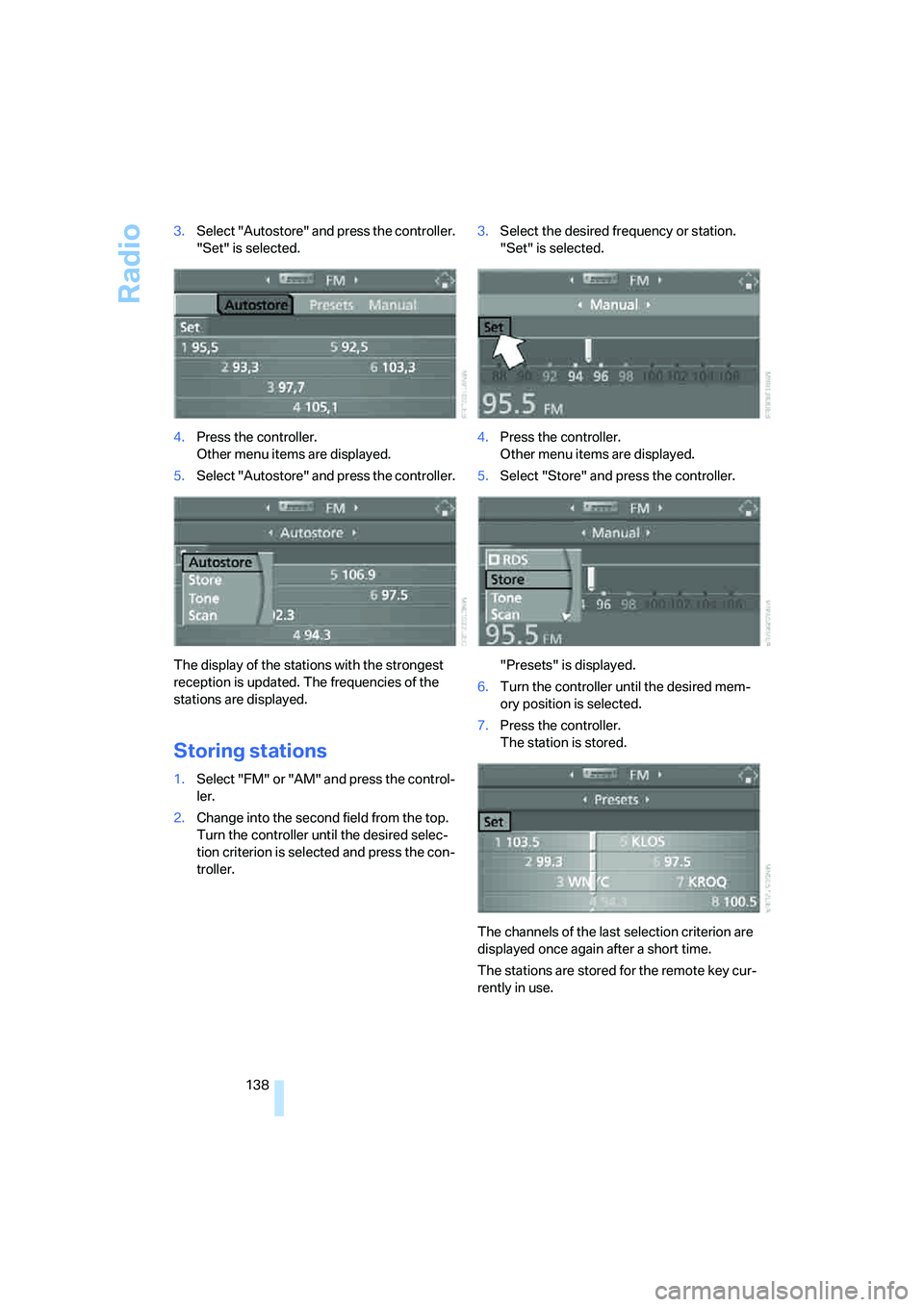
138 3.Select "Autostore" and press the controller.
"Set" is selected.
4.Press the controller.
Other menu items are displayed.
5.Select "Autostore" and press the controller.
The display of the stations with the strongest
reception is updated. The frequencies of the
stations are displayed.
Storing stations
1.Select "FM" or "AM" and press the control-
ler.
2.Change into the second field from the top.
Turn the controller until the desired selec-
tion criterion is selected and press the con-
troller.3.Select the desired frequency or station.
"Set" is selected.
4.Press the controller.
Other menu items are displayed.
5.Select "Store" and press the controller.
"Presets" is displayed.
6.Turn the controller until the desired mem-
ory position is selected.
7.Press the controller.
The station is stored.
The channels of the last selection criterion are
displayed once again after a short time.
The stations are stored for the remote key cur-
rently in use.
Page 158 of 231
Telephoning
156
Preparation with mobile phone
6.Additional operations must be carried out
on the mobile phone and differ depending
on the model, refer to the operating instruc-
tions of your mobile phone, e.g. find, con-
nect or link under Bluetooth device.
Logging on
Depending on your mobile phone, you will first
be requested consecutively via the display of
your mobile phone or the Control Display to
enter the Bluetooth passkey you specified.
Display on the Control Display if the Bluetooth
passkey can be entered with iDrive:
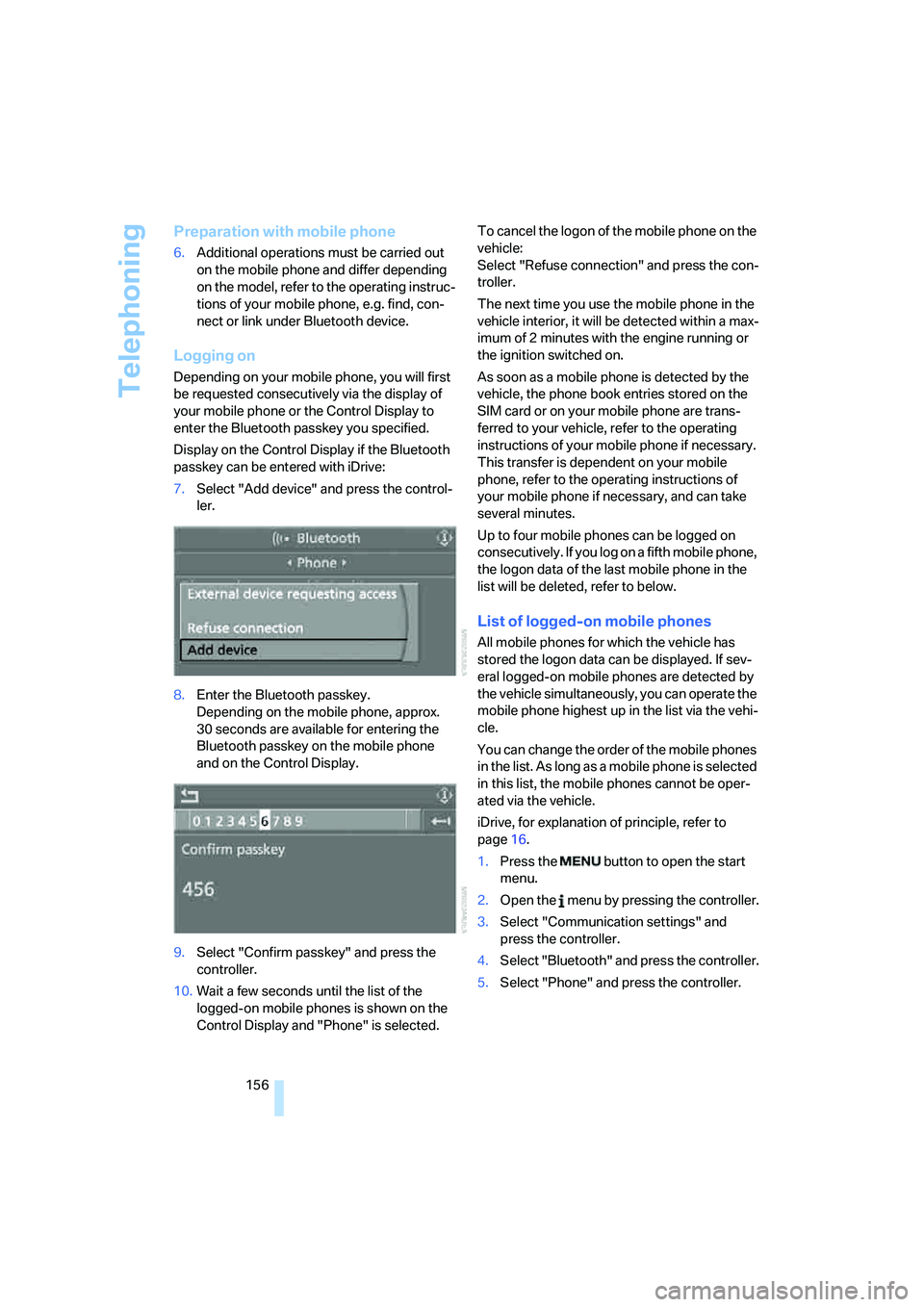
7.Select "Add device" and press the control-
ler.
8.Enter the Bluetooth passkey.
Depending on the mobile phone, approx.
30 seconds are available for entering the
Bluetooth passkey on the mobile phone
and on the Control Display.
9.Select "Confirm passkey" and press the
controller.
10.Wait a few seconds until the list of the
logged-on mobile phones is shown on the
Control Display and "Phone" is selected.To cancel the logon of the mobile phone on the
vehicle:
Select "Refuse connection" and press the con-
troller.
The next time you use the mobile phone in the
vehicle interior, it will be detected within a max-
imum of 2 minutes with the engine running or
the ignition switched on.
As soon as a mobile phone is detected by the
vehicle, the phone book entries stored on the
SIM card or on your mobile phone are trans-
ferred to your vehicle, refer to the operating
instructions of your mobile phone if necessary.
This transfer is dependent on your mobile
phone, refer to the operating instructions of
your mobile phone if necessary, and can take
several minutes.
Up to four mobile phones can be logged on
consecutively. If you log on a fifth mobile phone,
the logon data of the last mobile phone in the
list will be deleted, refer to below.
List of logged-on mobile phones
All mobile phones for which the vehicle has
stored the logon data can be displayed. If sev-
eral logged-on mobile phones are detected by
the vehicle simultaneously, you can operate the
mobile phone highest up in the list via the vehi-
cle.
You can change the order of the mobile phones
in the list. As long as a mobile phone is selected
in this list, the mobile phones cannot be oper-
ated via the vehicle.
iDrive, for explanation of principle, refer to
page16.
1.Press the button to open the start
menu.
2.Open the menu by pressing the controller.
3.Select "Communication settings" and
press the controller.
4.Select "Bluetooth" and press the controller.
5.Select "Phone" and press the controller.
Page 215 of 231
Reference 213
At a glance
Controls
Driving tips
Communications
Navigation
Entertainment
Mobility
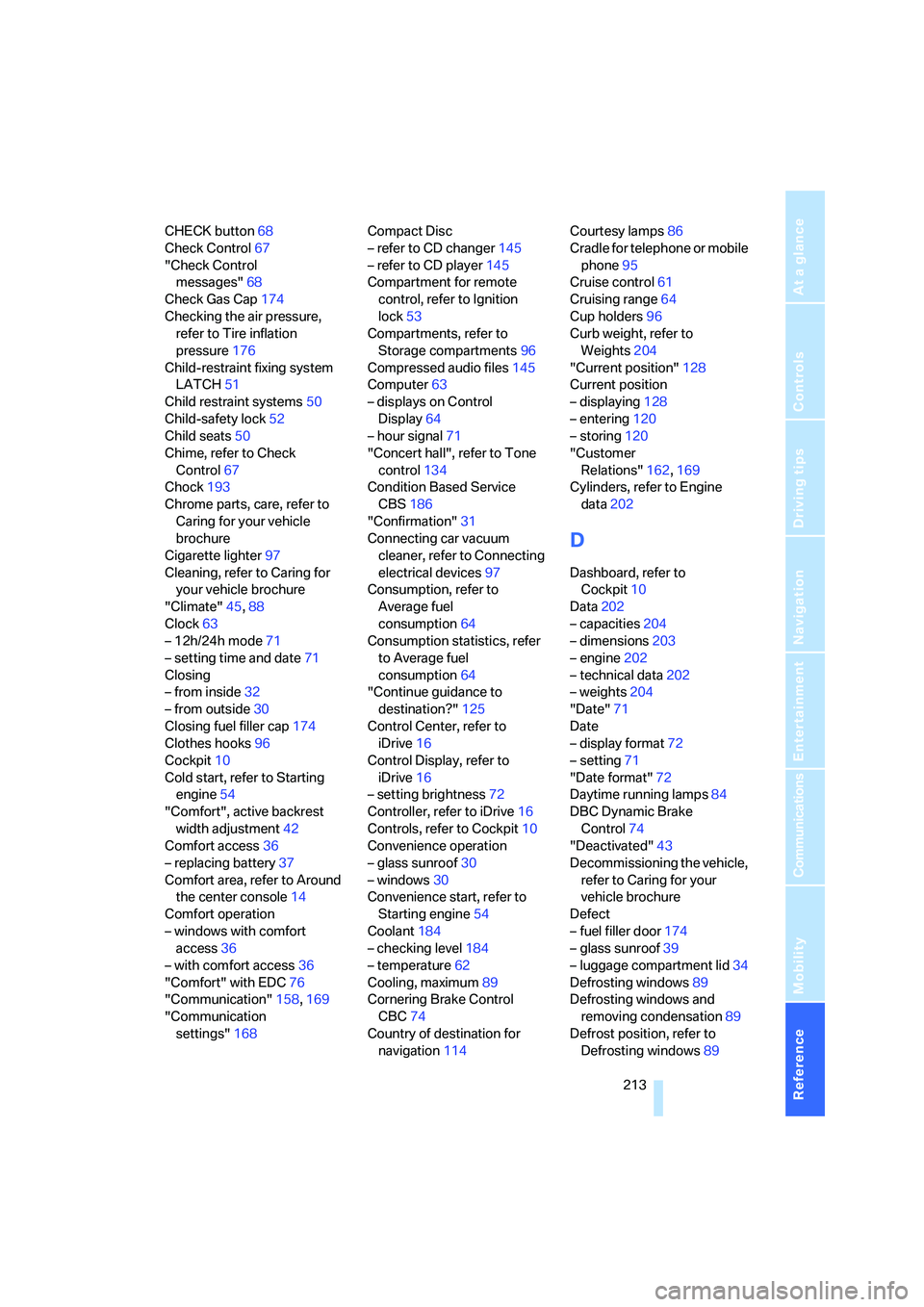
CHECK button68
Check Control67
"Check Control
messages"68
Check Gas Cap174
Checking the air pressure,
refer to Tire inflation
pressure176
Child-restraint fixing system
LATCH51
Child restraint systems50
Child-safety lock52
Child seats50
Chime, refer to Check
Control67
Chock193
Chrome parts, care, refer to
Caring for your vehicle
brochure
Cigarette lighter97
Cleaning, refer to Caring for
your vehicle brochure
"Climate"45,88
Clock63
– 12h/24h mode71
– setting time and date71
Closing
– from inside32
– from outside30
Closing fuel filler cap174
Clothes hooks96
Cockpit10
Cold start, refer to Starting
engine54
"Comfort", active backrest
width adjustment42
Comfort access36
– replacing battery37
Comfort area, refer to Around
the center console14
Comfort operation
– windows with comfort
access36
– with comfort access36
"Comfort" with EDC76
"Communication"158,169
"Communication
settings"168Compact Disc
– refer to CD changer145
– refer to CD player145
Compartment for remote
control, refer to Ignition
lock53
Compartments, refer to
Storage compartments96
Compressed audio files145
Computer63
– displays on Control
Display64
– hour signal
71
"Concert hall", refer to Tone
control134
Condition Based Service
CBS186
"Confirmation"31
Connecting car vacuum
cleaner, refer to Connecting
electrical devices97
Consumption, refer to
Average fuel
consumption64
Consumption statistics, refer
to Average fuel
consumption64
"Continue guidance to
destination?"125
Control Center, refer to
iDrive16
Control Display, refer to
iDrive16
– setting brightness72
Controller, refer to iDrive16
Controls, refer to Cockpit10
Convenience operation
– glass sunroof30
– windows30
Convenience start, refer to
Starting engine54
Coolant184
– checking level184
– temperature62
Cooling, maximum89
Cornering Brake Control
CBC74
Country of destination for
navigation114Courtesy lamps86
Cradle for telephone or mobile
phone95
Cruise control61
Cruising range64
Cup holders96
Curb weight, refer to
Weights204
"Current position"128
Current position
– displaying128
– entering120
– storing120
"Customer
Relations"162,169
Cylinders, refer to Engine
data202
D
Dashboard, refer to
Cockpit10
Data202
– capacities204
– dimensions203
– engine202
– technical data202
– weights204
"Date"71
Date
– display format72
– setting71
"Date format"72
Daytime running lamps84
DBC Dynamic Brake
Control74
"Deactivated"43
Decommissioning the vehicle,
refer to Caring for your
vehicle brochure
Defect
– fuel filler door174
– glass sunroof39
– luggage compartment lid34
Defrosting windows89
Defrosting windows and
removing condensation89
Defrost position, refer to
Defrosting windows89
Page 219 of 231
Reference 217
At a glance
Controls
Driving tips
Communications
Navigation
Entertainment
Mobility
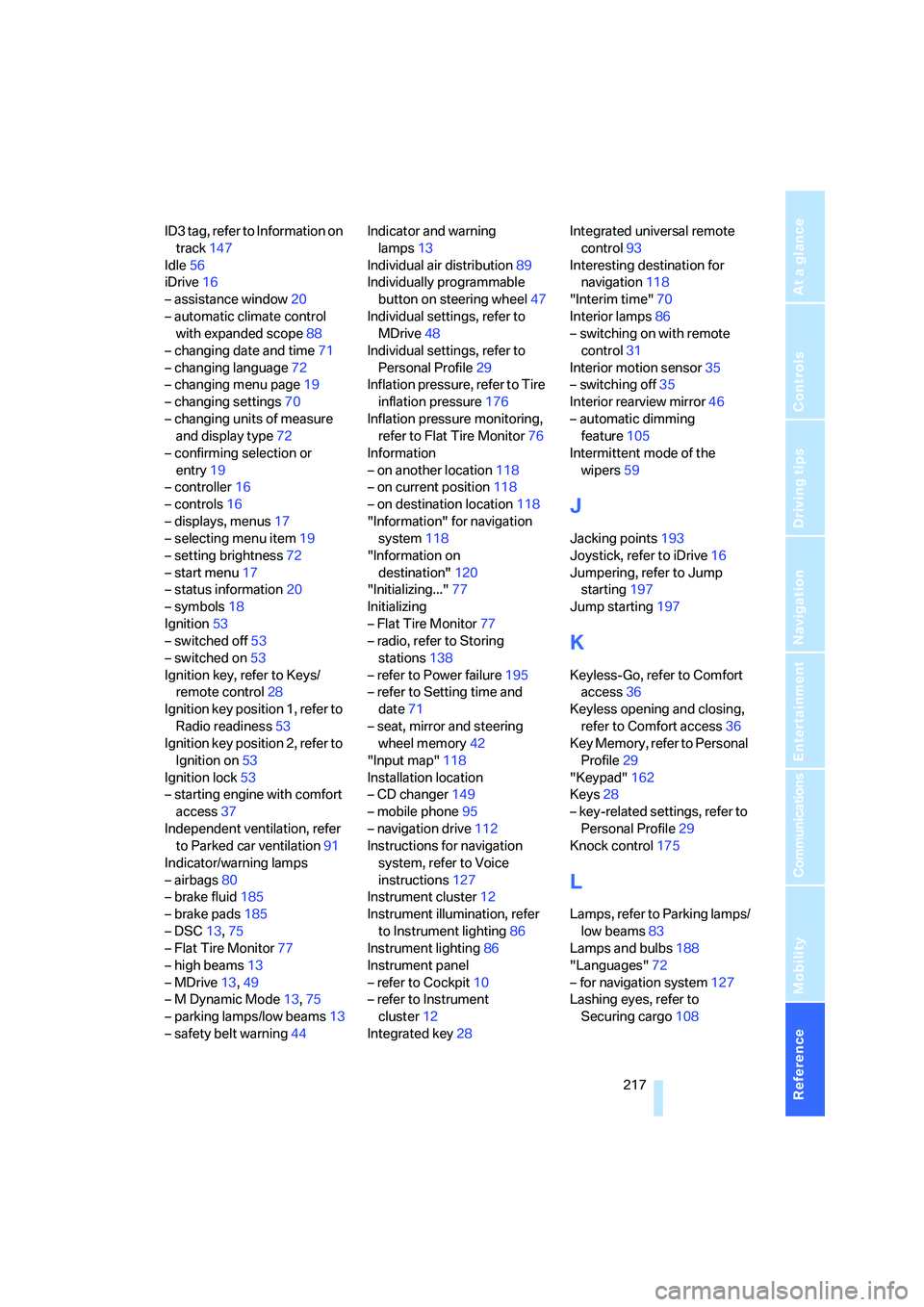
ID3 tag, refer to Information on
track147
Idle56
iDrive16
– assistance window20
– automatic climate control
with expanded scope88
– changing date and time71
– changing language72
– changing menu page19
– changing settings70
– changing units of measure
and display type72
– confirming selection or
entry19
– controller16
– controls16
– displays, menus17
– selecting menu item19
– setting brightness72
– start menu17
– status information20
– symbols18
Ignition53
– switched off53
– switched on53
Ignition key, refer to Keys/
remote control28
Ignition key position 1, refer to
Radio readiness53
Ignition key position 2, refer to
Ignition on53
Ignition lock53
– starting engine with comfort
access37
Independent ventilation, refer
to Parked car ventilation91
Indicator/warning lamps
– airbags80
– brake fluid185
– brake pads185
– DSC13,75
– Flat Tire Monitor77
– high beams13
– MDrive13,49
– M Dynamic Mode13,75
– parking lamps/low beams13
– safety belt warning44Indicator and warning
lamps13
Individual air distribution89
Individually programmable
button on steering wheel47
Individual settings, refer to
MDrive
48
Individual settings, refer to
Personal Profile29
Inflation pressure, refer to Tire
inflation pressure176
Inflation pressure monitoring,
refer to Flat Tire Monitor76
Information
– on another location118
– on current position118
– on destination location118
"Information" for navigation
system118
"Information on
destination"120
"Initializing..."77
Initializing
– Flat Tire Monitor77
– radio, refer to Storing
stations138
– refer to Power failure195
– refer to Setting time and
date71
– seat, mirror and steering
wheel memory42
"Input map"118
Installation location
– CD changer149
– mobile phone95
– navigation drive112
Instructions for navigation
system, refer to Voice
instructions127
Instrument cluster12
Instrument illumination, refer
to Instrument lighting86
Instrument lighting86
Instrument panel
– refer to Cockpit10
– refer to Instrument
cluster12
Integrated key28Integrated universal remote
control93
Interesting destination for
navigation118
"Interim time"70
Interior lamps86
– switching on with remote
control31
Interior motion sensor35
– switching off35
Interior rearview mirror46
– automatic dimming
feature105
Intermittent mode of the
wipers59
J
Jacking points193
Joystick, refer to iDrive16
Jumpering, refer to Jump
starting197
Jump starting197
K
Keyless-Go, refer to Comfort
access36
Keyless opening and closing,
refer to Comfort access36
Key Memory, refer to Personal
Profile29
"Keypad"162
Keys28
– key-related settings, refer to
Personal Profile29
Knock control175
L
Lamps, refer to Parking lamps/
low beams83
Lamps and bulbs188
"Languages"72
– for navigation system127
Lashing eyes, refer to
Securing cargo108
Page 223 of 231
Reference 221
At a glance
Controls
Driving tips
Communications
Navigation
Entertainment
Mobility
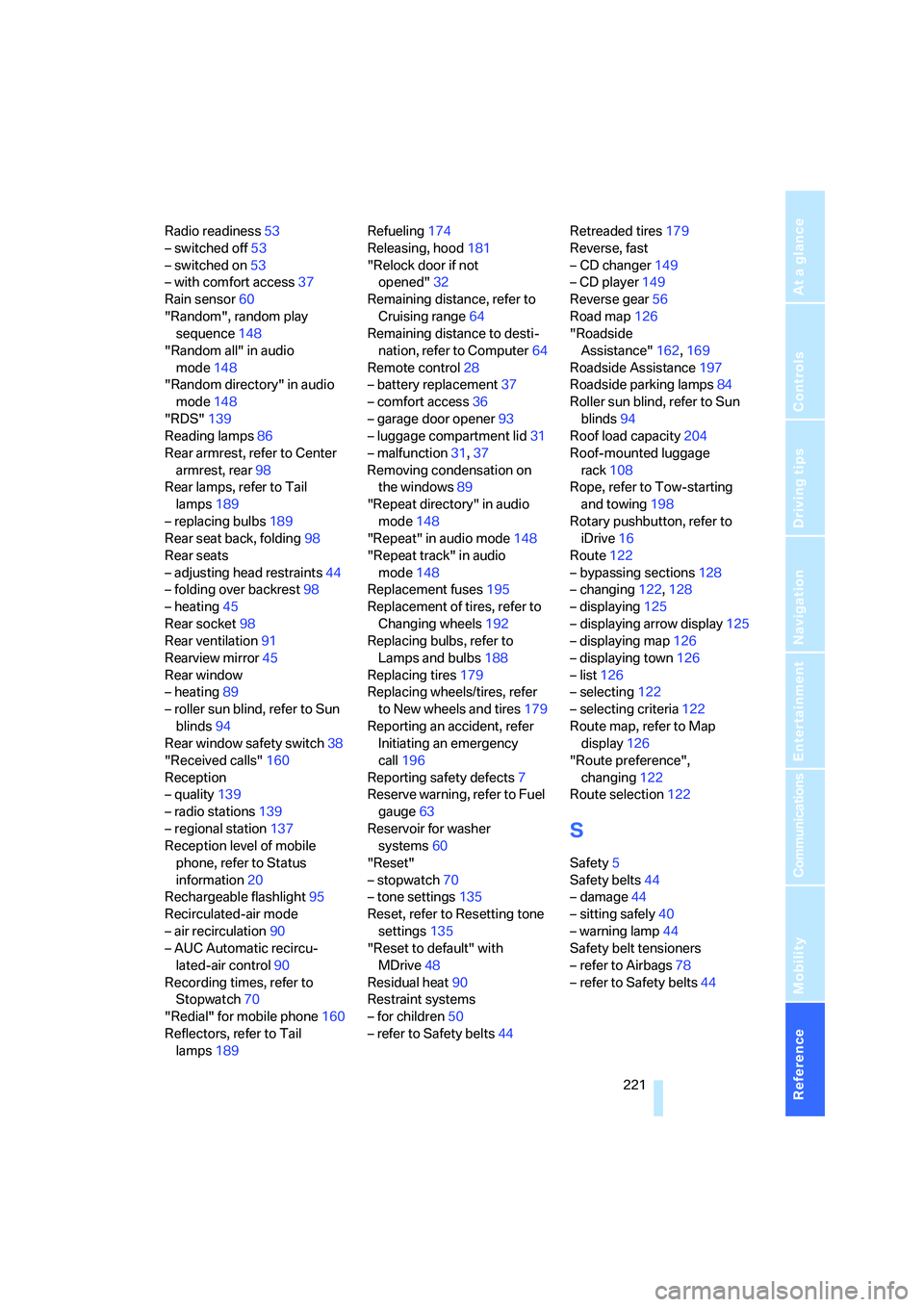
Radio readiness53
– switched off53
– switched on53
– with comfort access37
Rain sensor60
"Random", random play
sequence148
"Random all" in audio
mode148
"Random directory" in audio
mode148
"RDS"139
Reading lamps86
Rear armrest, refer to Center
armrest, rear98
Rear lamps, refer to Tail
lamps189
– replacing bulbs189
Rear seat back, folding98
Rear seats
– adjusting head restraints44
– folding over backrest98
– heating45
Rear socket98
Rear ventilation91
Rearview mirror45
Rear window
– heating89
– roller sun blind, refer to Sun
blinds94
Rear window safety switch38
"Received calls"160
Reception
– quality139
– radio stations139
– regional station137
Reception level of mobile
phone, refer to Status
information20
Rechargeable flashlight95
Recirculated-air mode
– air recirculation90
– AUC Automatic recircu-
lated-air control90
Recording times, refer to
Stopwatch70
"Redial" for mobile phone160
Reflectors, refer to Tail
lamps189Refueling174
Releasing, hood181
"Relock door if not
opened"32
Remaining distance, refer to
Cruising range64
Remaining distance to desti-
nation, refer to Computer64
Remote control28
– battery replacement37
– comfort access36
– garage door opener93
– luggage compartment lid31
– malfunction31,37
Removing condensation on
the windows89
"Repeat directory" in audio
mode148
"Repeat" in audio mode148
"Repeat track" in audio
mode148
Replacement fuses195
Replacement of tires, refer to
Changing wheels192
Replacing bulbs, refer to
Lamps and bulbs188
Replacing tires179
Replacing wheels/tires, refer
to New wheels and tires179
Reporting an accident, refer
Initiating an emergency
call196
Reporting safety defects7
Reserve warning, refer to Fuel
gauge63
Reservoir for washer
systems60
"Reset"
– stopwatch70
– tone settings135
Reset, refer to Resetting tone
settings135
"Reset to default" with
MDrive48
Residual heat90
Restraint systems
– for children50
– refer to Safety belts44Retreaded tires179
Reverse, fast
– CD changer149
– CD player149
Reverse gear56
Road map126
"Roadside
Assistance"162,169
Roadside Assistance197
Roadside parking lamps84
Roller sun blind, refer to Sun
blinds94
Roof load capacity204
Roof-mounted luggage
rack108
Rope, refer to Tow-starting
and towing198
Rotary pushbutton, refer to
iDrive16
Route122
– bypassing sections128
– changing122,128
– displaying
125
– displaying arrow display125
– displaying map126
– displaying town126
– list126
– selecting122
– selecting criteria122
Route map, refer to Map
display126
"Route preference",
changing122
Route selection122
S
Safety5
Safety belts44
– damage44
– sitting safely40
– warning lamp44
Safety belt tensioners
– refer to Airbags78
– refer to Safety belts44
Page 224 of 231
Everything from A to Z
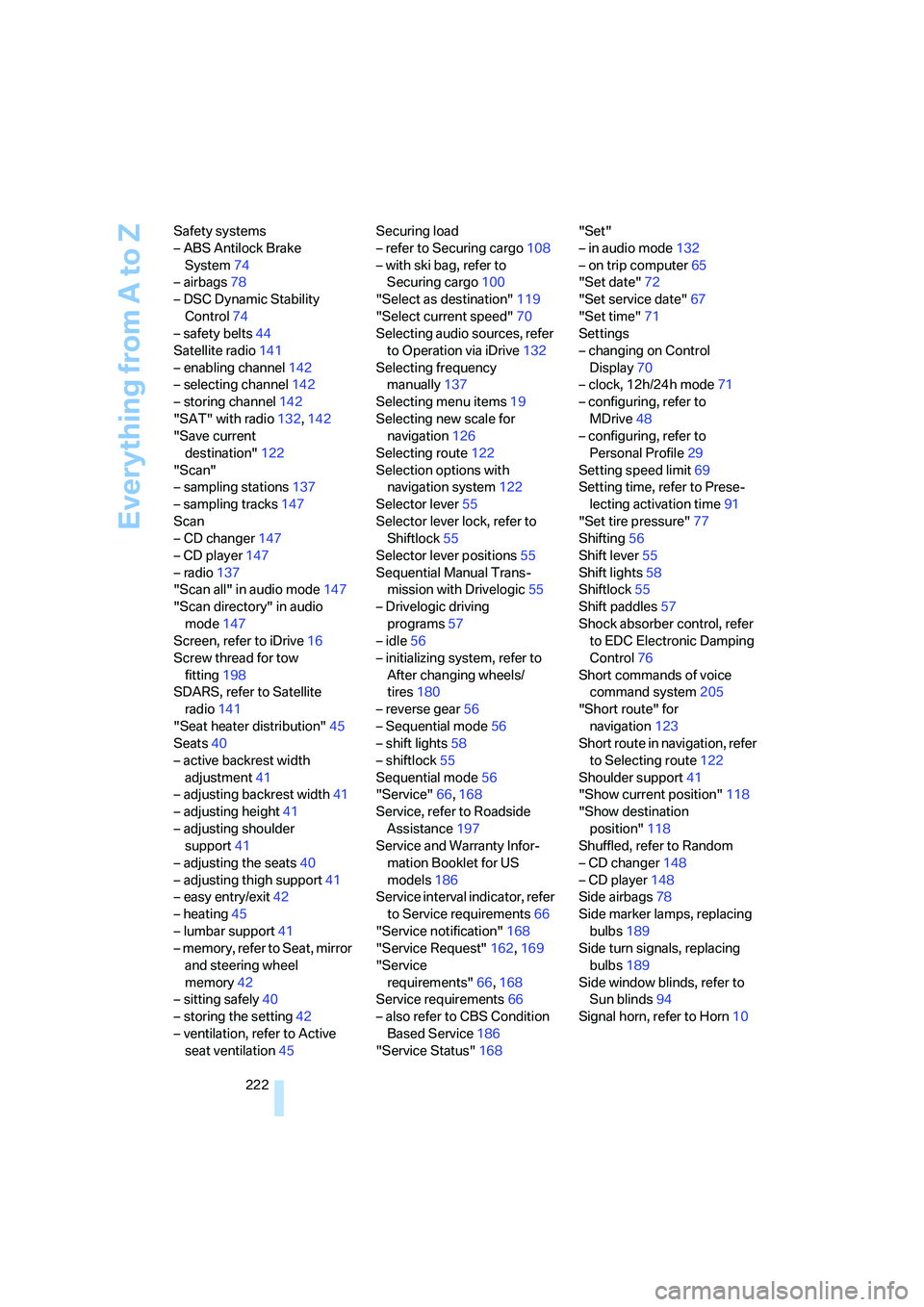
222 Safety systems
– ABS Antilock Brake
System74
– airbags78
– DSC Dynamic Stability
Control74
– safety belts44
Satellite radio141
– enabling channel142
– selecting channel142
– storing channel142
"SAT" with radio132,142
"Save current
destination"122
"Scan"
– sampling stations137
– sampling tracks147
Scan
– CD changer147
– CD player147
– radio137
"Scan all" in audio mode147
"Scan directory" in audio
mode147
Screen, refer to iDrive16
Screw thread for tow
fitting198
SDARS, refer to Satellite
radio141
"Seat heater distribution"45
Seats40
– active backrest width
adjustment41
– adjusting backrest width41
– adjusting height41
– adjusting shoulder
support41
– adjusting the seats40
– adjusting thigh support41
– easy entry/exit42
– heating45
– lumbar support41
– memory, refer to Seat, mirror
and steering wheel
memory42
– sitting safely40
– storing the setting42
– ventilation, refer to Active
seat ventilation45Securing load
– refer to Securing cargo108
– with ski bag, refer to
Securing cargo100
"Select as destination"119
"Select current speed"70
Selecting audio sources, refer
to Operation via iDrive132
Selecting frequency
manually
137
Selecting menu items19
Selecting new scale for
navigation126
Selecting route122
Selection options with
navigation system122
Selector lever55
Selector lever lock, refer to
Shiftlock55
Selector lever positions55
Sequential Manual Trans-
mission with Drivelogic55
– Drivelogic driving
programs57
– idle56
– initializing system, refer to
After changing wheels/
tires180
– reverse gear56
– Sequential mode56
– shift lights58
– shiftlock55
Sequential mode56
"Service"66,168
Service, refer to Roadside
Assistance197
Service and Warranty Infor-
mation Booklet for US
models186
Service interval indicator, refer
to Service requirements66
"Service notification"168
"Service Request"162,169
"Service
requirements"66,168
Service requirements66
– also refer to CBS Condition
Based Service186
"Service Status"168"Set"
– in audio mode132
– on trip computer65
"Set date"72
"Set service date"67
"Set time"71
Settings
– changing on Control
Display70
– clock, 12h/24h mode71
– configuring, refer to
MDrive48
– configuring, refer to
Personal Profile29
Setting speed limit69
Setting time, refer to Prese-
lecting activation time91
"Set tire pressure"77
Shifting56
Shift lever55
Shift lights58
Shiftlock55
Shift paddles57
Shock absorber control, refer
to EDC Electronic Damping
Control76
Short commands of voice
command system205
"Short route" for
navigation123
Short route in navigation, refer
to Selecting route122
Shoulder support41
"Show current position"118
"Show destination
position"118
Shuffled, refer to Random
– CD changer148
– CD player148
Side airbags78
Side marker lamps, replacing
bulbs189
Side turn signals, replacing
bulbs189
Side window blinds, refer to
Sun blinds94
Signal horn, refer to Horn10
Page 225 of 231
Reference 223
At a glance
Controls
Driving tips
Communications
Navigation
Entertainment
Mobility
Sitting safely40
– with airbags40
– with head restraint40
– with safety belts40
Ski bag99
Sliding/tilt sunroof, refer to
Glass sunroof, electric38
Slope assistant, refer to
Starting off on slopes105
SMG, refer to Sequential
Manual Transmission with
Drivelogic55
"SMG Drivelogic"48,57
Snow chains180
Socket for Onboard
Diagnostics interface187
Socket for remote control,
refer to Ignition lock53
Sockets, refer to Connecting
electrical devices97
Soft closure aid, refer to
Automatic soft closing33
Song search with CD, refer to
Playing a track147
SOS, refer to Initiating an
emergency call196
Spare fuses195
Spare key28
– adapter28
Spare remote control28
Spare wheel193
– driving with spare wheel194
– refer to Changing
wheels192
Special oils, refer to Approved
engine oils184
Specified oil grades, refer to
Approved engine oils184
Speed-dependent
volume134
Speed limit warning, refer to
Speed limit69
Speedometer12
"Speed volume", refer to Tone
control134
Speed with winter tires180"Sport"
– active backrest width
adjustment42
– with EDC76
Stability control, refer to
Driving stability control
systems74
Start/Stop button53
"Start" for stopwatch70
"Start guidance"116,124
Starting, refer to Starting
engine54
Starting assistance, refer to
Jump starting197
Starting assistant, refer to
Starting off on slopes105
Starting difficulties
– jump starting197
– refer to Special starting
conditions54
Starting off
– on a slippery surface105
– on slopes105
Start menu, iDrive17
"Start route guidance"118
"Start service"169
"State / Province" for desti-
nation entry114
"State inspection"67
Station, refer to Radio136
"Stations", presets143
"Status"66
Status of this Owner's Manual
at time of printing5
Steering wheel
– adjustment47
– buttons on steering
wheel11
– easy entry/exit47
– lock53
– locking53
– MDrive button48
– memory42
– programmable button47
"Steering wheel button"47
Steering-wheel shift buttons,
refer to Shift paddles57"Stop" for stopwatch70
"Stopwatch"70
Stopwatch70
Storage compartments96
"Store in address book" for
navigation system120
"Store" on the radio138,143
Storing current position120
Storing radio stations138
Storing sitting position, refer
to Seat, mirror and steering
wheel memory42
Storing tires180
Straps, refer to Loading108
"Street" for destination
entry115
Summer tires, refer to Wheels
and tires176
Sun blinds94
"Surround Settings", refer to
Tone control134
SW, waveband136
Switches, refer to Cockpit10
Switching between high
beams and low beams,
automatic, refer to High-
beam assistant84
Switching cooling function on
and off89
Switching off engine54
Switching off tilt alarm
sensor35
Switching on
– audio132
– CD changer132
– CD player132
– radio132
Switching on hour signal71
Swiveling headlamps, refer to
Adaptive Head Light84
Symbols4
– indicator/warning lamps13