mirror BMW M5 2008 User Guide
[x] Cancel search | Manufacturer: BMW, Model Year: 2008, Model line: M5, Model: BMW M5 2008Pages: 260, PDF Size: 6.66 MB
Page 96 of 260
Lamps
94
Adaptive Head Light*
The concept
Adaptive Head Light is a variable headlamp
control system that enables better illumination
of the road surface. Depending on the steering
angle and other parameters, the light from the
headlamp follows the course of the road.
In tight curves at speeds up to approx. 45 mph/
70 km/h, e.g. on mountainous roads or when
negotiating curves, turning lamps are switched
on that light up the inside area of the curve.
Activating Adaptive Head Light
With the ignition switched on, turn the light
switch into position 3, refer to page92.
The turning lamps are automatically switched
on depending on the steering angle or the use
of turn signals.
To avoid blinding oncoming traffic, the Adaptive
Head Light directs light towards the front pas-
senger side when the vehicle is at a standstill.
When driving in reverse, only the turning lamps
are active and illuminate the outer area of
curves.
High beams/
roadside parking lamps
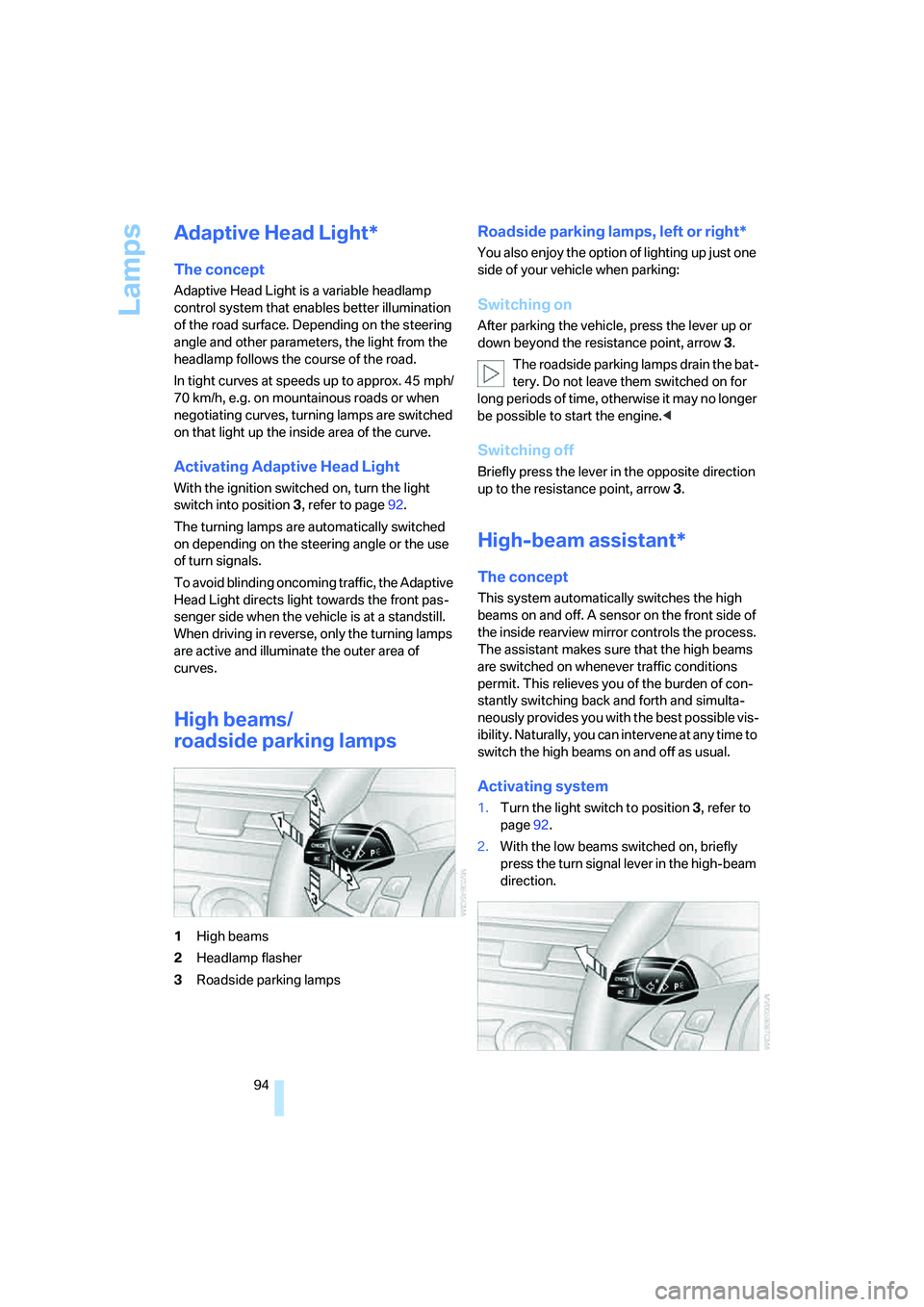
1High beams
2Headlamp flasher
3Roadside parking lamps
Roadside parking lamps, left or right*
You also enjoy the option of lighting up just one
side of your vehicle when parking:
Switching on
After parking the vehicle, press the lever up or
down beyond the resistance point, arrow 3.
The roadside parking lamps drain the bat-
tery. Do not leave them switched on for
long periods of time, otherwise it may no longer
be possible to start the engine.<
Switching off
Briefly press the lever in the opposite direction
up to the resistance point, arrow3.
High-beam assistant*
The concept
This system automatically switches the high
beams on and off. A sensor on the front side of
the inside rearview mirror controls the process.
The assistant makes sure that the high beams
are switched on whenever traffic conditions
permit. This relieves you of the burden of con-
stantly switching back and forth and simulta-
neously provides you with the best possible vis-
ibility. Naturally, you can intervene at any time to
switch the high beams on and off as usual.
Activating system
1.Turn the light switch to position3, refer to
page92.
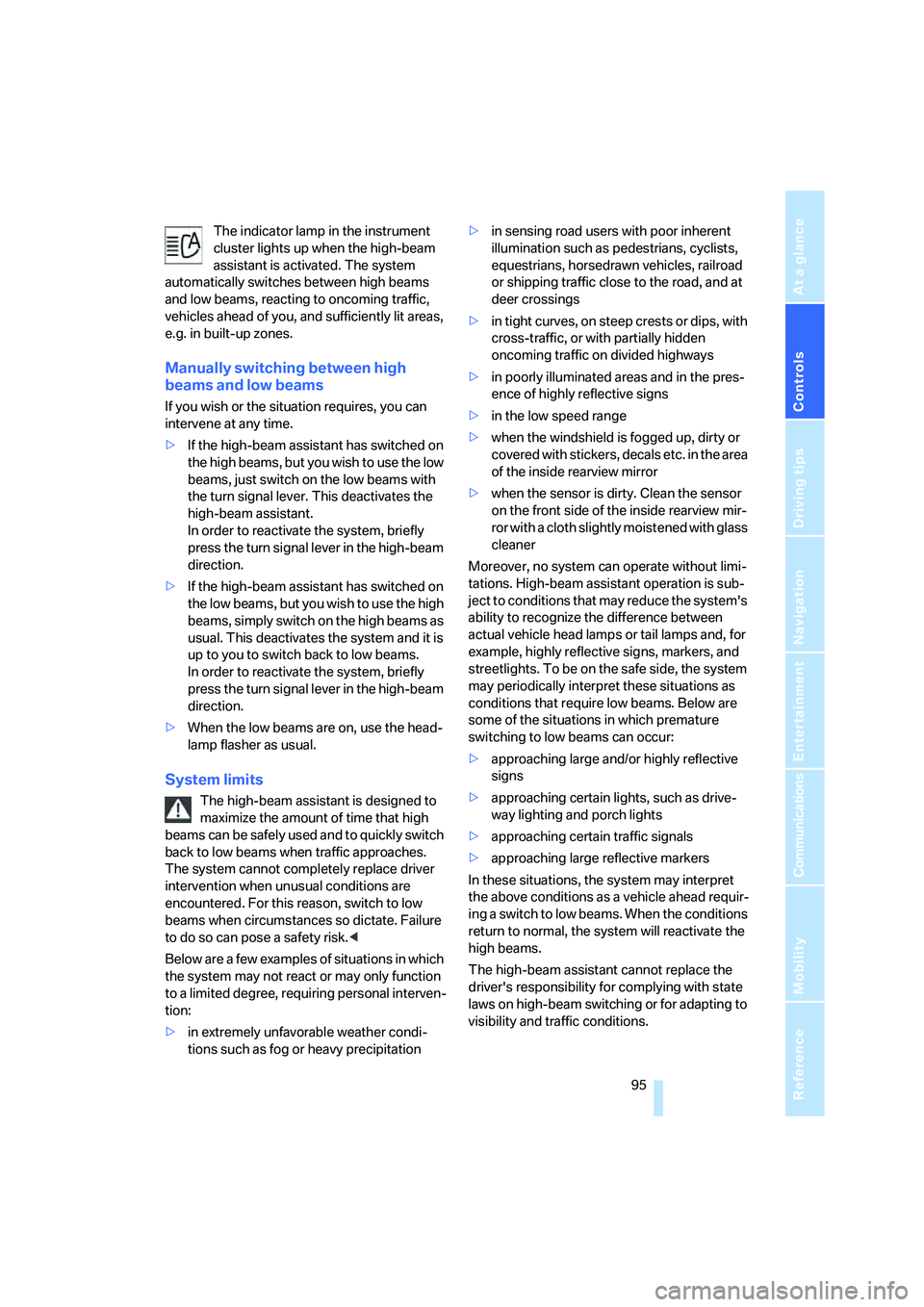
2.With the low beams switched on, briefly
press the turn signal lever in the high-beam
direction.
Page 97 of 260
Controls
95Reference
At a glance
Driving tips
Communications
Navigation
Entertainment
Mobility
The indicator lamp in the instrument
cluster lights up when the high-beam
assistant is activated. The system
automatically switches between high beams
and low beams, reacting to oncoming traffic,
vehicles ahead of you, and sufficiently lit areas,
e.g. in built-up zones.
Manually switching between high
beams and low beams
If you wish or the situation requires, you can
intervene at any time.
>If the high-beam assistant has switched on
the high beams, but you wish to use the low
beams, just switch on the low beams with
the turn signal lever. This deactivates the
high-beam assistant.
In order to reactivate the system, briefly
press the turn signal lever in the high-beam
direction.
>If the high-beam assistant has switched on
the low beams, but you wish to use the high
beams, simply switch on the high beams as
usual. This deactivates the system and it is
up to you to switch back to low beams.
In order to reactivate the system, briefly
press the turn signal lever in the high-beam
direction.
>When the low beams are on, use the head-
lamp flasher as usual.
System limits
The high-beam assistant is designed to
maximize the amount of time that high
beams can be safely used and to quickly switch
back to low beams when traffic approaches.
The system cannot completely replace driver
intervention when unusual conditions are
encountered. For this reason, switch to low
beams when circumstances so dictate. Failure
to do so can pose a safety risk.<
Below are a few examples of situations in which
the system may not react or may only function
to a limited degree, requiring personal interven-
tion:
>in extremely unfavorable weather condi-
tions such as fog or heavy precipitation>in sensing road users with poor inherent
illumination such as pedestrians, cyclists,
equestrians, horsedrawn vehicles, railroad
or shipping traffic close to the road, and at
deer crossings
>in tight curves, on steep crests or dips, with
cross-traffic, or with partially hidden
oncoming traffic on divided highways
>in poorly illuminated areas and in the pres-
ence of highly reflective signs
>in the low speed range
>when the windshield is fogged up, dirty or
covered with stickers, decals etc. in the area
of the inside rearview mirror
>when the sensor is dirty. Clean the sensor
on the front side of the inside rearview mir-
ror with a cloth slightly moistened with glass
cleaner
Moreover, no system can operate without limi-
tations. High-beam assistant operation is sub-
ject to conditions that may reduce the system's
ability to recognize the difference between
actual vehicle head lamps or tail lamps and, for
example, highly reflective signs, markers, and
streetlights. To be on the safe side, the system
may periodically interpret these situations as
conditions that require low beams. Below are
some of the situations in which premature
switching to low beams can occur:
>approaching large and/or highly reflective
signs
>approaching certain lights, such as drive-
way lighting and porch lights
>approaching certain traffic signals
>approaching large reflective markers
In these situations, the system may interpret
the above conditions as a vehicle ahead requir-
ing a switch to low beams. When the conditions
return to normal, the system will reactivate the
high beams.
The high-beam assistant cannot replace the
driver's responsibility for complying with state
laws on high-beam switching or for adapting to
visibility and traffic conditions.
Page 118 of 260
Things to remember when driving
116
When vehicle is parked
Condensation forms in the air conditioner sys-
tem during operation, and then exits under the
vehicle. Traces of condensed water under the
vehicle are therefore normal.
Before driving into a car wash
Fold in the exterior mirrors, refer to page48,
otherwise they could be damaged due to the
width of the vehicle.
General information on the care and mainte-
nance of your BMW is contained in the Caring
for your vehicle brochure.
Ground clearance
Make sure that sufficient ground clear-
ance is available. To drive down curbs,
select the "Sport" program of the EDC Elec-
tronic Damping Control, refer to page82, to
keep the ground clearance as uniform as possi-
ble. Otherwise the vehicle may be damaged.<
Cargo loading
To avoid loading the tires beyond their
approved carrying capacity, never over-
load the vehicle. Overloading can lead to over-
heating and increases the rate at which damage
develops inside the tires. The ultimate result
can assume the form of a sudden blow-out.<
Make sure that no fluids leak in the cargo
bay; otherwise the vehicle could be dam-
aged.<
Determining loading limit
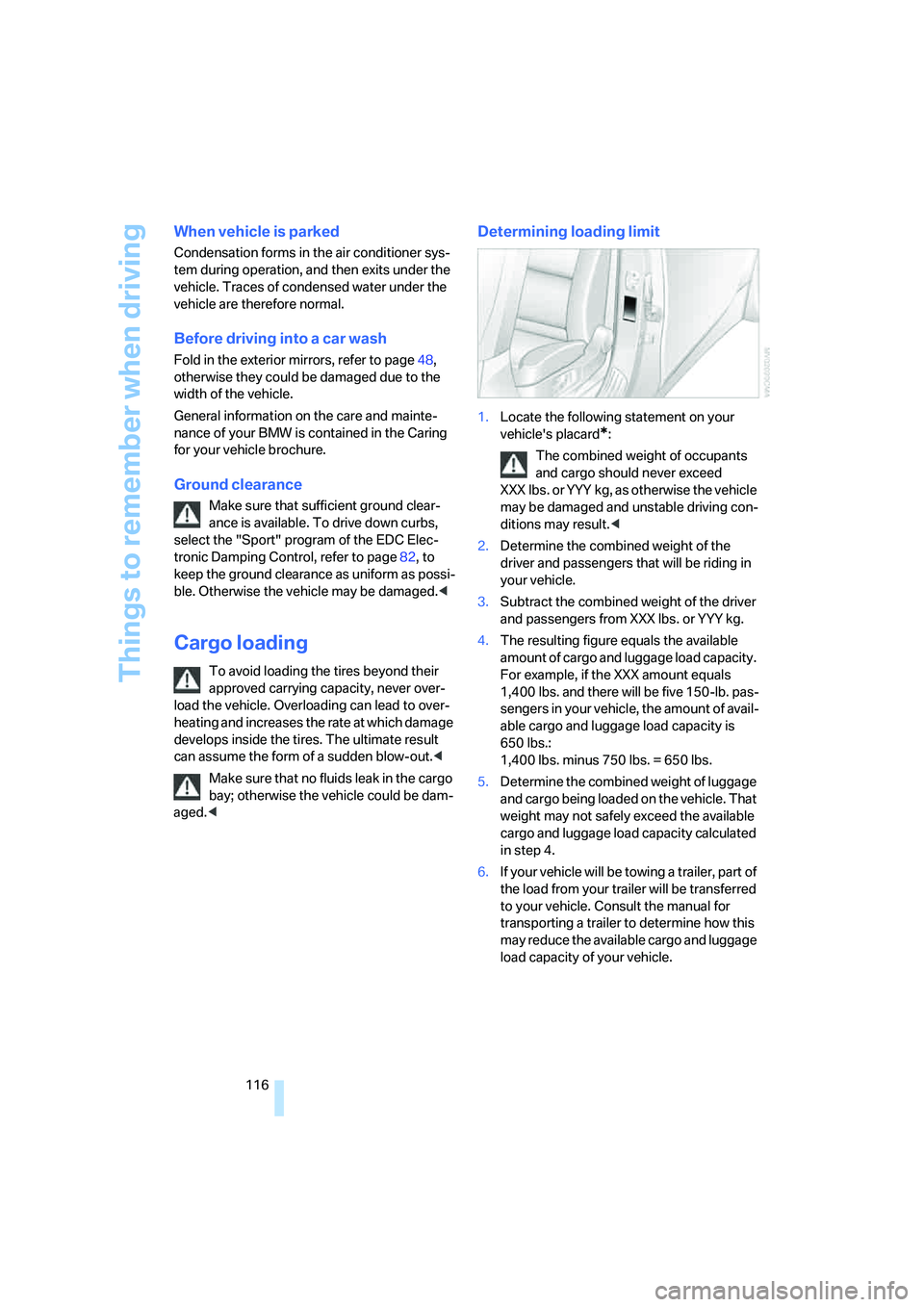
1.Locate the following statement on your
vehicle's placard
*:
The combined weight of occupants
and cargo should never exceed
XXX lbs. or YYY kg, as otherwise the vehicle
may be damaged and unstable driving con-
ditions may result.<
2.Determine the combined weight of the
driver and passengers that will be riding in
your vehicle.
3.Subtract the combined weight of the driver
and passengers from XXX lbs. or YYY kg.
4.The resulting figure equals the available
amount of cargo and luggage load capacity.
For example, if the XXX amount equals
1,400 lbs. and there will be five 150-lb. pas-
sengers in your vehicle, the amount of avail-
able cargo and luggage load capacity is
650 lbs.:
1,400 lbs. minus 750 lbs. = 650 lbs.
5.Determine the combined weight of luggage
and cargo being loaded on the vehicle. That
weight may not safely exceed the available
cargo and luggage load capacity calculated
in step 4.
6.If your vehicle will be towing a trailer, part of
the load from your trailer will be transferred
to your vehicle. Consult the manual for
transporting a trailer to determine how this
may reduce the available cargo and luggage
load capacity of your vehicle.
Page 224 of 260
Replacing components
222
Vehicle battery
Battery care
The battery is 100 % maintenance-free, i.e., the
electrolyte will last for the life of the battery
when the vehicle is operated in a temperate cli-
ma te. Your BM W center will be glad to advise in
all matters concerning the battery.
Charging battery
Only charge the battery in the vehicle via the
terminals in the engine compartment with the
engine switched off. Connections, refer to
Jump starting on page224.
Disposal
Have old batteries disposed of by your
BMW center or hand them in to a recy-
cling center. Maintain the battery in an upright
position for transport and storage. Always
restrain the battery to prevent it from tipping
over during transport.<
Power failure
After a temporary power supply interruption,
some settings are lost. Take the following
steps:
>Seat, mirror and steering wheel memory
Store the positions again, refer to page43.
>Time and date
Reset, refer to text starting on page75.
>Radio
Store stations again, refer to page154.
>Navigation system
Wait until the system starts, refer to
page122.
Fuses
Never attempt to repair a blown fuse and
do not replace a defective fuse with a sub-
stitute of another color or amperage rating, as
this could lead to a circuit overload, ultimately
resulting in a fire in the vehicle.<
Spare fuses, plastic tweezers and fuse alloca-
tion diagram are located in the compartment for
the onboard tool kit, refer to page214.
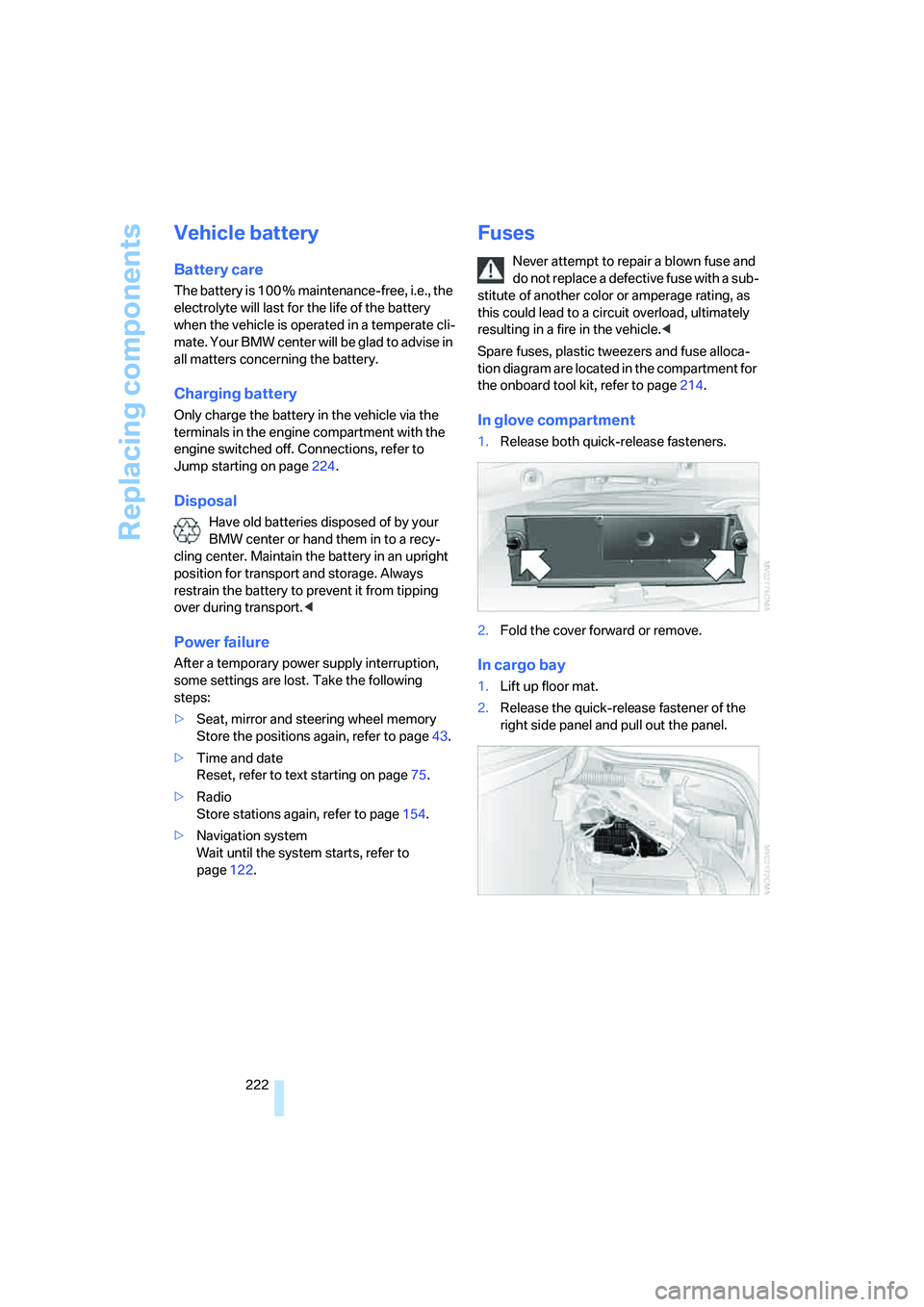
In glove compartment
1.Release both quick-release fasteners.
2.Fold the cover forward or remove.
In cargo bay
1.Lift up floor mat.
2.Release the quick-release fastener of the
right side panel and pull out the panel.
Page 246 of 260
Everything from A to Z
244 Event Data Recorders213
Exhaust system, refer to Hot
exhaust system114
Exterior mirrors48
– adjusting48
– automatic dimming
feature49
– automatic heating48
– folding in and out48
– tilting down passenger-side
exterior mirror48
External audio device107
Eye for tow-starting and
towing, refer to Tow
fitting225
F
"Fader", refer to Tone
control150
Fader, refer to Tone
control150
Failure messages, refer to
Check Control71
False alarm
– refer to Avoiding
unintentional alarms36
– refer to Switching off
alarm35
Fastening safety belts, refer to
Safety belts45
– warning lamp46
Fastest route for
navigation134
"Fast route" for
navigation134
"Favorites", calling up with
radio156
Filler neck for washer fluid64
Filling bottle, refer to
M Mobility System217
Filling sealant into wheel218
Filter, refer to Microfilter/
activated-charcoal filter101
Fine wood, refer to Caring for
your vehicle brochure
First aid, refer to First-aid
kit224First-aid kit224
Flashing
– during locking/unlocking,
refer to Setting confirmation
signals31
– triple turn signal
activation63
Flashlight, refer to
Rechargeable flashlight106
Flat tire
– changing wheels219
– Flat Tire Monitor83,84
– M Mobility System84,217
– refer to Tire condition202
– spare wheel220
– TPM Tire Pressure
Monitor84
– warning lamp84,86
Flat Tire Monitor83
– false alarms83
– initializing system83
– snow chains204
– system limits83
– warning lamp84
Floor mat, refer to Caring for
your vehicle brochure
Floor mats/carpets, refer to
Caring for your vehicle
brochure
Fluid reservoir, refer to Filler
neck for washer fluid64
"FM", reception
range
149,152
FM, waveband152
Folding rear backrest110
Fold-over rear backrest110
Footbrake, refer to Braking
safely115
Footwell lamps, refer to
Interior lamps96
Forward, fast
– CD changer166
– CD player166
For your own safety5
Freeway, refer to Route
criteria134
Front airbags87Front armrest, refer to Center
armrest, front106
Front passenger airbags,
deactivating88
Front seat adjustment42
"FTM"84
FTM, refer to Flat Tire
Monitor83
Fuel199
– average consumption68
– display67
– high-quality brands199
– quality199
– specifications199
– tank contents, refer to
Capacities232
Fuel clock, refer to Fuel
gauge67
Fuel consumption display,
refer to Computer, average
fuel consumption68
Fuel display, refer to Fuel
gauge67
Fuel filler door198
– releasing in the event of
electrical malfunction198
Full mobile phone preparation
package174
Full screen display, refer to
Switching assistance
window off21
Fuses222
G
Garage door opener, refer to
Integrated universal remote
control104
Gasoline, refer to Required
fuel199
Gasoline display, refer to Fuel
gauge67
Gear changes61
Gear display, refer to Displays
in instrument cluster61
Gearshift lever60
– manual transmission58
Page 247 of 260
Reference 245
At a glance
Controls
Driving tips
Communications
Navigation
Entertainment
Mobility
General driving notes114
Glass sunroof, electric38
– convenient operation from
outside32
– convenient operation with
comfort access37
– moving manually40
– remote control30
Glove compartment106
– lighting106
– rechargeable flashlight106
GPS navigation, refer to
Navigation system122
Grills, refer to Ventilation101
Gross vehicle weight, refer to
Weights232
Ground clearance116
H
Handbrake58
– indicator lamp13,58
Hand lamp, refer to
Rechargeable flashlight106
Hands-free system, refer to
Microphone14
Hazard warning flashers15
"HD radio"156
HD radio, refer to High
Definition Radio156
Head airbags87
Headlamp control,
automatic92
Headlamp flasher62
Headlamps92
– care, refer to Caring for your
vehicle brochure
– cleaning, refer to Wiper
system63
– cleaning tank, refer to
Capacities232
– filler neck for washer
fluid207
Head Light, refer to Adaptive
Head Light94Head restraints44
– active front head
restraints44
– removing45
– sitting safely41
"Head-Up Display"51,89
Head-Up Display89
– default view90
– M view89
– shift lights62
Heated
– mirrors48
– rear window99
– seats46
– steering wheel49
Heating97
– exterior mirrors48
– interior97
– rear window99
– residual heat100
– seats46
– steering wheel49
Heating with engine switched
off, refer to Residual
heat100
Heavy cargo, refer to Securing
cargo117
Height, refer to
Dimensions231
Height adjustment
– seats42
– steering wheel49
"High-beam assistant"
96
High-beam assistant94
High beams94
– headlamp flasher94
– indicator lamp13
High Definition Radio156
High water, refer to Driving
through water115
Hills115
Holder for cups108
"Home address" for
navigation system133
Homepage of BMW4
Hood206
Horn10
Hot exhaust system114"Hour memo"75
"House number" for
destination entry126
Hydraulic brake assistant,
refer to Brake assistant80
Hydroplaning115
I
IBOC, refer to High Definition
Radio156
Ice, refer to Outside
temperature warning67
ID3 tag, refer to Information on
track164
Identification mark
– recommended tire
brands204
– tire coding201
Idle60
iDrive16
– assistance window20
– automatic climate control
with expanded scope98
– changing date and time75
– changing language77
– changing menu page19
– changing settings74
– changing units of measure
and display type76
– confirming selection or
entry19
– controller16
– controls16
– displays, menus17
– operating principle17
– selecting menu item19
– setting brightness76
– start menu17
– status information20
– symbols18
Ignition56
– switched off57
– switched on56
Ignition key, refer to Keys/
remote control28
Ignition key position 1, refer to
Radio readiness56
Page 248 of 260
Everything from A to Z
246 Ignition key position 2, refer to
Ignition on56
Ignition lock56
– starting engine with comfort
access37
i menu17
Imprint2
Indicator/warning lamps
– ABS Antilock Brake
System81
– airbags89
– brake system81
– DSC13,80
– Flat Tire Monitor84
– high beams13
– MDrive13,51
– M Dynamic Mode13,80
– parking lamps/low beams13
– safety belt warning46
– TPM Tire Pressure
Monitor86
Indicator and warning lamps,
overview13
Inflation pressure, refer to Tire
inflation pressure200
Inflation pressure monitoring
– refer to Flat Tire Monitor83
– refer to TPM Tire Pressure
Monitor84
Info menu17
Information
– on another location129
– on current position129
– on destination location129
"Information" for navigation
system129
Information menu, refer to
imenu17
"Information on
destination"131
"Info sources"70Initializing
– Flat Tire Monitor83
– radio, refer to Storing
stations154
– refer to Power failure222
– refer to Setting time and
date75
– seat, mirror and steering
wheel memory43
"Input map"129
Installation location
– CD changer166
– drive for navigation DVD122
– mobile phone106
Instructions for navigation
system, refer to Voice
instructions139
Instrument cluster
12
Instrument lighting96
Instrument panel
– refer to Cockpit10
– refer to Instrument
cluster12
Integrated key28
Integrated universal remote
control104
Interesting destination for
navigation129
"Interim time"74
Interior lamps96
– switching on with remote
control31
Interior motion sensor35
– switching off36
Interior rearview mirror49
– automatic dimming
feature49
Intermittent mode of the
wipers63
J
Jacking points220
Joystick, refer to iDrive16
Jumpering, refer to Jump
starting224
Jump starting224
K
Keyless-Go, refer to Comfort
access36
Keyless opening and closing,
refer to Comfort access36
Key Memory, refer to Personal
Profile28
"Keypad"184
Keys28
– key-related settings, refer to
Personal Profile28
– spare key28
Knock control199
L
Lamps
– refer to High-beam
assistant94
– refer to Parking lamps/low
beams92
Lamps and bulbs214
"Language / Units"76,77
– for navigation
system123,139
"Languages"77
– for navigation
system123,139
Lashing eyes, refer to
Securing cargo117
Last destinations, refer to
Destination list130
"Last seat pos."44
LATCH child restraint fixing
system54
LEDs light-emitting
diodes214
Length, refer to
Dimensions231
License plate lamp, replacing
bulbs217
Light-emitting diodes
LEDs214
Lighter108
"Lighting"63
Page 249 of 260
Reference 247
At a glance
Controls
Driving tips
Communications
Navigation
Entertainment
Mobility
Lighting
– instruments96
– lamps and bulbs214
– of the vehicle, refer to
Lamps92
Light switch92
"Limit"73
Loading
– securing cargo117
– stowing cargo117
– vehicle116
Load securing equipment,
refer to Securing cargo117
"Lock after driving"33
Lock buttons in the doors,
refer to Locking33
Locking30
– confirmation signals31
– from inside33
– from outside30
– without key, refer to Comfort
access36
Locking and unlocking doors
– confirmation signals31
– from inside32
– from outside30
Low beams92
– automatic92
– indicator lamp13
Lower back support, refer to
Lumbar support42
Lug bolts220
– tightening torque, refer to
After mounting221
– wrench220
Luggage compartment lid33
– comfort access37
– emergency release34
– locking with remote
control30
– opening from inside33
– opening from outside33
– opening with remote
control31
– unlocking and locking from
inside32Luggage rack, refer to Roof-
mounted luggage rack118
Lumbar support42
LW, waveband152
M
M Dynamic Mode MDM80
– indicator lamp13,80
M Engine Dynamic Control59
– "P 400"59
– "P 500"59
– "P 500 Sport"59
M Mobility System217
M+S tires, refer to Winter
tires204
Maintenance212
– refer to Service and
Warranty Information
Booklet for US models212
– refer to Service
requirements69
– refer to Warranty and
Service Guide Booklet for
Canadian models212
Maintenance system212
Malfunction warnings, refer to
Check Control71
Manual air distribution99
"Manual" on the radio153
Manual operation
– door lock32
– driver's door32
– fuel filler door198
– glass sunroof40
– luggage compartment lid34
Manual transmission58
– tow-starting226
"Map direction of travel"138
Map display138
"Map facing north"138
Map for navigation
– changing scale138
– destination entry128
Map view facing north138
Master key, refer to Keys/
remote control28Maximum cooling100
Maximum speed with winter
tires204
MDM, refer to M Dynamic
Mode80
MDrive50
"M Dynamic Mode"80
Measurements, refer to
Dimensions231
Memory, refer to Seat, mirror
and steering wheel
memory43
MENU, button refer to Start
menu17
Menus, refer to iDrive16
Message list for traffic
information141
Microfilter101
Microphone
– for telephone14
– for voice command
system14
Mirror dimming feature49
Mirrors48
– automatic curb monitor48
– folding in and out48
– heating48
– memory, refer to Seat, mirror
and steering wheel
memory43
"Missed calls"182
Missed calls183
Mobile phone
– accepted calls183
– adjusting volume180
– calling181
– ending call181
– installation location, refer to
Center armrest106
– missed calls183
– operation by voice185
– operation via iDrive180
– redialing183
– refer to separate operating
instructions
– Top 8183
– touch tone dialing, refer to
Tone dialing method184
Page 251 of 260
Reference 249
At a glance
Controls
Driving tips
Communications
Navigation
Entertainment
Mobility
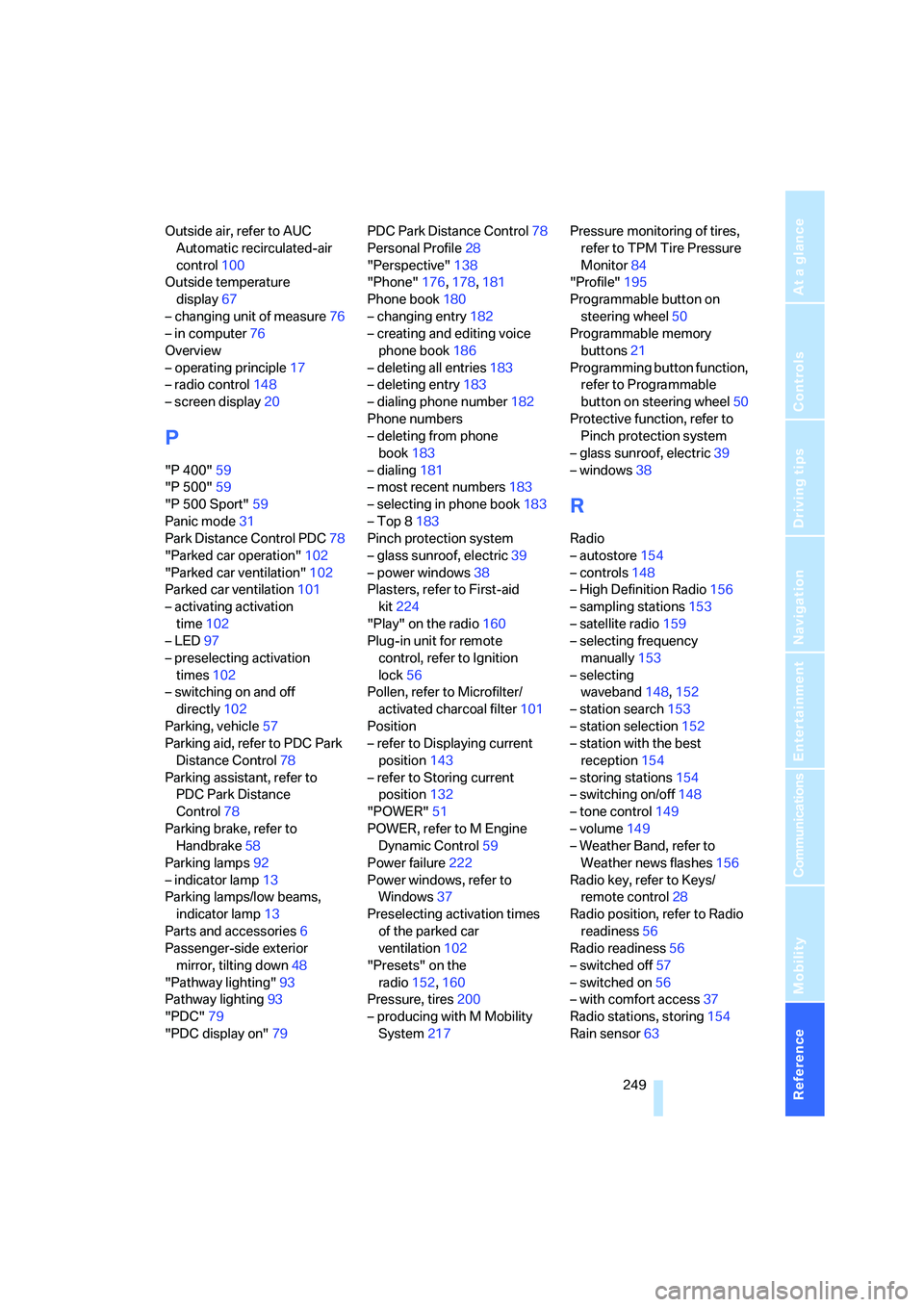
Outside air, refer to AUC
Automatic recirculated-air
control100
Outside temperature
display67
– changing unit of measure76
– in computer76
Overview
– operating principle17
– radio control148
– screen display20
P
"P 400"59
"P 500"59
"P 500 Sport"59
Panic mode31
Park Distance Control PDC78
"Parked car operation"102
"Parked car ventilation"102
Parked car ventilation101
– activating activation
time102
– LED97
– preselecting activation
times102
– switching on and off
directly102
Parking, vehicle57
Parking aid, refer to PDC Park
Distance Control78
Parking assistant, refer to
PDC Park Distance
Control78
Parking brake, refer to
Handbrake58
Parking lamps92
– indicator lamp13
Parking lamps/low beams,
indicator lamp13
Parts and accessories6
Passenger-side exterior
mirror, tilting down48
"Pathway lighting"93
Pathway lighting93
"PDC"79
"PDC display on"79PDC Park Distance Control78
Personal Profile28
"Perspective"138
"Phone"176,178,181
Phone book180
– changing entry182
– creating and editing voice
phone book186
– deleting all entries183
– deleting entry183
– dialing phone number182
Phone numbers
– deleting from phone
book183
– dialing181
– most recent numbers183
– selecting in phone book183
– Top 8183
Pinch protection system
– glass sunroof, electric39
– power windows38
Plasters, refer to First-aid
kit224
"Play" on the radio160
Plug-in unit for remote
control, refer to Ignition
lock56
Pollen, refer to Microfilter/
activated charcoal filter101
Position
– refer to Displaying current
position143
– refer to Storing current
position132
"POWER"51
POWER, refer to M Engine
Dynamic Control59
Power failure222
Power windows, refer to
Windows37
Preselecting activation times
of the parked car
ventilation102
"Presets" on the
radio152,160
Pressure, tires200
– producing with M Mobility
System217Pressure monitoring of tires,
refer to TPM Tire Pressure
Monitor84
"Profile"195
Programmable button on
steering wheel50
Programmable memory
buttons21
Programming button function,
refer to Programmable
button on steering wheel50
Protective function, refer to
Pinch protection system
– glass sunroof, electric39
– windows38
R
Radio
– autostore154
– controls148
– High Definition Radio156
– sampling stations153
– satellite radio159
– selecting frequency
manually153
– selecting
waveband148,152
– station search153
– station selection152
– station with the best
reception154
– storing stations154
– switching on/off148
– tone control149
– volume149
– Weather Band, refer to
Weather news flashes156
Radio key, refer to Keys/
remote control28
Radio position, refer to Radio
readiness56
Radio readiness56
– switched off57
– switched on56
– with comfort access37
Radio stations, storing154
Rain sensor63
Page 252 of 260
Everything from A to Z
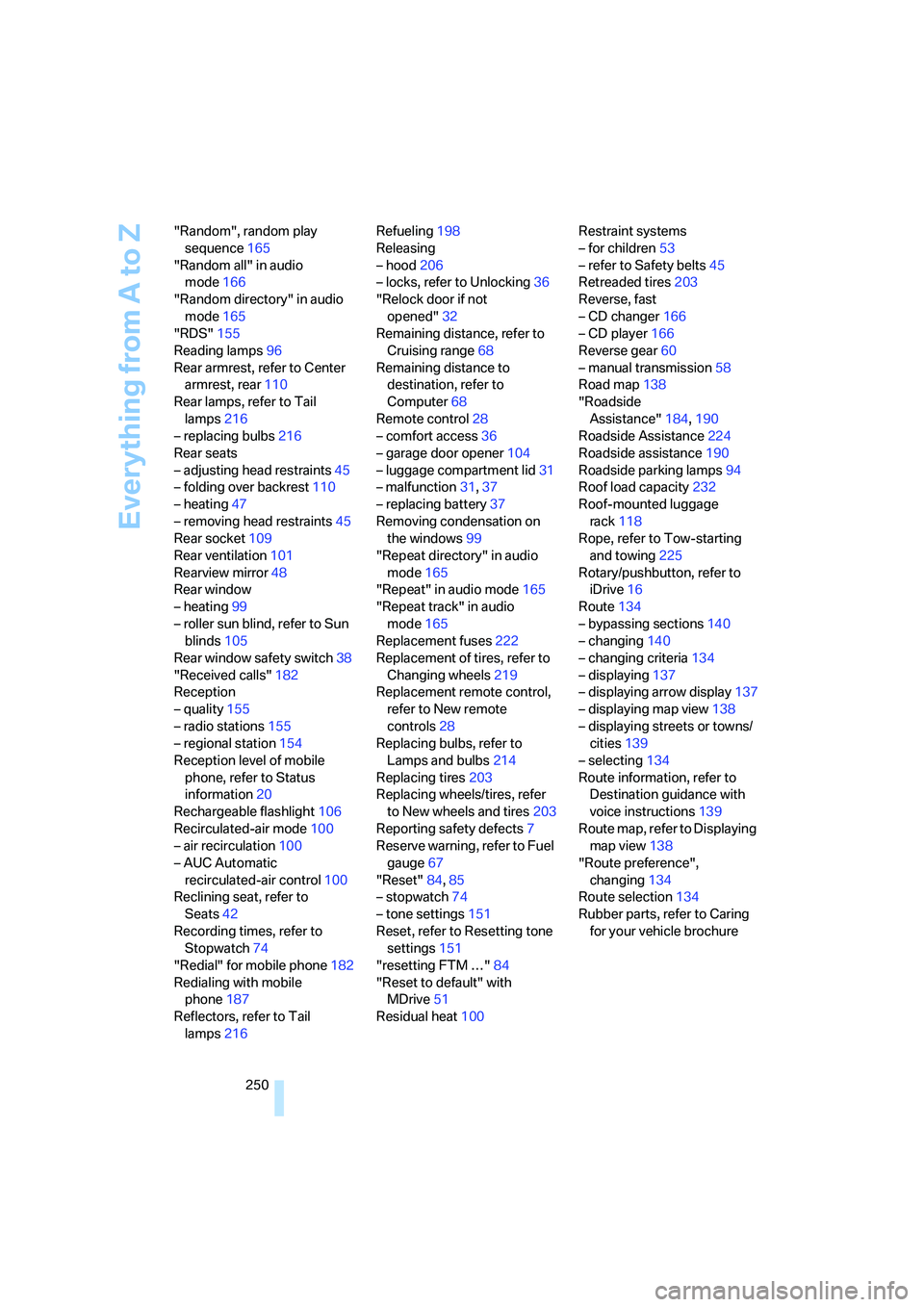
250 "Random", random play
sequence165
"Random all" in audio
mode166
"Random directory" in audio
mode165
"RDS"155
Reading lamps96
Rear armrest, refer to Center
armrest, rear110
Rear lamps, refer to Tail
lamps216
– replacing bulbs216
Rear seats
– adjusting head restraints45
– folding over backrest110
– heating47
– removing head restraints45
Rear socket109
Rear ventilation101
Rearview mirror48
Rear window
– heating99
– roller sun blind, refer to Sun
blinds105
Rear window safety switch38
"Received calls"182
Reception
– quality155
– radio stations155
– regional station154
Reception level of mobile
phone, refer to Status
information20
Rechargeable flashlight106
Recirculated-air mode100
– air recirculation100
– AUC Automatic
recirculated-air control100
Reclining seat, refer to
Seats42
Recording times, refer to
Stopwatch74
"Redial" for mobile phone182
Redialing with mobile
phone187
Reflectors, refer to Tail
lamps216Refueling198
Releasing
– hood206
– locks, refer to Unlocking36
"Relock door if not
opened"32
Remaining distance, refer to
Cruising range68
Remaining distance to
destination, refer to
Computer68
Remote control28
– comfort access36
– garage door opener
104
– luggage compartment lid31
– malfunction31,37
– replacing battery37
Removing condensation on
the windows99
"Repeat directory" in audio
mode165
"Repeat" in audio mode165
"Repeat track" in audio
mode165
Replacement fuses222
Replacement of tires, refer to
Changing wheels219
Replacement remote control,
refer to New remote
controls28
Replacing bulbs, refer to
Lamps and bulbs214
Replacing tires203
Replacing wheels/tires, refer
to New wheels and tires203
Reporting safety defects7
Reserve warning, refer to Fuel
gauge67
"Reset"84,85
– stopwatch74
– tone settings151
Reset, refer to Resetting tone
settings151
"resetting FTM …"84
"Reset to default" with
MDrive51
Residual heat100Restraint systems
– for children53
– refer to Safety belts45
Retreaded tires203
Reverse, fast
– CD changer166
– CD player166
Reverse gear60
– manual transmission58
Road map138
"Roadside
Assistance"184,190
Roadside Assistance224
Roadside assistance190
Roadside parking lamps94
Roof load capacity232
Roof-mounted luggage
rack118
Rope, refer to Tow-starting
and towing225
Rotary/pushbutton, refer to
iDrive16
Route134
– bypassing sections
140
– changing140
– changing criteria134
– displaying137
– displaying arrow display137
– displaying map view138
– displaying streets or towns/
cities139
– selecting134
Route information, refer to
Destination guidance with
voice instructions139
Route map, refer to Displaying
map view138
"Route preference",
changing134
Route selection134
Rubber parts, refer to Caring
for your vehicle brochure