ECO mode BMW M5 2010 User Guide
[x] Cancel search | Manufacturer: BMW, Model Year: 2010, Model line: M5, Model: BMW M5 2010Pages: 266, PDF Size: 9.08 MB
Page 219 of 266
Mobility
217Reference
At a glance
Controls
Driving tips
Communications
Navigation
Entertainment
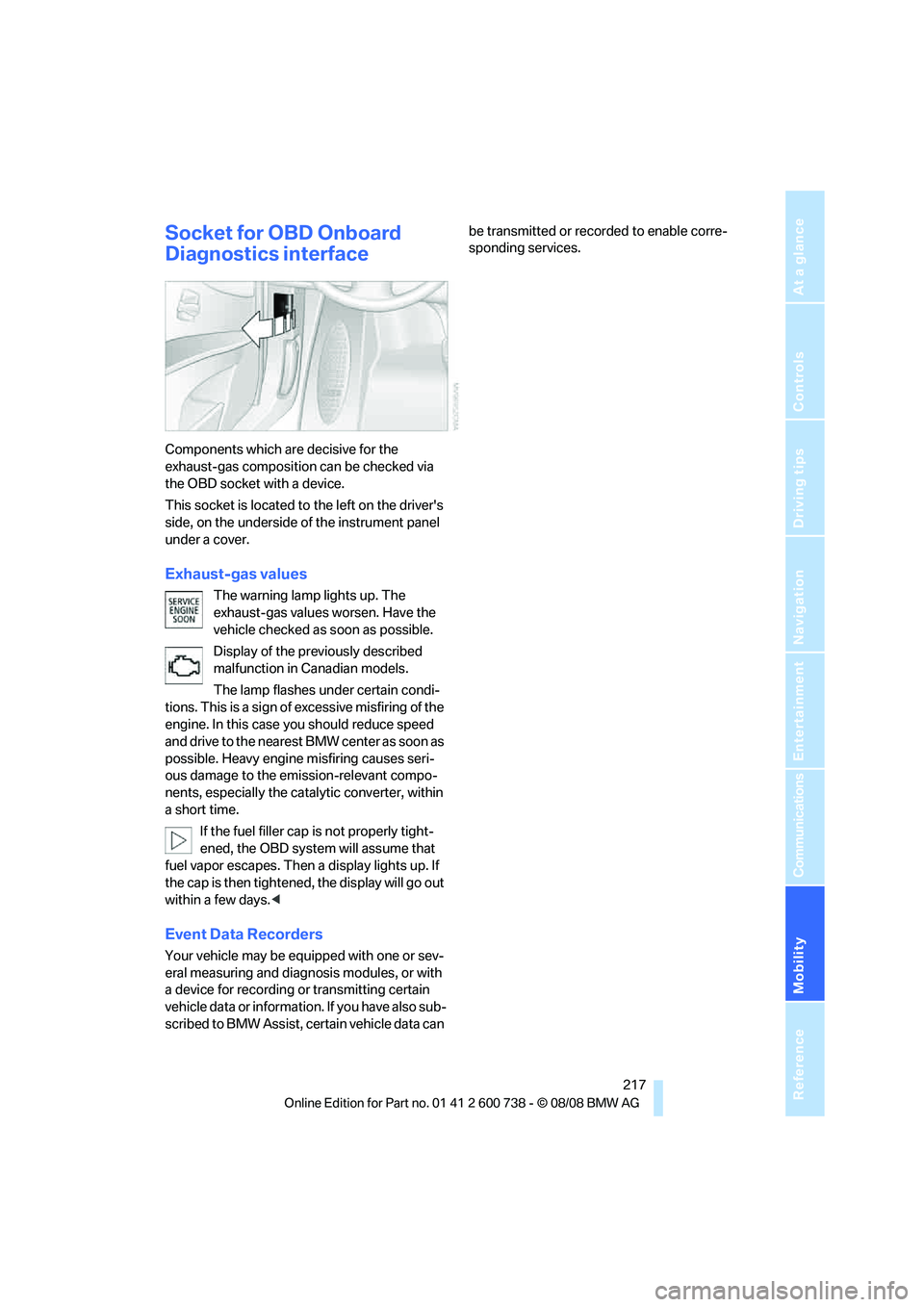
Socket for OBD Onboard
Diagnostics interface
Components which are decisive for the
exhaust-gas composition can be checked via
the OBD socket with a device.
This socket is located to the left on the driver's
side, on the underside of the instrument panel
under a cover.
Exhaust-gas values
The warning lamp lights up. The
exhaust-gas values worsen. Have the
vehicle checked as soon as possible.
Display of the previously described
malfunction in Canadian models.
The lamp flashes under certain condi-
tions. This is a sign of excessive misfiring of the
engine. In this case you should reduce speed
and drive to the nearest BMW center as soon as
possible. Heavy engine misfiring causes seri-
ous damage to the emission-relevant compo-
nents, especially the catalytic converter, within
a short time.
If the fuel filler cap is not properly tight-
ened, the OBD system will assume that
fuel vapor escapes. Then a display lights up. If
the cap is then tightened, the display will go out
within a few days.<
Event Data Recorders
Your vehicle may be equipped with one or sev-
eral measuring and diagnosis modules, or with
a device for recording or transmitting certain
vehicle data or information. If you have also sub-
scribed to BMW Assist, certain vehicle data can be transmitted or recorded to enable corre-
sponding services.
Page 258 of 266
Everything from A to Z
256 "Random", random play
sequence167
"Random all" in audio
mode168
"Random directory" in audio
mode168
"RDS"157
Reading lamps97
Rear armrest, refer to Center
armrest, rear111
Rear lamps, refer to Tail
lamps224
– replacing bulbs224
Rear seats
– adjusting head restraints47
– folding over backrest111
– heating49
– removing head restraints47
Rear socket110
Rear ventilation102
Rearview mirror50
Rear window
– heating100
– roller sun blind, refer to Sun
blinds106
Rear window safety switch40
"Received calls"184
Reception
– quality157
– radio stations157
– regional station156
Reception level of mobile
phone, refer to Status
information21
Recirculated-air mode101
– air recirculation101
– AUC Automatic
recirculated-air control101
Reclining seat, refer to
Seats43
Recording times, refer to
Stopwatch75
Redialing with mobile
phone189
"Redial" in mobile phone
mode184
Reflectors, refer to Tail
lamps224
Refueling202Releasing
– hood210
Releasing the locks, refer to
Unlocking38
"Relock door if not
opened"35
Remaining distance, refer to
Cruising range69
Remaining distance to
destination, refer to
Computer69
Remote control30
– comfort access38
– garage door opener
105
– luggage compartment lid33
– malfunction33,39
– replacing battery39
Removing condensation on
the windows100
"Repeat directory" in audio
mode167
"Repeat" in audio mode167
"Repeat track" in audio
mode167
Replacement fuses230
Replacement of tires, refer to
Changing wheels227
Replacement remote control,
refer to New remote
controls30
Replacing bulbs, refer to
Lamps and bulbs222
Replacing tires207
Replacing wheels/tires, refer
to New wheels and tires207
Reporting safety defects7
Reserve
– warning, refer to Fuel
gauge68
"Reset"85,86
Reset, refer to Resetting tone
settings153
"Reset" the stopwatch75
"resetting FTM …"85
"Reset to default" with
MDrive53
"Reset" tone settings153
Residual heat101Restraint systems
– for children54
– refer to Safety belts47
Retreaded tires207
Reverse, fast
– CD changer168
– CD player168
Reverse gear61
– manual transmission59
Road map140
Roadside
Assistance186,192,232
Roadside parking lamps95
Roof load capacity239
Roof-mounted luggage
rack119
Rope, refer to Tow-starting
and towing233
Rotary/pushbutton, refer to
iDrive16
Route136
– bypassing sections142
– changing142
– changing criteria136
– displaying139
– displaying arrow display139
– displaying map view140
– displaying streets or towns/
cities141
– selecting136
Route information, refer to
Destination guidance with
voice instructions141
Route map, refer to Displaying
map view140
"Route preference",
changing136
Route selection136
S
Safety5