wheel BMW M5 SEDAN 2002 User Guide
[x] Cancel search | Manufacturer: BMW, Model Year: 2002, Model line: M5 SEDAN, Model: BMW M5 SEDAN 2002Pages: 154, PDF Size: 2.17 MB
Page 47 of 154
47n
OverviewControlsMaintenanceRepairsDataIndex
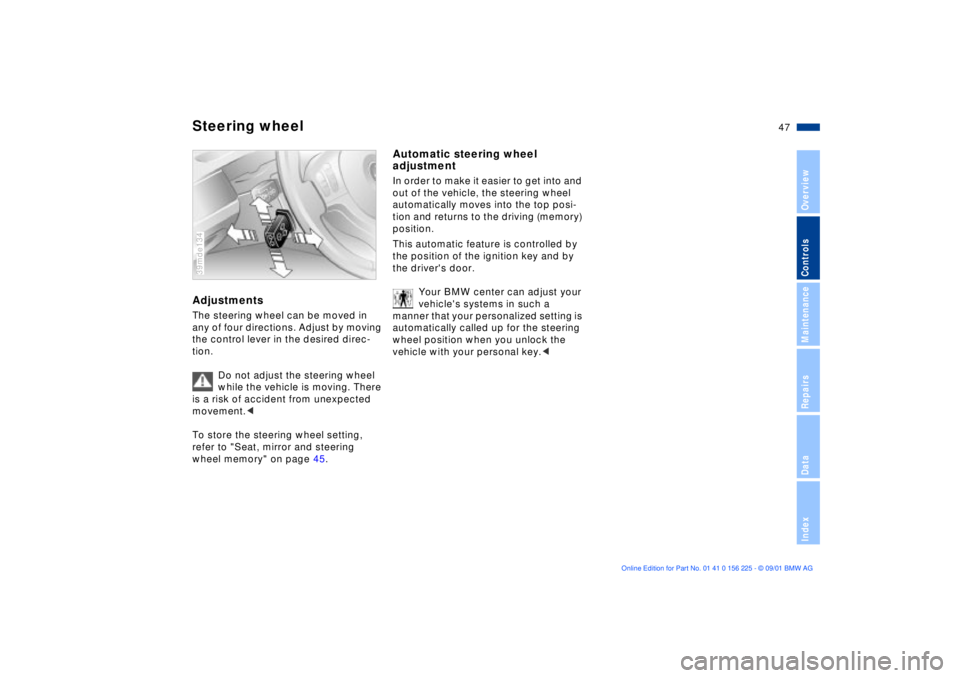
Steering wheelAdjustmentsThe steering wheel can be moved in
any of four directions. Adjust by moving
the control lever in the desired direc-
tion.
Do not adjust the steering wheel
while the vehicle is moving. There
is a risk of accident from unexpected
movement.<
To store the steering wheel setting,
refer to "Seat, mirror and steering
wheel memory" on page 45.39mde134
Automatic steering wheel
adjustmentIn order to make it easier to get into and
out of the vehicle, the steering wheel
automatically moves into the top posi-
tion and returns to the driving (memory)
position.
This automatic feature is controlled by
the position of the ignition key and by
the driver's door.
Your BMW center can adjust your
vehicle's systems in such a
manner that your personalized setting is
automatically called up for the steering
wheel position when you unlock the
vehicle with your personal key.<
Page 48 of 154
48n
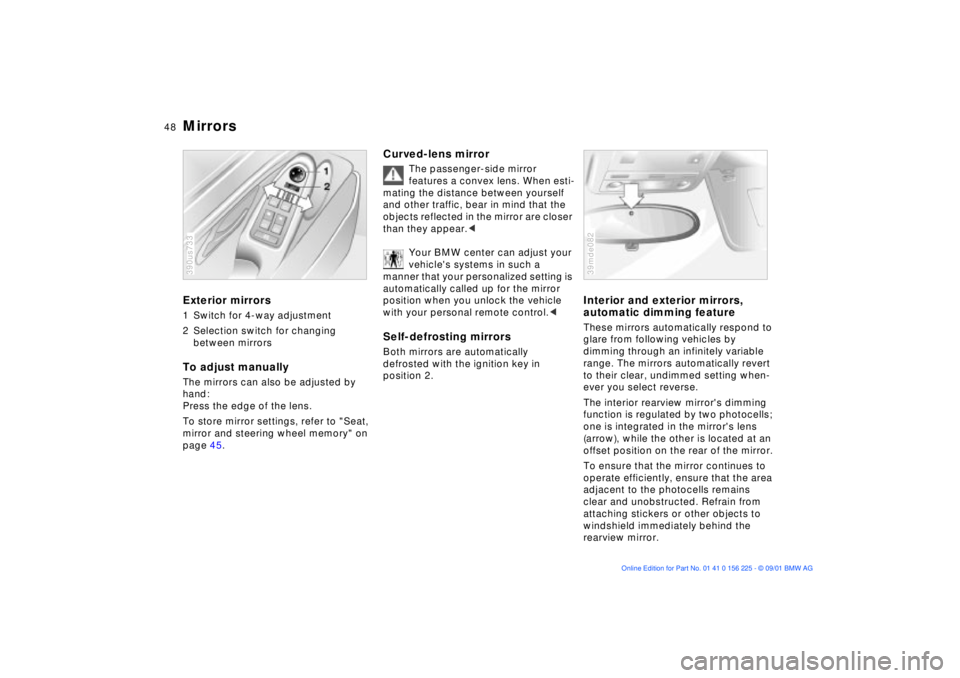
Mirrors Exterior mirrors1 Switch for 4-way adjustment
2 Selection switch for changing
between mirrorsTo adjust manuallyThe mirrors can also be adjusted by
hand:
Press the edge of the lens.
To store mirror settings, refer to "Seat,
mirror and steering wheel memory" on
page 45.390us733
Curved-lens mirror
The passenger-side mirror
features a convex lens. When esti-
mating the distance between yourself
and other traffic, bear in mind that the
objects reflected in the mirror are closer
than they appear.<
Your BMW center can adjust your
vehicle's systems in such a
manner that your personalized setting is
automatically called up for the mirror
position when you unlock the vehicle
with your personal remote control.<
Self-defrosting mirrors Both mirrors are automatically
defrosted with the ignition key in
position 2.
Interior and exterior mirrors,
automatic dimming feature These mirrors automatically respond to
glare from following vehicles by
dimming through an infinitely variable
range. The mirrors automatically revert
to their clear, undimmed setting when-
ever you select reverse.
The interior rearview mirror's dimming
function is regulated by two photocells;
one is integrated in the mirror's lens
(arrow), while the other is located at an
offset position on the rear of the mirror.
To ensure that the mirror continues to
operate efficiently, ensure that the area
adjacent to the photocells remains
clear and unobstructed. Refrain from
attaching stickers or other objects to
windshield immediately behind the
rearview mirror.39mde082
Page 49 of 154
49n
OverviewControlsMaintenanceRepairsDataIndex
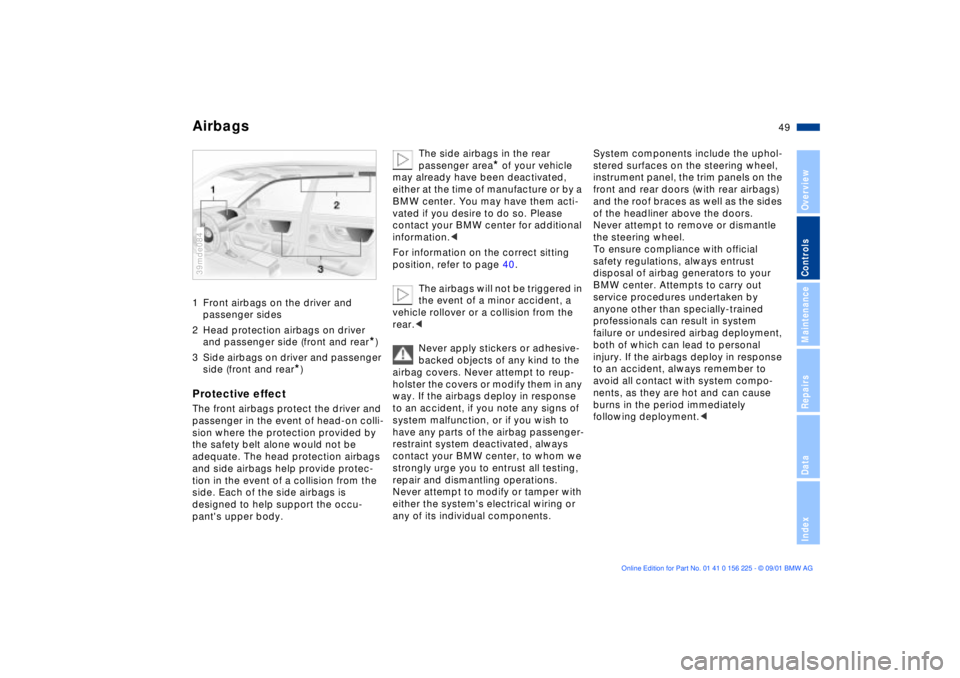
Airbags1 Front airbags on the driver and
passenger sides
2 Head protection airbags on driver
and passenger side (front and rear
*)
3 Side airbags on driver and passenger
side (front and rear
*)
Protective effectThe front airbags protect the driver and
passenger in the event of head-on colli-
sion where the protection provided by
the safety belt alone would not be
adequate. The head protection airbags
and side airbags help provide protec-
tion in the event of a collision from the
side. Each of the side airbags is
designed to help support the occu-
pant's upper body.39mde084
The side airbags in the rear
passenger area
* of your vehicle
may already have been deactivated,
either at the time of manufacture or by a
BMW center. You may have them acti-
vated if you desire to do so. Please
contact your BMW center for additional
information.<
For information on the correct sitting
position, refer to page 40.
The airbags will not be triggered in
the event of a minor accident, a
vehicle rollover or a collision from the
rear.<
Never apply stickers or adhesive-
backed objects of any kind to the
airbag covers. Never attempt to reup-
holster the covers or modify them in any
way. If the airbags deploy in response
to an accident, if you note any signs of
system malfunction, or if you wish to
have any parts of the airbag passenger-
restraint system deactivated, always
contact your BMW center, to whom we
strongly urge you to entrust all testing,
repair and dismantling operations.
Never attempt to modify or tamper with
either the system's electrical wiring or
any of its individual components.
System components include the uphol-
stered surfaces on the steering wheel,
instrument panel, the trim panels on the
front and rear doors (with rear airbags)
and the roof braces as well as the sides
of the headliner above the doors.
Never attempt to remove or dismantle
the steering wheel.
To ensure compliance with official
safety regulations, always entrust
disposal of airbag generators to your
BMW center. Attempts to carry out
service procedures undertaken by
anyone other than specially-trained
professionals can result in system
failure or undesired airbag deployment,
both of which can lead to personal
injury. If the airbags deploy in response
to an accident, always remember to
avoid all contact with system compo-
nents, as they are hot and can cause
burns in the period immediately
following deployment.<
Page 55 of 154
55n
OverviewControlsMaintenanceRepairsDataIndex
Vehicle Memory, Key Memory How the system functionsNo doubt you have reflected at one
time or another on how great it would
be if you could permanently configure
your vehicle's various features and
adjustments to mirror your own indi-
vidual preferences. In engineering your
vehicle, BMW has incorporated a
number of options for personal adjust-
ment that can be programmed into your
vehicle at your BMW center.
The available configuration data fall into
two categories, according to whether
their primary orientation is the vehicle
("Vehicle Memory") or the individual
("Key Memory"). Provided that each
person has a separate remote-control
key, you can have your BMW center
enter two personal adjustments for two
different individuals into the system.463de029
When your vehicle is unlocked with the
remote control, the vehicle recognizes
the individual user by means of a data
exchange with the key, and makes
adjustments accordingly.
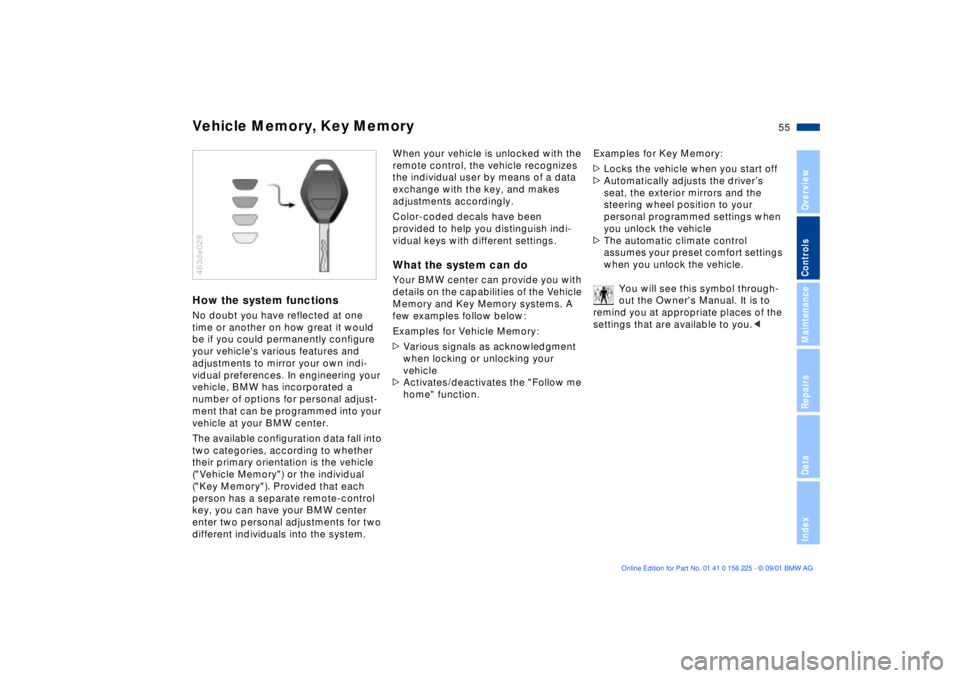
Color-coded decals have been
provided to help you distinguish indi-
vidual keys with different settings.What the system can doYour BMW center can provide you with
details on the capabilities of the Vehicle
Memory and Key Memory systems. A
few examples follow below:
Examples for Vehicle Memory:
>Various signals as acknowledgment
when locking or unlocking your
vehicle
>Activates/deactivates the "Follow me
home" function.Examples for Key Memory:
>Locks the vehicle when you start off
>Automatically adjusts the driverÕs
seat, the exterior mirrors and the
steering wheel position to your
personal programmed settings when
you unlock the vehicle
>The automatic climate control
assumes your preset comfort settings
when you unlock the vehicle.
You will see this symbol through-
out the Owner's Manual. It is to
remind you at appropriate places of the
settings that are available to you.<
Page 56 of 154
56n
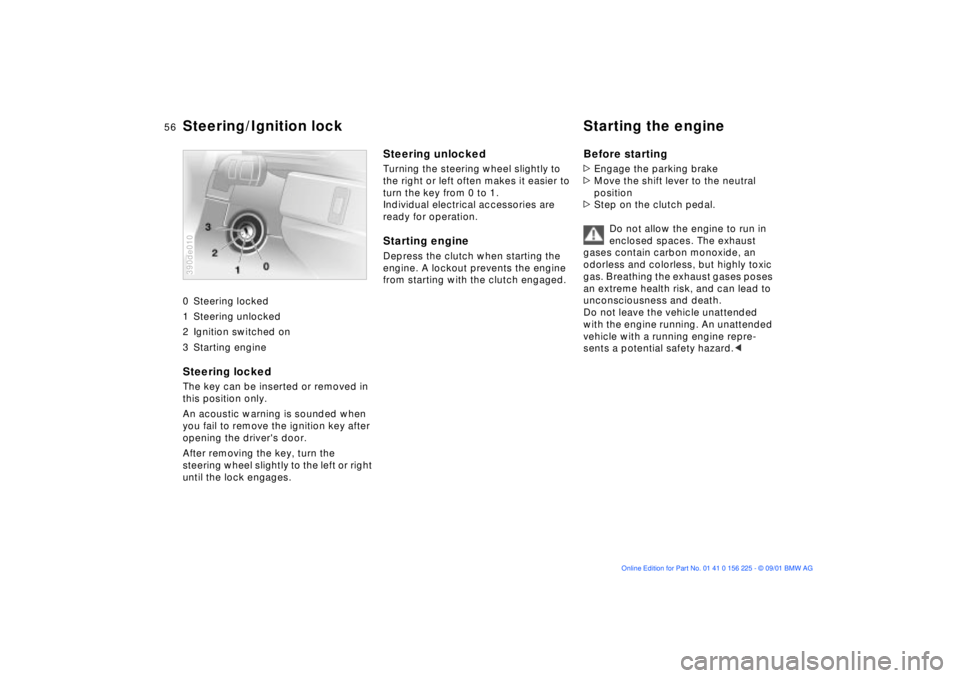
0 Steering locked
1 Steering unlocked
2 Ignition switched on
3 Starting engine
Steering locked The key can be inserted or removed in
this position only.
An acoustic warning is sounded when
you fail to remove the ignition key after
opening the driver's door.
After removing the key, turn the
steering wheel slightly to the left or right
until the lock engages. 390de010
Steering unlocked Turning the steering wheel slightly to
the right or left often makes it easier to
turn the key from 0 to 1.
Individual electrical accessories are
ready for operation.Starting engine Depress the clutch when starting the
engine. A lockout prevents the engine
from starting with the clutch engaged.
Before starting>Engage the parking brake
>Move the shift lever to the neutral
position
>Step on the clutch pedal.
Do not allow the engine to run in
enclosed spaces. The exhaust
gases contain carbon monoxide, an
odorless and colorless, but highly toxic
gas. Breathing the exhaust gases poses
an extreme health risk, and can lead to
unconsciousness and death.
Do not leave the vehicle unattended
with the engine running. An unattended
vehicle with a running engine repre-
sents a potential safety hazard.<
Steering/Ignition lock Starting the engine
Page 58 of 154
58n
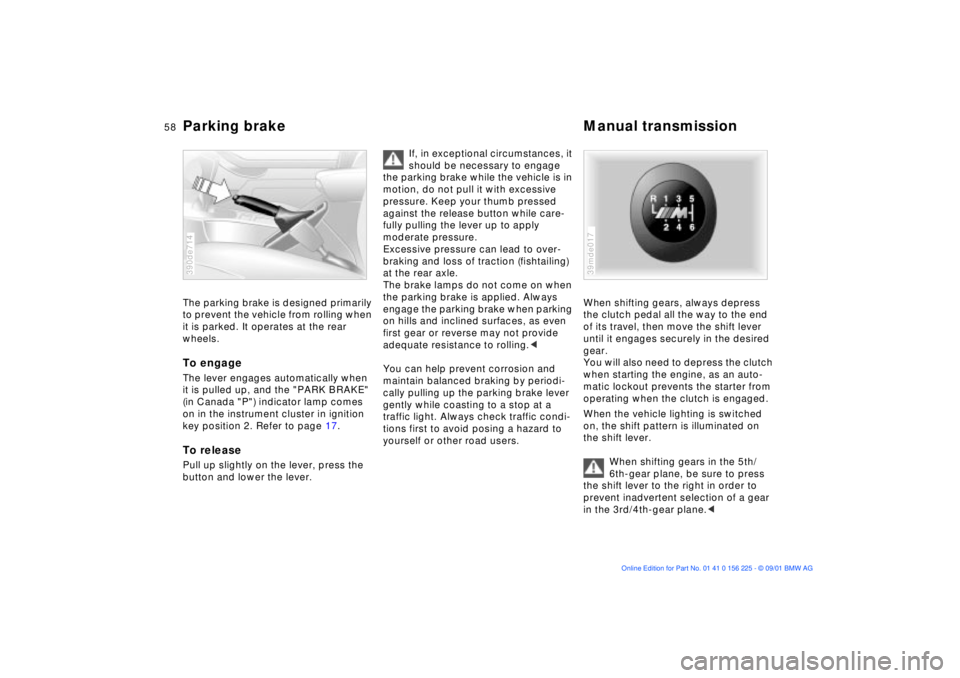
Parking brake Manual transmission The parking brake is designed primarily
to prevent the vehicle from rolling when
it is parked. It operates at the rear
wheels.To engageThe lever engages automatically when
it is pulled up, and the "PARK BRAKE"
(in Canada "P") indicator lamp comes
on in the instrument cluster in ignition
key position 2. Refer to page 17. To releasePull up slightly on the lever, press the
button and lower the lever.390de714
If, in exceptional circumstances, it
should be necessary to engage
the parking brake while the vehicle is in
motion, do not pull it with excessive
pressure. Keep your thumb pressed
against the release button while care-
fully pulling the lever up to apply
moderate pressure.
Excessive pressure can lead to over-
braking and loss of traction (fishtailing)
at the rear axle.
The brake lamps do not come on when
the parking brake is applied. Always
engage the parking brake when parking
on hills and inclined surfaces, as even
first gear or reverse may not provide
adequate resistance to rolling.<
You can help prevent corrosion and
maintain balanced braking by periodi-
cally pulling up the parking brake lever
gently while coasting to a stop at a
traffic light. Always check traffic condi-
tions first to avoid posing a hazard to
yourself or other road users.
When shifting gears, always depress
the clutch pedal all the way to the end
of its travel, then move the shift lever
until it engages securely in the desired
gear.
You will also need to depress the clutch
when starting the engine, as an auto-
matic lockout prevents the starter from
operating when the clutch is engaged.
When the vehicle lighting is switched
on, the shift pattern is illuminated on
the shift lever.
When shifting gears in the 5th/
6th-gear plane, be sure to press
the shift lever to the right in order to
prevent inadvertent selection of a gear
in the 3rd/4th-gear plane.<39mde017
Page 80 of 154
80n
Dynamic Stability Control (DSC)DSC maintains vehicle stability, even in
critical driving situations.
The system optimizes vehicle stability
during acceleration and when starting
from a full stop, as well as enhancing
traction. In addition, the system recog-
nizes unstable vehicle conditions
(understeering or oversteering, for
example) and holds the vehicle on a
sure course by intervening via the
engine and by braking at the individual
wheels.
The system starts up automatically
each time you start the engine.Indicator lamp
The indicator lamp in the instru-
ment cluster goes out shortly
after you switch on the ignition.
Refer to page 17.
Indicator lamp flashes:
The system is active and governs drive
and braking force.
If the indicator lamp fails to go out after
the engine is started, or if it comes on
during normal driving and stays on:
There is a system malfunction or the
system was deactivated with the button.
You can continue to drive the vehicle
normally, but without DSC. Please
consult your BMW center for repairs.
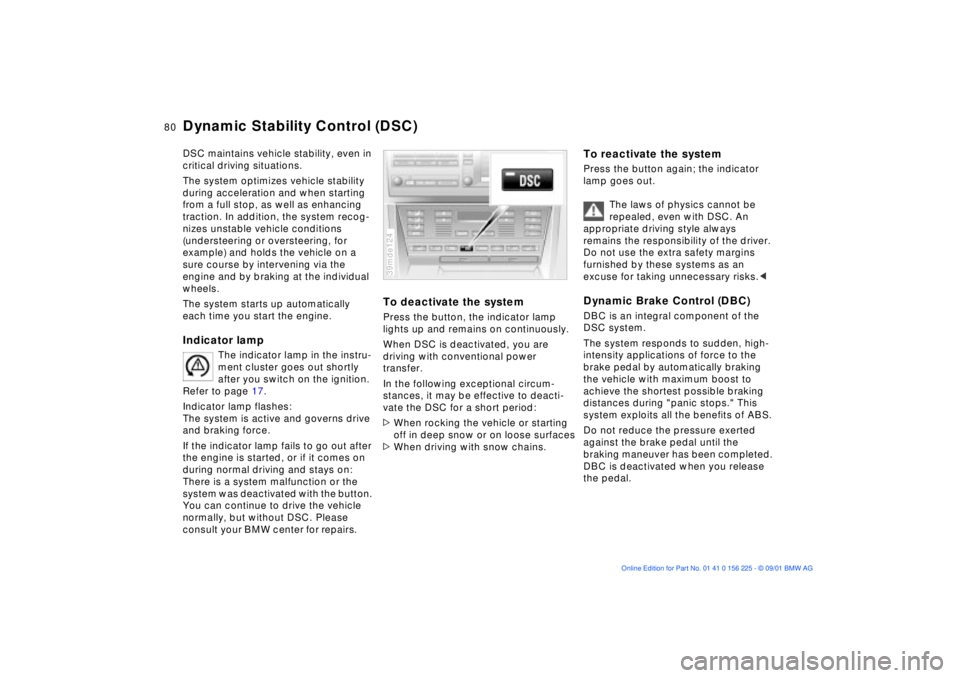
To deactivate the systemPress the button, the indicator lamp
lights up and remains on continuously.
When DSC is deactivated, you are
driving with conventional power
transfer.
In the following exceptional circum-
stances, it may be effective to deacti-
vate the DSC for a short period:
>When rocking the vehicle or starting
off in deep snow or on loose surfaces
>When driving with snow chains.39mde124
To reactivate the systemPress the button again; the indicator
lamp goes out.
The laws of physics cannot be
repealed, even with DSC. An
appropriate driving style always
remains the responsibility of the driver.
Do not use the extra safety margins
furnished by these systems as an
excuse for taking unnecessary risks.
The system responds to sudden, high-
intensity applications of force to the
brake pedal by automatically braking
the vehicle with maximum boost to
achieve the shortest possible braking
distances during "panic stops." This
system exploits all the benefits of ABS.
Do not reduce the pressure exerted
against the brake pedal until the
braking maneuver has been completed.
DBC is deactivated when you release
the pedal.
Page 82 of 154
82n
Flat Tire MonitorThe conceptThe Flat Tire Monitor keeps track of the
inflation pressures in your tires as you
drive. The system provides an alert
whenever the inflation pressure drops
significantly in one of the tires.
To initialize the Flat Tire Monitor system
with the correct tire pressures, start by
checking the inflation pressures in all
four tires, comparing them with the
figures specified in the tire pressure
table (page 23). Then correct the tire
pressures as necessary. Now you can
activate the system.
The Check Control (refer to page 66)
will inform you if the tire pressure of one
the tires has dropped significantly.
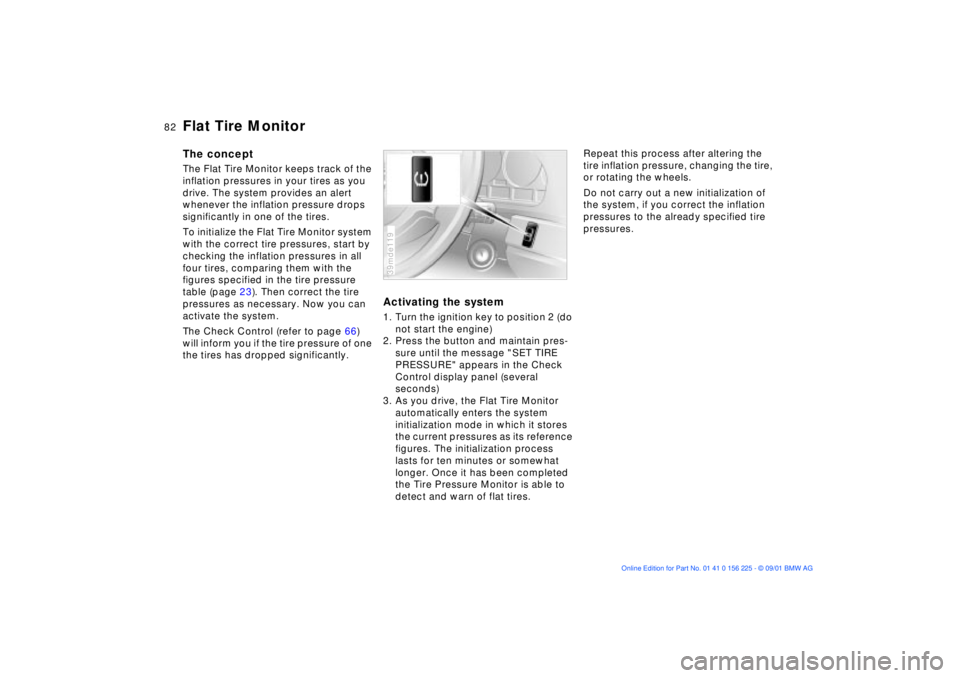
Activating the system1. Turn the ignition key to position 2 (do
not start the engine)
2. Press the button and maintain pres-
sure until the message "SET TIRE
PRESSURE" appears in the Check
Control display panel (several
seconds)
3. As you drive, the Flat Tire Monitor
automatically enters the system
initialization mode in which it stores
the current pressures as its reference
figures. The initialization process
lasts for ten minutes or somewhat
longer. Once it has been completed
the Tire Pressure Monitor is able to
detect and warn of flat tires.39mde119
Repeat this process after altering the
tire inflation pressure, changing the tire,
or rotating the wheels.
Do not carry out a new initialization of
the system, if you correct the inflation
pressures to the already specified tire
pressures.
Page 83 of 154

83n
OverviewControlsMaintenanceRepairsDataIndex
Flat Tire MonitorFlat tireIn the event of a flat tire, the message,
"TIRE DEFECT" will appear in the
Check Control. This visual alert will be
accompanied by a gong.
If this occurs, reduce vehicle speed
immediately and stop the vehicle. Avoid
hard braking and overcorrecting at the
steering wheel.
Correct the flat tire using the M Mobility
system (refer to page 128).
The Flat Tire Monitor cannot warn
of sudden serious tire damage
stemming from external causes.
Another factor which the Flat Tire
Monitor does not recognize is the
balanced and very gradual pressure
loss that takes place in all tires over an
extended period of time.<
Check the tire inflation pressure
on a regular basis and correct if
necessary. Refer to page 22.
Do not carry out any kind of system
activation when using snow chains.
Under these kinds of conditions, false
warnings and unidentified losses in
pressure are possible.
In certain circumstances, when driving
on snow-covered or slippery road
surfaces, there may be a delay in identi-
fying any loss in inflation pressure.
Performance-oriented driving (slip at
the drive wheels, high levels of lateral
acceleration) can also delay the
appearance of status reports in the Flat
Tire Monitor's display panel.<
System malfunctionsThe message "TIRECONTROL INAC-
TIVE" appears in the Check Control and
remains on until the problem is
corrected.
The same message is displayed if there
is a system malfunction.
Please refer the problem to your BMW
center.
Page 107 of 154

107n
OverviewControlsMaintenanceRepairsDataIndex
Driving notes Antilock Brake System
Brakes:
Do not rest your foot on the brake
pedal while driving. Even light but
consistent pedal pressure can lead to
high temperatures, brake wear and
possibly even brake failure.
Aquaplaning:
When driving on wet or slushy roads,
reduce vehicle speed. If you do not, a
wedge of water may form between the
tires and the road surface. This
phenomenon is referred to as aqua-
planing, or hydroplaning, and can lead
to partial or complete loss of traction,
vehicle control and braking effective-
ness.
Driving through water:
When there is water on the roads, do
not drive in it if it is deeper than 1 ft
(30 cm). If the water is at that depth,
drive only at walking speed, otherwise
the vehicle can sustain damage to the
engine, the electrical systems and the
transmission.
Rear parcel tray:
Do not place heavy or hard objects on
the rear parcel tray. If you do so, they
could pose a danger to vehicle occu-
pants during a braking or evasive
maneuver.
Clothes hooks:
When suspending clothing from the
hooks, ensure that they will not obstruct
the driver's vision. Do not hang any
heavy objects on the hooks, otherwise,
passengers could be injured e.g. during
any hard braking or evasive maneuvers,
or during an accident.<
The conceptThe Antilock Brake System (ABS) keeps
the wheels from locking during braking,
thereby enhancing active driving safety.Braking with ABSIf you are in a situation that requires full
braking, you will exploit the full benefits
of the ABS system if you apply
maximum pedal pressure ("panic stop").
Since the vehicle maintains steering
responsiveness, you can avoid possible
obstacles with a minimum of steering
effort, despite the full brake application.
Pulsation at the brake pedal combined
with sounds from the hydraulic circuits
indicates to the driver that ABS is in its
active mode.