radio BMW M5 SEDAN 2002 Owners Manual
[x] Cancel search | Manufacturer: BMW, Model Year: 2002, Model line: M5 SEDAN, Model: BMW M5 SEDAN 2002Pages: 154, PDF Size: 2.17 MB
Page 9 of 154

9n
OverviewControlsMaintenanceRepairsDataIndex
Your individual vehicle
On buying your BMW, you have
decided in favor of a model with individ-
ualized equipment and features. This
Owner's Manual describes all models
and equipment that BMW offers within
the same group.
We hope you will understand that
equipment and features are included
which you might not have chosen for
your vehicle. You can easily identify any
differences with the aid of the asterisk
*
used to identify all optional equipment
and accessories.
If your BMW features equipment that is
not described in this Owner's Manual (a
car radio or telephone, for instance), we
have enclosed Supplementary Owner's
Manuals. We ask you to read these
manuals as well.
Status at time of printing
BMW pursues a policy of continuous,
ongoing development designed to
ensure that our vehicles continue to
embody the highest quality and safety
standards combined with advanced,
state-of-the-art technology. For this
reason, it is possible that the features
described in this Owner's Manual could
differ from those on your vehicle. Nor
can errors and omissions be entirely
ruled out. We therefore request your
understanding for the fact that we are
unable to recognize any legal claims
based on the data, illustrations or
descriptions in this manual.
Status at time of printing
Your individual vehicle
Page 10 of 154
10n
For your own safety
Use unleaded gasoline only. Fuels
containing up to and including
10 % ethanol or other oxygenates with
up to 2.8 % oxygen by weight (that is,
15 % MTBE or 3 % methanol plus an
equivalent amount of co-solvent) will
not void the applicable warranties
covering defects in materials or work-
manship. Field experience has indi-
cated significant differences in fuel
quality (volatility, composition, addi-
tives, others) among gasolines offered
for sale in the United States and
Canada. The use of poor-quality fuels
may result in driveability, starting and
stalling problems, especially under
certain environmental conditions, such
as high ambient temperature and high
altitude.
Should you encounter driveability prob-
lems which you suspect could be
related to the fuel you are using, we
recommend that you respond by
switching to a recognized high-quality
brand.
Failure to comply with these recom-
mendations may result in unscheduled
maintenance.
Always observe all applicable safety
rules when you are handling gasoline.
<
Important safety information!
For your own safety, use genuine parts
and accessories approved by BMW.
When you purchase accessories tested
and approved by BMW and Original
BMW Parts, you simultaneously acquire
the assurance that they have been
thoroughly tested by BMW to ensure
optimum performance when installed
on your vehicle.
BMW warrants these parts to be free
from defects in material and workman-
ship.
BMW will not accept any liability for
damages resulting from installation of
parts and accessories not approved by
BMW.
BMW cannot test every product made
by other manufacturers to confirm that
it can be used on a BMW safely and
without risk to either the vehicle, its
operation, or its occupants.
Original BMW Parts, BMW Accessories
and other products approved by BMW,
together with professional advice on
using these items, are available from all
BMW centers.
Installation and operation of non-BMW
approved accessories such as alarms,
radios, amplifiers, radar detectors,
wheels, suspension components, brake
dust shields, telephones (including
operation of any portable cellular phone
from within the vehicle without using an
externally mounted antenna) or trans-
ceiver equipment (such as CB, walkie-
talkie, ham radio or similar) may cause
extensive damage to the vehicle,
compromise its safety, interfere with
the vehicle's electrical system or affect
the validity of the BMW Limited
Warranty. See your BMW center for
additional information.
<
Maintenance, replacement, or
repair of the emission control
devices and systems may be performed
by any automotive repair establishment
or individual using any certified auto-
motive part.
<
Symbol on vehicle parts
Indicates that you should consult
the relevant section of this
Owner's Manual for information on a
particular part or assembly.
For your own safety
Page 19 of 154
19n
OverviewControlsMaintenanceRepairsDataIndex
Steering wheel with multifunction buttons
The controls integrated within the MFL
multifunction steering wheel have been
designed to allow you to operate a
number of accessories both quickly and
safely, without taking your eyes from
the road:
>
Selected control functions for the
radio along with CD, MD and
cassette player
>
the cruise control
>
selected telephone functions
*
and
>
voice entry
*
.
The controls are active only when
the corresponding systems and
accessories are switched on.
<
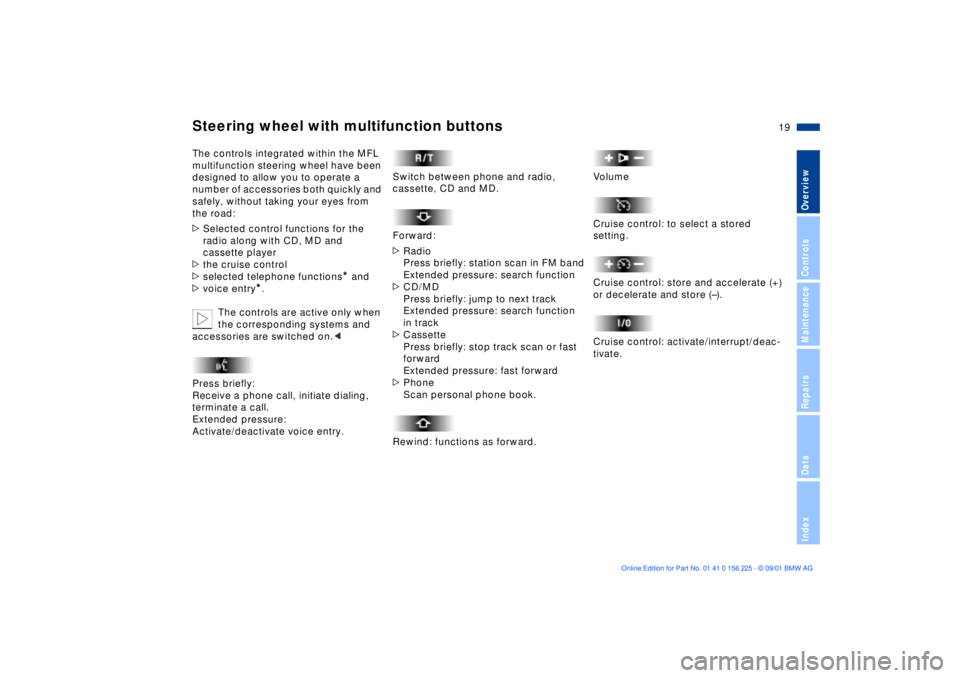
Press briefly:
Receive a phone call, initiate dialing,
terminate a call.
Extended pressure:
Activate/deactivate voice entry.
Switch between phone and radio,
cassette, CD and MD.
Forward:
>
Radio
Press briefly: station scan in FM band
Extended pressure: search function
>
CD/MD
Press briefly: jump to next track
Extended pressure: search function
in track
>
Cassette
Press briefly: stop track scan or fast
forward
Extended pressure: fast forward
>
Phone
Scan personal phone book.
Rewind: functions as forward.
Volume
Cruise control: to select a stored
setting.
Cruise control: store and accelerate (+)
or decelerate and store (Ð).
Cruise control: activate/interrupt/deac-
tivate.
Page 69 of 154
69n
OverviewControlsMaintenanceRepairsDataIndex
Multi-Information Display (MID)Central DisplayThe MID serves as the central display
and control for the following onboard
systems:
>Digital clock (e. g. time displayed in
digital numerals, date)
>Audio systems (radio, cassette, CD)
>Computer ( e.g. fuel consumption,
cruising range)
>Cellular phone ( e.g. dialing).
You will find explanations and notes for
operating the digital clock and the
computer on the following pages.
Please refer to the Owner's Manual for
operating the audio systems, the
cellular phone and the onboard
computer.
The system rejects all implausible
data entries.
All stored data will be lost if the power
supply is interrupted. Time of day,
switch-on times for parked-car ventila-
tion, distance and cruise control speed
limit may have to be reset once the
power supply has been re-estab-
lished.<
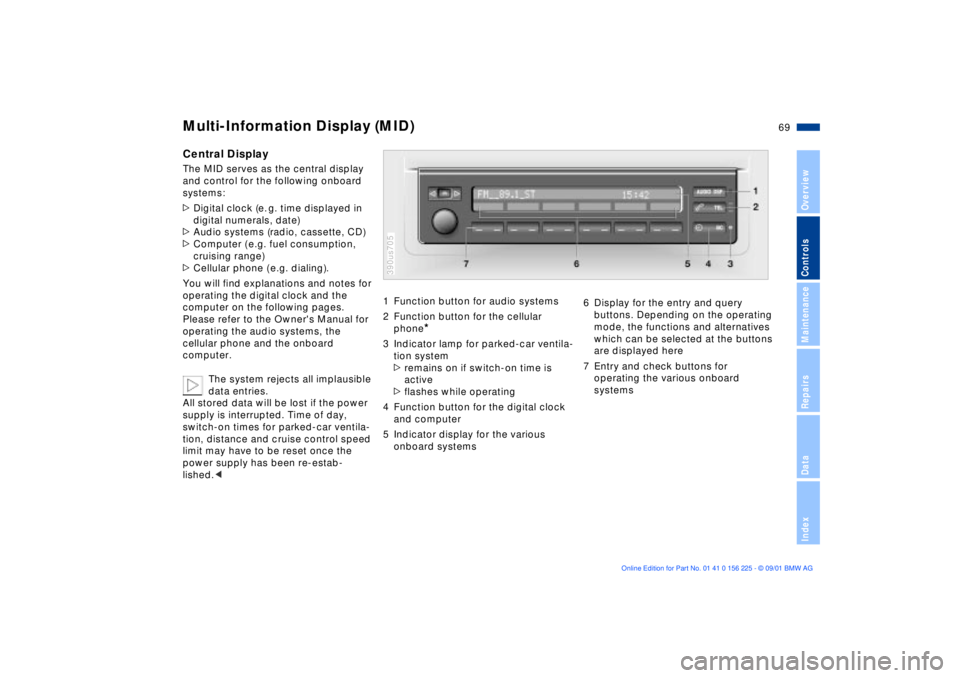
1 Function button for audio systems
2 Function button for the cellular
phone
*
3 Indicator lamp for parked-car ventila-
tion system
>remains on if switch-on time is
active
>flashes while operating
4 Function button for the digital clock
and computer
5 Indicator display for the various
onboard systems390us705
6 Display for the entry and query
buttons. Depending on the operating
mode, the functions and alternatives
which can be selected at the buttons
are displayed here
7 Entry and check buttons for
operating the various onboard
systems
Page 79 of 154
79n
OverviewControlsMaintenanceRepairsDataIndex
Park Distance Control (PDC)
*
PDC does not remove the driver's
personal responsibility for evalu-
ating the distance between the vehicle
and any obstacles. Even with the
sensors, there is a blind spot in which
objects cannot be detected. This
applies especially in those cases where
the system approaches the physical
limits of ultrasonic measurement, as
occurs with e. g. tow bars and trailer
couplings, and in the vicinity of thin or
wedge-shaped objects.
Certain sources of sound, such as a
loud radio, could drown the PDC signal
tone.<
Keep the sensors clean and free
of ice or snow in order to ensure
that they will continue to operate effec-
tively.
Do not apply high-pressure spray to the
sensors for a prolonged period of time.
Maintain an adequate distance of more
than 4 in (10 cm).<