battery BMW M5 SEDAN 2003 User Guide
[x] Cancel search | Manufacturer: BMW, Model Year: 2003, Model line: M5 SEDAN, Model: BMW M5 SEDAN 2003Pages: 155, PDF Size: 1.87 MB
Page 92 of 155
92n
Roller sun blind
*
Parked-car ventilation
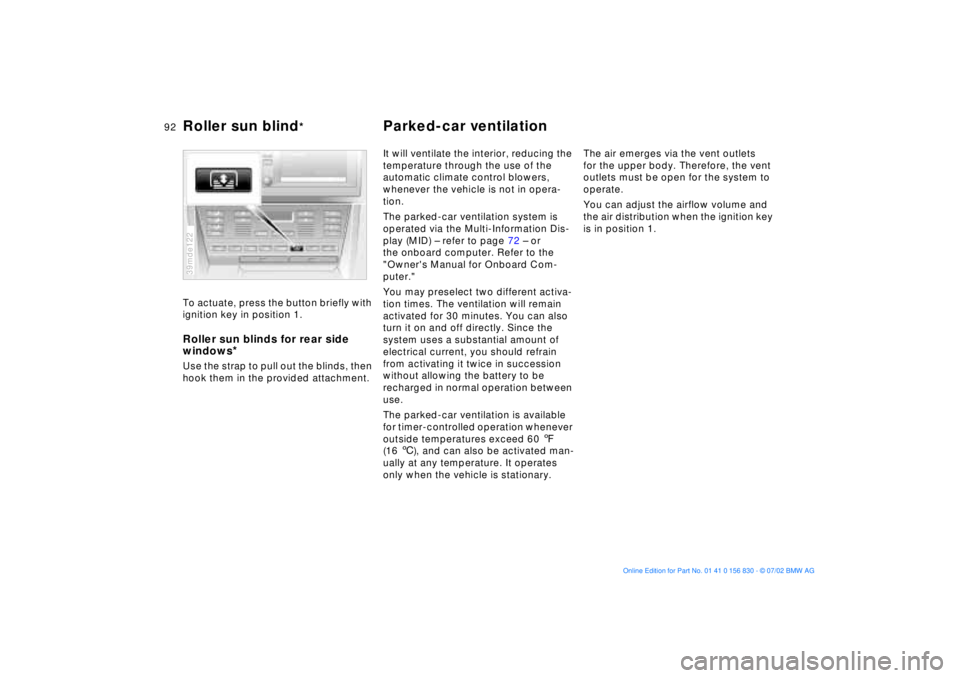
To actuate, press the button briefly with
ignition key in position 1. Roller sun blinds for rear side
windows
*
Use the strap to pull out the blinds, then
hook them in the provided attachment.39mde122
It will ventilate the interior, reducing the
temperature through the use of the
automatic climate control blowers,
whenever the vehicle is not in opera-
tion.
The parked-car ventilation system is
operated via the Multi-Information Dis-
play (MID) Ð refer to page 72 Ð or
the onboard computer. Refer to the
"Owner's Manual for Onboard Com-
puter."
You may preselect two different activa-
tion times. The ventilation will remain
activated for 30 minutes. You can also
turn it on and off directly. Since the
system uses a substantial amount of
electrical current, you should refrain
from activating it twice in succession
without allowing the battery to be
recharged in normal operation between
use.
The parked-car ventilation is available
for timer-controlled operation whenever
outside temperatures exceed 60 7
(16 6), and can also be activated man-
ually at any temperature. It operates
only when the vehicle is stationary.The air emerges via the vent outlets
for the upper body. Therefore, the vent
outlets must be open for the system to
operate.
You can adjust the airflow volume and
the air distribution when the ignition key
is in position 1.
Page 120 of 155
120n
Technical modifications California Proposition 65 WarningLight-emitting diodes (LEDs)Light-emitting diodes installed behind
translucent lenses serve as the light
source for many of the controls and dis-
plays in your vehicle. The concept
behind their operation is related to that
employed for lasers.
Do not remove the protective lens
and avoid staring directly at the
unfiltered beam for extended periods
(several hours), as inflammation of the
iris could result.<
California laws require us to state the
following warning:
Engine exhaust, some of its con-
stituents, and certain vehicle com-
ponents contain or emit chemicals
known to the State of California to
cause cancer and birth defects and
reproductive harm. In addition, certain
fluids contained in vehicles and certain
products of component wear contain or
emit chemicals known to the State of
California to cause cancer and birth
defects or other reproductive harm.
Battery posts, terminals and related
accessories contain lead and lead
compounds. Wash your hands after
handling.
Used engine oil contains chemicals that
have caused cancer in laboratory ani-
mals. Always protect your skin by
washing thoroughly with soap and
water.<
Page 124 of 155
124n
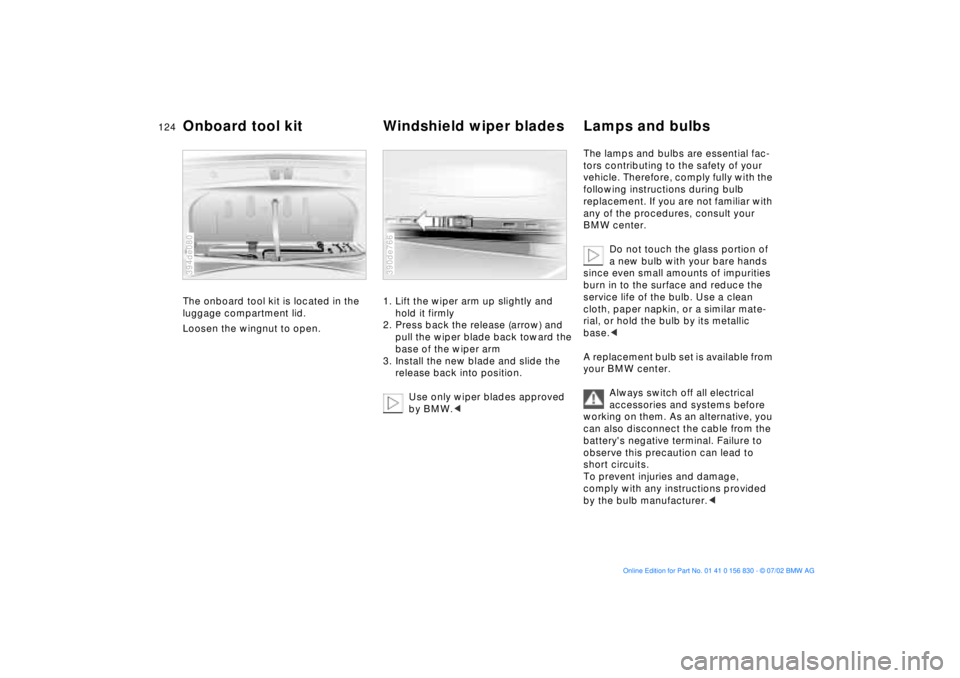
The onboard tool kit is located in the
luggage compartment lid.
Loosen the wingnut to open.
394de080
1. Lift the wiper arm up slightly and
hold it firmly
2. Press back the release (arrow) and
pull the wiper blade back toward the
base of the wiper arm
3. Install the new blade and slide the
release back into position.
Use only wiper blades approved
by BMW.< 390de766
The lamps and bulbs are essential fac-
tors contributing to the safety of your
vehicle. Therefore, comply fully with the
following instructions during bulb
replacement. If you are not familiar with
any of the procedures, consult your
BMW center.
Do not touch the glass portion of
a new bulb with your bare hands
since even small amounts of impurities
burn in to the surface and reduce the
service life of the bulb. Use a clean
cloth, paper napkin, or a similar mate-
rial, or hold the bulb by its metallic
base.<
A replacement bulb set is available from
your BMW center.
Always switch off all electrical
accessories and systems before
working on them. As an alternative, you
can also disconnect the cable from the
battery's negative terminal. Failure to
observe this precaution can lead to
short circuits.
To prevent injuries and damage,
comply with any instructions provided
by the bulb manufacturer.<
Onboard tool kit Windshield wiper blades Lamps and bulbs
Page 131 of 155
131n
OverviewControlsMaintenanceRepairsDataIndex
Repairing a flat tire Battery
If the inflation pressure does not
hold, complete step 10 and then
repeat steps 7 through 10.
The use of the M Mobility system may
be ineffective if the damaged area in
the tire is larger than approx. 0.15 in
(4 mm). If it should prove impossible to
restore the tire to operational status
using the M Mobility system, please
contact the nearest BMW center or
BMW Roadside Assistance at
1-800-332-4269.<
10. Unscrew the hose from the valve
and stow the M Mobility system in
the luggage compartment. Screw
the cap back onto the valve stem.
When you start driving again, do not
exceed the permissible maximum
speed of 50 mph (80 km/h).
You will find corresponding instructions
for using the M Mobility system on the
device.
Replace the defective tire as soon as
possible and have the wheel and tire
balanced. Reactivate the Flat Tire Mon-
itor, for additional information refer to
page 82. Have the M Mobility system
recharged. Contact your BMW center
for this.
Protect valve stems and valves from dirt
using screw-on valve stem caps. Dirty
valve stems frequently lead to slow
pressure loss.Battery posts, terminals and
related accessories contain lead
and lead compounds. Wash hands after
handling.<
Battery careThe battery is completely maintenance-
free. That means that the original elec-
trolyte will normally last for the service
life of the battery under moderate cli-
matic conditions.
Please consult the staff at your
BMW center whenever you have
any questions concerning the battery.
The battery is completely maintenance-
free; the following section is provided
for your information only.<
Never disconnect the battery
when the engine is running; the
ensuing voltage surge would seriously
damage the vehicle's onboard elec-
tronic systems.<
Page 132 of 155
132n
Battery FusesCharging the battery Recharge the battery only with the
engine off, using the auxiliary terminals
provided in the engine compartment
(for information on these terminals refer
to "Jump-starting" on page 133).
Avoid environmental pollution
when disposing of old batteries.<
Return used batteries to a recy-
cling point or your BMW center.
Maintain the battery in an upright posi-
tion for transport and storage. Secure
the battery to prevent it from tilting
during transport.<
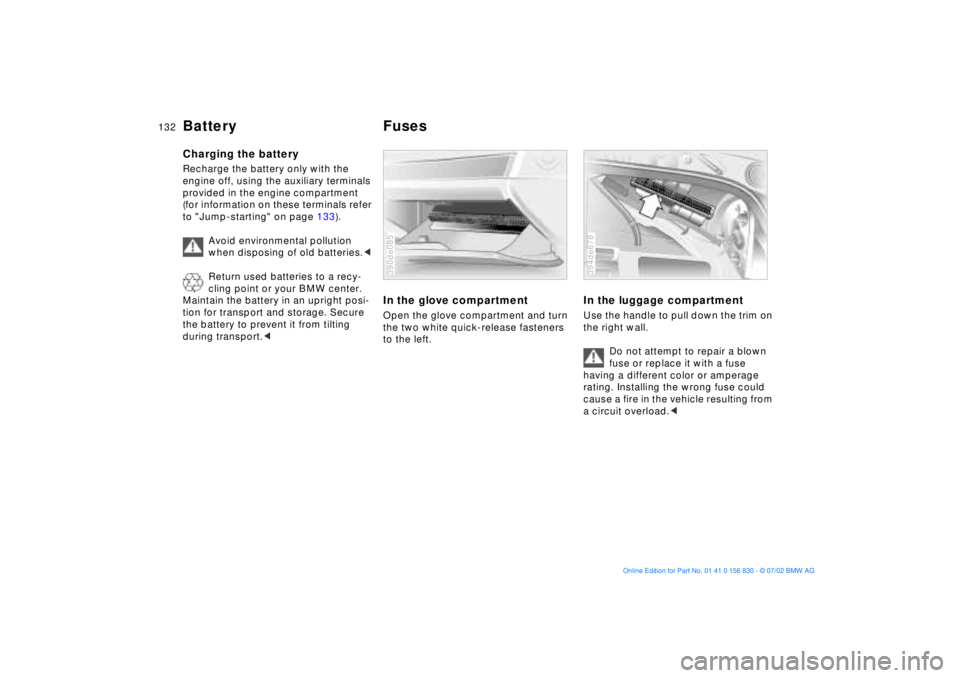
In the glove compartmentOpen the glove compartment and turn
the two white quick-release fasteners
to the left.390de085
In the luggage compartmentUse the handle to pull down the trim on
the right wall.
Do not attempt to repair a blown
fuse or replace it with a fuse
having a different color or amperage
rating. Installing the wrong fuse could
cause a fire in the vehicle resulting from
a circuit overload.<394de678
Page 133 of 155
133n
OverviewControlsMaintenanceRepairsDataIndex
Do not use spray starter fluids to start
the engine.
When your battery is discharged you
can used two jumper cables to start
your vehicle with power from the bat-
tery in a second vehicle. You can also
use the same method to help start
another vehicle. Use only jumper cables
with fully insulated handles on the ter-
minal clamps.
Do not touch high-voltage wiring
and cables on a running engine.
There is a risk of fatal injury if you do
this. Carefully observe the following
instructions to avoid personal injury
and/or damage to one or both vehi-
cles.<
1. Ensure that the battery in the sup-
port vehicle is also rated at
12 volts. This information is pro-
vided on the top of the battery
casing
2. Do not disconnect your battery from
your vehicle's electrical system.
Switch off all electrical accessories
in both vehicles
3. Make absolutely certain that there
is no contact between the body-
work of the two vehicles Ð short cir-
cuit hazard
4. Start the engine on the support
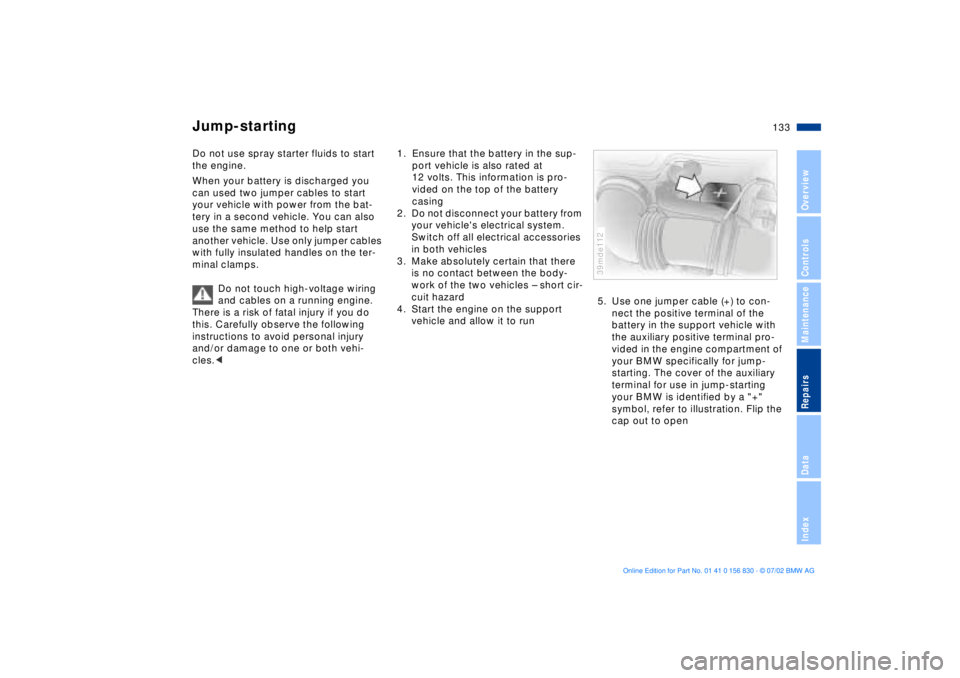
vehicle and allow it to run5. Use one jumper cable (+) to con-
nect the positive terminal of the
battery in the support vehicle with
the auxiliary positive terminal pro-
vided in the engine compartment of
your BMW specifically for jump-
starting. The cover of the auxiliary
terminal for use in jump-starting
your BMW is identified by a "+"
symbol, refer to illustration. Flip the
cap out to open
39mde112
Jump-starting
Page 134 of 155
134n
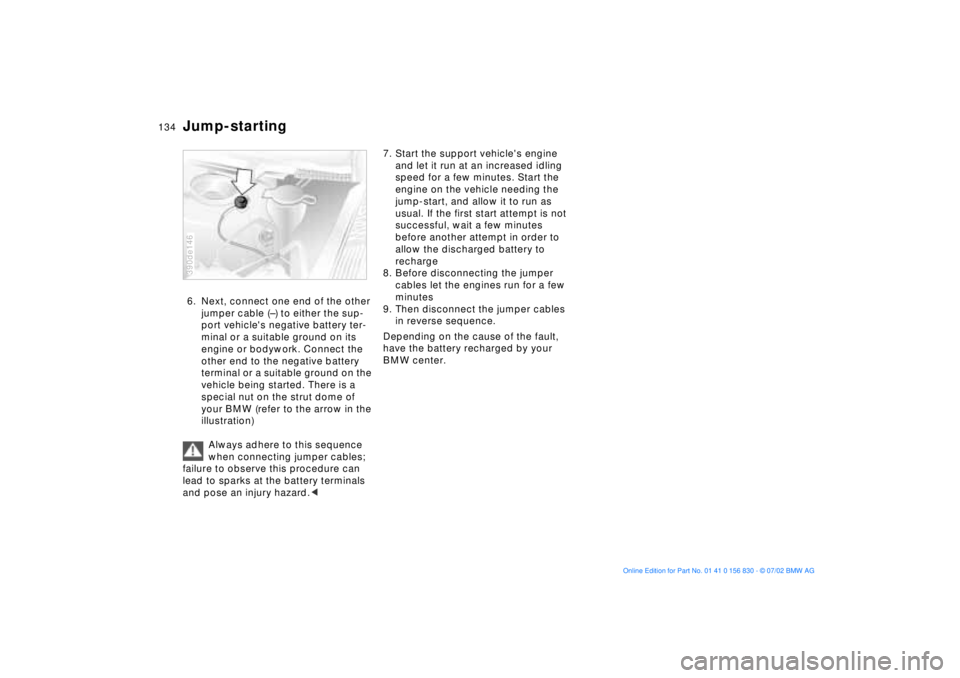
Jump-starting6. Next, connect one end of the other
jumper cable (Ð) to either the sup-
port vehicle's negative battery ter-
minal or a suitable ground on its
engine or bodywork. Connect the
other end to the negative battery
terminal or a suitable ground on the
vehicle being started. There is a
special nut on the strut dome of
your BMW (refer to the arrow in the
illustration)
Always adhere to this sequence
when connecting jumper cables;
failure to observe this procedure can
lead to sparks at the battery terminals
and pose an injury hazard.<390de146
7. Start the support vehicle's engine
and let it run at an increased idling
speed for a few minutes. Start the
engine on the vehicle needing the
jump-start, and allow it to run as
usual. If the first start attempt is not
successful, wait a few minutes
before another attempt in order to
allow the discharged battery to
recharge
8. Before disconnecting the jumper
cables let the engines run for a few
minutes
9. Then disconnect the jumper cables
in reverse sequence.
Depending on the cause of the fault,
have the battery recharged by your
BMW center.
Page 146 of 155
Everything from A to ZA
ABS (Antilock Brake
System)17, 107
Activated-charcoal filter91
Active seat43
Adding
brake fluid118t
engine coolant118t
engine oil116t
washer fluid115t
Adjusting
backrest41
head restraints43
mirrors48
seats40
steering wheel47
temperature89
Air conditioning90
Air distribution89
Air pressure, tires22, 109
Air supply89
Airbags17, 49
Alarm system35
Anchorage points
child-restraint system with
tether strap52
Antifreeze118
Antilock Brake System
(ABS)17, 107
Aquaplaning107, 109 Ashtray
front97
rear98
Attach vacuum cleaner98
AUC (Automatic recircu-
lated-air control)90
Automatic climate
control87
removing condensation
from the windows89
Automatic cruise control61
Automatic curb monitor46
Automatic dimming
exterior mirror48
interior rearview mirror48
Automatic recirculated-air
control (AUC)90
Automatic steering wheel
adjustment47
Automatic windshield
washer60
Average fuel
consumption75
Average speed76
Avoiding unintentional
alarms36
Axle loads142
B
Backrest, adjusting41
Backup lamps59
bulb replacement126t
Battery131
care131
charging131
discharged133t
Belts44
Beverage holder97
Blower89
BMW active seat43
BMW comfort seat42
BMW High Performance
Synthetic Oil117
BMW M sport seat41
BMW Maintenance
System119
BMW Universal
Transmitter93
Bottle holder, refer to
Beverage holder97
Brake fluid118
disposal118
Brake hydraulic system,
brake pads16
Brake system108
brake fluid level108
brake linings108
malfunctions108t
Break-in procedures106 Bulbs and lamps124
C
California Proposition
65 Warning120
Capacities143
Car telephone97
Cargo loading102
Cellular phone97
refer also to the separate
Owner's Manual97
Center (high mount) brake
lamp127
Central locking system26
key31
Charging the battery132t
CHECK button66
Check Control66
Check engine oil
level115t
Check tire inflation
pressure22t, 109
Child seats51
Child-restraint
installation53
Child-restraint system with
tether strap52
Cigarette lighter98
Clock70
refer also to the "Owner's
Manual for Onboard
Computer"
Page 147 of 155
Everything from A to Z
147n
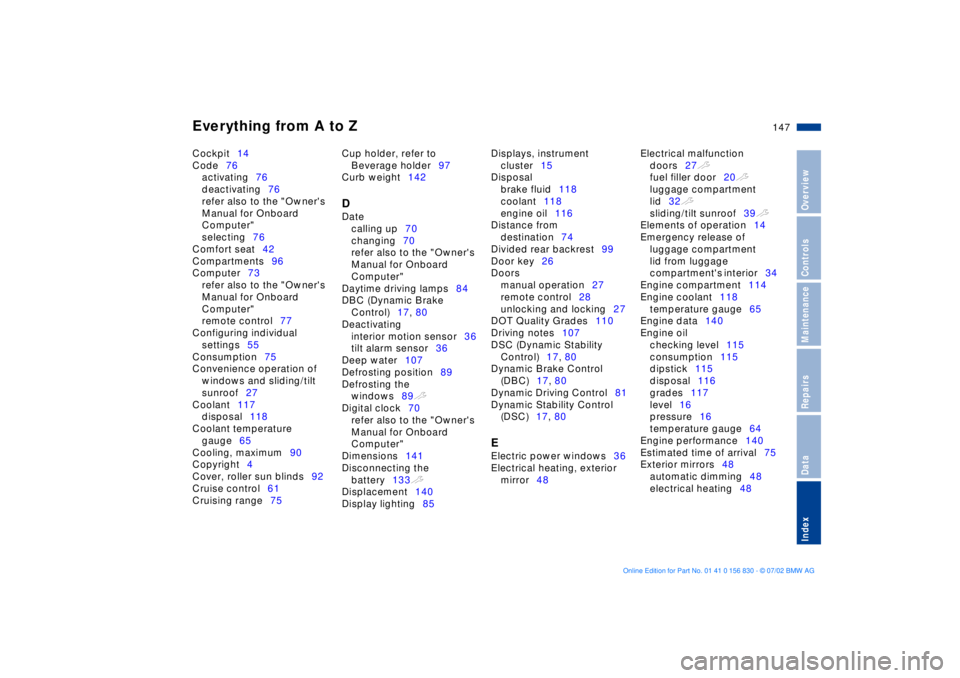
OverviewControlsMaintenanceRepairsDataIndex
Cockpit14
Code76
activating76
deactivating76
refer also to the "Owner's
Manual for Onboard
Computer"
selecting76
Comfort seat42
Compartments96
Computer73
refer also to the "Owner's
Manual for Onboard
Computer"
remote control77
Configuring individual
settings55
Consumption75
Convenience operation of
windows and sliding/tilt
sunroof27
Coolant117
disposal118
Coolant temperature
gauge65
Cooling, maximum90
Copyright4
Cover, roller sun blinds92
Cruise control61
Cruising range75 Cup holder, refer to
Beverage holder97
Curb weight142
D
Date
calling up70
changing70
refer also to the "Owner's
Manual for Onboard
Computer"
Daytime driving lamps84
DBC (Dynamic Brake
Control)17, 80
Deactivating
interior motion sensor36
tilt alarm sensor36
Deep water107
Defrosting position89
Defrosting the
windows89t
Digital clock70
refer also to the "Owner's
Manual for Onboard
Computer"
Dimensions141
Disconnecting the
battery133t
Displacement140
Display lighting85 Displays, instrument
cluster15
Disposal
brake fluid118
coolant118
engine oil116
Distance from
destination74
Divided rear backrest99
Door key26
Doors
manual operation27
remote control28
unlocking and locking27
DOT Quality Grades110
Driving notes107
DSC (Dynamic Stability
Control)17, 80
Dynamic Brake Control
(DBC)17, 80
Dynamic Driving Control81
Dynamic Stability Control
(DSC)17, 80
E
Electric power windows36
Electrical heating, exterior
mirror48 Electrical malfunction
doors27t
fuel filler door20t
luggage compartment
lid32t
sliding/tilt sunroof39t
Elements of operation14
Emergency release of
luggage compartment
lid from luggage
compartment's interior34
Engine compartment114
Engine coolant118
temperature gauge65
Engine data140
Engine oil
checking level115
consumption115
dipstick115
disposal116
grades117
level16
pressure16
temperature gauge64
Engine performance140
Estimated time of arrival75
Exterior mirrors48
automatic dimming48
electrical heating48
Page 151 of 155
Everything from A to Z
151n
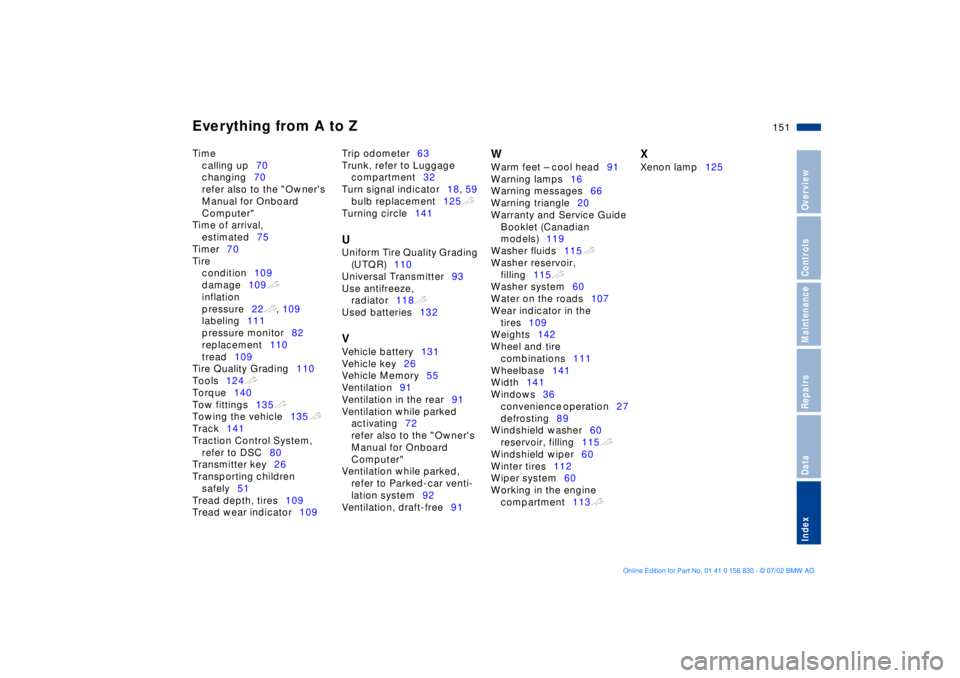
OverviewControlsMaintenanceRepairsDataIndex
Time
calling up70
changing70
refer also to the "Owner's
Manual for Onboard
Computer"
Time of arrival,
estimated75
Timer70
Tire
condition109
damage109t
inflation
pressure22t, 109
labeling111
pressure monitor82
replacement110
tread109
Tire Quality Grading110
Tools124t
Torque140
Tow fittings135t
Towing the vehicle135t
Track141
Traction Control System,
refer to DSC80
Transmitter key26
Transporting children
safely51
Tread depth, tires109
Tread wear indicator109 Trip odometer63
Trunk, refer to Luggage
compartment32
Turn signal indicator18, 59
bulb replacement125t
Turning circle141
U
Uniform Tire Quality Grading
(UTQR)110
Universal Transmitter93
Use antifreeze,
radiator118t
Used batteries132 V
Vehicle battery131
Vehicle key26
Vehicle Memory55
Ventilation91
Ventilation in the rear91
Ventilation while parked
activating72
refer also to the "Owner's
Manual for Onboard
Computer"
Ventilation while parked,
refer to Parked-car venti-
lation system92
Ventilation, draft-free91
W
Warm feet Ð cool head91
Warning lamps16
Warning messages66
Warning triangle20
Warranty and Service Guide
Booklet (Canadian
models)119
Washer fluids115t
Washer reservoir,
filling115t
Washer system60
Water on the roads107
Wear indicator in the
tires109
Weights142
Wheel and tire
combinations111
Wheelbase141
Width141
Windows36
convenience operation27
defrosting89
Windshield washer60
reservoir, filling115t
Windshield wiper60
Winter tires112
Wiper system60
Working in the engine
compartment113t
X
Xenon lamp125