light BMW M5 SEDAN 2003 User Guide
[x] Cancel search | Manufacturer: BMW, Model Year: 2003, Model line: M5 SEDAN, Model: BMW M5 SEDAN 2003Pages: 155, PDF Size: 1.87 MB
Page 38 of 155
38n
Sliding/tilt sunroof
*
To prevent injuries, exercise
care when closing the sliding/tilt
sunroof and keep it in your field of
vision until it is shut.
Before leaving the vehicle, switch off
the electric sunroof mechanism by
removing the ignition key. Do not leave
children unattended in the vehicle with
access to vehicle keys. The key can be
used to start the engine and to operate
vehicle systems such as the power sun-
roof, etc. Unsupervised use of these
systems can result in serious personal
injury.<
For convenience operation via the door
lock or remote control, refer to page 27
or 29.
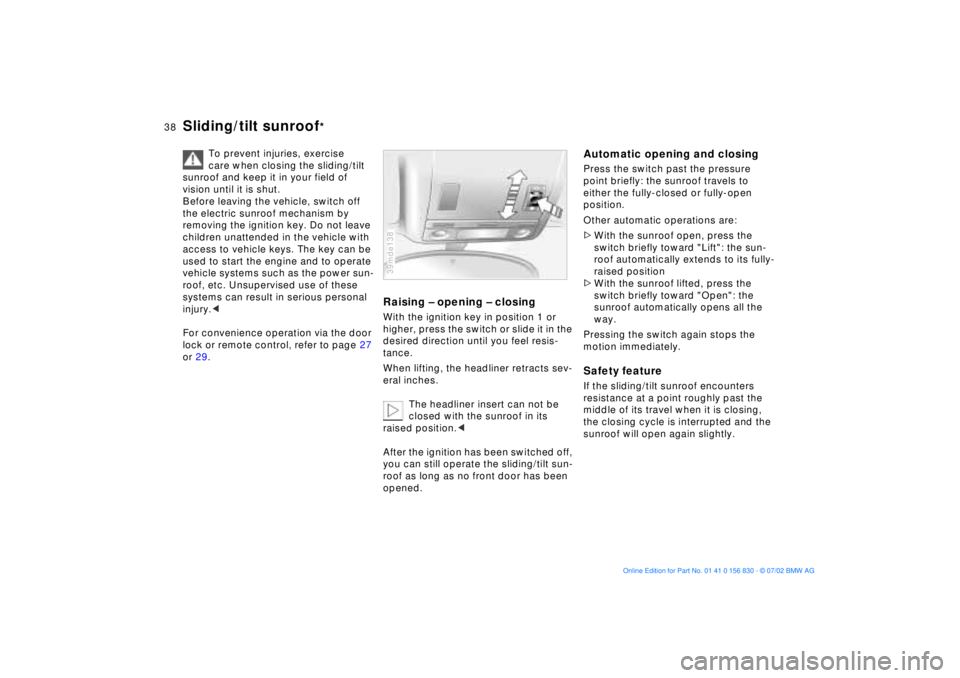
Raising Ð opening Ð closingWith the ignition key in position 1 or
higher, press the switch or slide it in the
desired direction until you feel resis-
tance.
When lifting, the headliner retracts sev-
eral inches.
The headliner insert can not be
closed with the sunroof in its
raised position.<
After the ignition has been switched off,
you can still operate the sliding/tilt sun-
roof as long as no front door has been
opened.39mde138
Automatic opening and closingPress the switch past the pressure
point briefly: the sunroof travels to
either the fully-closed or fully-open
position.
Other automatic operations are:
>With the sunroof open, press the
switch briefly toward "Lift": the sun-
roof automatically extends to its fully-
raised position
>With the sunroof lifted, press the
switch briefly toward "Open": the
sunroof automatically opens all the
way.
Pressing the switch again stops the
motion immediately.Safety featureIf the sliding/tilt sunroof encounters
resistance at a point roughly past the
middle of its travel when it is closing,
the closing cycle is interrupted and the
sunroof will open again slightly.
Page 42 of 155
42n
BMW comfort seat
*
This seat also allows you to make addi-
tional adjustments using the power seat
system (refer to BMW M sport seat,
page 41) for
1 Lumbar support
2 Shoulder support
Please refer to the adjustment
instructions on page 40 to reduce
the risk of personal injury.
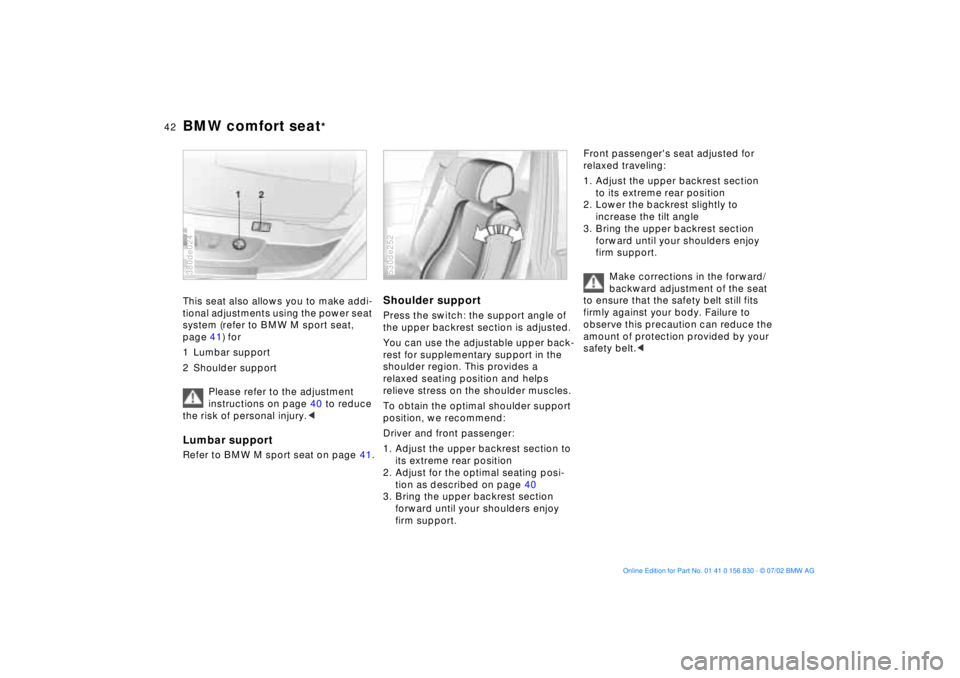
the upper backrest section is adjusted.
You can use the adjustable upper back-
rest for supplementary support in the
shoulder region. This provides a
relaxed seating position and helps
relieve stress on the shoulder muscles.
To obtain the optimal shoulder support
position, we recommend:
Driver and front passenger:
1. Adjust the upper backrest section to
its extreme rear position
2. Adjust for the optimal seating posi-
tion as described on page 40
3. Bring the upper backrest section
forward until your shoulders enjoy
firm support.530de252
Front passenger's seat adjusted for
relaxed traveling:
1. Adjust the upper backrest section
to its extreme rear position
2. Lower the backrest slightly to
increase the tilt angle
3. Bring the upper backrest section
forward until your shoulders enjoy
firm support.
Make corrections in the forward/
backward adjustment of the seat
to ensure that the safety belt still fits
firmly against your body. Failure to
observe this precaution can reduce the
amount of protection provided by your
safety belt.<
Page 45 of 155
45n
OverviewControlsMaintenanceRepairsDataIndex
Seat, mirror and steering wheel memory
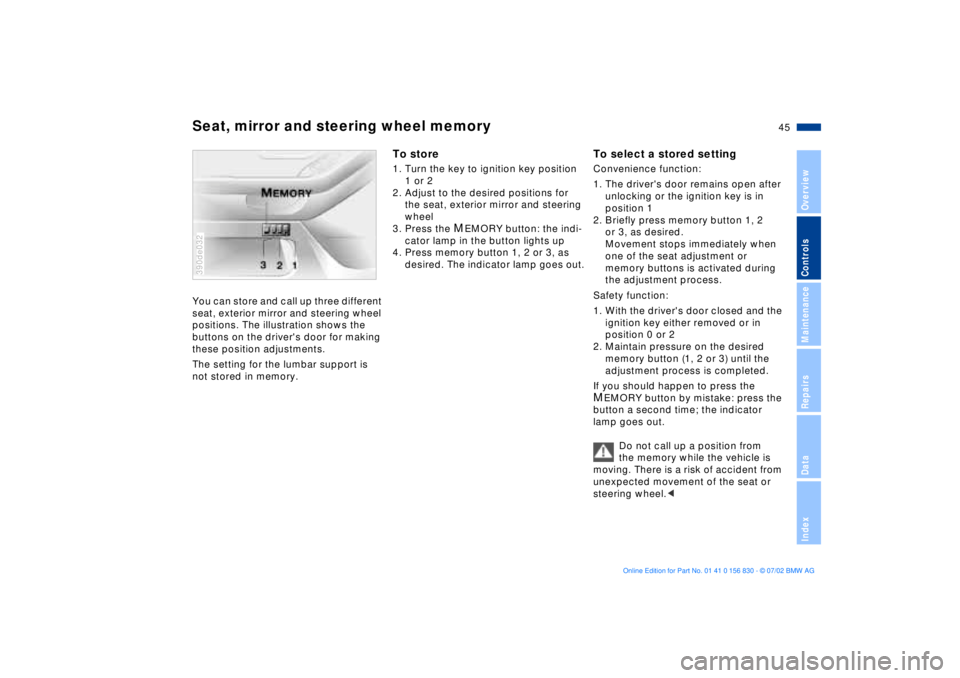
You can store and call up three different
seat, exterior mirror and steering wheel
positions. The illustration shows the
buttons on the driver's door for making
these position adjustments.
The setting for the lumbar support is
not stored in memory. 390de032
To store1. Turn the key to ignition key position
1 or 2
2. Adjust to the desired positions for
the seat, exterior mirror and steering
wheel
3. Press the
MEMORY button: the indi-
cator lamp in the button lights up
4. Press memory button 1, 2 or 3, as
desired. The indicator lamp goes out.
To select a stored settingConvenience function:
1. The driver's door remains open after
unlocking or the ignition key is in
position 1
2. Briefly press memory button 1, 2
or 3, as desired.
Movement stops immediately when
one of the seat adjustment or
memory buttons is activated during
the adjustment process.
Safety function:
1. With the driver's door closed and the
ignition key either removed or in
position 0 or 2
2. Maintain pressure on the desired
memory button (1, 2 or 3) until the
adjustment process is completed.
If you should happen to press the MEMORY button by mistake: press the
button a second time; the indicator
lamp goes out.
Do not call up a position from
the memory while the vehicle is
moving. There is a risk of accident from
unexpected movement of the seat or
steering wheel.<
Page 46 of 155
46n
Seat, mirror and steering wheel memory Seat heating
Your BMW center can adjust
your vehicle's systems in such a
manner that your personalized settings
are automatically called up for the seat,
mirror and steering wheel positions
when you unlock the vehicle with your
personal remote control key.<
Before using the key memory fea-
ture to unlock the vehicle always
ensure that no objects are stored in the
footwell behind the driver's seat. If you
fail to do so, persons or objects could
be injured or damaged if the seat
should move backward.<
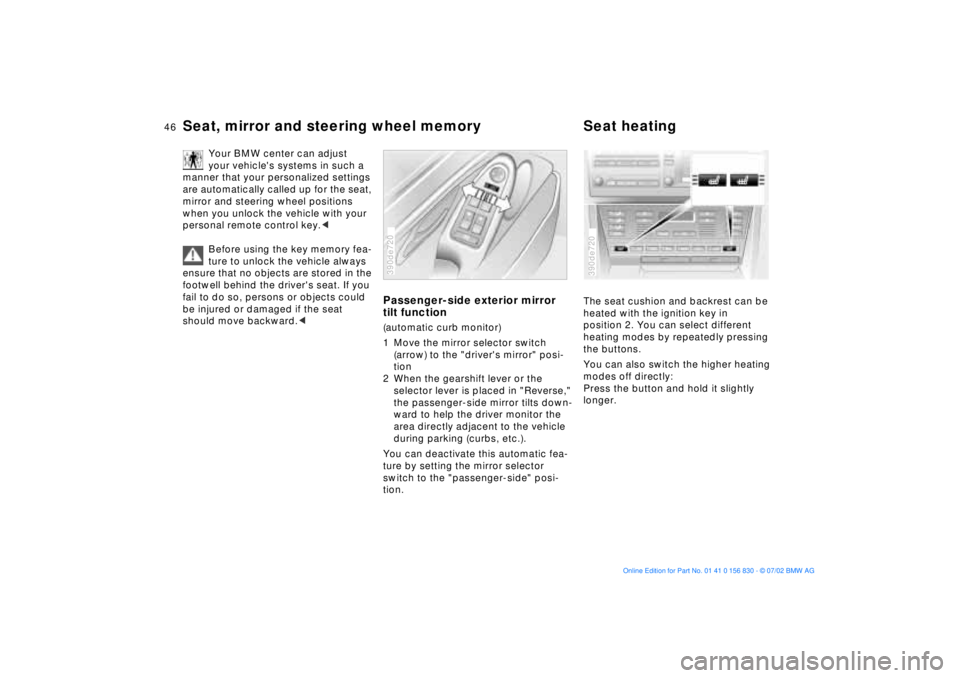
Passenger-side exterior mirror
tilt function(automatic curb monitor)
1 Move the mirror selector switch
(arrow) to the "driver's mirror" posi-
tion
2 When the gearshift lever or the
selector lever is placed in "Reverse,"
the passenger-side mirror tilts down-
ward to help the driver monitor the
area directly adjacent to the vehicle
during parking (curbs, etc.).
You can deactivate this automatic fea-
ture by setting the mirror selector
switch to the "passenger-side" posi-
tion.390de720
The seat cushion and backrest can be
heated with the ignition key in
position 2. You can select different
heating modes by repeatedly pressing
the buttons.
You can also switch the higher heating
modes off directly:
Press the button and hold it slightly
longer.390de720
Page 51 of 155
51n
OverviewControlsMaintenanceRepairsDataIndex
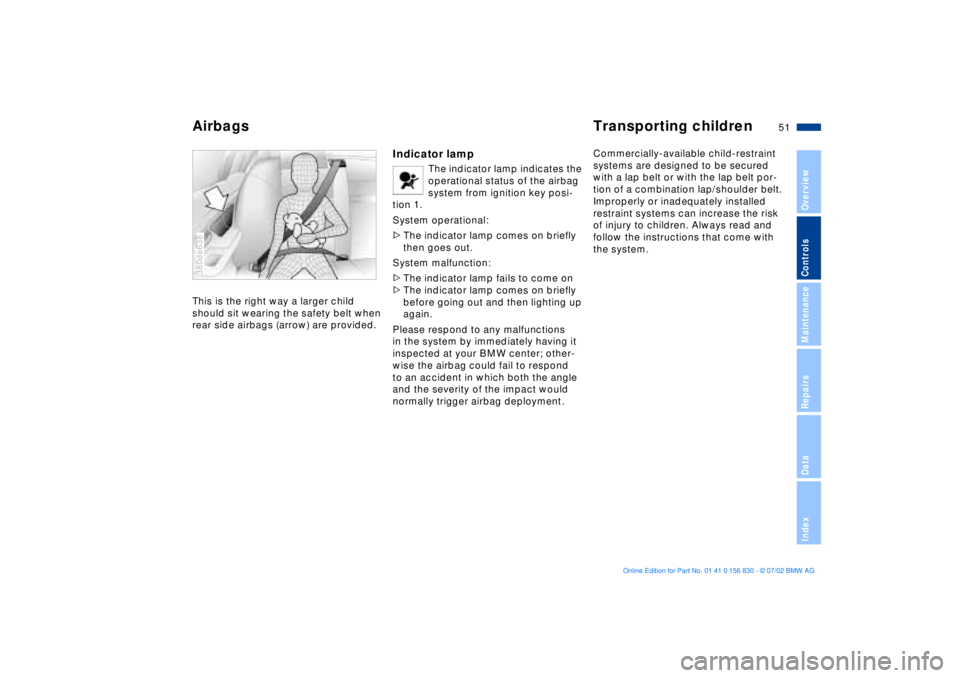
Airbags Transporting childrenThis is the right way a larger child
should sit wearing the safety belt when
rear side airbags (arrow) are provided.380de638
Indicator lamp
The indicator lamp indicates the
operational status of the airbag
system from ignition key posi-
tion 1.
System operational:
>The indicator lamp comes on briefly
then goes out.
System malfunction:
>The indicator lamp fails to come on
>The indicator lamp comes on briefly
before going out and then lighting up
again.
Please respond to any malfunctions
in the system by immediately having it
inspected at your BMW center; other-
wise the airbag could fail to respond
to an accident in which both the angle
and the severity of the impact would
normally trigger airbag deployment.
Commercially-available child-restraint
systems are designed to be secured
with a lap belt or with the lap belt por-
tion of a combination lap/shoulder belt.
Improperly or inadequately installed
restraint systems can increase the risk
of injury to children. Always read and
follow the instructions that come with
the system.
Page 56 of 155
56n
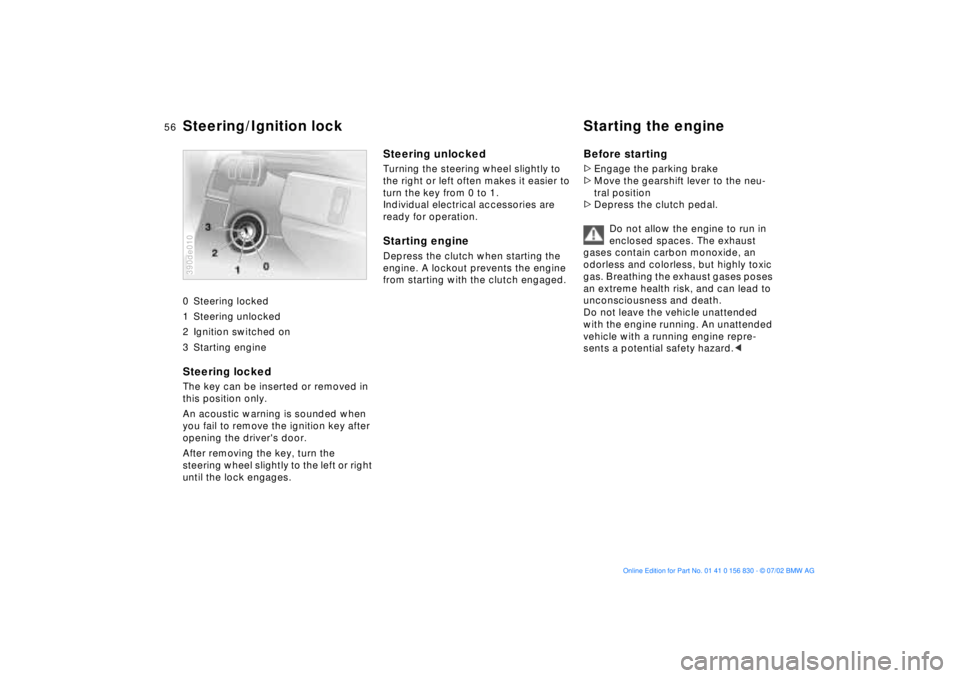
0 Steering locked
1 Steering unlocked
2 Ignition switched on
3 Starting engine
Steering locked The key can be inserted or removed in
this position only.
An acoustic warning is sounded when
you fail to remove the ignition key after
opening the driver's door.
After removing the key, turn the
steering wheel slightly to the left or right
until the lock engages. 390de010
Steering unlocked Turning the steering wheel slightly to
the right or left often makes it easier to
turn the key from 0 to 1.
Individual electrical accessories are
ready for operation.Starting engine Depress the clutch when starting the
engine. A lockout prevents the engine
from starting with the clutch engaged.
Before starting>Engage the parking brake
>Move the gearshift lever to the neu-
tral position
>Depress the clutch pedal.
Do not allow the engine to run in
enclosed spaces. The exhaust
gases contain carbon monoxide, an
odorless and colorless, but highly toxic
gas. Breathing the exhaust gases poses
an extreme health risk, and can lead to
unconsciousness and death.
Do not leave the vehicle unattended
with the engine running. An unattended
vehicle with a running engine repre-
sents a potential safety hazard.<
Steering/Ignition lock Starting the engine
Page 58 of 155
58n
Parking brake Manual transmission The parking brake is designed primarily
to prevent the vehicle from rolling when
it is parked. It operates on the rear
wheels.To engageThe lever engages automatically when
it is pulled up, and the "PARK BRAKE"
(in Canada "P") indicator lamp comes
on in the instrument cluster in ignition
key position 2. Refer to page 17. To releasePull up slightly on the lever, press the
button and lower the lever.390de714
If, in exceptional circumstances, it
should be necessary to engage
the parking brake while the vehicle is in
motion, do not pull it with excessive
pressure. Keep your thumb pressed
against the release button while care-
fully pulling the lever up to apply mod-
erate pressure.
Excessive pressure can lead to over-
braking and loss of traction (fishtailing)
at the rear axle.
The brake lamps do not come on when
the parking brake is applied. Always
engage the parking brake when parking
on hills and inclined surfaces, as even
first gear or reverse may not provide
adequate resistance to rolling.<
You can help prevent corrosion and
maintain balanced braking by periodi-
cally pulling up the parking brake lever
gently while coasting to a stop at a
traffic light. Always check traffic condi-
tions first to avoid posing a hazard to
yourself or other road users.
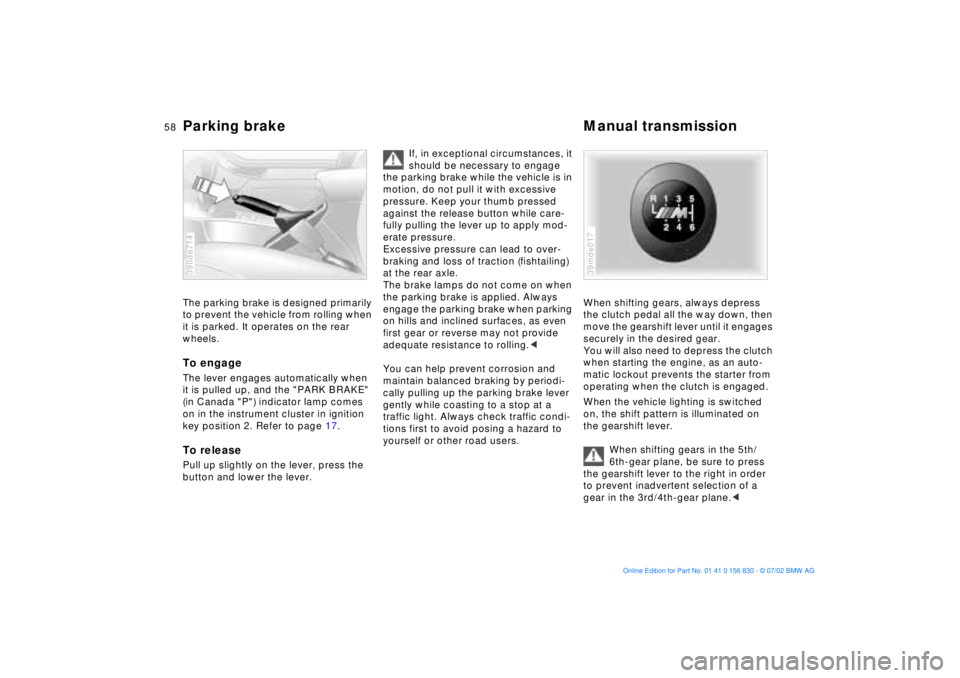
When shifting gears, always depress
the clutch pedal all the way down, then
move the gearshift lever until it engages
securely in the desired gear.
You will also need to depress the clutch
when starting the engine, as an auto-
matic lockout prevents the starter from
operating when the clutch is engaged.
When the vehicle lighting is switched
on, the shift pattern is illuminated on
the gearshift lever.
When shifting gears in the 5th/
6th-gear plane, be sure to press
the gearshift lever to the right in order
to prevent inadvertent selection of a
gear in the 3rd/4th-gear plane.<39mde017
Page 64 of 155
64n
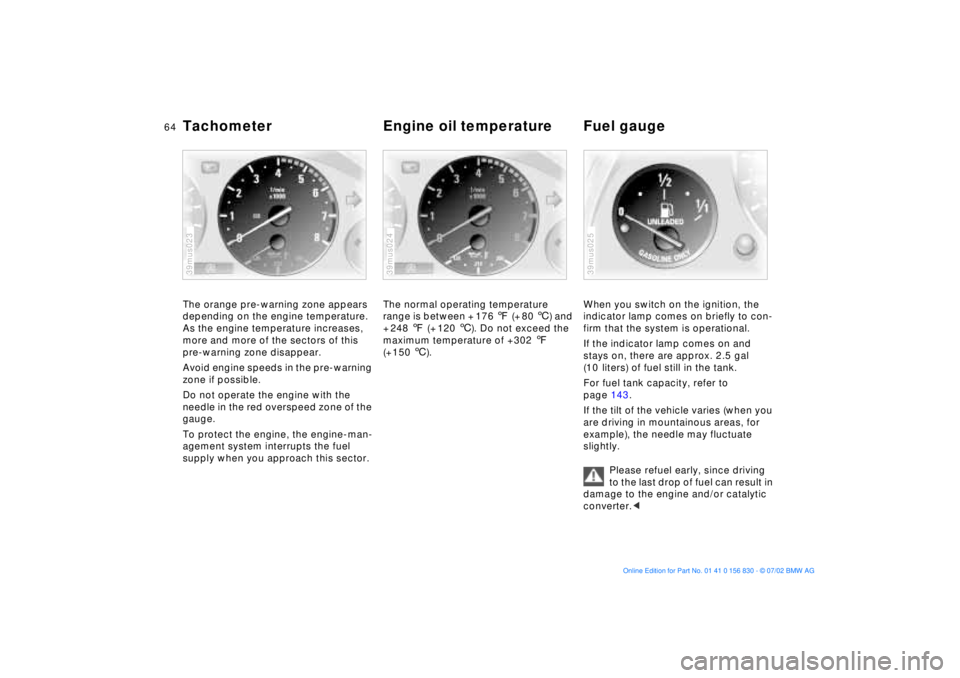
Tachometer Engine oil temperature Fuel gauge The orange pre-warning zone appears
depending on the engine temperature.
As the engine temperature increases,
more and more of the sectors of this
pre-warning zone disappear.
Avoid engine speeds in the pre-warning
zone if possible.
Do not operate the engine with the
needle in the red overspeed zone of the
gauge.
To protect the engine, the engine-man-
agement system interrupts the fuel
supply when you approach this sector.39mus023
The normal operating temperature
range is between + 176 7 (+ 80 6) and
+ 248 7 (+ 120 6). Do not exceed the
maximum temperature of +302 7
(+150 6). 39mus024
When you switch on the ignition, the
indicator lamp comes on briefly to con-
firm that the system is operational.
If the indicator lamp comes on and
stays on, there are approx. 2.5 gal
(10 liters) of fuel still in the tank.
For fuel tank capacity, refer to
page 143.
If the tilt of the vehicle varies (when you
are driving in mountainous areas, for
example), the needle may fluctuate
slightly.
Please refuel early, since driving
to the last drop of fuel can result in
damage to the engine and/or catalytic
converter.<39mus025
Page 67 of 155
67n
OverviewControlsMaintenanceRepairsDataIndex
Check Control Priority 2
These displays appear for 20 seconds
with the ignition key in position 2. The
warning symbols remain after the mes-
sage disappears. The messages can be
recalled again with CHECK button 3.
>"TRUNKLID OPEN"
This message appears only when you
initially begin a trip
>"DOOR OPEN"
This message appears after a defined
road speed has been exceeded
>"FASTEN SEAT BELTS"
*
In addition to this message, an indi-
cator lamp with the safety belt icon
appears and an acoustic signal is
sounded
>"WASHER FLUID LOW"
Too low; top up fluid at the next
opportunity. Refer to page 115
>"CHECK ENGINE OIL LEV"
The oil level is at the absolute min-
imum, so add engine oil as soon as
possible. Refer to page 115. Until
then, do not drive more than approx.
30 miles (50 km)>"TIRE PRESSURE SET"
The Flat Tire Monitor has adopted the
tires' current inflation pressures as its
reference levels. Refer to page 82
>"TIRECONTROL INACTIVE"
Transient malfunctions and system
errors in the Flat Tire Monitor. Refer
to page 83
>"CHECK BRAKE LIGHTS"
A lamp has failed or the electrical cir-
cuit has a fault. Refer to pages 126
and 132 or consult a BMW center
>"CHECK LOWBEAM LIGHTS"
"CHECK SIDE LIGHTS"
"CHECK REAR LIGHTS"
"CHECK FRONT FOGLAMPS"
"CHECK LICPLATE LIGHT"
"CHECK HIGHBEAM LIGHT"
"CHECK BACK UP LIGHTS"
Defective bulb or circuit. Refer to
page 124 and following and
page 132 or consult a BMW center>"CHECK BRAKE LININGS"
Have the brake pads checked at your
BMW center. Refer to page 108
>"CHECK COOLANT LEVEL"
The coolant level is too low; top off
at the next opportunity. Refer to
page 118
>"CHECK FILLER CAP"
Check to see whether the fuel filler
cap has been properly closed. Refer
to page 21
>"ENGINE FAILSAFE PROG"
Indicates a malfunction in the elec-
tronic engine-management system,
which then reverts to an emergency
default program allowing continued
operation at reduced power and
lower engine speeds.
Please have the system inspected by
your BMW center
>
"OUTSIDE TEMPERATURE 24 7
(Ð 5.0 6)"This temperature display is only an
example. The current temperature is
displayed at outside temperatures of
37.5 7 (+3 6) and below. Refer also
to page 63.
Page 68 of 155
68n
Check ControlDisplays after completion of a tripAll of the malfunctions registered during
the trip appear consecutively when the
key is turned to position 0.
The following displays will appear when
appropriate:
>"LIGHTS ON"
This display appears when you open
the driver's door after parking the
vehicle
>"KEY IN IGNITION LOCK"
>"CHECK ENGINE OIL LEV"
Add the engine oil at the earliest
opportunity (next stop to refuel).
Refer to page 115.
Status messages remain available for
a period of approx. three minutes after
the display goes out and the key is
removed from the ignition. Press the
CHECK button 3 to display these mes-
sages. If there were multiple messages,
press the CHECK button repeatedly to
view them all in sequence.
To check the Check ControlPress the CHECK button 3 with the
ignition key in position 2:
CHECK CONTROL OK appears in the
display.
There are no faults in the monitored
systems.ComputerYou can find descriptions of the com-
puter starting on page 73 and in the
"Owner's Manual for Onboard Com-
puter."
You can have the Check Control
and computer messages dis-
played in a different language.<