ignition BMW M5 SEDAN 2003 Owner's Manual
[x] Cancel search | Manufacturer: BMW, Model Year: 2003, Model line: M5 SEDAN, Model: BMW M5 SEDAN 2003Pages: 155, PDF Size: 1.87 MB
Page 63 of 155
63n
OverviewControlsMaintenanceRepairsDataIndex
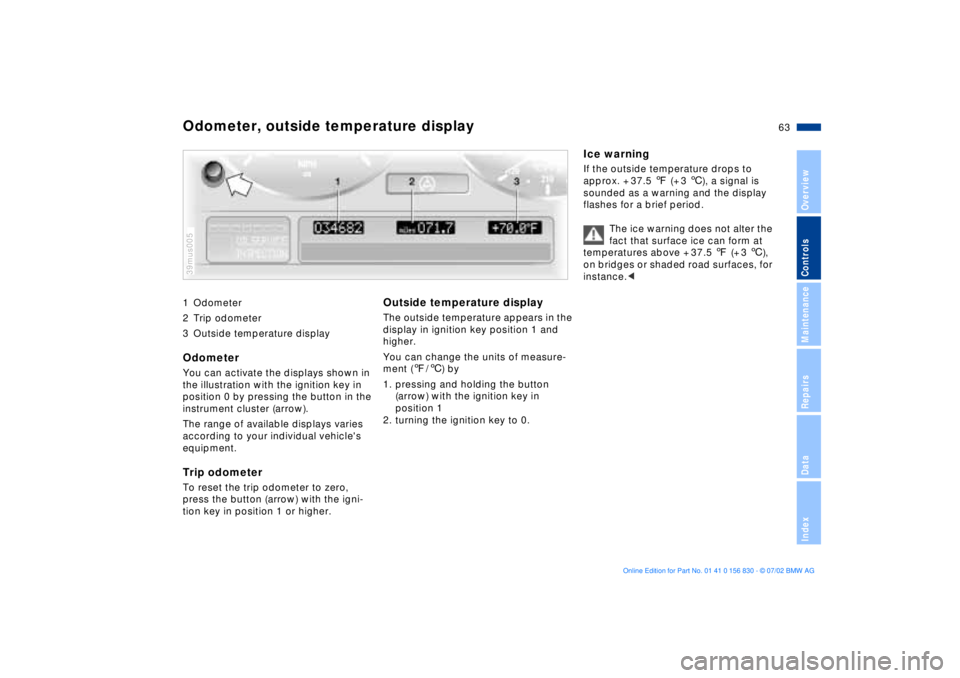
1 Odometer
2 Trip odometer
3 Outside temperature display Odometer You can activate the displays shown in
the illustration with the ignition key in
position 0 by pressing the button in the
instrument cluster (arrow).
The range of available displays varies
according to your individual vehicle's
equipment.Trip odometer To reset the trip odometer to zero,
press the button (arrow) with the igni-
tion key in position 1 or higher. 39mus005
Outside temperature display The outside temperature appears in the
display in ignition key position 1 and
higher.
You can change the units of measure-
ment (7/6) by
1. pressing and holding the button
(arrow) with the ignition key in
position 1
2. turning the ignition key to 0.
Ice warningIf the outside temperature drops to
approx. + 37.5 7 (+ 3 6), a signal is
sounded as a warning and the display
flashes for a brief period.
The ice warning does not alter the
fact that surface ice can form at
temperatures above + 37.5 7 (+ 3 6),
on bridges or shaded road surfaces, for
instance.<
Odometer, outside temperature display
Page 64 of 155
64n
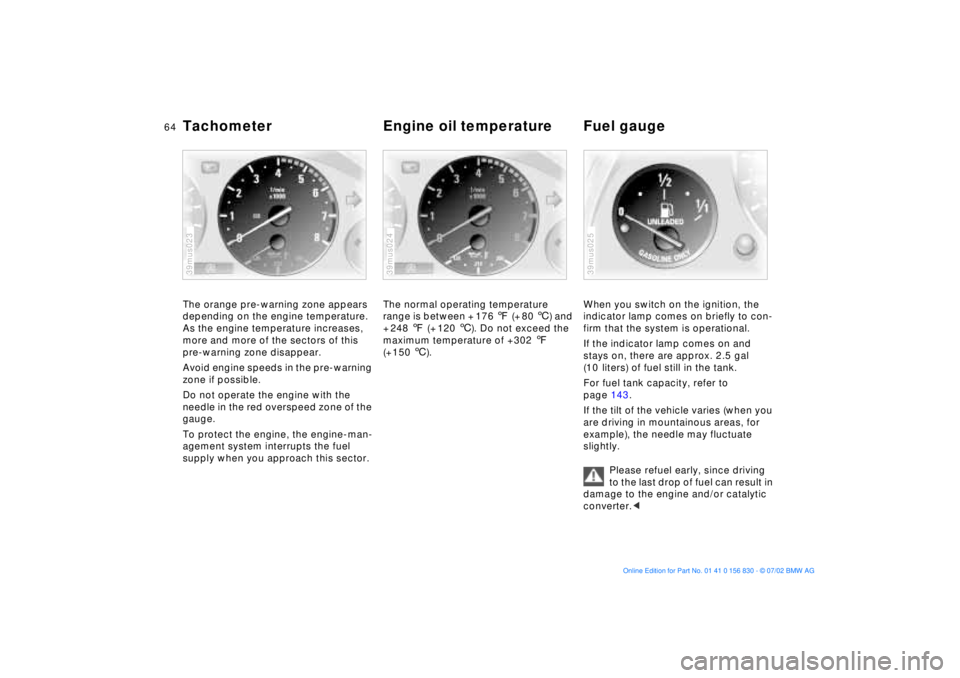
Tachometer Engine oil temperature Fuel gauge The orange pre-warning zone appears
depending on the engine temperature.
As the engine temperature increases,
more and more of the sectors of this
pre-warning zone disappear.
Avoid engine speeds in the pre-warning
zone if possible.
Do not operate the engine with the
needle in the red overspeed zone of the
gauge.
To protect the engine, the engine-man-
agement system interrupts the fuel
supply when you approach this sector.39mus023
The normal operating temperature
range is between + 176 7 (+ 80 6) and
+ 248 7 (+ 120 6). Do not exceed the
maximum temperature of +302 7
(+150 6). 39mus024
When you switch on the ignition, the
indicator lamp comes on briefly to con-
firm that the system is operational.
If the indicator lamp comes on and
stays on, there are approx. 2.5 gal
(10 liters) of fuel still in the tank.
For fuel tank capacity, refer to
page 143.
If the tilt of the vehicle varies (when you
are driving in mountainous areas, for
example), the needle may fluctuate
slightly.
Please refuel early, since driving
to the last drop of fuel can result in
damage to the engine and/or catalytic
converter.<39mus025
Page 66 of 155
66n
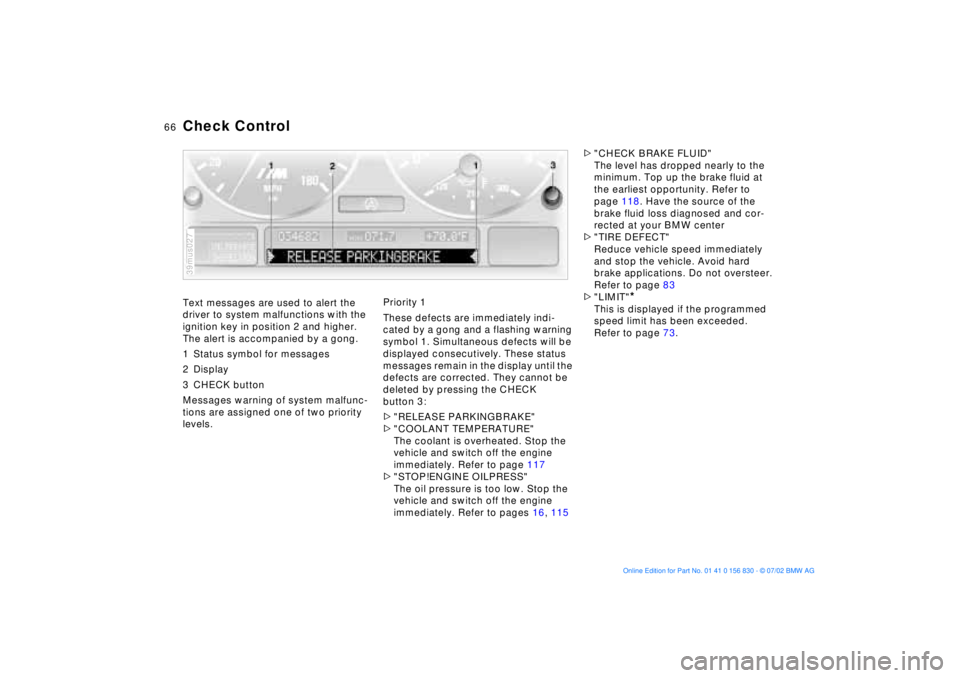
Text messages are used to alert the
driver to system malfunctions with the
ignition key in position 2 and higher.
The alert is accompanied by a gong.
1 Status symbol for messages
2 Display
3 CHECK button
Messages warning of system malfunc-
tions are assigned one of two priority
levels.
39mus027
Priority 1
These defects are immediately indi-
cated by a gong and a flashing warning
symbol 1. Simultaneous defects will be
displayed consecutively. These status
messages remain in the display until the
defects are corrected. They cannot be
deleted by pressing the CHECK
button 3:
>"RELEASE PARKINGBRAKE"
>"COOLANT TEMPERATURE"
The coolant is overheated. Stop the
vehicle and switch off the engine
immediately. Refer to page 117
>"STOP!ENGINE OILPRESS"
The oil pressure is too low. Stop the
vehicle and switch off the engine
immediately. Refer to pages 16, 115>"CHECK BRAKE FLUID"
The level has dropped nearly to the
minimum. Top up the brake fluid at
the earliest opportunity. Refer to
page 118. Have the source of the
brake fluid loss diagnosed and cor-
rected at your BMW center
>"TIRE DEFECT"
Reduce vehicle speed immediately
and stop the vehicle. Avoid hard
brake applications. Do not oversteer.
Refer to page 83
>"LIMIT"
*
This is displayed if the programmed
speed limit has been exceeded.
Refer to page 73.
Check Control
Page 67 of 155
67n
OverviewControlsMaintenanceRepairsDataIndex
Check Control Priority 2
These displays appear for 20 seconds
with the ignition key in position 2. The
warning symbols remain after the mes-
sage disappears. The messages can be
recalled again with CHECK button 3.
>"TRUNKLID OPEN"
This message appears only when you
initially begin a trip
>"DOOR OPEN"
This message appears after a defined
road speed has been exceeded
>"FASTEN SEAT BELTS"
*
In addition to this message, an indi-
cator lamp with the safety belt icon
appears and an acoustic signal is
sounded
>"WASHER FLUID LOW"
Too low; top up fluid at the next
opportunity. Refer to page 115
>"CHECK ENGINE OIL LEV"
The oil level is at the absolute min-
imum, so add engine oil as soon as
possible. Refer to page 115. Until
then, do not drive more than approx.
30 miles (50 km)>"TIRE PRESSURE SET"
The Flat Tire Monitor has adopted the
tires' current inflation pressures as its
reference levels. Refer to page 82
>"TIRECONTROL INACTIVE"
Transient malfunctions and system
errors in the Flat Tire Monitor. Refer
to page 83
>"CHECK BRAKE LIGHTS"
A lamp has failed or the electrical cir-
cuit has a fault. Refer to pages 126
and 132 or consult a BMW center
>"CHECK LOWBEAM LIGHTS"
"CHECK SIDE LIGHTS"
"CHECK REAR LIGHTS"
"CHECK FRONT FOGLAMPS"
"CHECK LICPLATE LIGHT"
"CHECK HIGHBEAM LIGHT"
"CHECK BACK UP LIGHTS"
Defective bulb or circuit. Refer to
page 124 and following and
page 132 or consult a BMW center>"CHECK BRAKE LININGS"
Have the brake pads checked at your
BMW center. Refer to page 108
>"CHECK COOLANT LEVEL"
The coolant level is too low; top off
at the next opportunity. Refer to
page 118
>"CHECK FILLER CAP"
Check to see whether the fuel filler
cap has been properly closed. Refer
to page 21
>"ENGINE FAILSAFE PROG"
Indicates a malfunction in the elec-
tronic engine-management system,
which then reverts to an emergency
default program allowing continued
operation at reduced power and
lower engine speeds.
Please have the system inspected by
your BMW center
>
"OUTSIDE TEMPERATURE 24 7
(Ð 5.0 6)"This temperature display is only an
example. The current temperature is
displayed at outside temperatures of
37.5 7 (+3 6) and below. Refer also
to page 63.
Page 68 of 155

68n
Check ControlDisplays after completion of a tripAll of the malfunctions registered during
the trip appear consecutively when the
key is turned to position 0.
The following displays will appear when
appropriate:
>"LIGHTS ON"
This display appears when you open
the driver's door after parking the
vehicle
>"KEY IN IGNITION LOCK"
>"CHECK ENGINE OIL LEV"
Add the engine oil at the earliest
opportunity (next stop to refuel).
Refer to page 115.
Status messages remain available for
a period of approx. three minutes after
the display goes out and the key is
removed from the ignition. Press the
CHECK button 3 to display these mes-
sages. If there were multiple messages,
press the CHECK button repeatedly to
view them all in sequence.
To check the Check ControlPress the CHECK button 3 with the
ignition key in position 2:
CHECK CONTROL OK appears in the
display.
There are no faults in the monitored
systems.ComputerYou can find descriptions of the com-
puter starting on page 73 and in the
"Owner's Manual for Onboard Com-
puter."
You can have the Check Control
and computer messages dis-
played in a different language.<
Page 71 of 155
71n
OverviewControlsMaintenanceRepairsDataIndex
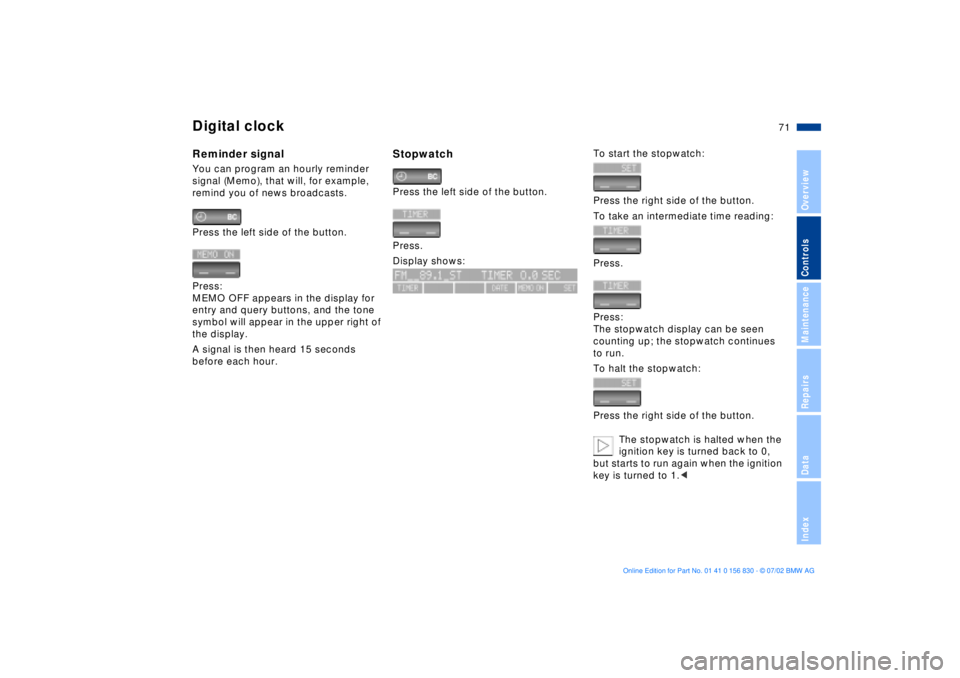
Digital clockReminder signalYou can program an hourly reminder
signal (Memo), that will, for example,
remind you of news broadcasts.
Press the left side of the button.
Press:
MEMO OFF appears in the display for
entry and query buttons, and the tone
symbol will appear in the upper right of
the display.
A signal is then heard 15 seconds
before each hour.
StopwatchPress the left side of the button.
Press.
Display shows:
To start the stopwatch:
Press the right side of the button.
To take an intermediate time reading:
Press.
Press:
The stopwatch display can be seen
counting up; the stopwatch continues
to run.
To halt the stopwatch:
Press the right side of the button.
The stopwatch is halted when the
ignition key is turned back to 0,
but starts to run again when the ignition
key is turned to 1.<
Page 72 of 155
72n
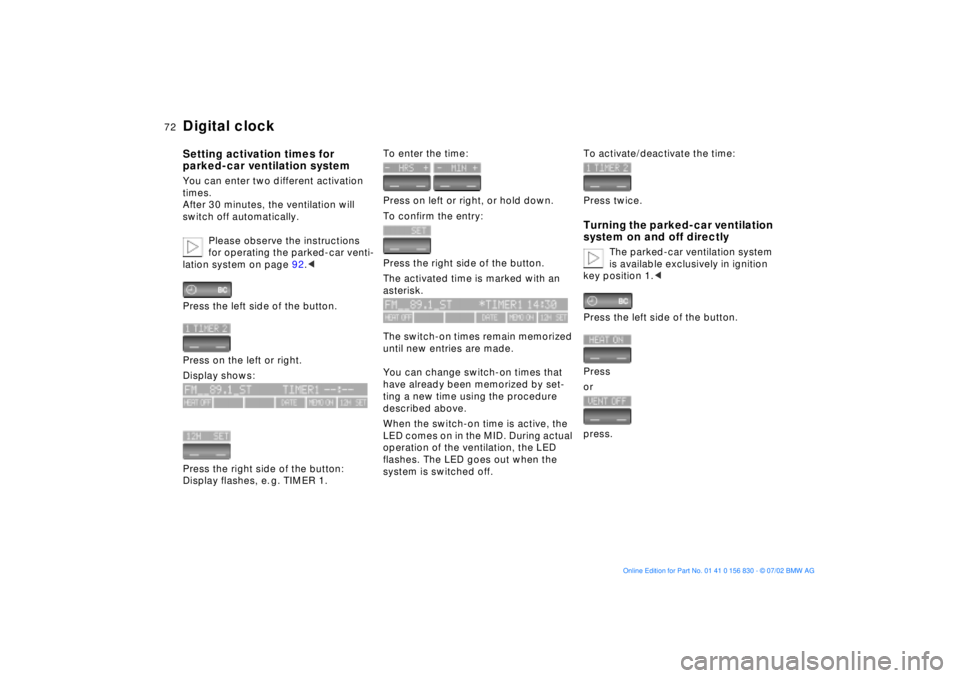
Digital clockSetting activation times for
parked-car ventilation systemYou can enter two different activation
times.
After 30 minutes, the ventilation will
switch off automatically.
Please observe the instructions
for operating the parked-car venti-
lation system on page 92.<
Press the left side of the button.
Press on the left or right.
Display shows:
Press the right side of the button:
Display flashes, e. g. TIMER 1.
To enter the time:
Press on left or right, or hold down.
To confirm the entry:
Press the right side of the button.
The activated time is marked with an
asterisk.
The switch-on times remain memorized
until new entries are made.
You can change switch-on times that
have already been memorized by set-
ting a new time using the procedure
described above.
When the switch-on time is active, the
LED comes on in the MID. During actual
operation of the ventilation, the LED
flashes. The LED goes out when the
system is switched off.
To activate/deactivate the time:
Press twice.Turning the parked-car ventilation
system on and off directly
The parked-car ventilation system
is available exclusively in ignition
key position 1.<
Press the left side of the button.
Press
or
press.
Page 76 of 155
76n
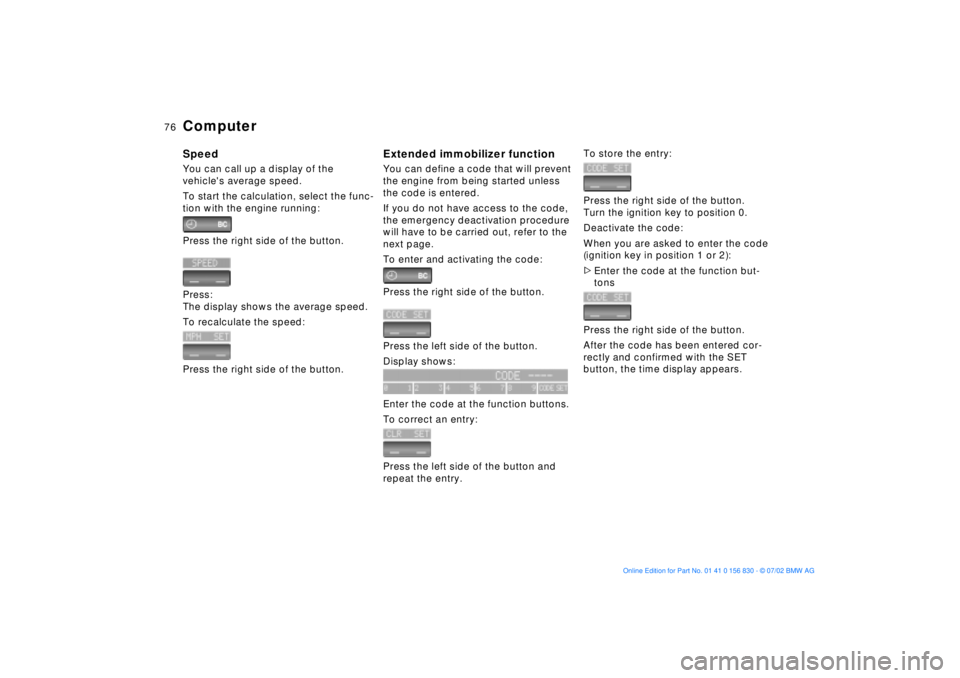
ComputerSpeedYou can call up a display of the
vehicle's average speed.
To start the calculation, select the func-
tion with the engine running:
Press the right side of the button.
Press:
The display shows the average speed.
To recalculate the speed:
Press the right side of the button.
Extended immobilizer functionYou can define a code that will prevent
the engine from being started unless
the code is entered.
If you do not have access to the code,
the emergency deactivation procedure
will have to be carried out, refer to the
next page.
To enter and activating the code:
Press the right side of the button.
Press the left side of the button.
Display shows:
Enter the code at the function buttons.
To correct an entry:
Press the left side of the button and
repeat the entry.
To store the entry:
Press the right side of the button.
Turn the ignition key to position 0.
Deactivate the code:
When you are asked to enter the code
(ignition key in position 1 or 2):
>Enter the code at the function but-
tons
Press the right side of the button.
After the code has been entered cor-
rectly and confirmed with the SET
button, the time display appears.
Page 77 of 155
77n
OverviewControlsMaintenanceRepairsDataIndex
ComputerAfter three incorrect code entries,
or three attempts to start the engine
without a code entry, the alarm will
sound for 30 seconds on vehicles
equipped with an alarm system.
Setting the alarm in an emergency:
If you have forgotten the code, proceed
as follows:
1. Disconnect the battery, wait about
2 minutes, then reconnect it. Note
that on vehicles with an alarm
system, the alarm will sound
2. Turn the ignition key to position 1:
The time display will count down for
the next ten minutes
3. After ten minutes, start the engine.
If the code becomes available
again in the meantime, it can be
entered during the waiting period after
pressing the CODE button.<
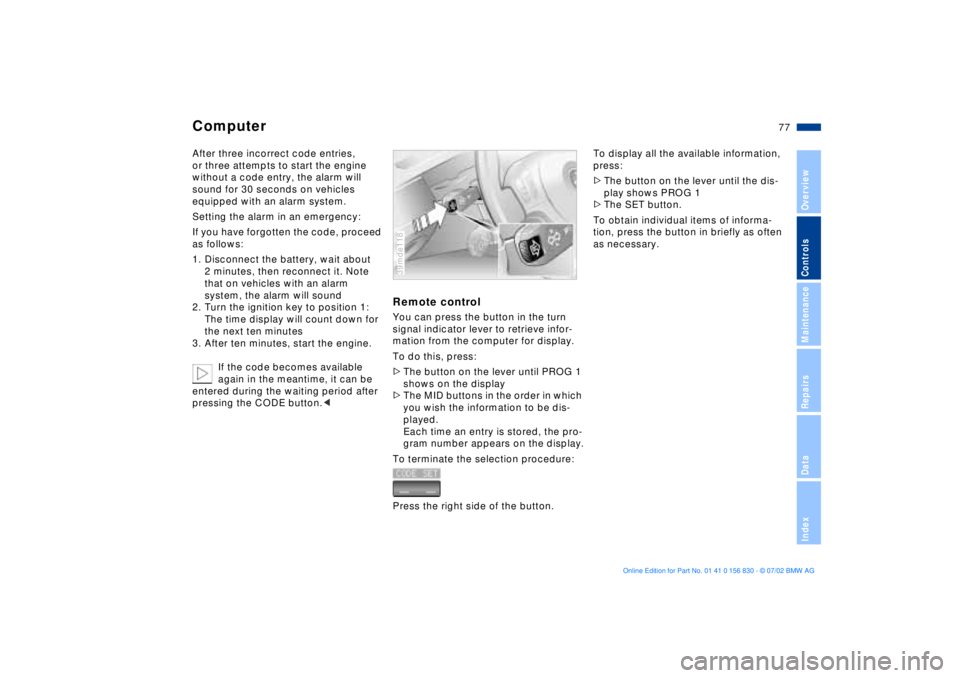
Remote controlYou can press the button in the turn
signal indicator lever to retrieve infor-
mation from the computer for display.
To do this, press:
>The button on the lever until PROG 1
shows on the display
>The MID buttons in the order in which
you wish the information to be dis-
played.
Each time an entry is stored, the pro-
gram number appears on the display.
To terminate the selection procedure:
Press the right side of the button.39mde118
To display all the available information,
press:
>The button on the lever until the dis-
play shows PROG 1
>The SET button.
To obtain individual items of informa-
tion, press the button in briefly as often
as necessary.
Page 78 of 155
78n
The conceptPDC provides extra safety and conve-
nience during parking maneuvers by
providing an acoustic signal to indicate
the distance to the nearest object. To
do this, four ultrasonic sensors in the
front and rear bumpers each measure
the distance to the nearest object. The
monitoring range of the front sensors
and two rear sensors at the ends of the
rear bumper extends outward roughly
2 ft (60 cm), while the rear bumper's
two centrally located sensors detect
objects at distances of up to approx.
5 ft (1.50 m).Automatic functionThe system is activated automatically
about one second after you engage
reverse with the ignition key in
position 2.
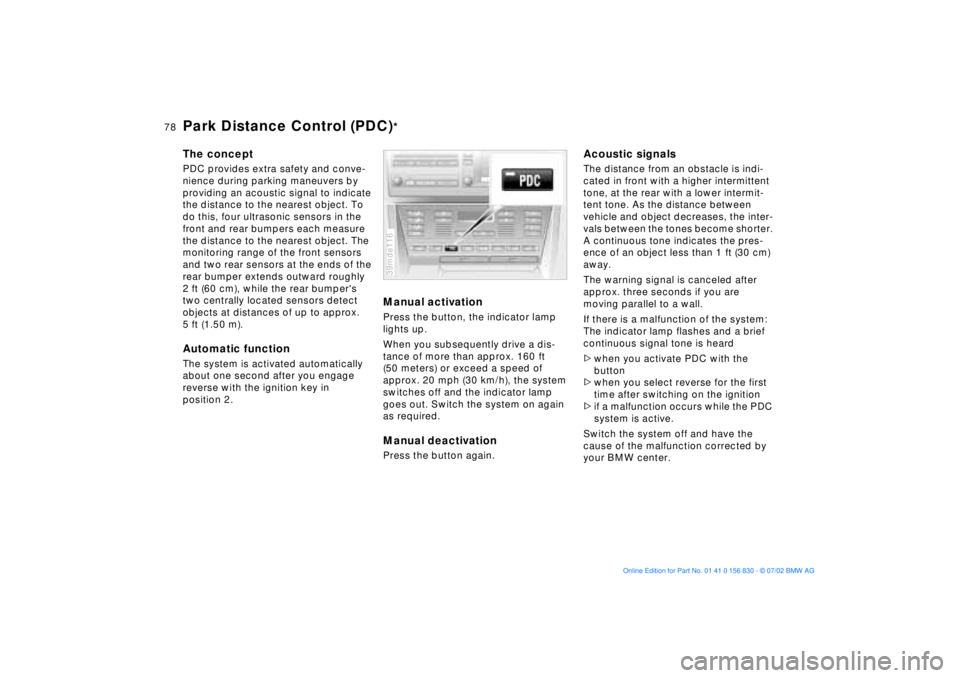
Manual activationPress the button, the indicator lamp
lights up.
When you subsequently drive a dis-
tance of more than approx. 160 ft
(50 meters) or exceed a speed of
approx. 20 mph (30 km/h), the system
switches off and the indicator lamp
goes out. Switch the system on again
as required.Manual deactivationPress the button again.39mde116
Acoustic signalsThe distance from an obstacle is indi-
cated in front with a higher intermittent
tone, at the rear with a lower intermit-
tent tone. As the distance between
vehicle and object decreases, the inter-
vals between the tones become shorter.
A continuous tone indicates the pres-
ence of an object less than 1 ft (30 cm)
away.
The warning signal is canceled after
approx. three seconds if you are
moving parallel to a wall.
If there is a malfunction of the system:
The indicator lamp flashes and a brief
continuous signal tone is heard
>when you activate PDC with the
button
>when you select reverse for the first
time after switching on the ignition
>if a malfunction occurs while the PDC
system is active.
Switch the system off and have the
cause of the malfunction corrected by
your BMW center.
Park Distance Control (PDC)
*