wheel BMW M5 SEDAN 2013 Owner's Manual
[x] Cancel search | Manufacturer: BMW, Model Year: 2013, Model line: M5 SEDAN, Model: BMW M5 SEDAN 2013Pages: 230, PDF Size: 6.29 MB
Page 76 of 230
tainer. Use BMW’s Windshield Washer Con‐
centrate or the equivalent.◀
Washer fluid reservoir Adding washer fluid
Only add washer fluid when the engine is
cool, and then close the cover completely to
avoid contact between the washer fluid and
hot engine parts.
Otherwise, there is the danger of fire and a risk
to personal safety if the fluid is spilled.◀
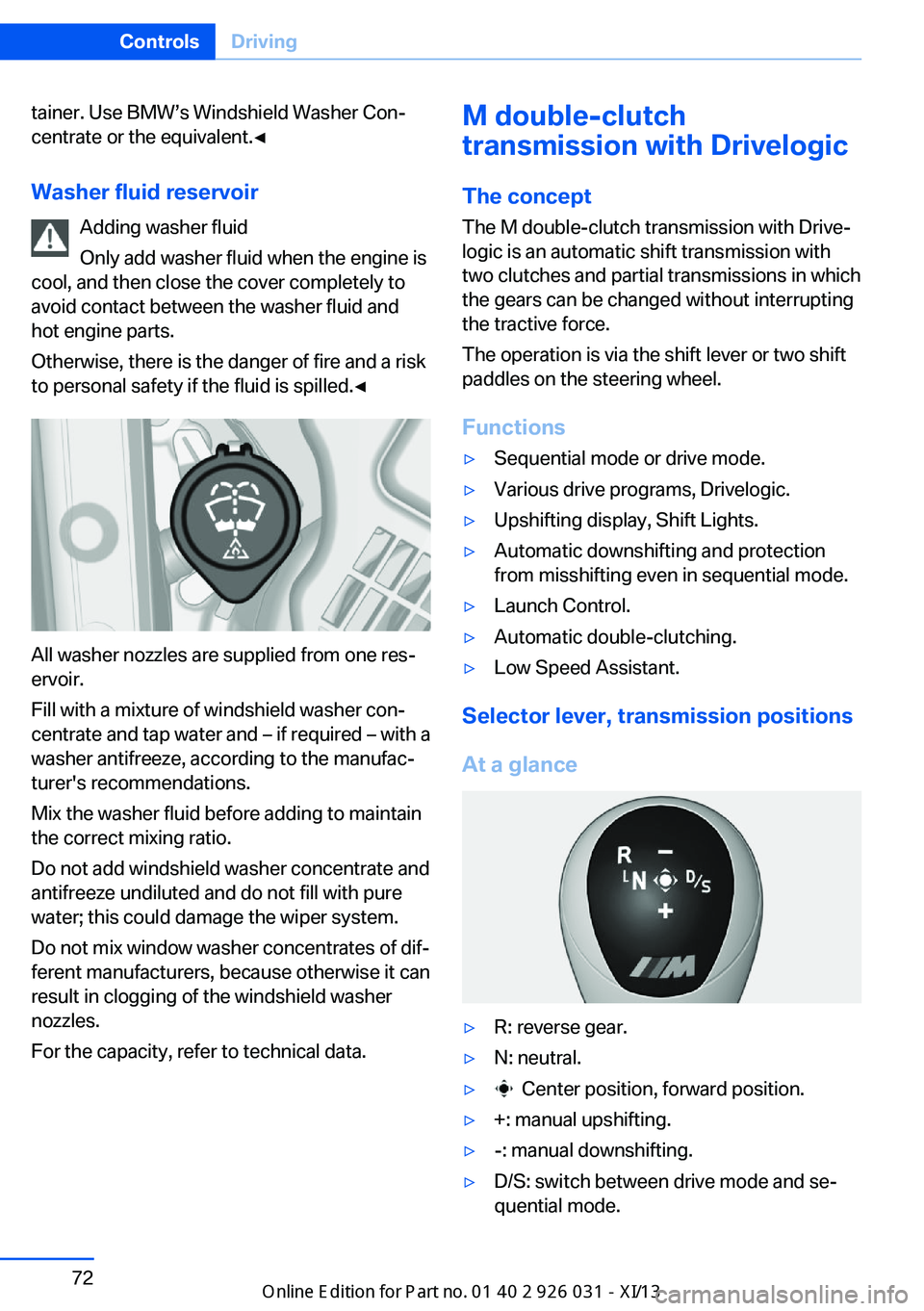
All washer nozzles are supplied from one res‐
ervoir.
Fill with a mixture of windshield washer con‐
centrate and tap water and – if required – with a
washer antifreeze, according to the manufac‐
turer's recommendations.
Mix the washer fluid before adding to maintain
the correct mixing ratio.
Do not add windshield washer concentrate and
antifreeze undiluted and do not fill with pure
water; this could damage the wiper system.
Do not mix window washer concentrates of dif‐
ferent manufacturers, because otherwise it can
result in clogging of the windshield washer
nozzles.
For the capacity, refer to technical data.
M double-clutch
transmission with Drivelogic
The concept
The M double-clutch transmission with Drive‐
logic is an automatic shift transmission with
two clutches and partial transmissions in which
the gears can be changed without interrupting
the tractive force.
The operation is via the shift lever or two shift
paddles on the steering wheel.
Functions▷Sequential mode or drive mode.▷Various drive programs, Drivelogic.▷Upshifting display, Shift Lights.▷Automatic downshifting and protection
from misshifting even in sequential mode.▷Launch Control.▷Automatic double-clutching.▷Low Speed Assistant.
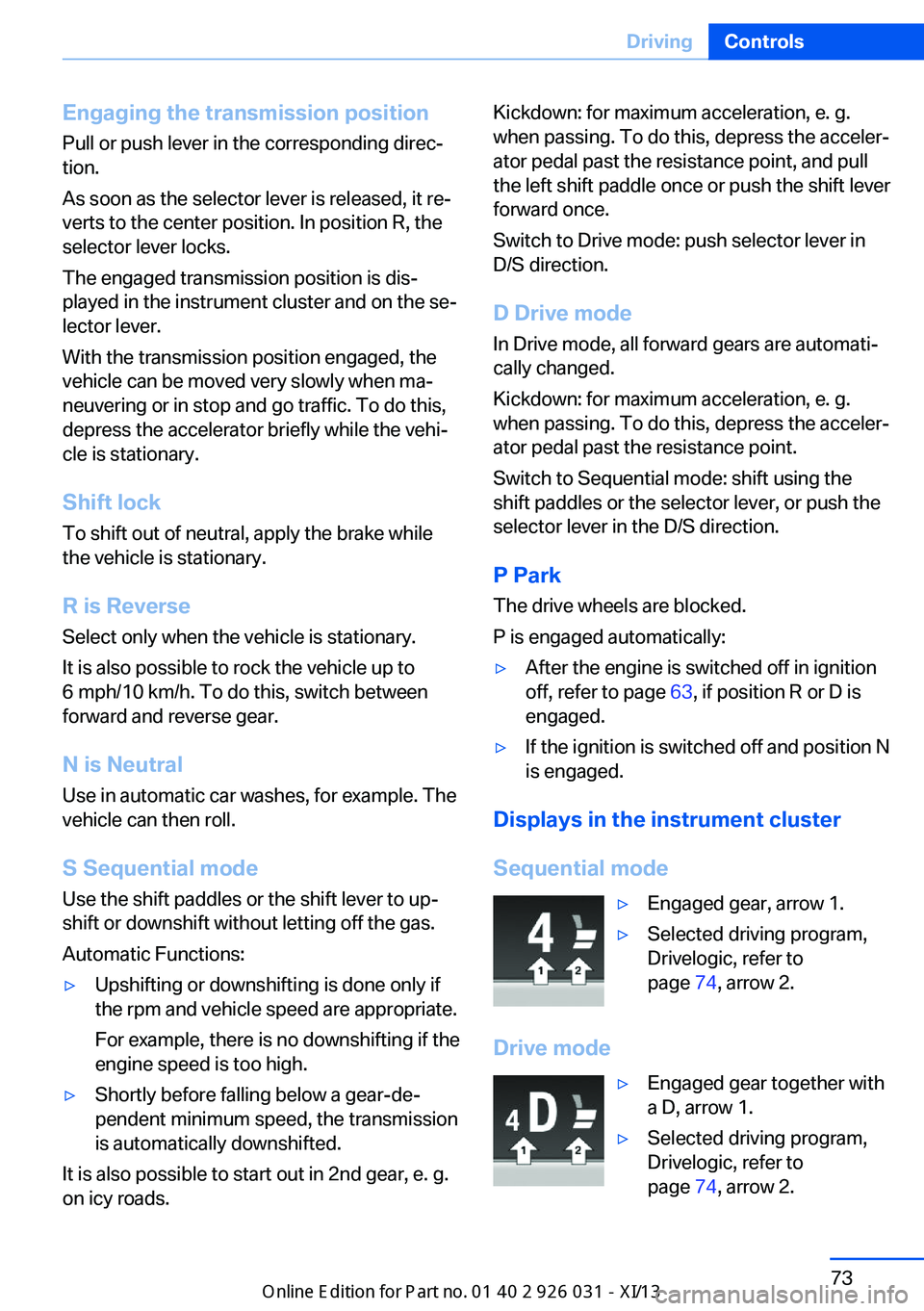
Selector lever, transmission positions
At a glance
▷R: reverse gear.▷N: neutral.▷ Center position, forward position.▷+: manual upshifting.▷-: manual downshifting.▷D/S: switch between drive mode and se‐
quential mode.Seite 72ControlsDriving72
Online Edition for Part no. 01 40 2 909 953 - VI/13
Page 77 of 230
Engaging the transmission position
Pull or push lever in the corresponding direc‐
tion.
As soon as the selector lever is released, it re‐
verts to the center position. In position R, the
selector lever locks.
The engaged transmission position is dis‐
played in the instrument cluster and on the se‐
lector lever.
With the transmission position engaged, the
vehicle can be moved very slowly when ma‐
neuvering or in stop and go traffic. To do this,
depress the accelerator briefly while the vehi‐
cle is stationary.
Shift lock
To shift out of neutral, apply the brake while
the vehicle is stationary.
R is Reverse
Select only when the vehicle is stationary.
It is also possible to rock the vehicle up to
6 mph/10 km/h. To do this, switch between
forward and reverse gear.
N is Neutral Use in automatic car washes, for example. The
vehicle can then roll.
S Sequential mode
Use the shift paddles or the shift lever to up‐
shift or downshift without letting off the gas.
Automatic Functions:▷Upshifting or downshifting is done only if
the rpm and vehicle speed are appropriate.
For example, there is no downshifting if the
engine speed is too high.▷Shortly before falling below a gear-de‐
pendent minimum speed, the transmission
is automatically downshifted.
It is also possible to start out in 2nd gear, e. g.
on icy roads.
Kickdown: for maximum acceleration, e. g.
when passing. To do this, depress the acceler‐
ator pedal past the resistance point, and pull
the left shift paddle once or push the shift lever
forward once.
Switch to Drive mode: push selector lever in
D/S direction.
D Drive mode In Drive mode, all forward gears are automati‐
cally changed.
Kickdown: for maximum acceleration, e. g.
when passing. To do this, depress the acceler‐
ator pedal past the resistance point.
Switch to Sequential mode: shift using the
shift paddles or the selector lever, or push the
selector lever in the D/S direction.
P Park
The drive wheels are blocked.
P is engaged automatically:▷After the engine is switched off in ignition
off, refer to page 63, if position R or D is
engaged.▷If the ignition is switched off and position N
is engaged.
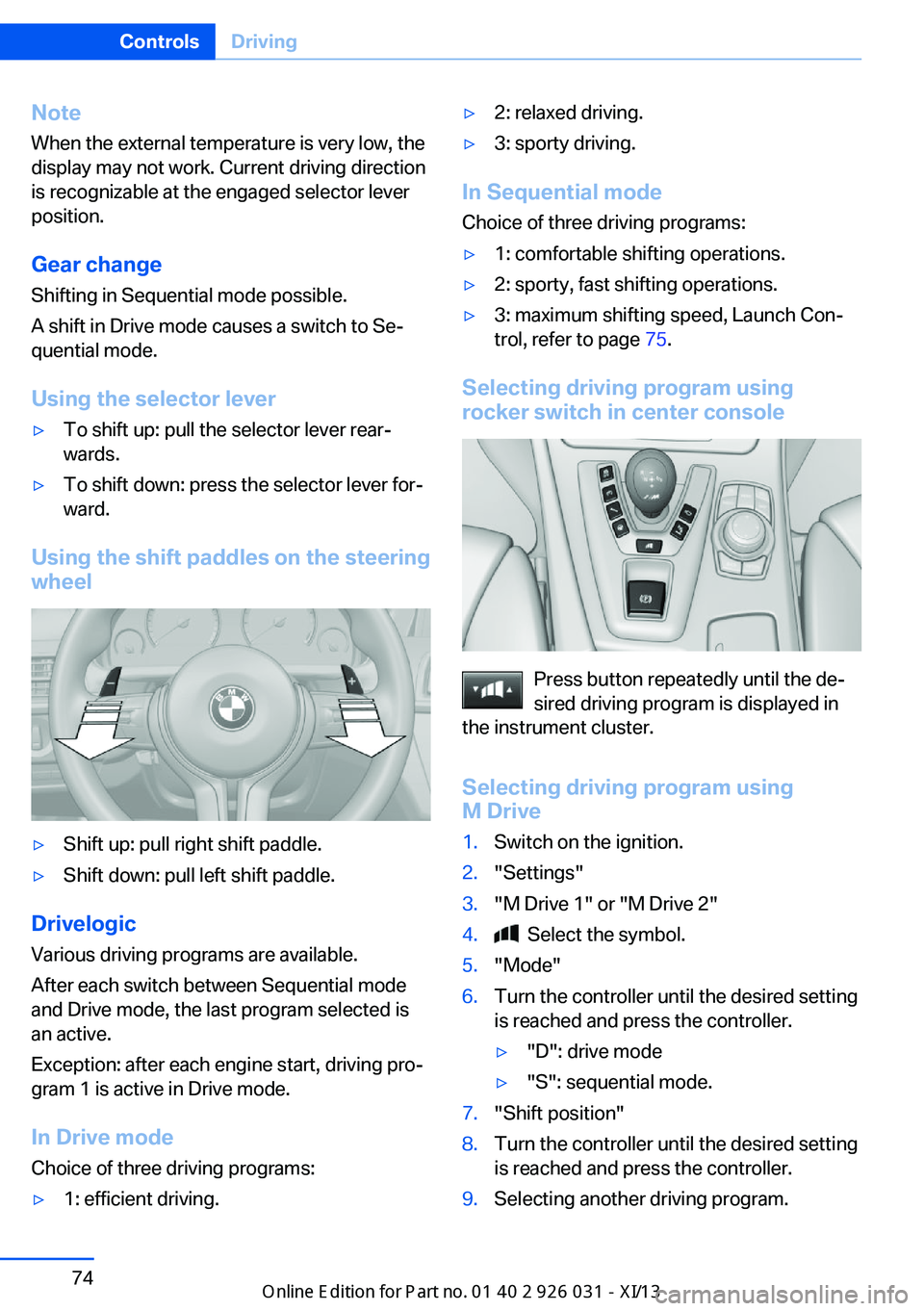
Displays in the instrument cluster
Sequential mode
▷Engaged gear, arrow 1.▷Selected driving program,
Drivelogic, refer to
page 74, arrow 2.
Drive mode
▷Engaged gear together with
a D, arrow 1.▷Selected driving program,
Drivelogic, refer to
page 74, arrow 2.Seite 73DrivingControls73
Online Edition for Part no. 01 40 2 909 953 - VI/13
Page 78 of 230
NoteWhen the external temperature is very low, the
display may not work. Current driving direction
is recognizable at the engaged selector lever
position.
Gear change
Shifting in Sequential mode possible.
A shift in Drive mode causes a switch to Se‐
quential mode.
Using the selector lever▷To shift up: pull the selector lever rear‐
wards.▷To shift down: press the selector lever for‐
ward.
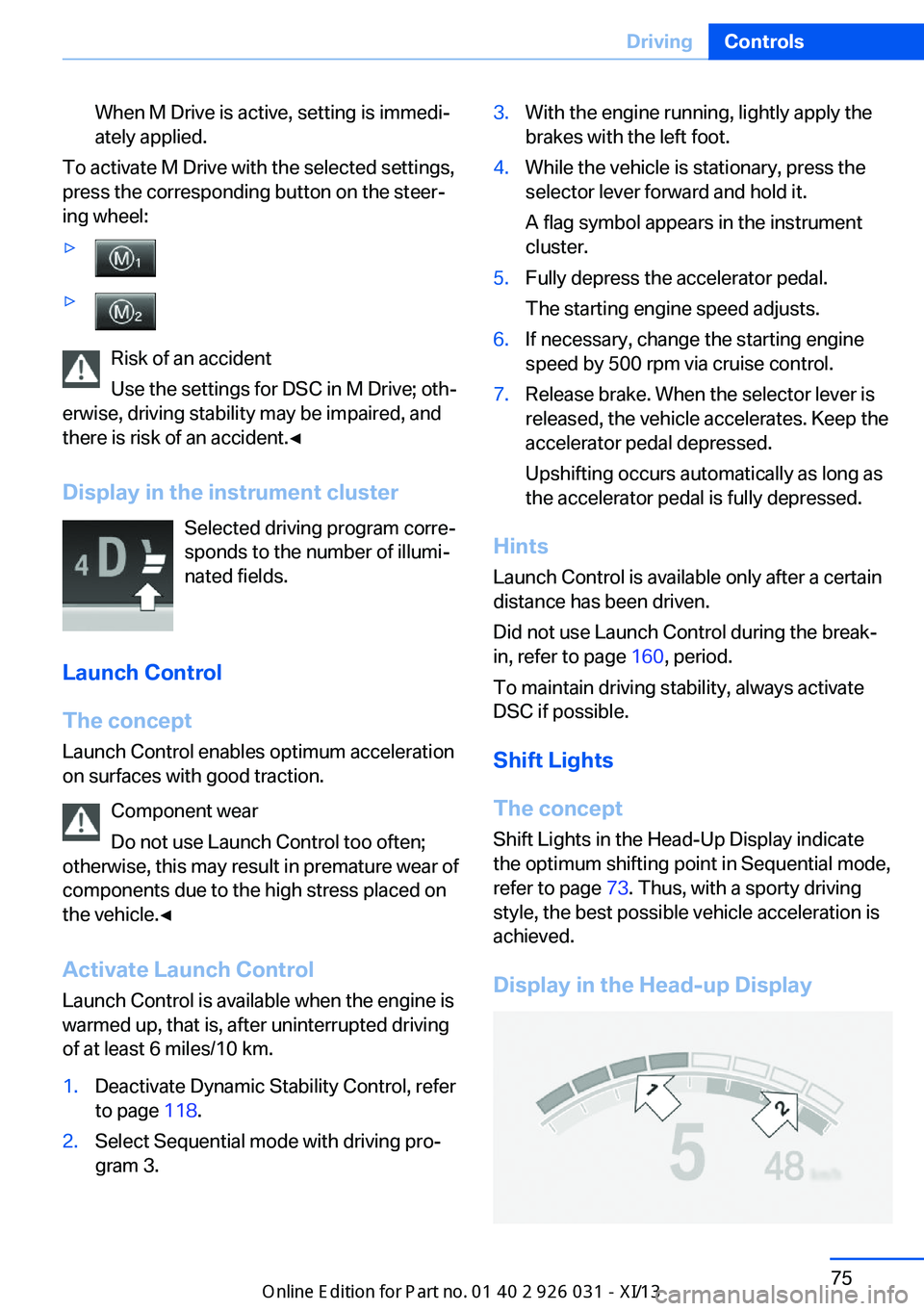
Using the shift paddles on the steering wheel
▷Shift up: pull right shift paddle.▷Shift down: pull left shift paddle.
Drivelogic
Various driving programs are available.
After each switch between Sequential mode
and Drive mode, the last program selected is
an active.
Exception: after each engine start, driving pro‐
gram 1 is active in Drive mode.
In Drive mode
Choice of three driving programs:
▷1: efficient driving.▷2: relaxed driving.▷3: sporty driving.
In Sequential mode Choice of three driving programs:
▷1: comfortable shifting operations.▷2: sporty, fast shifting operations.▷3: maximum shifting speed, Launch Con‐
trol, refer to page 75.
Selecting driving program using
rocker switch in center console
Press button repeatedly until the de‐
sired driving program is displayed in
the instrument cluster.
Selecting driving program using
M Drive
1.Switch on the ignition.2."Settings"3."M Drive 1" or "M Drive 2"4. Select the symbol.5."Mode"6.Turn the controller until the desired setting
is reached and press the controller.▷"D": drive mode▷"S": sequential mode.7."Shift position"8.Turn the controller until the desired setting
is reached and press the controller.9.Selecting another driving program.Seite 74ControlsDriving74
Online Edition for Part no. 01 40 2 909 953 - VI/13
Page 79 of 230
When M Drive is active, setting is immedi‐
ately applied.
To activate M Drive with the selected settings,
press the corresponding button on the steer‐
ing wheel:
▷▷
Risk of an accident
Use the settings for DSC in M Drive; oth‐
erwise, driving stability may be impaired, and
there is risk of an accident.◀
Display in the instrument cluster Selected driving program corre‐
sponds to the number of illumi‐
nated fields.
Launch Control
The concept Launch Control enables optimum accelerationon surfaces with good traction.
Component wear
Do not use Launch Control too often;
otherwise, this may result in premature wear of
components due to the high stress placed on
the vehicle.◀
Activate Launch Control Launch Control is available when the engine is
warmed up, that is, after uninterrupted driving
of at least 6 miles/10 km.
1.Deactivate Dynamic Stability Control, refer
to page 118.2.Select Sequential mode with driving pro‐
gram 3.3.With the engine running, lightly apply the
brakes with the left foot.4.While the vehicle is stationary, press the
selector lever forward and hold it.
A flag symbol appears in the instrument
cluster.5.Fully depress the accelerator pedal.
The starting engine speed adjusts.6.If necessary, change the starting engine
speed by 500 rpm via cruise control.7.Release brake. When the selector lever is
released, the vehicle accelerates. Keep the
accelerator pedal depressed.
Upshifting occurs automatically as long as
the accelerator pedal is fully depressed.
Hints
Launch Control is available only after a certain
distance has been driven.
Did not use Launch Control during the break-
in, refer to page 160, period.
To maintain driving stability, always activate
DSC if possible.
Shift Lights
The concept
Shift Lights in the Head-Up Display indicate
the optimum shifting point in Sequential mode,
refer to page 73. Thus, with a sporty driving
style, the best possible vehicle acceleration is
achieved.
Display in the Head-up Display
Seite 75DrivingControls75
Online Edition for Part no. 01 40 2 909 953 - VI/13
Page 81 of 230
▷"Sport": sporty, dynamic.▷"Sport Plus": spontaneous, direct. Maxi‐
mum dynamics.
Selecting a channel
Via M Drive
1."Settings"2."M Drive 1" or"M Drive 2"3. Select the symbol.4.Select the desired channel.
When M Drive is active, setting is immedi‐
ately applied.
To activate M Drive with the selected settings,
press the corresponding button on the steer‐
ing wheel:
▷▷
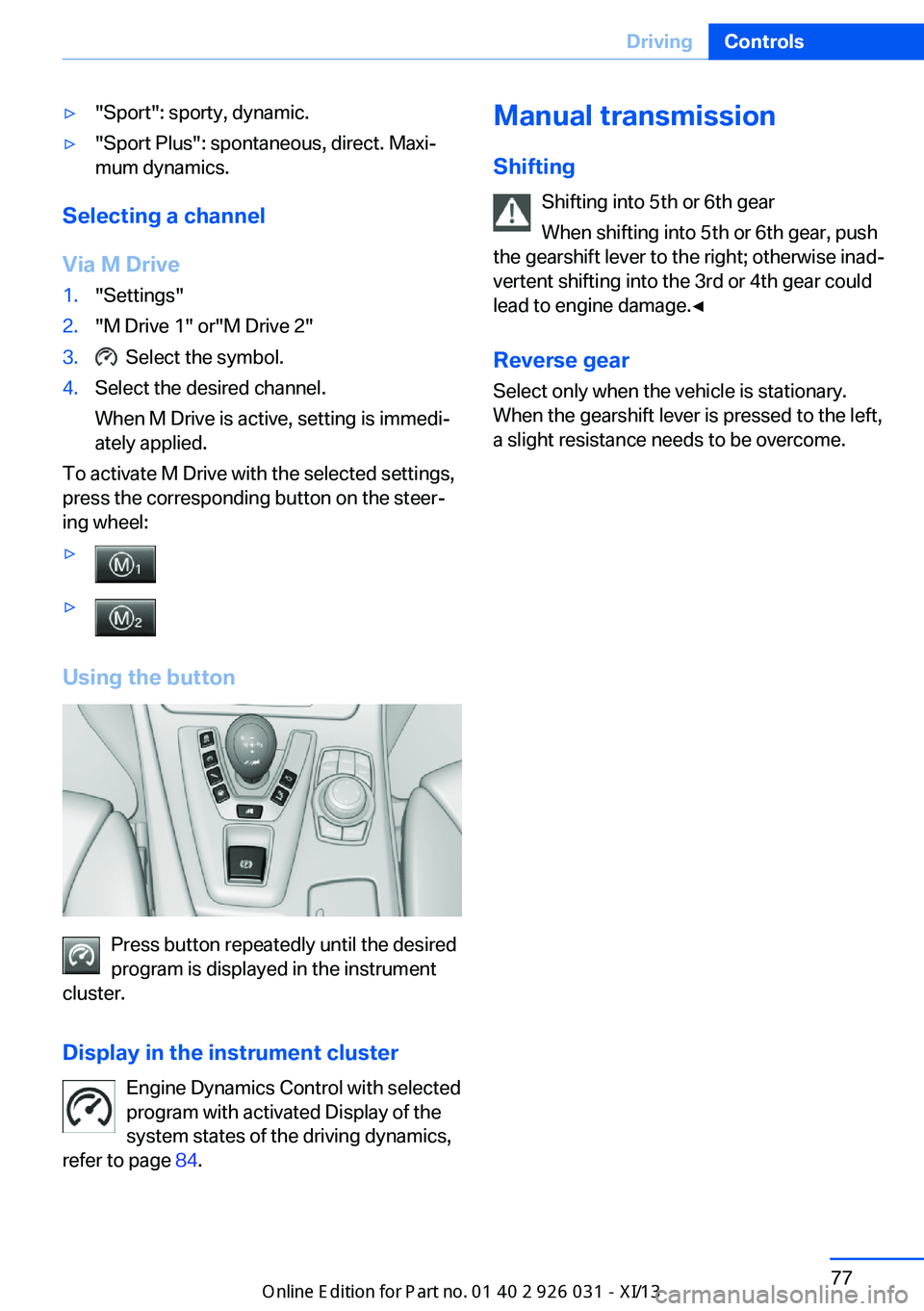
Using the button
Press button repeatedly until the desired
program is displayed in the instrument
cluster.
Display in the instrument cluster Engine Dynamics Control with selected
program with activated Display of the
system states of the driving dynamics,
refer to page 84.
Manual transmission
Shifting Shifting into 5th or 6th gear
When shifting into 5th or 6th gear, push
the gearshift lever to the right; otherwise inad‐
vertent shifting into the 3rd or 4th gear could
lead to engine damage.◀
Reverse gear
Select only when the vehicle is stationary.
When the gearshift lever is pressed to the left,
a slight resistance needs to be overcome.Seite 77DrivingControls77
Online Edition for Part no. 01 40 2 909 953 - VI/13
Page 92 of 230
Selection lists in the
instrument cluster
The concept
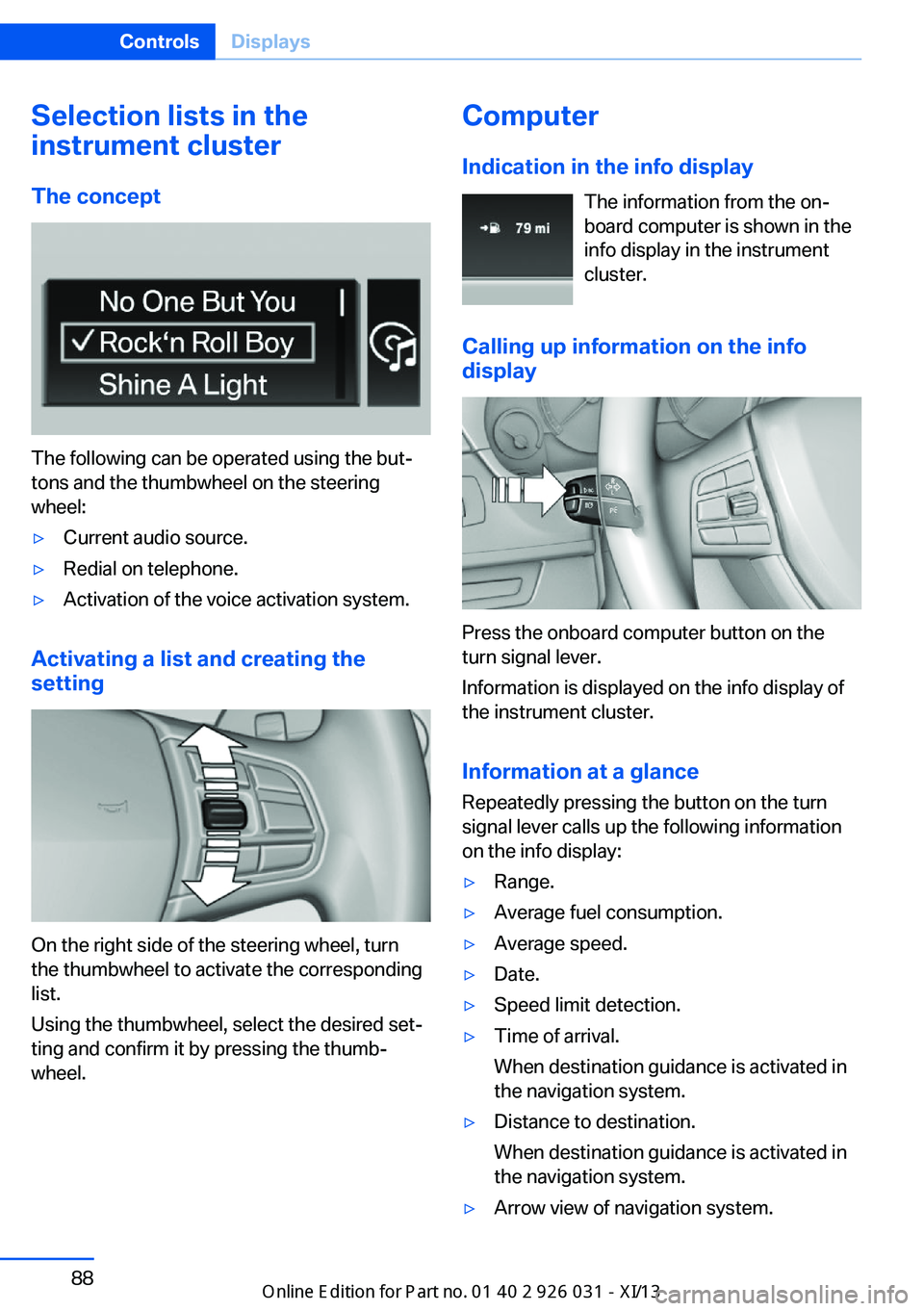
The following can be operated using the but‐
tons and the thumbwheel on the steering
wheel:
▷Current audio source.▷Redial on telephone.▷Activation of the voice activation system.
Activating a list and creating the
setting
On the right side of the steering wheel, turn
the thumbwheel to activate the corresponding
list.
Using the thumbwheel, select the desired set‐
ting and confirm it by pressing the thumb‐
wheel.
Computer
Indication in the info display The information from the on‐
board computer is shown in the
info display in the instrument
cluster.
Calling up information on the info
display
Press the onboard computer button on the
turn signal lever.
Information is displayed on the info display of
the instrument cluster.
Information at a glance
Repeatedly pressing the button on the turn
signal lever calls up the following information
on the info display:
▷Range.▷Average fuel consumption.▷Average speed.▷Date.▷Speed limit detection.▷Time of arrival.
When destination guidance is activated in
the navigation system.▷Distance to destination.
When destination guidance is activated in
the navigation system.▷Arrow view of navigation system.Seite 88ControlsDisplays88
Online Edition for Part no. 01 40 2 909 953 - VI/13
Page 99 of 230
manually switch off the high beams in situa‐
tions where this is required to avoid a safety
risk.◀
The system is not fully functional in situations
such as the following, and driver intervention
may be necessary:▷In very unfavorable weather conditions,
such as fog or heavy precipitation.▷In detecting poorly-lit road users, such as
pedestrians, cyclists, horseback riders and
wagons; when driving close to train or ship
traffic; and at animal crossings.▷In tight curves, on hilltops or in depres‐
sions, in cross traffic or half-obscured on‐
coming traffic on freeways.▷In poorly-lit towns and cities and in the
presence of highly reflective signs.▷At low speeds.▷When the windshield in front of the interior
rearview mirror is fogged over, dirty or cov‐
ered with stickers, etc.
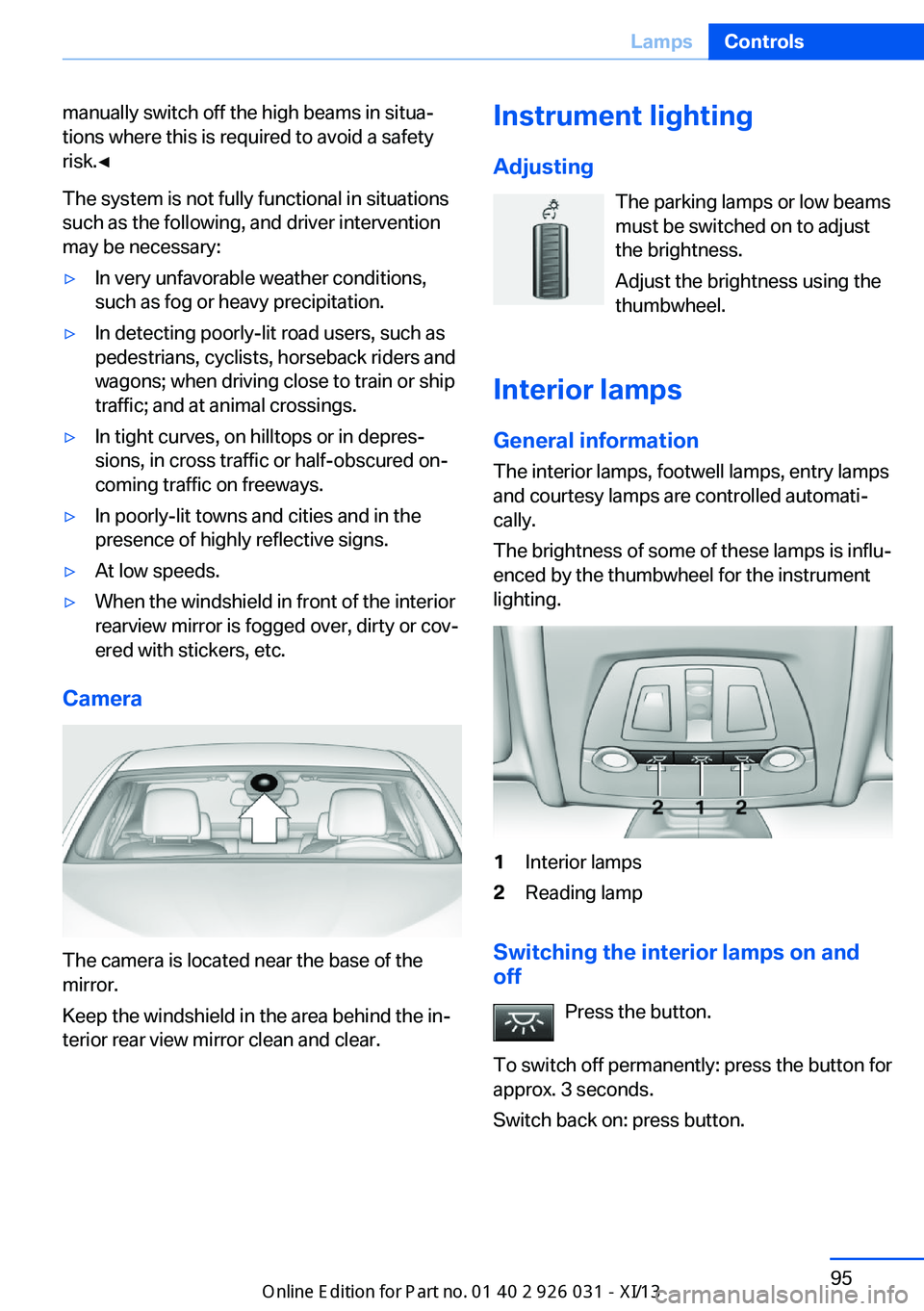
Camera
The camera is located near the base of the
mirror.
Keep the windshield in the area behind the in‐
terior rear view mirror clean and clear.
Instrument lighting
Adjusting The parking lamps or low beams
must be switched on to adjust
the brightness.
Adjust the brightness using the
thumbwheel.
Interior lamps
General information
The interior lamps, footwell lamps, entry lamps
and courtesy lamps are controlled automati‐
cally.
The brightness of some of these lamps is influ‐
enced by the thumbwheel for the instrument
lighting.1Interior lamps2Reading lamp
Switching the interior lamps on and
off
Press the button.
To switch off permanently: press the button for
approx. 3 seconds.
Switch back on: press button.
Seite 95LampsControls95
Online Edition for Part no. 01 40 2 909 953 - VI/13
Page 100 of 230
Reading lampsPress the button.
Reading lamps are located at the front and rear
next to the interior lamps.
When the interior lamps are switched off per‐
manently, the reading lamps cannot be
switched on.
Bang & Olufsen High End Surround
Sound System
Adjusting speaker lighting
Some speakers in the vehicle are illuminated.
The lighting can be individually set.1."Settings"2."Lighting"3."B & O"4.Select the desired lighting setting.▷"Off": no lighting.▷"Reduced": the speakers in the field of
view are hidden while driving.▷"On": the speakers are always illumi‐
nated.
Ambient light
Depending on the equipment, the lighting can
be individually adjusted in the interior for some
lights.
Selecting color scheme
1."Settings"2."Lighting"3."Ambient:"4.Select the desired setting.
If the color scheme of the line is selected and
the welcome lamps are activated, the welcome
lamps are displayed in color when unlocking
the vehicle.
Setting the brightness
The brightness of the ambient light can be ad‐
justed via the thumbwheel for the instrument
lighting but also independently of it.1."Settings"2."Lighting"3."Brightness:"4.Adjust the brightness.Seite 96ControlsLamps96
Online Edition for Part no. 01 40 2 909 953 - VI/13
Page 102 of 230
Protective action
Airbags are not triggered in every impact situa‐
tion, e.g., in less severe accidents or rear-end
collisions.
Information on how to ensure the optimal
protective effect of the airbags▷Keep at a distance from the airbags.▷Always grasp the steering wheel on the
steering wheel rim, holding your hands at
the 3 o'clock and 9 o'clock positions, to
keep the danger of injury to your hands or
arms as low as possible if the airbag is trig‐
gered.▷There should be no people, animals, or ob‐
jects between an airbag and a person.▷Do not use the cover of the front airbag on
the front passenger side as a storage area.▷Keep the dashboard and window on the
front passenger side clear, i.e., do not
cover with adhesive labels or coverings,
and do not attach holders such as for navi‐
gation instruments and mobile phones.▷Make sure that the front passenger is sit‐
ting correctly, i.e., keeps his or her feet and
legs in the footwell; otherwise, leg injuries
can occur if the front airbag is triggered.▷Do not place slip covers, seat cushions or
other objects on the front passenger seat
that are not approved specifically for seats
with integrated side airbags.▷Do not hang pieces of clothing, such as
jackets, over the backrests.▷Make sure that occupants keep their heads
away from the side airbag and do not rest
against the head airbag; otherwise, injuries
can occur if the airbags are triggered.▷Do not remove the airbag restraint system.▷Do not remove the steering wheel.▷Do not apply adhesive materials to the air‐
bag cover panels, cover them or modify
them in any way.▷Never modify either the individual compo‐
nents or the wiring in the airbag system.
This also applies to steering wheel covers,
the dashboard, the seats, the roof pillars
and the sides of the headliner.◀
Even when all instructions are followed closely,
injury from contact with the airbags cannot be
ruled out in certain situations.
The ignition and inflation noise may lead to
short-term and, in most cases, temporary
hearing impairment in sensitive individuals.
In the case of a malfunction, deactivation
and after triggering of the airbags
Do not touch the individual components imme‐
diately after the system has been triggered;
otherwise, there is the danger of burns.
Only have the airbags checked, repaired or dis‐
mantled and the airbag generator scrapped by
your service center or a workshop that has the
necessary authorization for handling explo‐
sives.
Non-professional attempts to service the sys‐
tem could lead to failure in an emergency or
undesired triggering of the airbag, either of
which could result in injury.◀
Warnings and information on the airbags are
also found on the sun visors.
Functional readiness of the airbag
system
When the ignition is switch on, the
warning lamp in the instrument cluster
lights up briefly and thereby indicates
the operational readiness of the entire airbag
system and the belt tensioner.
Airbag system malfunctioning
▷Warning lamp does not come on when the
ignition is turned on.▷The warning lamp lights up continuously.Seite 98ControlsSafety98
Online Edition for Part no. 01 40 2 909 953 - VI/13
Page 104 of 230
Detected child seatsThe system generally detects children seated
in a child seat, especially in the child seats that
were required by NHTSA when the vehicle was
manufactured. After installing a child seat,
make sure that the indicator lamp for the front
passenger airbags lights up. This indicates that the child seat has been detected and the
front passenger airbags are not activated.
Strength of the driver's and front
passenger airbag
The strength with which the driver's and front
passenger airbags are triggered depends on
the position of the driver's and front passenger
seats.
To maintain the accuracy of this function over
the long-term, calibrate the front seats when a
corresponding message appears on the Con‐
trol Display.
Calibrating the front seats A corresponding message appears on the
Control Display.1.Move the respective seat forward all the
way.2.Move the respective seat forward again. It
moves forward briefly.3.Readjust the seat to the desired position.
The calibration procedure is completed when
the message on the Control Display disap‐
pears.
If the message continues to be displayed, re‐
peat the calibration.
If the message does not disappear after a re‐
peat calibration, have the system checked as
soon as possible.
Unobstructed area of movement
Ensure that the area of movement of the
seats is unobstructed to avoid personal injury
or damage to objects.◀
Tire Pressure Monitor TPM
The concept The system monitors tire pressure in the four
mounted tires. The system warns you if there
is a significant loss of pressure in one or more
tires. For this purpose, sensors in the tire
valves measure the tire pressure and tire tem‐
perature.
Hints Tire damage due to external factors
Sudden tire damage caused by external
influences cannot be indicated in advance.◀
Pay attention to the other information and indi‐
cations under Tire inflation pressure, refer to
page 175, as well when using the system.
Functional requirements
The system must have been reset with the
correct tire inflation pressure; otherwise, relia‐
ble signaling of tire pressure loss is not en‐
sured.
Reset the system again after each correction
of the tire inflation pressure and after every tire
or wheel change.
Always use wheels with TPM electronics to
ensure that the system will operate properly.
Status display
The current status of the Tire Pressure Moni‐
tor TPM can be displayed on the Control Dis‐
play, e.g., whether or not the TPM is active.1."Vehicle Info"2."Vehicle status"3. "Tire Pressure Monitor"
The status is displayed.
Status display The tire and system status is indicated by the
color of the wheels and a text message on the
Control Display.
Seite 100ControlsSafety100
Online Edition for Part no. 01 40 2 909 953 - VI/13