start stop button BMW M5 SEDAN 2015 User Guide
[x] Cancel search | Manufacturer: BMW, Model Year: 2015, Model line: M5 SEDAN, Model: BMW M5 SEDAN 2015Pages: 239, PDF Size: 5.04 MB
Page 85 of 239
4.While the vehicle is stationary, press the
selector lever forward and hold it.
A flag symbol is displayed in the instru‐
ment cluster.5.Fully depress the accelerator pedal.
The starting engine speed adjusts.6.If necessary, change the starting engine
speed by 500 rpm via cruise control.7.Release brake. When the selector lever is
released, the vehicle accelerates. Continue
to depress the accelerator pedal.
Upshifting occurs automatically as long as
the accelerator pedal is fully depressed.
Launch Control is available again only after a
certain distance has been driven.
System limits
This transmission has an overheating protec‐
tion mechanism, which protects the clutch
from extreme stress.
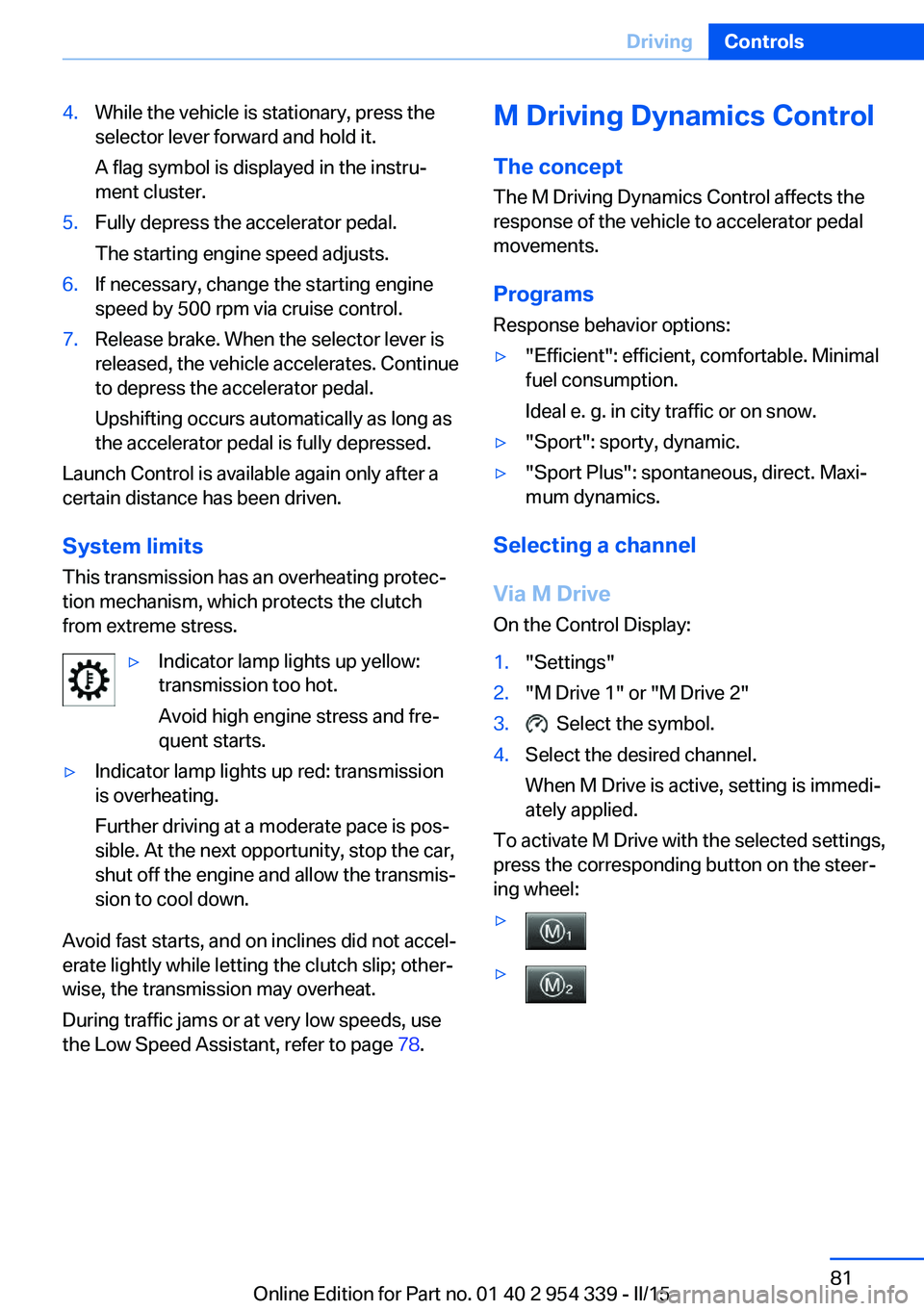
▷Indicator lamp lights up yellow:
transmission too hot.
Avoid high engine stress and fre‐
quent starts.▷Indicator lamp lights up red: transmission
is overheating.
Further driving at a moderate pace is pos‐
sible. At the next opportunity, stop the car,
shut off the engine and allow the transmis‐
sion to cool down.
Avoid fast starts, and on inclines did not accel‐
erate lightly while letting the clutch slip; other‐
wise, the transmission may overheat.
During traffic jams or at very low speeds, use
the Low Speed Assistant, refer to page 78.
M Driving Dynamics Control
The concept The M Driving Dynamics Control affects the
response of the vehicle to accelerator pedal movements.
Programs Response behavior options:▷"Efficient": efficient, comfortable. Minimal
fuel consumption.
Ideal e. g. in city traffic or on snow.▷"Sport": sporty, dynamic.▷"Sport Plus": spontaneous, direct. Maxi‐
mum dynamics.
Selecting a channel
Via M Drive On the Control Display:
1."Settings"2."M Drive 1" or "M Drive 2"3. Select the symbol.4.Select the desired channel.
When M Drive is active, setting is immedi‐
ately applied.
To activate M Drive with the selected settings,
press the corresponding button on the steer‐
ing wheel:
▷▷Seite 81DrivingControls81
Online Edition for Part no. 01 40 2 954 339 - II/15
Page 98 of 239
Calling up information on the info
display
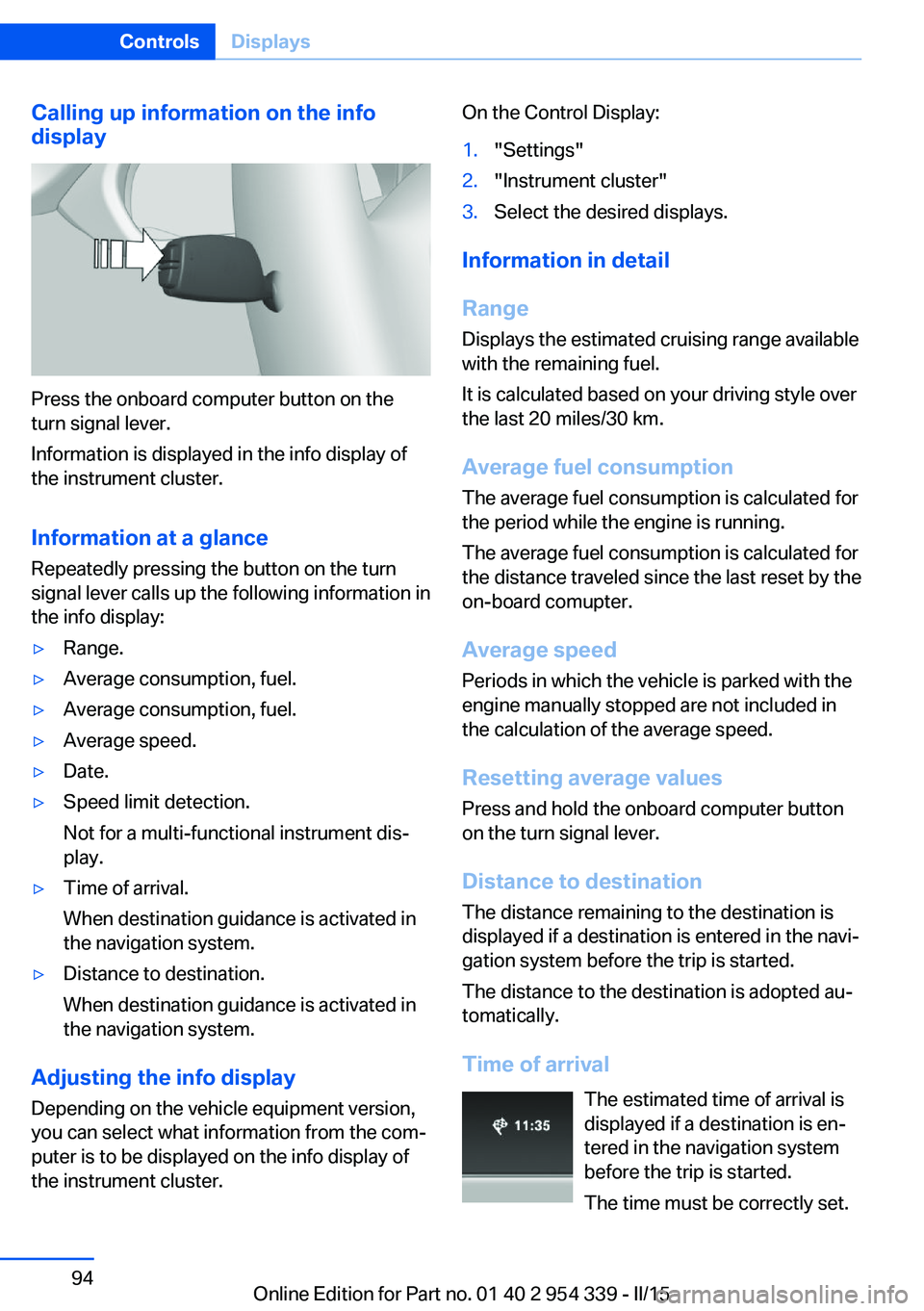
Press the onboard computer button on the
turn signal lever.
Information is displayed in the info display of
the instrument cluster.
Information at a glance
Repeatedly pressing the button on the turn
signal lever calls up the following information in
the info display:
▷Range.▷Average consumption, fuel.▷Average consumption, fuel.▷Average speed.▷Date.▷Speed limit detection.
Not for a multi-functional instrument dis‐
play.▷Time of arrival.
When destination guidance is activated in
the navigation system.▷Distance to destination.
When destination guidance is activated in
the navigation system.
Adjusting the info display
Depending on the vehicle equipment version,
you can select what information from the com‐
puter is to be displayed on the info display of
the instrument cluster.
On the Control Display:1."Settings"2."Instrument cluster"3.Select the desired displays.
Information in detail
Range
Displays the estimated cruising range available
with the remaining fuel.
It is calculated based on your driving style over
the last 20 miles/30 km.
Average fuel consumption
The average fuel consumption is calculated for
the period while the engine is running.
The average fuel consumption is calculated for
the distance traveled since the last reset by the
on-board comupter.
Average speed
Periods in which the vehicle is parked with the
engine manually stopped are not included in
the calculation of the average speed.
Resetting average values Press and hold the onboard computer button
on the turn signal lever.
Distance to destination
The distance remaining to the destination is
displayed if a destination is entered in the navi‐
gation system before the trip is started.
The distance to the destination is adopted au‐
tomatically.
Time of arrival The estimated time of arrival is
displayed if a destination is en‐
tered in the navigation system
before the trip is started.
The time must be correctly set.
Seite 94ControlsDisplays94
Online Edition for Part no. 01 40 2 954 339 - II/15
Page 116 of 239
A natural, even tire inflation pressure loss in all
four tires will not be recognized. Therefore,
check the tire inflation pressure regularly.
The system could be delayed or malfunction in
the following situations:▷When the system has not been initialized.▷When driving on a snowy or slippery road
surface.▷Sporty driving style: spinning traction
wheels, high lateral acceleration (drifting).▷When driving with snow chains.
Intelligent Safety
The concept
Intelligent Safety enables central operation of
the driver assistance system.
Depending on how the vehicle is equipped, In‐
telligent Safety consists of one or more sys‐
tems that can help prevent a imminent colli‐
sion. These systems are active automatically
every time the engine is started using the
Start/Stop button:
▷Front-end collision warning with City Brak‐
ing function, refer to page 113.▷Pedestrian warning, refer to page 115.
Hints
Personal responsibility
The system does not serve as a substi‐
tute for the driver's personal judgment of the
traffic situation.
Be aware of the traffic situation and the vehi‐
cle's surroundings at all times, otherwise acci‐
dents are still possible despite all warnings.◀
Adapting your speed and driving style
The displays and warnings of the system
do not relieve the driver of the responsibility to
adapt his or her driving speed and style to the
traffic conditions.◀
Be alert
Due to system limitations, warnings may
be not issued at all, or may be issued late or
improperly. Therefore, always be alert and
ready to intervene; otherwise, there is the risk
of an accident.◀
Tow-starting and towing
For tow-starting or towing, switch off the
Intelligent Safety systems; otherwise malfunc‐
tions of the individual braking systems might
lead to accidents.◀
At a glance
Button in the vehicle
Intelligent Safety button
Camera
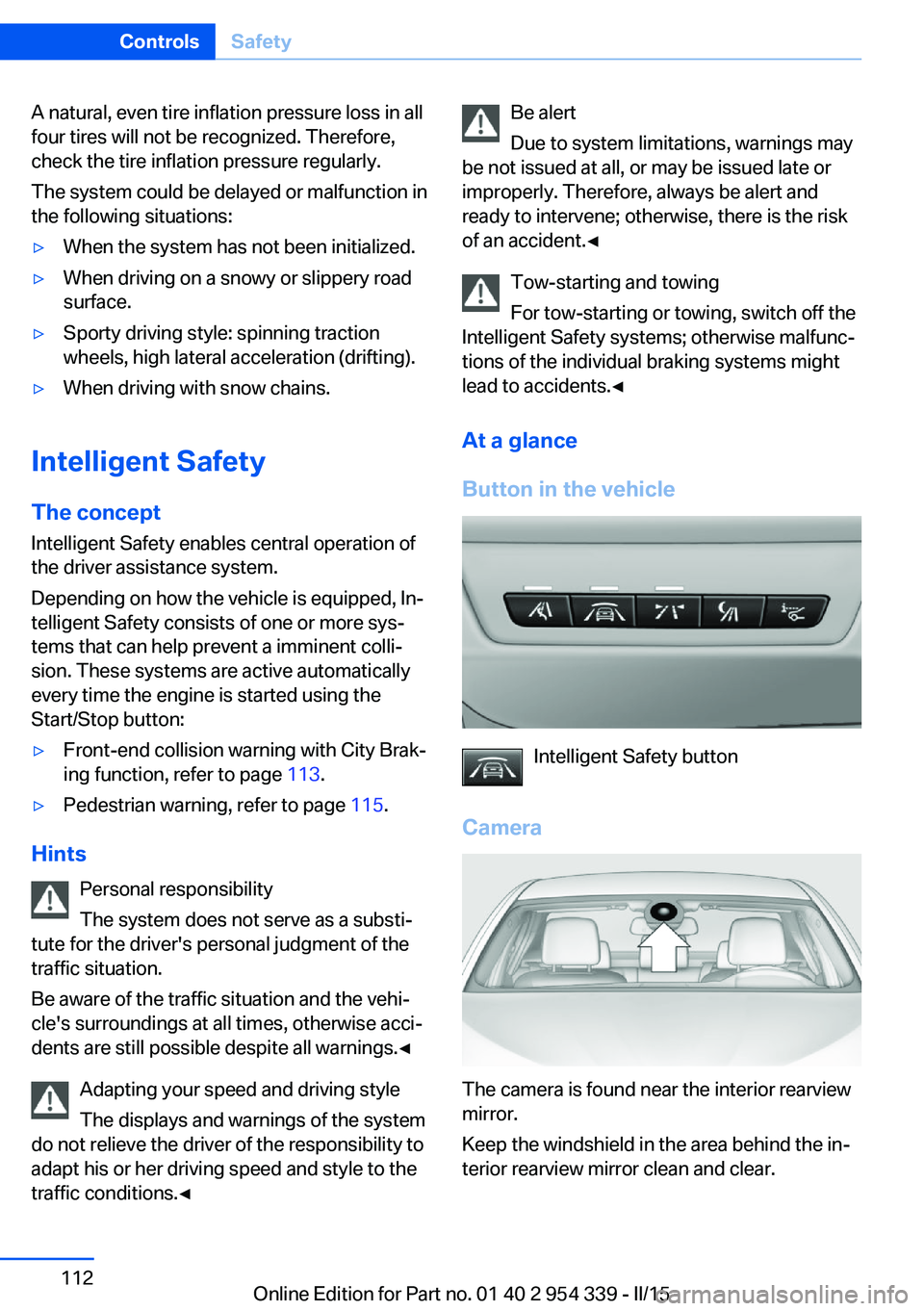
The camera is found near the interior rearview
mirror.
Keep the windshield in the area behind the in‐
terior rearview mirror clean and clear.
Seite 112ControlsSafety112
Online Edition for Part no. 01 40 2 954 339 - II/15
Page 123 of 239
Environmental influences can limit the availa‐
bility of object detection.
If the vehicle systems detect that the vehicle is
located in a residential area, the animal detec‐
tion is temporarily switched off.
Hints Personal responsibility
Night Vision cannot replace the driver's
personal judgment of the visibility conditions
and the traffic situation. The view ahead and
the actual visibility conditions must always be
the basis on which the vehicle speed is ad‐
justed; otherwise, there is a risk to road
safety.◀
Overview
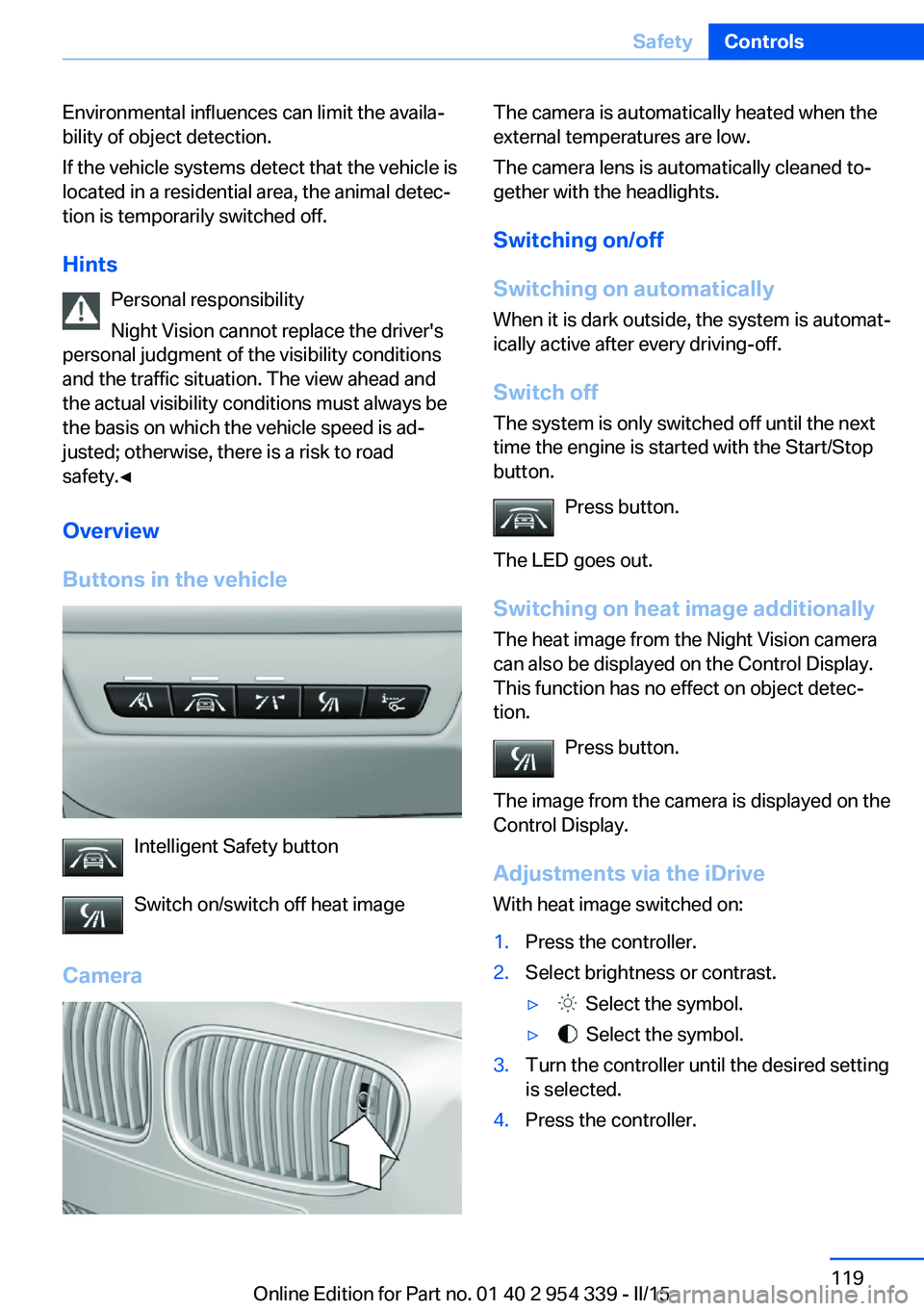
Buttons in the vehicle
Intelligent Safety button
Switch on/switch off heat image
Camera
The camera is automatically heated when the
external temperatures are low.
The camera lens is automatically cleaned to‐
gether with the headlights.
Switching on/off
Switching on automatically When it is dark outside, the system is automat‐
ically active after every driving-off.
Switch off
The system is only switched off until the next
time the engine is started with the Start/Stop
button.
Press button.
The LED goes out. Switching on heat image additionally
The heat image from the Night Vision camera
can also be displayed on the Control Display.
This function has no effect on object detec‐
tion.
Press button.
The image from the camera is displayed on the
Control Display.
Adjustments via the iDrive
With heat image switched on:1.Press the controller.2.Select brightness or contrast.▷ Select the symbol.▷ Select the symbol.3.Turn the controller until the desired setting
is selected.4.Press the controller.Seite 119SafetyControls119
Online Edition for Part no. 01 40 2 954 339 - II/15
Page 221 of 239
3.Switch the engine off.4.Switch on the ignition.
M double-clutch transmission:
1.Drive into the car wash.2.Engage selector lever position N.3.Switch the engine off.
In this way, the ignition remains switched
on, and a Check-Control message is dis‐
played.
Do not turn off the ignition in the car
wash
Do not turn off the ignition in the car wash;
otherwise, the transmission position P is
engaged and damages can result.◀
The vehicle cannot be locked from the outside
when in selector lever position N. A signal
sounds when an attempt is made to lock the
vehicle.
To start the engine with manual transmission:
1.Press on the clutch pedal.2.Press the Start/Stop button.
To start the engine with a M double clutch
transmission:
1.Depress the brake pedal.2.Press the Start/Stop button.
Pressing the Start/Stop button without step‐
ping on the brake turns the ignition off.
Transmission position
Transmission position P is engaged automati‐
cally:
▷When the ignition is switched off.▷After approx. 15 minutes.
Headlights
▷Do not rub dry and do not use abrasive or
acidic cleansers.▷Soak areas that have been dirtied e. g.,
from insects, with shampoo and wash off
with water.▷Thaw ice with de-icing spray; do not use an
ice scraper.
After washing the vehicle
After washing the vehicle, apply the brakes
briefly to dry them; otherwise, braking action
can be reduced and corrosion of the brake
discs can occur.
Completely remove all residues on the win‐
dows, to minimize loss of visibility due to
smearing and to reduce wiper noises and
wiper blade wear.
Vehicle care
Car care products BMW recommends using care and cleaning
products from BMW, since these have been
tested and approved.
Car care and cleaning products
Follow the instructions on the container.
When cleaning the interior, open the doors or
windows.
Only use products intended for cleaning vehi‐
cles.
Cleansers can contain substances that are
dangerous and harmful to your health.◀
Vehicle paint
Regular care contributes to driving safety and
value retention. Environmental influences in
areas with elevated air pollution or natural con‐
taminants, such as tree resin or pollen can af‐
fect the vehicle's paintwork. Tailor the fre‐
quency and extent of your car care to these
influences.
Aggressive substances such as spilled fuel, oil,
grease or bird droppings, must be removed im‐
Seite 217CareMobility217
Online Edition for Part no. 01 40 2 954 339 - II/15
Page 229 of 239
Brake assistant 127
Brake discs, break-in 170
Brake force display 124
Brake lights, adaptive 124
Brake lights, brake force dis‐ play 124
Brake lights, bulb replace‐ ment 206
Brake pads, break-in 170
Braking, hints 172
Breakdown assistance 210
Break-in 170
Brightness of Control Dis‐ play 97
Bulb replacement 203
Bulb replacement, front 204
Bulb replacement, rear 206
Bulbs and lights 203
Button, Start/Stop 68
Bypassing, refer to Jump- starting 211
C
California Proposition 65 Warning 7
Calling up mirror adjust‐ ment 46
Calling up seat adjust‐ ment 46
Calling up steering wheel ad‐ justment 46
Camera lenses, care 219
Camera, rearview cam‐ era 138
Camera, Side View 140
Camera, Top View 142
Can holder, refer to Cu‐ pholder 162
Car battery 208
Carbon ceramic brake M 168
Car care products 217
Care, displays 219
Care, vehicle 217
Cargo 174
Cargo area, enlarging 156 Cargo area, storage compart‐
ments 163
Cargo, securing 175
Cargo straps, securing cargo 175
Car key, refer to Remote con‐ trol 34
Carpet, care 219
Car wash 216
Catalytic converter, refer to Hot exhaust system 171
CBS Condition Based Serv‐ ice 201
CD/Multimedia, see user's manual for Navigation, En‐
tertainment and Communi‐
cation
Center armrest 161
Center console 16
Central locking system 40
Central screen, refer to Con‐ trol Display 18
Ceramic brake 168
Changes, technical, refer to Safety 7
Changing parts 203
Changing wheels 207
Changing wheels/tires 190
Chassis number, see vehicle identification number 9
Check Control 84
Checking the engine oil level electronically 197
Checking the oil level elec‐ tronically 197
Children, seating position 64
Children, transporting safely 64
Child restraint fixing sys‐ tem 64
Child restraint fixing system LATCH 65
Child restraint fixing systems, mounting 64
Child safety locks 67
Child seat, mounting 64 Child seats 64
Chrome parts, care 218
Cigarette lighter 153
Cleaning displays 219
Climate control 144
Climate control laminated tinted safety glass 171
Climate control wind‐ shield 171
Clock 88
Closing/opening via door lock 39
Closing/opening with remote control 37
Closing the trunk lid with no- touch activation 44
Clothes hooks 163
Combination reel, refer to Turn signals 74
Combination switch, refer to Wiper system 74
Comfort Access 43
Compound brake 168
Compressor 191
Computer, refer to On-board computer 93
Condensation on win‐ dows 145
Condensation under the vehi‐ cle 173
Condition Based Service CBS 201
Confirmation signal 46
ConnectedDrive, see user's manual for Navigation, En‐
tertainment and Communi‐
cation
ConnectedDrive Services
Control Display 18
Control Display, settings 96
Controller 18
Control systems, driving sta‐ bility 127
Convenient opening with the remote control 37
Coolant 200 Seite 225Everything from A to ZReference225
Online Edition for Part no. 01 40 2 954 339 - II/15
Page 234 of 239
PPaint, vehicle 217
Park Distance Control PDC 135
Parked-car ventilation 150
Parked vehicle, condensa‐ tion 173
Parking aid, refer to PDC 135
Parking brake 72
Parking lights 100
Parts and accessories 7
Passenger side mirror, tilting downward 61
Pathway lines, rearview cam‐ era 139
PDC Park Distance Con‐ trol 135
Pedestrian detection, see Night Vision 118
Pedestrian warning with city braking function 115
Personal Profile 35
Personal Profile, exporting profiles 36
Pinch protection system, glass sunroof 51
Pinch protection system, win‐ dows 49
Plastic, care 218
Power failure 208
Power sunroof, glass 50
Power windows 48
Pressure, tire air pres‐ sure 186
Pressure warning FTM, tires 111
Preventing Auto Start Stop 71
Profile, refer to Personal Pro‐ file 35
Programmable memory but‐ tons, iDrive 23
Protective function, glass sunroof 51 Protective function, win‐
dows 49
Push-and-turn switch, refer to Controller 18
R Radiator fluid 200
Radio-operated key, refer to Remote control 34
Radio ready state 68
Radio, see user's manual for Navigation, Entertainment
and Communication
Rain sensor 75
Rear automatic climate con‐ trol 148
Rear lights 206
Rear socket 156
Rearview camera 137
Rearview mirror 60
Rear window defroster 146
Recirculated-air mode 146
Recommended fuel grade 184
Recommended tire brands 190
Refueling 182
Remaining range 89
Remote control/key 34
Remote control, malfunc‐ tion 38
Remote control, univer‐ sal 151
Replacement fuse 209
Replacing parts 203
Replacing wheels/tires 190
Reporting safety defects 9
RES button, see Cruise con‐ trol 133
Reserve warning, refer to Range 89
Reset, Tire Pressure Monitor TPM 109
Residual heat, automatic cli‐ mate control 147 Retaining straps, securing
cargo 175
Retreaded tires 190
Reversing lamp, bulb replace‐ ment 206
Roadside parking lights 101
Roller sunblinds 49
RON recommended fuel grade 184
Roofliner 17
Roof load capacity 222
Roof-mounted luggage rack 175
Rope for tow-starting/ towing 214
Rubber components, care 218
S
Safe braking 172
Safety 7
Safety belt reminder for driv‐ er's seat and front passen‐
ger seat 57
Safety belts 56
Safety belts, care 219
Safety Package, refer to Ac‐ tive Protection 124
Safety switch, windows 49
Safety systems, airbags 105
Saving fuel 177
Screen, refer to Control Dis‐ play 18
Screwdriver, see Onboard ve‐ hicle tool kit 203
Screw thread, refer to Screw thread for tow fitting, screw
thread for tow fitting 215
Sealant 191
Seat belts, refer to Safety belts 56
Seat heating, front 55
Seat heating, rear 55
Seating position for chil‐ dren 64 Seite 230ReferenceEverything from A to Z230
Online Edition for Part no. 01 40 2 954 339 - II/15
Page 235 of 239
Seat, mirror, and steeringwheel memory 59
Seats 53
Seat ventilation, front 56
Selection list in instrument cluster 93
Selector lever 77
Selector lever position 77
Sensors, care 219
Sequential mode 78
Service and warranty 8
Service requirements, Condi‐ tion Based Service
CBS 201
Service requirements, dis‐ play 90
Services, ConnectedDrive
Servotronic 131
SET button, see Cruise con‐ trol 133
Settings, locking/unlock‐ ing 46
Settings, M Drive 127
Settings on Control Dis‐ play 96
Settings, storing for seat, mir‐ rors, steering wheel 59
Shift point indicator 99
Shoulder support 55
Side airbags 105
Side View 140
Signaling, horn 14
Signals when unlocking 46
Sitting safely 53
Size 222
Ski bag 158
Slide/tilt glass roof 50
Smallest turning radius 222
Smoker's package 153
Snow chains 194
Socket 155
Socket, OBD Onboard Diag‐ nostics 202
SOS button 210
Spare fuse 209
Speaker lighting 104 Specified engine oil
types 199
Speed, average 94
Speed limit detection, on- board computer 95
Speed limiter, display 92
Speed Limit Information 92
Speed warning 95
Split screen 23
Sport displays, torque dis‐ play, performance dis‐
play 95
Stability control systems 127
Standard view, head-up dis‐ play 98
Start/stop, automatic func‐ tion 70
Start/Stop button 68
Start function during malfunc‐ tion 35
Starting the engine 69
Status control display, tires 109
Status information, iDrive 22
Status of Owner's Manual 7
Steering assistance 131
Steering wheel, adjusting 62
Steering wheel heating 63
Steering wheel memory 59
Stopping the engine 69
Storage compartment, re‐ mote control 163
Storage compartments 160
Storage compartments, loca‐ tions 160
Storage, tires 191
Storing the vehicle 219
Suitable engine oils 199
Summer tires, tread 189
Sun visor 153
Supplementary text mes‐ sage 87
Surround View 137
Switch-on times, parked-car ventilation 150
Switch, refer to Cockpit 14 Symbols 6
Symbols in the status field 22
SYNC program, automatic cli‐ mate control 146
System states of dynamic driving 90
T
Tachometer 87
Tail and brake lights 206
Tail lights 206
Tail lights, bulb replace‐ ment 206
Technical changes, refer to Safety 7
Technical data 222
Technology, BMW M 168
Telephone, see user's manual for Navigation, Entertain‐
ment and Communication
Temperature, automatic cli‐ mate control 145
Temperature display for ex‐ ternal temperature 88
Temperature, engine oil 87
Terminal, starting aid 212
Text message, supplemen‐ tary 87
Theft alarm system, refer to Alarm system 47
Thermal camera, see Night Vision 118
Through-loading system 156
Tilt alarm sensor 47
Time of arrival 94
Tire damage 189
Tire identification marks 187
Tire inflation pressure 186
Tire inflation pressure moni‐ tor, refer to FTM 111
Tire Pressure Monitor TPM 108
Tires, changing 190
Tire sealant 191 Seite 231Everything from A to ZReference231
Online Edition for Part no. 01 40 2 954 339 - II/15