lights BMW M5 SEDAN 2015 Repair Manual
[x] Cancel search | Manufacturer: BMW, Model Year: 2015, Model line: M5 SEDAN, Model: BMW M5 SEDAN 2015Pages: 239, PDF Size: 5.04 MB
Page 207 of 239
Replacing componentsVehicle features and optionsThis chapter describes all standard, country-
specific and optional features offered with the
series. It also describes features that are not
necessarily available in your car, e. g., due to
the selected options or country versions. This
also applies to safety-related functions and
systems. The respectively applicable country
provisions must be observed when using the
respective features and systems.
Onboard vehicle tool kit
The onboard vehicle tool kit is located in a
fold-down cover in the trunk lid.
Unscrew the wing nut to open.
Wiper blade replacement
Hints Do not fold down the wipers without
wiper blades
Do not fold down the wipers if wiper blades
have not been installed; this may damage the
windshield.◀
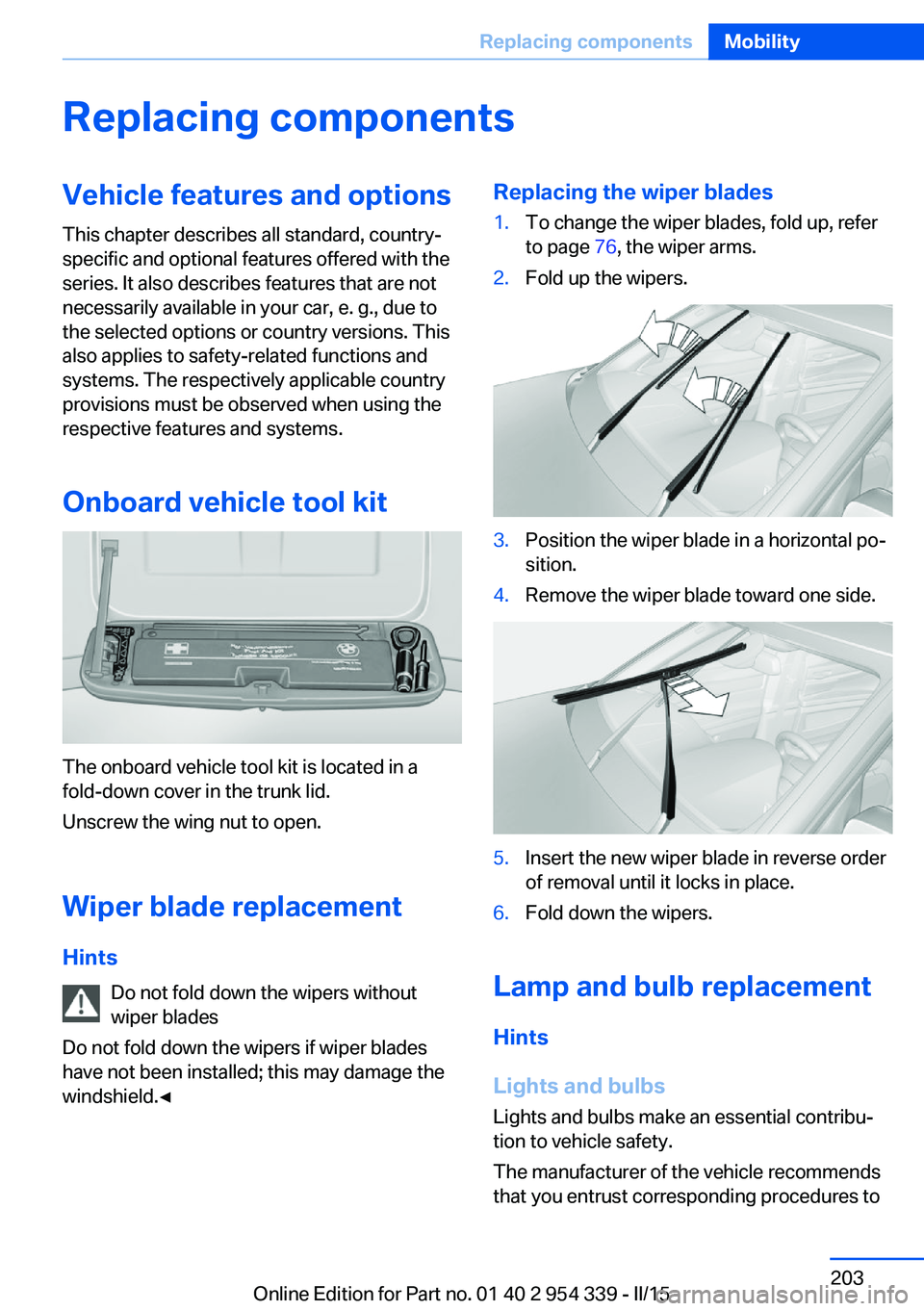
Replacing the wiper blades1.To change the wiper blades, fold up, refer
to page 76, the wiper arms.2.Fold up the wipers.3.Position the wiper blade in a horizontal po‐
sition.4.Remove the wiper blade toward one side.5.Insert the new wiper blade in reverse order
of removal until it locks in place.6.Fold down the wipers.
Lamp and bulb replacement
Hints
Lights and bulbs
Lights and bulbs make an essential contribu‐
tion to vehicle safety.
The manufacturer of the vehicle recommends
that you entrust corresponding procedures to
Seite 203Replacing componentsMobility203
Online Edition for Part no. 01 40 2 954 339 - II/15
Page 208 of 239
the service center if you are unfamiliar those or
if they have not been described here.
You can obtain a selection of replacement
bulbs at the service center.
Danger of burns
Only change bulbs when they are cool;
otherwise, there is a danger of getting
burned.◀
Working on the lighting system
When working on the lighting system,
you should always reel off the lights affected to
prevent short circuits.
To avoid possible injury or equipment damage
when replacing bulbs, observe any instructions
provided by the bulb manufacturer.◀
Do not perform work/bulb replacement
on xenon headlights
Have any work on the xenon lighting system,
including bulb replacement, performed only by
a service center. Due to the high voltage
present in the system, there is a danger of fatal
injuries if work is carried out improperly.◀
Do not touch the bulbs
Do not touch the glass of new bulbs with
your bare hands, as even minute amounts of
contamination will burn into the bulb's surface
and reduce its service life.
Use a clean tissue, cloth or something similar,
or hold the bulb by its base.◀
Light-emitting diodes (LEDs)
Some items of equipment use light-emitting
diodes installed behind a cover as a light
source.
These light-emitting diodes, which are related
to conventional lasers, are officially designated as Class 1 light-emitting diodes.Do not remove the covers
Do not remove the covers, and never
stare into the unfiltered light for several hours;
otherwise, irritation of the retina could result.◀
Headlight glass
Condensation can form on the inside of the ex‐
ternal lights in cool or humid weather. When
driving with the light switched on, the conden‐
sation evaporates after a short time. The head‐
light glass does not need to be changed.
If the headlights do not dim despite driving
with the light switched on, increasing humidity
forms, e. g. water droplets in the light, have the service center check this.
Headlight setting The headlight adjustments can be affected by
changing lights and bulbs. Have the head‐
lights' settings checked and corrected by serv‐
ice after a replacement.
Front lights, bulb replacement
Xenon headlights
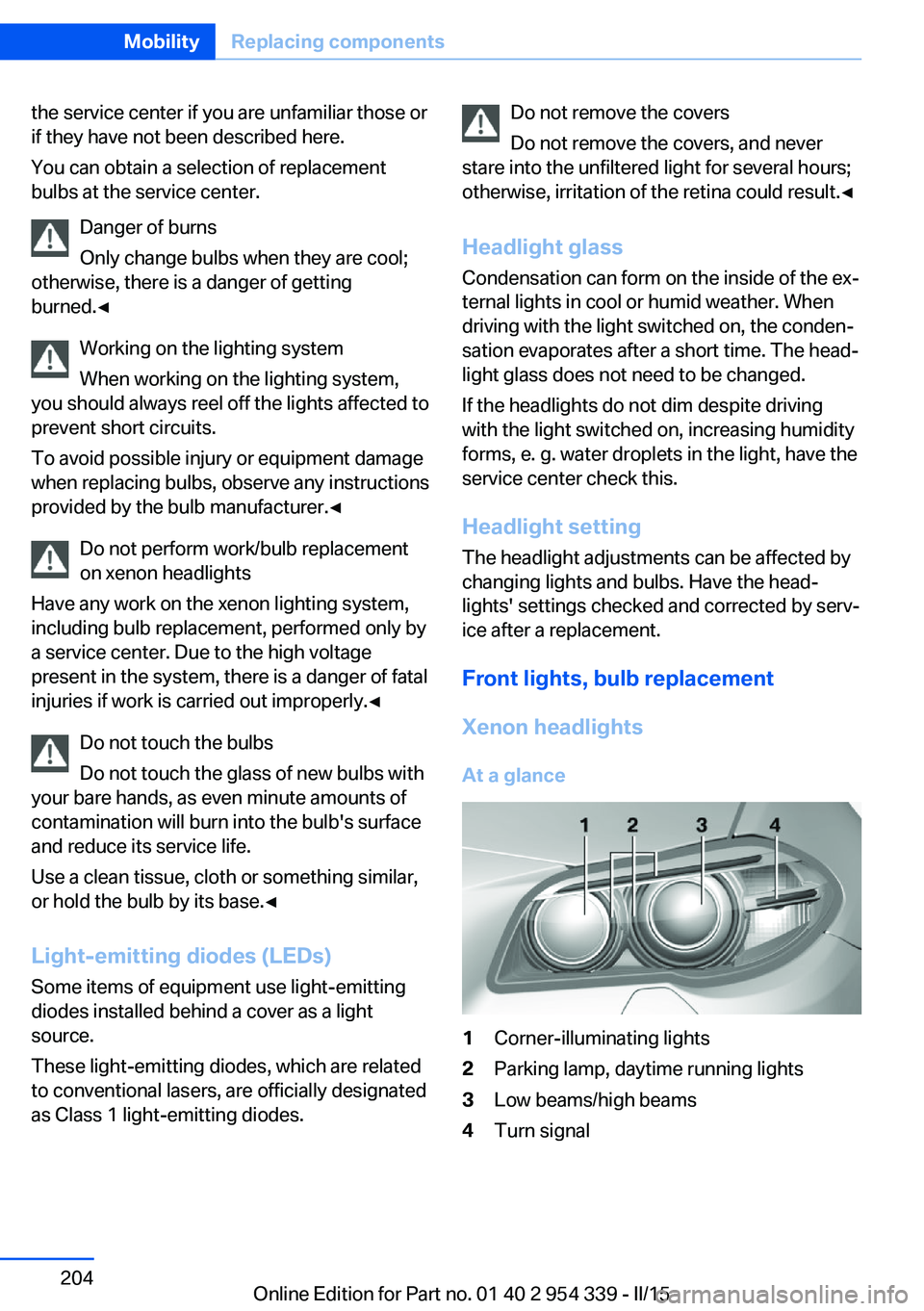
At a glance1Corner-illuminating lights2Parking lamp, daytime running lights3Low beams/high beams4Turn signalSeite 204MobilityReplacing components204
Online Edition for Part no. 01 40 2 954 339 - II/15
Page 209 of 239
Hints
Because of the long life of these bulbs, the
likelihood of failure is very low. Switching the
lights on and off frequently shortens their life.
Do not perform work/bulb replacement
on xenon headlights
Have any work on the xenon lighting system,
including bulb replacement, performed only by
a service center. Due to the high voltage
present in the system, there is a danger of fatal
injuries if work is carried out improperly.◀
For checking and adjusting headlamp aim,
please contact your BMW center.
Parking lights and roadside parking lamp
Follow general instructions, refer to page 203.
These lights feature LED technology.
Contact your service center in the event of a
malfunction.
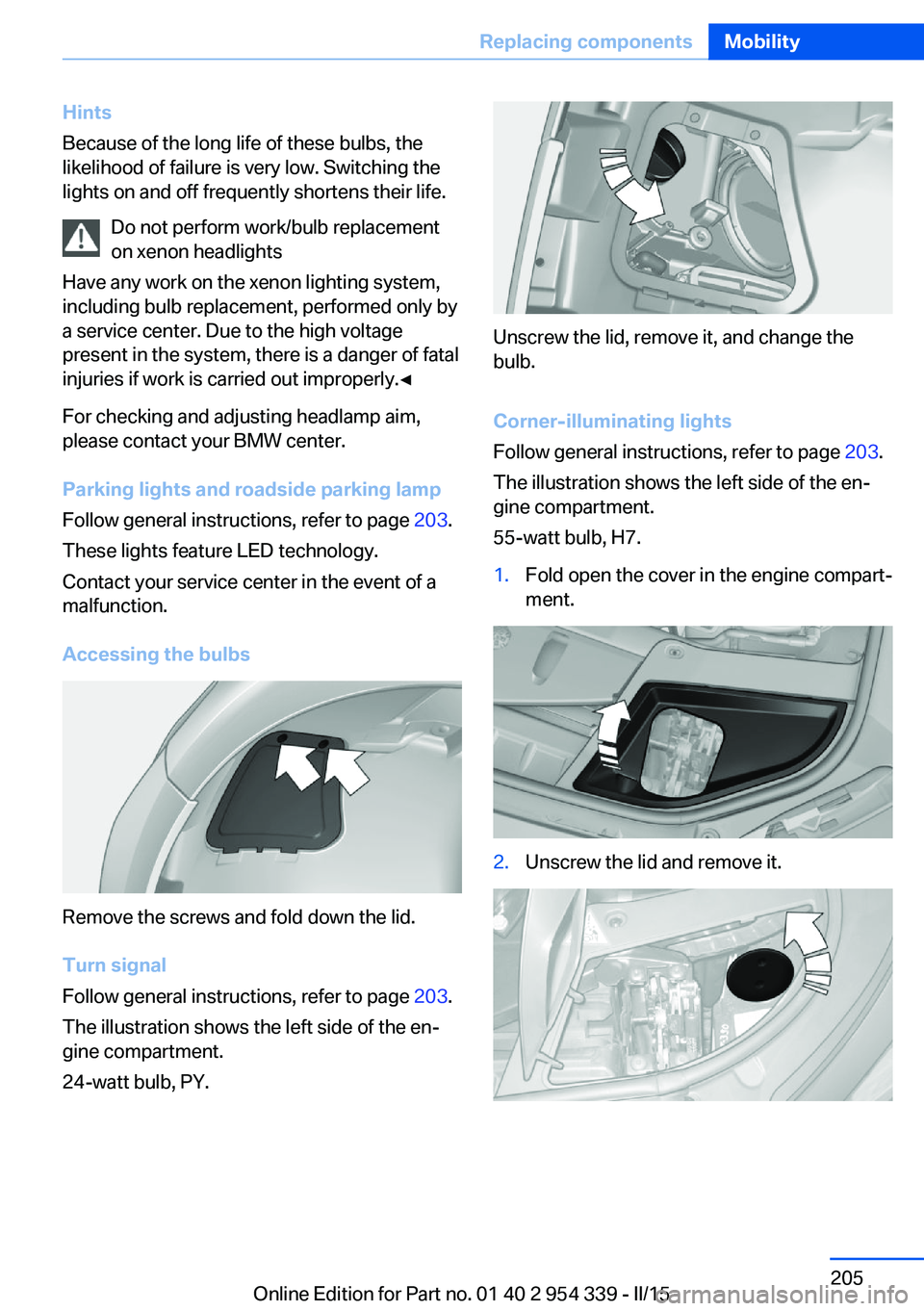
Accessing the bulbs
Remove the screws and fold down the lid.
Turn signal
Follow general instructions, refer to page 203.
The illustration shows the left side of the en‐
gine compartment.
24-watt bulb, PY.
Unscrew the lid, remove it, and change the
bulb.
Corner-illuminating lights
Follow general instructions, refer to page 203.
The illustration shows the left side of the en‐
gine compartment.
55-watt bulb, H7.
1.Fold open the cover in the engine compart‐
ment.2.Unscrew the lid and remove it.Seite 205Replacing componentsMobility205
Online Edition for Part no. 01 40 2 954 339 - II/15
Page 210 of 239
3.Unscrew the bulb holder counterclockwise.4.Remove the bulb and replace it.5.Insert the new bulb and attach the cover in
the reverse order.
LED headlights
At a glance
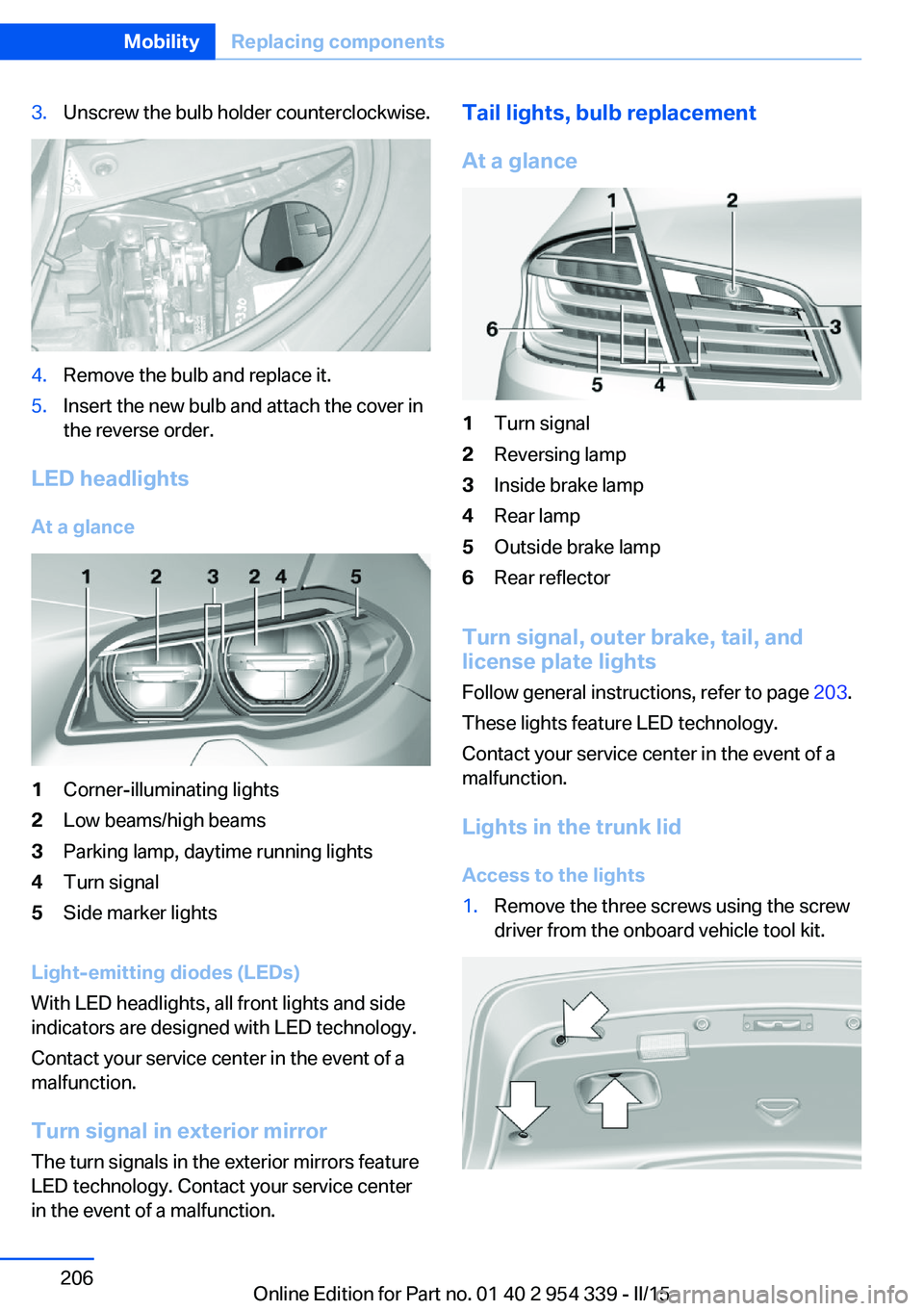
1Corner-illuminating lights2Low beams/high beams3Parking lamp, daytime running lights4Turn signal5Side marker lights
Light-emitting diodes (LEDs)
With LED headlights, all front lights and side
indicators are designed with LED technology.
Contact your service center in the event of a
malfunction.
Turn signal in exterior mirrorThe turn signals in the exterior mirrors feature
LED technology. Contact your service center
in the event of a malfunction.
Tail lights, bulb replacement
At a glance1Turn signal2Reversing lamp3Inside brake lamp4Rear lamp5Outside brake lamp6Rear reflector
Turn signal, outer brake, tail, and
license plate lights
Follow general instructions, refer to page 203.
These lights feature LED technology.
Contact your service center in the event of a
malfunction.
Lights in the trunk lid
Access to the lights
1.Remove the three screws using the screw
driver from the onboard vehicle tool kit.Seite 206MobilityReplacing components206
Online Edition for Part no. 01 40 2 954 339 - II/15
Page 214 of 239
Breakdown assistanceVehicle features and options
This chapter describes all standard, country-
specific and optional features offered with the
series. It also describes features that are not
necessarily available in your car, e. g., due to
the selected options or country versions. This
also applies to safety-related functions and
systems. The respectively applicable country
provisions must be observed when using the
respective features and systems.
Hazard warning flashers
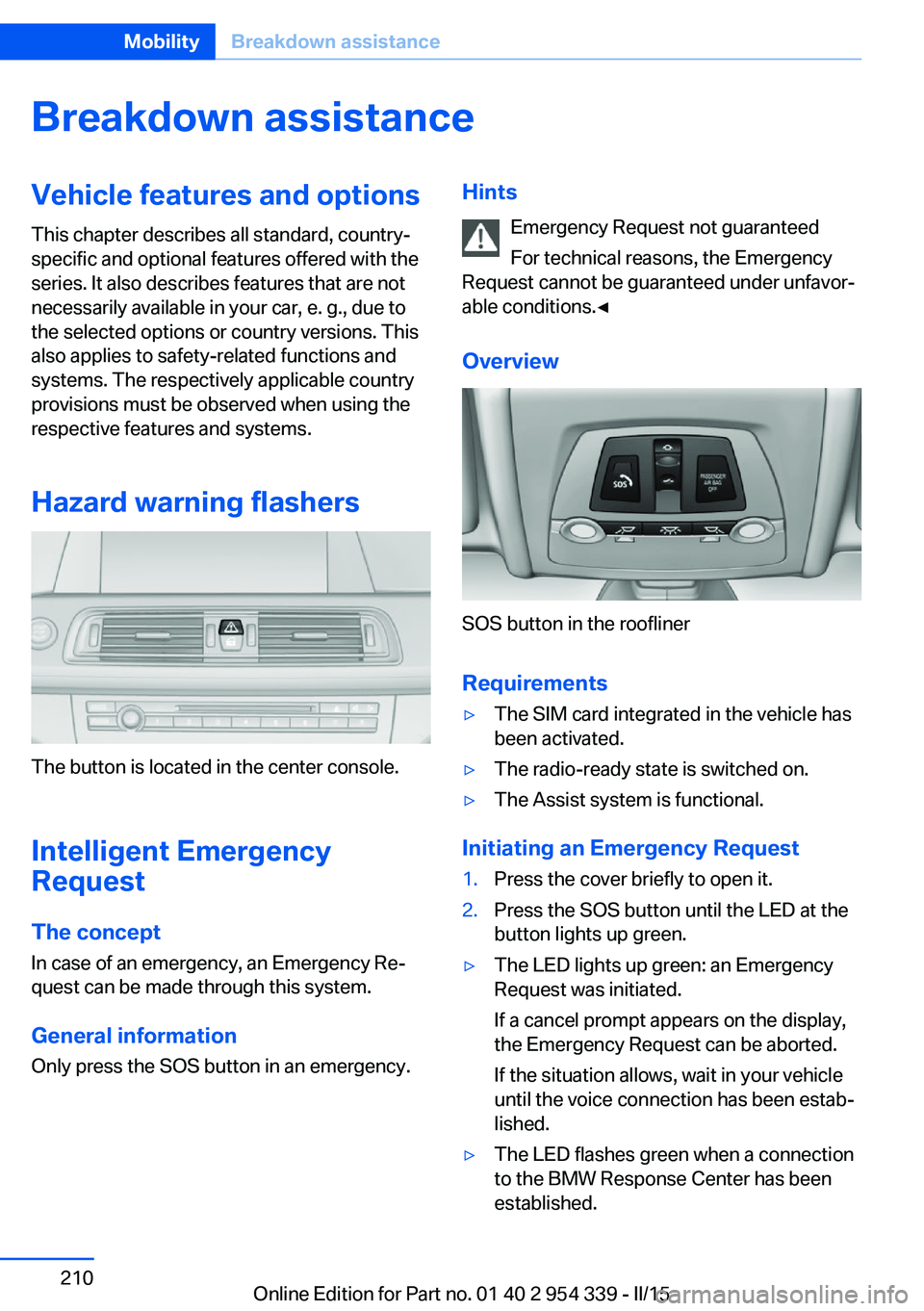
The button is located in the center console.
Intelligent Emergency
Request
The concept In case of an emergency, an Emergency Re‐
quest can be made through this system.
General information
Only press the SOS button in an emergency.
Hints
Emergency Request not guaranteed
For technical reasons, the Emergency
Request cannot be guaranteed under unfavor‐
able conditions.◀
Overview
SOS button in the roofliner
Requirements
▷The SIM card integrated in the vehicle has
been activated.▷The radio-ready state is switched on.▷The Assist system is functional.
Initiating an Emergency Request
1.Press the cover briefly to open it.2.Press the SOS button until the LED at the
button lights up green.▷The LED lights up green: an Emergency
Request was initiated.
If a cancel prompt appears on the display,
the Emergency Request can be aborted.
If the situation allows, wait in your vehicle
until the voice connection has been estab‐
lished.▷The LED flashes green when a connection
to the BMW Response Center has been
established.Seite 210MobilityBreakdown assistance210
Online Edition for Part no. 01 40 2 954 339 - II/15
Page 217 of 239
Tow-starting and towingNote Tow-starting and towing
For tow-starting or towing, switch off the
Intelligent Safety systems; otherwise malfunc‐
tions of the individual braking systems might
lead to accidents.◀
Manual transmission
Observe before towing your vehicle Gearshift lever in neutral position.
Towing When the parking brake is blocked
The parking brake cannot be released
manually.
Do not tow the vehicle with the parking brake
blocked, or the vehicle can be damaged.
Contact your service center.◀
Follow the towing instructions
Follow all towing instructions; otherwise,
vehicle damage or accidents may occur.◀▷Make sure that the ignition is switched on;
otherwise, the low beams, tail lights, turn
signals, and wipers may be unavailable.▷Do not tow the vehicle with the rear axle
tilted, as the front wheels could turn.▷When the engine is stopped, there is no
power assist. Consequently, more force
needs to be applied when braking and
steering.▷Larger steering wheel movements are re‐
quired.▷The towing vehicle must not be lighter
than the vehicle being towed; otherwise,
it will not be possible to control the vehi‐
cle's response.Tow truck
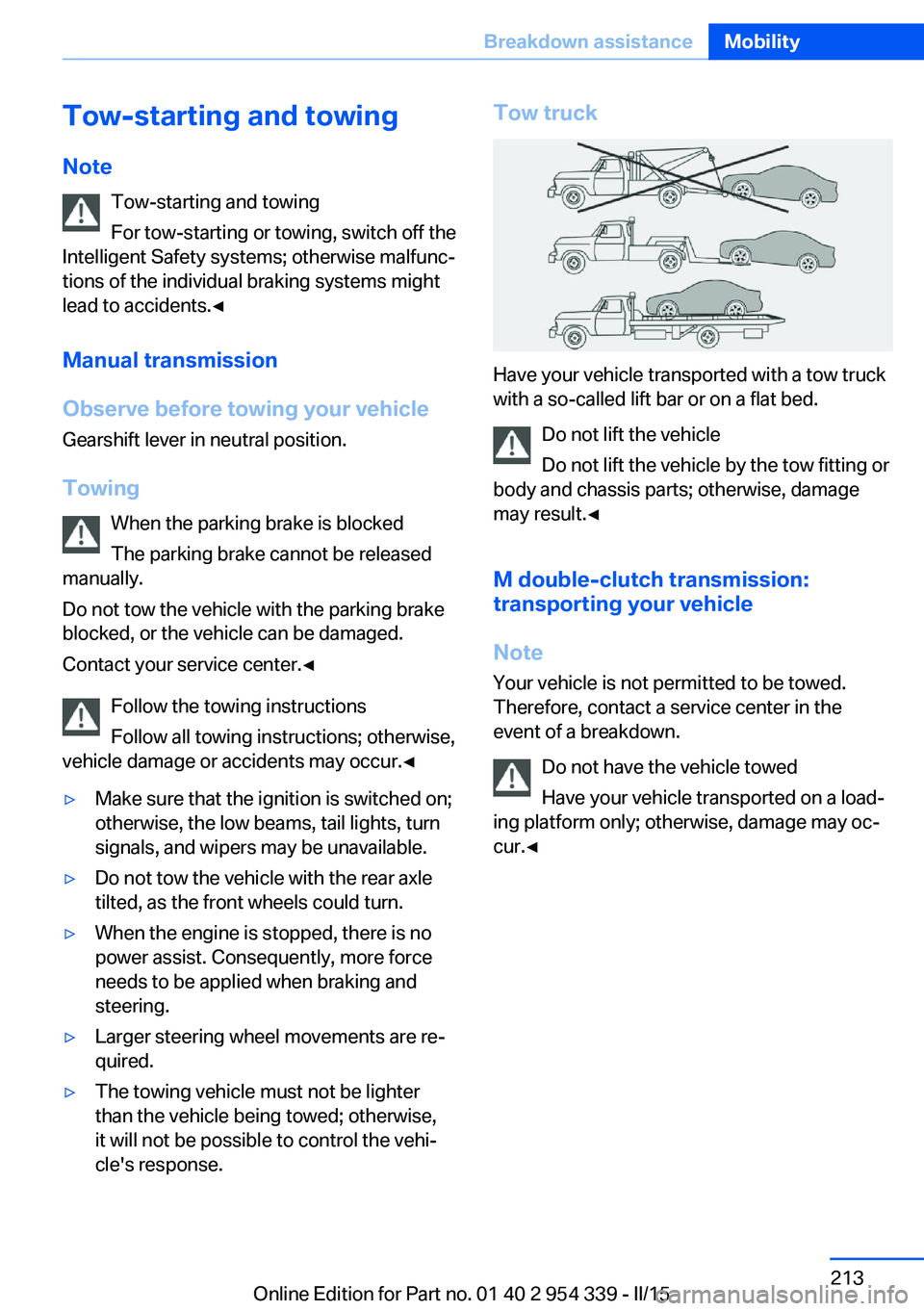
Have your vehicle transported with a tow truck
with a so-called lift bar or on a flat bed.
Do not lift the vehicle
Do not lift the vehicle by the tow fitting or
body and chassis parts; otherwise, damage
may result.◀
M double-clutch transmission:
transporting your vehicle
Note Your vehicle is not permitted to be towed.
Therefore, contact a service center in the
event of a breakdown.
Do not have the vehicle towed
Have your vehicle transported on a load‐
ing platform only; otherwise, damage may oc‐
cur.◀
Seite 213Breakdown assistanceMobility213
Online Edition for Part no. 01 40 2 954 339 - II/15
Page 221 of 239
3.Switch the engine off.4.Switch on the ignition.
M double-clutch transmission:
1.Drive into the car wash.2.Engage selector lever position N.3.Switch the engine off.
In this way, the ignition remains switched
on, and a Check-Control message is dis‐
played.
Do not turn off the ignition in the car
wash
Do not turn off the ignition in the car wash;
otherwise, the transmission position P is
engaged and damages can result.◀
The vehicle cannot be locked from the outside
when in selector lever position N. A signal
sounds when an attempt is made to lock the
vehicle.
To start the engine with manual transmission:
1.Press on the clutch pedal.2.Press the Start/Stop button.
To start the engine with a M double clutch
transmission:
1.Depress the brake pedal.2.Press the Start/Stop button.
Pressing the Start/Stop button without step‐
ping on the brake turns the ignition off.
Transmission position
Transmission position P is engaged automati‐
cally:
▷When the ignition is switched off.▷After approx. 15 minutes.
Headlights
▷Do not rub dry and do not use abrasive or
acidic cleansers.▷Soak areas that have been dirtied e. g.,
from insects, with shampoo and wash off
with water.▷Thaw ice with de-icing spray; do not use an
ice scraper.
After washing the vehicle
After washing the vehicle, apply the brakes
briefly to dry them; otherwise, braking action
can be reduced and corrosion of the brake
discs can occur.
Completely remove all residues on the win‐
dows, to minimize loss of visibility due to
smearing and to reduce wiper noises and
wiper blade wear.
Vehicle care
Car care products BMW recommends using care and cleaning
products from BMW, since these have been
tested and approved.
Car care and cleaning products
Follow the instructions on the container.
When cleaning the interior, open the doors or
windows.
Only use products intended for cleaning vehi‐
cles.
Cleansers can contain substances that are
dangerous and harmful to your health.◀
Vehicle paint
Regular care contributes to driving safety and
value retention. Environmental influences in
areas with elevated air pollution or natural con‐
taminants, such as tree resin or pollen can af‐
fect the vehicle's paintwork. Tailor the fre‐
quency and extent of your car care to these
influences.
Aggressive substances such as spilled fuel, oil,
grease or bird droppings, must be removed im‐
Seite 217CareMobility217
Online Edition for Part no. 01 40 2 954 339 - II/15
Page 228 of 239
Everything from A to Z
IndexA ABS, Antilock Brake Sys‐ tem 127
Acceleration Assistant, refer to Launch Control 80
Accessories and parts 7
Activated-charcoal filter 147
Active Blind Spot Detec‐ tion 122
Active M differential 131
Active Protection 124
Active seat, front 55
Active seat ventilation, front 56
Adaptive brake lights, refer to Brake force display 124
Adaptive Light Control 101
Additives, oil 198
Adjustments, seats/head re‐ straints 53
After washing vehicle 217
Airbags 105
Airbags, indicator/warning light 106
Air circulation, refer to Recir‐ culated-air mode 146
Air, dehumidifying, refer to Cooling function 146
Air distribution, manual 145
Air flow, automatic climate control 145
Air outlets, see ventila‐ tion 147
Air pressure, tires 186
Alarm system 47
Alarm, unintentional 48
All around the center con‐ sole 16
All around the roofliner 17 All around the steering
wheel 14
All-season tires, refer to Win‐ ter tires 191
Alternating-code hand-held transmitter 152
Alternative oil types 199
Ambient light 104
Animal detection, see Night Vision 118
Antifreeze, washer fluid 76
Antilock Brake System, ABS 127
Anti-slip control, refer to DSC 129
Approved axle load 222
Approved engine oils, see Suitable engine oil
types 199
Armrest, refer to Center arm‐ rest 161
Arrival time 94
Ashtray 153
Ashtray, front 153, 154
Ashtray, rear 154
Assistance when driving off 127
Attentiveness assistant 124
AUTO intensity 145
Automatic car wash 216
Automatic climate con‐ trol 144
Automatic Curb Monitor 61
Automatic deactivation, front- seat passenger airbags 107
Automatic headlight con‐ trol 101
Automatic locking 46
Automatic recirculated-air control 146 Automatic Soft Closing,
doors 40
Automatic trunk lid 41
AUTO program, automatic cli‐ mate control 145
AUTO program, intensity 145
Auto Start/Stop function 70
Average fuel consumption 94
Average speed 94
Axle loads, weights 222
B Backrest curvature, refer to Lumbar support 54
Backrest, width 54
Band-aids, refer to First aid kit 211
Bar for tow-starting/ towing 214
Battery replacement, vehicle battery 208
Battery replacement, vehicle remote control 35
Battery, vehicle 208
Belts, safety belts 56
Beverage holder, cu‐ pholder 162
Blinds, sun protection 49
BMW Assist, see user's manual for Navigation, En‐
tertainment and Communi‐
cation
BMW Driver’s Guide App 6
BMW Homepage 6
BMW Internet page 6
BMW maintenance sys‐ tem 201
BMW M technology 168
Bottle holder, refer to Cu‐ pholder 162 Seite 224ReferenceEverything from A to Z224
Online Edition for Part no. 01 40 2 954 339 - II/15
Page 229 of 239
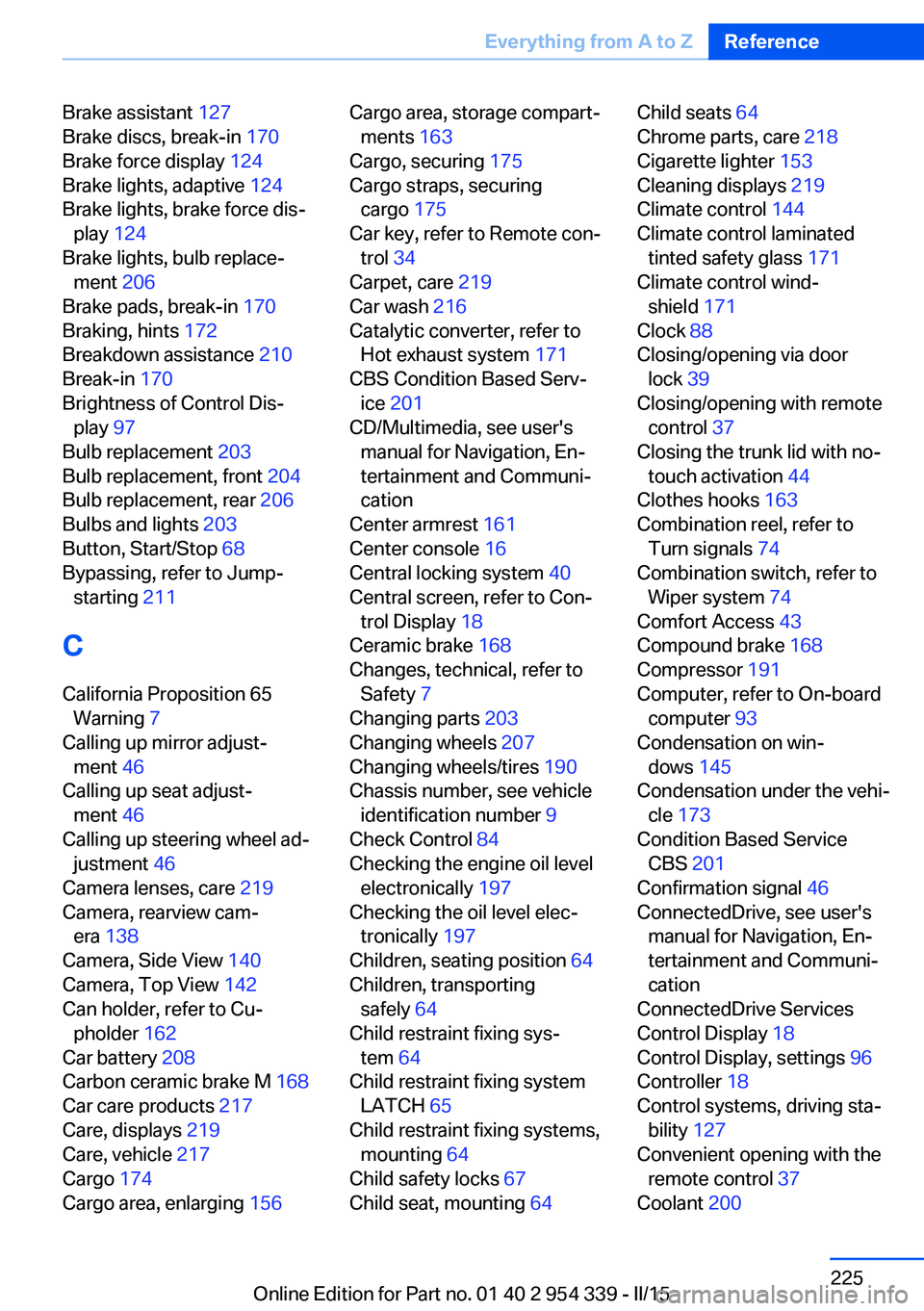
Brake assistant 127
Brake discs, break-in 170
Brake force display 124
Brake lights, adaptive 124
Brake lights, brake force dis‐ play 124
Brake lights, bulb replace‐ ment 206
Brake pads, break-in 170
Braking, hints 172
Breakdown assistance 210
Break-in 170
Brightness of Control Dis‐ play 97
Bulb replacement 203
Bulb replacement, front 204
Bulb replacement, rear 206
Bulbs and lights 203
Button, Start/Stop 68
Bypassing, refer to Jump- starting 211
C
California Proposition 65 Warning 7
Calling up mirror adjust‐ ment 46
Calling up seat adjust‐ ment 46
Calling up steering wheel ad‐ justment 46
Camera lenses, care 219
Camera, rearview cam‐ era 138
Camera, Side View 140
Camera, Top View 142
Can holder, refer to Cu‐ pholder 162
Car battery 208
Carbon ceramic brake M 168
Car care products 217
Care, displays 219
Care, vehicle 217
Cargo 174
Cargo area, enlarging 156 Cargo area, storage compart‐
ments 163
Cargo, securing 175
Cargo straps, securing cargo 175
Car key, refer to Remote con‐ trol 34
Carpet, care 219
Car wash 216
Catalytic converter, refer to Hot exhaust system 171
CBS Condition Based Serv‐ ice 201
CD/Multimedia, see user's manual for Navigation, En‐
tertainment and Communi‐
cation
Center armrest 161
Center console 16
Central locking system 40
Central screen, refer to Con‐ trol Display 18
Ceramic brake 168
Changes, technical, refer to Safety 7
Changing parts 203
Changing wheels 207
Changing wheels/tires 190
Chassis number, see vehicle identification number 9
Check Control 84
Checking the engine oil level electronically 197
Checking the oil level elec‐ tronically 197
Children, seating position 64
Children, transporting safely 64
Child restraint fixing sys‐ tem 64
Child restraint fixing system LATCH 65
Child restraint fixing systems, mounting 64
Child safety locks 67
Child seat, mounting 64 Child seats 64
Chrome parts, care 218
Cigarette lighter 153
Cleaning displays 219
Climate control 144
Climate control laminated tinted safety glass 171
Climate control wind‐ shield 171
Clock 88
Closing/opening via door lock 39
Closing/opening with remote control 37
Closing the trunk lid with no- touch activation 44
Clothes hooks 163
Combination reel, refer to Turn signals 74
Combination switch, refer to Wiper system 74
Comfort Access 43
Compound brake 168
Compressor 191
Computer, refer to On-board computer 93
Condensation on win‐ dows 145
Condensation under the vehi‐ cle 173
Condition Based Service CBS 201
Confirmation signal 46
ConnectedDrive, see user's manual for Navigation, En‐
tertainment and Communi‐
cation
ConnectedDrive Services
Control Display 18
Control Display, settings 96
Controller 18
Control systems, driving sta‐ bility 127
Convenient opening with the remote control 37
Coolant 200 Seite 225Everything from A to ZReference225
Online Edition for Part no. 01 40 2 954 339 - II/15
Page 230 of 239
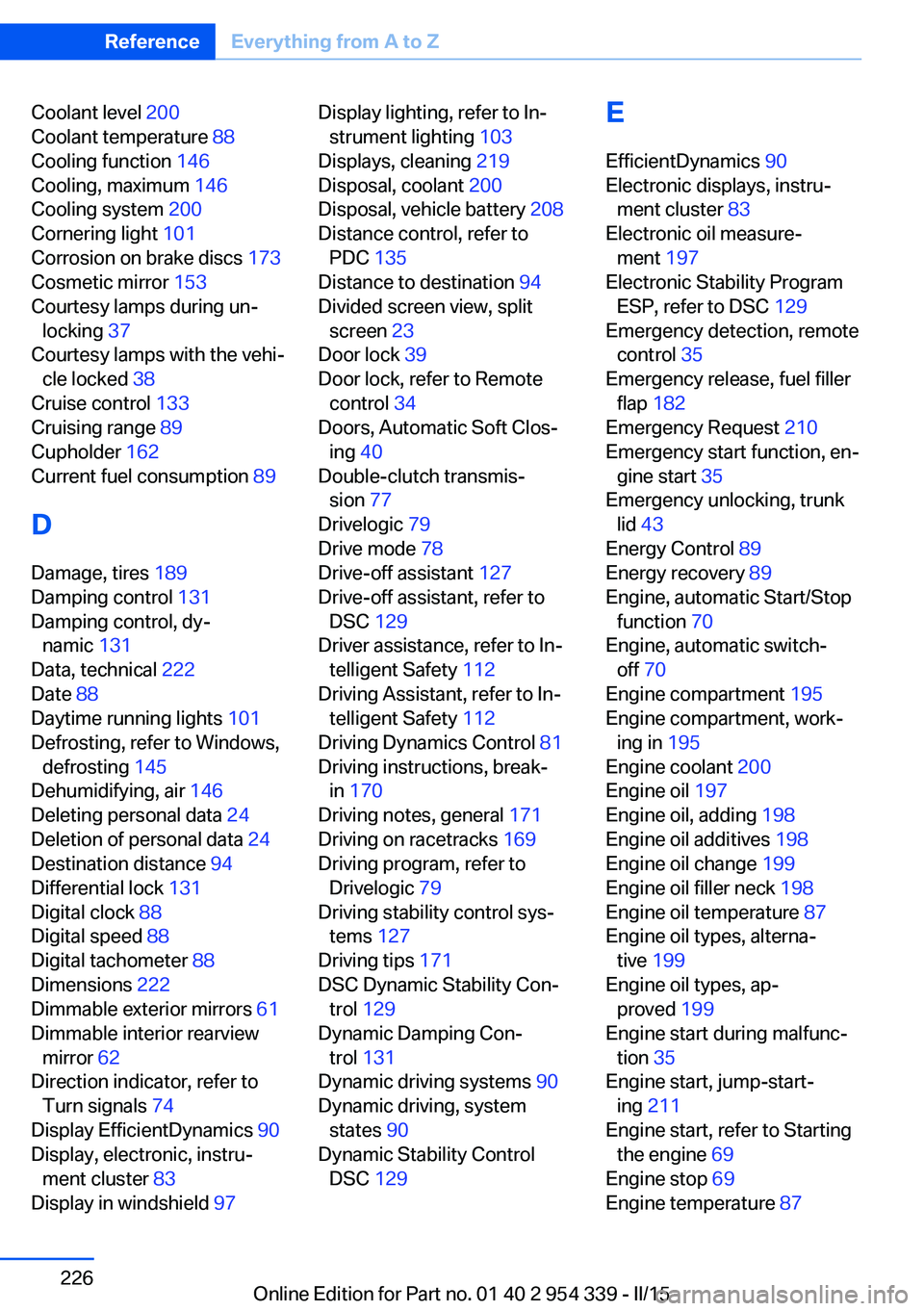
Coolant level 200
Coolant temperature 88
Cooling function 146
Cooling, maximum 146
Cooling system 200
Cornering light 101
Corrosion on brake discs 173
Cosmetic mirror 153
Courtesy lamps during un‐ locking 37
Courtesy lamps with the vehi‐ cle locked 38
Cruise control 133
Cruising range 89
Cupholder 162
Current fuel consumption 89
D
Damage, tires 189
Damping control 131
Damping control, dy‐ namic 131
Data, technical 222
Date 88
Daytime running lights 101
Defrosting, refer to Windows, defrosting 145
Dehumidifying, air 146
Deleting personal data 24
Deletion of personal data 24
Destination distance 94
Differential lock 131
Digital clock 88
Digital speed 88
Digital tachometer 88
Dimensions 222
Dimmable exterior mirrors 61
Dimmable interior rearview mirror 62
Direction indicator, refer to Turn signals 74
Display EfficientDynamics 90
Display, electronic, instru‐ ment cluster 83
Display in windshield 97 Display lighting, refer to In‐
strument lighting 103
Displays, cleaning 219
Disposal, coolant 200
Disposal, vehicle battery 208
Distance control, refer to PDC 135
Distance to destination 94
Divided screen view, split screen 23
Door lock 39
Door lock, refer to Remote control 34
Doors, Automatic Soft Clos‐ ing 40
Double-clutch transmis‐ sion 77
Drivelogic 79
Drive mode 78
Drive-off assistant 127
Drive-off assistant, refer to DSC 129
Driver assistance, refer to In‐ telligent Safety 112
Driving Assistant, refer to In‐ telligent Safety 112
Driving Dynamics Control 81
Driving instructions, break- in 170
Driving notes, general 171
Driving on racetracks 169
Driving program, refer to Drivelogic 79
Driving stability control sys‐ tems 127
Driving tips 171
DSC Dynamic Stability Con‐ trol 129
Dynamic Damping Con‐ trol 131
Dynamic driving systems 90
Dynamic driving, system states 90
Dynamic Stability Control DSC 129 E
EfficientDynamics 90
Electronic displays, instru‐ ment cluster 83
Electronic oil measure‐ ment 197
Electronic Stability Program ESP, refer to DSC 129
Emergency detection, remote control 35
Emergency release, fuel filler flap 182
Emergency Request 210
Emergency start function, en‐ gine start 35
Emergency unlocking, trunk lid 43
Energy Control 89
Energy recovery 89
Engine, automatic Start/Stop function 70
Engine, automatic switch- off 70
Engine compartment 195
Engine compartment, work‐ ing in 195
Engine coolant 200
Engine oil 197
Engine oil, adding 198
Engine oil additives 198
Engine oil change 199
Engine oil filler neck 198
Engine oil temperature 87
Engine oil types, alterna‐ tive 199
Engine oil types, ap‐ proved 199
Engine start during malfunc‐ tion 35
Engine start, jump-start‐ ing 211
Engine start, refer to Starting the engine 69
Engine stop 69
Engine temperature 87 Seite 226ReferenceEverything from A to Z226
Online Edition for Part no. 01 40 2 954 339 - II/15