heating BMW M5 SEDAN 2016 User Guide
[x] Cancel search | Manufacturer: BMW, Model Year: 2016, Model line: M5 SEDAN, Model: BMW M5 SEDAN 2016Pages: 239, PDF Size: 5.04 MB
Page 149 of 239
HintsSufficient ventilation
When remaining in the vehicle for an ex‐
tended period of time, ensure sufficient exter‐
nal ventilation. Do not continuously use recir‐
culated-air mode; otherwise the air quality in
the interior continuously deteriorates and win‐
dow condensation increases.◀
Climate control functions in detail
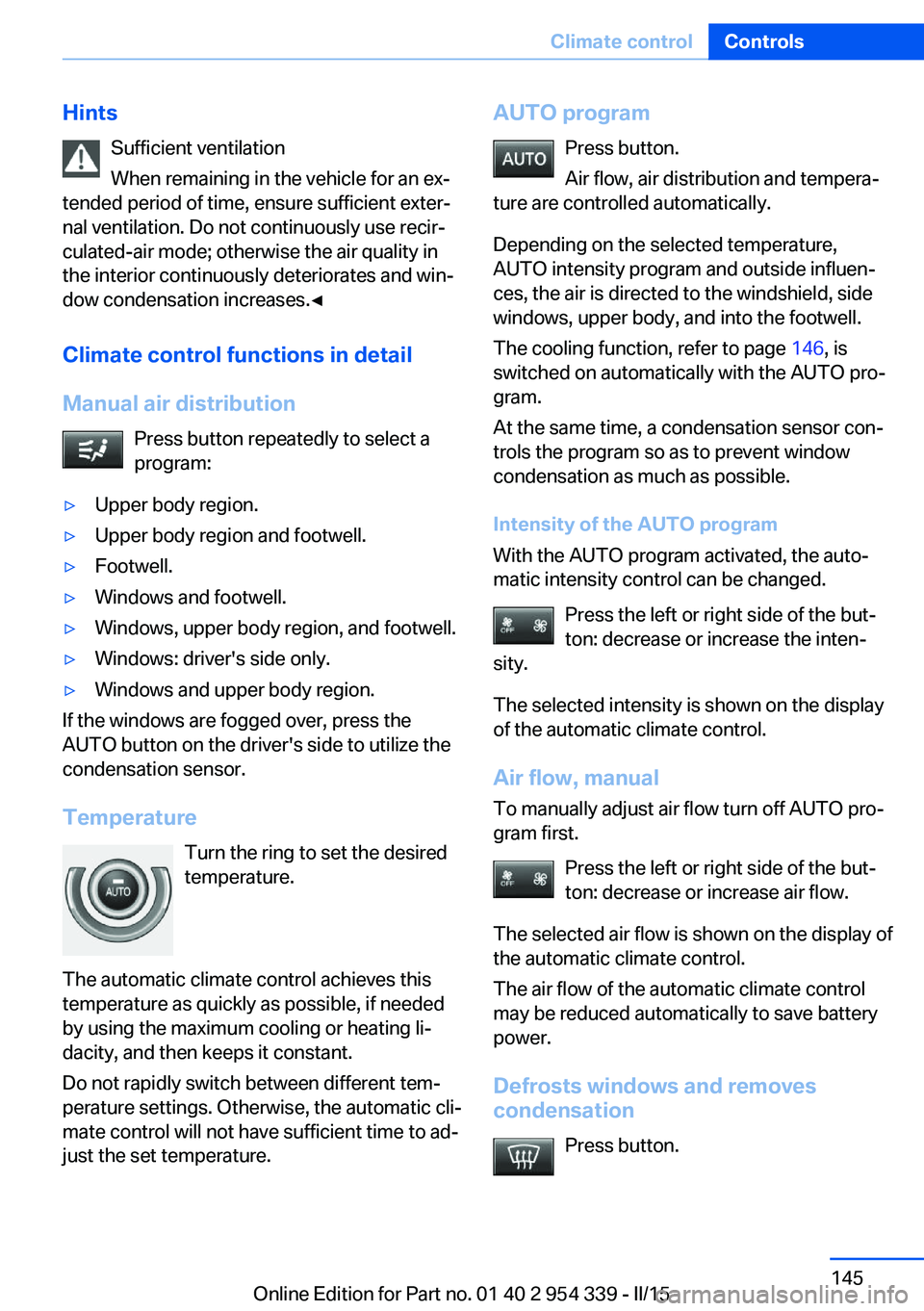
Manual air distribution Press button repeatedly to select a
program:▷Upper body region.▷Upper body region and footwell.▷Footwell.▷Windows and footwell.▷Windows, upper body region, and footwell.▷Windows: driver's side only.▷Windows and upper body region.
If the windows are fogged over, press the
AUTO button on the driver's side to utilize the
condensation sensor.
Temperature Turn the ring to set the desired
temperature.
The automatic climate control achieves this
temperature as quickly as possible, if needed
by using the maximum cooling or heating li‐
dacity, and then keeps it constant.
Do not rapidly switch between different tem‐
perature settings. Otherwise, the automatic cli‐
mate control will not have sufficient time to ad‐
just the set temperature.
AUTO program
Press button.
Air flow, air distribution and tempera‐
ture are controlled automatically.
Depending on the selected temperature,
AUTO intensity program and outside influen‐
ces, the air is directed to the windshield, side
windows, upper body, and into the footwell.
The cooling function, refer to page 146, is
switched on automatically with the AUTO pro‐
gram.
At the same time, a condensation sensor con‐
trols the program so as to prevent window
condensation as much as possible.
Intensity of the AUTO program
With the AUTO program activated, the auto‐
matic intensity control can be changed.
Press the left or right side of the but‐
ton: decrease or increase the inten‐
sity.
The selected intensity is shown on the display
of the automatic climate control.
Air flow, manual
To manually adjust air flow turn off AUTO pro‐
gram first.
Press the left or right side of the but‐
ton: decrease or increase air flow.
The selected air flow is shown on the display of
the automatic climate control.
The air flow of the automatic climate control
may be reduced automatically to save battery
power.
Defrosts windows and removes
condensation
Press button.Seite 145Climate controlControls145
Online Edition for Part no. 01 40 2 954 339 - II/15
Page 151 of 239
Residual heat
The heat stored in the engine is used to heat
the interior.
Functional requirement▷Up to 15 minutes after switching off the
engine.▷Warm engine.▷The battery is sufficiently charged.▷External temperature below 77 ℉/25 ℃.
The availability of the function is shown on the
display of the automatic climate control.
Switching on
1.Switch off the ignition.2. Press the right side of the button
on the driver's side.
The symbol appears on the automatic cli‐
mate Control Display.
The interior temperature, air volume and air
distribution can be adjusted with the ignition
switched on.
Switch off
At the lowest fan speed, press the left side of
the button on the driver's side.
The symbol on the display of the automatic
climate control flashes.
Switching the system on/off Switch off
▷Complete system: Press and hold the left button on
the driver's side until the control
clicks off.▷On the front passenger side:
Press and hold the left button on
the front passenger side.Switching on
Press any button except:▷Rear window defroster.▷Left side of Air volume button.▷Seat heating.▷Seat ventilation.▷If necessary, SYNC program.
Microfilter/activated-charcoal filter
The microfilter removes dust and pollen from
the incoming air.
The activated-charcoal filter removes gaseous
pollutants from the outside air that enters the
vehicle.
This combined filter should be replaced during
scheduled maintenance, refer to page 201, of
your vehicle.
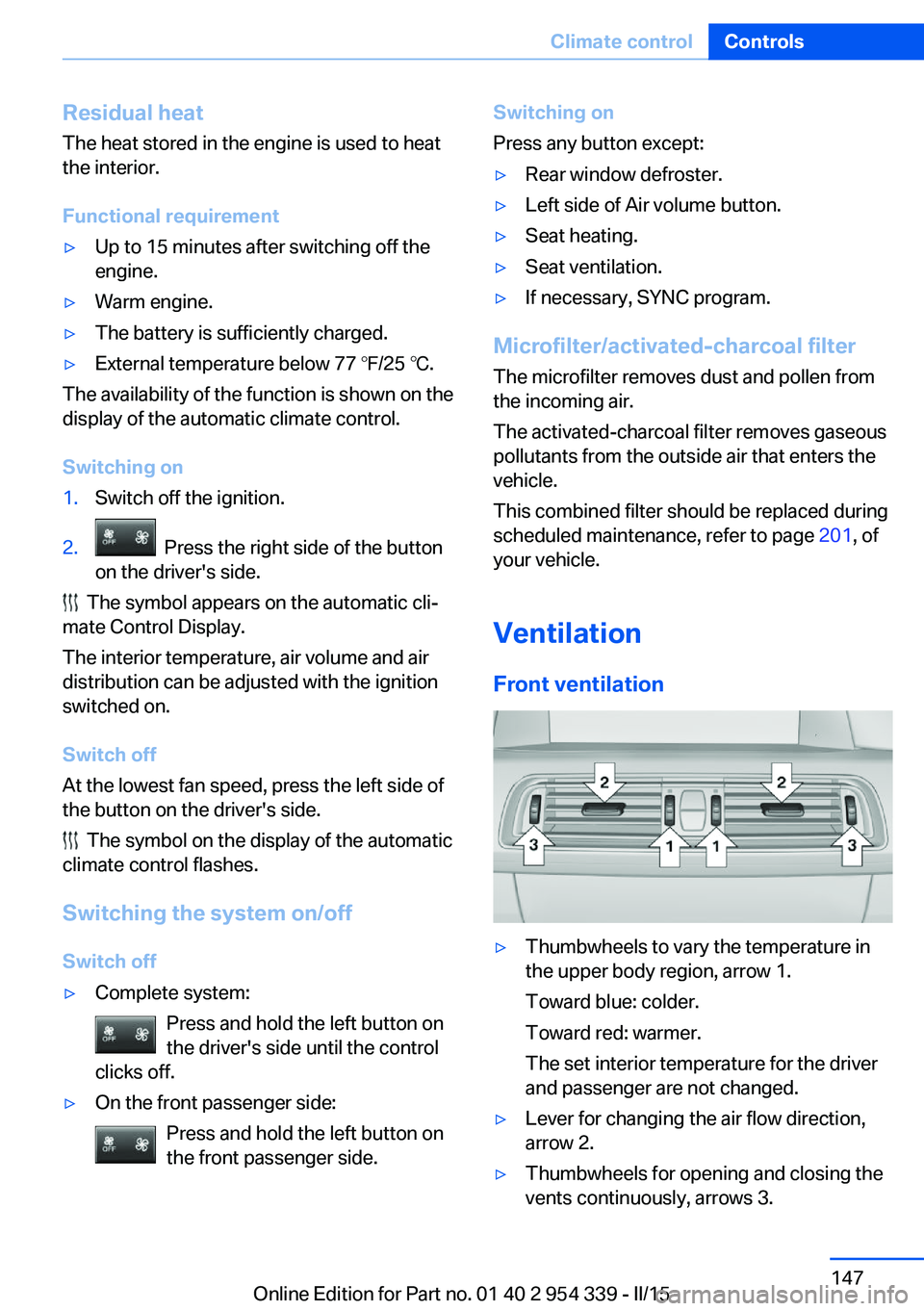
Ventilation Front ventilation
▷Thumbwheels to vary the temperature in
the upper body region, arrow 1.
Toward blue: colder.
Toward red: warmer.
The set interior temperature for the driver
and passenger are not changed.▷Lever for changing the air flow direction,
arrow 2.▷Thumbwheels for opening and closing the
vents continuously, arrows 3.Seite 147Climate controlControls147
Online Edition for Part no. 01 40 2 954 339 - II/15
Page 152 of 239
Ventilation levels▷Draft-free ventilation:
Thumbwheel, arrow 3, in level
: the air
current is fanned out.
▷Maximum air flow:
Thumbwheel, arrow 3, in level
: the air
is partially fanned out and partially bundled.
This maximizes the air supply.
▷Direct ventilation:
Thumbwheel, arrow 3, in level
: the air
is bundled and can be directed to a specific
point.
Adjusting the ventilation
▷Ventilation for cooling:
Direct vent in your direction when vehicle's
interior is too hot.▷Draft-free ventilation:
Adjust the vent to let the air flow past you.
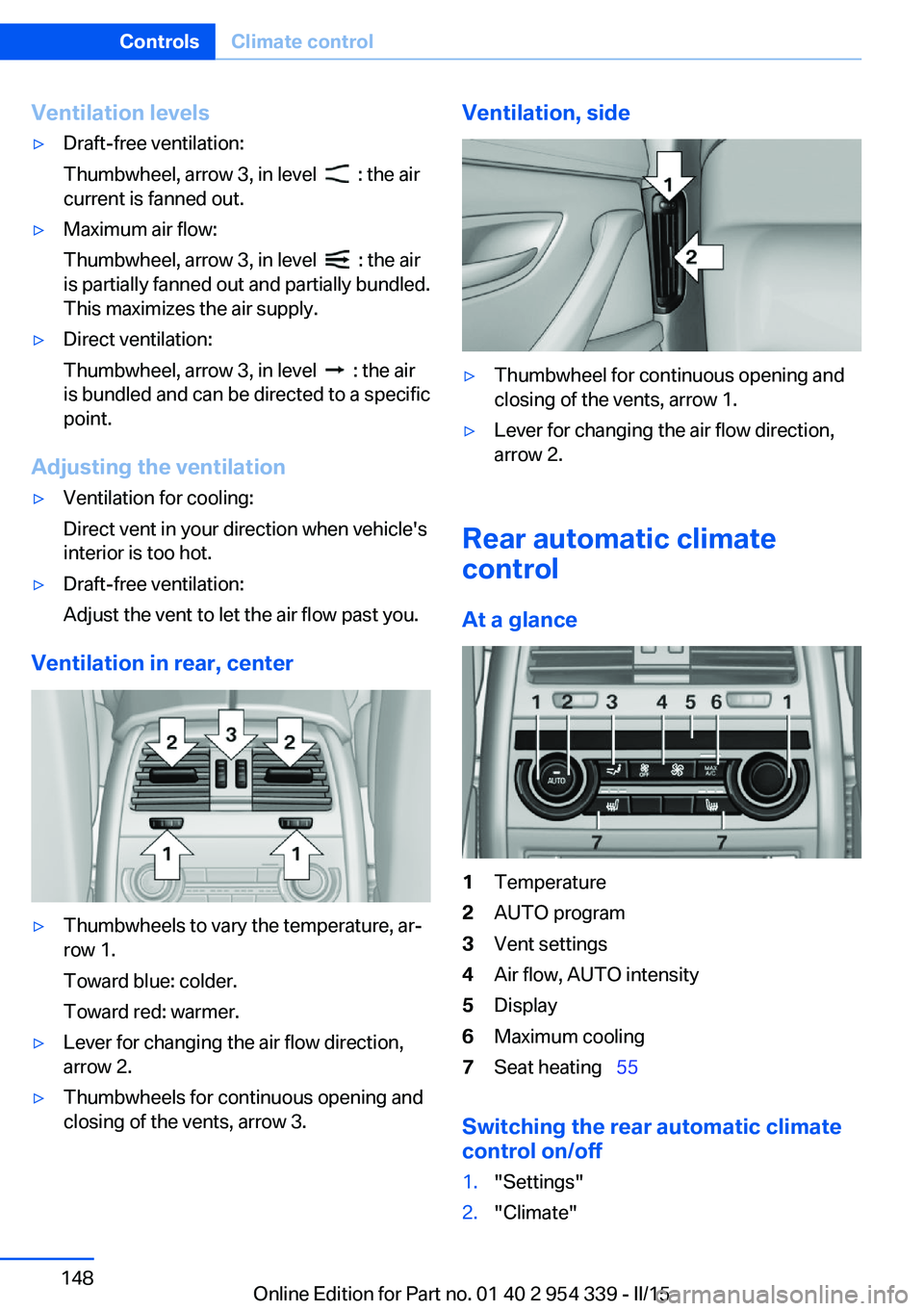
Ventilation in rear, center
▷Thumbwheels to vary the temperature, ar‐
row 1.
Toward blue: colder.
Toward red: warmer.▷Lever for changing the air flow direction,
arrow 2.▷Thumbwheels for continuous opening and
closing of the vents, arrow 3.Ventilation, side▷Thumbwheel for continuous opening and
closing of the vents, arrow 1.▷Lever for changing the air flow direction,
arrow 2.
Rear automatic climate
control
At a glance
1Temperature2AUTO program3Vent settings4Air flow, AUTO intensity5Display6Maximum cooling7Seat heating 55
Switching the rear automatic climate
control on/off
1."Settings"2."Climate"Seite 148ControlsClimate control148
Online Edition for Part no. 01 40 2 954 339 - II/15
Page 153 of 239
3."Rear climate"
The rear automatic climate control is not op‐
erational if the automatic climate control is
switched off or if the function for defrosting or
defogging the windows is active.
AUTO program Press button.
Air flow, air distribution, and tempera‐
ture are controlled automatically:
Depending on the selected temperature, the
AUTO intensity, and outside influences, the air
is directed to the upper body and into the foot‐
well.
The cooling function is switched on automati‐
cally with the AUTO program.
Intensity of the AUTO program With the AUTO program activated, the auto‐
matic intensity control can be changed:
Press the left or right side of the but‐
ton: decrease or increase the inten‐
sity.
The selected intensity is shown on the display
of the automatic climate control.
Temperature Turn the ring to set the desired
temperature.
The automatic climate control achieves this
temperature as quickly as possible, if needed
by using the maximum cooling or heating ca‐
pacity, and then keeps it constant.
Do not rapidly switch between different tem‐
perature settings. The automatic climate con‐
trol will not have sufficient time to adjust the
set temperature.
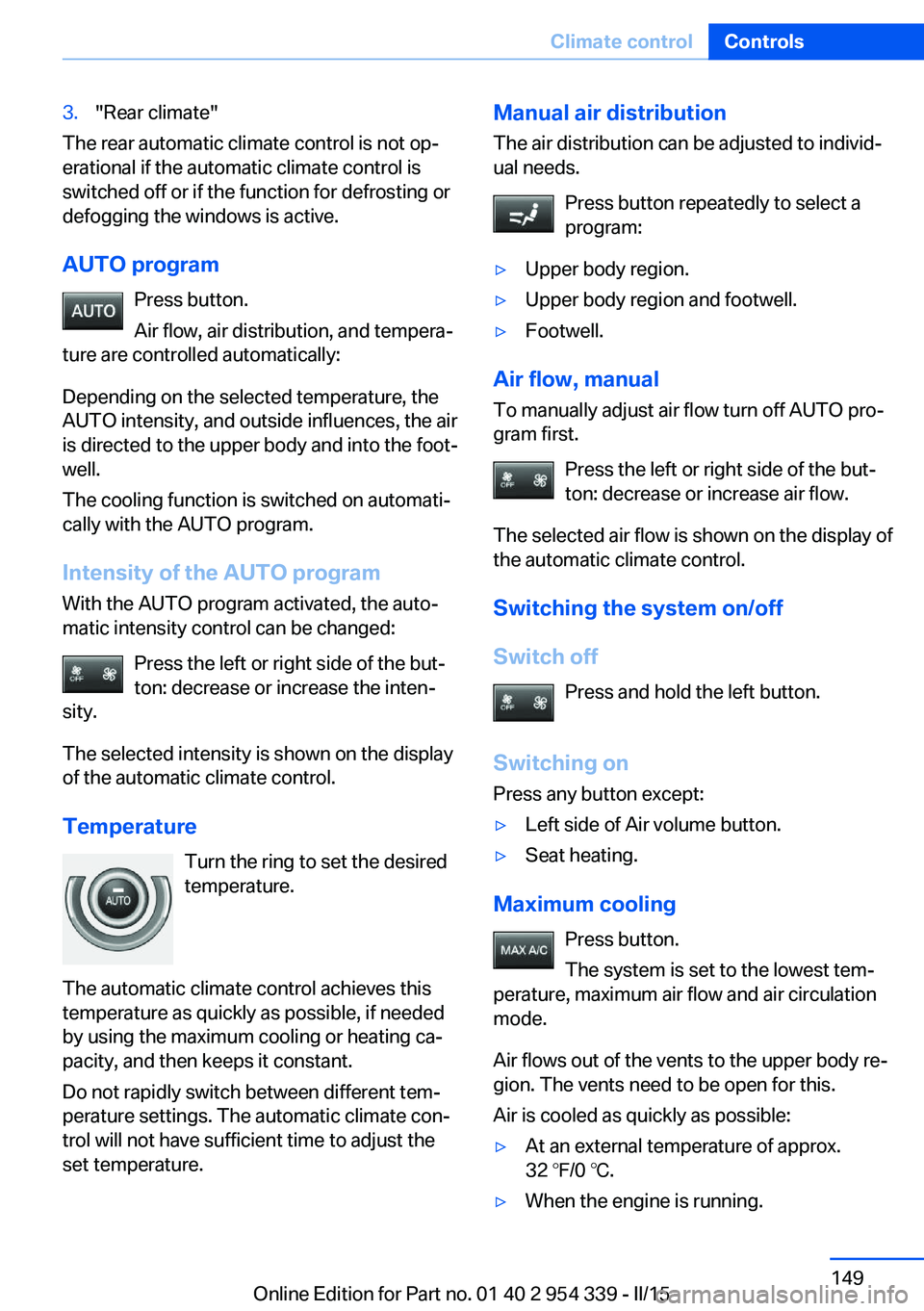
Manual air distribution
The air distribution can be adjusted to individ‐
ual needs.
Press button repeatedly to select a
program:▷Upper body region.▷Upper body region and footwell.▷Footwell.
Air flow, manual
To manually adjust air flow turn off AUTO pro‐
gram first.
Press the left or right side of the but‐
ton: decrease or increase air flow.
The selected air flow is shown on the display of
the automatic climate control.
Switching the system on/off
Switch off Press and hold the left button.
Switching on Press any button except:
▷Left side of Air volume button.▷Seat heating.
Maximum cooling
Press button.
The system is set to the lowest tem‐
perature, maximum air flow and air circulation
mode.
Air flows out of the vents to the upper body re‐
gion. The vents need to be open for this.
Air is cooled as quickly as possible:
▷At an external temperature of approx.
32 ℉/0 ℃.▷When the engine is running.Seite 149Climate controlControls149
Online Edition for Part no. 01 40 2 954 339 - II/15
Page 178 of 239
LoadingVehicle features and options
This chapter describes all standard, country-
specific and optional features offered with the
series. It also describes features that are not
necessarily available in your car, e. g., due to
the selected options or country versions. This
also applies to safety-related functions and
systems. The respectively applicable country
provisions must be observed when using the
respective features and systems.
Hints Overloading the vehicle
To avoid exceeding the approved ca‐
pacity of the tires, never overload the vehicle.
Overloading can lead to overheating and in‐
creases the rate at which damage develops in‐
side the tires. This could result in a sudden
loss of tire inflation pressure.◀
No fluids in the cargo area
Make sure that fluids do not leak into the
cargo area; otherwise, the vehicle may be dam‐
aged.◀
Heavy and hard objects
Do not stow any heavy and hard objects
in the car's interior without securing them; oth‐
erwise, they may present a danger to occu‐
pants, e.g., during braking and evasive maneu‐
vers.◀
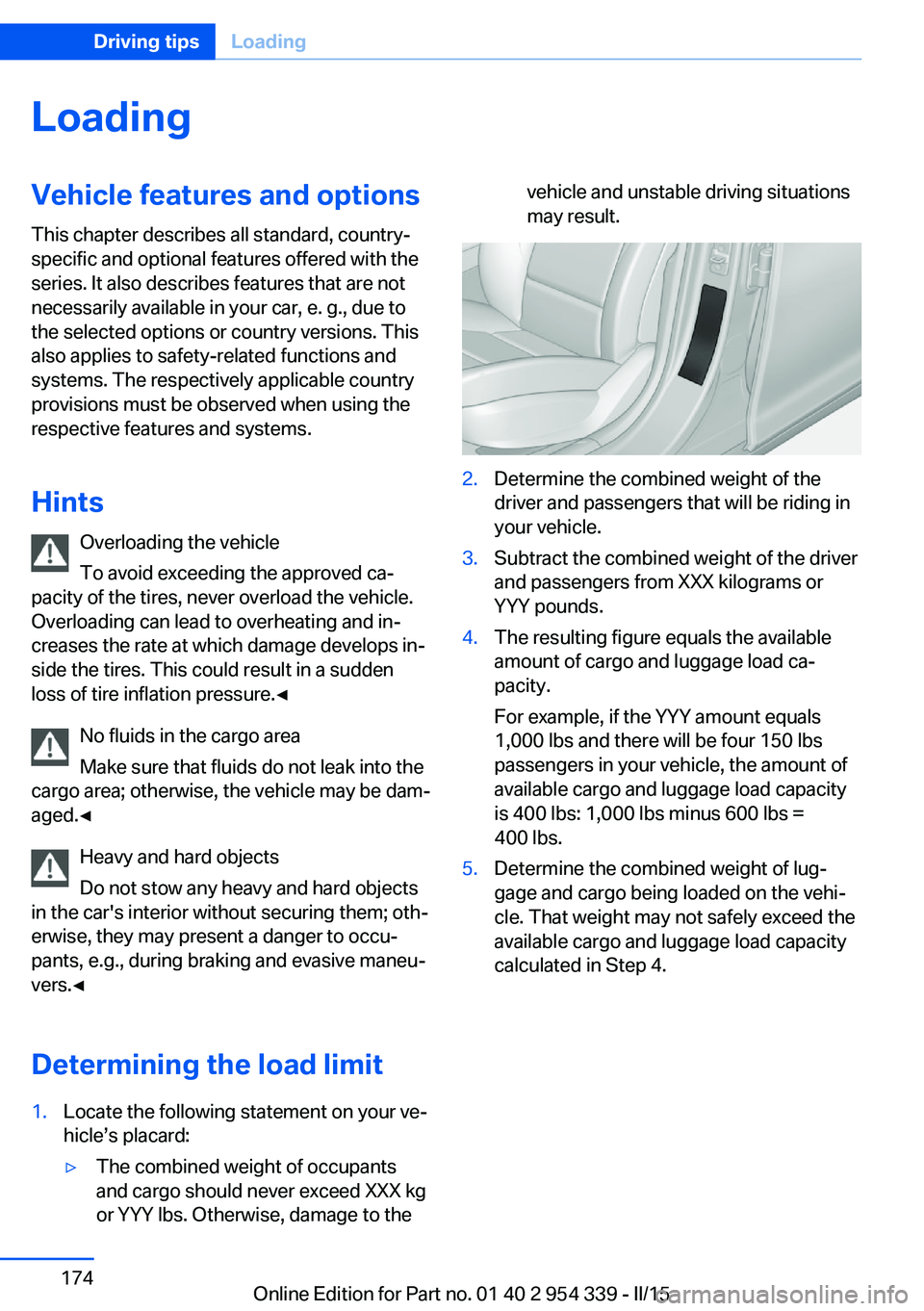
Determining the load limit1.Locate the following statement on your ve‐
hicle’s placard:▷The combined weight of occupants
and cargo should never exceed XXX kg
or YYY lbs. Otherwise, damage to thevehicle and unstable driving situations
may result.2.Determine the combined weight of the
driver and passengers that will be riding in
your vehicle.3.Subtract the combined weight of the driver
and passengers from XXX kilograms or
YYY pounds.4.The resulting figure equals the available
amount of cargo and luggage load ca‐
pacity.
For example, if the YYY amount equals
1,000 lbs and there will be four 150 lbs
passengers in your vehicle, the amount of
available cargo and luggage load capacity
is 400 lbs: 1,000 lbs minus 600 lbs =
400 lbs.5.Determine the combined weight of lug‐
gage and cargo being loaded on the vehi‐
cle. That weight may not safely exceed the
available cargo and luggage load capacity
calculated in Step 4.Seite 174Driving tipsLoading174
Online Edition for Part no. 01 40 2 954 339 - II/15
Page 182 of 239
Avoid high engine speeds
As a rule: driving at low engine speeds lowers
fuel consumption and reduces wear.
Use 1st gear to get the vehicle moving. Start‐
ing with the 2nd gear, accelerate rapidly. When
accelerating, shift up before reaching high en‐
gine speeds.
When you reach the desired speed, shift into
the highest applicable gear and drive with the
engine speed as low as possible and at a con‐
stant speed.
If necessary, observe the gear shift indicator of
the vehicle, refer to page 91.
Use coasting
When approaching a red light, take your foot
off the accelerator and let the vehicle coast to
a halt.
For going downhill take your foot off the accel‐
erator and let the vehicle roll.
The flow of fuel is interrupted while coasting.
Switch off the engine during longer stops
Switch off the engine during longer stops, e.g.,
at traffic lights, railroad crossings or in traffic
congestion.
Auto Start/Stop function The Auto Start/Stop function of your vehicle
automatically switches off the engine during a
stop.
If the engine is switched off and then restarted
rather than leaving the engine running con‐
stantly, fuel consumption and emissions are
reduced. Savings can begin within a few sec‐
onds of switching off the engine.
In addition, fuel consumption is also deter‐
mined by other factors, such as driving style,road conditions, maintenance or environmental
factors.
Switch off any functions that
are not currently needed
Functions such as seat heating and the rear
window defroster require a lot of energy and
reduce the range, especially in city and stop-
and-go traffic.
Reel off these functions if they are not needed.
Have maintenance carried
out
Have vehicles maintained regularly to achieve
optimal vehicle efficiency and operating life.
The maintenance should be carried out by
your service center.
Also note the BMW Maintenance System, refer
to page 201.Seite 178Driving tipsSaving fuel178
Online Edition for Part no. 01 40 2 954 339 - II/15
Page 233 of 239
Make-up mirror 153
Malfunction displays, see Check Control 84
Manual air distribution 145
Manual air flow 145
Manual brake, refer to Parking brake 72
Manual operation, door lock 39
Manual operation, exterior mirrors 61
Manual operation, fuel filler flap 182
Manual operation, Park Dis‐ tance Control PDC 136
Manual operation, rearview camera 138
Manual operation, Side View 141
Manual operation, Top View 142
Manual transmission 82
Marking on approved tires 190
Massage seat, front 55
Master key, refer to Remote control 34
Maximum cooling 146
Maximum speed, display 92
Maximum speed, winter tires 191
M carbon ceramic brake 168
M Compound brake 168
M differential, active 131
MDM, M Dynamic Mode 129
M double-clutch transmis‐ sion 77
M Drive 127
M Driver's Package, driving instructions 173
M Driving Dynamics Con‐ trol 81
M Dynamic Mode MDM 129
Measure, units of 97
Medical kit 211 Memory for seat, mirrors,
steering wheel 59
Menu EfficientDynamics 90
Menu in instrument clus‐ ter 93
Menus, operating, iDrive 18
Menus, refer to iDrive operat‐ ing concept 19
Messages, see Check Con‐ trol 84
Microfilter 147
Minimum tread, tires 189
Mirror 60
Mirror memory 59
Mobile communication devi‐ ces in the vehicle 171
Mobility System 191
Modifications, technical, refer to Safety 7
Moisture in headlight 204
Monitor, refer to Control Dis‐ play 18
Mounting of child restraint systems 64
M technology 168
Multifunction steering wheel, buttons 14
M view, Head-up display 98
N
Navigation, see user's manual for Navigation, Entertain‐
ment and Communication
Neck restraints, front, refer to Head restraints 57
Neck restraints, rear, refer to Head restraints 58
Neutral cleaner, see wheel cleaner 218
New wheels and tires 190
Night Vision 118
Night Vision device, see Night Vision 118
Nylon rope for tow-starting/ towing 214 O
OBD Onboard Diagnosis 202
OBD, see OBD Onboard Di‐ agnosis 202
Object detection, see Night Vision 118
Obstacle marking, rearview camera 139
Octane rating, refer to Rec‐ ommended fuel grade 184
Odometer 88
Office, see user's manual for Navigation, Entertainment
and Communication
Oil 197
Oil, adding 198
Oil additives 198
Oil change 199
Oil change interval, service requirements 90
Oil filler neck 198
Oil types, alternative 199
Oil types, approved 199
Old batteries, disposal 208
On-board computer 93
Onboard monitor, refer to Control Display 18
Onboard vehicle tool kit 203
Opening/closing via door lock 39
Opening and closing 34
Opening and closing, without remote control 39
Opening and closing, with re‐ mote control 37
Opening the trunk lid with no- touch activation 44
Operating concept, iDrive 18
Optional equipment, standard equipment 6
Outside air, refer to Auto‐ matic recirculated-air con‐
trol 146
Overheating of engine, refer to Coolant temperature 88 Seite 229Everything from A to ZReference229
Online Edition for Part no. 01 40 2 954 339 - II/15
Page 234 of 239
PPaint, vehicle 217
Park Distance Control PDC 135
Parked-car ventilation 150
Parked vehicle, condensa‐ tion 173
Parking aid, refer to PDC 135
Parking brake 72
Parking lights 100
Parts and accessories 7
Passenger side mirror, tilting downward 61
Pathway lines, rearview cam‐ era 139
PDC Park Distance Con‐ trol 135
Pedestrian detection, see Night Vision 118
Pedestrian warning with city braking function 115
Personal Profile 35
Personal Profile, exporting profiles 36
Pinch protection system, glass sunroof 51
Pinch protection system, win‐ dows 49
Plastic, care 218
Power failure 208
Power sunroof, glass 50
Power windows 48
Pressure, tire air pres‐ sure 186
Pressure warning FTM, tires 111
Preventing Auto Start Stop 71
Profile, refer to Personal Pro‐ file 35
Programmable memory but‐ tons, iDrive 23
Protective function, glass sunroof 51 Protective function, win‐
dows 49
Push-and-turn switch, refer to Controller 18
R Radiator fluid 200
Radio-operated key, refer to Remote control 34
Radio ready state 68
Radio, see user's manual for Navigation, Entertainment
and Communication
Rain sensor 75
Rear automatic climate con‐ trol 148
Rear lights 206
Rear socket 156
Rearview camera 137
Rearview mirror 60
Rear window defroster 146
Recirculated-air mode 146
Recommended fuel grade 184
Recommended tire brands 190
Refueling 182
Remaining range 89
Remote control/key 34
Remote control, malfunc‐ tion 38
Remote control, univer‐ sal 151
Replacement fuse 209
Replacing parts 203
Replacing wheels/tires 190
Reporting safety defects 9
RES button, see Cruise con‐ trol 133
Reserve warning, refer to Range 89
Reset, Tire Pressure Monitor TPM 109
Residual heat, automatic cli‐ mate control 147 Retaining straps, securing
cargo 175
Retreaded tires 190
Reversing lamp, bulb replace‐ ment 206
Roadside parking lights 101
Roller sunblinds 49
RON recommended fuel grade 184
Roofliner 17
Roof load capacity 222
Roof-mounted luggage rack 175
Rope for tow-starting/ towing 214
Rubber components, care 218
S
Safe braking 172
Safety 7
Safety belt reminder for driv‐ er's seat and front passen‐
ger seat 57
Safety belts 56
Safety belts, care 219
Safety Package, refer to Ac‐ tive Protection 124
Safety switch, windows 49
Safety systems, airbags 105
Saving fuel 177
Screen, refer to Control Dis‐ play 18
Screwdriver, see Onboard ve‐ hicle tool kit 203
Screw thread, refer to Screw thread for tow fitting, screw
thread for tow fitting 215
Sealant 191
Seat belts, refer to Safety belts 56
Seat heating, front 55
Seat heating, rear 55
Seating position for chil‐ dren 64 Seite 230ReferenceEverything from A to Z230
Online Edition for Part no. 01 40 2 954 339 - II/15
Page 235 of 239
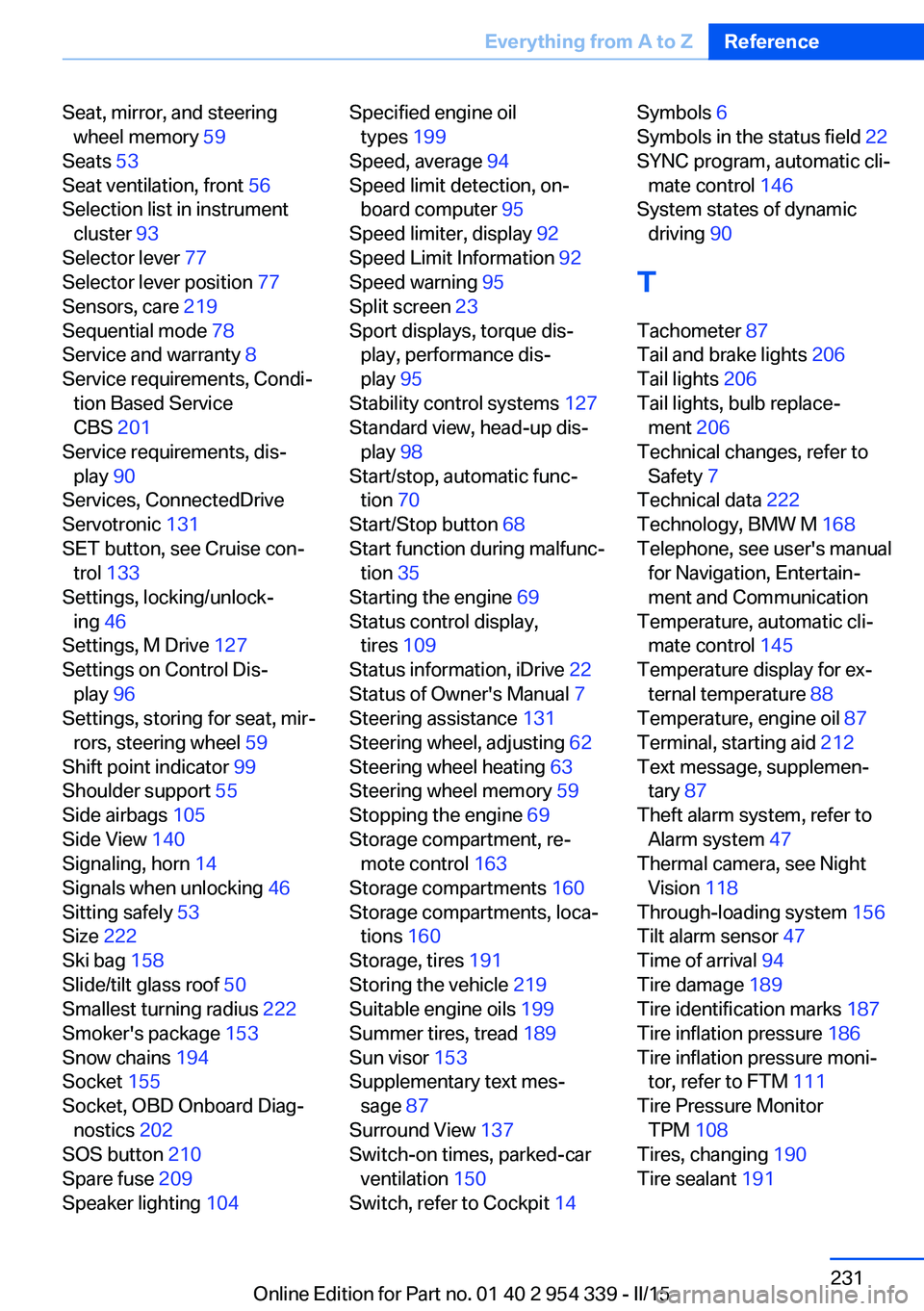
Seat, mirror, and steeringwheel memory 59
Seats 53
Seat ventilation, front 56
Selection list in instrument cluster 93
Selector lever 77
Selector lever position 77
Sensors, care 219
Sequential mode 78
Service and warranty 8
Service requirements, Condi‐ tion Based Service
CBS 201
Service requirements, dis‐ play 90
Services, ConnectedDrive
Servotronic 131
SET button, see Cruise con‐ trol 133
Settings, locking/unlock‐ ing 46
Settings, M Drive 127
Settings on Control Dis‐ play 96
Settings, storing for seat, mir‐ rors, steering wheel 59
Shift point indicator 99
Shoulder support 55
Side airbags 105
Side View 140
Signaling, horn 14
Signals when unlocking 46
Sitting safely 53
Size 222
Ski bag 158
Slide/tilt glass roof 50
Smallest turning radius 222
Smoker's package 153
Snow chains 194
Socket 155
Socket, OBD Onboard Diag‐ nostics 202
SOS button 210
Spare fuse 209
Speaker lighting 104 Specified engine oil
types 199
Speed, average 94
Speed limit detection, on- board computer 95
Speed limiter, display 92
Speed Limit Information 92
Speed warning 95
Split screen 23
Sport displays, torque dis‐ play, performance dis‐
play 95
Stability control systems 127
Standard view, head-up dis‐ play 98
Start/stop, automatic func‐ tion 70
Start/Stop button 68
Start function during malfunc‐ tion 35
Starting the engine 69
Status control display, tires 109
Status information, iDrive 22
Status of Owner's Manual 7
Steering assistance 131
Steering wheel, adjusting 62
Steering wheel heating 63
Steering wheel memory 59
Stopping the engine 69
Storage compartment, re‐ mote control 163
Storage compartments 160
Storage compartments, loca‐ tions 160
Storage, tires 191
Storing the vehicle 219
Suitable engine oils 199
Summer tires, tread 189
Sun visor 153
Supplementary text mes‐ sage 87
Surround View 137
Switch-on times, parked-car ventilation 150
Switch, refer to Cockpit 14 Symbols 6
Symbols in the status field 22
SYNC program, automatic cli‐ mate control 146
System states of dynamic driving 90
T
Tachometer 87
Tail and brake lights 206
Tail lights 206
Tail lights, bulb replace‐ ment 206
Technical changes, refer to Safety 7
Technical data 222
Technology, BMW M 168
Telephone, see user's manual for Navigation, Entertain‐
ment and Communication
Temperature, automatic cli‐ mate control 145
Temperature display for ex‐ ternal temperature 88
Temperature, engine oil 87
Terminal, starting aid 212
Text message, supplemen‐ tary 87
Theft alarm system, refer to Alarm system 47
Thermal camera, see Night Vision 118
Through-loading system 156
Tilt alarm sensor 47
Time of arrival 94
Tire damage 189
Tire identification marks 187
Tire inflation pressure 186
Tire inflation pressure moni‐ tor, refer to FTM 111
Tire Pressure Monitor TPM 108
Tires, changing 190
Tire sealant 191 Seite 231Everything from A to ZReference231
Online Edition for Part no. 01 40 2 954 339 - II/15