ABS BMW M6 2008 E63 User Guide
[x] Cancel search | Manufacturer: BMW, Model Year: 2008, Model line: M6, Model: BMW M6 2008 E63Pages: 262, PDF Size: 8.86 MB
Page 208 of 262
Wheels and tires
206
New wheels and tires
Only have new wheels and tires mounted
by a BMW center or a repair shop that
works in accordance with BMW guidelines and
uses appropriately trained personnel. If this
work is not carried out properly, there is a dan-
ger of subsequent damage and related safety
h a z a r d s . M a k e s u re t h a t t h e n e w w h ee l s a r e b a l-
anced.<
Retreaded tires
BMW does not recommend the use of
retreaded tires; otherwise, driving safety
may be reduced. Potentially substantial varia-
tions in the design and the age of the carcasses
can result in a reduced service life.<
The right wheels and tires
BMW recommends that you use only
wheel and tire combinations that BMW
has tested and approved for your particular
vehicle. Variations in factors such as manufac-
turing tolerances mean that even wheels and
tires with identical official size ratings could
actually have different dimensions than the
approved units – these differences could lead to
body contact, and with it the risk of severe acci-
dents. When selecting the tires, also ensure
that they have a sufficient load-carrying capac-
ity. If non-approved wheels and tires are used,
BMW cannot evaluate their suitability, and
therefore cannot be held liable for driving
safety.<
You can find out the right wheel-tire combina-
tion from your BMW center.
The right wheel-and-tire combination is
another vital factor in ensuring reliable opera-
tion of various vehicle systems such as ABS
and DSC.
To maintain good handling and vehicle
response, use only tires of a single tread config-
uration from a single manufacturer. After a tire is
damaged, always remember to have the original
wheel and tire combination remounted on the
vehicle as soon as possible.
Wheels with electronics for
TPM Tire Pressure Monitor
When mounting new tires or converting from
summer to winter tires or vice versa, only use
wheels with TPM electronics, otherwise the
Tire Pressure Monitor cannot detect a flat tire,
refer to page87. Your BMW center will be
happy to advise you on this subject.
Recommended tire brands
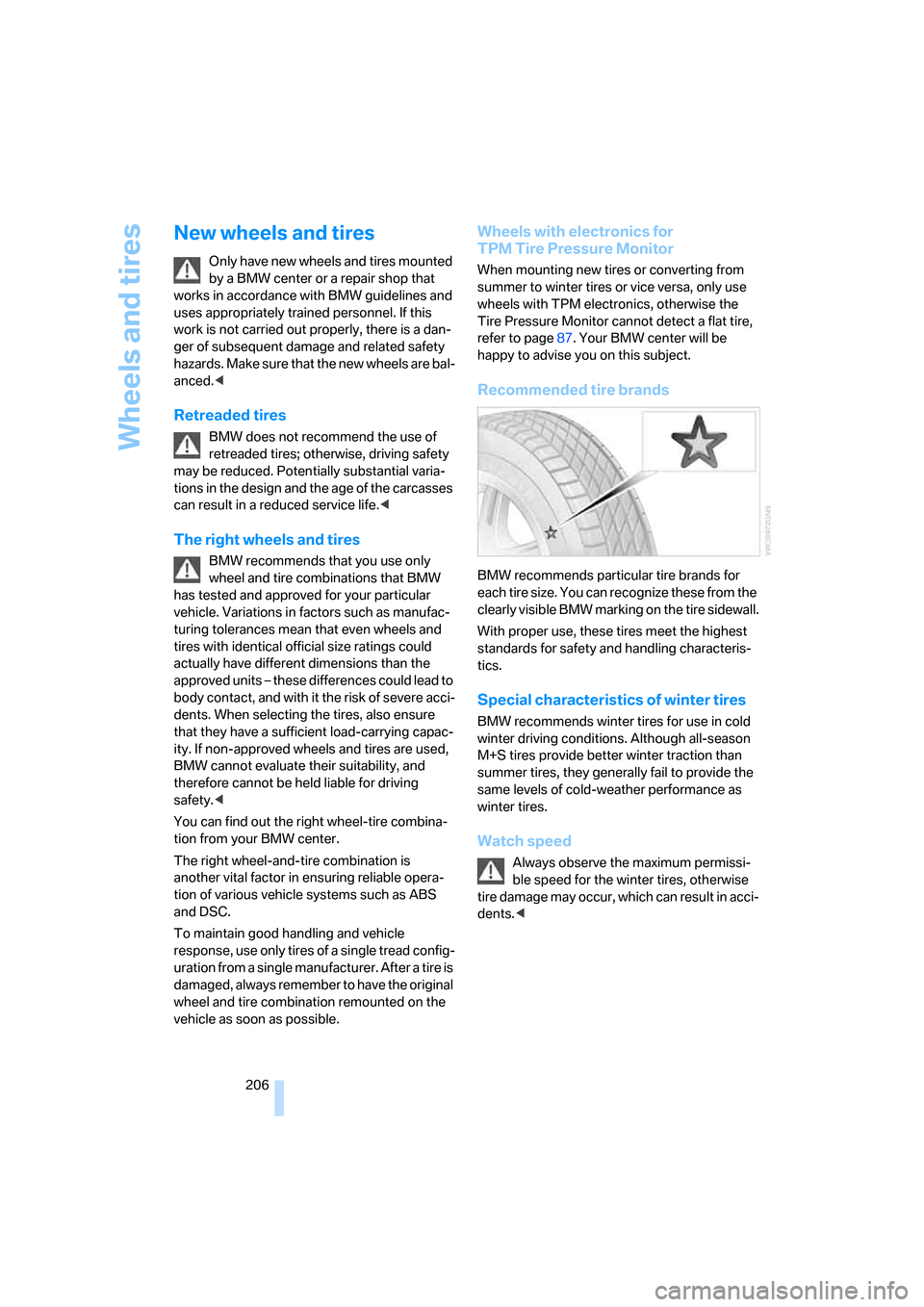
BMW recommends particular tire brands for
each tire size. You can recognize these from the
clearly visible BMW marking on the tire sidewall.
With proper use, these tires meet the highest
standards for safety and handling characteris-
tics.
Special characteristics of winter tires
BMW recommends winter tires for use in cold
winter driving conditions. Although all-season
M+S tires provide better winter traction than
summer tires, they generally fail to provide the
same levels of cold-weather performance as
winter tires.
Watch speed
Always observe the maximum permissi-
ble speed for the winter tires, otherwise
t i re d a m a g e m a y o c cu r , w h ic h c a n re s u l t i n a c c i-
dents.<
Page 218 of 262
Replacing components
216
Replacing components
Onboard tool kit
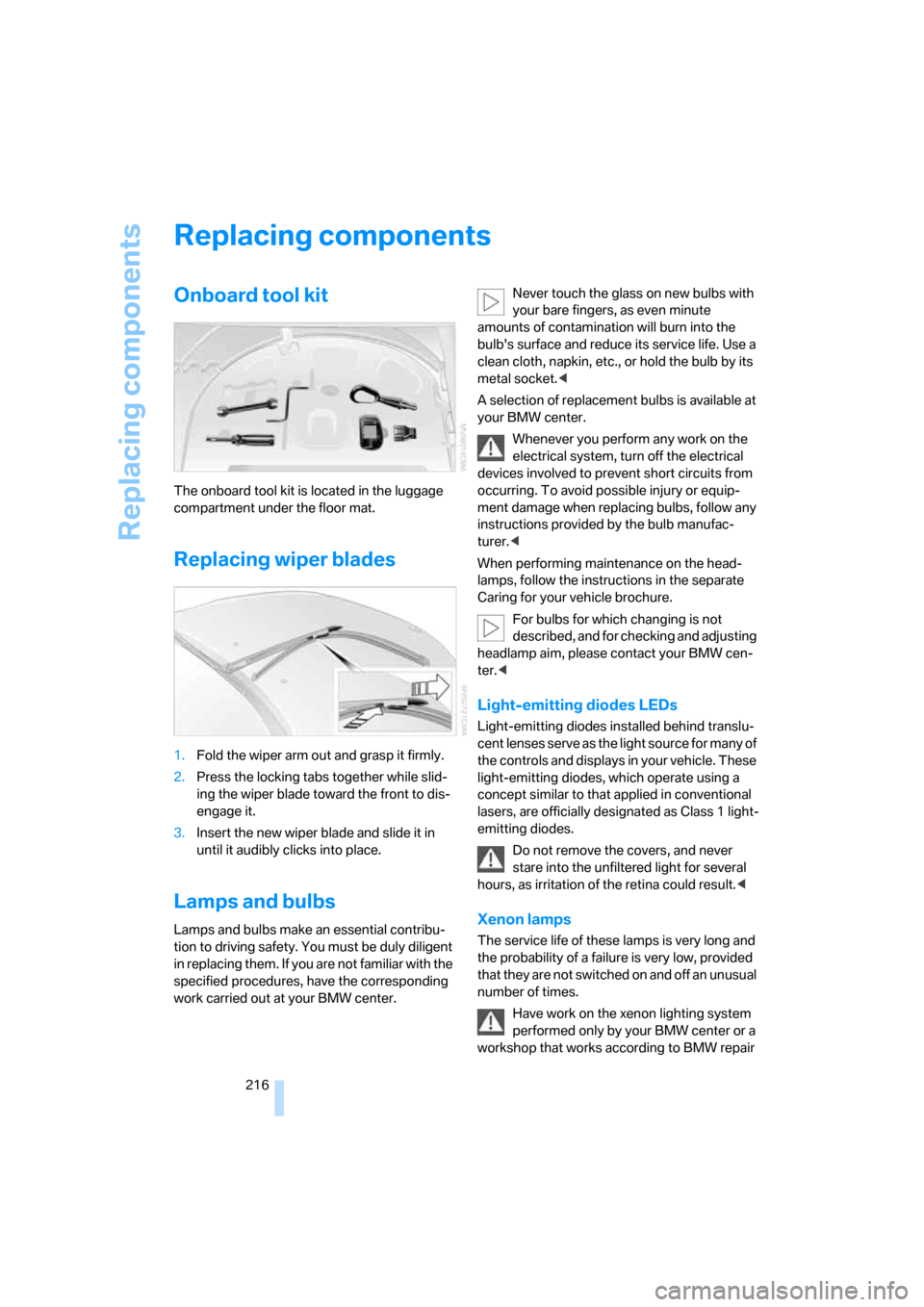
The onboard tool kit is located in the luggage
compartment under the floor mat.
Replacing wiper blades
1.Fold the wiper arm out and grasp it firmly.
2.Press the locking tabs together while slid-
ing the wiper blade toward the front to dis-
engage it.
3.Insert the new wiper blade and slide it in
until it audibly clicks into place.
Lamps and bulbs
Lamps and bulbs make an essential contribu-
tion to driving safety. You must be duly diligent
in replacing them. If you are not familiar with the
specified procedures, have the corresponding
work carried out at your BMW center.Never touch the glass on new bulbs with
your bare fingers, as even minute
amounts of contamination will burn into the
bulb's surface and reduce its service life. Use a
clean cloth, napkin, etc., or hold the bulb by its
metal socket.<
A selection of replacement bulbs is available at
your BMW center.
Whenever you perform any work on the
electrical system, turn off the electrical
devices involved to prevent short circuits from
occurring. To avoid possible injury or equip-
ment damage when replacing bulbs, follow any
instructions provided by the bulb manufac-
turer.<
When performing maintenance on the head-
lamps, follow the instructions in the separate
Caring for your vehicle brochure.
For bulbs for which changing is not
described, and for checking and adjusting
headlamp aim, please contact your BMW cen-
ter.<
Light-emitting diodes LEDs
Light-emitting diodes installed behind translu-
cent lenses serve as the light source for many of
the controls and displays in your vehicle. These
light-emitting diodes, which operate using a
concept similar to that applied in conventional
lasers, are officially designated as Class 1 light-
emitting diodes.
Do not remove the covers, and never
stare into the unfiltered light for several
hours, as irritation of the retina could result.<
Xenon lamps
The service life of these lamps is very long and
the probability of a failure is very low, provided
that they are not switched on and off an unusual
number of times.
Have work on the xenon lighting system
performed only by your BMW center or a
workshop that works according to BMW repair
Page 227 of 262
Mobility
225Reference
At a glance
Controls
Driving tips
Communications
Navigation
Entertainment
Warning triangle*
The warning triangle is located on the left-hand
side in the luggage compartment.
First-aid kit*
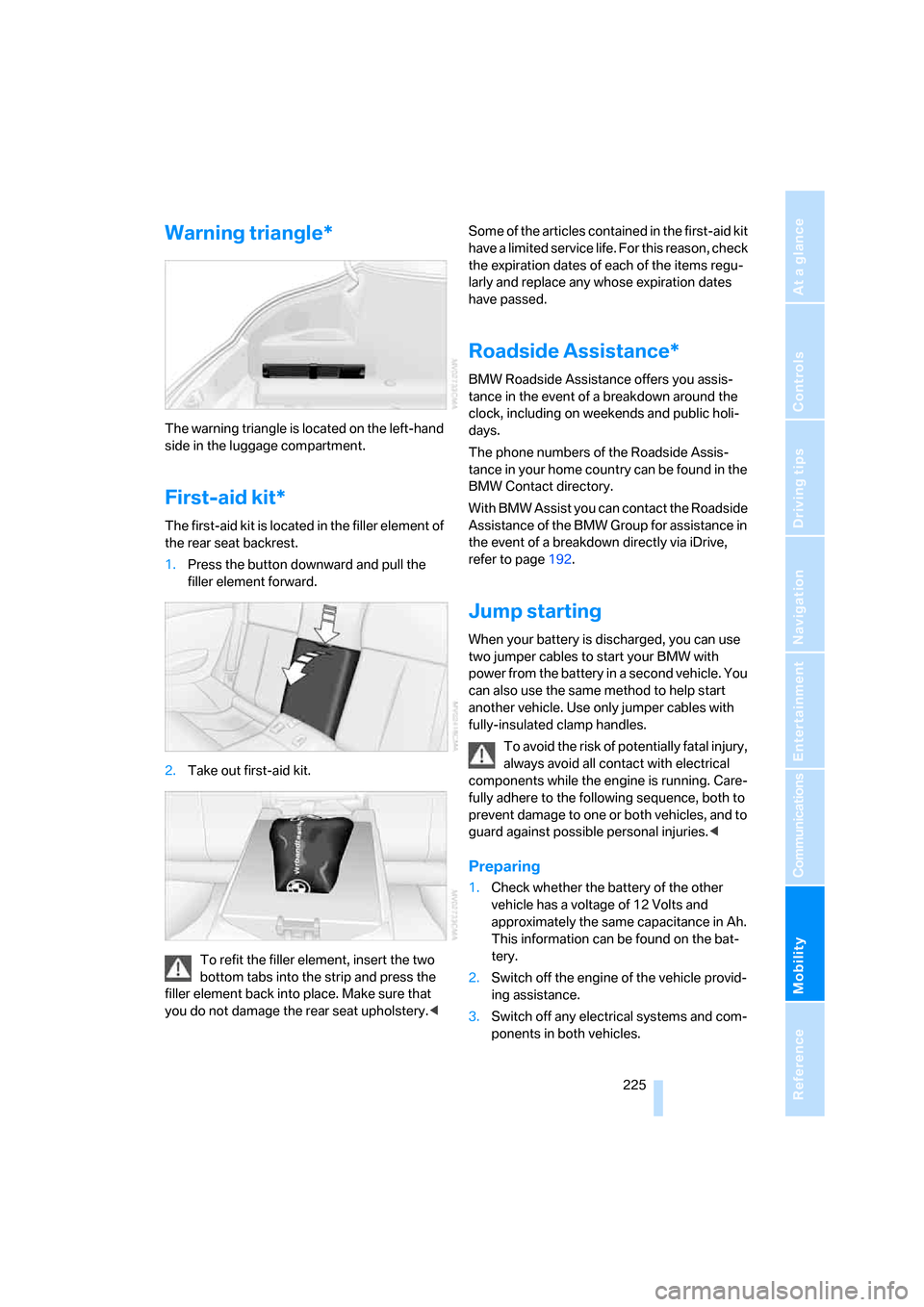
The first-aid kit is located in the filler element of
the rear seat backrest.
1.Press the button downward and pull the
filler element forward.
2.Take out first-aid kit.
To refit the filler element, insert the two
bottom tabs into the strip and press the
filler element back into place. Make sure that
you do not damage the rear seat upholstery.
the expiration dates of each of the items regu-
larly and replace any whose expiration dates
have passed.
Roadside Assistance*
BMW Roadside Assistance offers you assis-
tance in the event of a breakdown around the
clock, including on weekends and public holi-
days.
The phone numbers of the Roadside Assis-
tance in your home country can be found in the
BMW Contact directory.
With BMW Assist you can contact the Roadside
Assistance of the BMW Group for assistance in
the event of a breakdown directly via iDrive,
refer to page192.
Jump starting
When your battery is discharged, you can use
two jumper cables to start your BMW with
power from the battery in a second vehicle. You
can also use the same method to help start
another vehicle. Use only jumper cables with
fully-insulated clamp handles.
To avoid the risk of potentially fatal injury,
always avoid all contact with electrical
components while the engine is running. Care-
fully adhere to the following sequence, both to
prevent damage to one or both vehicles, and to
guard against possible personal injuries.<
Preparing
1.Check whether the battery of the other
vehicle has a voltage of 12 Volts and
approximately the same capacitance in Ah.
This information can be found on the bat-
tery.
2.Switch off the engine of the vehicle provid-
ing assistance.
3.Switch off any electrical systems and com-
ponents in both vehicles.
Page 242 of 262
Everything from A to Z
240
Everything from A to Z
Index
"..." Identifies Control Display
texts used to select
individual functions, and
indicates where to find them
in the text.
A
ABS Antilock Brake
System82
– indicator lamp84
Accepted calls184
Accessories6
Accident, refer to Emergency
request224
Activated-charcoal filter for
automatic climate
control105
Activating hour signal78
"Activation time" for parked-
car ventilation106
Active front head restraints48
Adapter for spare key28
Adaptive brake lamps, refer to
Brake force display90
Adaptive Head Light98
"Add digits" for mobile
phone184
Additives
– coolant213
– engine oil, refer to Approved
engine oils212
"Address book" for navigation
system134
Address for navigation
– deleting135
– entering126,129
– selecting134
– storing134
– storing current position134
"Add to address book"133
"Add to destination
list"129,131Adjusting interior
temperature102
Adjusting thigh support46
Adjusting tone in audio mode,
refer to Tone control151
"After door opened"48
"After unlocking"48
Airbags90
– deactivating, refer to
Exception for front
passenger seat56
– indicator/warning lamp92
– indicator lamp for front
passenger airbags91
– sitting safely45
Air distribution
– automatic102
– manual103
Airing, refer to Ventilation105
Air outlets, refer to
Ventilation105
Air recirculation, refer to AUC
Automatic recirculated-air
control104
"Air recirculation on / off"53
Air supply, automatic climate
control101
Air volume103
AKI, refer to Fuel
specifications201
Alarm system35
– avoiding unintentional
alarms36
– interior motion sensor36
– switching off alarm35
– switching off tilt alarm
sensor and interior motion
sensor36
– tilt alarm sensor36
"All channels"162
"All doors"30
All-season tires, refer to
Winter tires206"All stations", calling up with
radio154,157
Alterations, technical, refer to
For your own safety6
"AM", reception
range150,154
Antenna, refer to Caring for
your vehicle brochure
Antenna for mobile phone176
Antifreeze
– coolant213
– washer fluid67
Antilock Brake System
ABS82
Anti-theft alarm system, refer
to Alarm system35
Anti-theft system, refer to
Central locking system30
Approved axle loads, refer to
Weights235
Approved engine oils212
Approved gross vehicle
weight, refer to Weights235
Armrest, refer to Center
armrest110
Around the center console14
Around the steering wheel10
Arrival time
– refer to Computer71
– refer to Starting destination
guidance138
"Arrow display" for navigation
system139
"Arrow display pop-up
instructions"125
Ashtray111
Assist, refer to
BMW Assist191
Assistance systems, refer to
Driving stability control
systems82
Assistance window20
Page 244 of 262
Everything from A to Z
242 Brakes
– ABS Antilock Brake
System82
– brake force display90
– breaking-in116
– CBC Cornering Brake
Control82
– electronic brake-force
distribution83
– handbrake61
– refer to Braking safely117
Brake system116
– brake pads116
– brake rotors118
– breaking-in116
– warning lamp13,84
Braking safely117
Breakdown, M Mobility
System218
Breakdown services, refer to
Roadside Assistance225
Breaking-in116
Breaking-in brake pads116
Breaking-in the clutch116
Breaking-in the differential,
refer to Engine and
differential116
"Brightness"79,94
Brightness of Control
Display79
Button for starting engine,
refer to Start/Stop button59
Buttons on steering wheel11
Bypassing route sections142
C
California Proposition 65
Warning6
"Call"184,195
Call
– accepting182
– displaying accepted185
– ending183
– in absence185
– rejecting183
– starting183Calling
– by entering phone
number183
– from phone book184
– from Top 8 list185
– redialing185
Can holder, refer to Cup
holders111
Capacities235
Car battery, refer to Vehicle
battery222
Car care, refer to Caring for
your vehicle brochure
Car-care products, refer to
Caring for your vehicle
brochure
"Car Data"71
Care215
– refer to Caring for your
vehicle brochure
Cargo loading
– securing cargo119
– stowing cargo119
– vehicle118
Caring for artificial leather,
refer to Caring for your
vehicle brochure
Caring for leather, refer to
Caring for your vehicle
brochure
Caring for light-alloy wheels,
refer to Caring for your
vehicle brochure
Caring for plastic, refer to
Caring for your vehicle
brochure
Caring for the carpet, refer to
Caring for your vehicle
brochure
Caring for the vehicle finish,
refer to Caring for your
vehicle brochure
Car key, refer to Keys/remote
control28Car phone176
– installation location, refer to
Center armrest110
– refer to Mobile phone176
– refer to separate operating
instructions
Car radio, refer to Radio154
Car wash118
– refer to Before driving into a
car wash118
– refer to Caring for your
vehicle brochure
Catalytic converter, refer to
Hot exhaust system117
"Categories"162
CBC Cornering Brake
Control82
CBS Condition Based
Service214
"CD"150
,164
CD changer164
– controls150
– fast forward/reverse168
– installation location168
– random sequence167
– repeating a track167
– sampling a track166
– selecting a CD165
– selecting a track165
– switching on/off150
– tone control151
– volume151
CD player164
– controls150
– fast forward/reverse168
– random sequence167
– repeating a track167
– sampling a track166
– selecting a track165
– switching on/off150
– tone control151
– volume151
Center armrest, adjusting
height110
Center console14
"Central locking"30
Central locking
– from inside32
– from outside30
Page 250 of 262
Everything from A to Z
248 Indicator/warning lamps
– ABS Antilock Brake
System84
– airbags92
– brake system84
– DSC13,83
– DTC13
– Flat Tire Monitor87
– handbrake13,61
– MDrive13,53
– M Dynamic Mode13,83
– parking lamps/low beams13
– safety belt warning50
– TPM Tire Pressure
Monitor88
Indicator and warning lamps,
overview13
Inflation pressure, refer to Tire
inflation pressure202
Inflation pressure monitoring
– refer to Flat Tire Monitor86
– refer to Tire Pressure
Monitor87
Info menu17
Information
– on another location132
– on current position132
– on town/city of
destination132
"Information" for navigation
system132
Information menu, refer to
imenu17
"Information on
destination"133
"Info sources"73
Initializing
– Flat Tire Monitor86
– radio, refer to Storing
stations156
– refer to Power failure223
– seat, mirror and steering
wheel memory47
– time and date77
"Input map"131
Installation location
– CD changer168
– drive for navigation DVD124Instructions for navigation
system, refer to Voice
instructions141
Instrument cluster12
Instrument lighting100
Instrument panel
– refer to Cockpit10
– refer to Instrument
cluster12
Integrated key28
Integrated universal remote
control108
Interesting destination for
navigation132
"Interim time"77
Interior lamps100
– switching on with remote
control31
Interior motion sensor36
– switching off36
Interior rearview mirror,
automatic dimming
feature52
Intermittent wiper mode66
J
Jacking points221
Joystick, refer to iDrive16
Jump starting225
K
Keyless-Go, refer to Comfort
access36
Keyless opening and closing,
refer to Comfort access36
Key Memory, refer to Personal
Profile29
"Keypad"186
Keys28
– key-related settings, refer to
Personal Profile29
– spare key28
Kick-down, refer to Drive
mode63
Knee airbags90
Knock control201
L
Lamps, refer to Parking lamps/
low beams96
Lamps and bulbs216
"Language / Units"79
– for navigation
system125,141
"Languages"80
– for navigation
system125,141
Lashing eyes, refer to
Securing cargo119
Last destinations, refer to
Destination list133
"Last seat pos."48
LATCH child restraint fixing
system57
LEDs light-emitting
diodes216
Length, refer to
Dimensions233
License plate lamps, replacing
bulbs217
Light-emitting diodes
LEDs216
Lighter112
"Lighting"66,97
Lighting
– instruments100
– lamps and bulbs216
– of the vehicle, refer to
Lamps96
Light switch96
"Limit"76
Loading, refer to Cargo
loading118
Load securing equipment,
refer to Securing cargo119
"Lock after driving"33
Lock buttons in the doors,
refer to Locking33
Locking31
– confirmation signals31
– from inside33
– from outside31
– without key, refer to Comfort
access36
Page 255 of 262
Reference 253
At a glance
Controls
Driving tips
Communications
Navigation
Entertainment
Mobility
Safety systems
– ABS Antilock Brake
System82
– airbags90
– driving stability control
systems82
– rollover protection system,
Convertible92
– safety belts50
Satellite radio161
– enabling channels161
– selecting channel162
– storing channel162
"SAT" with radio150,161
"Save current
destination"136
"Scan"
– music tracks on CD166
– stations with radio155
Scan
– CD changer166
– CD player166
– radio155
"Scan all" in audio mode166
"Scan directory" in audio
mode166
Screw thread for tow
fitting227
SDARS, refer to Satellite
radio161
Seats46
– adjusting46
– adjusting backrest width46
– heating51
– lumbar support46
– memory, refer to Seat, mirror
and steering wheel
memory47
– sitting safely45
– storing the setting47
– thigh support46
Securing cargo119
– ski bag113
"Select as
destination"132,195
"Select current speed"77
Selecting audio sources, refer
to Operating via iDrive150Selecting frequency
manually155
Selecting menu items19
Selecting route136
Selection options with
navigation system136
Selector lever62
– manual transmission61
– Sequential Manual
Transmission62
Selector lever lock, refer to
Shiftlock62
Sequential Manual
Transmission with
Drivelogic62
– Drivelogic driving
programs63
– Drive mode63
– idle62
– initializing system, refer to
After changing wheels/
tires207
– kick-down63
– reverse gear62
– Sequential mode62
– shift lights64
– shiftlock62
– towing227
– tow-starting228
Sequential mode62
"Service"73,193,211
Service, refer to Roadside
Assistance225
Service and Warranty
Information Booklet for
US models214
Service Interval Display
– refer to CBS Condition
Based Service214
– refer to Service
requirements72
"Service notification"193
"Service Request"186,193
"Service
requirements"73,193,211
Service requirements72
– refer to CBS Condition
Based Service214"Service Status"197
"Set"
– in audio mode150
– in trip computer72
"Set date"79
"Set service date"74
"Set time"78
Setting button, refer to
Controls, controller16
"Settings"197
– for BMW Assist195
– for unlocking30
Settings
– changing on Control
Display77
– clock, 12h/24h mode78
– configuring, refer to
MDrive53
– configuring, refer to
Personal Profile29
– date79
– language80
– units of measure79
Settings menu, refer to
imenu17
Setting time, refer to
Preselecting activation
time106
Shifting63
Shift lights64
Shiftlock62
Shift paddles on steering
wheel63
Shock absorber control, refer
to EDC Electronic Damping
Control85
Short commands of voice
command system236
"Short route" for
navigation136
Short route in navigation, refer
to Selecting route136
"Show current position"131
"Show destination
position"131
Side airbags90
Side turn signals, replacing
bulbs217