door lock BMW M6 2008 E63 Owner's Guide
[x] Cancel search | Manufacturer: BMW, Model Year: 2008, Model line: M6, Model: BMW M6 2008 E63Pages: 262, PDF Size: 8.86 MB
Page 112 of 262
Practical interior accessories
110
Closing
Raise the lid into the closed position.
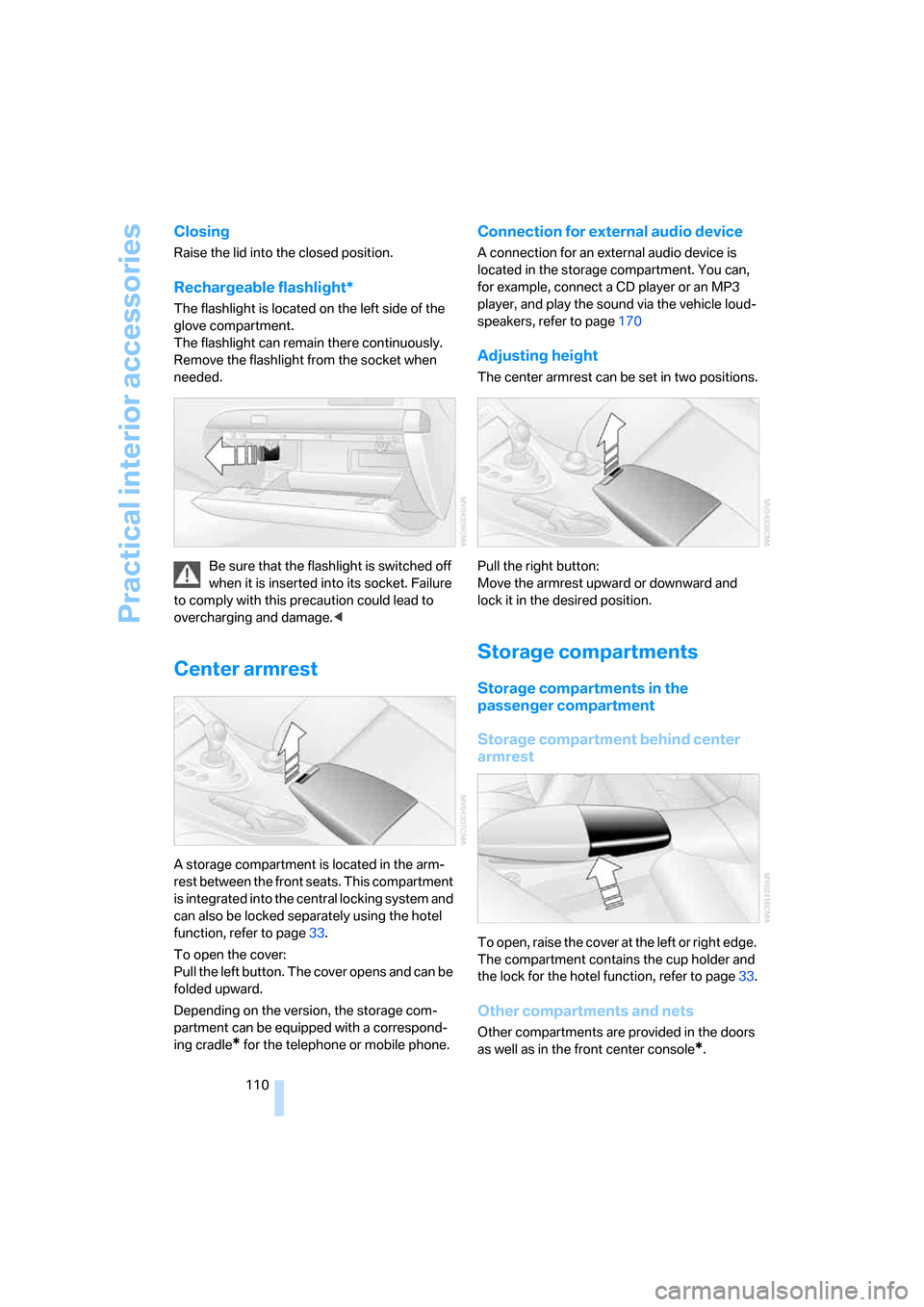
Rechargeable flashlight*
The flashlight is located on the left side of the
glove compartment.
The flashlight can remain there continuously.
Remove the flashlight from the socket when
needed.
Be sure that the flashlight is switched off
when it is inserted into its socket. Failure
to comply with this precaution could lead to
overcharging and damage.<
Center armrest
A storage compartment is located in the arm-
rest between the front seats. This compartment
is integrated into the central locking system and
can also be locked separately using the hotel
function, refer to page33.
To open the cover:
Pull the left button. The cover opens and can be
folded upward.
Depending on the version, the storage com-
partment can be equipped with a correspond-
ing cradle
* for the telephone or mobile phone.
Connection for external audio device
A connection for an external audio device is
located in the storage compartment. You can,
for example, connect a CD player or an MP3
player, and play the sound via the vehicle loud-
speakers, refer to page170
Adjusting height
The center armrest can be set in two positions.
Pull the right button:
Move the armrest upward or downward and
lock it in the desired position.
Storage compartments
Storage compartments in the
passenger compartment
Storage compartment behind center
armrest
To open, raise the cover at the left or right edge.
The compartment contains the cup holder
and
the lock for the hotel function, refer to page33.
Other compartments and nets
Other compartments are provided in the doors
as well as in the front center console
*.
Page 193 of 262
191
Entertainment
Reference
At a glance
Controls
Driving tips Communications
Navigation
Mobility
BMW Assist
BMW Assist provides you with various services.
For example, the position data of your vehicle
can be transmitted to the BMW Assist
Response Center if an emergency request
* has
been initiated.
Many BMW Assist services depend on the indi-
vidually agreed contract.
After your contract has expired, the BMW
Assist system will be deactivated by the BMW
Assist Response Center without you having to
visit a BMW center. Following the deactivation
of the BMW Assist systems, no BMW Assist
service is available. The BMW Assist system be
reactivated by a BMW center after signing a
new contract.
Requirements
You can use BMW Assist when the following
requirements are met:
>The installed BMW Assist system is logged
on to a mobile phone network. This network
must be capable of transmitting the ser-
vices.
>To transmit position data, the vehicle must
be able to determine the current position.
>In order to activate and update BMW Assist,
a GPS signal must be available.
>You have subscribed to BMW Assist with
your BMW center or with the BMW Assist
Response Center. Enabling must have
been completed.
>BMW Assist is activated, refer to page196.
Offered services
The following services are available via
BMW Assist:
>Emergency request, refer to page224:
When you press the SOS button, a connec-
tion is established to the BMW Assist
Response Center. The BMW Assist
Response Center contacts you and takes
further steps to help you.
>Automatic collision notification:
Under certain conditions a connection is
established to the BMW Assist Response
Center directly following a serious accident.
If possible, the BMW Assist Response Cen-
ter contacts you and takes further steps to
help you.
>Enhanced roadside assistance:
You can call Roadside Assistance
* of the
BMW Group should you require help in the
event of a breakdown. If possible, the vehi-
cle and position data are transmitted in the
process.
>BMW Customer Relations:
For information related to your vehicle, call
BMW Customer Relations.
>TeleService:
The data on the service status of your vehi-
cle or on required inspections are transmit-
ted to your BMW center either automati-
cally prior to the due date or when you
request a BMW service appointment.
>Remote door unlock:
Inform the BMW Assist Response Center,
e.g. if your remote control is not available
and you want to have the vehicle unlocked.
>Stolen vehicle recovery:
After your vehicle has been reported to the
police as stolen, the BMW Assist Response
Center can locate its position. To do this,
the vehicle electronics must be ready for
operation.
*
Page 202 of 262
Refueling
200
Refueling
Switch off the engine before refueling,
otherwise no fuel can be filled into the
tank and a message is displayed.<
When handling fuel, always observe all
applicable precautionary measures and
regulations. Never transport reserve fuel con-
tainers in the vehicle. They can leak and cause
an explosion or a fire in an accident.<
Fuel filler door
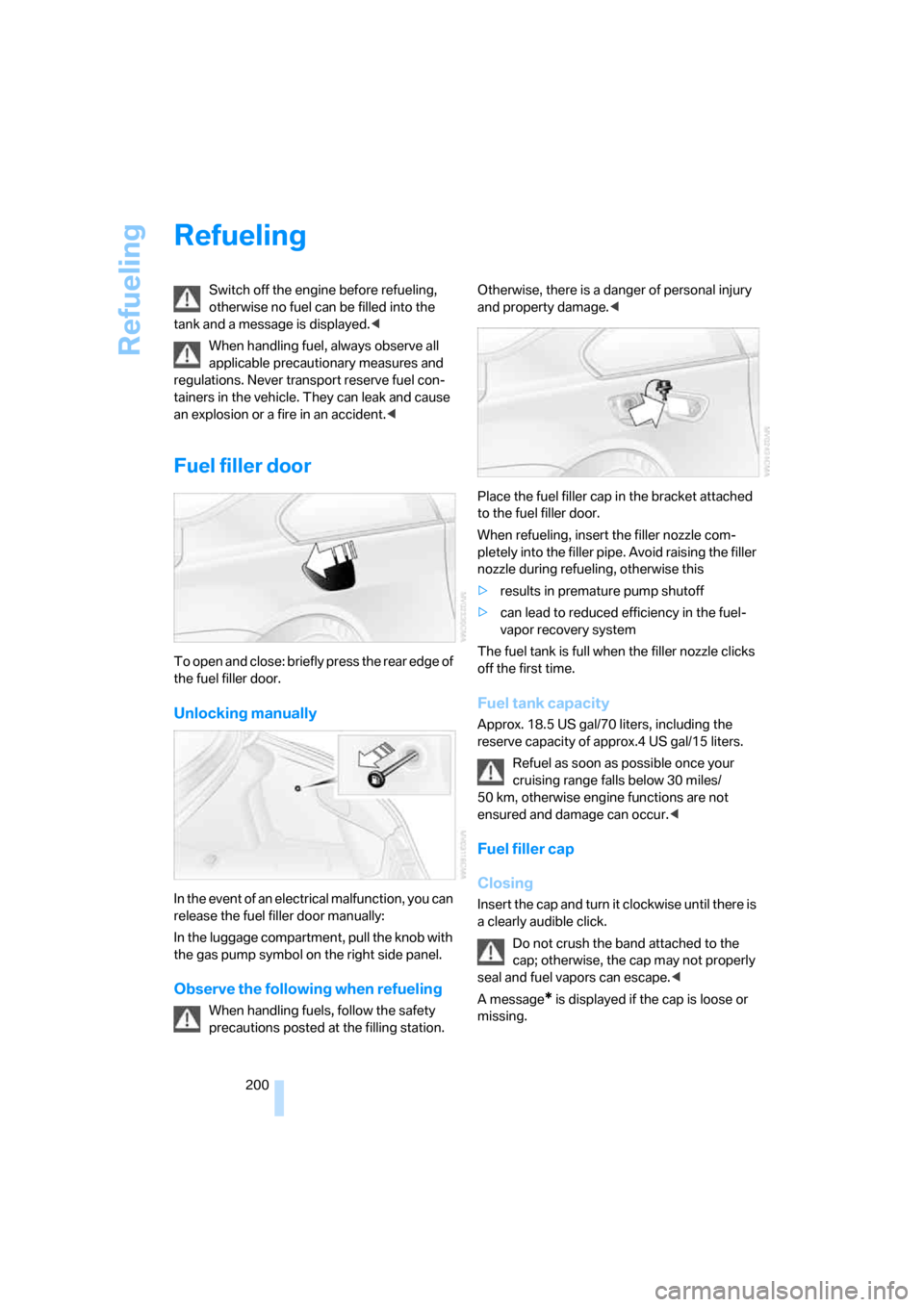
To open and close: briefly press the rear edge of
the fuel filler door.
Unlocking manually
In the event of an electrical malfunction, you can
release the fuel filler door manually:
In the luggage compartment, pull the knob with
the gas pump symbol on the right side panel.
Observe the following when refueling
When handling fuels, follow the safety
precautions posted at the filling station. Otherwise, there is a danger of personal injury
and property damage.<
Place the fuel filler cap in the bracket attached
to the fuel filler door.
When refueling, insert the filler nozzle com-
pletely into the filler pipe. Avoid raising the filler
nozzle during refueling, otherwise this
>results in premature pump shutoff
>can lead to reduced efficiency in the fuel-
vapor recovery system
The fuel tank is full when the filler nozzle clicks
off the first time.
Fuel tank capacity
Approx. 18.5 US gal/70 liters, including the
reserve capacity of approx.4 US gal/15 liters.
Refuel as soon as possible once your
cruising range falls below 30 miles/
50 km, otherwise engine functions are not
ensured and damage can occur.<
Fuel filler cap
Closing
Insert the cap and turn it clockwise until there is
a clearly audible click.
Do not crush the band attached to the
cap; otherwise, the cap may not properly
seal and fuel vapors can escape.<
A message
* is displayed if the cap is loose or
missing.
Page 241 of 262
Reference 239
At a glance
Controls
Driving tips
Communications
Navigation
Entertainment
Mobility
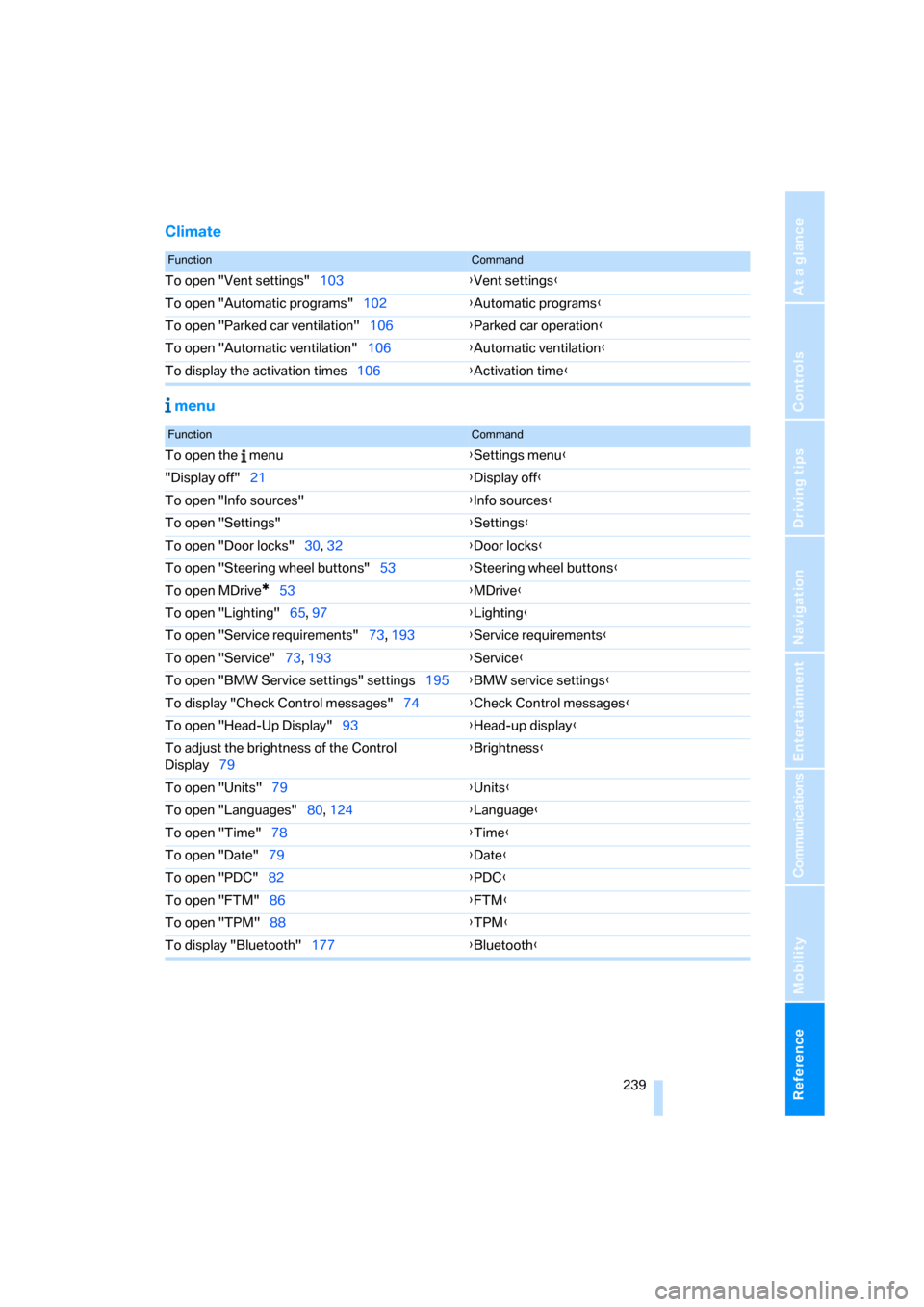
Climate
menu
FunctionCommand
To open "Vent settings"103{Vent settings}
To open "Automatic programs"102{Automatic programs}
To open "Parked car ventilation"106{Parked car operation}
To open "Automatic ventilation"106{Automatic ventilation}
To display the activation times106{Activation time}
FunctionCommand
To open the menu{Settings menu}
"Display off"21{Display off}
To open "Info sources"{Info sources}
To open "Settings"{Settings}
To open "Door locks"30, 32{Door locks}
To open "Steering wheel buttons"53{Steering wheel buttons}
To open MDrive
*53{MDrive}
To open "Lighting"65, 97{Lighting}
To open "Service requirements"73, 193{Service requirements}
To open "Service"73, 193{Service}
To open "BMW Service settings" settings195{BMW service settings}
To display "Check Control messages"74{Check Control messages}
To open "Head-Up Display"93{Head-up display}
To adjust the brightness of the Control
Display79{Brightness}
To open "Units"79{Units}
To open "Languages"80, 124{Language}
To open "Time"78{Time}
To open "Date"79{Date}
To open "PDC"82{PDC}
To open "FTM"86{FTM}
To open "TPM"88{TPM}
To display "Bluetooth"177{Bluetooth}
Page 242 of 262
Everything from A to Z
240
Everything from A to Z
Index
"..." Identifies Control Display
texts used to select
individual functions, and
indicates where to find them
in the text.
A
ABS Antilock Brake
System82
– indicator lamp84
Accepted calls184
Accessories6
Accident, refer to Emergency
request224
Activated-charcoal filter for
automatic climate
control105
Activating hour signal78
"Activation time" for parked-
car ventilation106
Active front head restraints48
Adapter for spare key28
Adaptive brake lamps, refer to
Brake force display90
Adaptive Head Light98
"Add digits" for mobile
phone184
Additives
– coolant213
– engine oil, refer to Approved
engine oils212
"Address book" for navigation
system134
Address for navigation
– deleting135
– entering126,129
– selecting134
– storing134
– storing current position134
"Add to address book"133
"Add to destination
list"129,131Adjusting interior
temperature102
Adjusting thigh support46
Adjusting tone in audio mode,
refer to Tone control151
"After door opened"48
"After unlocking"48
Airbags90
– deactivating, refer to
Exception for front
passenger seat56
– indicator/warning lamp92
– indicator lamp for front
passenger airbags91
– sitting safely45
Air distribution
– automatic102
– manual103
Airing, refer to Ventilation105
Air outlets, refer to
Ventilation105
Air recirculation, refer to AUC
Automatic recirculated-air
control104
"Air recirculation on / off"53
Air supply, automatic climate
control101
Air volume103
AKI, refer to Fuel
specifications201
Alarm system35
– avoiding unintentional
alarms36
– interior motion sensor36
– switching off alarm35
– switching off tilt alarm
sensor and interior motion
sensor36
– tilt alarm sensor36
"All channels"162
"All doors"30
All-season tires, refer to
Winter tires206"All stations", calling up with
radio154,157
Alterations, technical, refer to
For your own safety6
"AM", reception
range150,154
Antenna, refer to Caring for
your vehicle brochure
Antenna for mobile phone176
Antifreeze
– coolant213
– washer fluid67
Antilock Brake System
ABS82
Anti-theft alarm system, refer
to Alarm system35
Anti-theft system, refer to
Central locking system30
Approved axle loads, refer to
Weights235
Approved engine oils212
Approved gross vehicle
weight, refer to Weights235
Armrest, refer to Center
armrest110
Around the center console14
Around the steering wheel10
Arrival time
– refer to Computer71
– refer to Starting destination
guidance138
"Arrow display" for navigation
system139
"Arrow display pop-up
instructions"125
Ashtray111
Assist, refer to
BMW Assist191
Assistance systems, refer to
Driving stability control
systems82
Assistance window20
Page 246 of 262
Everything from A to Z
244 Curb weight, refer to
Weights235
"Current position"145
Current position
– displaying145
– entering134
– storing134
"Customer
Relations"186,194
Cylinders, refer to Engine
data232
D
Dashboard, refer to
Cockpit10
Data, technical232
– capacities235
– dimensions233
– engine232
– measurements233
– weights235
"Date"79
Date
– date format79
– setting79
"Date format"79
"Daytime running
lamps"97,100
Daytime running lamps97
– replacing bulbs217
DBC Dynamic Brake Control,
warning lamp85
"Deactivated"48
Decommissioning the vehicle,
refer to Caring for your
vehicle brochure
Defect, tires
– refer to Flat Tire Monitor86
– refer to Tire Pressure
Monitor87
Defrosting windows103
Defrosting windows and
removing condensation103
Defrosting windshield, refer to
Defrosting windows103
Defrost position, refer to
Defrosting windows103"Delete address book" for
navigation system135
"Delete all numbers" for
mobile phone185
"Delete data" for navigation
system135
"Delete" for mobile
phone185
Destination address
– deleting135
– entering126,129
Destination for navigation
– destination list133
– entering via voice129
– entry126
– home address136
– selecting from address
book134
– selecting using
information132
– storing134
Destination guidance138
– bypassing route
sections142
– canceling voice
instructions53
– changing specified
route136
– displaying route139
– distance and arrival138
– interrupting138
– starting138
– terminating/continuing138
– voice instructions141
– volume of voice
instructions142
Destination list for
navigation133
Destinations recently driven
to133
"Details" in audio
mode166,172
"Dial" for mobile phone183
"Dial number"183
Digital clock70
Digital radio, refer to High
Definition Radio158Dimensions
– Convertible234
– Coupe233
Directional indicators, refer to
Turn signals65
Direction instructions, refer to
Voice instructions141
Directory, refer to Phone
book184
Directory for navigation, refer
to Address book134
Direct selection buttons21
Displacement, refer to Engine
data232
"Display"79
Display, refer to iDrive
controls16
Display elements, refer to
Instrument cluster12
Displaying vehicle data197
Display lighting, refer to
Instrument lighting100
"Display off"21
Displays
– on Control Display, refer to
iDrive16
– refer to Instrument
cluster12
"Display settings"79,93
Displays on the windshield,
refer to Head-Up Display93
Disposal
– battery of remote control
with comfort access38
– coolant213
– vehicle battery223
Distance, refer to
Computer71
"Distance to dest."71
Distance to destination, refer
to Computer71
Distance warning, refer to
PDC Park Distance
Control81
Door entry lighting, refer to
Interior lamps100
Door key, refer to Keys/
remote control28
Page 247 of 262
Reference 245
At a glance
Controls
Driving tips
Communications
Navigation
Entertainment
Mobility
Door lock32
"Door locks"30,73
Doors
– manual operation32
– remote control30,31
DOT Quality Grades204
Draft-free ventilation105
Drivelogic63
"Driver's door only"30
Driving lamps, refer to Parking
lamps/low beams96
Driving programs, refer to
Drivelogic63
Driving route, refer to
Displaying route139
Driving stability control
systems82
Driving through water117
Driving tips, refer to General
driving notes116
Drying the air, refer to Cooling
function104
"DSC"54,83
DSC Dynamic Stability
Control83
– indicator lamp13,83
– malfunction84
DTC Dynamic Traction
Control, indicator lamp13
DVD for navigation124
"Dynamic route" for
navigation137
Dynamic Stability Control
DSC83
– M Dynamic Mode MDM83
E
Easy entry, refer to Entering
rear49
Easy entry/exit52
"EDC"54
EDC Electronic Damping
Control85
– "Comfort"85
– "Normal"85
– "Sport"85Eject button, refer to Buttons
on CD player150
Electrical malfunction
– convertible top42
– door lock32
– driver's door32
– fuel filler door200
– luggage compartment lid34
– storage compartment, hotel
function33
Electric convertible top40
Electric steering wheel
adjustment52
Electronic brake-force
distribution83
Electronic Damping Control
EDC85
Emergency assistance, refer
to Roadside Assistance225
Emergency operation, refer to
Manual operation
– convertible top42
– door lock32
– driver's door32
– fuel filler door200
– hotel function33
– luggage compartment lid34
Emergency release for
luggage compartment lid in
luggage compartment35
Emergency request224
Emergency services, refer to
Roadside Assistance225
"Enable services"197
"End call"184
Engaging forward position,
refer to Selector lever
positions62
Engine
– breaking-in116
– data232
– M Engine Dynamic
Control64
– overheated, refer to Coolant
temperature69
– speed232
– starting60
– starting, comfort access36
– switching off60Engine compartment209
Engine coolant213
Engine oil
– adding212
– additives, refer to Approved
engine oils212
– approved oils212
– checking oil level210
– fast measurement211
– interval between changes,
refer to Service
requirements72
– oil change212
– oil grades, refer to Approved
engine oils212
– possible displays210
– recommended oils212
– temperature70
– temperature gauge70
"Engine oil level"211
Engine output, refer to Engine
data232
Engine overheating, refer to
Coolant temperature69
Engine speed, refer to Engine
data232
Engine starting, refer to
Starting engine60
"Enter address"126,134
Entering address126,129
Entering intersection,
navigation128
Entering rear49
Entering town/city for
navigation127
Entering town/city of
destination name127
Entering zip code for
navigation127
"Entertainment"150
Entertainment sound output
on/off151
Entry map for destination131
Equalizer, refer to Tone
control153
"Equalizer", tone control153
"ESN"161
Page 248 of 262
Everything from A to Z
246 ESP Electronic Stability
Program, refer to DSC
Dynamic Stability
Control83
Event data recorders215
Exhaust system, refer to Hot
exhaust system117
Exterior mirrors51
– adjusting51
– automatic dimming
feature52
– automatic heating51
– folding in and out51
– tilting down passenger-side
mirror52
External audio device110
Eye for tow-starting and
towing, refer to Tow
fitting226
Eyes for lashing, refer to
Securing cargo119
F
"Fader", refer to Tone
control152
Fader, refer to Tone
control152
Failure messages, refer to
Check Control74
False alarm
– refer to Avoiding
unintentional alarms36
– refer to Switching off
alarm35
Fastening safety belts, refer to
Safety belts50
Fastest route for
navigation136
Fast forward
– CD changer168
– CD player168
"Fast route" for
navigation136
"Favorites", calling up with
radio157
Filler neck for washer fluid67Filling bottle, refer to
M Mobility System218
Filter, refer to Microfilter/
activated-charcoal filter105
Fine wood, refer to Caring for
your vehicle brochure
First aid, refer to First-aid
kit225
First-aid kit225
Flashing when locking and
unlocking, refer to Setting
confirmation signals31
Flashlight, refer to
Rechargeable flashlight110
Flat tire
– Flat Tire Monitor86
– M Mobility System218
– run-flat tires88
– spare wheel221
– Tire Pressure Monitor87
– warning lamp87,88
Flat Tire Monitor86
– false alarms86
– initializing system86
– limits of system86
– snow chains207
– warning lamp87
Floor mats, refer to Caring for
your vehicle brochure
Floor mats/carpets, refer to
Caring for your vehicle
brochure
Fluid reservoir, refer to Filler
neck for washer fluid67
"FM", reception
range150,154
FM, waveband154
Folding into raised position
convertible top
compartment floor,
Convertible35
Footbrake, refer to Braking
safely117
Footwell lighting, refer to
Interior lamps100
For specified oil grades, refer
to Approved engine oils212
For your own safety6Freeway, refer to Route
criteria136
Front airbags90
Front passenger airbags,
deactivating91
"FTM"87
FTM, refer to Flat Tire
Monitor86
Fuel
– average consumption71
– display70
– fuel specifications201
– high-quality brands201
– quality201
– specifications201
– tank contents, refer to
Capacities235
Fuel display, refer to Fuel
gauge70
Fuel filler door200
– releasing in the event of
electrical malfunction200
Fuel gauge70
Full mobile phone preparation
package176
Full screen display, refer to
Switching assistance
window off20
Fuses223
G
Garage-door opener, refer to
Integrated universal remote
control108
Gasoline
– refer to Average fuel
consumption71
– refer to Fuel
specifications201
– refer to Required fuel201
Gasoline display, refer to Fuel
gauge70
Gear changes63
Gear display, refer to Displays
in instrument cluster63
Gearshift lever, manual
transmission61
Page 250 of 262
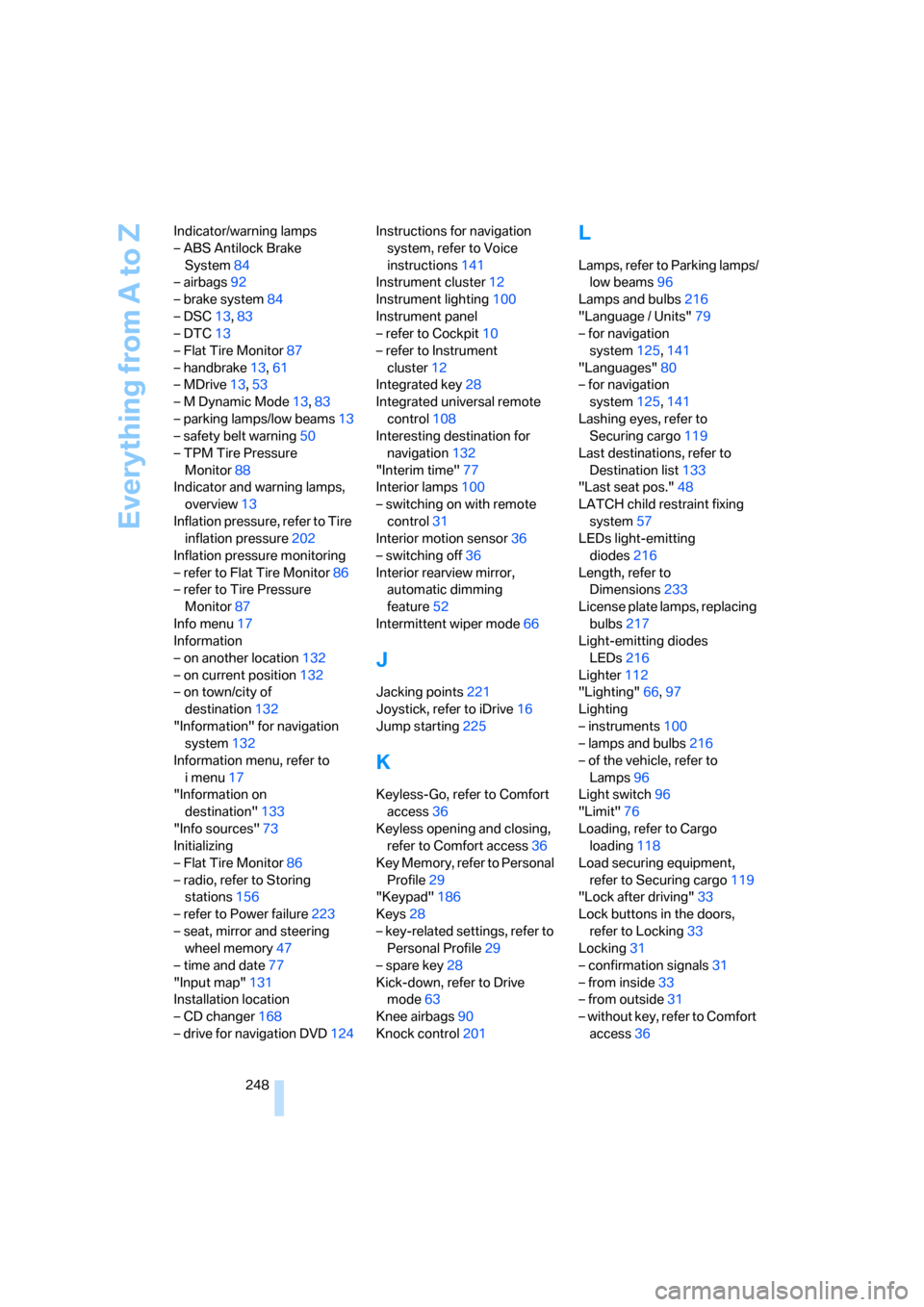
Everything from A to Z
248 Indicator/warning lamps
– ABS Antilock Brake
System84
– airbags92
– brake system84
– DSC13,83
– DTC13
– Flat Tire Monitor87
– handbrake13,61
– MDrive13,53
– M Dynamic Mode13,83
– parking lamps/low beams13
– safety belt warning50
– TPM Tire Pressure
Monitor88
Indicator and warning lamps,
overview13
Inflation pressure, refer to Tire
inflation pressure202
Inflation pressure monitoring
– refer to Flat Tire Monitor86
– refer to Tire Pressure
Monitor87
Info menu17
Information
– on another location132
– on current position132
– on town/city of
destination132
"Information" for navigation
system132
Information menu, refer to
imenu17
"Information on
destination"133
"Info sources"73
Initializing
– Flat Tire Monitor86
– radio, refer to Storing
stations156
– refer to Power failure223
– seat, mirror and steering
wheel memory47
– time and date77
"Input map"131
Installation location
– CD changer168
– drive for navigation DVD124Instructions for navigation
system, refer to Voice
instructions141
Instrument cluster12
Instrument lighting100
Instrument panel
– refer to Cockpit10
– refer to Instrument
cluster12
Integrated key28
Integrated universal remote
control108
Interesting destination for
navigation132
"Interim time"77
Interior lamps100
– switching on with remote
control31
Interior motion sensor36
– switching off36
Interior rearview mirror,
automatic dimming
feature52
Intermittent wiper mode66
J
Jacking points221
Joystick, refer to iDrive16
Jump starting225
K
Keyless-Go, refer to Comfort
access36
Keyless opening and closing,
refer to Comfort access36
Key Memory, refer to Personal
Profile29
"Keypad"186
Keys28
– key-related settings, refer to
Personal Profile29
– spare key28
Kick-down, refer to Drive
mode63
Knee airbags90
Knock control201
L
Lamps, refer to Parking lamps/
low beams96
Lamps and bulbs216
"Language / Units"79
– for navigation
system125,141
"Languages"80
– for navigation
system125,141
Lashing eyes, refer to
Securing cargo119
Last destinations, refer to
Destination list133
"Last seat pos."48
LATCH child restraint fixing
system57
LEDs light-emitting
diodes216
Length, refer to
Dimensions233
License plate lamps, replacing
bulbs217
Light-emitting diodes
LEDs216
Lighter112
"Lighting"66,97
Lighting
– instruments100
– lamps and bulbs216
– of the vehicle, refer to
Lamps96
Light switch96
"Limit"76
Loading, refer to Cargo
loading118
Load securing equipment,
refer to Securing cargo119
"Lock after driving"33
Lock buttons in the doors,
refer to Locking33
Locking31
– confirmation signals31
– from inside33
– from outside31
– without key, refer to Comfort
access36
Page 251 of 262
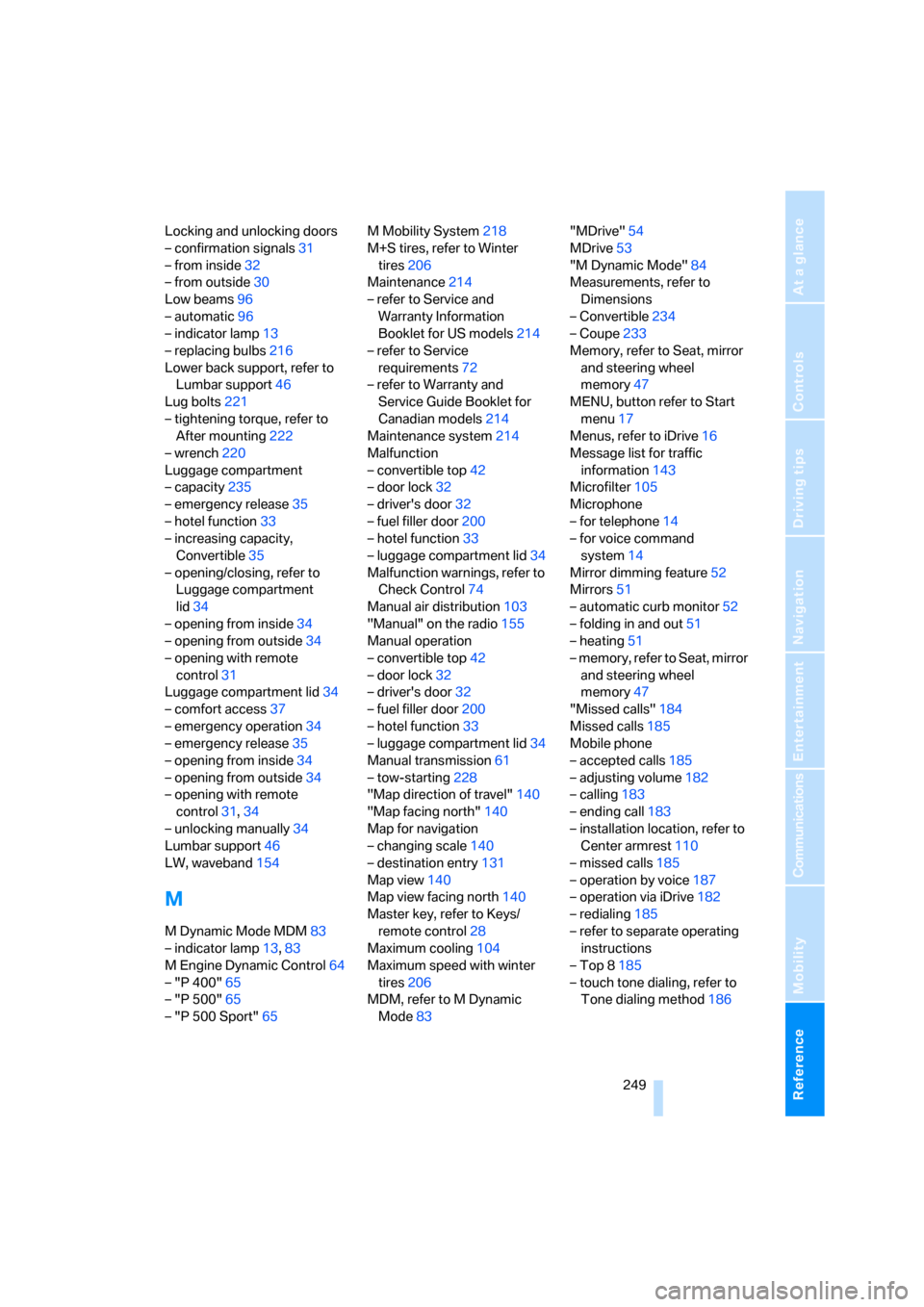
Reference 249
At a glance
Controls
Driving tips
Communications
Navigation
Entertainment
Mobility
Locking and unlocking doors
– confirmation signals31
– from inside32
– from outside30
Low beams96
– automatic96
– indicator lamp13
– replacing bulbs216
Lower back support, refer to
Lumbar support46
Lug bolts221
– tightening torque, refer to
After mounting222
– wrench220
Luggage compartment
– capacity235
– emergency release35
– hotel function33
– increasing capacity,
Convertible35
– opening/closing, refer to
Luggage compartment
lid34
– opening from inside34
– opening from outside34
– opening with remote
control31
Luggage compartment lid34
– comfort access37
– emergency operation34
– emergency release35
– opening from inside34
– opening from outside34
– opening with remote
control31,34
– unlocking manually34
Lumbar support46
LW, waveband154
M
M Dynamic Mode MDM83
– indicator lamp13,83
M Engine Dynamic Control64
– "P 400"65
– "P 500"65
– "P 500 Sport"65M Mobility System218
M+S tires, refer to Winter
tires206
Maintenance214
– refer to Service and
Warranty Information
Booklet for US models214
– refer to Service
requirements72
– refer to Warranty and
Service Guide Booklet for
Canadian models214
Maintenance system214
Malfunction
– convertible top42
– door lock32
– driver's door32
– fuel filler door200
– hotel function33
– luggage compartment lid34
Malfunction warnings, refer to
Check Control74
Manual air distribution103
"Manual" on the radio155
Manual operation
– convertible top42
– door lock32
– driver's door32
– fuel filler door200
– hotel function33
– luggage compartment lid34
Manual transmission61
– tow-starting228
"Map direction of travel"140
"Map facing north"140
Map for navigation
– changing scale140
– destination entry131
Map view140
Map view facing north140
Master key, refer to Keys/
remote control28
Maximum cooling104
Maximum speed with winter
tires206
MDM, refer to M Dynamic
Mode83"MDrive"54
MDrive53
"M Dynamic Mode"84
Measurements, refer to
Dimensions
– Convertible234
– Coupe233
Memory, refer to Seat, mirror
and steering wheel
memory47
MENU, button refer to Start
menu17
Menus, refer to iDrive16
Message list for traffic
information143
Microfilter105
Microphone
– for telephone14
– for voice command
system14
Mirror dimming feature52
Mirrors51
– automatic curb monitor52
– folding in and out51
– heating51
– memory, refer to Seat, mirror
and steering wheel
memory47
"Missed calls"184
Missed calls185
Mobile phone
– accepted calls185
– adjusting volume182
– calling183
– ending call183
– installation location, refer to
Center armrest110
– missed calls185
– operation by voice187
– operation via iDrive182
– redialing185
– refer to separate operating
instructions
– Top 8185
– touch tone dialing, refer to
Tone dialing method186