fuel BMW M6 CONVERTIBLE 2002 User Guide
[x] Cancel search | Manufacturer: BMW, Model Year: 2002, Model line: M6 CONVERTIBLE, Model: BMW M6 CONVERTIBLE 2002Pages: 186, PDF Size: 2.77 MB
Page 33 of 186
33n
OverviewControlsMaintenanceRepairsDataIndex
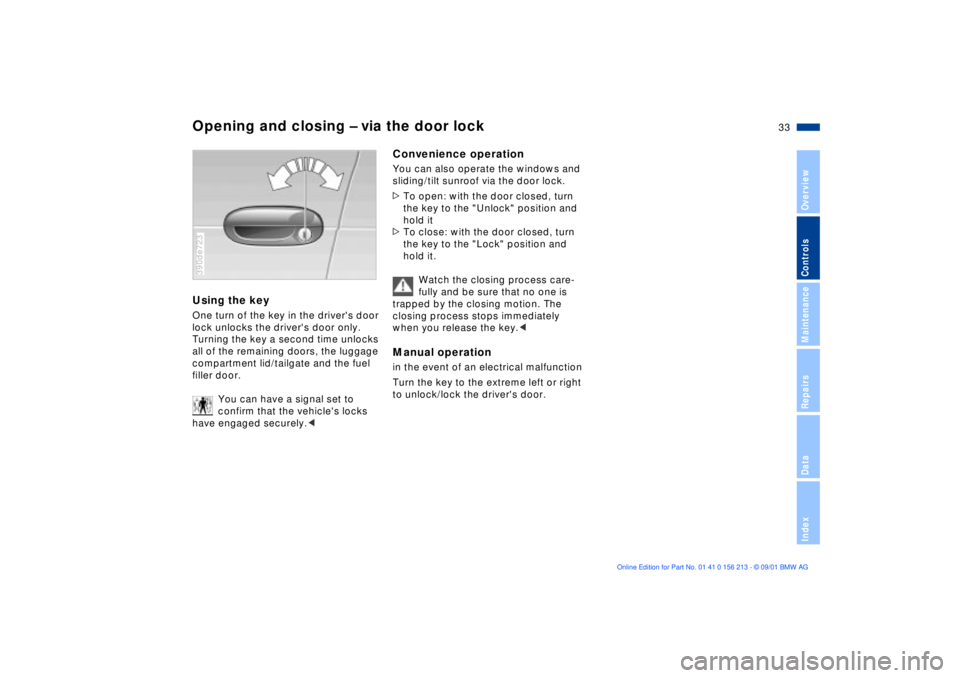
Opening and closing Ð via the door lockUsing the keyOne turn of the key in the driver's door
lock unlocks the driver's door only.
Turning the key a second time unlocks
all of the remaining doors, the luggage
compartment lid/tailgate and the fuel
filler door.
You can have a signal set to
confirm that the vehicle's locks
have engaged securely.< 390de723
Convenience operationYou can also operate the windows and
sliding/tilt sunroof via the door lock.
>To open: with the door closed, turn
the key to the "Unlock" position and
hold it
>To close: with the door closed, turn
the key to the "Lock" position and
hold it.
Watch the closing process care-
fully and be sure that no one is
trapped by the closing motion. The
closing process stops immediately
when you release the key.< Manual operationin the event of an electrical malfunction
Turn the key to the extreme left or right
to unlock/lock the driver's door.
Page 35 of 186
35n
OverviewControlsMaintenanceRepairsDataIndex
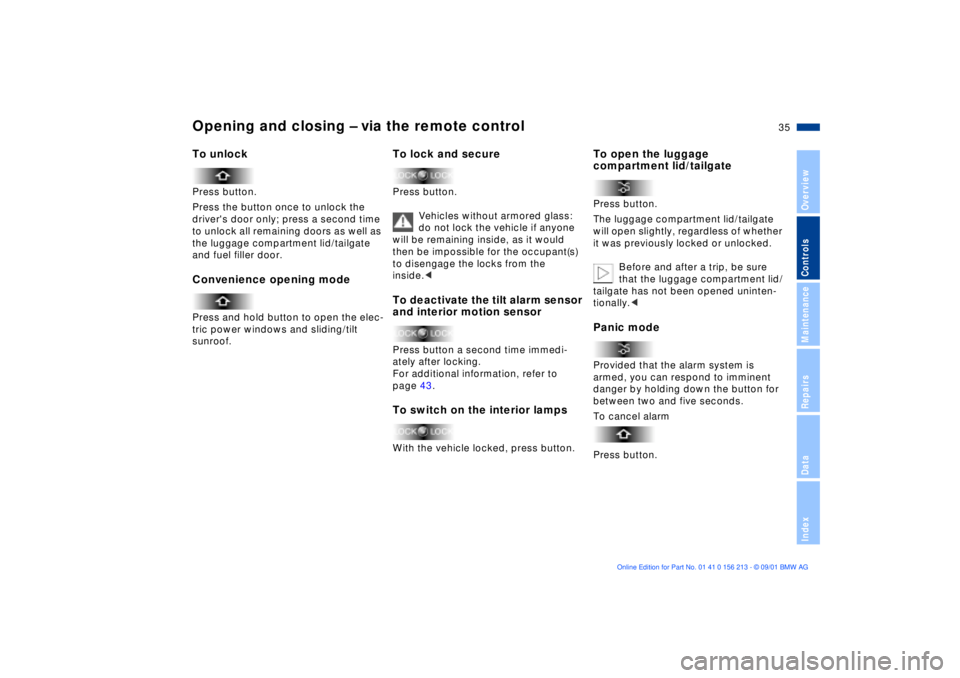
Opening and closing Ð via the remote controlTo unlockPress button.
Press the button once to unlock the
driver's door only; press a second time
to unlock all remaining doors as well as
the luggage compartment lid/tailgate
and fuel filler door.Convenience opening modePress and hold button to open the elec-
tric power windows and sliding/tilt
sunroof.
To lock and securePress button.
Vehicles without armored glass:
do not lock the vehicle if anyone
will be remaining inside, as it would
then be impossible for the occupant(s)
to disengage the locks from the
inside.< To deactivate the tilt alarm sensor
and interior motion sensorPress button a second time immedi-
ately after locking.
For additional information, refer to
page 43.To switch on the interior lampsWith the vehicle locked, press button.
To open the luggage
compartment lid/tailgatePress button.
The luggage compartment lid/tailgate
will open slightly, regardless of whether
it was previously locked or unlocked.
Before and after a trip, be sure
that the luggage compartment lid/
tailgate has not been opened uninten-
tionally.< Panic modeProvided that the alarm system is
armed, you can respond to imminent
danger by holding down the button for
between two and five seconds.
To cancel alarm
Press button.
Page 37 of 186
37n
OverviewControlsMaintenanceRepairsDataIndex
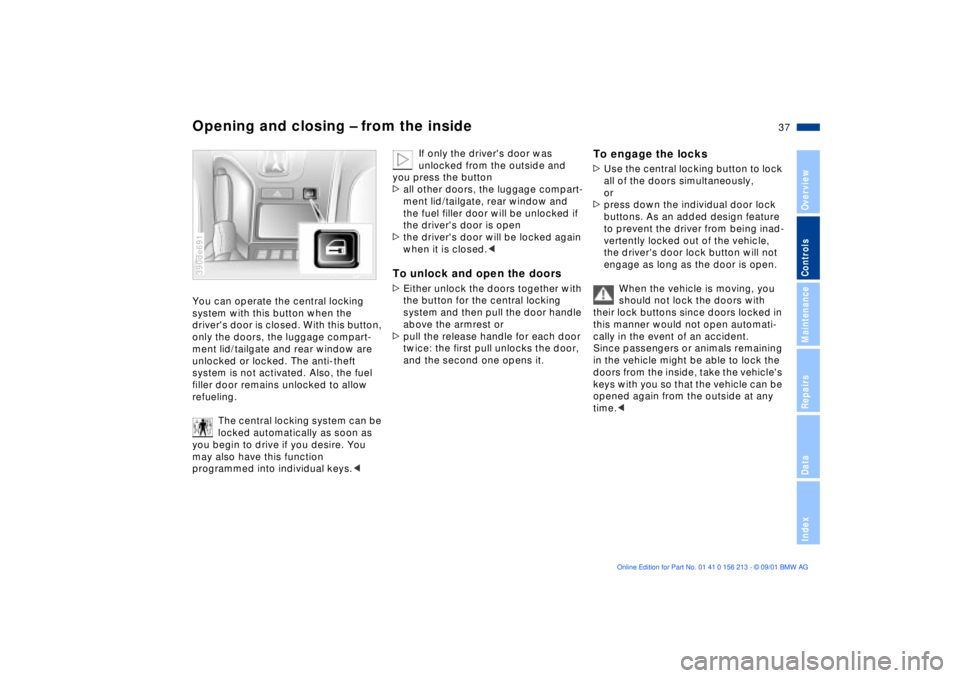
Opening and closing Ð from the insideYou can operate the central locking
system with this button when the
driver's door is closed. With this button,
only the doors, the luggage compart-
ment lid/tailgate and rear window are
unlocked or locked. The anti-theft
system is not activated. Also, the fuel
filler door remains unlocked to allow
refueling.
The central locking system can be
locked automatically as soon as
you begin to drive if you desire. You
may also have this function
programmed into individual keys.< 390de691
If only the driver's door was
unlocked from the outside and
you press the button
>all other doors, the luggage compart-
ment lid/tailgate, rear window and
the fuel filler door will be unlocked if
the driver's door is open
>the driver's door will be locked again
when it is closed.<
To unlock and open the doors>Either unlock the doors together with
the button for the central locking
system and then pull the door handle
above the armrest or
>pull the release handle for each door
twice: the first pull unlocks the door,
and the second one opens it.
To engage the locks>Use the central locking button to lock
all of the doors simultaneously,
or
>press down the individual door lock
buttons. As an added design feature
to prevent the driver from being inad-
vertently locked out of the vehicle,
the driver's door lock button will not
engage as long as the door is open.
When the vehicle is moving, you
should not lock the doors with
their lock buttons since doors locked in
this manner would not open automati-
cally in the event of an accident.
Since passengers or animals remaining
in the vehicle might be able to lock the
doors from the inside, take the vehicle's
keys with you so that the vehicle can be
opened again from the outside at any
time.<
Page 81 of 186
81n
OverviewControlsMaintenanceRepairsDataIndex
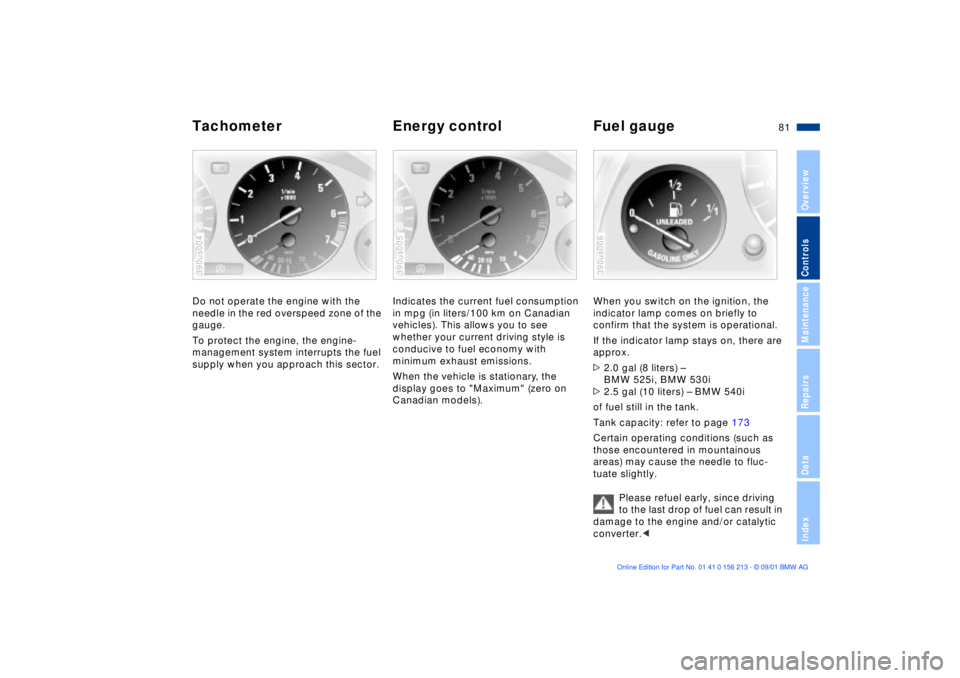
Tachometer Energy control Fuel gaugeDo not operate the engine with the
needle in the red overspeed zone of the
gauge.
To protect the engine, the engine-
management system interrupts the fuel
supply when you approach this sector.390us004
Indicates the current fuel consumption
in mpg (in liters/100 km on Canadian
vehicles). This allows you to see
whether your current driving style is
conducive to fuel economy with
minimum exhaust emissions.
When the vehicle is stationary, the
display goes to "Maximum" (zero on
Canadian models).390us005
When you switch on the ignition, the
indicator lamp comes on briefly to
confirm that the system is operational.
If the indicator lamp stays on, there are
approx.
>2.0 gal (8 liters) Ð
BMW 525i, BMW 530i
>2.5 gal (10 liters) Ð BMW 540i
of fuel still in the tank.
Tank capacity: refer to page 173
Certain operating conditions (such as
those encountered in mountainous
areas) may cause the needle to fluc-
tuate slightly.
Please refuel early, since driving
to the last drop of fuel can result in
damage to the engine and/or catalytic
converter.< 390us006
Page 84 of 186

84n
Check Control>"RELEASE PARKINGBRAKE"
>"COOLANT TEMPERATURE"
The coolant is overheated. Stop the
vehicle immediately and switch off
the engine. Refer to pages 82
and 142
>"STOP! ENGINE OILPRESS"
The oil pressure is too low. Stop the
vehicle immediately and switch off
the engine. Refer to pages 19, 140
>"CHECK BRAKE FLUID"
Indicates that brake fluid is down to
roughly minimum level. Have the
reservoir topped up at the earliest
opportunity, refer to page 143. Have
the source of the brake fluid loss
repaired at your BMW center
>"TIRE DEFECT"
*
Reduce vehicle speed immediately
and stop the vehicle. Avoid hard
brake applications. Do not oversteer.
Refer to page 100
>"SELFLEVEL SUSP.INACT"
Please consult the nearest BMW
center. Refer to page 99
>"SPEED LIMIT"
*
Display if the programmed speed
limit has been exceeded, refer to
page 91Priority 2
These displays appear for 20 seconds
when the ignition key is turned to posi-
tion 2. The warning symbols remain
after the message disappears. You can
display the messages again by pressing
the CHECK button 3:
>"TRUNKLID OPEN"
Message appears only when the
vehicle is initially set in motion
>"DOOR OPEN"
This message appears after a defined
road speed has been exceeded
>"FASTEN SEAT BELTS"
*
In addition to this message, a
warning lamp with the safety belt icon
appears and an acoustic signal
sounds
>"WASHER FLUID LOW"
Too low; top up fluid at the next
opportunity. Refer to page 139
>"CHECK ENGINE OIL LEV"
The engine oil level is at the absolute
minimum. You should respond by
topping up the oil as soon as
possible, refer to page 140. Do not
continue for more than approximately
30 miles (50 km) before adding oil>"CHECK FILLER CAP"
Inspect the cap to make sure that it is
closed properly, refer to page 24. If
the cap is not closed securely it will
trigger the "Service Engine Soon"
lamp
>"OUTSIDE TEMP. +20 7 (Ð5 6)"
This display is only an example. The
current temperature is displayed at
outside temperatures of +37.5 7
(+3 6) and below. Refer also to
page 80
>"SET TIRE PRESSURE"
*
The RDC has imported the current
inflation pressure in the tires as the
target values which the system will
monitor.
Refer to page 99
>"CHECK TIRE PRESSURE"
*
Check and correct the tire inflation
pressure to specifications at the
earliest opportunity (next stop for
fuel).
Refer to page 99
>"TIRECONTROL INACTIVE"
*
A temporary interference of the RDC
or a system fault. Refer to page 100
>"CHECK BRAKE LIGHTS"
A lamp has failed or the electrical
circuit has a fault. Refer to pages 154
and 160 or consult a BMW center
Page 85 of 186

85n
OverviewControlsMaintenanceRepairsDataIndex
Check Control>"CHECK LOWBEAM LIGHTS"
"CHECK SIDE LIGHTS"
"CHECK REAR LIGHTS"
"CHECK FRONT FOGLAMPS"
"CHECK LICPLATE LIGHT"
"CHECK HIGHBEAM LIGHT"
"CHECK BACK UP LIGHTS"
Defective bulb or circuit. Refer to
pages 151 and following, page 160
or consult your BMW center.
>"TRANS. FAILSAFE PROG"
Please consult the nearest BMW
center. Refer to pages 72 and 75
>"CHECK BRAKE LININGS"
Have the brake pads inspected by
your BMW center. Refer to page 132
>"CHECK COOLANT LEVEL"
Coolant too low, top up at the next
opportunity. Refer to page 142
>"ENGINE FAILSAFE PROG"
*
Indicates a malfunction in the elec-
tronic engine-management system,
which then reverts to an emergency
default program allowing continued
operation at reduced power and
lower engine speeds.
Please have the system inspected at
your BMW center.
Displays after completion of tripAll of the malfunctions registered during
the trip appear consecutively when the
ignition key is turned to position 0.
The following displays will appear when
appropriate:
>"LIGHTS ON"
>"KEY IN IGNITION LOCK"
>"CHECK ENGINE OIL LEV"
Add engine oil at the next opportunity
(next stop for fuel). Refer to
page 140.
This display appears when you open
the driver's door after parking the
vehicle. A supplementary gong is also
heard.
Status reports remain available for a
period of approx. three minutes after
the display goes out and the key is
removed from the ignition. Press the
CHECK button 3. If there were multiple
reports, press the CHECK button
repeatedly to view them all in
sequence.
To check the Check ControlPress the CHECK button 3 with the
ignition key in position 2:
CHECK CONTROL OK appears in the
display.
No malfunctions are present in the
monitored systems.ComputerYou can find a description of the
computer on pages 86 and 91 as well
as in the "Owner's Manual for Onboard
Computer."
You can select the language in
which the Check Control displays
and the status reports from the
computer will appear.<
Page 86 of 186
86n
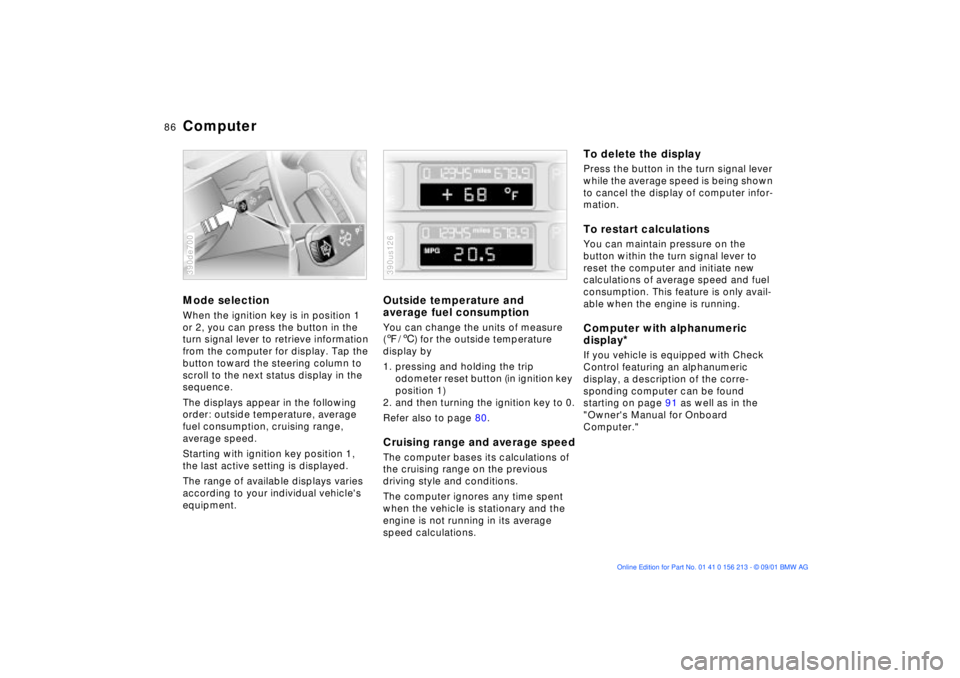
ComputerMode selectionWhen the ignition key is in position 1
or 2, you can press the button in the
turn signal lever to retrieve information
from the computer for display. Tap the
button toward the steering column to
scroll to the next status display in the
sequence.
The displays appear in the following
order: outside temperature, average
fuel consumption, cruising range,
average speed.
Starting with ignition key position 1,
the last active setting is displayed.
The range of available displays varies
according to your individual vehicle's
equipment.390de700
Outside temperature and
average fuel consumptionYou can change the units of measure
(7/6) for the outside temperature
display by
1. pressing and holding the trip
odometer reset button (in ignition key
position 1)
2. and then turning the ignition key to 0.
Refer also to page 80.Cruising range and average speedThe computer bases its calculations of
the cruising range on the previous
driving style and conditions.
The computer ignores any time spent
when the vehicle is stationary and the
engine is not running in its average
speed calculations.390us126
To delete the displayPress the button in the turn signal lever
while the average speed is being shown
to cancel the display of computer infor-
mation.To restart calculationsYou can maintain pressure on the
button within the turn signal lever to
reset the computer and initiate new
calculations of average speed and fuel
consumption. This feature is only avail-
able when the engine is running.Computer with alphanumeric
display
*
If you vehicle is equipped with Check
Control featuring an alphanumeric
display, a description of the corre-
sponding computer can be found
starting on page 91 as well as in the
"Owner's Manual for Onboard
Computer."
Page 87 of 186
87n
OverviewControlsMaintenanceRepairsDataIndex
Multi-Information Display (MID)
*
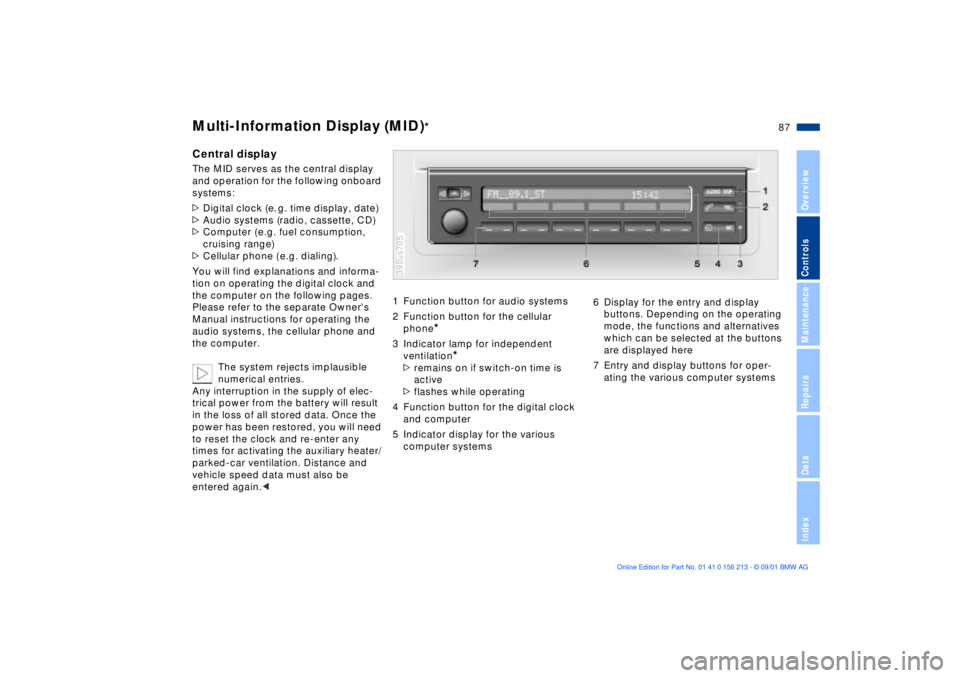
Central displayThe MID serves as the central display
and operation for the following onboard
systems:
>Digital clock (e. g. time display, date)
>Audio systems (radio, cassette, CD)
>Computer ( e.g. fuel consumption,
cruising range)
>Cellular phone ( e.g. dialing).
You will find explanations and informa-
tion on operating the digital clock and
the computer on the following pages.
Please refer to the separate Owner's
Manual instructions for operating the
audio systems, the cellular phone and
the computer.
The system rejects implausible
numerical entries.
Any interruption in the supply of elec-
trical power from the battery will result
in the loss of all stored data. Once the
power has been restored, you will need
to reset the clock and re-enter any
times for activating the auxiliary heater/
parked-car ventilation. Distance and
vehicle speed data must also be
entered again.<
1 Function button for audio systems
2 Function button for the cellular
phone
*
3 Indicator lamp for independent
ventilation
*
>remains on if switch-on time is
active
>flashes while operating
4 Function button for the digital clock
and computer
5 Indicator display for the various
computer systems390us705
6 Display for the entry and display
buttons. Depending on the operating
mode, the functions and alternatives
which can be selected at the buttons
are displayed here
7 Entry and display buttons for oper-
ating the various computer systems
Page 93 of 186
93n
OverviewControlsMaintenanceRepairsDataIndex
Computer in the MID
*
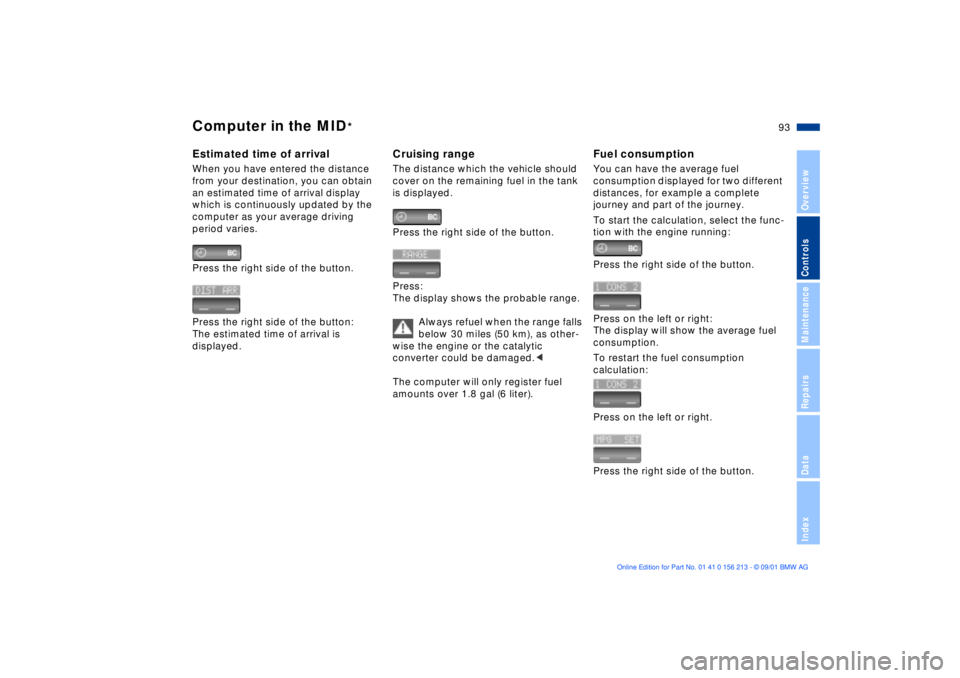
Estimated time of arrivalWhen you have entered the distance
from your destination, you can obtain
an estimated time of arrival display
which is continuously updated by the
computer as your average driving
period varies.
Press the right side of the button.
Press the right side of the button:
The estimated time of arrival is
displayed.
Cruising rangeThe distance which the vehicle should
cover on the remaining fuel in the tank
is displayed.
Press the right side of the button.
Press:
The display shows the probable range.
Always refuel when the range falls
below 30 miles (50 km), as other-
wise the engine or the catalytic
converter could be damaged.<
The computer will only register fuel
amounts over 1.8 gal (6 liter).
Fuel consumptionYou can have the average fuel
consumption displayed for two different
distances, for example a complete
journey and part of the journey.
To start the calculation, select the func-
tion with the engine running:
Press the right side of the button.
Press on the left or right:
The display will show the average fuel
consumption.
To restart the fuel consumption
calculation:
Press on the left or right.
Press the right side of the button.
Page 135 of 186

135n
OverviewControlsMaintenanceRepairsDataIndex
Tire replacement Wheel and tire combinationsUniform Tire Quality GradingQuality grades can be found where
applicable on the tire sidewall between
tread shoulder and maximum section
width. For example:
Treadwear 200 Traction AA
Temperature A
Do not use retreaded tires, since
driving safety may be impaired.
This is due to the possible variations in
casing structures and, in some cases,
to their extreme age, which can lead to
a decrease in their durability.< Tire ageThe date on which the tire was manu-
factured is indicated by the code on the
sidewall:
DOT ... 2601 indicates that the tire was
manufactured in Week 26 of the year
2001.
Although tires may have a theoretical
service life of up to 10 years, BMW
strongly recommends that you replace
all tires after an absolute maximum of
6 years.
The right choice
Never mount wheels and tires that
have not been specifically
approved by BMW for use on your
particular model. Although other wheels
and tires may theoretically have the
same dimensions, variations in factors
such as manufacturing tolerances can
result in contact between tire and body-
work, ultimately leading to serious acci-
dents. If non-approved wheels and tires
are used, BMW cannot evaluate their
suitability, and therefore cannot be held
liable for driving safety.<
BMW has tested certain tires for each
tire size, rated them according to road
safety and approved them. Your BMW
center can inform you which tires have
been tested in this way. Observe
possible national guidelines, e.g.
regarding entry into vehicle documents.
The correct wheel and tire combi-
nation affects different systems
such as ABS, ATC, ASC+T/DSC. The
function of these systems is impaired if
improper wheel and tire combinations
are used.
Always ensure that all of the tires
mounted on the vehicle are the same
series, from the same manufacturer and
with the same tread pattern. If you have
to mount the spare tire in response to a
flat, etc., you should remount a tire of
the correct specifications as soon as
possible.<
The use of rims and wheel bolts
that do not meet the specifica-
tions of the original factory-installed
equipment will affect the safe operation
of your vehicle and may cause an acci-
dent and personal injury.
Never mix tires of different design, such
as steel-belted radials with radial bias-
belted or bias-ply tires, etc. Mixing tire
types will adversely affect roadholding
and can lead to loss of vehicle
control.< Storage Store tires in a cool, dry place,
protecting them against light whenever
possible. Protect the tires against
contact with oil, grease and fuel.