climate control BMW M6 CONVERTIBLE 2007 E64 User Guide
[x] Cancel search | Manufacturer: BMW, Model Year: 2007, Model line: M6 CONVERTIBLE, Model: BMW M6 CONVERTIBLE 2007 E64Pages: 256, PDF Size: 8.11 MB
Page 105 of 256
Controls
103Reference
At a glance
Driving tips
Communications
Navigation
Entertainment
Mobility
Ventilation for cooling
Adjust the vent outlets to direct the flow of cool
air in your direction, for instance, if the interior
has become too warm, etc.
Draft-free ventilation
Set the vent outlets so that the air flows past
you and is not directed straight at you.
Microfilter/activated-charcoal filter
The microfilter removes dust and pollen from
the incoming air. The activated-charcoal filter
provides additional protection by filtering gas-
eous pollutants from the outside air. Your BMW
center replaces this combined filter as a stan-
dard part of your scheduled maintenance.
You can have more detailed information shown
on the Control Display, refer to page71.
Parked car ventilation
The concept
The parked car ventilation blows air into the
passenger compartment to lower interior tem-
peratures.
It is ready to use in the parked-car mode at any
outside temperature.
You can set two different times for the system
to start. The parked car ventilation can also be
switched on and off directly. It remains
switched on for 30 minutes.
Since the system uses a substantial amount of
electrical current, you should refrain from acti-
vating it twice in succession without allowing
the battery to be recharged in normal operation
between uses.
The air emerges through the upper body region
vent outlets in the instrument panel. Therefore,
please open the vent outlets.
The parked car ventilation system is operated
via iDrive.
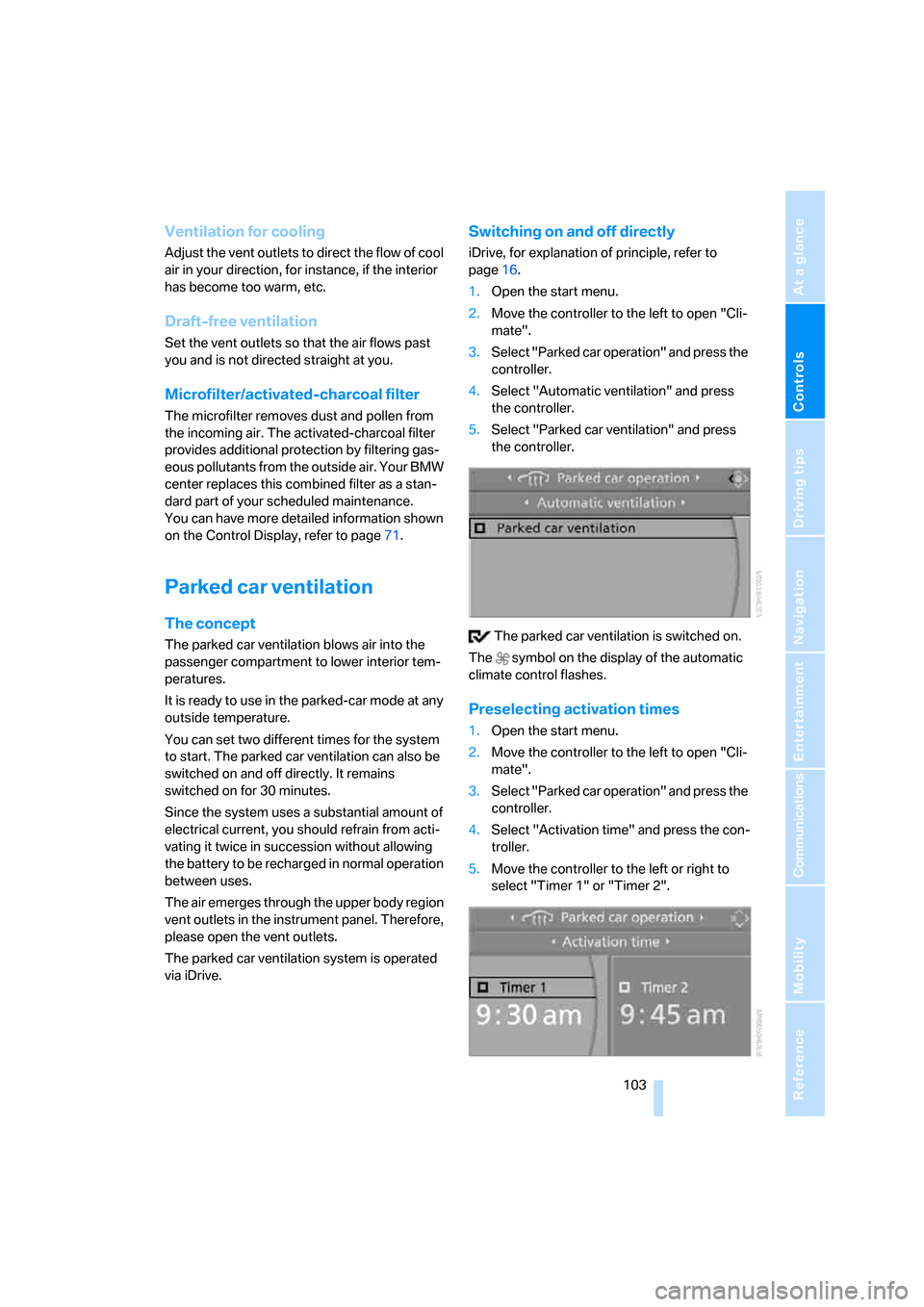
Switching on and off directly
iDrive, for explanation of principle, refer to
page16.
1.Open the start menu.
2.Move the controller to the left to open "Cli-
mate".
3.Select "Parked car operation" and press the
controller.
4.Select "Automatic ventilation" and press
the controller.
5.Select "Parked car ventilation" and press
the controller.
The parked car ventilation is switched on.
The symbol on the display of the automatic
climate control flashes.
Preselecting activation times
1.Open the start menu.
2.Move the controller to the left to open "Cli-
mate".
3.Select "Parked car operation" and press the
controller.
4.Select "Activation time" and press the con-
troller.
5.Move the controller to the left or right to
select "Timer 1" or "Timer 2".
Page 106 of 256
Climate
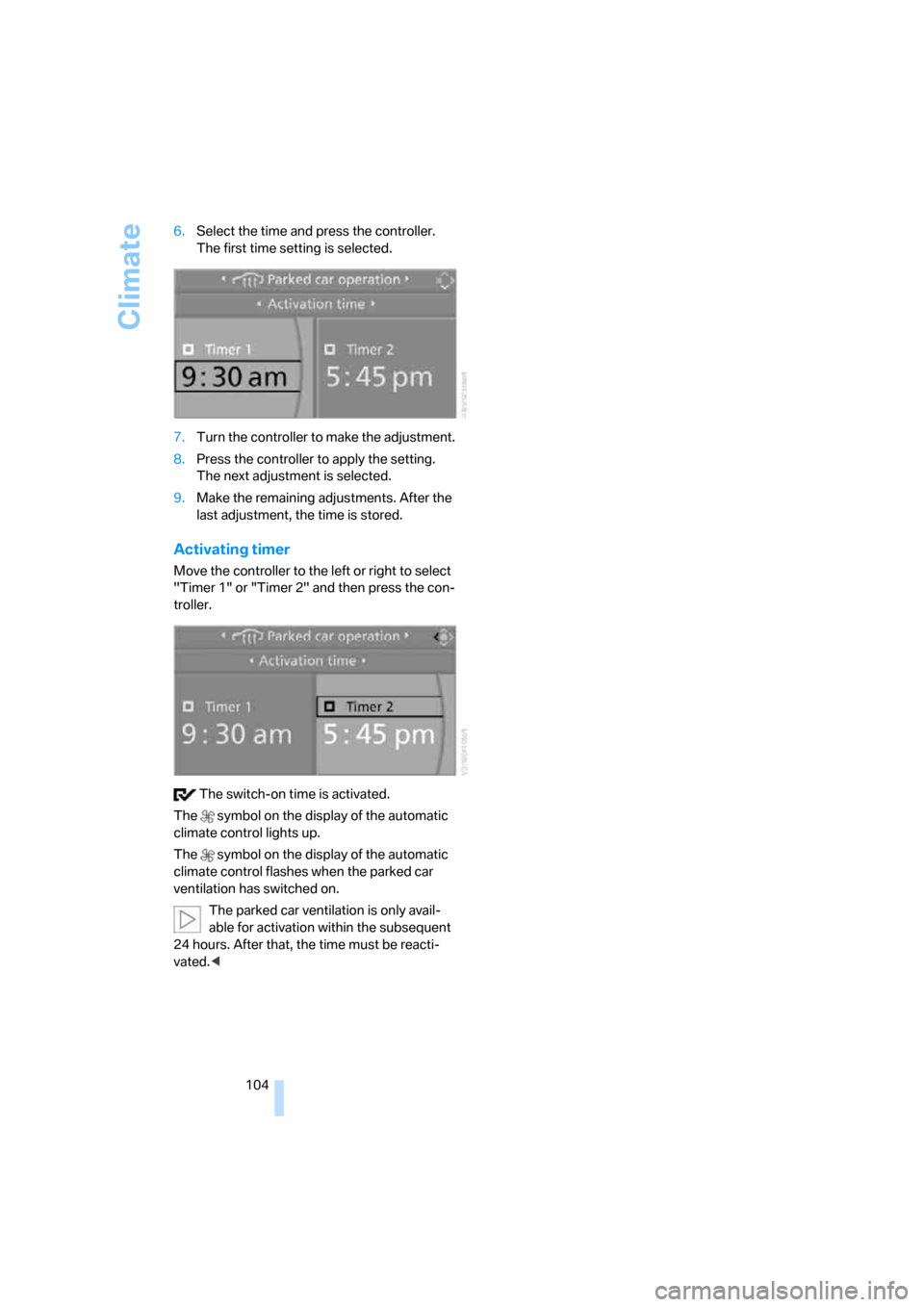
104 6.Select the time and press the controller.
The first time setting is selected.
7.Turn the controller to make the adjustment.
8.Press the controller to apply the setting.
The next adjustment is selected.
9.Make the remaining adjustments. After the
last adjustment, the time is stored.
Activating timer
Move the controller to the left or right to select
"Timer 1" or "Timer 2" and then press the con-
troller.
The switch-on time is activated.
The symbol on the display of the automatic
climate control lights up.
The symbol on the display of the automatic
climate control flashes when the parked car
ventilation has switched on.
The parked car ventilation is only avail-
able for activation within the subsequent
24 hours. After that, the time must be reacti-
vated.<
Page 118 of 256
Things to remember when driving
116
Braking safely
Your BMW is equipped with ABS as a standard
feature. In situations that require it, it is best to
brake with full force. Since the vehicle maintains
steering responsiveness, you can still avoid
possible obstacles with a minimum of steering
effort.
The pulsing of he brake pedal indicates that the
ABS is controlling braking.
In certain braking situations the perforated
brake rotors can cause operating noises which,
however, have not effect on the performance
and operating safety of the brake system.
Do not drive with your foot resting on the
brake pedal. Even light but consistent
pedal pressure can lead to high temperatures,
brake wear and possibly even brake failure.<
Driving in wet conditions
When driving on wet roads or in heavy rain, it is
a good idea to apply light pressure to the brake
pedal every few miles. Monitor traffic conditions
to ensure that this maneuver does not endan-
ger other road users. The heat generated in this
process helps dry the pads and rotors to ensure
that full braking efficiency will then be available
when you need it.
Hills
To prevent overheating and thus reduced
efficiency of the brake system, downshift
to a gear in which only minimal brake applica-
tions are needed when descending long or
steep downhill stretches. Even light but consis-
tent pressure on the brake pedal can lead to
high temperatures, brake wear and possibly
even brake failure.<
Sequential Manual Transmission: do not
drive in idle or with the engine switched
off, otherwise there will be no engine braking
action or support of the braking force and steer-
ing.
Manual transmission: do not drive with the
clutch depressed, in idle or with the engine
switched off, otherwise there will be no engine
braking action or support of the braking force
and steering.Never allow floor mats, carpets or any other
objects to protrude into the area of movement
of the pedals and impair their operation.<
Corrosion on brake rotors
When the vehicle is driven only occasionally,
during extended periods when the vehicle is not
used at all, and in operating conditions where
brake applications are less frequent, there is an
increased tendency for corrosion to form on
rotors, while contaminants accumulate on the
brake pads. This occurs because the minimum
pressure which must be exerted by the pads
during brake applications to clean the rotors is
not reached.
Should corrosion form on the brake rotors, the
brakes will tend to respond with a pulsating
effect that even extended application will fail to
cure.
When vehicle is parked
Condensation forms in the automatic climate
control during operation, and then exits under
the vehicle. Traces of condensed water under
the vehicle are therefore normal.
Before driving into a car wash
Fold in the exterior mirrors, refer to page52,
otherwise they could be damaged due to the
width of the vehicle.
General information on the care and mainte-
nance of your BMW is contained in the Caring
for your vehicle brochure.
Ground clearance
Ensure that sufficient ground clearance
is available. To drive down curbs, select
the "Sport" program of the EDC Electronic
Damping Control, refer to page84, to keep the
ground clearance as uniform as possible. Oth-
erwise, the vehicle may be damaged.<
Page 178 of 256
Telephoning
176
Adjusting volume
Turn the knob during a call to select the desired
volume.
This volume for the hands-free system is main-
tained, even if the other audio sources are set to
minimum volume.
You can also adjust the volume with the buttons
on the steering wheel, refer to page11.
The setting is stored for the remote control cur-
rently in use.
Operation via iDrive
You can operate the following functions via
iDrive:
>Accepting/rejecting a call
>Dialing phone numbers
>Dialing phone numbers from the phone
book
>Dialing stored phone numbers, e.g. from the
list of accepted calls
>Ending a call
When the ignition and radio readiness are
switched off, e.g. after removing the remote
control from the ignition lock, you can continue
an ongoing call via the hands-free system for no
more than 25 minutes.
Speech quality
If the person you are talking to cannot under-
stand you well, this may be due to excessively
loud background noises. The full mobile phone
preparation package can compensate for these
noises to a certain degree. To optimize the speech quality during a call, we recommend
that you:
>Reduce background noises, e.g. by closing
the windows, reducing the air volume of the
automatic climate control or pointing the
opened front vent outlets downward.
>Reduce the volume of the hands-free sys-
tem.
Requirements
>The pairing data of the mobile phone are
stored in the vehicle and the mobile phone
is ready to operate.
>The engine is running or the ignition is
switched on.
>The mobile phone is detected by the vehi-
cle.
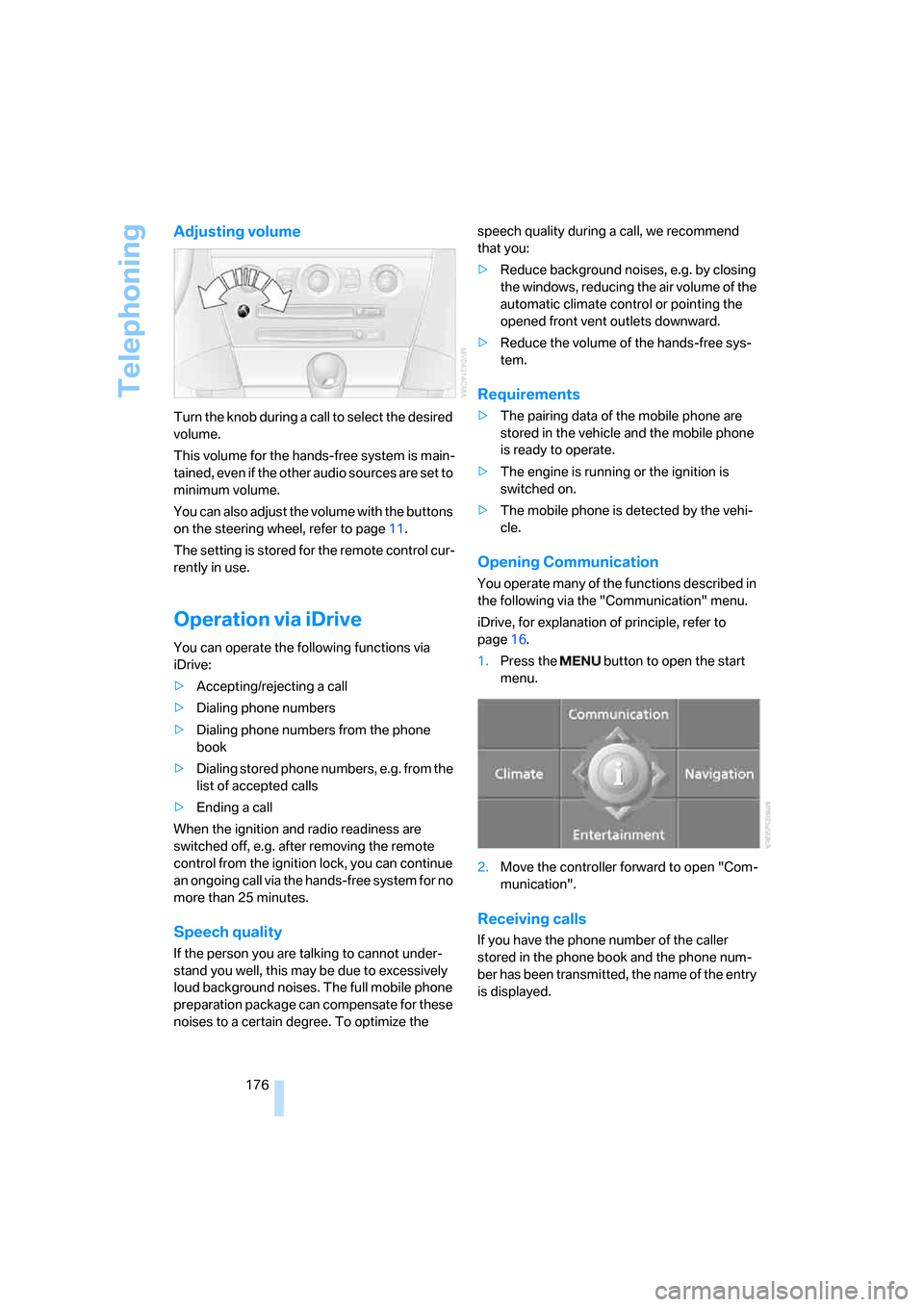
Opening Communication
You operate many of the functions described in
the following via the "Communication" menu.
iDrive, for explanation of principle, refer to
page16.
1.Press the button to open the start
menu.
2.Move the controller forward to open "Com-
munication".
Receiving calls
If you have the phone number of the caller
stored in the phone book and the phone num-
ber has been transmitted, the name of the entry
is displayed.
Page 200 of 256
Wheels and tires
198
Tire identification marks
Knowledge of the labeling on the side of the tire
makes it easier to identify and choose the right
tires.
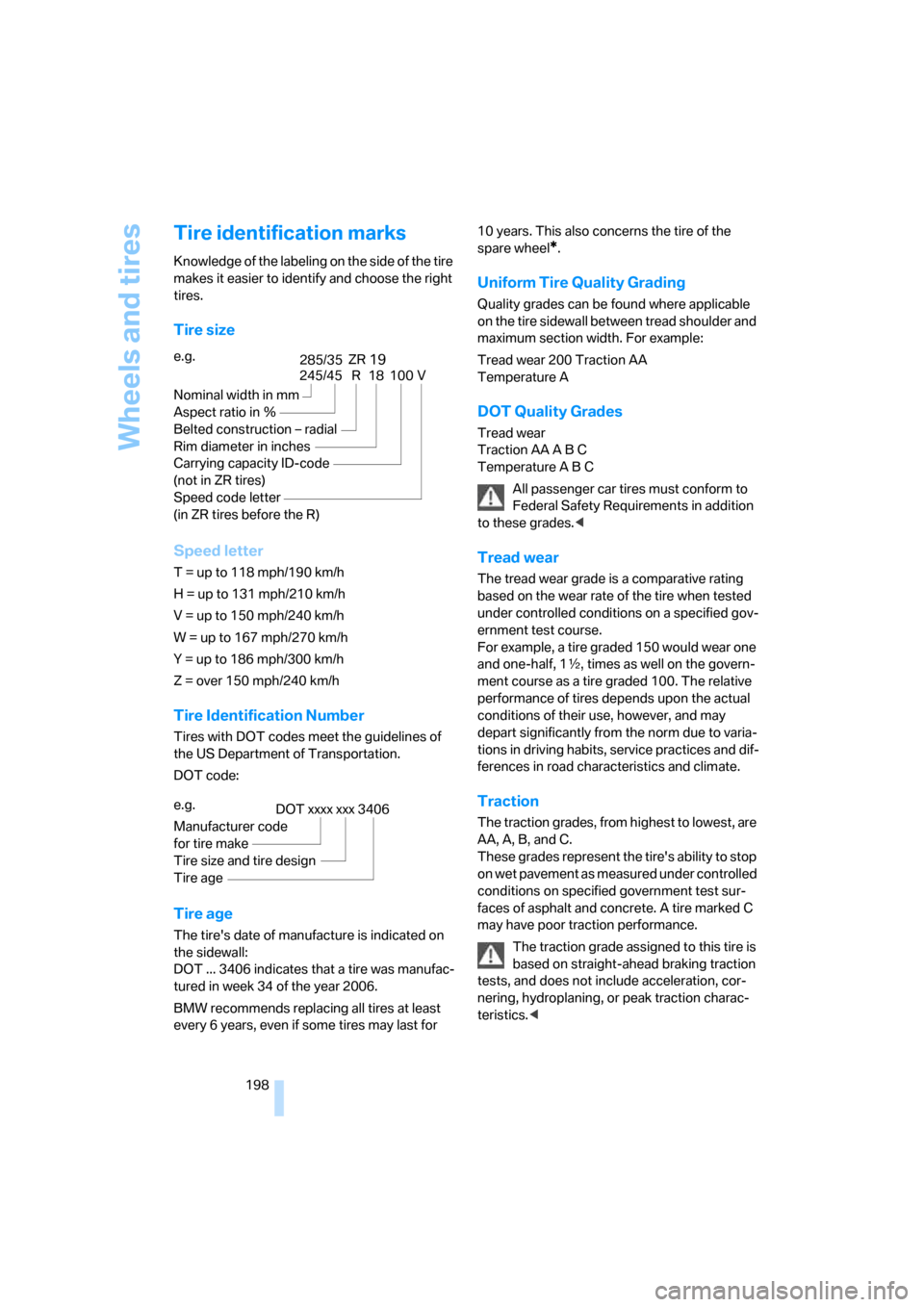
Tire size
Speed letter
T = up to 118 mph/190 km/h
H = up to 131 mph/210 km/h
V = up to 150 mph/240 km/h
W = up to 167 mph/270 km/h
Y = up to 186 mph/300 km/h
Z = over 150 mph/240 km/h
Tire Identification Number
Tires with DOT codes meet the guidelines of
the US Department of Transportation.
DOT code:
Tire age
The tire's date of manufacture is indicated on
the sidewall:
DOT ... 3406 indicates that a tire was manufac-
tured in week 34 of the year 2006.
BMW recommends replacing all tires at least
every 6 years, even if some tires may last for 10 years. This also concerns the tire of the
spare wheel
*.
Uniform Tire Quality Grading
Quality grades can be found where applicable
on the tire sidewall between tread shoulder and
maximum section width. For example:
Tread wear 200 Traction AA
Temperature A
DOT Quality Grades
Tread wear
Traction AA A B C
Temperature A B C
All passenger car tires must conform to
Federal Safety Requirements in addition
to these grades.<
Tread wear
The tread wear grade is a comparative rating
based on the wear rate of the tire when tested
under controlled conditions on a specified gov-
ernment test course.
For example, a tire graded 150 would wear one
and one-half, 1γ, times as well on the govern-
ment course as a tire graded 100. The relative
performance of tires depends upon the actual
conditions of their use, however, and may
depart significantly from the norm due to varia-
tions in driving habits, service practices and dif-
ferences in road characteristics and climate.
Traction
The traction grades, from highest to lowest, are
AA, A, B, and C.
These grades represent the tire's ability to stop
on wet pavement as measured under controlled
conditions on specified government test sur-
faces of asphalt and concrete. A tire marked C
may have poor traction performance.
The traction grade assigned to this tire is
based on straight-ahead braking traction
tests, and does not include acceleration, cor-
nering, hydroplaning, or peak traction charac-
teristics.< e.g.
Nominal width in mm
Aspect ratio in Ξ
Belted construction – radial
Rim diameter in inches
Carrying capacity ID-code
(not in ZR tires)
Speed code letter
(in ZR tires before the R)
245/45 R 18 100 V
285/3519ZR
e.g.
Manufacturer code
for tire make
Tire size and tire design
Tire age
DOT xxxx xxx 3406
Page 234 of 256
Short commands of voice command system
232
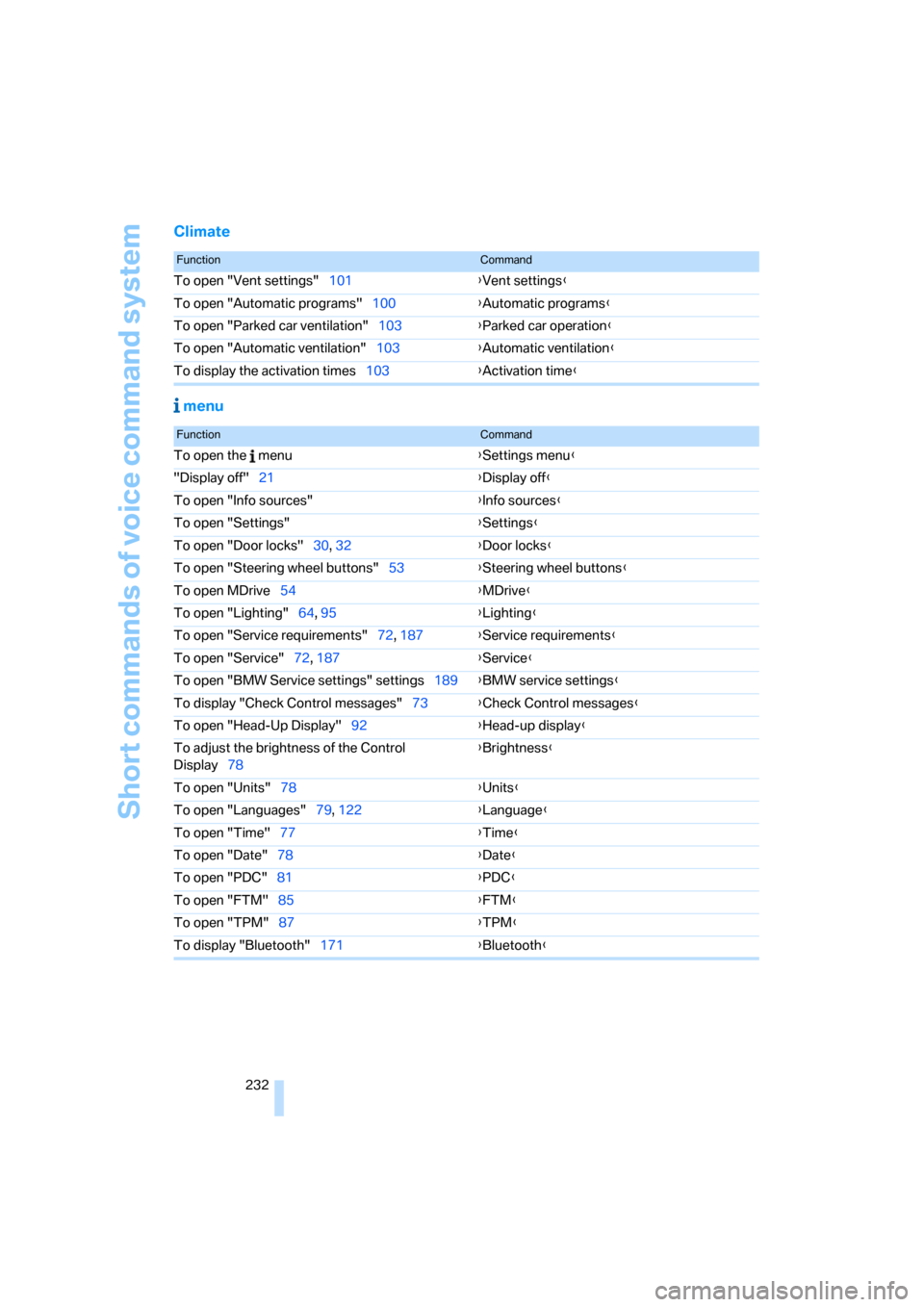
Climate
menu
FunctionCommand
To open "Vent settings"101{Vent settings}
To open "Automatic programs"100{Automatic programs}
To open "Parked car ventilation"103{Parked car operation}
To open "Automatic ventilation"103{Automatic ventilation}
To display the activation times103{Activation time}
FunctionCommand
To open the menu{Settings menu}
"Display off"21{Display off}
To open "Info sources"{Info sources}
To open "Settings"{Settings}
To open "Door locks"30, 32{Door locks}
To open "Steering wheel buttons"53{Steering wheel buttons}
To open MDrive54{MDrive}
To open "Lighting"64, 95{Lighting}
To open "Service requirements"72, 187{Service requirements}
To open "Service"72, 187{Service}
To open "BMW Service settings" settings189{BMW service settings}
To display "Check Control messages"73{Check Control messages}
To open "Head-Up Display"92{Head-up display}
To adjust the brightness of the Control
Display78{Brightness}
To open "Units"78{Units}
To open "Languages"79, 122{Language}
To open "Time"77{Time}
To open "Date"78{Date}
To open "PDC"81{
PDC}
To open "FTM"85{FTM}
To open "TPM"87{TPM}
To display "Bluetooth"171{Bluetooth}
Page 236 of 256
Everything from A to Z
234
Everything from A to Z
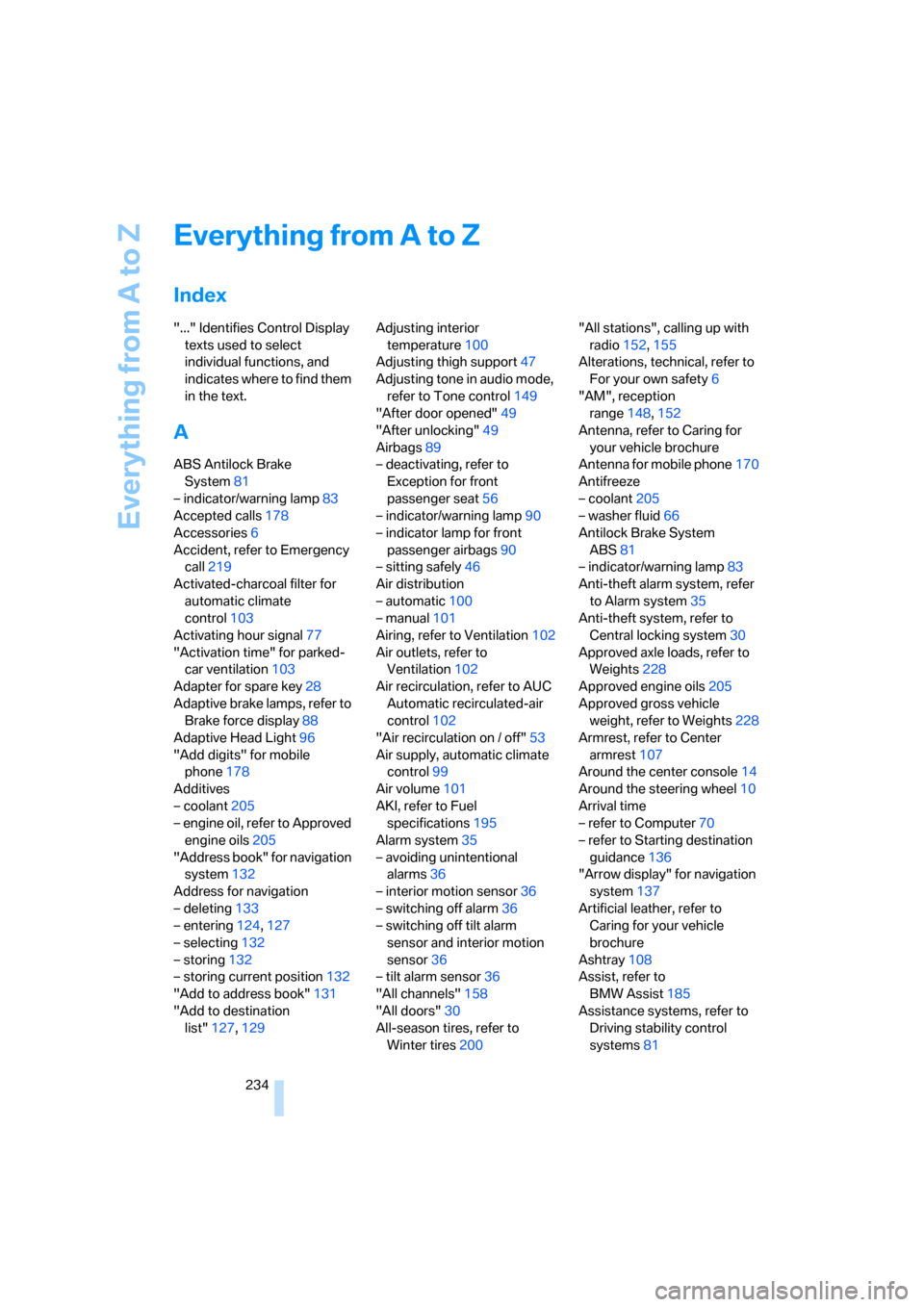
Index
"..." Identifies Control Display
texts used to select
individual functions, and
indicates where to find them
in the text.
A
ABS Antilock Brake
System81
– indicator/warning lamp83
Accepted calls178
Accessories6
Accident, refer to Emergency
call219
Activated-charcoal filter for
automatic climate
control103
Activating hour signal77
"Activation time" for parked-
car ventilation103
Adapter for spare key28
Adaptive brake lamps, refer to
Brake force display88
Adaptive Head Light96
"Add digits" for mobile
phone178
Additives
– coolant205
– engine oil, refer to Approved
engine oils205
"Address book" for navigation
system132
Address for navigation
– deleting133
– entering124,127
– selecting132
– storing132
– storing current position132
"Add to address book"131
"Add to destination
list"127,129Adjusting interior
temperature100
Adjusting thigh support47
Adjusting tone in audio mode,
refer to Tone control149
"After door opened"49
"After unlocking"49
Airbags89
– deactivating, refer to
Exception for front
passenger seat56
– indicator/warning lamp90
– indicator lamp for front
passenger airbags90
– sitting safely46
Air distribution
– automatic100
– manual101
Airing, refer to Ventilation102
Air outlets, refer to
Ventilation102
Air recirculation, refer to AUC
Automatic recirculated-air
control102
"Air recirculation on / off"53
Air supply, automatic climate
control99
Air volume
101
AKI, refer to Fuel
specifications195
Alarm system35
– avoiding unintentional
alarms36
– interior motion sensor36
– switching off alarm36
– switching off tilt alarm
sensor and interior motion
sensor36
– tilt alarm sensor36
"All channels"158
"All doors"30
All-season tires, refer to
Winter tires200"All stations", calling up with
radio152,155
Alterations, technical, refer to
For your own safety6
"AM", reception
range148,152
Antenna, refer to Caring for
your vehicle brochure
Antenna for mobile phone170
Antifreeze
– coolant205
– washer fluid66
Antilock Brake System
ABS81
– indicator/warning lamp83
Anti-theft alarm system, refer
to Alarm system35
Anti-theft system, refer to
Central locking system30
Approved axle loads, refer to
Weights228
Approved engine oils205
Approved gross vehicle
weight, refer to Weights228
Armrest, refer to Center
armrest107
Around the center console14
Around the steering wheel10
Arrival time
– refer to Computer70
– refer to Starting destination
guidance136
"Arrow display" for navigation
system137
Artificial leather, refer to
Caring for your vehicle
brochure
Ashtray108
Assist, refer to
BMW Assist185
Assistance systems, refer to
Driving stability control
systems81
Page 237 of 256
Reference 235
At a glance
Controls
Driving tips
Communications
Navigation
Entertainment
Mobility
Assistance window20
"Assist. window off"21
AUC Automatic recirculated-
air control102
"Audio"149,151,156
Audio148
– controls148
– switching on/off148
– tone control149
– volume149
Audio device, external107
Automatic
– air distribution100
– air volume100
– cruise control66
– headlamp control95
– recirculated-air control
AUC102
– service notification187
– steering wheel
adjustment48
– storing stations153
Automatic car washes116
– also refer to Caring for your
vehicle brochure
Automatic climate control99
– automatic air
distribution100
– convertible program100
– switching on and off102
– ventilation with vehicle
parked103
Automatic closing of doors,
refer to Automatic soft
closing34
Automatic curb monitor52
Automatic lighting
– refer to Automatic headlamp
control95
– refer to Daytime running
lamps96
– refer to Interior lamps97
– refer to Pathway lighting95
"Automatic programs"100
Automatic soft closing34
Automatic station search153
"Automatic ventilation"103AUTO program with
automatic climate
control100
"Autostore" on the
radio152,154
"AUX"148,167
AUX-In connection107,167
Average fuel consumption70
– setting units78
"Avoid ferries" for navigation
system135
"Avoid highways" for
navigation system134
Avoiding freeways for
navigation134
Avoiding unintentional
alarms36
"Avoid tollroads" for
navigation system135
Axle loads, refer to
Weights228
"A - Z"178
B
Backrest contour, refer to
Lumbar support47
Backrests, refer to Seats47
Backrest width adjustment47
Backup lamps, replacing
bulbs, refer to Tail
lamps211
"Balance", refer to Tone
control150
Band-aids, refer to First-aid
kit220
Bass, refer to Tone
control149
"Bass", tone control149
Battery
– jump starting220
– refer to Vehicle battery217
Battery replacement, remote
control for comfort
access38
BC button, refer to
Computer69
Being towed222
Belts, refer to Safety belts51Beverage holder, refer to Cup
holders108
Blower, refer to Air
volume101
"Bluetooth"172
"BMW Assist"186
BMW Assist185
– activating190
– breakdown assistance186
– contacting BMW Customer
Relations188
– displaying vehicle data191
– information service188
– services offered185
– TeleService187
– updating189
"BMW Contact"180
"BMW Contact
Numbers"180
BMW homepage4
BMW Maintenance
System207
"BMW Service settings"189
BMW website4
Bottle holder, refer to Cup
holders108
Bracket for telephone or
mobile phone, refer to Snap-
in adapter183
Brake assistant82
Brake force display88
Brake lamps
– replacing bulbs, refer to Tail
lamps211
– two-stage88
Brake rotors
– breaking-in114
– refer to Braking safely116
Brakes
– ABS Antilock Brake
System81
– brake force display88
– breaking-in114
– CBC Cornering Brake
Control81
– electronic brake-force
distribution81
– handbrake60
– refer to Braking safely116
Page 239 of 256
Reference 237
At a glance
Controls
Driving tips
Communications
Navigation
Entertainment
Mobility
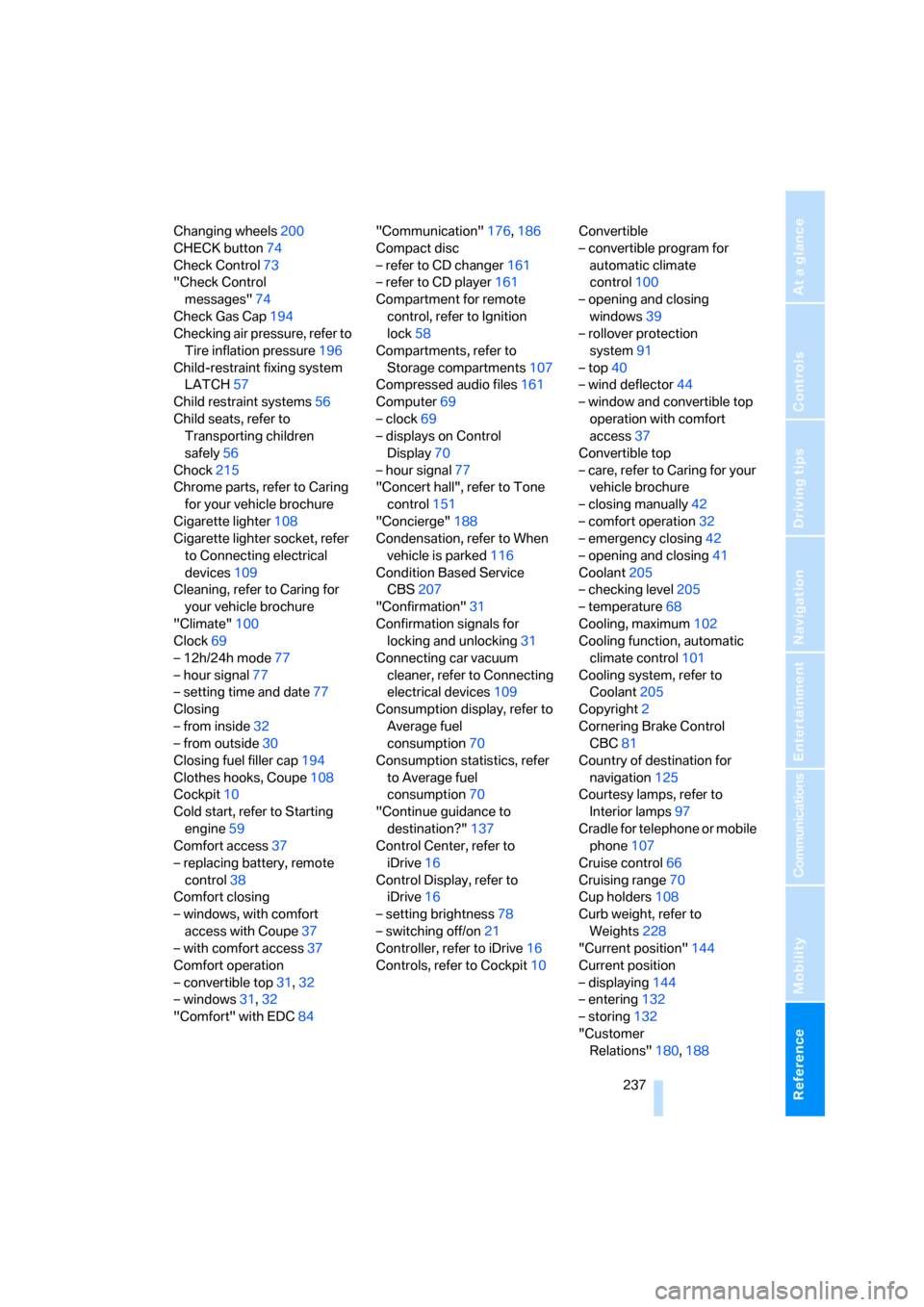
Changing wheels200
CHECK button74
Check Control73
"Check Control
messages"74
Check Gas Cap194
Checking air pressure, refer to
Tire inflation pressure196
Child-restraint fixing system
LATCH57
Child restraint systems56
Child seats, refer to
Transporting children
safely56
Chock215
Chrome parts, refer to Caring
for your vehicle brochure
Cigarette lighter108
Cigarette lighter socket, refer
to Connecting electrical
devices109
Cleaning, refer to Caring for
your vehicle brochure
"Climate"100
Clock69
– 12h/24h mode77
– hour signal77
– setting time and date77
Closing
– from inside32
– from outside30
Closing fuel filler cap194
Clothes hooks, Coupe108
Cockpit10
Cold start, refer to Starting
engine59
Comfort access37
– replacing battery, remote
control38
Comfort closing
– windows, with comfort
access with Coupe37
– with comfort access37
Comfort operation
– convertible top31,32
– windows31,32
"Comfort" with EDC84"Communication"176,186
Compact disc
– refer to CD changer161
– refer to CD player161
Compartment for remote
control, refer to Ignition
lock58
Compartments, refer to
Storage compartments107
Compressed audio files161
Computer69
– clock69
– displays on Control
Display
70
– hour signal77
"Concert hall", refer to Tone
control151
"Concierge"188
Condensation, refer to When
vehicle is parked116
Condition Based Service
CBS207
"Confirmation"31
Confirmation signals for
locking and unlocking31
Connecting car vacuum
cleaner, refer to Connecting
electrical devices109
Consumption display, refer to
Average fuel
consumption70
Consumption statistics, refer
to Average fuel
consumption70
"Continue guidance to
destination?"137
Control Center, refer to
iDrive16
Control Display, refer to
iDrive16
– setting brightness78
– switching off/on21
Controller, refer to iDrive16
Controls, refer to Cockpit10Convertible
– convertible program for
automatic climate
control100
– opening and closing
windows39
– rollover protection
system91
– top40
– wind deflector44
– window and convertible top
operation with comfort
access37
Convertible top
– care, refer to Caring for your
vehicle brochure
– closing manually42
– comfort operation32
– emergency closing42
– opening and closing41
Coolant205
– checking level205
– temperature68
Cooling, maximum102
Cooling function, automatic
climate control101
Cooling system, refer to
Coolant205
Copyright2
Cornering Brake Control
CBC81
Country of destination for
navigation125
Courtesy lamps, refer to
Interior lamps
97
Cradle for telephone or mobile
phone107
Cruise control66
Cruising range70
Cup holders108
Curb weight, refer to
Weights228
"Current position"144
Current position
– displaying144
– entering132
– storing132
"Customer
Relations"180,188
Page 251 of 256
Reference 249
At a glance
Controls
Driving tips
Communications
Navigation
Entertainment
Mobility
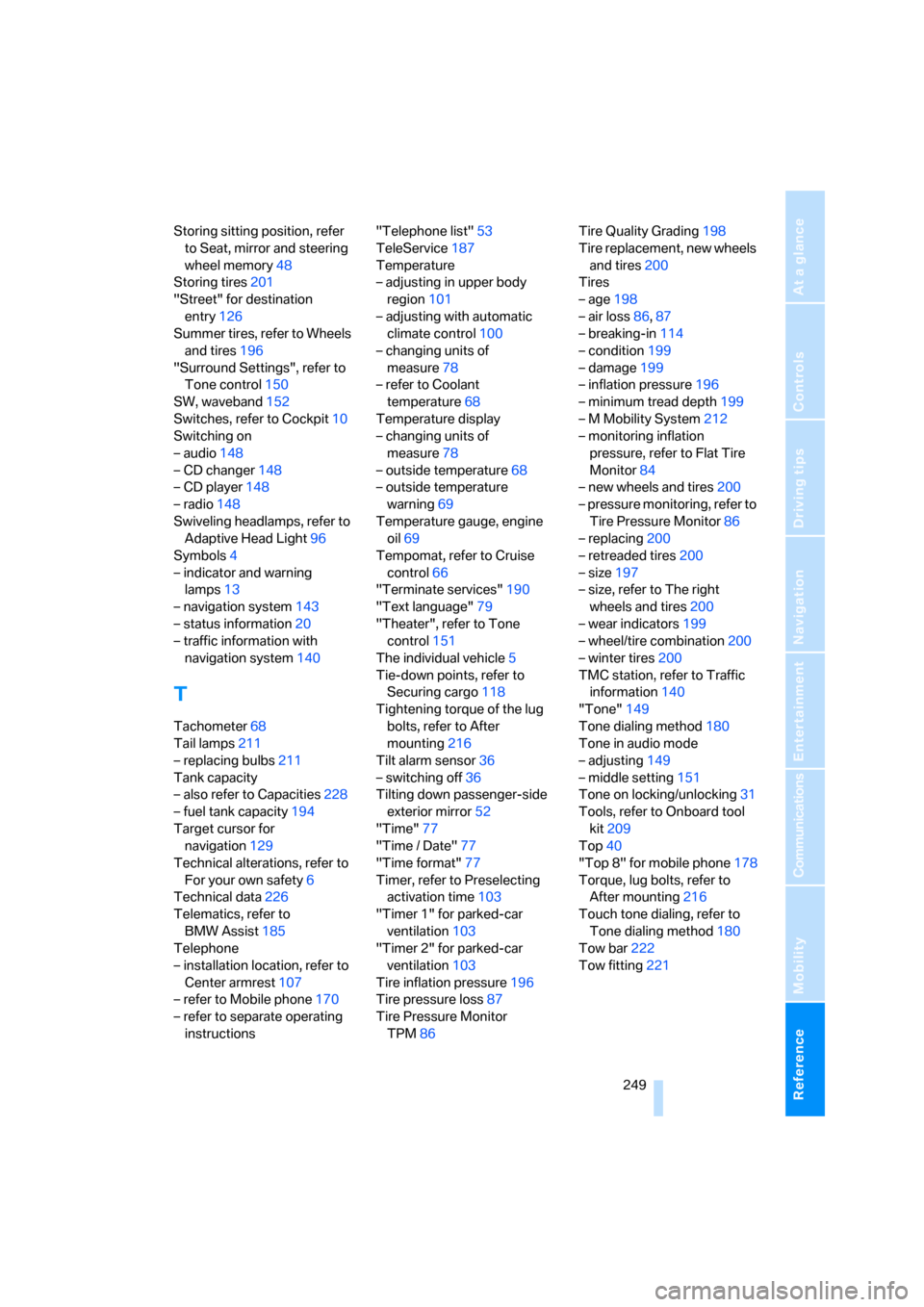
Storing sitting position, refer
to Seat, mirror and steering
wheel memory48
Storing tires201
"Street" for destination
entry126
Summer tires, refer to Wheels
and tires196
"Surround Settings", refer to
Tone control150
SW, waveband152
Switches, refer to Cockpit10
Switching on
– audio148
– CD changer148
– CD player148
– radio148
Swiveling headlamps, refer to
Adaptive Head Light96
Symbols4
– indicator and warning
lamps13
– navigation system143
– status information20
– traffic information with
navigation system140
T
Tachometer68
Tail lamps211
– replacing bulbs211
Tank capacity
– also refer to Capacities228
– fuel tank capacity194
Target cursor for
navigation129
Technical alterations, refer to
For your own safety6
Technical data226
Telematics, refer to
BMW Assist185
Telephone
– installation location, refer to
Center armrest107
– refer to Mobile phone170
– refer to separate operating
instructions"Telephone list"53
TeleService187
Temperature
– adjusting in upper body
region101
– adjusting with automatic
climate control100
– changing units of
measure78
– refer to Coolant
temperature68
Temperature display
– changing units of
measure78
– outside temperature68
– outside temperature
warning69
Temperature gauge, engine
oil69
Tempomat, refer to Cruise
control66
"Terminate services"190
"Text language"79
"Theater", refer to Tone
control151
The individual vehicle5
Tie-down points, refer to
Securing cargo118
Tightening torque of the lug
bolts, refer to After
mounting216
Tilt alarm sensor36
– switching off36
Tilting down passenger-side
exterior mirror52
"Time"77
"Time / Date"77
"Time format"77
Timer, refer to Preselecting
activation time103
"Timer 1" for parked-car
ventilation103
"Timer 2" for parked-car
ventilation103
Tire inflation pressure
196
Tire pressure loss87
Tire Pressure Monitor
TPM86Tire Quality Grading198
Tire replacement, new wheels
and tires200
Tires
– age198
– air loss86,87
– breaking-in114
– condition199
– damage199
– inflation pressure196
– minimum tread depth199
– M Mobility System212
– monitoring inflation
pressure, refer to Flat Tire
Monitor84
– new wheels and tires200
– pressure monitoring, refer to
Tire Pressure Monitor86
– replacing200
– retreaded tires200
– size197
– size, refer to The right
wheels and tires200
– wear indicators199
– wheel/tire combination200
– winter tires200
TMC station, refer to Traffic
information140
"Tone"149
Tone dialing method180
Tone in audio mode
– adjusting149
– middle setting151
Tone on locking/unlocking31
Tools, refer to Onboard tool
kit209
Top40
"Top 8" for mobile phone178
Torque, lug bolts, refer to
After mounting216
Touch tone dialing, refer to
Tone dialing method180
Tow bar222
Tow fitting221