brake light BMW M6 CONVERTIBLE 2012 User Guide
[x] Cancel search | Manufacturer: BMW, Model Year: 2012, Model line: M6 CONVERTIBLE, Model: BMW M6 CONVERTIBLE 2012Pages: 297, PDF Size: 12.09 MB
Page 107 of 297
M Dynamic Mode MDM
M Dynamic Mode makes it possible to drive on
a dry roadway with high longitudinal and trans‐
verse acceleration but with limited driving sta‐
bility.
Only in the absolute limit area does the system
intervene for stabilization by reducing the en‐
gine power and by braking interventions on the
wheels. In this driving condition, additional
steering corrections may be necessary.
Limited stabilizing interventions
When M Dynamic Mode is activated, sta‐
bilizing interventions are carried out only to a re‐
duced extent. You must react yourself; other‐
wise, there is the danger of an accident
occurring.◀
To increase vehicle stability, activate DSC again
as soon as possible.
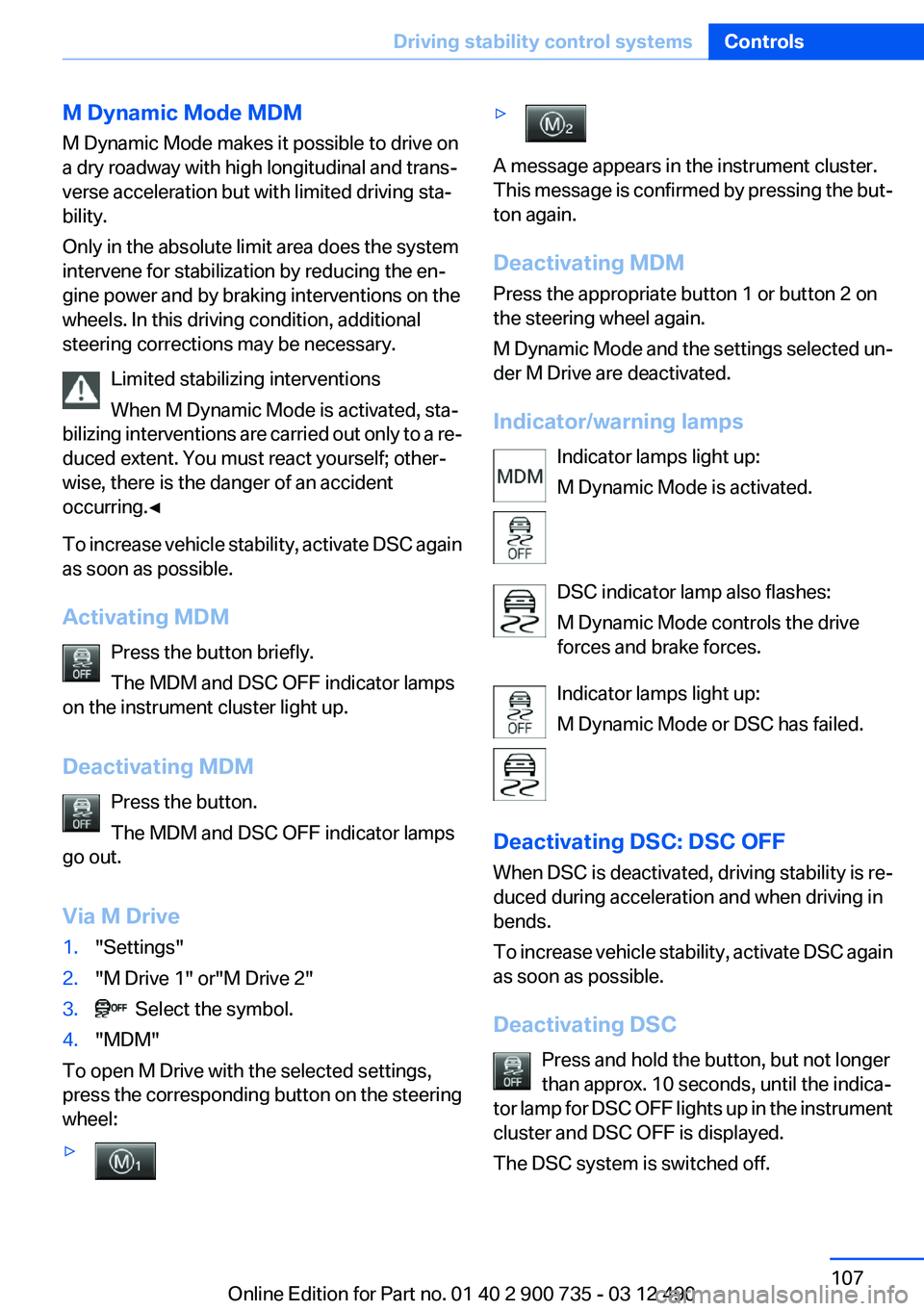
Activating MDM Press the button briefly.
The MDM and DSC OFF indicator lamps
on the instrument cluster light up.
Deactivating MDM Press the button.
The MDM and DSC OFF indicator lamps
go out.
Via M Drive1."Settings"2."M Drive 1" or"M Drive 2"3. Select the symbol.4."MDM"
To open M Drive with the selected settings,
press the corresponding button on the steering
wheel:
▷▷
A message appears in the instrument cluster.
This message is confirmed by pressing the but‐
ton again.
Deactivating MDM
Press the appropriate button 1 or button 2 on
the steering wheel again.
M Dynamic Mode and the settings selected un‐
der M Drive are deactivated.
Indicator/warning lamps Indicator lamps light up:
M Dynamic Mode is activated.
DSC indicator lamp also flashes:
M Dynamic Mode controls the drive
forces and brake forces.
Indicator lamps light up:
M Dynamic Mode or DSC has failed.
Deactivating DSC: DSC OFF
When DSC is deactivated, driving stability is re‐
duced during acceleration and when driving in
bends.
To increase vehicle stability, activate DSC again
as soon as possible.
Deactivating DSC Press and hold the button, but not longer
than approx. 10 seconds, until the indica‐
tor lamp for DSC OFF lights up in the instrument
cluster and DSC OFF is displayed.
The DSC system is switched off.
Seite 107Driving stability control systemsControls107
Online Edition for Part no. 01 40 2 900 735 - 03 12 490
Page 140 of 297
BMW M6 technologyVehicle equipment
All standard, country-specific and optional
equipment that is offered in the model series is
described in this chapter. Therefore, equipment
is also described that is not available in a vehicle,
e. g., because of the selected optional equip‐
ment or country variant. This also applies for
safety-related functions and systems.
V8 high performance engine
The high-speed-V8 engine gets maximum
power of 412 kW and maximum torque of
680 Nm from a displacement of 4.4 liters. With
its spontaneous response behavior, a speed
range of wide utility results. The maximum en‐
gine speed is at 7,200 rpm and is electronically
controlled. Because of the high engine dynam‐
ics, the maximum engine speed with the vehicle
stationary is progressively deactivated after a
short time.
Warmup
During the engine warmup phase, the V8 high-
performance engine has a somewhat rougher
running behavior because of the emission con‐
trols.
When the engine is cold, the exhaust system has
a slightly metallic undertone due to the nature of
the system.
For more information about the warmup proce‐
dure: Engine speed, refer to page 81, and engine
oil temperature, refer to page 81.
Compound brake
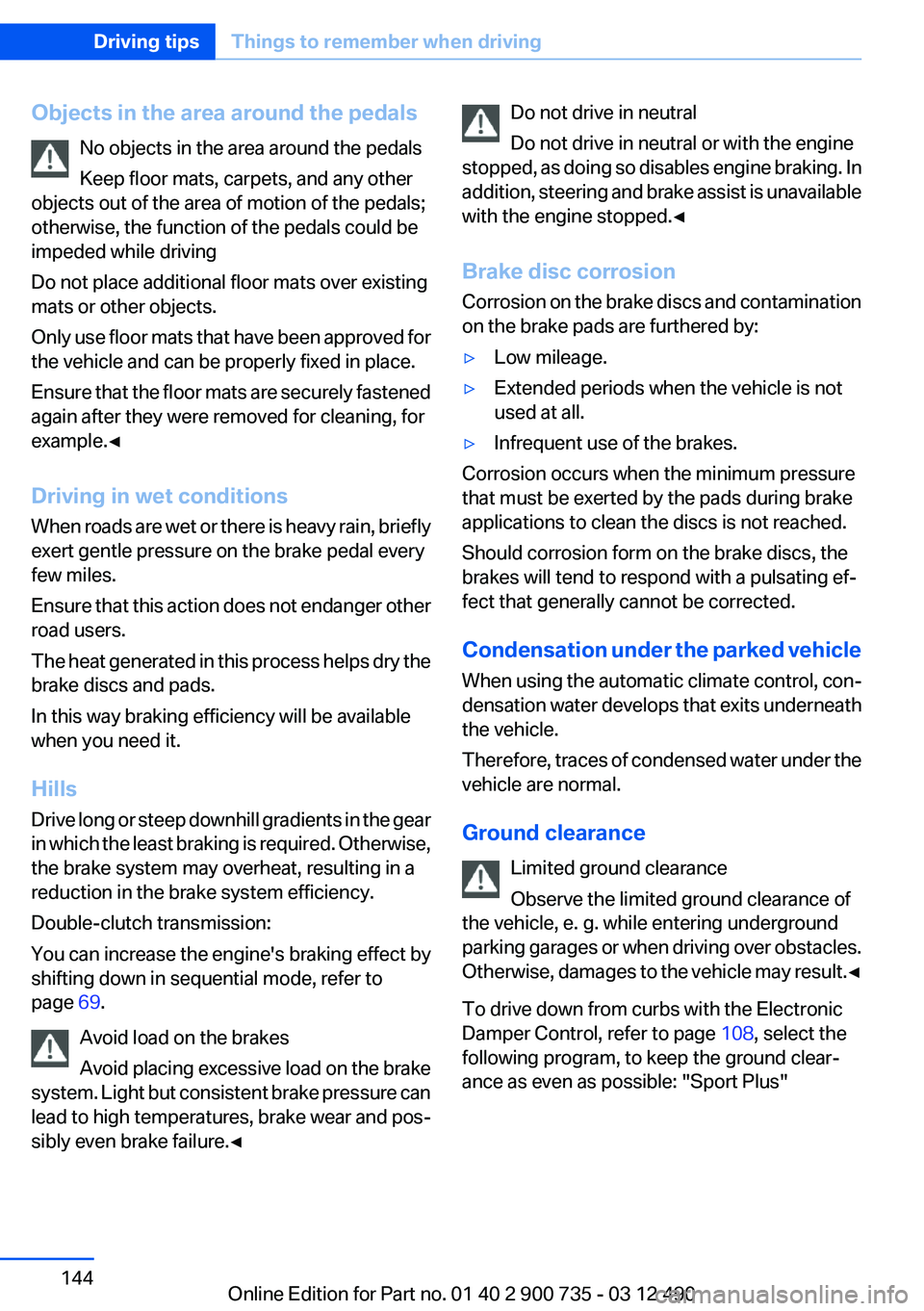
The vehicle has a high-performance brake sys‐
tem with perforated compound brake disks.
Because of particular structural characteristics,
there may be operation-related noises during
braking. However, this has no effect on perform‐
ance, operational reliability and reliability of the
brake.
Correct braking
To keep the brake system in optimum condition,
it is expedient to apply them at regular intervals
corresponding to the vehicle character.
Corrosion on brake disks, refer to page 144.
Drive train
With this vehicle, particular value was placed on
the direct connection from engine to the drive
train. Due to the torsionally rigid design of the
drive train, as is typical in a sports car, the trans‐
mission of the torque also gives acoustic feed‐
back.
When there are load changes, this may result in
clacker noises. The do not cause any impair‐
Seite 140Driving tipsBMW M6 technology140
Online Edition for Part no. 01 40 2 900 735 - 03 12 490
Page 144 of 297
Objects in the area around the pedalsNo objects in the area around the pedals
Keep floor mats, carpets, and any other
objects out of the area of motion of the pedals;
otherwise, the function of the pedals could be
impeded while driving
Do not place additional floor mats over existing
mats or other objects.
Only use floor mats that have been approved for
the vehicle and can be properly fixed in place.
Ensure that the floor mats are securely fastened
again after they were removed for cleaning, for
example.◀
Driving in wet conditions
When roads are wet or there is heavy rain, briefly
exert gentle pressure on the brake pedal every
few miles.
Ensure that this action does not endanger other
road users.
The heat generated in this process helps dry the
brake discs and pads.
In this way braking efficiency will be available
when you need it.
Hills
Drive long or steep downhill gradients in the gear
in which the least braking is required. Otherwise,
the brake system may overheat, resulting in a
reduction in the brake system efficiency.
Double-clutch transmission:
You can increase the engine's braking effect by
shifting down in sequential mode, refer to
page 69.
Avoid load on the brakes
Avoid placing excessive load on the brake
system. Light but consistent brake pressure can
lead to high temperatures, brake wear and pos‐
sibly even brake failure.◀Do not drive in neutral
Do not drive in neutral or with the engine
stopped, as doing so disables engine braking. In
addition, steering and brake assist is unavailable
with the engine stopped.◀
Brake disc corrosion
Corrosion on the brake discs and contamination
on the brake pads are furthered by:▷Low mileage.▷Extended periods when the vehicle is not
used at all.▷Infrequent use of the brakes.
Corrosion occurs when the minimum pressure
that must be exerted by the pads during brake
applications to clean the discs is not reached.
Should corrosion form on the brake discs, the
brakes will tend to respond with a pulsating ef‐
fect that generally cannot be corrected.
Condensation under the parked vehicle
When using the automatic climate control, con‐
densation water develops that exits underneath
the vehicle.
Therefore, traces of condensed water under the
vehicle are normal.
Ground clearance Limited ground clearance
Observe the limited ground clearance of
the vehicle, e. g. while entering underground
parking garages or when driving over obstacles.
Otherwise, damages to the vehicle may result. ◀
To drive down from curbs with the Electronic
Damper Control, refer to page 108, select the
following program, to keep the ground clear‐
ance as even as possible: "Sport Plus"
Seite 144Driving tipsThings to remember when driving144
Online Edition for Part no. 01 40 2 900 735 - 03 12 490
Page 246 of 297
tion potential until after an initial breaking-in pe‐
riod.
Drive conservatively for the first
200 miles/300 km.
Retreaded tires
The manufacturer of your vehicle does not rec‐
ommend the use of retreaded tires.
Retreaded tires
Possibly substantial variations in the de‐
sign and age of the tire casing structures can
limit service life and have a negative impact on
road safety.◀
Winter tires
The manufacturer of your vehicle recommends
winter tires for winter roads or at temperatures
below +45 ℉/+7 ℃.
Although so-called all-season M+S tires do pro‐
vide better winter traction than summer tires,
they do not provide the same level of perform‐
ance as winter tires.
Maximum speed of winter tires
If the maximum speed of the vehicle is higher
than the permissible speed for the winter tires,
then display a corresponding sign in the field of
vision. You can obtain this sign from the tire spe‐
cialist or from your service center.
Maximum speed for winter tires
Do not exceed the maximum speed for the
winter tires; otherwise, tire damage and acci‐
dents can occur.◀
Rotating wheels between axles
The manufacturer of your vehicle advises
against swapping wheels between the front and
rear axles.
This can impair the handling characteristics.
Rotating the tires is not permissible when using
different types of tires.Storage
Store wheels and tires in a cool, dry place with
as little exposure to light as possible.
Always protect tires against all contact with oil,
grease and fuels.
Do not exceed the maximum tire inflation pres‐
sure indicated on the side wall of the tire.
Repairing a flat tire Safety measures in case of a breakdown
Park the vehicle as far away as possible
from passing traffic and on solid ground.
Switch on the hazard warning system.
Turn the steering wheel until the front wheels
are in the straight-ahead position and engage
the steering wheel lock.
Secure vehicle against rolling away by setting
the parking brake and switching off the ignition.
Have all vehicle occupants get out of the vehicle
and ensure that they remain outside the imme‐
diate area in a safe place, such as behind a
guardrail.
If necessary, set up a warning triangle at an ap‐
propriate distance.
Comply with all safety guidelines and regula‐
tions.◀
Mobility System
Notes▷Follow the instructions on using the Mobility
System found on the compressor and seal‐
ant bottle.▷Use of the Mobility System may be ineffec‐
tive if the tire puncture measures approx.
1/8 in/4 mm or more.▷Contact the nearest service center if the tire
cannot be made drivable.Seite 246MobilityWheels and tires246
Online Edition for Part no. 01 40 2 900 735 - 03 12 490
Page 259 of 297
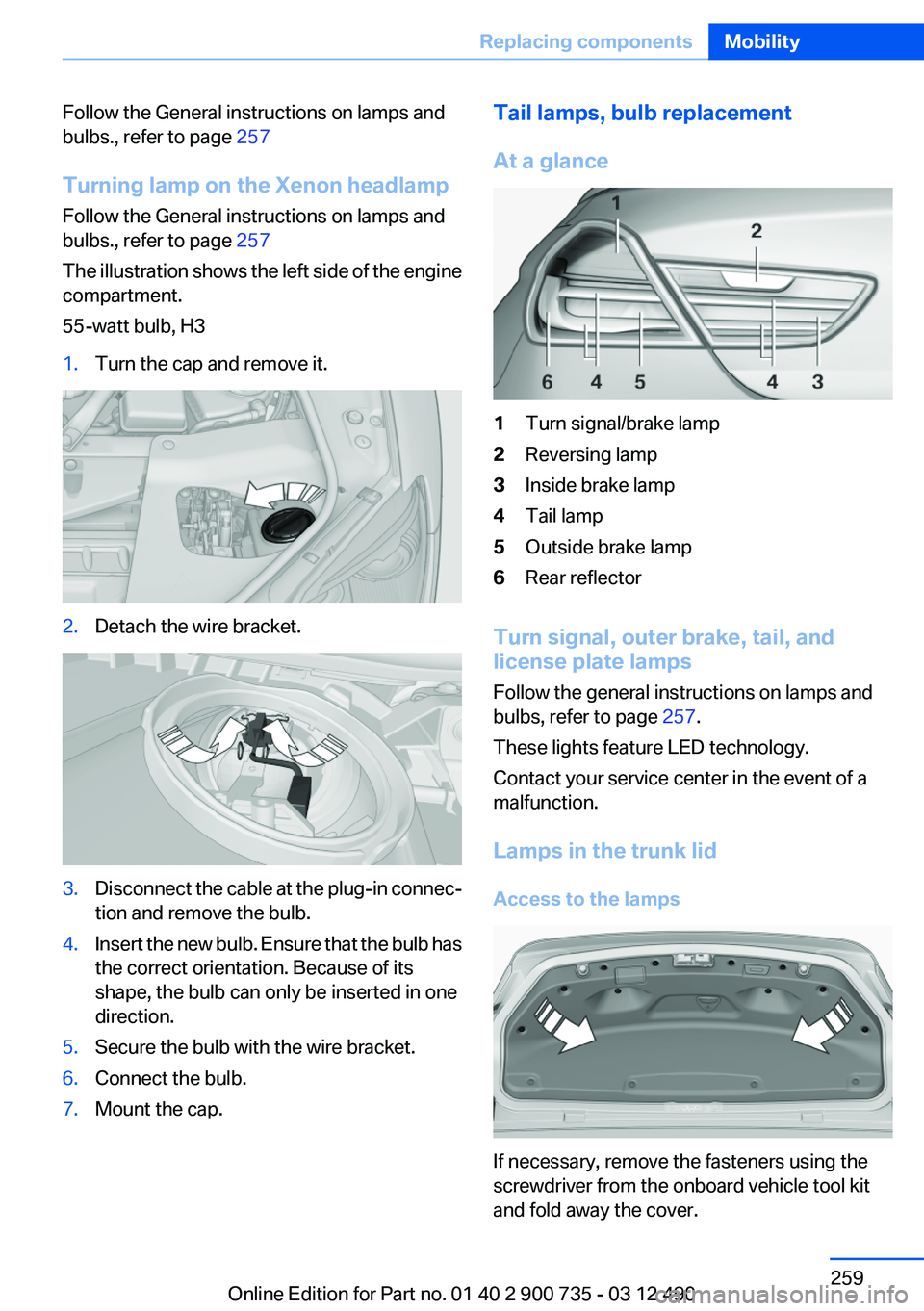
Follow the General instructions on lamps and
bulbs., refer to page 257
Turning lamp on the Xenon headlamp
Follow the General instructions on lamps and
bulbs., refer to page 257
The illustration shows the left side of the engine
compartment.
55-watt bulb, H31.Turn the cap and remove it.2.Detach the wire bracket.3.Disconnect the cable at the plug-in connec‐
tion and remove the bulb.4.Insert the new bulb. Ensure that the bulb has
the correct orientation. Because of its
shape, the bulb can only be inserted in one
direction.5.Secure the bulb with the wire bracket.6.Connect the bulb.7.Mount the cap.Tail lamps, bulb replacement
At a glance1Turn signal/brake lamp2Reversing lamp3Inside brake lamp4Tail lamp5Outside brake lamp6Rear reflector
Turn signal, outer brake, tail, and
license plate lamps
Follow the general instructions on lamps and
bulbs, refer to page 257.
These lights feature LED technology.
Contact your service center in the event of a
malfunction.
Lamps in the trunk lid
Access to the lamps
If necessary, remove the fasteners using the
screwdriver from the onboard vehicle tool kit
and fold away the cover.
Seite 259Replacing componentsMobility259
Online Edition for Part no. 01 40 2 900 735 - 03 12 490
Page 286 of 297
Everything from A to Z
IndexA
ABS, Antilock Brake Sys‐ tem 106
Acceleration Assistant, refer to Launch Control 71
Activated-charcoal filter 128
Active Blind Spot Detec‐ tion 104
Active M differential 108
Active seat, front 53
Active seat ventilation, front 54
Adaptive brake lights, refer to Brake force display 105
Adaptive light control 92
Additional telephone 206
Additives, oil 253
Adjustments, seats/head re‐ straints 51
After washing vehicle 269
Airbags 95
Airbags, indicator/warning light 96
Air circulation, refer to Recir‐ culated-air mode 127
Air, dehumidifying, refer to Cooling function 127
Air distribution, manual 126
Air pressure, tires 241
Air vents, refer to Ventila‐ tion 128
Air volume, automatic climate control 126
Alarm system 41
Alarm, unintentional 42
All around the center con‐ sole 14
All around the interior rearview mirror 15 All around the steering
wheel 12
ALL program, automatic cli‐ mate control 127
All-season tires, refer to Win‐ ter tires 246
Alternating-code hand-held transmitter 131
Alternative oil types 253
AM/FM station 175
Announcement, navigation, refer to Spoken instruc‐
tions 162
Antifreeze, washer fluid 76
Antilock Brake System, ABS 106
Anti-slip control, refer to DSC 106
Applications 233
Appointments 223
Approved axle load 275
Approved engine oils 253
Apps 233
Apps, video playback 198
Armrest, refer to Front center armrest 136
Arrival time 86
Ashtray 132
Assistance, Roadside Assis‐ tance 264
Assistance when driving off 106
Assist, BMW 229
Audio playback 184
Audio playback, Blue‐ tooth 198
AUTO intensity 126
Automatic car wash 268
Automatic Curb Monitor 58
Automatic deactivation, front passenger airbags 96 Automatic headlamp con‐
trol 91
Automatic locking 38
Automatic recirculated-air control 127
Automatic Soft Closing, doors 38
AUTO program, automatic cli‐ mate control 126
AUTO program, intensity 126
Auto Start/Stop function 65
AUX-IN port 195
Average fuel consumption 85
Average speed 86
Axle loads, weights 275
B
Backrest curvature, refer to Lumbar support 52
Backrest, seats 51
Backrest, width 53
Backup camera 114
Balance 172
Band-Aids, refer to First aid kit 264
Bang & Olufsen 173
Bar for tow-starting/tow‐ ing 266
Bass 172
Battery replacement, vehicle battery 261
Battery replacement, vehicle remote control 30
Battery, vehicle 261
Belts, safety belts 54
Beverage holder, cu‐ pholder 136
Bluetooth audio 198
Bluetooth connection, activat‐ ing/deactivating 207 Seite 286ReferenceEverything from A to Z286
Online Edition for Part no. 01 40 2 900 735 - 03 12 490
Page 287 of 297
BMW Assist 229
BMW Homepage 6
BMW Internet page 6
BMW Maintenance Sys‐ tem 255
BMW M technology 0
BMW Search 231
Bottle holder, refer to Cu‐ pholder 136
Brake assistant 106
Brake discs, breaking in 142
Brake force display 105
Brake lamps, brake force dis‐ play 105
Brake lamps, bulb replace‐ ment 259
Brake lights, adaptive 105
Brake pads, breaking in 142
Braking, notes 143
Breakdown assis‐ tance 263, 264
Breaking in 142
Brightness of Control Dis‐ play 89
Bulb replacement 257
Bulb replacement, front 258
Bulb replacement, rear 259
Bulbs and lamps 257
Button, Start/Stop 64
Bypassing, refer to Jump- starting 265
C
Calendar 223
California Proposition 65 Warning 7
Camera, backup camera 116
Camera, care 271
Camera, Side View 119
Camera, Top View 118
Can holder, refer to Cu‐ pholder 136
Car battery 261
Car care products 269
Care, displays 271 Care, vehicle 269
Cargo 145
Cargo area, cargo area parti‐ tion 46
Cargo area lid 38
Cargo area partition 46
Cargo area, storage compart‐ ments 137
Cargo straps, securing cargo 146
Car key, refer to Remote con‐ trol 30
Carpet, care 271
Car wash 268
Catalytic converter, refer to Hot exhaust system 143
CBS Condition Based Serv‐ ice 255
CD/DVD 183
CDs, storing 190
Cell phone 206
Center console 14
Center speaker 173
Central locking system 33
Central screen, refer to Control Display 16
Central speaker 173
Changes, technical, refer to Safety 6
Changing parts 257
Changing wheels 260
Changing wheels/tires 245
Check Control 78
Children, seating position 61
Children, transporting safely 61
Child restraint fixing sys‐ tem 61
Child restraint fixing system LATCH 62
Child restraint fixing systems, mounting 61
Child seat, mounting 61
Child seats 61
Chrome parts, care 270
Cigarette lighter 132 Cleaning, displays 271
Climate control 125
Climate control wind‐ shield 143
Clock 81
Closing/opening from in‐ side 37
Closing/opening via door lock 37
Closing/opening with remote control 34
Combination switch, refer to Turn signals 74
Combination switch, refer to Wiper system 74
Comfort Access 39
Compound brake 140
Compressor 246
Computer 85
Concierge service 230
Condensation on win‐ dows 126
Condensation under the vehi‐ cle 144
Condition Based Service CBS 255
Confirmation signal 36
Contacts 219, 227
Control Display 16
Control Display, settings 87
Controller 16
Control systems, driving sta‐ bility 106
Convenient closing 35
Convenient opening 35
Convertible, convertible top 44
Convertible mode, automatic climate control 126
Convertible program, auto‐ matic climate control 126
Convertible top 44
Convertible top, care 269
Convertible top, cargo area partition 46 Seite 287Everything from A to ZReference287
Online Edition for Part no. 01 40 2 900 735 - 03 12 490
Page 288 of 297
Convertible top, emergencyoperation 46
Convertible top, rollover pro‐ tection system 98
Convertible top tool 46
Coolant 254
Coolant temperature 81
Cooling function 127
Cooling, maximum 127
Cooling system 254
Corrosion on brake discs 144
Cruise control 110
Cruising range 82
Cupholder 136
Current fuel consumption 83
Current location, storing 154
Customer Relations 232
D
Damage, tires 244
Damper control 108
Damper Control, Elec‐ tronic 108
Data, technical 274
Date 82
Daytime running lights 91
Defrosting, refer to Windows, defrosting 126
Dehumidifying, air 127
Destination distance 86
Destination guidance 160
Destination guidance with in‐ termediate destinations 159
Destination input, naviga‐ tion 152
Differential lock 108
Digital clock 81
Digital radio 176
Digital speed 82
Digital tachometer 82
Dimensions 274
Dimmable exterior mirrors 58
Dimmable interior rearview mirror 58 Direction indicator, refer to
Turn signals 74
Display in windshield 122
Display lighting, refer to Instru‐ ment lighting 93
Displays 77
Displays, cleaning 271
Disposal, coolant 254
Disposal, vehicle battery 261
Distance control, refer to PDC 112
Distance to destination 86
Divided screen view, split screen 20
Door lock, refer to Remote control 30
Doors, Automatic Soft Clos‐ ing 38
Double-clutch transmis‐ sion 68
Drivelogic 70
Drive mode 69
Drive-off assistant 106
Drive-off assistant, refer to DSC 106
Driving Dynamics Control 73
Driving Dynamics System 83
Driving dynamics, system states 83
Driving instructions, breaking in 142
Driving notes, general 142
Driving on racetracks 141
Driving program, refer to Drivelogic 70
Driving stability control sys‐ tems 106
Driving tips 142
DSC Dynamic Stability Con‐ trol 106
DVD/CD 183
DVD/CD notes 189
DVD changer 187
DVD settings 186
DVDs, storing 190
DVD, video 185 Dynamic destination guid‐
ance 167
Dynamic Stability Control DSC 106
E
EDC, Electronic Damper Con‐ trol 108
Electronic Damper Control EDC 108
Electronic displays, instru‐ ment cluster 78
Electronic Stability Program ESP, refer to DSC 106
Emergency detection, remote control 31
Emergency operation, convertible top 46
Emergency release, door lock 37
Emergency release, fuel filler flap 238
Emergency Request 263
Emergency service, refer to Roadside Assistance 264
Emergency start function, en‐ gine start 31
Emergency unlocking, trunk lid 39
Energy Control 83
Energy recovery 83
Engine, automatic Start/Stop function 65
Engine, automatic switch- off 65
Engine compartment 250
Engine compartment, working in 250
Engine coolant 254
Engine oil 252
Engine oil, adding 252
Engine oil additives 253
Engine oil change 253
Engine oil filler neck 252
Engine oil temperature 81 Seite 288ReferenceEverything from A to Z288
Online Edition for Part no. 01 40 2 900 735 - 03 12 490
Page 293 of 297
Sequential mode 69
Service and warranty 7
Service requirements, Condi‐ tion Based Service CBS 255
Service requirements, dis‐ play 83
Service, Roadside Assis‐ tance 264
Servotronic 109
Settings, M Drive 59
Settings on Control Dis‐ play 87
Settings, storing for seat, mir‐ rors, steering wheel 56
Shift Lights 72
Short commands 277
Shoulder support 53
Side airbags 95
Side View 118
Signaling, horn 12
Signals when unlocking 36
Sitting safely 51
Size 274
Ski bag 133
Smallest turning circle 275
Smoker's package 132
Snap-in adapter, mobile phone 216
Snow chains 249
Socket 132
Socket, OBD Onboard Diag‐ nostics 256
Software applications, iPhone 233
Software update 202
Spare fuse 261
Speaker lighting 173
Special destinations, naviga‐ tion 155
Specified engine oil types 253
Speed, average 86
Speed limit in the com‐ puter 86
Speed Volume, volume equal‐ ization 173 Split screen 20
Split screen map settings 164
Spoken instructions, naviga‐ tion 162
Stability control systems 106
Standard view, Head-up Dis‐ play 123
Start/stop, automatic func‐ tion 65
Start/Stop button 64
Start function during malfunc‐ tion 31
Starting the engine 65
State/province, selecting for navigation 152
Stations, stored 181
Station, storing 175
Status display, tires 99
Status information, iDrive 19
Status of Owner's Manual 6
Steering assistance 109
Steering wheel, adjusting 59
Steering wheel heating 59
Steering wheel memory 56
Stopping the engine 65
Storage compartments 135
Storage compartments, loca‐ tions 135
Storage, tires 246
Storing the vehicle 271
Street, entering for naviga‐ tion 153
Summer tires, tread 244
Supplementary text mes‐ sage 80
Surround View 114
Switch-on times, parked-car ventilation 129
Switch, refer to Cockpit 12
Symbols 6
System states of the driving dynamics 83
T
Tachometer 81 Tail and brake lamps 259
Tailgate 38
Tailgate via remote control 35
Tail lamps 259
Tail lamps, bulb replace‐ ment 259
Tasks 224
Technical changes, refer to Safety 6
Technical data 274
Technology, BMW M 0
TeleServices 230
Temperature, automatic cli‐ mate control 126
Temperature display, external temperature 81
Temperature, engine oil 81
Terminal, jump-starting 265
Text messages 221
Text message, supplemen‐ tary 80
Theft alarm system, refer to Alarm system 41
Theft protection, lug bolts 260
Theft protection, refer to Cen‐ tral locking system 33
Thermal camera, refer to Night Vision 119
Thigh support 52
Tilt alarm sensor 42
Tilt, seats 51
Time of arrival 86
Tire damage 244
Tire identification marks 243
Tire inflation pressure 241
Tire inflation pressure monitor, refer to FTM 101
Tire Pressure Monitor TPM 99
Tires, changing 245
Tire sealant 246
Tires, everything on wheels and tires 241
Tire tread 244
Toll roads, route 160 Seite 293Everything from A to ZReference293
Online Edition for Part no. 01 40 2 900 735 - 03 12 490